Ed Nisley's Blog: Shop notes, electronics, firmware, machinery, 3D printing, laser cuttery, and curiosities. Contents: 100% human thinking, 0% AI slop.
A pleasant evening at a virtual Squidwrench meeting produced the raw shape of the front end from a 1 inch aluminum rod:
1 W LED Running Light – heatsink raw
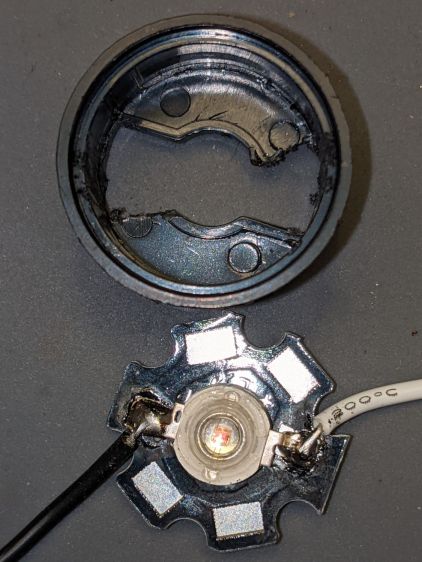
Trace the outline of the LED’s PCB inside the cylinder just for comfort, align to the center, and drill two holes with a little bit of clearance:
1 W LED Running Light – heatsink drilling
For the 24 AWG silicone wire I used, a pair of 2 mm holes 8.75 mm out from the center suffice:
1 W LED Running Light – heatsink fit
Gnaw some wire clearance in the lens holder:
1 W LED Running Light – wiring
Tap the central hole for an M3×0.5 screw, which may come in handy to pull the entire affair together.
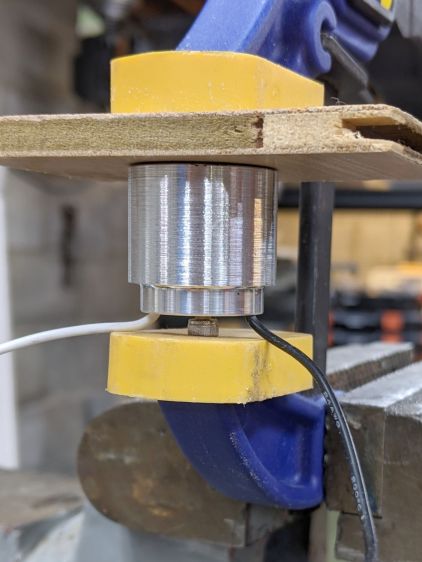
Epoxy the PCB onto the heatsink with the lens holder keeping it aligned in the middle:
1 W LED Running Light – heatsink clamp
Then see how hot it gets dissipating 900 mW with 360 mA of current from a 2.2 Ω resistor:
1 W LED Running Light – heatsink test
As you might expect, it gets uncomfortably warm sitting on the bench, so it lacks surface area. The first pass will use a PVC cylinder for easy machining, but a full aluminum shell would eventually be a nice touch.
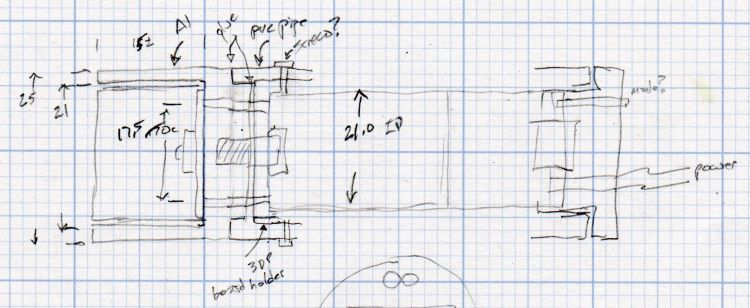
A doodle with some dimensions and aspirational features:
Running Light – 1 W LED case doodle
Even without a lens and blinkiness, it’s attention-getting!
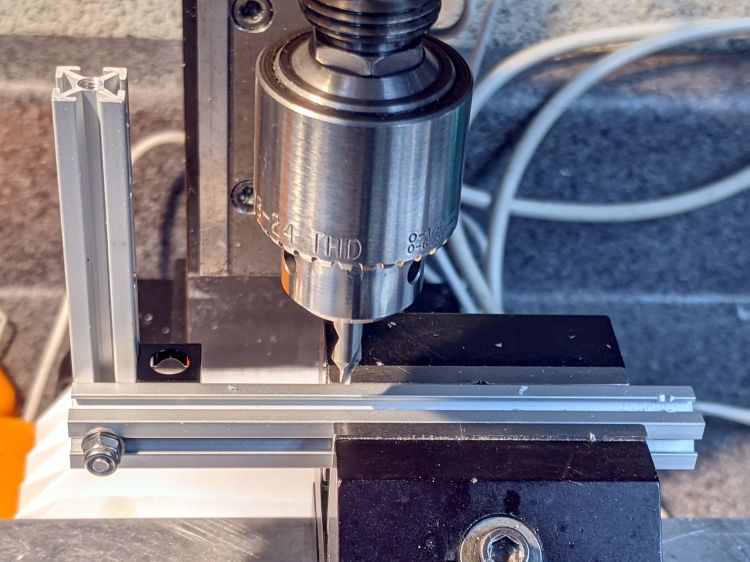
This requires drilling holes through the extrusions:
Microscope Stage Positioner – Makerbeam drilling
Running the center drill down until it just nicks the sides produces enough of a pilot hole through the center section to capture the 3 mm drill. If I had to drill enough holes to make a fixture worthwhile, I could probably eliminate the divots.
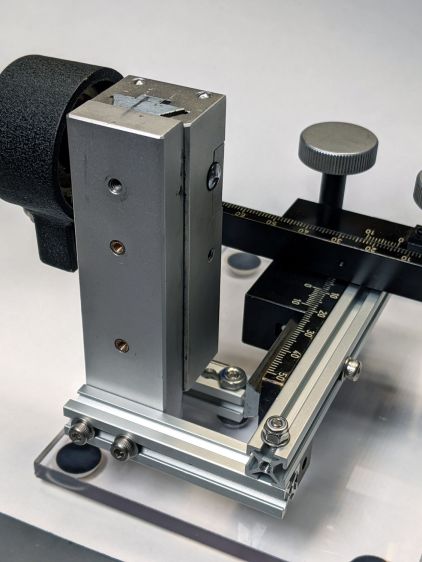
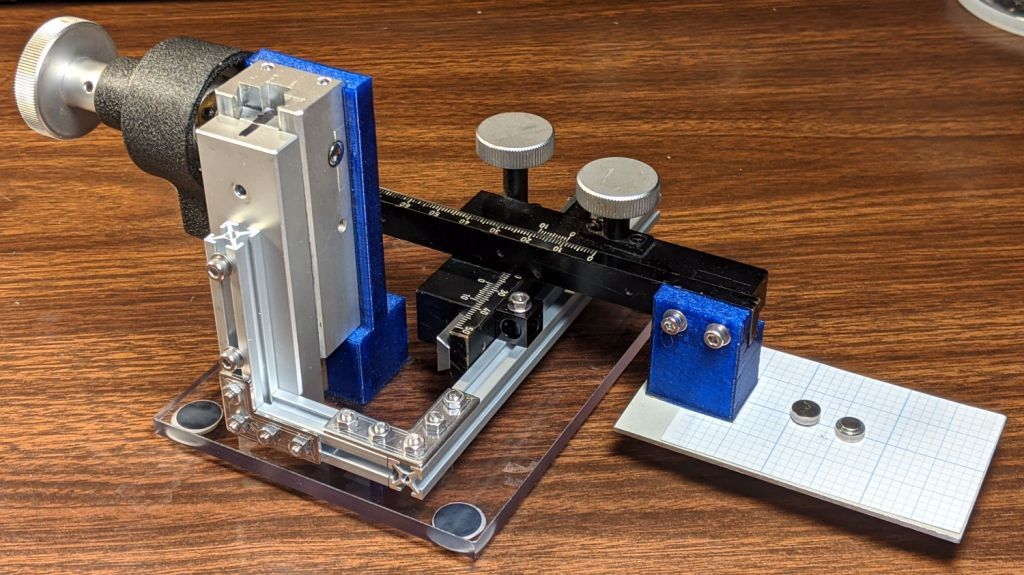
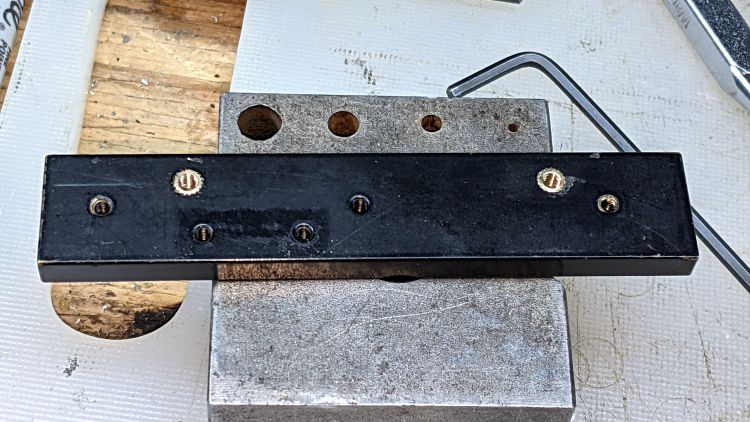
Two more holes + epoxied M3 brass inserts attached the 60 mm beam directly to the Z Axis stage, thereby eliminating the vertical beam and a steel bracket:
Microscope Stage Positioner – Makerbeam joints
The M3 SHCS attaching the 100 mm beam goes through both beams. I think you could get the same result with a Tee Nut or a 12 mm Square Head bolt, should you have those lying around and don’t want to drill another hole. The Corner Cube screwed into both beams prevents rotation and helps ensure perpendicularity.
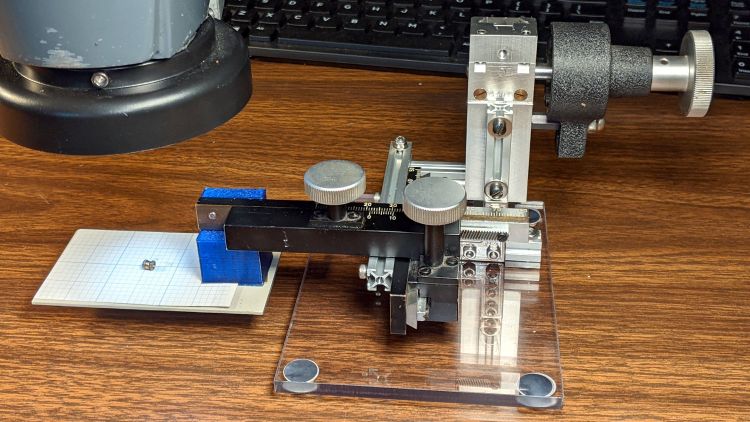
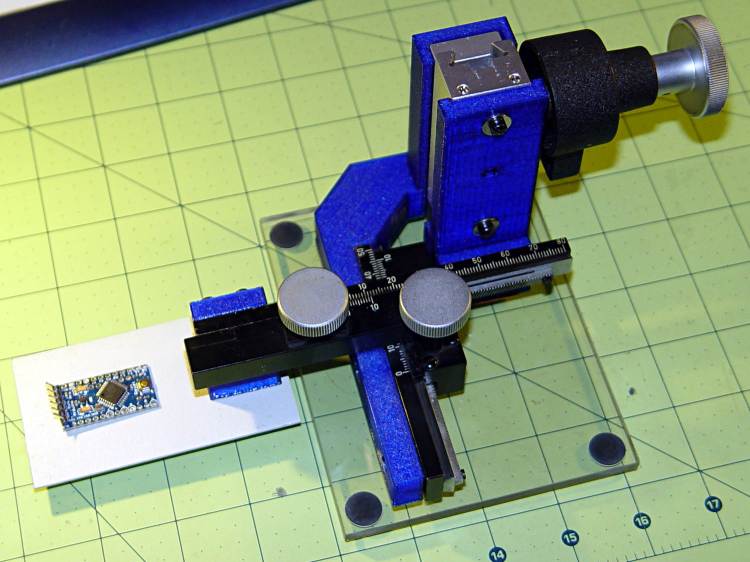
The Y stage now attaches directly to the beam, rather than through a pair of Corner Cubes, because I realized I wasn’t ever going to adjust its position.
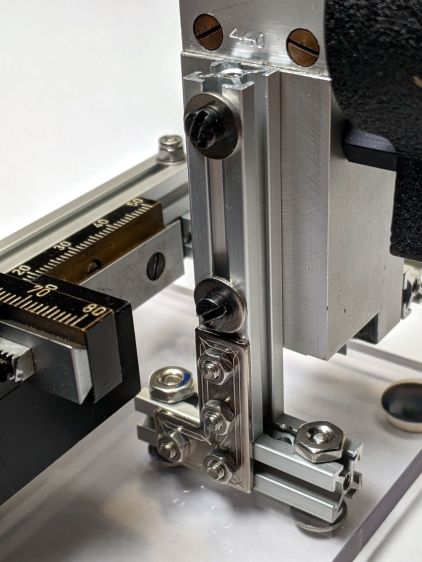
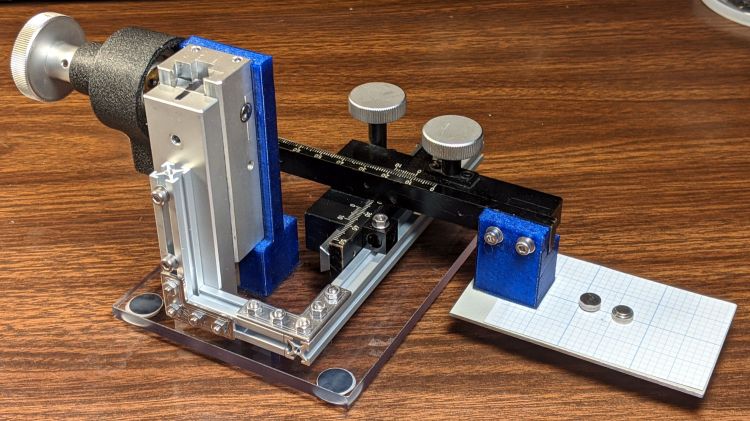
The Z Axis stage stands on the plastic plate through a hellish mixture of metric and USA-ian screws. Basically, the 6-40 screws into the stage were long enough, the 6-32 screws through the plate fit the existing holes, and M3 screws are for MakerBeam:
Microscope Stage Positioner – Z Axis base
To my utter astonishment, the threads in the end of the vertical beam had the proper alignment to let a Square Head bolt snug the beam against the 40 mm beam on the plate. As a result, the L Bracket just prevents the vertical beam from turning on the screw and the combination is as rigid as you (well, I) could want.
The 40 mm beam has two spurious holes, because I thought I could avoid drilling another hole in the baseplate. Nobody will ever notice.
After squaring and tightening everything, the 100 mm beam along the Y Axis is now horizontal within 0.2 mm and the X Axis is horizontal to better than I can measure.
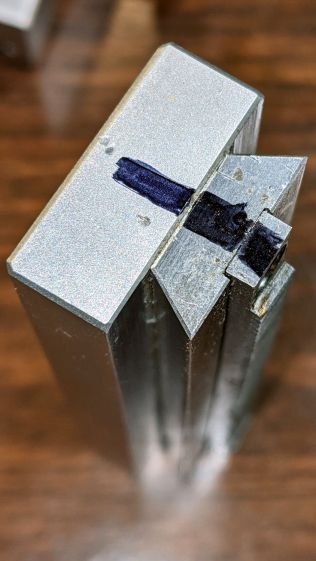
Protip: before dismantling a fitted slide, mark one end so you know how to put it back together. Bonus points for taking a picture:
Microscope Stage Positioner – slide marking
Double bonus points for writing a blog post.
Rather than fight with the existing fine-pitch USA-ian screws, I drilled out their threaded holes:
Microscope Stage Positioner – Y slide drilling
And epoxied 3 mm brass inserts in their place:
Microscope Stage Positioner – Y slide M3 inserts
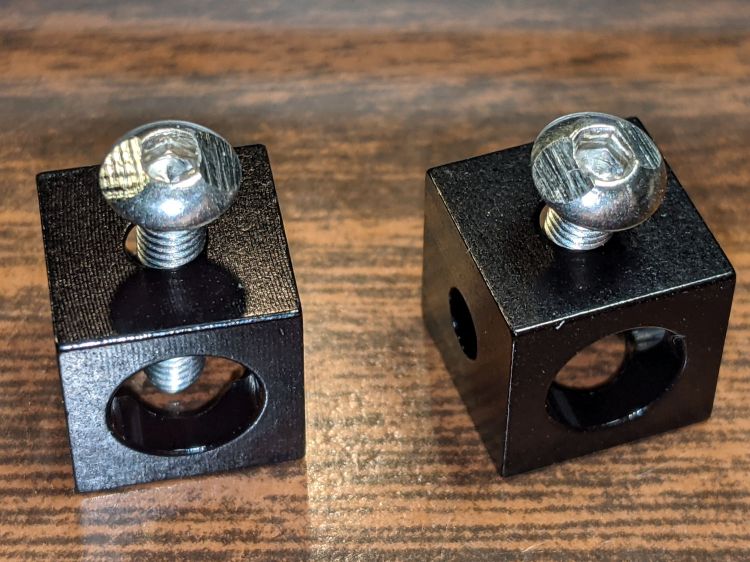
Those holes match up with a pair of corner cubes normally appearing on the end of the beams:
Microscope Stage Positioner – BHCS mods for Makerbeam
It turns out M3 button head cap screws will slide into the beams if you file the slightest angle on opposite sides of the button, although a small bag of tiny tee nuts should arrive in a while.
Then a variety of brackets spliced everything together:
Microscope Stage Positioner – Makerbeam detail
Although it looks strictly from industrial, it actually wasn’t much better than the plastic edition and, in fact, the beam supporting the XY slides sagged about the same 5 mm. The plastic upright post also contributed a bit of wobble.
It turns out that the extruded aluminum beams have plenty of longitudinal and torsional stiffness, but all those flat steel fittings don’t.
There’s a way to work with the beam strengths, rather than against them, but that’s a story for another day …
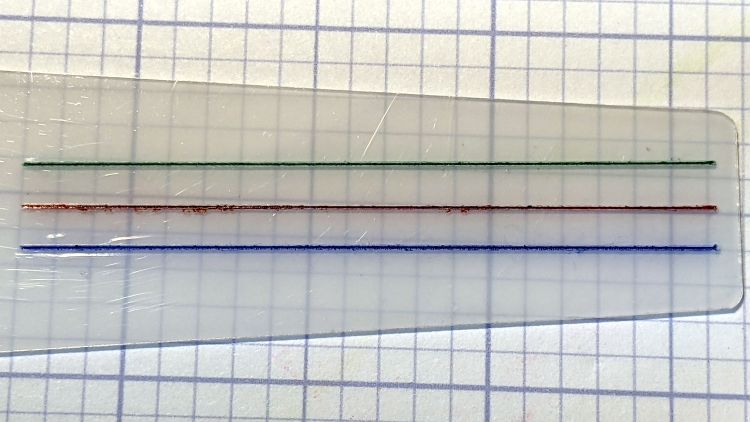
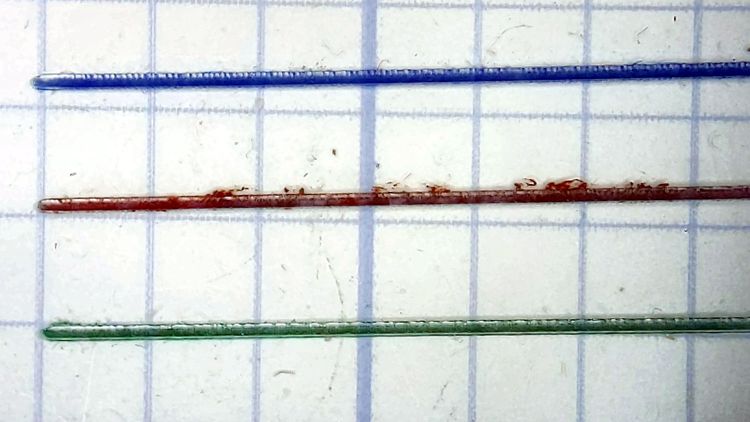
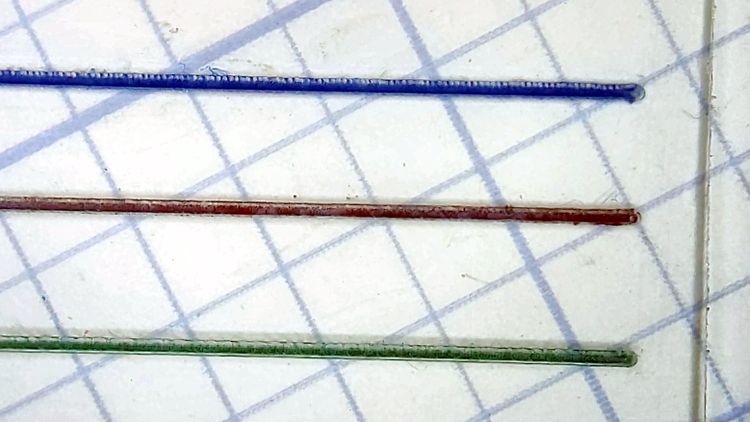
All three hairlines have 0.3 mm depth of cut, with the spindle running at 10 kRPM and the cut proceeding at 24 inch/min = 600 mm/min. All three cuts went through a strip of water + detergent along their length, which seems to work perfectly.
The cuts start on the left side:
Hairline V tool tests – 0.3 mm 10 kRPM 24 ipm – start
I cut the red hairline through the PET cursor’s protective film to confirm doing it that way is a Bad Idea™; the gnarly appearance is sufficient proof.
The cuts end on the right:
Hairline V tool tests – 0.3 mm 10 kRPM 24 ipm – end
Eyeballometrically, the cuts are the same depth on both ends, with a slight texture difference at the start as the X axis ramps up to full speed.
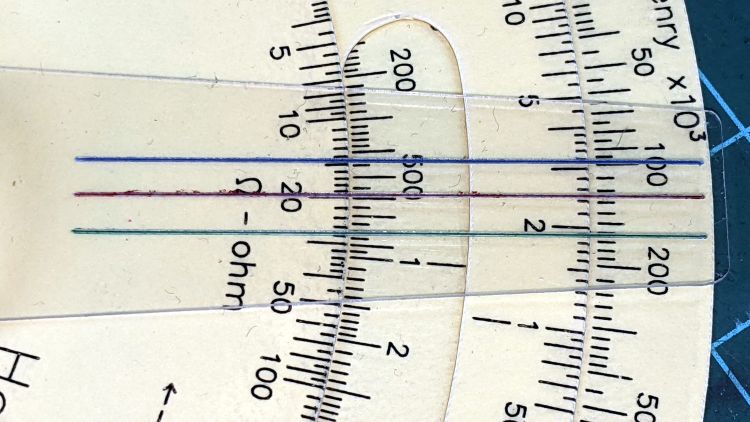
They’d be a bit stout on an old-school engraved slide rule, but look just fine laid against a laser-printed Homage Tek Circuit Computer:
Hairline V tool tests – 0.3 mm 10 kRPM 24 ipm – Tek CC
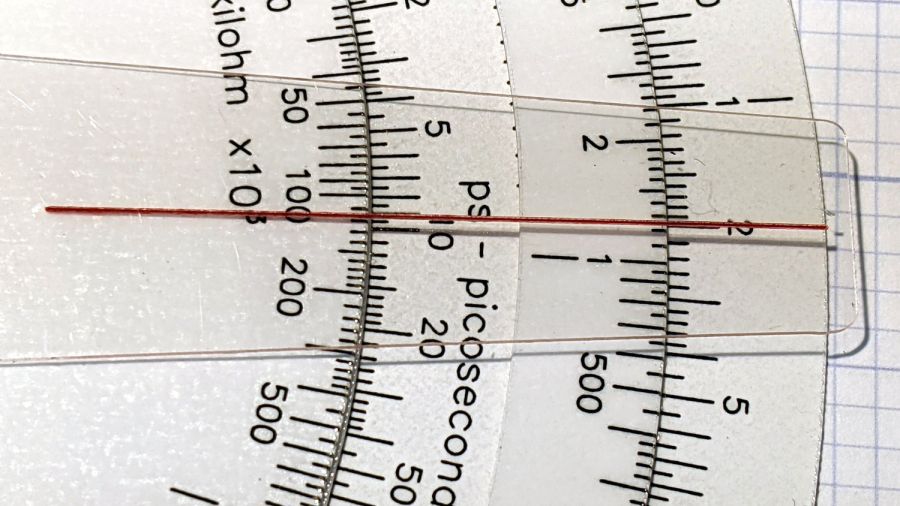
Flushed with success, here’s a fresh-cut red hairline in action:
Tek CC cursor hairline – V tool red fill
The end of the cursor sticks out 1 mm over the rim of the bottom deck, because I wanted to find out whether that would make it easier to move. It turns out the good folks at Tek knew what they were doing; a too-long cursor buckles too easily.
The trick will be touching off the V tool accurately enough on the cursor surface to get the correct depth of cut. The classic machinist’s technique involves a pack of rolling papers, which might be coming back into fashion here in NY.
Hairline V tool – 0.2 0.3 0.4 DOC 10K RPM – water cool mid
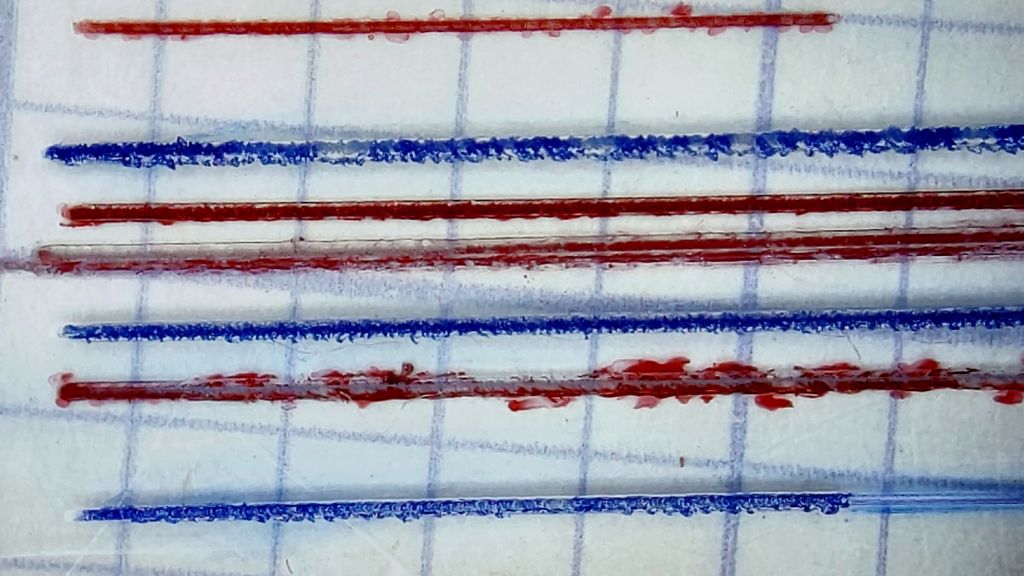
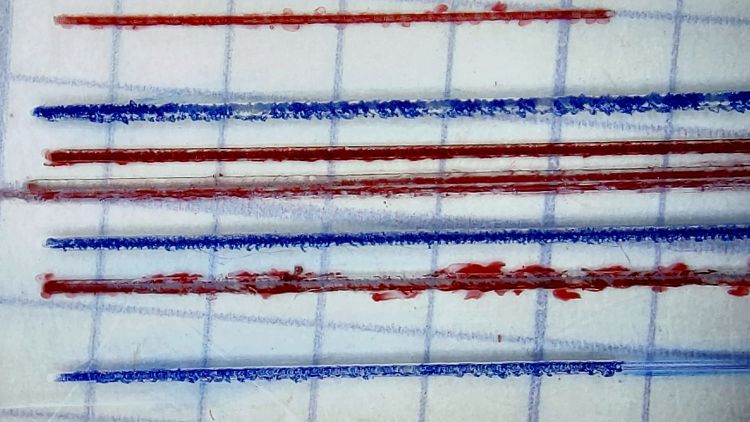
The bottom blue hairline started with a good cut and ended with the V tool skating along the surface without cutting. The raggedy red one just above it is what happens when you (well, I) try engraving a hairline through Kapton tape without coolant; just don’t do that thing.
The 3D printed fixture holding the cursor came from a neurotically aligned Makergear M2 and the tooling plate has never had much attention to its alignment, so I figured the tilt probably came from crud between the tooling plate and the Sherline’s X axis table, with the printed fixture contributing zilch to the problem.
Which turned out to be the case. Scraping a few flakes from the bottom of the plate and top of the table, dissolving old crud with water + alcohol, and passing a file over both surfaces definitely made a difference. I converted a sheet of 0.1 mm laminating plastic film into a pad by punching holes for the T-nuts:
Sherline tooling plate pad
Snugging the tooling plate down produced perfect alignment along the length of three 0.3 mm deep hairlines:
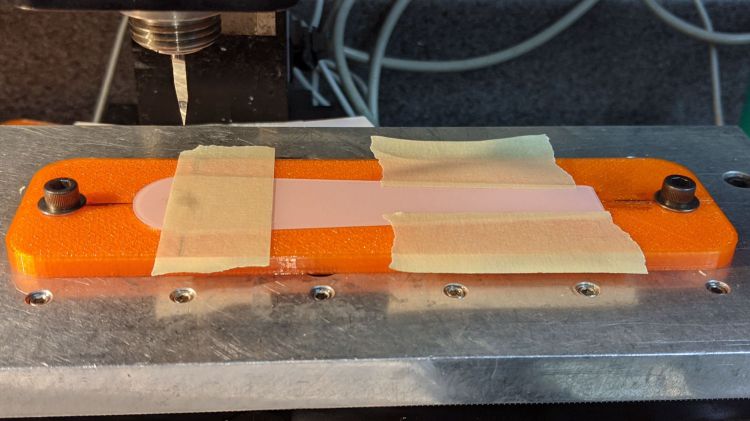
That’s the fixture intended for Gyros circular saw blades, repurposed for V tool engraving. The V tool in the Sherline tool holder collet is one of the ten-pack from the CNC 3018, unused until this adventure.
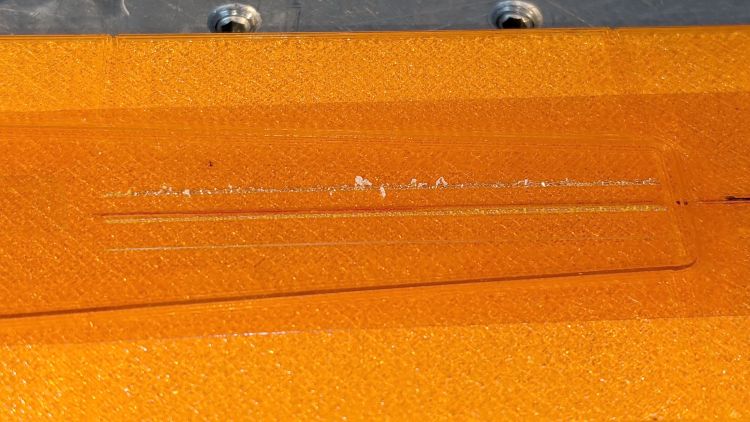
The actual setup had a scrap cursor secured with a strip of Kapton tape:
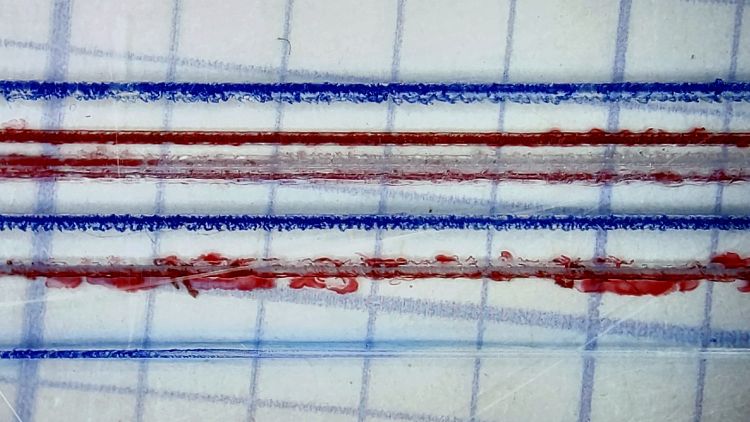
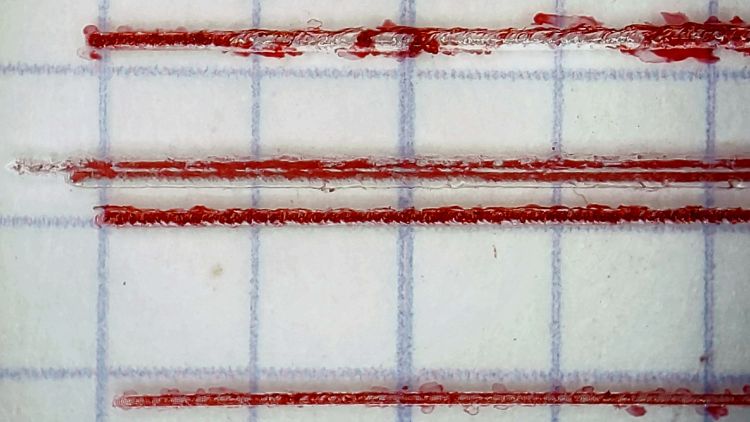
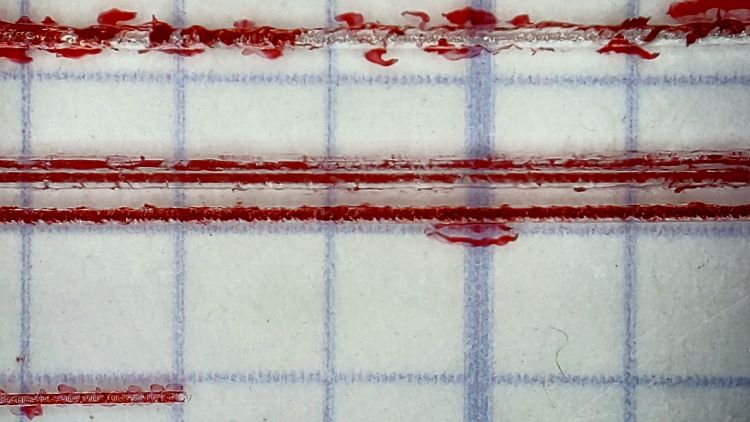
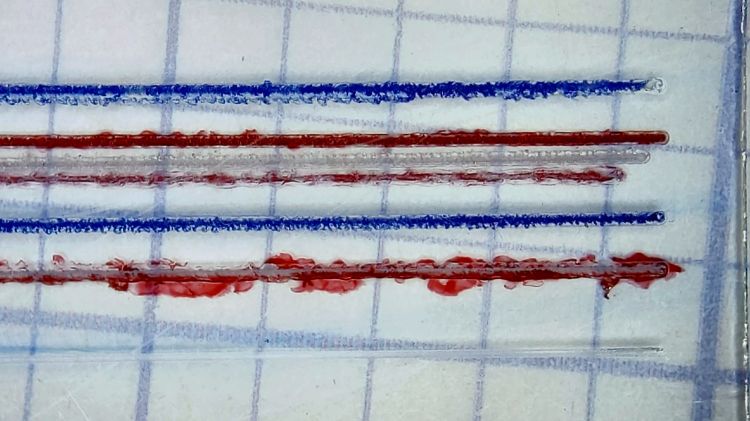
Those are three passes at (nominal) depths of 0.2, 0.3, and 0.4 mm (bottom to top) with a pre-existing hairline visible just above the second pass. The spindle ran at the Sherline’s top speed of just under 10 kRPM with no coolant on the workpiece.
I touched off the 0.2 mm cut by lowering the tool 0.1 mm at a time until it just left a mark on the Kapton tape, after a coarse touch-off atop a 0.5 mm plastic card, and calling it zero.
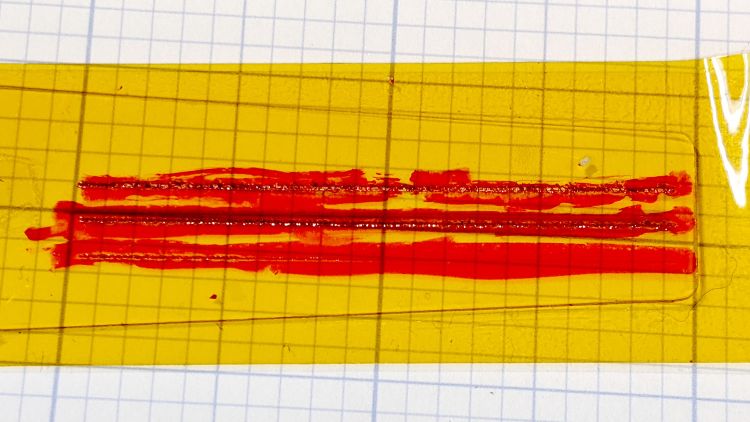
Scribbling over the cuts with a red Industrial Sharpie looked downright gory:
The top hairline shows distinct signs of melted PET plastic along the trench, with poor color fill due to the Sharpie not sticking to / wiping off the smooth-ish trench bottom. The next one is the existing saw-cut hairline with the lead-in cut over on the left.
The 0.3 and 0.2 mm hairlines look much better, with less debris and more complete fill. Unfortunately, the right side of the Sherline’s tooling plate seems to be a few tenths of a millimeter lower than the left, causing the 0.2 mm hairline to … disappear … where the cutter skipped up onto the Kapton tape:
Now, in practical terms, this is the first time I’ve actually needed platform alignment to within a hundred microns in subtractive machining. As some folks discover to their astonishment, however, 3D printing does require that level of accuracy:
Thinwall Box – platform height
Engraving through a layer of tape isn’t the right way to do it and some coolant will definitely improve the results, so I ignored the alignment issue, remounted the same scrap cursor with the red hairlines on the bottom, pulled a strip of water + detergent along the tool path, cut the same hairlines, and colored the trenches with blue Industrial Sharpie:
Hairline V tool – 0.2 0.3 0.4 DOC 10K RPM – water cool start
The 0.2 mm hairline on the bottom becomes a line as the V bit begins sliding along the surface at 10 kRPM without cutting:
Hairline V tool – 0.2 0.3 0.4 DOC 10K RPM – water cool mid
The 0.3 mm hairline looks pretty good and the 0.4 mm hairline remains too rugged by the end of the passes. I think the actual depth of cut is at least 0.05 mm less than at the start:
Hairline V tool – 0.2 0.3 0.4 DOC 10K RPM – water cool end
Obviously, neurotically precise touchoff carries a big reward, as will aligning the tooling plate to an absurd degree.
A real machinist simply flycuts the top of an offending part / fixture / tooling plate to align it with the machine’s spindle, but I have a sneaky suspicion the real problem is a speck (or ten) of swarf between the Sherline’s table and the tooling plate; better cleanliness and attention to detail may improve the situation.
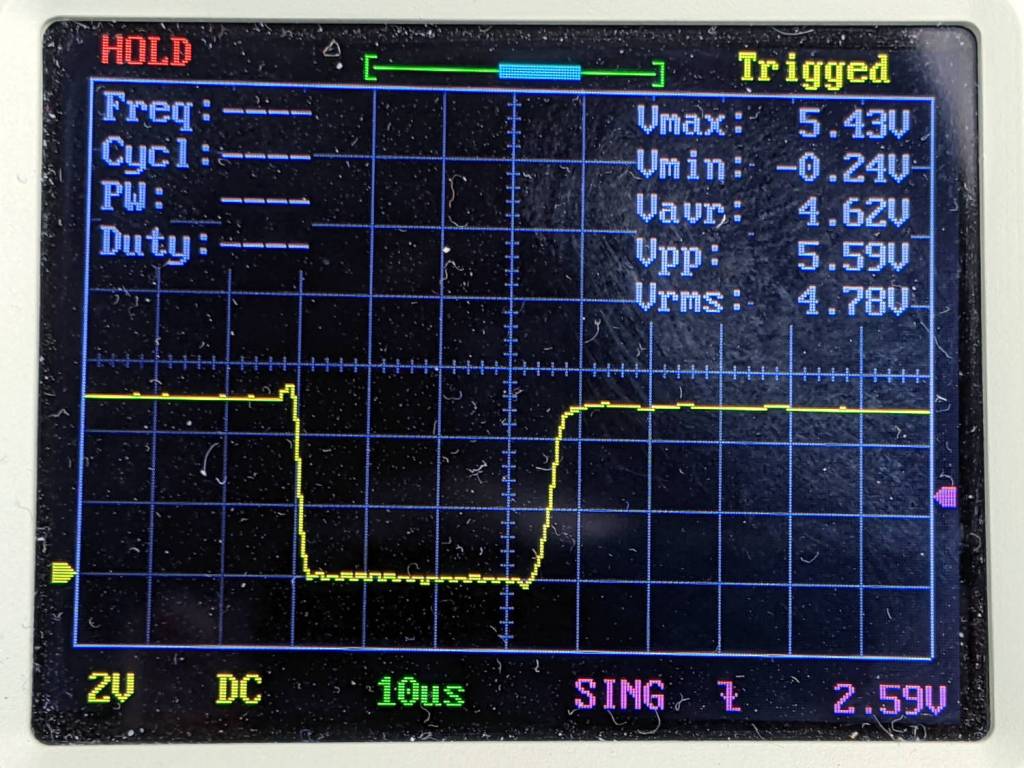
Long long ago, as part of tidying up the power distribution inside the Sherline CNC controller PCB, I wrote a cleanroom reimplementation of its PIC firmware and settled on a 25 µs Step pulse width with a minimum 50 µs period:
After thrashing through enough of the Kicad-to-HAL converter to get a HAL file sufficiently tasty to prevent LinuxCNC from spitting it out, the X and A axes moved with a gritty sound and the two other axes were pretty much inert.
After eliminating everything else, including having Tiny Scope™ confirm the pulses were exactly the right duration, I increased them by 10 µs:
After which, all the axes suddenly worked perfectly.
At some point along the way, I (re)discovered that Sherline Step pulses are active-low, although in practical terms getting the pulse upside-down just delays the active edge by its width. Given that the Sherline’s top speed is 24 inch/min = 0.4 inch/s, the minimum step period is 156 µs and even a wrong-polarity step should work fine.
For the record, here’s a perfectly good Step pulse:









 The Smell of Molten Projects in the Morning