Ed Nisley's Blog: Shop notes, electronics, firmware, machinery, 3D printing, laser cuttery, and curiosities. Contents: 100% human thinking, 0% AI slop.
The ANENG AN8008 / AN8009 multimeters have 3.6×10 mm ceramic fuses on their inputs:
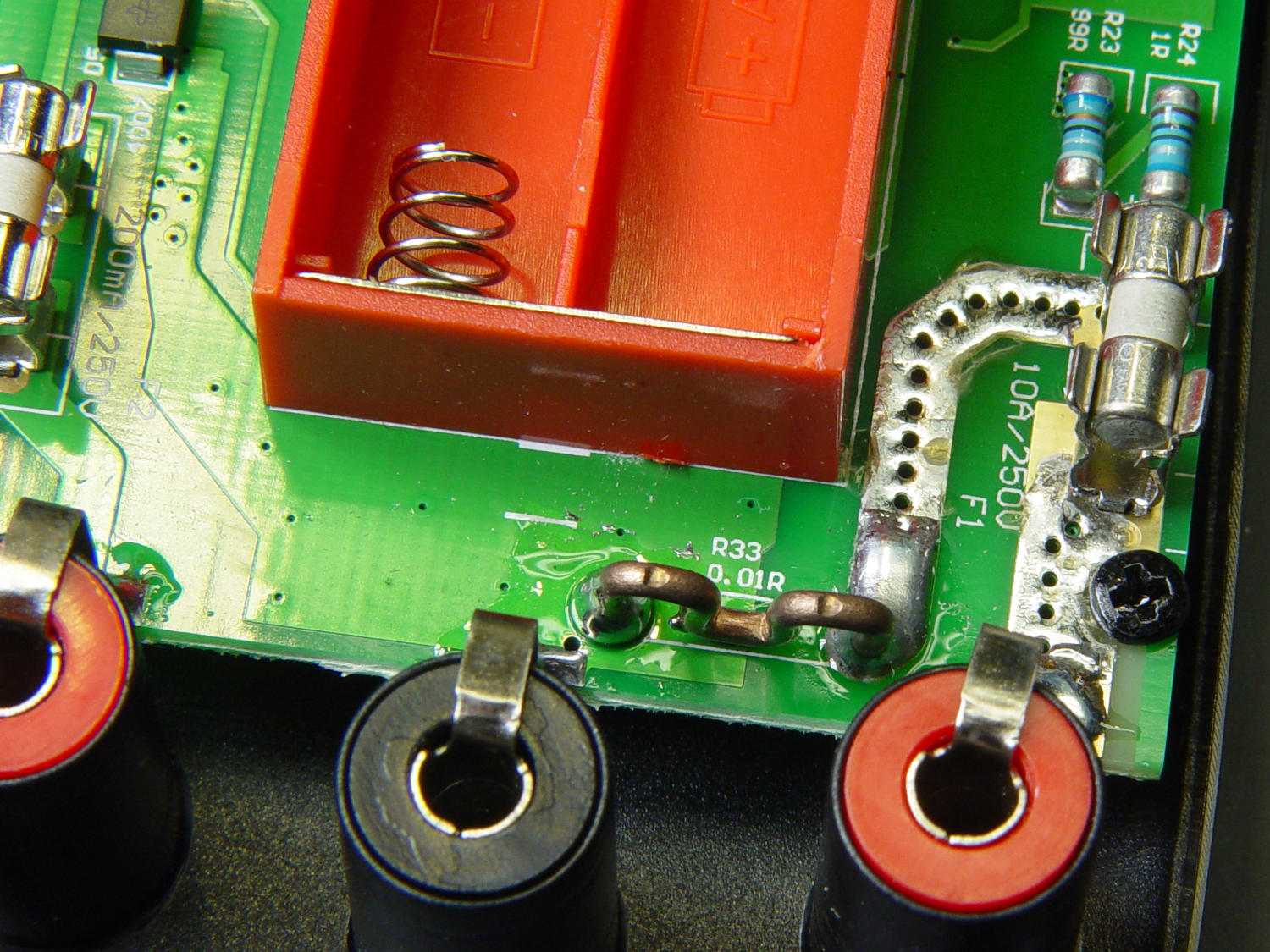
AN8009 10 A current shunt – top view
Based on past experience, at some point over the next year or five, I’ll forget to plug the hot probe back in the voltage hole before measuring a power supply:
AN8008 multimeter jacks
Whereupon the fuse will blow.
So, for about five bucks, a bag of 10 A and 0.5 A axial lead fast-blow glass fuses just arrived from halfway around the planet:
3.6×10 mm axial fuses
They have the right body size and, in this application, fine points concerning current ratings and cartridge composition don’t make much difference. If I actually need one, I’ll snip off the leads, jam it in the holder, and move on.
A new-to-us Fiskars scissors arrived with a loose pivot of a type I’d never seen before:
Fiskars scissors – pivot nut in place
The nut fits into the slot in the upper blade, making the nut and screw turn together. Although there’s no torque between the two, the screw had no threadlock and, well, loosening happens.
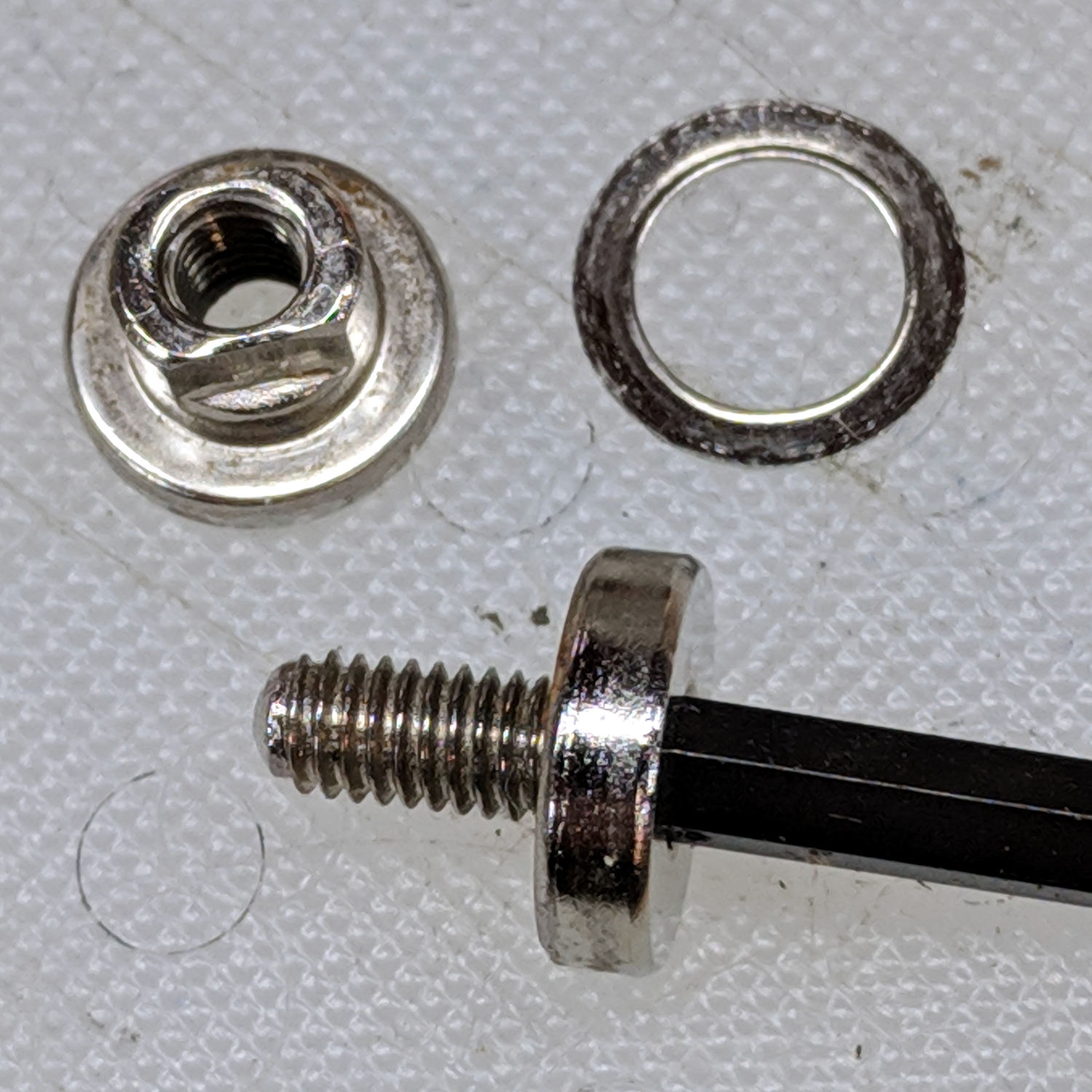
The pivot parts include a thin washer between the nut and the lower blade to reduce friction between the moving parts:
Fiskars scissors – pivot parts
With a dot of Loctite on the screw, it’s ready for reassembly:
The ESR02 reports one as a 4.8 µF capacitor, the other as a “defective part” with a 4 kΩ resistance. Having a cap fail by turning into a resistor is surprising; I’m more surprised it didn’t simply burn up.
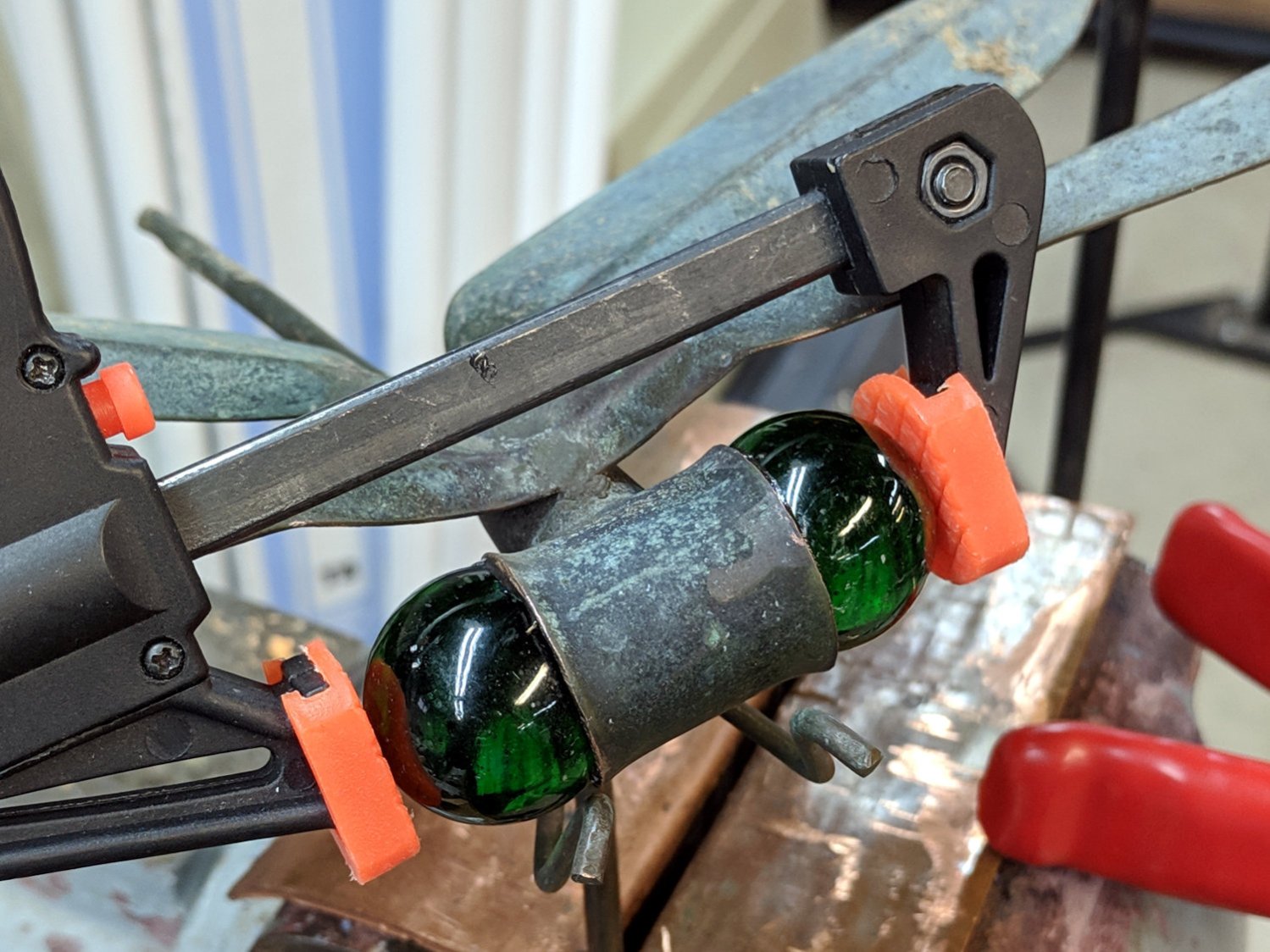
After not quite seven years, the acrylic caulk holding our garden dragonfly’s eyeballs in place lost its grip. Some cleaning of marbles and scuffing of copper sockets later, two rings of JB Kwik should do the trick:
The Sherline CNC mill setup for sawing around the midline:
Sony NP-FM50 battery – Sherline saw setup
Adjust the saw to cut along the seam, set X=0 at the surface, jog to about X+0.7 mm, jog the saw along the seam, then repeat for the other three sides. No real CNC involved, but it’s much easier than sawing or breaking through the seam by hand.
These two packs came with the camera:
Sony NP-FM50 battery – 2003-era cells
The cells have only lot numbers, no manufacturer ID. Wikipedia sayeth Sony Fukushima started in 2000; perhaps these were early production units with no branding.
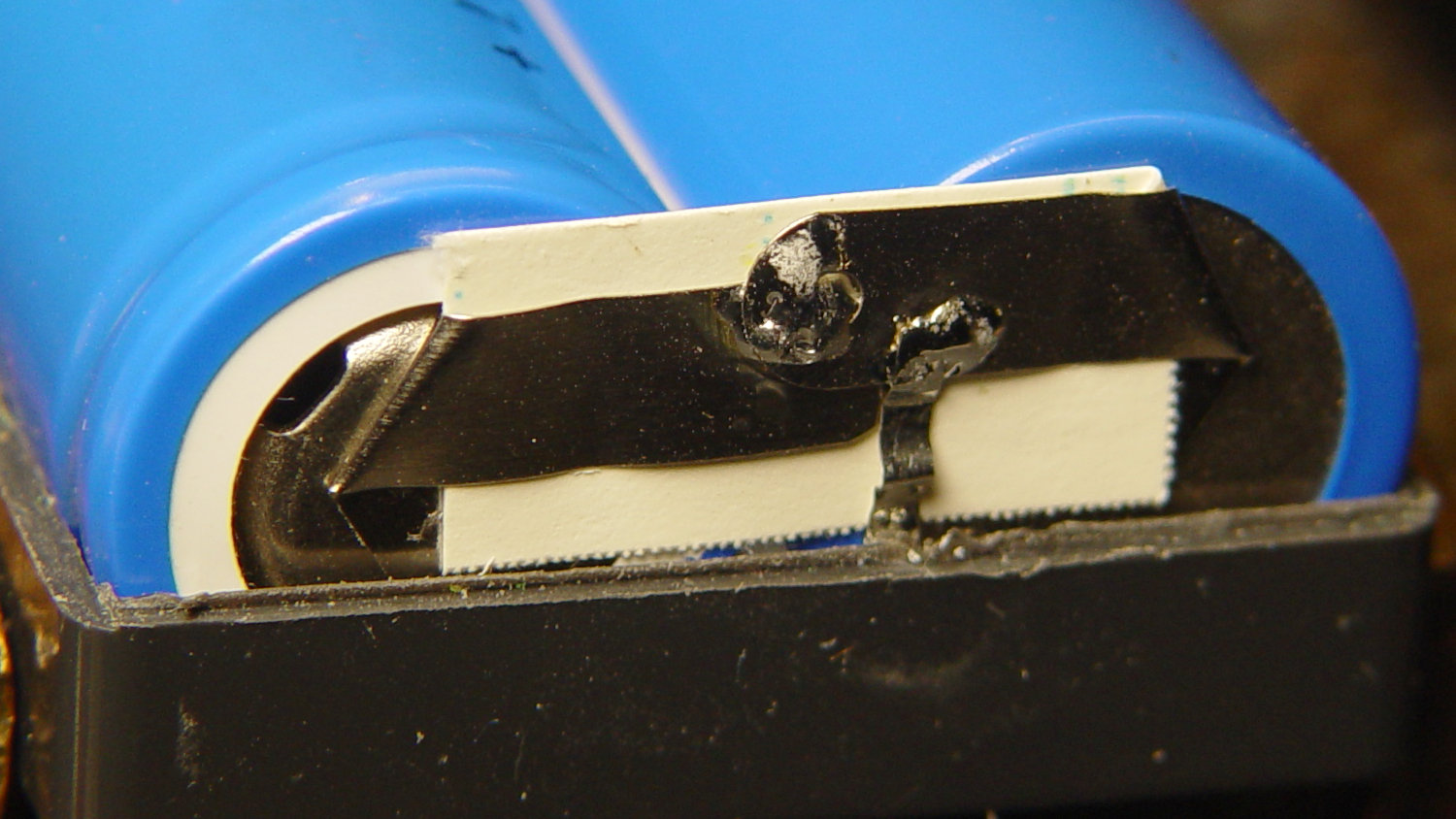
The center strap running the length of the pack didn’t seem long enough, because I mistakenly thought I’d straightened its end while unsoldering it. As it happens, the end was straight and secured to the PCB by structural solder:
Sony NP-FM50 battery – PCB center tab joint
Moral of the story: pay attention, dammit!
The other end of the center strap required a snippet of tin strip to reach the tabs:
Sony NP-FM50 battery – rebuilt center strap
Aligning the cells that way allowed me to just bend the other tabs over the PCB pads and solder them in place:
Sony NP-FM50 battery – rebuilt PCB contacts
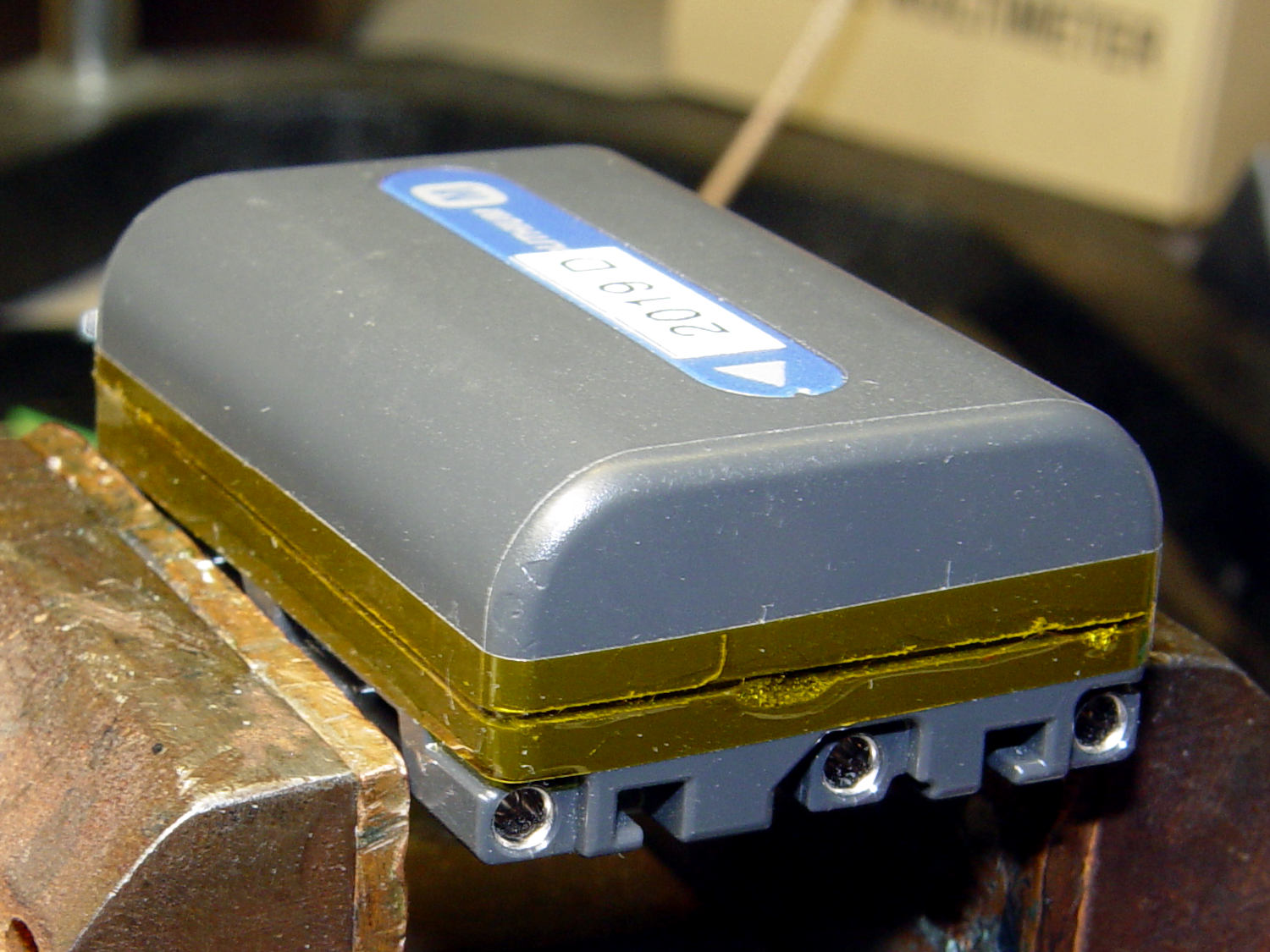
Then a strip of Kapton tape across the kerf holds the case together well enough to survive our gentle usage:
Sony NP-FM50 battery – Kapton belly band
The battery packs require a brief stay in the charger to reset the PCB’s lockout circuitry, after which they work fine:
Sony NP-FM50 – 2019-04-12
The two oldest batteries (OEM 2003 A and OEM 2003 B) have new identities to suit their new innards: 2019 E and 2019 F. The DOA eBay battery retains its 2019 D label after the rebuild, as there’s little room for confusion.
Admittedly, it’d be easier / cheaper / faster to buy third-party NP-FM50 packs directly from eBay or Amazon, but this way I know the cells aren’t complete crap and I get some Quality Shop Time™ out of the deal.
One of my Wyze V2 cameras either arrived with dead IR hardware or failed early on in its tenure here, but it simply didn’t work in night-vision mode: the IR LEDs didn’t turn on and the IR-cut filter didn’t move. Neither the Official Wyze App nor the Xiaomi-Dafang Hacks firmware had any effect, so I expected a (possibly simple) hardware problem.
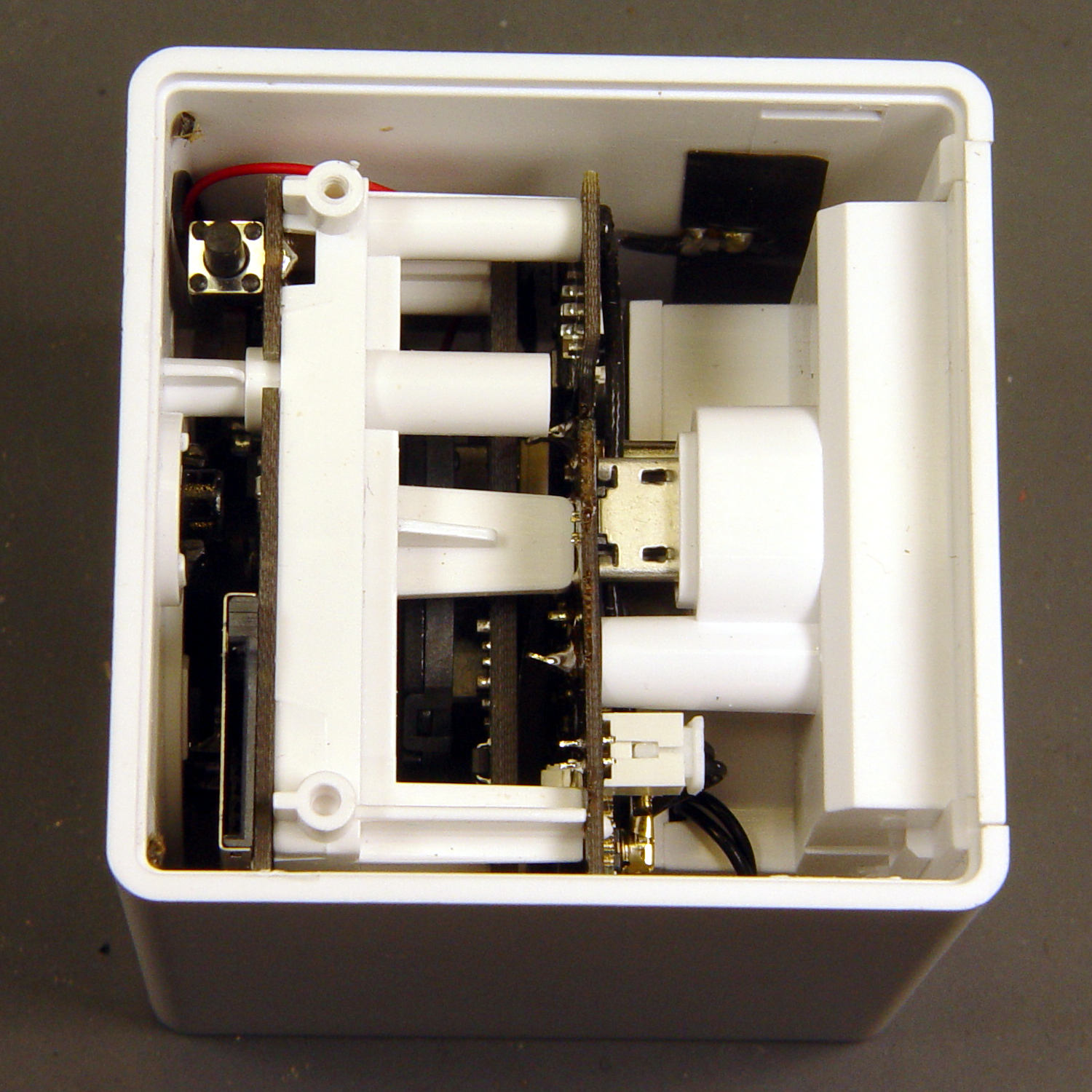
The first hint of trouble was finding the case had only one of the two screws securing its bottom lid, with the missing screw having never been installed. Removing the single screw and prying a bit popped the lid, revealing the innards:
Wyze V2 – interior bottom view
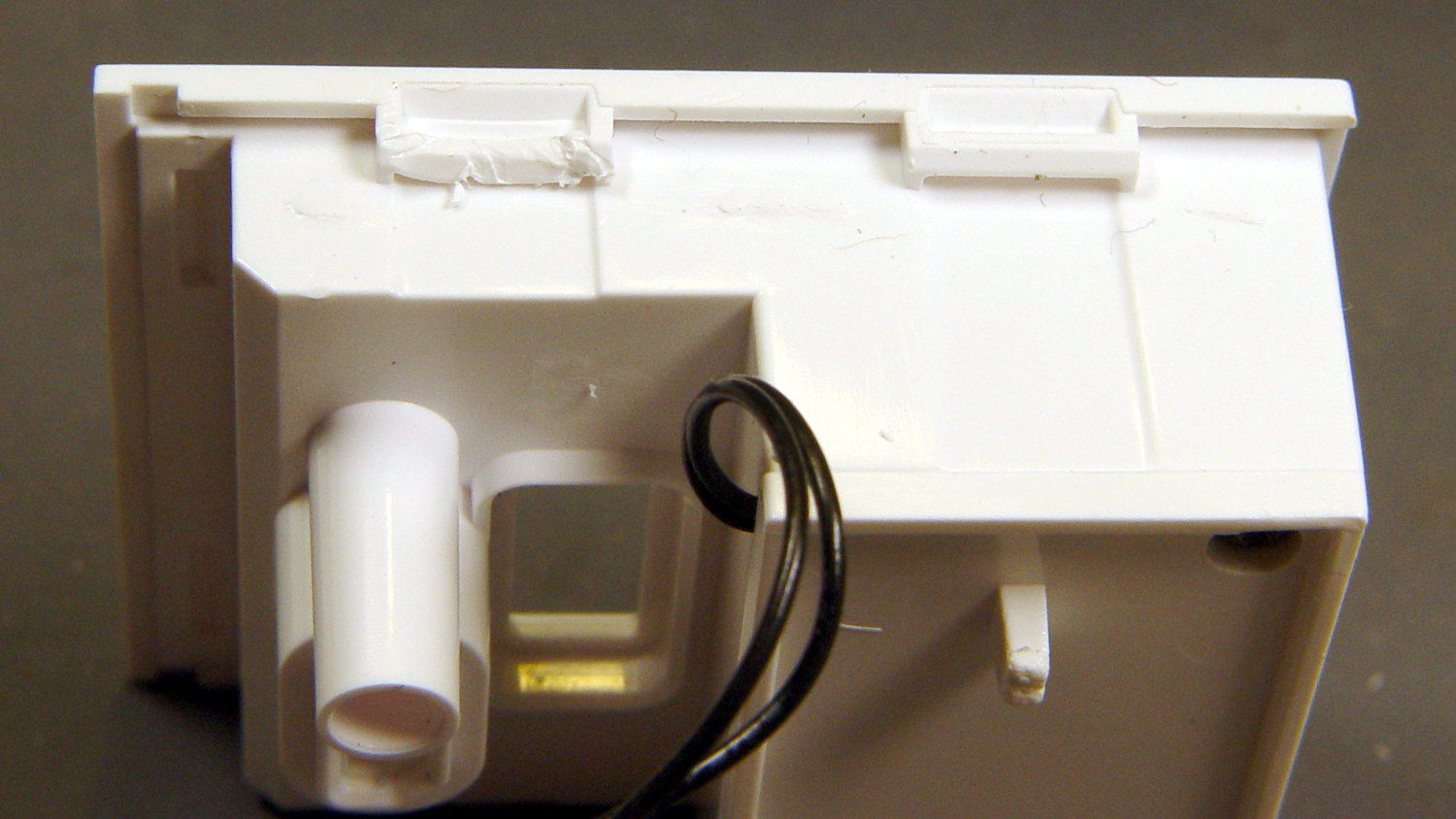
The rear panel (on the right) comes off after abusing the snaps holding it to the main case:
Wyze V2 – rear panel snaps
That’s best done with a small, designated Prydriver, rather than a screwdriver to which you have a deep emotional attachment.
The corresponding part of the main body shows less abuse:
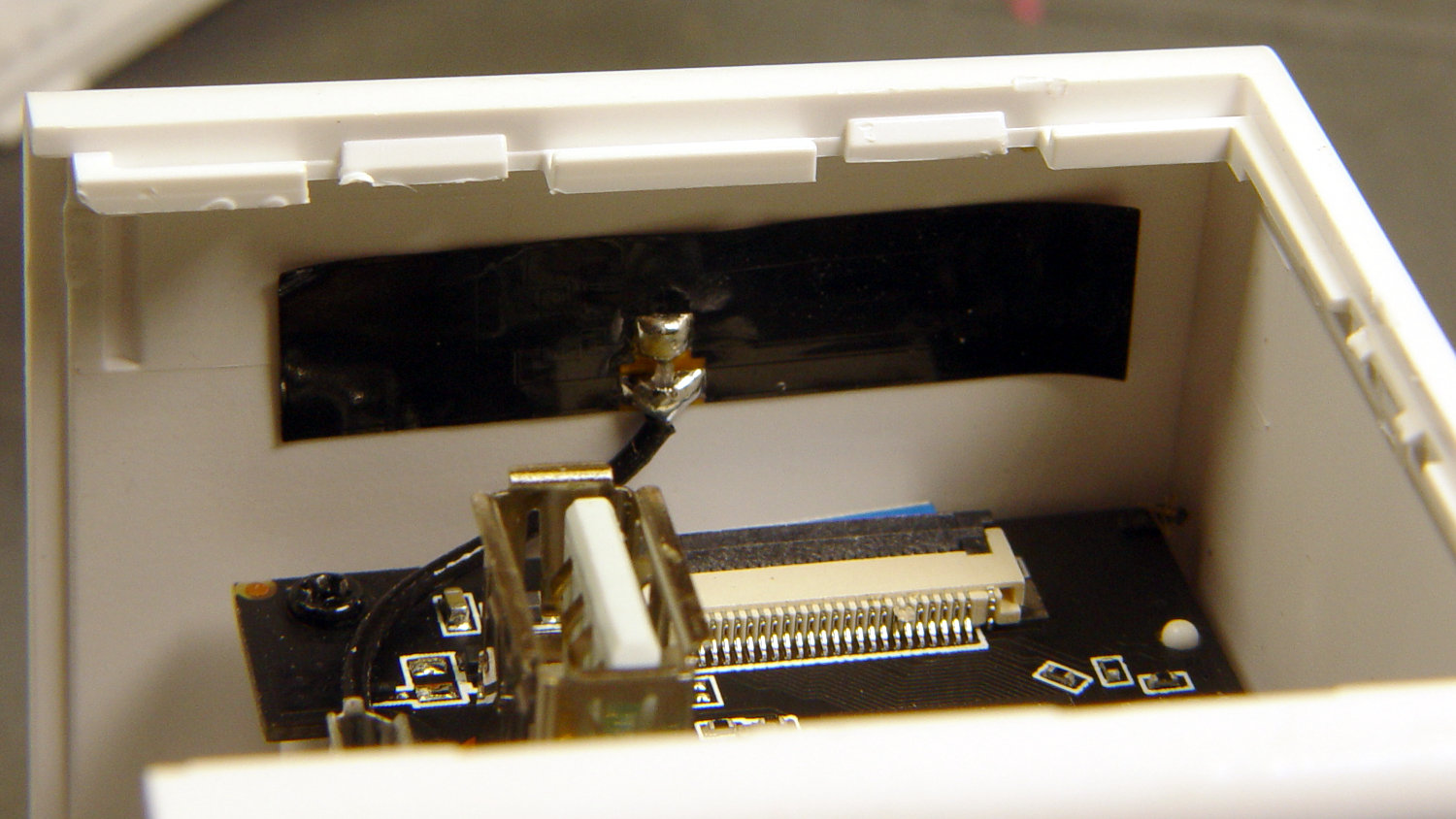
Wyze V2 – case snaps – WiFi antenna
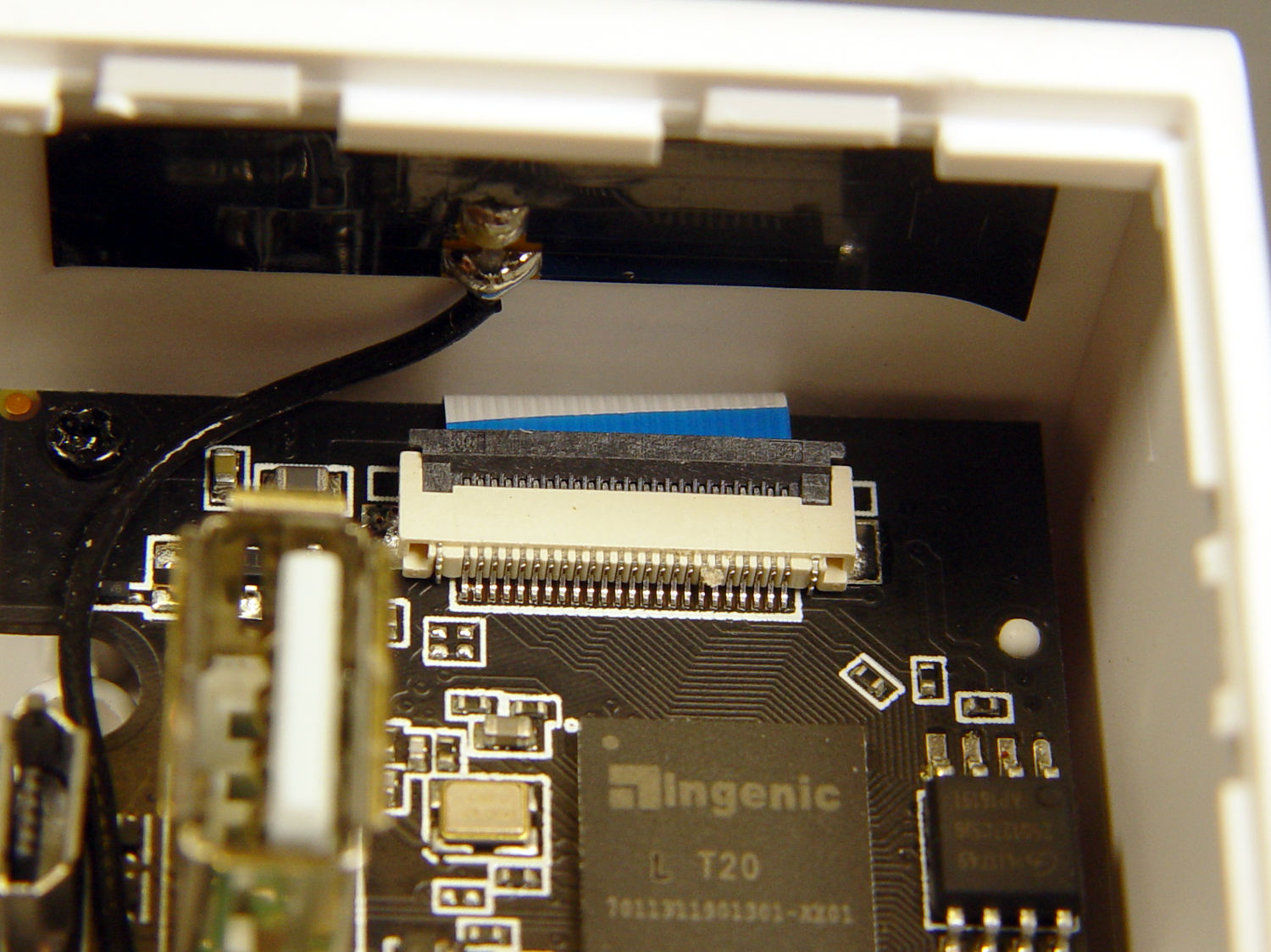
The black patch is the WiFi antenna, which you must unplug from the top board before going much further.
The small blue wedge below the antenna gave me hope I’d found the root of the IR problem:
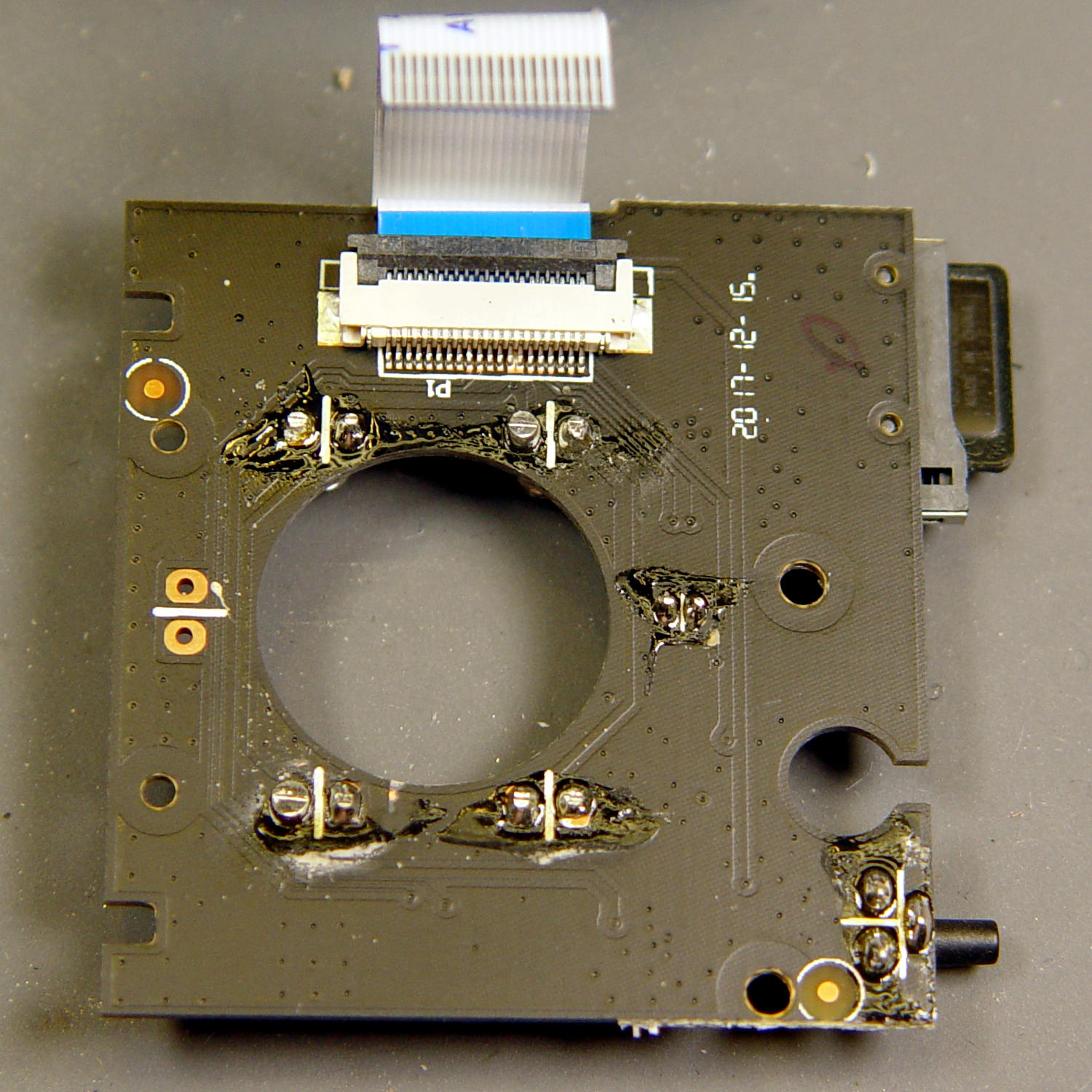
While I had the case open, I extracted everything and looked it over:
Wyze V2 – front PCB – LED pin soldering
The IR LED soldering left a bit to be desired, so I touched up those joints and washed off most of the flux.
Alas, the IR hardware still didn’t work with everything stuffed back in the case. There are worse things than having a small daylight-only IP camera, though.
Having won an eBay action for a known-dead Sony DSC-F717 at $0.99 (plus $15 shipping, the seller being no fool), I now have a possibly salvageable camera, a Genuine Sony AC supply, and two more NP-FM50 batteries for about the price of any one of the components.
One battery arrived stone-cold dead, suggesting the camera had been put away with the battery installed for a very long time and they died companionably. The camera still charges a (good) battery, even though it doesn’t turn on, and perusing the schematics suggests checking the power switch, because it’s always the switch contacts. That’s for another day, though.
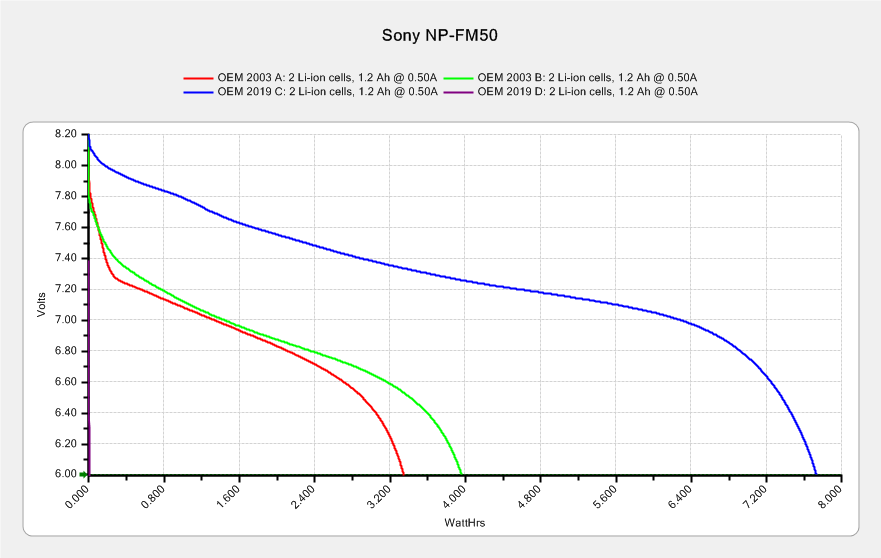
For the record, the battery status:
NP-FM50 – 2019-03-30
The red and green traces come from the two batteries I’ve been cycling through the camera since, um, 2003, so they’re getting on in years and correspondingly low in capacity.
The fourth battery (2019 D, the date showing when it arrived, not its manufacturing date) went from “fully charged” to “dead” in about three seconds with a 500 mA load, producing the nearly invisible purple trace dropping straight down along the Y axis.
The lower cell is lifeless, the upper cell may still have some capacity. Three pairs of 18500 lithium cells are on their way, in the expectation of rebuilding the weakest packs.
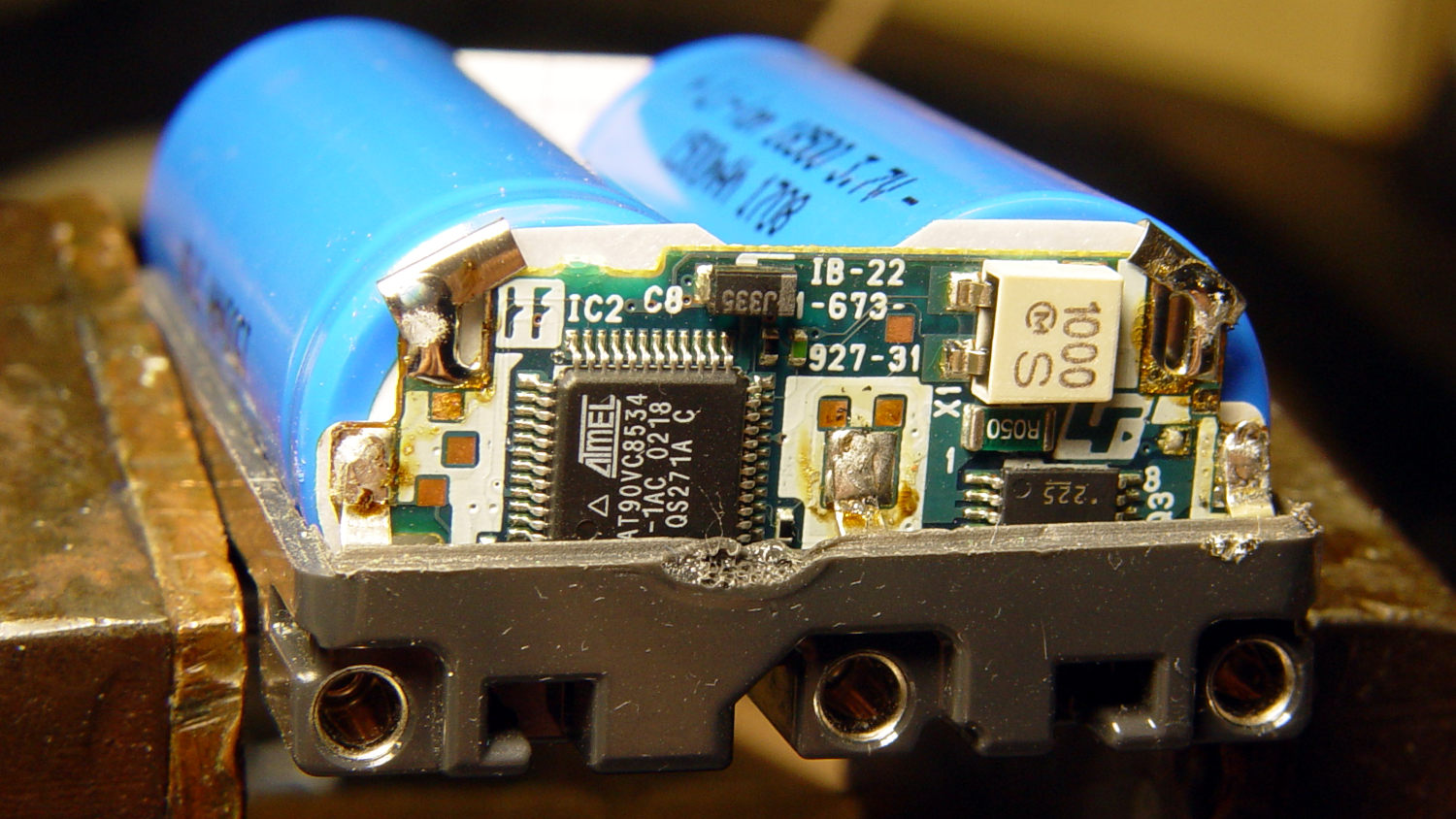
After desoldering the battery tab on the right from the PCB, it occurred to me I needed pictures:
Sony NP-FM50 battery – PCB exposed
Yeah, that’s a nasty melted spot on the case, due to inept solder-wickage.
Unsoldering the three tabs closest to the case releases the cells + PCB from confinement:
Sony NP-FM50 battery – PCB overview
I’m still bemused by battery packs with a microcontroller, even though all lithium packs require serious charge controllers. At least this is an Atmel 8-bitter, rather than 32-bit ARM hotness with, yo, WiFi.
The cells have shaped tabs which will require some gimmicking to reproduce: