The Smell of Molten Projects in the Morning

Ed Nisley's Blog: Shop notes, electronics, firmware, machinery, 3D printing, laser cuttery, and curiosities. Contents: 100% human thinking, 0% AI slop.

Tag: Repairs

If it used to work, it can work again

  • 3D Printing: Peculiar Octopi Problem

    From a discussion on the Makergear 3D printer forums

    A Makergear M2 user had a strange problem:

    Octopi claims the serial connection went down.

    LED2 was blinking red, rapidly, and LED3 was shining with a steadfast red light.

    LED2 shows the extruder heater PID loop is running and LED3 shows the extruder fan is on:
    https://reprap.org/wiki/Rambo_v1.1

    You just never noticed the blinkiness before … [grin]

    Because the extruder heater is still running, the firmware hasn’t detected a (possibly bogus) thermal runaway or any other fatal problem. It’s just waiting for the next line of G-Code, but Octopi isn’t sending it.

    Casually searching the GitHub issues, there’s a report of intermittent serial problems from last year:
    https://github.com/foosel/OctoPrint/issues/2647

    Which points to the FAQ:
    https://community.octoprint.org/t/octop … eption/228

    Look at the Octopi Terminal log to see if the conversation just before the failure matches those descriptions.

    Assuming you haven’t updated the printer firmware or anything on the Octopi, then something physical has gone wrong.

    First and least obviously, the Pi’s MicroSD card has probably started to fail: they’re not particularly durable when used as a mass storage device and “the last couple of years” is more than you should expect. Download a fresh Octopi image, put it on a shiny-new, good-quality card (*), and see if the situation improves.

    Then I’d suspect the Pi’s power supply, even though you’re using the “official rpi power supply”. All of those things contain the cheapest possible electrolytic capacitors, running right on the edge of madness, and produce bizarre errors when they begin to go bad. Get a good-quality wall wart (**), ideally with a UL rating, and see if the situation improves.

    While you’re buying stuff, get a good-quality USB cable (***) to replace the one that (assuming you’re like me) you’ve been saving for the last decade Just In Case™. Use the shortest cable possible, because longer does not equal better.

    After that, the problems get truly weird. Apply some tweakage and report back.

    (*) This is harder to do than you might think. You may safely assume all cards available on eBay and all “Sold by X, Fulfilled by Amazon” cards will be counterfeit crap. I’ve been using Samsung EVO / EVO+ cards (direct from Samsung) with reasonable success:

    https://softsolder.com/2018/10/16/raspb … sk-memory/
    https://softsolder.com/2017/11/22/samsu … ification/
    https://www.samsung.com/us/computing/me … 22y+zq29p/

    The card in question eventually failed, so having a backup card ready to go was a Good Idea™.

    (**) Top-dollar may not bring top quality, but Canakit has a good rep and costs ten bucks through Prime.

    (***) Amazon Basics cables seems well-regarded and work well for what I’ve needed.
  • Kenmore 158: Goobered Screws

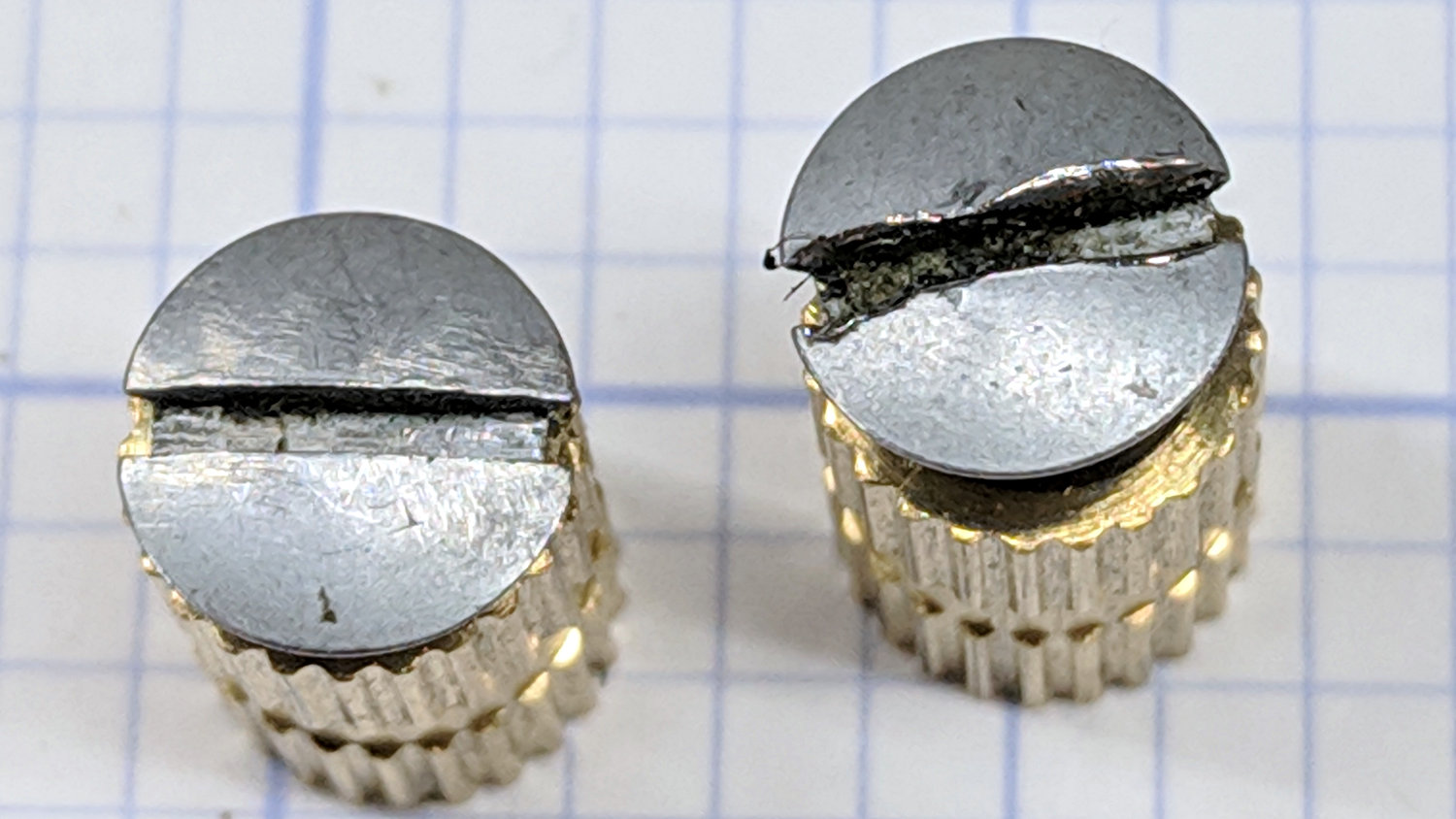
    One of Mary’s quilting group arrived with a machine in dire need of cleaning and oiling. These screws hold the throat plate in place:

    Kenmore screws - goobered
    Kenmore screws – goobered

    They’re standing in a pair of threaded brass inserts (found in the benchtop litter) to show off their tops.

    The left screw came out easily, although a few licks with a fine file eased the slot corners.

    The one on the right, however, was firmly jammed in place, with the crappy little Kenmore sewing machine screwdriver causing the goobering. I deployed my Brownell’s Gunsmith Screwdriver Bits, applied slightly less force than would ordinarily call for an overnight penetrating oil session, got the screw out, and cleaned it up:

    Kenmore screws - smoothed
    Kenmore screws – smoothed

    A dot of oil on the threads should keep it happy for the foreseeable future.

  • COB LED Autopsy

    The intent was to wire the “5 W” COB LED to the 12 VDC supply grafted on the Juki TL-2010Q, through a suitable resistor around 18 Ω. Unfortunately, the next morning I managed to run 12 V directly to the LEDs, which produced an astonishingly bright flash of blue-white light and an opportunity for some post-mortem analysis.

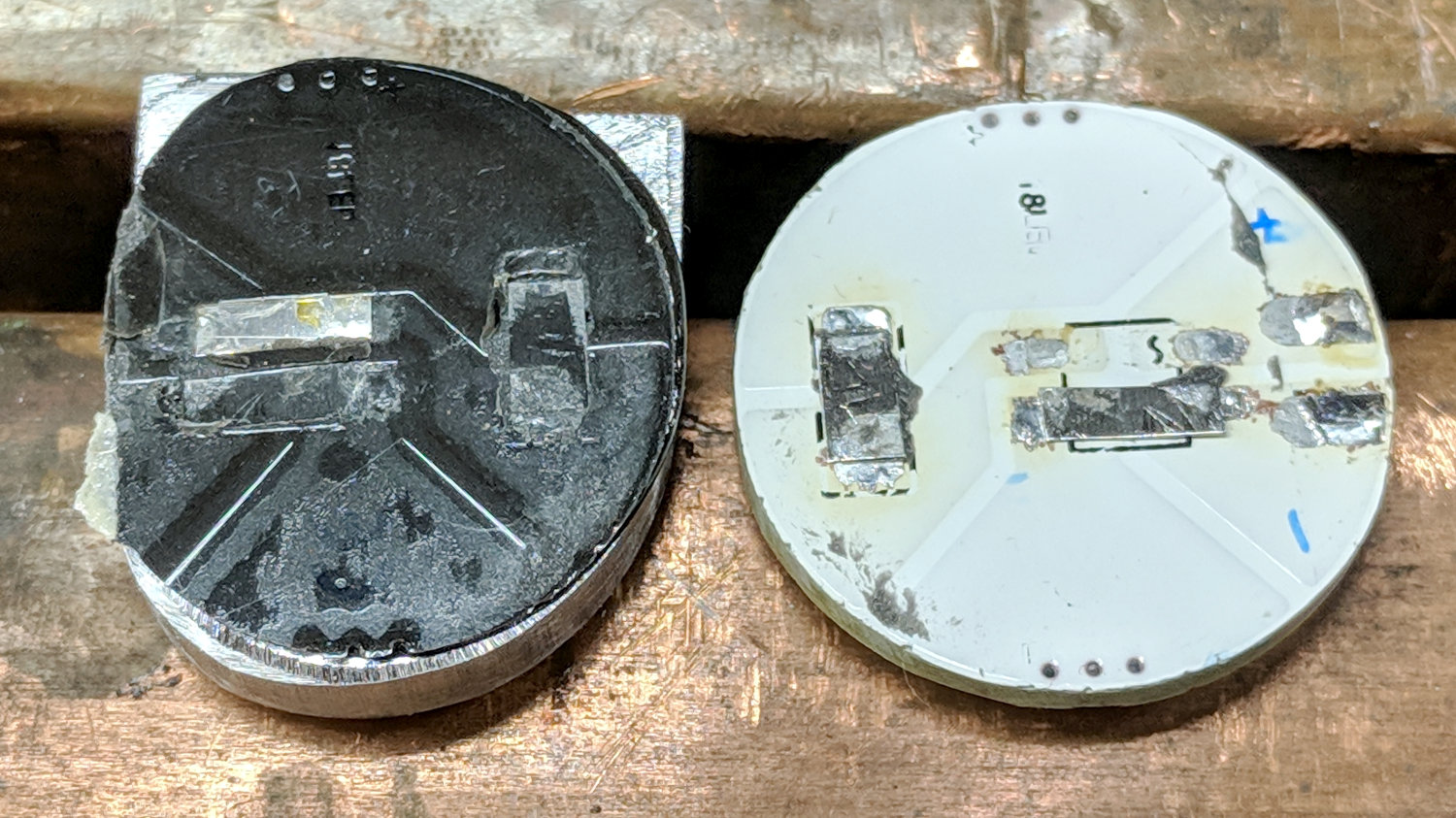
    A sharp tap with a chisel popped the COB LED PCB off its heatsink:

    Destroyed COB LED - epoxy bond
    Destroyed COB LED – epoxy bond

    That’s a pretty nice thermal joint and ought to transfer as much heat as reaches the back surface. Mechanically, it yanked one of the nickel tabs right off the solder pads; obviously, I must now level up my soldering game.

    Scraping the yellow silicone filter off the PCB reveals the minuscule LEDs:

    Destroyed COB LED - excavated yellow silicone
    Destroyed COB LED – excavated yellow silicone

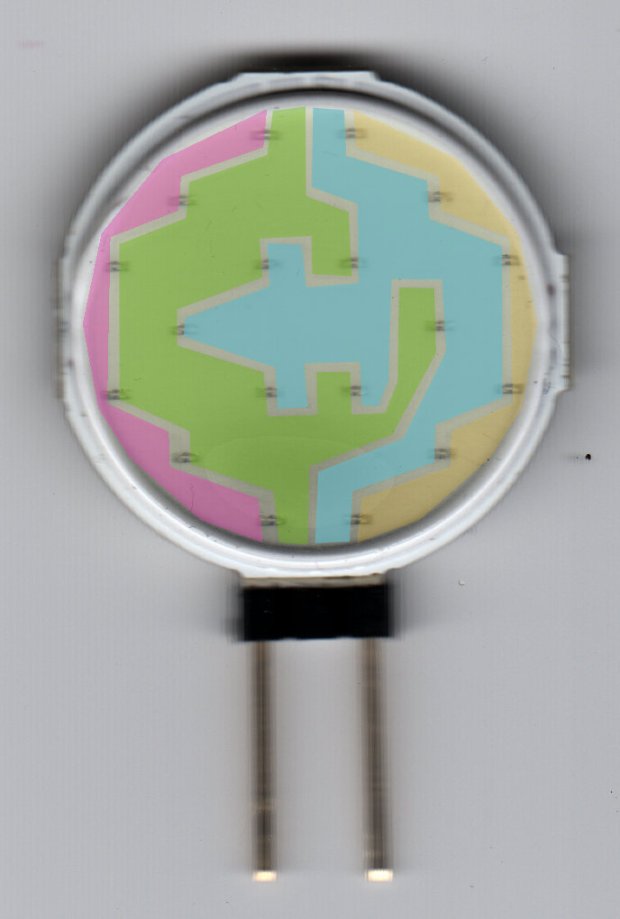
    You’ll recall they’re arranged in three series sets of six:

    Circular 12V COB 18 LED panel - copper layout
    Circular 12V COB 18 LED panel – copper layout

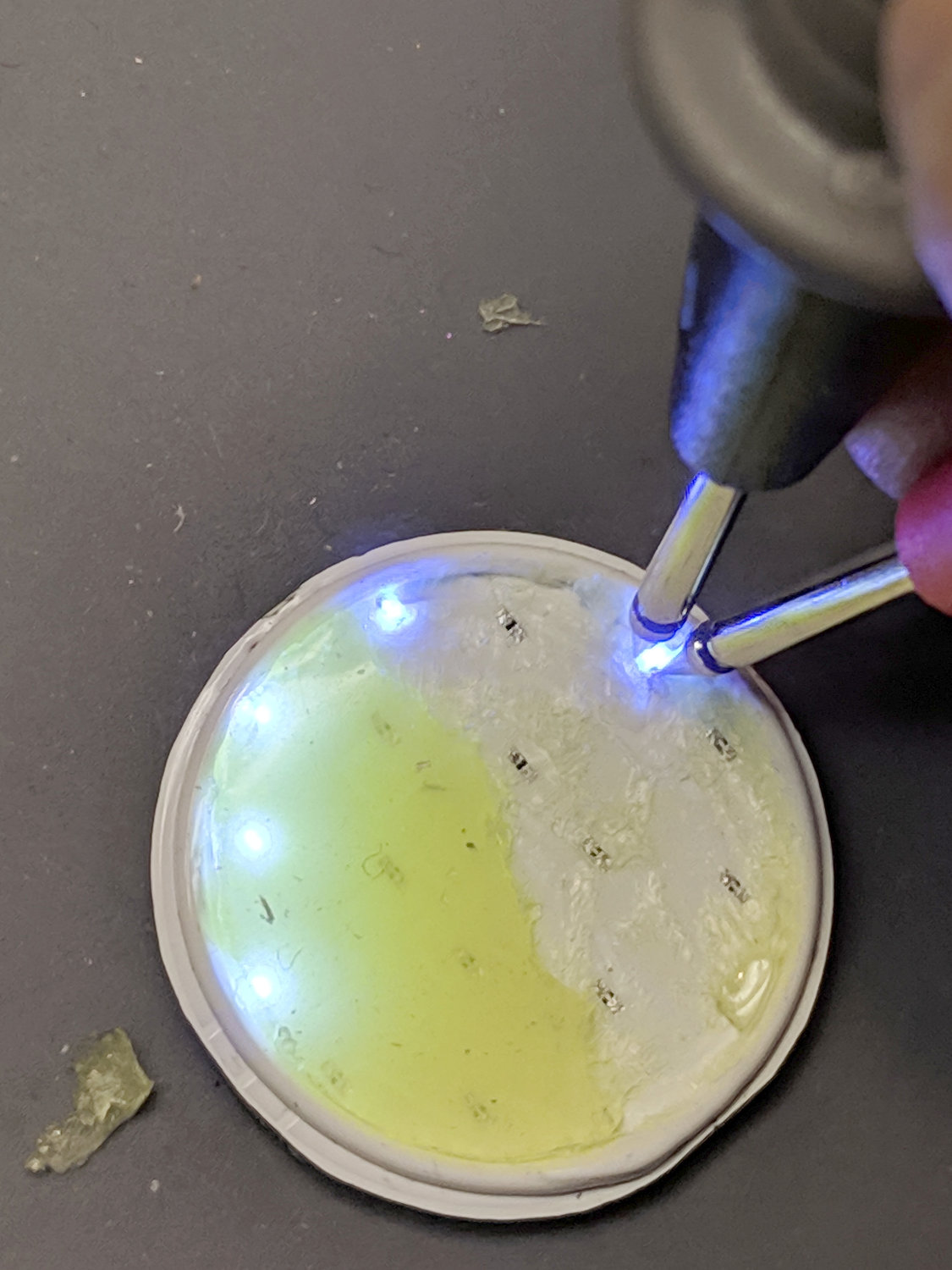
    Some probing revealed five of six LEDs in one set was still functional:

    Although a few other LEDs across the PCB survived, that’s not the way to bet when you run so much current through the poor things.

    Ah, well, that’s why I always buy a few more parts than I really need …

  • Tour Easy: SRAM X.0 Rear Grip Shifter

    With more snow on the schedule, Mary’s bike finally got a new rear shifter:

    Tour Easy - SRAM X.0 grip shifter installed
    Tour Easy – SRAM X.0 grip shifter installed

    It’s an old-school SRAM X.0 grip shifter, evidently compatible with SRAM X.9 and X.7 derailleurs, and seems to work OK. The wavy ridges may be more prominent than necessary for our road riding, though.

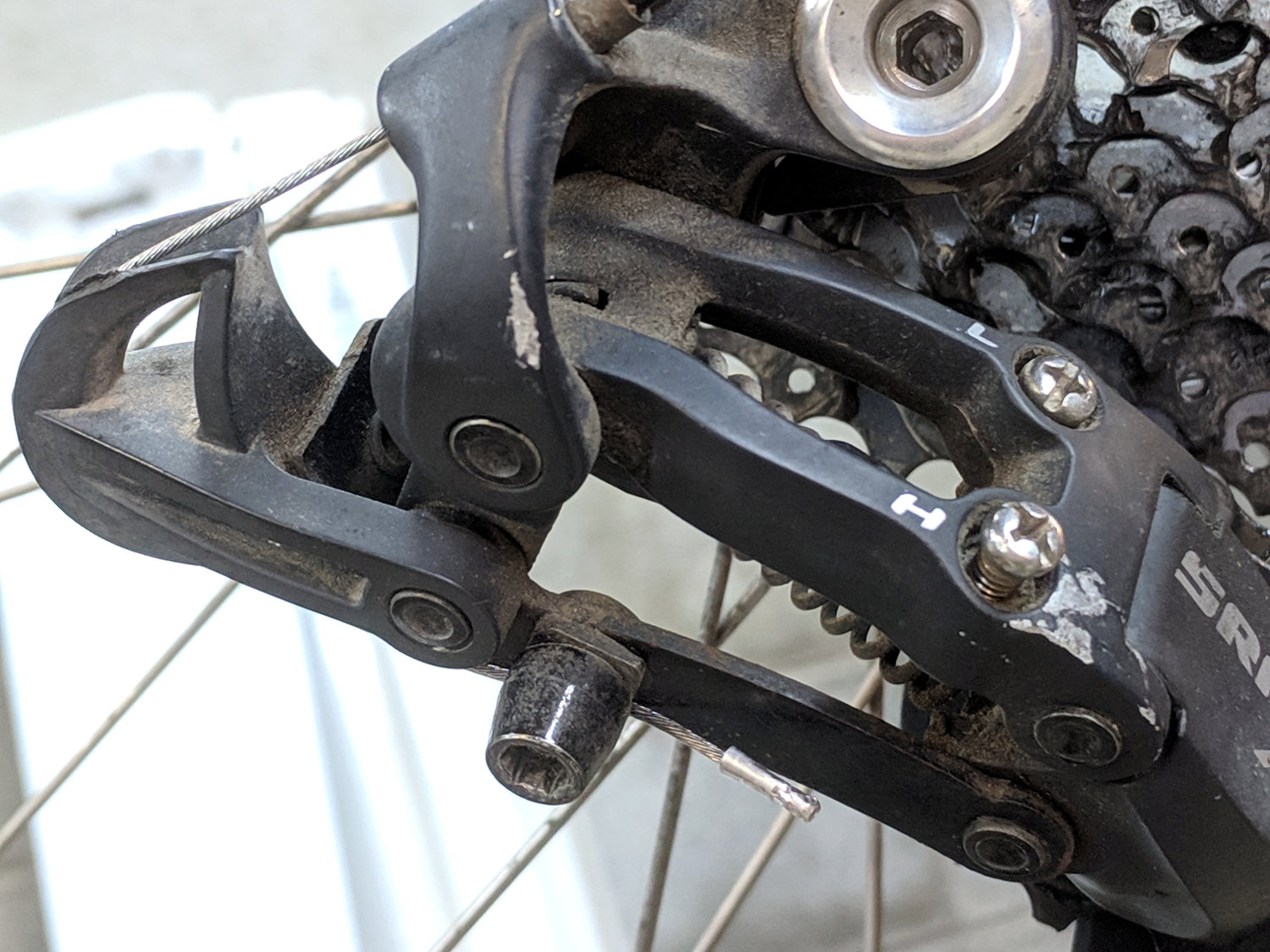
    In a miracle of rare device, the preinstalled cable turned out to be exactly long enough:

    Tour Easy - SRAM X.0 cable length
    Tour Easy – SRAM X.0 cable length

    Twiddling the length for perfect shifting requires on-the-road testing and the chain wrap may need tweaking (I may not have gotten it right when I installed the derailleur), but at least the shifter stops at every detent along the way.

  • J5 Tactical Flashlight: Tailcap Switch

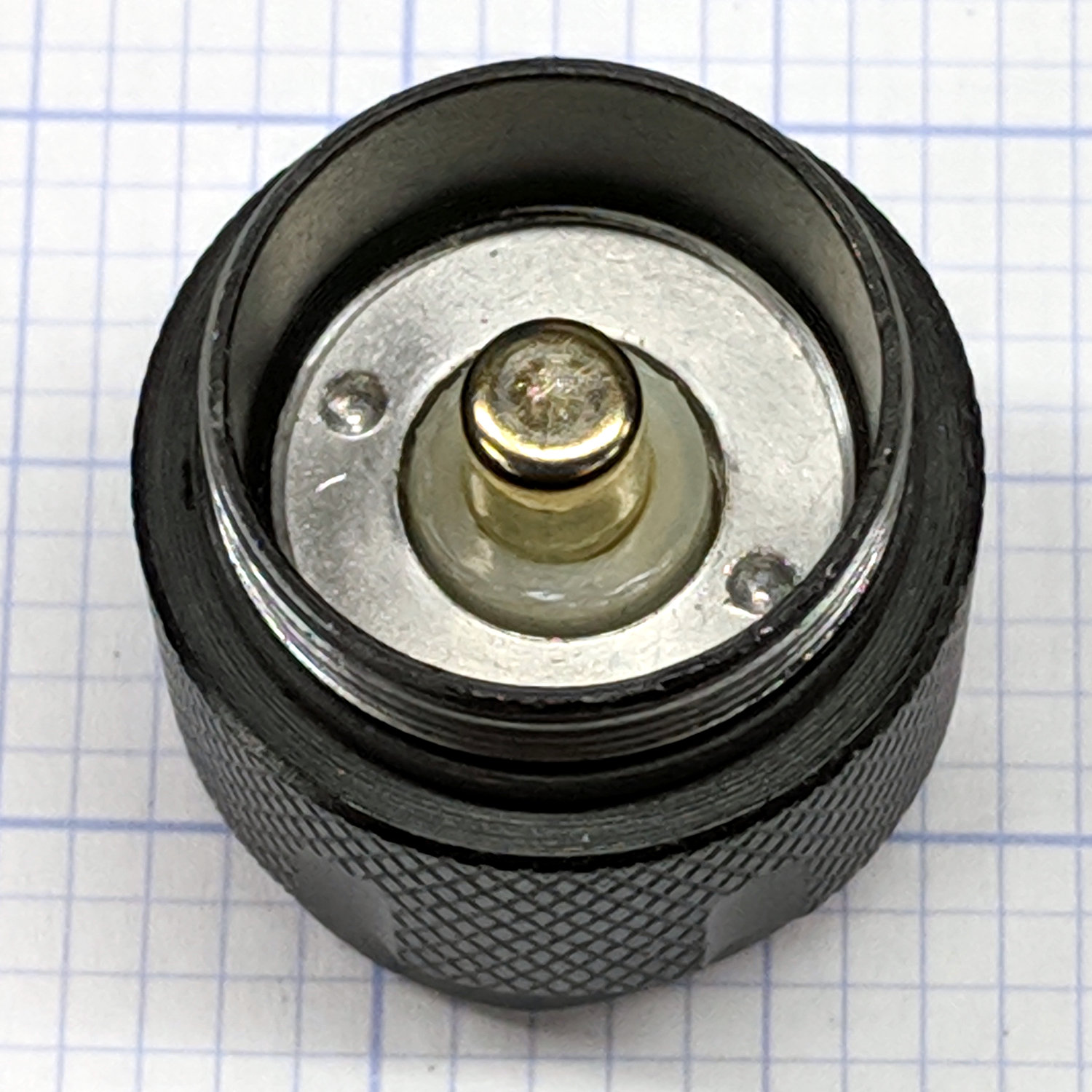
    Mashing the LED PCB into place didn’t entirely solve the weak beam problem, so I unscrewed the tailcap holding the switch on the other end of the body:

    J5 Tactical Flashlight - tailcap
    J5 Tactical Flashlight – tailcap

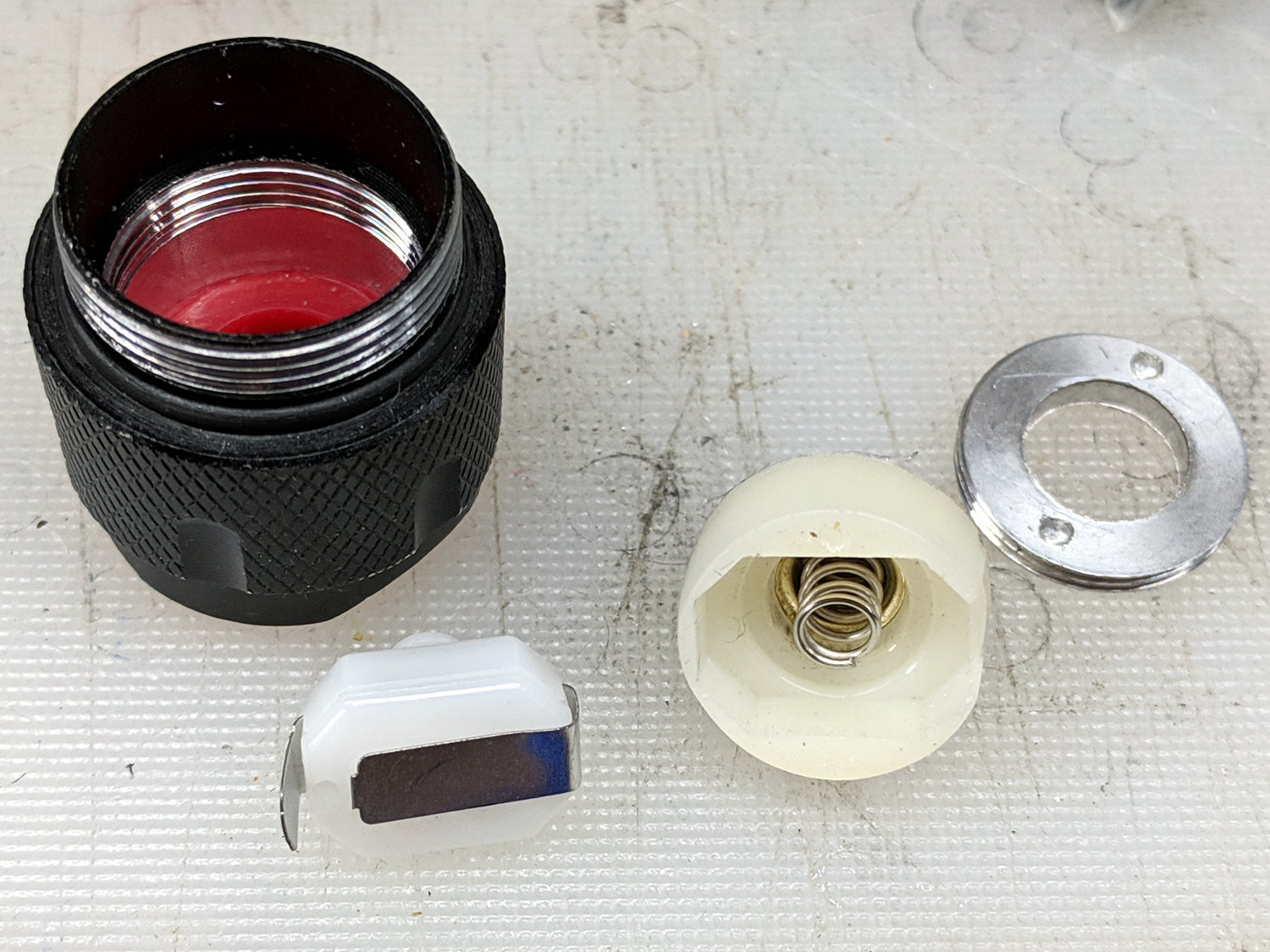
    Unscrewing the lock ring releases the switch assembly:

    J5 Tactical Flashlight - tailcap parts
    J5 Tactical Flashlight – tailcap parts

    I suspect the tab sticking out from the side of the switch doesn’t make / never made good contact with the aluminum tailcap body, but having gone this far there’s no reason to stop. The plastic housing around the spring-loaded brass battery contact pops off to reveal the actual switch:

    J5 Tactical Flashlight - switch contacts
    J5 Tactical Flashlight – switch contacts

    The long tab on the front of the switch sits under the spring, so that’s the negative battery contact. The LED current goes through:

    • battery negative to contact + spring
    • switch tab + moving contact + tab
    • tab to tailcap pressure fit
    • tailcap threads
    • front tube threads
    • LED pill to PCB
    • spring to battery positive

    So. Many. Aluminum. Joints.

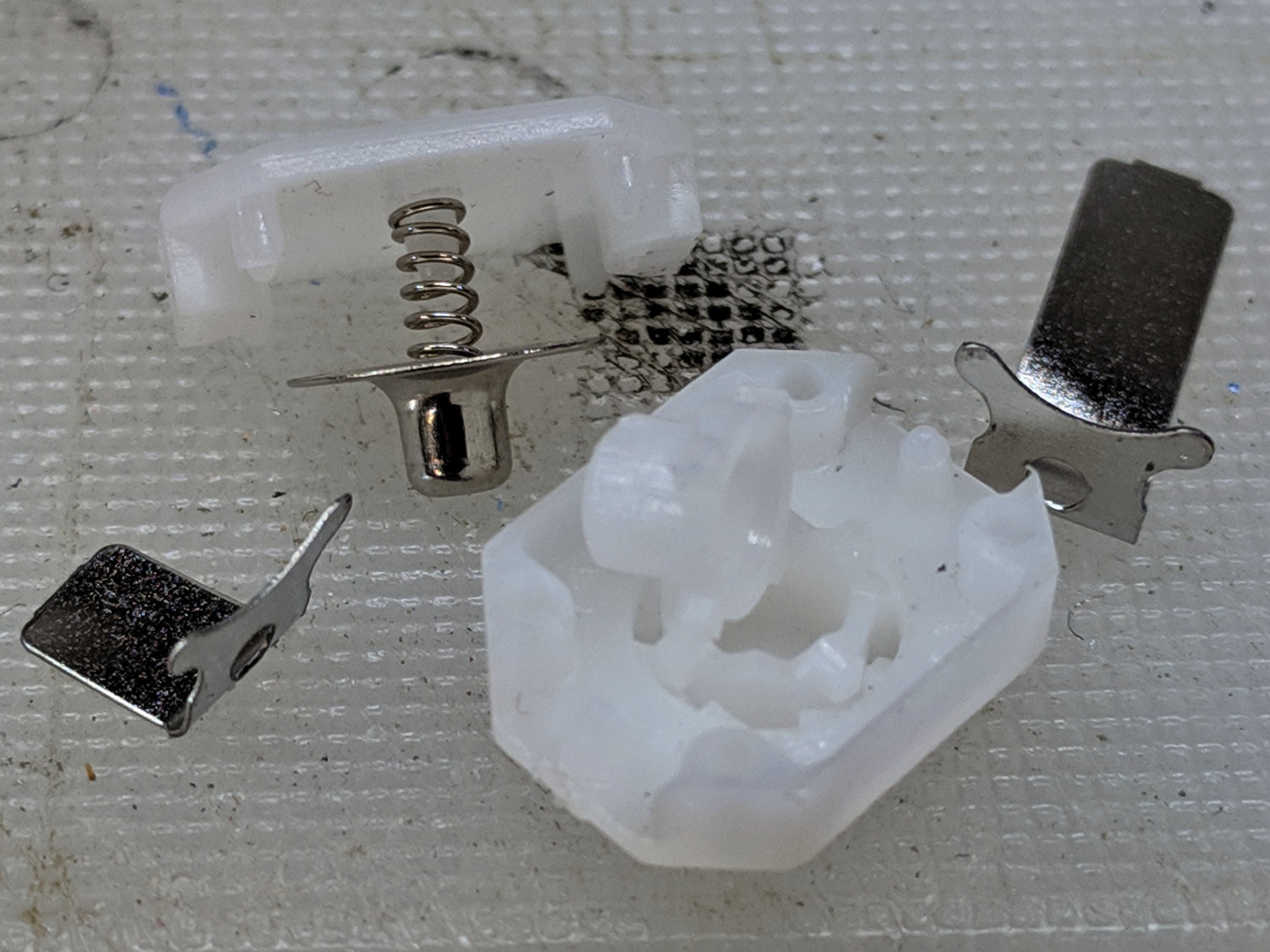
    The switch body snaps apart to disgorge a remarkable number of parts:

    J5 Tactical Flashlight - tailcap switch parts
    J5 Tactical Flashlight – tailcap switch parts

    Nothing looked out of order, so I applied a thin layer of DeoxIT Red to all the contacting parts and reassembled everything.

    For the record, the switch’s internal parts have many plausible assembly sequences; the workable one goes a little something like this:

    J5 Tactical Flashlight - tailcap switch contacts
    J5 Tactical Flashlight – tailcap switch contacts

    Contrary to what you (well, I) might think, the switch is off when the central contact is pushed forward, away from the side contacts.

    I bent a slight angle into the tailcap contact (on the right in the picture) to make better / firmer contact with the tailcap body, cleaned all the threads with a cotton swab carrying a dab of DeoxIT, and screwed it all together.

    With everything back together, the beam seems bright and steady again. We’ll see how long it lasts.

  • J5 Tactical Flashlight: Loose PCB

    I’ve been using the J5 Tactical flashlight as a “walking light” on our walks around the neighborhood, because its bright white spot has definitely caused a few drivers to look up from their phones at the last moment and swerve away.

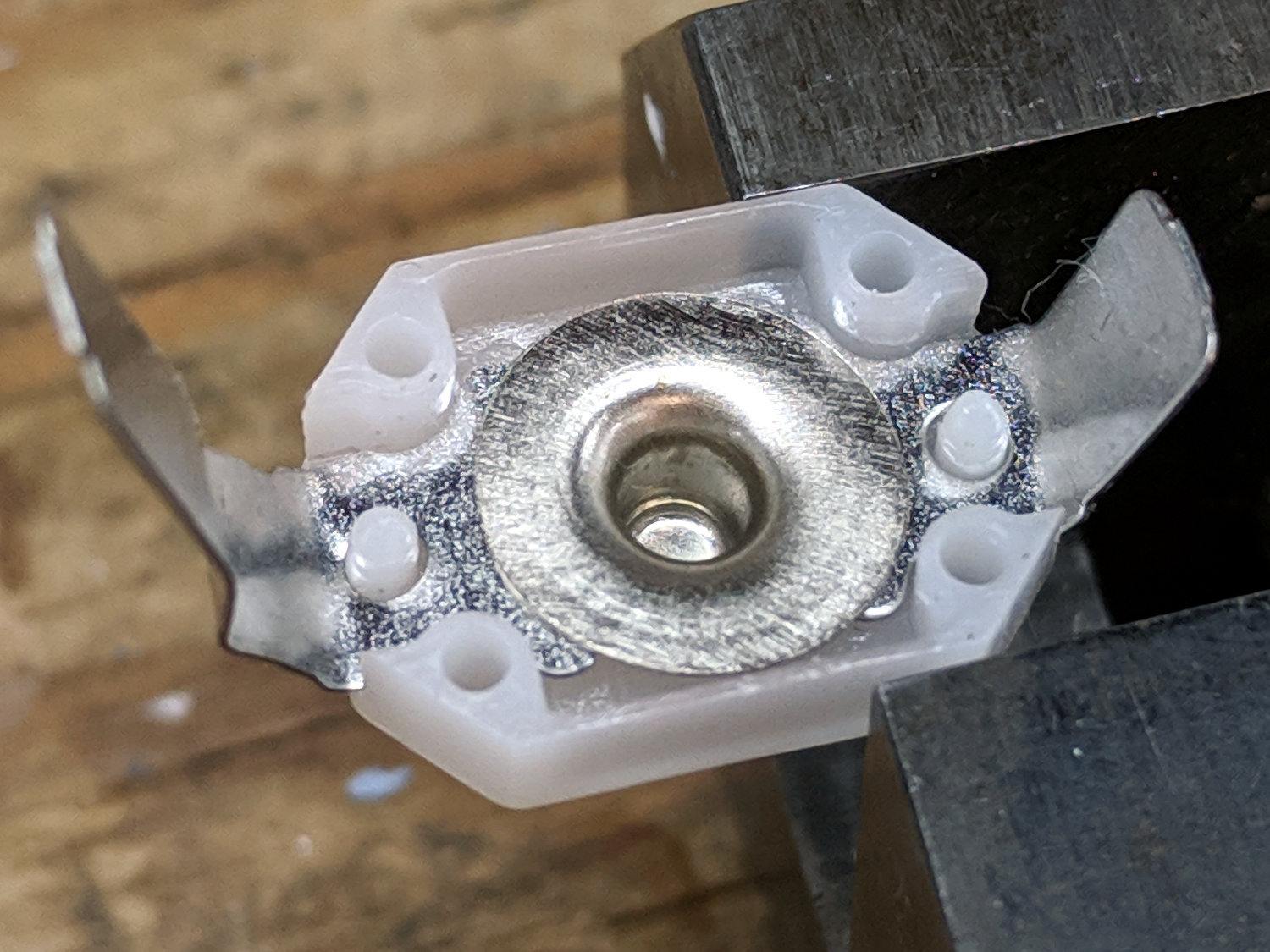
    Of late, however, it turned on with a weak light and operated erratically. Removing the lens and unscrewing the front end revealed one mmmm potential problem:

    J5 Tactical Flashlight - loose LED PCB
    J5 Tactical Flashlight – loose LED PCB

    It looks like they’re depending on the “gold” in cutaway plated-through holes to make electrical contact with the aluminum mount, then through the threads to the case. The PCB joint would work much better with consistent pressure all the way around its perimeter.

    I mashed the PCB into place with a machinists vise, but, given the number of problems I’ve had with J5 flashlights (one a QC reject), they’re on my Non-Preferred Vendor list; if I’m going to get junk, I may as well pay bottom dollar.

  • Sony NP-FS11 Battery Rebuild: 2019

    Three years on, it’s time to rebuild some NP-FS11 lithium battery packs for the ancient Sony F505V camera, starting with packs I’ve rebuilt several times before and the last four cells from 2016.

    The final test shows the 2011-F pack may power an LED blinky, but not much else:

    NP-FS11 - 2011-F 2016-GH - 2019-02-19
    NP-FS11 – 2011-F 2016-GH – 2019-02-19

    Although the total capacity is still about 1.3 A·h for the two best batteries, the camera says the weakest two are dead after a few photos.

    For reference while resoldering, the joints at the negative terminals:

    NP-FS11 battery rebuld - negative terminals
    NP-FS11 battery rebuld – negative terminals

    And the protection PCB on the positive end:

    NP-FS11 battery rebuld - positive terminals
    NP-FS11 battery rebuld – positive terminals

    Unsolder the strap in the middle and the B+ positive connection on the right side to remove the cells.

    If cameras used bare cells, rather than glued-shut “proprietary” packs with super-secret unique ID ROMs, they’d be easier to keep running. My Sony DSC-H5 has other problems, but NiMH AA cells are easy to find.