The Smell of Molten Projects in the Morning

Ed Nisley's Blog: Shop notes, electronics, firmware, machinery, 3D printing, laser cuttery, and curiosities. Contents: 100% human thinking, 0% AI slop.

Tag: M2

Using and tweaking a Makergear M2 3D printer

  • Loop Antenna Splice Reinforcement

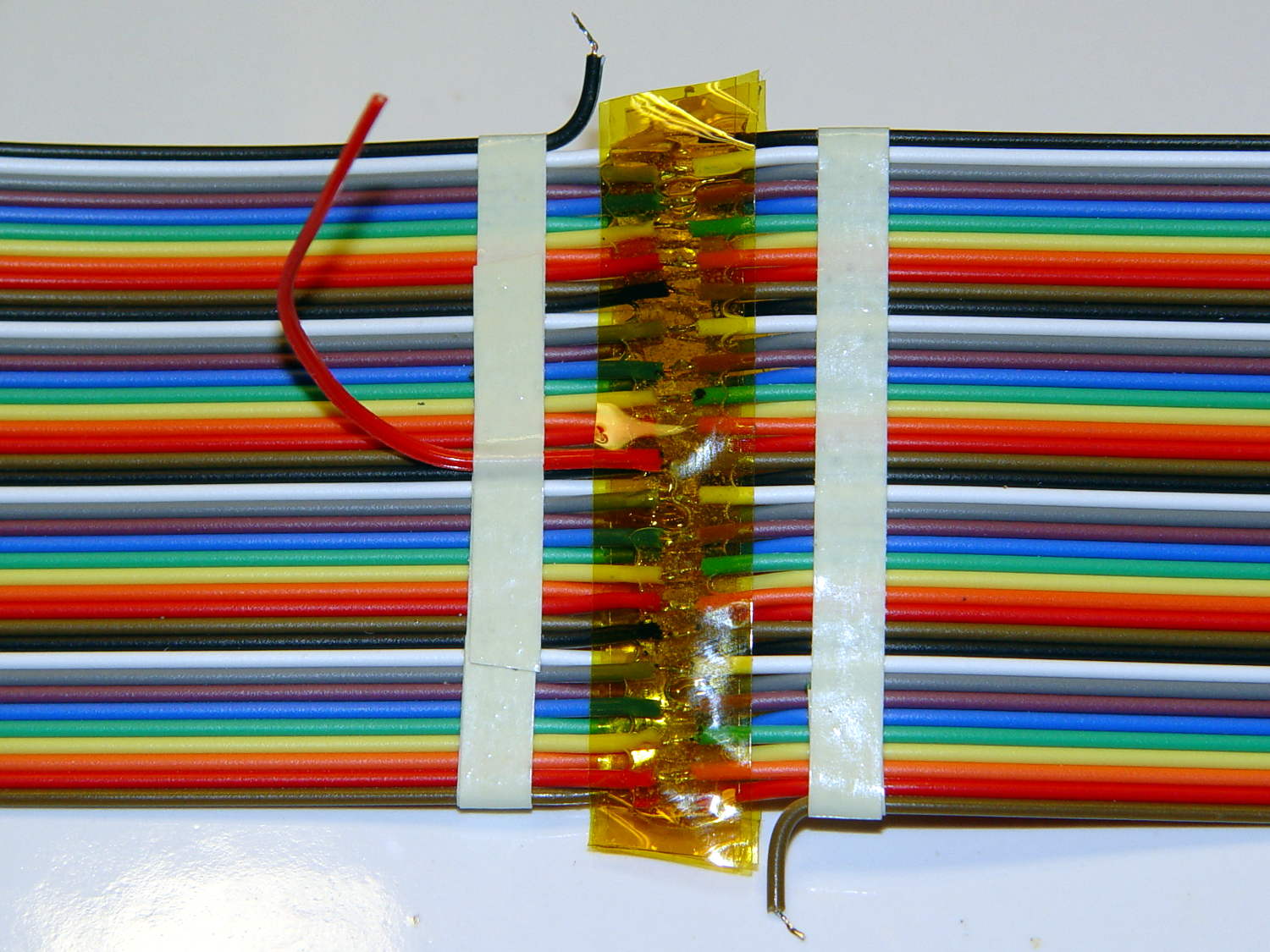
    Those solder joints and finicky little wires seem much too fragile on their own:

    LF Loop Antenna - complete joint
    LF Loop Antenna – complete joint

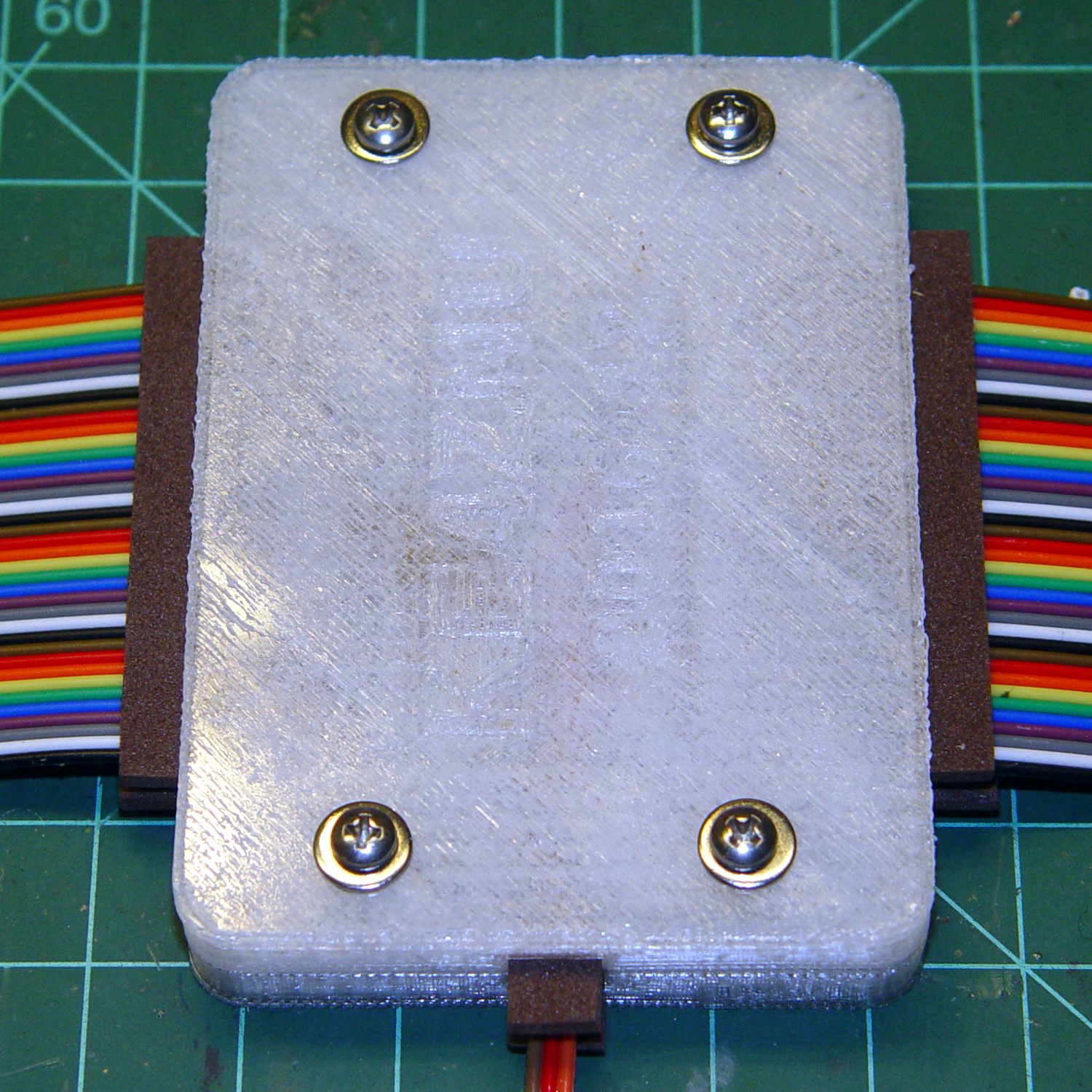
    This should help:

    Loop Antenna Splice - assembled
    Loop Antenna Splice – assembled

    Foam blocks hold the ribbon cable in place and provide a bit of strain relief around the hard plastic edge:

    Loop Antenna Splice - hardware
    Loop Antenna Splice – hardware

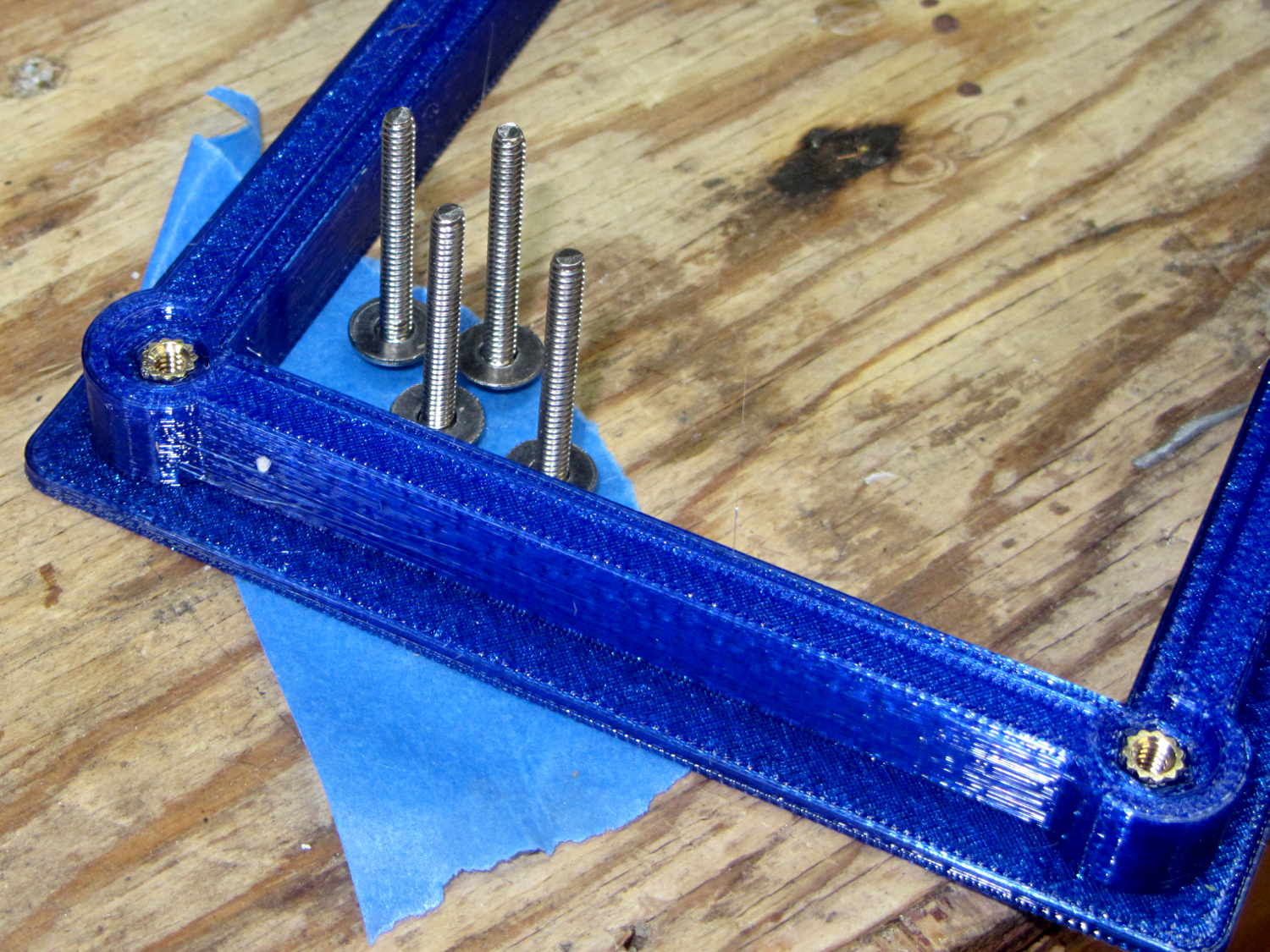
    The brass inserts in the bottom block (on the left) got epoxied in place, because they must provide quite a bit of force to clamp the foam. Their larger knurled end sits flush with the outside surface and the smaller end has one thread thickness of clearance below the inner surface.

    A last look at the wiring:

    Loop Antenna Splice - wiring
    Loop Antenna Splice – wiring

    I think the preamp must sit at some distance from the antenna to prevent feedback, but that remains to be seen.

    The M2’s nozzle accumulated a huge blob of PETG that turned into a giant smear:

    Loop Antenna Splice - PETG booger
    Loop Antenna Splice – PETG booger

    Fortunately, it’s on the inside where nobody will ever see it. If you know where to look, it’s barely visible from the outside.

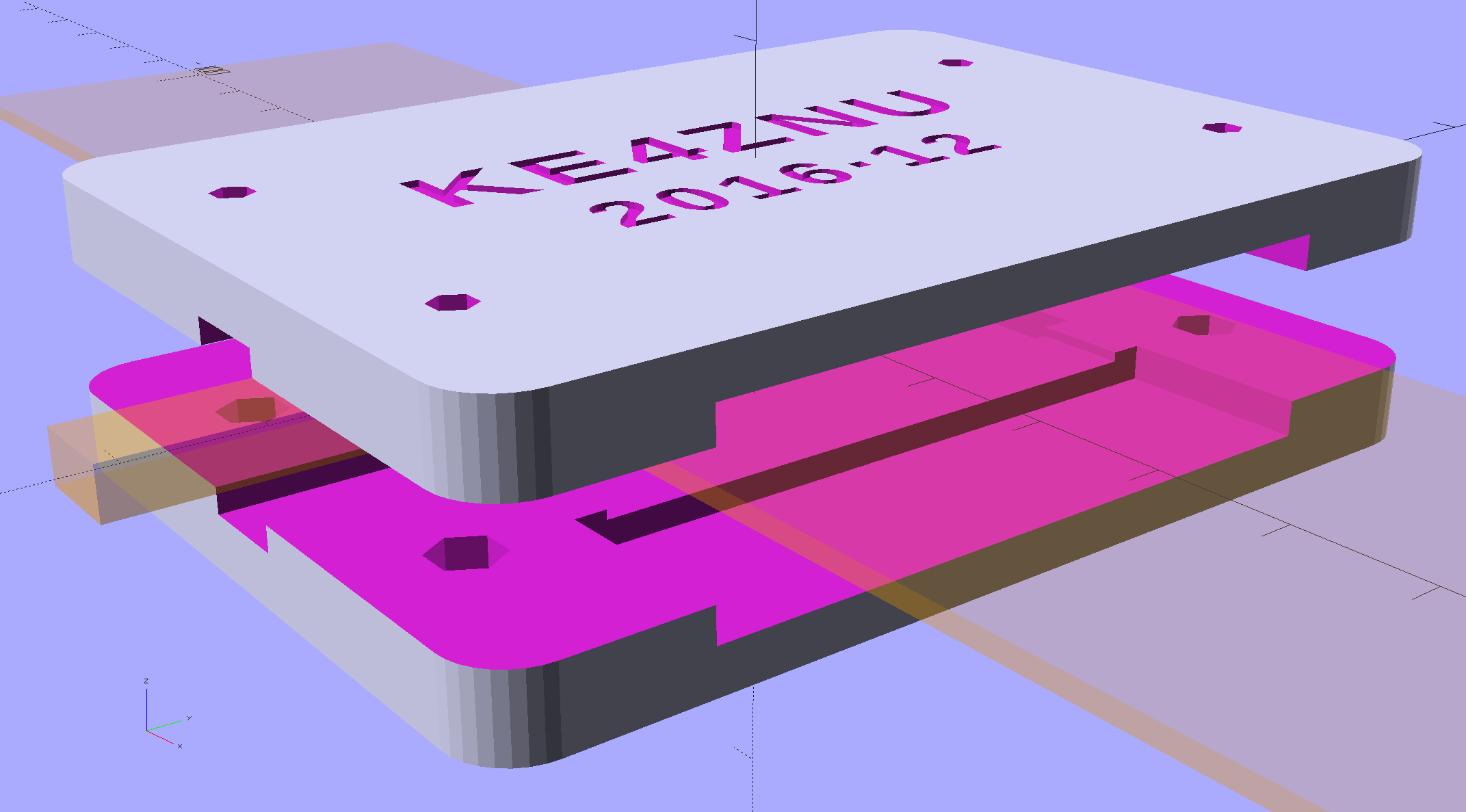
    The solid model shows off the structure a bit better:

    Loop Antenna Splice - show view
    Loop Antenna Splice – show view

    The inside view:

    Loop Antenna Splice - bottom
    Loop Antenna Splice – bottom

    The OpenSCAD source code as a GitHub Gist:

    // Ribbon cable loop antenna splice
    // Ed Nisley KE4ZNU December 2016
    Layout = "Text";
    //- Extrusion parameters must match reality!
    ThreadThick = 0.25;
    ThreadWidth = 0.40;
    HoleWindage = 0.2;
    Protrusion = 0.1; // make holes end cleanly
    inch = 25.4;
    function IntegerMultiple(Size,Unit) = Unit * ceil(Size / Unit);
    //———-
    // Dimensions
    Cable = [200,48.0,1.5]; // X = longer than anything else
    Splice = [15.0,53.0,5.0]; // epoxy blob around joints
    Foam = [15.0,Splice[1],2.0];
    CornerRadius = 5.0;
    ID = 0;
    OD = 1;
    LENGTH = 2;
    Insert = [3.9,4.6 – 0.1,5.8]; // 4-40 knurled brass insert
    Screw = [2.7,5.5,2.0]; // OD = head LENGTH = head thickness
    Washer = [3.0,8.0,0.8];
    BlockOA = [60.0, // convenient length
    Splice[1] + 4*Washer[OD], // clearance around washer on top
    2*(Insert[LENGTH] + 2*ThreadThick)]; // insert sets both thicknesses
    NumScrews = 2; // screws along each side of cable
    ScrewOC = [BlockOA[0] / NumScrews,
    BlockOA[1] – 2*Washer[OD],
    2*BlockOA[2] // ensure complete holes
    ];
    TextThick = 3*ThreadThick; // depth of text into surface
    TextFit = HoleWindage/2; // clearance around text polygons
    //———————-
    // Useful routines
    module PolyCyl(Dia,Height,ForceSides=0) { // based on nophead's polyholes
    Sides = (ForceSides != 0) ? ForceSides : (ceil(Dia) + 2);
    FixDia = Dia / cos(180/Sides);
    cylinder(d=(FixDia + HoleWindage),h=Height,$fn=Sides);
    }
    //—–
    // Blocky model of cable + splice + wire tap for subtraction
    module Antenna() {
    union() {
    cube(Cable,center=true);
    cube(Splice,center=true);
    for (i=[-1,1])
    translate([0,-Splice[1]/2,0])
    cube([Splice[0]/2,Splice[1],2*Foam[2]],center=true);
    }
    }
    // Outside shape of splice Block, less screw clearance
    module SpliceBlock() {
    difference() {
    hull()
    for (i=[-1,1], j=[-1,1])
    translate([i*(BlockOA[0]/2 – CornerRadius),j*(BlockOA[1]/2 – CornerRadius),-BlockOA[2]/2])
    cylinder(r=CornerRadius,h=BlockOA[2],$fn=4*8);
    for (i = [0:NumScrews – 1], j=[-1,1])
    translate([-BlockOA[0]/2 + ScrewOC[0]/2 + i*ScrewOC[0],j*ScrewOC[1]/2,-(BlockOA[2]/2 + Protrusion)])
    PolyCyl(Screw[ID],BlockOA[2] + 2*Protrusion,6);
    }
    }
    // Splice block less cable
    module ShapedBlock() {
    difference() {
    SpliceBlock();
    Antenna();
    }
    }
    // Bottom
    module BottomPlate() {
    difference() {
    ShapedBlock();
    translate([0,0,BlockOA[2]/2])
    cube(BlockOA + 2*[Protrusion,Protrusion,0],center=true);
    Antenna(Splice);
    for (i = [0:NumScrews – 1], j=[-1,1])
    translate([-BlockOA[0]/2 + ScrewOC[0]/2 + i*ScrewOC[0],j*ScrewOC[1]/2,-(BlockOA[2]/2 + Protrusion)])
    PolyCyl(Insert[OD],2*Insert[LENGTH],6);
    for (i=[-1,1])
    translate([i*((BlockOA[0] – Foam[0] + Protrusion)/2),0,(BlockOA[2]/2 – Cable[2]/2 – Foam[2])])
    cube([Foam[0] + Protrusion,Foam[1],BlockOA[2]],center=true);
    }
    }
    // Top
    module TopPlate() {
    difference() {
    ShapedBlock();
    translate([0,0,-BlockOA[2]/2])
    cube(BlockOA + 2*[Protrusion,Protrusion,0],center=true);
    Antenna(Splice);
    for (i=[-1,1])
    translate([i*((BlockOA[0] – Foam[0] + Protrusion)/2),0,-(BlockOA[2]/2 – Cable[2]/2 – Foam[2])])
    cube([Foam[0] + Protrusion,Foam[1],BlockOA[2]],center=true);
    rotate(90) {
    translate([0,6,BlockOA[2]/2 – TextThick])
    TextHack("KE4ZNU",8,0.0,1.15,TextThick + Protrusion);
    translate([0,-6,BlockOA[2]/2 – TextThick])
    TextHack("2016·12",6,0.0,1.20,TextThick + Protrusion);
    }
    }
    }
    module TextHack(Text="sample",Size=10,Offset=0.0,Space=1.0,Thick=ThreadThick) {
    linear_extrude(height=Thick,convexity=10)
    offset(r=Offset)
    text(Text,font=":bold",size=Size,spacing=Space,halign="center",valign="center");
    }
    //———-
    // Build them
    if (Layout == "Antenna")
    Antenna();
    if (Layout == "SpliceBlock")
    SpliceBlock();
    if (Layout == "ShapedBlock")
    ShapedBlock();
    if (Layout == "Bottom")
    BottomPlate();
    if (Layout == "Top")
    TopPlate();
    if (Layout == "Text") {
    translate([0,6,0])
    TextHack("KE4ZNU",8,-TextFit,1.15,TextThick);
    translate([0,-6,0])
    TextHack("2016·12",6,-TextFit,1.20,TextThick);
    }
    if (Layout == "Show") {
    translate([0,0,5])
    TopPlate();
    translate([0,0,-5])
    BottomPlate();
    color("Orange",0.2)
    Antenna();
    }
    if (Layout == "Build") {
    translate([0,-0.6*BlockOA[1],BlockOA[2]/2])
    rotate([180,0,0])
    TopPlate();
    translate([0,0.6*BlockOA[1],BlockOA[2]/2])
    BottomPlate();
    }
  • Under-cabinet Lamp Brackets: Close-fit Power Plug

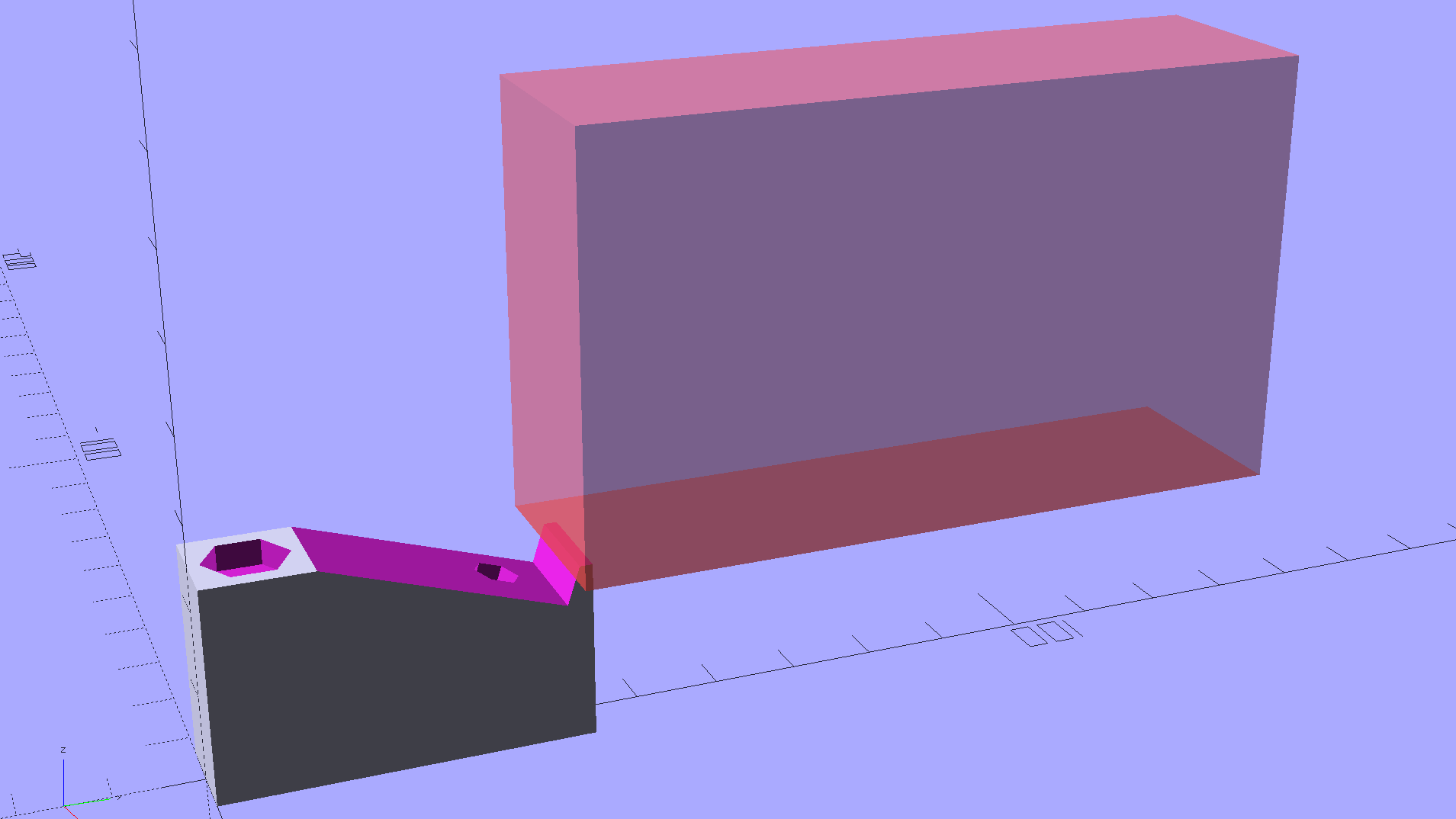
    Adding a little tab to the angled brackets prevents them from pivoting while you’re tightening the mounting screw into the brass insert:

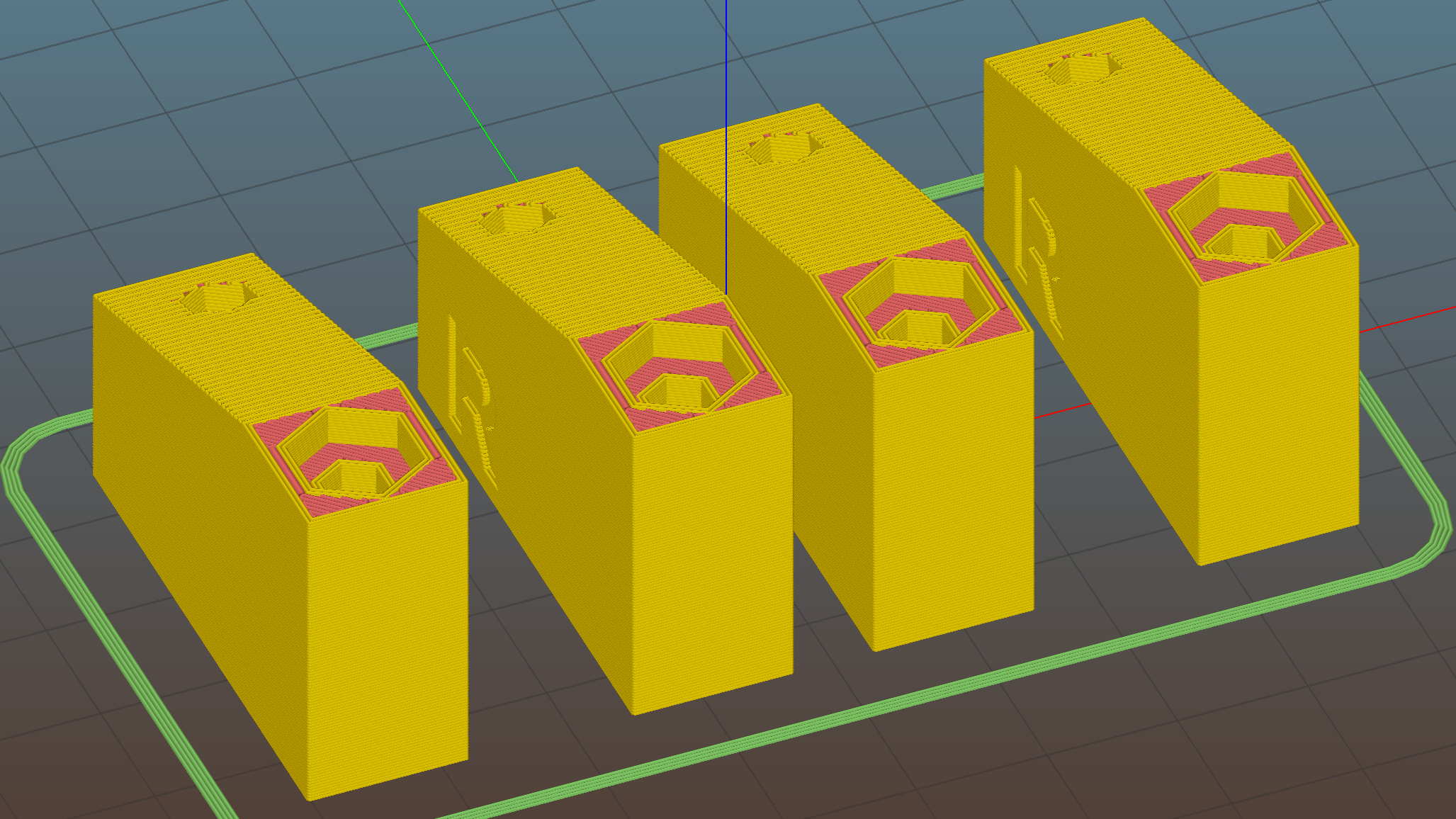
    Kitchen Light Bracket - angled lip - Slic3r preview
    Kitchen Light Bracket – angled lip – Slic3r preview

    The trick with those tabs is to chop ’em off halfway to the tip, because there’s no point trying to print a wedge that ends with a sharp edge:

    Kitchen Light Bracket - angled - tab cutoff - solid model
    Kitchen Light Bracket – angled – tab cutoff – solid model

    Generating & positioning that block goes a little something like this:

    translate([0,
               2*MountBlock[1] - LEDEndBlock[2]*sin(StripAngle),
               MountBlock[2]/2 + MountHeight - 0.5*LEDEndBlock[2]*cos(StripAngle)])
        cube(2*MountBlock,center=true);


    As a rule of thumb, there’s no point in fussing with smaller shapes when a big one will suffice…

    This LED strip fits under the cabinet over the butcher block countertop next to the stove, which turns out to be Just Barely longer than the strip itself:

    Under-cabinet light - cramped power plug
    Under-cabinet light – cramped power plug

    The OEM straight-on coaxial plug (near the bottom of the picture) attached to the wall wart cable obviously wouldn’t fit in the available space, so I gimmicked up a right-angle adapter by the simple expedient of shortening the solder lugs of a plug from the heap (which, admittedly, doesn’t quite fully seat in the socket), bending them sideways, soldering a pair of wires, heatshrinking appropriately, then coating wires + plug with JB Kwik epoxy. The other end of the wires gets a coaxial jack that miraculously fits the OEM plug, styled up with more heatshrink tubing. Not pretty, but nobody will ever see it.

    Unlike the LED strip under the other cabinet, this IR proximity sensor doesn’t mind having a wood edge next to it and, thus, didn’t need a strip of tape to keep it happy.

  • Under-cabinet Lamp Brackets: Angled Edition

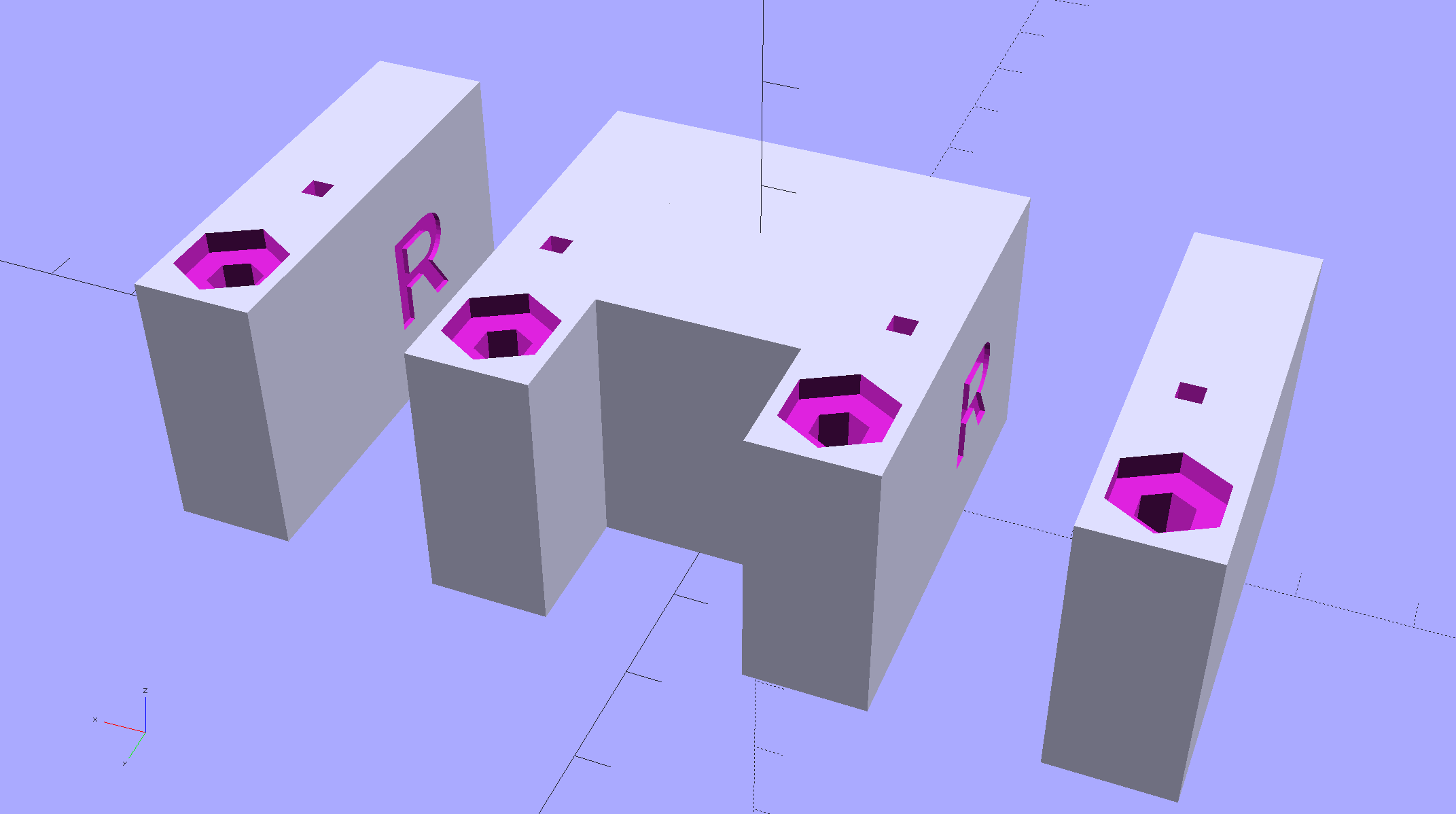
    The LED strip lights have a reasonably diffuse pattern with an on-axis bright area that puts more light on the rear of the counter than seems strictly necessary. Revising the original brackets to tilt the strips moves the bright patch half a foot forward:

    Kitchen Light Bracket - angled - solid model
    Kitchen Light Bracket – angled – solid model

    For lack of anything smarter, the angle puts the diagonal of the LED strip on the level:

    Kitchen Light Bracket - angled - Slic3r preview
    Kitchen Light Bracket – angled – Slic3r preview

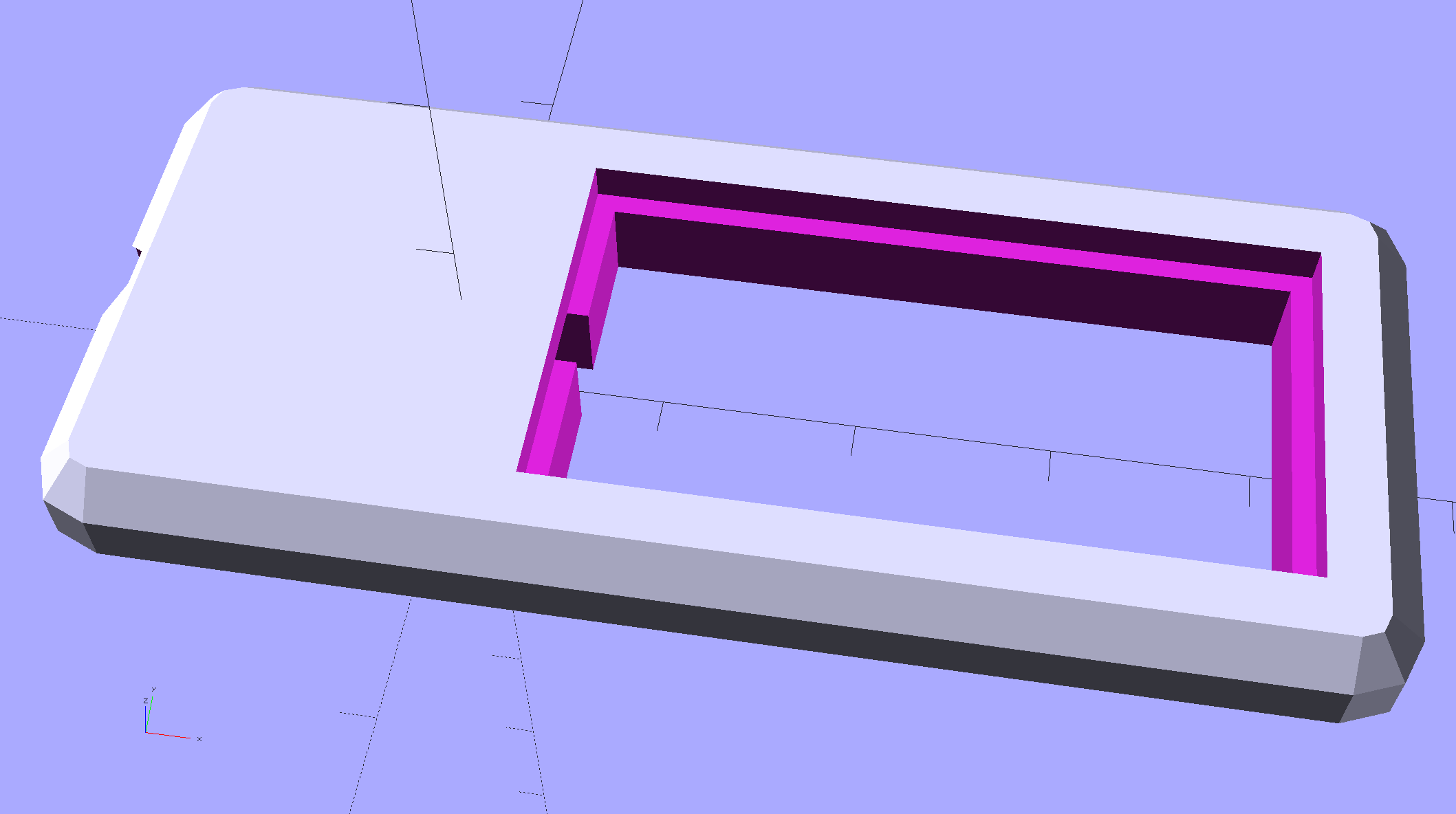
    The translucent block represents the strip (double-thick and double-wide), with a peg punching a hole for the threaded brass insert.

    Although the source code has an option to splice the middle blocks together, it can also build them separately:

    Kitchen Light Bracket - angled - LED block
    Kitchen Light Bracket – angled – LED block

    Turns out they’re easier to assemble that way; screw ’em to the strips, then screw the strips to the cabinet.

    I moved the deck screw holes to the other end of the block, thus putting the strips against the inside of the cabinet face. It turns out the IR sensor responds to the DC level of the reflected light, not short-term changes, which meant the reflection from the adjacent wood blinded it to anything waved below. Adding a strip of black electrical tape killed enough of the reflected light to solve that problem:


    Under-cabinet light - IR sensor shield
    Under-cabinet light – IR sensor shield

    The tape isn’t quite as far off-center as it looks, but I’m glad nobody will ever see it …

    The before-and-after light patterns, as viewed on B-size metric graph paper centered on the left-hand strip and aligned with the belly side of the countertop:

    Under-cabinet light - straight vs angled patterns
    Under-cabinet light – straight vs angled patterns

    Those look pretty much the same, don’t they? So much for photography as evidence for anything.

    The OpenSCAD source code as a GitHub Gist:


    // Mounting brackets for eShine under-counter LED lights
    // Ed Nisley KE4ZNU December 2016
    Layout = "Build";
    //- Extrusion parameters must match reality!
    ThreadThick = 0.25;
    ThreadWidth = 0.40;
    HoleWindage = 0.2;
    Protrusion = 0.1; // make holes end cleanly
    inch = 25.4;
    function IntegerMultiple(Size,Unit) = Unit * ceil(Size / Unit);
    //———-
    // Dimensions
    MountHeight = (1 + 0*3/16) * inch; // distance from cabinet bottom
    THREADOD = 0;
    HEADOD = 1;
    LENGTH = 2;
    WoodScrew = [4.0,8.3,41]; // 8×1-5/8 Deck screw
    WoodScrewRecess = 3.0;
    WoodScrewMargin = 1.5 * WoodScrew[HEADOD]; // head OD + flat ring
    Insert = [3.9,4.6,5.8 + 2.0]; // 4-40 knurled brass insert
    JoinerLength = 19.0; // joiner between strips
    LEDEndBlock = [11.0,28.8,9.5]; // LED plastic end block
    LEDScrewOffset = [1.0,8.2,0]; // hole offset from end block center point
    StripAngle = atan2(LEDEndBlock[2],LEDEndBlock[1]);
    echo(str("Strip angle: ",StripAngle));
    MountBlock = [WoodScrewMargin,(WoodScrewMargin + LEDEndBlock[1]*cos(StripAngle)),MountHeight];
    //———————-
    // Useful routines
    module PolyCyl(Dia,Height,ForceSides=0) { // based on nophead's polyholes
    Sides = (ForceSides != 0) ? ForceSides : (ceil(Dia) + 2);
    FixDia = Dia / cos(180/Sides);
    cylinder(d=(FixDia + HoleWindage),h=Height,$fn=Sides);
    }
    //—–
    // LED end block with positive insert for subtraction
    // returned with mounting hole end of strip along X axis
    // ready for positioning & subtraction
    module EndBlock(Side = "L") {
    LSO = [((Side == "L") ? 1 : -1)*LEDScrewOffset[0],LEDScrewOffset[1],LEDScrewOffset[2]];
    rotate([-StripAngle,0,0])
    translate([0,LEDEndBlock[1]/2,LEDEndBlock[2]])
    union() {
    cube(LEDEndBlock + [LEDEndBlock[0],0,LEDEndBlock[2]],center=true);
    translate(LSO + [0,0,-(LEDEndBlock[2] + Insert[2])])
    rotate(180/6)
    PolyCyl(Insert[1],2*Insert[2],6);
    }
    }
    //—–
    // End mounting block with proper hole offsets
    module EndMount(Side = "L") {
    translate([0,0,MountBlock[2]/2])
    difference() {
    translate([0,MountBlock[1]/2,0])
    cube(MountBlock,center=true);
    translate([0,WoodScrewMargin,MountBlock[2]/2])
    EndBlock(Side);
    translate([0,WoodScrewMargin/2,-MountBlock[2]])
    rotate(180/6)
    PolyCyl(WoodScrew[THREADOD],2*MountBlock[2],6);
    translate([0,WoodScrewMargin/2,(MountBlock[2]/2 – WoodScrewRecess)])
    rotate(180/6)
    PolyCyl(WoodScrew[HEADOD],WoodScrewRecess + Protrusion,6);
    translate([((Side == "L") ? 1 : -1)*MountBlock[0]/2,3*MountBlock[1]/4,-MountBlock[2]/4])
    rotate([90,0,((Side == "L") ? 1 : -1)*90])
    translate([0,0,-2*ThreadThick])
    linear_extrude(height=4*ThreadThick,convexity=3)
    text(Side,font=":style=bold",valign="center",halign="center");
    }
    }
    module MidMount() {
    XOffset = (JoinerLength + MountBlock[0])/2;
    BridgeThick = 5.0;
    union() {
    translate([XOffset,0,0])
    EndMount("L");
    translate([0,MountBlock[1]/2,BridgeThick/2])
    cube([JoinerLength,MountBlock[1],BridgeThick] + [2*Protrusion,0,0],center=true);
    translate([-XOffset,0,0])
    EndMount("R");
    }
    }
    //———-
    // Build them
    if (Layout == "EndBlock")
    EndBlock("L");
    if (Layout == "EndMount")
    EndMount("R");
    if (Layout == "MidMount")
    MidMount();
    if (Layout == "BuildJoined") {
    translate([-(JoinerLength + 2*MountBlock[0]),0,0])
    EndMount("L");
    MidMount();
    translate([(JoinerLength + 2*MountBlock[0]),0,0])
    EndMount("R");
    }
    if (Layout == "Build") {
    translate([-MountBlock[0],0,0])
    EndMount("L");
    translate([MountBlock[0],0,0])
    EndMount("R");
    }

  • Under-cabinet Lamp Brackets

    These blocky brackets hold a pair of LED light strips in the recess under our 1955-era kitchen cabinets, to let the light cover the entire counter:

    Kitchen Light Bracket
    Kitchen Light Bracket

    The large holes are for drywall screws into the cabinet, the smaller ones for 2.5 mm SHCS holding the strips to the brackets. I drilled those little holes out and installed 4-40 brass inserts; this being a one-off installation, the source code doesn’t include that change.

    There’s not much to see after they’re installed:

    Under-cabinet light bracket - center joiner
    Under-cabinet light bracket – center joiner

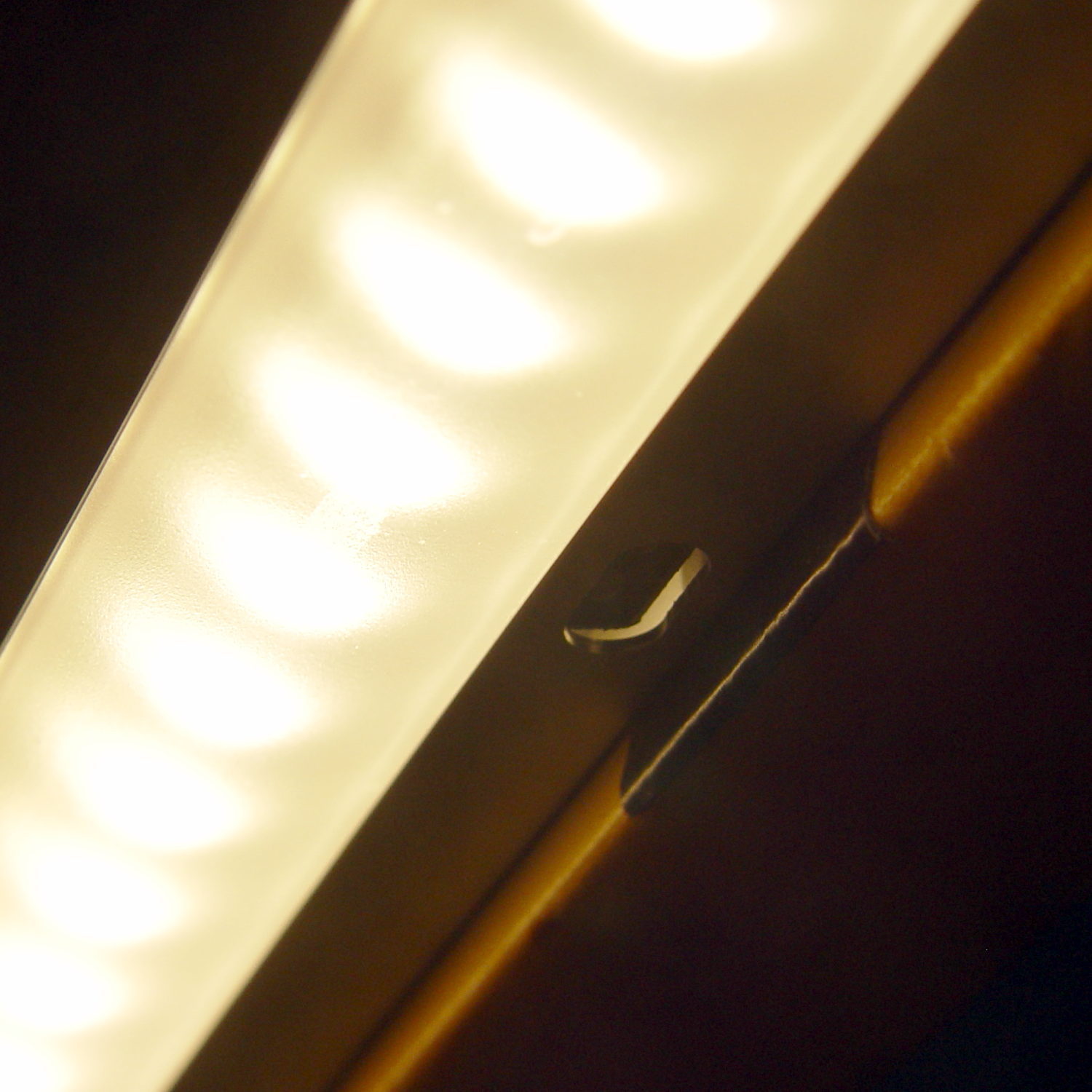
    I’d hoped to swap the ends of the strip to power it from the right end, but the guts aren’t symmetric and you can’t just flip it end-for-end:

    eShine LED Under-cabinet light - disassembled
    eShine LED Under-cabinet light – disassembled

    That’s an add-on unit without the IR proximity sensor circuitry and power switch, but with the same overall layout. You take it apart by pressing the obvious latch on one of the endcaps, then gently prying the plastic away from the aluminum extrusion, taking care not to wreck the coaxial socket. Reassemble in reverse order.

    The OpenSCAD source code as a GitHub Gist:


    // Mounting brackets for eShine under-counter LED lights
    // Ed Nisley KE4ZNU December 2016
    //- Extrusion parameters must match reality!
    ThreadThick = 0.25;
    ThreadWidth = 0.40;
    HoleWindage = 0.2;
    Protrusion = 0.1; // make holes end cleanly
    inch = 25.4;
    function IntegerMultiple(Size,Unit) = Unit * ceil(Size / Unit);
    //———-
    // Dimensions
    MountHeight = (1 + 3/16) * inch – 5.0; // under-cab space – base thickness
    THREADOD = 0;
    HEADOD = 1;
    LENGTH = 2;
    WoodScrew = [4.0,8.3,41]; // 8×1-5/8 Deck screw
    WoodScrewRecess = 2.0;
    LEDScrew = [2.0,4.5,8.0]; // M2.5×10 SHCS
    LEDScrewOffset = [1.0,8.2,0]; // hole offset from center point
    JoinerLength = 18.1; // joiner between strips
    EndBlock = [11.0,28.5,MountHeight]; // mounting block size for ends
    //———————-
    // Useful routines
    module PolyCyl(Dia,Height,ForceSides=0) { // based on nophead's polyholes
    Sides = (ForceSides != 0) ? ForceSides : (ceil(Dia) + 2);
    FixDia = Dia / cos(180/Sides);
    cylinder(d=(FixDia + HoleWindage),h=Height,$fn=Sides);
    }
    // End mounting block with proper hole offsets
    module EndMount(Side = "L") {
    LSO = [((Side == "L") ? 1 : -1)*LEDScrewOffset[0],LEDScrewOffset[1],LEDScrewOffset[2]];
    difference() {
    union() {
    cube(EndBlock,center=true);
    translate([0,1.5*WoodScrew[1],0])
    cube(EndBlock,center=true);
    }
    translate(LSO + [0,0,-EndBlock[2]])
    rotate(180/4)
    PolyCyl(LEDScrew[THREADOD],2*EndBlock[2],4);
    translate([0,(EndBlock[1] + 1.5*WoodScrew[1])/2,-EndBlock[2]])
    rotate(180/6)
    PolyCyl(WoodScrew[THREADOD],2*EndBlock[2],6);
    translate([0,(EndBlock[1] + 1.5*WoodScrew[1])/2,(EndBlock[2]/2 – WoodScrewRecess)])
    rotate(180/6)
    PolyCyl(WoodScrew[HEADOD],WoodScrewRecess + Protrusion,6);
    translate([((Side == "L") ? 1 : -1)*EndBlock[0]/2,0,0])
    rotate([90,0,((Side == "L") ? 1 : -1)*90])
    translate([0,0,-2*ThreadThick])
    linear_extrude(height=4*ThreadThick,convexity=3)
    text(Side,font=":style=bold",valign="center",halign="center");
    }
    }
    module MidMount() {
    XOffset = (JoinerLength + EndBlock[0])/2;
    union() {
    translate([XOffset,0,0])
    EndMount("L");
    cube([JoinerLength,EndBlock[1],EndBlock[2]] + [2*Protrusion,0,0],center=true);
    translate([-XOffset,0,0])
    EndMount("R");
    }
    }
    //———-
    // Build them
    translate([0,0,EndBlock[2]/2]) {
    translate([-(JoinerLength + 2*EndBlock[0]),0,0])
    EndMount("L");
    MidMount();
    translate([(JoinerLength + 2*EndBlock[0]),0,0])
    EndMount("R");
    }

  • Kenmore Progressive Vacuum Tool Adapters: Second Failure

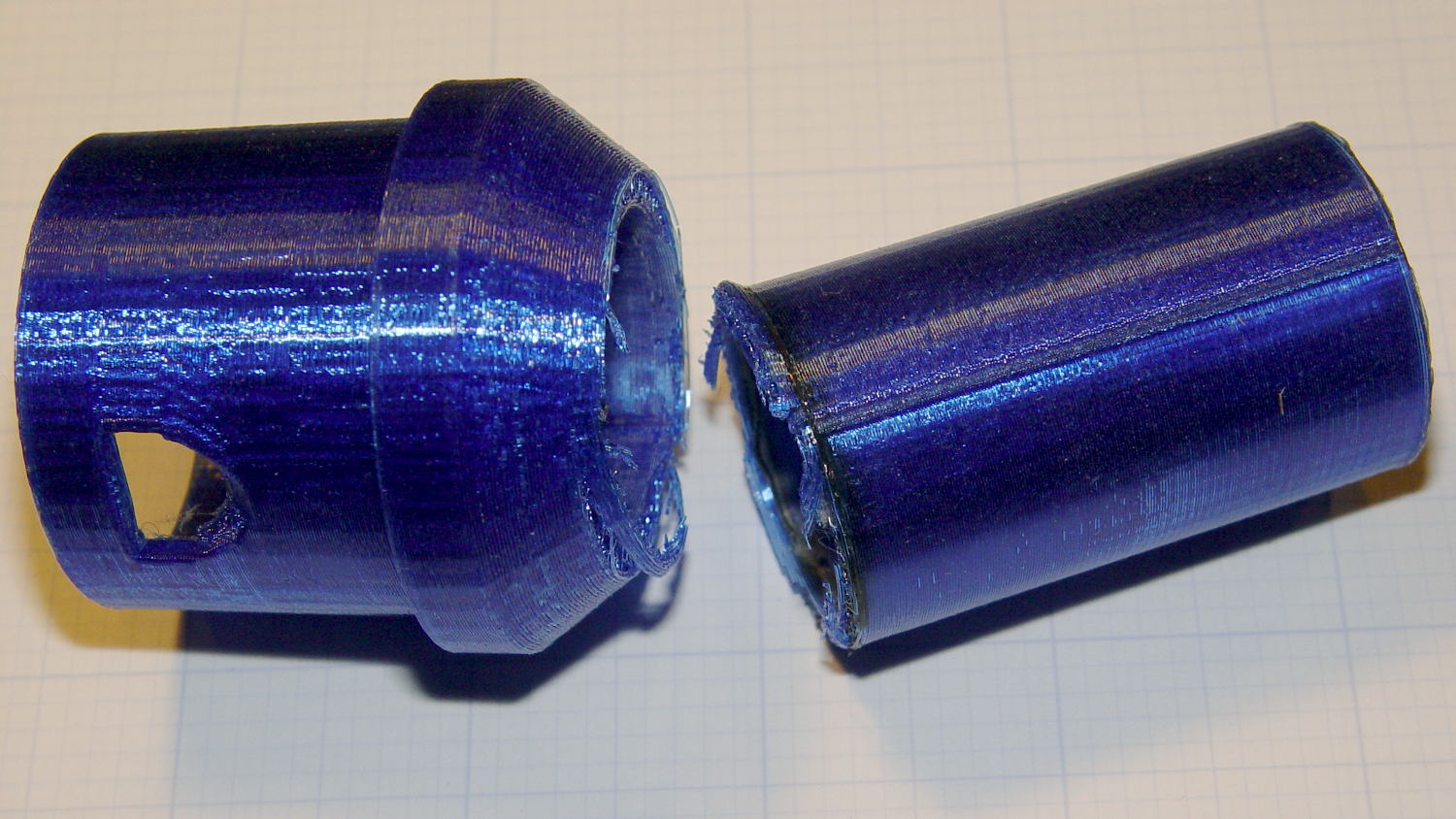
    Pretty much as expected, the dust brush nozzle failed again, adjacent to the epoxy repair:

    Dust brush adapter - second break
    Dust brush adapter – second break

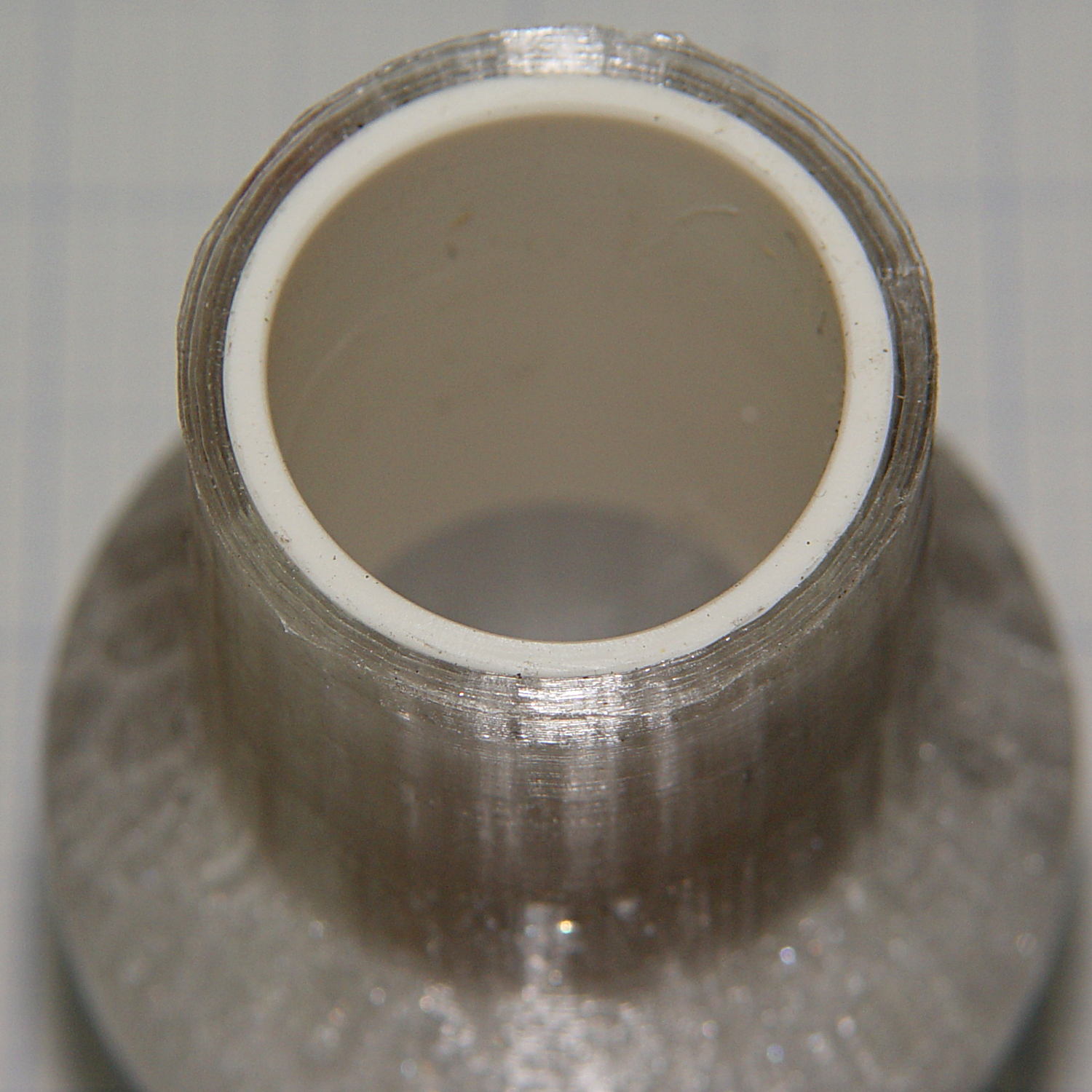
    A bit of rummaging turned up some ¾ inch Schedule 40 PVC pipe which, despite the fact that no plumbing measurement corresponds to any physical attribute, had about the right OD to fit inside the adapter’s ID:

    Dust brush - PVC reinforcement
    Dust brush – PVC reinforcement

    The enlarged bore leaves just barely enough space for a few threads around the circumference. Fortunately, the pipe OD is a controlled dimension, because it must fit inside all the molded PVC elbows / tees / caps / whatever.

    The pipe ID isn’t a controlled dimension and, given that the walls seemed far too thick for this purpose, I deployed the boring bar:

    Dust brush adapter - reinforced tube - boring
    Dust brush adapter – reinforced tube – boring

    That’s probably too much sticking out of the chuck, but sissy cuts saved the day. The carriage stop keeps the boring bar 1 mm away from the whirling chuck.

    Bandsaw it to length and face the ends:

    Dust brush adapter - reinforcement
    Dust brush adapter – reinforcement

    The PVC tube extends from about halfway along the steep taper from the handle fitting out to the end, with the section closest to the handle making the most difference.

    Ram it flush with the end:

    Dust brush adapter - reinforced tube - detail
    Dust brush adapter – reinforced tube – detail

    I thought about gluing it in place, but it’s a sufficiently snug press fit that I’m sure it won’t go anywhere.

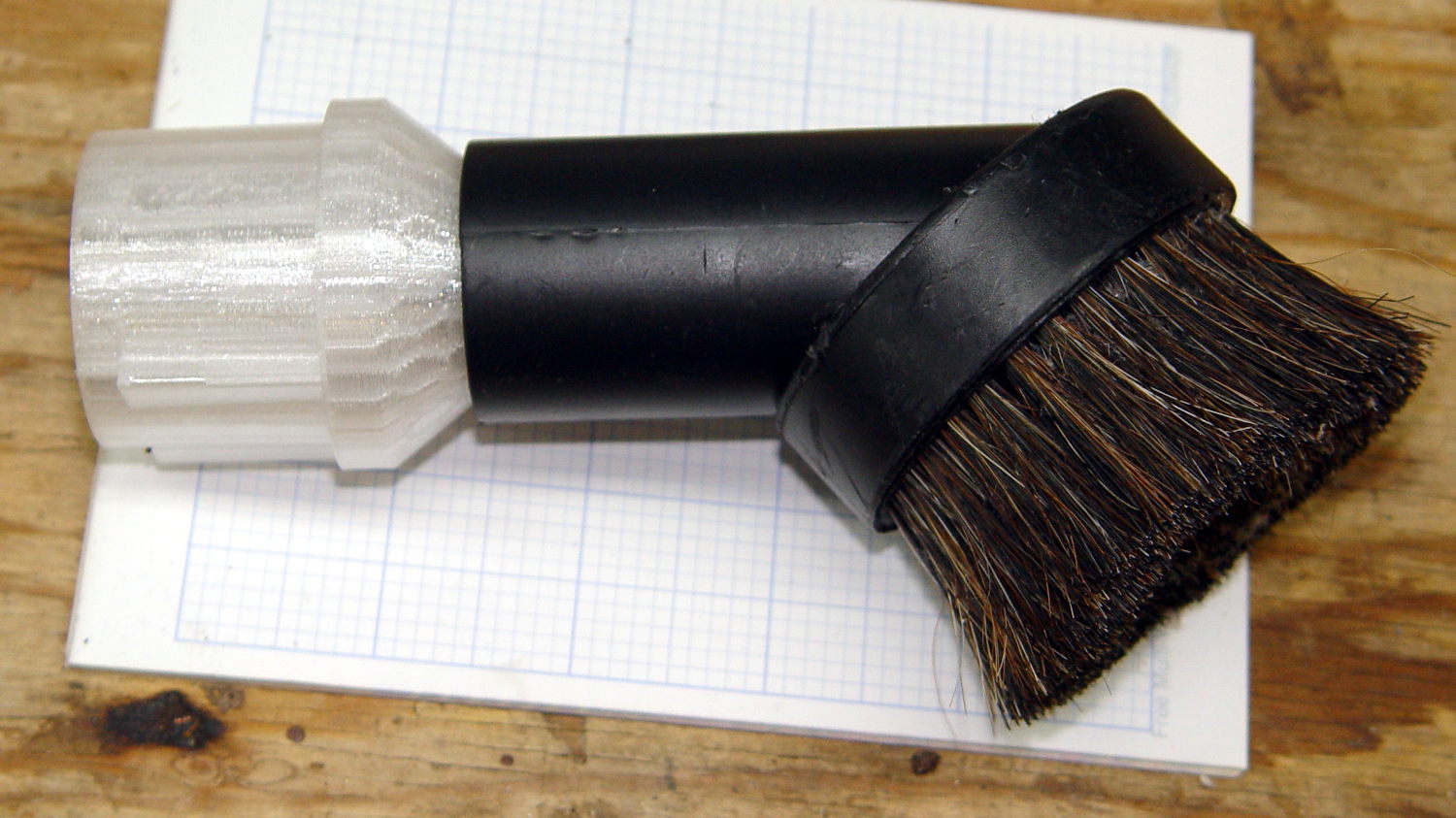
    Natural PETG probably isn’t the right color:

    Dust brush adapter - reinforced tube - installed
    Dust brush adapter – reinforced tube – installed

    Now, let’s see how long that repair lasts …

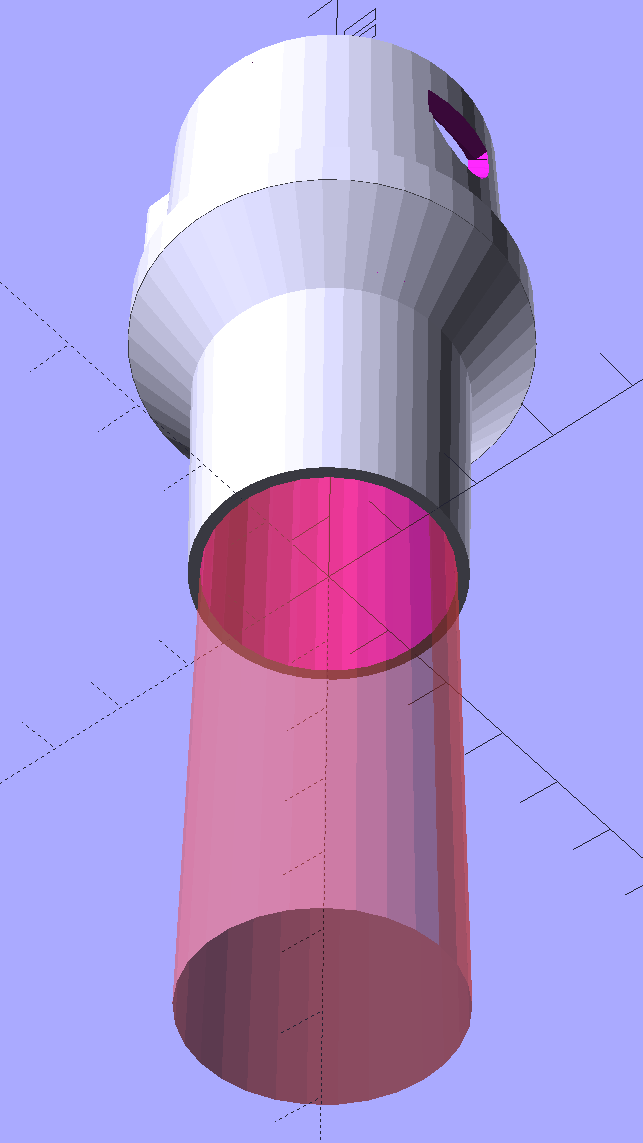
    The OpenSCAD source code as a GitHub Gist:

    //——————-
    // eBay horsehair dusting brush
    // Hacked for 3/4" Schedule 40 PVC stiffening tube
    module DustBrush() {
    union() {
    translate([0,0,40.0])
    rotate([180,0,0])
    difference() {
    union() {
    cylinder(d1=EndStop[OD1],d2=31.8,h=10.0);
    translate([0,0,10.0 – Protrusion])
    cylinder(d1=32.0,d2=30.0,h=30.0 + Protrusion);
    }
    translate([0,0,-Protrusion])
    cylinder(d1=26.0,d2=24.0,h=100);
    translate([0,0,-Protrusion]) // 3/4 inch Sch 40 PVC
    PolyCyl(27.0,100);
    }
    translate([0,0,40.0 – Protrusion])
    MaleFitting();
    }
    }
  • TCRT5000 Proximity Sensor Mount

    Having a few TCRT5000 proximity sensors lying around, I used one for the Color Mixer so folks could just wave a finger to flip the LED colors, rather than pound relentlessly on the top plate:

    Color mixer - controls
    Color mixer – controls

    The stem fits into a slot made with a 3/8 inch end mill:

    Prox Sensor Bezel - Slic3r preview
    Prox Sensor Bezel – Slic3r preview

    You move the cutter by the length of the sensor (10.0 mm will work) to make the slot. In practical terms, drill a hole at the midpoint, insert the cutter, then move ±5.0 mm from the center:

    Prox sensor panel cut
    Prox sensor panel cut

    A bead of epoxy around the stem on the bottom of the panel should hold it in place forevermore.

    The rectangular inner hole came out a tight push fit for the TCRT5000 sensor, so I didn’t bother gluing it in place and, surprisingly, it survived the day unscathed!

    The OpenSCAD source code as a GitHub Gist:

    // TCRT5000 Proximity switch sensor mount
    // Ed Nisley KE4ZNU – October 2016
    Layout = "Build"; // Show Build
    //- Extrusion parameters must match reality!
    ThreadThick = 0.25;
    ThreadWidth = 0.40;
    HoleWindage = 0.2;
    Protrusion = 0.1; // make holes end cleanly
    inch = 25.4;
    function IntegerMultiple(Size,Unit) = Unit * ceil(Size / Unit);
    //———————-
    // Dimensions
    Sensor = [5.9,10.0,7.0];
    SensorHoleCutter = 3/8 * inch;
    echo(str("Cutter dia: ",SensorHoleCutter," mm"));
    echo(str("Cutter motion: ",Sensor[1]," mm"));
    PanelThick = 5.0;
    StemLength = PanelThick + 6*ThreadThick;
    FlangeThick = 3 * ThreadThick;
    //———————-
    // Flange model
    module ProxFlange() {
    difference() {
    union() {
    linear_extrude(height=FlangeThick)
    hull()
    for (i=[-1,1], j=[-1,1])
    translate([i*Sensor[0],j*Sensor[1]])
    circle(r=Sensor[0]/2,$fn=8*4);
    translate([0,0,-StemLength])
    linear_extrude(height=StemLength)
    hull()
    for (j=[-1,1])
    translate([0,j*Sensor[1]/2])
    circle(d=SensorHoleCutter,$fn=8*4);
    }
    translate([0,0,-Protrusion])
    cube(Sensor + [HoleWindage,HoleWindage,2*(PanelThick + Protrusion)],center=true);
    }
    }
    //———————-
    // Build it
    if (Layout == "Show")
    ProxFlange();
    if (Layout == "Build")
    translate([0,0,FlangeThick])
    rotate([180,0,0])
    ProxFlange();
  • Vacuum Tube LEDs: 6H6GT Dual Diode

    Having accumulated a set of octal tube base clamps, it’s now a matter of selecting the proper clamp for each tube:

    Octal tube base V-block clamps
    Octal tube base V-block clamps

    The process of shell-drilling the tube base, drilling the hard drive platter, printing a tube socket and case, wiring up the Arduino and base LED, then assembling the whole thing requires a bit of manual labor, assisted by some moderately exotic shop machinery.

    The getter flash atop this small 6H6GT dual diode tube rules out a cap and there’s not enough space for a side light:

    6H6GT - on platter
    6H6GT – on platter

    Fortunately, the base LED completely lights the internal glass:

    6H6GT - purple phase
    6H6GT – purple phase

    The slowly changing color would make a fine night light:

    6H6GT - cyan phase
    6H6GT – cyan phase

    It must be Art!