Ed Nisley's Blog: Shop notes, electronics, firmware, machinery, 3D printing, laser cuttery, and curiosities. Contents: 100% human thinking, 0% AI slop.
Tag: Improvements
Making the world a better place, one piece at a time
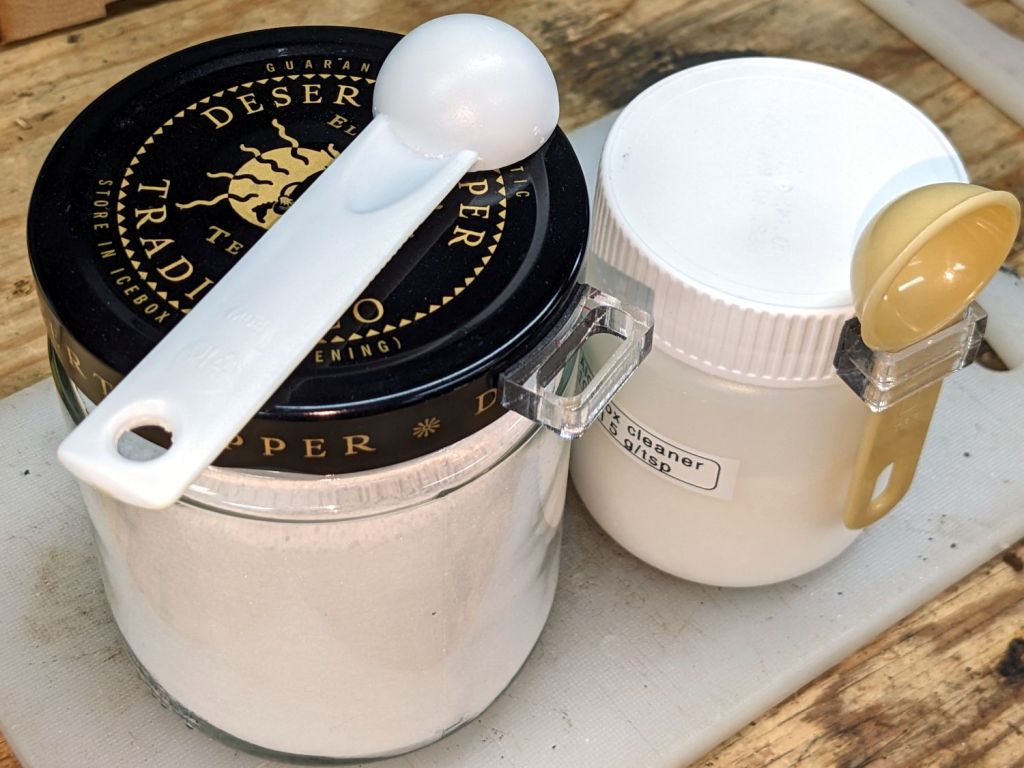
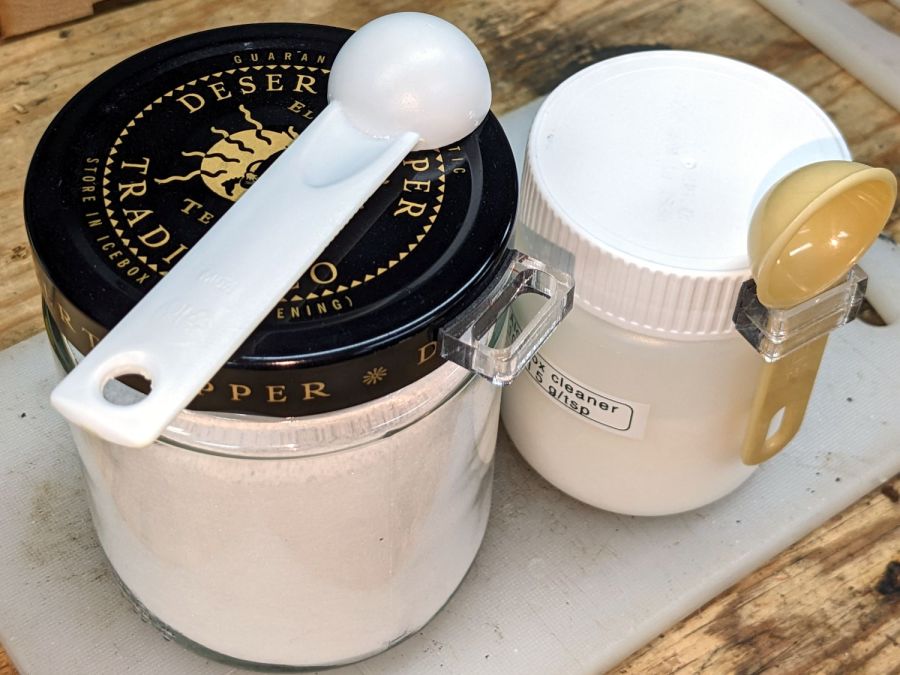
We have accumulated enough measuring spoons (typically from garage sales) to dedicate them for specific purposes, which means keeping them from wandering away:
Jar lid measuring spoon holders
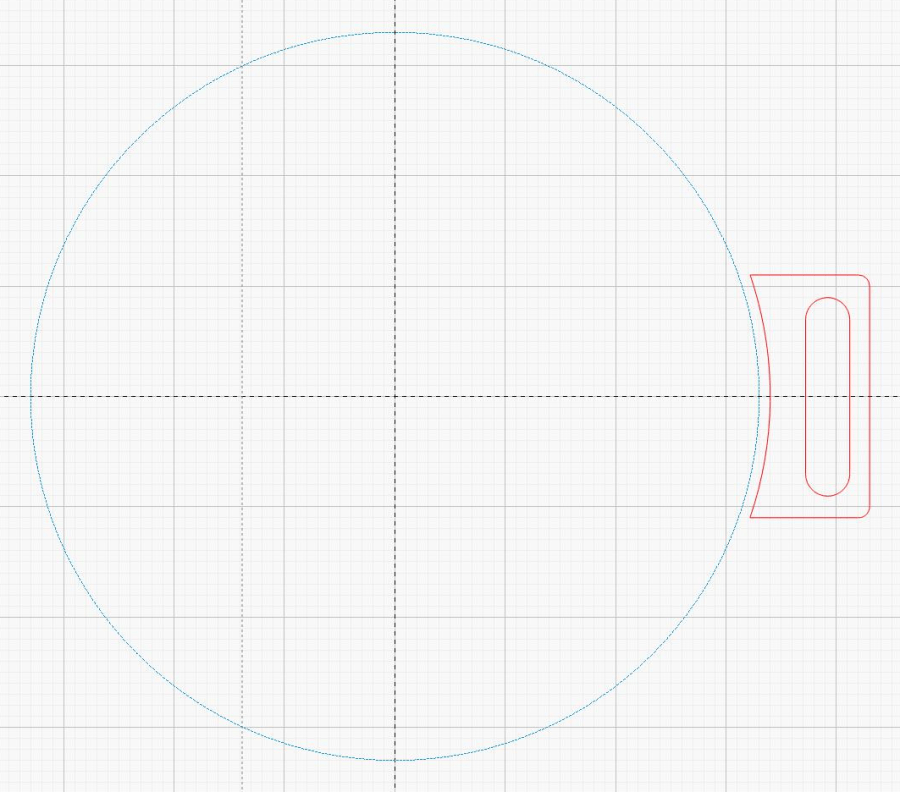
The design is simple enough:
Jar lid measuring spoon holder – LB layout
The slot is a rounded rectangle about 2 mm larger than the spoon handle in both directions, inside a rounded rectangle large enough to put the handle just clear of the jar. The curved side comes from outsetting the jar lid OD by a millimeter (for the double-sided foam tape), then subtracting that circle from the holder.
So, yeah, they’re custom-made for the spoon and jar in hand.
For reasons not relevant here, a hand shower will come in mmm handy for a while in a month or two. The threads on its plastic diverter valve pretty nearly match those on the 70 year old iron pipe in the front bathroom, although the original brass shower head may have been installed by John Henry the Steel-Drivin’ Man.
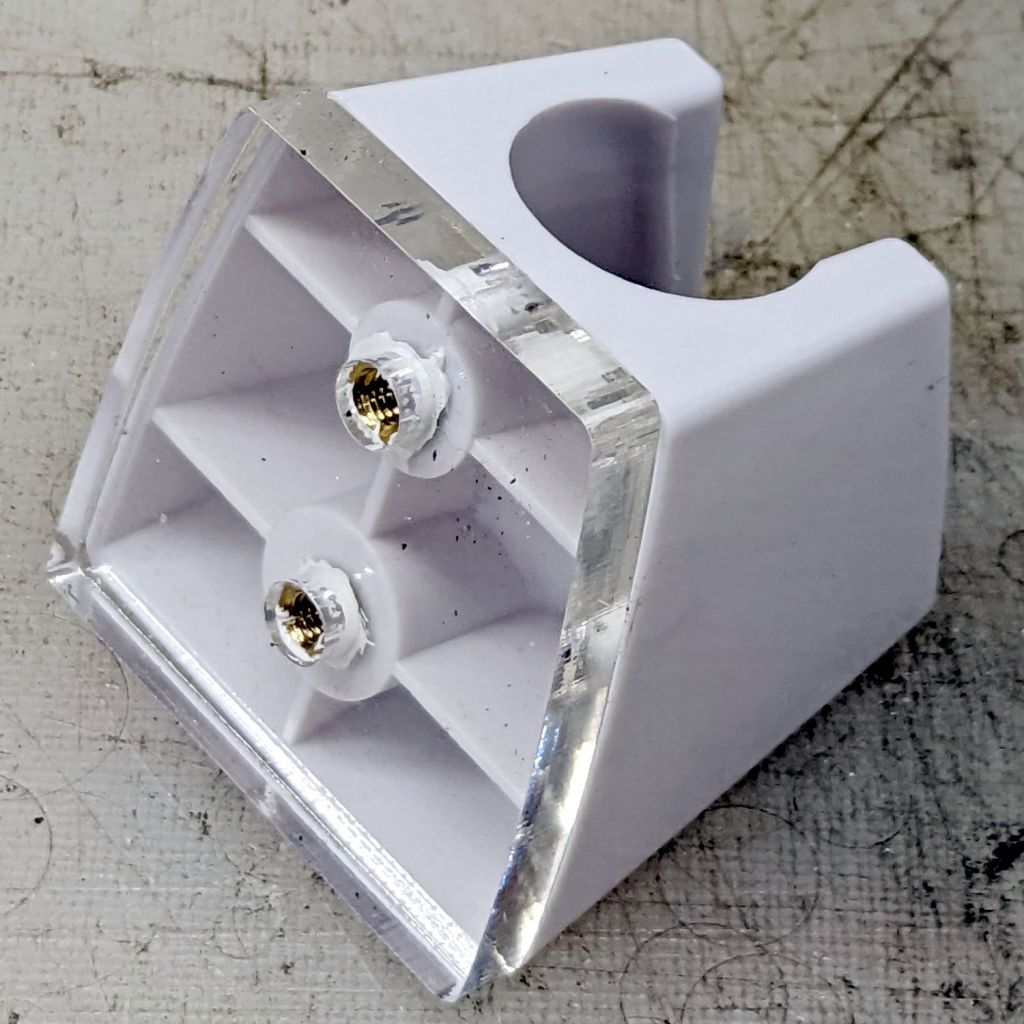
In any event, you’re supposed to drill two screw holes in the wall for the holder, which is just not happening. Instead, scan the bottom of the holder and blow out the contrast for the next step:
Hand Shower bracket – scan
Yes, those holes are off-center in their molded bosses. They’re centered in their front recesses and I cannot imagine how, in this day and age of CAD everything, a designer could misalign the front and the back, but there it is.
A little cleanup produces a reasonable mask:
Hand Shower bracket – mask
The holes are centered in the outline, as you’d expect.
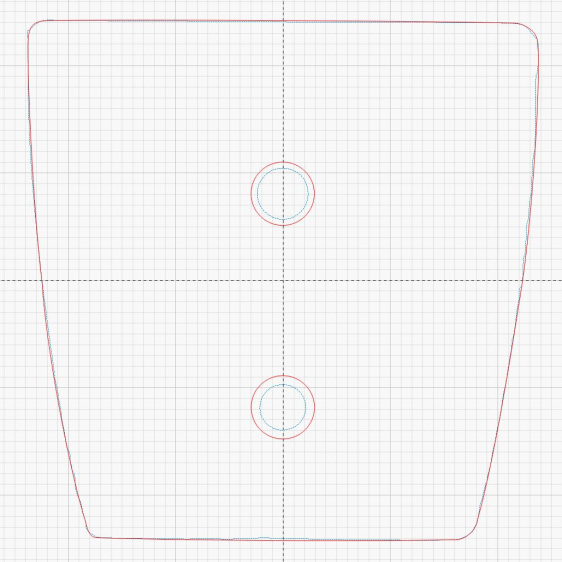
Import it into LightBurn, trace the perimeters, put those vectors on a tooling layer, and hand-draw a much simpler / smoother outline on the cutting layer. One of the vintage acrylic sheets is 1/4 inch thick, just enough for the shortest M4 brass inserts, so wrap the holes around the inserts:
Hand Shower bracket – LB layout
Some acrylic adhesive goops the inserts in place, although I’m not convinced it has enough pull strength in those slick holes:
Hand Shower bracket – mounting plate
When if it fails, I’ll rebuild the plate with an engraved ring around the back of each hole, along the lines of the earrings, and epoxy the inserts in place.
Double-sided foam tape will eventually stick the holder to the tile above the tub, but finding the proper location requires UX research.
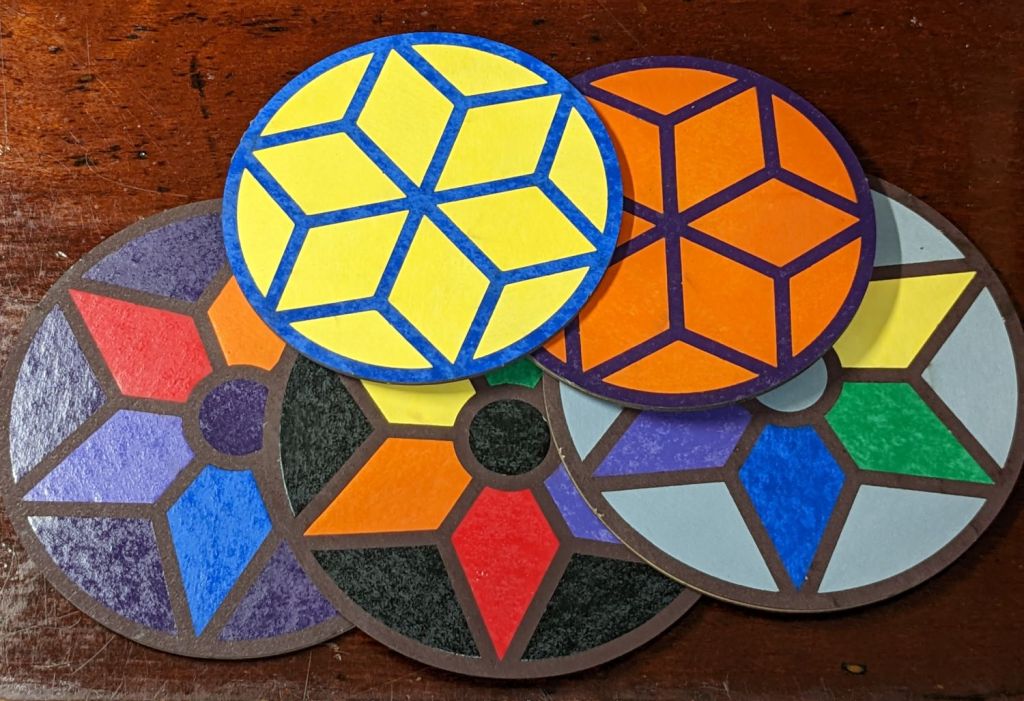
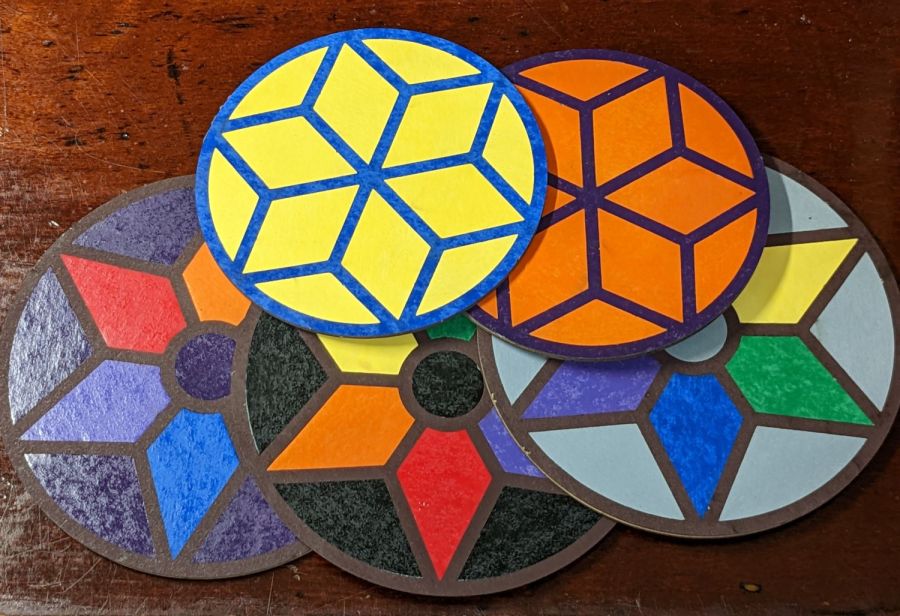
Cut the painted sheets cut face-down atop magnetic spikes on the honeycomb platform, with tabs to keep the petals in place and 0.15 mm kerf compensation. A light touch with an Xacto knife severs the tabs, after which the petals press firmly into the frames. Spread yellow PVA wood glue across the bottom disk, align the perimeters and press together, lay parchment paper between the coasters, clamp the stack between plywood sheets, and they emerge perfectly flat the next day.
They’re too labor-intensive for any economic activity, but I like ’em:
Coaster assortment
The pale gray petals in a white frame looks remarkably like the washed-out color scheme on whatever device you’re reading this, doesn’t it?
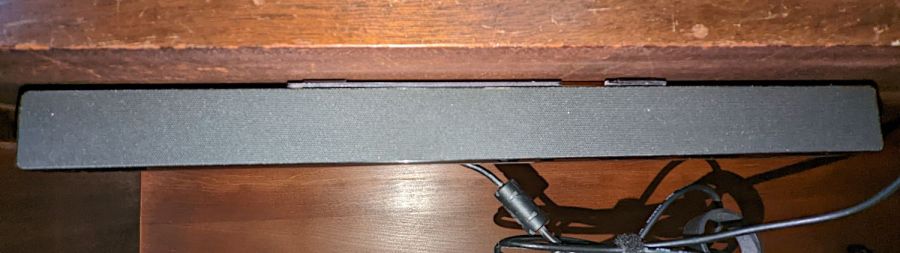
A bedroom rearrangement displaced the Dell Sound Bar attached to the streaming music player from its accustomed perch, so I conjured a mount from the parts bin to hang it from a shelf:
Dell sound bar mount – installed
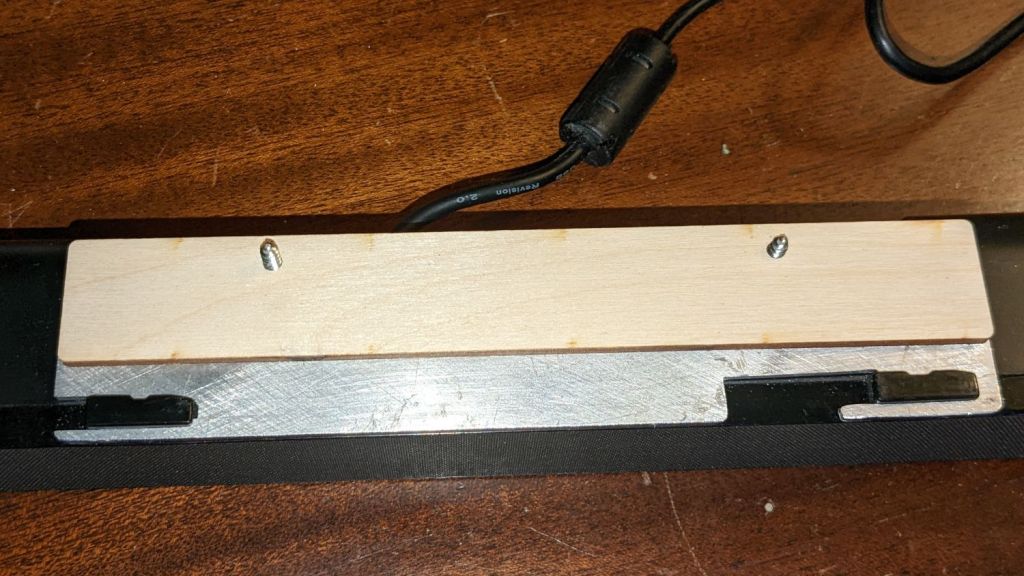
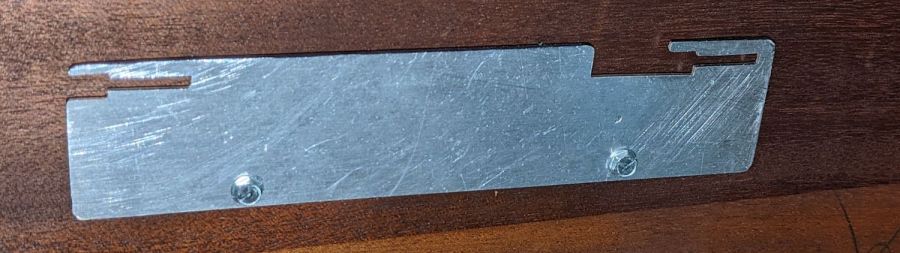
The sound bar originally fit below any Dell monitor with the appropriate lugs under the bezel, but a bit of bandsaw work and hand filing produced a reasonable facsimile from an aluminum sheet:
Dell sound bar mount – plate installed
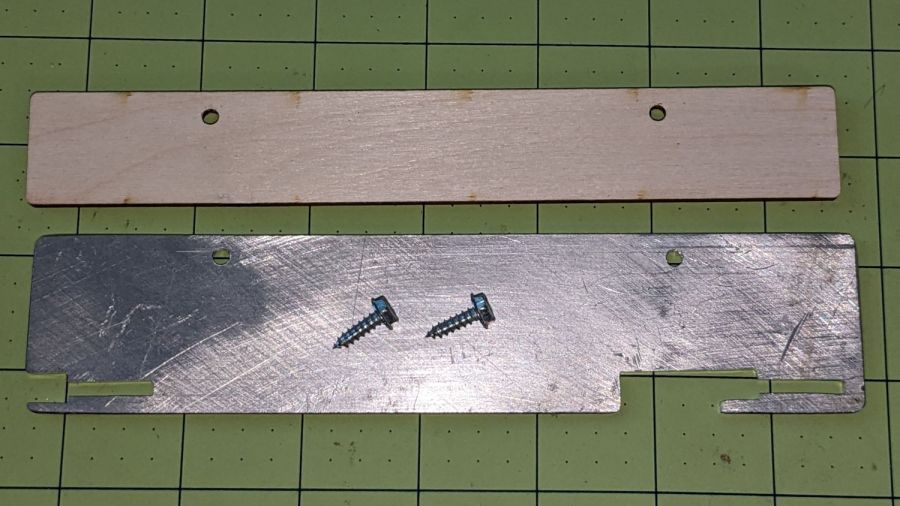
The bar’s plastic bits require a few millimeters of clearance above the sheet, now provided by a matching plywood shape:
Dell sound bar mount – parts
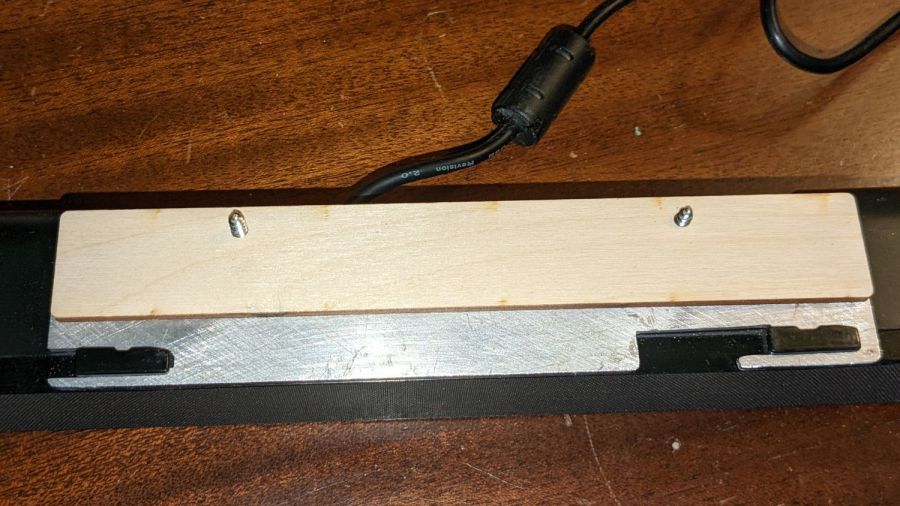
A trial fit showed all the parts would fly in formation:
Dell sound bar mount – trial fit
A laser-cut cardboard template maintained alignment and spacing while I stood on my head screwing the mount in place.
It has a drain hole in the bottom that made this whole thing practical, because a PVC pipe hot-melt-glued atop the drain maintains the water level in the reservoir without any further attention:
Silonn icemaker – drain pipe
The water line from the laser, formerly run directly into the bucket, now goes into the reservoir and through the drain into the bucket. The bucket holds about five gallons of water, with the pump submerged in the bottom.
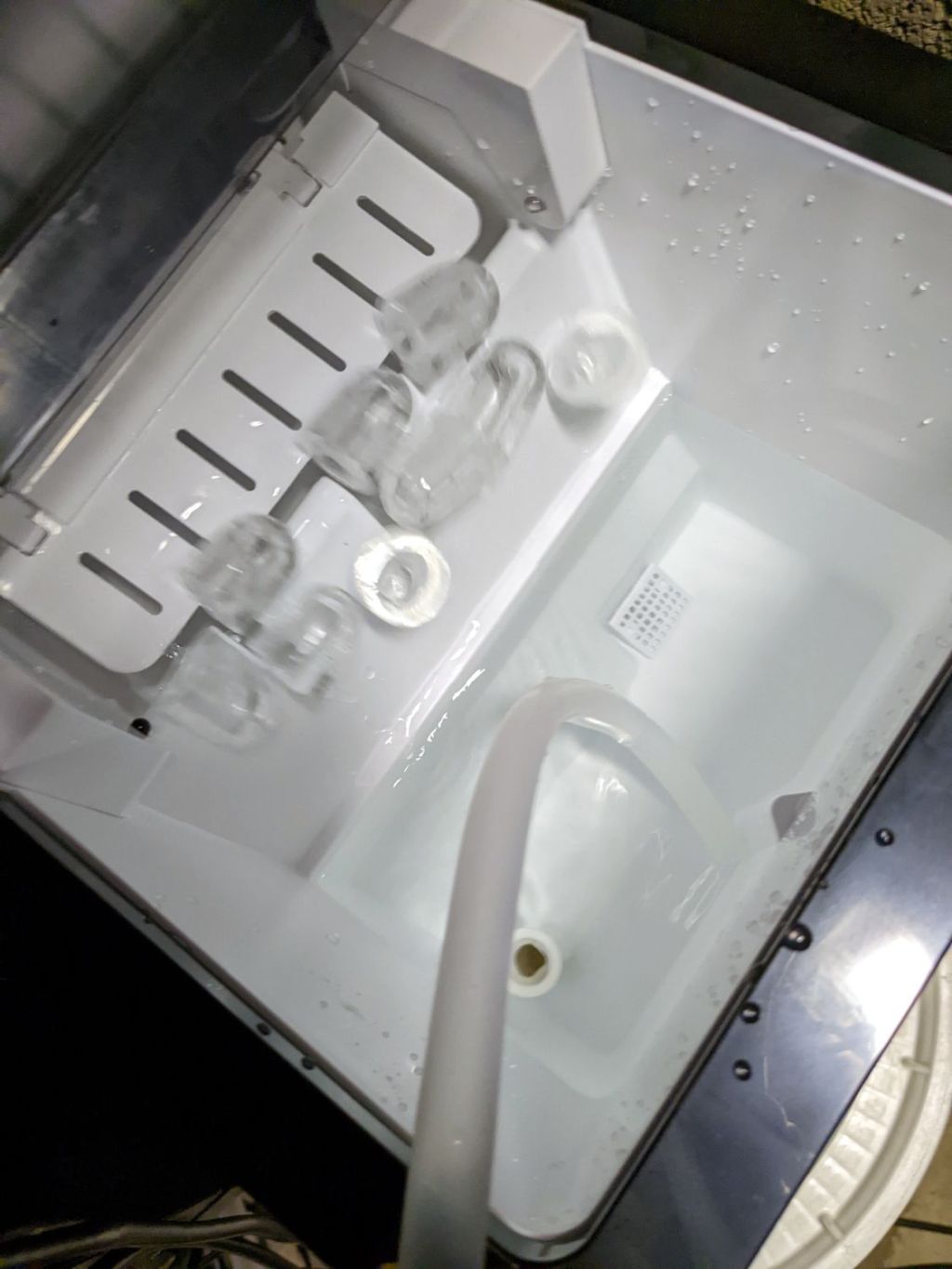
The icemaker pumps water from the reservoir into the little icemaker tray, freezes nine little ice bullets, and scrapes them into the reservoir:
Silonn icemaker – new ice dump
It does that about every eight minutes.
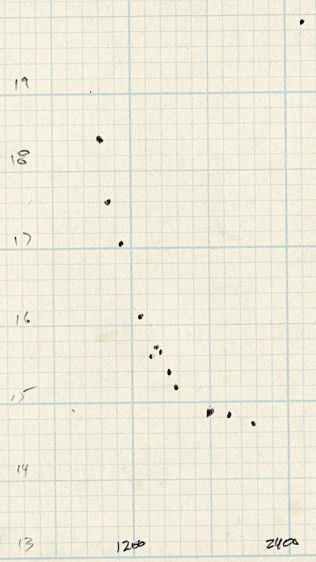
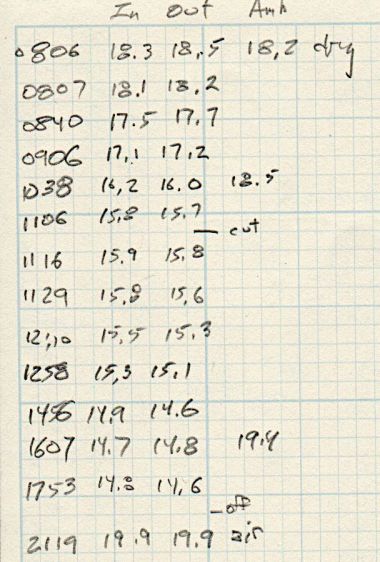
A plot of water temperature vs. time shows what happens:
Silonn icemaker – cooling water plot
It’s as exponential as you could want.
The ice bullets drop into the reservoir and melt there, the cooled water continuously flows into the bucket, and mixes with the rest of the water before being pumped back through the laser. As a result, there are no sudden water temperature changes and the laser remains perfectly happy.
Some numbers for an idea of the cooling capacity:
Freezing 28 pounds = 12.7 kg of ice a day (which, in normal use, would require me to babysit the thing overnight to empty the ice and refill the reservoir) works out to:
12.7 kg × 334 kJ/kg = 4.2 MJ
Spread across 24 hours, that’s 49 W of cooling power. There will be a bit more going into the chilled water surrounding the bullets, but most of the energy goes into the water-to-ice phase change.
Run another way, 5 gallons of water is 42 pounds. The initial cooling slope looks like 2 °C = 3.6 °F in 2 hr, which is 75 BTU/hr = 23 W. However, the water is cooling the laser (which was inert except for one brief cut) as well as the basement, plus (most importantly) there’s a water pump dissipating 20 W submerged in the bucket, so the icemaker is delivering at least 43 W, which is pretty much its rated performance.
It’s obviously incapable of keeping up with a laser doing full-time production work, but for my simple needs it seems better than dunking ice packs in the bucket.
More study (and maybe getting an air-cooled water pump) is in order …
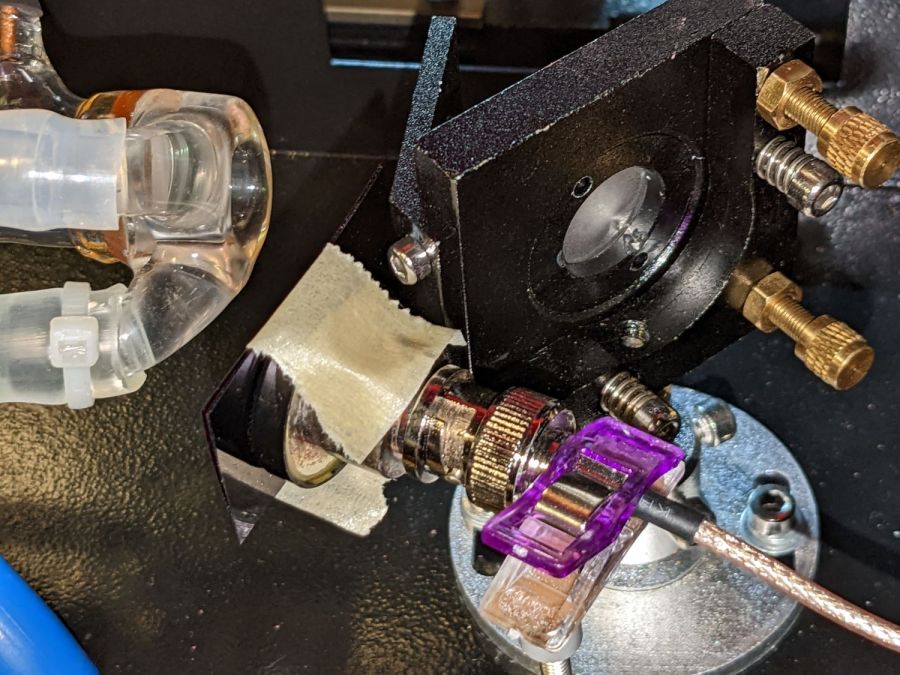
Anything would be better than just taping some gel filters to the front of the bare photodiode package:
Laser output – photodiode kludge
Right?
I heaved the slab of ½ inch black acrylic left over from the Totally Featureless (WWVB) Clock into the laser cutter and, two passes at 90% power later, had a somewhat lumpy 32 mm donut with an 11 mm hole in the middle. Because acrylic is opaque to the IR light from a CO₂ laser (which is why it cuts so well) and black acrylic is opaque to visible light (which is what the photodiode is designed for), this is at least as good as an aluminum housing and much easier to make.
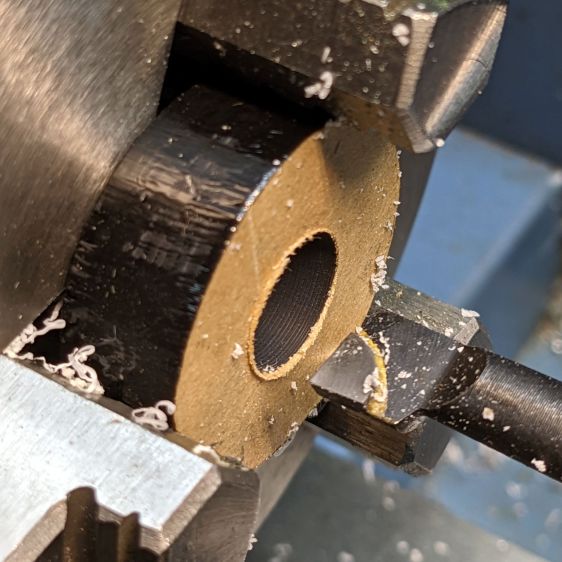
Chuck the donut into Tiny Lathe and bore out the hole:
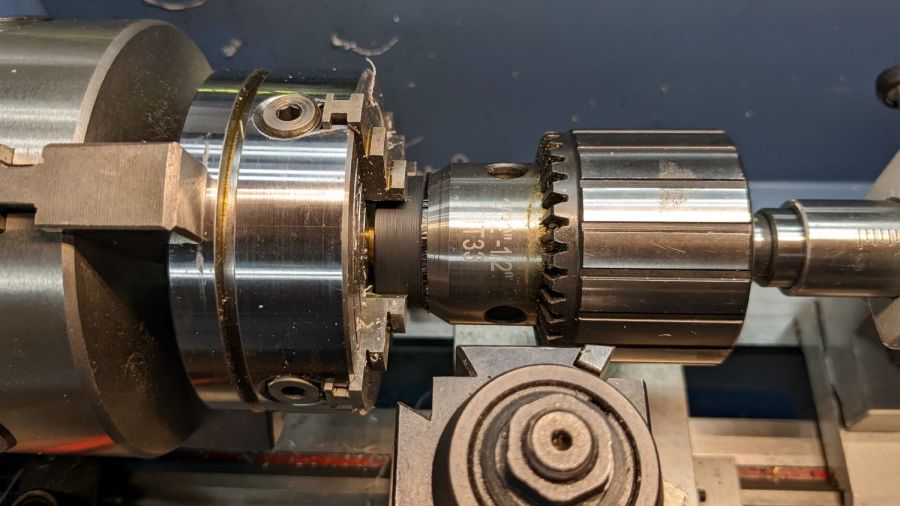
PIN-10D photodiode filter holder – boring ID
When it’s a snug fit to ½ inch brass tube (about the same size as the photodiode’s active area), flip it around, and bore the other size out to fit the photodiode case.
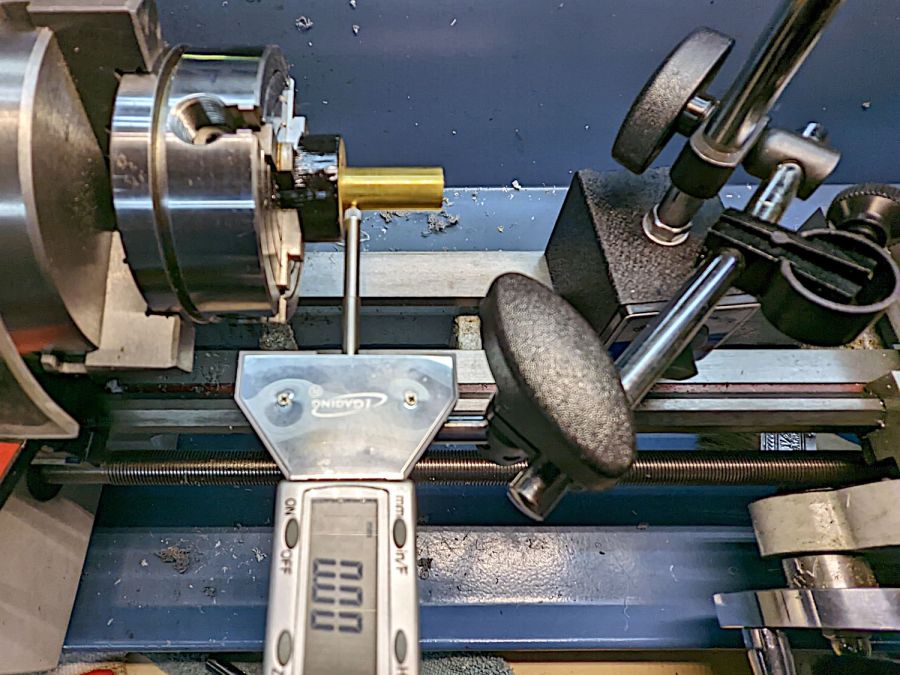
Ram the tube in place, grab the large recess, and center the tube:
[Edit: Got that backwards: I bored the big recess first.]
Skim most of the OD down, then, because I am a dolt forgot to put a spacer in there, flip it around again, get it running true (the chuck aligns the flat side):
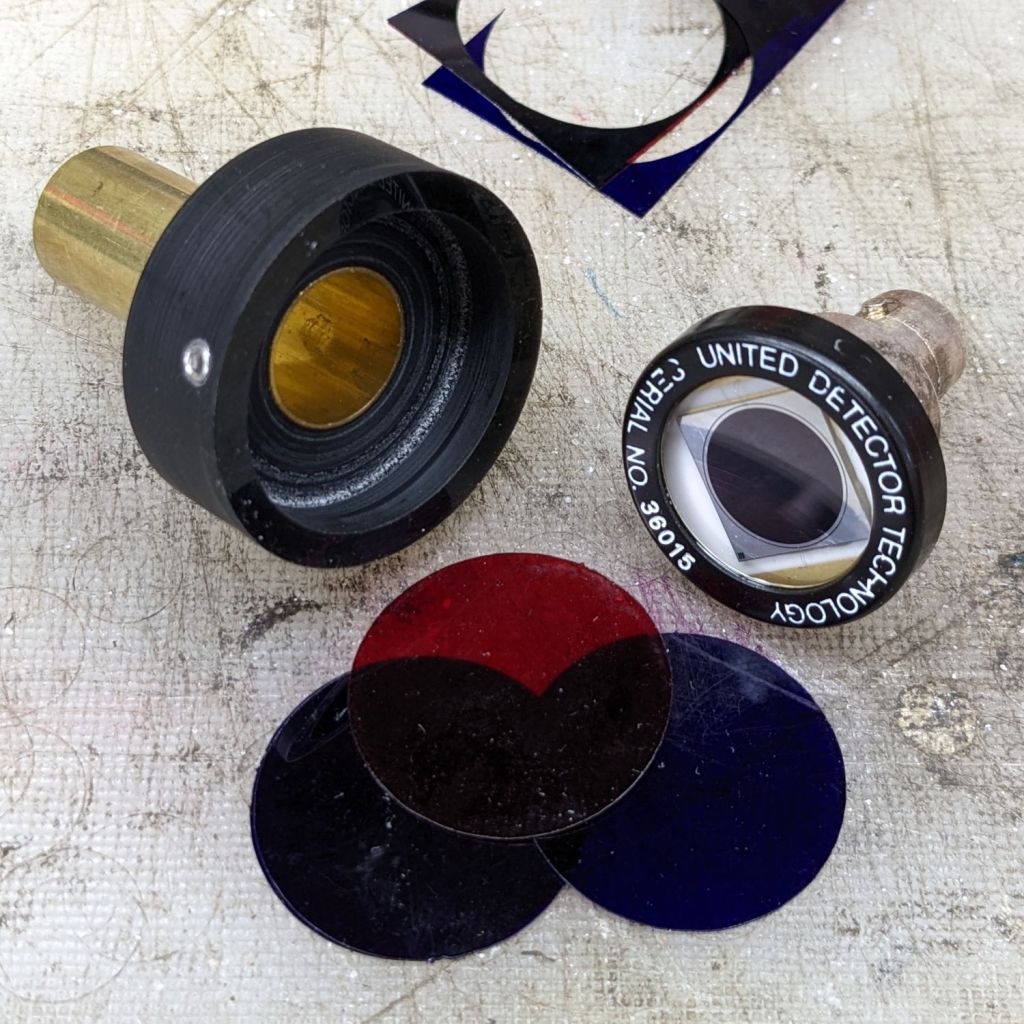
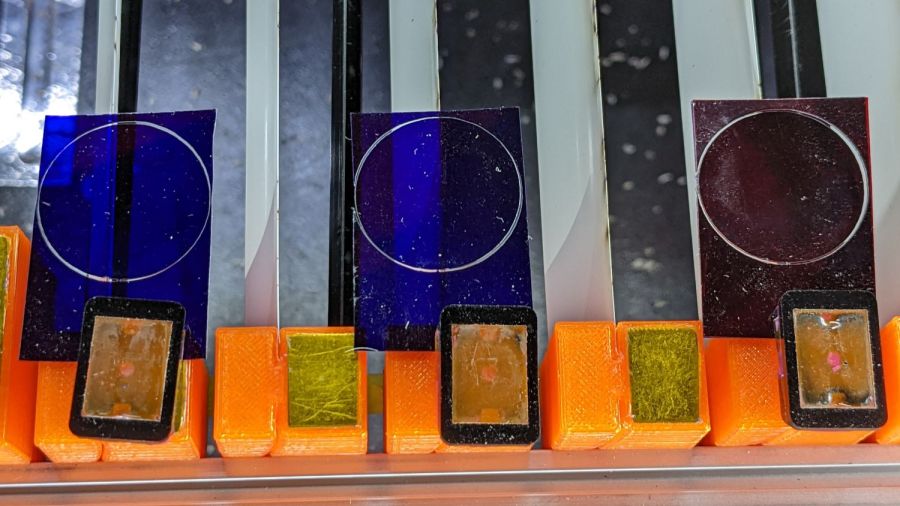
Even though they’re pretty much transparent to thermal IR, a focused IR laser beam cuts them just fine. The little tab at 6 o’clock (remember round clocks with hands?) keeps the cut circle from falling out.
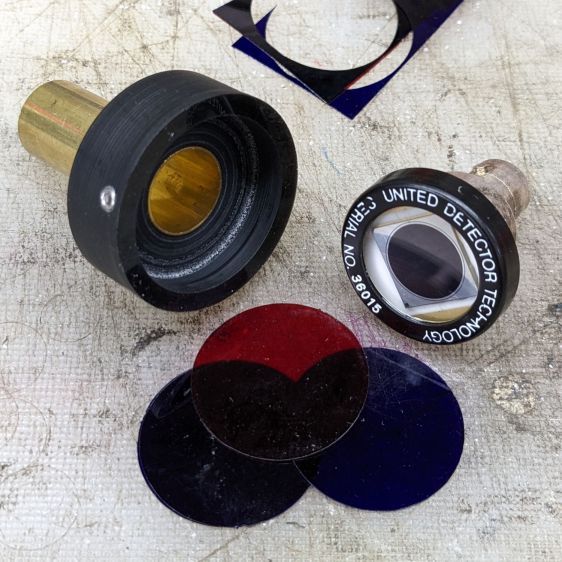
Drill & tap for an M3 setscrew to hold the photodiode in place:
PIN-10D photodiode filter holder – parts
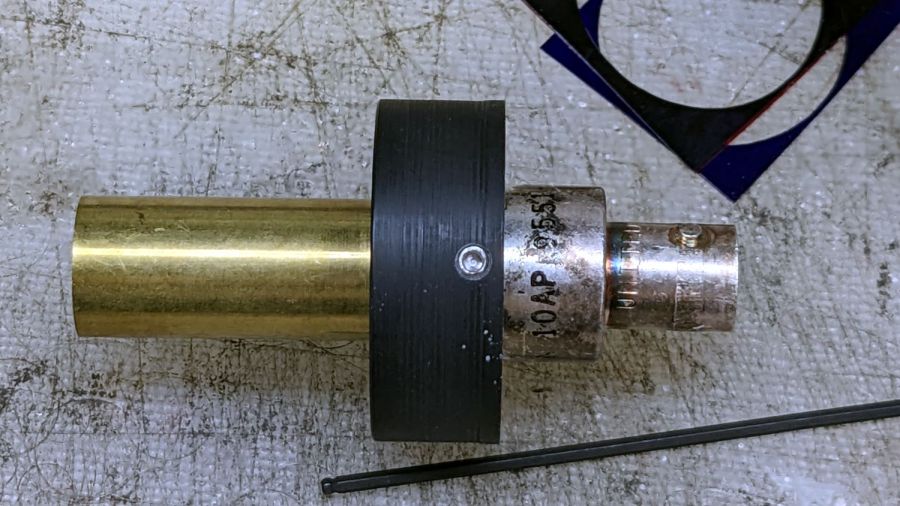
Put them all together:
PIN-10D photodiode filter holder – assembled
I must conjure a better mount for the thing, because this is way too precarious:
PIN-10D photodiode filter holder – test install
Early results suggest it works better than the previous hack job, without ambient light sneaking around the edges of the filter pack.
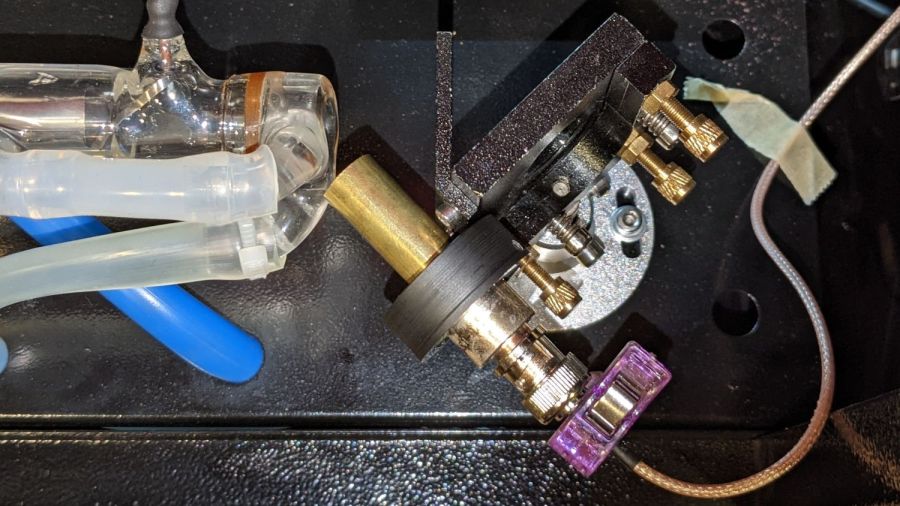
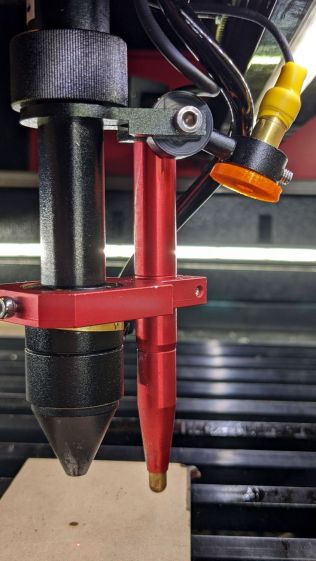
The red-dot pointer on the OMTech laser cutter has the same problem as my laser aligner for the Sherline mill: too much brightness creating too large a visual spot. In addition, there’s no way to make fine positioning adjustments, because the whole mechanical assembly is just a pivot.
The first pass involved sticking a polarizing filter on the existing mount while I considered the problem:
OMTech red dot pointer – polarizing filter installed
The red dot pointer module is 8 mm OD and the ring is 10 mm ID, but you will be unsurprised to know the laser arrived with the module jammed in the mount with a simple screw. Shortly thereafter, I turned the white Delrin bushing on the lathe to stabilize the pointer and installed a proper setscrew, but it’s obviously impossible to make delicate adjustments with that setup.
Making the polarizing filter involves cutting three circles:
OMTech red dot pointer – polarizing filter
Rotating the laser module in the bushing verified that I could reduce the red dot to a mere shadow of its former self, but it was no easier to align.
Replacing the Delrin bushing with a 3D printed adjuster gets closer to the goal:
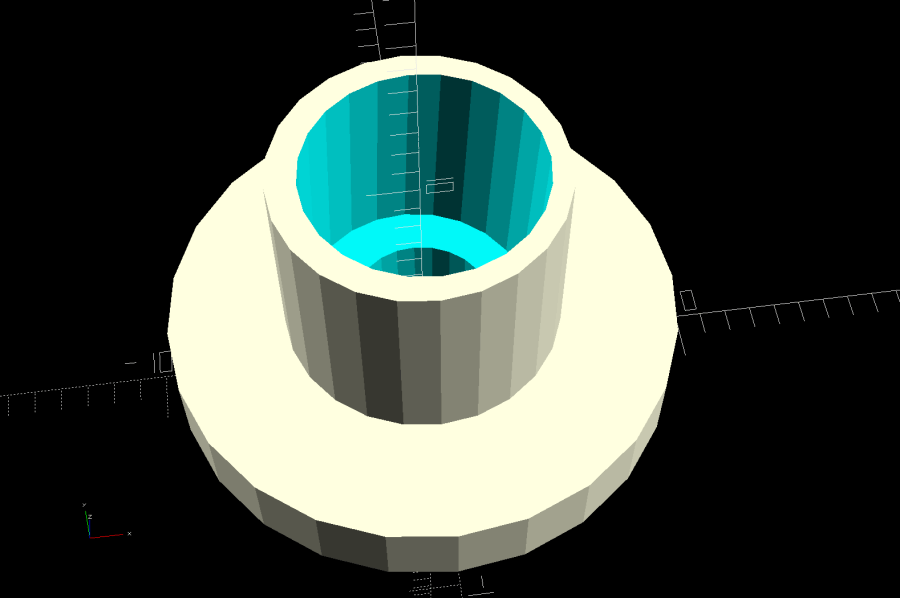
Pointer fine adjuster – solid model
Shoving a polarizing filter disk to the bottom of the recess, rotating the laser module for least brightness, then jamming the module in place produces a low-brightness laser spot.
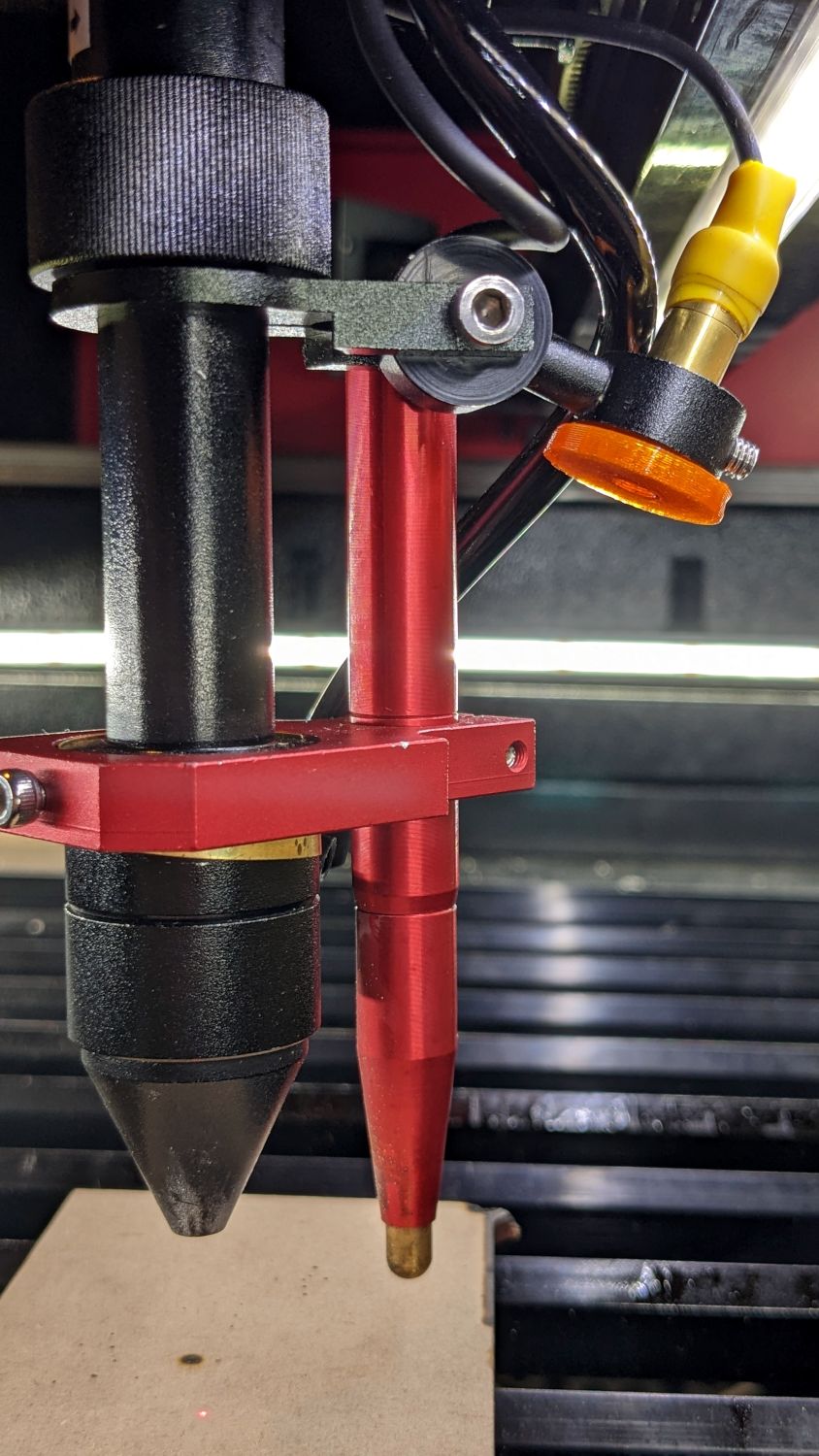
The 8 mm recess for the laser module is tilted 2.5° with respect to the Y axis, so (in principle) rotating the adjuster + module (using the wide grip ring) will move the red dot in a circle:
Improved red-dot pointer – overview
The dot sits about 100 mm away at the main laser focal point, so the circle will be about 10 mm in diameter. In practice, the whole affair is so sloppy you get what you get, but at least it’s more easily adjusted.
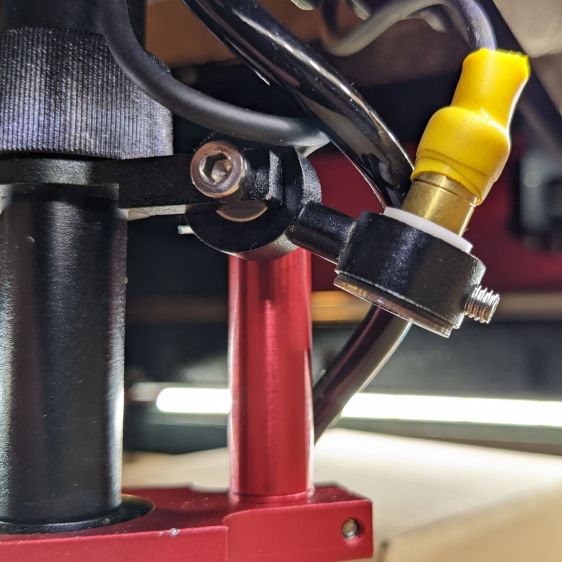
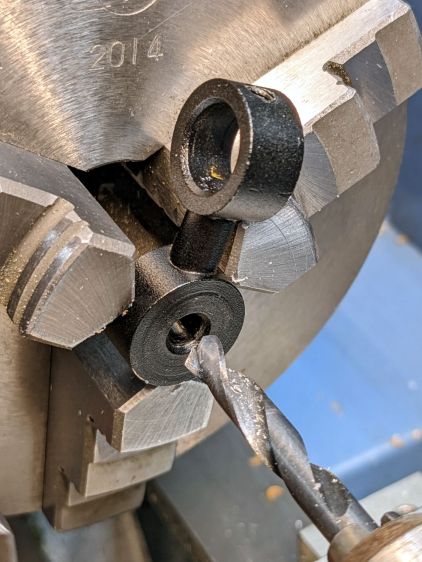
The M4 bolt clamping the holder to the main laser tube now goes through a Delrin bushing. I drilled out the original 4 mm screw hole to 6 mm to provide room for the bushing:
Improved red-dot pointer – drilling bolt hole
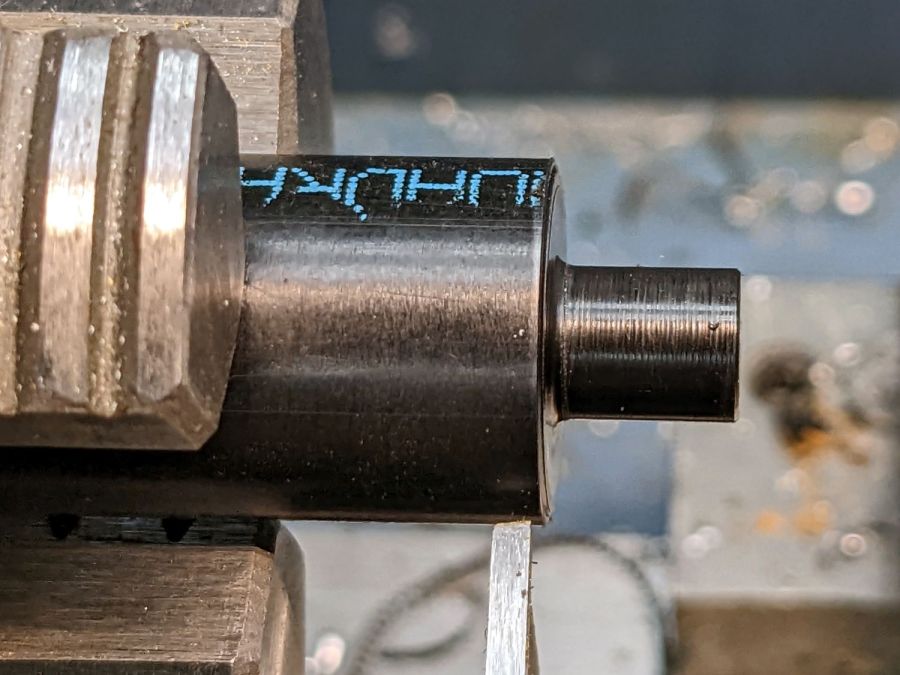
The bushing has a wide flange to soak up the excess space in the clamp ring:
Improved red-dot pointer – turning clamp bushing
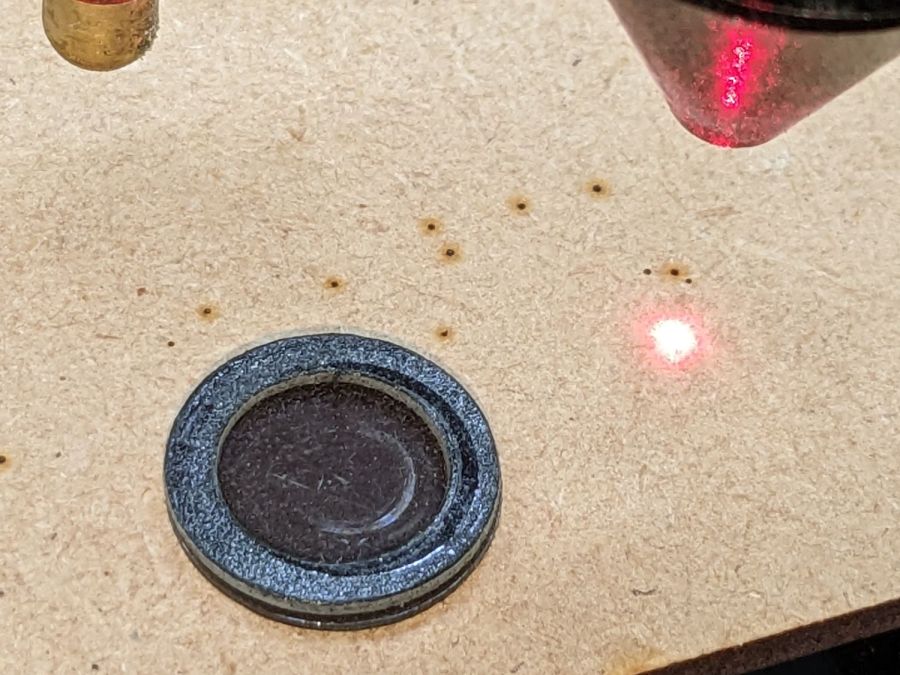
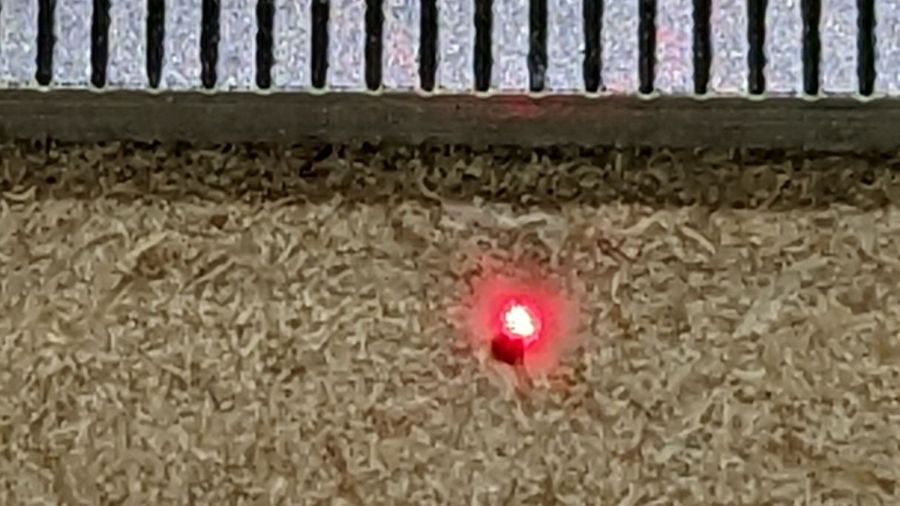
With all that in place, the dimmer dot is visually about 0.3 mm in diameter:
Improved red-dot pointer – offset
The crappy image quality comes from excessive digital zoom. The visible dot on the MDF surface is slightly larger than the blown-out white area in the image.
The CO₂ laser hole is offset from the red laser spot by about 0.3 mm in both X and Y. Eyeballometrically, the hole falls within the (dimmed) spot diameter, so this is as good as it gets. I have no idea how durable the alignment will be, but it feels sturdier than it started.
Because the red dot beam is 25° off vertical, every millimeter of vertical misalignment (due to non-flat surfaces, warping, whatever) shifts the red dot position half a millimeter in the XY plane. You can get a beam combiner to collimate the red dot with the main beam axis, but putting more optical elements in the beam path seems like a Bad Idea™ in general.
This file contains hidden or bidirectional Unicode text that may be interpreted or compiled differently than what appears below. To review, open the file in an editor that reveals hidden Unicode characters.
Learn more about bidirectional Unicode characters