Ed Nisley's Blog: Shop notes, electronics, firmware, machinery, 3D printing, laser cuttery, and curiosities. Contents: 100% human thinking, 0% AI slop.
Tag: Improvements
Making the world a better place, one piece at a time
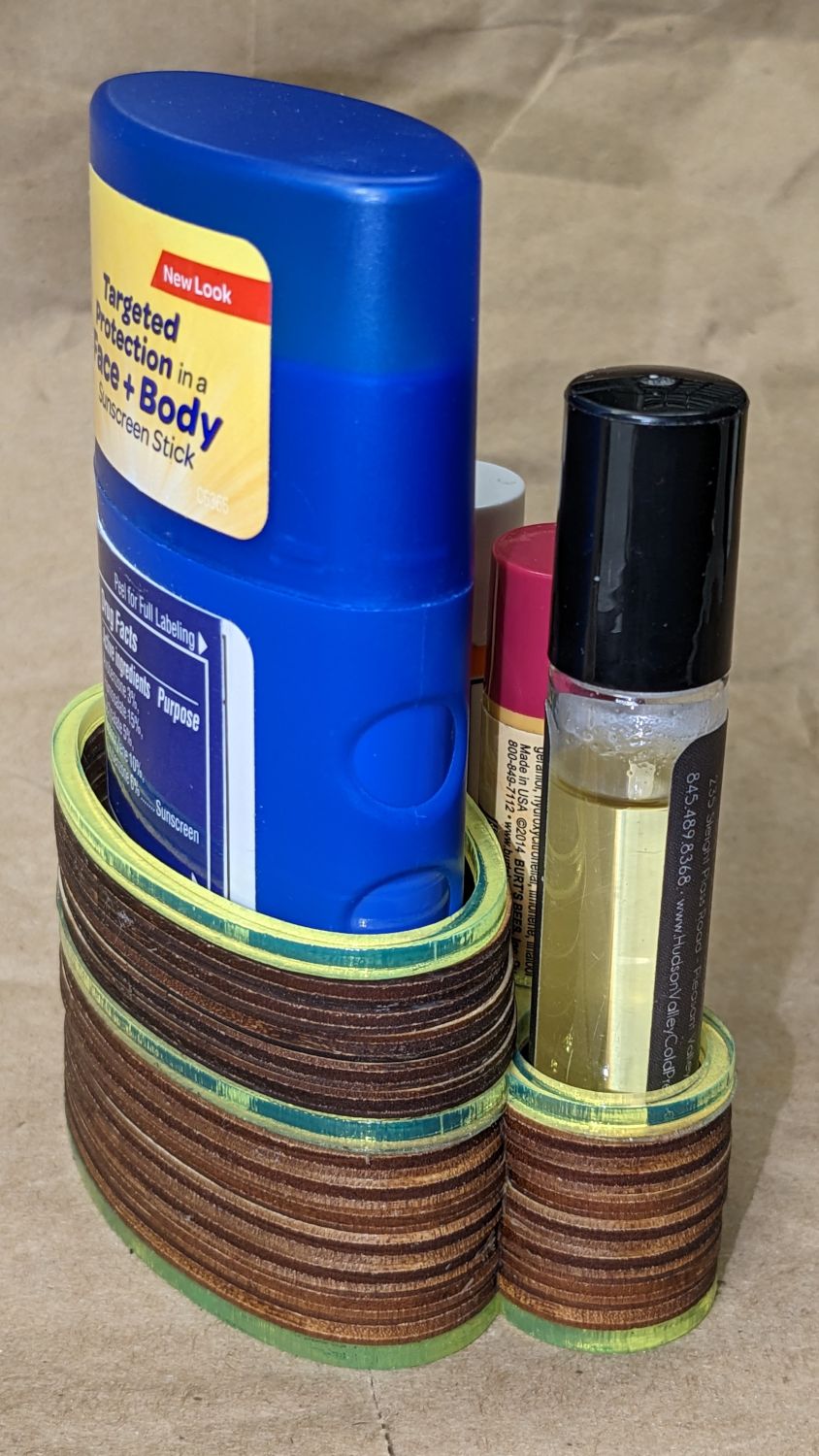
Loading the bike batteries into the Rolltop Cupcake Box reminded me I hadn’t updated the Lip Balm Holder around the latest tube of sunscreen. My excuse was I didn’t quite know how to model the not-quite-elliptical shape of the Coppertone sunscreeen tube in OpenSCAD, but now I can bypass that whole problem:
Lip Balm Holder – installed
The trick is to scan the bottom of the cap to get a high-contrast image:
Coppertone Sport Tube – lid scan
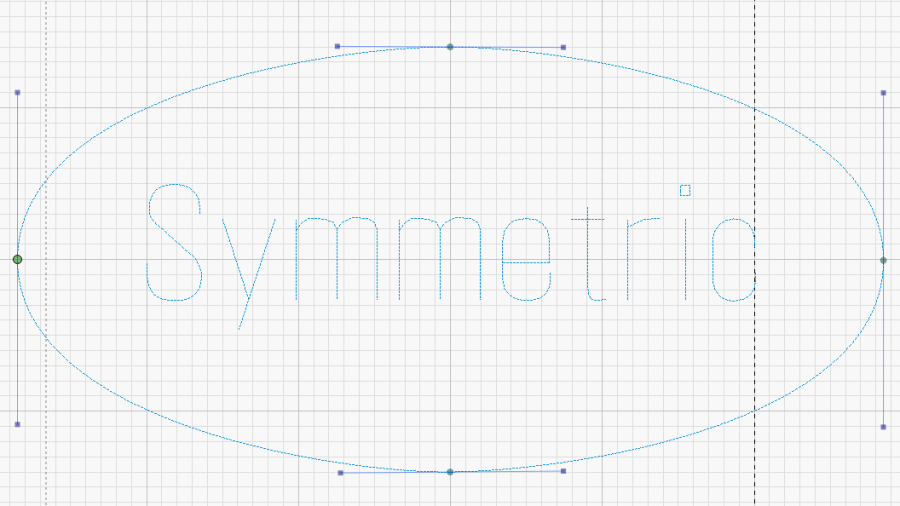
Import the image into LightBurn, draw a circle tangent to the outside of the cap’s smaller diameter, turn the circle into a path, drag the nodes and twiddle the control points to create a symmetric shape just outside the cap, then outset the result by 1.5 mm for clearance around the tube:
Coppertone Sport Tube – LB splines
That 3 mm of wiggle room lets us drop the tube into its socket without careful alignment.
The lip balm tubes all fit into 18 mm circles requiring no special design skillz:
Lip Balm Holder – LB layout
The mid-left oval goes around the Coppertone tube.
The top-mid drawing shows the 3 mm outset around each of the pieces, with the smaller tubes arranged to put their midlines tangent to each other and the oval tube. LightBurn does not, as far as I can tell, have a direct way to align a shape tangent to two other shapes at the same time, but iterating at increasingly absurd zoom levels gets the job done fairly quickly.
Welding those shapes together produces the top-right drawing, which serves as the template for the lower set of layers.
Deleting the inner details produces the mid-right blob for the bottom layer.
Most of the layers come from 3 mm plywood, with edge-lit acrylic on the top and bottom surfaces:
Lip Balm Holder – side view
Mary pronounced it better looking than the 3D printed version, which I agree clears a rather low bar, but it suffices for the job.
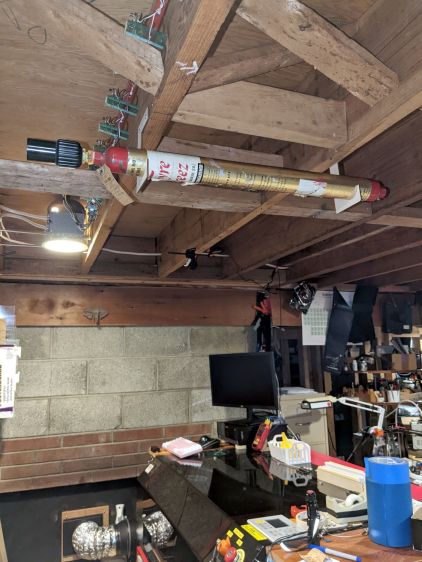
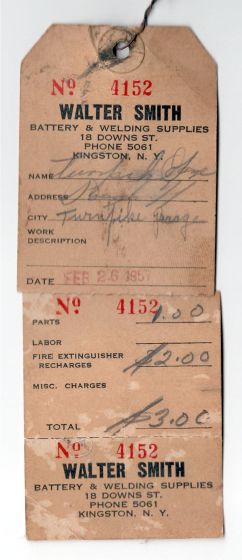
I know it’s still good, because the label has its 4 lb 7 oz refilled gross weight stamped into it, which is exactly what it weighs today.
Walter Smith Welding Supplies may still be in business, perhaps in Poughkeepsie, but their former 18 Downs St location in Kingston has become Noble Gas Solutions:
Noble Gas Solutions – 18 Downs St Kingston – 2019
Back then, you could call Smith Welding at a four digit phone number in Kingston: 5061. Nowadays, you must call Noble Gas with three more digits: 338-5061. As Charles Stross observed, something like 70% of the future is already in place, because infrastructure is so tenacious.
Heck, just look at that Quonset hut!
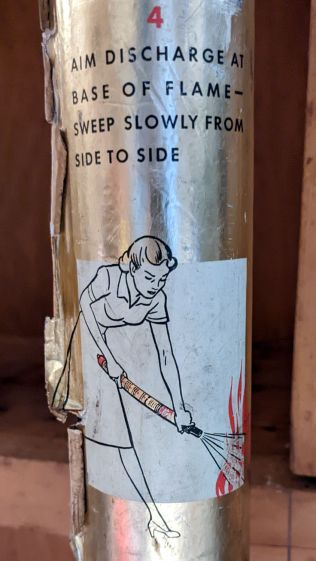
Keep calm and extinguish on:
Fyre Freez extinguisher – step 4
Two thoughts spring to mind:
Most kitchen fires start waist-high (it’s the late 1950s: where else would she be?)
She’s gonna lose skin on that metal tank
Seems to me a Fyre Freez will get cold enough to freeze skin while discharging, but I admit to not having actually tried it.
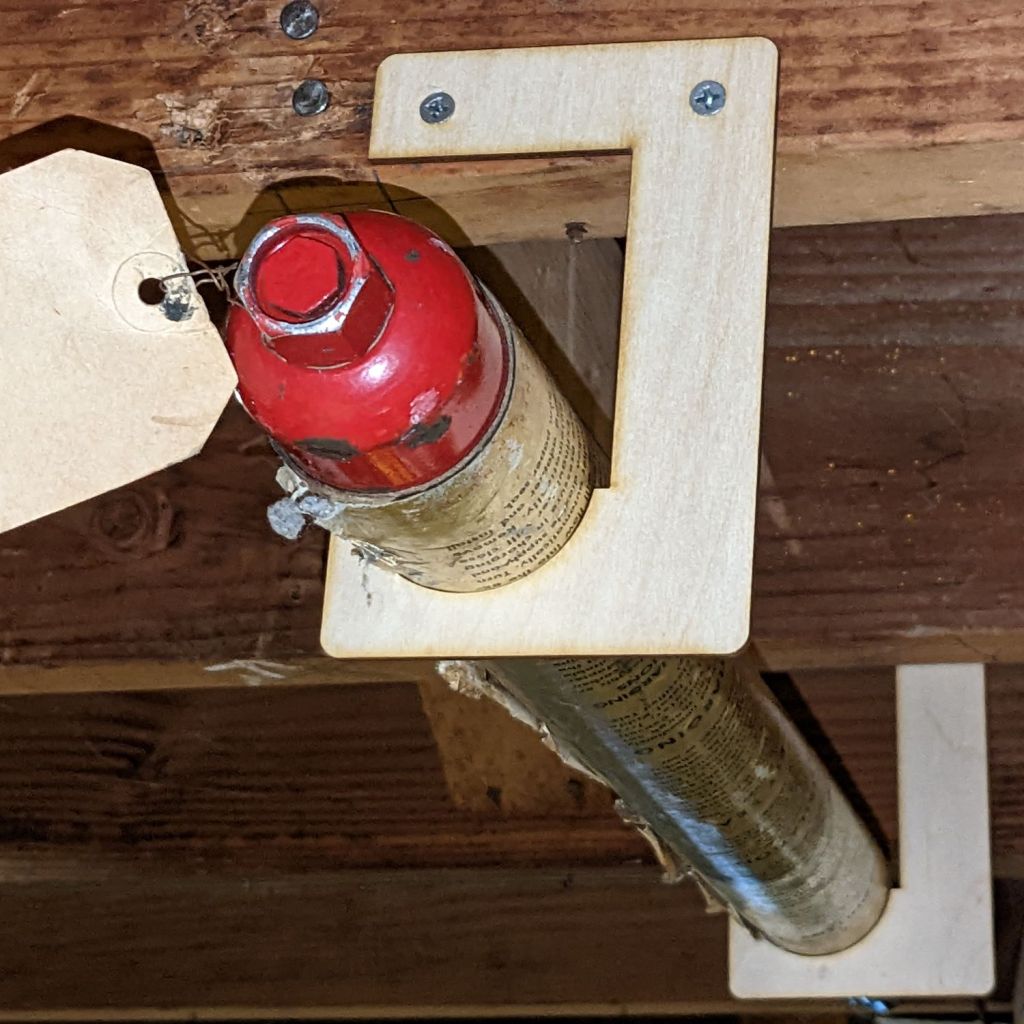
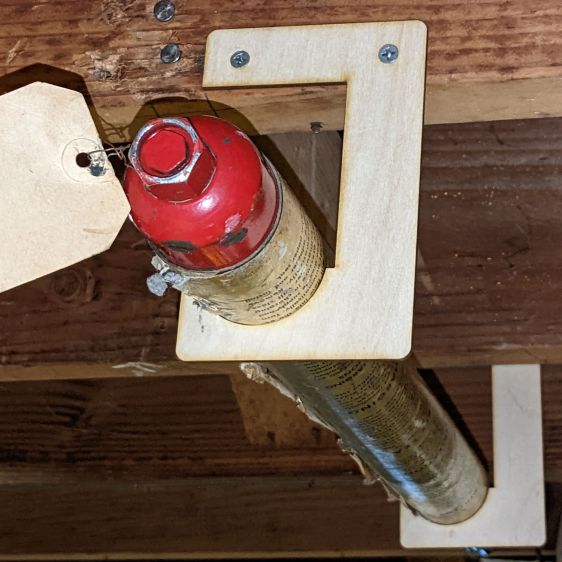
Anyhow, given the overall basement decor, the brackets have the right general style:
Fyre Freez extinguisher – bracket detail
Here’s hoping its future will be as dull as its past …
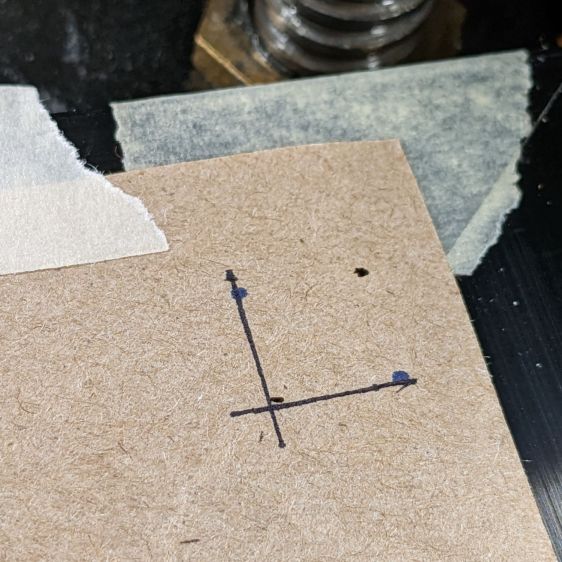
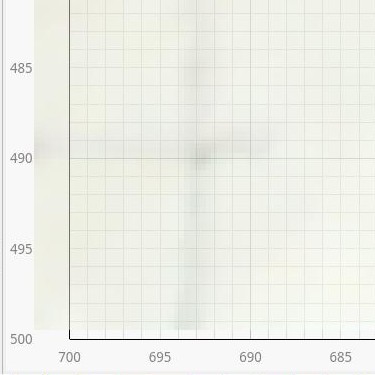
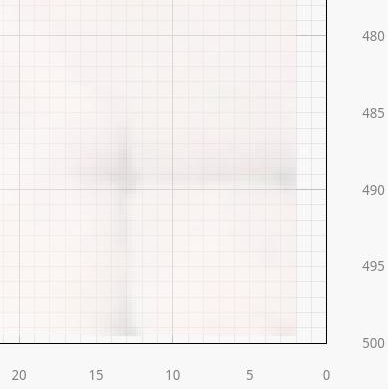
Burn some holes and draw lines 10 mm in from the physical corners, like this:
LB Camera Cal – corner target
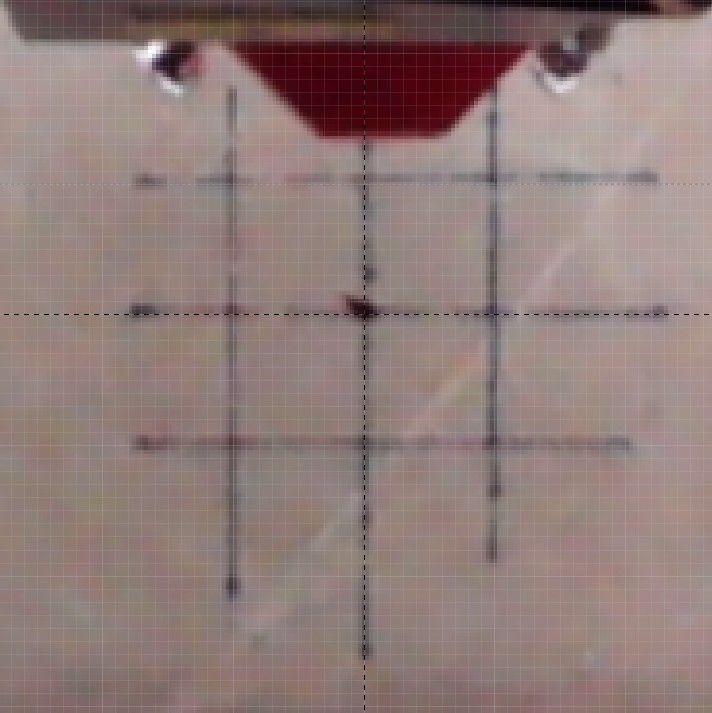
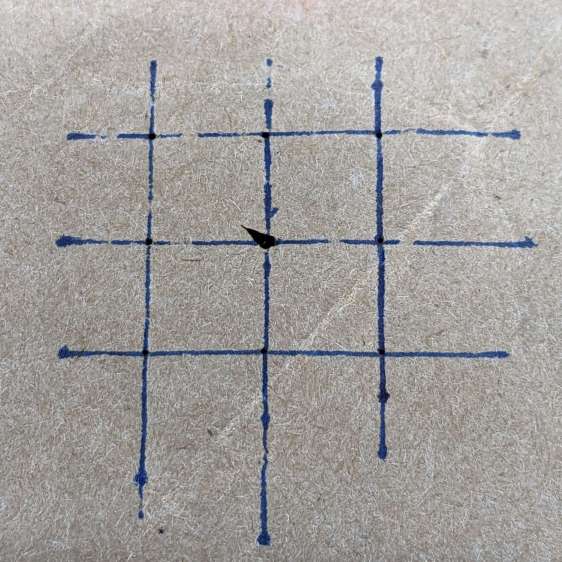
Burn holes and lay in a 10 mm grid at the center point:
LB Camera Cal – center grid
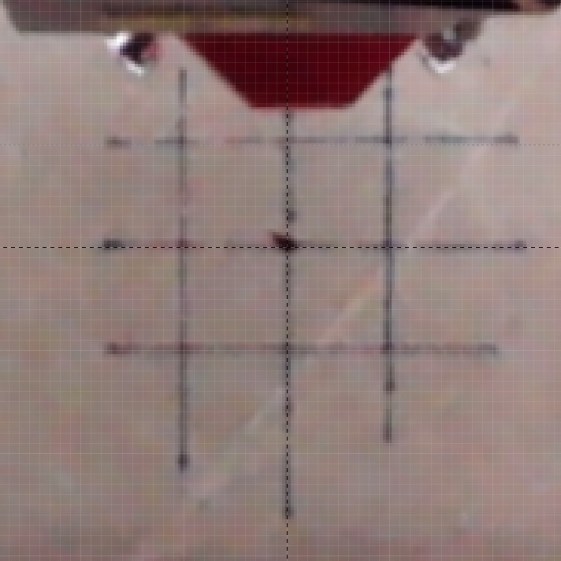
The center grid as seen through the camera:
LB Camera Cal – center grid overlay
That’s after adjusting the X and Y offset to align the center of the imaged grid with the center of the design grid. That’s using the non-faded image to make the target lines more visible.
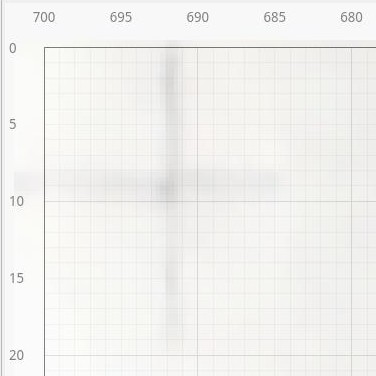
The corner markers don’t quite line up with the grid, but they’re not off by much (using the faded image to make the grid more visible):
You could, of course, split the difference among all five sites, but I think having the middle of the platform be more accurate than the far corners makes more sense.
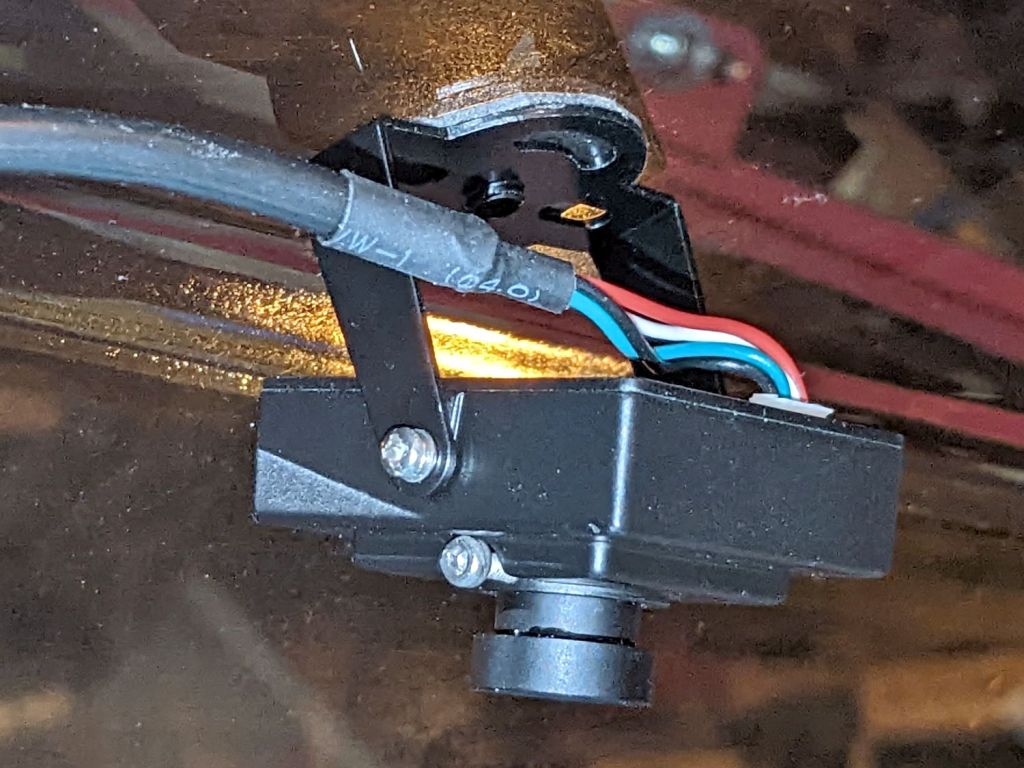
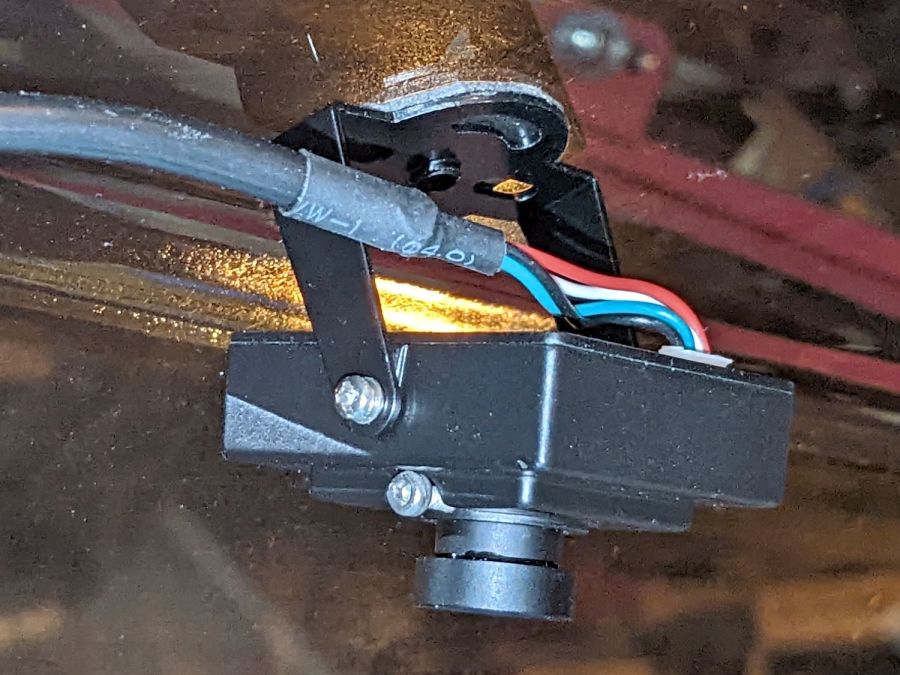
Early on, I stuck a camera to the lid of my OMTech 60 W laser:
OMTech Laser – camera mount
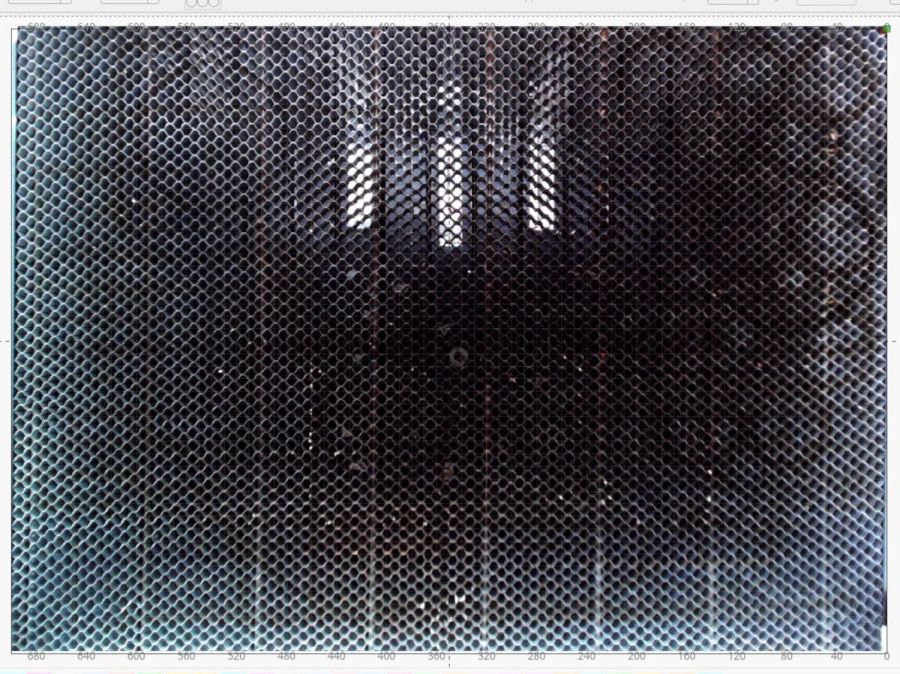
The uncorrected view from the camera (through VLC):
LB Uncorrected Camera View
After calibration and alignment, LightBurn underlays this view of the platform behind the workspace:
LB Corrected Camera View
The correction depends critically on the camera maintaining its position / orientation / focus, which turns out to be a bad assumption for the camera I’ve been using, because the (metal) focus locking screw binds directly on the (metal) lens threads. This works, until vibrations slightly loosen the screw and the lens shifts ever so slightly.
After noticing the focus had shifted again, I tucked a snippet of silicone insulation from some 30 AWG hookup wire into the screw hole to compress against the lens thread, then re-did the entire sequence with some attention to detail.
Pulsing the laser in each corner produced pinholes exactly 700×500 mm apart. One diagonal is 859.0 mm and the other is 861.5 mm, pretty close to the ideal 860.2 mm.
Next, to measure the offsets from some known positions …
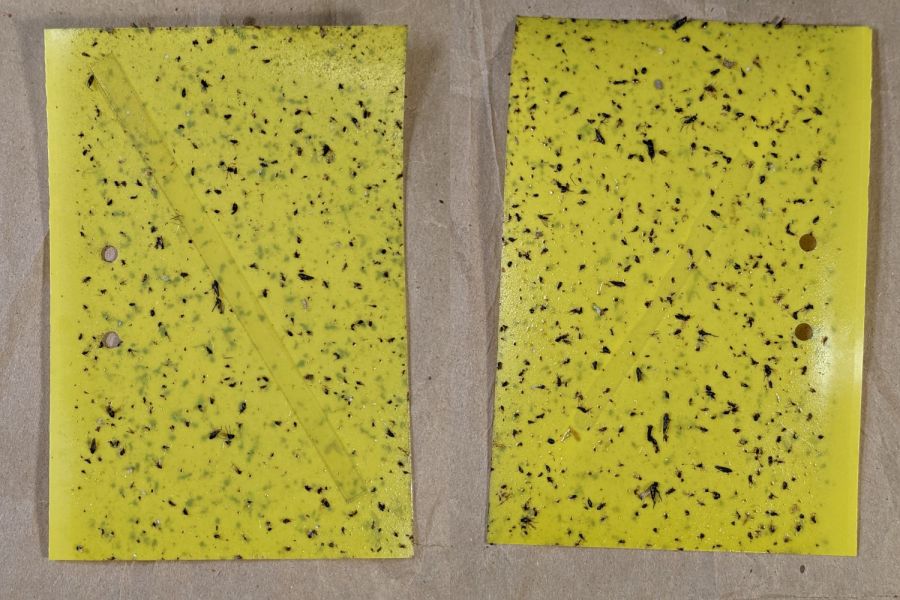
Mary left the sticky card traps in the onion patch until the last onions came out, clustered them around the leeks, and collected them long after the season was over.
I count maybe twenty flies that might be onion maggot flies or cabbage maggot flies.
The cards protected the onion crop, failed miserably for the leeks, and did nothing for the nearby cabbages. Deploying the cards while planting worked very well, refreshing them after a month continued the protection, but the main fly season seems to end shortly thereafter.
All the sticky cards as a slideshow, starting with the three along the border fence:
VCCG Onion Card – fence A – 2022-11
VCCG Onion Card – fence B – 2022-11
VCCG Onion Card – fence C – 2022-11
VCCG Onion Card – plot A – 2022-11
VCCG Onion Card – plot B – 2022-11
VCCG Onion Card – plot C – 2022-11
VCCG Onion Card – plot D – 2022-11
The cards remain sticky to my fingers, but an adroit fly could skate over the debris field and emerge unscathed.
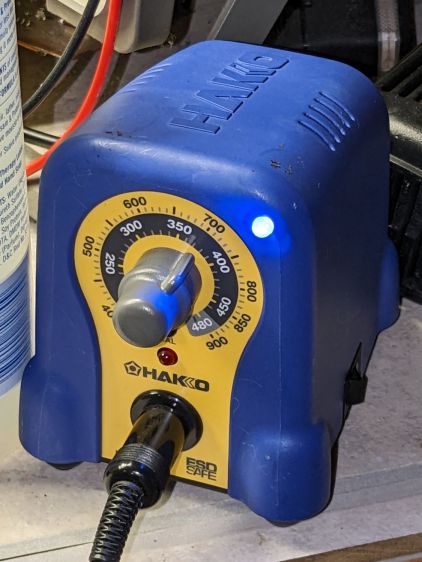
The Hakko FX-888 soldering iron perched on the corner of my bench has a little red LED that lights up when it’s heating and goes off when it’s not. Unfortunately, while shutting down after fixing something, I sometimes glance at the thing while the LED is off, whereupon it will patiently keep the iron hot, sometimes for days, until I return.
A recent Squidwrench session gave me the opportunity to yoink that nuisance off the to-do pile where it has been pending since about ten minutes after I unboxed the iron a decade ago.
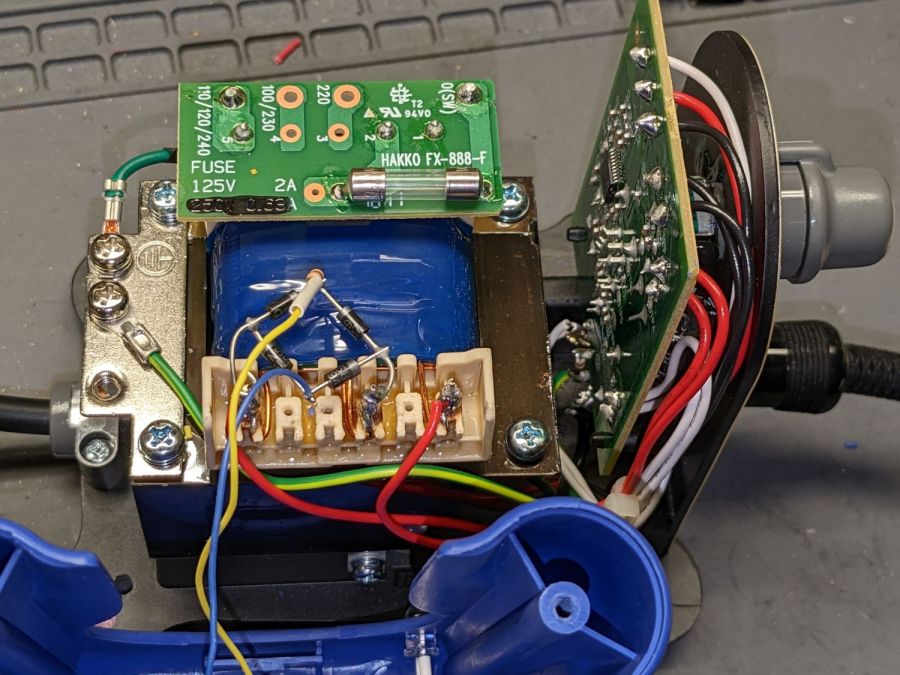
Some concerted rummaging failed to turn up the stash of bridge rectifiers, so I air-wired one from a quartet of discrete diodes:
Hakko 888 Soldering Iron pilot – bridge rectifier
Remember: the bigger the blob, the better the job.
For the record, the transformer produces 28 VAC, with the center tap 26 VAC from the left end and 2 VAC from the right end.
A 10 kΩ resistor stands upright at the far corner of the bridge, limiting the LED current to a few milliamps and making it bright enough for the purpose.
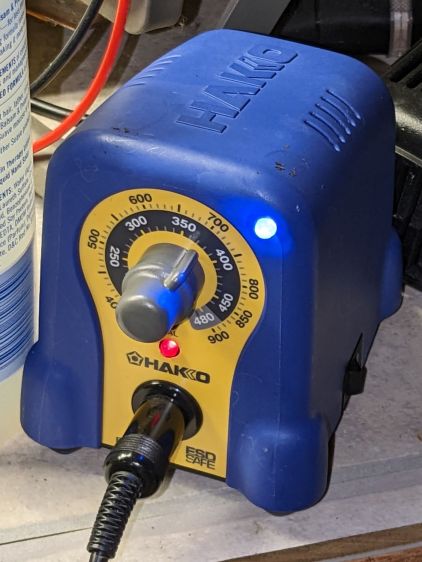
The front of the case has plenty of vacant space in its upper corners, so I drilled a hole and poked a blue LED:
Hakko 888 Soldering Iron pilot – heating
That’s shown with the iron heating.
Here’s an action shot with the temperature at the setpoint:
Hakko 888 Soldering Iron pilot – stable
Nowadays all soldering irons have digital readouts with no need for a pilot light.
Of course, two days later I found the bridge rectifier stash, but there’s no point in opening the patient again.
It did, however, dry the tubing and the construction was Pretty Close™ to being the proper size.
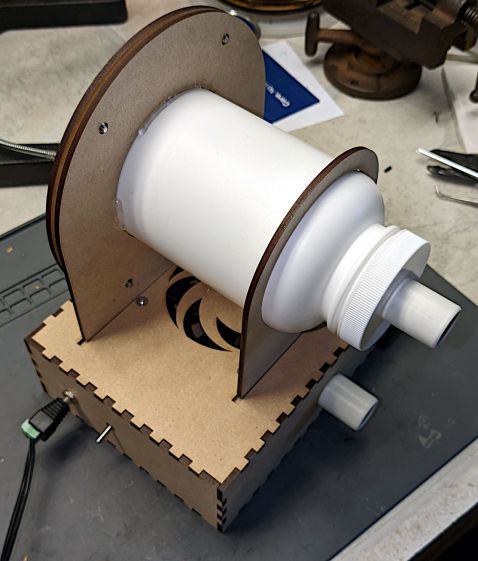
Making the stand from acrylic sheet eliminates the MDF stench:
CPAP Dryer filter – acrylic stand – fitting end
Incoming air passes through a dome-style N95 mask:
CPAP Dryer filter – acrylic stand – filter end
The mask sets the overall size of the stand:
CPAP Dryer – Filter holder – LB layout
Given that we’re not talking Level 4 Biohazard, any filter would work equally well. A dome mask has a nicely defined and self-supporting shape with a flange around the edge.
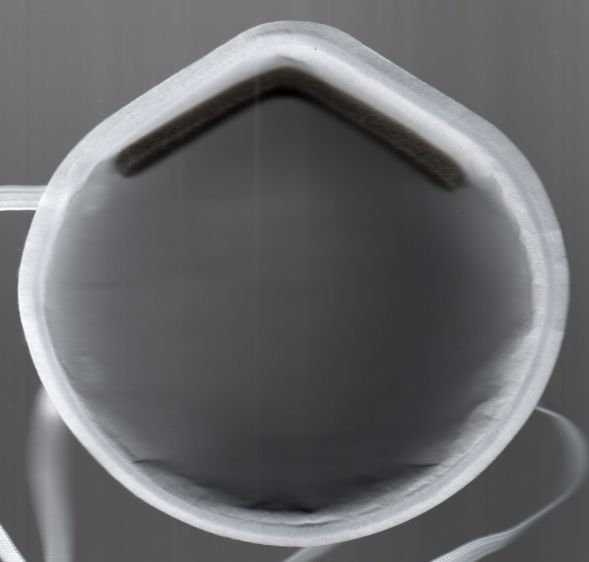
The flange provides a convenient way to build the clamp ring, starting with a scan from the face side:
Demetech Dome Mask – interior scan
Tracing the flange outline using GIMP’s Scissor Select tool and doing a little cleanup in Quick Mask mode produced a selection suitable for becoming a binary mask of the N95 mask:
Demetech Dome Mask – perimeter mask
Ex post facto, I realized the mask has a sufficiently regular outline to fit a much simpler Beziér spline:
CPAP Dryer – Filter holder – LB splines
That began in LightBurn as a circle fitting the lower part of the mask, converted to a path, then tweaked with the Node Editor to fit the top of the nose and add two nodes to pull the path inward on either side. In the unlikely event I make another bottle stand, the cut will be irrelevantly smoother.
The hole in the clamp comes from insetting that path by the flange width of 4 mm, whereupon the N95 mask pretty much self-centers in the hole:
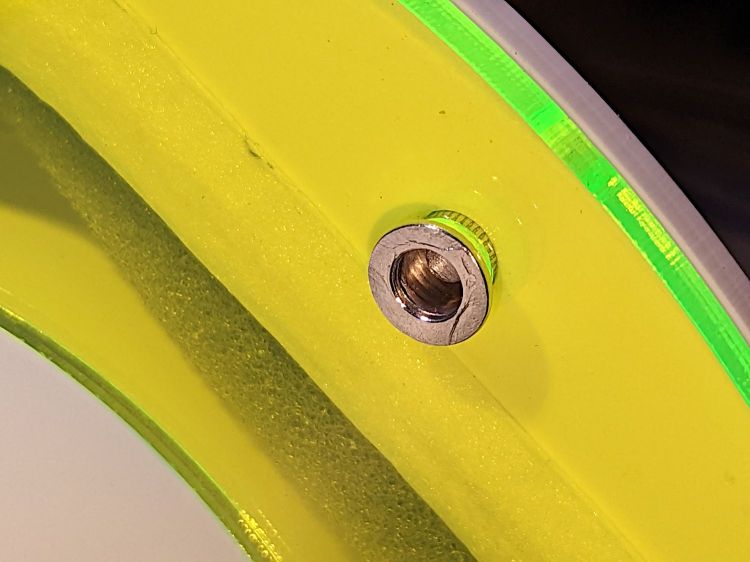
They’re shortened by 1 mm (from the original length shown in the upper right) to fit 1 mm of mask sandwiched inside a pair of 3 mm acrylic sheets:
CPAP Dryer filter – Rivnut installed
The glowy edge-lit acrylic sheet has 4.8 mm holes for a snug push fit and the white clamp ring has 5.1 mm holes for a loose alignment fit. I drilled out the laser-cut holes for nice smooth sides.
I picked a bottle large enough to also hold the mask’s elbow, so that it would dry in the same stream of clean air. So far, the elbows dry well enough on their own, but the bottle remains a convenient size for fitting the mask on its end.
On the other end of the bottle, the lid gets a hose fitting turned from PVC pipe:
CPAP Dryer – filter hose fitting glue rings
The Official ResMed fittings on the masks and the AirSense 11 machine are about 20 mm long and just over 22 mm OD with a slight taper. The unheated hose has silicone rubber ends fitting very snugly around those cylinders, so I made the pipe fittings 25 mm long and 21 mm OD to ensure a low-effort, but still secure, fit.
The grooves cut into the fitting anchor a generous hot-melt glue blob sealing it to the lid:
CPAP Dryer – filter hose fitting inside
Yes, the foam disk and the hole through the lid were both laser-cut. Making perfect circles in thin organic material with zero drama is wonderful.
The downstream / mask end of the heated ClimateLine hose (left) is physically identical to the unheated hose ends, but the machine / upstream end (right) sports an electrical connector for the spiral heating element and the thermistor (in the white stud protruding into the mask end lumen):
ResMed ClimateLine heated hose ends
Yes, that does look a lot like a naked USB connector, as does the main power connection on the machine, and you can actually slide a Type A USB connector around it. The ResMed manual pointedly notes:
•Do not insert any USB cable into the AirSense 11 device or attempt to plug the AC adaptor into a USB device. This may cause damage to the AirSense 11 device or USB device. •The electrical connector end of the heated air tubing is only compatible with the air outlet at the device end and should not be fitted to the mask.
The four ribs inside the upstream end slide over a 23.5 mm cylinder, which is enough larger than the 22 mm cylinder on the machine to wiggle the not-USB connector into place. Without a connector to worry about, I turned a sleeve adapting the smaller fitting to those ribs:
CPAP Dryer filter – heated hose bushing
It’s 27 mm long to keep the lip of the silicone seal away from the setscrew, 23.5 mm OD to exactly fit between the ribs, and a 21.5 mm ID slip fit over the bottle snout.
The tiny M3 setscrew lives in a hole tapped into the inner tube, because the sleeve is only 1 mm thick:
CPAP Dryer filter – acrylic stand – bushing center drill
The setscrew turns outward into a clearance hole drilled in the sleeve to lock it in place.
The outer PVC pipe in the vise is a simple cylinder fixture bored to match the sleeve, so I could grab it in the lathe chuck / vise without distortion. Just the force from a normal grip squishes the fixture enough to keep the sleeve from turning / moving / getting annoyed.
Improving the MDF fan box awaits a few parts, but, being downstream, isn’t on the critical path for drying hoses. The only trick is keeping the bottle inlet upstream of the fan exhaust.