The Smell of Molten Projects in the Morning

Ed Nisley's Blog: Shop notes, electronics, firmware, machinery, 3D printing, laser cuttery, and curiosities. Contents: 100% human thinking, 0% AI slop.

Tag: Improvements

Making the world a better place, one piece at a time

  • Laser Cutter: Sheet Holder

    Laser Cutter: Sheet Holder

    Applying a laser cutter to paper-like materials requires balancing two contradictory imperatives:

    • Hold the sheet flat to avoid distortions
    • Have nothing below to avoid schmutz on the bottom

    This seemed like a good compromise:
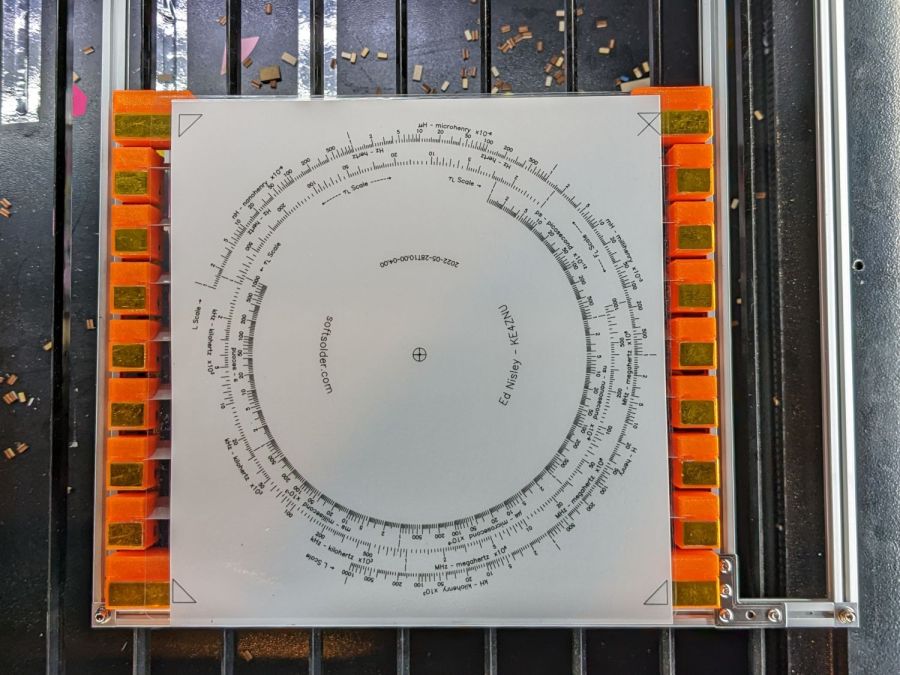
    Sheet Holder - Tek CC bottom deck
    Sheet Holder – Tek CC bottom deck

    The orange 3D printed blocks hold aluminum miniblind blades:

    Sheet Holder - steel sheet magnet pads
    Sheet Holder – steel sheet magnet pads

    The curved slots hold the blades flush with the upper surface and align their top sides parallel to the laser beam, giving the beam very little blade to chew on near the focus point and allowing plenty of room below the sheet to dissipate cutting fumes.

    The gold-ish squares are thin steel sheets covered with Kapton tape, painstakingly filed en masse from small snippets:

    Sheet Holder - filed steel pads
    Sheet Holder – filed steel pads

    The first iteration used precisely laser-cut refrigerator magnet pieces, in the expectation a crappy rubber magnet would provide just enough attraction to let a neodymium magnets hold the paper flat, without risk of blood blisters between fingers and steel:

    Sheet Holder - ferrite magnet pads
    Sheet Holder – ferrite magnet pads

    As expected, contact with the neo magnet completely wiped away the alternating pole magnetism in the rubber sheet, leaving a weakly attractive non-metallic surface. Alas, the rubber had too little attraction through a laminated sheet of paper, so I switched to real steel and risked the blisters.

    Most of the blocks are narrow:
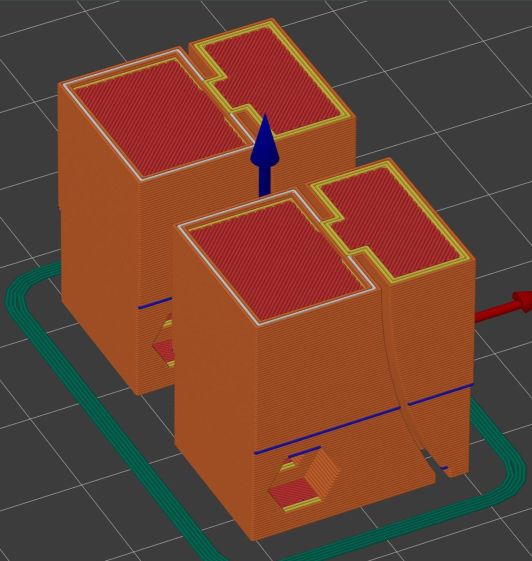
    Sheet Holder Bracket - solid model
    Sheet Holder Bracket – solid model

    The four corners are wider:

    Sheet Holder Bracket - wide - solid model
    Sheet Holder Bracket – wide – solid model

    They’re symmetric for simplicity, with recesses for the magnets / steel sheets on the top. The through-holes have recesses for M3 SHCS holding them to T-nuts in Makerbeam rails, with a slightly overhanging alignment ledge keeping them perpendicular to the rail.

    The magnets come from an array of worn-out Philips Sonicare toothbrush heads:
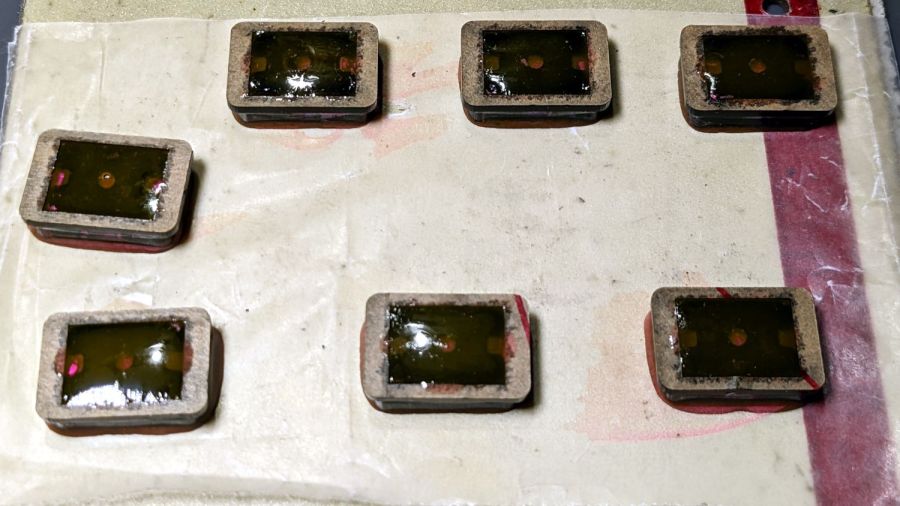
    Sheet Holder - magnet holders curing
    Sheet Holder – magnet holders curing

    They’re epoxied inside a two-piece mount, with the lower part laser-machined from 3 mm acrylic to put the two magnets in each assembly flush with the lower surface; the green area gets engraved 1 mm below the surface for the steel backing plate. The 1.5 mm upper frame fits around the plate and protrudes over the ends just enough for a fingernail grip:

    Magnet Holder Cuts
    Magnet Holder Cuts

    The epoxy got a few drops of fuschia dye, because why not:

    Sheet Holder - trimmed magnet holders
    Sheet Holder – trimmed magnet holders

    The garish trimmings came from slicing the meniscus around the lower part of the holder off while the epoxy was still flexy.

    The holders must be flat for clearance under the focus pen:

    Sheet Holder - focus probe clearance
    Sheet Holder – focus probe clearance

    Some experimentation suggests I can raise the pen by maybe 2 mm (with a corresponding increase in the Home Offset distance) , but the switch travel requires nearly all of the protruding brass-colored tip and there’s not much clearance under the nozzle at the trip point.

    With all that in hand, it works fairly well:

    Sheet Holder - Tek CC cutout
    Sheet Holder – Tek CC cutout

    The lower deck has very little margin for gripping, which is why the four corner blocks must be a bit wider than the others.

    The lamInator tends to curl the sheets around their width, so most of the clamping force should be along the upper and lower edges to remove the curl at the ends. This requires turning the whole affair sideways and deploying more magnets, which is possible for the smaller middle and upper decks:
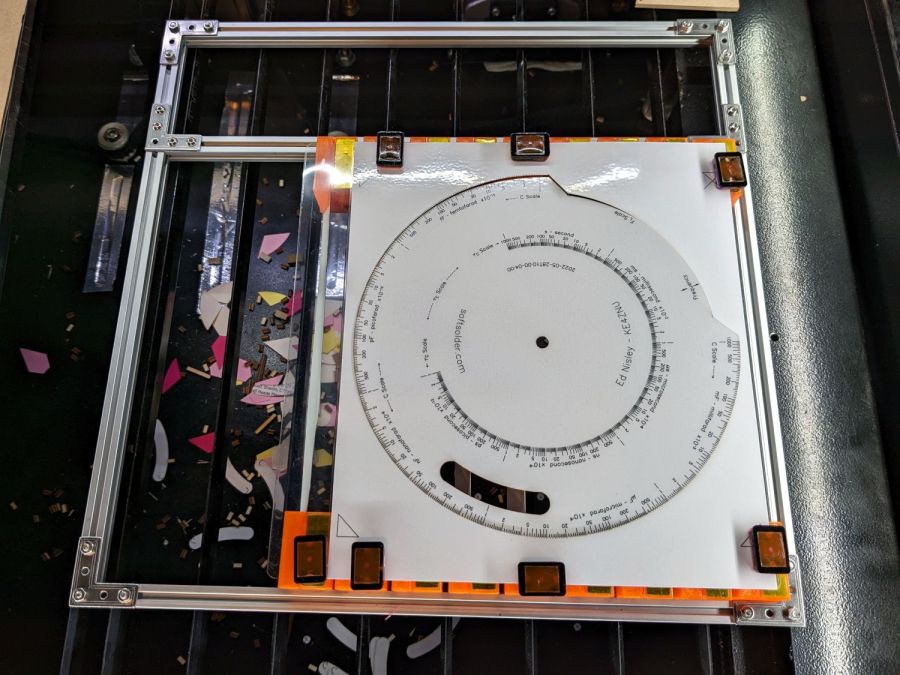
    Sheet Holder - Tek CC middle deck
    Sheet Holder – Tek CC middle deck

    Protruding SHCS heads on the four corners snug up against the edge of the knife-edge bed opening for Good Enough™ angular alignment.

    Plain paper (anything non-laminated) seems generally flat enough to require no more than the corner magnets.

    It’s definitely better than the honeycomb surface for fume control!

    The OpenSCAD source code as a GitHub Gist:

    // Bracket for sheet holder
    // Ed Nisley KE4ZNU 2022-09-09
    Layout = "Show"; // [Show, Build, Blade]
    /* [Hidden] */
    ThreadThick = 0.25;
    ThreadWidth = 0.40;
    HoleWindage = 0.2;
    Protrusion = 0.1; // make holes end cleanly
    ID = 0;
    OD = 1;
    LENGTH = 2;
    module PolyCyl(Dia,Height,ForceSides=0) { // based on nophead's polyholes
    Sides = (ForceSides != 0) ? ForceSides : (ceil(Dia) + 2);
    FixDia = Dia / cos(180/Sides);
    cylinder(r=(FixDia + HoleWindage)/2,
    h=Height,
    $fn=Sides);
    }
    // Sizes
    Magnet = [10,30,0.5]; // magnetic sheet size
    //Magnet = [10,14,0.5];
    MagnetRim = 1.0;
    Screw = [3.0,5.5,3.0]; // SHCS OD=head LEN=head
    MakerBeam = 10.0; // beam size, screw = half height
    BeamRecess = 0.5; // slight overhang for alignment
    BladeSlot = 0.15 * 4; // slot with plenty of clearance
    BladeSocket = 5.0; // recess to hold miniblind
    BladeWidth = 24.6; // miniblind width
    BladeM = 1.6; // height of miniblind curve
    BladeSides = 12*8;
    BladeRadius = (pow(BladeM,2) + pow(BladeWidth,2)/4)/(2*BladeM);
    BladeAngle = 2*asin(BladeWidth/(2*BladeRadius));
    echo(BladeRadius = BladeRadius);
    echo(BladeAngle = BladeAngle);
    Block = [Magnet.x + 2*MagnetRim + ceil(BladeRadius*(1 – cos(BladeAngle)) + 2.0),
    Magnet.y + 2*MagnetRim,
    BladeRadius*sin(BladeAngle)];
    echo(Block = Block);
    // Cutter for spline recess
    // approximately correct and good enough
    module BladeRing() {
    rotate([90,0,0])
    translate([0,0,-BladeSocket])
    linear_extrude(height=2*BladeSocket,convexity=2)
    difference() {
    circle(r=BladeRadius,$fn=BladeSides);
    circle(r=BladeRadius – BladeSlot,$fn=BladeSides);
    }
    }
    // Overall bracket
    module Bracket() {
    difference() {
    translate([0,-Block.y/2,0])
    cube(Block,center=false);
    translate([Magnet.x/2 + MagnetRim,0,Block.z – Magnet.z/2 + Protrusion/2])
    cube(Magnet + [0,0,Protrusion],center=true);
    for (j=[-1,1])
    translate([0,j*Block.y/2,MakerBeam/2 – Protrusion/2])
    cube([3*Block.x,2*BeamRecess,MakerBeam + Protrusion],center=true);
    for (j=[-1,1])
    translate([Magnet.x + 2*MagnetRim + BladeRadius,j*Block.y/2,Block.z])
    BladeRing();
    for (j=[-1,1])
    translate([Block.x – 2.0 – BladeSlot,j*Block.y/2,5*ThreadThick/2 – Protrusion/2])
    cube([2*BladeSlot,2*BladeSocket,5*ThreadThick + Protrusion],center=true);
    translate([MakerBeam/2,Block.y,MakerBeam/2])
    rotate([90,0,0])
    PolyCyl(Screw[ID],2*Block.y,6);
    for (j=[-1,1])
    translate([MakerBeam/2,j*(Block.y/2 – Screw[LENGTH] – 1.0),MakerBeam/2])
    rotate([-j*90,0,0])
    PolyCyl(Screw[OD] + HoleWindage,2*Block.y,6);
    }
    }
    //———-
    // Build it
    if (Layout == "Blade")
    BladeRing();
    if (Layout == "Show")
    Bracket();
    if (Layout == "Build")
    Bracket();

  • Laser-cut Plywood Can Rack

    Laser-cut Plywood Can Rack

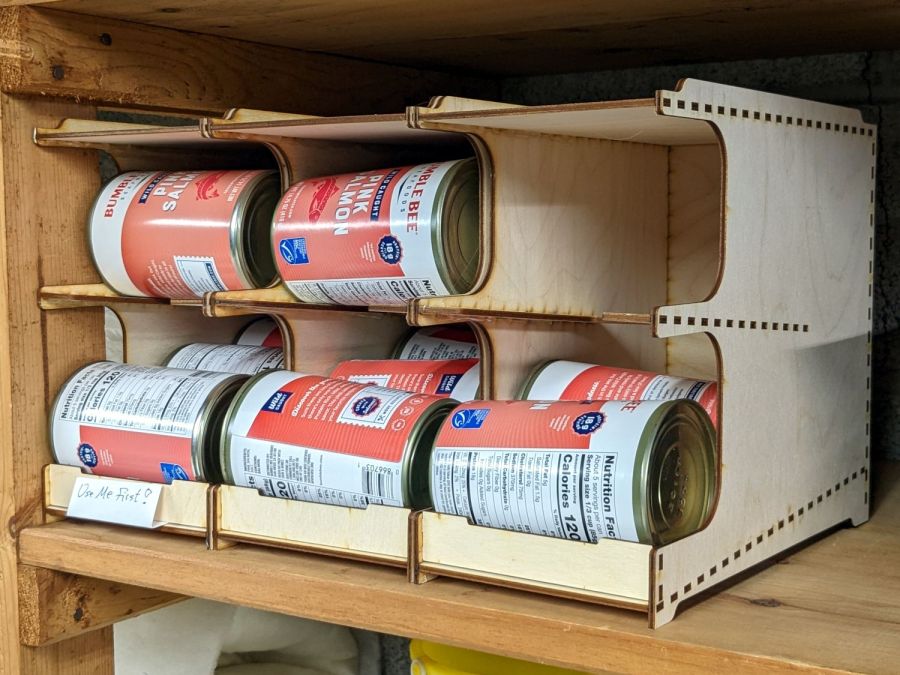
    On occasion I will do something practical:

    Salmon can storage boxes
    Salmon can storage boxes

    It’s not that we needed a rack for those cans, but it did get a laugh from Mary and that’s what counts.

    The magic URL encoding all the parameters to generate a rack, using a recent addition to the wonderful boxes.py collection:

    https://www.festi.info/boxes.py/CanStorage?FingerJoint_angle=90.0&FingerJoint_style=rectangular&FingerJoint_surroundingspaces=0.0&FingerJoint_edge_width=1.0&FingerJoint_extra_length=0.0&FingerJoint_finger=2.0&FingerJoint_play=0.0&FingerJoint_space=2.0&FingerJoint_width=1.0&Stackable_angle=60&Stackable_height=2.0&Stackable_holedistance=1.0&Stackable_width=4.0&fillHoles_bar_length=50&fillHoles_fill_pattern=no+fill&fillHoles_hole_max_radius=15&fillHoles_hole_min_radius=5&fillHoles_hole_style=hexagon&fillHoles_max_random=1000&fillHoles_space_between_holes=10.0&fillHoles_space_to_border=15.0&top_edge=%C5%A0&bottom_edge=%C5%A1&canDiameter=80&canHight=115&canNum=6&chuteAngle=5.0&thickness=3.2&format=svg&tabs=0&debug=0&labels=0&labels=1&reference=0&inner_corners=loop&burn=0.04&render=0
    

    In order from left to right, the three successive racks represent:

    • A good laugh
    • Finding that a burn correction parameter of 0.04 produces a much better fit than 0.05.
    • Discovering that I must orient finger joints along the same axis to minimize small axis scale errors errors

    The Burn Correction Factor encapsulates many physical effects and, much like 3D printing’s Extrusion Multiplier, must be determined empirically.

    The axis scale error, however, took me by surprise.The X axis travels on the order of 0.2 mm more along 250 mm, about 0.08%, than the Y axis, even after my tedious calibration. I must do that calibration again, because, as Miss Clavel observed in a different context, Something Is Not Right.

    And, yes, that tiny difference is enough to misalign the last few fingers with their holes, to the extent of requiring somewhat more than Gentle Persuasion with a plastic mallet.

  • Tour Easy: Chain Drop Pin

    Tour Easy: Chain Drop Pin

    Every now and again, an upshift to the large chainring on my Tour Easy would go awry and drop the chain off the outside, where it would sometimes jam between the pedal crank and the spider. In the worst case the flailing chain would also jam in the TerraCycle idler, but I fixed that a while ago.

    Contemporary chainrings (i.e., anything made since the trailing decades of the last millennium) generally have a chain drop pin positioned against the crank specifically to prevent such chain jamming.

    Making a chain drop pin is no big deal if you’ve got a lathe and an M4 tap:

    Tour Easy - DIY Chain Drop pin
    Tour Easy – DIY Chain Drop pin

    A closer look:

    Tour Easy - DIY Chain Drop pin - detail
    Tour Easy – DIY Chain Drop pin – detail

    That’s a 10 mm length of 5/16 inch brass rod drilled with a recess to fit the head of a 10 mm M4 socket-head cap screw.

    The pin should be a micro-smidgen shorter, as it just touches the crank, but, if anything, moving the chainring inward by one micro-smidgen improved the upshifts and I’m inclined to go with the flow.

    Should’a done it decades ago …

  • Mini-Lathe: Adapting a Five Inch Four Jaw Chuck Adapter Plate

    Mini-Lathe: Adapting a Five Inch Four Jaw Chuck Adapter Plate

    The kludge required to trim the coaster rims disturbed the silt enough to reveal a long-lost 5 inch 4 jaw chuck that fit neither the old South Bend lathe nor the new mini-lathe. In any event, the chuck does have an adapter plate on its backside, it’s just not the correct adapter plate for the spindle on my mini-lathe.

    Making it fit required enlarging an existing recess to fit the spindle plate, a straightforward lathe job with the plate grabbed in the 3 jaw chuck’s outer jaws:

    5 inch 4 jaw chuck - boring spindle recess
    5 inch 4 jaw chuck – boring spindle recess

    Carbide inserts don’t handle interrupted cuts very well, but sissy cuts saved the day. The plate is kinda-sorta cast iron, so the “chips” are dust and a vacuum snout reduces the mess; you can see some chips inside the bore.

    A faceplate for the mini-lathe lathe located three holes matching the spindle plate, after I noticed the amazing coincidence of both parts having 26 mm bores. Making an alignment tool from a scrap of 3/4 inch (!) Schedule 40 PVC pipe was an easy lathe job:

    5 inch 4 jaw chuck - adapter plate alignment
    5 inch 4 jaw chuck – adapter plate alignment

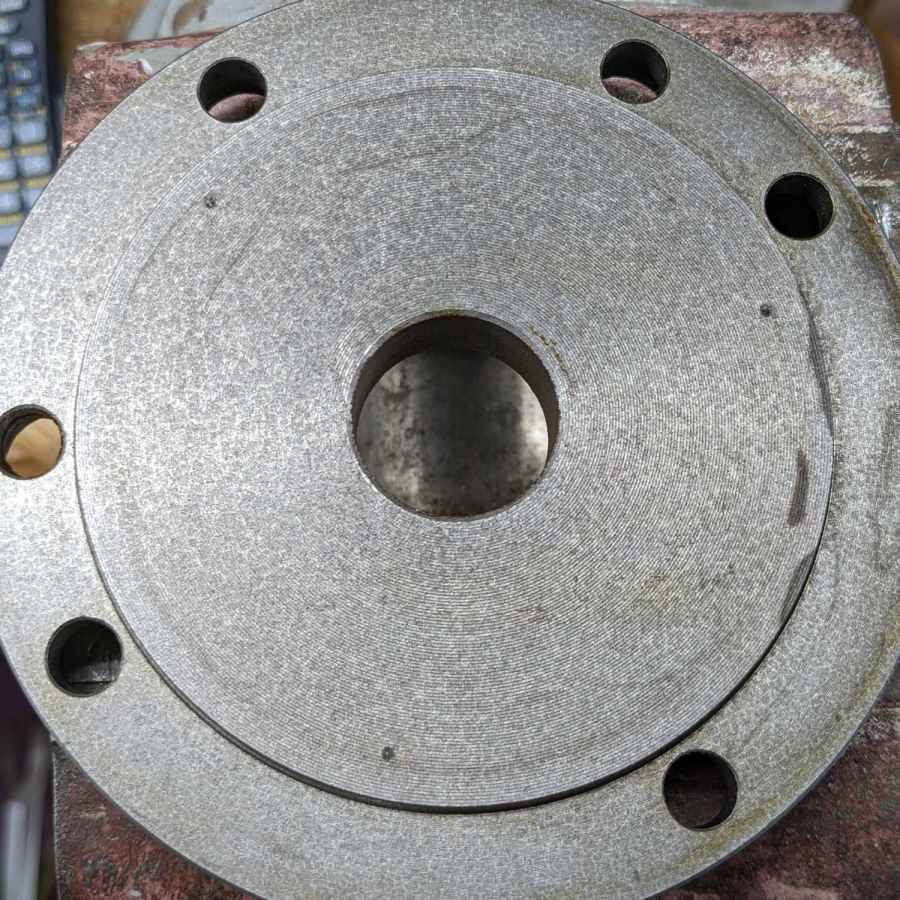
    Transfer-punching those holes produced pips on the chuck side of the adapter plate:

    5 inch 4 jaw chuck - spindle bolt spotting
    5 inch 4 jaw chuck – spindle bolt spotting

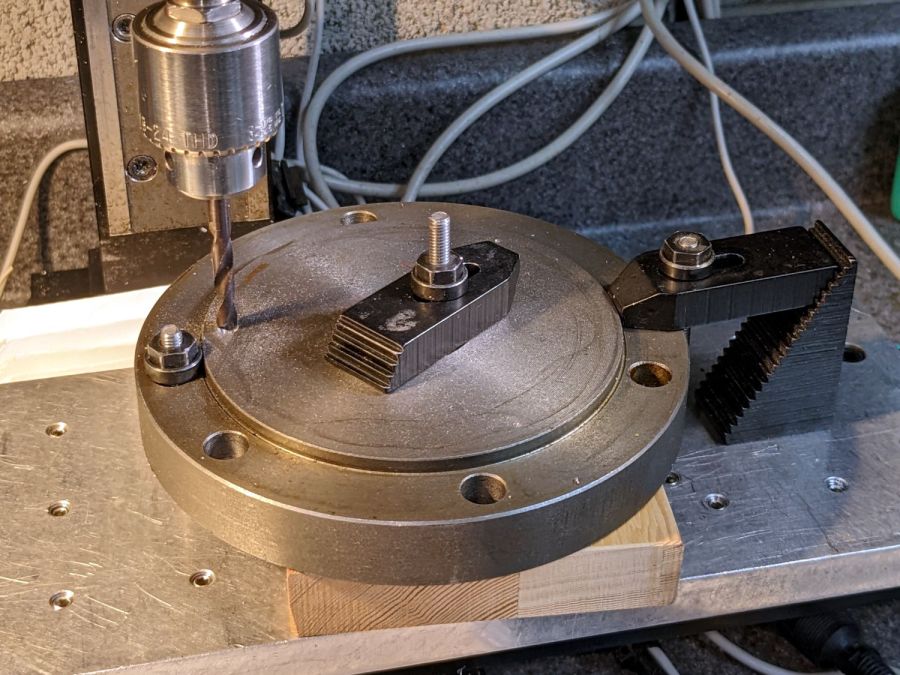
    I thought about freehanding the holes, but came to my senses:

    5 inch 4 jaw chuck - adapter plate drilling
    5 inch 4 jaw chuck – adapter plate drilling

    Of course, the Sherline lacks enough throat for the plate, so each hole required clamping / locating / center-drilling / drilling / finish drilling. With all three drilled, hand-tapping the threads was no big deal:

    5 inch 4 jaw chuck - rebuIlt adapter plate
    5 inch 4 jaw chuck – rebuIlt adapter plate

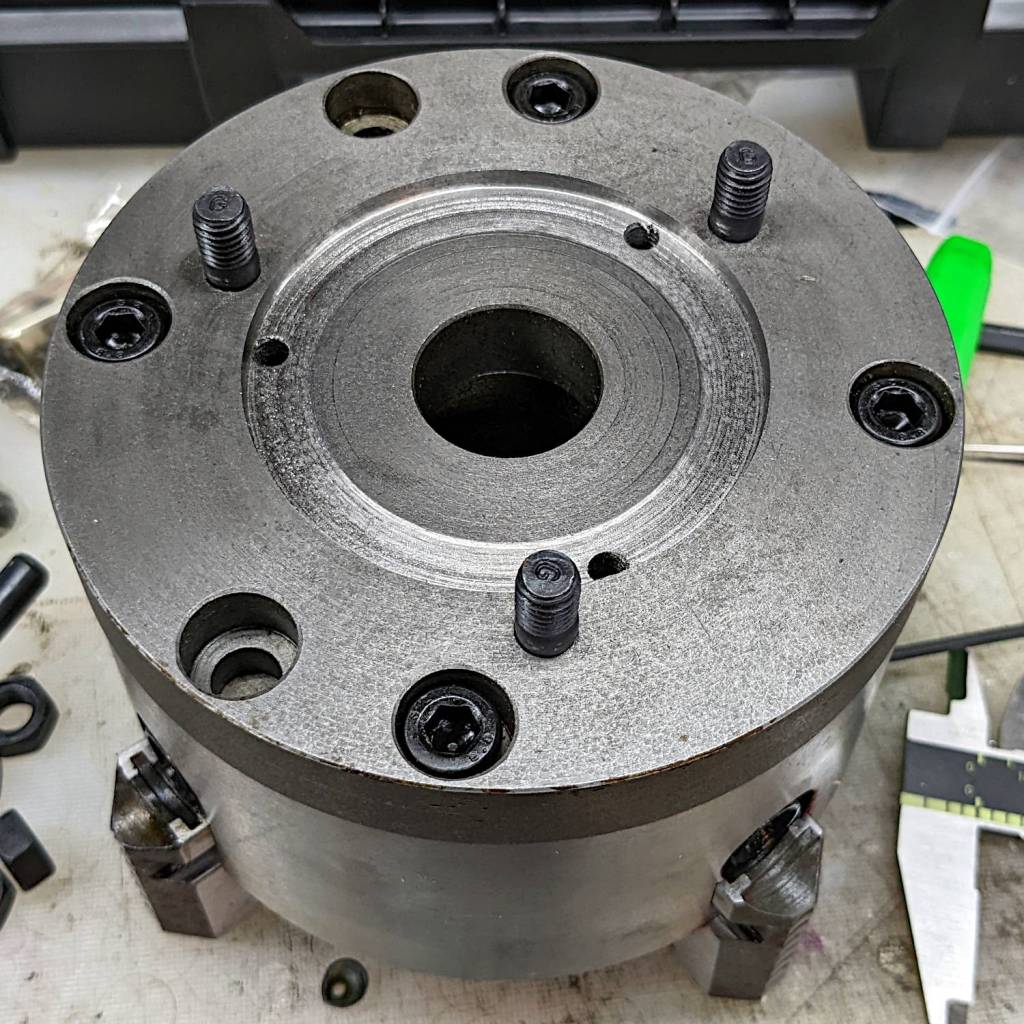
    Those are M8×1.25 studs from LMS (although the ones I got look like the 30 mm version), with the long end sunk in the adapter plate to put the other end flush with the nut on the far side of the spindle plate:

    5 inch 4 jaw chuck - installed - spindle nuts
    5 inch 4 jaw chuck – installed – spindle nuts

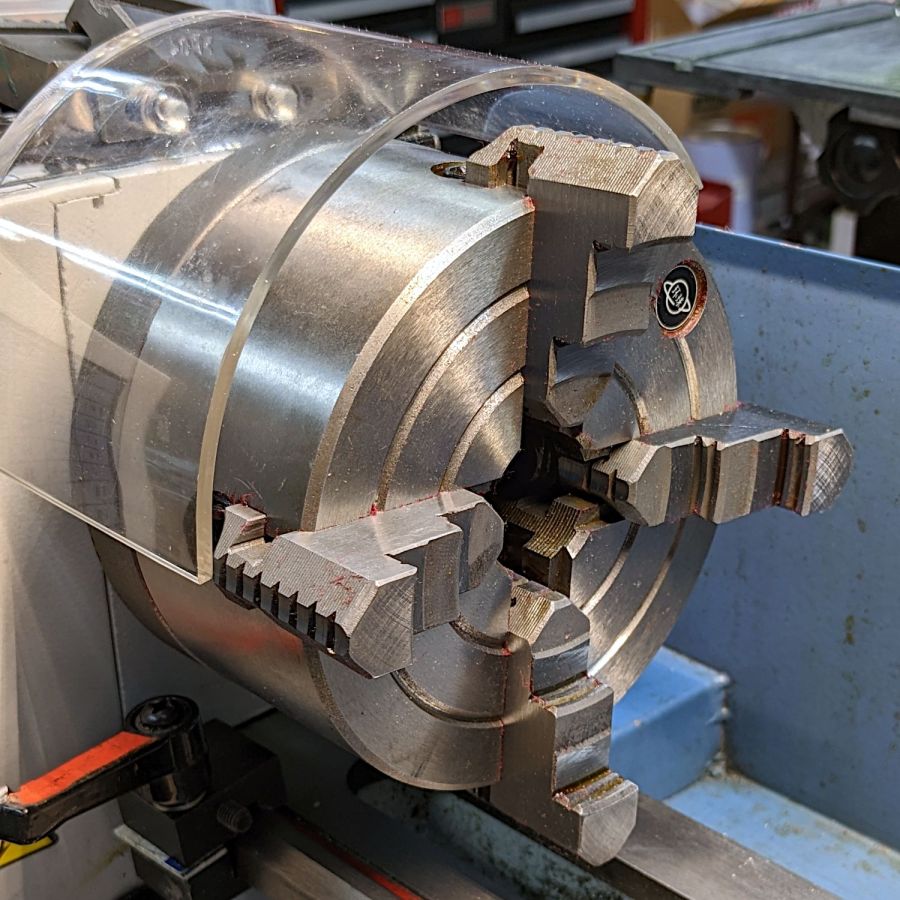
    And then it fits just like it grew there, although the jaws don’t have much clearance inside the interlock cover:

    5 inch 4 jaw chuck - installed - front view
    5 inch 4 jaw chuck – installed – front view

    Now I’m ready for the next set of coasters and, if the jaws stick out too far, I can gimmick the interlock switch for the occasion.

    If the truth be known, I ordered two sets of those studs along with the 4 inch 4 jaw chuck intended for the mini-lathe, so, if anything, I’m now over-prepared.

    The description of the 4 inch chuck seems inconsistent with its listed dimensions, which may be why I ended up with the larger chuck in the first place. You can never have enough chucks: all’s well that ends well.

  • Acrylic Coasters: Edge Finishing, Round 4

    Acrylic Coasters: Edge Finishing, Round 4

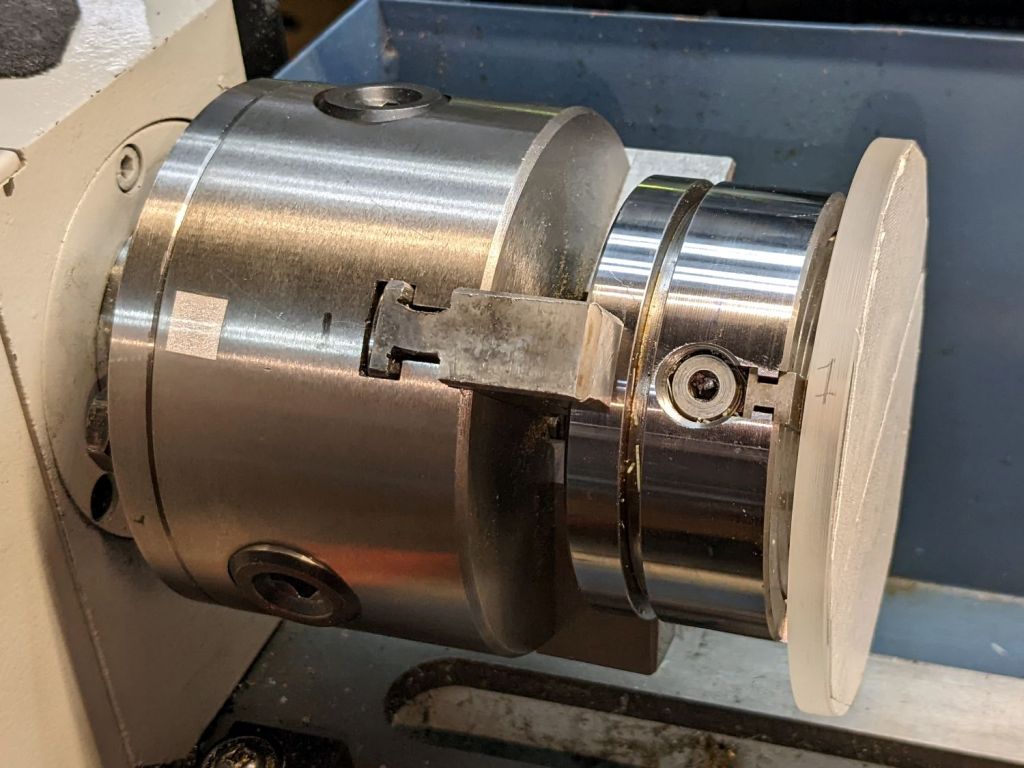
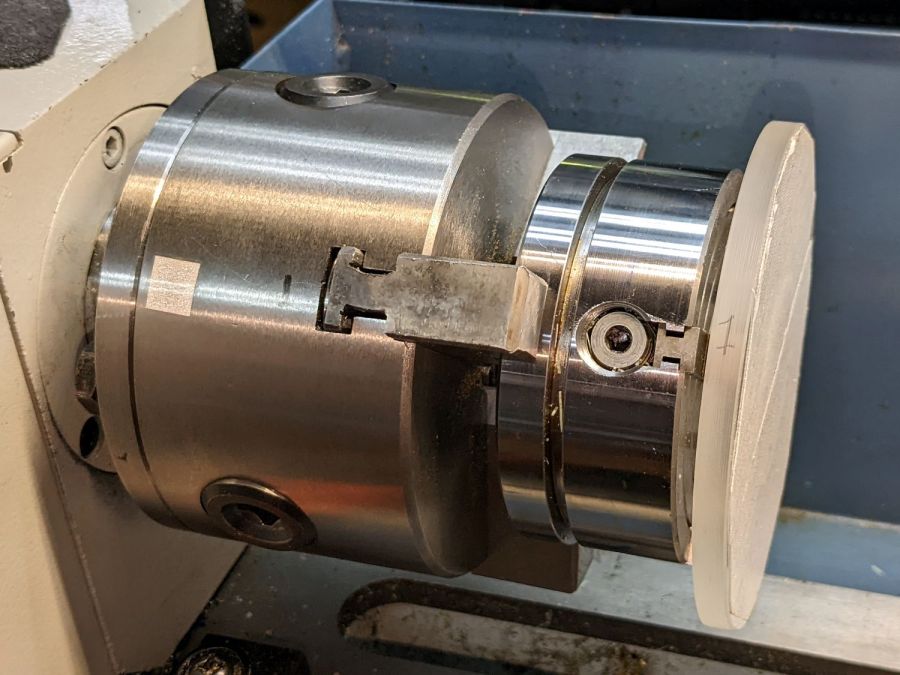
    Lacking a 4-jaw chuck for the lathe, this should suffice:

    Coaster Epoxy Rim - chuck-in-chuck setup
    Coaster Epoxy Rim – chuck-in-chuck setup

    Which is just the Sherline 4-jaw chuck chucked in the lathe’s 3-jaw chuck, with both chuck Jaw 1 positions lined up and marked on the acrylic disk fixture. The picture is a recreation set up after the fact, because I lack a good picture of the overall scene.

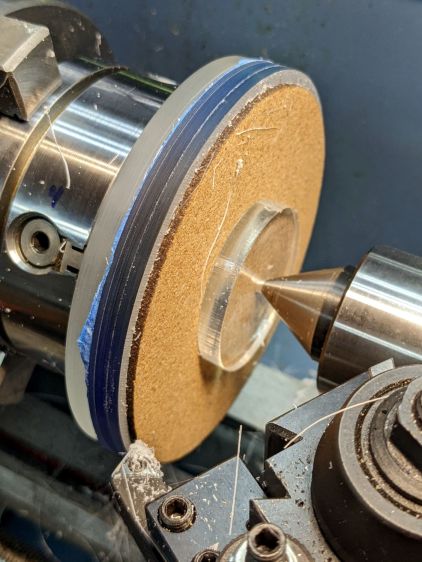
    Now it’s easy enough to center the fixture, stick the coaster in place with reasonable accuracy, then tweak the Sherline chuck to center the coaster:

    Coaster Epoxy Rim - turning setup
    Coaster Epoxy Rim – turning setup

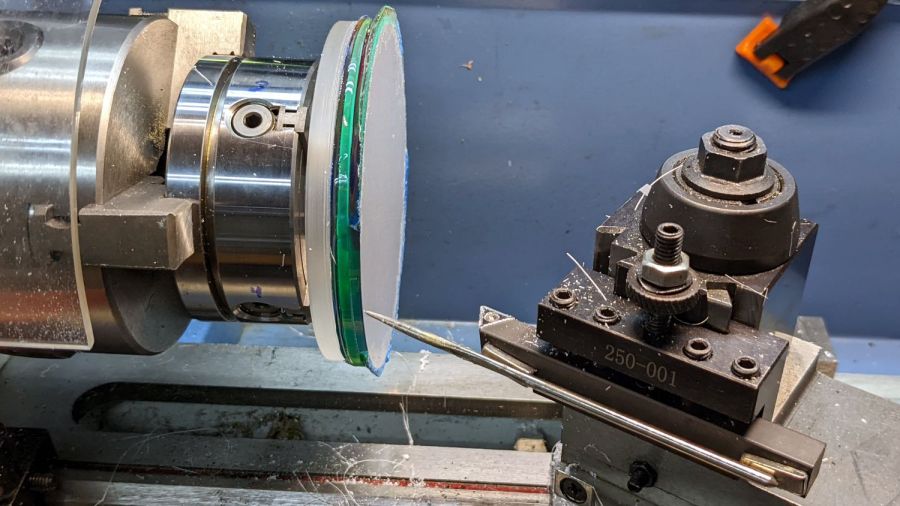
    Because the bottom layer is a laser-cut disk, eyeballometrically aligning its edge to a simple pointer worked surprisingly well:

    Coaster Epoxy Rim - locating mirror edge
    Coaster Epoxy Rim – locating mirror edge

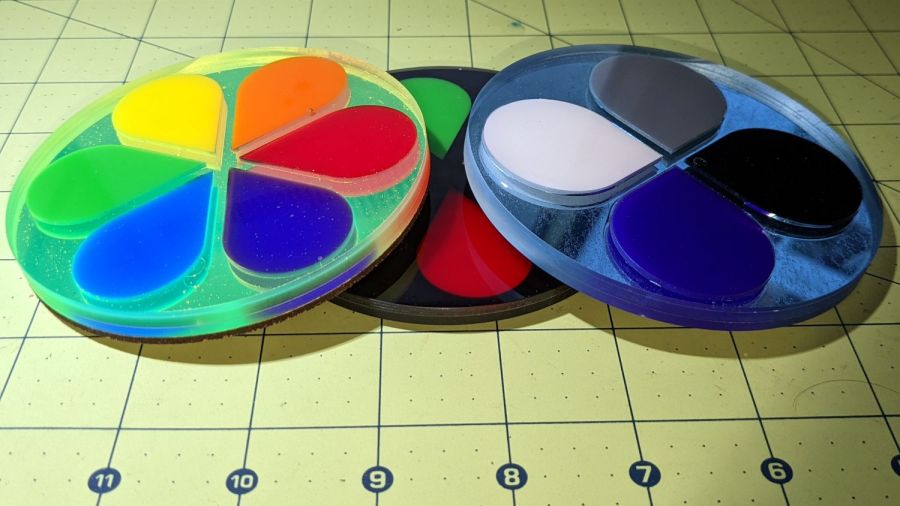
    Turning the OD down to match the bottom disk meant I could finally get decent results with zero drama:

    Coaster Epoxy Rim - turned samples
    Coaster Epoxy Rim – turned samples

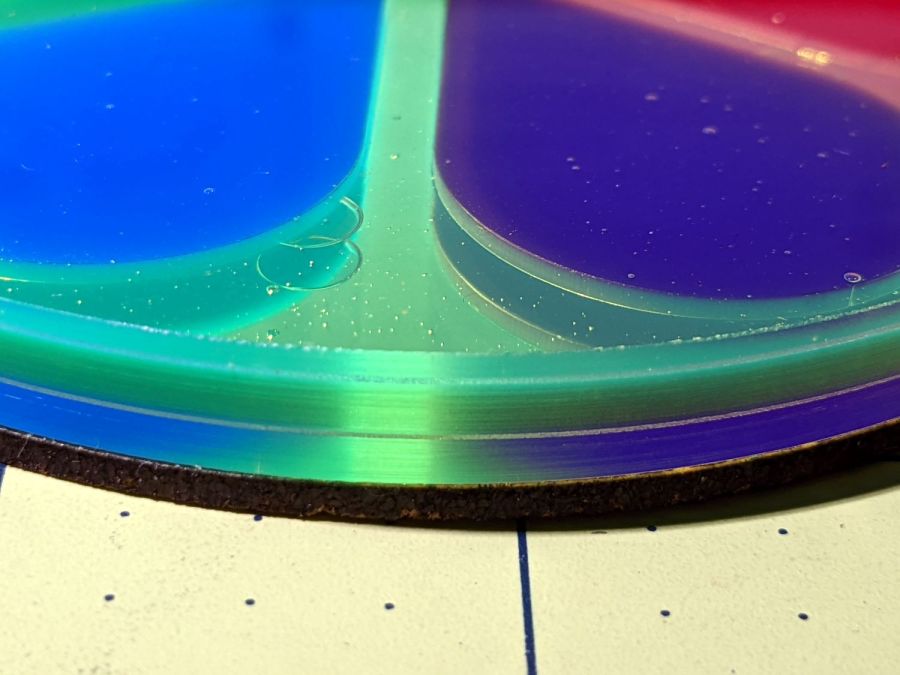
    From the bottom, this one has a 3 mm mirror, the 3 mm fluorescent green frame + petals, and a 1.6 mm top sheet:

    Coaster Epoxy Rim - turned 6 petal mirror
    Coaster Epoxy Rim – turned 6 petal mirror

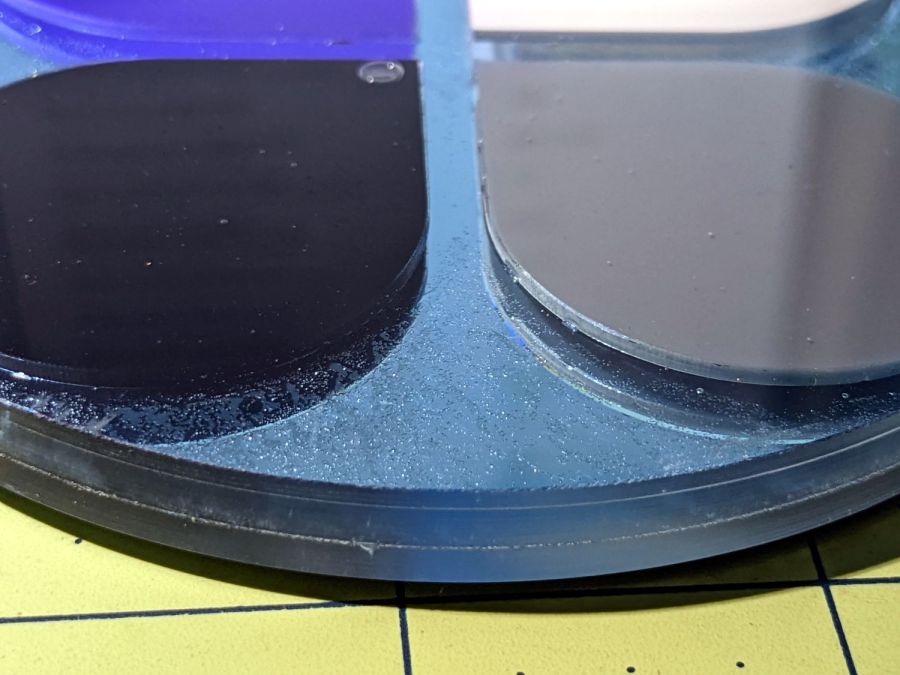
    This one has a 3M double-sided tape with low-surface-energy adhesive layers between the mirror and the fluorescent blue frame + petal, with epoxy between the top layer and the frame.

    Coaster Epoxy Rim - turned 4 petal
    Coaster Epoxy Rim – turned 4 petal

    If I never tell anybody, they’ll think the slightly granular look of the tape was deliberate; it looks OK to me.

    And, for completeness, the crash test dummy from the start of this adventure:

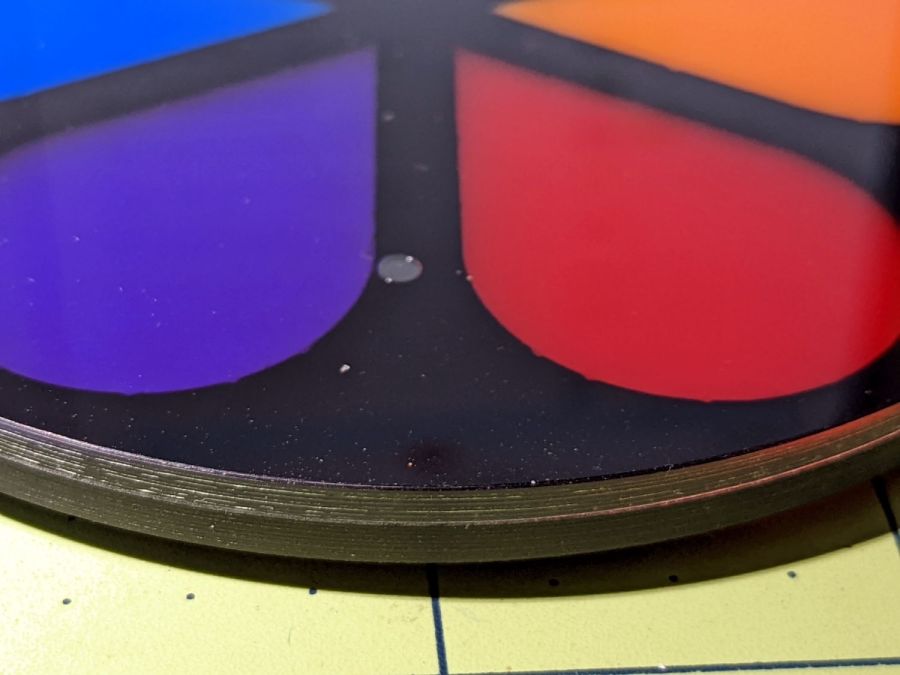
    Coaster Epoxy Rim - turned 6 petal black
    Coaster Epoxy Rim – turned 6 petal black

    I don’t know how to avoid the bubbles, as the usual torch-the-top and pull-a-vacuum techniques pop bubbles at the epoxy-air interface. These bubbles are trapped under the top acrylic sheet, even though I was rather painstaking about easing the layer down from one side to the other while chasing bubbles along.

    Maybe I can define bubbles as Part of the Art?

    Definitely fancier than chipboard, although not nearly as absorbent.

  • OMTech 60 W Laser: Mirror Cleaning

    OMTech 60 W Laser: Mirror Cleaning

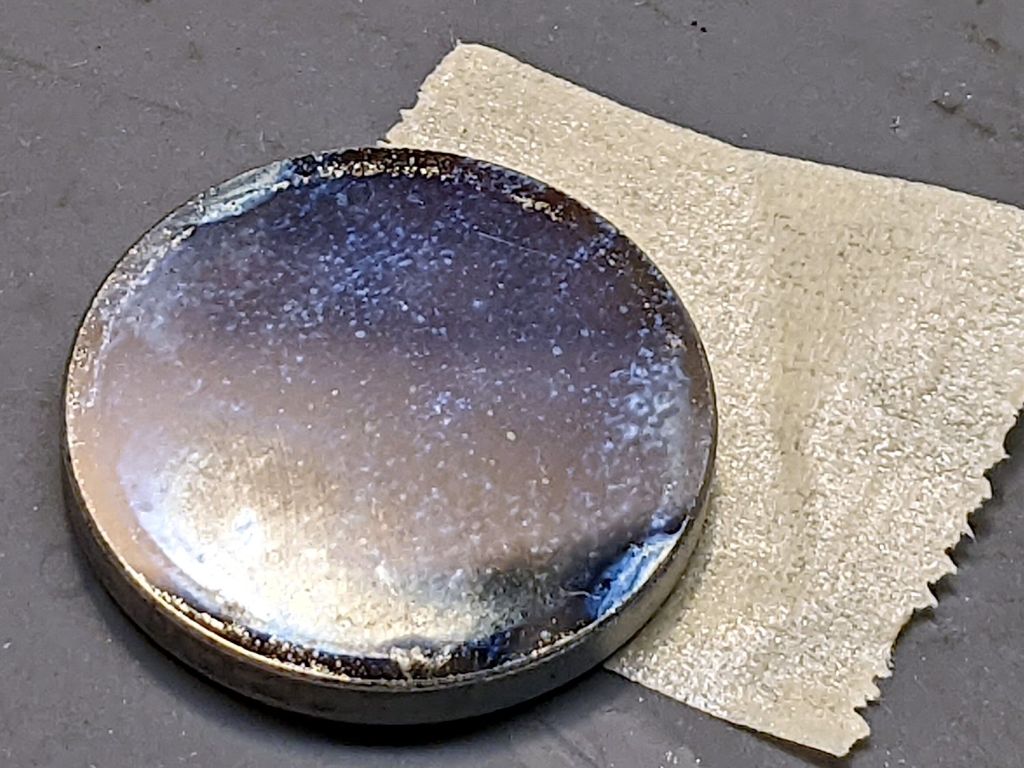
    While I was puttering around inside the laser cabinet, I figured it was time to check the mirrors for cleanliness. The first two mirrors looked fine, but Mirror 3 needed help:

    OMTech 60W laser mirror 3 cleaning - before
    OMTech 60W laser mirror 3 cleaning – before

    It turns out OMTech used molybdenum rather than gold-plated silicon or copper, trading off some reflectivity to reduce damage from over-enthusiastic cleaning with a vigorous circular motion.

    A first pass with an optical wipe removed most of the crud:

    OMTech 60W laser mirror 3 cleaning - during
    OMTech 60W laser mirror 3 cleaning – during

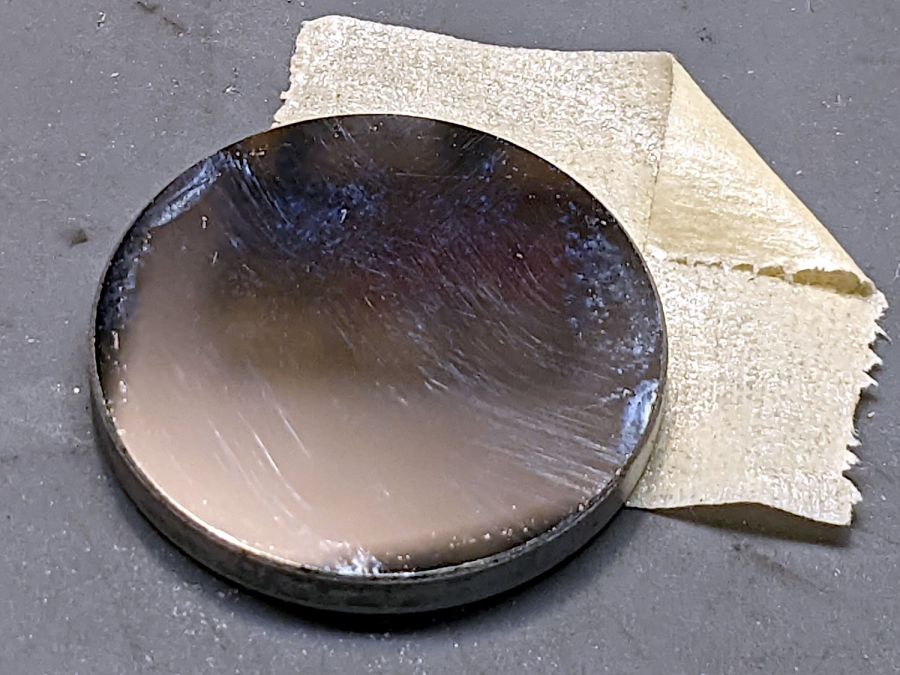
    Gentle touch-up with a little more isopropyl alcohol cleared the rest:

    OMTech 60W laser mirror 3 cleaning - after
    OMTech 60W laser mirror 3 cleaning – after

    The focus lens required similar attention, but there is no way to get meaningful pictures of a transparent lens.

    Realigning the mirrors went well (top before, middle during, lower after):

    Beam Alignment Targets- 2022-08-06
    Beam Alignment Targets- 2022-08-06

    The diagonal results at Mirror 3 show the XY axes aren’t quite square, but AFAICT it’s close enough. The rightmost tape shows good beam centering in the nozzle and the Focus target shows excellent Z alignment over about 50 mm of travel.

    Done!

  • OMTech 60W Laser: Repurposing the HV Power Supply Water Protect Input

    OMTech 60W Laser: Repurposing the HV Power Supply Water Protect Input

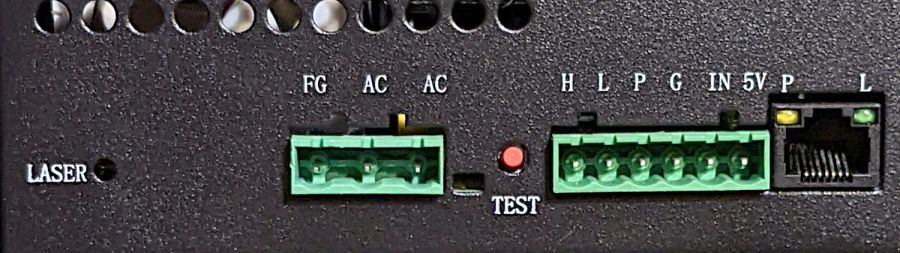
    For reference, the input terminals on the OMTech anonymous 60 W HV laser power supply:

    OMTech 60W HV power supply - terminals
    OMTech 60W HV power supply – terminals

    AFAICT, that’s the default layout for all similar power supplies.

    The H and L pins are the High- and Low-active enable inputs that, when it’s working right, control the laser output. The KT332 controller (and, most likely, all RuiDa controllers) produce a low-active output, so you just wire the controller’s output to the L input and you’re done.

    That was the original failure that got me to this point: the power supply ignored its L input and turned the beam on at whatever power the PWM signal on the IN terminal called for. Having that happen was surprising, having it happen with the cabinet lid open was … disturbing.

    The P input is intended for the Water Protect signal from the flow sensor on the laser cooling plumbing. When the water is flowing, the IN terminal will be low and the power supply will pay attention to the L input.

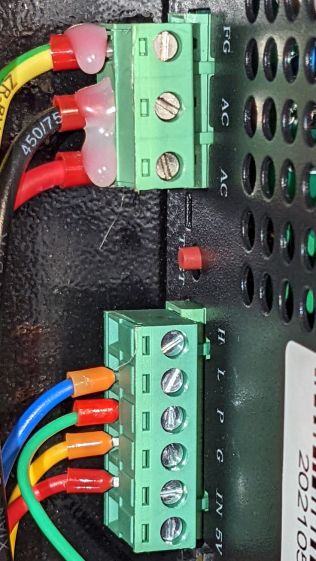
    The power supply arrived with a jumper between the P input and the G ground / common terminal:

    OMTech 60W HV power supply - Water Protect jumper
    OMTech 60W HV power supply – Water Protect jumper

    The jumper holds the P input low = active, meaning the power supply thinks the water is always flowing.

    It turns out that the Water Protect signal goes only to the controller. When it’s inactive = no water flowing, the controller will refuse to fire the laser and also sound an alarm. Running the signal directly to the power supply would result in a puzzling failure-to-fire with no diagnostic from the controller.

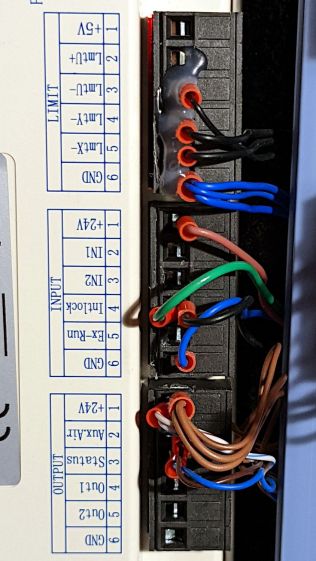
    I removed that jumper and added a (green) wire from the Lid Interlock signal at the controller:

    OMTech KT332 controller - Lid Interlock input - added wire
    OMTech KT332 controller – Lid Interlock input – added wire

    To the power supply’s P input:

    OMTech 60W HV power supply - Water Protect as Lid Interlock
    OMTech 60W HV power supply – Water Protect as Lid Interlock

    In principle, if this power supply fails the same way as the previous one (with its L input always active), then at least it won’t fire with the lid up.

    Believing that may display a childish naivety, but at least the thing seems marginally safer than it was before.