The Smell of Molten Projects in the Morning

Ed Nisley's Blog: Shop notes, electronics, firmware, machinery, 3D printing, laser cuttery, and curiosities. Contents: 100% human thinking, 0% AI slop.

Category: Machine Shop

Mechanical widgetry

  • MPCNC: bCNC Probe Camera Refresh

    For the usual inscrutable reasons, updating bCNC killed the USB camera on the MPCNC, although it still worked fine with VLC. Rather than argue with it, I popped a more recent camera from the heap and stuck it onto the MPCNC central assembly:

    bCNC - USB probe camera - attachment
    bCNC – USB probe camera – attachment

    This one has a nice rectangular case, although the surface might be horrible silicone that turns to snot after a few years. The fancy silver snout rotates to focus the lens from a few millimeters to infinity … and beyond!

    If you think it looks a bit off-kilter, you’re absolutely right:

    bCNC - USB probe camera - off-axis alignment
    bCNC – USB probe camera – off-axis alignment

    The lens image reflected in a mirror on the platform shows the optical axis has nothing whatsoever to do with the camera case or lens snout:

    bCNC - USB probe camera - off-axis reflection
    bCNC – USB probe camera – off-axis reflection

    Remember, the mirror reflects the lens image back to itself only when the optical axis is perpendicular to the mirror. With the mirror flat on the platform, the lens must be directly above it.

    Because the MPCNC camera rides at a constant height over the platform, the actual focus & scale depends on the material thickness, but this should be typical:

    bCNC - USB Probe Camera - scale - screenshot
    bCNC – USB Probe Camera – scale – screenshot

    It set up a Tek Circuit Computer test deck within 0.2 mm and the other two within 0.1 mm, so it’s close enough.

    The image looks a whole lot better: cheap USB cameras just keep improving …

  • Bird Box Entrance Reducers: Round 2

    One of the bird box entrance reducers I installed nigh onto a decade ago is still on duty, although downy woodpeckers definitely want a larger hole:

    Bird Box - gray PVC pipe reducer - woodpecker damage
    Bird Box – gray PVC pipe reducer – woodpecker damage

    Another reducer had gone missing over the years, so I made one from a length of PVC pipe:

    Bird Box - PVC pipe reducer - shaping
    Bird Box – PVC pipe reducer – shaping

    It started as 1-½ PVC pipe, 1-⅞ inch actual OD and should fit into a 1-½ hole, so I measured 1.5 × 3.15 around the circumference, bandsawed out the excess, draped it over a 1-½ Forstner bit, toasted it with a heat gun, and squashed it so it’s just a little bit bigger than the (enlarged!) hole in the box.

    Now the entrance is 1-¼ (-ish), just like it should be:

    Bird Box - PVC pipe reducer - installed
    Bird Box – PVC pipe reducer – installed

    The bird box in the front yard has been attracting starlings, in addition to serving as a hawk perch:

    New Coopers Hawks - bird box takeoff whoops
    New Coopers Hawks – bird box takeoff whoops

    The oblong hole required advanced manufacturing techniques:

    Oval Entrance Reducer
    Oval Entrance Reducer

    The front face should be too slick for larger birds and the little ones will zip right into the hole:

    Bird Box - 3D printed entrance reducer
    Bird Box – 3D printed entrance reducer

    The two starlings who’d been evaluating the box seem to have moved on; we doubt they’re now homeless.

    The OpenSCAD source code as a GitHub Gist:

    // Bird Box – oval entrance reducer
    // Ed Nisley KE4ZNU 2020-02-12
    //- Extrusion parameters must match reality!
    // Print with 3 shells and 3 solid layers
    ThreadThick = 0.25;
    ThreadWidth = 0.40;
    HoleWindage = 0.2;
    function IntegerMultiple(Size,Unit) = Unit * ceil(Size / Unit);
    Protrusion = 0.1; // make holes end cleanly
    inch = 25.4;
    //———————-
    // Dimensions
    EntranceID = 1.25 * inch;
    BoxHole = [1.5,2.25] * inch;
    BoxWall = 0.75 * inch;
    HoleOC = BoxHole.y – BoxHole.x;
    FlangeWidth = 5.0;
    FlangeThick = 5*ThreadThick;
    $fn = 12*4;
    //——————-
    // Build it
    difference() {
    union() {
    linear_extrude(height=BoxWall + FlangeThick)
    hull()
    for (j=[-1,1])
    translate([0,j*HoleOC/2])
    circle(d=BoxHole.x);
    linear_extrude(height=FlangeThick)
    hull()
    for (j=[-1,1])
    translate([0,j*HoleOC/2])
    circle(d=BoxHole.x + 2*FlangeWidth);
    }
    translate([0,0,-Protrusion])
    cylinder(d=EntranceID,h=2*BoxWall);
    }

  • Slide Rules: Real Engraving vs. Pilot V5RT Pens

    A 0.5 mm Pilot V5RT pen produces good-looking results on presentation-grade paper:

    Tek CC - V5RT black - glossy presentation paper
    Tek CC – V5RT black – glossy presentation paper

    Peering through a measuring magnifier shows a bit more tremble in the traces, but they’re still OK:

    Tek CC - V5RT pen width
    Tek CC – V5RT pen width

    The desk light off to the upper left casts shadows from the reticle on the three different sheets.

    A closer view of the linear scales:

    Tek CC - V5RT pen width - detail
    Tek CC – V5RT pen width – detail

    The pen lines seem to be 0.25 to 0.3 mm wide, with 0.4 mm dots at the end of each stroke.

    For comparison, the engraved lines on my trusty K&E Deci-Lon slide rule are under 0.1 mm:

    KE Deci-Lon Slide Rule - scale detail
    KE Deci-Lon Slide Rule – scale detail

    The digits look like they’re embossed into the surface with shaped punches, rather than engraved like the lines. Of course, I don’t know how K&E’s production machinery worked.

    A closer view:

    KE Deci-Lon Slide Rule - scale detail - digits
    KE Deci-Lon Slide Rule – scale detail – digits

    I think 0.1 mm is an aggressively narrow trace width, even for a laser engraver.

  • Metal-case 5T4 Vacuum Tube Opened

    I’ve always wondered what’s inside a metal-case vacuum tube:

    Dual rectifier tube 5T4 - metal case opened
    Dual rectifier tube 5T4 – metal case opened

    The cutter last saw action on the EMT used in the MPCNC, so it’s intended for use on steel tubes. I thought about parting the case off in the lathe, but a tubing cutter sufficed for a first attempt, even if it couldn’t cut quite as close to the flange as I wanted.

    A 5T4 tube is a full-wave rectifier with two sections:

    Dual rectifier tube 5T4 - upright
    Dual rectifier tube 5T4 – upright

    Unsurprisingly, the guts resemble those of glass-envelope rectifier tubes in my collection, like this 5U4GB:

    5U4GB Full-wave vacuum rectifier - cyan red phase
    5U4GB Full-wave vacuum rectifier – cyan red phase

    The metal case would be far more rugged than a glass bottle and, perhaps, the flange locked the tube into its socket against vibration.

    The filaments surely weren’t thoriated, so it’s all good …

  • Filament Spool Sidewall

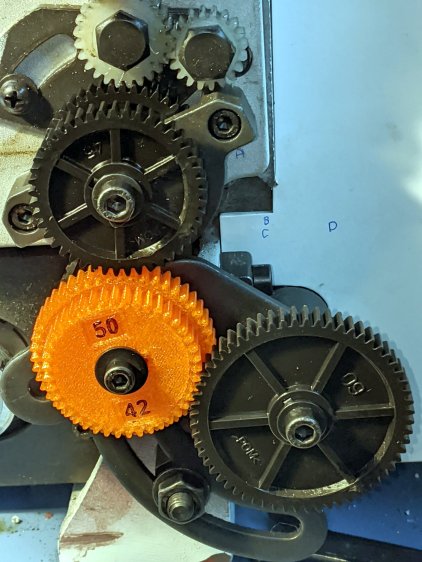
    A new spool of retina-burn orange PETG snagged when the takeup guide let the filament fall off the inboard side and the extruder tightened the loops around the spool holder. I carefully unwound the loops without removing the spool to ensure I didn’t introduce a crossover, scraped the bird’s next off the platform, and restarted the print.

    After undoing the second snag, I added a crude spool sidewall:

    Makergear M2 - filament spool sidewall
    Makergear M2 – filament spool sidewall

    It’s decidedly unlovely, but I was in a hurry to get a PCB holder printed and ready for use. Worked perfectly!

    I’ve rarely had a problem with any other spools and I don’t know what’s new-and-different with this one.

  • CNC 3018XL: Arduino + Protoneer CNC

    If the truth be known, I wanted to do this as soon as I discovered the CAMtool V3.3 board hardwired the DRV8825 PCBs in 1:32 microstep mode:

    CNC 3018XL - Protoneer atop Arduino - installed
    CNC 3018XL – Protoneer atop Arduino – installed

    The Protoneer CNC board has jumpers, so selecting 1:8 microstep mode is no big deal.

    As before, I epoxied another row of pins along the I/O header for Makerbot-style endstops:

    Protoneer endstop power mod
    Protoneer endstop power mod

    I’ll probably regret not adding pins along the entire row, but, unlike the MPCNC, the CNC 3018XL won’t ever have hard limit switches. I plugged the Run-Hold switch LEDs into an unused +5 V pin and moved on.

    I modified the DRV8825 driver PCBs for fast decay mode:

    DRV8825 PCB - Fast Decay Mode wire
    DRV8825 PCB – Fast Decay Mode wire

    Then set the current to a bit over 1 A:

    3018XL - Protoneer setup - Z 1 mm
    3018XL – Protoneer setup – Z 1 mm

    Six hours later I hauled the once-again-functional CNC 3018XL to my presentation for the ACM:

    Spirograph - intricate sample plot - detail
    Spirograph – intricate sample plot – detail

    Memo to Self: Time to get another Prontoneer board …

  • CAMtool V3.3 vs. The Fat Fingers of Death

    As is my custom, the day before showtime I talked my way through a final full-up dress rehearsal, with the HP 7475A plotter and the CNC 3018XL running their demo plots. As if to justify my attention to detail, the 3018 refused to home, with its X axis motor grinding in a manner suggesting something had gone terribly wrong with its driver.

    OK, I can fix that™.

    Turn off the power, verify the leadscrew turns smoothly by hand, check all the connections & connectors, then pull the DRV8825 PCB to see if anything looks obviously wrong. It didn’t, so I carefully re-plugged the driver and moved the whole affair to the Electronics Workbench for further study.

    I turned on the scope and Tek current probes, then turned on the 3018 power supplies, whereupon a great cloud of Magic Smoke emerged from the CAMtool board and filled the Basement Laboratory with the acrid smell of Electrical Death.

    It seems I carefully and meticulously re-plugged the DRV8825 PCB into its socket exactly one pin too high, which, among other Bad Things, connects the +24 V motor power supply to the driver GND pin.

    Obviously, this did not end well:

    CAMtool V3.3 - blown stepper fuse
    CAMtool V3.3 – blown stepper fuse

    The fuse, put under considerable stress, vented smoke & debris in all directions across the board; note the jets above the white motor connector. Surprisingly, the 1 kΩ resistor just below it is in fine shape, as is the rather blackened electrolytic cap.

    The fuse measures the same 150-ish mΩ as the fuses in the other two axes, but I doubt it’s actually a fuse any more.

    Astonishingly, the Arduino clone on the board worked fine, so I could extract the GRBL configuration.

    Memo to Self: Never plug things in with your head upside down!