The Smell of Molten Projects in the Morning

Ed Nisley's Blog: Shop notes, electronics, firmware, machinery, 3D printing, laser cuttery, and curiosities. Contents: 100% human thinking, 0% AI slop.

Author: Ed

  • Monthly Science: USB Current Testers vs. NP-BX1 Batteries

    Monthly Science: USB Current Testers vs. NP-BX1 Batteries

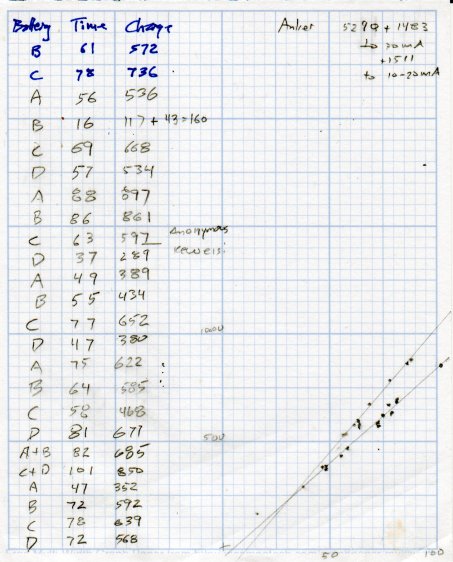
    Having some interest in my Sony HDR-AS30 helmet camera’s NP-BX1 battery runtime, I’ve been measuring and plotting recharge versus runtime after each ride:

    USB Testers - Charge vs Runtime
    USB Testers – Charge vs Runtime

    The vertical axis is the total charge in mA·h, the horizontal axis is the discharge time = recorded video duration. Because 1 A = 1 coulomb/s, 1 mA·h = 3.6 C.

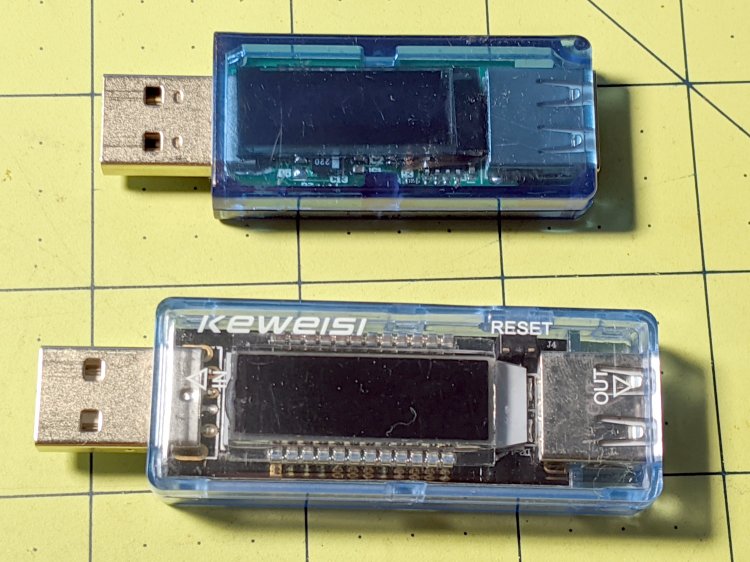
    The data points fall neatly on two lines corresponding to a pair of cheap USB testers:

    USB Testers
    USB Testers

    When you have one tester, you know the USB current. When you have two testers, you’re … uncertain.

    The upper tester is completely anonymous, helpfully displaying USB Tester while starting up. The lower one is labeled “Keweisi” to distinguish it from the myriad others on eBay with identical hardware; its display doesn’t provide any identifying information.

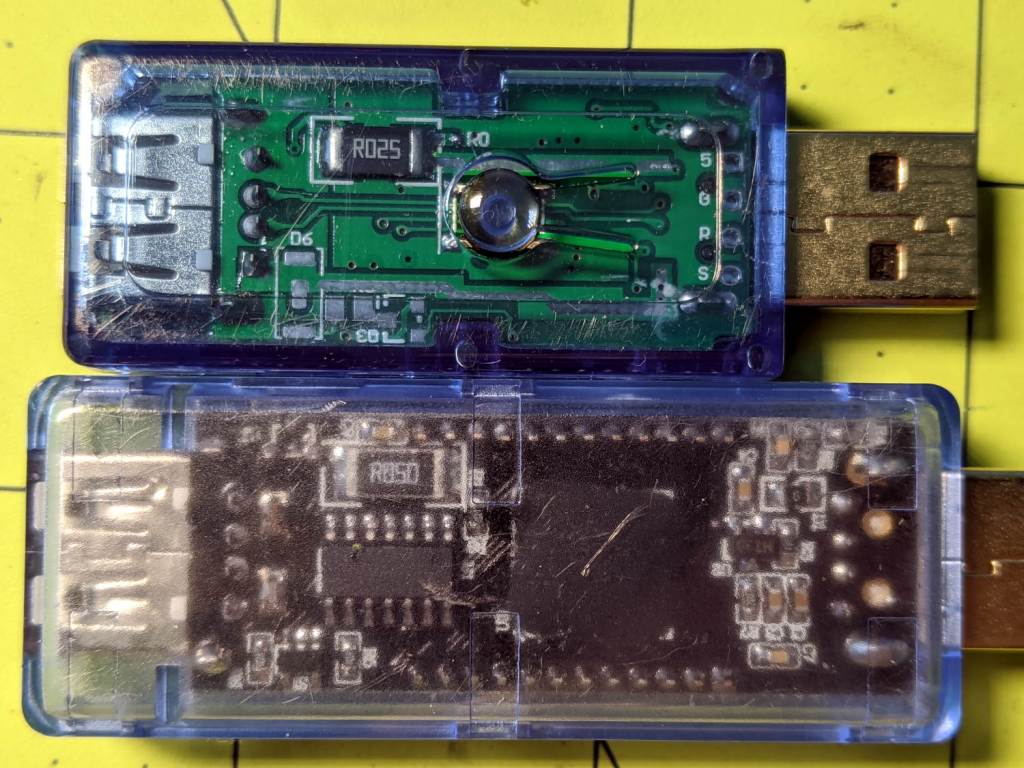
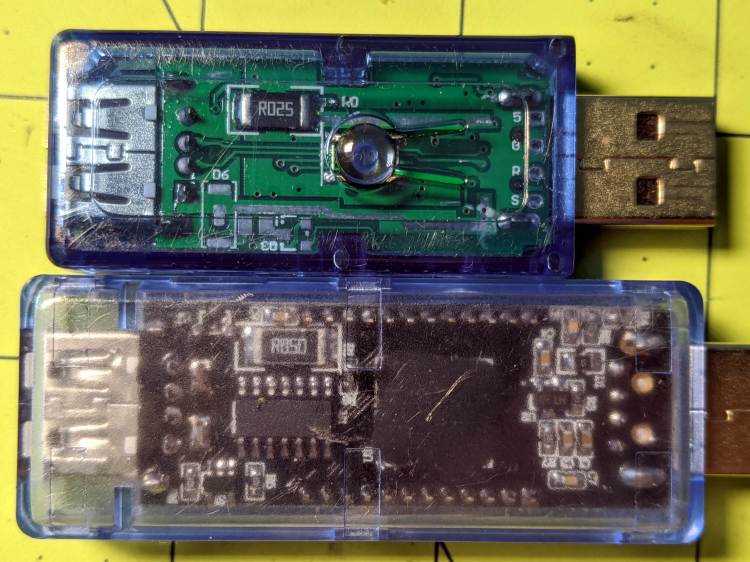
    The back sides reveal the current sense resistors:

    USB Testers - sense resistors
    USB Testers – sense resistors

    Even the 25 mΩ resistor drops enough voltage that the charger’s blue LED dims appreciably during each current pulse. The 50 mΩ resistor seems somewhat worse in that regard, but eyeballs are notoriously uncalibrated optical sensors.

    The upper line (from the anonymous tester) has a slope of 11.8 mA·h/minute of discharge time, the lower (from the Keweisi tester) works out to 8.5 mA·h/minute. There’s no way to reconcile the difference, so at some point I should measure the actual current and compare it with their displays.

    Earlier testing suggested the camera uses 2.2 W = 600 mA at 3.7 V. Each minute of runtime consumes 10 mA·h of charge:

    10 mA·h = 600 mA × 60 s / (3600 s/hour)

    Which is in pretty good agreement with neither of the testers, but at least it’s in the right ballpark. If you boldly average the two slopes, it’s dead on at 10.1 mA·h/min; numerology can produce any answer you need if you try hard enough.

    Actually, I’d believe the anonymous meter’s results are closer to the truth, because recharging a lithium battery requires 10% to 20% more energy than the battery delivered to the device, so 11.8 mA·h/min sounds about right.

    Memo to Self: Trust, but verify.

  • Beaver Dam: More Timber!

    Beaver Dam: More Timber!

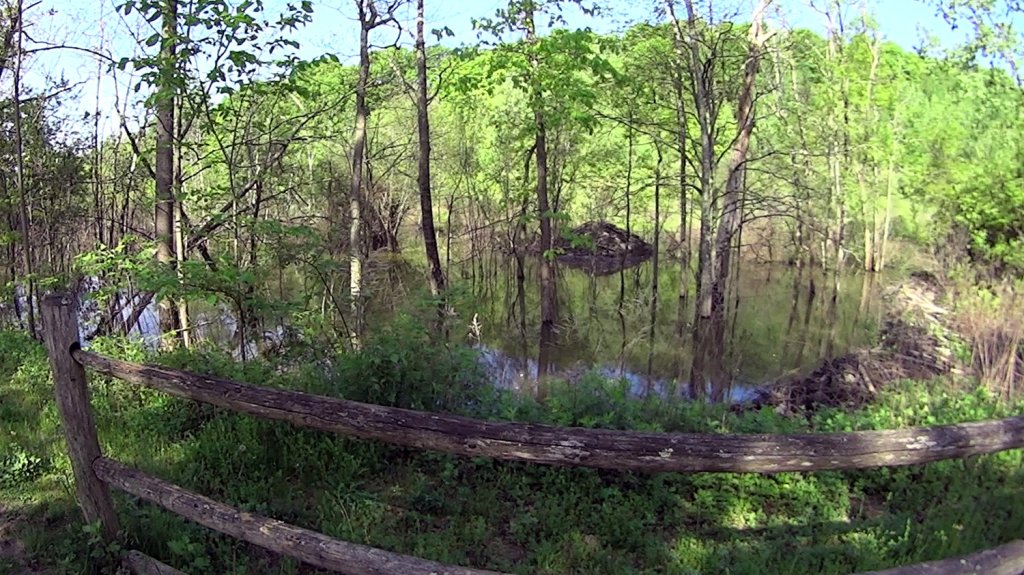
    Team Beaver continues to add logs, branches, and mud to their dam beside the Dutchess Rail Trail:

    Beaver Lodge and Dam - DCRT N of Golds Gym - 2020-05-26
    Beaver Lodge and Dam – DCRT N of Golds Gym – 2020-05-26

    Apparently they’re now busy raising a bunch of little beavers inside the lodge. Next year we expect the water will begin rising in other marshes along the rail trail.

    Go, beavers, go!

  • Robin Nest: Construction

    Robin Nest: Construction

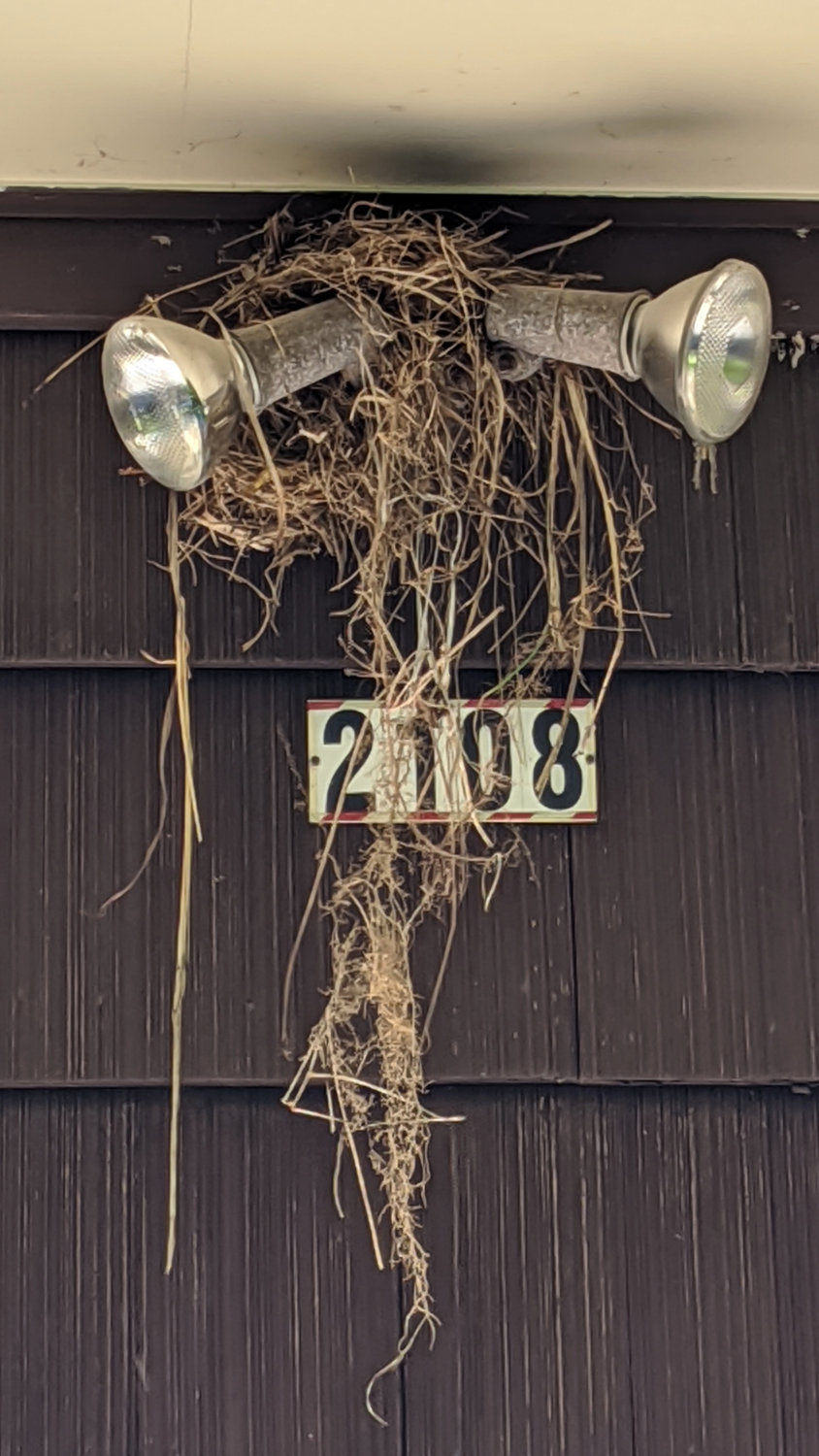
    A pair of robins picked the best place for their nest:

    Garage Robin Nest
    Garage Robin Nest

    I disabled the remote control for those spotlights, as we won’t be using them for a while.

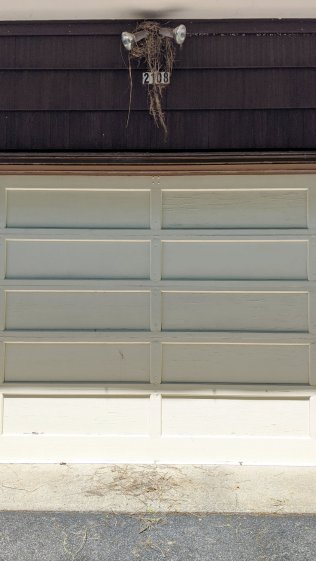
    Although I’m sure it’s a wonderful nest, robins certainly leave plenty of debris around their construction site:

    Garage Robin Nest - overview
    Garage Robin Nest – overview

    I can’t figure how to mount a camera close enough for a good view and keep it out of their landing pattern.

  • Soaker Hose End Plug

    Soaker Hose End Plug

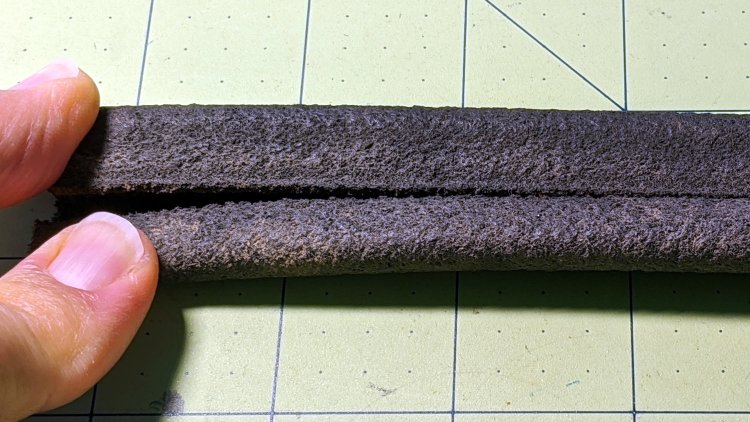
    One of the soaker hoses in Mary’s Vassar Farms garden split lengthwise near one end:

    Soaker Hose Plug - hose split
    Soaker Hose Plug – hose split

    Although the hose is fully depreciated, I thought it’d be worthwhile to cut off the damaged end and conjure an end cap to see if a simple plug can withstand 100 psi water pressure.

    A pair of Delrin (because I have it) plugs with serrations fill the hose channels, with the outer clamp squishing the hose against them:

    Soaker Hose Plug - channel plugs - side view
    Soaker Hose Plug – channel plugs – side view

    In real life, they’ll be pushed completely into the hose, with a generous layer of silicone snot caulk improving their griptivity.

    I started with 8 mm plugs, but they didn’t quite fill the channels:

    Soaker Hose Plug - channel plugs - 8 mm test fit
    Soaker Hose Plug – channel plugs – 8 mm test fit

    Going to 8.5 mm worked better, although there’s really no way to force the granulated rubber shape into a snug fit around a cylinder:

    Soaker Hose Plug - channel plugs test fit
    Soaker Hose Plug – channel plugs test fit

    Fortunately, they need not be leakproof, because leaking is what the hose does for a living. Well, did for a living, back before it died.

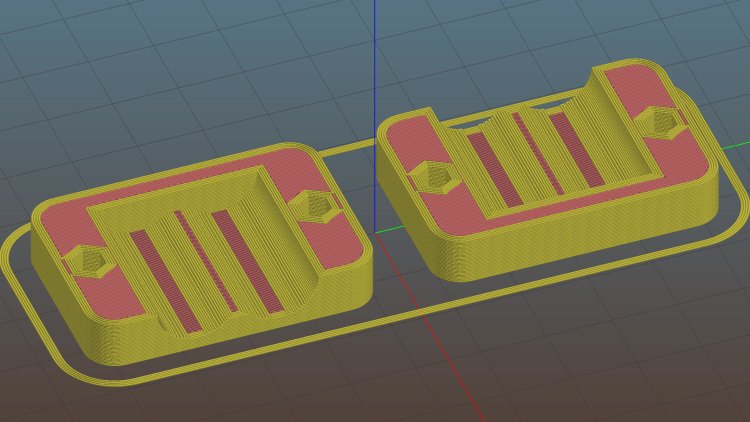
    The clamps have a solid endstop, although it’s more to tidy the end than to hold the plugs in place:

    Soaker Hose End Plug - Slic3r
    Soaker Hose End Plug – Slic3r

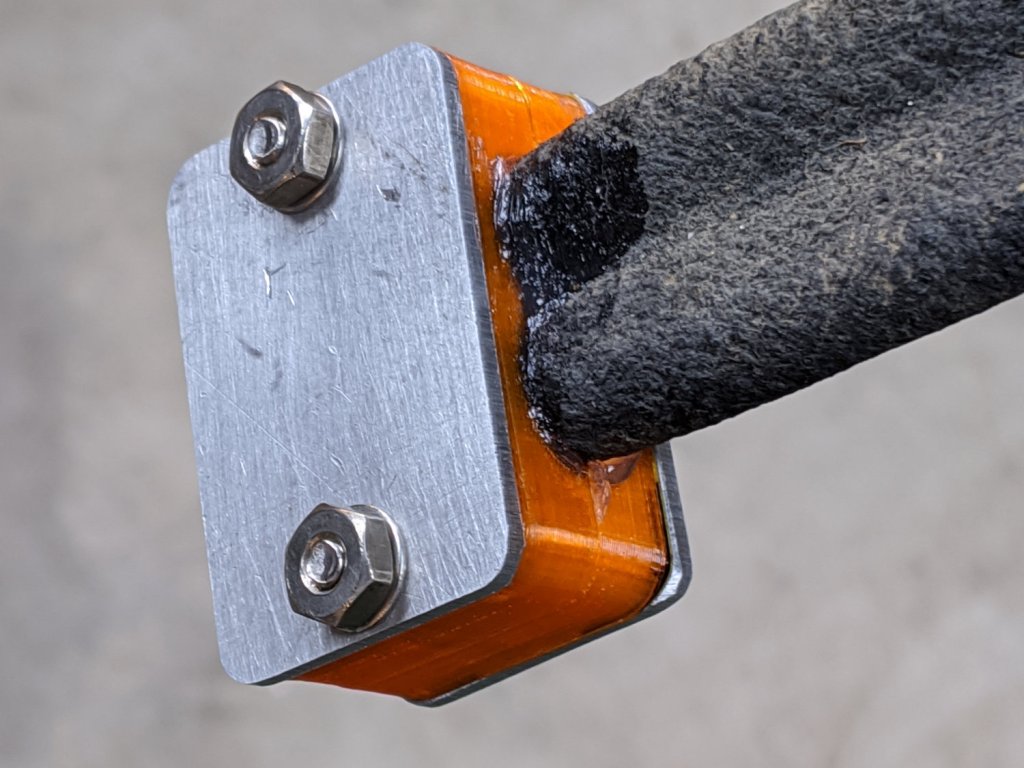
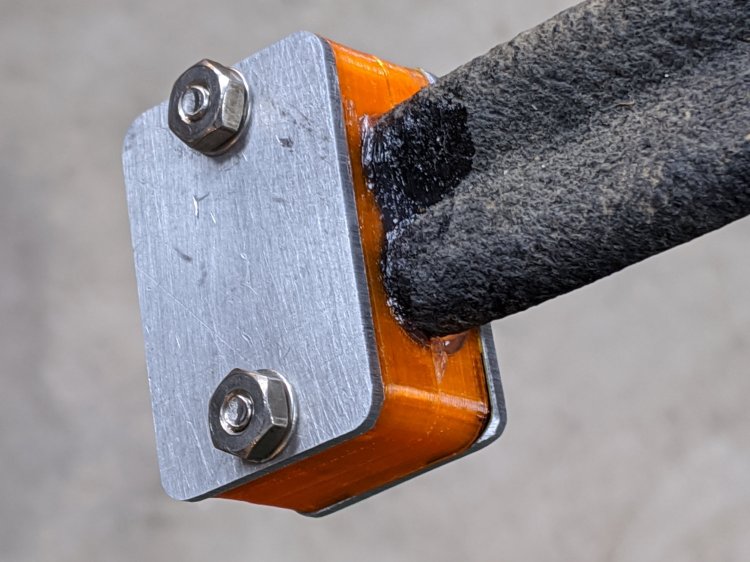
    The clamps need aluminum backing plates to distribute the stress evenly across their flat sides:

    Soaker Hose Plug - installed
    Soaker Hose Plug – installed

    Those are 8-32 stainless steel screws. The standard 1 inch length worked out exactly right through no fault of my own.

    The OpenSCAD source code as a GitHub Gist:

    // Rubber Soaker Hose End Plug
    // Ed Nisley KE4ZNU June 2019
    // 2020-05 Two-channel hose end plug
    Layout = "Hose"; // [Hose,Block,Show,Build]
    //- Extrusion parameters must match reality!
    /* [Hidden] */
    ThreadThick = 0.25;
    ThreadWidth = 0.40;
    HoleWindage = 0.2;
    Protrusion = 0.1; // make holes end cleanly
    inch = 25.4;
    function IntegerMultiple(Size,Unit) = Unit * ceil(Size / Unit);
    //———-
    // Dimensions
    // Hose lies along X axis
    HoseTubeOD = 12.0; // water tube diameter
    HoseTubeOC = 12.5; // .. spacing
    HoseWebThick = 7.8; // center joining tubes
    Hose = [100,25.0,HoseTubeOD]; // X=very long, Y=overall width, Z=thickness
    HoseSides = 12*4;
    PlugLength = 25.0; // plugs in hose channels
    PlateThick = 5.0; // end block thickness
    WallThick = 2.0; // overall minimum thickness
    Kerf = 0.75; // cut through middle to apply compression
    ID = 0;
    OD = 1;
    LENGTH = 2;
    // 8-32 stainless screws
    Screw = [4.1,8.0,3.0]; // OD = head LENGTH = head thickness
    Washer = [4.4,9.5,1.0];
    Nut = [4.1,9.7,6.0];
    CornerRadius = Washer[OD]/2;
    ScrewOC = Hose.y + Washer[OD];
    echo(str("Screw OC: ",ScrewOC));
    BlockOAL = [PlugLength + PlateThick,ScrewOC + Washer[OD],2*WallThick + Hose.z]; // overall splice block size
    echo(str("Block: ",BlockOAL));
    //———————-
    // Useful routines
    module PolyCyl(Dia,Height,ForceSides=0) { // based on nophead's polyholes
    Sides = (ForceSides != 0) ? ForceSides : (ceil(Dia) + 2);
    FixDia = Dia / cos(180/Sides);
    cylinder(d=(FixDia + HoleWindage),h=Height,$fn=Sides);
    }
    // Hose shape
    module HoseProfile() {
    rotate([0,-90,0])
    translate([0,0,-Hose.x/2])
    linear_extrude(height=Hose.x,convexity=4)
    union() {
    for (j=[-1,1]) // outer channels
    translate([0,j*HoseTubeOC/2])
    circle(d=HoseTubeOD,$fn=HoseSides);
    translate([0,0])
    square([HoseWebThick,HoseTubeOC],center=true);
    }
    }
    // Outside shape of splice Block
    // Z centered on hose rim circles, not overall thickness through center ridge
    module SpliceBlock() {
    difference() {
    hull()
    for (i=[-1,1], j=[-1,1]) // rounded block
    translate([i*(BlockOAL.x/2 – CornerRadius),j*(BlockOAL.y/2 – CornerRadius),-BlockOAL.z/2])
    cylinder(r=CornerRadius,h=BlockOAL.z,$fn=4*8);
    for (j=[-1,1]) // screw holes
    translate([0,
    j*ScrewOC/2,
    -(BlockOAL.z/2 + Protrusion)])
    PolyCyl(Screw[ID],BlockOAL.z + 2*Protrusion,6);
    cube([2*BlockOAL.x,2*BlockOAL.y,Kerf],center=true); // slice through center
    }
    }
    // Splice block less hose
    module ShapedBlock() {
    difference() {
    SpliceBlock();
    translate([(-Hose.x/2) + (BlockOAL.x/2) – PlateThick,0,0])
    HoseProfile();
    }
    }
    //———-
    // Build them
    if (Layout == "Hose")
    HoseProfile();
    if (Layout == "Block")
    SpliceBlock();
    if (Layout == "Show") {
    ShapedBlock();
    translate([(-Hose.x/2) + (BlockOAL.x/2) – PlateThick,0,0])
    color("Green",0.25)
    HoseProfile();
    }
    if (Layout == "Build") {
    SliceOffset = 0;
    intersection() {
    translate([SliceOffset,0,BlockOAL.z/4])
    cube([4*BlockOAL.x,4*BlockOAL.y,BlockOAL.z/2],center=true);
    union() {
    translate([0,0.6*BlockOAL.y,BlockOAL.z/2])
    ShapedBlock();
    translate([0,-0.6*BlockOAL.y,BlockOAL.z/2])
    rotate([0,180,0])
    ShapedBlock();
    }
    }
    }

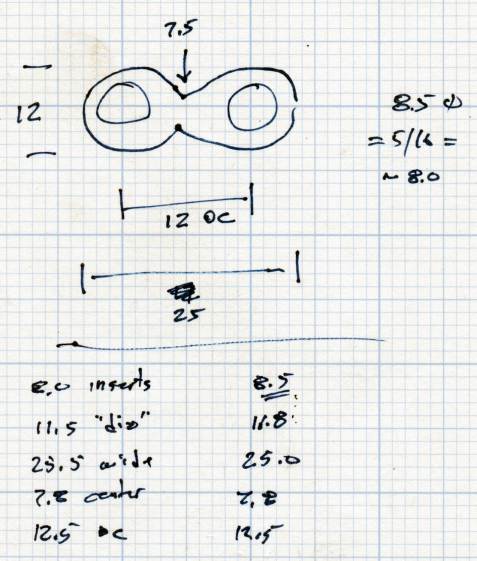
    The original doodle, with dimensions vaguely related to the final model:

    Soaker Hose End Plug - hose dimensions
    Soaker Hose End Plug – hose dimensions

    There is, as far as I can tell, no standardization of dimensions or shapes across manufacturers, apart from the threaded hose fittings.

  • Kenmore 158 Sewing Machine: More Deglaring

    Kenmore 158 Sewing Machine: More Deglaring

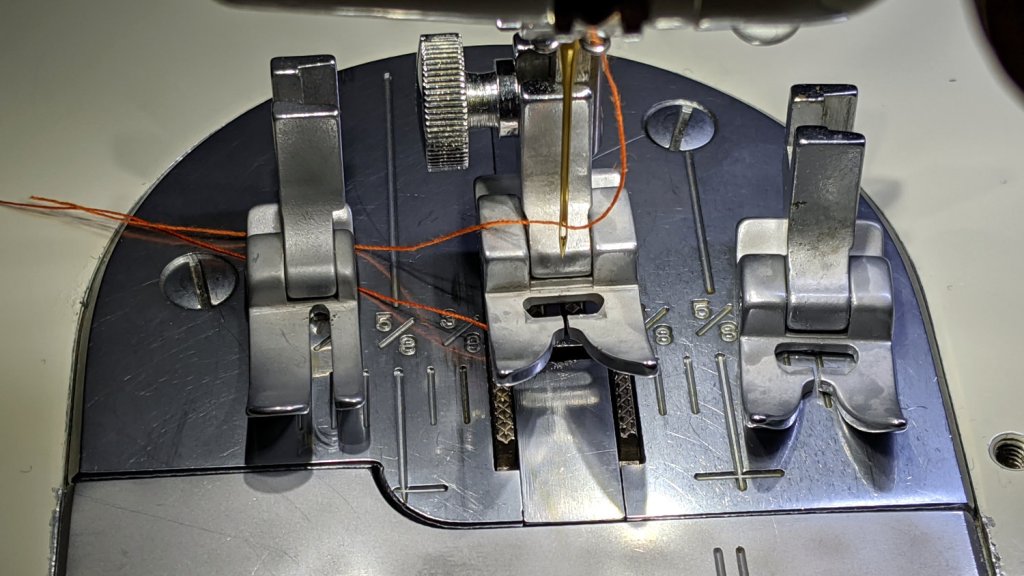
    My first pass at deglaring the shiny metal parts on Mary’s brightly lit Kenmore 158 used translucent mailing labels on the “hand hole cover” in front of the needle:

    Kenmore 158 - non-glare cover plate
    Kenmore 158 – non-glare cover plate

    That worked surprisingly well for surprisingly long, but the edges eventually came loose and, after far too long, I deployed the Tiny Sandblaster™:

    Kenmore 158 - matte cover plate - feet
    Kenmore 158 – matte cover plate – feet

    The mottled matte effect isn’t quite what I expected, but it’s better-looking in person and we deemed it Good Enough™ for the purpose.

    You saw the foot on the left in the previous effort:

    Kenmore 158 - matte cover plate - feet - detail
    Kenmore 158 – matte cover plate – feet – detail

    The rounded plate directly under the needle sits far enough back to not reflect any of the LEDs toward her normal operating position, so we decided it didn’t need sandblasting.

    She now has plenty of light where she needs it, with no glare from the metal bits.

  • Glass Tiles: 2×2 Matrix

    Glass Tiles: 2×2 Matrix

    Start with a single cell holding a glass tile over a WS2812 RGB LED:

    Glass Tile - 1x1 cell test - purple phase
    Glass Tile – 1×1 cell test – purple phase

    A bit of OpenSCAD tinkering produces a simple 2×2 array with square interiors as a test piece:

    Glass Tile - 2x2 - PETG strings
    Glass Tile – 2×2 – PETG strings

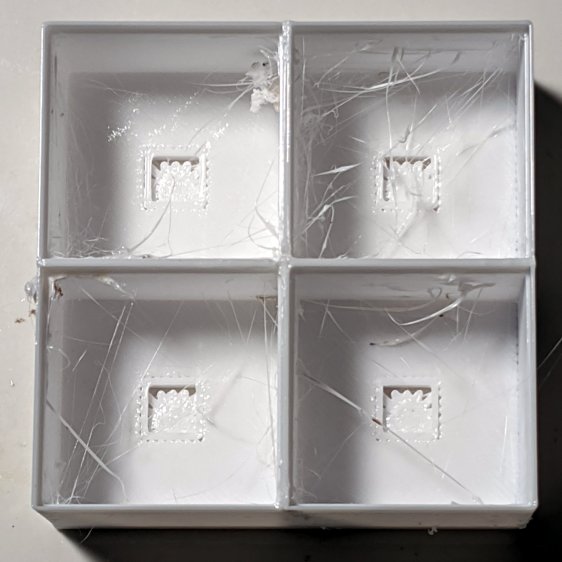
    The excessive stringing and the booger in the upper-left cell come from absurdly thin infill tucked into the too-thin walls; Slic3r doesn’t (seem to) have a “minimum infill width” setting and it’ll desperately try to fit infill between two nearly adjacent perimeter threads.

    The little support spiders under the LED PCB recesses snapped right out, though, so I got that part right:

    Glass Tile - 2x2 - support spiders
    Glass Tile – 2×2 – support spiders

    The perimeter threads around the LED aperture aren’t quite fused, because it was only one layer thick and that’s not enough.

    A quick test with two LEDs showed the white PETG let far too much light bleed between the cells, which was no surprise from the single cell test piece.

    Fortunately, it’s all parametric, so a bit more tinkering produced a slightly chunkier matrix with a base for an Arduino Nano and M3 threaded brass inserts for the screws holding it together:

    Glass Tile Frame - 2x2 - Arduino Nano base - solid model
    Glass Tile Frame – 2×2 – Arduino Nano base – solid model

    Those two parts require about three hours of printing, much faster than I could produce them by milling pockets into aluminum or black acrylic slabs, and came out with minimal stringing.

    A little cleanup, some epoxy work, and a few dabs of solder later:

    Glass Tile - 2x2 - Arduino wiring
    Glass Tile – 2×2 – Arduino wiring

    An initial lamp test showed the white-ish glass tiles aren’t all quite the same color:

    Glass Tile - 2x2 - white color variation
    Glass Tile – 2×2 – white color variation

    I thought it was an LED color variation, too, but the slightly blue tint in the lower left corner followed the tile.

    The blurred horizontal strip across the middle is adhesive tape holding the tiles in place; I was reluctant to glue them in before being sure this whole thing would work. A peek into the future, though, shows it’s got potential:

    Glass Tile - 2x2 - first two units
    Glass Tile – 2×2 – first two units

    They do give off a definite Windows logo vibe, don’t they?

    The OpenSCAD source code as a GitHub Gist:

    // Illuminated Tile Grid
    // Ed Nisley – KE4ZNU
    // 2020-05
    /* [Configuration] */
    Layout = "Build"; // [Cell,CellArray,MCU,Base,Show,Build]
    Shape = "Square"; // [Square, Pyramid, Cone]
    Cells = [2,2];
    CellDepth = 15.0;
    Support = true;
    Inserts = true;
    /* [Hidden] */
    ThreadThick = 0.25;
    ThreadWidth = 0.40;
    HoleWindage = 0.2;
    function IntegerMultiple(Size,Unit) = Unit * ceil(Size / Unit);
    Protrusion = 0.1; // make holes end cleanly
    ID = 0;
    OD = 1;
    LENGTH = 2;
    Tile = [25.0 + 0.1,25.0 + 0.1,4.0];
    WallThick = 3*ThreadWidth;
    Flange = [4*ThreadWidth,4*ThreadWidth,0]; // ridge supporting tile
    Separator = [3*ThreadWidth,3*ThreadWidth,Tile.z – 1]; // between tiles
    Screw = [3.0,6.0,3.5]; // M3 SHCS, OD=head, LENGTH=head
    Insert = [3.0,4.2,8.0]; // threaded brass insert
    PCB = [15.0,8.0,2.5];
    LED = [5.0 + 2*HoleWindage,5.0 + 2*HoleWindage,1.0];
    LEDOffset = [0.0,(PCB.y – LED.y)/2 – 0.5,0.0]; // slight offset from +Y PCB edge
    CellOAL = [Tile.x,Tile.y,0] + Separator + [0,0,CellDepth] + [0,0,WallThick] + [0,0,PCB.z];
    ArrayOAL = [Cells.x*CellOAL.x,Cells.y*CellOAL.y,CellOAL.z]; // just the LED cells
    BlockOAL = ArrayOAL + [2*WallThick,2*WallThick,0]; // LED cells + exterior wall
    echo(str("Block OAL: ",BlockOAL));
    InsertOC = ArrayOAL – [Insert[OD],Insert[OD],0] – [2*WallThick,2*WallThick,0];
    echo(str("Insert OC: ",InsertOC));
    TapeThick = 1.0;
    Arduino = [44.0,18.0,8.0 + TapeThick]; // Arduino Nano to top of USB Mini-B plug
    USBPlug = [15.0,11.0,8.5]; // USB Mini-B plug insulator
    USBOffset = [0,0,5.5]; // offset from PCB base
    WiringBay = [BlockOAL.x – 4*WallThick,38.0,3.0];
    PlateOAL = [BlockOAL.x,BlockOAL.y,WallThick + Arduino.z + WiringBay.z];
    echo(str("Base Plate: ",PlateOAL));
    //————————
    module PolyCyl(Dia,Height,ForceSides=0) { // based on nophead's polyholes
    Sides = (ForceSides != 0) ? ForceSides : (ceil(Dia) + 2);
    FixDia = Dia / cos(180/Sides);
    cylinder(d=(FixDia + HoleWindage),h=Height,$fn=Sides);
    }
    //———————–
    // Base and optics in single tile
    module LEDCone() {
    hull() {
    translate([0,0,CellDepth + Tile.z/2])
    cube(Tile – [Flange.x,Flange.y,0],center=true);
    if (Shape == "Square") {
    translate([0,0,LED.z/2])
    cube([Tile.x,Tile.y,LED.z] – [Flange.x,Flange.y,0],center=true);
    }
    else if (Shape == "Pyramid") {
    translate([0,0,LED.z/2])
    cube(LED,center=true);
    }
    else if (Shape == "Cone") {
    translate([0,0,LED.z/2])
    cylinder(d=1.5*LED.x,h=LED.z,center=true);
    }
    else {
    echo(str("Whoopsie! Invalid Shape: ",Shape));
    cube(5);
    }
    }
    }
    // One complete LED cell
    module LEDCell() {
    difference() {
    translate([0,0,CellOAL.z/2])
    cube(CellOAL,center=true);
    translate([0,0,CellOAL.z – Separator.z + Tile.z/2])
    cube(Tile,center=true);
    translate([0,0,PCB.z + WallThick])
    LEDCone();
    cube([LED.x,LED.y,CellOAL.z],center=true);
    translate(-LEDOffset + [0,0,PCB.z/2 – Protrusion/2])
    cube(PCB + [0,0,Protrusion],center=true);
    }
    if (Support)
    color("Yellow") render()
    translate(-LEDOffset) {
    // translate([0,0,ThreadThick/2])
    // cube([PCB.x – 2*ThreadWidth,PCB.y – 2*ThreadWidth,ThreadThick],center=true);
    intersection() {
    translate([0,0,(PCB.z – ThreadThick)/2])
    cube([PCB.x – 2*ThreadWidth,PCB.y – 2*ThreadWidth,PCB.z – ThreadThick],center=true);
    union() { for (a=[0:22.5:359])
    rotate(a)
    translate([PCB.x/2,0,PCB.z/2])
    cube([PCB.x,2*ThreadWidth,PCB.z],center=true); }
    }
    }
    }
    // The whole array of cells
    module CellArray() {
    difference() {
    union() {
    translate([CellOAL.x/2 – Cells.x*CellOAL.x/2,CellOAL.y/2 – Cells.y*CellOAL.y/2,0])
    for (i=[0:Cells.x – 1], j=[0:Cells.y – 1])
    translate([i*CellOAL.x,j*CellOAL.y,0])
    LEDCell();
    if (Inserts) // bosses
    for (i=[-1,1], j=[-1,1])
    translate([i*InsertOC.x/2,j*InsertOC.y/2,0])
    rotate(180/8)
    cylinder(d=Insert[OD] + 3*WallThick,h=Insert[LENGTH],$fn=8);
    }
    if (Inserts) // holes
    for (i=[-1,1], j=[-1,1])
    translate([i*InsertOC.x/2,j*InsertOC.y/2,-Protrusion])
    rotate(180/8)
    PolyCyl(Insert[OD],Insert[LENGTH] + WallThick + Protrusion,8);
    }
    difference() {
    translate([0,0,CellOAL.z/2])
    cube(BlockOAL,center=true);
    translate([0,0,CellOAL.z])
    cube(ArrayOAL + [0,0,2*CellOAL.z],center=true);
    }
    }
    // Arduino bounding box
    // Origin at center bottom of PCB
    module Controller() {
    union() {
    translate([0,0,Arduino.z/2])
    cube(Arduino,center=true);
    translate([Arduino.x/2 – Protrusion,-USBPlug.y/2,USBOffset.z + TapeThick – USBPlug.z/2])
    cube(USBPlug + [Protrusion,0,0],center=false);
    }
    }
    // Baseplate
    module BasePlate() {
    difference() {
    translate([0,0,PlateOAL.z/2])
    cube(PlateOAL,center=true);
    translate([0,0,WallThick])
    Controller();
    translate([0,0,WallThick + PlateOAL.z/2])
    cube([Arduino.x – 2*2.0,WiringBay.y,PlateOAL.z],center=true);
    translate([0,0,PlateOAL.z – WiringBay.z + WiringBay.z/2])
    cube(WiringBay + [0,0,2*Protrusion],center=true);
    for (i=[-1,1], j=[-1,1])
    translate([i*InsertOC.x/2,j*InsertOC.y/2,-Protrusion])
    rotate(180/8) {
    PolyCyl(Screw[ID],2*PlateOAL.z,8);
    PolyCyl(Screw[OD],Screw[LENGTH] + 4*ThreadThick + Protrusion,8);
    }
    translate([0,0,ThreadThick-Protrusion])
    cube([17.0,45,2*ThreadThick],center=true);
    }
    linear_extrude(height=2*ThreadWidth + Protrusion) {
    translate([1,0,-Protrusion])
    rotate(-90) mirror([1,0,0])
    text(text="Ed Nisley",size=6,font="Arial:style:Bold",halign="center");
    translate([-6.5,0,-Protrusion])
    rotate(-90) mirror([1,0,0])
    text(text="softsolder.com",size=4.5,font="Arial:style:Bold",halign="center");
    }
    if (Support)
    color("Yellow")
    for (i=[-1,1], j=[-1,1])
    translate([i*InsertOC.x/2,j*InsertOC.y/2,0])
    for (a=[0:45:135])
    rotate(a)
    translate([0,0,(Screw[LENGTH] – ThreadThick)/2])
    cube([Screw[OD] – 2*ThreadWidth,2*ThreadWidth,Screw[LENGTH] – ThreadThick],center=true);
    }
    //———————–
    // Build things
    if (Layout == "Cell")
    LEDCell();
    else if (Layout == "CellArray")
    CellArray();
    else if (Layout == "MCU")
    Controller();
    else if (Layout == "Base")
    BasePlate();
    else if (Layout == "Show") {
    translate([0,0,PlateOAL.z + 10])
    CellArray();
    BasePlate();
    }
    else if (Layout == "Build") {
    translate([0,0.6*BlockOAL.y,0])
    CellArray();
    translate([0,-0.6*BlockOAL.y,0])
    rotate(90)
    BasePlate();
    }

  • Glass Tiles: Single Test Cell

    Glass Tiles: Single Test Cell

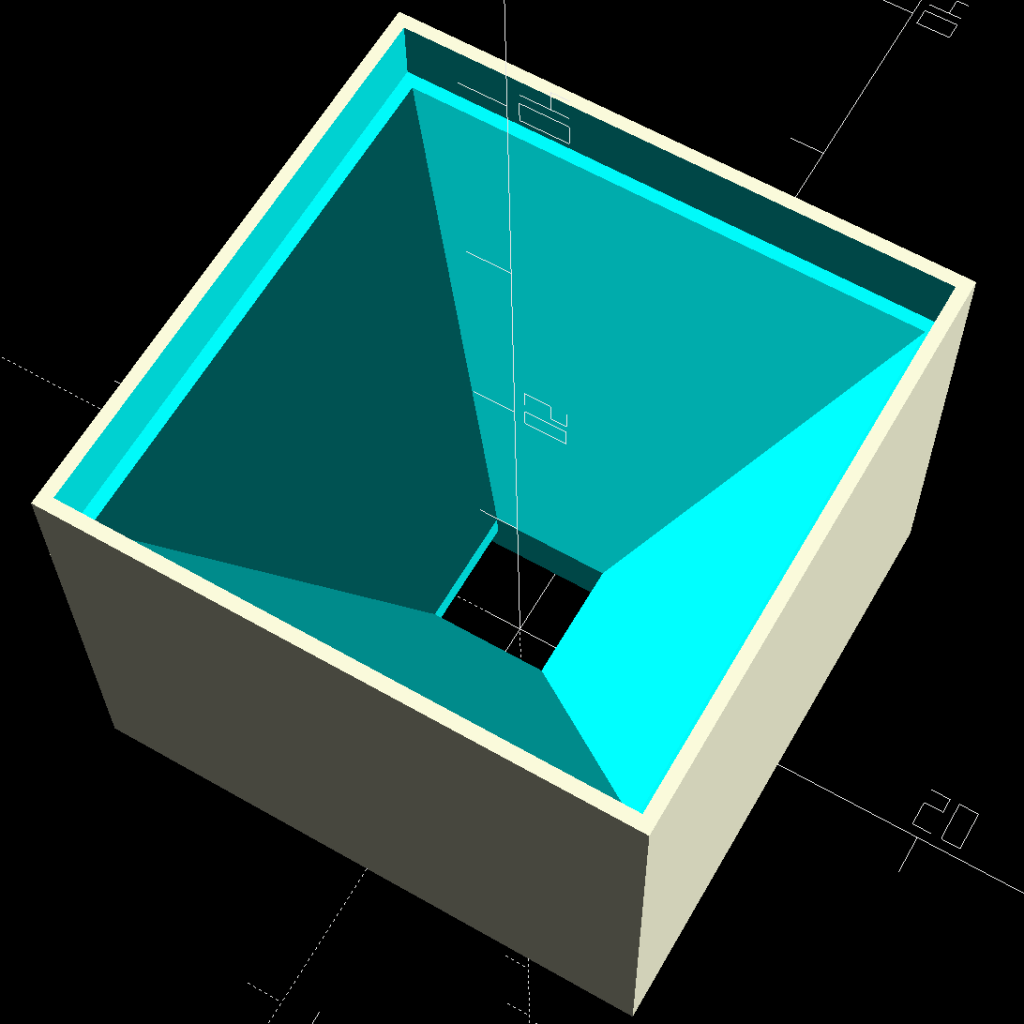
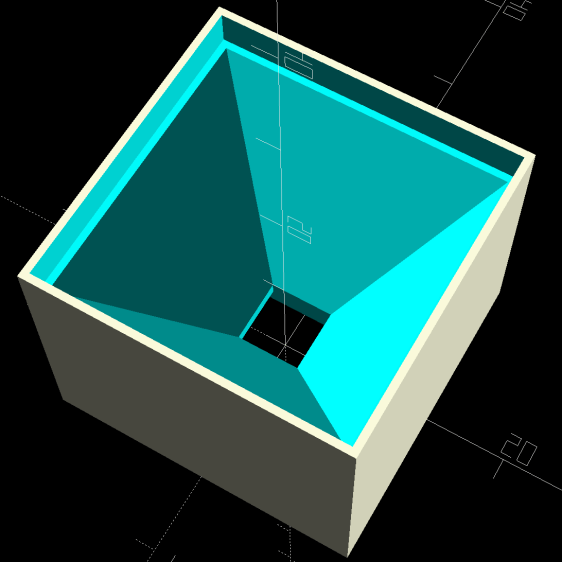
    A single glass tile rests on the ridge around the pyramidal interior:

    Glass Tile Frame - pyramid cell
    Glass Tile Frame – pyramid cell

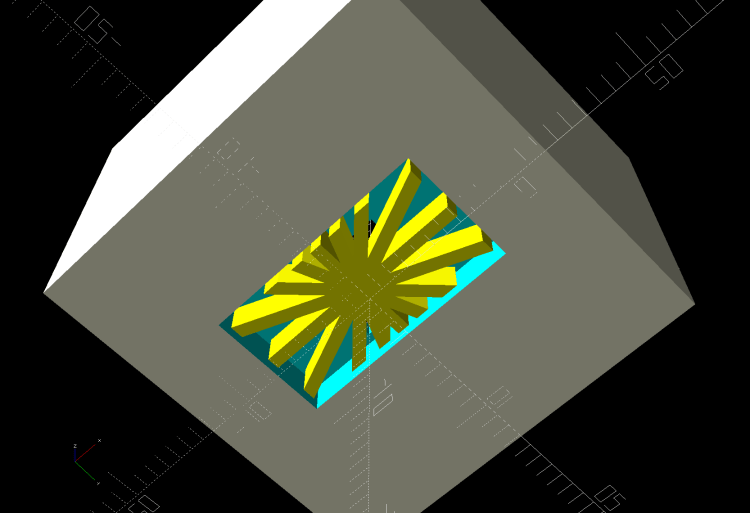
    The bottom has a cutout for the WS2812 PCB, with some in-the-model support for simplicity:

    Glass Tile Frame - pyramid cell - bottom
    Glass Tile Frame – pyramid cell – bottom

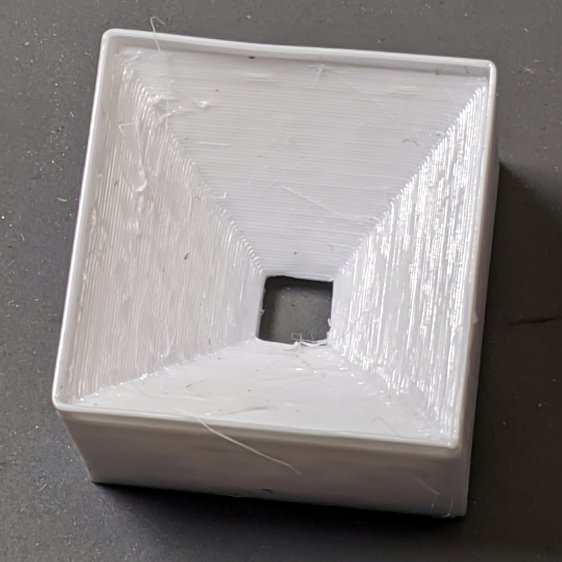
    Which becomes this in real life:

    Glass Tile - 1x1 cell test - pyramid PETG strings
    Glass Tile – 1×1 cell test – pyramid PETG strings

    There’s plenty of PETG hair inside the opening, which seems like a Bad Thing all around.

    Cleaning out the worst of the fur, taping a WS2812 LED into the opening, and dropping a white-ish tile in place:

    Glass Tile - 1x1 cell test - purple phase
    Glass Tile – 1×1 cell test – purple phase

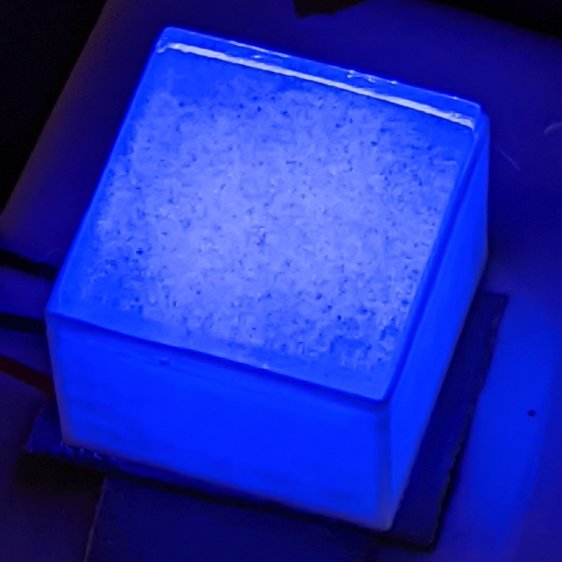
    Obviously, JPG compression wasn’t built with a finely textured granular surface in mind:

    Glass Tile - 1x1 cell test - blue phase
    Glass Tile – 1×1 cell test – blue phase

    But it looks really nice in a dim room!

    With a physical object in hand, it’s obvious the pyramidal interior adds exactly zero value:

    • Direct rays in the beam from the WS2812 don’t hit the walls
    • Light outside the beam doesn’t contribute much after hitting those irregular walls

    So the next pass should be just a hollow box with tweaked tile & PCB measurement: rapid prototyping in full effect!