Ed Nisley's Blog: Shop notes, electronics, firmware, machinery, 3D printing, laser cuttery, and curiosities. Contents: 100% human thinking, 0% AI slop.
It’s not a Purple Crayon, but it suffices for my simple needs.
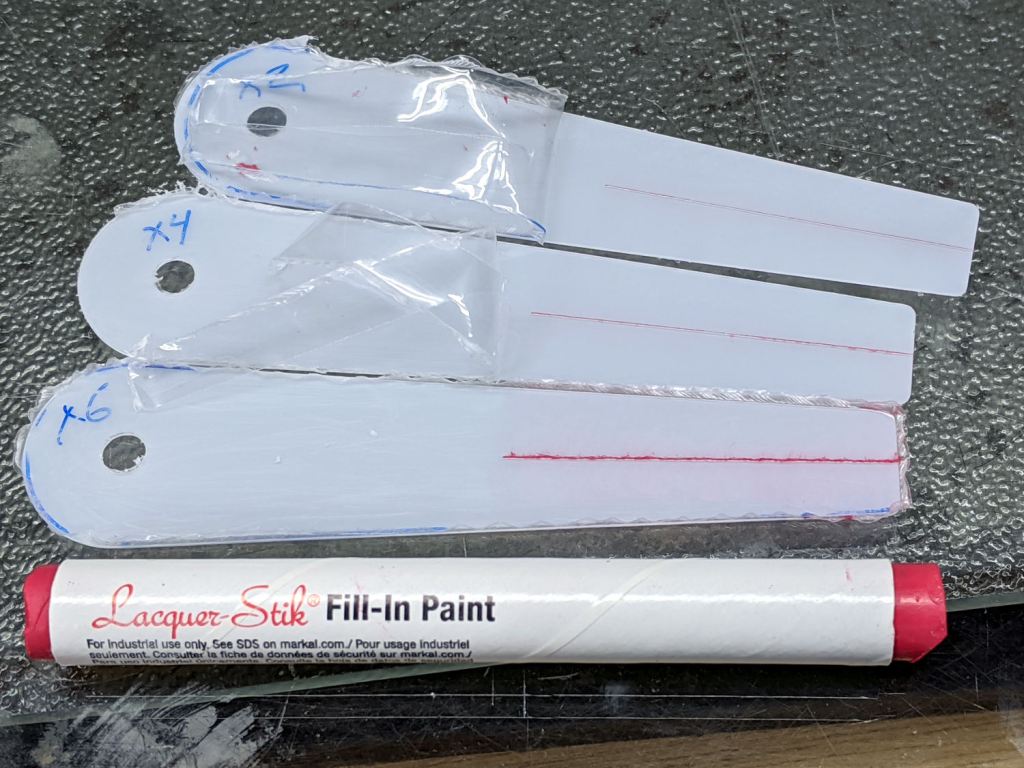
Scribbling a (soft!) lacquer crayon over transparent plastic still scuffs the pristine surface around the engraved line, so I tried scribbling the six-pass cursor before peeling the film, as shown above. Unfortunately, the film shreds left around the line either prevent a clean fill or pull the paint out of the ditch as the film peels back:
Tek CC – Cursor lacquer fill
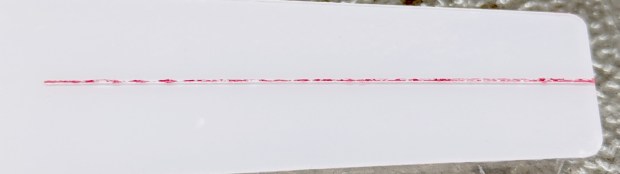
Peeling the film and scribbling ever-so-gently left a more complete line, but, if you look very closely (perhaps opening the image in a new tab for more dots), you can see the scuffs left by the scribbles on either side of the line:
Tek CC – Cursor 2 4 6 scribes
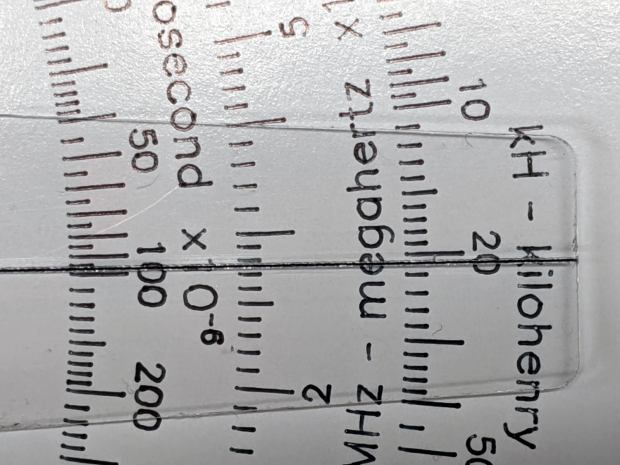
When seen from the other side against laminated decks, though, the scuffs pretty much vanish:
Tek CC – Classic Tek Logo vectorized – red hairline
Based on manually scratching some acrylic, the GCMC code retraced the hairline four times to help the Sharpie stick to the groove. Maybe fewer passes would be better?
Affix a PETG scrap to the milling fixture for some manual CNC action:
PETG – engrave through film
Just to see what happened, I made the first scratch through the protective film and, because it’s hard to tell which side is up, the scratch went through the white film.
Repeat several times with variations in number of passes & downforce:
The absolute best-looking line is at the top, with the diamond point scribing through the (white) protective plastic film.
Multiple passes average out the waves / glitches / irregularities, at the cost of broadening the hairline.
The bottom hairline suggests a single pass with more downforce produces a broader groove and a finer line of Sharpie ink at the bottom; the top appears more rounded and the bottom more ragged.
Doing one pass with enough pressure to cut through the thinner (?) transparent(-ish) film may produce a better overall result. This will require me to get the orientation right.
The Real Hairline in my K&E Deci-Lon slipstick is a smoothly engraved, neatly half-cylindrical, channel with a smooth thread of red (!) ink / paint / pigment laid along the middle. Obviously, my engraving hand is weak …
The nightmare scenario: engraving a smooth hairline groove, completely backfilling it with paint, sanding (that side of) the cursor smooth to leave the groove’s paint flush with the surface, then polishing the plastic back to full transparency. Even I agree that’s crazy talk, at least for a circular slide rule made with laminated paper decks.
After removing debris, flattening the top surface, and generally paying more attention to detail, the PETG sheet has much better adhesion to the fixture:
Tek CC – Milled cursor – cleaned fixture
This time, I traced the inside of a drag-knife cut cursor to extract the blank from the stock and, yes, used new double-sided tape under the lower white protective film on the PETG.
Fewer air bubbles means better adhesion:
Tek CC – Milled cursor – fixture adhesion
Spinning the 1/8 inch end mill at about 5000 RPM produced finer swarf at the Sherline’s maximum 609 mm/min = 24 inch/min pace, with less uplift. I suspect Moah RPMs! would be even better, constrained by melting the plastic into heartache & confusion.
Scribe the hairline with the diamond tool, ease the finished cursor off the fixture, scribble Sharpie into the scratch, and wipe
Tek CC – Milled cursor – second try
It’s Pretty Good™ when seen against an un-laminated bottom deck drawn with a Pilot V5RT pen:
Tek CC – Milled cursor – unlaminated bottom deck
The diamond point tears a slightly gritty path through the PETG, which then looks a bit more granular than a real hairline. I’ve been using four passes for emphasis; perhaps fewer would be better.
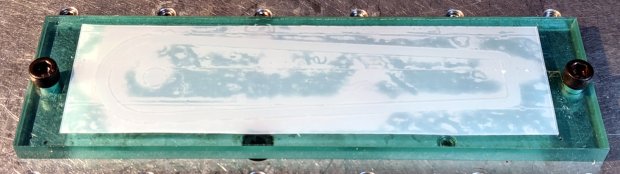
The white separating film on the double-sided tape makes the cursor milling fixture look presentable:
Tek CC – Cursor milling fixture – 2-side tape applied
Some deft X-acto knife work exposed the trench around what will be the cursor’s perimeter, in the hope of keeping tape stickiness out of the milling cutter.
Peeling off the white film and sticking a PETG cursor blank to the tape reveals I didn’t do a particularly good job of cleaning the rubble from the trench edges:
Tek CC – Milled cursor – bad tape application
These PETG sheets arrive with a transparent film on one side and a white film on the other. The picture shows the white film on the bottom of the PETG sheet, with the dark areas corresponding to places where the film sticks to the tape and the tape sticks to the fixture. The lighter areas show an air gap in (at least) one of those interfaces; given the amount of clutter, I think it’s mostly between the tape and the fixture.
I milled the cursor with a 1/8 inch = 3.175 mm cutter:
Tek CC – Milled cursor – outline
The ball of swarf around the cutter wasn’t as threatening as it appears, because it had very little adhesive holding it together. The rows of swarf surrounding the PETG show why putting the tape all over the fixture isn’t a particularly good idea. ‘Nuff said.
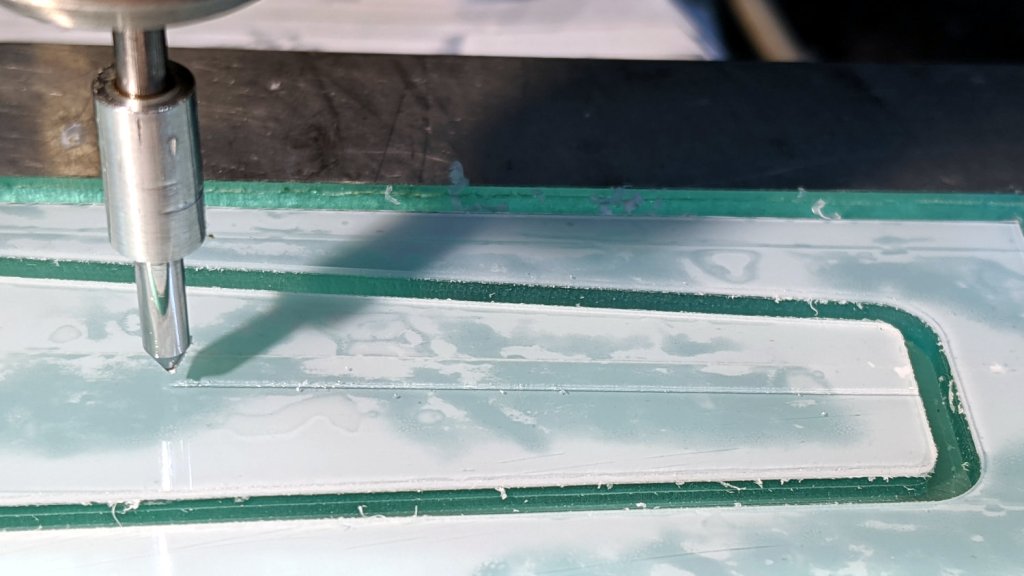
Engraving the hairline with the diamond drag bit was entirely uneventful:
Tek CC – Milled cursor – hairline scribe
Four passes at Z=-2 mm = 300 g downforce put a delicate scratch across the surface. Run a fat black Sharpie along the hairline, wipe off the excess with denatured alcohol, and peel the white film from the other side:
Tek CC – Milled cursor – first try
It’s sitting atop the doodle giving the dimensions, such as they are, for the milling fixture.
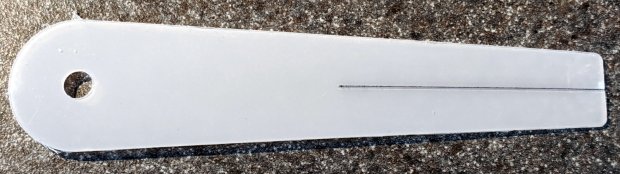
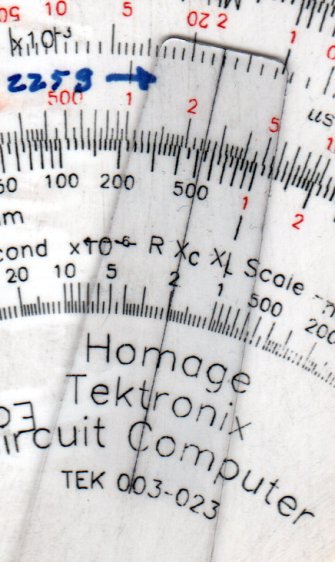
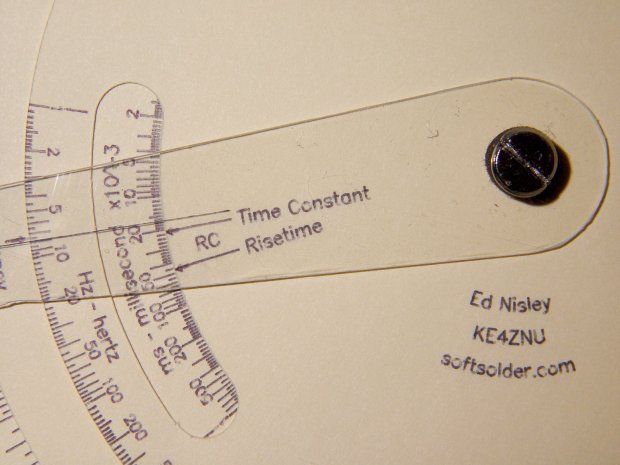
The original Tektronix Circuit Computer cursor is a floppy sheet of plastic with a hairline printed on it. I’m making the homage version from 0.5 mm PETG sheet with an engraved hairline:
Tek CC – radial text example
But I don’t foresee enough ahem production volume to justify making a punch-and-die to cut the thing out, so I need a milling fixture to hold the sheet in place while I have my way with it.
Start by squaring up a suitably sized scrap from the Box o’ Plastic Scrap:
Tek CC – Cursor milling fixture – squaring sides
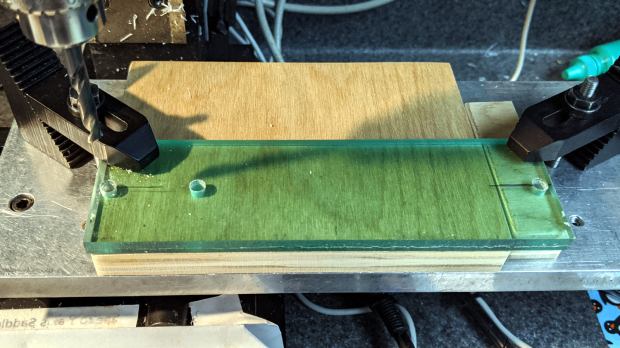
It need not be particularly square, but getting rid of the ragged edges seemed like a Good Idea. I think it’s polycarbonate and, yes, it’s just about that green in real life.
Align it square-ish to the tooling plate and drill three #7 holes on 1.16 inch centers to line up with the plate and clear the Sherline’s 10-32 screws:
Tek CC – Cursor milling fixture – hole drilling
The two outer holes will clamp the fixture to the table. The third hole may be useful to clamp a stack of cursors to the fixture, should I need more than a few.
Screw it to the tooling plate, mill the outline of the cursor into the fixture, apply a layer of double sticky tape, then cut out the cursor outline so the milling bit won’t accrete a giant whirling ball of adhesive & swarf:
Tek CC – Cursor milling fixture – 2-side tape applied
I milled the perimeter 2 mm deep, anticipating a 1 mm cut depth for the cursor, and milled a small step inside the perimeter by compiling the GCMC code with a 2.5 mm cutter diameter instead of the actual 3.175 mm. I tweaked the cursor code for proper offset milling, about which more later.
With the tape in place, it’s not entirely obvious this will work the way I expect, but it wasn’t too difficult.
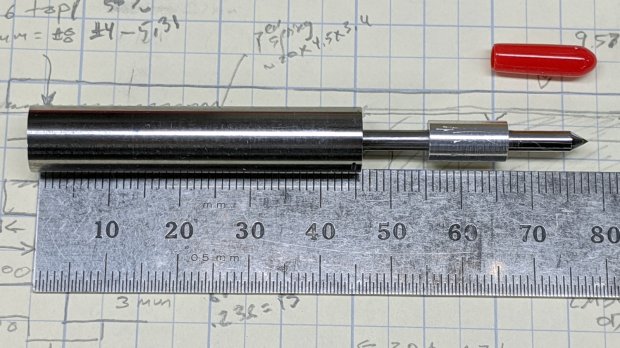
Although I shouldn’t have used a hardened shaft for the case, the rest of the diamond drag tool holder worked out well enough:
Sherline Diamond Drag Holder – assembled
The dimension doodle shows what’s inside and gives some idea of the sizes:
Sherline Diamond Drag Holder – dimension doodles
From left to right, it’s an M6×1.0 setscrew to adjust the spring preload, a spring harvested from a cheap clicky ballpoint pen, a machined cap, a 3 mm rod (which should be a hardened & ground shaft, but isn’t) surrounded by a pair of LM3UU linear bearings, a machined coupler, and the stub of a diamond engraving tool’s shank.
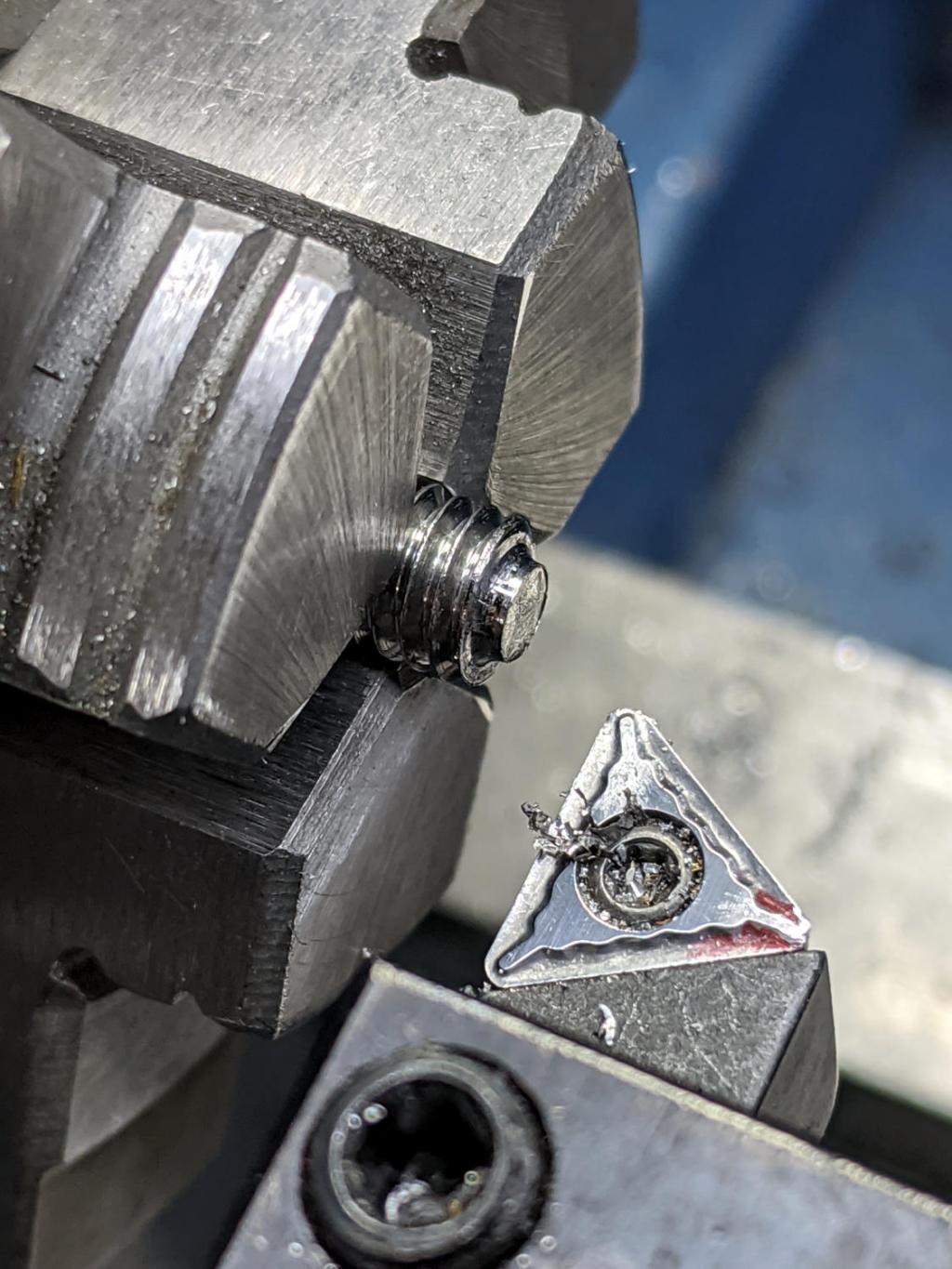
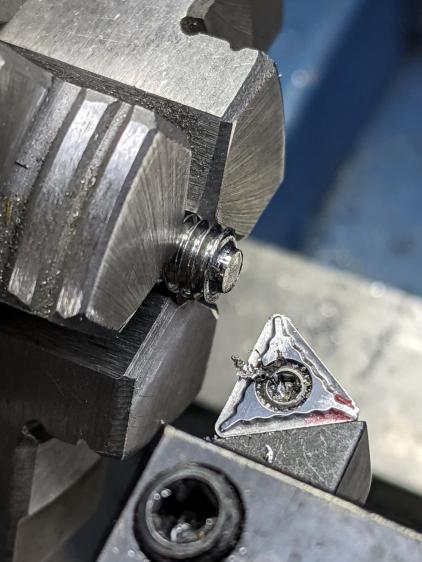
Tapping 15 mm of M6×1.0 thread inside of the case took an unreasonable amount of grunt. Next time, brass.
The setscrew gets a little boss to hold the spring away from the adjacent threads in the case:
Sherline Diamond Drag Holder – setscrew spring boss
The little machined cap has a somewhat longer spring guide to prevent buckling:
Sherline Diamond Drag Holder – shank cap spring guide
The spring fits snugly on the slightly enlarged section inside the last few coils, with the rest being a loose fit around the guide. When the spring is fully compressed, it’s just slightly longer than the guide and can’t buckle to either side.
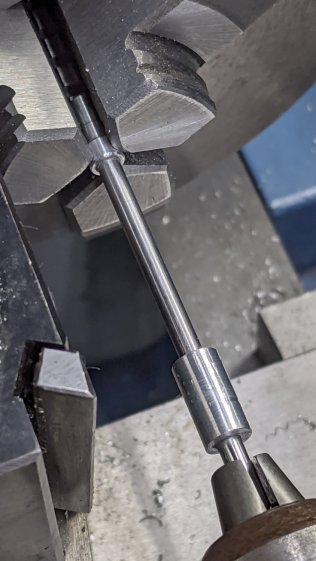
The cap gets epoxied onto the 3 mm rod with some attention to proper alignment:
Sherline Diamond Drag Holder – shank cap alignment
The other end of the rod has a 3 mm thread, which would be a serious non-starter on a hardened rod.
The shortened diamond tool shank gets epoxied into the gizmo connecting it to the now-threaded rod, again with some attention paid to having it come out nicely coaxial:
The LM3UU bearings got epoxied into the case, because I don’t have a deep emotional attachment to them.
Unscrew diamond tool, push spring onto cap, drop rod through bearings, crank setscrew more-or-less flush with the end of the case, screw diamond in place with some weak threadlock, add oil to rod, work it a few times to settle the bearings, and it’s all good.
The spring rate works out to 230 g + 33 g/mm for deflections between 1.0 mm (263 g) and 3.5 mm (346 g), so it’s in the same ballpark as the diamond tools on the MPCNC and CNC 3018.
Note: WordPress just “improved” their post editor, which has totally wrecked the image alignment. They’re all set to “centered” and the editor says they are, but they’re not. It’s a free blog and I’m using one of their ancient / obsolete / unsupported themes, so I must update the theme. Bleh.
Our Young Engineer recently rented a house, now knows why our sinks have CNC-machined strainers, and asked for something better than the disgusting stainless mesh strainer in the kitchen sink.
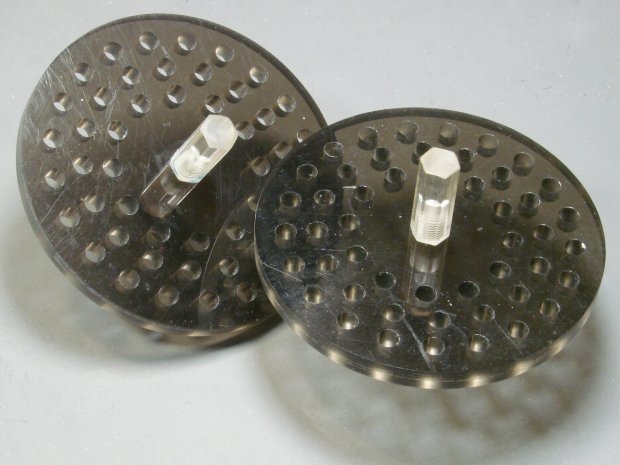
Being a doting father, I turned out a pair to get a pretty one:
CNC Sink Strainer – overview
They’re made from the same scrap smoked acrylic as the ones in our sinks:
CNC Sink Strainer
They’re definitely upscale from the (not watertight!) 3D printed version I built for a Digital Machinist column to explain OpenSCAD modeling:
Strainer plate fill
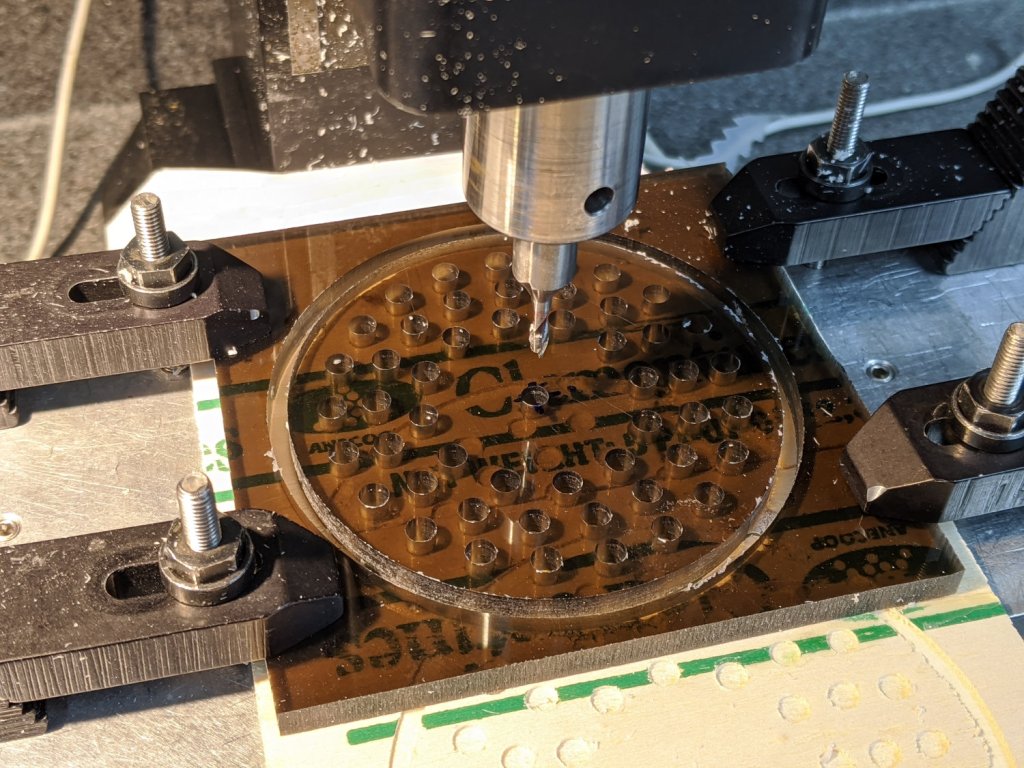
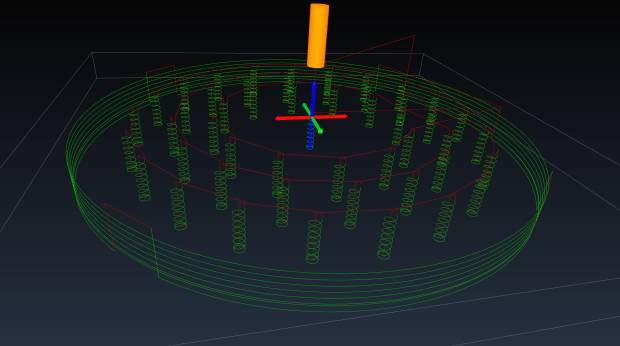
This time around, though, I rewrote the subtractive design in GCMC, with helical milling for all the holes to eliminate the need to change tools:
Sink Strainer – tool path simulation – CAMotics
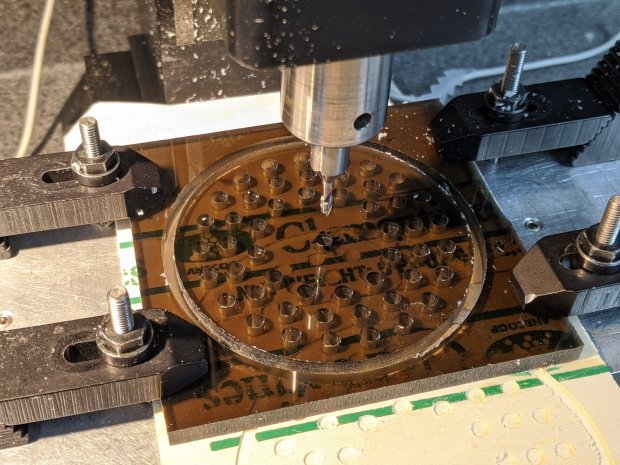
They’re done on the Sherline, because it has real clamps:
CNC Sink Strainer – on Sherline
Four tabs eliminated the need to reclamp the stock before cutting the perimeter, but I should have ramped, not plunged, through the final cut between the tabs:
CNC Sink Strainer – tab surface fracture
The handles come from the same chunk of hex acrylic as before, eyeballed to length, tapped 8-32, and secured with acrylic adhesive.
This file contains hidden or bidirectional Unicode text that may be interpreted or compiled differently than what appears below. To review, open the file in an editor that reveals hidden Unicode characters.
Learn more about bidirectional Unicode characters


















 The Smell of Molten Projects in the Morning