The Smell of Molten Projects in the Morning

Ed Nisley's Blog: Shop notes, electronics, firmware, machinery, 3D printing, laser cuttery, and curiosities. Contents: 100% human thinking, 0% AI slop.

Tag: Sherline

Sherline CNC mill

  • HON Lateral File Cabinet Foot Repair

    HON Lateral File Cabinet Foot Repair

    We bought the best-looking (pronounced “least bashed”) pair of hulking five-drawer industrial-strength HON Brigade Lateral File Cabinets from the local ReStore outlet’s assortment for Mary’s quilting fabric stash. They came with a steep discount, barely fit inside the Forester, caused minor interior trim damage, and should organize her entire stash.

    One cabinet lost a foot nut at some point in its 16 year history:

    HON Lateral File - foot hole - weld nugget filed
    HON Lateral File – foot hole – weld nugget filed

    The surviving foot nuts sported two weld nuggets apiece:

    HON Lateral File - OEM front foot
    HON Lateral File – OEM front foot

    The hole had the remains of one nugget at the top left and looks like a manufacturing defect to me. Of course, we’re (at least) the second owners and the usual lifetime warranty no longer applies.

    I can fix that.

    Bandsaw a 1×¾ inch rectangle from 3/8 inch aluminum plate to match the surviving foot nut (which is steel, but aluminum will suffice for our needs). Break the edges, clamp in the Sherline, and mill a square protrusion to match the square-ish hole:
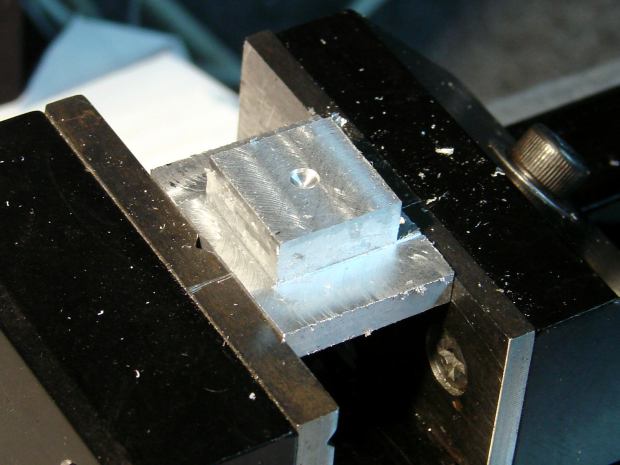
    HON Lateral File - square nut - rough cut
    HON Lateral File – square nut – rough cut

    Drill a 17/64 inch hole (looser than the nominal F drill, because I’m a sissy) for a flat-head bolt from the Drawer o’ 3/8-16 Bolts, tap, and clean up.

    A trial fit showed the nugget had to go before the nut would come even close to fitting flat into the hole:
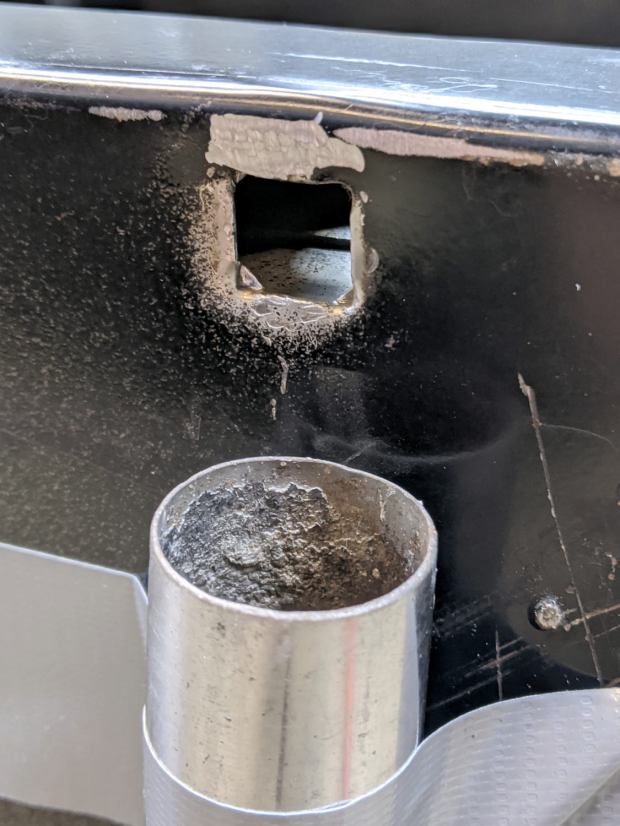
    HON Lateral File - foot hole - grinding
    HON Lateral File – foot hole – grinding

    The sheet metal around the hole had absorbed at least one mighty blow pushing the entire surface inward behind the front edge. To compensate, recess the nut’s front edge and slope the sides with a Dremel wheel to let the bottom face sit level:

    HON Lateral File - square nut - taper grinding
    HON Lateral File – square nut – taper grinding

    Another trial fit showed the need for more recess:

    HON Lateral File - square nut - deeper cut
    HON Lateral File – square nut – deeper cut

    Another spate of grinding made it sit mostly level on the decidedly non-level surface around the hole:

    HON Lateral File - square nut - ready to install
    HON Lateral File – square nut – ready to install

    The beveled corners fit inside the swaged hole corners.

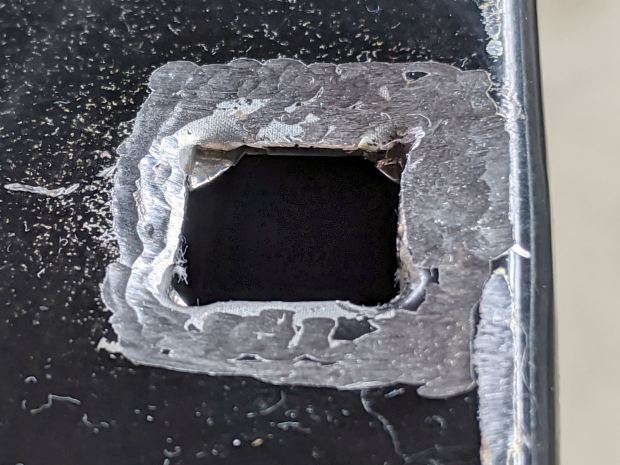
    Grind paint / crud off the sheet metal and roughen the surface for good epoxy griptivity:
    HON Lateral File - foot hole - ready for install
    HON Lateral File – foot hole – ready for install

    Stand the cabinet top-side-down to make the bottom level. I wish the basement had one more course of block, but it’s not to be.

    Butter the nut with JB Weld epoxy, plunk it in place, apply excess epoxy to make a fillet around the edges, apply duct tape to guy the top of the bolt level-ish, and let it cure:

    HON Lateral File - square nut - epoxy curing
    HON Lateral File – square nut – epoxy curing

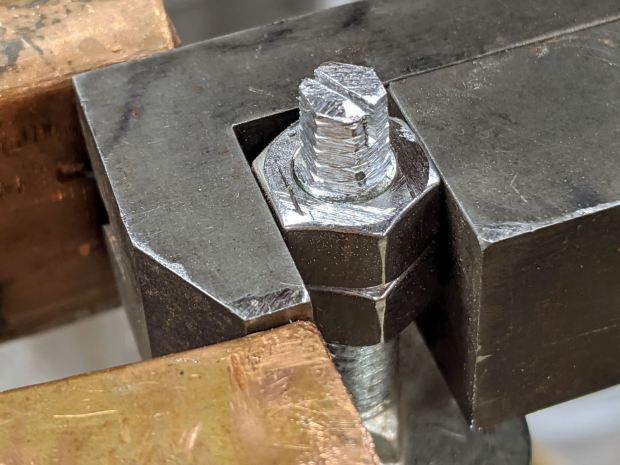
    After the epoxy stiffened enough to hold its position, remove the bolt, file a crude ¼ inch hex, and saw a screwdriver slot to make it match the other feet:
    HON Lateral File - new foot hex head
    HON Lateral File – new foot hex head

    Not the fanciest job I’ve ever done, but it now behaves just like the other ones and it’s all good. The HON Storage Files FAQ points to a Troubleshooting Guide showing how to level the thing with a hex socket from inside the bottom drawer.

    The flat heads on those bolts are basically 25 mm OD steel plates calling for fuzzy felt bumpers on the Sewing Room’s wood floors. When properly leveled, the front will be ⅛ inch higher than the rear. Although they suggest a pencil should roll toward the back, the top sheet metal on this one may be sufficiently warped to confuse the issue; I have a long level well suited to the task.

    The original dimension doodle includes metric offsets for cutting with a ¼ inch end mill:

    HON Foot nut - dimension doodles
    HON Foot nut – dimension doodles

    All in all, a satisfying day in the Basement Shop …

  • ACM Poughkeepsie Presentation: Algorithmic Art

    In the unlikely event you’re in Poughkeepsie this evening, I’ll be doing a talk on my Algorithmic Art for the Poughkeepsie ACM chapter, with a look at the HPGL and G-Code transforming math into motion:

    Superformula - triangle burst - detail
    Superformula – triangle burst – detail

    The PDF of the “slides” lacks my patter, but the embedded linkies will carry you to the blog posts & background information:

    See you there! [grin]

  • Homage Tek CC Cursor: Pivot Milling

    A test to mill the pivot hole in 0.5 mm PETG sheet worked perfectly:

    Tek CC - cursor pivot hole milling
    Tek CC – cursor pivot hole milling

    The cutter is a 3.175 mm = 1/8 inch router bit, one of a ten-pack that came with the CNC 3018 and to which I have no deep emotional attachment, held in a collet in the Sherline. The hole is 5.5 mm to fit an eyelet. The PETG is taped to a thin plywood scrap.

    The hole happened by feeding G-Code manually into LinuxCNC, after touching off XYZ=0 at the center of the pivot and jogging up a bit:

    g0 y-1.1625
    f1000
    g0 z0.5
    g2 p5 z-1.5 i0 j1.1625

    Yes, I engraved the hairline using a diamond drag tool on the CNC 3018, cut the cursor outline with a drag knife on the MPCNC, then milled the pivot hole on the Sherline. This seems way over the top, even to me, but that’s just how the tooling worked out right now.

    In actual practice, I’d probably mill a stack of cursors and pivot holes on the Sherline in one setup, then engrave the hairlines in a suitable fixture. I think I know enough to fit a spring-loaded diamond drag bit into the Sherline’s 10 mm ID spindle or, worst case, conjure a block for the Z-axis carrier in place of the entire spindle mount.

    At least now I can remember what I did to make the hole.

  • MPCNC Drag Knife Holder: Lock Screw

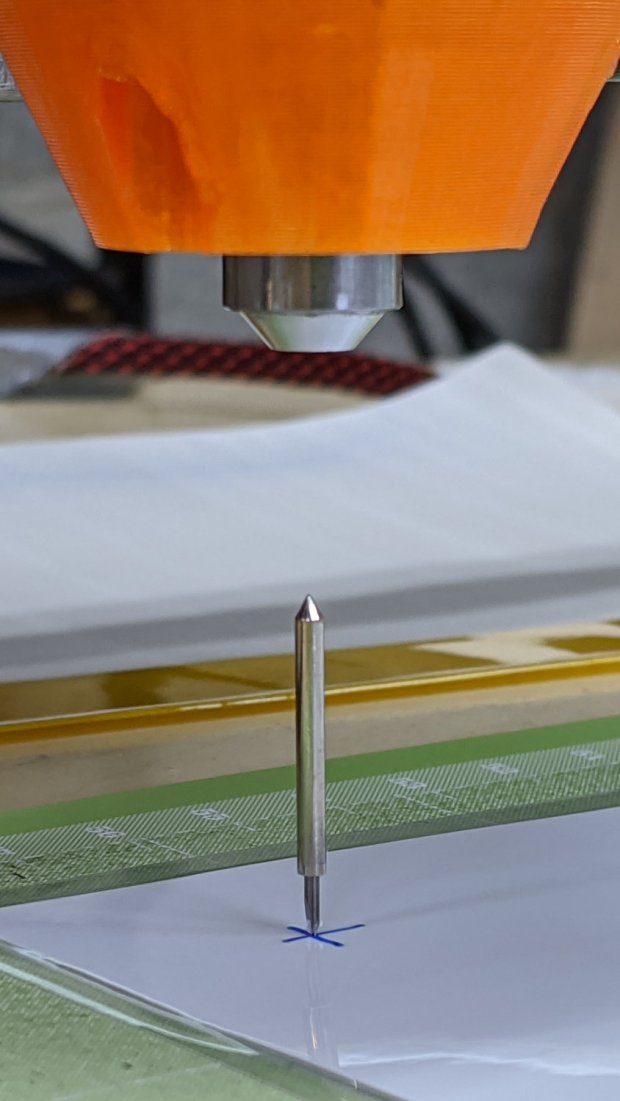
    While calibrating the MPCNC’s probe camera offset for the drag knife holder, this happened:

    Drag Knife - vertical escape
    Drag Knife – vertical escape

    Well, at least it’s centered on the target:

    Drag Knife - vertical escape - detail
    Drag Knife – vertical escape – detail

    This happened a few times before, because my fingers don’t fit neatly inside the drag knife holder to tighten the lock ring:

    Drag Knife - LM12UU ground shaft - assembled
    Drag Knife – LM12UU ground shaft – assembled

    [Update: The lock ring keeps the holder at a fixed position inside the 12 mm shaft and doesn’t affect the blade directly. When the ring works loose, the threaded holder can rotate to expose more blade and, in this case, stab deeper into the target. ]

    So I turned & knurled an aluminum ring, then tapped a 3×0.5 mm hole for a lock screw plucked from the Drawer o’ Random M3 Screws:

    Drag Knife - lock screw - side
    Drag Knife – lock screw – side

    A view looking along the screw shows a bit more detail around the spring:

    Drag Knife - lock screw - front
    Drag Knife – lock screw – front

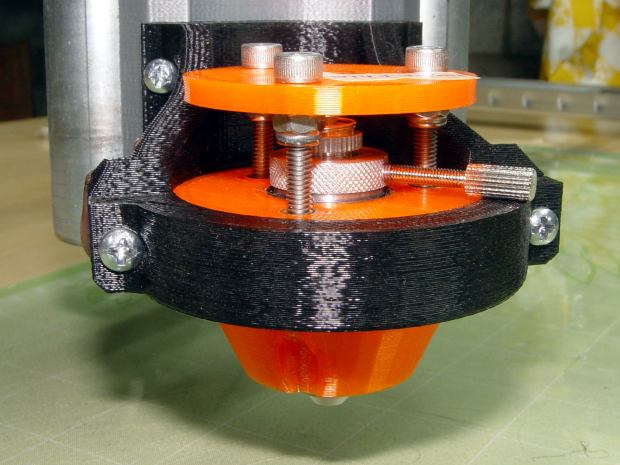
    The general idea is to set the blade extension, then tighten the lock screw to hold it in place, without relying on the original brass lock ring, shown here while cutting a boss for the spring:

    Drag Knife - turning spring recess
    Drag Knife – turning spring recess

    The lock screw’s knurled handle just barely kisses the NPCNC’s black tool holder ring, so my guesstimated measurements were a bit off. Clamping the knife holder one itsy higher in the tool holder solved the problem.

    I cranked on 300 g of spring preload and, squashed like that, the spring’s rate is now 75 g/mm. Cutting at Z=-1 mm should suffice for laminated paper slide rule decks.

    The original sizing doodle:

    Drag Knife Holder - lock screw ring doodle
    Drag Knife Holder – lock screw ring doodle

    The short 18 mm section clears the inside of the LM12UU bearing, although it could be a millimeter shorter. The 19 mm section comes from the 3/4 inch aluminum rod I used, skim-cut to clean it up.

    If I ever remake this thing, it needs a major re-think to get all the dimensions flying in formation again.

  • CNC 3018-Pro: Milling the CD Fixture

    It turns out that the outer diameter of CD platters isn’t quite as perfectly controlled as you (well, I) might imagine, although the differences between CDs from different sources amounts to perhaps ±0.1 mm. Of course, instantly after putting the tape-down fixture into use, the next few discs atop my stack of scrap CDs were just large enough to not quite fit.

    The Sherline’s workspace can’t maneuver the holder’s perimeter around the spindle, so embiggening the OD calls for the rotary table. The general idea is to clamp the center of the fixture to the rotary table, run a small end mill about 0.1 mm into the fixture’s OD, spin the table one revolution, and be done with it.

    Of course, the rotary table’s 3/8-16 threaded center hole doesn’t match the fixture’s 6 mm center hole: we need an adapter. Start with a 1 inch long 3/8-16 stainless steel hex bolt, center drill the end, peel off the hex head, then turn to 6 mm OD, going down far enough so the threads don’t stick up out of the table too much:

    CNC 3018-Pro - CD fixture milling - bolt turning
    CNC 3018-Pro – CD fixture milling – bolt turning

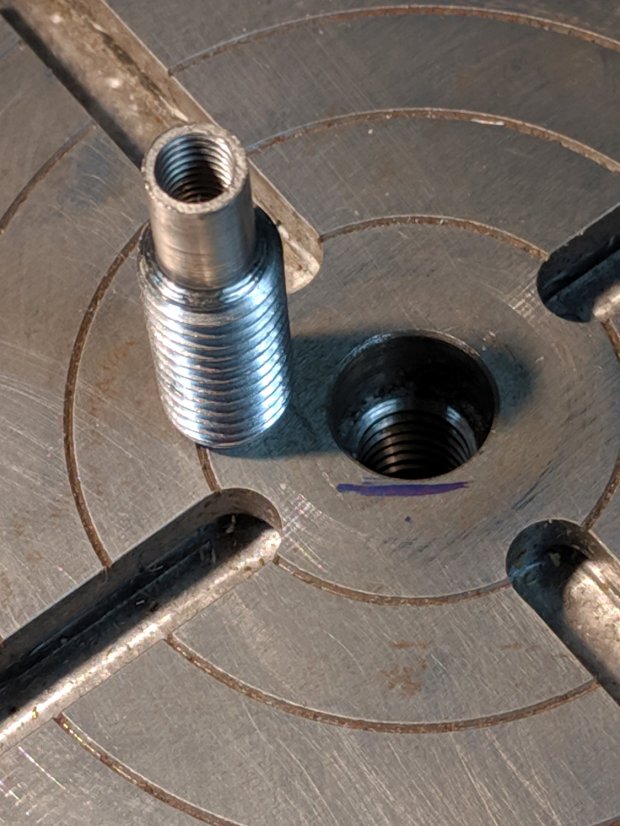
    The Sherline uses 10-32 screws, so poke a #16 drill 15 mm into the bolt to get maybe 25% thread depth (because it’s a blind hole into stainless steel for an application requiring minimal strength and I hate breaking taps), tap 10-32, clean out the hole, and call it All Good:

    CNC 3018-Pro - CD fixture milling - rotary table adapter
    CNC 3018-Pro – CD fixture milling – rotary table adapter

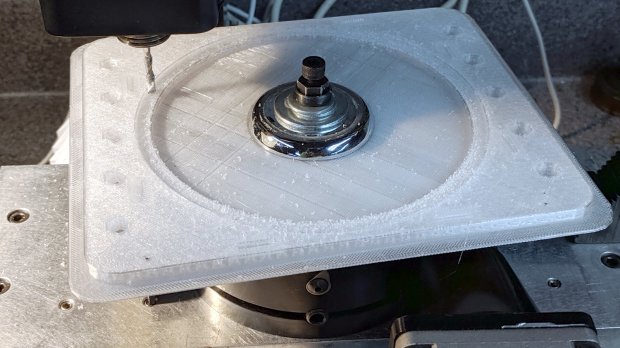
    Find the trim plate from an old faucet to reach around the central boss, stack up enough flat washers to meet the nut, snug a Sherline spherical nut + washer set (because it’s within reach), chuck up a 1/8 inch mill, and have at it:

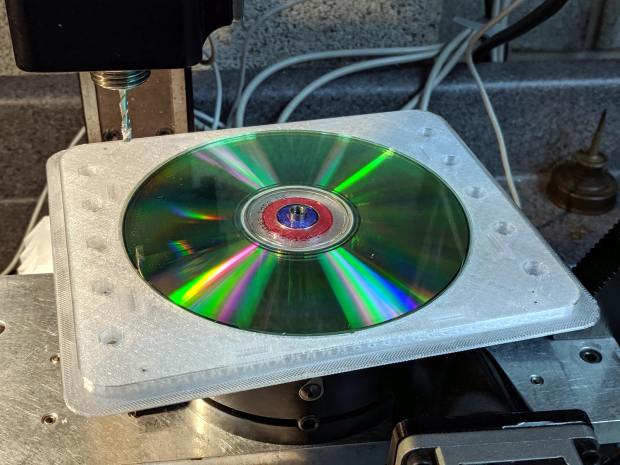
    CNC 3018-Pro - CD fixture milling
    CNC 3018-Pro – CD fixture milling

    The fixture sits atop an aluminum plate cut to fit a smaller version of the table riser, but this requires zero fancy alignment. The 6 mm adapter centers the fixture on the rotary table and the cutter sits at a fixed radius from the center wherever it contacts the fixture rim; just spin the table and it cuts a neatly centered circle.

    A test fit showed the oversize discs fit perfectly:

    CNC 3018-Pro - CD fixture milling - test fit
    CNC 3018-Pro – CD fixture milling – test fit

    Bonus: a nice new adapter for the rotary table!

  • CNC 3018-Pro: Platter Fixtures

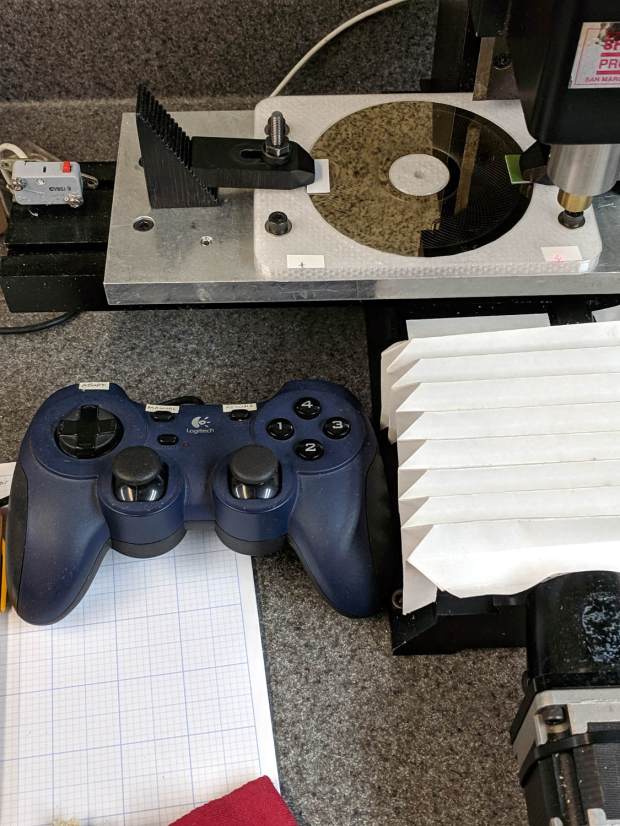
    Up to this point, the Sherline has been drilling 3.5 inch hard drive platters to serve as as reflecting bases for the vacuum tubes:

    LinuxCNC - Sherline Mill - Logitech Gamepad
    LinuxCNC – Sherline Mill – Logitech Gamepad

    The CNC 3018-Pro has a work envelope large enough for CD / DVD platters, so I mashed the Sherline fixture with dimensions from the vacuum tube code, added the 3018’s T-slot spacing, and conjured a pair of fixtures for a pair of machines.

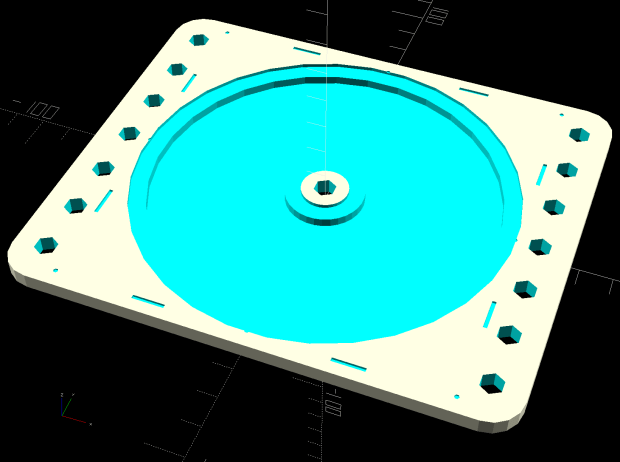
    Because I expect to practice on scrap CDs and DVDs for a while:

    Platter Fixtures - CD on 3018
    Platter Fixtures – CD on 3018

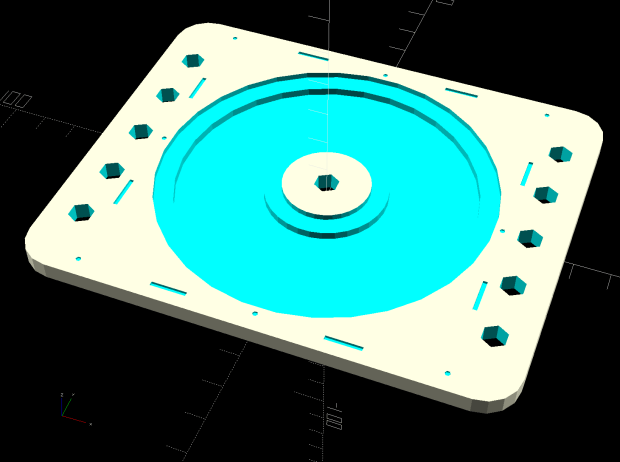
    And a 3.5 inch hard drive platter version:

    Platter Fixtures - hard drive platter on 3018
    Platter Fixtures – hard drive platter on 3018

    The holes sit at half the 3018’s T-slot spacing (45 mm / 2), so you can nudge the fixtures to the front or rear, as you prefer.

    The alignment dots & slots should help touch off the XY coordinate system on the Sherline, although it can’t reach all of a CD. Using bCNC’s video alignment on the hub hole will be much easier on the 3018.

    After fiddling around with the 3018 for a while, however, the CD fixture doesn’t have many advantages over simply taping the disc to a flat platen. Obviously, you’d want a sacrificial layer for drilling, but it’s not clear the OEM motor / ER11 chuck would be up to that task.

    The OpenSCAD source code as a GitHub Gist:

    // Machining fixtures for CD and hard drive platters
    // Ed Nisley KE4ZNU February … September 2016
    // 2019-08 split from tube base models
    PlatterName = "CD"; // [3.5inch,CD]
    CNCName = "3018"; // [3018,Sherline]
    PlateThick = 5.0; // [5.0,10.0,15.0]
    RecessDepth = 4.0; // [0.0,2.0,4.0]
    //- Extrusion parameters must match reality!
    /* [Hidden] */
    ThreadThick = 0.25;
    ThreadWidth = 0.40;
    HoleWindage = 0.2;
    Protrusion = 0.1; // make holes end cleanly
    inch = 25.4;
    function IntegerMultiple(Size,Unit) = Unit * ceil(Size / Unit);
    module PolyCyl(Dia,Height,ForceSides=0) { // based on nophead's polyholes
    Sides = (ForceSides != 0) ? ForceSides : (ceil(Dia) + 2);
    FixDia = Dia / cos(180/Sides);
    cylinder(d=(FixDia + HoleWindage),h=Height,$fn=Sides);
    }
    ID = 0;
    OD = 1;
    LENGTH = 2;
    //———————-
    // Dimensions
    P_NAME = 0; // platter name
    P_ID = 1; // … inner diameter
    P_OD = 2; // … outer diameter
    P_THICK = 3; // … thickness
    PlatterData = [
    ["3.5inch", 25.0, 95.0, 1.75],
    ["CD", 15.0, 120.0, 1.20],
    ];
    PlatterSides = 3*4*5; // polygon approximation
    B_NAME = 0; // machine name
    B_OC = 1; // … platform screw OC, use small integer for slot
    B_STUD = 2; // … screw OD clearance
    BaseData = [
    ["3018", [5.0, 45.0], 6.0], // slots along X axis
    ["Sherline", [1.16*inch,1.16*inch], 5.0], // tooling plate
    ];
    //———————-
    // Drilling fixture for disk platters
    module PlatterFixture(Disk,Machine) {
    PI = search([Disk],PlatterData,1,0)[P_NAME]; // get platter index
    echo(str("Platter: ",Disk));
    Platter = [PlatterData[PI][P_ID],
    PlatterData[PI][P_OD],
    PlatterData[PI][P_THICK]];
    BI = search([Machine],BaseData,1,0)[B_NAME]; // get base index
    echo(str("Machine: ",Machine));
    AlignOC = IntegerMultiple(Platter[OD],10);
    echo(str("Align OC: ",AlignOC));
    AlignSlot = [3*ThreadWidth,10.0,3*ThreadThick];
    StudClear = BaseData[BI][B_STUD]; // … clearance
    StudOC = [IntegerMultiple(AlignOC + 2*StudClear,BaseData[BI][B_OC].x), // … screw spacing
    BaseData[BI][B_OC].y];
    echo(str("Stud spacing: ",StudOC));
    NumStuds = [2,1 + 2*floor(Platter[OD] / StudOC.y)]; // holes only along ±X edges
    echo(str("Stud holes: ",NumStuds));
    BasePlate = [(20 + StudOC.x*ceil(Platter[OD] / StudOC.x)),
    (10 + AlignOC),
    PlateThick];
    echo(str("Plate: ",BasePlate));
    PlateRound = 10.0; // corner radius
    difference() {
    hull() // basic plate shape
    for (i=[-1,1], j=[-1,1])
    translate([i*(BasePlate.x/2 – PlateRound),j*(BasePlate.y/2 – PlateRound),0])
    cylinder(r=PlateRound,h=BasePlate.z,$fn=4*4);
    for (i=[-1,0,1], j=[-1,0,1]) // origin pips
    translate([i*AlignOC/2,j*AlignOC/2,BasePlate.z – 2*ThreadThick])
    cylinder(d=4*ThreadWidth,h=1,$fn=6);
    for (i=[-1,1], j=[-1,1]) { // alignment slots
    translate([i*(AlignOC + AlignSlot.x)/2,
    j*Platter[OD]/4,
    (BasePlate.z – AlignSlot.z/2 + Protrusion/2)])
    cube(AlignSlot + [0,0,Protrusion],center=true);
    translate([i*Platter[OD]/4,
    j*(AlignOC + AlignSlot.x)/2,
    (BasePlate.z – AlignSlot.z/2 + Protrusion/2)])
    rotate(90)
    cube(AlignSlot + [0,0,Protrusion],center=true);
    }
    for (i=[-1,1], j=[-floor(NumStuds.y/2):floor(NumStuds.y/2)]) // mounting stud holes
    translate([i*StudOC.x/2,j*StudOC.y/2,-Protrusion])
    rotate(180/6)
    PolyCyl(StudClear,BasePlate.z + 2*Protrusion,6);
    translate([0,0,-Protrusion]) // center clamp hole
    rotate(180/6)
    PolyCyl(StudClear,BasePlate.z + 2*Protrusion,6);
    translate([0,0,BasePlate.z – Platter[LENGTH]]) // disk locating recess
    rotate(180/PlatterSides)
    linear_extrude(height=(Platter[LENGTH] + Protrusion),convexity=2)
    difference() {
    circle(d=(Platter[OD] + HoleWindage),$fn=PlatterSides);
    circle(d=Platter[ID] – HoleWindage,$fn=PlatterSides);
    }
    translate([0,0,BasePlate.z – RecessDepth]) // drilling recess
    rotate(180/PlatterSides)
    linear_extrude(height=(RecessDepth + Protrusion),convexity=2)
    difference() {
    circle(d=(Platter[OD] – 10),$fn=PlatterSides);
    circle(d=(Platter[ID] + 10),$fn=PlatterSides);
    }
    }
    }
    //———————-
    // Build it
    PlatterFixture(PlatterName,CNCName);

  • Kinesis Freestyle 2: Steel Tactile Bumps

    Adding tape bumps to the worn Kinesis keyboard demonstrated I really need tactile home keys, so I popped the tops and fired up the Sherline mill:

    Kinesis keyboard - 2 mm drilling
    Kinesis keyboard – 2 mm drilling

    That’s a genuine 2 mm carbide end mill, poked 1 mm into the key cap, snuggled right up against the front edge.

    Two epoxy dabs and some wiping later:

    Kinesis keyboard - 2 mm tactile bearings
    Kinesis keyboard – 2 mm tactile bearings

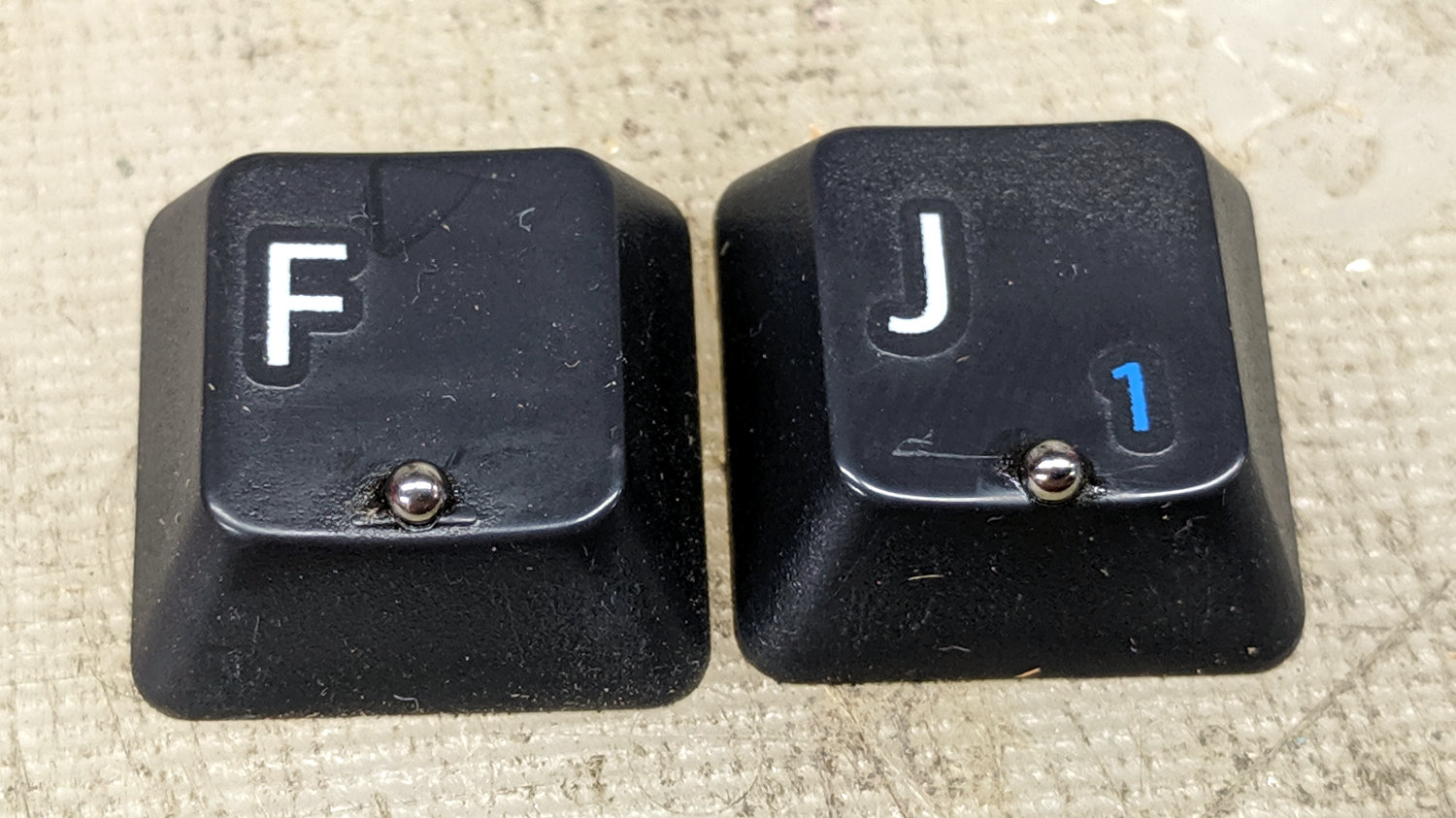
    The careful alignment on the F key tells you I did it first; obviously, I should make better fixtures.

    The holes could be slightly larger and maybe slightly deeper, but the bearings feel just right.

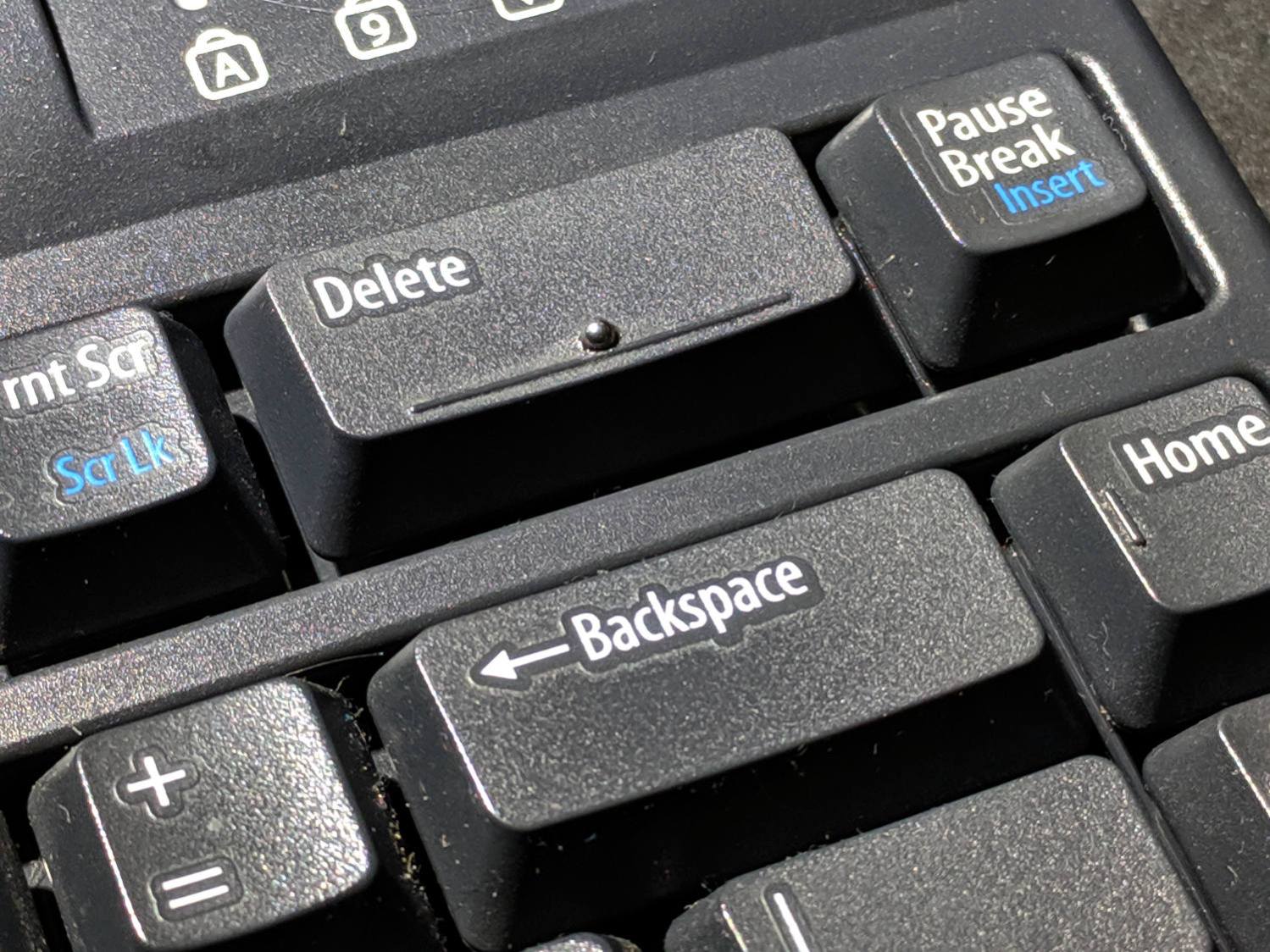
    Indeed, they work so well a ball now distinguishes the far-flung Delete and Backspace keys:

    Kinesis keyboard - 2 mm bearing - Delete key
    Kinesis keyboard – 2 mm bearing – Delete key

    Now, to see how long the epoxy lasts …