The Smell of Molten Projects in the Morning

Ed Nisley's Blog: Shop notes, electronics, firmware, machinery, 3D printing, laser cuttery, and curiosities. Contents: 100% human thinking, 0% AI slop.

Tag: Repairs

If it used to work, it can work again

  • MPCNC: bCNC Probe Camera Refresh

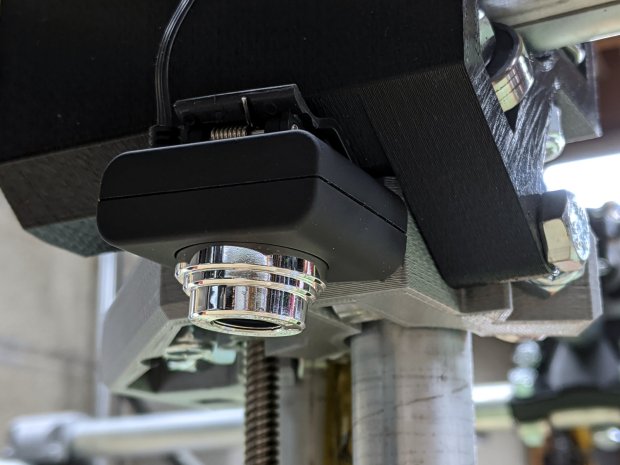
    For the usual inscrutable reasons, updating bCNC killed the USB camera on the MPCNC, although it still worked fine with VLC. Rather than argue with it, I popped a more recent camera from the heap and stuck it onto the MPCNC central assembly:

    bCNC - USB probe camera - attachment
    bCNC – USB probe camera – attachment

    This one has a nice rectangular case, although the surface might be horrible silicone that turns to snot after a few years. The fancy silver snout rotates to focus the lens from a few millimeters to infinity … and beyond!

    If you think it looks a bit off-kilter, you’re absolutely right:

    bCNC - USB probe camera - off-axis alignment
    bCNC – USB probe camera – off-axis alignment

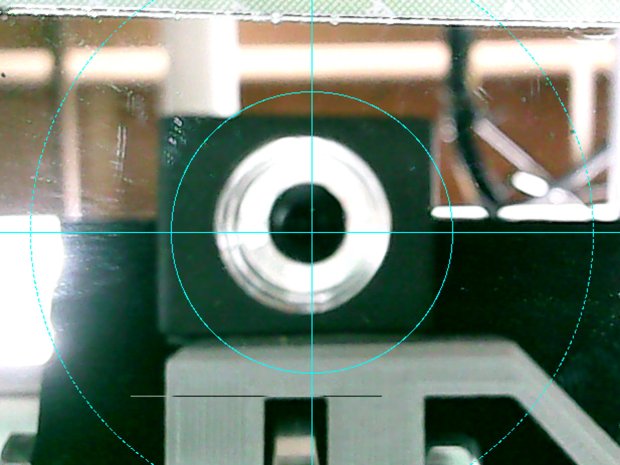
    The lens image reflected in a mirror on the platform shows the optical axis has nothing whatsoever to do with the camera case or lens snout:

    bCNC - USB probe camera - off-axis reflection
    bCNC – USB probe camera – off-axis reflection

    Remember, the mirror reflects the lens image back to itself only when the optical axis is perpendicular to the mirror. With the mirror flat on the platform, the lens must be directly above it.

    Because the MPCNC camera rides at a constant height over the platform, the actual focus & scale depends on the material thickness, but this should be typical:

    bCNC - USB Probe Camera - scale - screenshot
    bCNC – USB Probe Camera – scale – screenshot

    It set up a Tek Circuit Computer test deck within 0.2 mm and the other two within 0.1 mm, so it’s close enough.

    The image looks a whole lot better: cheap USB cameras just keep improving …

  • Bird Box Entrance Reducers: Round 2

    One of the bird box entrance reducers I installed nigh onto a decade ago is still on duty, although downy woodpeckers definitely want a larger hole:

    Bird Box - gray PVC pipe reducer - woodpecker damage
    Bird Box – gray PVC pipe reducer – woodpecker damage

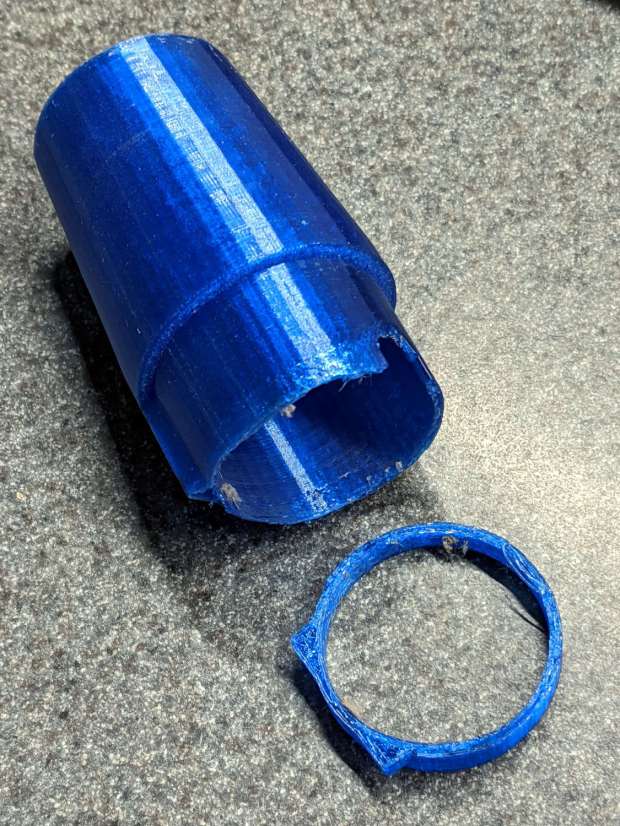
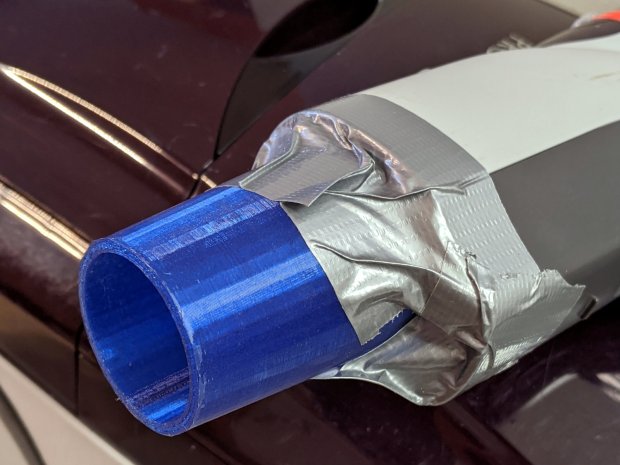
    Another reducer had gone missing over the years, so I made one from a length of PVC pipe:

    Bird Box - PVC pipe reducer - shaping
    Bird Box – PVC pipe reducer – shaping

    It started as 1-½ PVC pipe, 1-⅞ inch actual OD and should fit into a 1-½ hole, so I measured 1.5 × 3.15 around the circumference, bandsawed out the excess, draped it over a 1-½ Forstner bit, toasted it with a heat gun, and squashed it so it’s just a little bit bigger than the (enlarged!) hole in the box.

    Now the entrance is 1-¼ (-ish), just like it should be:

    Bird Box - PVC pipe reducer - installed
    Bird Box – PVC pipe reducer – installed

    The bird box in the front yard has been attracting starlings, in addition to serving as a hawk perch:

    New Coopers Hawks - bird box takeoff whoops
    New Coopers Hawks – bird box takeoff whoops

    The oblong hole required advanced manufacturing techniques:

    Oval Entrance Reducer
    Oval Entrance Reducer

    The front face should be too slick for larger birds and the little ones will zip right into the hole:

    Bird Box - 3D printed entrance reducer
    Bird Box – 3D printed entrance reducer

    The two starlings who’d been evaluating the box seem to have moved on; we doubt they’re now homeless.

    The OpenSCAD source code as a GitHub Gist:

    // Bird Box – oval entrance reducer
    // Ed Nisley KE4ZNU 2020-02-12
    //- Extrusion parameters must match reality!
    // Print with 3 shells and 3 solid layers
    ThreadThick = 0.25;
    ThreadWidth = 0.40;
    HoleWindage = 0.2;
    function IntegerMultiple(Size,Unit) = Unit * ceil(Size / Unit);
    Protrusion = 0.1; // make holes end cleanly
    inch = 25.4;
    //———————-
    // Dimensions
    EntranceID = 1.25 * inch;
    BoxHole = [1.5,2.25] * inch;
    BoxWall = 0.75 * inch;
    HoleOC = BoxHole.y – BoxHole.x;
    FlangeWidth = 5.0;
    FlangeThick = 5*ThreadThick;
    $fn = 12*4;
    //——————-
    // Build it
    difference() {
    union() {
    linear_extrude(height=BoxWall + FlangeThick)
    hull()
    for (j=[-1,1])
    translate([0,j*HoleOC/2])
    circle(d=BoxHole.x);
    linear_extrude(height=FlangeThick)
    hull()
    for (j=[-1,1])
    translate([0,j*HoleOC/2])
    circle(d=BoxHole.x + 2*FlangeWidth);
    }
    translate([0,0,-Protrusion])
    cylinder(d=EntranceID,h=2*BoxWall);
    }

  • CNC 3018XL: Arduino + Protoneer CNC

    If the truth be known, I wanted to do this as soon as I discovered the CAMtool V3.3 board hardwired the DRV8825 PCBs in 1:32 microstep mode:

    CNC 3018XL - Protoneer atop Arduino - installed
    CNC 3018XL – Protoneer atop Arduino – installed

    The Protoneer CNC board has jumpers, so selecting 1:8 microstep mode is no big deal.

    As before, I epoxied another row of pins along the I/O header for Makerbot-style endstops:

    Protoneer endstop power mod
    Protoneer endstop power mod

    I’ll probably regret not adding pins along the entire row, but, unlike the MPCNC, the CNC 3018XL won’t ever have hard limit switches. I plugged the Run-Hold switch LEDs into an unused +5 V pin and moved on.

    I modified the DRV8825 driver PCBs for fast decay mode:

    DRV8825 PCB - Fast Decay Mode wire
    DRV8825 PCB – Fast Decay Mode wire

    Then set the current to a bit over 1 A:

    3018XL - Protoneer setup - Z 1 mm
    3018XL – Protoneer setup – Z 1 mm

    Six hours later I hauled the once-again-functional CNC 3018XL to my presentation for the ACM:

    Spirograph - intricate sample plot - detail
    Spirograph – intricate sample plot – detail

    Memo to Self: Time to get another Prontoneer board …

  • CAMtool V3.3 vs. The Fat Fingers of Death

    As is my custom, the day before showtime I talked my way through a final full-up dress rehearsal, with the HP 7475A plotter and the CNC 3018XL running their demo plots. As if to justify my attention to detail, the 3018 refused to home, with its X axis motor grinding in a manner suggesting something had gone terribly wrong with its driver.

    OK, I can fix that™.

    Turn off the power, verify the leadscrew turns smoothly by hand, check all the connections & connectors, then pull the DRV8825 PCB to see if anything looks obviously wrong. It didn’t, so I carefully re-plugged the driver and moved the whole affair to the Electronics Workbench for further study.

    I turned on the scope and Tek current probes, then turned on the 3018 power supplies, whereupon a great cloud of Magic Smoke emerged from the CAMtool board and filled the Basement Laboratory with the acrid smell of Electrical Death.

    It seems I carefully and meticulously re-plugged the DRV8825 PCB into its socket exactly one pin too high, which, among other Bad Things, connects the +24 V motor power supply to the driver GND pin.

    Obviously, this did not end well:

    CAMtool V3.3 - blown stepper fuse
    CAMtool V3.3 – blown stepper fuse

    The fuse, put under considerable stress, vented smoke & debris in all directions across the board; note the jets above the white motor connector. Surprisingly, the 1 kΩ resistor just below it is in fine shape, as is the rather blackened electrolytic cap.

    The fuse measures the same 150-ish mΩ as the fuses in the other two axes, but I doubt it’s actually a fuse any more.

    Astonishingly, the Arduino clone on the board worked fine, so I could extract the GRBL configuration.

    Memo to Self: Never plug things in with your head upside down!

  • Anonymous Bike Taillight Current

    Along with the (defunct) Blackburn Flea, the bike pack also disgorged an anonymous taillight with a battery resistant to recharging through the USB port. Gentle suasion cracked the solvent-glued joint around the case:

    Bike taillight - cracking case
    Bike taillight – cracking case

    As with most modern electronics, a battery occupies most of the interior volume:

    Bike taillight - opening case
    Bike taillight – opening case

    For posterity, the connections:

    Bike taillight - connections
    Bike taillight – connections

    I unsoldered the cell and charged it from a bench supply:

    Bike taillight - external recharge
    Bike taillight – external recharge

    The voltage started out low with the current held to about 100 mA, eventually rose to 4.1 V, and stayed there while the current dropped to zero. Unlike the Blackburn cell, it appears not too much worse for the experience, although I haven’t measured the actual capacity.

    Clipping the Tek current probe around the LED supply wire produced this waveform for the “dim” setting:

    Anonymous Taillight - Low - 200 mA-div
    Anonymous Taillight – Low – 200 mA-div

    Adding a voltage probe across the LEDs and clicking to the “high” setting:

    Anonymous Taillight - High - 200 mA-div
    Anonymous Taillight – High – 200 mA-div

    The intense ringing at the start of the pulse seems an artifact of the measurement setup, but ya never know; these days, RFI can come from anywhere.

    In any event, the COB LED strip draws 800 mA from a fully charged battery, about 26 mA for each of the 30 LEDs. The 5% duty cycle in the “dim” setting is decently bright and 18% in “high” is entire adequate.

    A trio of blinks works for daytime rides, although the fastest one seems seizure-inducing.

    I’ve strapped it around a rack strut and run it at the slowest blink, on the principle you can never have too many blinky lights

  • LibreOffice Impress vs. NFS Network Shares vs. Caching

    Whenever I put together a presentation, LibreOffice Impress gradually grinds to a halt with images in the slide thumbnails repeatedly updating and never stabilizing; eventually, LO crashes and sends a crash report to whoever’s watching. This may be due to my enthusiastic use of images to get my point(s) across, although I’m just not gonna back down from that position:

    LibreOffice Impress - Thumbnail thrashing
    LibreOffice Impress – Thumbnail thrashing

    That’s a screenshot of a small thumbnail, enlarged for visibility, so it doesn’t look that crappy in real life.

    Perhaps the problem arises because I insert the images as links, rather than embedding them to create a monolithic presentation file roughly the size of all outdoors?

    Searching with the obvious keywords produces tantalizing hints concerning LO’s file locks clashing with NFS network share locking, which seems appropriate for my situation with all the files living on the grandiosely named file server (a headless Optiplex) in the basement.

    The suggestions include making sure the NFS locking daemon is active, but I have NFC about how that might work in practice. The lockd daemon is running, for whatever that’s worth.

    Seeing as how I’m the only one editing my LO presentations, disabling LO’s locks has little downside and requires tweaking one character in one line inside /usr/bin/libreoffice:

    # file locking now enabled by default
    SAL_ENABLE_FILE_LOCKING=0
    export SAL_ENABLE_FILE_LOCKING
    <<< blank line to show off underscores above >>>

    After a brief bout of good behavior, Impress resumed thrashing and stalling.

    Copying the entire presentation + images to the SSD inside my desktop PC didn’t improve the situation.

    More searches on less obvious keywords suggested disabling the Impress “background cache”, whatever that might be:

    Tools → Options → Impress → General → Settings

    Then un-check the ☐ Use background cache item, which may be the last vestige of the now-vanished memory usage and graphics cache size settings from previous versions.

    In any event, disabling the cache had no effect, so it’s likely a problem deep inside LibreOffice where I cannot venture.

    It autosaves every ten minutes and I must restart it maybe once an hour: survivable, but suboptimal.

    There seems to be an improvement from Version 6.0.7 (Ubuntu 18.04 LTS) to Version 6.2.8 (Manjaro rolling release), although it’s too soon to tell whether it’s a fix or just different symptoms.

  • Subaru Forester Rear Wiper Disassembly

    You’re supposed to just rotate the wiper blade holder and have it pop out of the mount on the end of the arm:

    Subaru Forester - rear wiper blade mount
    Subaru Forester – rear wiper blade mount

    The blade holder has two opposed pegs fitting into those curved notches to the right of the hook for the holder’s pivot, with the intent of preventing it from rotating too far and sliding out. I was unwilling to apply sufficient force to disengage those pegs, as the penalty for breaking the wrong piece of plastic seemed very high. Apparently, the pegs should ride up over the slightly lower edge of their notch, bending the holder’s sides outward as they do.

    So I jammed a little screwdriver beside one of the pegs, managed to encourage it out of its notch, repeated the treatment on the other side, and the blade holder popped right out.

    The front wiper arms have J-hooks on their ends and disengage easily, at least after you realize the flat panel on the blade holder is actually a latch you’re suppose to pull up-and-out to release the hook. This goes more easily when assisted with the aforementioned small screwdriver.

    The blades were in good shape after five years, mostly because the Forester spends most of its time in the garage. A trio of silicone wipers should last the rest of its life, with the OEM wipers tucked into the spare tire well Just In Case.

    Back in the day, one could replace just the blades, not the entire holder, but I suppose this is progress.