The Smell of Molten Projects in the Morning

Ed Nisley's Blog: Shop notes, electronics, firmware, machinery, 3D printing, laser cuttery, and curiosities. Contents: 100% human thinking, 0% AI slop.

Tag: Repairs

If it used to work, it can work again

  • Manjaro Linux: TOTP PSA

    Manjaro Linux: TOTP PSA

    I set up my pobox.com account set up with two-factor authentication through my Yubikey, so logging in requires my user ID, password, and a Time-based One-time Password generated through the Yubikey Authenticator program. A few weeks ago, pobox occasionally rejected the TOTP and it eventually became a hard failure. Oddly, other sites I’ve set up with TOTP 2FA continued to work fine.

    My initial trouble report:

    The last couple of times I’ve tried to sign in, the usual TOTP copy-n-paste from my Yubikey authenticator has failed.

    Up to that point, it worked flawlessly.

    Manually typing the TOTP also fails.

    I have reset my (complex!) password to no avail; I use Firefox’s password manager to fill it in.

    I do have a set of lockout codes, but they’re a solution to a different problem.

    Given the constant updates to Firefox (102.0.3), it’s almost certain the hole is in my end of the boat. I have disabled all the usual ad blocking for pobox.com, although there may be other domains I’ve overlooked.

    Other than that, my email seems to be working just fine …

    Any suggestions on how to proceed? (Obviously, I’m not going to be able to sign on to look at the ticket.)

    Thanks …

    This is the fastest I’ve ever reached Tier 2:

    We’re happy to help you with this. I’ve escalated your ticket to our Tier 2 agents, as they are best suited to assist with this issue.

    There is nothing like a good new problem to take your mind off all your old problems:

    I’ve had a chat with our Tier 2 agents about this and they’ve suggested I escalate it to our developers to have a look at.

    Somewhat later:

    I am afraid to say that our developers were unable to find any clear reason as to why your Yubikey failed.

    Yubikey devices verify by connecting with Yubikey’s server, and it is possible that this connection failed.

    Can you please try using the Yubikey again to see if the issue is still occurring?

    If it’s still failing, can you please try adding a new Yubikey device to see if it works?

    Of course, the problem didn’t magically Go Away, but I did more experimentation and figured out where the hole was in my end of the boat:

    Ah-HA! It’s a PEBKAC error!

    For unknown reasons, this PC was not set for automatic NTP time updates(*). Its time had drifted (presumably since I installed it back in June 2021) and was now 58 seconds behind real time, exceeding pobox’s tolerance.

    Other websites apparently allow a few more seconds of slop before disallowing a TOTP, so I had not yet run afoul of their limit.

    Some lesser-used sites threw me out, however, but I had not looked beyond the most common sites.

    The default TOTP interval is 30 seconds, so perhaps pobox allows only ±1 interval and the other sites allow ±2? Frankly, I think pobox has it right: everybody else prioritizes customer sat over security.

    Got the clock set correctly and, gosh, TOTP works fine.

    Mark it solved, but definitely add “Soooo, is your PC’s clock set for automatic updates?” to the debugging protocol.

    Thanks …

    (*) I’ve installed all of the boxen here and would not ever have picked “Yeah, sure, I want to dink with the clock.”

    The solution looks like this:

    Manjaro Time and Date Settings - Auto Set
    Manjaro Time and Date Settings – Auto Set

    Which was unchecked on this PC.

    Of course, systemd has long since subsumed NTP, making everything I thought I once knew obsolete: now it’s handled by timesyncd.

    How you make sure time synchronization is enabled goes like this:

    $ systemctl status systemd-timesyncd.service
    ● systemd-timesyncd.service - Network Time Synchronization
         Loaded: loaded (/usr/lib/systemd/system/systemd-timesyncd.service; enabled; preset: enabled)
         Active: active (running) since Thu 2022-08-25 06:49:31 EDT; 10h ago
           Docs: man:systemd-timesyncd.service(8)
       Main PID: 355 (systemd-timesyn)
         Status: "Contacted time server 23.157.160.168:123 (2.manjaro.pool.ntp.org)."
          Tasks: 2 (limit: 19063)
         Memory: 2.2M
            CPU: 188ms
         CGroup: /system.slice/systemd-timesyncd.service
                 └─355 /usr/lib/systemd/systemd-timesyncd
    
    Aug 25 06:49:31 shiitake systemd[1]: Starting Network Time Synchronization...
    Aug 25 06:49:31 shiitake systemd[1]: Started Network Time Synchronization.
    Aug 25 06:50:12 shiitake systemd-timesyncd[355]: Timed out waiting for reply from 162.159.200.123:123 (2.manjaro.pool.ntp.org).
    Aug 25 06:50:12 shiitake systemd-timesyncd[355]: Contacted time server 23.157.160.168:123 (2.manjaro.pool.ntp.org).
    Aug 25 06:50:12 shiitake systemd-timesyncd[355]: Initial clock synchronization to Thu 2022-08-25 06:50:12.850444 EDT.
    

    If it’s enabled and running, then it’s all good.

    Whereupon all my TOTP passwords began working again.

    I checked two other Manjaro systems: one had auto updates enabled, one didn’t. I have no explanation.

  • SJCAM M20: Another Battery Bites the Dust

    SJCAM M20: Another Battery Bites the Dust

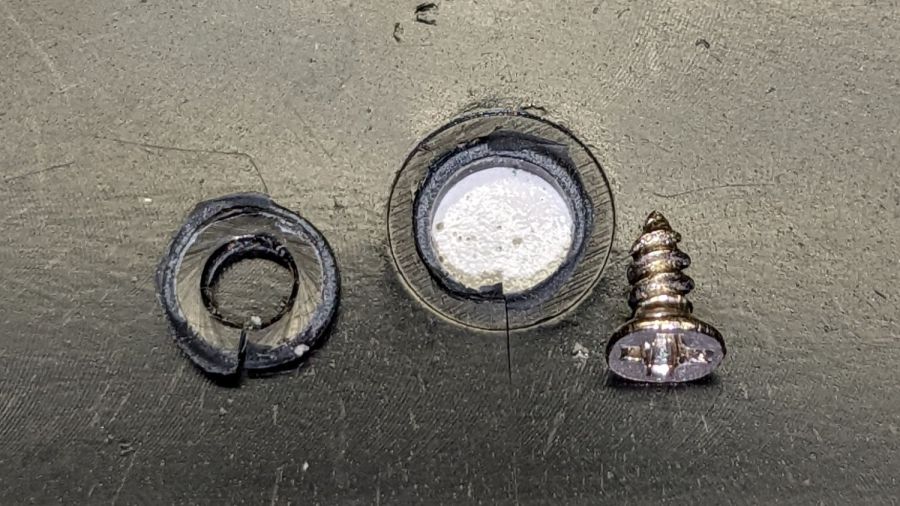
    A little more than two years after replacing its internal battery, the SJCAM M20 camera on my Tour Easy once again wouldn’t last to the end of the driveway if I forgot to turn on the external battery pack. This time around, the camera was so firmly jammed in the printed seat frame mount that I had to cut the mount apart.

    Yup, that puppy is all swoll up:

    SJCAM M20 swollen battery - side view
    SJCAM M20 swollen battery – side view

    Poor thing looks like a tiny pillow:

    SJCAM M20 swollen battery - pouch
    SJCAM M20 swollen battery – pouch

    While I had it apart, I tried to clean / refurbish the button contacts on the top. Unfortunately, they’re pretty well buried in the camera frame and I was unwilling to dismantle the optics, remove the display, and gut the camera to find out if they were more accessible from the back surface:

    SJCAM M20 - switch internals
    SJCAM M20 – switch internals

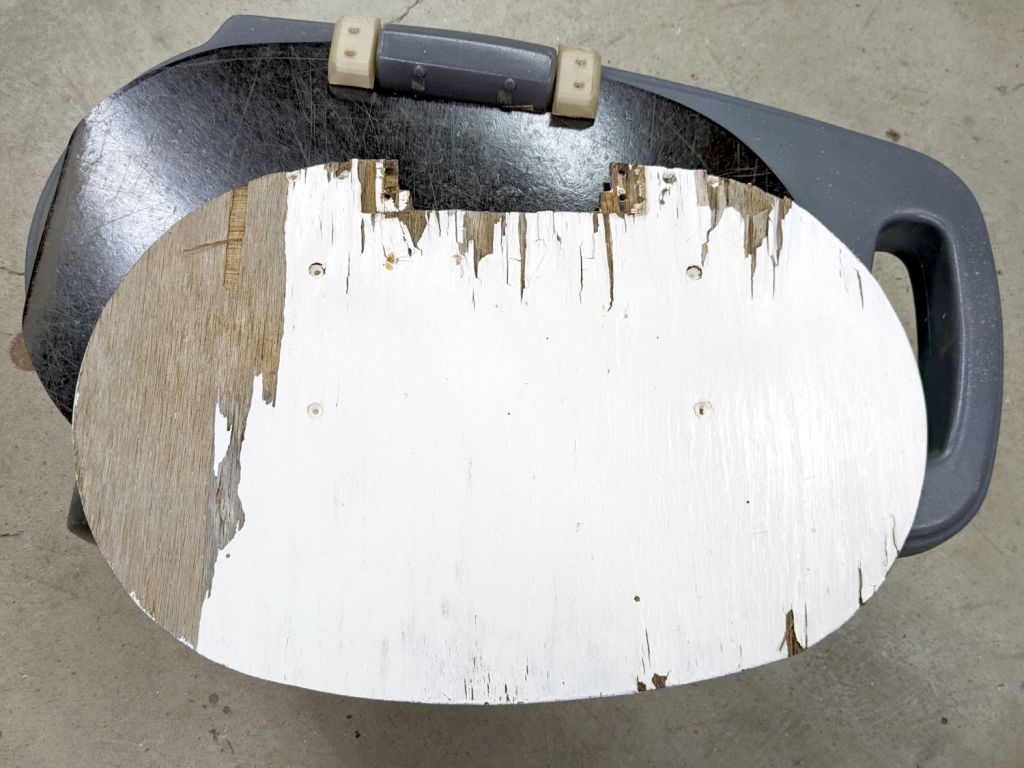
    While all that was going on, I ran off a new mount in white PETG:

    SJCAM M20 - white case installed
    SJCAM M20 – white case installed

    I’m down to the last battery. The “4.35V” on the pillow indicates they’re special high-voltage lithium-polymer cells, so I can’t just drop a random lithium pouch cell in there and expect it to Just Work.

    I think the “782633” is the cell size, so, if I were willing to have a few thousand on the shelf, a 552525 pouch might fit. The reduced capacity wouldn’t be a problem, as it must just keep the camera’s clock ticking between rides.

    Drat!

  • Tour Easy Creaking: Seat Stay

    Tour Easy Creaking: Seat Stay

    Over the course of a few days, my Tour Easy recumbent developed a slight squeak that turned into a definite creak, then the seat started shifting slightly under hill-climbing forces. Of course, no force I could apply in the garage caused the slightest squeak / creak / motion. A decade ago this was due to a sheared screw at the dropout, but everything seemed to be in good order.

    So I applied a drop of penetrating oil to each of the many joints in the seat hardware, went on a few more rides, and eventually the seat started moving with normal pedaling forces.

    The left strut clamp looked fine:

    Tour Easy seat stay - left side
    Tour Easy seat stay – left side

    OK, it looks grubby. I’d rather ride than lick my bike clean.

    The right clamp definitely showed signs of motion:

    Tour Easy seat stay - right side slip
    Tour Easy seat stay – right side slip

    I extracted the strut assembly, degreased the clamps, reinstalled in reverse order, replaced the nuts, snugged everything down, and it’s all good again:

    Tour Easy seat stay - renutted
    Tour Easy seat stay – renutted

    Yeah, I should have replaced those screws, but I didn’t even have to take the wheel off, sooooo

  • Discrete LM3909: Drain ‘Em Dry

    Discrete LM3909: Drain ‘Em Dry

    Given that I put them into a gadget intended to use partially dead alkaline cells, the “05” date on the cells, and that it’s been blinking since last November, I cannot complain when this happens:

    Discrete LM3907 - leaky Duracells - as found
    Discrete LM3907 – leaky Duracells – as found

    I might just fill the battery holder with vinegar and let it fizz for a while:

    Discrete LM3907 - leaky Duracells - corrosion traces
    Discrete LM3907 – leaky Duracells – corrosion traces

    Even my simple discrete LM3909 circuit can blink a blue LED from a battery producing under 1 V, but those cells were flat dead. Gotta look over there more often, I suppose.

  • OMTech 60 W Laser: Replacement HV Power Supply

    OMTech 60 W Laser: Replacement HV Power Supply

    The original HV power supply in the OMTech 60 W laser went casters-up just barely inside OMTech’s six month tube-and-supply warranty period. For the record, the laser controller reports this status info since mid-March:

    Laser Stats - replacement supply
    Laser Stats – replacement supply

    I think the Total job laser on time line says the power supply failed after firing the laser for a little over eight hours. The OMTech manual says the laser tube should last 1000 to 2000 hours (low vs high power), which suggests I should stock up on power supplies.

    Its replacement just arrived:

    OMTech replacement HV supply
    OMTech replacement HV supply

    It (bottom) seems to be a knockoff of the original ZYE Laser supply (top), with a similar model number and a “serial number” resembling a date from last year. All the connectors matched up, which isn’t too surprising.

    The three most interesting inputs:

    • L = controller’s active-low L-ON enable output
    • IN = controller’s PWM output
    • P = jumper to G (circuit ground) — not water flow sensor

    Also note the two AC power-line terminals directly adjacent to the TEST button, then consider insulation and stand-off distances before poking the button with your index finger.

    The power supply has a digital current meter, so I plotted output current against PWM input:

    Laser Power Supply - mA vs PWM - overview
    Laser Power Supply – mA vs PWM – overview

    Taking more points at the low end, with vertical bars indicating single-digit flicker on the meter:

    Laser Power Supply - mA vs PWM - 0 to 20 PWM
    Laser Power Supply – mA vs PWM – 0 to 20 PWM

    I have little reason to believe the meter reading indicates the true current with any accuracy and I know CO₂ laser output power does not scale linearly with the current.

    But it’s cutting again, which is a step in the right direction.

  • OMTech 60 W Laser: Failed HV Power Supply

    OMTech 60 W Laser: Failed HV Power Supply

    Setting up a piece of MDF and hitting the Frame button produced a lightly scorched line around the part perimeter, plus a slightly diagonal track leading from / to the Home position in the far right corner:

    Fire while framing tracks
    Fire while framing tracks

    Doing another pass with LightBurn’s rubber-band frame produced the faint dotted circle.

    Huh. Didn’t useda do that.

    The laser should not fire while framing and, having just installed LightBurn’s 1.2.01 update, suspicion instantly fell on the most recently changed thing.

    Which turned out not to be the case, as LightBurn’s tech support pointed out:

    This is generally an indication of a failed high-voltage power supply, not a software issue.

    OMTech’s support requested a video of the equipment bay, which didn’t seem like a useful way to convey the situation. Instead, I sent pix.

    This picture shows the status of the 60 W laser power supply while the laser is incorrectly firing:

    OMTech 60W Laser - uncommanded framing fire
    OMTech 60W Laser – uncommanded framing fire

    The power supply has two LEDs on what looks like, but is not, an Ethernet jack near the bottom:

    • Orange P LED: good water flow
    • Green L LED: controller’s PWM signal

    The LASER orange LED near the top turns on when the HV output is active and the laser should be firing.

    In this case, L LED is off and the LCD shows “Laser signal OFF”, but the LASER LED is on and the LCD shows 2 mA beam current: the laser beam is ON, even though the controller has not activated the PWM signal.

    Not only that, but I discovered the laser would fire while framing even with the lid up and the “safety interlock” sensor active.

    Totally did not expect that.

    For comparison, the power supply status during a manual pulse at 49% power:

    OMTech 60W Laser - manual pulse 49%
    OMTech 60W Laser – manual pulse 49%

    In that case, the L LED shows the PWM signal is active, the LASER LED is on, and the LCD shows 14 mA of current to the tube. That’s how it should work.

    Although the function of the TEST button seems very lightly documented, pressing it did not turn on the output (the LASER LED is off), despite lighting the L LED:

    OMTech 60W Laser - Test button pressed
    OMTech 60W Laser – Test button pressed

    OMTech confirmed my suspicion:

    We are afraid that the laser power supply is defective

    A replacement should arrive in a few days.

    Protip: always practice laser eye safety.

  • Kensington Expert Mouse Scroll Ring: More Data Points

    Kensington Expert Mouse Scroll Ring: More Data Points

    A note from Alan adds more data about troubleshooting problems with the classic Kensington Expert Mouse trackball scroll ring:

    I have two comments and a question: first I made the mistake of purchasing 4 used expert mice on ebay etc and each had a different problem but 3 of 4 also had faulty scroll rings. 2nd: one of them was dated 2020 (a wireless version). so they definitely haven’t fixed this issue and it’s very wide spread (or maybe why shady sellers decide to part ways with their trackballs).

    question: from reading across your quotes it’s not clear but it seems like there is no real consistent fix to this issue nor a really strong conclusion as to what causes it? My futzing with a couple of these does seem to suggest that alignment of the ring makes a difference but not a lasting one.

    As far as the alignment non-fix goes, tweaking the detector position just changes the amount of light passing through the wrong side of the reversed IC, without solving the problem. That’s what we’ve all done, with essentially the same results: feels good, doesn’t last.

    Kensington (whoever they are these days) may have fixed the problem with a different quadrature detector oriented in the proper direction, but that’s not something we civilians can accomplish.

    It should be possible to unsolder the reversed detector (if, indeed, it is), aim the lens (if that’s what it is) at the emitter, then somehow resolder the leads to the same pads. Perhaps flip it to put the leads on the top, away from the PCB, secure it with a generous blob of hot-melt glue, and connect jumpers from pads to leads?

    So far, the two new-ish units on my desks continue to work well, depriving me of sufficient motivation to dig into my junkers.

    If anybody is willing to hack their defunct trackball, please let us all know what happened!

    Because you may be reading this in our future, comments on this particular post will probably have been disabled to reduce the attack surface for spammers. Send me an email / use the comment form (linky over on the right), or comment on the post of the day and I’ll sort it out. Thanks!