The Smell of Molten Projects in the Morning

Ed Nisley's Blog: Shop notes, electronics, firmware, machinery, 3D printing, laser cuttery, and curiosities. Contents: 100% human thinking, 0% AI slop.

Tag: Improvements

Making the world a better place, one piece at a time

  • Zire 71 Protector: Some Things Last

    This ABS slab emerged from the Thing-O-Matic in early 2012:

    Zire 71 protector in place
    Zire 71 protector in place

    The Zire would power on whenever the switches clicked or that little joystick moved, which happened regularly enough to be annoying.

    Mary made a small case that matched the other pouches I carry around:

    Belt pack - camera case - PDA case
    Belt pack – camera case – PDA case

    She made the case to fit an HP48 calculator, but it was close enough for the Zire.

    Time passed, the Zire died, I started carrying a Kindle Fire in another pocket, but the ABS slab provided a convenient stiffener between some Geek Scratch Paper and the various pencils / pens / markers / screwdrivers / flashlight filling the available space.

    Unfortunately, minus the backup of an electronic slab, the protector finally failed along an obvious stress riser:

    Zire 71 protector - cracked
    Zire 71 protector – cracked

    I cut a similar rectangle from a sheet of unknown flexy plastic, rounded the corners, clipped the pencils & whatnot to it, and maybe it’ll survive for a while.

  • XTC-3D Epoxy Coating: Results

    Having figured the mixing ratios, found the mixing trays, and donned my shop apron, I buttered up several iterations of the badge reel case to see how XTC-3D epoxy works on the little things around here.

    In all cases, I haven’t done any sanding, buffing, or primping, mostly because I’m not that interested in the final surface finish.

    A single coat produces a glossy finish with ripples from the printed threads:

    XTC-3D - Hilbert - reflective
    XTC-3D – Hilbert – reflective

    Seen straight on, without the glare, a little speck toward the lower right corner shows that cleanliness is next to impossible around here:

    XTC-3D - lines - direct
    XTC-3D – lines – direct

    An additional coat atop a Hilbert-curve upper surface comes out somewhat smoother:

    XTC-3D - Hilbert - reflective 2
    XTC-3D – Hilbert – reflective 2

    Another view, with less glare, shows the pattern a bit better:

    XTC-3D - Hilbert - reflective 1
    XTC-3D – Hilbert – reflective 1

    With no glare, the 3D Honeycomb infill shows through the surface:

    XTC-3D - Hilbert - direct
    XTC-3D – Hilbert – direct

    Coating the surface with epoxy definitely makes it more transparent / less translucent by filling in the air gaps.

    The sides of that part have only one coat and still show typical 3D printed striations.

    Three coats wipe out the striations, along with all other surface detail:

    XTC-3D - Bezel - front oblique
    XTC-3D – Bezel – front oblique

    The bolt head recesses collected enough epoxy to require reaming / milling, which certainly isn’t what you want in that situation. The bolt holes also shrank, although my usual hand-twisted drill would probably suffice to clear the epoxy.

    Another view shows a glint from the smooth surface filling the upper-right recess:

    XTC-3D - Bezel - front
    XTC-3D – Bezel – front

    Three coats definitely hides the 3D printed threads, although you can see some ridges and edges:

    XTC-3D - heavy - oblique
    XTC-3D – heavy – oblique

    The epoxy isn’t perfectly self-leveling, probably due to my (lack of) technique:

    XTC-3D - heavy - reflection
    XTC-3D – heavy – reflection

    Blowing out the contrast shows the surface finish:

    XTC-3D - heavy - direct - boost
    XTC-3D – heavy – direct – boost

    Those scratches come from fingernails, after the overnight curing time. The surface is hard, but not impervious to scratching, which is about what you’d expect for a clear epoxy.

    Slightly over-thinning the XTC-3D with denatured alcohol in a 0.7 : 0.3 : 0.3 by weight ratio produced a watery liquid that penetrated directly into the surface:

    XTC-3D - thinned - oblique
    XTC-3D – thinned – oblique

    The finish depends critically on what’s below the surface and how much epoxy you apply. I tried to spread it uniformly with a foam brush, but the center came out somewhat rougher than the outer edge:

    XTC-3D - thinned - oblique
    XTC-3D – thinned – oblique

    The striations along the sides filled in a bit, but surely not enough to satisfy anybody who worries about such things.

    A specular reflection shows the changing surface smoothness:

    XTC-3D - thinned - oblique reflective
    XTC-3D – thinned – oblique reflective

    Perhaps two coats of thinned epoxy would produce a watertight / airtight part, without changing the overall dimensions by very much. The mechanical properties depend almost entirely on the plastic-to-plastic bond, so I doubt a thin epoxy layer would improve its pressure-handling capabilities.

    Few of the parts I make will benefit from an epoxy coating and I definitely don’t want to get into post-processing the parts just to improve their looks!

  • Wearable LED vs. Astable Multivibrator vs. Dead Lithium Cells

    Mashing the wearable LED from the completely dead CR2032 cell with a classic astable multivibrator circuit and a not-dead-yet CR123 cell produced a pure-analog desktop blinky:

    CR123A Astable - front
    CR123A Astable – front

    Of course, I managed to swap the base resistors, which meant the LED stayed on most of the time, which accounts for the slightly off-kilter brown resistor just under the LED.

    It doesn’t look like much with the LED off:

    CR123A Astable - top - off
    CR123A Astable – top – off

    Running from a 2.8 V (= dead) lithium cell, the LED lights a dark room at 3 mA:

    CR123A Astable - top - on
    CR123A Astable – top – on

    The LTSpice schematic gives the details:

    Astable Multivibrator - CR2032 - schematic
    Astable Multivibrator – CR2032 – schematic

    The LED definitely didn’t come from Nichia and the 2N3704 transistors aren’t the 2N3904s found in the LTSpice library, but, by and large, this is the kind of circuit where nearly anything will work.

    The actual LED current obviously depends critically on the particular LED and the cell voltage, so this represents more of a serving suggestion than an actual prediction:

    Astable Multivibrator - CR2032 - waveform
    Astable Multivibrator – CR2032 – waveform

    Indeed, a Tek current probe clamped around one of those 10 AWG copper wires shows a much more enthusiastic LED current (1 mA/div):

    Astable - CR123A 2.8 V - 1 mA -green
    Astable – CR123A 2.8 V – 1 mA -green

    I don’t trust the baseline very much. The simulation & back of the envelope agree: the LED-off current should be around 400 µA (which doesn’t depend on the LED at all), so it’s in the right ballpark.

    Your mileage will definitely differ.

    It runs without a trace of software, which everybody at Squidwrench thought was wonderful …

  • XTC-3D Epoxy Coating

    The striations inherent in the DIY-grade 3D printing process don’t bother me all that much, but I got some XTC-3D epoxy to see what I’ve been missing. The impressive scrap pile from the badge reel holder provided test pieces:

    XTC-3D Epoxy - test pieces - holders
    XTC-3D Epoxy – test pieces – holders

    If I were serious, I’d figure out a better way to hold the parts. For now, I jammed a watch crab into the back and trapped the bezel on a watch holder, but … ick.

    Weighing the components seems the least-awful way to get the small quantities I need. The instructions recommend 100:43 by weight of resin (A) : hardener (B):

    XTC-3D Epoxy - weighing pan
    XTC-3D Epoxy – weighing pan

    For these tiny parts, 2 g + 0.9 g was way too much and 1 g + 0.4 g seemed entirely adequate. If you slowly drool resin into the pan, drool slightly less than half that much hardener, and it’ll be about as close as you can get. The hardener is much less viscous than the resin: drool carefully.

    The stuff might be self-leveling on larger parts, but on these small surfaces it’s better (IMO) to dry-brush multiple layers: you can see thicker and thinner sections in the first picture. The recoat time runs about 1-½ h.

    The instructions recommend acetone or denatured alcohol as a thinning agent, at 10 to 25% of the resin volume, with curing times up to 24 h. Alcohol seems less likely to produce Bad Results, because it won’t evaporate instantly. Neither will affect PETG, but if you’re using another plastic, keep its solvent list in mind.

    I tried alcohol with a by-weight amounts around 0.7 : 0.3 : 0.3 g, obviously overshooting both the hardener and the alcohol by a few drops. The end result resembled thick water, brushed on easily, and penetrated the surface easily.

    A first coat of thinned epoxy should fill voids and unify the surface without changing the dimensions very much, with subsequent coats leveling the striations.

    More pix after more layers and more curing …

  • Badge Lanyard Reel Mount

    A certain young engineer of my acquaintance now carries an ID badge and, so I hear, works in a PCB design & test venue. Seeing as how her favorite color is purple, this seemed appropriate:

    Badge Lanyard Reel - front - overall
    Badge Lanyard Reel – front – overall

    The guts came from Circuit Breaker Labs in the form of a recycled PCB trapped in acrylic resin atop a plastic housing with a spring-loaded reel inside.

    It arrived with a plastic bullet at the end of the lanyard:

    Badge Lanyard Reel - plastic bullet link
    Badge Lanyard Reel – plastic bullet link

    Which I immediately replaced with brass, because Steampunk:

    Badge Lanyard Reel - bullet cross-drill
    Badge Lanyard Reel – bullet cross-drill

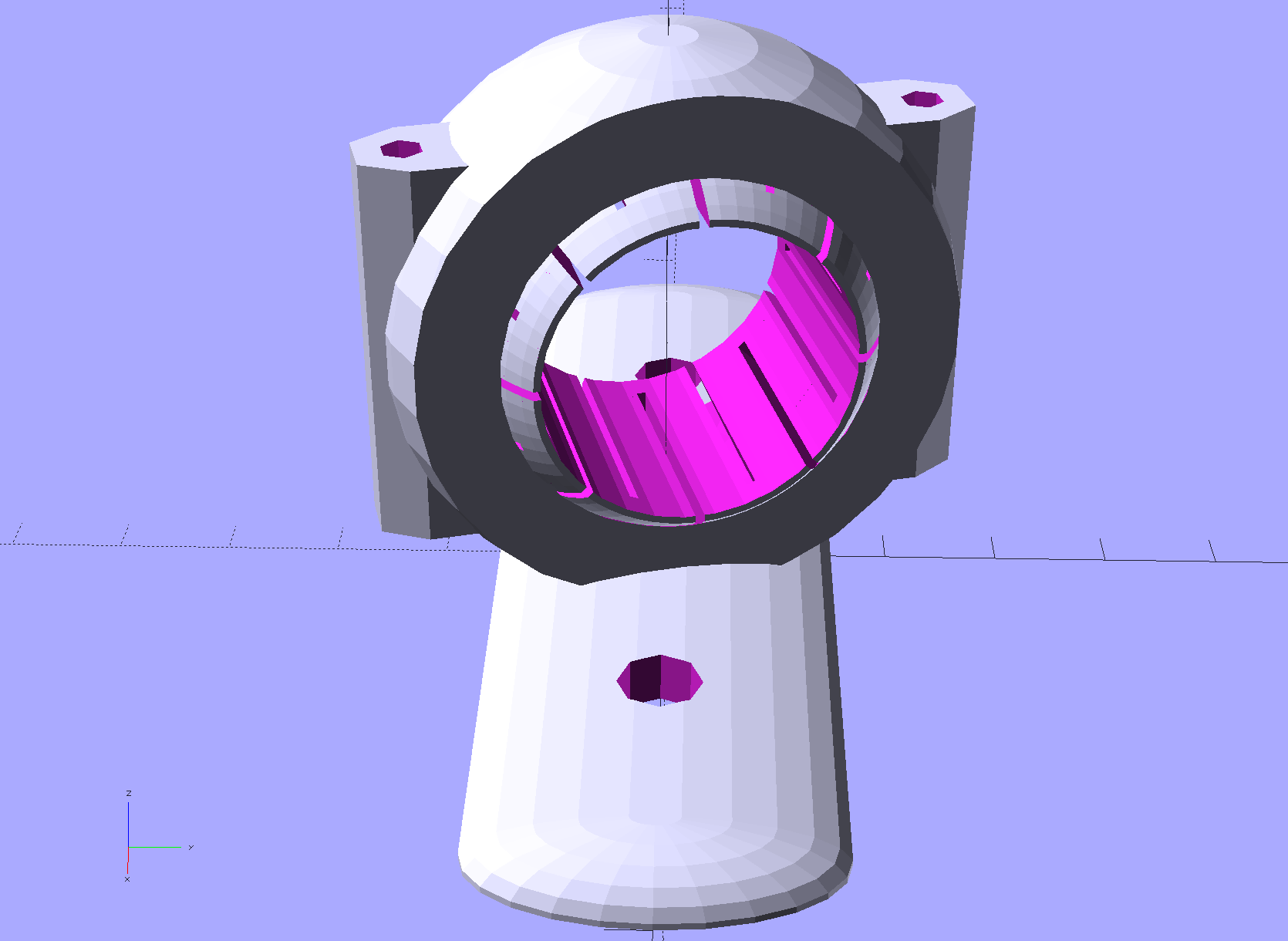
    That made the plastic housing look weak, so, in a series of stepwise refinements, I conjured a much better case from the vasty digital deep:

    Badge Lanyard Reel - iterations
    Badge Lanyard Reel – iterations

    All of the many, many critical dimensions lie inside the case, where they can’t be measured accurately, so each of those iterations could improve only one or two features. The absolutely wonderful thing about OpenSCAD is having it regenerate the whole model after loosening, say, the carabiner slot by two thread thicknesses; you can do that with a full-on relational CAD drawing, but CAD drawings always seems like a lot of unnecessary work if I must figure out the equations anyway.

    The back sports my favorite Hilbert Curve infill with a nicely textured finish:

    Badge Lanyard Reel - rear - oblique
    Badge Lanyard Reel – rear – oblique

    It’d surely look better in solid brass with Hilbert curve etching.

    Black PETG doesn’t photograph well, but at least you can see the M2 brass inserts:

    Badge Lanyard Reel - lower interior
    Badge Lanyard Reel – lower interior

    The first prototype showed the inserts needed far more traction than the usual reamed holes could provide, so I added internal epoxy grooves in each hole:

    Badge Lanyard Reel Mount - show
    Badge Lanyard Reel Mount – show

    Recessing the screw heads into the top plate made them more decorative and smoother to the touch. Button-head screws would be even smoother, but IMO didn’t look quite as bold.

    After seeing how well the grooves worked, I must conjure a module tabulating all the inserts on hand and automagically generating the grooves.

    The yellow star holds up the roof of the reel recess in the build layout:

    Badge Lanyard Reel Mount - build layout - bottom
    Badge Lanyard Reel Mount – build layout – bottom

    Slic3r produced the rest of the support material for the carabiner exit slot:

    Badge Lanyard Reel Mount - bottom - Slic3r support
    Badge Lanyard Reel Mount – bottom – Slic3r support

    Those two support lumps on the right don’t actually support anything, but tweaking the support settings to disable them also killed the useful support on the left; come to find out Slic3r’s modifier meshes don’t let you disable support generation.

    The top plate required support all the way around the inside of the bezel:

    Badge Lanyard Reel Mount - top - Slic3r support
    Badge Lanyard Reel Mount – top – Slic3r support

    I carved the original plastic housing in half, roughly along its midline, and discarded the bottom section with the belt clip (it’s on the far left of the scrap pile). The top section, with PCB firmly affixed, holds the lanyard reel and anchors the retracting spring in a central slotted peg. No pictures of that, as it’s either a loose assembly of parts or a spring-loaded bomb and I am not taking it apart again.

    The lanyard passes through an eyelet that pays it out to the rotating reel. I’d definitely do that differently, were I building it from scratch, because mounting the eyelet in exactly the proper position to prevent the lanyard from stacking up on the reel and jamming against the inside of the housing turned out to be absolutely critical and nearly impossible.

    The top plate presses the original housing against the carabiner, with the cut-off section inside the carabiner’s circular embrace, which just barely worked: the PCB bezel is a millimeter smaller than the shoulder of the housing.

    All in all, I think it came out really well for a 3D printed object made by a guy who usually builds brackets:

    Badge Lanyard Reel - front - oblique
    Badge Lanyard Reel – front – oblique

    I hope she likes it …

    The OpenSCAD source code as a GitHub Gist:

    // Badge Lanyard Reel Mount
    // Ed Nisley KE4ZNU April 2017
    // Reel center at origin, lanyard exit toward +X
    Layout = "Show";
    Support = true;
    //- Extrusion parameters must match reality!
    ThreadThick = 0.20;
    ThreadWidth = 0.40;
    HoleWindage = 0.2;
    Protrusion = 0.05; // make holes end cleanly
    inch = 25.4;
    function IntegerMultiple(Size,Unit) = Unit * ceil(Size / Unit);
    //———————-
    // Dimensions
    ID = 0; // for round things
    OD = 1;
    LENGTH = 2;
    Carabiner = [30.7,35.3,3.5]; // metal carabiner around original reel
    Latch = [6.0,-15,8.0]; // wire spring latch: offset from OD + thickness
    LatchAngle = 60; // max deflection angle to center from -X direction
    LatchPoints = [[0,0],
    [Latch[1]/tan(LatchAngle),0],
    [Latch[1]/tan(LatchAngle),-Latch[1]]]; // polygon in as-cut orientation
    echo(str("Latch polygon: ",LatchPoints));
    Screw = [2.0,3.8 + 0*ThreadWidth,10.0]; // M2 screw: ID = clear, OD = head
    ScrewHeadLength = 2.0;
    ScrewSides = 8;
    ScrewRecess = 5*ThreadThick;
    MountSides = ScrewSides; // suitably gritty corners
    MountThick = Screw[LENGTH] / cos(180/MountSides) + ScrewRecess + 2.0;
    Insert = [Screw[ID],3.4,4.0]; // brass insert for screws
    BCD = Carabiner[OD] + 2.5*Insert[OD];
    BoltAngles = [20,110]; // ± angles to bolt holes
    Reel = [5.3,25.5 + 2*ThreadWidth,6.0 + 2*ThreadThick]; // lanyard cord reel
    ShimThick = 2*ThreadThick; // covers open side of reel for better sliding
    Bezel = [31.0,32.0,7.5]; // PCB holder + shell, LENGTH = post + shell
    BezelSides = 6*4;
    BezelBlock = [5.5,7.5,3.6] + [ThreadWidth,ThreadWidth,ThreadThick]; // block around lanyard eyelet
    Eyelet = [3.5,4.5,3.0];
    Bullet = [2.0,6.5,2.0]; // brass badge holder, LENGTH = recess into mount
    //———————-
    // Useful routines
    module PolyCyl(Dia,Height,ForceSides=0) { // based on nophead's polyholes
    Sides = (ForceSides != 0) ? ForceSides : (ceil(Dia) + 2);
    FixDia = Dia / cos(180/Sides);
    cylinder(r=(FixDia + HoleWindage)/2,
    h=Height,
    $fn=Sides);
    }
    //– Lanyard reel mockup
    module Reel() {
    cylinder(d=Reel[OD],h=Reel[LENGTH],center=true,$fn=6*4);
    }
    // Carabiner metal mockup
    // Some magic numbers lie in wait
    module Beener() {
    difference() {
    hull() {
    cylinder(d=Carabiner[OD],
    h=Carabiner[LENGTH] + 2*ThreadThick,
    center=true,$fn=BezelSides);
    translate([-Carabiner[OD]/2,0,0])
    cylinder(d=Carabiner[OD] – 2.0,
    h=Carabiner[LENGTH] + 2*ThreadThick,
    center=true,$fn=6*4);
    }
    cylinder(d=Carabiner[ID],
    h=2*Carabiner[LENGTH],
    center=true,$fn=BezelSides);
    translate([Carabiner[ID]/4,0,0])
    cube([Carabiner[ID],7.0,2*Carabiner[LENGTH]],center=true);
    }
    }
    // mockup of PCB holder atop remains of old mount with reel post
    // Z = 0 at midline of case
    module BezelMount() {
    rotate(180/BezelSides) {
    PolyCyl(Bezel[ID] + HoleWindage,MountThick,BezelSides); // PCB punches through mount
    PolyCyl(Bezel[OD] + HoleWindage,Bezel[LENGTH] – Reel[LENGTH]/2,BezelSides);
    }
    translate([Reel[OD]/2,0,BezelBlock[2]/2])
    scale([2,1,1])
    cube(BezelBlock,center=true);
    }
    // Main mount around holder & carabiner
    module Mount(Section="All") {
    render()
    difference() {
    hull() {
    for (a = BoltAngles) // spheres defining corners
    for (i=[-1,1])
    rotate(i*a)
    translate([BCD/2,0,0])
    sphere(d=MountThick,$fn=MountSides);
    cylinder(d=Carabiner[OD] + 4*ThreadWidth,
    h=MountThick,center=true); // capture carabiner ring
    }
    for (a = BoltAngles) // screw & insert holes, head recess
    for (i=[-1,1])
    rotate(i*a)
    translate([BCD/2,0,0])
    rotate(0*i*180/ScrewSides) {
    translate([0,0,-(Insert[LENGTH] + 2*ThreadThick)])
    PolyCyl(Insert[OD],
    Insert[LENGTH] + 2*ThreadThick + Protrusion,ScrewSides);
    for (k = [-2:2]) // epoxy retaining grooves
    translate([0,0,-(k*3*ThreadThick + Insert[LENGTH]/2)])
    PolyCyl(Insert[OD] + 1*ThreadWidth,
    2*ThreadThick,ScrewSides);
    PolyCyl(Screw[ID],Screw[LENGTH],ScrewSides);
    translate([0,0,MountThick/2 – ScrewRecess]) // recess screw heads
    PolyCyl(Screw[OD],Screw[LENGTH],ScrewSides);
    }
    translate([0,0,-1*ThreadThick]) // Minkowski Z extends only top surface!
    minkowski() { // space for metal carabiner
    Beener();
    // cube([ThreadWidth,ThreadWidth,2*ThreadThick]);
    cylinder(d=ThreadWidth,h=2*ThreadThick,$fn=6);
    }
    rotate([0,90,0]) rotate(180/6) // cord channel = brass tube clearance
    PolyCyl(Bullet[ID],Carabiner[ID],6);
    translate([Eyelet[LENGTH] + 2.0,0,0]) // eyelet, large end inward
    rotate([0,90,0]) rotate(180/6)
    PolyCyl(Eyelet[OD] + HoleWindage, Reel[OD]/2,6);
    if (false)
    translate([Reel[OD]/2 + Eyelet[LENGTH]/2,0,0]) // eyelet, small end outward
    rotate([0,90,0]) rotate(180/6)
    PolyCyl(Eyelet[ID],Eyelet[LENGTH],6);
    translate([(BCD/2 + MountThick/2)*cos(BoltAngles[0]) – Bullet[LENGTH],0,0]) // bullet recess
    rotate([0,90,0]) rotate(180/6)
    PolyCyl(Bullet[OD],Carabiner[ID],6);
    BezelMount(); // PCB holder clearance
    Reel(); // reel clearance
    translate([0,0,-(Reel[LENGTH] + ShimThick)/2]) // sliding plate on open side of reel
    cylinder(d=Reel[OD],h=ShimThick,center=true,$fn=6*4);
    translate([-Carabiner[OD]/2 + Latch[0],Latch[1],0])
    linear_extrude(height=Latch[2],center=true)
    polygon(LatchPoints);
    if (Section == "Upper") // display & build section cutting
    translate([0,0,-2*Carabiner[LENGTH]])
    cube(4*Carabiner,center=true);
    else if (Section == "Lower")
    translate([0,0,2*Carabiner[LENGTH]])
    cube(4*Carabiner,center=true);
    }
    if (Support) { // Completely ad-hoc support structures
    color("Yellow", Layout == "Show" ? 0.3 : 1.0) {
    if (false && Section == "Upper") {
    Spokes = BezelSides;
    Offset = 6*ThreadWidth;
    for (i = [2:Spokes – 2])
    rotate(i * 360/Spokes)
    translate([Offset,-ThreadWidth,0*(Carabiner[LENGTH]/2)/2])
    cube([Carabiner[OD]/2 – Offset – 0*ThreadWidth,
    2*ThreadWidth,
    Carabiner[LENGTH]/2],center=false);
    for (i = [0:Spokes – 1])
    rotate(i * 360/Spokes)
    translate([Offset,-ThreadWidth,0])
    cube([Bezel[OD]/2 – Offset,
    2*ThreadWidth,
    Bezel[LENGTH] – Reel[LENGTH]/2 – 2*ThreadThick],center=false);
    Bars = 7;
    render()
    difference() {
    union() {
    for (i = [-floor(Bars/2) : floor(Bars/2)])
    translate([-Carabiner[ID]/2,i*Carabiner[OD]/Bars,Carabiner[LENGTH]/4])
    cube([Carabiner[ID]/3,2*ThreadWidth,Carabiner[LENGTH]/2],center=true);
    translate([-Carabiner[ID]/2,0,ThreadThick/2])
    cube([Carabiner[ID]/3,Carabiner[ID],ThreadThick],center=true);
    }
    cylinder(d=Carabiner[ID] + 2*ThreadWidth,h=Carabiner[LENGTH]);
    }
    }
    if (Section == "Lower") {
    translate([0,0,-(Reel[LENGTH]/4 + ShimThick/2 – ThreadThick/2)])
    for (i = [0:8])
    rotate(i * 360/8)
    cube([Reel[OD] – 2*ThreadWidth,
    2*ThreadWidth,
    Reel[LENGTH]/2 + ShimThick – ThreadThick],center=true);
    if (false) {
    Bars = 7;
    render()
    difference() {
    union() {
    for (i = [-floor(Bars/2) : floor(Bars/2)])
    translate([-Carabiner[ID]/2,i*Carabiner[OD]/Bars,-Carabiner[LENGTH]/4])
    cube([Carabiner[ID]/3,2*ThreadWidth,Carabiner[LENGTH]/2],center=true);
    translate([-Carabiner[ID]/2,0,-ThreadThick/2])
    cube([Carabiner[ID]/3,Carabiner[ID],ThreadThick],center=true);
    }
    translate([0,0,-Carabiner[LENGTH]])
    cylinder(d=Carabiner[ID] + 0*ThreadWidth,h=Carabiner[LENGTH]);
    }
    }
    }
    }
    }
    }
    //———————-
    // Build it
    if (Layout == "Beener")
    Beener();
    if (Layout == "Mount")
    Mount();
    if (Layout == "Reel")
    Reel();
    if (Layout == "BezelMount")
    BezelMount();
    Gap = 25;
    if (Layout == "Show") {
    translate([0,0,Gap/2])
    Mount("Upper");
    translate([0,0,-Gap/2])
    Mount("Lower");
    color("Green",0.3)
    Beener();
    color("Brown",0.3)
    Reel();
    color("Red",0.3)
    translate([0,0,-(Reel[LENGTH] + ShimThick)/2])
    cylinder(d=Reel[OD],h=ShimThick,center=true,$fn=6*4);
    }
    if (Layout == "Build") {
    translate([(BCD + MountThick)/2,0,0])
    rotate(180)
    Mount("Upper");
    rotate([180,0,0])
    translate([-(BCD + MountThick)/2,0,0])
    Mount("Lower");
    }
    if (Layout == "BuildUpper")
    Mount("Upper");
    if (Layout == "BuildLower")
    rotate([180,0,0])
    Mount("Lower");


  • Microscope 60 LED Ring Light Adapter

    The Barbie-themed microscope light I built from an angel eye LED ring worked fine for the last six years (!), but a much brighter ring with 60 aimed 5 mm LEDs for $17 delivered from a US seller caught my eye:

    Microscope 60 LED ring light - in use
    Microscope 60 LED ring light – in use

    Although this ring looks much more professional, it didn’t quite fit the microscope, being designed for a round snout rather than a squarish one. This snout has a 47-ish mm threaded ring intended for filters & suchlike, so I built an adapter between that and the 60 mm ID of the LED ring:

    Microscope 60 LED Ring Light Adapter - top - Slic3r
    Microscope 60 LED Ring Light Adapter – top – Slic3r

    The ring came with three long knurled screws which I replaced with much tidier M3 socket-head screws going into those holes:

    Microscope 60 LED ring light - assembled - top
    Microscope 60 LED ring light – assembled – top

    The part going into the snout threads is deliberately (honest!) a bit small, so I could wrap it with soft tape for a good friction fit. The Barbie Ring didn’t weigh anything and I wound up using squares of double-sticky foam tape; it could come to that for this ring, too.

    The adapter features a taper on the bottom for no particularly good reason, as the field-of-view tapers inward, not outward:

    Microscope 60 LED Ring Light Adapter - bottom - Slicer
    Microscope 60 LED Ring Light Adapter – bottom – Slicer

    Seen from the bug’s POV, it’s a rather impressive spectacle:

    Microscope 60 LED ring light - assembled - bottom
    Microscope 60 LED ring light – assembled – bottom

    The control box sports a power switch and a brightness knob. Come to find out the ring is actually too bright at full throttle; a nice problem to have.

    That was easy!

    The OpenSCAD source code as a GitHub Gist:

    // LED Ring Light Mount – 60 mm ID ring
    // Ed Nisley KE4ZNU April 2017
    //- Extrusion parameters must match reality!
    ThreadThick = 0.25;
    ThreadWidth = 0.40;
    HoleWindage = 0.2;
    Protrusion = 0.1; // make holes end cleanly
    inch = 25.4;
    function IntegerMultiple(Size,Unit) = Unit * ceil(Size / Unit);
    //———————-
    // Dimensions
    ID = 0;
    OD = 1;
    LENGTH = 2;
    ScopeThread = [43.0,46.5,4.0]; // scope snout thread, ID = minimum invisible
    LEDRing = [ScopeThread[ID],60.0,8.0];
    LEDScrewOffset = 4.0;
    LEDScrewOD = 3.0;
    LEDScrews = 3;
    OAH = ScopeThread[LENGTH] + LEDRing[LENGTH];
    NumSides = 3*4*LEDScrews; // get symmetry for screws
    //———————-
    // Useful routines
    module PolyCyl(Dia,Height,ForceSides=0) { // based on nophead's polyholes
    Sides = (ForceSides != 0) ? ForceSides : (ceil(Dia) + 2);
    FixDia = Dia / cos(180/Sides);
    cylinder(r=(FixDia + HoleWindage)/2,h=Height,$fn=Sides);
    }
    //———————-
    // Build it
    difference() {
    rotate(180/NumSides)
    union() {
    cylinder(d=ScopeThread[OD],h=OAH,$fn=NumSides);
    cylinder(d=LEDRing[OD],h=LEDRing[LENGTH],$fn=NumSides);
    }
    translate([0,0,-Protrusion])
    rotate(180/NumSides)
    cylinder(d=ScopeThread[ID],h=OAH + 2*Protrusion,$fn=NumSides);
    translate([0,0,-Protrusion])
    rotate(180/NumSides)
    cylinder(d1=LEDRing[OD] – 2*6*ThreadWidth,
    d2=ScopeThread[ID],
    h=LEDRing[LENGTH] + Protrusion,$fn=NumSides);
    for (i=[0:LEDScrews-1])
    rotate(i*360/LEDScrews)
    translate([LEDRing[OD]/2 – LEDScrewOD,0,LEDRing[LENGTH] – LEDScrewOffset])
    rotate([0,90,0]) rotate(180/6)
    cylinder(d=LEDScrewOD,h=LEDScrewOD + Protrusion,$fn=6);
    }


  • 3D Printer Design Conversation: Part 5

    The final installment of musings about building a large-format 3D printer …

    (Continued from yesterday)

    Perhaps they saw your blog post?

    The old-old (original) high-resistance Kysan motor costs something like $45 and, apart from minor cosmetic differences, looks /exactly/ the same as the old-new low-resistance motor. If you were picking motors and didn’t quite understand why you needed a low-resistance winding, which would you pick? Hence, my insistence on knowing the requirements before plunking down your money.

    To be fair, I didn’t understand that problem until the Thing-O-Matic rubbed my nose in it. With all four motors. Vigorously.

    So, yeah, I think I had a part in that.

    comes back to the same numbers over and over

    The new-new leadscrews have something like half the pitch of the old-new and old-old threads; I don’t recall the number offhand. In any event, that gives you twice the number of motor steps per millimeter of motion and roughly twice the lifting force. This is pretty much all good, even though it may reduce the maximum Z axis speed (depends on your settings & suchlike).

    When it moves upward by, say, 5 mm and downward by 5 mm, you’re measuring position repeatability. That level of repeatability is pretty much a given (for the M2, anyhow), but it doesn’t involve stiction & suchlike.

    Can you move the platform up by 0.01 mm, then down by 0.01 mm, and measure 0.01 mm change after each motion?

    Do larger increments track equally well in both directions?

    Move upward a few millimeters, then step downward by 0.01 mm per step. Does the measurement increase by 0.01 mm after each step?

    Repeat that by moving downward, then upward in 0.01 mm increments.

    If the platform moves without backlash & stiction in both directions with those increments, it’s a definite improvement.

    I wish I knew more
    everything you learned is burned into your head forever

    The way to learn more is exactly what you’re doing.

    Two things I learned a long time ago:

    1. Whenever you have two numbers, divide them and ask whether the ratio makes sense.

    2. Whenever you don’t understand a problem, do any part of it you do understand, then look at it again.

    Also, write everything down. When you come back later, you won’t remember quite how you got those results.

    Which is precisely why I have a blog. I search with Google (site:softsolder.com microstepping) and /wham/ I get a quick refresher on what I was thinking. That’s why I keep link-whoring URLs: that’s my memory out there!

    You’ll sometimes find scans of my scrawled notes & doodles. They won’t mean anything to you, but they remind me what I do to get the answers in that blog post.

    modern controllers utilize much higher voltage and current bursts

    More or less. Microstepping drivers apply a relatively high voltage, far in excess of what the winding can tolerate as a DC voltage, then regulate the current to a value that produces the appropriate waveform.

    This may be helpful:

    https://softsolder.com/2011/05/05/thing-o-matic-mbi-stepper-motor-analysis/

    The mass of the bed APPEARS to be cancelling out any magnetic or mechanical stiction.

    That can’t be true in both directions: the gravity vector points downward and the results aren’t symmetric. I think you’re reading noise. If the sequences of motions I described don’t produce the results I described, then you’re /definitely/ measuring noise.

    From back in the Thing-O-Matic days:

    https://softsolder.com/2011/05/22/thing-o-matic-z-axis-resolution-repeatability-backlash/

    E3D hot end setups vs MakerGear’s?

    No opinion.

    I’d want that groovemount post in an all-metal socket, though, rather than the traditional plastic, to get solid positioning and tolerance control. Makergear has the right idea with the aluminum V4 heater block mount.