The Smell of Molten Projects in the Morning

Ed Nisley's Blog: Shop notes, electronics, firmware, machinery, 3D printing, laser cuttery, and curiosities. Contents: 100% human thinking, 0% AI slop.

Tag: Improvements

Making the world a better place, one piece at a time

  • Juki TL-2010Q: COB LED Power

    The wires to my earlier LED lights on Mary’s Kenmore 158 produced one absolute requirement: the Juki TL-2010Q lights must not have any external wiring. Some experimentation showed putting the COB LED module across the rear of the arm, just over the opening, would spill enough light to the front:

    Juki TL-2010Q COB LED - installed - rear view
    Juki TL-2010Q COB LED – installed – rear view

    Juki’s teeny OEM SMD LED in the endcap, just above the far side of the needle, casts a dim glow over her left hand. Although they deem it sufficient, I’ll fix that in the near future.

    The machine’s power supply and drive motor live inside a plastic cover on the rear of the machine, just to the left of where the LED lights will attach to the arm:

    Juki TL-2010Q COB LED - machine power supply
    Juki TL-2010Q COB LED – machine power supply

    For future reference, a detailed look at the PCB:

    Juki TL-2010Q COB LED - machine power supply PCB detail
    Juki TL-2010Q COB LED – machine power supply PCB detail

    The yellow-and-blue pair come from the AC power line switch. The brown-and-blue pair carry +120 VDC from the bridge rectifier (left of their connector) to the motor driver. The white-and-blue pair carry filtered 120 VAC from the PCB to the bulky transformer below the motor.

    I snipped the white-and-blue pair, added Y connections, and threaded the wires through the vent slots to the 12 VDC power supply:

    Juki TL-2010Q COB LED - 12 V supply wiring
    Juki TL-2010Q COB LED – 12 V supply wiring

    If I had to do it again, I’d cut the white-and-blue pair an inch further away from the transformer, so as to move the butt splice connectors around the corner of the frame, rather than across the back of the transformer frame. The flanged screw boss pretty well fills the space left of the transformer and made it difficult to arrange the new connectors.

    The 12 VDC 18 W LED supply attaches to the 120 VAC lines with 1/4 inch quick-disconnects, making it possible, if not easy, to completely remove the cover and LED power supply. You’d install dummy plugs in the vacant QD sockets to keep the AC out of harm’s way.

    There’s just enough space to the right of the PCB enclosure to route the LED wires around-and-down to meet the wire nuts. They’re not the most elegant connectors you’ve ever seen, but wire nuts are impossible to confuse with the QD connectors on the AC line.

    With that in hand, the power supply almost looks like it grew under the spool flange:

    Juki TL-2010Q COB LED - 12 V supply installed
    Juki TL-2010Q COB LED – 12 V supply installed

    In an ideal world, the label would be right-side-up, but ya can’t have everything. The wires had to be where they are, primarily to avoid snagging on fabric passing through the machine.

    The green-and-black PET braid covers the AC wires to make them a little less exposed, but it’s surely unnecessary. I gently singed the braid ends to prevent unraveling.

    The COB LED supply wires emerge through a slot filed in the cover:

    Juki TL-2010Q COB LED - power wires to endcap
    Juki TL-2010Q COB LED – power wires to endcap

    Next step: LED brightness tweakage.

  • Vacuum Tube LEDs: Better Radome

    A two-legged spider radome base definitely looks better than the four-legged version:

    Arduino Pro Mini - NP-BX1 - radome
    Arduino Pro Mini – NP-BX1 – radome

    The radome base now has a hole punched in its bottom for the data lead, with the two power wires going out the sides as before:

    Arduino Pro Mini Battery Holder - SK6812 radome base
    Arduino Pro Mini Battery Holder – SK6812 radome base

    The alert reader will notice the vertical strut on the far side doesn’t go directly into the center of its base fitting. I attempted a bit of cosmetic repair on the horizontal wire below the Pro Mini and discovered, not at all to my surprise, (re)soldering a connection to a 14 AWG copper wire an inch away from a 3D printed base doesn’t work well at all.

    Doesn’t affect the function and, as nobody will ever notice, I’ll leave it be.

  • Epoxy Joint: Test to Destruction

    Some years ago, I put the LED power supply for one of the Kenmore 158 machines atop a plastic project box with an adjustable boost supply inside:

    Needle LEDs power supply - exterior
    Needle LEDs power supply – exterior

    The LEDs connected through a coaxial power jack on the far side of the box, held in place with a generous blob of epoxy:

    Needle LEDs power supply - interior
    Needle LEDs power supply – interior

    A closer look:

    Kenmore 158 COB LED - power supply jack
    Kenmore 158 COB LED – power supply jack

    I’m adding a light bar, similar to the one now going onto the Juki TL-2010Q, which needs a direct connection to the 12 VDC supply. Rather than add another coaxial jack, I ripped out the existing jack and installed a DE-9 connector (serial ports being a fading memory by now), giving me an opportunity to test the epoxy joint:

    Kenmore 158 COB LED - power supply jack - epoxy bond
    Kenmore 158 COB LED – power supply jack – epoxy bond

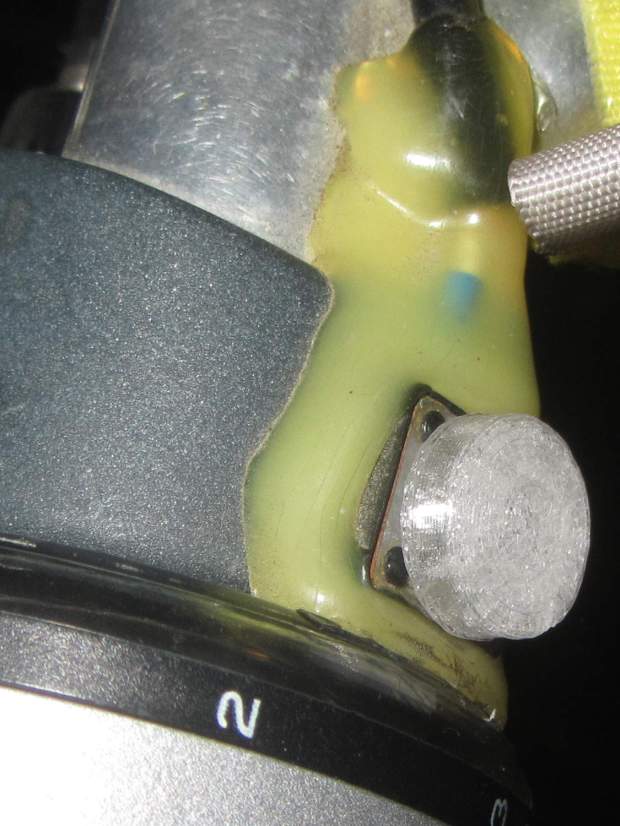
    Which required grabbing the connector with a pair of pliers and twisting / bending / abusing until it popped free. I don’t know how much grip the scored lines added to the joint, but the connector definitely didn’t give up without a fight; it wasn’t going to fall off on its own.

    To be fair, the epoxy had a better grip on the coaxial jack than on the plastic plate, perhaps because the bottom of the jack had all manner of nooks and pins intended for PCB mounting. Ya use what ya got, sez I.

    The new connector looks exactly like it should and, because it’s held in place by a pair of screws, should last forever, too:

    Kenmore 158 COB LED - power supply
    Kenmore 158 COB LED – power supply

    More about all that, later …

  • DSO150: USB Battery Charger

    Continuing the process of silk-purse-izing the DSO150, a batch of USB 1S lithium battery charger modules arrived from halfway around the planet. I drilled & filed a suitable hole / slot / aperture in one of the few remaining spots in the case, then stuck the PCB to the bottom with good foam tape:

    DSO150 - USB charger - internal layout
    DSO150 – USB charger – internal layout

    Because the charger includes cell protection circuitry, I replaced the original protected 18650 cell with a bare cell sporting solder tabs. The cell should go directly to the charger board, but the switch disconnects the + wire; I’m unwilling to believe the charger won’t slowly and inexorably discharge the cell if I don’t use the DSO150 for a few months. It could happen.

    A label makes the hole look almost professional:

    DSO150 - USB charger - Micro-B jack
    DSO150 – USB charger – Micro-B jack

    Well, makes it look Good Enough™, I suppose.

    The power switch gets a label, too:

    DSO150 - USB charger - battery switch
    DSO150 – USB charger – battery switch

    Flipping the switch ON lights up the scope from the battery.

    The charger (sensibly) will not route power from the USB port to the scope without a battery, so you must plug in a USB source with the switch ON, then flip the switch OFF. I don’t know why you’d want to do that, but there you go.

    Now it’s a real portable instrument, with all the inconvenience of managing a built-in lithium cell.

  • Vacuum Tube LEDs: Radome Prototype

    Definitely not a vacuum tube:

    Arduino Pro Mini - NP-BX1 cell - SK6812 - blue phase
    Arduino Pro Mini – NP-BX1 cell – SK6812 – blue phase

    It’s running the same firmware, though, with the Arduino Pro Mini and the LEDs drawing power from the (mostly) defunct lithium battery.

    The LED holder is identical to the Pirhana holder, with a 10 mm diameter recess punched into it for the SK6812 PCB:

    Astable Multivibrator Battery Holder - Neopixel PCB - Slic3r
    Astable Multivibrator Battery Holder – Neopixel PCB – Slic3r

    Those embossed legends sit in debossed rectangles for improved legibility. If I repeat it often enough, I’m sure I’ll remember which is which.

    The 3.6 V (and declining) power supply may not produce as much light from the SK6812 LEDs, but it’s entirely adequate for anything other than a well-lit room. The 28 AWG silicone wires require a bit of careful dressing to emerge from the holes in the radome holder:

    SK6812 LED PCB - Pirhana holder wiring
    SK6812 LED PCB – Pirhana holder wiring

    The firmware cycles through all the usual colors:

    Arduino Pro Mini - NP-BX1 cell - SK6812 - orange phase
    Arduino Pro Mini – NP-BX1 cell – SK6812 – orange phase

    A pair of tensilized 22 AWG copper wires support the Pro Mini between the rear struts. The whole affair looks a bit heavier than I expected, though, so I should reduce the spider to a single pair of legs with a third hole in the bottom of the LED recess for the data wire.

    The OpenSCAD source code needs some refactoring and tweaking, but the Pirhana LED solid model version of the battery holder should give you the general idea.

  • Vacuum Tube LEDs: Arduino Pro Mini vs. NP-BX1 Battery

    A year or so ago, a certain Young Engineer suggested my Vacuum Tube Lights really needed battery power and rebuffed my feeble objections concerning low LED intensity (3.6-ish V, not plug-in 5 V USB) and short run time (because three constantly lit LEDs draw too much current). Having a spare NP-BX1 holder lying about, here’s a feasibility study:

    Arduino Pro Mini - Neopixel - NP-BX1 battery
    Arduino Pro Mini – Neopixel – NP-BX1 battery

    Not much to it, eh?

    Hitching the DSO150 to a Tek current probe (which needs a 50 Ω load, thus the terminator on the BNC tee) seems a clear-cut case of a sow’s ear joining forces with a silk purse:

    DSO150 - Arduino Pro Mini - Neopixel current
    DSO150 – Arduino Pro Mini – Neopixel current

    It was just sitting there, so why not?

    Seen with a bit more detail on a better scope:

    Ard Mini - NP-BX1 - SK6812 - 10 mA-div
    Ard Mini – NP-BX1 – SK6812 – 10 mA-div

    Each vertical increment represents the current into a single LED (at 10 mA/div), with the PWM cycles ticking along at 1.3 kHz.

    The current steps aren’t the same height, because the LEDs have different forward voltages. The taller step (at the top) probably comes from the red LED, with the other two being blue and green. The maximum current is only 40 mA, not the 60 mA you’d expect with a 5 V supply.

    The PWM width, of course, determines the brightness of each LED. Eyeballometrically, the average current will be half of 40 mA for (just less than) half of each PWM cycle, so figuring each SK6812 module (there’s only one here) will draw 10 mA seems reasonable.

    The “base load” from the Arduino looks like 2 mA, so there’s not much point in removing its power and status LEDs.

    The NP-BX1 lithium cell has lost enough capacity to no longer power my Sony HDR-AS30V helmet camera for at least half of a typical ride. The camera draws around 1 A, so you can clearly see the defunct batteries:

    Sony NP-BX1 - 2018-04-24
    Sony NP-BX1 – 2018-04-24

    If the average voltage during discharge is 3.3. V, then a 10 mA load would be 33 mW and a defunct NP-BX1 battery with 2 W·h capacity (at 1 A) might provide 60 hours of continuous use. I’d expect more capacity at lower current, although it’s not clear the cells actually behave that way.

    So a battery-powered Vacuum Tube Light might make sense, perhaps as romantic illumination for techie snuggling:

    21HB5A - Guilloche platter
    21HB5A – Guilloche platter

    Ya never know …

  • DMM Probes

    After the Great DMM Probe Debacle, I picked up similar-but-different set of cheap probes and clip leads.

    The needle-tip probes carry a 20 A current rating:

    No-Name DMM probes - needle tip - 20 A
    No-Name DMM probes – needle tip – 20 A

    If you look out along the wire, though, you’ll find a 10 A rating:

    No-Name DMM probes - needle tip - 10 A wires
    No-Name DMM probes – needle tip – 10 A wires

    Now, even though 20 AWG wire in silicone may carry a 17 A spec, the corresponding 200 °C temperature seems excessive for a test probe. Limiting the current to 10 A would reduce the power dissipation by two thirds, which should limit the temperature rise. Whether the wire actually contains 20 AWG of actual copper strands remains an open question.

    The kit also had banana plug / test hooks with no particular rating, although the wire allegedly has 16 AWG conductors:

    DMM Clip Leads - 16 AWG
    DMM Clip Leads – 16 AWG

    The banana plug / alligator clip combo claims 30 A, also with 16 AWG conductors. Who knows? It could be true.

    For comparison, the Siglent SDM3045 DMM came with these probes:

    Siglent DMM probes - 10 A
    Siglent DMM probes – 10 A

    The probes carry a 10 A rating and, although the wires aren’t branded, I’ll assume they have good-enough QC to ensure the copper matches the claims. The production values seem a bit higher, too, even if they bear a striking resemblance to the cheap probes.

    And, for reference, the probes with the cold solder joint also claim 20 A:

    No-Name DMM probes - 20 A
    No-Name DMM probes – 20 A

    Wouldn’t trust any of ’em for more than a few amps, tops …