Ed Nisley's Blog: Shop notes, electronics, firmware, machinery, 3D printing, laser cuttery, and curiosities. Contents: 100% human thinking, 0% AI slop.
Well, that’s not what I expected: the “new” Wasabi batteries perform worse than the three year old Canon OEM battery and no better than the crap batteries from eBay.
Just to be sure, I ran two tests on each of the three new batteries. Unlike the NP-BX1 batteries, these deliver a lower voltage than the Canon OEM battery and have a much lower capacity. The camera cuts off at 3.5 V, so the new batteries deliver 2/3 the run time of the old OEM battery
Sheesh…
Tech support at Blue Nook (I am not making that up) says they’ll send me a couple of batteries from their next shipment to see if something’s wrong with this batch; all the batteries have date code BNF27.
The Sony HDR-AS30V helmet camera can record about 5.5 h of 1920×1080 60 fps video on a 64 GB Micro-SD card, but a single NP-BX1 battery provides a 1.5 h run time, tops. Having had a good experience with the previous Wasabi batteries, I picked up three more and ran all six through the battery tester:
Sony NP-BX1 – OEM Wasabi – 2014-10-03
The red curve is the Sony OEM battery, the two lower curves are the Wasabi batteries from January, and the upper three come from the new Wasabi batteries. All in all, they look good to me.
These curves aren’t directly comparable to the older ones, as I’ve bumped the discharge to 500 mA to better match the actual camera load. These worked out to about two hours apiece, so the camera must draw around 600 or 700 mA.
The Wasabi batteries deliver a higher voltage than the Sony OEM battery over nearly all of the discharge curve. The older ones delivered almost exactly the same run time, which leads me to believe the camera cuts off at 2.8 V, too, with a boost power supply extracting all the energy under the curve.
I suppose a 1.5 h run time makes sense for downhill skiiing, but it’s painfully short for bike trips.
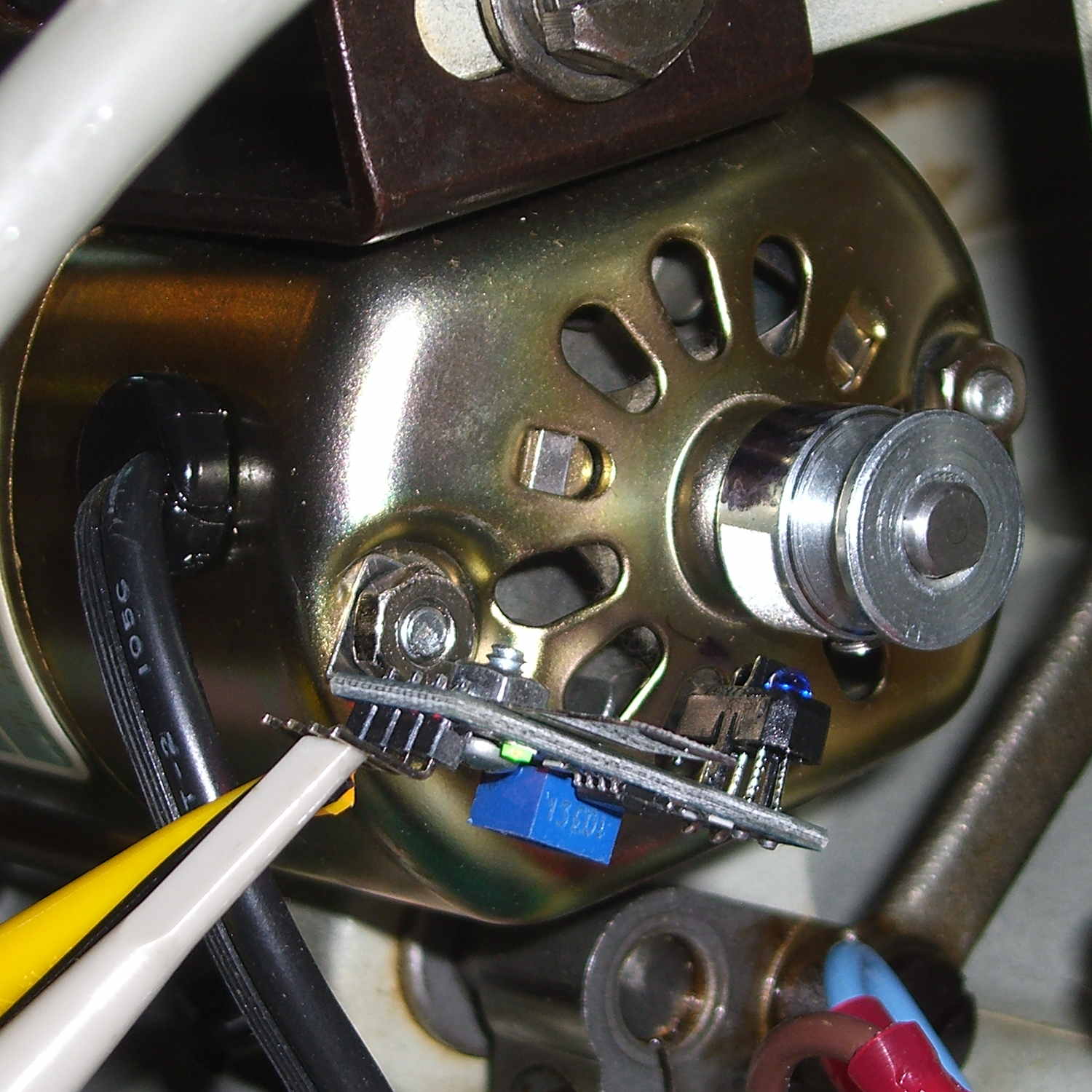
A quick-and-dirty bracket (made from a leftover strip in the pile of chassis clips) affixed an IR reflective sensor (based on the ubiquitous TCRT5000 module) to the sewing machine motor:
TCRT5000 sensor on motor
That’s scribbling black Sharpie around the retroreflective tape for the laser tachometer, which worked just about as poorly as you’d expect. Retroreflective tape, by definition, reflects the light directly back at the LED, but in this case you want it bounced to the photosensor.
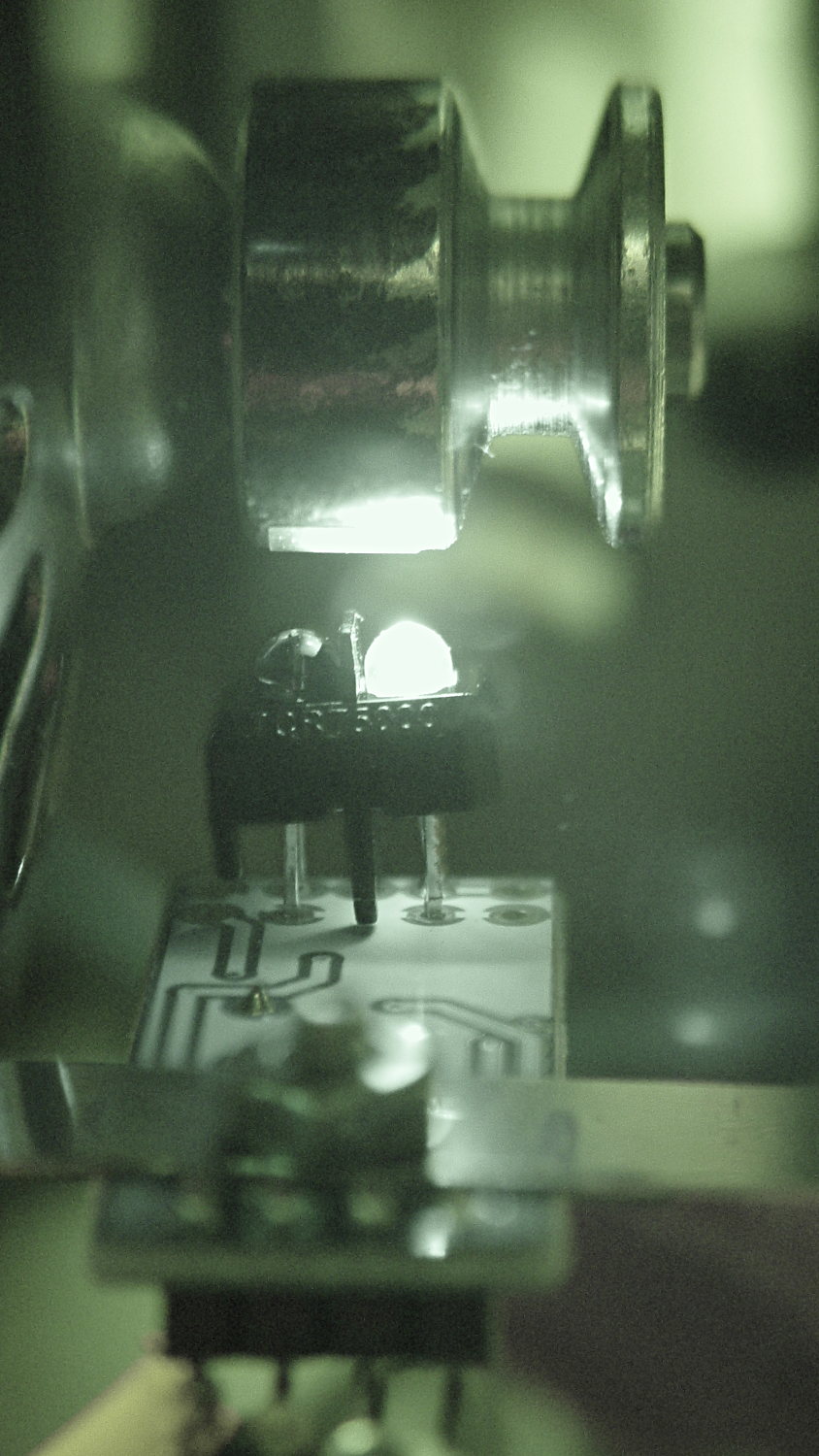
An IR view shows the geometry and highlights the LED:
TCRT5000 sensor – IR view
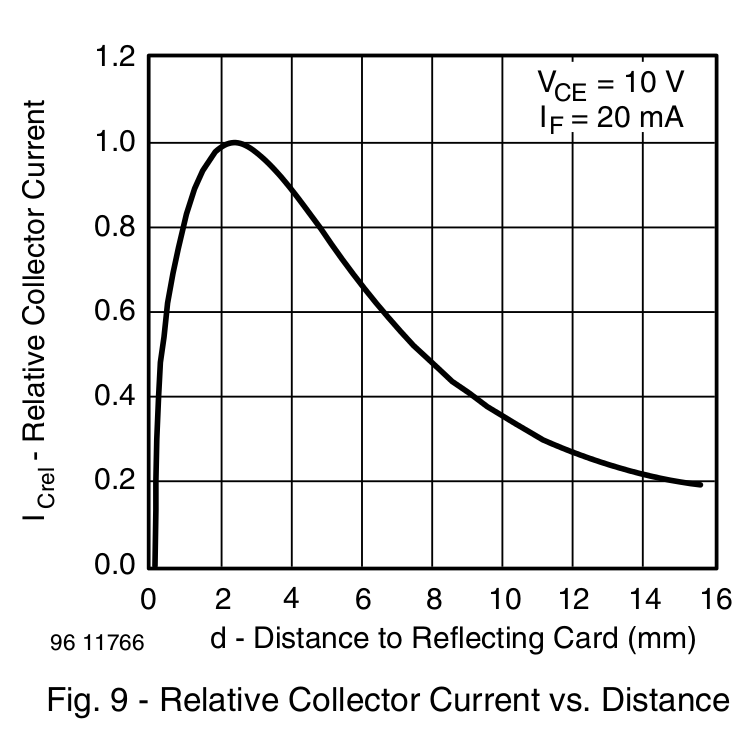
The TCRT5000 datasheet suggests that the peak operating distance is 2.5 mm, roughly attained by tinkering with the bracket. The datasheet graph shows that anything between 1 and 5 mm should be just fine:
IR Reflective Sensor module – TCRT5000 – response vs distance
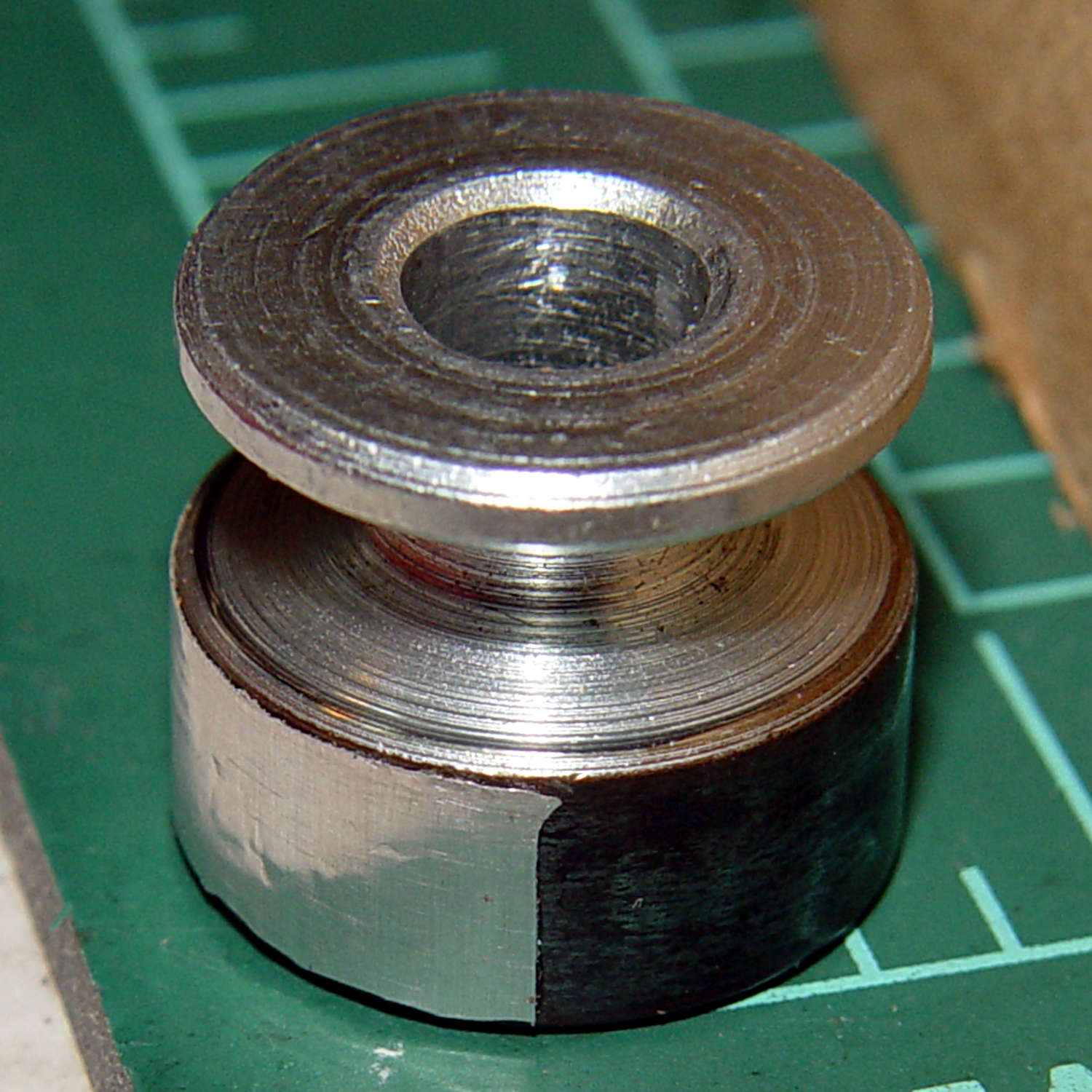
Apply stainless steel tape around half the circumference
Burnish flat
Which looks pretty good:
Kenmore 158 motor pulley – black-silver
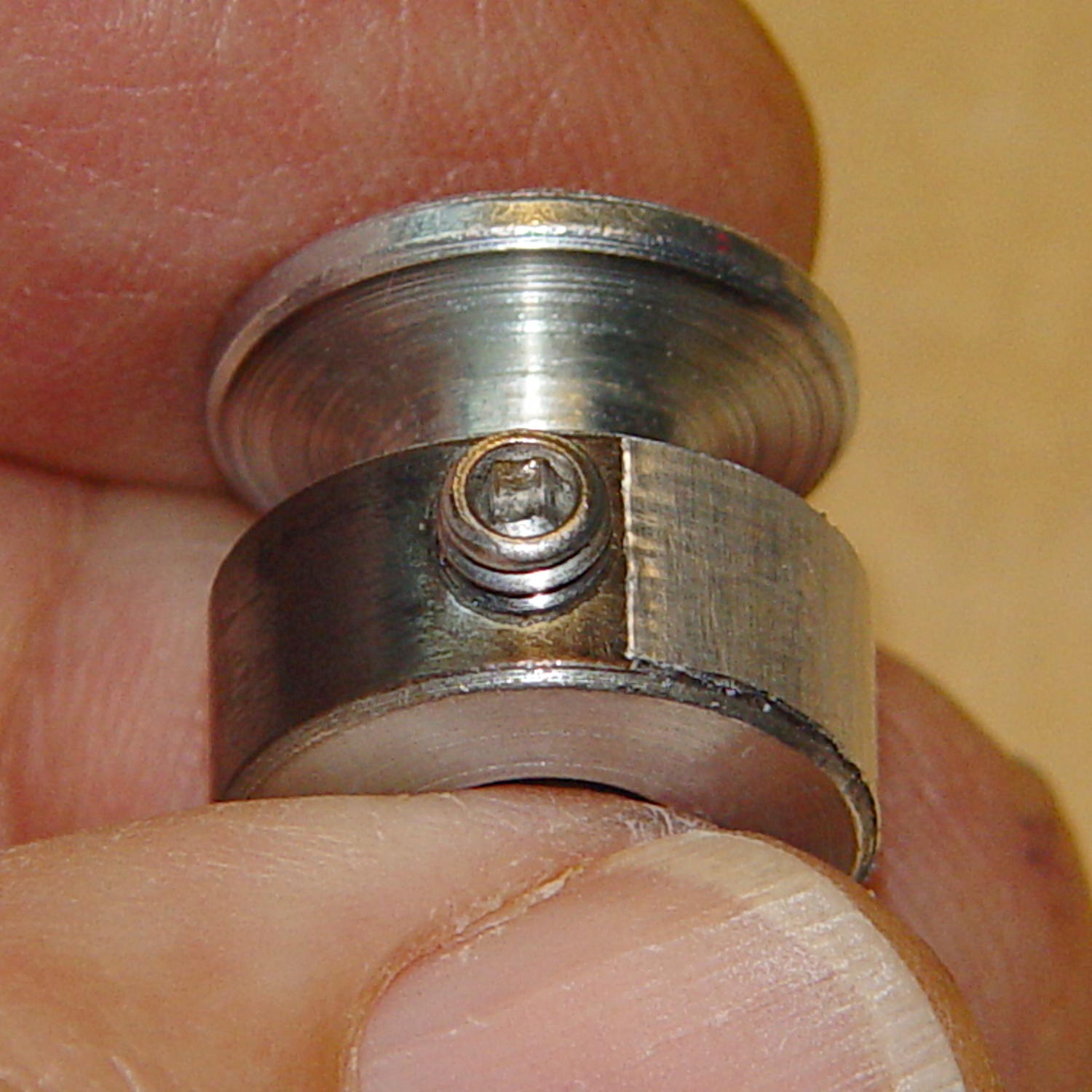
The stainless tape butts up against the setscrew:
Kenmore 158 motor pulley – black-silver at setscrew
Adjusting the sensitivity midway between the point where the output is low (OFF) over the black and high (ON) over the tape seems reasonable.
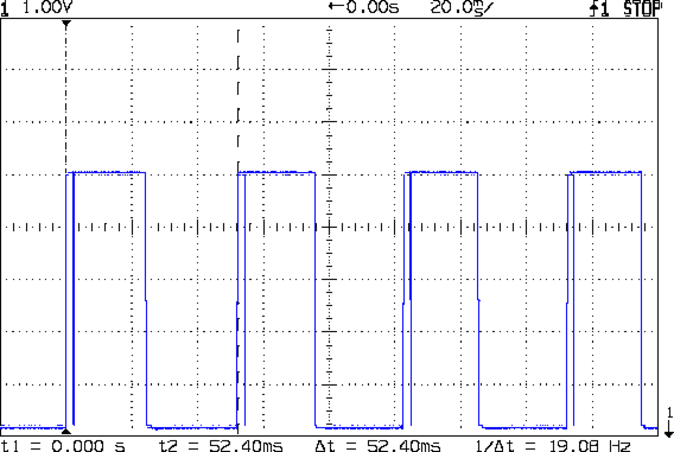
Running at the slowest possible speed produces this pulse train:
Motor sense – min speed
The motor at 19 rev/s = 1140 RPM corresponds to about 2 rev/s of the sewing machine shaft= 2 stitch/s. Slower than, that, the pedal won’t go in simple open-loop mode.
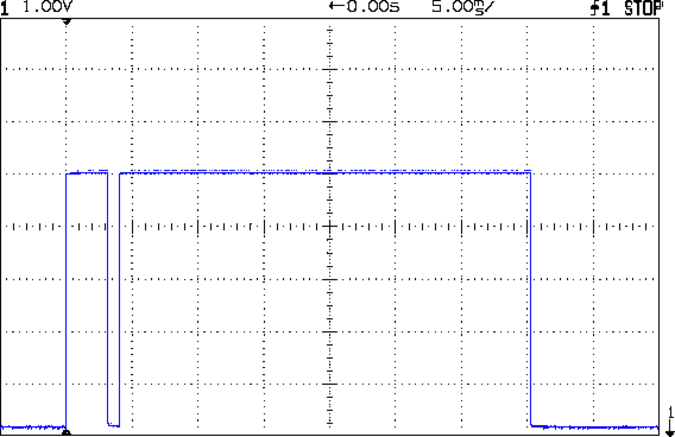
The setscrew causes those “glitches” on the rising edge. They look like this at a faster sweep:
Motor sense – min speed – setscrew
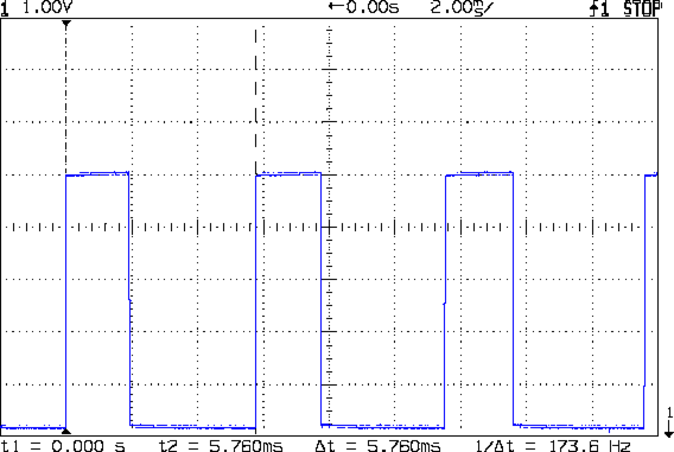
At maximum speed, the setscrew doesn’t show up:
Motor sense – max speed
The motor at 174 rev/s = 10440 RPM would do 1000 stitch/s, but that’s just crazy talk: it runs at that speed with the handwheel clutch disengaged and the motor driving only the bobbin winder. I was holding the machine down with the shaft engaged and all the gimcrackery flailing around during that shot.
The sensor board may have an internal glitch filter, but it’s hard to say: the eBay description has broken links to the circuit documentation.
I could grind the setscrew flush with the pulley OD and cover it with tape, but that seems unreasonable. Fixing the glitch in firmware shouldn’t be too difficult: ignore a rising edge that occurs less than, say, 1/4 of the previous period following the previous edge.
Perhaps buffing half the pulley’s circumference to a reasonable shine (minus the bluing) would eliminate the need for the stainless steel tape.
Iterating the bluing operation / scrubbing with steel wool should produce a darker black, although two passes yields a nice flat black.
Not much rain fell around here during September, lowering the Mighty Wappingers Creek and exposing the rubble of the dam at Red Oaks Mill:
Red Oaks Mill dam – stonework – 2014-09-06
We never noticed the stonework along the far bank; it’s usually underwater.
Some smooth water-worn wood and stone:
Red Oaks Mill dam – 2014-09-06
I’ve always wanted to live in the powerhouse of a small dam. If somebody ever rebuilds this poor thing for low-head hydropower, they’ve got a live-in generator tender…
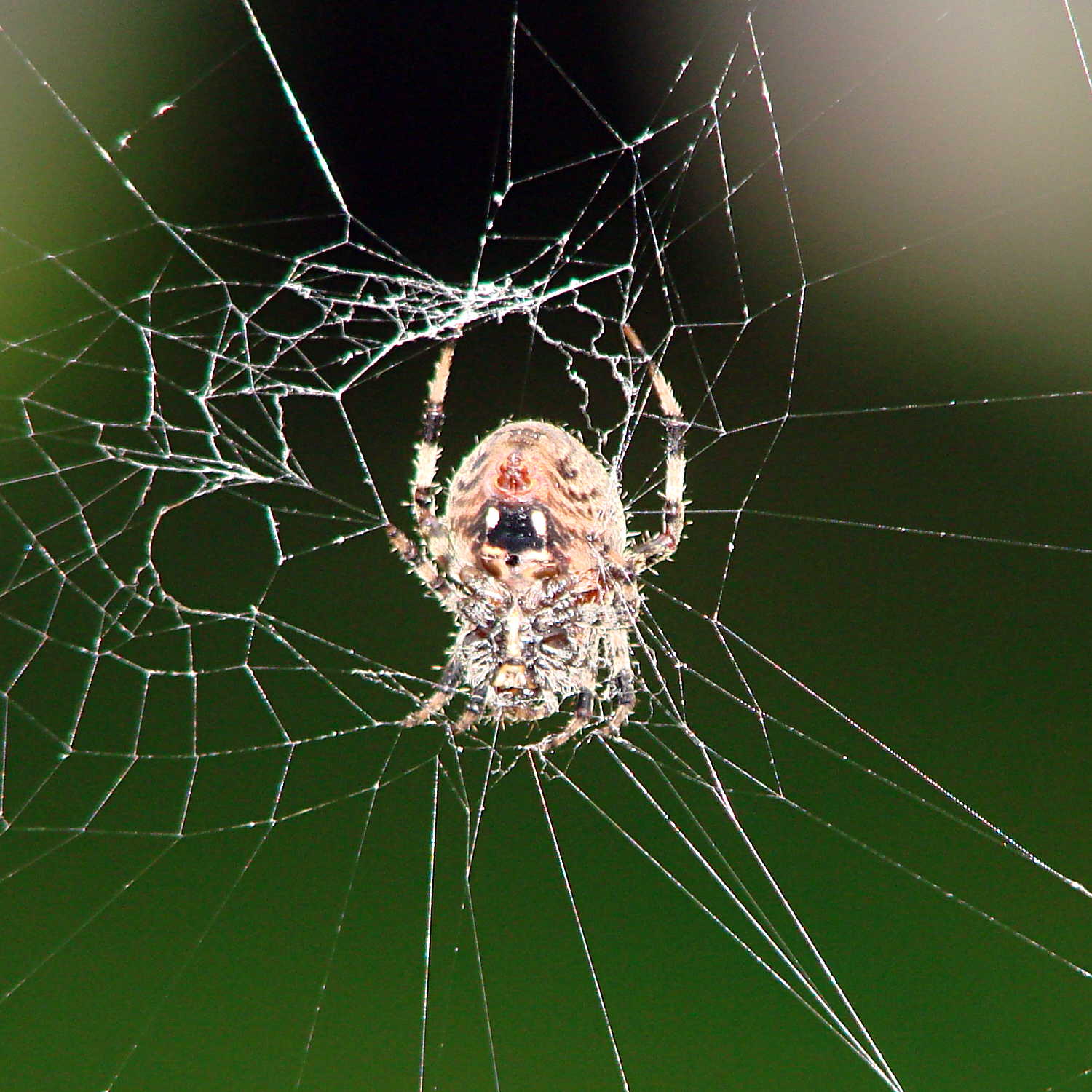
The season of giantorb-weavingspiders comes again to Poughkeepsie, with this one stretching a web across the decorative grasses bracketing the (unused) front door:
Orb spider – at rest
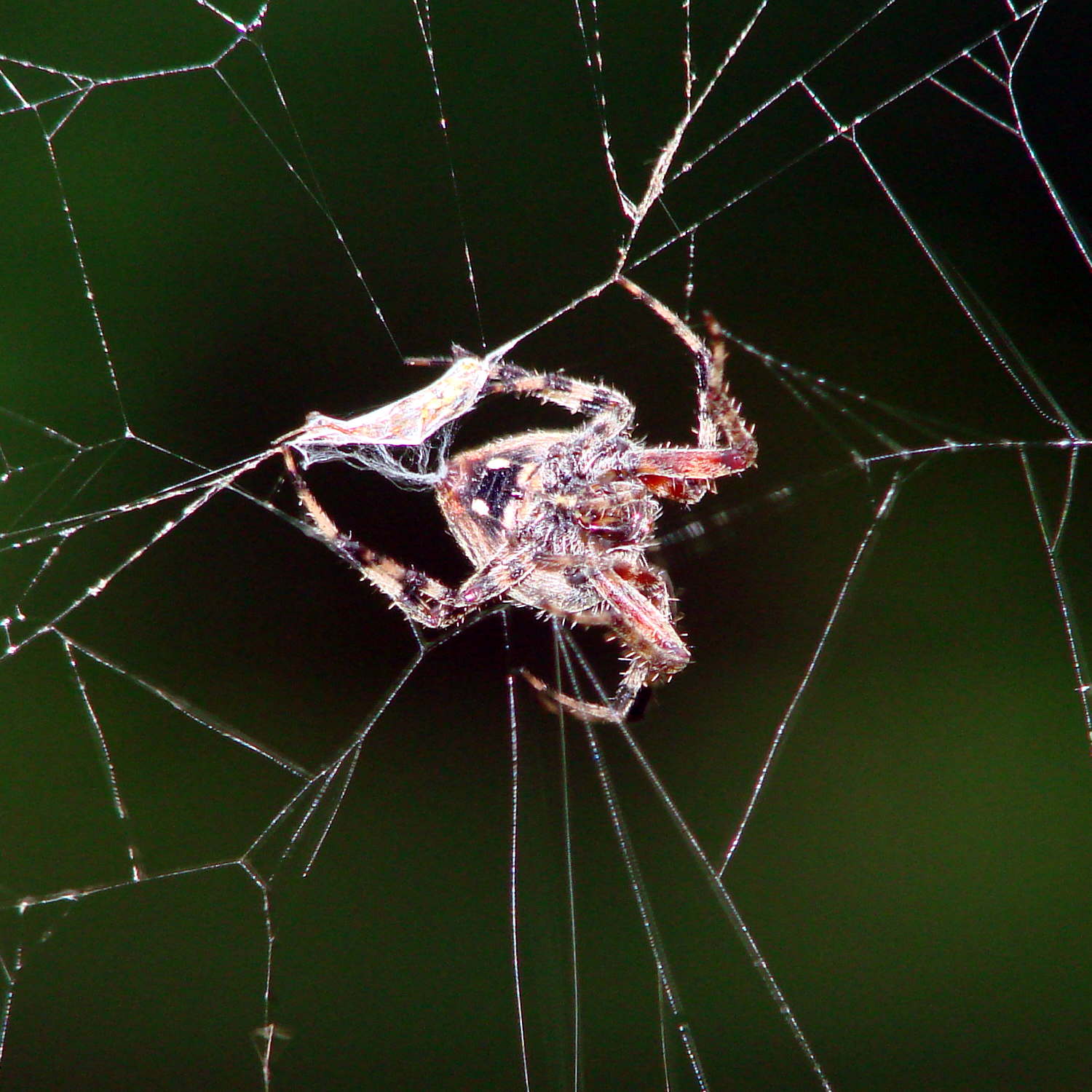
While I screwed around with the camera, she dashed off to one side and began wrapping a package:
Orb spider – wrapping insect
Her spinnerets release a torrent of silk during that operation!
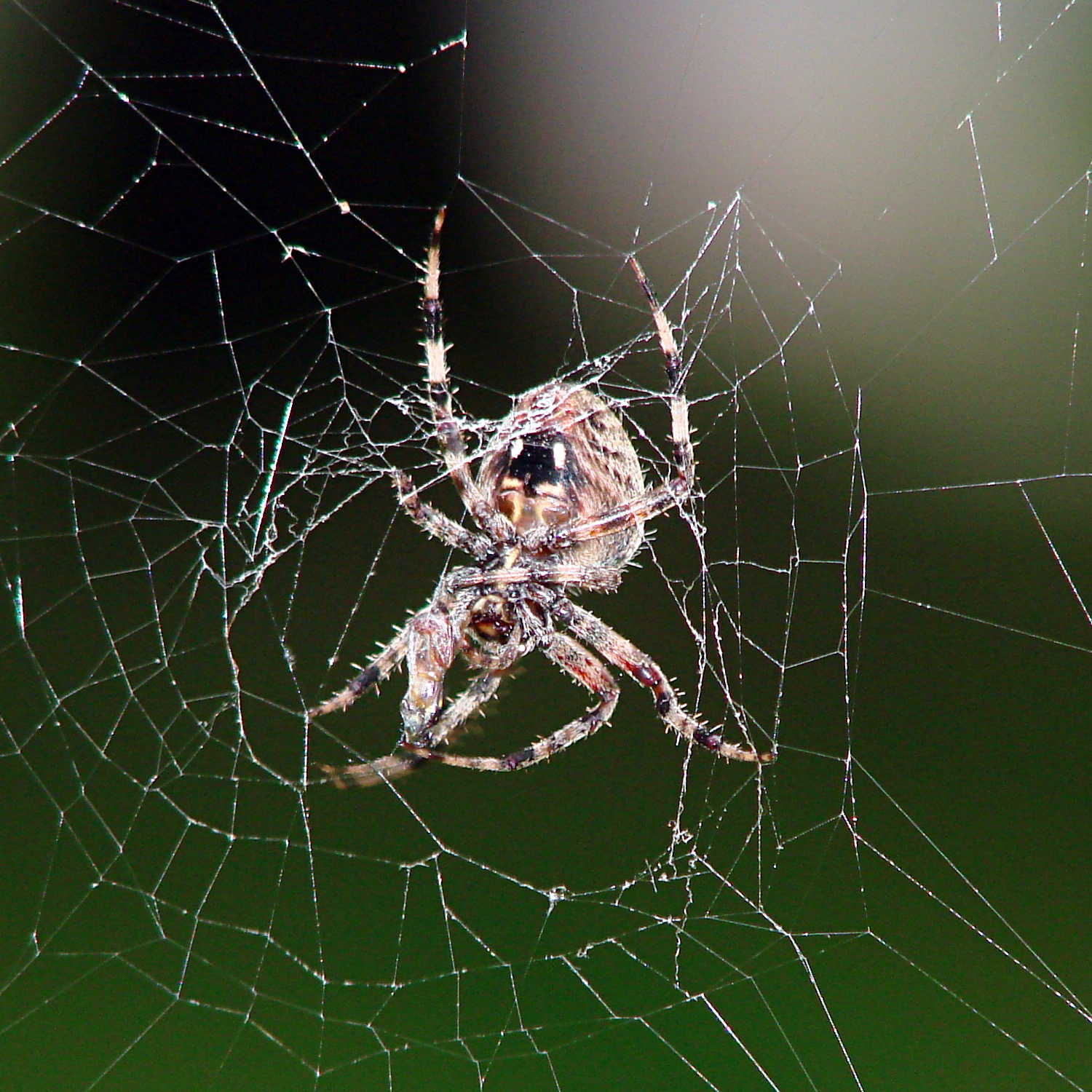
Dragging it back to the middle of her orb, she settled down for breakfast.
Orb spider – ready for breakfast
So did I…
Hand held with the Sony DSC-H5, facing westward in dawn light, using the flash to bring the image up out of the mud. A touch of unsharp mask and some contrast stretching; nothing too drastic.
The avconv incantation required to put text on frames extracted from a video file looks like this (it’s all on one line, so you’ll need some side scrolling action):
The -ss 00:11:47 sets the starting time relative to the beginning of the file, so it’s an offset that, when added to the file start time in the Exif metadata, produces the actual time-of-day. The extracted frames begin at the closest “seek point”, which I presume will be pretty close to the specified second. The -accurate_seek option may be relevant. Verifying all that could be tricky.
The -t 1 specifies the duration. Each second produces 60 frames, numbered from 001 to 060 in the output filename, as defined by the %03d in the output filename format string.
The -vf "drawtext=" gibberish does the actual text overlay, with all the parameters tucked inside the double quotes.
You must escape all colons in the text string (as '10\:58\:47', note the single quotes), because unescaped colons separate the drawtext options.
The fontsize seems to be in pixels with an upper limit of 72.
The boxcolor rectangle just barely covers the characters; there’s no way to enlarge it just a few more pixels to make a nice frame. The fraction at the end of black@0.7 string produces 70% opacity.
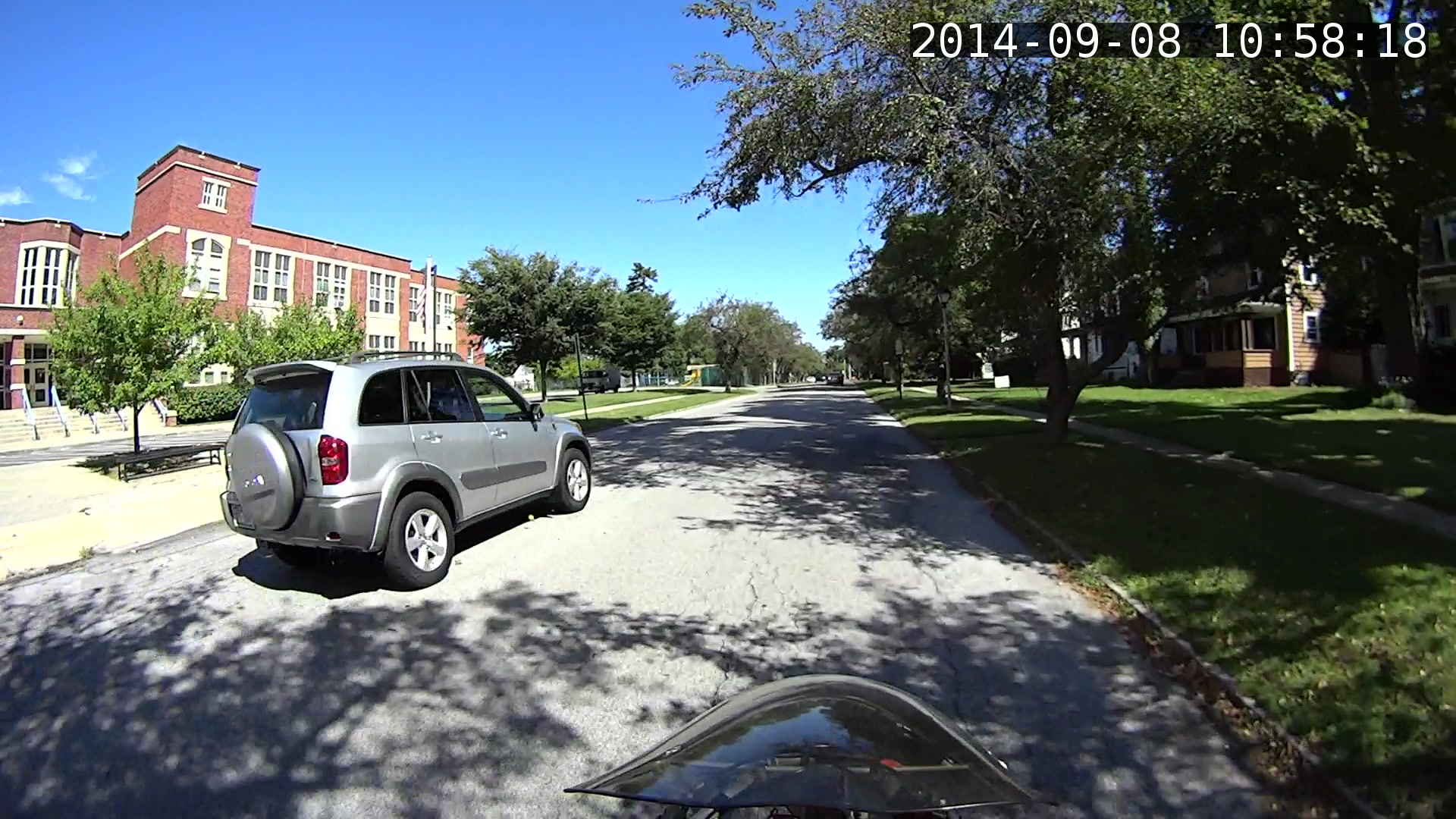
I manually added the actual starting time (10:47) to the offset time for each segment (previewed with vlc), jammed that into the avconv command, and extracted some interesting frames from a recent ride…
I get plenty of clearance while approaching an intersection, which is pleasant:
MAH00070-001118-047
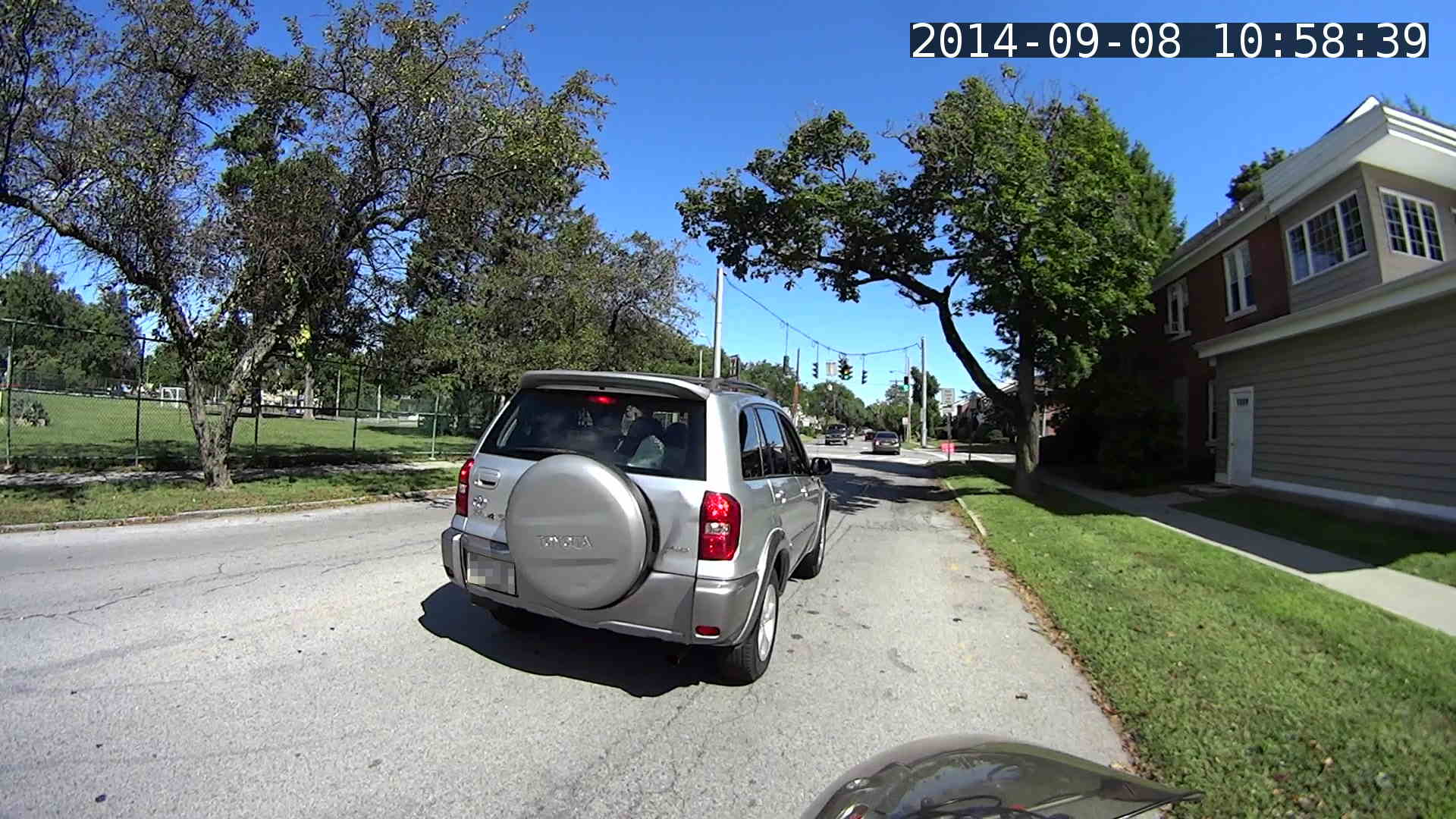
Absorbed in something on the passenger seat while I’m trackstanding the ‘bent and watching the brake lights:
MAH00070-001139-017
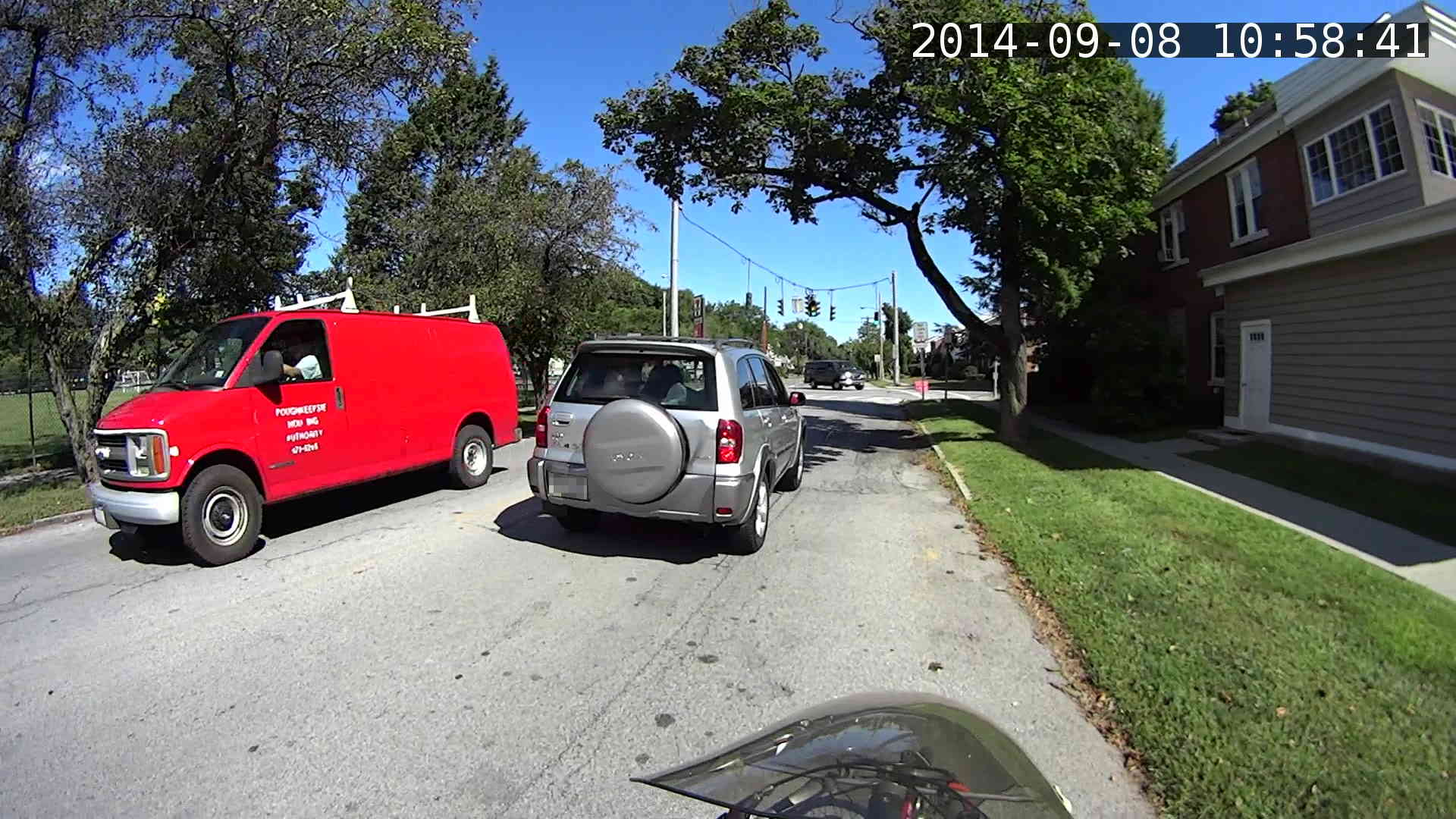
The turn signal goes on just after acceleration commences:
MAH00070-001141-017
Because I never pass on the right, I didn’t participate in a classic right hook:
MAH00070-001144-050
The traffic signal goes yellow as I cross the walk ladder, with the tail of the SUV visible beyond the crosswalk on the right. The green-to-yellow transition takes 10 frames = 1/6 second and this image shows the half-intensity point of both incandescent bulbs:
MAH00070-001147-041
The rest of the ride seemed less eventful.
Frankly, that’s way too much handwork for the results in the upper-right corner. I think a better way starts with extracting unannotated frames from the video, then slapping timestamps on them using ImageMagick, calculating and feeding it the appropriate values for each frame.
Putting the annotation up in the sky seems better than near the bottom corners, if only because images of the pavement might actually be useful. The timestamp needs the frame number and I think splitting it into two shorter sections (date and time) in the left and right upper corners might work better.







 The Smell of Molten Projects in the Morning