These turkey vultures were settling in for the evening on the south bank of the Rondout Creek in Kingston:

Hand-held with the HS-230SX at dusk and cropped a bit. There’s no way to get a good exposure of a black bird backlit by the sky…
The Smell of Molten Projects in the Morning
Ed Nisley's Blog: Shop notes, electronics, firmware, machinery, 3D printing, laser cuttery, and curiosities. Contents: 100% human thinking, 0% AI slop.
Taking & making images.
These turkey vultures were settling in for the evening on the south bank of the Rondout Creek in Kingston:
Hand-held with the HS-230SX at dusk and cropped a bit. There’s no way to get a good exposure of a black bird backlit by the sky…
The avconv incantation required to put text on frames extracted from a video file looks like this (it’s all on one line, so you’ll need some side scrolling action):
avconv -ss 00:11:47 -i /mnt/backup/Video/2014-09-08/MAH00070.MP4 -t 1 -f image2 -q 1 -vf "drawtext=fontfile=/usr/share/fonts/truetype/ttf-dejavu/DejaVuSansMono.ttf : text='2014-09-08 10\:58\:47' : fontcolor=white : fontsize=60 : box=1 : boxcolor=black@0.7 : x=1200 : y=30" MAH00070-001147-%03d.jpg
That’s applying some hints to the rather succinct drawtext doc.
The -ss 00:11:47 sets the starting time relative to the beginning of the file, so it’s an offset that, when added to the file start time in the Exif metadata, produces the actual time-of-day. The extracted frames begin at the closest “seek point”, which I presume will be pretty close to the specified second. The -accurate_seek option may be relevant. Verifying all that could be tricky.
The -t 1 specifies the duration. Each second produces 60 frames, numbered from 001 to 060 in the output filename, as defined by the %03d in the output filename format string.
The -vf "drawtext=" gibberish does the actual text overlay, with all the parameters tucked inside the double quotes.
You must escape all colons in the text string (as '10\:58\:47', note the single quotes), because unescaped colons separate the drawtext options.
The fontsize seems to be in pixels with an upper limit of 72.
The boxcolor rectangle just barely covers the characters; there’s no way to enlarge it just a few more pixels to make a nice frame. The fraction at the end of black@0.7 string produces 70% opacity.
I manually added the actual starting time (10:47) to the offset time for each segment (previewed with vlc), jammed that into the avconv command, and extracted some interesting frames from a recent ride…
I get plenty of clearance while approaching an intersection, which is pleasant:
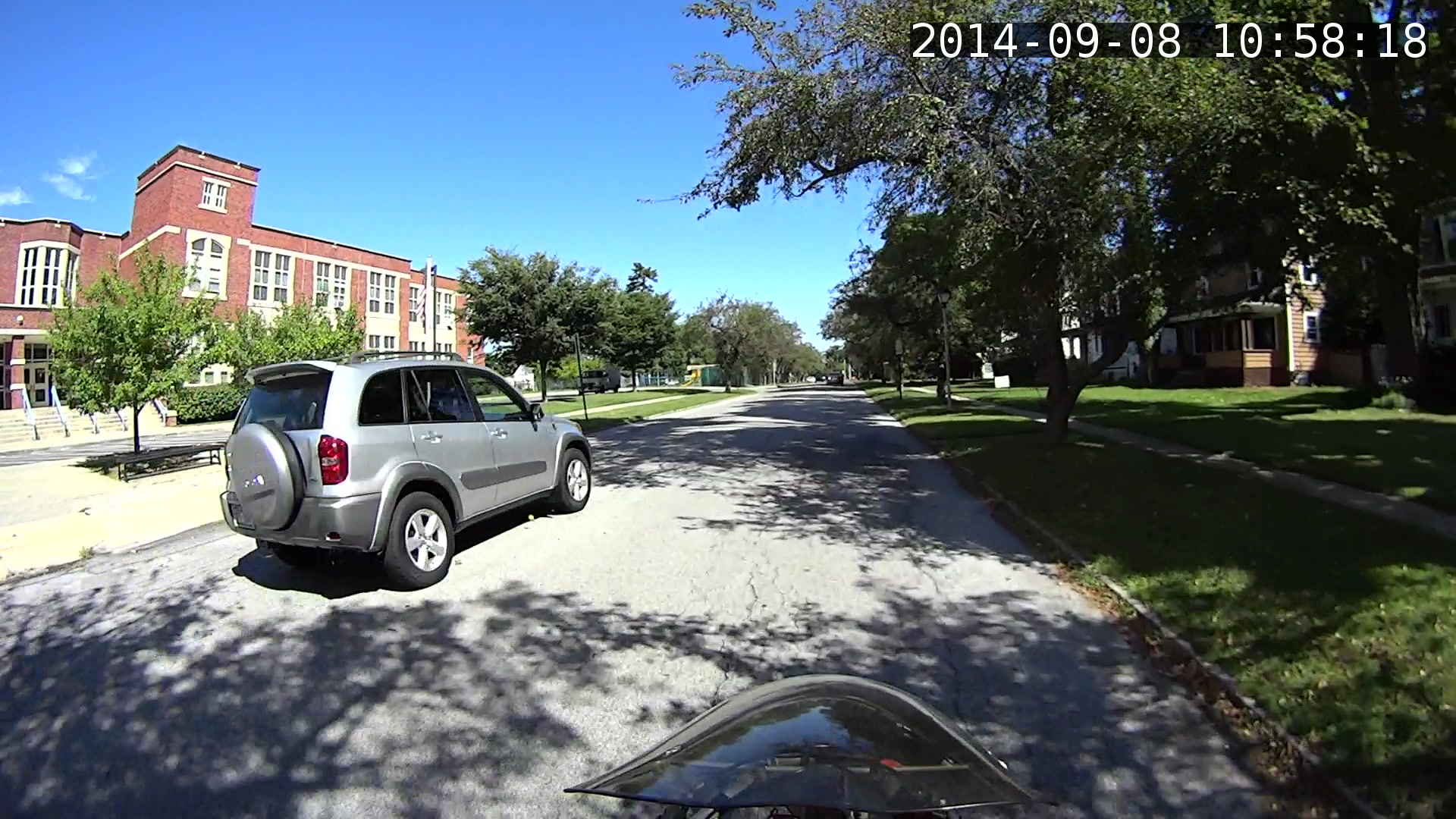
Absorbed in something on the passenger seat while I’m trackstanding the ‘bent and watching the brake lights:
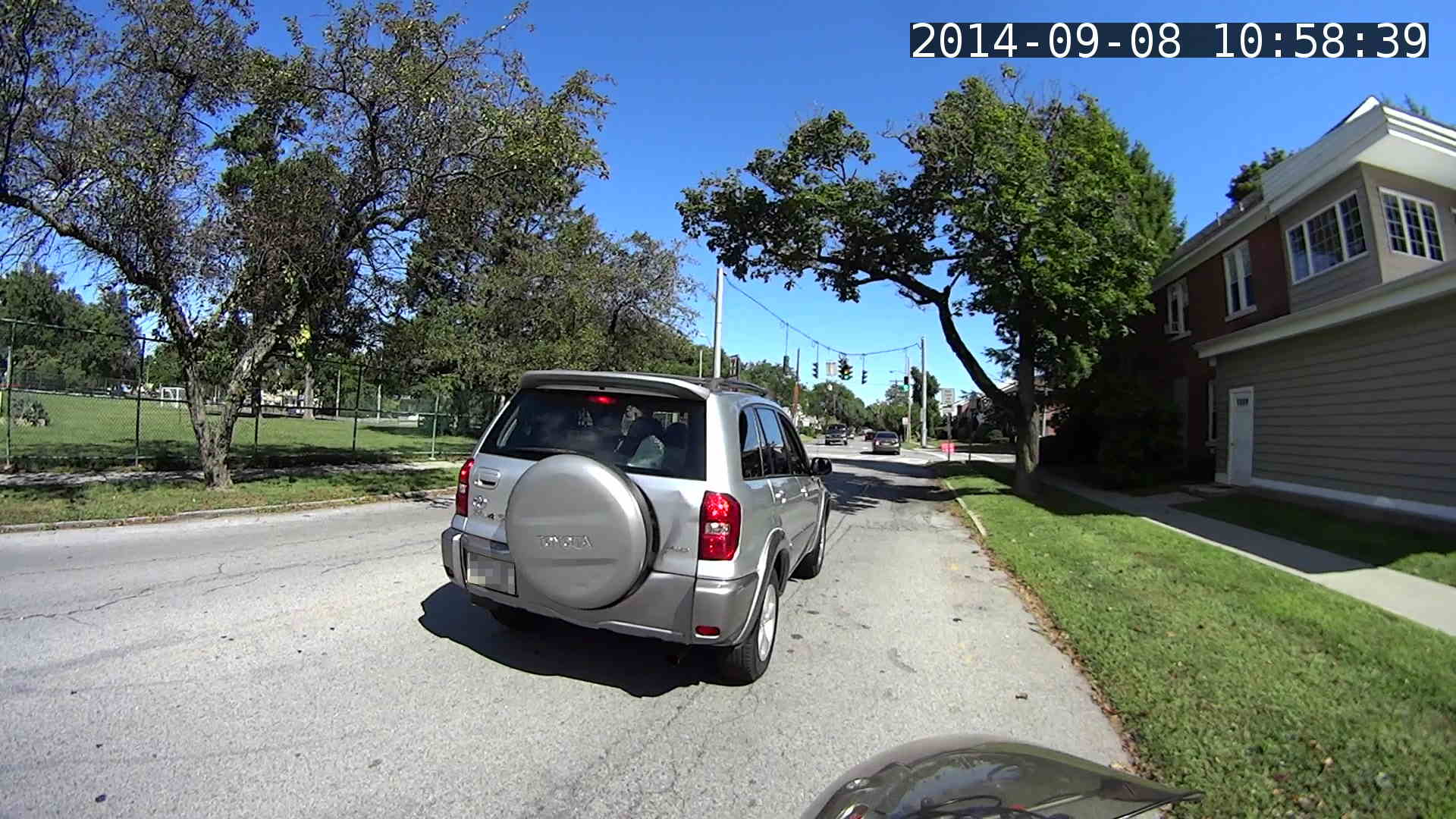
The turn signal goes on just after acceleration commences:
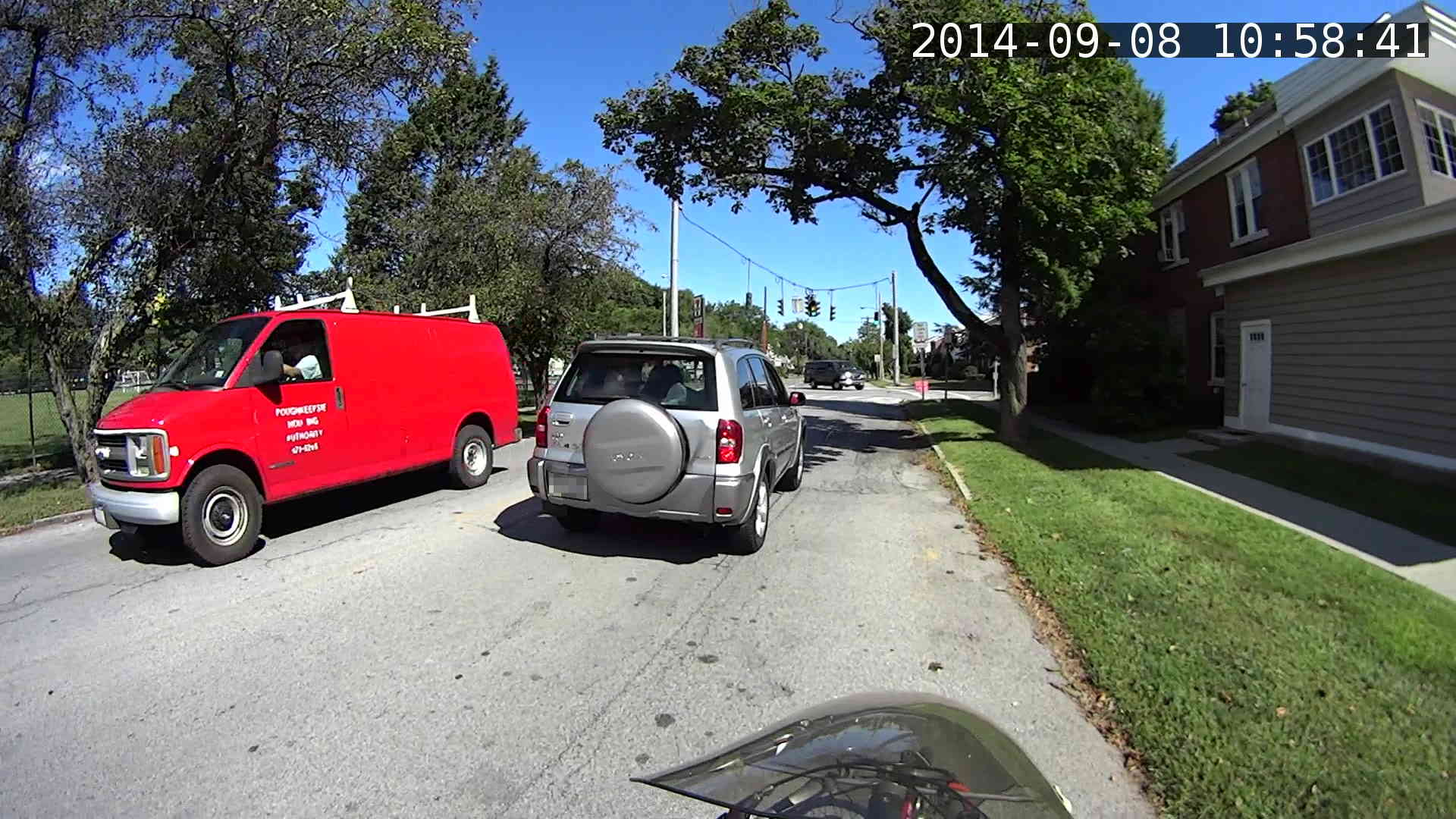
Because I never pass on the right, I didn’t participate in a classic right hook:

The traffic signal goes yellow as I cross the walk ladder, with the tail of the SUV visible beyond the crosswalk on the right. The green-to-yellow transition takes 10 frames = 1/6 second and this image shows the half-intensity point of both incandescent bulbs:

The rest of the ride seemed less eventful.
Frankly, that’s way too much handwork for the results in the upper-right corner. I think a better way starts with extracting unannotated frames from the video, then slapping timestamps on them using ImageMagick, calculating and feeding it the appropriate values for each frame.
Putting the annotation up in the sky seems better than near the bottom corners, if only because images of the pavement might actually be useful. The timestamp needs the frame number and I think splitting it into two shorter sections (date and time) in the left and right upper corners might work better.
Mary grows Scarlet Runner Beans with vivid red flowers specifically for the Ruby Throated hummingbirds that frequent the back yard:
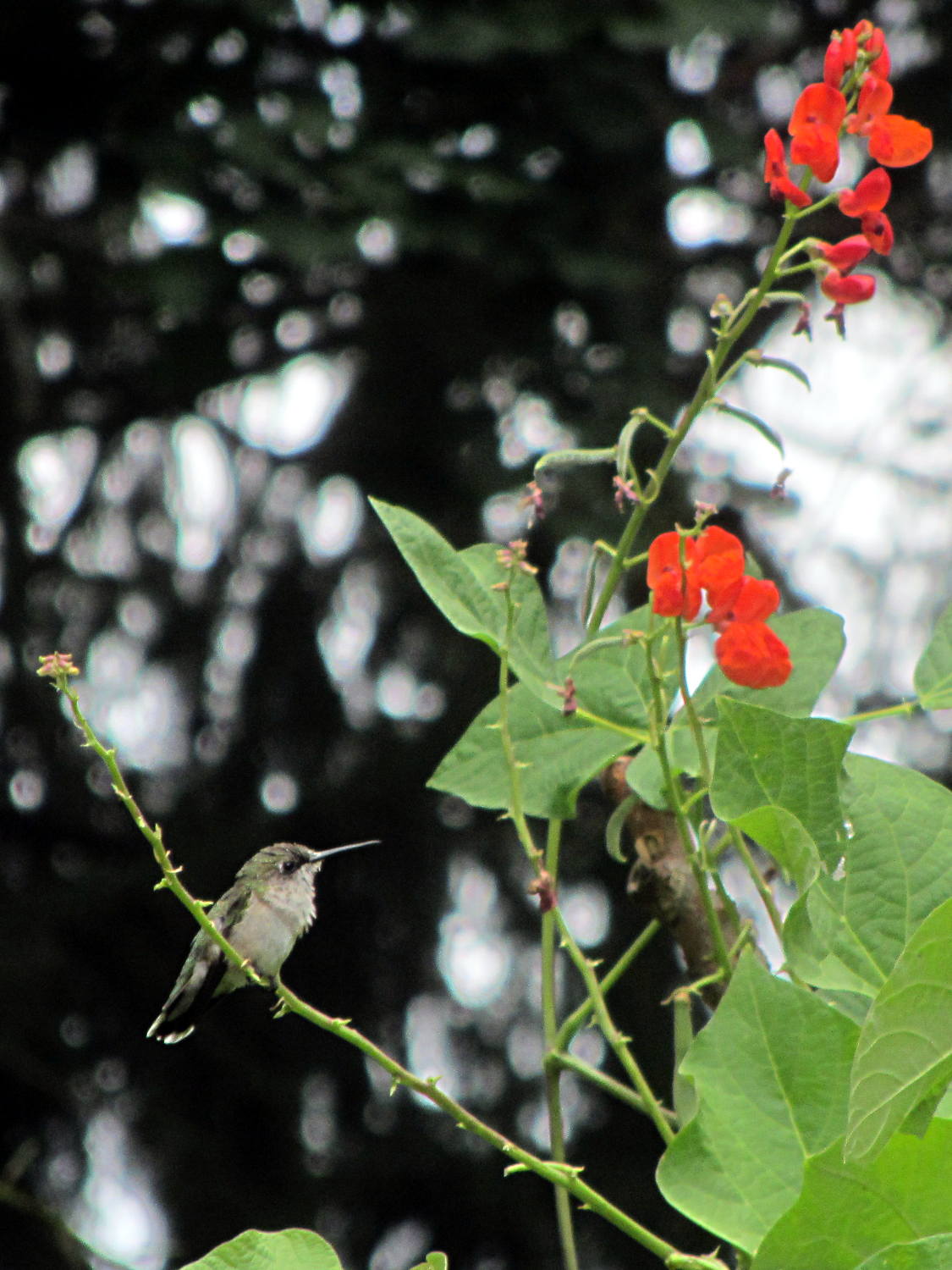
This female perched quite a while on that tendril while sticking her tongue out; it looks like a length of monofilament fishing line. The male also feeds on those flowers, although I’ve never seen him perch anywhere for more than a few seconds.
We wish them success in raising their chicks!
Hand-held with the Canon SX-230HS zoomed all the way in, then ruthlessly cropped.
We took a river cruise from Hudson NY on the first day of the Cycling the Hudson Valley ride and, being that type of guy, I spotted this redecorated rail car on the east shore of the Hudson River:
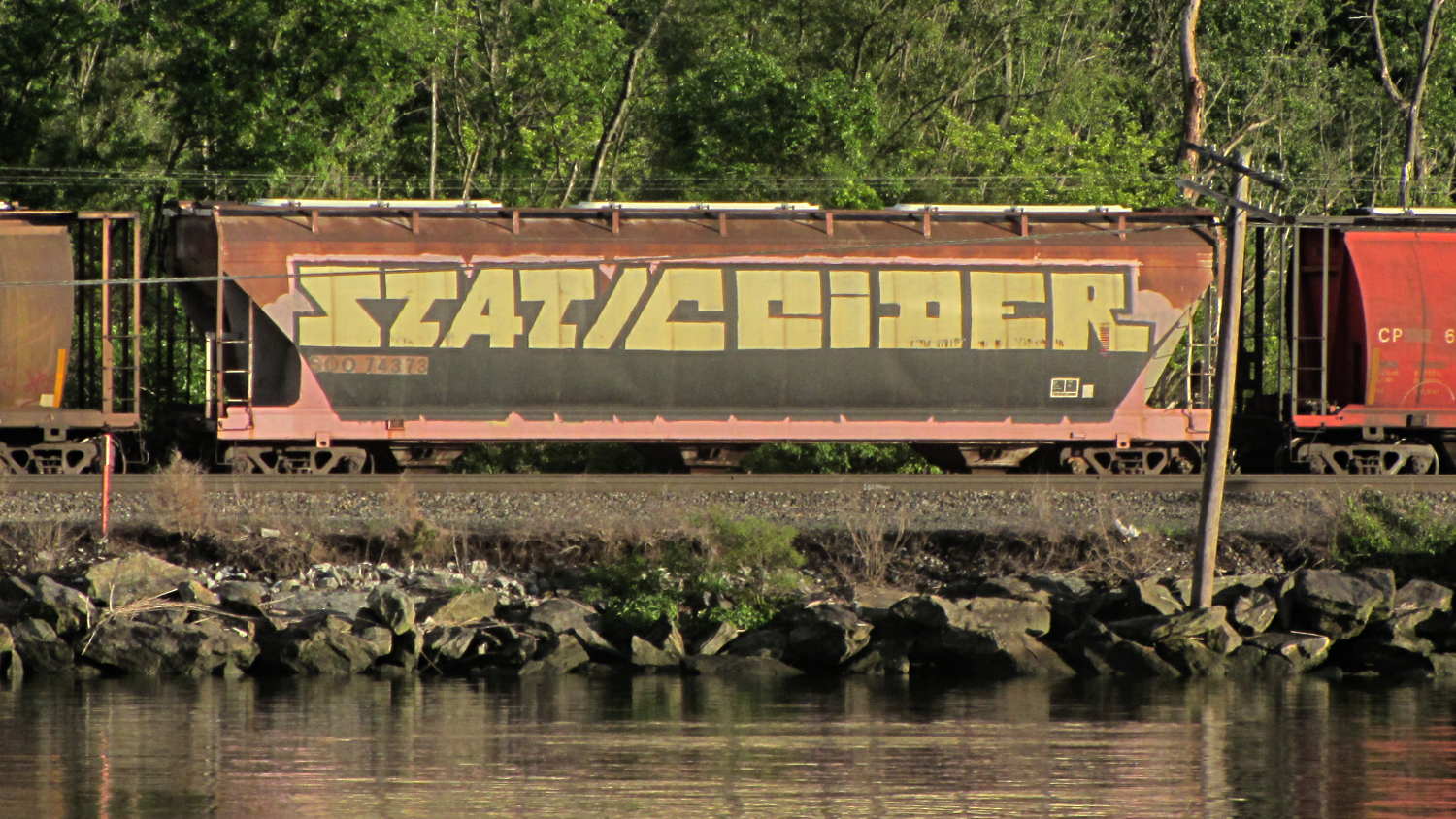
Feeding the obvious search term into the obvious search engine produced two other sightings in Minnesota during 2011. Puts one in mind of Where’s George…
Mad props: unlike most taggers, he / she painted around the car number and ID patterns.
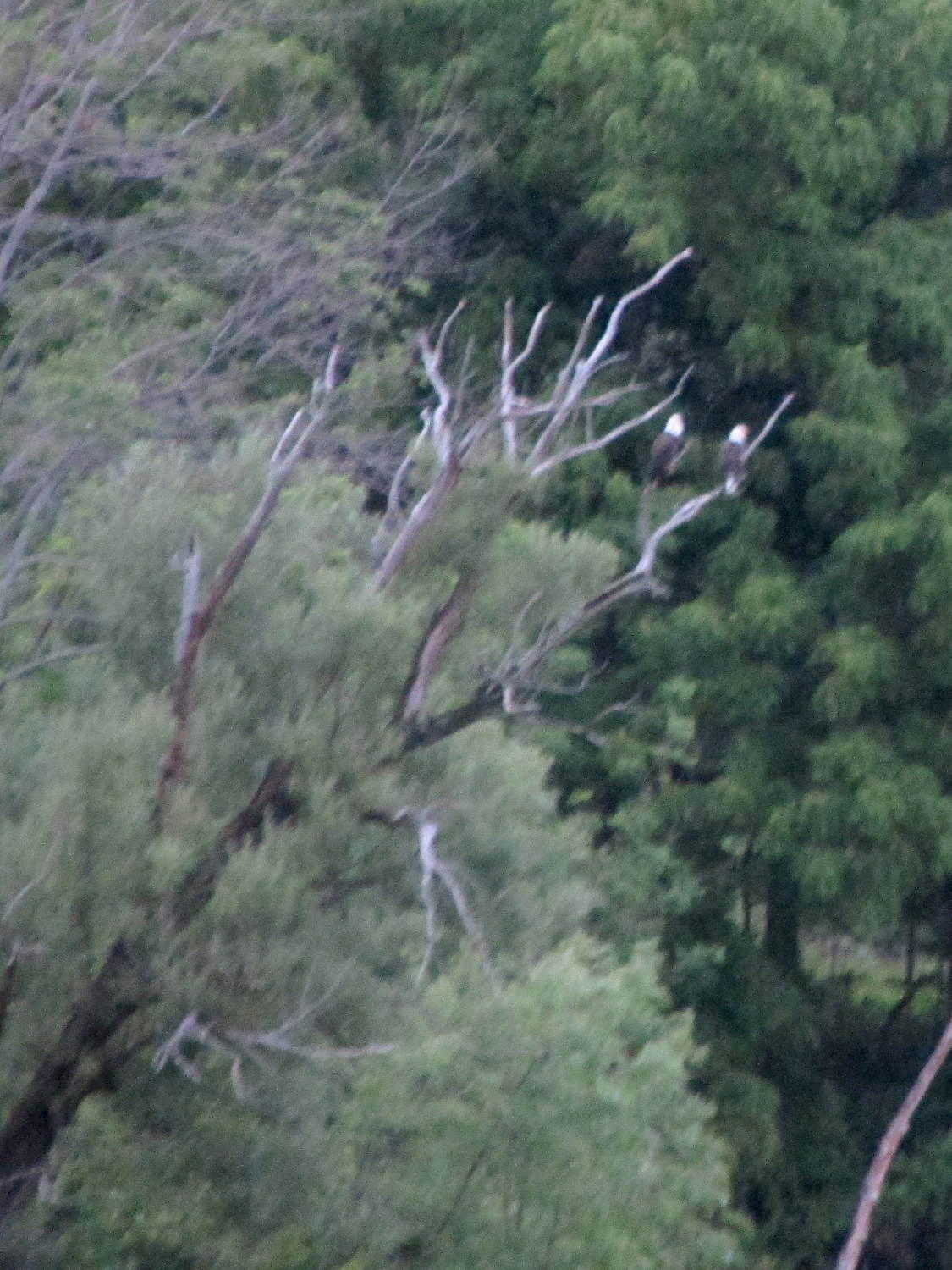
A pocket camera can’t do justice to the Bald Eagles, just before dusk and halfway across the Hudson River from our river cruise yacht:
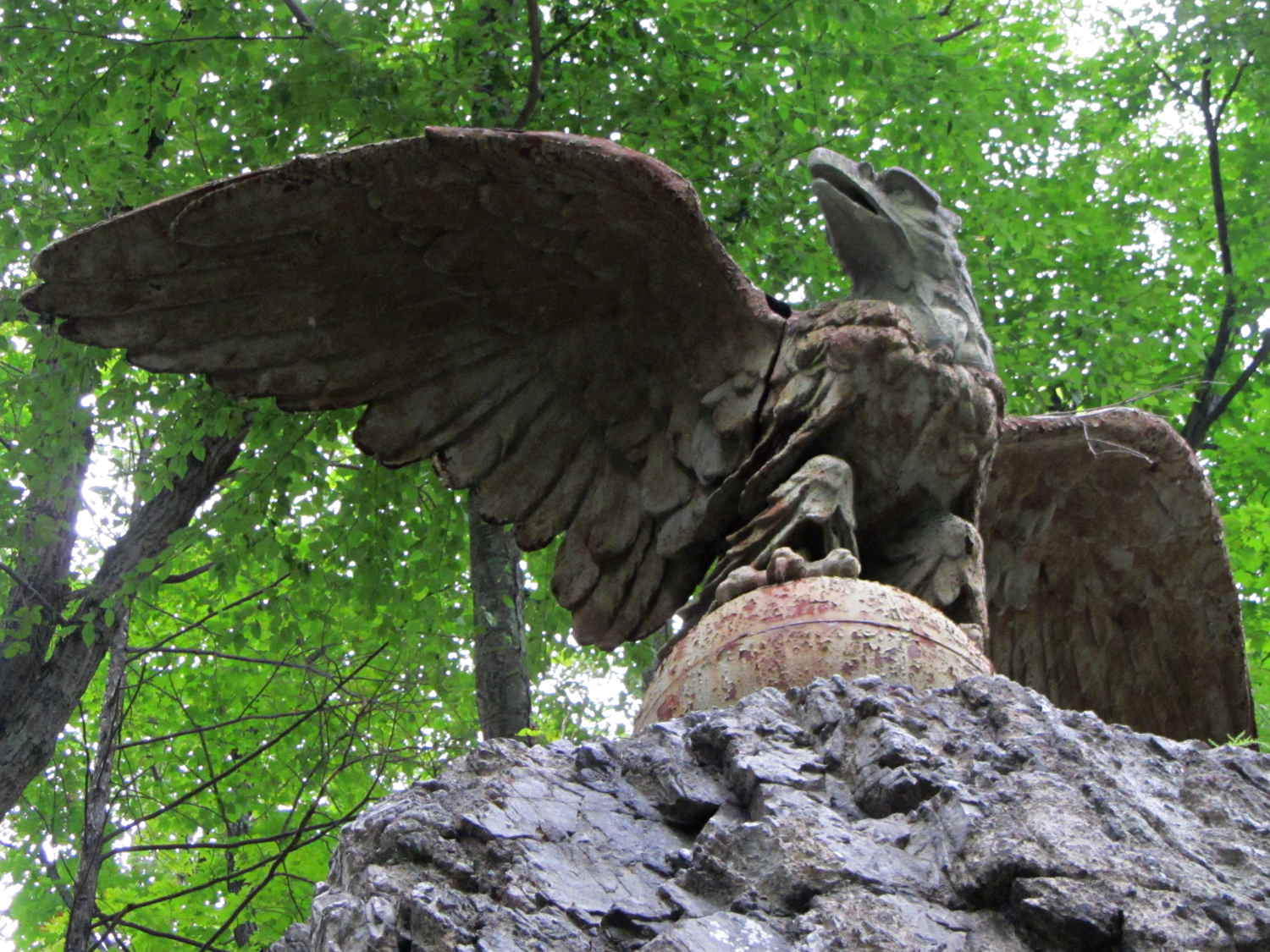
We got a closer look at the pair of eagles who once graced the original Grand Central Station and are now standing guard at St Basil Academy in Garrison.
This one glanced away from the entrance, perhaps to keep an eye on us:
Another watches over an interior road:
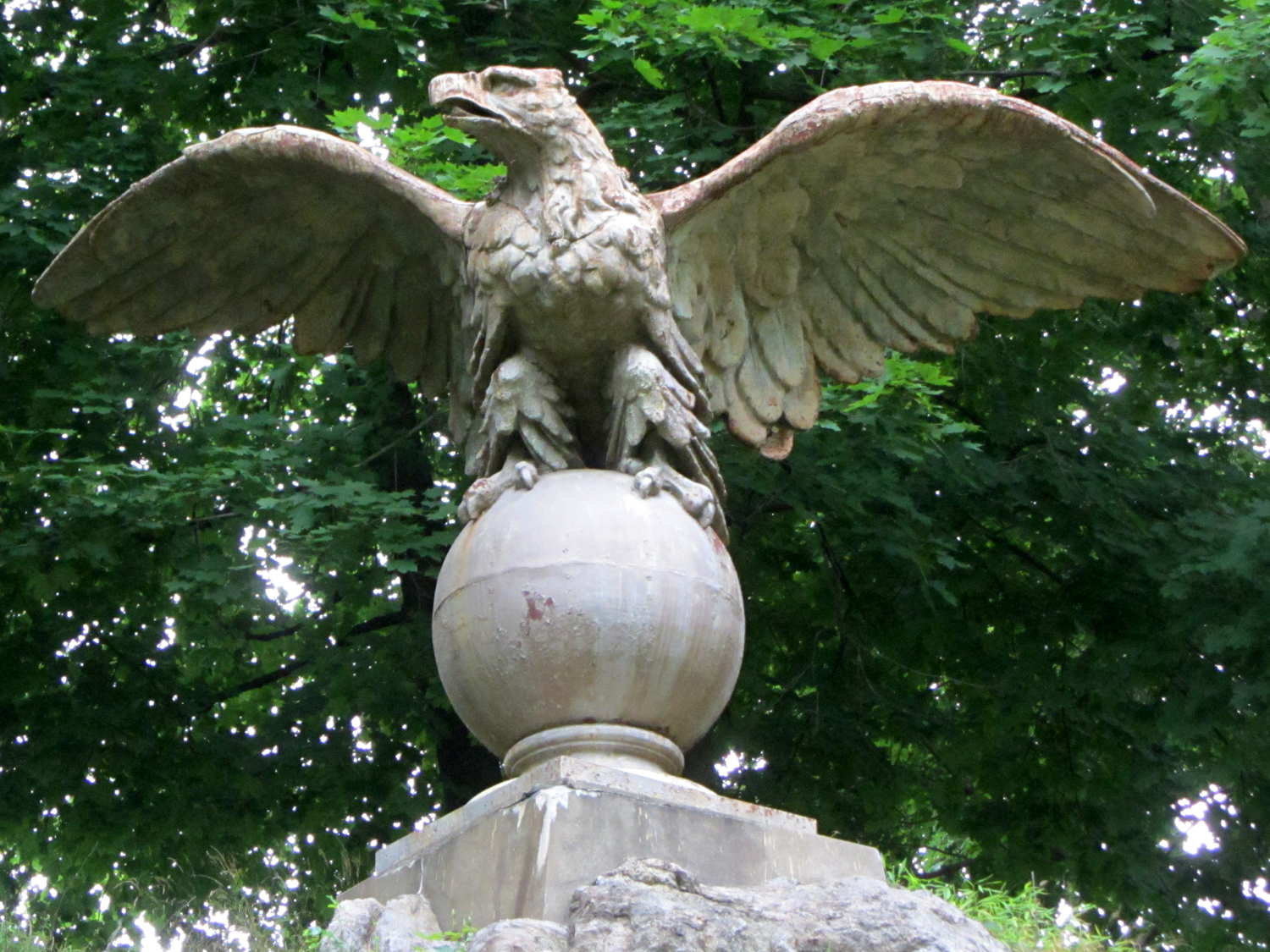
They’re two tons of cast iron apiece and, should any of you want a restoration project, I’m sure the good folks at St Basil’s could work something out.
We saw those during the Cycling the Hudson Valley tour: riding during the day, camping and touristing in the evening.
Several years ago we encountered a Penn Station eagle at the Washington Zoo:

Fly away, young Valkyrie, fly away …
It had to happen:
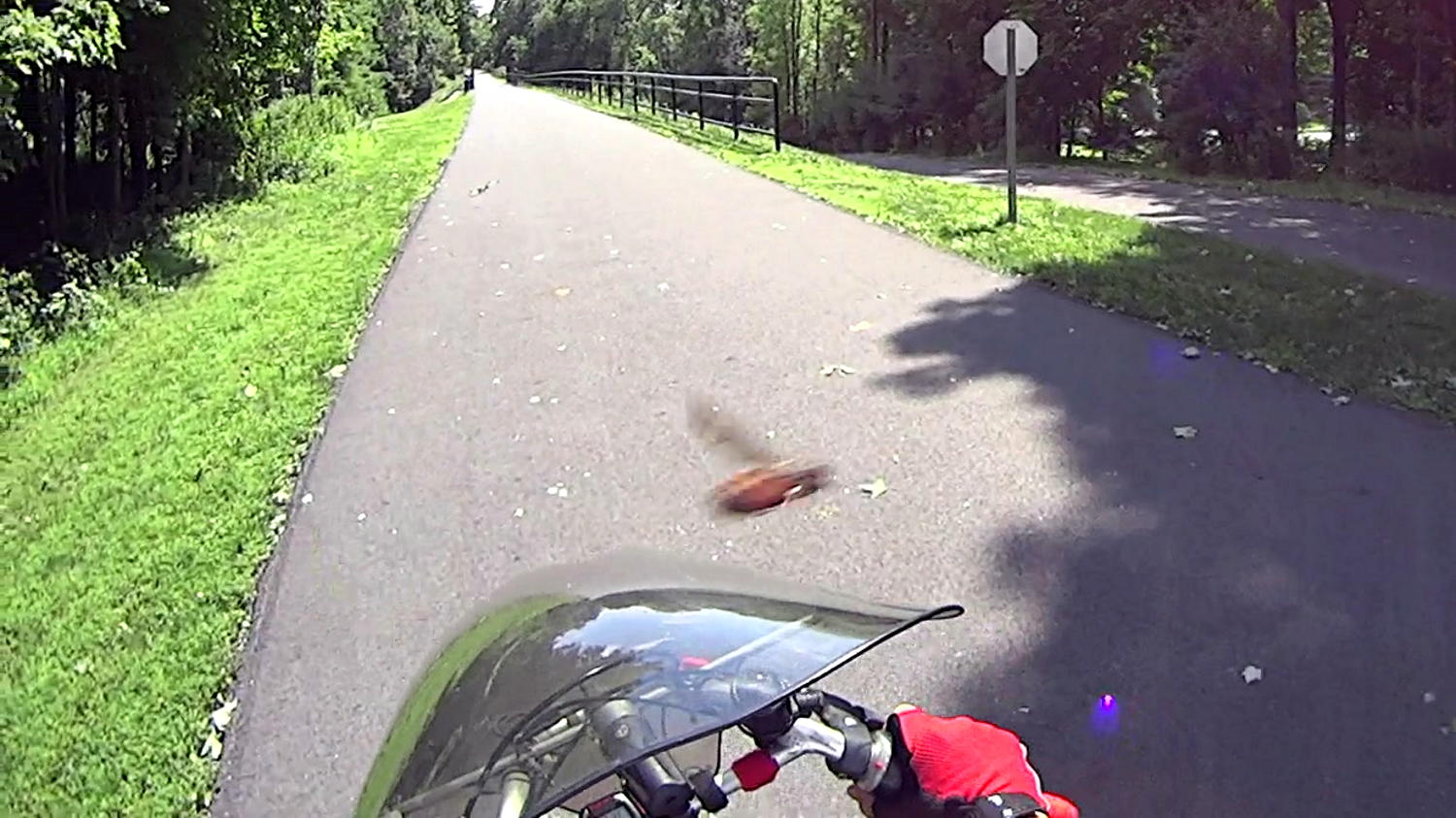
Given that the Sony HDR-AS30V has a 170° FOV (probably diagonally corner-to-corner), the honeybee must be an inch or two from the lens. Subsequent frames show it circling around in front of the fairing and continuing about its business.
Faced with the utter confusion caused by trying to figure out the interactions of the Sony HDR-AS30V time settings, I set it to local time, Time Zone GMT+0, DST off, enabled the GPS receiver, disabled the auto-off battery saver, and parked it outside with a nice view of the sky.
About ten minutes later it achieved GPS lock, which suggested the time wasn’t terribly wrong. After locking, the camera set itself to the current local time +1 hr, TZ = GMT-5, DST off; it apparently runs an embedded Linux distro, so it can convert from geographic location to time zone easily enough. It cannot know about DST, so I set DST on, the time jumped -1 hr, and it’s now set to local time, TZ = GMT-5, DST on.
A short movie produces this metadata:
exiftool MAH00046.MP4 | grep -i date
File Modification Date/Time     : 2014:09:02 17:58:49-04:00
File Access Date/Time           : 2014:09:02 16:59:51-04:00
File Inode Change Date/Time     : 2014:09:02 16:59:51-04:00
Create Date                     : 2014:09:02 20:58:41
Modify Date                     : 2014:09:02 20:58:48
Track Create Date               : 2014:09:02 20:58:41
Track Modify Date               : 2014:09:02 20:58:48
Media Create Date               : 2014:09:02 20:58:41
Media Modify Date               : 2014:09:02 20:58:48

exiftool MAH00046.MP4 | grep -i zone
Time Zone                       : -04:00

ll MAH00046.*
-rwxr-xr-x 1 ed ed 18M 2014-09-02 17:58 MAH00046.MP4
-rwxr-xr-x 1 ed ed 11K 2014-09-02 17:58 MAH00046.THM

ll -c MAH00046.*
-rwxr-xr-x 1 ed ed 18M 2014-09-02 16:59 MAH00046.MP4
-rwxr-xr-x 1 ed ed 11K 2014-09-02 16:59 MAH00046.THM

ll -u MAH00046.*
-rwxr-xr-x 1 ed ed 18M 2014-09-02 16:59 MAH00046.MP4
-rwxr-xr-x 1 ed ed 11K 2014-09-02 16:59 MAH00046.THM

date
Tue Sep  2 17:13:44 EDT 2014

date -u
Tue Sep  2 21:13:47 UTC 2014
The camera quickly achieves GPS lock with DST on (so it’s still able to use its recent GPS ephemeris data) and doesn’t change any of the current time, Time Zone, or DST values (so it’s happy with all that).
Based on that short experiment:
Some poking about shows that I misunderstood the “create” time, which actually holds the time when the file metadata changed, meaning there’s no way to tell when the file was created. I did know that the “access” time tracks the last time the file was opened: reading the Exif data will update the access time.
The +1 hr offset in the modification timestamp will (probably) vanish when DST goes off in the fall.
The Exif data contains the correct UTC times for the video’s Create and Modify dates, as well as the net Time Zone offset, which means I (well, a script using exiftool) can calculate the (UTC or local) time corresponding to the beginning & end of the video file. Indeed, exiftool can whack the file’s modification time directly from the Exif data:
exiftool '-FileModifyDate<ModifyDate' MAH00046.MP4
1 image files updated
Extracting still images proceeds from a time relative to the start, so the number of frames plus the calculated start time gives the actual time for that frame, modulo converting frames into hh:mm:ss.ff format and getting the addition correct.
Perhaps it makes more sense to set the modification time to the starting time of the video, thus simplifying the calculations:
exiftool '-FileModifyDate<CreateDate' MAH00046.MP4
1 image files updated
Both of those times are the UTC values, so a further adjustment based on the time zone would be in order. It’s not clear whether exiftool can perform that calculation internally or if it must be a two-step process.
A cheat may be in order: the thumbnail file modification timestamp matches the starting time of the corresponding video file. The script can base its calculations on the thumbnail timestamp. Of course, both of those are subject to the FAT-vs-DST problem.
More pondering is obviously in order.
For what it’s worth, the raw GPS log data from the camera lives in the PRIVATE/SONY/GPS/ directory, with a YYMMDDnn.LOG file name. It relentlessly accumulates two records every second:
@Sonygps/ver5.0/wgs-84/20140902205841.000/
@Sonygpsoption/0/20140902205842.000/20140902205842.000/
$GPGGA,205842.000,4139.5196,N,7352.4515,W,1,0,,,M,,M,,*5B
$GPRMC,205842.000,A,4139.5196,N,7352.4515,W,8.89,,020914,,,A*5E
$GPGGA,205843.000,4139.5177,N,7352.4501,W,1,0,,,M,,M,,*50
$GPRMC,205843.000,A,4139.5177,N,7352.4501,W,8.86,,020914,,,A*5A
$GPGGA,205844.000,4139.5160,N,7352.4488,W,1,0,,,M,,M,,*51
$GPRMC,205844.000,A,4139.5160,N,7352.4488,W,8.54,,020914,,,A*54
$GPGGA,205845.000,4139.5148,N,7352.4476,W,1,0,,,M,,M,,*5B
$GPRMC,205845.000,A,4139.5148,N,7352.4476,W,7.77,,020914,,,A*50
$GPGGA,205846.000,4139.5143,N,7352.4467,W,1,0,,,M,,M,,*53
$GPRMC,205846.000,A,4139.5143,N,7352.4467,W,6.61,,020914,,,A*5E
$GPGGA,205847.000,4139.5145,N,7352.4461,W,1,0,,,M,,M,,*52
$GPRMC,205847.000,A,4139.5145,N,7352.4461,W,5.17,,020914,,,A*5D
$GPGGA,205848.000,4139.5156,N,7352.4458,W,1,0,,,M,,M,,*55
$GPRMC,205848.000,A,4139.5156,N,7352.4458,W,3.31,,020914,,,A*58
The battery life is so terrible with the GPS on that I don’t plan to use it much at all, but at least now I know how to set the clock’s time…

