Ed Nisley's Blog: Shop notes, electronics, firmware, machinery, 3D printing, laser cuttery, and curiosities. Contents: 100% human thinking, 0% AI slop.
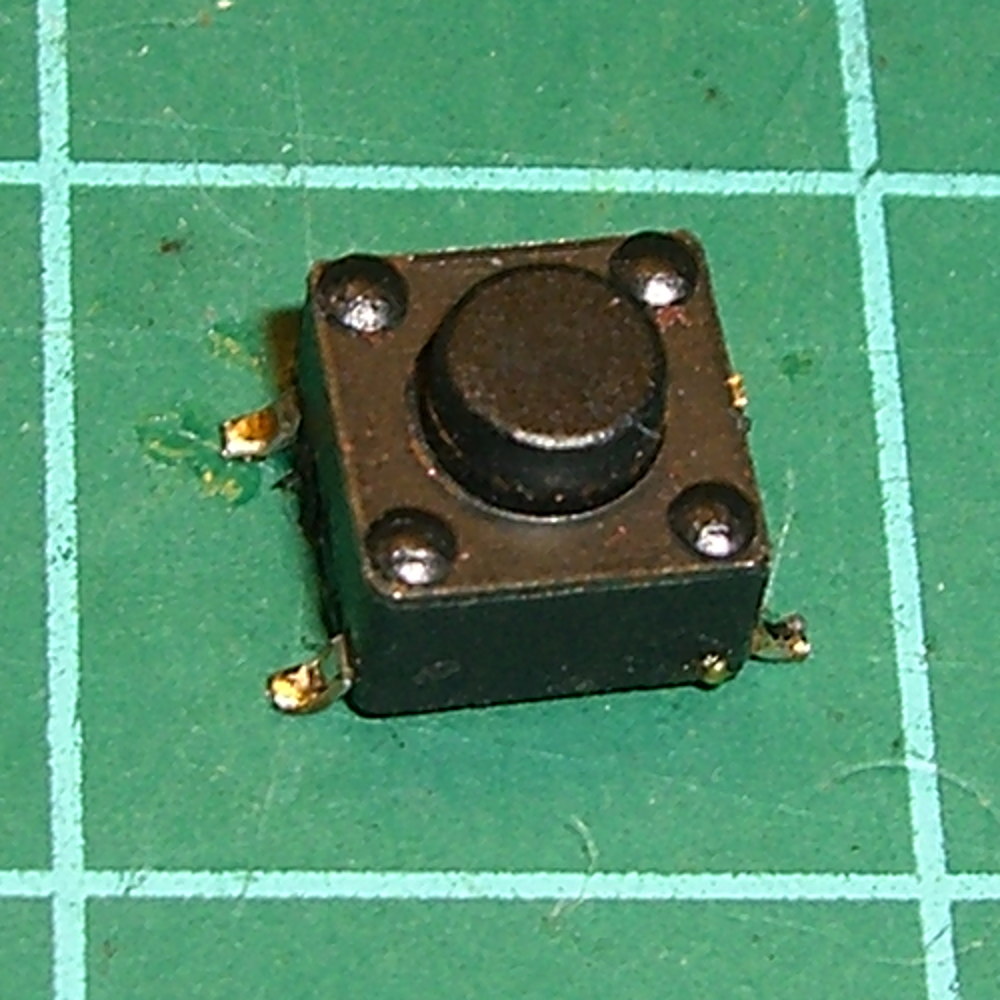
A friend, anticipating a stream of visitors for their freshly hatched baby, asked for help with a defunct remote doorbell. A bit of probing showed that shorting across the pushbutton switch contacts reliably triggered the bell, so I unsoldered it:
Doorbell switch – intact
A similar switch from the heap had a longer stem that was easy enough to shorten, so the repair didn’t take very long at all: ya gotta have stuff!
An autopsy reveals the expected contact corrosion:
Doorbell switch – parts
Underexposing the image by about two stops retained some texture on the contact dome.
The IC date codes suggest the box is over a decade old, which is as much life as one can expect from cheap consumer electronics, particularly with an unsealed switch placed outdoors.
The NYS DOT’s original planning documents said that roundabouts / rotaries weren’t optimal for pedestrians or bicyclists or large trucks, but, because DOT likes rotaries, that’s what they built on Raymond Avenue. However, they didn’t relocate the drainage lines under the road and left some catch boxes in awkward spots.
This Google Street View image from a few years ago shows the College Avenue intersection from northbound Raymond Avenue, with the catch box in the lane:
Google Street View – Raymond northbound at College
Raymond is basically the only bicycle route into Arlington from the south and has “shared roadway” signs, but the design flat-out doesn’t work for bikes and the implementation leaves a lot to be desired.
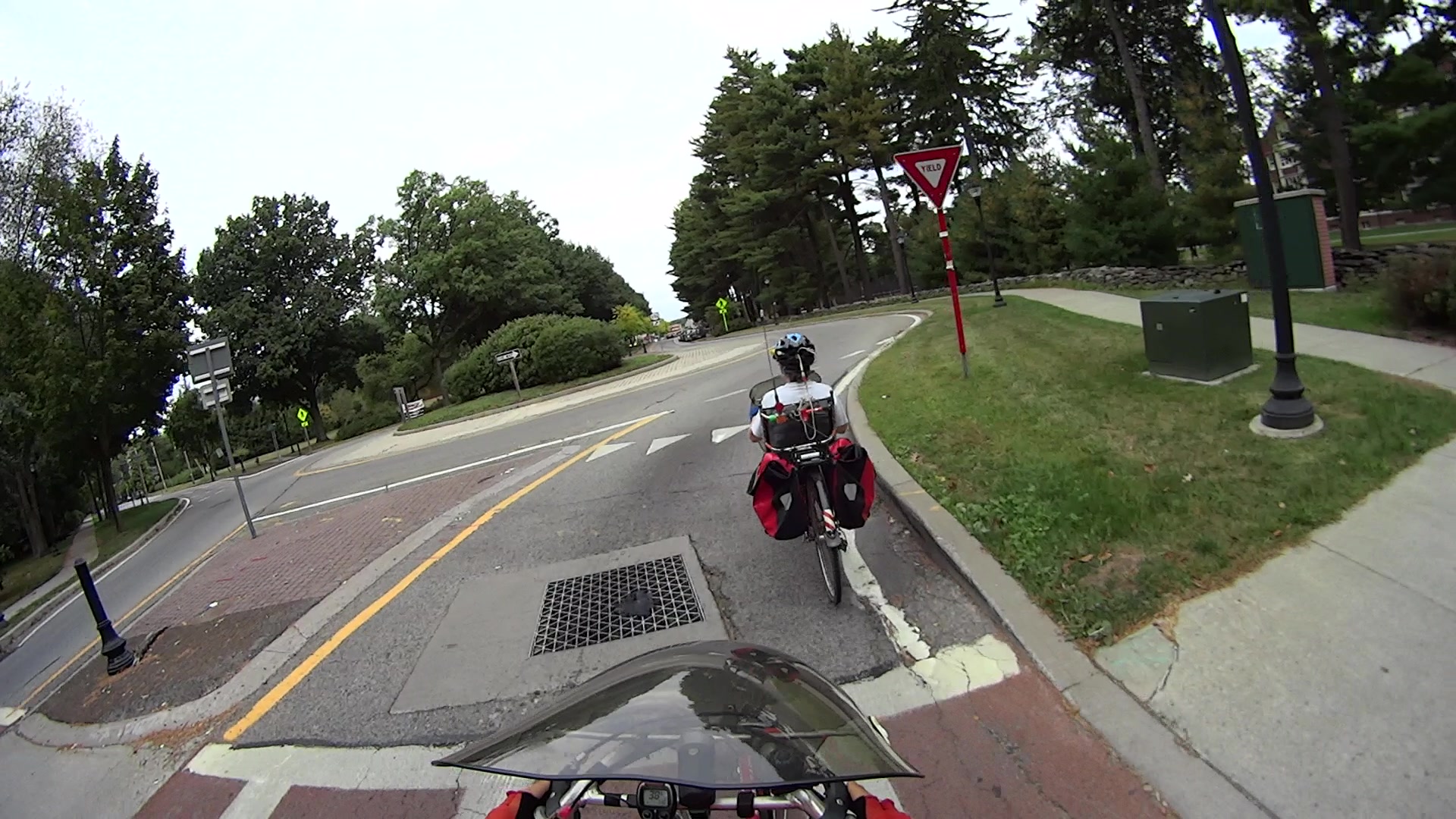
Here’s what it looks like from the bike:
MAH00138-2014-09-28-095
Note the deteriorated asphalt and longitudinal cracks near the white fog line next to the curb. That forces bike traffic another few feet into the deliberately narrowed traffic lane at the entrance to the intersection.
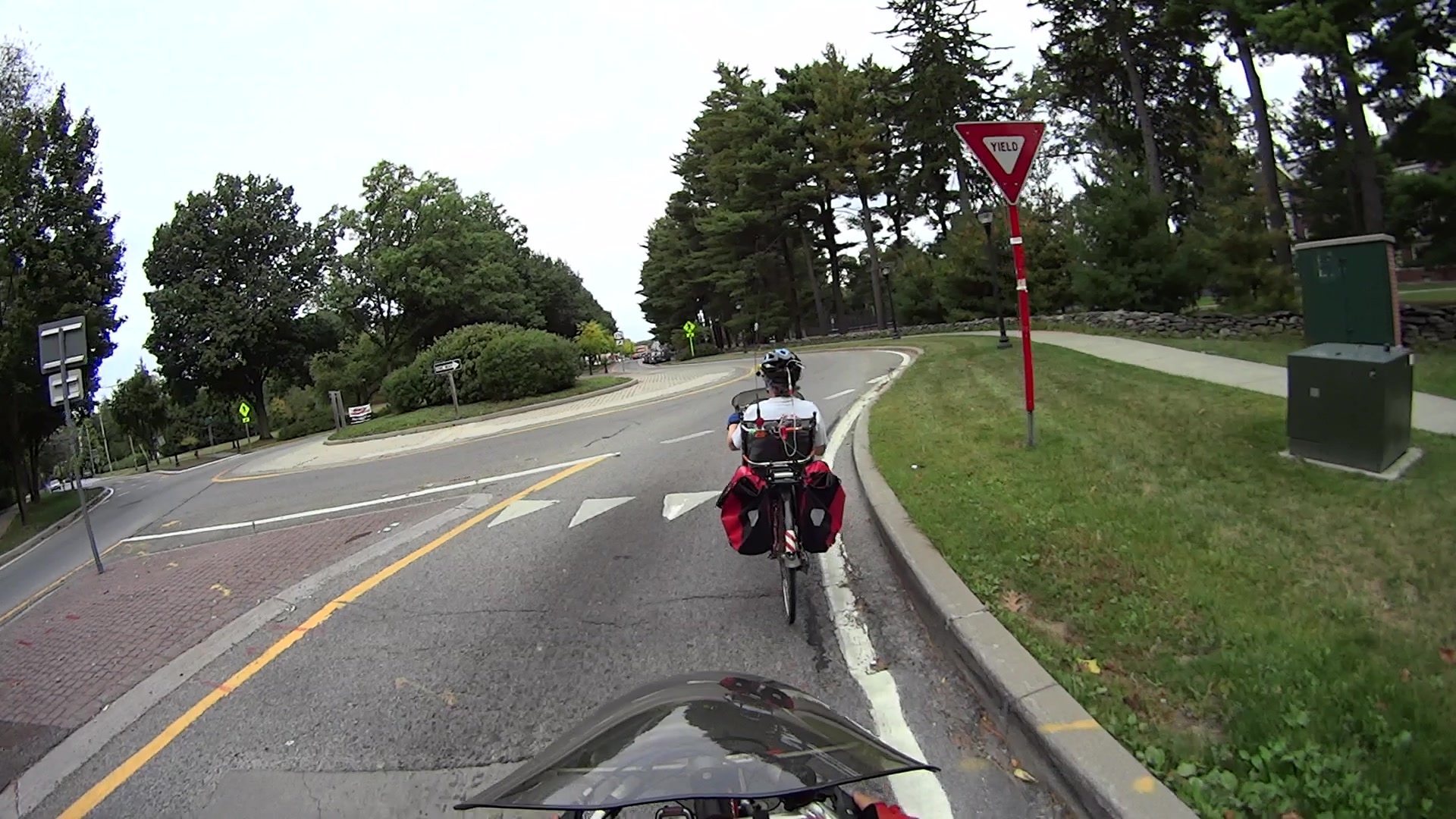
Mary’s about as far to the right as practicable (that’s a legal term):
MAH00138-2014-09-28-155
I’m angling over from the middle of the lane, because, unless I take the lane, motorists will attempt to pass us in the rotary entrances. The asphalt on the far side of the box has subsided several inches into a tooth-rattling drop, you can see the crevice adjacent to the right side of the box, and I know better than to cross steel grates while turning.
Notice that the Google view shows four bollards marking what DOT charmingly calls the “pedestrian refuge” in the median, but only two appear in my pictures. NYS DOT recently removed half the bollards from each refuge and relocated the remainder, apparently to reduce the number of street furniture targets. Early on, they were losing one bollard per intersection per year, but that’s slowed down now that they’ve stopped replacing smashed hardware.
It was never clear to me why putting nonreflective black bollards a foot or two from the traffic lane made any sense, but that’s how it was done. Most of the relocated bollards stand close to the center of the median, so maybe it didn’t make any sense.
Anyhow, bikes can’t stay too far to the right after the box, because the asphalt has crumbled away in furrows around Yet Another Crappy Patch:
MAH00138-2014-09-28-184
That’s pretty much the state of the traffic engineering art around here. A while back, the NYS DOT engineer in charge of the project assured me it’s all built in compliance with the relevant standards.
It’s worth noting that Mary’s on the Dutchess County Bicycle and Pedestrian Advisory Committee, so we volunteered to count cyclists and pedestrians on Raymond a few months ago. When I say that we’re essentially the only cyclists riding Raymond Avenue, we have the numbers to back it up. Everybody else rides on the sidewalks, despite that being of questionable legality and dubious for pedestrian safety, because, well, you’d be crazy to ride in the shared roadway.
Well, that’s not what I expected: the “new” Wasabi batteries perform worse than the three year old Canon OEM battery and no better than the crap batteries from eBay.
Just to be sure, I ran two tests on each of the three new batteries. Unlike the NP-BX1 batteries, these deliver a lower voltage than the Canon OEM battery and have a much lower capacity. The camera cuts off at 3.5 V, so the new batteries deliver 2/3 the run time of the old OEM battery
Sheesh…
Tech support at Blue Nook (I am not making that up) says they’ll send me a couple of batteries from their next shipment to see if something’s wrong with this batch; all the batteries have date code BNF27.
The Sony HDR-AS30V helmet camera can record about 5.5 h of 1920×1080 60 fps video on a 64 GB Micro-SD card, but a single NP-BX1 battery provides a 1.5 h run time, tops. Having had a good experience with the previous Wasabi batteries, I picked up three more and ran all six through the battery tester:
Sony NP-BX1 – OEM Wasabi – 2014-10-03
The red curve is the Sony OEM battery, the two lower curves are the Wasabi batteries from January, and the upper three come from the new Wasabi batteries. All in all, they look good to me.
These curves aren’t directly comparable to the older ones, as I’ve bumped the discharge to 500 mA to better match the actual camera load. These worked out to about two hours apiece, so the camera must draw around 600 or 700 mA.
The Wasabi batteries deliver a higher voltage than the Sony OEM battery over nearly all of the discharge curve. The older ones delivered almost exactly the same run time, which leads me to believe the camera cuts off at 2.8 V, too, with a boost power supply extracting all the energy under the curve.
I suppose a 1.5 h run time makes sense for downhill skiiing, but it’s painfully short for bike trips.
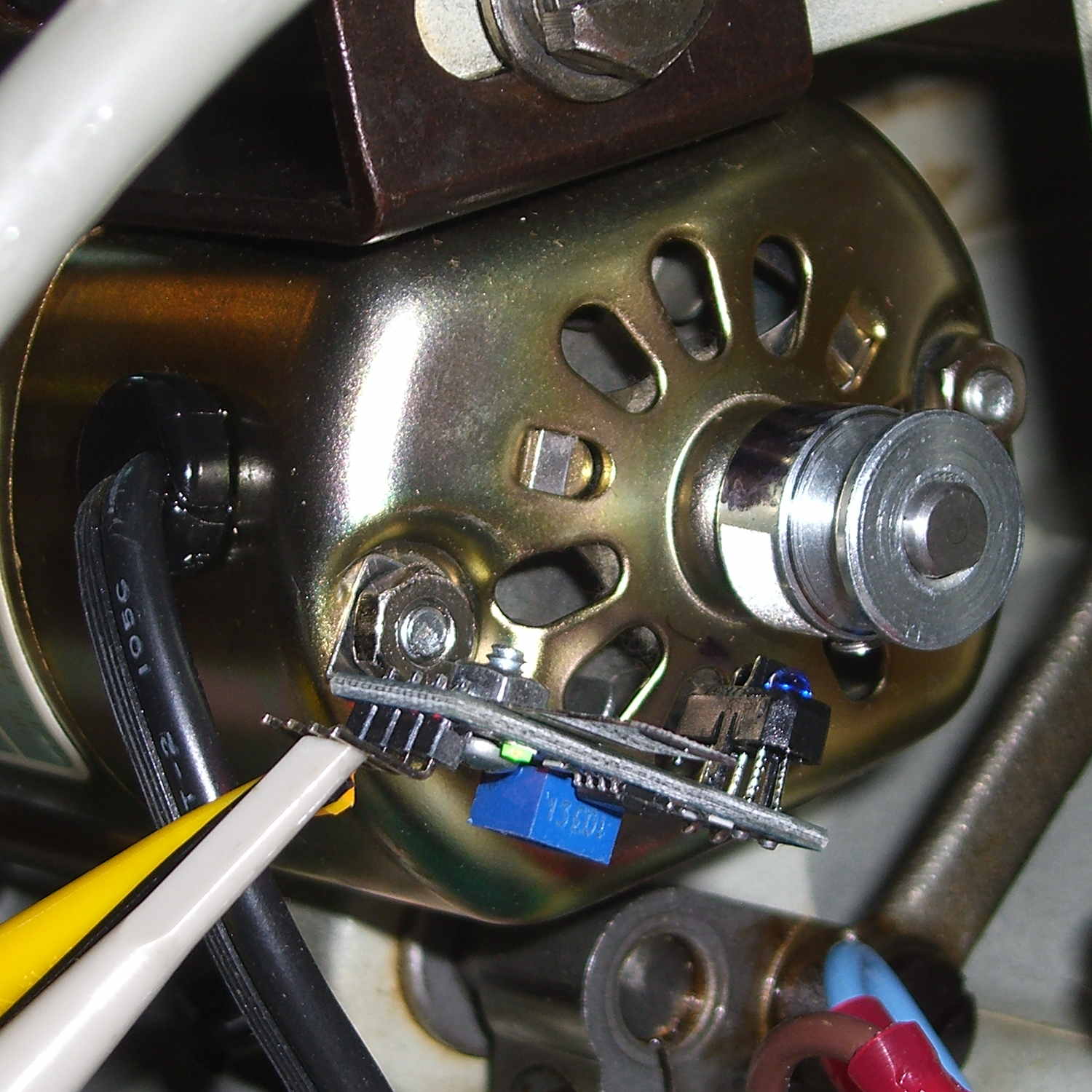
A quick-and-dirty bracket (made from a leftover strip in the pile of chassis clips) affixed an IR reflective sensor (based on the ubiquitous TCRT5000 module) to the sewing machine motor:
TCRT5000 sensor on motor
That’s scribbling black Sharpie around the retroreflective tape for the laser tachometer, which worked just about as poorly as you’d expect. Retroreflective tape, by definition, reflects the light directly back at the LED, but in this case you want it bounced to the photosensor.
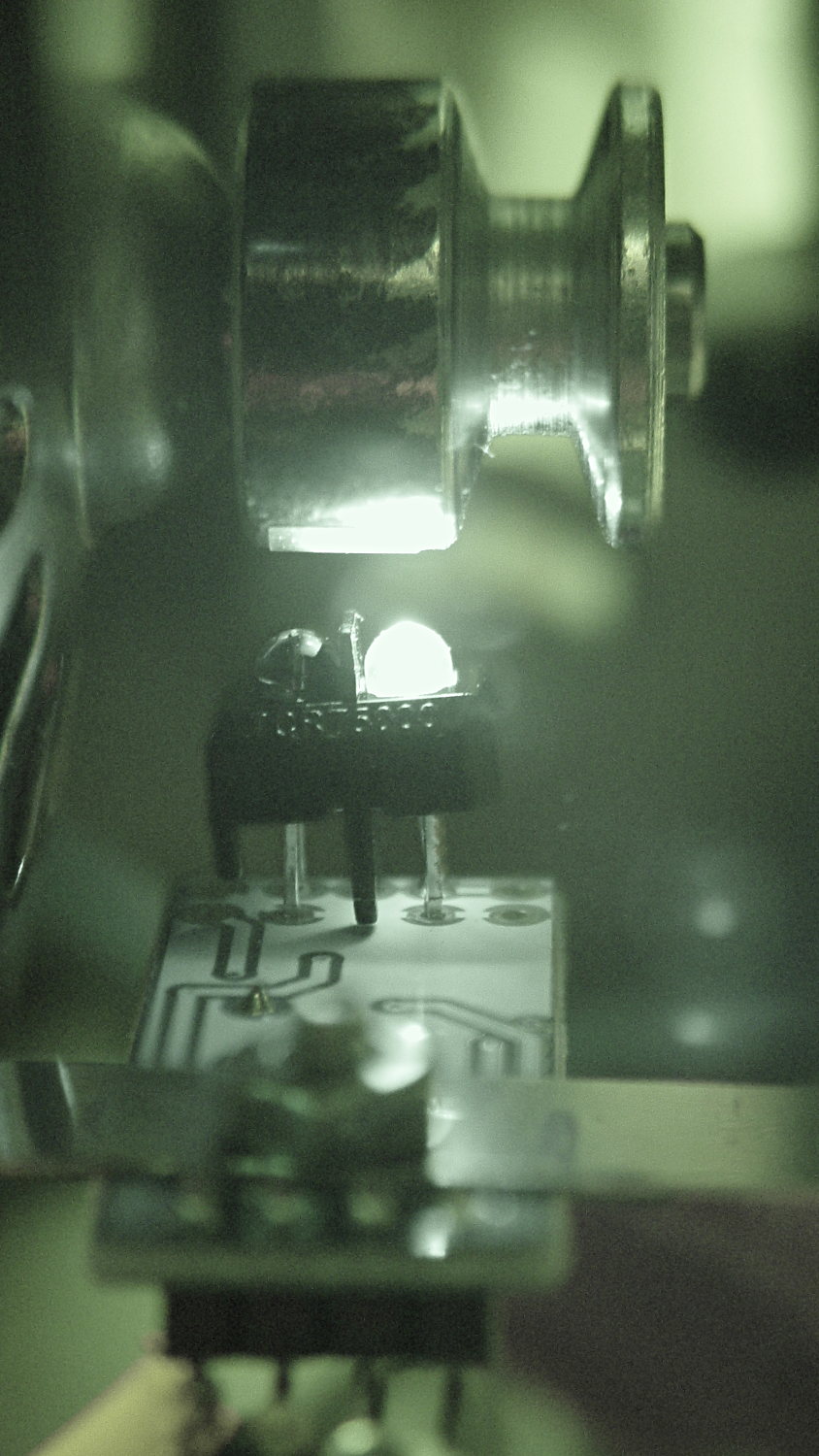
An IR view shows the geometry and highlights the LED:
TCRT5000 sensor – IR view
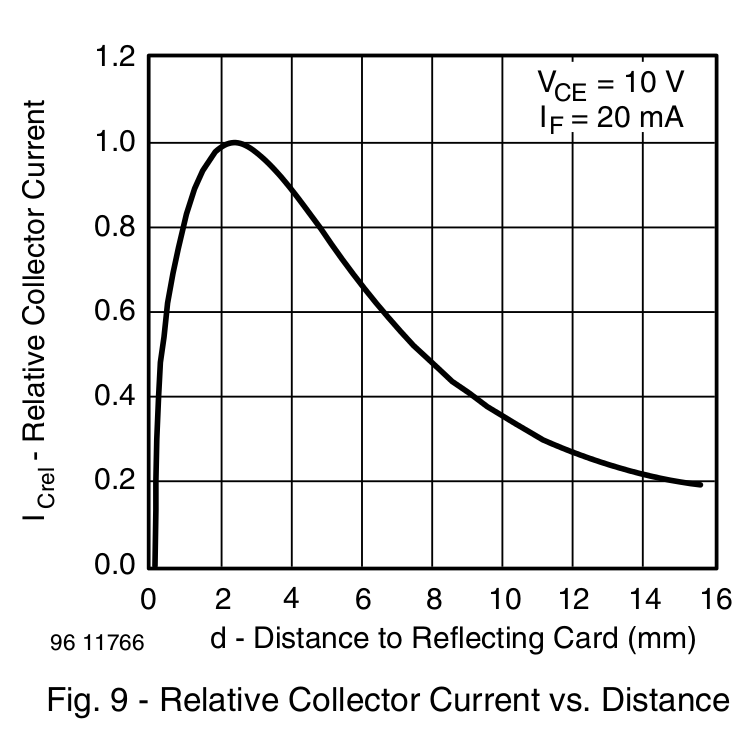
The TCRT5000 datasheet suggests that the peak operating distance is 2.5 mm, roughly attained by tinkering with the bracket. The datasheet graph shows that anything between 1 and 5 mm should be just fine:
IR Reflective Sensor module – TCRT5000 – response vs distance
Apply stainless steel tape around half the circumference
Burnish flat
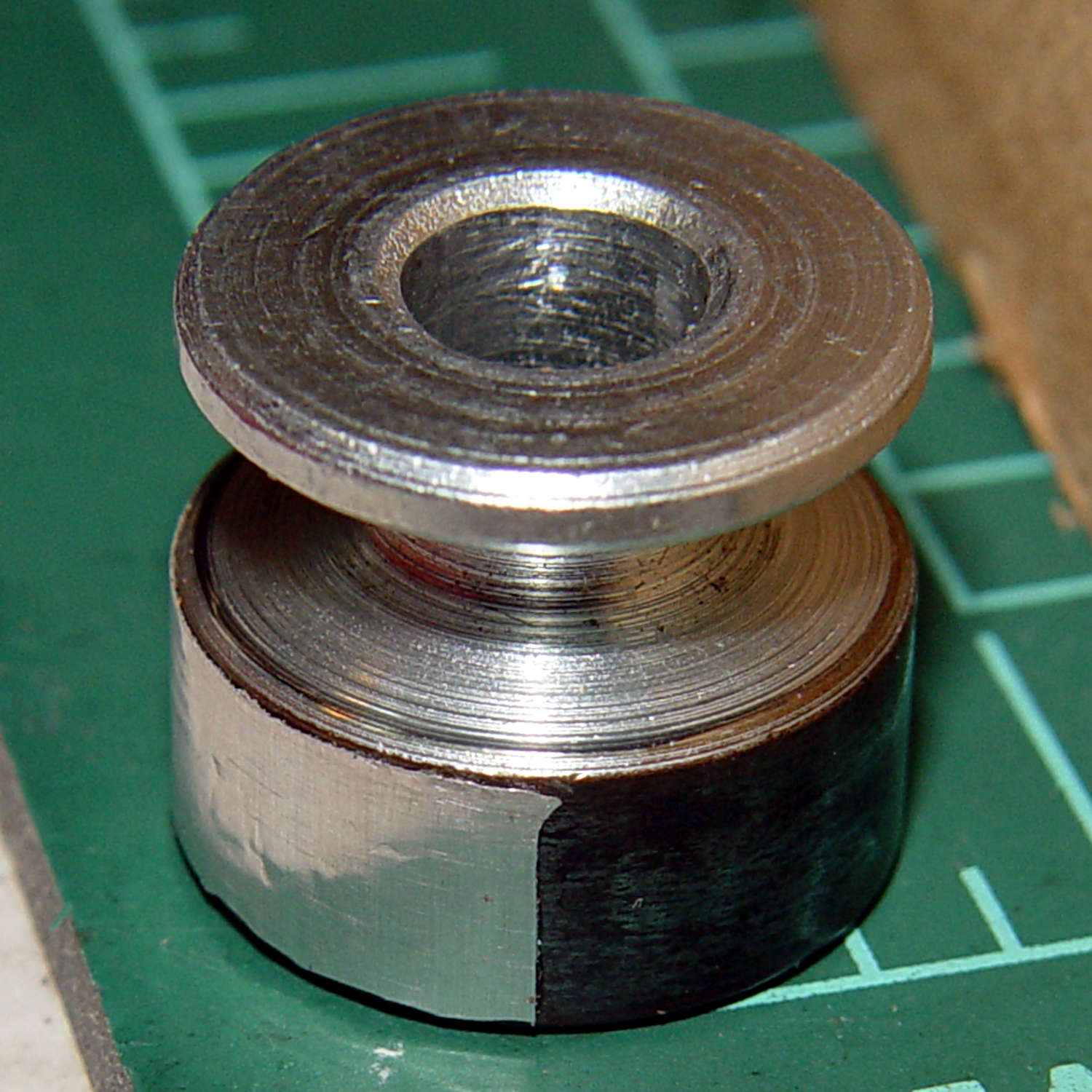
Which looks pretty good:
Kenmore 158 motor pulley – black-silver
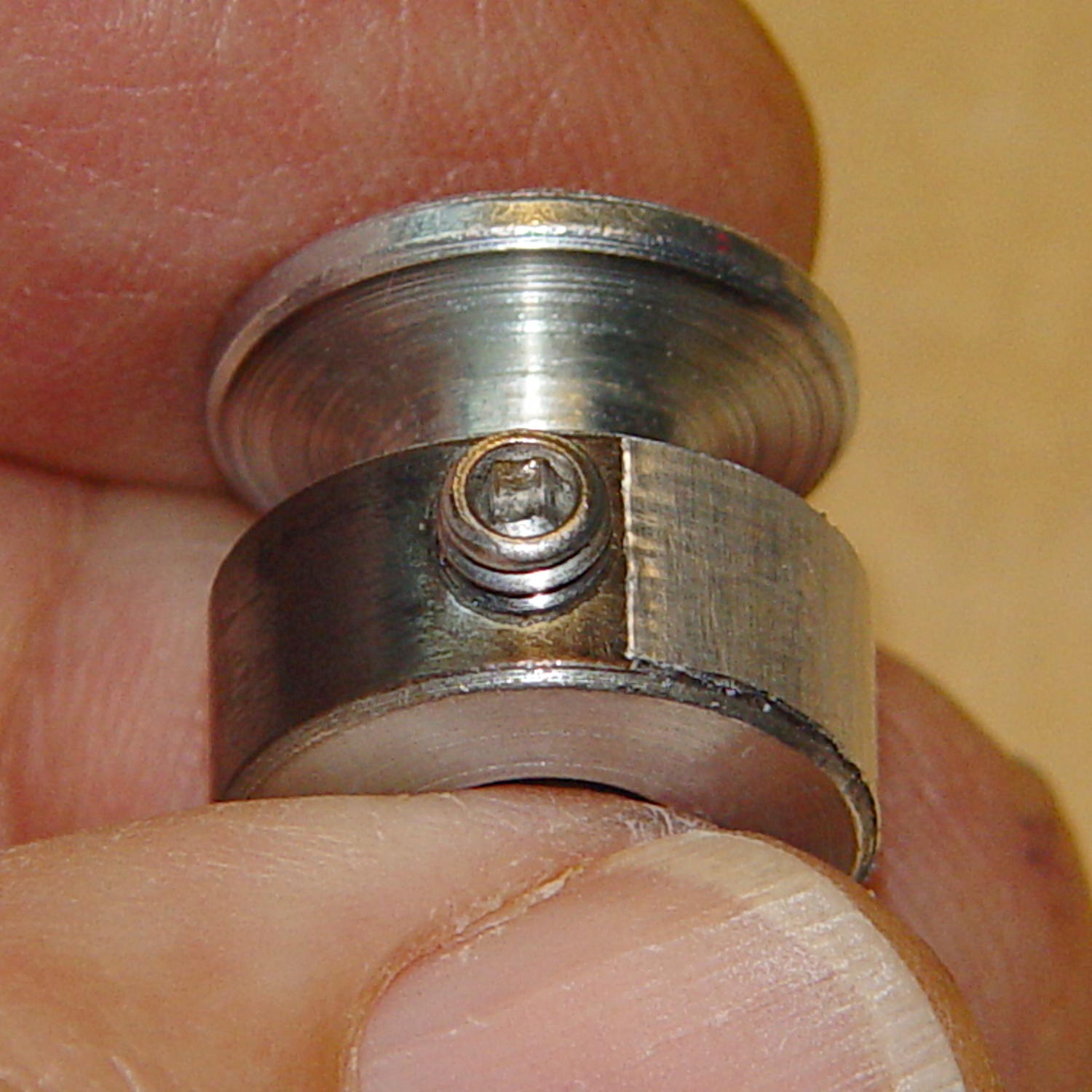
The stainless tape butts up against the setscrew:
Kenmore 158 motor pulley – black-silver at setscrew
Adjusting the sensitivity midway between the point where the output is low (OFF) over the black and high (ON) over the tape seems reasonable.
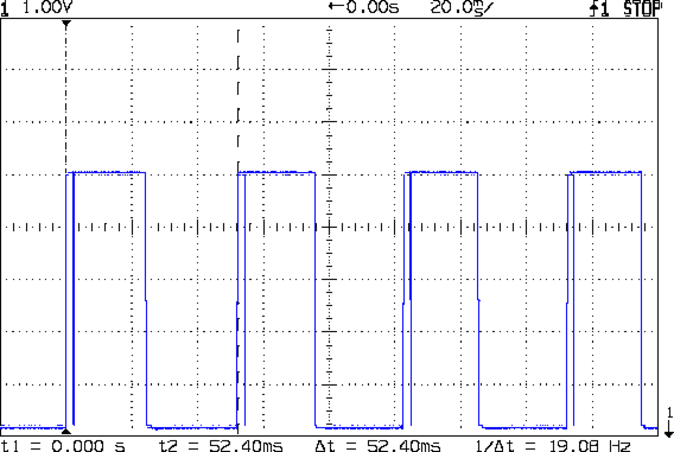
Running at the slowest possible speed produces this pulse train:
Motor sense – min speed
The motor at 19 rev/s = 1140 RPM corresponds to about 2 rev/s of the sewing machine shaft= 2 stitch/s. Slower than, that, the pedal won’t go in simple open-loop mode.
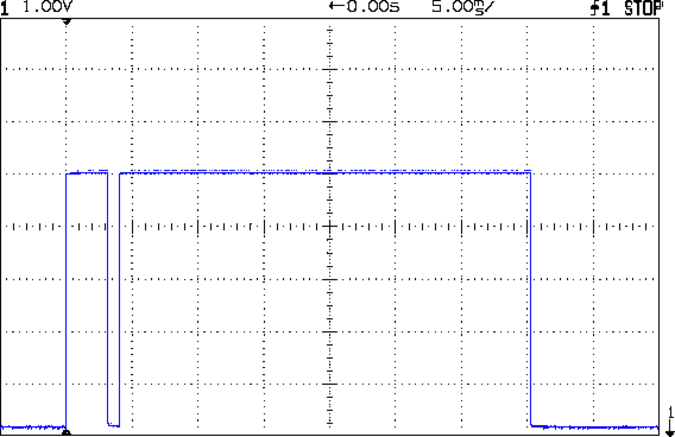
The setscrew causes those “glitches” on the rising edge. They look like this at a faster sweep:
Motor sense – min speed – setscrew
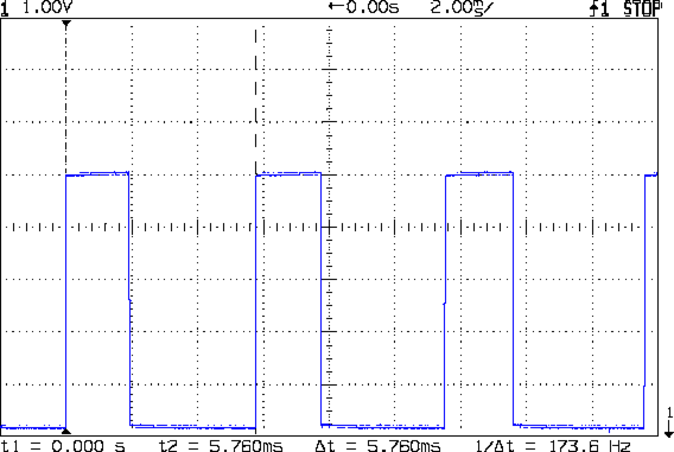
At maximum speed, the setscrew doesn’t show up:
Motor sense – max speed
The motor at 174 rev/s = 10440 RPM would do 1000 stitch/s, but that’s just crazy talk: it runs at that speed with the handwheel clutch disengaged and the motor driving only the bobbin winder. I was holding the machine down with the shaft engaged and all the gimcrackery flailing around during that shot.
The sensor board may have an internal glitch filter, but it’s hard to say: the eBay description has broken links to the circuit documentation.
I could grind the setscrew flush with the pulley OD and cover it with tape, but that seems unreasonable. Fixing the glitch in firmware shouldn’t be too difficult: ignore a rising edge that occurs less than, say, 1/4 of the previous period following the previous edge.
Perhaps buffing half the pulley’s circumference to a reasonable shine (minus the bluing) would eliminate the need for the stainless steel tape.
Iterating the bluing operation / scrubbing with steel wool should produce a darker black, although two passes yields a nice flat black.
Not much rain fell around here during September, lowering the Mighty Wappingers Creek and exposing the rubble of the dam at Red Oaks Mill:
Red Oaks Mill dam – stonework – 2014-09-06
We never noticed the stonework along the far bank; it’s usually underwater.
Some smooth water-worn wood and stone:
Red Oaks Mill dam – 2014-09-06
I’ve always wanted to live in the powerhouse of a small dam. If somebody ever rebuilds this poor thing for low-head hydropower, they’ve got a live-in generator tender…
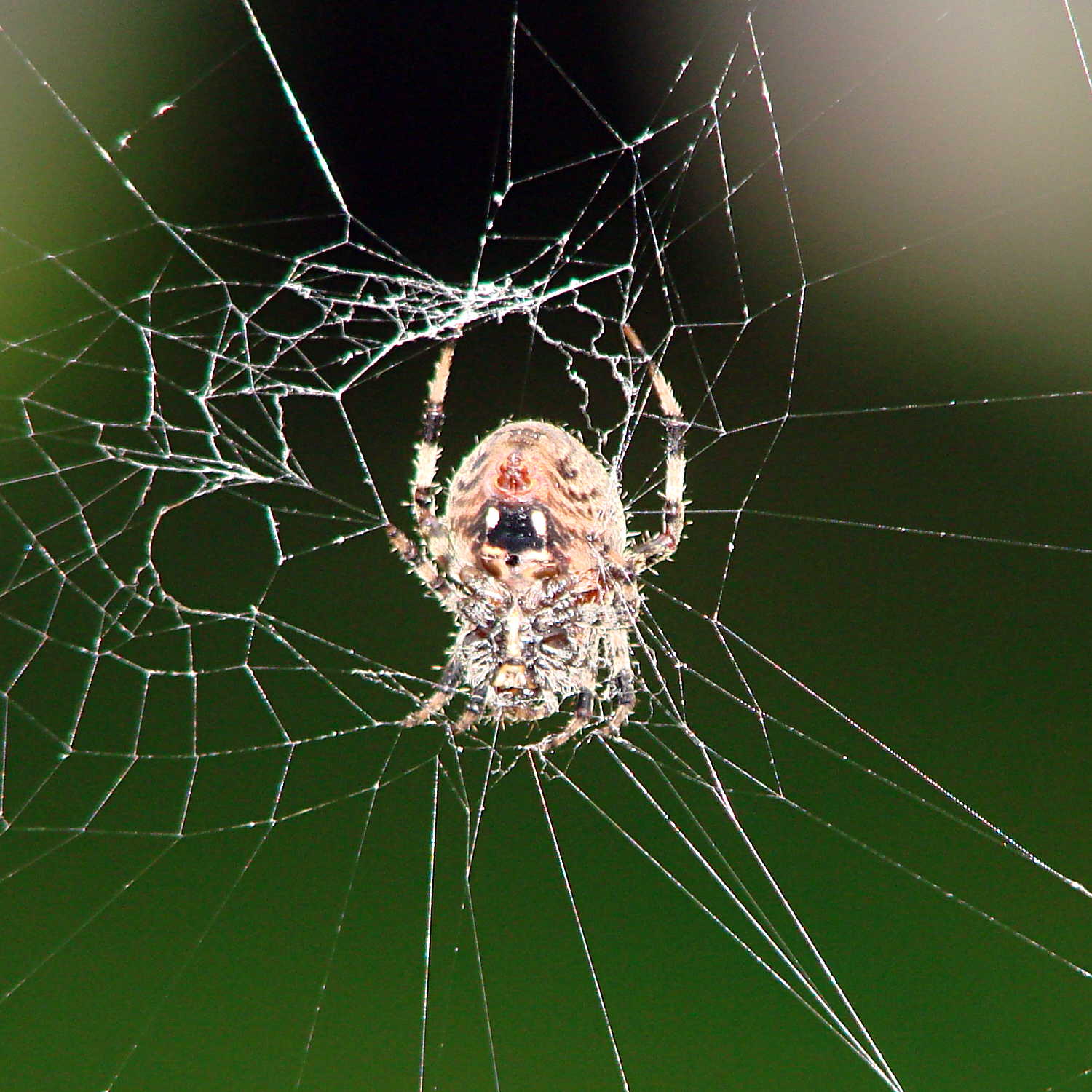
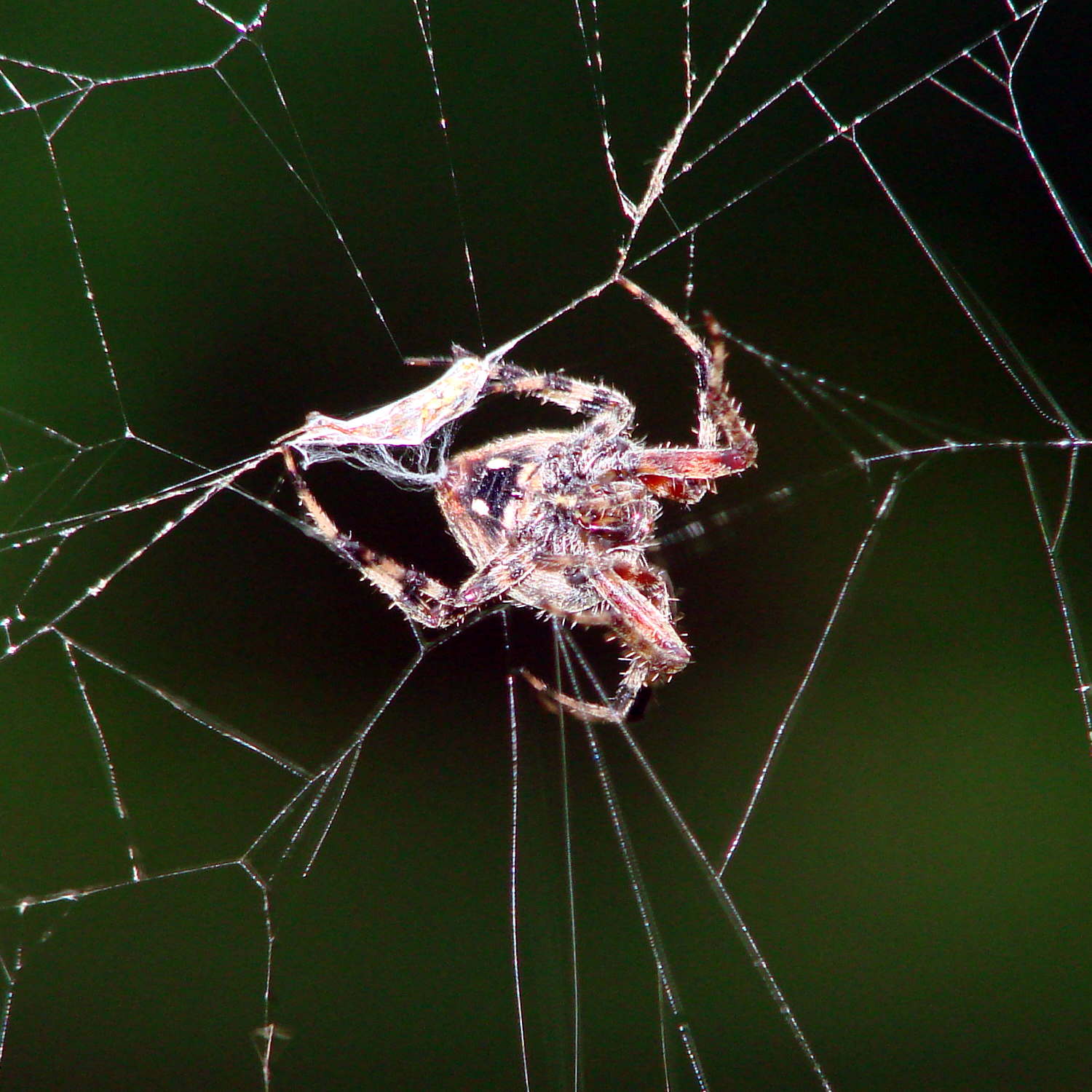
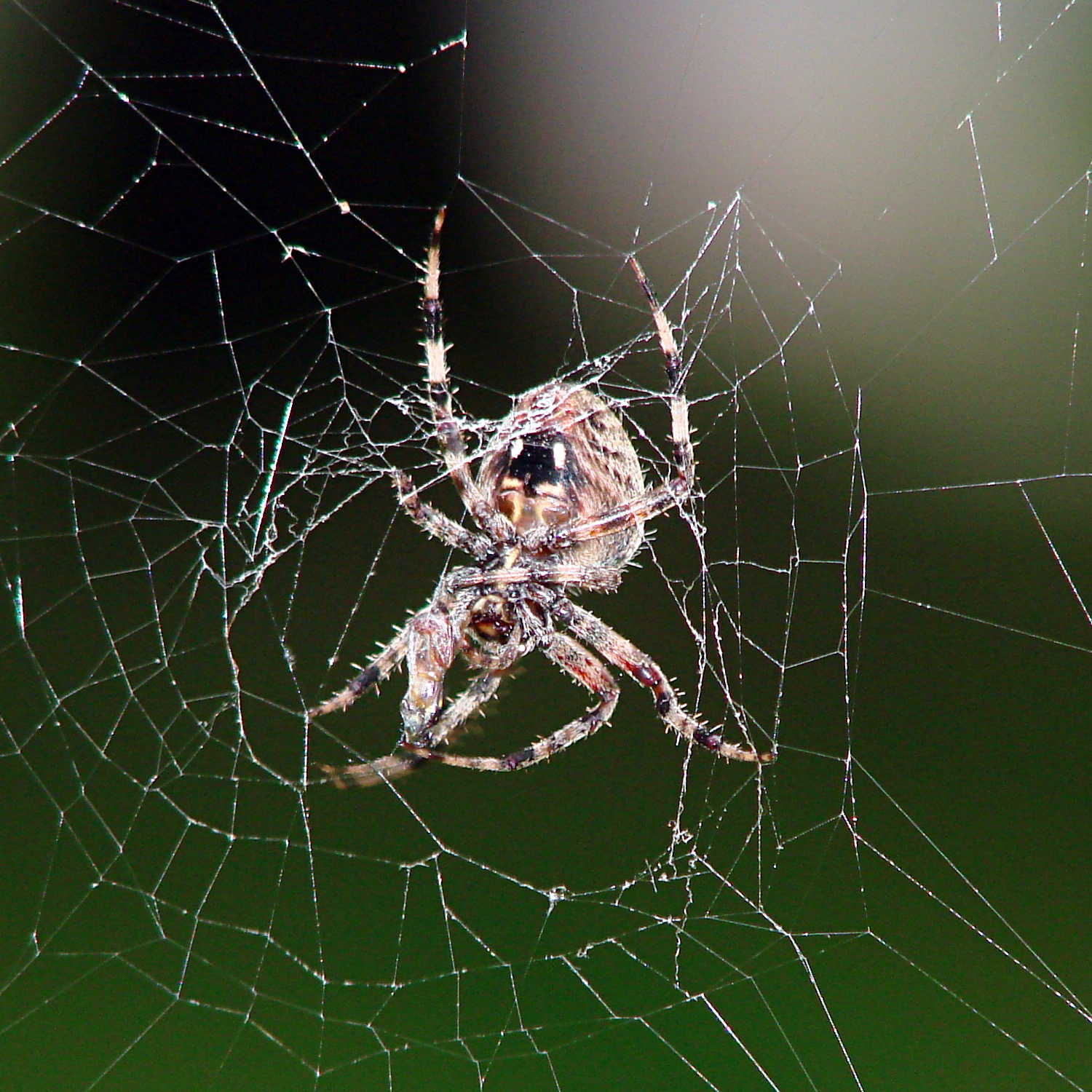
The season of giantorb-weavingspiders comes again to Poughkeepsie, with this one stretching a web across the decorative grasses bracketing the (unused) front door:
Orb spider – at rest
While I screwed around with the camera, she dashed off to one side and began wrapping a package:
Orb spider – wrapping insect
Her spinnerets release a torrent of silk during that operation!
Dragging it back to the middle of her orb, she settled down for breakfast.
Orb spider – ready for breakfast
So did I…
Hand held with the Sony DSC-H5, facing westward in dawn light, using the flash to bring the image up out of the mud. A touch of unsharp mask and some contrast stretching; nothing too drastic.