The Smell of Molten Projects in the Morning

Ed Nisley's Blog: Shop notes, electronics, firmware, machinery, 3D printing, laser cuttery, and curiosities. Contents: 100% human thinking, 0% AI slop.

Category: Machine Shop

Mechanical widgetry

  • 3D Printing: Slow Hot End Temperature Oscillations

    From a discussion on the Makergear 3D printer forums

    A Makergear M2 user encountered a temperature control problem:

    Problem: Temperature fluctuation on the hotend +/- 7 degrees C when set in the controls. A little more extreme when printing (~+/- 15).

    Slow cycling like that indicates the hot end’s PID loop coefficients don’t match reality.

    Preheat the extruder to maybe 200 °C, run a PID calibration (M303), store the results in EEPROM (M500), and that should do the trick.

    PID coefficients depend on the hot end’s physical condition, so you should re-do the calibration whenever anything changes on the hot end. Even removing & reinstalling the same hardware will change the contact points between, say, the thermistor and its hole in the hot end.

    A dab of good heatsink compound on the thermistor should stabilize its contact with the hot end, although that will change the reported temperature and PID coefficients. Probably doesn’t make any real difference, but I felt better:

    M2 - Thermistor with heatsink compound
    M2 – Thermistor with heatsink compound

    Which prompted a question from a user who regularly swaps entire hot ends to change nozzle diameters:

    run a pid cal when I set my starting height each time I switch?

    Assuming you swap entire hot ends, including their thermistor & heater, then you can calibrate each one, write down its PID values, manually set ’em with M301 when you install it, then use M500 to store ’em in EEPROM.

    Because you bend those fragile thermistor wires every time you swap hot ends, keep a couple thermistors on hand. You’ll need ’em.
  • 3D Printing: Peculiar Octopi Problem

    From a discussion on the Makergear 3D printer forums

    A Makergear M2 user had a strange problem:

    Octopi claims the serial connection went down.

    LED2 was blinking red, rapidly, and LED3 was shining with a steadfast red light.

    LED2 shows the extruder heater PID loop is running and LED3 shows the extruder fan is on:
    https://reprap.org/wiki/Rambo_v1.1

    You just never noticed the blinkiness before … [grin]

    Because the extruder heater is still running, the firmware hasn’t detected a (possibly bogus) thermal runaway or any other fatal problem. It’s just waiting for the next line of G-Code, but Octopi isn’t sending it.

    Casually searching the GitHub issues, there’s a report of intermittent serial problems from last year:
    https://github.com/foosel/OctoPrint/issues/2647

    Which points to the FAQ:
    https://community.octoprint.org/t/octop … eption/228

    Look at the Octopi Terminal log to see if the conversation just before the failure matches those descriptions.

    Assuming you haven’t updated the printer firmware or anything on the Octopi, then something physical has gone wrong.

    First and least obviously, the Pi’s MicroSD card has probably started to fail: they’re not particularly durable when used as a mass storage device and “the last couple of years” is more than you should expect. Download a fresh Octopi image, put it on a shiny-new, good-quality card (*), and see if the situation improves.

    Then I’d suspect the Pi’s power supply, even though you’re using the “official rpi power supply”. All of those things contain the cheapest possible electrolytic capacitors, running right on the edge of madness, and produce bizarre errors when they begin to go bad. Get a good-quality wall wart (**), ideally with a UL rating, and see if the situation improves.

    While you’re buying stuff, get a good-quality USB cable (***) to replace the one that (assuming you’re like me) you’ve been saving for the last decade Just In Case™. Use the shortest cable possible, because longer does not equal better.

    After that, the problems get truly weird. Apply some tweakage and report back.

    (*) This is harder to do than you might think. You may safely assume all cards available on eBay and all “Sold by X, Fulfilled by Amazon” cards will be counterfeit crap. I’ve been using Samsung EVO / EVO+ cards (direct from Samsung) with reasonable success:

    https://softsolder.com/2018/10/16/raspb … sk-memory/
    https://softsolder.com/2017/11/22/samsu … ification/
    https://www.samsung.com/us/computing/me … 22y+zq29p/

    The card in question eventually failed, so having a backup card ready to go was a Good Idea™.

    (**) Top-dollar may not bring top quality, but Canakit has a good rep and costs ten bucks through Prime.

    (***) Amazon Basics cables seems well-regarded and work well for what I’ve needed.

  • Kenmore 158: Goobered Screws

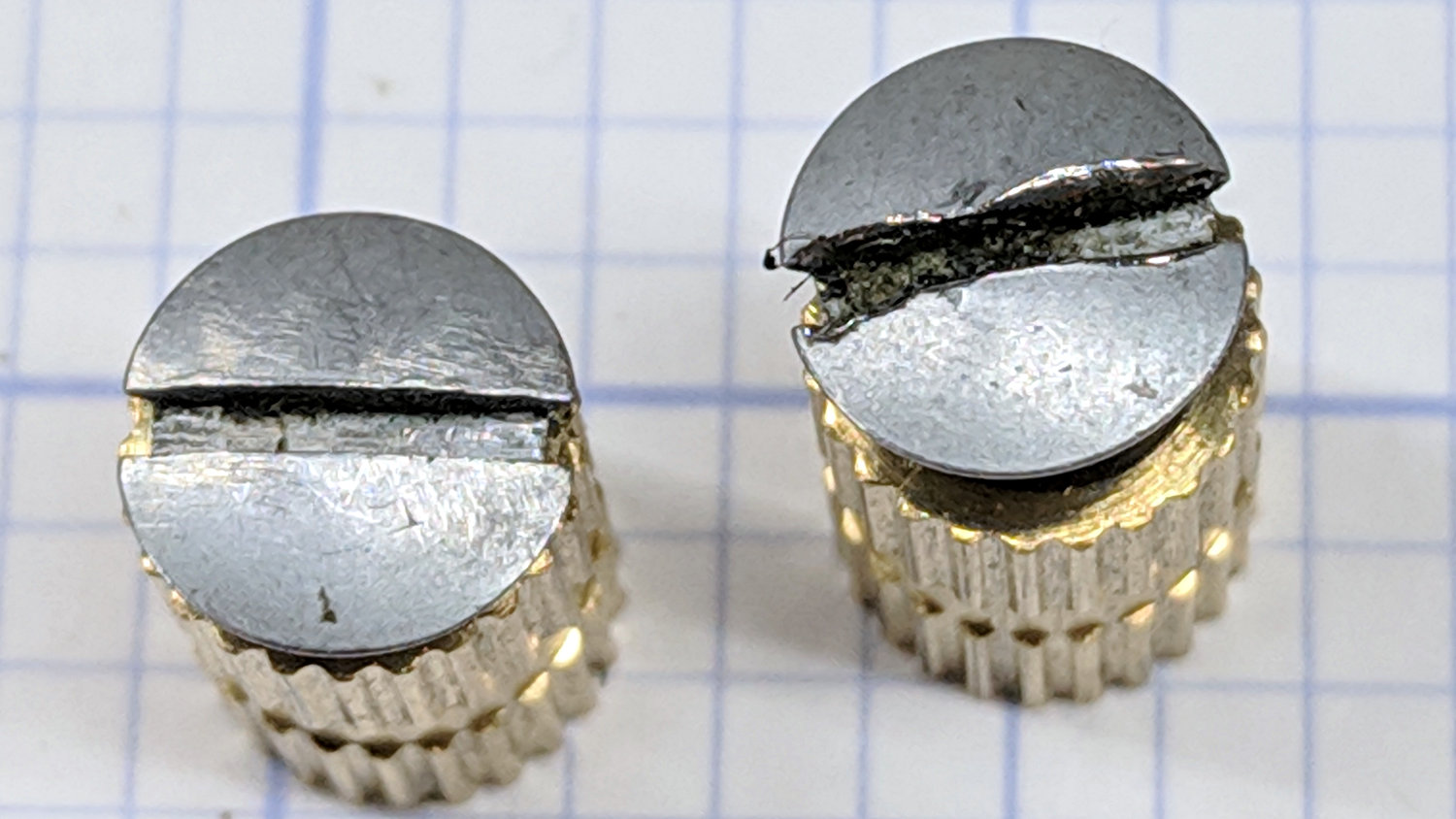
    One of Mary’s quilting group arrived with a machine in dire need of cleaning and oiling. These screws hold the throat plate in place:

    Kenmore screws - goobered
    Kenmore screws – goobered

    They’re standing in a pair of threaded brass inserts (found in the benchtop litter) to show off their tops.

    The left screw came out easily, although a few licks with a fine file eased the slot corners.

    The one on the right, however, was firmly jammed in place, with the crappy little Kenmore sewing machine screwdriver causing the goobering. I deployed my Brownell’s Gunsmith Screwdriver Bits, applied slightly less force than would ordinarily call for an overnight penetrating oil session, got the screw out, and cleaned it up:

    Kenmore screws - smoothed
    Kenmore screws – smoothed

    A dot of oil on the threads should keep it happy for the foreseeable future.

  • Juki TL-2010Q Needle LEDs: Installed!

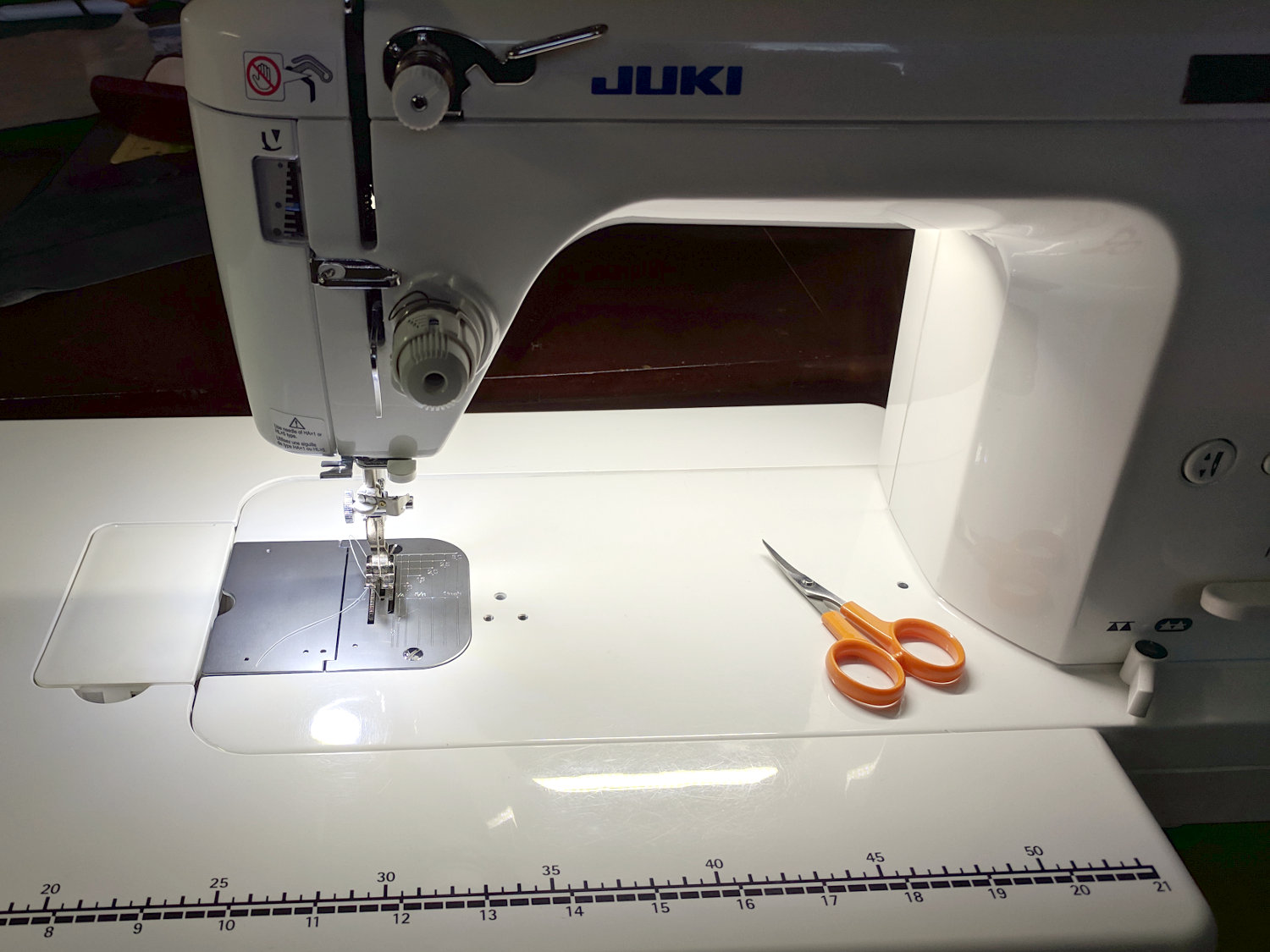
    The combined illumination from the COB LED bar on the rear of the arm and the (renewed) COB LEDs over the needle does a pretty good job of lighting up the work area:

    Juki TL-2010Q Needle LEDs - cloth illumination
    Juki TL-2010Q Needle LEDs – cloth illumination

    That’s a staged shot with a quilt square from the top of the pile. You’d (well, Mary’d) sew along the lines, not across a finished square.

    The remaining deep shadows under the foot require an LED with an imaging lens on a gooseneck; precise piecing requires feeding fabric into the needle with alignment exactly where those shadows fall.

    The light levels look harsh and shadowy on the bare base:

    Juki TL-2010Q Needle LEDs - front
    Juki TL-2010Q Needle LEDs – front

    The shadow extending leftward from the needle comes from the arm’s shadow of the rear LED bar. The hotspot specular reflections of both LED arrays aren’t quite as glaring in real life, but a matte surface finish would be better.

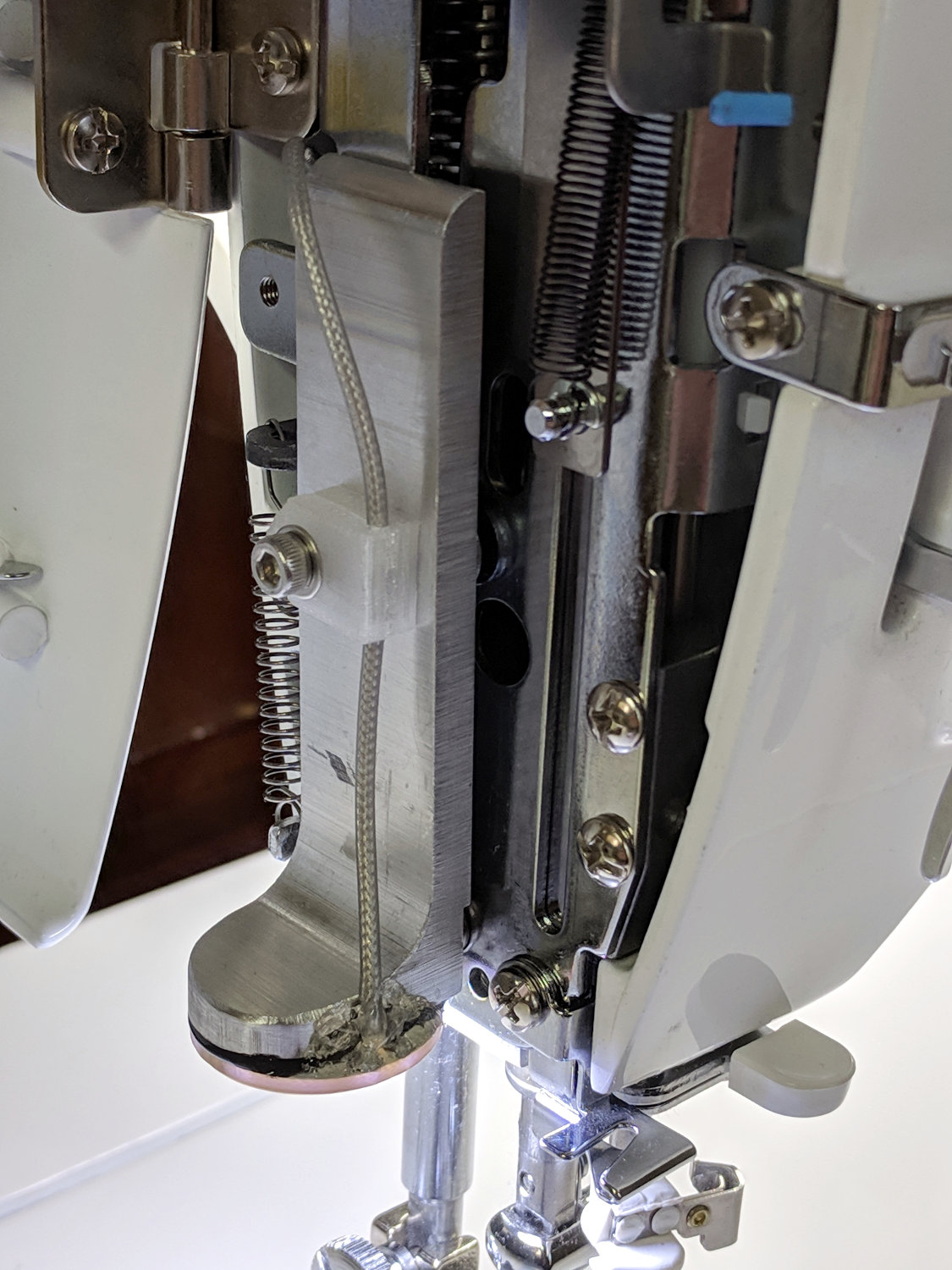
    The needle LEDs sit on the bottom of the heatsink inside the endcap:

    Juki TL-2010Q Needle LEDs - installed
    Juki TL-2010Q Needle LEDs – installed

    The COB LED PCB has a weird pink tint, perhaps due to the silicone filter passing all the yellow and blue light downward, with red light reflected into the PCB.

    After one iteration, I settled on a 20 Ω 1 W ballast resistor:

    Juki TL-2010Q Needle LEDs - ballast resistor
    Juki TL-2010Q Needle LEDs – ballast resistor

    It drops 3.6 V to provide 180 mA of needle LED current and dissipates 640 mW, with the LEDs burning about 1.5 W to raise the heatsink just above room temperature. The extrusion on the rear arm is pleasantly warm and the resistors seem happy enough.

    Looks good to us and it’s much much much better than the feeble Juki needle LED.

  • Juki TL-2010Q Needle LEDs: Simple Cable Clip

    A straightforward cable clip:

    TL-2010Q Needled COB LED - cable clip
    TL-2010Q Needled COB LED – cable clip

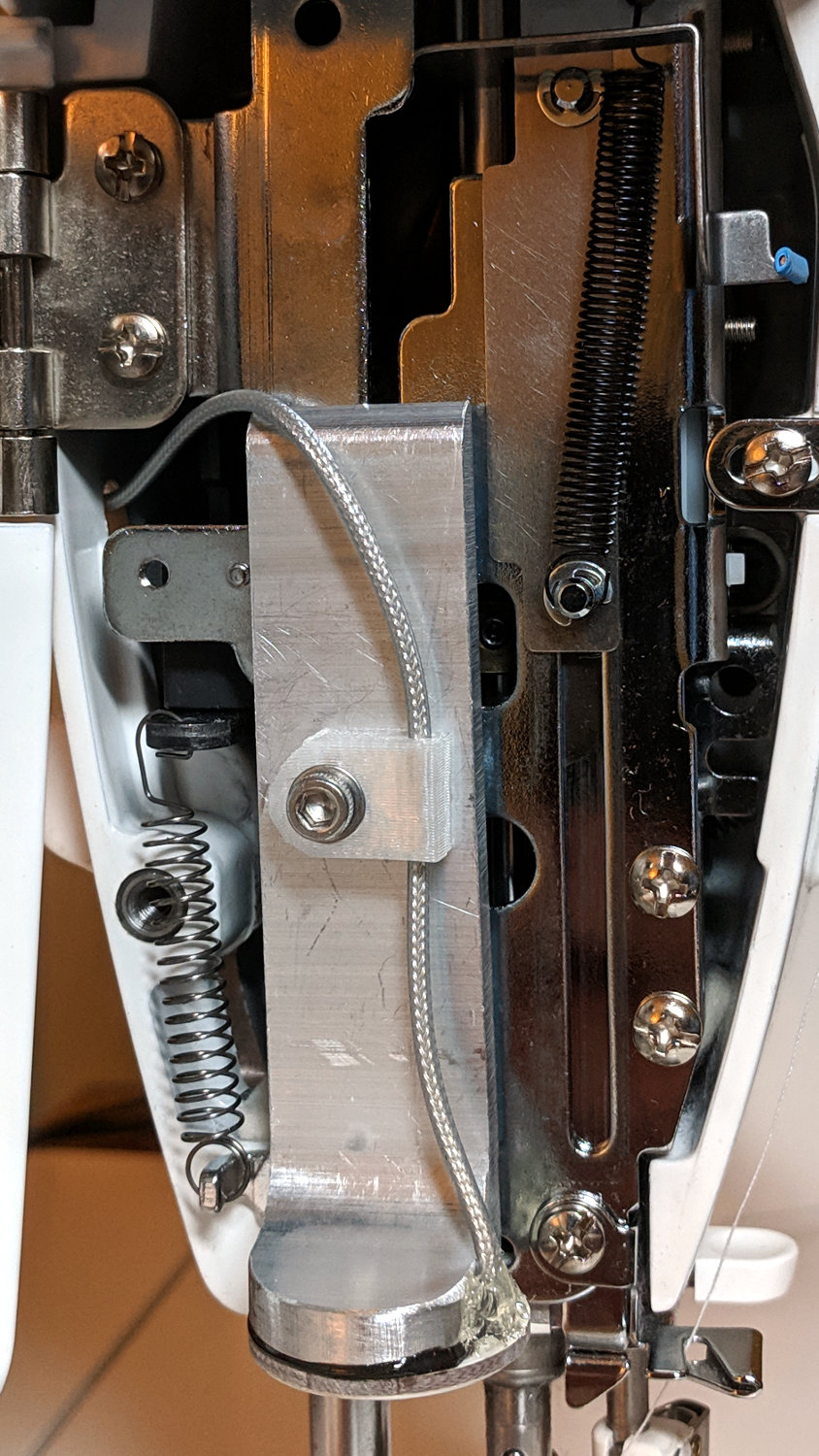
    It looks better than the previous hack bent from a snippet of PET clamshell:

    Juki TL-2010Q Needle LEDs - cable clip
    Juki TL-2010Q Needle LEDs – cable clip

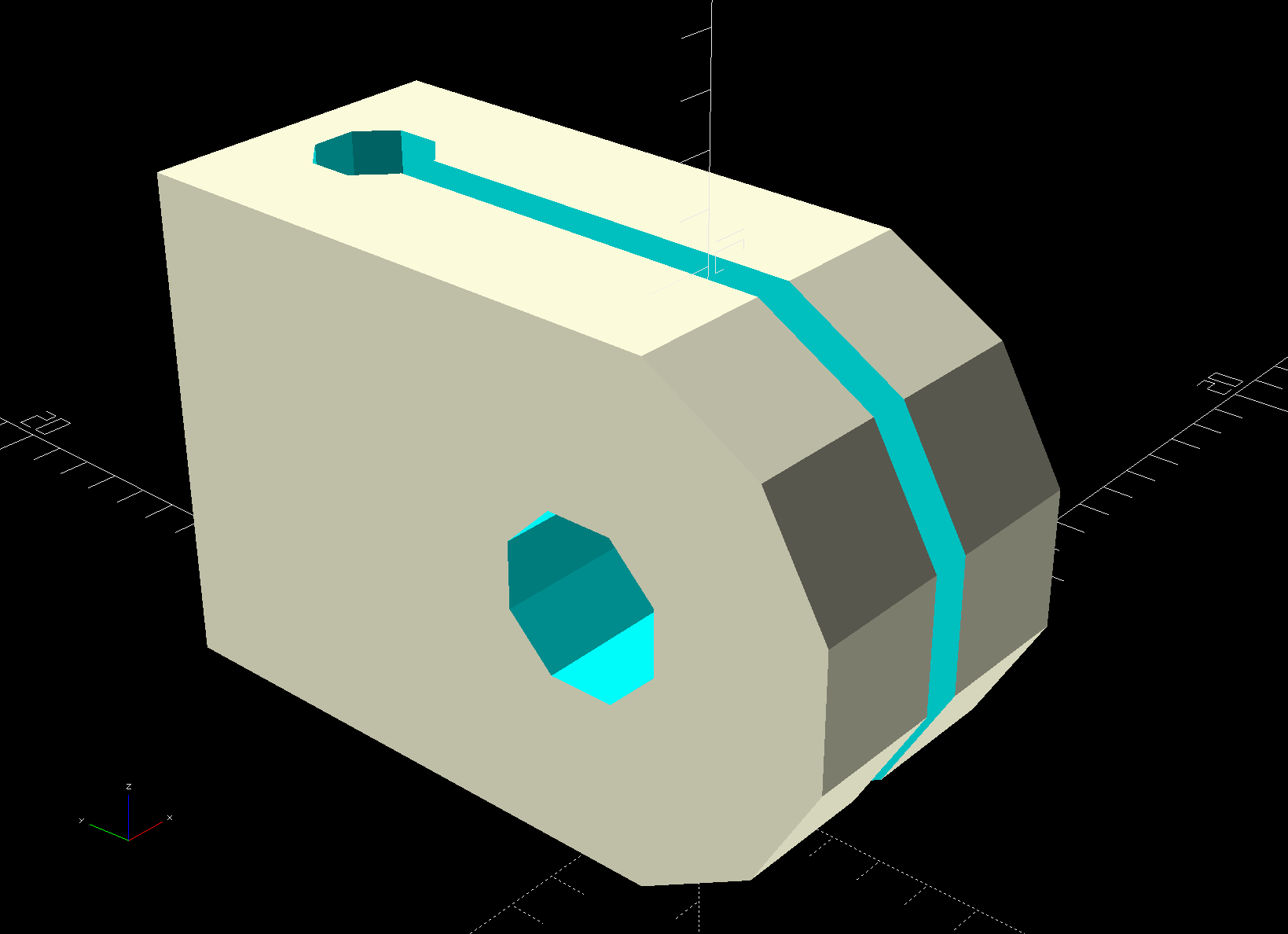
    Ream out the holes with suitable drills, clean out the slot using Tiny Bandsaw™, and it’s all good.

    In retrospect, the slot isn’t worth the effort, because it doesn’t open wide enough to admit the cable and doesn’t provide any clamping force; a simple block with two holes would do as well. If the heatsink didn’t already have a 3 mm screw in play, I’d use an adhesive-backed clip from the early Kenmore LEDs.

    The OpenSCAD source code isn’t much to look at:

    //-----
    // Cable clip
    // Reoriented into build position, because we only need one
    
    ClipWall = 3*ThreadWidth;
    Clip = [15.0,10.0,CableOD + 2*ClipWall];
    
    module CableClip(CableOD = 2.0) {
    
    ClipSides = 4*3;
    ClipRadius = Clip.y/2;
    ScrewOD = 3.0;
    ClipOC = Clip.x - ClipRadius - CableOD/2 - ClipWall;
    
      translate([0,0,Clip.y/2])
        rotate([90,0,90])
          translate([0,0,0*Clip.z/2])
            difference() {
              union() {
                rotate(180/ClipSides)
                  cylinder(d=Clip.y/cos(180/ClipSides),h=Clip.z,$fn=ClipSides,center=true);
                translate([ClipRadius,0,0])
                  cube([Clip.x - ClipRadius,Clip.y,Clip.z],center=true);
              }
              translate([0,0,-(Clip.z/2 + Protrusion)])
                rotate(180/8)
                  PolyCyl(ScrewOD,Clip.z + 2*Protrusion,8);
              rotate([90,0,0])
                translate([ClipOC,0,-Clip.y])
                  rotate(180/8)
                  PolyCyl(CableOD,2*Clip.y,8);
              translate([ClipOC - Clip.x/2,0,0])
                cube([Clip.x,2*Clip.y,2*ThreadWidth],center=true);
            }
    }
    

  • COB LED Autopsy

    The intent was to wire the “5 W” COB LED to the 12 VDC supply grafted on the Juki TL-2010Q, through a suitable resistor around 18 Ω. Unfortunately, the next morning I managed to run 12 V directly to the LEDs, which produced an astonishingly bright flash of blue-white light and an opportunity for some post-mortem analysis.

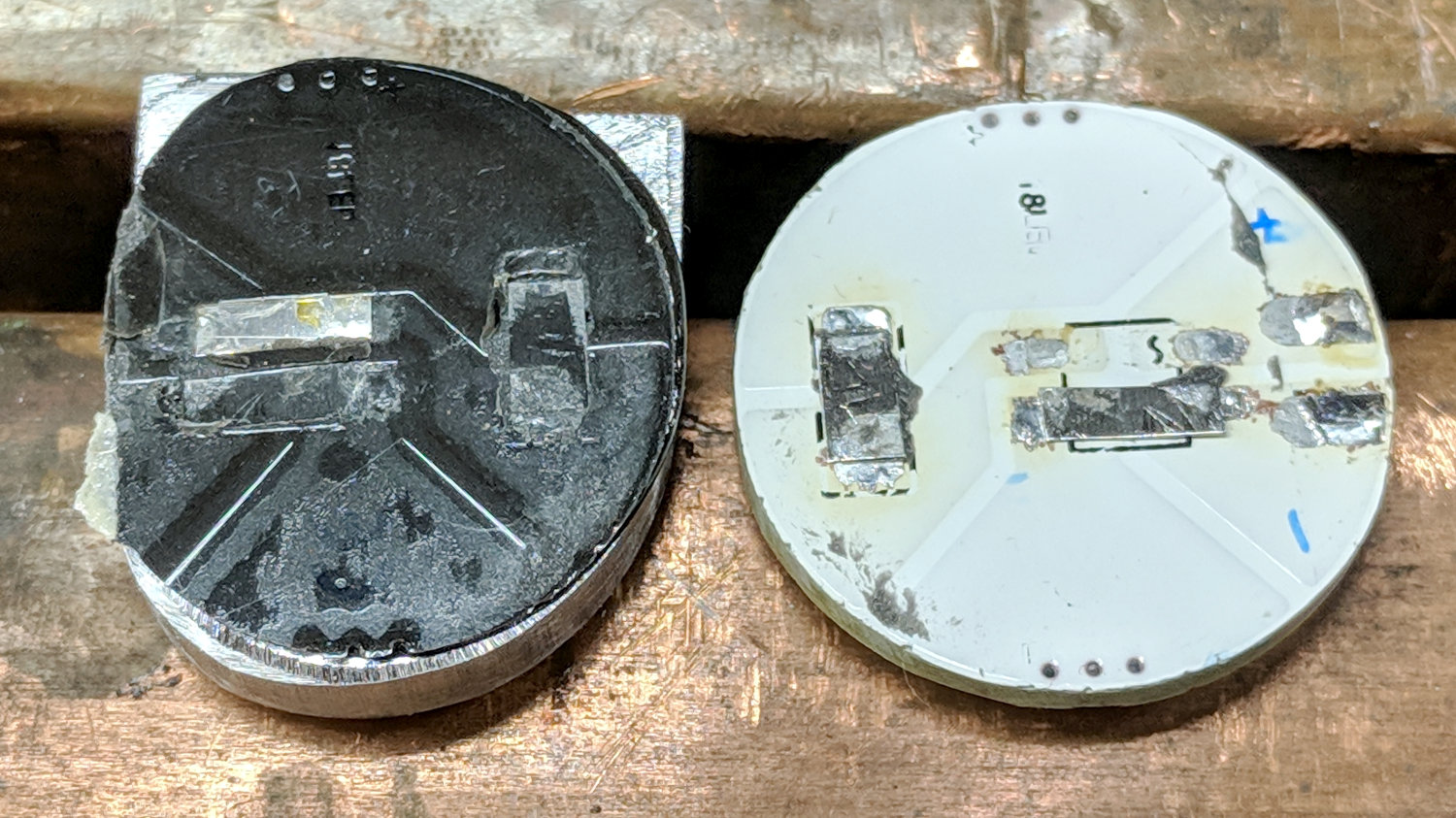
    A sharp tap with a chisel popped the COB LED PCB off its heatsink:

    Destroyed COB LED - epoxy bond
    Destroyed COB LED – epoxy bond

    That’s a pretty nice thermal joint and ought to transfer as much heat as reaches the back surface. Mechanically, it yanked one of the nickel tabs right off the solder pads; obviously, I must now level up my soldering game.

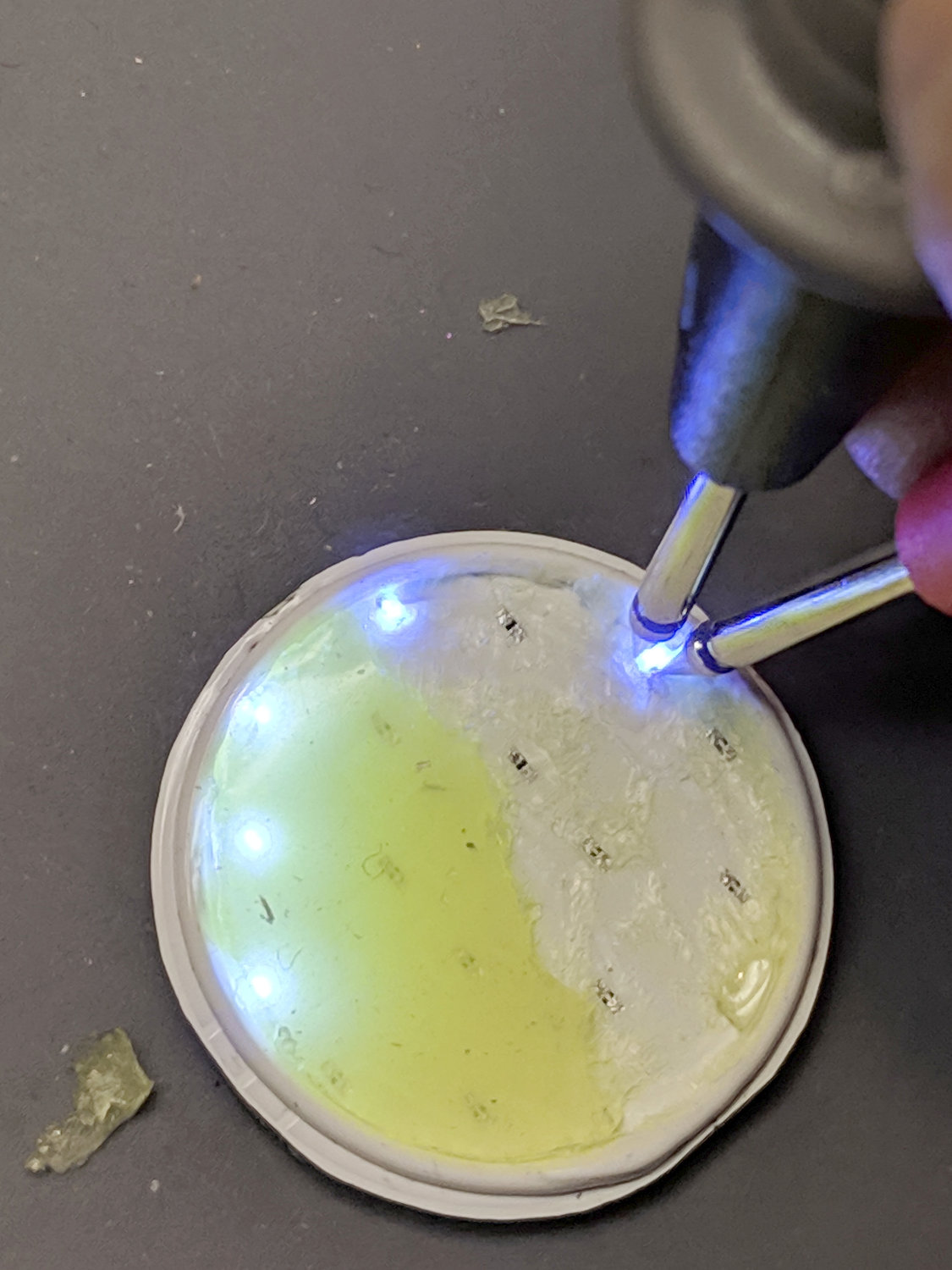
    Scraping the yellow silicone filter off the PCB reveals the minuscule LEDs:

    Destroyed COB LED - excavated yellow silicone
    Destroyed COB LED – excavated yellow silicone

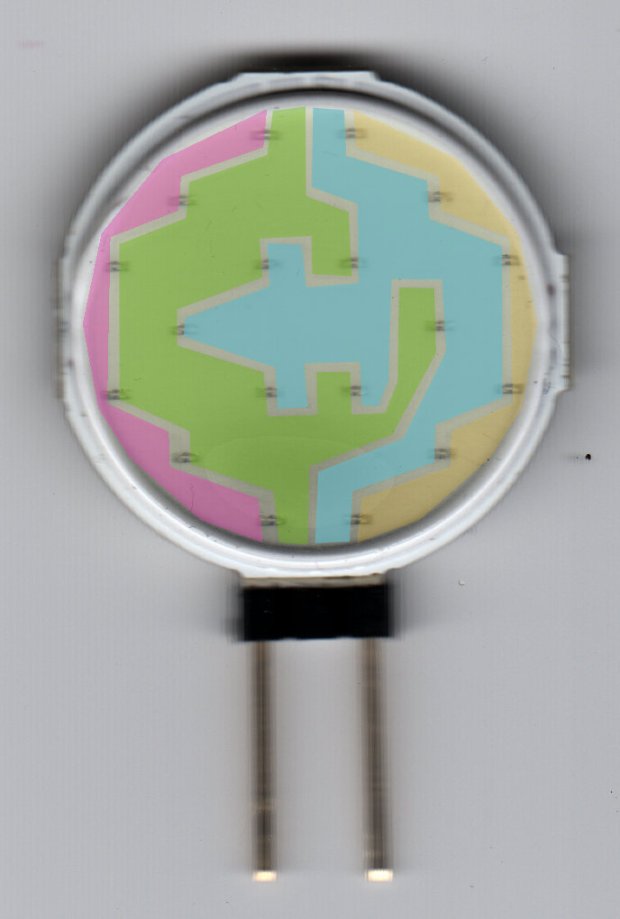
    You’ll recall they’re arranged in three series sets of six:

    Circular 12V COB 18 LED panel - copper layout
    Circular 12V COB 18 LED panel – copper layout

    Some probing revealed five of six LEDs in one set was still functional:

    Although a few other LEDs across the PCB survived, that’s not the way to bet when you run so much current through the poor things.

    Ah, well, that’s why I always buy a few more parts than I really need …

  • Tour Easy: SRAM X.0 Rear Grip Shifter

    With more snow on the schedule, Mary’s bike finally got a new rear shifter:

    Tour Easy - SRAM X.0 grip shifter installed
    Tour Easy – SRAM X.0 grip shifter installed

    It’s an old-school SRAM X.0 grip shifter, evidently compatible with SRAM X.9 and X.7 derailleurs, and seems to work OK. The wavy ridges may be more prominent than necessary for our road riding, though.

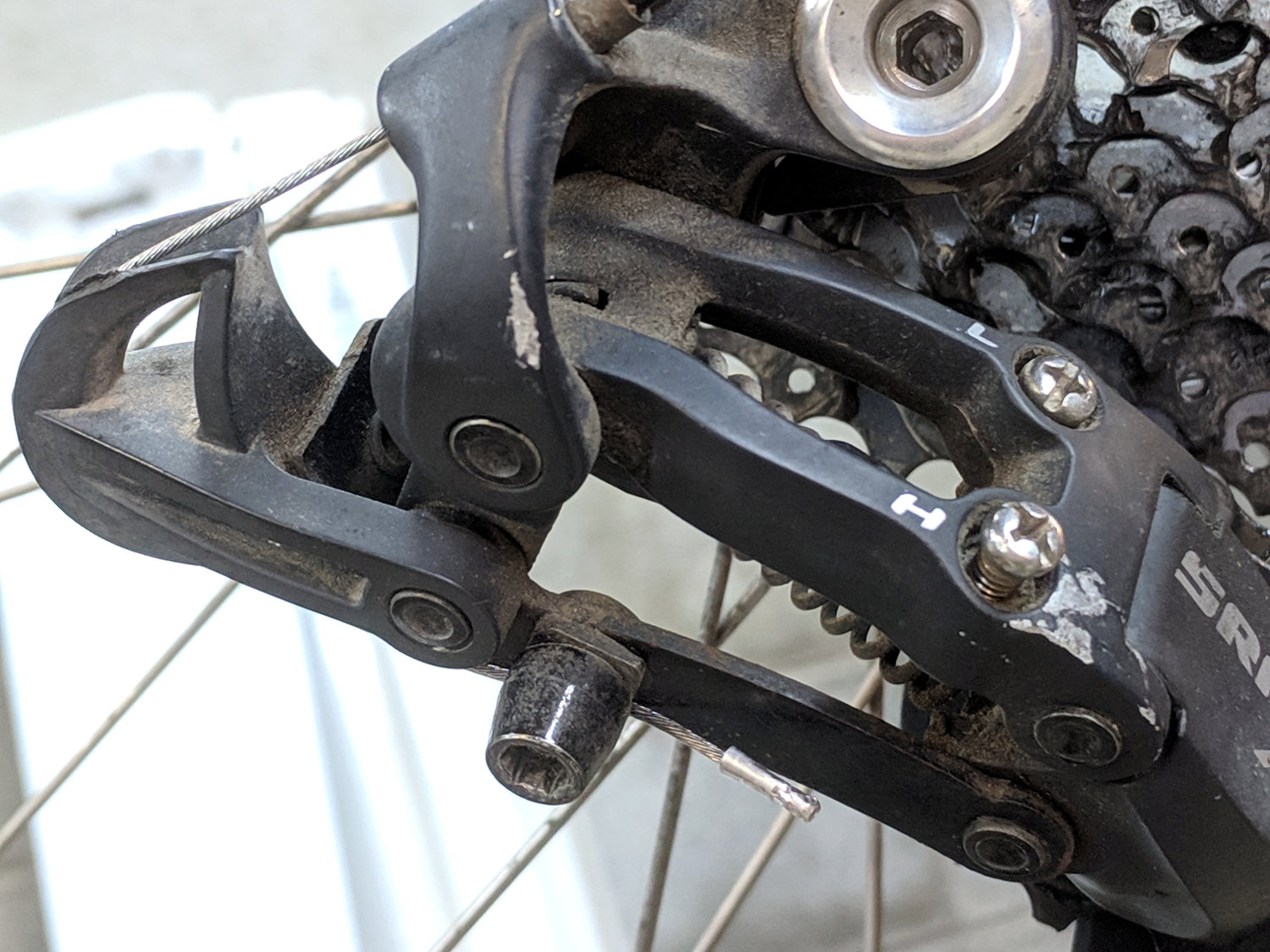
    In a miracle of rare device, the preinstalled cable turned out to be exactly long enough:

    Tour Easy - SRAM X.0 cable length
    Tour Easy – SRAM X.0 cable length

    Twiddling the length for perfect shifting requires on-the-road testing and the chain wrap may need tweaking (I may not have gotten it right when I installed the derailleur), but at least the shifter stops at every detent along the way.