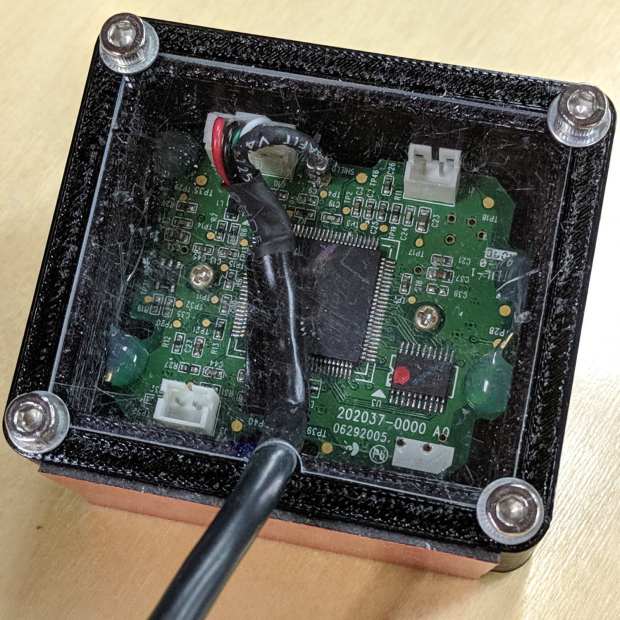
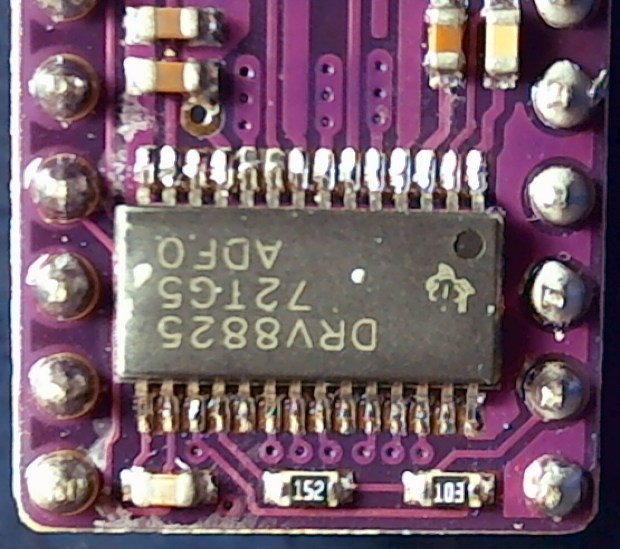
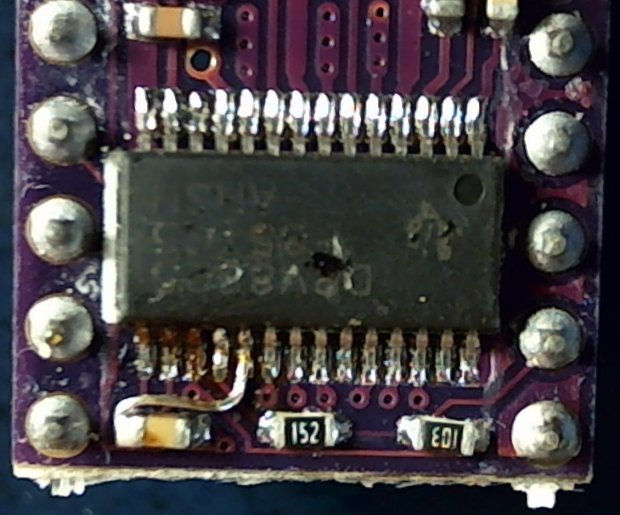
The anonymous USB camera I used with the stereo zoom microscope not only works with VLC, but also with bCNC, and it has a round PCB with ears:

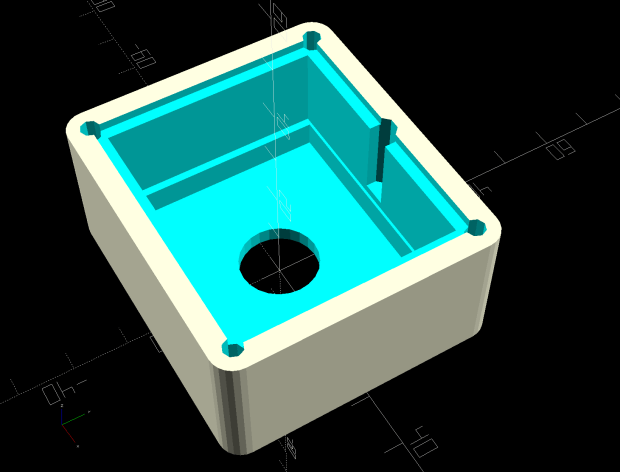
Which suggested putting it in a ball mount for E-Z aiming:

Black filament snippets serve as alignment pins to hold the ball halves together while they’re getting clamped. They’re epoxied into the upper half of the ball, because who knows when I’ll need to harvest the camera.
The clamp mount descends from the Tour Easy Daytime Running Lights, with more screws and less fancy shaping:

The clamp pieces fit around the ball with four M3 screws providing the clamping force:

The whole affair sticks onto the Z axis carrier with double-sided foam tape:

It barely clears the strut on the -X side of the carriage, although it does stick out over the edge of the chassis.
After the fact, I tucked a closed-cell foam ring between the lens threads and the ball housing to stabilize the lens; the original camera glued the thing in place, but some fiddly alignment & focusing lies ahead:

It’s worth noting that the optical axis of these cheap cameras rarely coincides with the physical central axis of the lens. This one requires a jaunty tilt, although it’s not noticeable in any of the pictures I tried to take.
All in all, this one works just like the probe camera on the MPCNC.
The OpenSCAD source code as a GitHub Gist:
| // CNC 3018-Pro Probe Camera mount for anonymous USB camera | |
| // Ed Nisley KE4ZNU – August 2019 | |
| Layout = "Show"; // [Show, Build, Ball, Clamp, Bracket, Mount] | |
| //——- | |
| //- Extrusion parameters must match reality! | |
| // Print with 2 shells | |
| /* [Hidden] */ | |
| ThreadThick = 0.25; | |
| ThreadWidth = 0.40; | |
| HoleWindage = 0.2; | |
| Protrusion = 0.1; // make holes end cleanly | |
| function IntegerMultiple(Size,Unit) = Unit * ceil(Size / Unit); | |
| inch = 25.4; | |
| ID = 0; | |
| OD = 1; | |
| LENGTH = 2; | |
| //——- | |
| // Dimensions | |
| //– Camera | |
| PCBThick = 1.2; | |
| PCBDia = 25.0; | |
| KeySize = [28.0,8.5,IntegerMultiple(PCBThick,ThreadThick)]; | |
| KeyOffset = [0.0,2.0,0.0]; | |
| KeyRadius = IntegerMultiple(sqrt(pow(KeySize.y – KeyOffset.y,2) + pow(KeySize.x/2,2)),0.01); | |
| echo(str("Key radius: ",KeyRadius)); | |
| Lens = [14.0,18.0,25.0]; | |
| BallID = PCBDia; | |
| BallOD = IntegerMultiple(2*KeyRadius,5.0); | |
| echo(str("Ball OD: ",BallOD)); | |
| WallThick = 3.0; | |
| CableOD = 3.75; | |
| NumPins = 3; | |
| Pin = [1.75,1.8,5.0]; | |
| Screw = [ | |
| 3.0,6.8,25.0 // M3 ID=thread, OD=washer, LENGTH=below head | |
| ]; | |
| RoundRadius = IntegerMultiple(Screw[OD]/2,1.0); // corner rounding | |
| ClampSize = [BallOD + 2*WallThick,BallOD + 2*WallThick,20.0]; | |
| echo(str("Clamp: ",ClampSize)); | |
| MountSize = [5.0,BallOD,25.0]; | |
| MountClearance = 1.0; // distance between clamp and mount | |
| Kerf = 2*ThreadThick; | |
| ScrewOC = [ClampSize.x – 2*RoundRadius,ClampSize.y – 2*RoundRadius]; | |
| echo(str("Screw OC: ",ScrewOC)); | |
| Insert = [ // brass insert: body, knurl,length | |
| 3.9,4.9,8.0 | |
| ]; | |
| UseInsert = false; | |
| NumSides = 12*4; | |
| //——- | |
| module PolyCyl(Dia,Height,ForceSides=0) { // based on nophead's polyholes | |
| Sides = (ForceSides != 0) ? ForceSides : (ceil(Dia) + 2); | |
| FixDia = Dia / cos(180/Sides); | |
| cylinder(r=(FixDia + HoleWindage)/2, | |
| h=Height, | |
| $fn=Sides); | |
| } | |
| //——- | |
| // Components | |
| module CamBall(Section="Both") { | |
| Offset = (Section == "Both") ? 0 : | |
| (Section == "Upper") ? BallOD/2 : | |
| (Section == "Lower") ? -BallOD/2 : | |
| 0; | |
| render(convexity=4) | |
| intersection(convexity = 3) { | |
| difference() { | |
| sphere(d=BallOD,$fn=NumSides); | |
| sphere(d=BallID,$fn=NumSides); // interior | |
| PolyCyl(CableOD,2*BallOD,8); // cable & lens holes | |
| translate([0,0,-Lens[LENGTH]]) | |
| PolyCyl(Lens[OD],Lens[LENGTH],NumSides); | |
| translate([0,0,-PCBThick]) | |
| PolyCyl(PCBDia,PCBThick,NumSides); | |
| translate(KeyOffset + [0,-KeySize.y/2,-PCBThick/2]) // PCB key | |
| cube(KeySize,center=true); | |
| for (i=[0:NumPins – 1]) | |
| rotate(i*360/NumPins) | |
| translate([0,-(BallID + BallOD)/4,-Pin[LENGTH]/2]) | |
| PolyCyl(Pin[OD],Pin[LENGTH],6); | |
| } | |
| translate([0,0,Offset]) | |
| cube([BallOD,BallOD,BallOD] + 2*[Protrusion,Protrusion,0],center=true); | |
| } | |
| } | |
| module Clamp(Section="Both") { | |
| Offset = (Section == "Both") ? 0 : | |
| (Section == "Upper") ? ClampSize.z/2 : | |
| (Section == "Lower") ? -ClampSize.z/2 : | |
| 0; | |
| render(convexity=4) | |
| intersection() { | |
| difference() { | |
| hull() | |
| for (i=[-1,1], j=[-1,1]) | |
| translate([i*ScrewOC.x/2,j*ScrewOC.y/2,0]) | |
| cylinder(r=RoundRadius,h=ClampSize.z,$fn=NumSides,center=true); | |
| sphere(d=BallOD + 2*HoleWindage,$fn=NumSides); // space around camera ball | |
| for (i=[-1,1], j=[-1,1]) // screws | |
| translate([i*ScrewOC.x/2,j*ScrewOC.y/2,-ClampSize.z]) | |
| PolyCyl(Screw[ID],2*ClampSize.z,6); | |
| if (UseInsert) | |
| for (i=[-1,1], j=[-1,1]) // inserts | |
| translate([i*ScrewOC.x/2,j*ScrewOC.y/2,-(ClampSize.z/2 + Protrusion)]) | |
| PolyCyl(Insert[OD],Insert[LENGTH] + Protrusion,8); | |
| cube([2*ClampSize.x,2*ClampSize.y,Kerf],center=true); // clamping gap | |
| } | |
| translate([0,0,Offset]) | |
| cube([ClampSize.x,ClampSize.y,ClampSize.z] + 2*[Protrusion,Protrusion,0],center=true); | |
| } | |
| } | |
| module Bracket() { | |
| translate([ClampSize.x/2 + MountSize.x/2 + MountClearance,0,MountSize.z/2 – ClampSize.z/2]) | |
| cube(MountSize,center=true); | |
| translate([ClampSize.x/2 + MountClearance/2,0,-(ClampSize.z + Kerf)/4]) | |
| cube([MountClearance + 2*Protrusion,MountSize.y,(ClampSize.z – Kerf)/2],center=true); | |
| } | |
| module Mount() { | |
| union() { | |
| Clamp("Lower"); | |
| Bracket(); | |
| } | |
| } | |
| //——- | |
| // Build it! | |
| if (Layout == "Ball") | |
| CamBall(); | |
| if (Layout == "Clamp") | |
| Clamp(); | |
| if (Layout == "Bracket") | |
| Bracket(); | |
| if (Layout == "Mount") | |
| Mount(); | |
| if (Layout == "Show") { | |
| difference() { | |
| union() { | |
| color("Purple") | |
| Clamp("Upper"); | |
| Mount(); | |
| color("LimeGreen") | |
| CamBall(); | |
| } | |
| rotate([0,0,45]) | |
| translate([-ClampSize.x,0,0]) | |
| cube(2*ClampSize,center=true); | |
| } | |
| } | |
| if (Layout == "Build") { | |
| Gap = 0.6; | |
| translate([-Gap*BallOD,Gap*BallOD,0]) | |
| CamBall("Upper"); | |
| translate([-Gap*BallOD,-Gap*BallOD,0]) | |
| rotate([0,180,0]) | |
| CamBall("Lower"); | |
| translate([Gap*ClampSize.x,-Gap*ClampSize.y,ClampSize.z/2]) | |
| rotate([0,180,0]) | |
| Clamp("Upper"); | |
| translate([Gap*ClampSize.x,Gap*ClampSize.y,ClampSize.z/2]) { | |
| rotate(180) | |
| Mount(); | |
| } | |
| } |