Ed Nisley's Blog: Shop notes, electronics, firmware, machinery, 3D printing, laser cuttery, and curiosities. Contents: 100% human thinking, 0% AI slop.
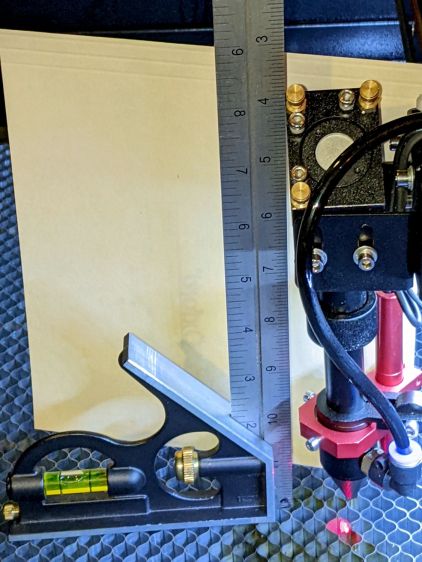
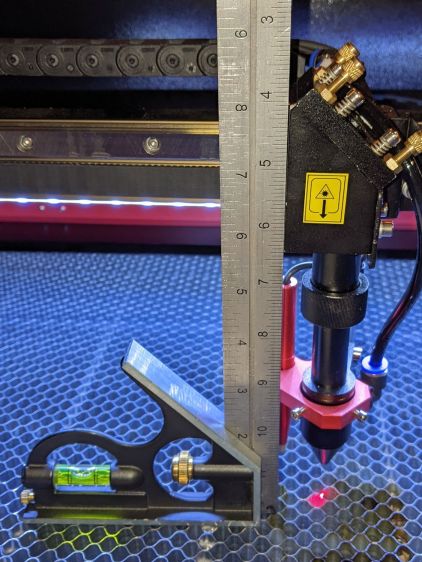
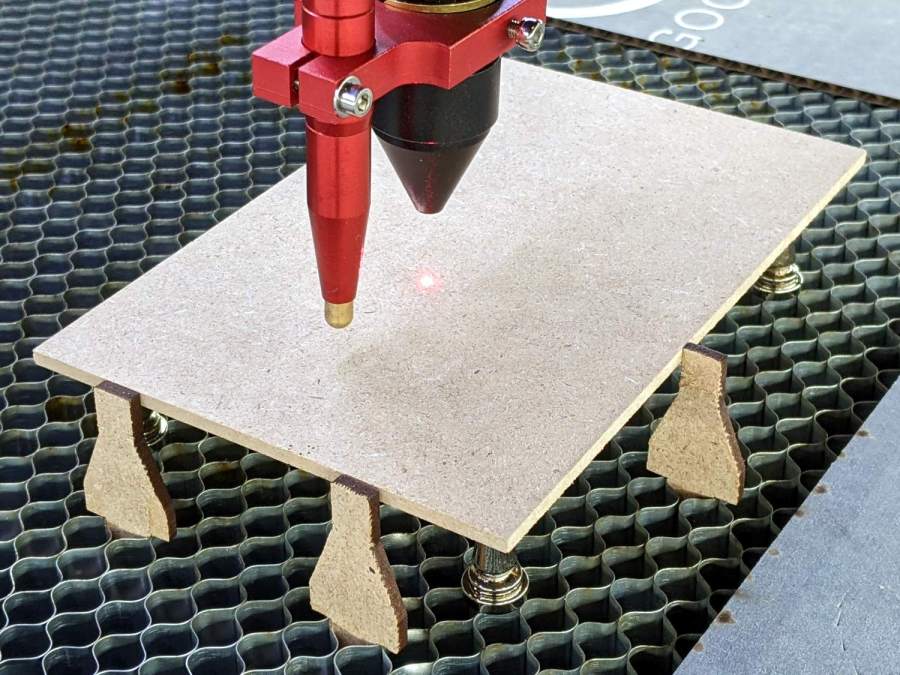
The honeycomb grid panel doesn’t have a perfectly flat surface, but the bench block kinda sorta averages things out:
OMTech platform alignment setup
I jogged the platform down until the nozzle just cleared the block, then measured the space at various spots across the grid. Somewhat to my surprise, it’s just about as good as you can expect:
OMTech platform alignment – 2022-03-17
You could argue that the left side is lower by half a millimeter.
The four stout single-start leadscrews moving the platform have a 4 mm lead (= pitch for single-start), driven by a belt with a 0.2 inch (!!) tooth spacing around 14 tooth sprockets, so moving the belt by one tooth produces 0.286 mm of vertical motion. I could loosen the belt and turn the left rear leadscrew one tooth to raise that corner, but not right now.
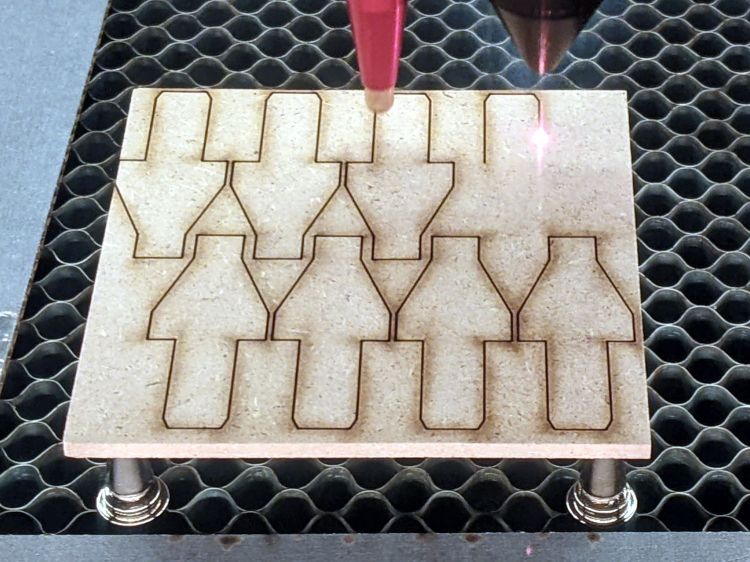
The laser lens has enough depth of field to cover a millimeter without too much spot size variation, unless you’re being very fussy. A quick focus check:
OMTech 60W laser – focus check – detail
The center hole happened pretty close to the lens focal point, with the adjacent holes 1 mm above / below that point. An accurate initial focus setting is obviously important, but varying by half a millimeter on either side seems survivable.
The OMTech laser cutter has six access hatches, each with one or two latches. These are not locks, although you do need a triangular “key” to turn the latch plug:
OMTech laser – latch – cylinder point up
Being that type of guy, I want all the latches to have the same plug orientation when they’re closed, so that I can hold the key one way, poke it into any latch without thinking too hard, and have it fit onto the plug:
OMTech laser – latch key – latched position
A quarter-turn clockwise (remember clocks with hands?) then releases the latch:
OMTech laser – latch key – unlatched position
Inside the hatch, the closed position corresponds to a tongue capturing a flange around the cabinet opening (not shown):
OMTech laser – latch – latched position
After the quarter-turn, the tongue releases the flange:
OMTech laser – latch – unlatched position
So, we’re not talking high security here.
As delivered, the plugs had more-or-less random orientations when they were closed and some required a counterclockwise quarter-turn to release.
It turns out the latches aren’t a complete unit that simply drops into a hole in the hatch:
OMTech laser – latch parts
I sympathize with whoever must assemble ten handfuls of parts into ten latches on a production line and I also understand why orienting the plug wasn’t on that person’s to-do / QC checklist. I further understand why two cylinders lacked the big toothed washer under the nut; it’s not essential to the function and nobody will ever miss it.
The plug has a triangle on one end (for the key) and a square on the other (for the tongue), with one triangle point aligned to a side of the square:
OMTech laser – latch plug
To my way of thinking, that point must be upward, as shown in the first picture, when the latch is secured.
The cylinder can fit into the square(-ish) hatch hole in four possible ways, but its symmetry allows only two unique orientations. It must look like this in order to put that point upward when the plug is maximally counterclockwise (my finger is pointing upward):
OMTech laser – latch cylinder
So I devoted a pleasant half-hour to reducing the latch entropy.
The screw attaching the tongue to the plug also controls the friction of that spring against the plug as you (well, I) turn it. All the screws now sport a dab of Loctite to ensure the tension remains mostly constant (at least for a while), as do the two large nuts lacking corresponding toothed washers.
The “key” has no marking to indicate its “point-up” orientation, so I stuck a snippet of label on one side, with a jaunty red highlight marking the point. Something better will surely occur to me, but it’s no longer in the critical path.
The best place for the OMTech laser cutter seems to be snuggled at base of the chimney, venting into the long-disused fireplace through the steel plate adapting a long-gone wood stove to the opening:
Duct fan installed
The short run of flexible tubing allows some give-and-take at the cutter’s vent outlet. The elbow on the duct fan’s output terminates in a blast gate to cut off the draft blowing up (or down!) the flue with the fan off.
The cutter arrived with a huge high-speed axial blower screwed to its output baffle:
OMTech 60W laser – OEM vent fan
The noise from that fan had to be heard to be believed.
The cylindrical exhaust duct attached directly to the motor with four screws, only two of which matched holes in the baffle plate:
OMTech 60W laser – modified vent
A trial fit revealed the assembly rattled something awful: those two screws let the duct vibrate against the baffle. Match-drilling two more holes into the baffle let me mount the duct with three screws and, in combination with the foam gasket, it is now solid and quiet.
A quick check shows the duct fan draws 10 to 11 m/s through the baffle at full throttle, roughly 400 CFM. That’s pretty close to the flow measured through a long pipe and, with only 6 ft³ of stink inside the laser’s cabinet, ought to exhaust the fumes just fine.
Lacking a loading dock, I built a level unloading platform in the driveway:
OMTech 60W Laser Cutter – unloading platform
The OMTech 60 W laser cutter arrived inside a generous supply of plywood obviously intended for practice cutting and engraving:
OMTech 60W Laser Cutter – crate
Knowing the crate wouldn’t fit through our “36 inch” basement door, we stripped the cutter down to the crate’s steel-framed baseplate:
OMTech 60W Laser Cutter – uncrated
I raised the cutter (using the foot-pad screws) enough to slide 3/4 inch planks under the casters so we could roll it over the lip of the crate base.
The specs say it’s 34 inches wide, but, not at all to our surprise, that’s just the cabinet. The hinges on the access hatches and the lid handle make it just over 35 inches wide, which we slowly and carefully verified would not fit through the 34 inch door opening:
OMTech 60W Laser Cutter – slow fit check
Raising the lid to get the handle out of the way, then pushing gently inward on the sides, eased it through without damage to either the cabinet or the door frame:
OMTech 60W Laser Cutter – door fit
Standing on the plank let me raise the outer end enough to roll it forward and lower the casters onto the planks inside the door.
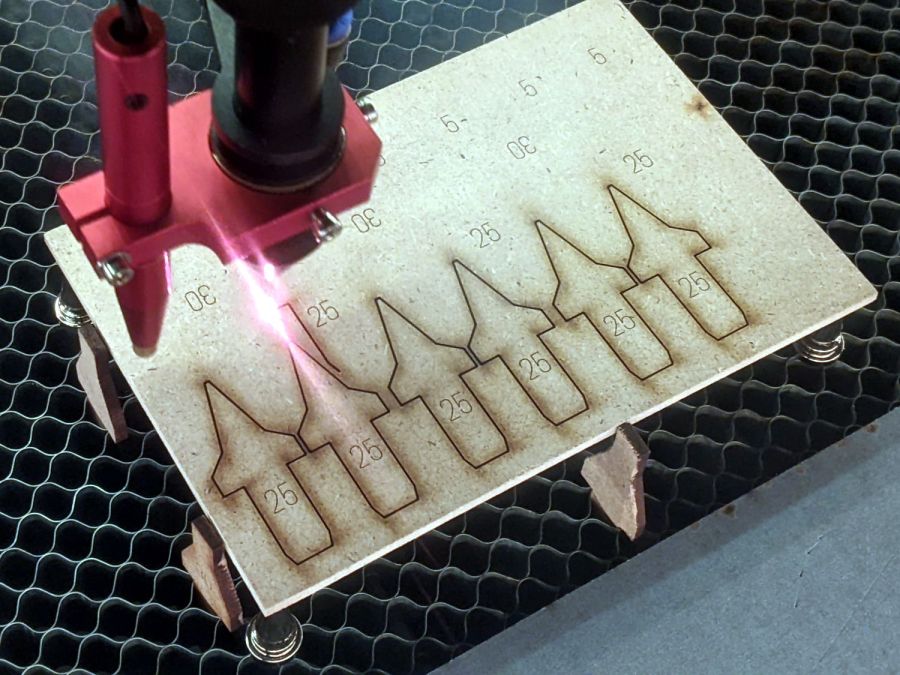
The supplied aquarium pump circulates five gallons of distilled water to cool the laser tube. My simple test patterns so far haven’t dumped much heat into the water:
Dot Mode – 15 pct power – 1 2 3 ms on – 0.25 mm spacing
The doily on the left shows 9% power cuts right through paper. Dot Mode fires the laser every 0.25 mm (in this case) for a specified number of milliseconds to reduce the total energy; 3 ms produces dark dots, 1 ms is a pale brown, and 2 ms looks pretty good.
Concerted rummaging in the Basement Warehouse produced some rather old acrylic sheets:
Acrylic Stockpile
Washing with detergent and denatured alcohol cleaned off a lot of grunge, but the yellow tint says it’s been around for a while. In fact, It Came With The House™ when we bought it three decades ago.
One sheet was a status board in an automobile machine shop:
The metal-shell version is advertised as “09872-60066 Calibration Pen for fit HP DesignJet 2000CP 2500CP 2800CP 3000CP 3500CP 3800CP Original New” which makes absolutely no sense, as those were inkjet and laser printers with (AFAICT) no need for a “calibration pen”. Because nobody with those printers will buy (or even look for) a widget they can’t use, the price is surprisingly low, compared to the real ones occasionally found on eBay.
My guess: somebody halfway around the planet found a pile of Genuine HP plastic snap boxes, filled them with knockoff sights vaguely similar to the original (perhaps intended for a different plotter?), and marketed them with the usual (lack of) attention to veracity.