Looks like a trend to me:

Of course, past performance does not guarantee future results, because Amazon surely has gone through more white-label suppliers in the last half-dozen years than I can count.
The Smell of Molten Projects in the Morning
Ed Nisley's Blog: Shop notes, electronics, firmware, machinery, 3D printing, laser cuttery, and curiosities. Contents: 100% human thinking, 0% AI slop.

Looks like a trend to me:

Of course, past performance does not guarantee future results, because Amazon surely has gone through more white-label suppliers in the last half-dozen years than I can count.

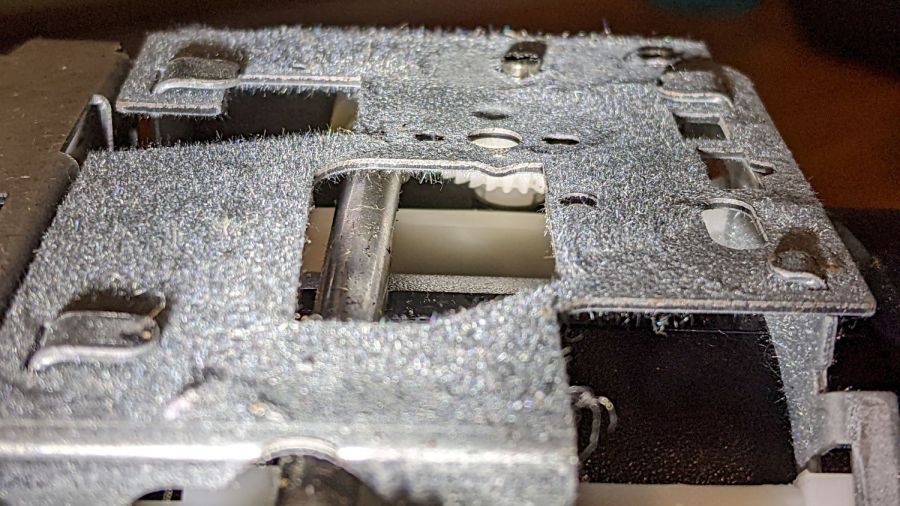
Having worn my work glove collection to exhaustion, the fanciest two pairs in a new selection came with elaborate security tags:

Finding a standard tag inside inside the fancy shell shouldn’t come as any surprise, but I’m surprised the retail loss ratio for a pair of $20 gloves can support that much hardware.
I went through the self-checkout area and didn’t do anything special, so either those lanes don’t have tag scanners or the tags are security theater.

Mary’s new sewing table just arrived, but the laser-cut acrylic insert fitting around her Juki sewing machine is still a month or two away. Until then, a simple cardboard replacement must suffice to fill the gap:

The rectangle just to the left of the needle is a hatch for bobbin changes. Sheer faith and an interference fit between layers of Kapton tape holds it in place with surprising force.
I wanted to tape the cardboard edges to the machine and the table to smooth out the transitions, but her Supreme Slider slippery sheet may solve the problem without adhesives:

The “insert” is a 1/4 inch thick double-layer corrugated cardboard sheet, utility-knifed from a huge box. She layers cardboard under the wood chips in her Vassar Farms garden paths to discourage the weeds; this seemed like a perfectly reasonable diversion.

Plotting the backlash / calibration target on both the CNC-3018XL and the MPCNC quickly showed, contrary to what I expected, the MPCNC was dead-on accurate, albeit with some wobbulation and a trace of backlash:

Although it looks ug-u-lee, the (lower speed) drag knife cuts come out nice and, because the entry and exit moves match the main cut, the minimal backlash wasn’t a problem.
Turns out only the X axis on the 3018XL had a problem:

Apparently the longer leadscrew I installed as part of the “XL” conversion has a small thread pitch error: about 1 mm short in every 250 mm of travel. I don’t have any (definite, non-handwavy) method to measure the pitch directly, other than by running the follower nut and measuring the results, but it’s consistently short.
Quite some time ago (after blowing up the OEM controller board), I set up the Protoneer CNC board in 1:8 microstep mode, making the GRBL $100 setting a nice, round 400 step/mm for a two-start leadscrew with 2 mm pitch and 4 mm lead:
400 step/mm = (200 step/rev * 8 µstep/step) / 4 mm
After a few more measurements suggesting the leadscrew actually traveled 249.2 mm, the correct value will be:
401.28 step/mm = 400 step/mm × 250 mm / 249.2 mm
To verify I understood the problem and solution, I set $100 to a few integer values around the goal:

The top image shows the leftmost line at the 10 mm mark on the scale, because it’s easier for me to match the ink line with an engraved line, rather than the non-line at the end of the ruler.
The other images show the results for $100 set to 399, 400, 401, and 402 step/mm, respectively. The results last two results bracket the desired 250 mm outcome, with 401 step/mm being Close Enough™. GRBL accepts a floating point step/mm value, so I set $100 to 401.28, but I was unable to convince myself the result came out consistently different than 401.00.
Plotting both the tick marks (green) and the knife path (red) on the 3018XL, then cutting the bare paper on the MPCNC, showed the two machines now agree on where the knife should fall. The outer end of the tick marks extends 1 mm beyond the cut line to ensure small misalignments do not produce an obvious white gap around the edge of the deck.
The Y axis continues to match:

And now the X axis looks just as good:

The drag knife corners are rounded, as you’d expect. The cut seems slightly offset from a small origin touch-off error, but the scales now match.

The CNC-3018XL drawing the scales on a Tek Circuit Computer disagreed with the MPCNC cutting the perimeter. The Y axis edges looked OK:

But the cut on the X axis edges went too close to the tips:

I conjured a calibration target to help measure the two machines:

The X- side of the plot gives the general idea:

The vertical lines consist of two halves, drawn in order from left to right on the top and right to left on the bottom, meeting in the middle at the Y=0 axis. If they do, in fact, meet in the middle, then there’s no problem with backlash.
The 25 mm distance between adjacent lines verifies the linear calibration; the total distance along the X and Y axes provides more travel for more error accumulation.
The circles provide some reassurance the machine can draw a smooth circle, because they come from GRBL’s (or whatever) G2 G-Code commands, not a linear approximation.
Spoiler: after a considerable amount of drawing, measuring, and muttering, the problem emerged from the CNC-3018XL’s X-axis leadscrew:

It’s half a millimeter short on each end!
More on this tomorrow …
The GCMC source code as a GitHub Gist:
| (epilog begins) | |
| (bCNC may regard plot as done before this returns) | |
| M2 | |
| (epilog ends) |
| (prolog begins) | |
| G17 (XY plane) | |
| G21 (mm) | |
| G40 (no cutter comp) | |
| G49 (no tool length comp) | |
| G80 (no motion mode) | |
| G90 (abs distance) | |
| G94 (units per minute) | |
| (prolog ends) |
| // Grid pattern to check XY scaling | |
| // Ed Nisley KE4ZNU – 2021-11 | |
| // gcmc -P 4 –pedantic –prolog prolog.gcmc –epilog epilog.gcmc –output 'Scale Grid.ngc' 'Scale Grid.gcmc' | |
| include("engrave.inc.gcmc"); | |
| FALSE = 0; | |
| TRUE = !FALSE; | |
| //—– | |
| // Define useful constants | |
| SafeZ = [-,-,10.0mm]; // above all obstructions | |
| TravelZ = [-,-,2.0mm]; // within engraving / milling area | |
| PenZ = [-,-,-1.0mm]; // depth for good inking | |
| PenSpeed = 2000mm; | |
| //—– | |
| // Overall values | |
| PlotSize = [250mm,200mm,-]; | |
| comment("PlotSize: ",PlotSize); | |
| GridSize = [25mm,25mm,-]; | |
| Margins = [5mm,5mm,-]; | |
| CenterOD = 5.0mm; | |
| TextFont = FONT_HSANS_1_RS; // single stroke stick font | |
| TextSize = 3.0 * [1.0mm,1.0mm]; | |
| //—– | |
| // Draw it | |
| feedrate(PenSpeed); | |
| comment("Draw title info"); | |
| tp = scale(typeset("Scale & Backlash Test Pattern",TextFont),TextSize); | |
| tp += [-PlotSize.x/2 + GridSize.x/2,PlotSize.y/2 – GridSize.y/2,-]; | |
| engrave(tp,TravelZ.z,PenZ.z); | |
| tp = scale(typeset("Grid " + GridSize,TextFont),TextSize); | |
| tp += [-PlotSize.x/2 + GridSize.x/2,PlotSize.y/2 – GridSize.y/2 – 1.5*TextSize.y,-]; | |
| engrave(tp,TravelZ.z,PenZ.z); | |
| tp = scale(typeset("F " + PenSpeed + "/min",TextFont),TextSize); | |
| tp += [-PlotSize.x/2 + GridSize.x/2,PlotSize.y/2 – GridSize.y/2 – 3.0*TextSize.y,-]; | |
| engrave(tp,TravelZ.z,PenZ.z); | |
| tp = scale(typeset("Ed Nisley – KE4ZNU",TextFont),TextSize); | |
| tp += [-PlotSize.x/2 + GridSize.x/2,-(PlotSize.y/2 – GridSize.y/2),-]; | |
| engrave(tp,TravelZ.z,PenZ.z); | |
| tp = scale(typeset("softsolder.com",TextFont),TextSize); | |
| tp += [-PlotSize.x/2 + GridSize.x/2,-(PlotSize.y/2 – GridSize.y/2 + 1.5*TextSize.y),-]; | |
| engrave(tp,TravelZ.z,PenZ.z); | |
| comment("Mark center point"); | |
| goto(SafeZ); | |
| goto([CenterOD/2,0,-]); | |
| move(PenZ); | |
| circle_cw([0,0]); | |
| comment("Label axes"); | |
| tp = scale(typeset("X+",TextFont),TextSize); | |
| tp += [GridSize.x + 0.5*TextSize.x,-TextSize.y/2,-]; | |
| engrave(tp,TravelZ.z,PenZ.z); | |
| tp = scale(typeset("Y+",TextFont),TextSize); | |
| tp += [-TextSize.x/2,GridSize.y + 0.5*TextSize.y,-]; | |
| engrave(tp,TravelZ.z,PenZ.z); | |
| comment("Draw left-to-right"); | |
| tp = scale(typeset("L to R →",TextFont),TextSize); | |
| tp += [-PlotSize.x/2 + GridSize.x/2 – tp[-1].x/2,GridSize.y/2,-]; | |
| engrave(tp,TravelZ.z,PenZ.z); | |
| goto([-(PlotSize.x/2 + Margins.x),GridSize.y,-]); | |
| for (p=[-PlotSize.x/2,GridSize.y,-] ; p.x <= PlotSize.x/2 ; p.x += GridSize.x ) { | |
| comment(" p: ",p); | |
| goto(p); | |
| move(PenZ); | |
| move_r([-,-GridSize.y,-]); | |
| goto(TravelZ); | |
| } | |
| comment("Draw right-to-left"); | |
| tp = scale(typeset("R to L ←",TextFont),TextSize); | |
| tp += [PlotSize.x/2 – GridSize.x/2 – tp[-1].x/2,-GridSize.y/2,-]; | |
| engrave(tp,TravelZ.z,PenZ.z); | |
| goto([(PlotSize.x/2 + Margins.x),-GridSize.y,-]); | |
| for (p=[PlotSize.x/2,-GridSize.y,-] ; p.x >= -PlotSize.x/2 ; p.x -= GridSize.x ) { | |
| comment(" p: ",p); | |
| goto(p); | |
| move(PenZ); | |
| move_r([-,GridSize.y,-]); | |
| goto(TravelZ); | |
| } | |
| comment("Draw bottom-to-top"); | |
| tp = scale(typeset("B to T ↑",TextFont),TextSize); | |
| tp += [-GridSize.x/2 – tp[-1].x/2,-(PlotSize.y/2 – TextSize.y),-]; | |
| engrave(tp,TravelZ.z,PenZ.z); | |
| goto([-GridSize.x,-(PlotSize.y/2 + Margins.y),-]); | |
| for (p=[-GridSize.x,-PlotSize.y/2,-] ; p.y <= PlotSize.y/2 ; p.y += GridSize.y ) { | |
| comment(" p: ",p); | |
| goto(p); | |
| move(PenZ); | |
| move_r([GridSize.x,-,-]); | |
| goto(TravelZ); | |
| } | |
| comment("Draw top-to-bottom"); | |
| tp = scale(typeset("T to B ↓",TextFont),TextSize); | |
| tp += [GridSize.x/2 – tp[-1].x/2,(PlotSize.y/2 – 1.5*TextSize.y),-]; | |
| engrave(tp,TravelZ.z,PenZ.z); | |
| goto([GridSize.x,(PlotSize.y/2 + Margins.y),-]); | |
| for (p=[GridSize.x,PlotSize.y/2,-] ; p.y >= -PlotSize.y/2 ; p.y -= GridSize.y ) { | |
| comment(" p: ",p); | |
| goto(p); | |
| move(PenZ); | |
| move_r([-GridSize.x,-,-]); | |
| goto(TravelZ); | |
| } | |
| comment("Draw circles"); | |
| maxr = (PlotSize.x < PlotSize.y) ? PlotSize.x/2 : PlotSize.y/2; | |
| for (r=GridSize.x/2 ; r <= maxr ; r += GridSize.x) { | |
| comment(" r: ",r); | |
| goto([-r,0,-]); | |
| move(PenZ); | |
| circle_cw([0,0,-]); | |
| goto(TravelZ); | |
| } | |
| goto(SafeZ); | |
| goto([0,0,-]); |

Shortly after acquiring the Greatest ShopVac, I zip-tied half a foot of cardboard tube to the handle to corral the nozzle and keep the ungainly hose from sprawling across the floor. While disembowling the Ottlite into a mini-lathe light, the plastic trim joining the baseplate to the vertical tube cried out to become a nozzle caddy:

It was exactly the right size and shape (by my admittedly slack standards) to hold the nozzle, plus being destined for the trash, so all it needed was a pair of clamp brackets conjured from the vasty digital deep:

The bosses fit into a tapered slot along what was the rear side, with a pair of 4 mm holes at each end for screws into threaded brass inserts epoxied into the brackets:

They obviously descend from the many clamp mounts I’ve made for everything from garden hoses to bike running lights. A pair of 4 mm SHCS squish the clamp around the handle, with a strip of electrical tape improving plastic-to-metal griptivity:

The clearance just barely allows a nylock nut atop a washer and you’ll want to trim those 40 mm screws to an exact fit, but it came out pretty well.
The original dimension doodle with some modeling ideas that didn’t survive more thinking:

A more detailed doodle with brass inserts instead of the nylock nuts and an aluminum spreader plate that was obviously not necessary:

In retrospect, the inserts would make more sense.
The angle doodles convinced me not to bother modeling either the slot’s taper along its length or its mold draft.
Kinda looks like it grew there and makes one wonder why they don’t include a caddy as a standard option.
The OpenSCAD source code as a GitHub Gist:
| // ShopVac Nozzle Caddy | |
| // Ed Nisley KE4ZNU 2022-02 | |
| Layout = "Show"; // [Handle,Block,Show,Build] | |
| HandleOD = 20.0; | |
| //- Extrusion parameters must match reality! | |
| /* [Hidden] */ | |
| ThreadThick = 0.25; | |
| ThreadWidth = 0.40; | |
| HoleWindage = 0.2; | |
| Protrusion = 0.1; // make holes end cleanly | |
| inch = 25.4; | |
| function IntegerMultiple(Size,Unit) = Unit * ceil(Size / Unit); | |
| ID = 0; | |
| OD = 1; | |
| LENGTH = 2; | |
| //———- | |
| // Dimensions | |
| // Handle lies along X axis | |
| Handle = [200,HandleOD,HandleOD]; // X = longer than anything else | |
| WallThick = 5.0; // Thinnest printed wall | |
| Screw = [4.0,7.0,25.0]; // M4 socket head cap screw | |
| Washer = [4.5,9.0,0.8]; // M4 washer | |
| Insert = [4.0,5.9,10.0]; // M4 brass insert | |
| Block = [15.0,Handle.y + 4*WallThick + 2*Screw[ID],HandleOD + 2*WallThick]; // overall clamp block | |
| echo(str("Block: ",Block)); | |
| Bosses = [[Block.x,9.5,13.0],[Block.x,15.0,9.0]]; | |
| ScrewOC = Handle.y + 2*WallThick + Screw[ID]; | |
| Kerf = 1.0; // cut through middle to apply compression | |
| Gap = 1.25; | |
| CornerRadius = Washer[OD]/2; | |
| //———————- | |
| // Useful routines | |
| module PolyCyl(Dia,Height,ForceSides=0) { // based on nophead's polyholes | |
| Sides = (ForceSides != 0) ? ForceSides : (ceil(Dia) + 2); | |
| FixDia = Dia / cos(180/Sides); | |
| cylinder(d=(FixDia + HoleWindage),h=Height,$fn=Sides); | |
| } | |
| // Shopvac handle | |
| module Handle() { | |
| rotate([0,90,0]) | |
| translate([0,0,-Handle.x/2]) | |
| rotate(180/(4*8)) | |
| PolyCyl(Handle.y,Handle.x,4*8); | |
| } | |
| // Clamp block | |
| module ClampBlock(BossID=0) { | |
| difference() { | |
| union() { | |
| hull() | |
| for (i=[-1,1], j=[-1,1]) // rounded block | |
| translate([i*(Block.x/2 – CornerRadius),j*(Block.y/2 – CornerRadius),-Block.z/2]) | |
| cylinder(r=CornerRadius,h=Block.z,$fn=8); | |
| translate([0,0,-(Block.z/2 + Bosses[BossID].z/2 – Protrusion)]) | |
| cube(Bosses[BossID],center=true); | |
| } | |
| for (j = [-1,1]) // screw holes | |
| translate([0,j*ScrewOC/2,-(Block.z/2 + Protrusion)]) | |
| rotate(180/6) | |
| PolyCyl(Screw[ID],Block.z + 2*Protrusion,6); | |
| cube([2*Block.x,2*Block.y,Kerf],center=true); | |
| Handle(); | |
| translate([0,0,-Block.z]) | |
| rotate(180/6) | |
| PolyCyl(Screw[ID],Block.z,6); | |
| translate([0,0,-(Handle.z/2 + Insert[LENGTH])]) | |
| rotate(180/6) | |
| PolyCyl(Insert[OD],Handle.y,6); | |
| } | |
| } | |
| // Splice block less handle bore | |
| module ShapedBlock() { | |
| difference() { | |
| ClampBlock(); | |
| Handle(); | |
| } | |
| } | |
| //———- | |
| // Build them | |
| if (Layout == "Handle") | |
| Handle(); | |
| if (Layout == "Block") | |
| ClampBlock(BossID=0); | |
| if (Layout == "Show") { | |
| color("Green",0.25) | |
| Handle(); | |
| xofs = -((len(Bosses) – 1)/2 * Gap*Block.x); | |
| for (i=[0:len(Bosses) – 1]) | |
| translate([xofs + i*Gap*Block.x,0,0]) | |
| ClampBlock(i); | |
| } | |
| if (Layout == "Build") { | |
| yofs = -((len(Bosses) – 1)/2 * Gap*Block.y); | |
| for (j=[0:len(Bosses) – 1]) | |
| translate([0,yofs + j*Gap*Block.y,0]) | |
| translate([0,0,Block.x/2]) | |
| rotate([0,90,0]) | |
| ClampBlock(j); | |
| } |

It never ceases to amaze me that these capacitors appear in the AC power line circuits inside old-school fluorescent shop lights:

It really is a capacitor:

Its sibling from the other end of the fixture had more ESR:

Both were likely within spec, whatever that means.
I have no idea what’s lurking inside the tidy LED tubes now living in that same fixture, of course.