The Smell of Molten Projects in the Morning

Ed Nisley's Blog: Shop notes, electronics, firmware, machinery, 3D printing, laser cuttery, and curiosities. Contents: 100% human thinking, 0% AI slop.

Author: Ed

  • HP 09872-60066 Digitizing Sights

    HP 09872-60066 Digitizing Sights

    A long-delayed bench cleanup united these two HP 09872-60066 digitizing sights:

    HP 09872-60066 Digitizing Sights
    HP 09872-60066 Digitizing Sights

    I’ve used the one on the right (above) with my HP 7475A plotters, but the other sight obviously won’t fit:

    HP 09872-60066 Digitizing Sights - diameters
    HP 09872-60066 Digitizing Sights – diameters

    The metal-shell version is advertised as “09872-60066 Calibration Pen for fit HP DesignJet 2000CP 2500CP 2800CP 3000CP 3500CP 3800CP Original New” which makes absolutely no sense, as those were inkjet and laser printers with (AFAICT) no need for a “calibration pen”. Because nobody with those printers will buy (or even look for) a widget they can’t use, the price is surprisingly low, compared to the real ones occasionally found on eBay.

    My guess: somebody halfway around the planet found a pile of Genuine HP plastic snap boxes, filled them with knockoff sights vaguely similar to the original (perhaps intended for a different plotter?), and marketed them with the usual (lack of) attention to veracity.

    Anyhow, we find our contestants standing in the light on a micropositioner under the microscope:

    HP 09872-60066 Digitizing Sights - test setup
    HP 09872-60066 Digitizing Sights – test setup

    The old sight (genuine HP plotter) has a clean field of view:

    HP 09872-60066 Digitizing Sights - old full
    HP 09872-60066 Digitizing Sights – old full

    With a tidy dot in the middle:

    HP 09872-60066 Digitizing Sights - old detail
    HP 09872-60066 Digitizing Sights – old detail

    The new (to me, anyhow) sight has rather coarse hexagonal light pipes with gaps at the edges:

    HP 09872-60066 Digitizing Sights - new full
    HP 09872-60066 Digitizing Sights – new full

    The spot at the middle is raggedly machined / drilled, with a bottom sufficiently un-flat to prevent focusing on the whole thing at once:

    HP 09872-60066 Digitizing Sights - new detail
    HP 09872-60066 Digitizing Sights – new detail

    I have a vague project in mind to turn the new (craptastic) sight into an optical alignment punch, but the spot seems a bit too large for that.

  • Dual Thermocouple Meter Backlight Override

    Dual Thermocouple Meter Backlight Override

    A cheap dual thermocouple meter, utterly devoid of branding, arrived:

    It seems suitable for a semi-permanent laser cooling water monitor, particularly because it can perform arithmetic to show the difference between the inlet and outlet temperatures. The minuscule clock face at the center top of the display shows it’s in auto-power-off mode, which can be defeated by a Vulcan Nerve Pinch while turning it on.

    Having a large backlit display was a selling (well, buying) point and the instructions have this to say about its operation:

    Dual Thermocouple meter - backlight instructions
    Dual Thermocouple meter – backlight instructions

    The instructions say nothing about defeating the backlight timeout. The description is technically correct, because the two seconds before it goes dark is “within 30 seconds”, but I’d rather have a nicely lit display that’s on all the time.

    Five screws hold the back cover in place, with no nasty prying required to pull it apart, and the build quality is about what you’d expect for a cheap meter. The circuitry fits on a single PCB and perhaps the thermistor over on the right serves as the cold junction compensation:

    Doodling the backlight circuit layout suggests it’s pretty simple, even without filling in the component values:

    I replaced the transistor base resistor with a somewhat larger 4.7 kΩ SMD part and added a flying wire to jam the transistor on all the time:

    The IC is a serial EEPROM with its VCC and ground pins in the usual places, so, when the power to the EEPROM goes on, the backlight turns on and stays on.

    The meter draws a bit over 8 mA with the backlight running, which means the trio of AAA cells won’t last all that long. When things settle down, I’ll conjure a simpleminded power supply running from a convenient voltage inside the laser cabinet.

  • Engineer’s Boot

    Engineer’s Boot

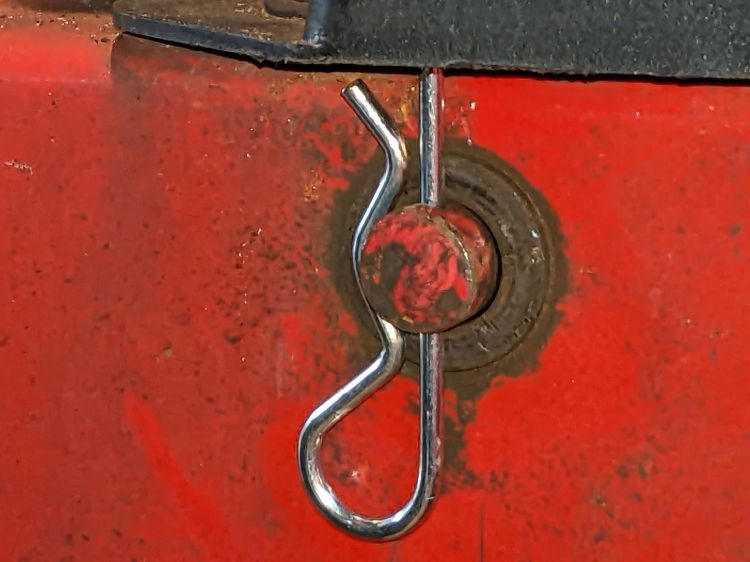
    The rivet holding the lace eyelet in place disintegrated:

    Engineers Boot
    Engineers Boot

    A flat head 6-32 screw fit neatly inside the original grommet, making it flush on the side that matters and putting a stylin’ nyloc nut in full view.

    When the only tool you have is a Basement Shop, pretty nearly everything looks like a project … and is fixable, too!

  • Huion Tablet USB Cable Realignment

    Huion Tablet USB Cable Realignment

    The Huion tablet on my desk has its USB cable sticking straight out of the left side, whereupon it must loop around to burrow under the shelf under my monitor on its way to the port on the back of the PC case. The loop snagged on all the clutter atop the desk and I finally got around to Fixing That Problem:

    Huion tablet - rerouted USB cable
    Huion tablet – rerouted USB cable

    Of course, it wasn’t quite that simple.

    Right angle USB Mini-B connectors are still a thing:

    Huion tablet - USB angle adapters
    Huion tablet – USB angle adapters

    Which is a “left angle” adapter and which is a “right angle” adapter depends on which supplier you ask and how much you trust their descriptions / product photos, so you should get a set containing both: it’s the only way to be sure.

    The one on the right (a “right angle”) shows a bit of carving, which came after the completely unsurprising discovery that the stylin’ curves on the side of the tablet collided with the rectangular adapter:

    Huion tablet - misfit adapter
    Huion tablet – misfit adapter

    Some diligent X-Acto knife work carved away enough of both the adapter and the tablet case to snugly join them:

    Huion tablet - plastic surgery
    Huion tablet – plastic surgery

    The hackery over on the far right fits around the USB cable’s molded connector. I simply cut away any parts that touched until the adapter seated firmly in the USB socket and the cable exited parallel to the edge.

    Part of this involved not carving deeply enough into the adapter or cable connector to expose the internal wiring. I assumed the tablet didn’t have anything vital immediately inside that fancy curve, so that’s where I dug deepest.

    Stick adapter + cable to the tablet with good-quality electrical tape and now the cable points directly to where it should go.

    Declare victory and move on!

  • Duct Fan: Pipe Flow Test

    Duct Fan: Pipe Flow Test

    A crude test setup to measure the duct fan’s air flow against resistance from plausible lengths of 6 inch duct and fittings:

    Duct fan test setup
    Duct fan test setup

    The orange stripe (upper left corner) marks the blast gate mounted on the steel plate closing off the fireplace: when the stripe is visible, the gate is open. It’s hot-melt glued into a plywood square reducing the 8 inch hole in the plate.

    I won’t be using five feet of steel duct, but [handwaving] it’s what I have on hand and should produce results similar to a shorter length of flexible duct [/handwaving].

    A useful conversion factor from the anemometer’s air flow in meter/sec to the corresponding volume flow in ft³/min (colloquially CFM), based on a 6 inch diameter opening with uniform airflow:

    38.6 ft³·s/m·min =  0.196 ft² × 3.28 ft/m × 60 s/min

    The air flow up the chimney depends strongly on basement temperature, outdoor temperature, and wind speed. On a midwinter’s calm-but-freezing evening it ran around 1.5 m/s → 57 CFM and the next day I measured 0.7 m/s → 27 CFM with wind gusts pooting old-fireplace smell into my face.

    A picture being worth a kiloword:

    Vent fan CFM
    Vent fan CFM

    The upper line is the duct fan mounted as in the picture and the lower line is the bare fan as measured on the bench.

    One might reasonably conclude something has gone horribly wrong, as the ductwork seems to contribute negative resistance and increased airflow. I think it’s a combination of the natural flow up the chimney, combined with a bit of flow straightening through the pipe directing air into the fan’s blades and measuring the (mostly uniform) inlet stream instead of the (somewhat segmented) outlet stream.

    Anyhow, the controller has eight speeds with surprisingly linear output. I doubt the upper line’s slope of 50 CFM/click means anything, but the consistency of both suggests a 4:1 flow range, from which I can pick the lowest speed that provides enough fume extraction.

    The basement has enough air leaking in (and out) that opening the exterior door had no discernible effect on the flow through the fan and up the chimney. At top speed the fan will produce two air changes per hour, chilling the basement something awful in the winter and introducing too much warm+moist air in the summer. This may call for a separate duct for outdoor makeup air, but that’s a problem for another season.

  • AC Infinity Fan Air Flow

    AC Infinity Fan Air Flow

    Being that type of guy, I had to measure the airflow through the inline duct fan intended for the soon-to-arrive laser cutter:

    CloudlIne Duct Fan - overview
    CloudlIne Duct Fan – overview

    The fan is on the inlet side:

    CloudlIne Duct Fan - inlet
    CloudlIne Duct Fan – inlet

    The outlet side consists of flow straightening blades around the backside of the motor mount:

    CloudlIne Duct Fan - outlet stator
    CloudlIne Duct Fan – outlet stator

    The duct ports on each end are (nominal) 6 inch, with the larger central body about 7 inch ID around the blank-faced 5 inch OD motor mount.

    I measured the air speed (in m/s) at the rim of the outlet port and at the center, with the rim speed about twice the center speed. The anemometer is an inch in diameter, so I assumed the annular flow was about 1.5 inch thick.

    Subtracting the dead zone in the middle from the total area of the fan body gives the area of the annulus carrying most of the moving air:

    Dia inchArea in^2Area ft^2
    Pipe6280.20
    Center370.05
    Annulus210.15

    Remember, the central dead zone isn’t quite dead: it has an air speed maybe half of the annulus.

    More spreadsheet action finds the flow for each of the fan speed settings:

    SpeedOuter m/sOuter ft/mUniform CFMAnnulus CFMInner ft/minInner CFMTotal CFMRated
    11.8354705217796144
    22.957111284286149888
    33.874814711037418129132
    44.996518914248224166176
    56.0118223217459129203220
    66.9135926720067933233264
    77.8153630222676838264308
    89.3183136027091645315351

    The Uniform CFM column assumes a uniform air flow through the whole pipe, which is obviously incorrect. The Total CFM equal to the sum of the Annulus and the Inner zone, which comes out pretty close to the Rated values in the last column, taken from a comment by the seller.

    Hard to believe I did the figuring before finding the “right” answers.

    This is, admittedly, in free air without ducts or elbows, so the results will be lower when everything gets hooked up.

  • Expedient Caster Wrench

    Expedient Caster Wrench

    Cranked down as far as it would go, a new adjustable height workbench in Mary’s sewing room turned out to be just slightly higher than the other work surfaces adjoining it, so I replaced its 3 inch casters with 2 inch versions:

    Sewing bench - 2 vs 3 inch casters
    Sewing bench – 2 vs 3 inch casters

    The bench arrived as a kit and included the 17 mm flat wrench required to snug the hex head on the 3/8-16 threaded stem atop the 3 inch caster against the bottom of the bench foot. The 2 inch caster also has a threaded stem, but of course it has a 14 mm hex head.

    I traced around a 14 mm open-end wrench on a scrap of aluminum and introduced the outline to Tiny Bandsaw:

    Improvised 14 mm caster wrench - rough cut
    Improvised 14 mm caster wrench – rough cut

    A little belt sander action cleaned up the outside, some hand filing matched the wrench to the hex, and it came out OK, even before I scrubbed the dirt off its white-ish pebble-finish coating:

    Improvised 14 mm caster wrench - finished
    Improvised 14 mm caster wrench – finished

    The bare steel wrench arrived with the bench and has 13 and 17 mm openings. I briefly considered embiggening the 13 mm end, but came to my senses.

    Aluminum isn’t a particularly good metal for wrench duty, but this one had to apply maybe 1/3 of a turn to each of four stems, stopping when snug, and it performed just fine. It’s now sleeping in the wrench drawer, dreaming of another job that may never arrive.

    The smaller casters lowered the bench by about an inch, whereupon cranking the surface up a bit less than half an inch aligned it perfectly.