The Smell of Molten Projects in the Morning

Ed Nisley's Blog: Shop notes, electronics, firmware, machinery, 3D printing, laser cuttery, and curiosities. Contents: 100% human thinking, 0% AI slop.

Tag: Repairs

If it used to work, it can work again

  • Raspberry Pi Slowdown

    At first, the yard camera worked fine, but a few days later the stream of JPEG images would unpredictably stall. I connect to it through a public-key SSH session and, sometimes, the login would stall for tens of seconds and, with a session set up, various exciting operation like, say, htop would unpredictably stall; if I waited long enough, they’d complete normally.

    This seemed familiar:

    Samsung 16 GB Evo MicroSD card
    Samsung 16 GB Evo MicroSD card

    It’s a known-good card from a reputable supplier, not that that means much these days. The camera flash highlights the gritty silkscreen (?) texture of the orange overlay, but the production value seems high enough to pass muster.

    Popping the card in my desktop PC showed:

    • It remains functional, at least to the extent of being mount-able and write-able
    • 3probe --time-ops /dev/sdb showed it still held 16 GB
    • fsck -fv /dev/sdb[12] shows no problems
    • Both partitions looked good

    So I shrank the main partition to 7.5 GB, copied the image to the desktop PC’s SSD, fired up the Token Windows Laptop, ran the Official SD Card Formatter, and discovered that it thought the card had only 63 MB (yes, MB) available. That’s the size of the FAT boot partition, so I returned the card to the desktop PC, unleashed gparted on it, blew away the partitions, reformatted the whole thing to one 16 GB FAT32 partition, and stuck it back in the laptop, whereupon the Official Formatter agreed it had every byte it should.

    A format-with-overwrite then proceeded apace; the card doesn’t support format-with-erase.

    Back in the desktop, I copied the saved image back onto the card which, en passant, blew away the just-created FAT format and restored the Raspbian partition structure. The 8 GB of that copy proceeded at an average 12.1 MB/s. I did not watch the transfer closely enough to notice any protracted delays.

    Back in the Pi, the card booted and ran perfectly, sending an image every second to the laptop (now running its usual Mint Linux) on the guest network:

    Turkey flock in driveway - 2017-03-21
    Turkey flock in driveway – 2017-03-21

    SSH sessions now work perfectly, too, and commands no longer jam.

    So it seems a good-quality MicroSD card can experience protracted delays while writing data, to the extent of tens of seconds, stalling the Pi in mid-operation without producing data errors or any other symptoms.

    It’s not clear the Official Formatter does anything that simply copying the image back to the card wouldn’t also accomplish, although overwriting the entire 16 GB extent of the card exercises all the cells and forces the card controller to re/de/un/allocate bad blocks. If, indeed, the blocks are bad, rather than just achingly slow.

    Moral of the story: Don’t use MicroSD cards as mass storage devices, at least not for industrial applications that require consistent performance.

  • Kitchen Sink Faucet Deck Sealing

    I had to replace the faucet on a kitchen sink (not our own, for reasons not relevant here) after the steel nuts & washers holding the base to the sink deck rotted completely away. Why faucet manufacturers used plain steel in that location remains a mystery; I’m sure it has something to do with cost reduction and damn the consequences after a few years.

    Of course, the new faucet didn’t sit quite flat on the sink deck, due to the raised rim around the perimeter. Installing it like that would prevent the (hard plastic) gasket from sealing against the deck, with the inevitable water leak below the sink; we started this project by scrapping a water-soaked shelf under the sink due to the previous faucet’s wrecked seal. Sliding the oval base forward enough to clear the rim would expose the two holes on each side, with similar results.

    You can see the problem if you squint hard enough:

    Kitchen Sink Faucet - gasket mask
    Kitchen Sink Faucet – gasket mask

    I decided raising the back of the base by maybe two millimeters wouldn’t be particularly visible, particularly if I filled the space with silicone snot (almost) matching the gasket to provide a solid foundation.

    The blue tape masks the sink surface around the gasket to prevent silicone mishaps and simplify cleanup. I held the gasket in place, traced around it with new Xacto knife blade, and peeled the inside out just like I knew what I was doing.

    Generous beads of snot around all the holes and across the back will provide a firm base and a good seal:

    Kitchen Sink Faucet - gasket in place
    Kitchen Sink Faucet – gasket in place

    With that in place, I aligned the faucet over the gasket, gently tightened the nuts holding the base to the deck, and waited a day for the silicone to start curing before completing the plumbing. It’ll take a while to finish, due to the limited area exposed around the edges.

    The water lines now have shutoff ball valves, which the next person to work on it will surely appreciate.

  • Kenmore Electric Clothes Dryer Rebuild

    Our ancient Kenmore clothes dryer (Model 110.96282100 for maximal SEO goodness) developed symptoms suggesting the heater and overtemperature cutouts were in fine shape: it continued to turn and heat, but didn’t completely dry the clothes. In addition, it emitted a horrible whine that sounded like a bad bearing.

    The wiring diagram pasted on the back panel shows how it works (clicky for more dots):

    Kenmore clothes dryer 110.96282100 - wiring diagram
    Kenmore clothes dryer 110.96282100 – wiring diagram

    Obviously, it’s not a firmware problem…

    The motor ran just fine, so Thermal Fuse 2 had never blown at 196 °F.

    The Operating Thermostat (along the bottom edge of the diagram) switches the 240 VAC heater off when the clothes temperature (actually, the drum exhaust temperature) exceeds 155 °F. It’s in series with the non-resettable 350 °F thermal cutoff and the resettable 250 °F high limit thermostat, both of which were intact, as shown by the fact that the heater still worked.

    We generally run the dryer in Auto mode, with the Temperature Selector in the middle position. The Selector varies the resistance in series with the Operating Thermostat heater (near the middle of the diagram), controlled by Timer Switch 1: increasing resistance reduces the heater current and requires hotter clothes before the Thermostat trips. For the first part of the cycle, the BK-BU contact closes to allow the Selector to affect the current. The BK-V contact also closes during the last part of the cycle, cutting out the Selector and letting the Thermostat hold the clothes at 155 °F by cycling the drum heater.

    So I installed a new Operating Thermostat (plus the accompanying thermal fuse I didn’t need):

    Kenmore clothes dryer - operating thermostat
    Kenmore clothes dryer – operating thermostat

    You can do that from the back of the dryer without dismantling it, by removing the rear cover.

    For whatever it’s worth, the replacement Operating Thermostat heater has a 74 kΩ resistance, not the 5.6 to 8.4 kΩ range shown on the wiring diagram. Preliminary testing suggests it does what it’s supposed to, so maybe they’ve improved (and, surely, cheapnified) its guts to work with 1% of the original power. More likely, the Temperature Selector now doesn’t do anything, as its (minimum) 10 kΩ resistance on the High setting doesn’t amount to squat compared with the new thermostat heater, but we don’t have enough experience to say anything definite.

    In an attempt to fix the whine, I took the whole thing apart to replace the idler wheels supporting the drum, the drum drive belt, and the belt tensioner pulley. The interior of the dryer is filled with sharp edges and hatred, so expect some bloodshed.

    Removing and installing the triangular wheel retainers requires a small flat-blade screwdriver and considerable muttering. Here’s the old wheel to the left of the motor, before replacement:

    Kenmore clothes dryer - tub support wheel
    Kenmore clothes dryer – tub support wheel

    After reassembling the dryer, the heater worked fine.

    The whine also worked fine, much to my dismay.

    So I took it all apart again, removed the plate covering the duct from the drum exhaust port to the blower wheel on the motor, removed a generous handful of lint from the middle of the blower wheel, extracted a pile of debris from the bottom of the duct below the wheel, vacuumed everything in sight, reassembled the dryer, and it now sounds great.

    Along the way, a small square brass (?) rod fell out of the debris, sporting one shiny end, well-worn to a diagonal slope. I think the rod got trapped between the duct and the back of the blower wheel, where it would produce the whine only when the motor got up to speed (thus, sounding OK while hand-turning the motor). The accumulated debris & lint held it in place, so flipping the dryer on its face and rotating the motor in both directions had no effect: turning the dryer upright simply let it fall back into the same position.

    No pictures, alas. We did the second teardown in a white-hot frenzy to Get It Done and swept the brass rod away with all the other debris.

    Whew!

  • Cheap WS2812 LEDs: Another Failure

    A few days after epoxying a replacement WS2812 RGB LED into the base of the 21HB5A and, en passant, soldering a 3.5 mm plug-and-jack into the plate lead for EZ removal, the top LED failed.

    21HB5A - Audio plug cable
    21HB5A – Audio plug cable

    In this case, it also failed the Josh Sharpie test with bad encapsulation sealing:

    WS2812 LED failure - ink test patterns
    WS2812 LED failure – ink test patterns

    Here’s a view from another angle, with a warm-white desk lamp for a bit of color:

    WS2812 LED failure - ink test patterns - 2
    WS2812 LED failure – ink test patterns – 2

    Those patterns took a few days to appear and also showed up in some, but not all, of the previous failing LEDs.

    Although I have no idea what’s going on, it’s certainly distinctive!

    An envelope of RGBW LEDs, allegedly with SK2812 controllers, has arrived from a different eBay supplier, so it’s time for an upgrade.

  • Tour Easy Rear Fender Clip

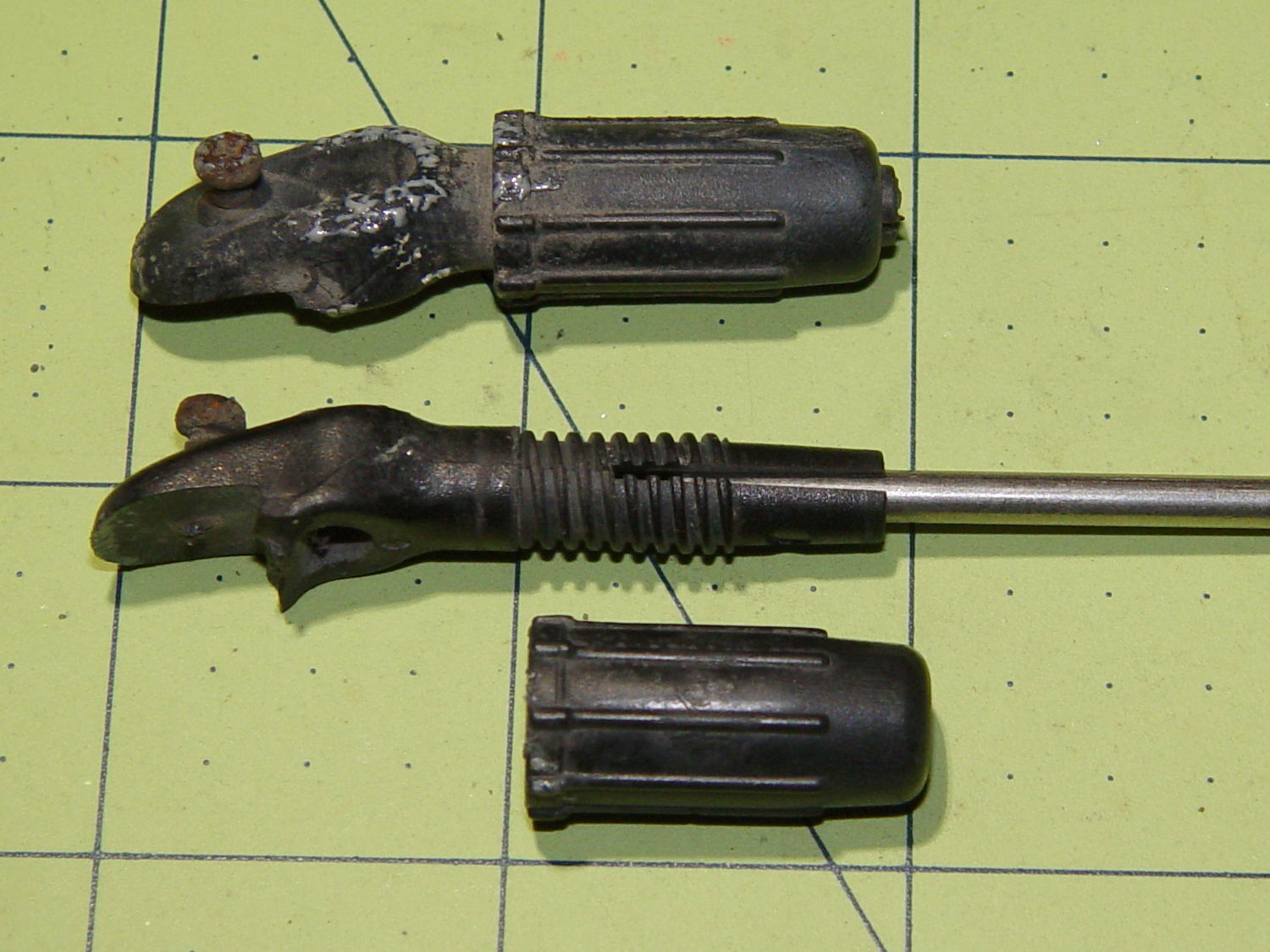
    One of the clips holding the rear fender on my Tour Easy broke:

    Rear fender clip - broken
    Rear fender clip – broken

    Well, if the truth be told, the fender jammed against the tire when I jackknifed the trailer while backing into a parking spot, dragged counterclockwise with the tire, and wiped that little tab right off the block. After 16 years of service, it doesn’t owe me a thing.

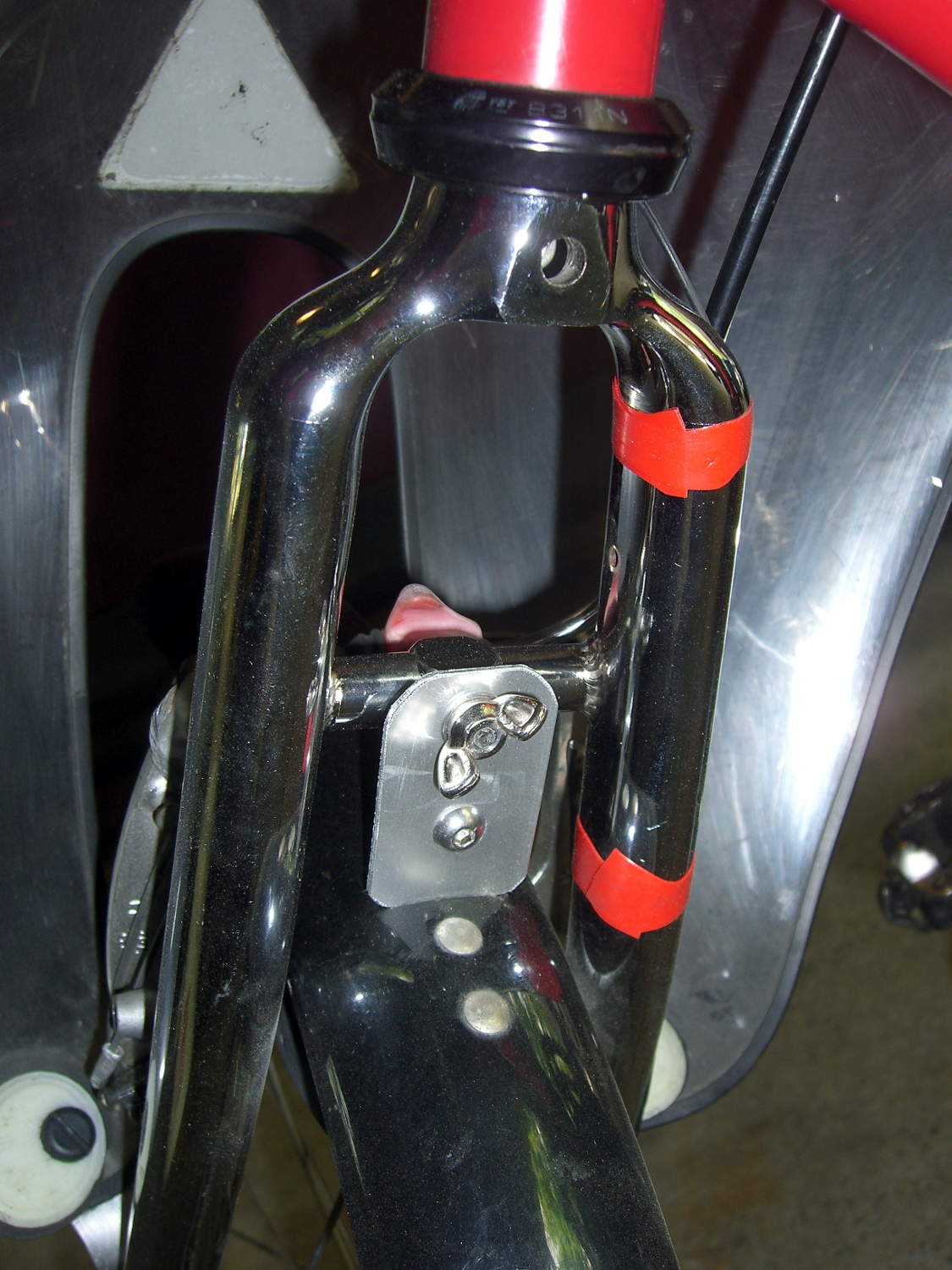
    Although the clip around the fender sits a bit lower than it used to (actually, the entire fender sits a bit lower than it should be), you can see the tab had a distinct bend at the edge of the aluminum block supporting the underseat bag frame: the block isn’t perpendicular to the tire / fender at that point.

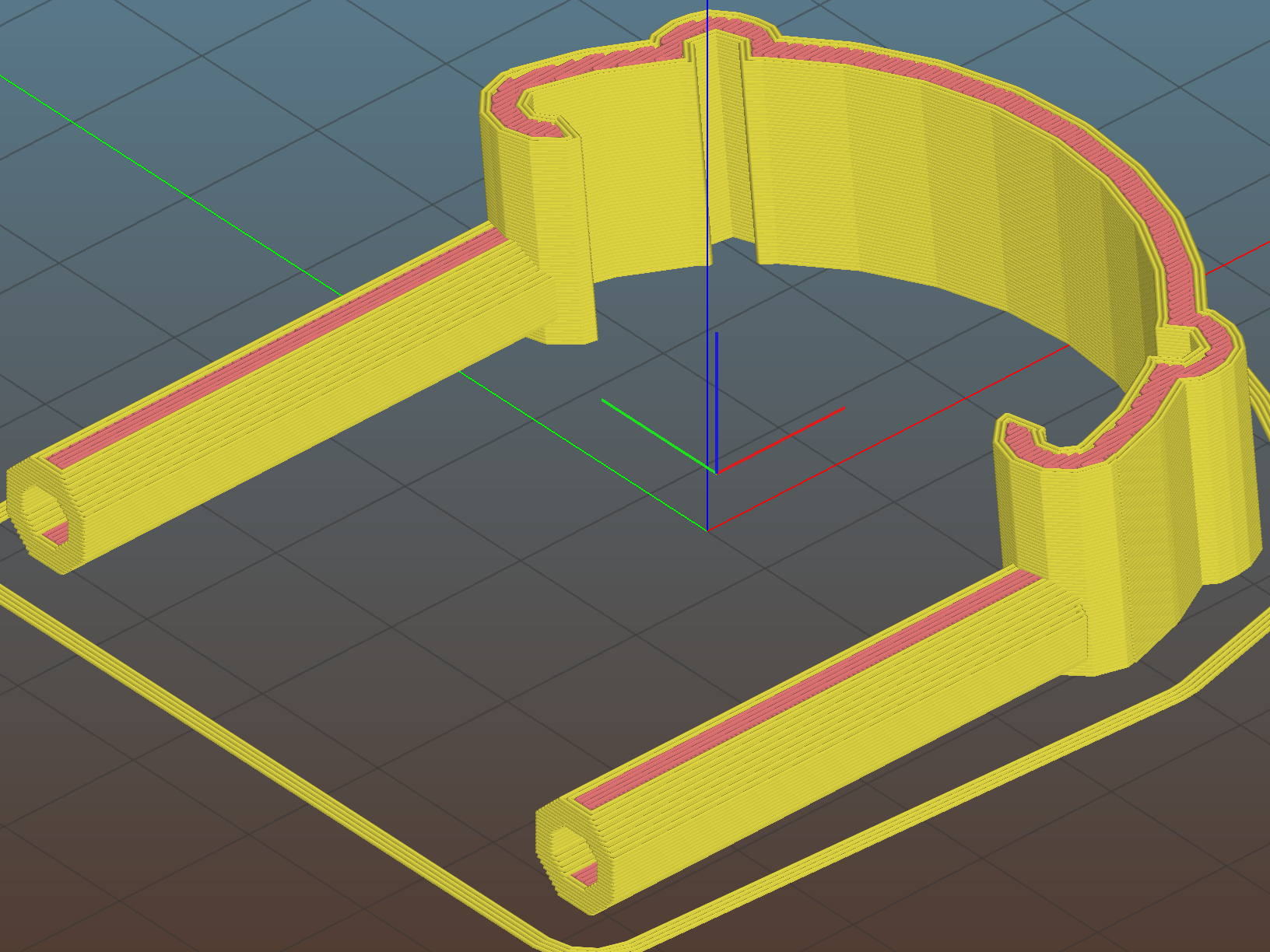
    After devoting far too long to thinking about how to angle the tab relative to the clip, I realized that I live in the future and can just angle the clip relative to the tab. Soooo, the solid model has a rakish tilt:

    Fender Clip - Slic3r preview
    Fender Clip – Slic3r preview

    The original design had a pair of strain relief struts where the tab meets the clip, but I figured I’ll add those after the PETG fractures.

    I mooched the small bumpouts along the arc from the original design; they provide a bit of stretch & bend so to ease the hooks around the fender.

    The hooks meet the clip with very slight discontinuities that, I think, come from slight differences between the 2D offset() operation and the circle() diameter; the usual 1/cos(180/numsides) trick was unavailing, so I tinkered until the answer came out right.

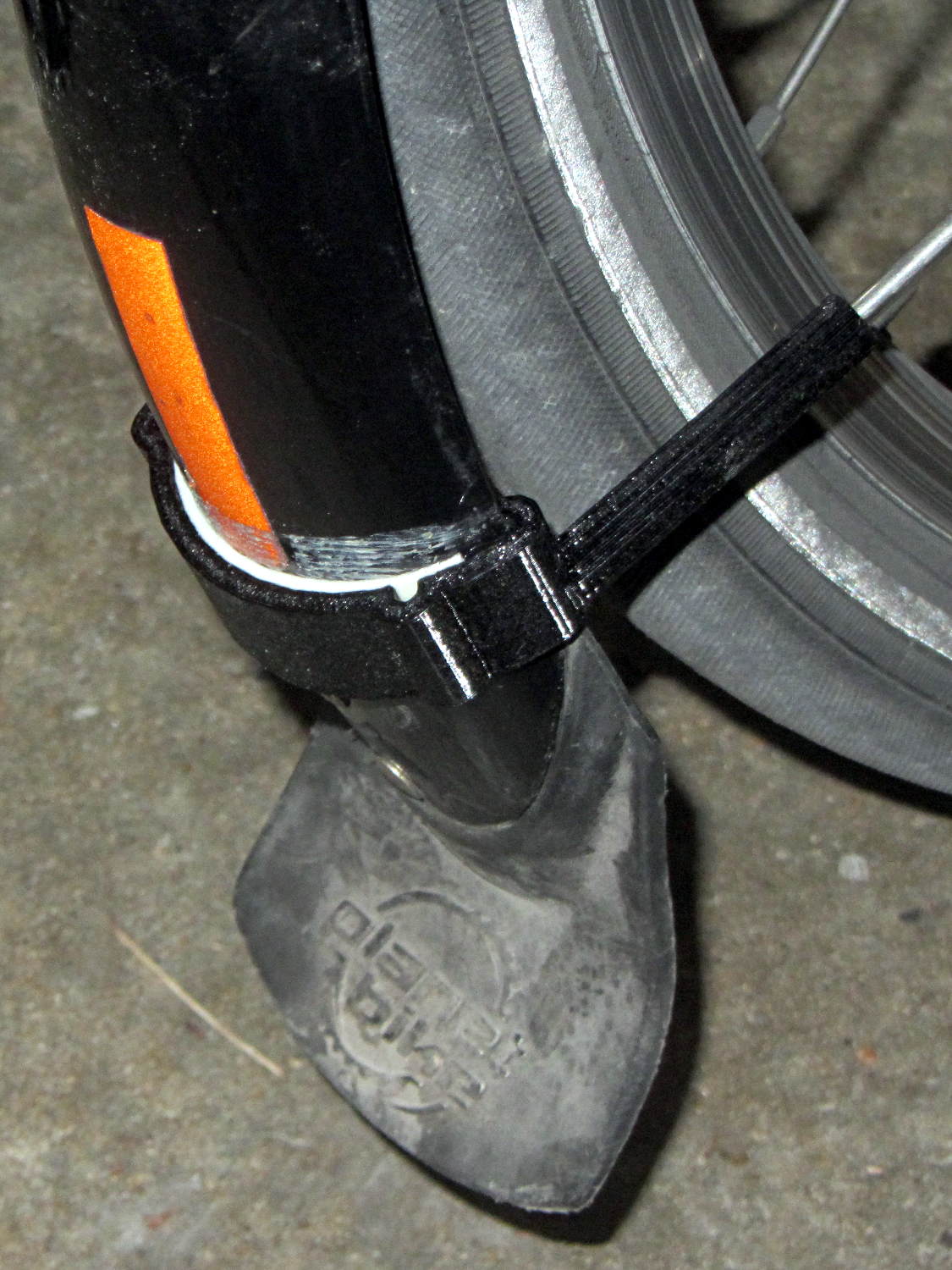
    Despite those stretchy bumps, it took three iterations, varying the chord height by about 1.5 mm, to securely snap those hooks onto the fender:

    Rear fender clip - 3D printed improvement
    Rear fender clip – 3D printed improvement

    Yeah, sorry ’bout the fuzzy focus on the screw head.

    It’s impossible to measure the chord height accurately enough in that position and I was not going to dismount the rear tire just to get a better measurement.

    You can see how the clip’s rakish tilt matches the fender’s slope, so the tab isn’t bent at all. It’ll probably break at the block the next time I jackknife the trailer, of course.

    I heroically resisted the urge to run off a lower fender mount.

    The OpenSCAD source code as a GitHub Gist:

    // Tour Easy rear fender clip
    // Ed Nisley KE4ZNU February 2017
    Layout = "Build"; // Build Profile Tab Clip
    //- Extrusion parameters must match reality!
    ThreadThick = 0.25;
    ThreadWidth = 0.40;
    HoleWindage = 0.2;
    Protrusion = 0.1; // make holes end cleanly
    inch = 25.4;
    function IntegerMultiple(Size,Unit) = Unit * ceil(Size / Unit);
    //———————-
    // Dimensions
    // special case: fender is exactly half a circle!
    FenderC = 47.0; // fender outside width = chord
    FenderM = 18.5; // height of chord
    FenderR = (pow(FenderM,2) + pow(FenderC,2)/4) / (2 * FenderM); // radius
    echo(str("Fender radius: ", FenderR));
    FenderD = 2*FenderR;
    FenderA = 2 * asin(FenderC / (2*FenderR));
    echo(str(" … arc: ",FenderA," deg"));
    FenderThick = 2.5; // fender thickness, assume dia of edge
    ClipHeight = 18.0; // top to bottom, ignoring rakish tilt
    ClipThick = 3.0; // thickness of clip around fender
    ClipD = FenderD; // ID of clip against
    ClipSides = 4 * 8; // polygon sides around clip circle
    BendReliefD = 2.5; // bend arch diameter
    BendReliefA = 2/3 * FenderA/2; // … angle from dead ahead
    BendReliefCut = 1.0; // factor to thin outside of bend
    TabAngle = -20; // angle from perpendicular to fender
    TabThick = 2.0;
    TabWidth = 15.0;
    ScrewOffset = 15.0; // screw center to fender along perpendicular
    ScrewD = 5.0;
    ScrewSlotLength = 2*ScrewD;
    //———————-
    // Useful routines
    module PolyCyl(Dia,Height,ForceSides=0) { // based on nophead's polyholes
    Sides = (ForceSides != 0) ? ForceSides : (ceil(Dia) + 2);
    FixDia = Dia / cos(180/Sides);
    cylinder(r=(FixDia + HoleWindage)/2,
    h=Height,
    $fn=Sides);
    }
    //———————-
    // Clip profile around fender
    // Centered on fender arc
    module Profile(HeightScale = 1) {
    linear_extrude(height=HeightScale*ClipHeight,convexity=5) {
    difference() {
    offset(r=ClipThick) // outside of clip
    union() {
    circle(d=ClipD,$fn=ClipSides);
    for (i=[-1,1])
    rotate(i*BendReliefA) {
    translate([ClipD/2 + BendReliefD/2,0,0])
    circle(d=BendReliefD,$fn=6);
    }
    }
    union() { // inside of clip
    circle(d=ClipD,$fn=ClipSides);
    for (i=[-1,1])
    rotate(i*BendReliefA) {
    translate([ClipD/2 + BendReliefCut*BendReliefD/2,0,0])
    circle(d=BendReliefD/cos(180/6),$fn=6);
    translate([ClipD/2,0,0])
    square([BendReliefCut*BendReliefD,BendReliefD],center=true);
    }
    }
    translate([(FenderR – FenderM – FenderD/2),0]) // trim ends
    square([FenderD,2*FenderD],center=true);
    }
    for (a=[-1,1]) // hooks around fender
    rotate(a*(FenderA/2))
    translate([FenderR – FenderThick/2,0]) {
    difference() {
    rotate(1*180/12)
    circle(d=FenderThick + 2*ClipThick,$fn=12);
    rotate(1*180/8)
    circle(d=FenderThick,$fn=8);
    rotate(a * -90)
    translate([0,-2*FenderThick,0])
    square(4*FenderThick,center=false);
    }
    }
    }
    }
    //———————-
    // Mounting tab
    module Tab() {
    linear_extrude(height=TabThick,convexity=3)
    difference() {
    hull() {
    circle(d=TabWidth,$fn=ClipSides);
    translate([(ScrewSlotLength – ScrewD)/2 + (FenderR + ScrewOffset),0,0])
    circle(d=TabWidth,$fn=ClipSides);
    }
    circle(d=ClipD,$fn=ClipSides); // remove fender arc
    hull() // screw slot
    for (i=[-1,1])
    translate([i*(ScrewSlotLength – ScrewD)/2 + (FenderR + ScrewOffset),0,0])
    rotate(180/8)
    circle(d=ScrewD/cos(180/8),$fn=8);
    }
    }
    //———————-
    // Combine at mounting angle
    module Clip() {
    difference() {
    union() {
    translate([-FenderR,0,0])
    Tab();
    rotate([0,TabAngle,0])
    translate([-FenderR,0,0])
    Profile(2); // scale upward for trimming
    }
    translate([0,0,-ClipHeight]) // trim bottom
    cube(2*[FenderD,FenderD,ClipHeight],center=true);
    translate([0,0,ClipHeight*cos(TabAngle)+ClipHeight]) // trim top
    cube(2*[FenderD,FenderD,ClipHeight],center=true);
    }
    }
    //———————-
    // Build it
    if (Layout == "Profile") {
    Profile();
    }
    if (Layout == "Tab") {
    Tab();
    }
    if (Layout == "Clip") {
    Clip();
    }
    if (Layout == "Build") {
    Clip();
    }

    The original doodle, with some measurements unable to withstand the test of time:

    Rear Fender Clip - measurement doodles
    Rear Fender Clip – measurement doodles
  • Epoxy Mixing Pads

    Quilters hold fabric in place with freezer paper while piecing their blocks; it’s basically plastic-coated paper that gets tacky at ordinary clothes iron temperatures.

    It’s useful in the shop, too. Cut a length of freezer paper into small pages, pad them plastic-side-up atop a sheet of cardboard, and you get a great place to mix small amounts of epoxy:

    Epoxy mixing pad
    Epoxy mixing pad

    Let the pad stay next to whatever you’re epoxying (like, say, the lathe tailstock ways), then test the leftover epoxy for hardness… rather than messing up the joint you so laboriously created by moving the parts an hour too soon.

    Works for me, anyhow. Highly recommended!

  • Raspberry Pi 3: Disabling the Build-In WiFi

    streaming media player in the Basement Laboratory Warehouse Wing has a concrete block wall between it and the WiFi router, so that even high(er)-gain USB antennas can’t grab enough signal for reliable streaming. After some fiddling, I snaked a cable from a hub, along the floor joints, to the Pi and declared victory. It turned out the Pi, an old Pi 1 Model B, had some trouble keeping up with the times, and I eventually swapped it for a Pi 3.

    Forcing a static address for the wired port followed the now-standard recipe, with eth0 instead of wlan0 in /etc/dhcpcd.conf.

    However, plugging a network cable into the Pi 3 then produces two network connections: the wired one I wanted and the aforementioned unreliable WiFi link through the built-in hardware. The only reliable way to turn off the WiFi connection seems to require applying The BFH through a line in /etc/rc.local:

    sudo ifconfig wlan0 down
    

    Removing my WiFi credentials from /etc/wpa_supplicant/wpa_supplicant.conf prevents the hardware from connecting before the hammer comes down.

    And then it streams perfectly…