The Smell of Molten Projects in the Morning

Ed Nisley's Blog: Shop notes, electronics, firmware, machinery, 3D printing, laser cuttery, and curiosities. Contents: 100% human thinking, 0% AI slop.

Tag: Repairs

If it used to work, it can work again

  • Sienna Hood Rod Pivot: PETG Edition

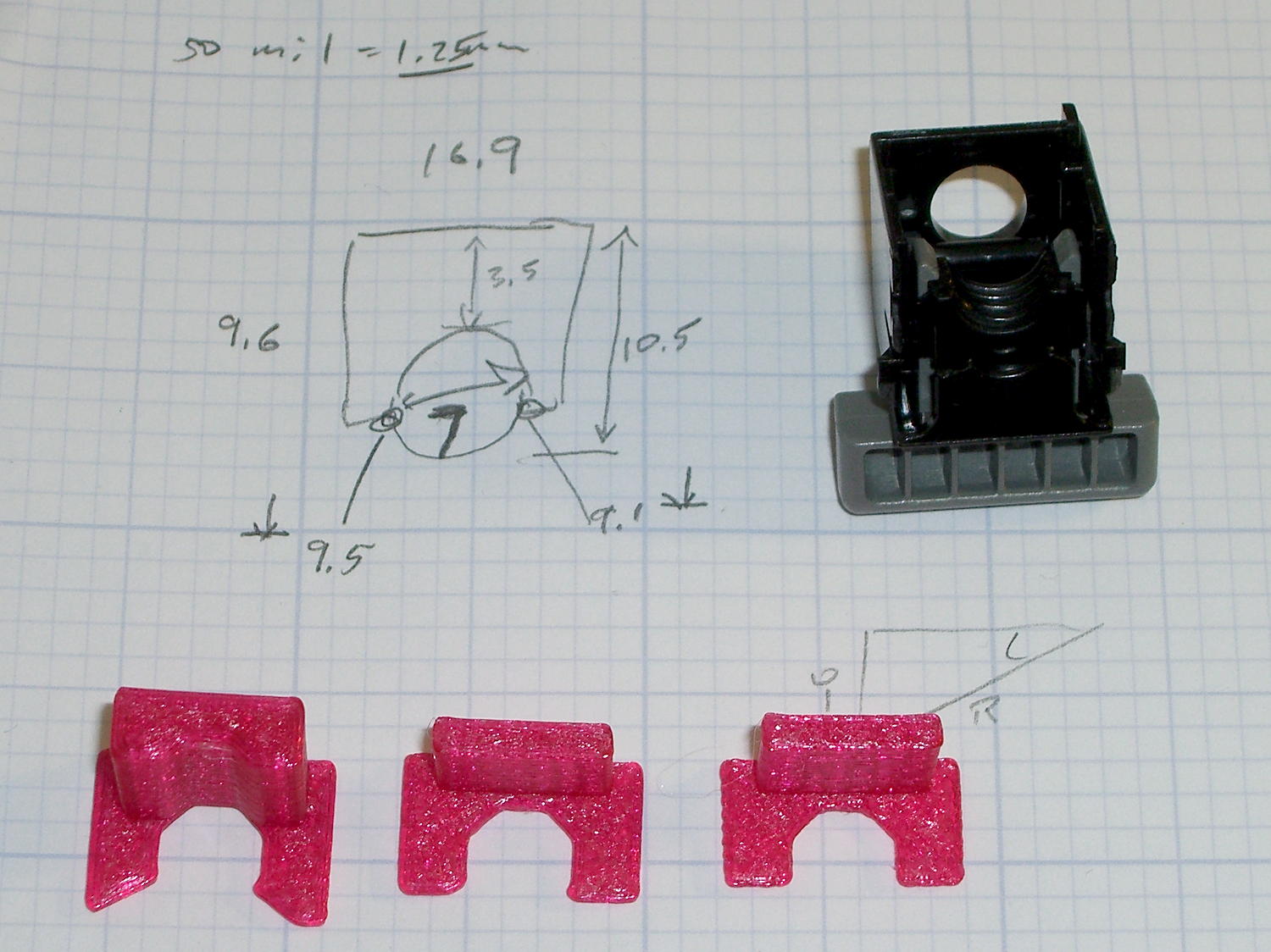
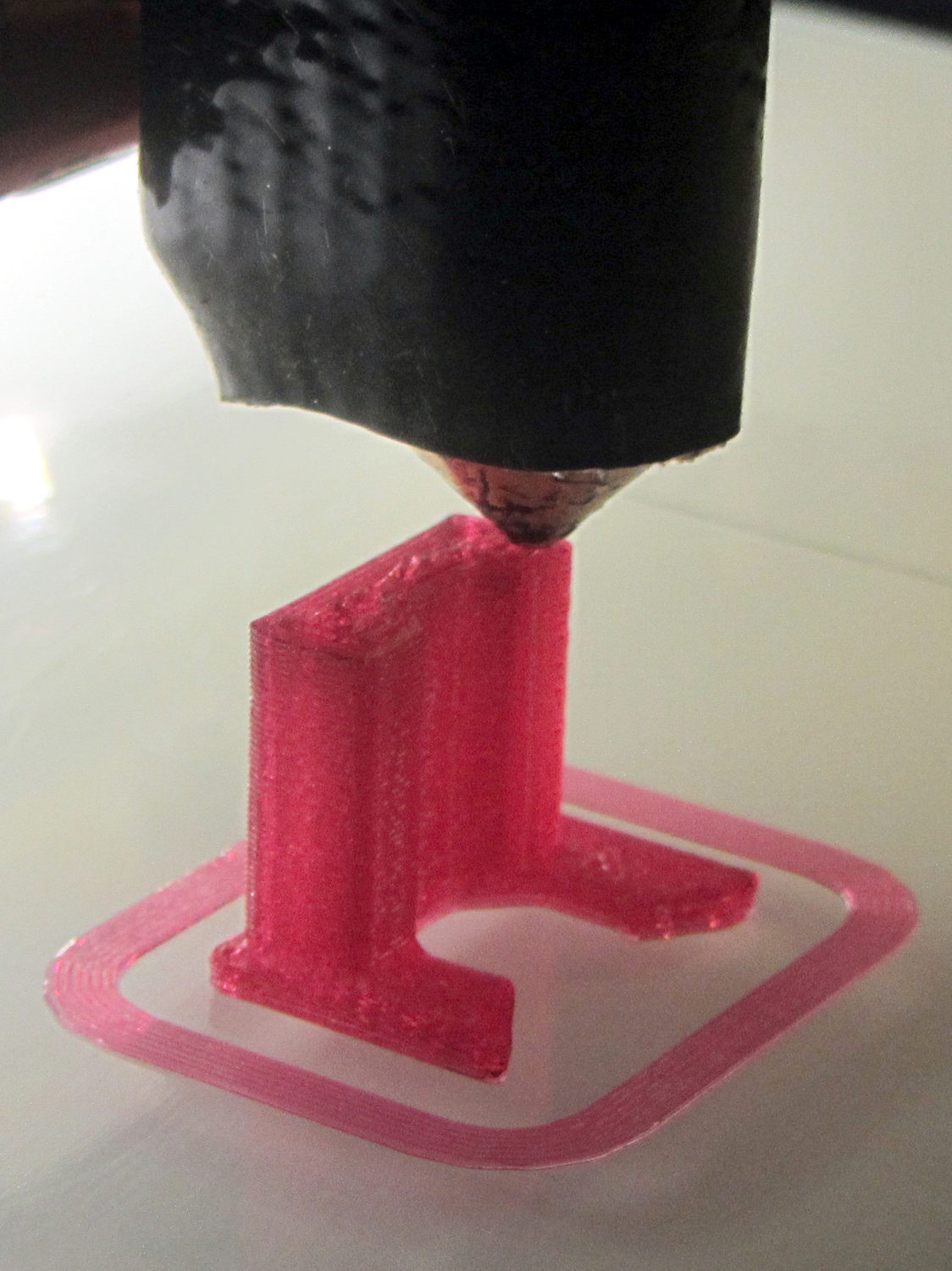
    Our Larval Engineer reports that the PLA pivot for the Sienna’s hood rod didn’t survive contact with the van’s NYS Inspection. I’m not surprised, as PLA tends to be brittle and the inspection happened on a typical February day in upstate New York. Seeing as how PETG claims to be stronger and more durable than PLA, I ran off some replacements:

    Toyota Sienna hood rod pivot - small - PETG
    Toyota Sienna hood rod pivot – small – PETG

    The square cap fit snugly over the bottom of the post; PETG tolerances seem pretty much the same as for PLA.

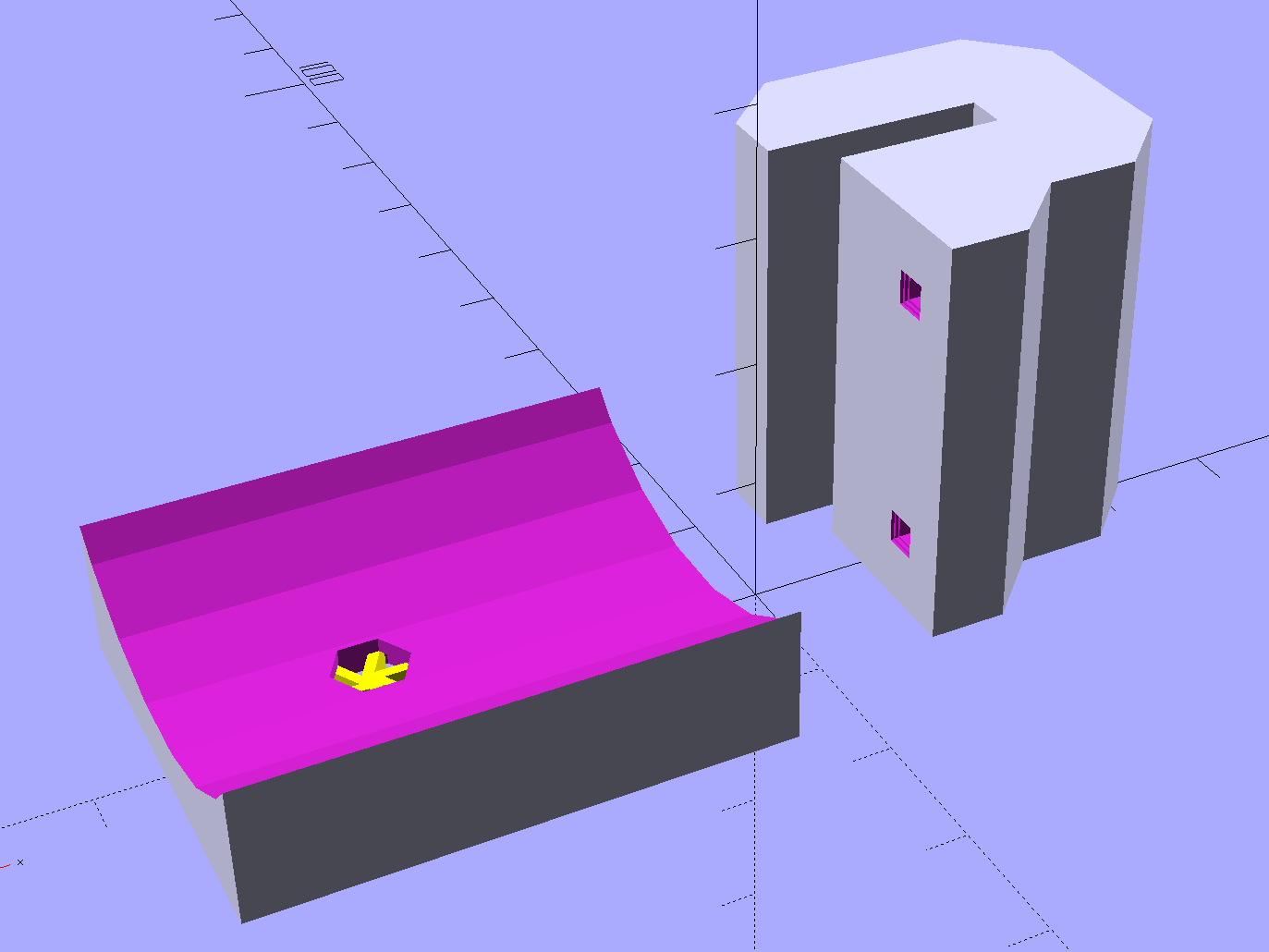
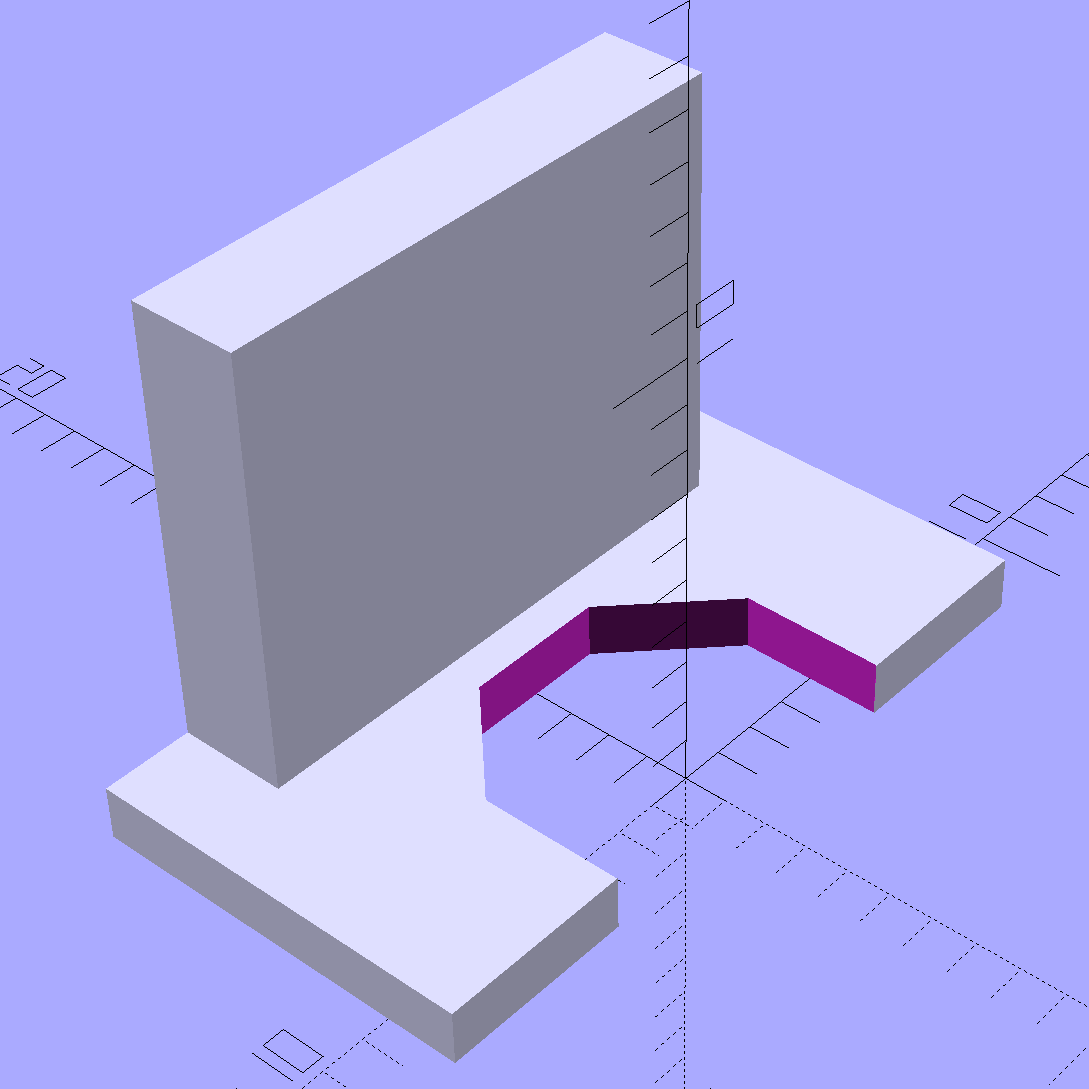
    A slightly larger loop may be more durable, so I changed one parameter in the OpenSCAD code to get this:

    Toyota Sienna Hood Rod Pivot - up-armored - solid model
    Toyota Sienna Hood Rod Pivot – up-armored – solid model

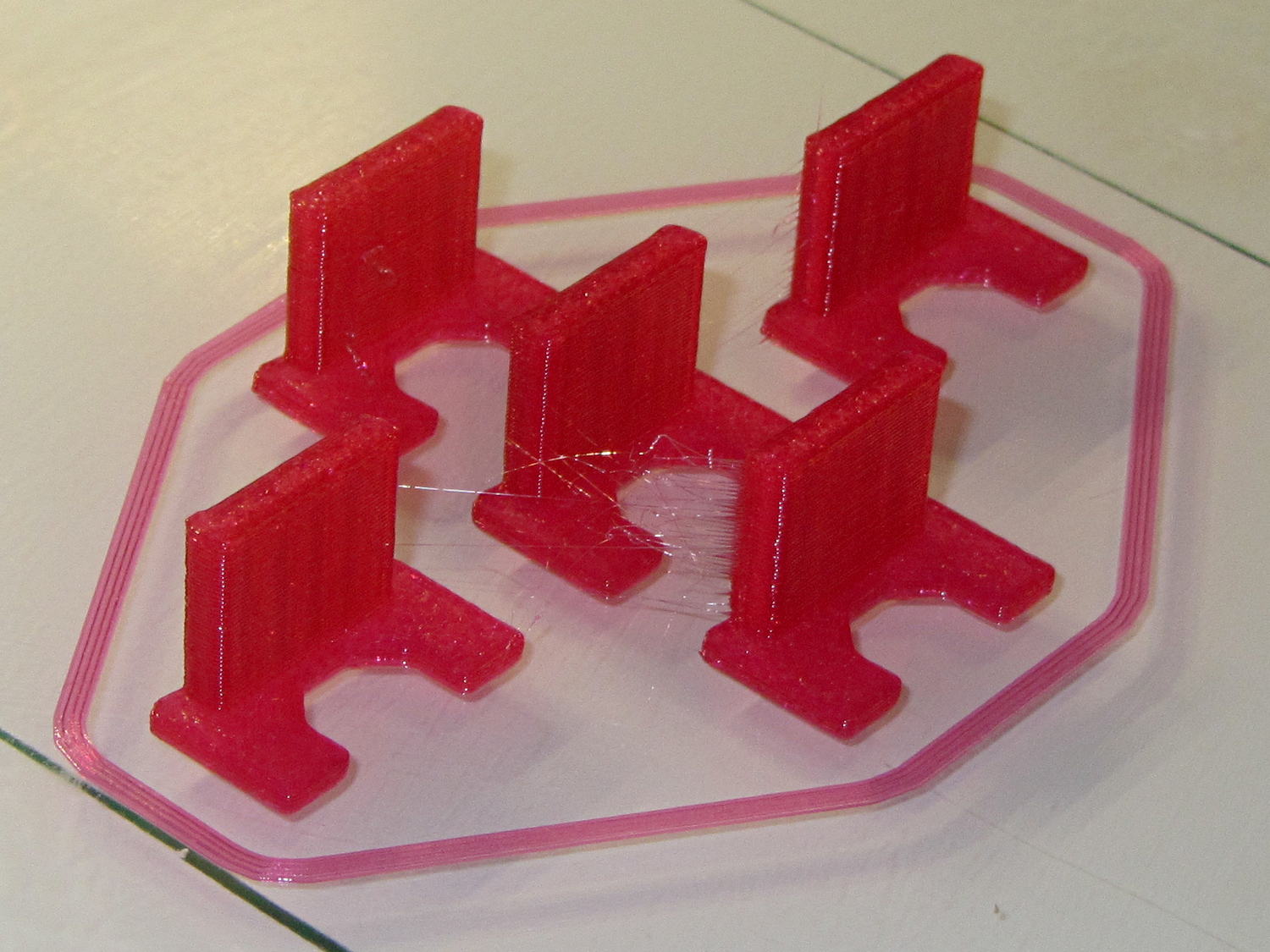
    Which printed just like you’d expect:

    Toyota Sienna hood rod pivot - large - PETG hairs
    Toyota Sienna hood rod pivot – large – PETG hairs

    Despite the hairs stretching between each part, the nozzle didn’t deposit any boogers during the print. The top and bottom use Hilbert Curve infill, which looks pretty and keeps the nozzle from zipping back and forth quite so much; perhaps that’s a step in the right direction.

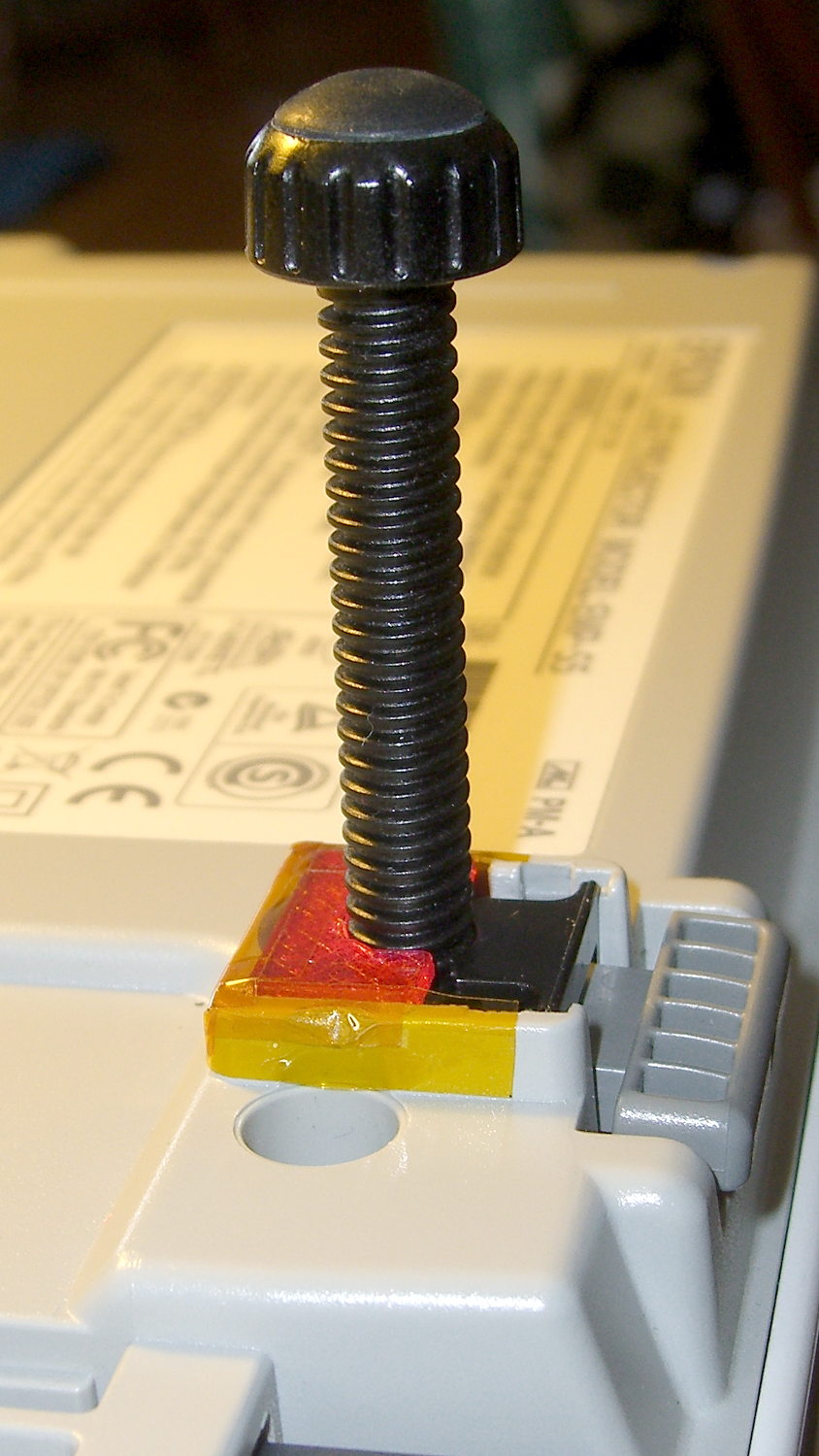
    Tapping the holes for 6-32 stainless machines screws went easily enough:

    Toyota Sienna hood rod pivot - PETG - assembled
    Toyota Sienna hood rod pivot – PETG – assembled

    She gets one of each and I keep the others for show-n-tell sessions.

    The OpenSCAD source code, which differs from the original by a constant or two:

    // Sienna Hood Rod Pivot
    // Ed Nisley KE4ZNU November 2013
    
    //- Extrusion parameters must match reality!
    //  Print with 2 shells and 3 solid layers
    
    ThreadThick = 0.25;
    ThreadWidth = 0.40;
    
    HoleWindage = 0.2;
    
    Protrusion = 0.1;			// make holes end cleanly
    
    inch = 25.4;
    
    function IntegerMultiple(Size,Unit) = Unit * ceil(Size / Unit);
    
    //----------------------
    // Dimensions
    
    ShellOD = 20.0;
    ShellID = 8.75;
    ShellLength = 10.0;
    
    TaperLength = 1.5;
    TaperID = 11.4;
    
    BaseWidth = 20.0;
    BaseThick = 3.0;
    
    PegSide = 9.5;					// mounting peg through sheet metal
    PegLength = 7.0;
    PegCornerTrim = 0.75;
    PegHoleOD = 0.107*inch;			//  6-32 tap hole
    
    PegTrimSide = sqrt(2)*PegSide - PegCornerTrim;
    
    ClampWall = 3.0;				// clamping cap under sheet metal
    ClampHoleOD = 0.150*inch;		//  6-32 clearance hole
    ClampCap = 3.0;					// solid end thickness
    
    PanelThick = 2.0;				// sheet metal under hood
    
    NumSides = 6*4;
    
    //----------------------
    // Useful routines
    
    module PolyCyl(Dia,Height,ForceSides=0) {			// based on nophead's polyholes
    
      Sides = (ForceSides != 0) ? ForceSides : (ceil(Dia) + 2);
    
      FixDia = Dia / cos(180/Sides);
    
      cylinder(r=(FixDia + HoleWindage)/2,
               h=Height,
    	   $fn=Sides);
    }
    
    module ShowPegGrid(Space = 10.0,Size = 1.0) {
    
      Range = floor(50 / Space);
    
    	for (x=[-Range:Range])
    	  for (y=[-Range:Range])
    		translate([x*Space,y*Space,Size/2])
    		  %cube(Size,center=true);
    
    }
    
    //----------------------
    // Build it
    
    //ShowPegGrid();
    
    // pivot
    
    translate([-ShellOD,0,0])
    	difference() {
    		union() {
    			cylinder(r=ShellOD/2,h=ShellLength,$fn=NumSides);		// housing
    			translate([-ShellOD/2,0,0])								// filler
    				cube([ShellOD,(ShellOD/2 + BaseThick),ShellLength],center=false);
    			translate([0,(ShellOD/2 + BaseThick/2),ShellLength/2])	// foot
    				cube([BaseWidth,BaseThick,ShellLength],center=true);
    
    			translate([0,											// peg
    						(ShellOD/2 + PegLength/2 + BaseThick - Protrusion),
    						PegSide/2])
    				intersection() {
    					cube([PegSide,(PegLength + Protrusion),PegSide],center=true);
    					rotate([0,45,0])
    						cube([PegTrimSide,2*PegLength,PegTrimSide],center=true);
    				}
    		}
    
    		PolyCyl(ShellID,ShellLength,NumSides);		// central hole
    
    		translate([0,0,-Protrusion])				// end bevels
    			cylinder(r1=TaperID/2,r2=ShellID/2,h=(TaperLength + Protrusion),$fn=NumSides);
    		translate([0,0,(ShellLength + Protrusion)])
    			rotate([180,0,0])
    				cylinder(r1=TaperID/2,r2=ShellID/2,h=(TaperLength + Protrusion),$fn=NumSides);
    
    		translate([0,0,PegSide/2])					// screw tap hole
    			rotate([-90,0,0])
    				PolyCyl(PegHoleOD,(ShellOD + BaseThick + PegLength),6);
    
    	}
    
    // anchor cap
    
    translate([2*PegSide,0,0])
    	difference() {
    		translate([0,0,(PegLength + ClampCap)/2])					// overall shape
    			cube([(PegSide + ClampWall),(PegSide + ClampWall),(PegLength + ClampCap)],center=true);
    		translate([0,0,(PegLength/2 + ClampCap + Protrusion)])		// peg cutout
    			cube([(PegSide + ThreadWidth),(PegSide + ThreadWidth),(PegLength + Protrusion)],center=true);
    		translate([0,0,-Protrusion])								// screw clearance
    				PolyCyl(ClampHoleOD,2*PegLength,6);
    	}
    
  • LED Bulb in High-Vibration Environment

    The garage door opener just ate another rough-duty bulb, so let’s see how a $7 LED bulb fares:

    Walmart 60 W LED Bulb - garage door opener
    Walmart 60 W LED Bulb – garage door opener

    It has no external heatsink fins and the color temperature looks just like the old-school incandescent bulb it’s replacing, so they’re getting a clue about what’s acceptable to ordinary folks.

    That’s equivalent to a 60 W incandescent bulb, too, at least according to the package:

    Walmart 60 W LED Bulb - package data
    Walmart 60 W LED Bulb – package data

    I love the “Return the package and reciept for replacement or money back” part…

  • CD Ripping: Fractional Tracks

    Mary gets books-on-CD at the annual library book sale, but she’s found they’re easier to use in MP3 format. We regard format transformation for our own use as covered by the First Sale Doctrine and Fair Use, but, obviously, various legal opinions differ.

    I use Asunder to rip audio CDs, although it doesn’t handle non-recoverable errors very well at all. Wiping the offending disc with nose oil or ripping from a different drive will resolve most of the issues, but a recent acquisition had a nasty circumferential scratch in the middle of Track 7 that just didn’t respond to Black Magic.

    CDparanoia can rip portions of a track, so a little binary search action extracts the usable data from Track 7:

    cdparanoia "7-7[4:35]" Track7a.wav
    cdparanoia III release 10.2 (September 11, 2008)
    
    Ripping from sector  177155 (track  7 [0:00.00])
    	  to sector  197780 (track  7 [4:35.00])
    
    outputting to Track7a.wav
    
     (== PROGRESS == [                              | 197780 00 ] == :^D * ==)   
    
    Done.
    
    cdparanoia "7[5:30]-7" Track7b.wav
    cdparanoia III release 10.2 (September 11, 2008)
    
    Ripping from sector  201905 (track  7 [5:30.00])
    	  to sector  208894 (track  7 [7:03.14])
    
    outputting to Track7b.wav
    
     (== PROGRESS == [                              | 208894 00 ] == :^D * ==)   
    
    Done.
    

    With that in hand, you import the two WAV files into Audacity with a five second gap between them, drop two seconds of A-440 sine wave in the gap, and export to MP3.

    The M3U playlist entry has the track time in seconds, so I hand-carved that entry to match the abbreviated length:

    #EXTINF:376,Disc 14 Track 7
    14-07 - Track 7.mp3
    

    Done!

  • Hobo Datalogger vs. Hacked AA Alkaline Battery

    The AA battery pack grafted onto the back of the Hobo datalogger recording groundwater temperature showed a 50% level during its most recent dump, so I swapped in a pair of new AA cells.

    The pack hack dates back to 2009-09 and the Duracell Ultra cells have a “best used by” date of March 2013. Call it 5.5 years of service and, figuring an average current of 10 μA, that’s a total of 480 mA·h.

    The datasheet shows many graphs at much higher currents, but a capacity of 3500 mA·h to 0.80 V at 5 mA seems pretty close. Given that they produce 2.87 V with no load, they’re still in decent shape.

    However, the logger’s opinion of their voltage is what counts. To estimate that number, I checked the reports from the attic: the death planet for lithium cells.

    Starting with an old Energizer failing after a few hours in December:

    Attic - Insulated Box - Early battery failure
    Attic – Insulated Box – Early battery failure

    Two new Maxell CR2032 lithium cells also had trouble, with the first reporting a low voltage in January:

    Attic - Insulated Box - Maxell battery failure
    Attic – Insulated Box – Maxell battery failure

    The second in February:

    Attic - Insulated Box - Maxell battery low - 2015-02-25
    Attic – Insulated Box – Maxell battery low – 2015-02-25

    I think the Maxell cells failed from low temperature, but dead cell is dead.

    That happens just above 2.85 V, so the attic datalogger now carries an AA alkaline battery pack.


  • Thunderbird: Disabling an ISP Email Account

    For reasons that probably make sense to them, Optimum Online (the ISP part of Cablevision) uses totally insecure password-in-the-clear user authentication to the POP3 and SMTP servers. That’s marginally OK for access through their own cable network, but, should you access those servers through a different ISP, you’ve just exposed some sensitive bits to the Internet at large.

    Disabling an account in Evolution requires removing one checkmark:

    Edit → Preferences → Mail Accounts tab → uncheck the account → done!

    Doing the same in Thunderbird, however, requires arcane knowledge and deft surgery, documented in the usual obscure forum post containing most of the information required to pull it off:

    Edit → Preferences → Advanced tab → Config Editor button

    Search for server.server and find the .name entry corresponding to the ISP account. Note the digit identifying the server, which in my case was 1: server1.

    Search for server1 and find the number of the mail.account.* entry with that string in the value field. In my case, that was account1.

    Search for accountmanager to find the mail.accountmanager.accounts entry and remove the account you found from the Value string.

    Done!

    Make a note of all that information, because you must un-futz the accountmanager string to re-enable the account. Of course, if you add or remove any accounts before that, all bets are off.

    There, now, wasn’t that fun?

  • MTD Snowblower Muffler Bolts

    One of the bolts from the replacement muffler on the MTD snowblower worked its way out of the engine block and vanished along the driveway, perhaps to be found when the snow vanishes in a few months. The muffler’s still in place, but the engine exhaust comes straight out of the port into that compartment and, because I’m running the engine a bit rich to make up for oxygenated gasoline, a beautiful blue flame jets about two inches from the bolt hole.

    Being that sort of guy, I installed one of the original bolts that I’d tossed into the bin with its relatives and continued the mission.

    For future reference:

    • MTD Snowthrower E6A4E
    • Tecumseh engine HMSK80
    • Tecumseh muffler 35056
    • Tecumseh bolt 651002

    The bolt has, of course, delightfully custom specs: 5/16-18 x 4-3/16.

    My bolt stash tops out at 4 inches, so that not-quite-1/4 inch extra length means you gotta buy an OEM bolt.

    They’re $1.20 from Jack’s Small Engines, with five bucks of shipping, or you can find a kit with two bolts and the lock bracket for $12 on Amazon.

    No pix, because it’s 14 °F outside and barely more than that in the garage.

  • Dell Inspiron E1405 vs. Ubuntu 14.04LTS vs. Broadcom Drivers

    So the ancient Dell E1405 laptop on the Electronics Bench, connected to this-and-that, woke up without network connections. As in, right after booting, the link and activity lights jammed on solid, the usual eth0 device wasn’t there, WiFi was defunct, and nothing made any difference.

    After a bit of searching, the best summary of what to do appears on the Ubuntu forums. The gist of the story, so I need not search quite so much the next time, goes like this:

    The laptop uses the Broadcom BCM4401 Ethernet and BCM4311 WiFi chips, which require the non-free Broadcom firmware found in the linux-nonfree-firmware package. There’s a proprietary alternative in bcmwl-kernel-source that apparently works well for most Broadcom chips, but not this particular set.

    Guess which driver installed itself as part of the previous update?

    The key steps:

    sudo apt-get purge bcmwl-kernel-source
    egrep 'blacklist (b43|ssb)' /etc/modprobe.d/*
    ... then manually kill any files that appear ...
    

    Apparently that problem has been tripping people for at least the last four years. That this is the 14.04 Long Term Support version evidently has little to do with anything at all.

    While I was at it, I deleted all the nVidia packages that somehow installed themselves without my noticing; the laptop has Intel 945 integrated graphics hardware.

    I vaguely recall what I intended to do before this happened…