The Smell of Molten Projects in the Morning

Ed Nisley's Blog: Shop notes, electronics, firmware, machinery, 3D printing, laser cuttery, and curiosities. Contents: 100% human thinking, 0% AI slop.

Tag: M2

Using and tweaking a Makergear M2 3D printer

  • LED Ring Desk Lamp

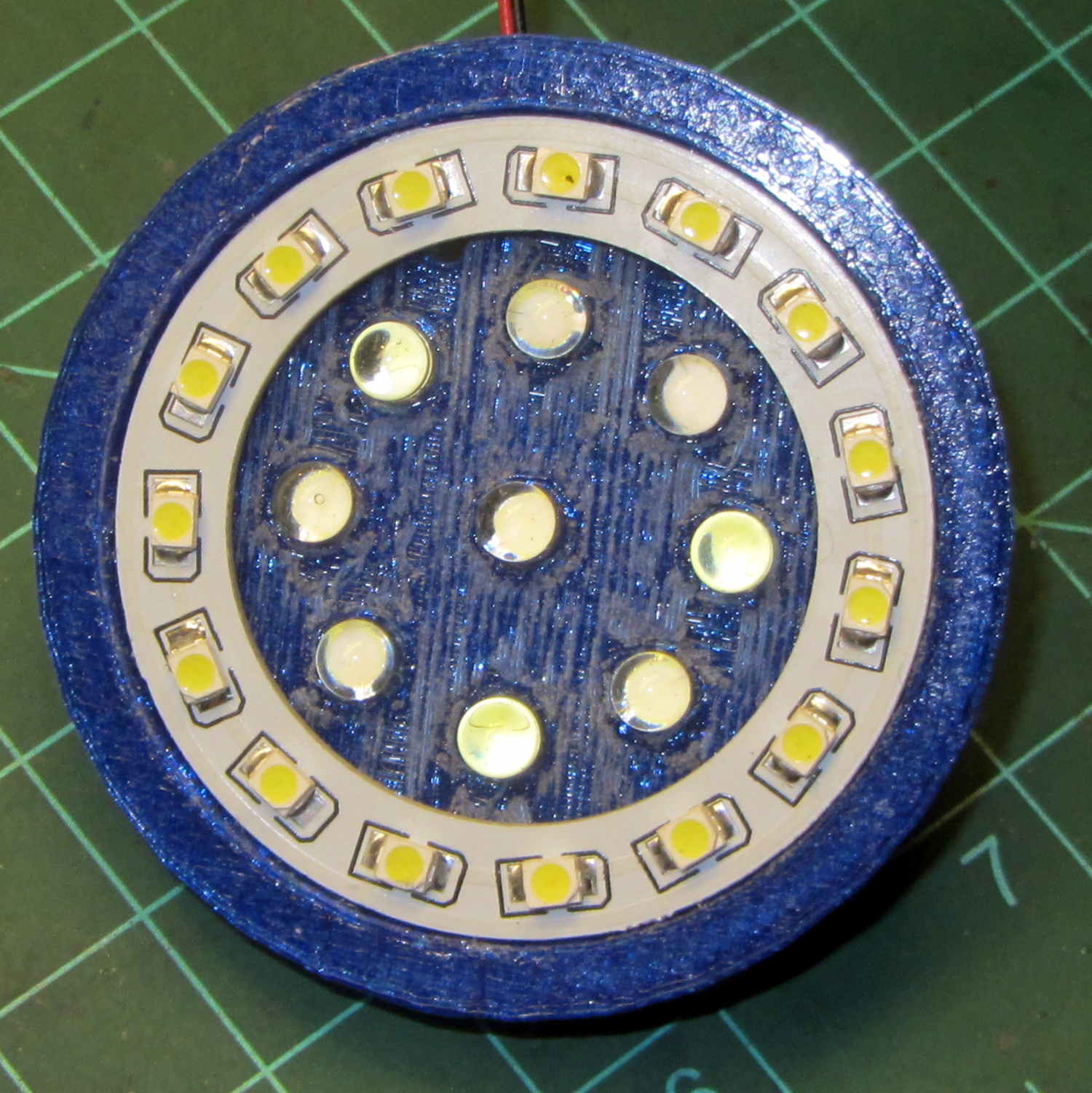
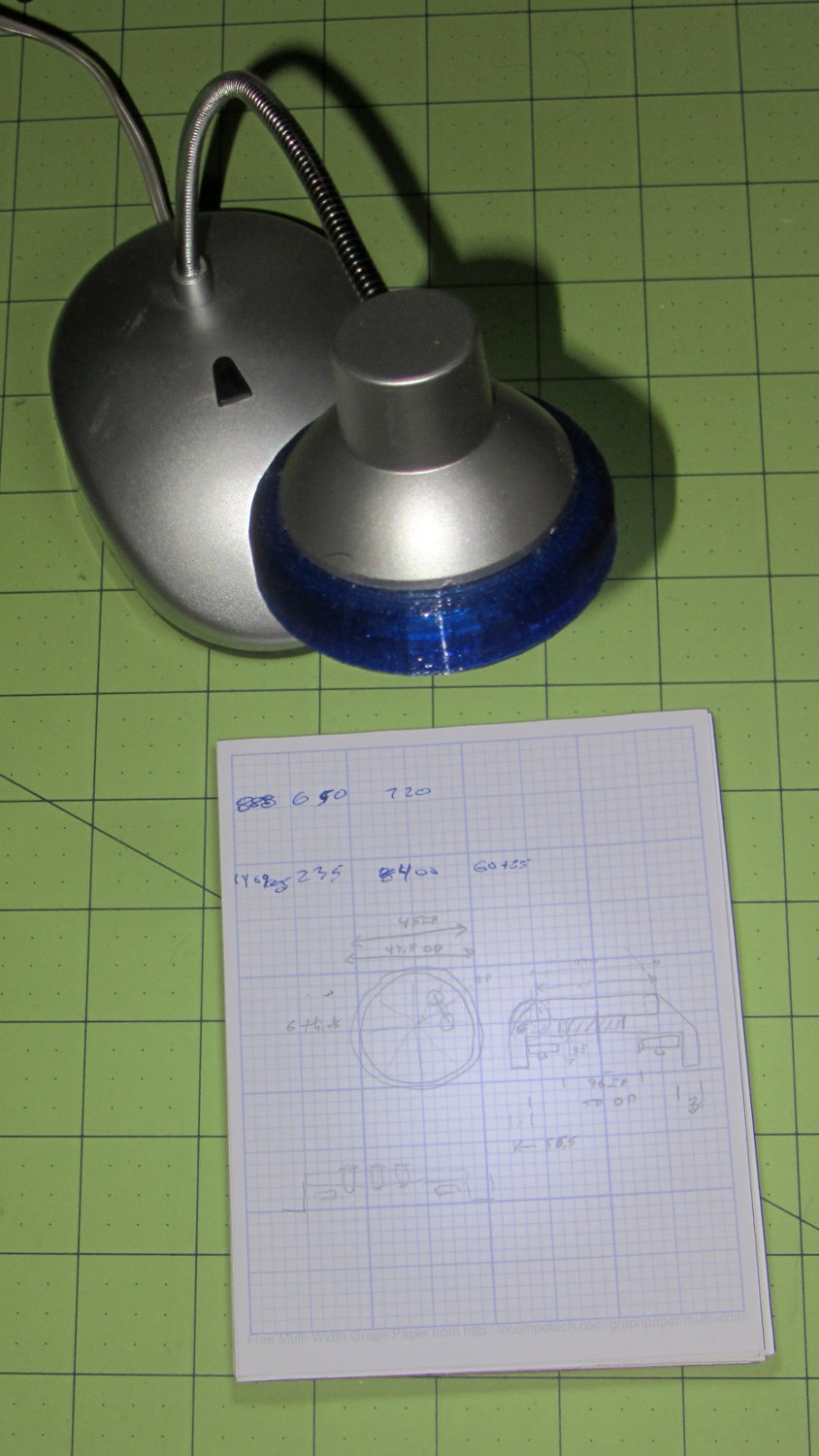
    A defunct desk lamp emerged from the clutter and cried out for bright, new LEDs. This adapter puts a small LED ring and nine white LEDs on the original lamp head:

    Ring Light Mount - in operation
    Ring Light Mount – in operation

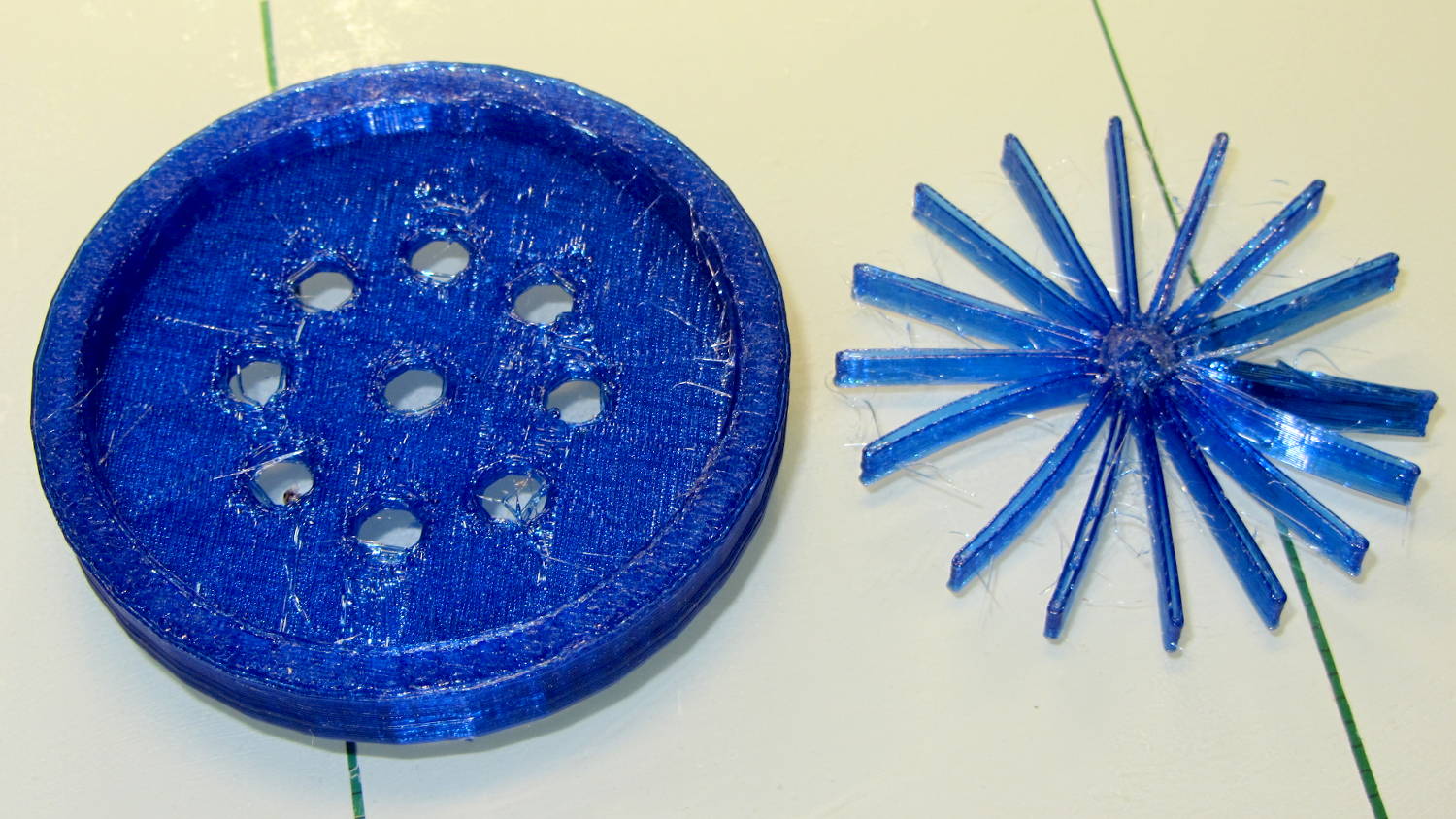
    Peering into the business end, before mounting it on the lamp, shows some abrasive adjustment on the inside layer:

    Ring Light Mount - LEDs installed
    Ring Light Mount – LEDs installed

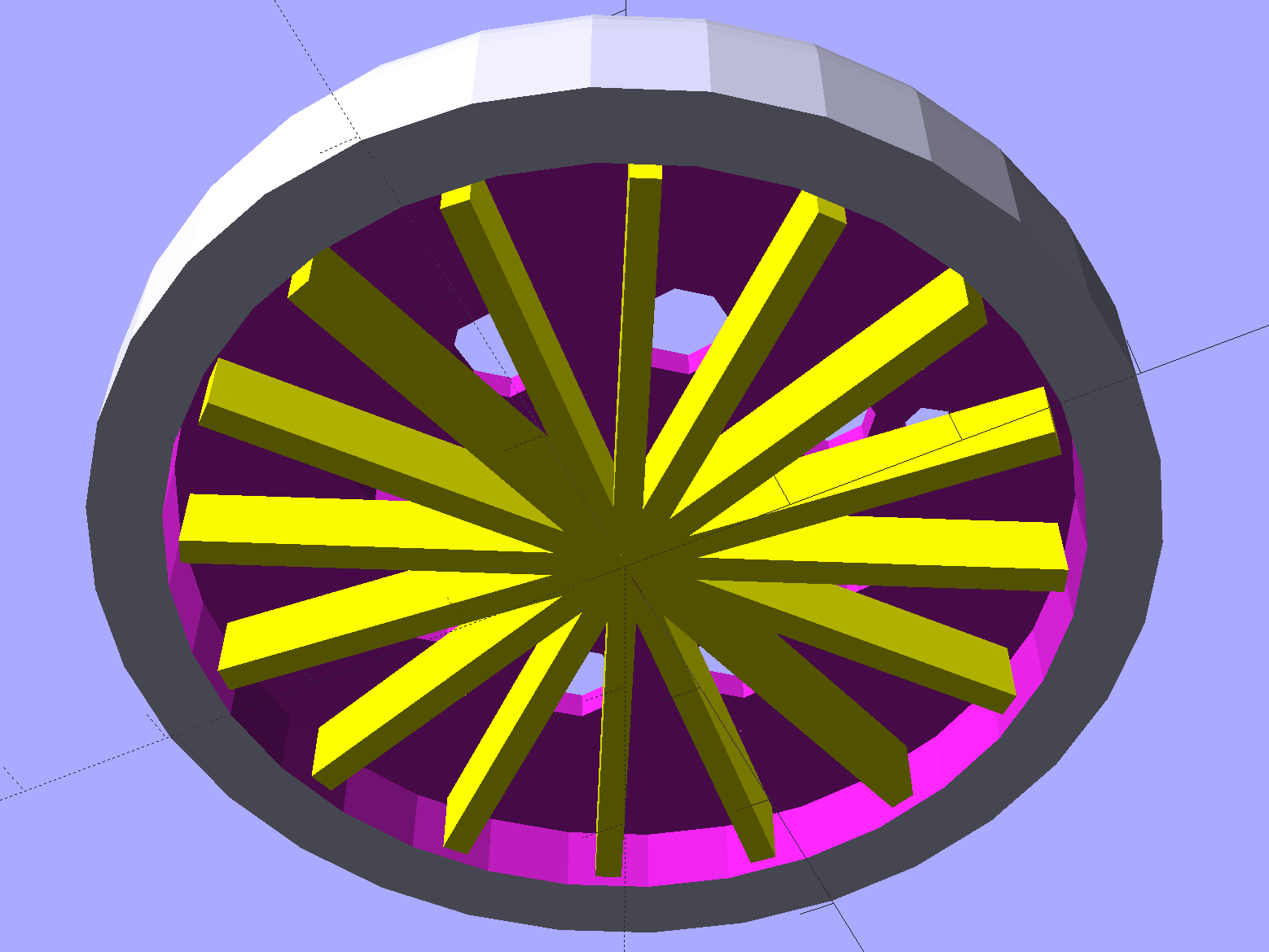
    That layer printed over a quick-and-easy support spider:

    Ring Light Mount - solid model - bottom
    Ring Light Mount – solid model – bottom

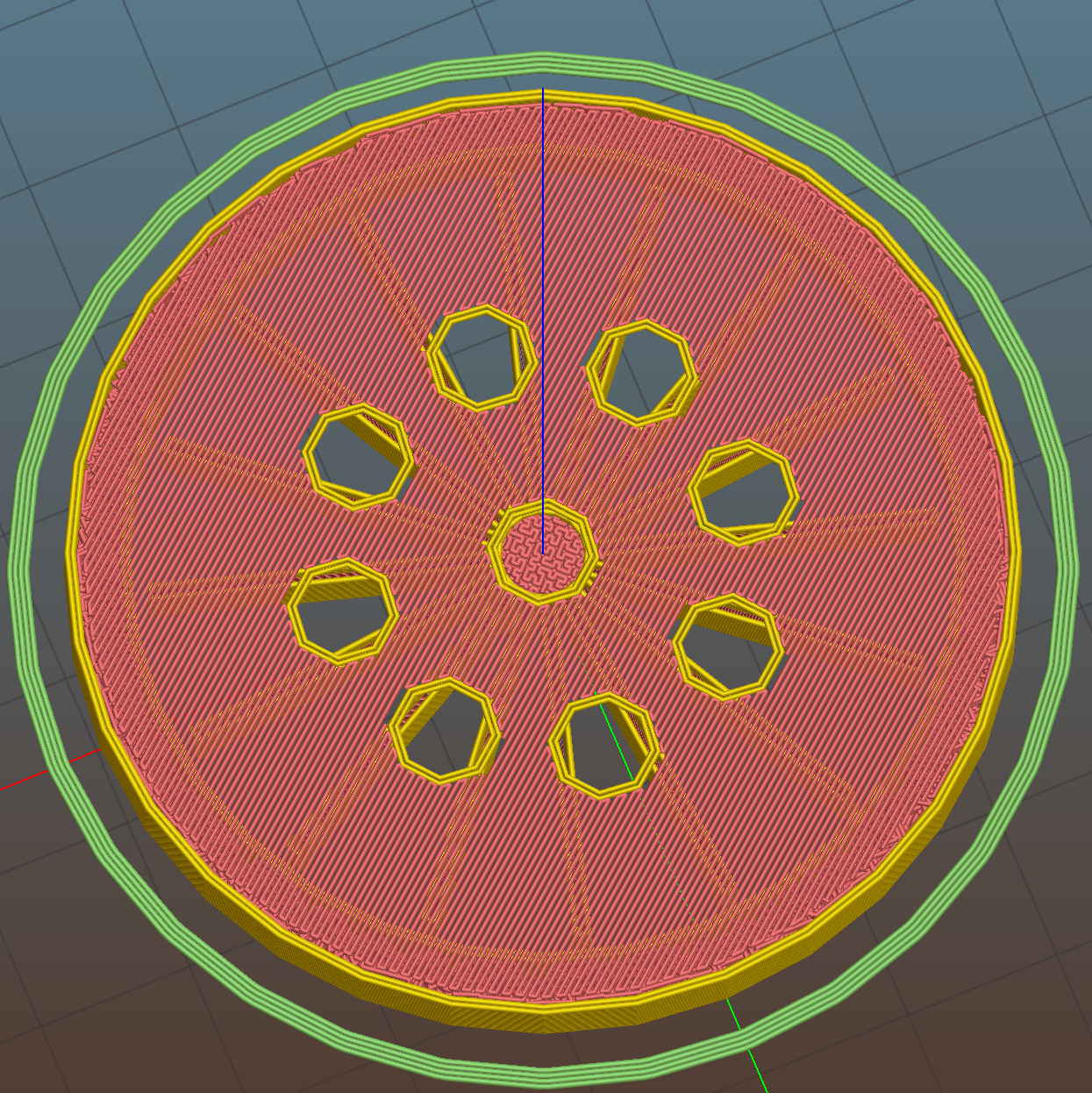
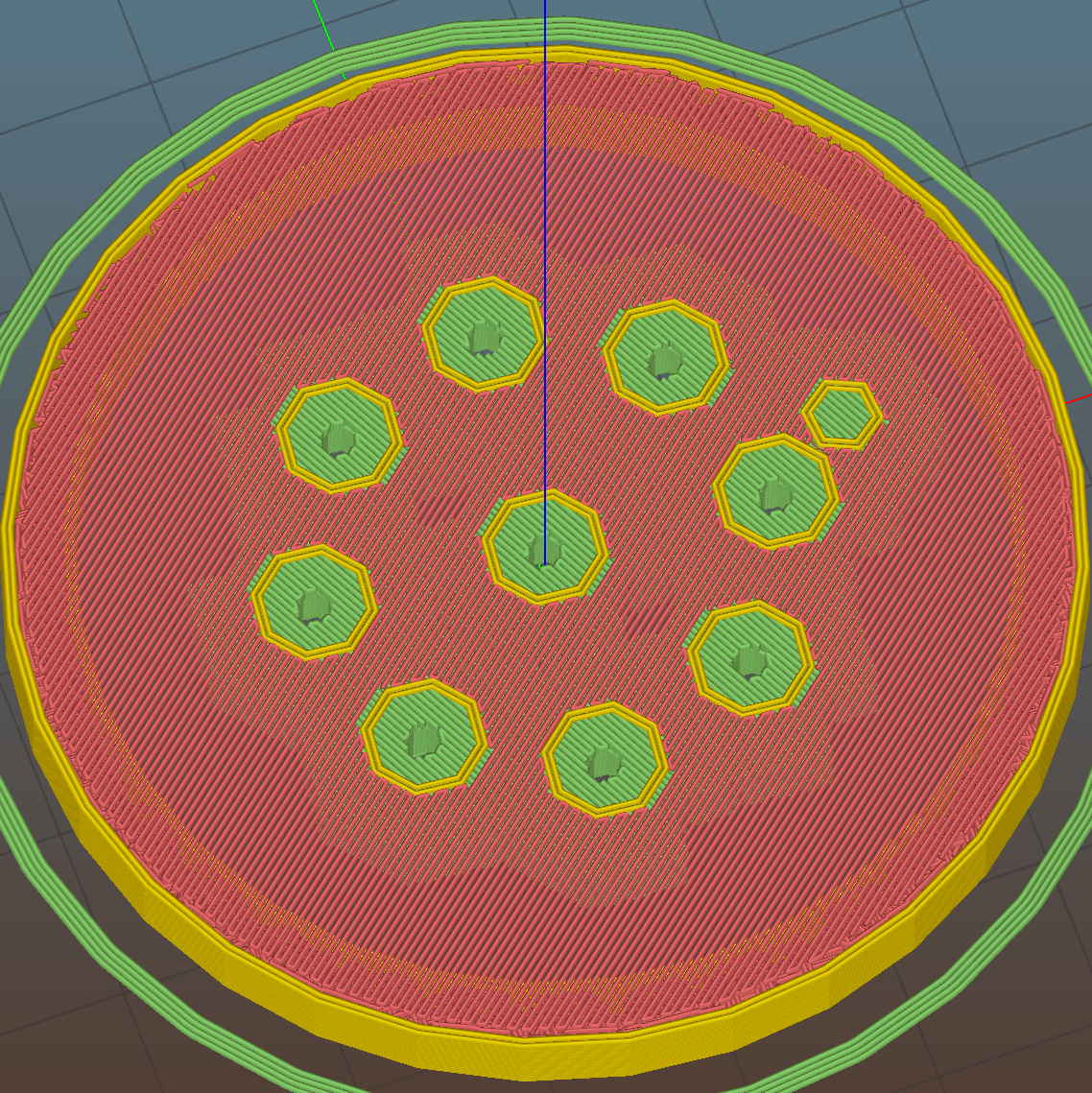
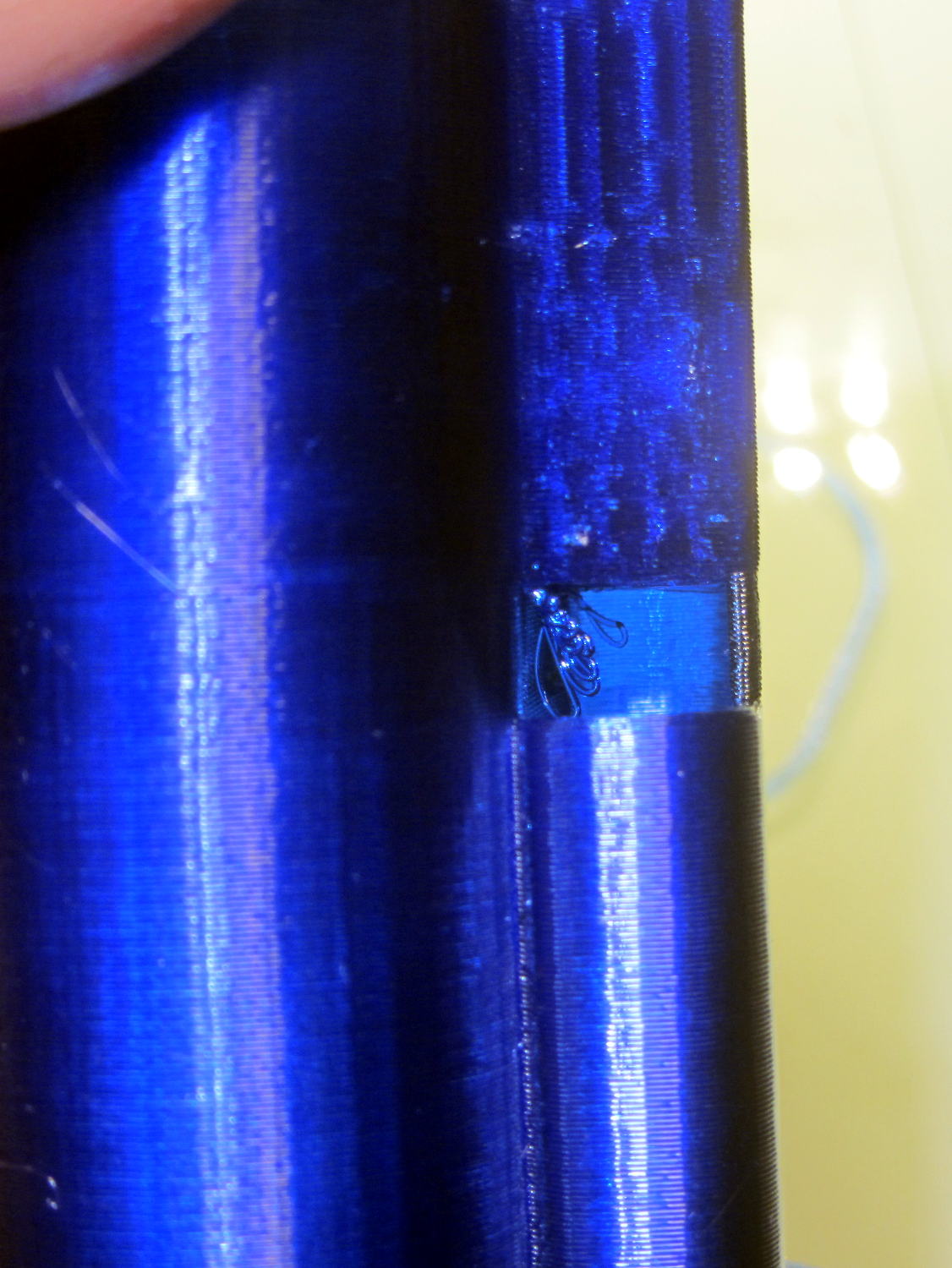
    The Slic3r preview looking down through the layer just over the support shows that the perimeter of those LED holes doesn’t have much support:

    Ring Light Mount - Slic3r preview - bridge layer
    Ring Light Mount – Slic3r preview – bridge layer

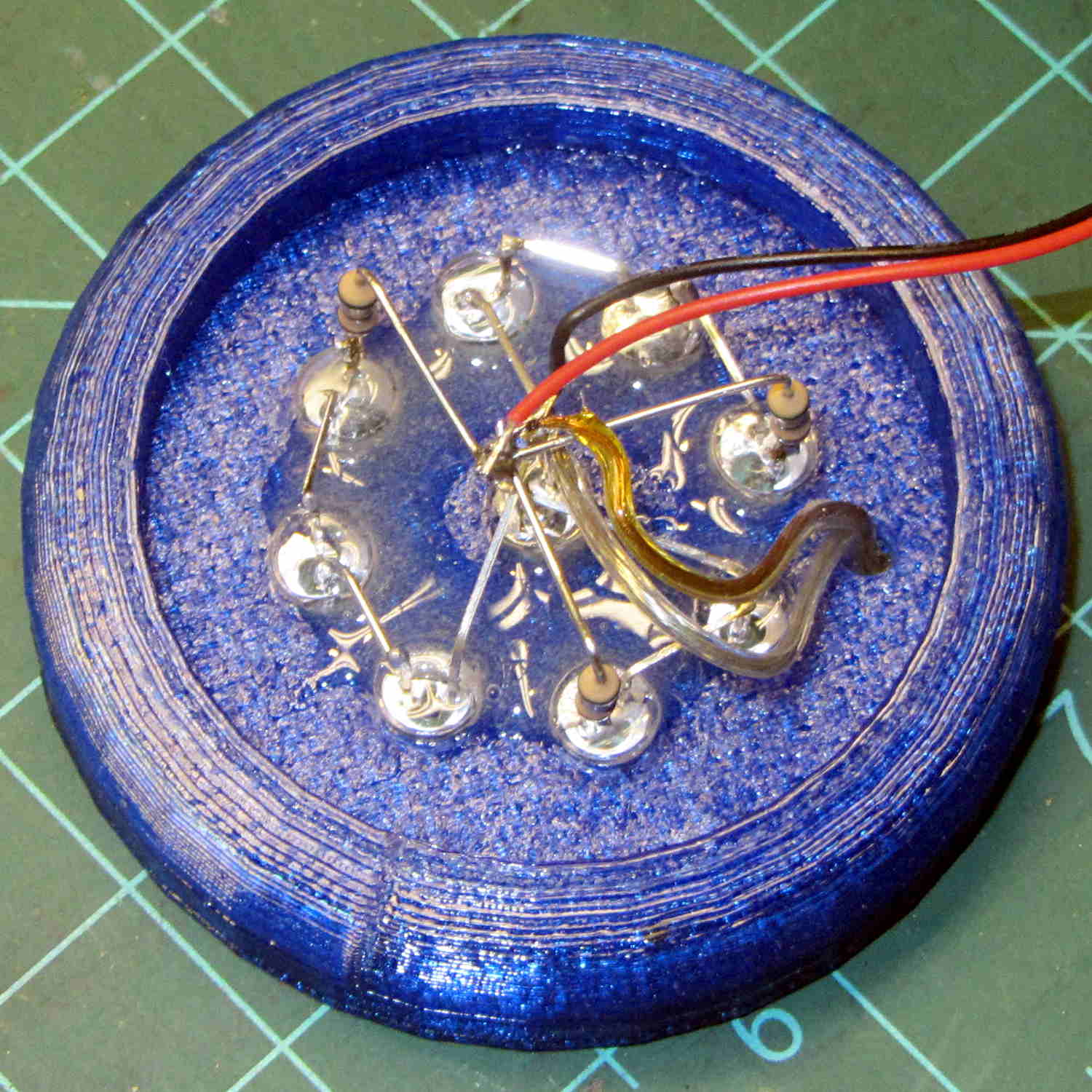
    The obvious threads drooped in the predictable way, so I just clipped them off, sanded the high spots into submission, and epoxied everything in place:

    Ring Light Mount - LED wiring
    Ring Light Mount – LED wiring

    That nice Hilbert Curve infill is completely wasted inside the OEM shade, but the smooth curve around the rim had to be on the top surface.

    Rather than beefing up the support, you should print the bottom ring (or the top rim) separately, then glue it back on, but I wanted to see how well simple support worked with PETG.

    It came out reasonably well:

    Ring Light Mount - support spider
    Ring Light Mount – support spider

    That’s far more hair than usual, even for PETG, because I made the spider’s legs exactly three thread widths wide. Slic3r reduced the single infill thread to, literally, a hair that didn’t stick to the platform; the model now has four-thread-wide legs.

    Slic3r’s automatic support would do a better job of holding up the underside, albeit with more plastic and printing time:

    Ring Light Mount - Slic3r preview - auto support
    Ring Light Mount – Slic3r preview – auto support

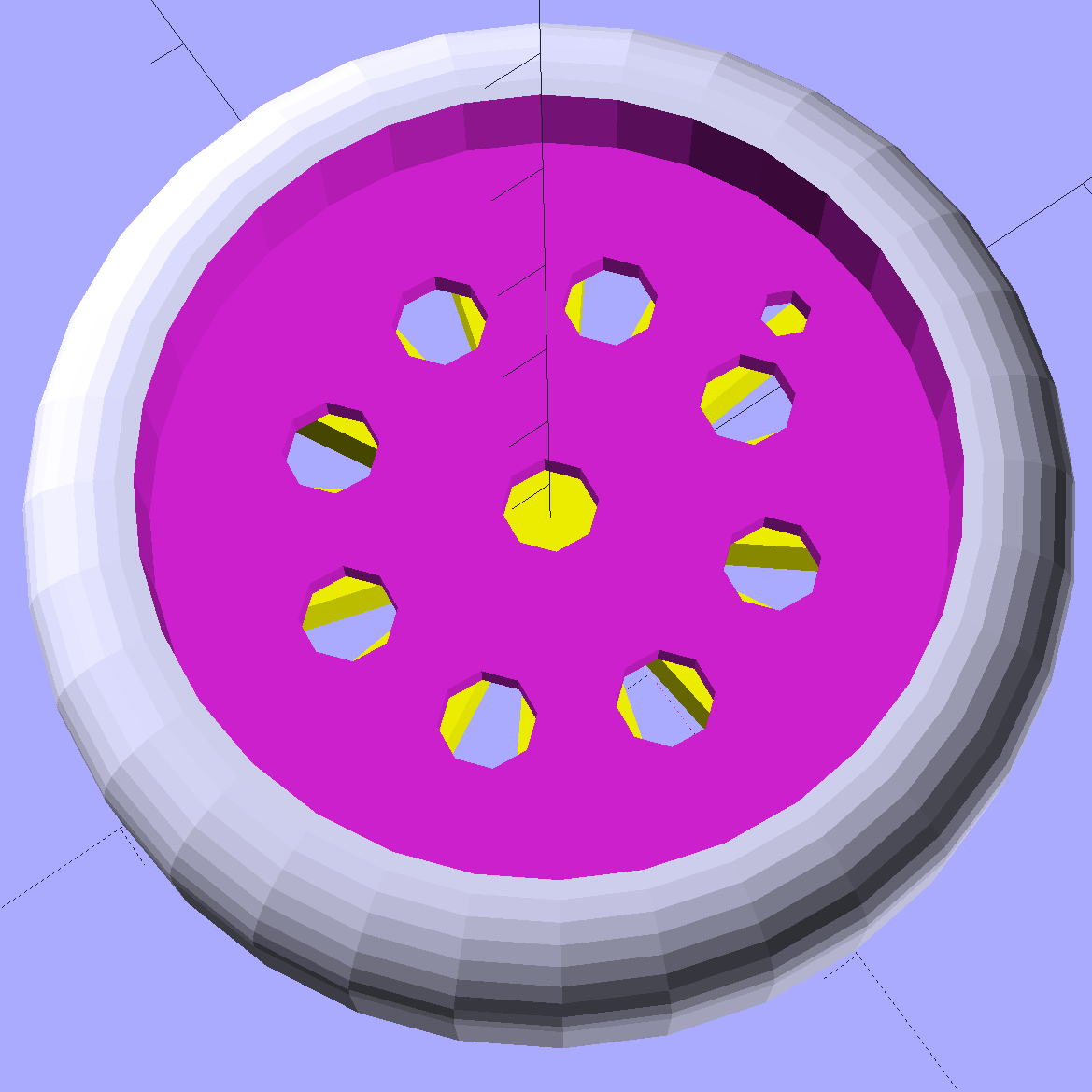
    The top view looks about like you’d expect:

    Ring Light Mount - solid model - top
    Ring Light Mount – solid model – top

    Those two solid models show the small hole for the LED ring wiring, which I drilled into the as-printed plastic. The original layout included just the LED ring, with the wire through a big central hole, but then I realized the wall wart had enough moxie for a few more LEDs. So it goes.

    Anyhow, the lamp provides just enough illumination below my big monitors to suffice. The gooseneck might not be quite long enough, but that’ll be another project…

    The OpenSCAD source code:

    // LED Ring Light Mount
    // Ed Nisley KE4ZNU October 2015
    
    DoSupport = true;
    
    //- Extrusion parameters must match reality!
    
    ThreadThick = 0.25;
    ThreadWidth = 0.40;
    
    HoleWindage = 0.2;
    
    Protrusion = 0.1;			// make holes end cleanly
    
    inch = 25.4;
    
    function IntegerMultiple(Size,Unit) = Unit * ceil(Size / Unit);
    
    //----------------------
    // Dimensions
    
    NumSides = 8*4;						// number of sides on each "cylinder"
    
    LENGTH = 0;
    ID = 1;
    OD = 2;
    
    Shade = [6.0,45.2,47.5];			// threaded end of OEM lamp shade
    RingLED = [4.5,36.0,51.0];
    
    SpotLED = [2.0,0,5.0];				// discrete LEDs in center
    NumSpots = 8;						// discrete LEDs around the one in the middle
    
    Support = [(RingLED[LENGTH] - 1*ThreadThick),0,(RingLED[OD] - 4*ThreadWidth)];
    NumSupports = NumSides/2;
    
    ThreadBase = RingLED[LENGTH] + SpotLED[LENGTH];
    OAHeight = ThreadBase + Shade[LENGTH];
    
    //----------------------
    // Useful routines
    
    module PolyCyl(Dia,Height,ForceSides=0) {			// based on nophead's polyholes
    
      Sides = (ForceSides != 0) ? ForceSides : (ceil(Dia) + 2);
    
      FixDia = Dia / cos(180/Sides);
    
      cylinder(r=(FixDia + HoleWindage)/2,
               h=Height,
    	   $fn=Sides);
    }
    
    //----------------------
    // Build it
    
    	difference() {
    		union() {																				// overall shape
    			translate([0,0,ThreadBase])
    				rotate_extrude(convexity = 2, $fn=NumSides)
    					translate([Shade[OD]/2,0])
    						circle(r=Shade[LENGTH],$fn=NumSides);
    			cylinder(d=(Shade[OD] + 2*Shade[LENGTH]),h=ThreadBase,$fn=NumSides);
    			translate([0,0,ThreadBase])
    				cylinder(d=Shade[OD],h=Shade[LENGTH],$fn=NumSides);
    		}
    		
    		translate([0,0,ThreadBase - Protrusion])
    			cylinder(d=(Shade[ID] + HoleWindage),h=(Shade[LENGTH] + 2*Protrusion),$fn=NumSides);	// opening for shade thread
    			
    		translate([0,0,-Protrusion])
    			cylinder(d=(RingLED[OD] + HoleWindage),h=(RingLED[LENGTH] + Protrusion),$fn=NumSides);	// opening for LED ring
    			
    		rotate(180/NumSides)																		// LED ring power wire
    			translate([RingLED[ID]/2,0,0])
    				rotate(180/6)
    					PolyCyl(2.5,OAHeight,6);
    			
    		rotate(180/8  - 180/NumSides)
    			PolyCyl(SpotLED[OD],OAHeight,8);														// central LED SpotLED
    			
    		for (i=[0:NumSpots-1])																		// surrounding spots
    			rotate(i*360/NumSpots - 180/NumSides)
    				translate([(RingLED[ID] - 2*SpotLED[OD])/2,0,0])
    						rotate(180/8)
    							PolyCyl(SpotLED[OD],OAHeight,8);
    	}
    	
    //-- Support structure
    
    	if (DoSupport)
    		color("Yellow")
    		rotate(180/NumSides)													// align bars to flat internal faces
    			for (i=[0:NumSupports/2 - 1]) {
    				rotate(i * 360 / NumSupports)
    					translate([0,0,Support[LENGTH]/2])
    						cube([Support[OD],4*ThreadWidth,Support[LENGTH]],center=true);
    			}
    
    
  • Stabbing Guides

    Many of my solid models have holes for alignment pins made from filament snippets that let me glue the pieces together with near-perfect registration:

    Alignment Hole and Pin
    Alignment Hole and Pin

    A reader who designs oil-field equipment for a living pointed out that, in his world, they’re called “stabbing guides”:

    Stabbing_Point_on_Leg_1
    Stabbing_Point_on_Leg_1

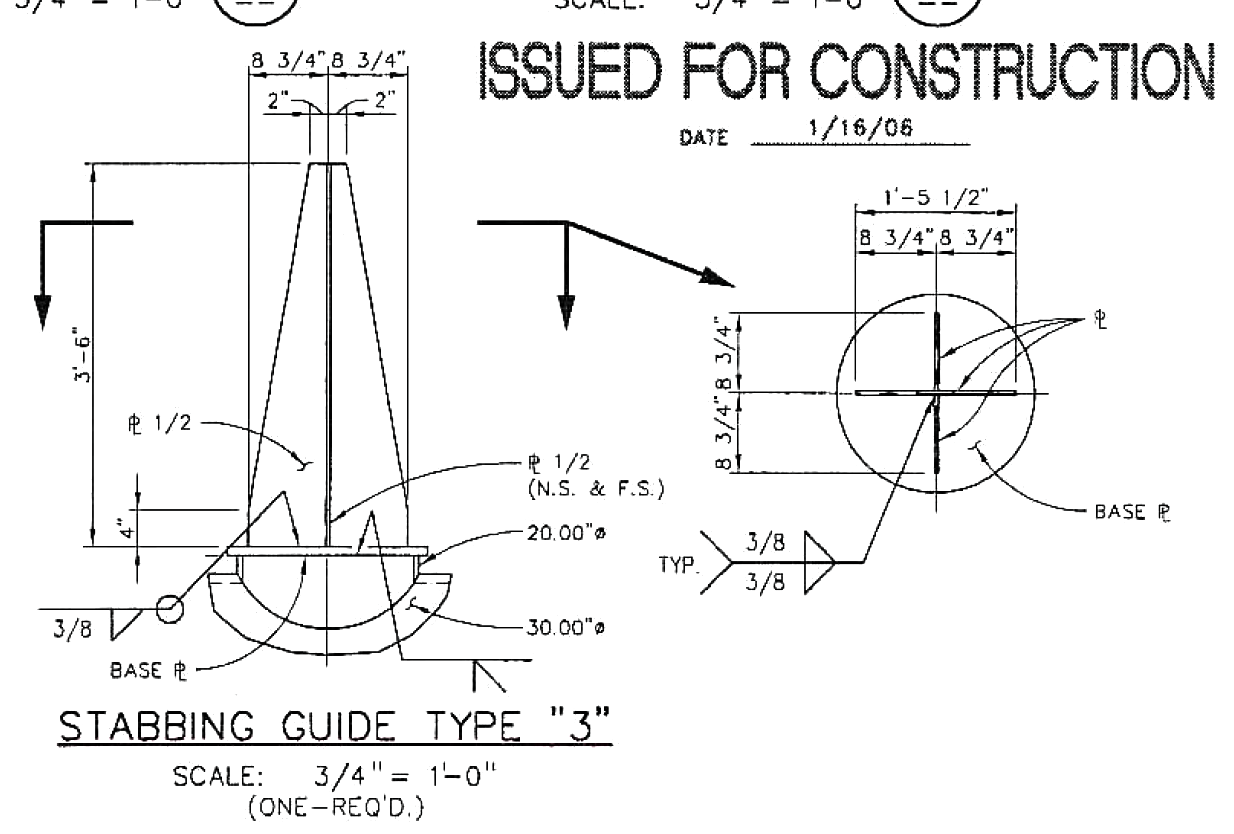
    He specifies steel plate and welding instructions:

    Stabbing_Guide_Type_3
    Stabbing_Guide_Type_3

    Stabbing guides for large modules may rise 25 feet above the deck plates…

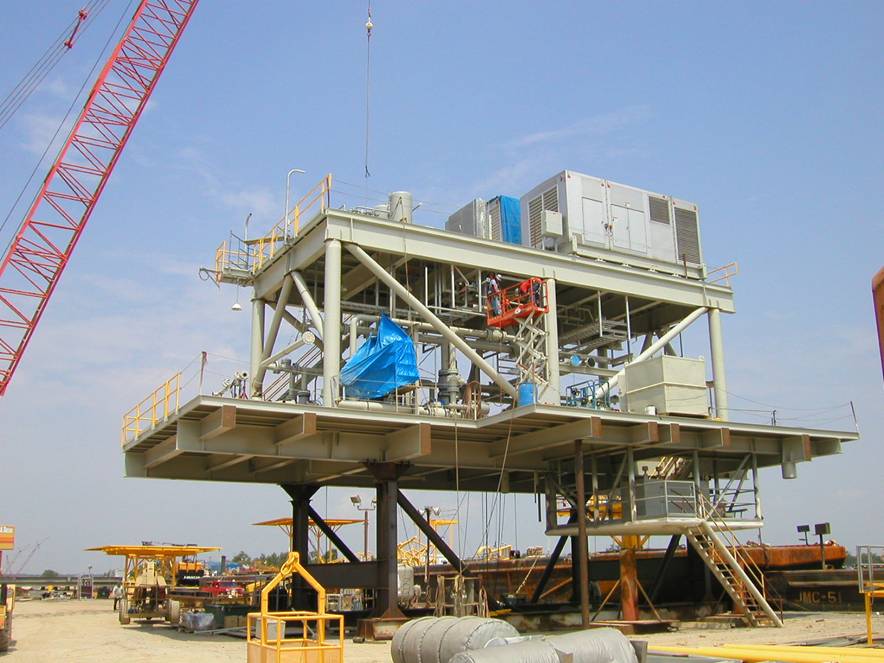
    After they install all the little bits on a “part” like this:

    Generator Module - during assembly
    Generator Module – during assembly

    It fits neatly atop the stabbing guides and gets welded to a somewhat larger structure:

    Generator Module - installed
    Generator Module – installed

    No sissy plastic for him!

    My puny pins don’t qualify as stabbing guides, but forgive me if I sneak the term in every now and then…

    Thanks, Tom!

  • Swept Claw Model

    Our Larval Engineer asked for help with an OpenSCAD model of a 3D printable claw that, she says, has nothing at all to do with the upcoming Night of Little Horrors. Not having had an excuse to fiddle with the new (and lightly documented) sweep() functions, I gnawed on the sweep-drop.scad example until this popped out:

    Swept Claw - solid model
    Swept Claw – solid model

    That might be too aggressively sloped up near the top, but it’s a start.

    The OpenSCAD source code:

    use <sweep.scad>
    use <scad-utils/transformations.scad>
    
    function shape() = [[0,-25],[0,25],[100,0]];
    
    function path(t) = [100*(1+sin(-90-t*90)), 0, (100 * t)];
    
    step = 0.01;
    
    path_transforms = [for (t=[0:step:1-step]) 
        translation(path(t)) * 
        scaling([0.5*(1-t) + 0.1,0.75*(1-t) + 0.1,1])];
        
    sweep(shape(), path_transforms);


    It’s perfectly manifold and slices just as you’d expect; you could affix it to a mounting bracket easily enough.

    Some notes on what’s going on…

    The t index determines all the other values as a function of the layer from the base at t=0 to the top at t=0.99.

    The shape() defines the overall triangular blade cross-section at the base; change the points / size to make it look like you want.

    The path() defines the XYZ translation of each slab that’s extruded from the shape() cross-section. I think the Z value sets the offset & thickness of each slab. The constant 100 in the X value interacts with the overall size of the shape(). The 90 values inside the sin() function set the phase & scale t so the claw bends the right way; that took some fiddling.

    The parameters in scaling() determine how the shape() shrinks along the path() as a function of the t parameter. The 0.1 Finagle Constants prevent the claw from tapering to a non-printable point at the tip. I think the Z value must be 1.000 to avoid weird non-manifold issues: the slabs must remain whatever thickness the sweep functions set them to be.

    It compiles & renders almost instantly: much faster than I expected from the demos.

    The folks who can (and do!) figure that kind of model (and the libraries behind it) from first principles have my undying admiration!

  • Sony HDR-AS30V Tripod Mount

    For reasons not relevant here, I need a tripod mount for the Sony AS-30V that’s not quite so constraining as Sony’s Official skeleton mount + right-angle tripod bracket:

    Sony HDR-AS30V - skeleton tripod mount
    Sony HDR-AS30V – skeleton tripod mount

    I must run a cable from the micro-HDMI port behind the hatch on the bottom of the camera to a display, but the Sony mount puts the hatch directly over the tripod platform and handle. Reversing the camera points it toward the handle, which then appears in the camera’s not-quite-fisheye view. Flipping the camera upside down sends the cable out the top, where it will put what I consider undue stress on the smallest high-density connector on any of my gadgets.

    This Thingiverse model by maxspongebob is called a “Windshield Mount“, but has approximately the right features:

    Sony HDR-AS30V holder - on tripod
    Sony HDR-AS30V holder – on tripod

    The weird T-shaped dingus adapts micro- and mini-HDMI sockets to an ordinary HDMI cable (HDMI connector Types D, C, and A, respectively), serving as a placeholder for the yet-to-arrive 15 foot (probably 4.5 meter) cable.

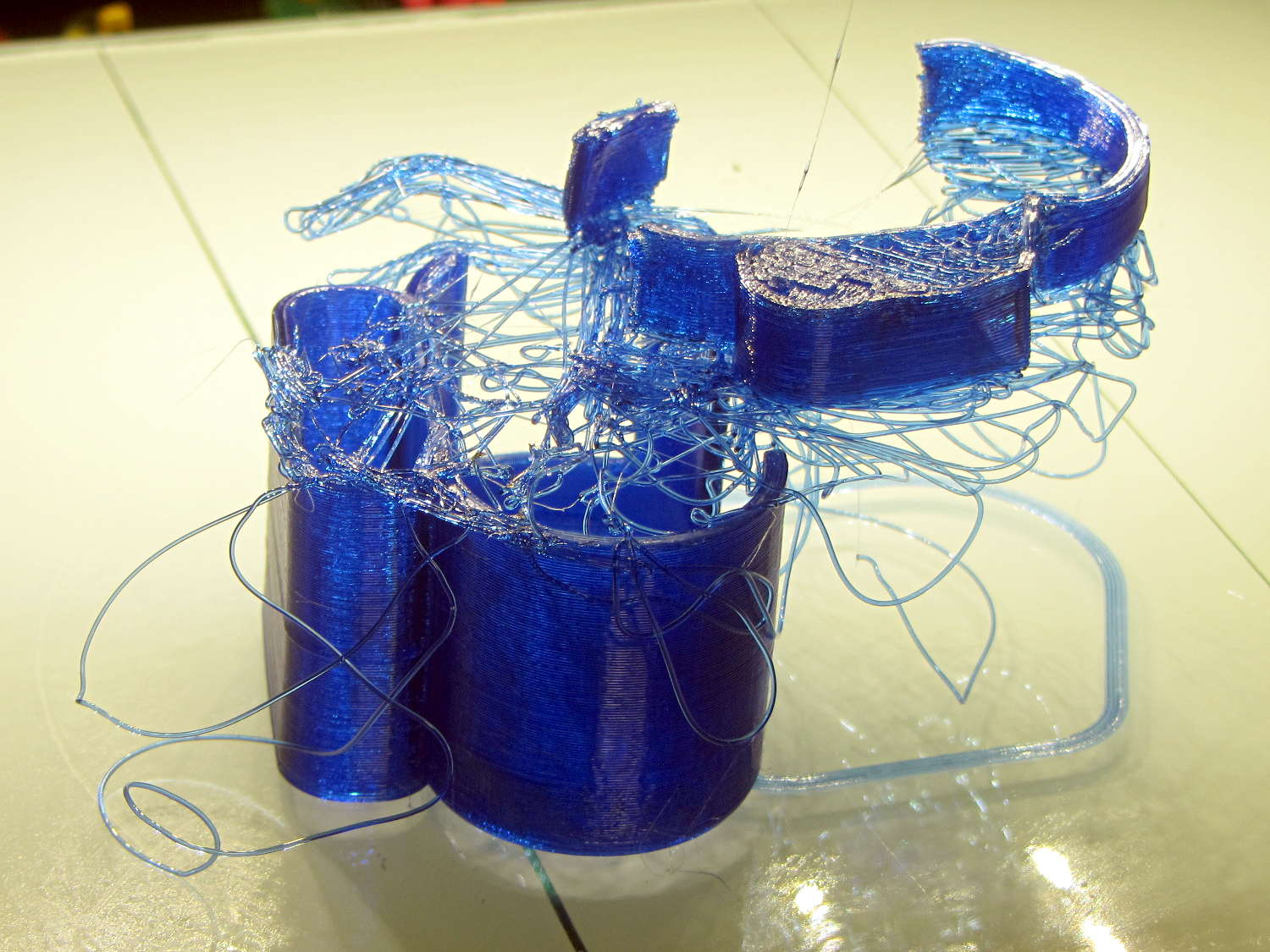
    The mount isn’t designed for easy 3D printing, as it includes thin walls with chamfered edges, close tolerances, and aggressive bridging in dimension-critical areas. The first attempt failed when the minimal footprint (you’re looking at it in the picture above) pulled off the platform when the nozzle hit the lower bridge in the battery compartment:

    Sony HDR-AS30V holder - failed print
    Sony HDR-AS30V holder – failed print

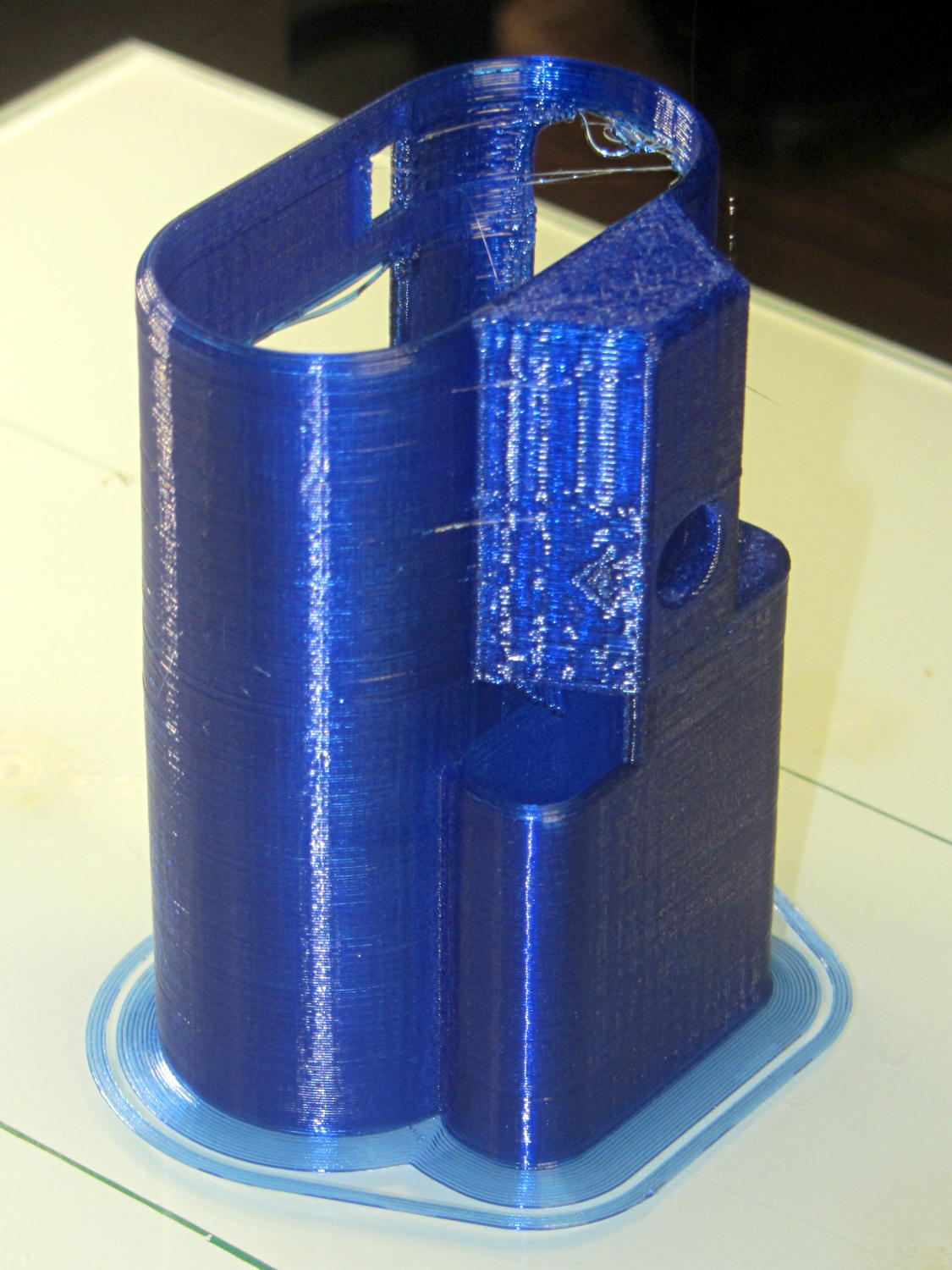
    Surrounding the first layer with a 5 mm brim provided enough traction to finish the whole thing:

    Sony HDR-AS30V holder - on platform
    Sony HDR-AS30V holder – on platform

    You can see some droopy threads across the openings; PETG bridges reasonably well, but the chamfers don’t provide good anchors. The opening for the camera hatch (on the far right rear) turned out slightly too short or, perhaps, the camera doesn’t seat quite far enough forward, which required some abrasive adjustment to accommodate the hatch.

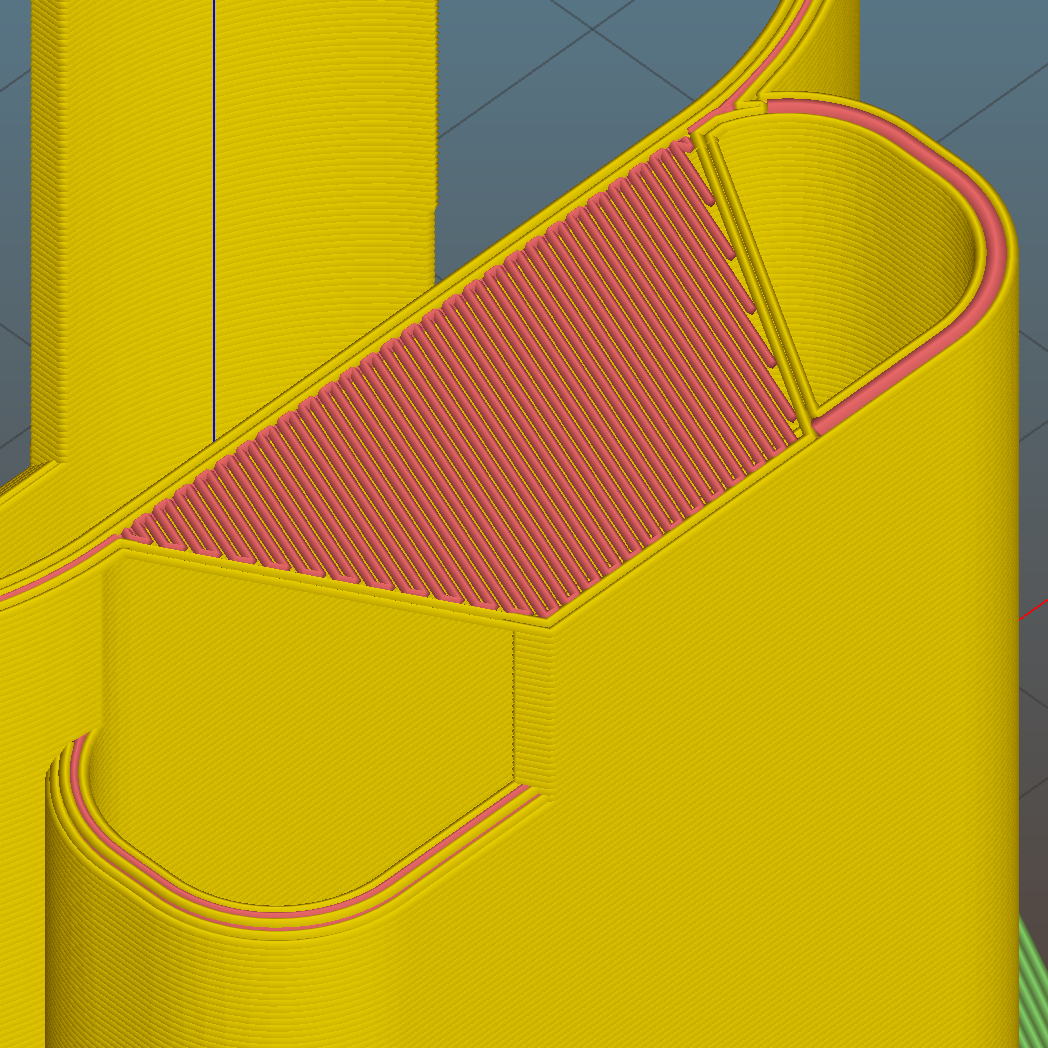
    For unknown reasons, the top end of the battery compartment has a trapezoidal bridge:

    Sony HDR-AS30V holder - trapezoidal bridge - Slic3r preview
    Sony HDR-AS30V holder – trapezoidal bridge – Slic3r preview

    Which simply cannot be printed:

    Sony HDR-AS30V holder - internal bridge failure
    Sony HDR-AS30V holder – internal bridge failure

    Cutting those threads out with an Xacto knife solved that problem.

    The mount attaches to the tripod with a 1/4-20 nut trapped behind the hole next to the battery compartment. I grabbed an ordinary steel nut in a long normally closed tweezers, heated it over a butane lighter flame, threaded it onto a bolt stuck through the hole, and pulled it securely into the trap with exactly zero drama.

    It has a very, very snug fit around the camera and battery that’s much better than a loose & floppy fit: there’s no positive retention latch.

    This will serve as a prototype to see if the whole project works. If so, I’ll lash something together in OpenSCAD that should print a bit better, even if it looks like my usual brackets…

  • Improved Gas Cartridge Fins

    A trio of N2O cartridges / capsules made their way into the Basement Laboratory and cried out to be fitted with fins:

    N2O Capsule Fins - installed
    N2O Capsule Fins – installed

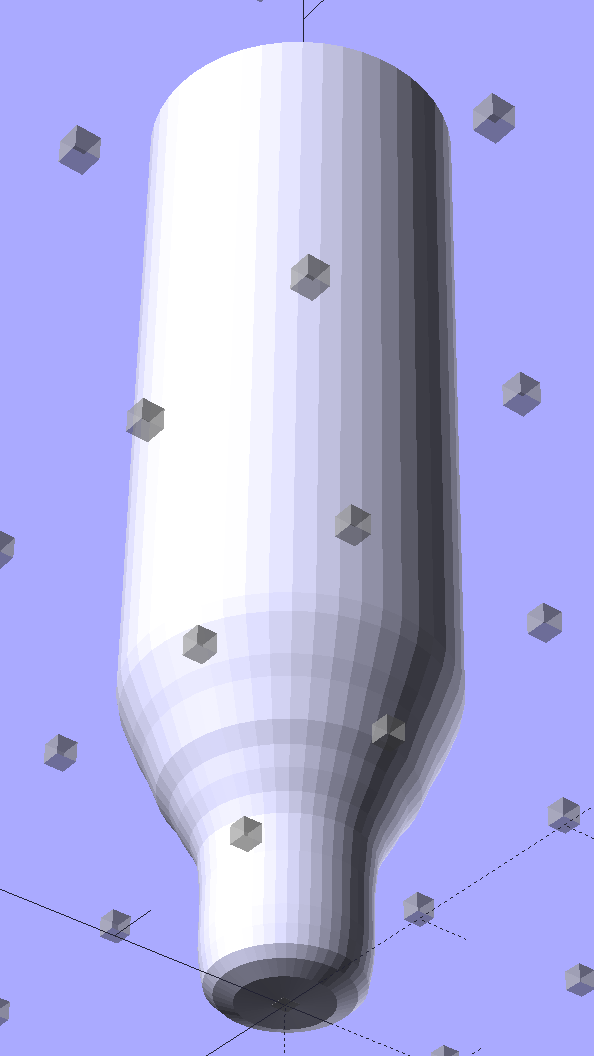
    My original model tinkered up a cartridge from solid object primitives, but I’ve since discovered that cheating produces a much better and faster and easier result for cylindrical objects:

    N2O Capsule - solid model - bottom view
    N2O Capsule – solid model – bottom view

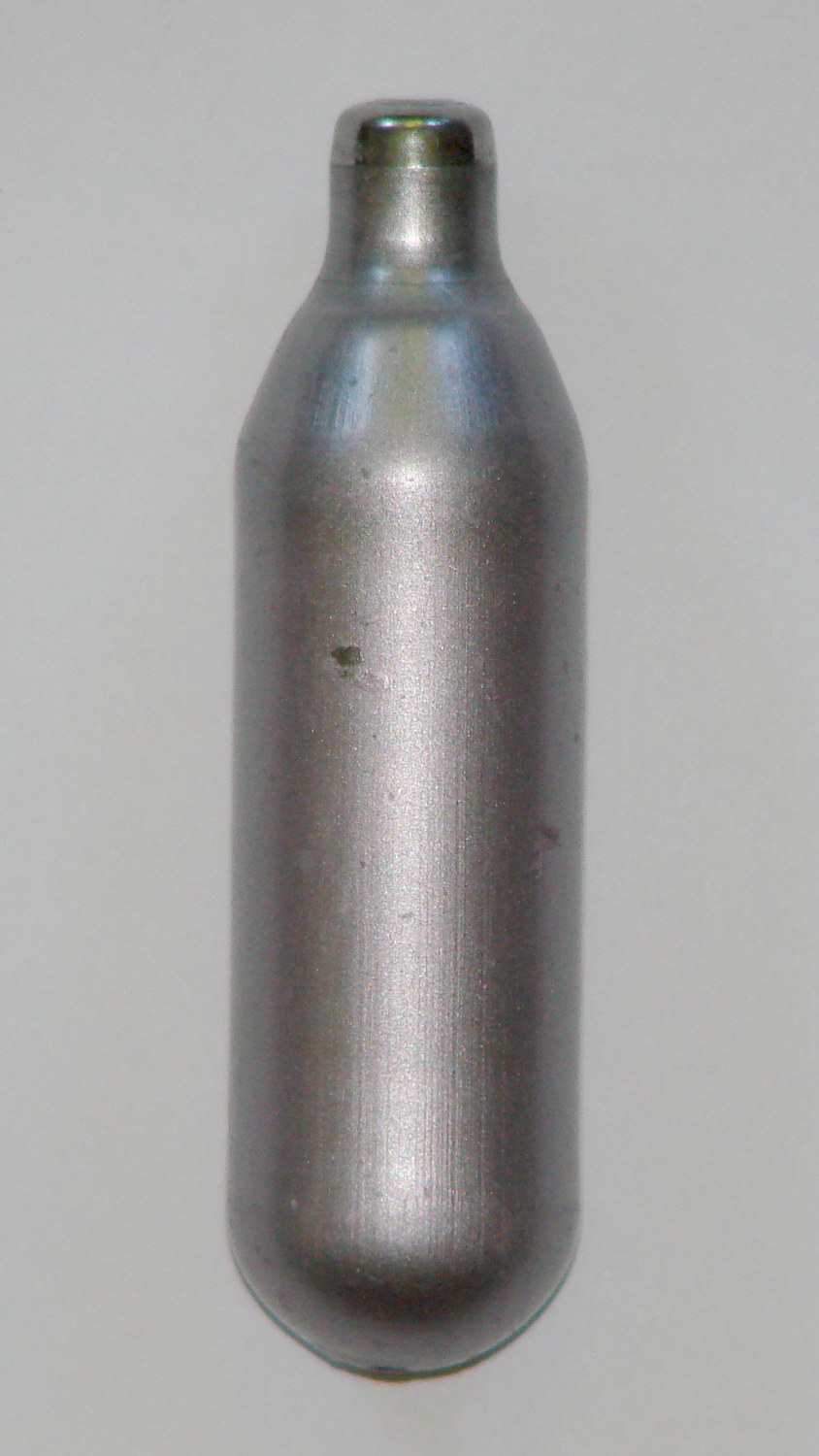
    The trick is getting an image of the original object from the side, taken from far enough away to flatten the perspective:

    N2O capsule - side view
    N2O capsule – side view

    Then overlay and scale a grid to match the actual length:

    N2O capsule - grid overlay
    N2O capsule – grid overlay

    The grid has 1 mm per minor square, centered along the cartridge’s axis, and zeroed at the tip; I rotated the cartridge image by half a degree to line it up with the grid.

    Print it out on actual paper so you can eyeball the measurements and write ’em where you need ’em:

    N2O capsule - grid overlay - printed
    N2O capsule – grid overlay – printed

    Which becomes an OpenSCAD polygon definition:

    RADIUS = 0;				// subscript for radius values
    HEIGHT = 1;				//   ... height above Z=0 at seal flange
    
    //-- N2O 8 g capsule
    
    CartridgeOutline = [			// X values = measured radius, Y as distance from tip
    	[0.0,0.0],					//  0 cartridge seal tip
    	[2.5,0.1],					//  1 seal disk
    	[3.5,0.5],[4.0,1.0],		//  2 tip end
    	[4.2,2.0],[4.3,3.0],		//  4 tip
    	[4.3,6.0],					//  6 chamfer
    	[4.5,8.0],					//  7 taper
    	[4.9,9.0],					//  8
    	[5.5,10.0],					//  9
    	[6.0,11.0],					// 10
    	[6.7,12.0],					// 11
    	[7.1,13.0],					// 12
    	[7.5,14.0],					// 13
    	[8.0,15.0],					// 14
    	[8.4,16.0],					// 15
    	[8.8,17.0],					// 16
    	[9.0,18.0],[9.0,58.0],		// 17 body
    	[0.0,65.0]					// 19 dummy end cone
    	];
    
    TipLength = CartridgeOutline[6][HEIGHT];
    TipOD = 2*CartridgeOutline[5][RADIUS];
    	
    BodyOD = 2*CartridgeOutline[17][RADIUS];
    BodyOAL = CartridgeOutline[19][HEIGHT];
    

    Because the rounded end of the cartridge doesn’t matter, I turned it into a cone.

    Twirl that around the Z axis and It Just Works:

    module Cartridge() {
    
     rotate_extrude($fn=CartridgeSides)
     polygon(points=CartridgeOutline);
    
    }
    

    Which then punches a matching dent in the fin structure:

    Gas Capsule Fins - Slic3r preview
    Gas Capsule Fins – Slic3r preview

    The lead picture doesn’t quite match the Slic3r preview, as I found the single-width diagonal fins weren’t strong enough. Making them two (nominal) threads wide lets Slic3r lay down three thinner threads in the same space:

    Gas Capsule Fins - thicker - Slic3r preview
    Gas Capsule Fins – thicker – Slic3r preview

    That’s letting Slic3r automagically determine the infill and perimeter thread width to make the answer come out right. As nearly as I can tell, the slicing algorithms have become smart enough to get the right answer nearly all of the time, so I can-and-should relinquish more control over the details.

    The OpenSCAD source code:

    // CO2 capsule tail fins
    // Ed Nisley KE4ZNU - October 2015
    
    Layout = "Build"; // Show Build FinBlock Cartridge Fit
    
    //-------
    //- Extrusion parameters must match reality!
    // Print with +0 shells and 3 solid layers
    
    ThreadThick = 0.25;
    ThreadWidth = 0.40;
    
    HoleWindage = 0.2;
    
    Protrusion = 0.1; // make holes end cleanly
    
    function IntegerMultiple(Size,Unit) = Unit * ceil(Size / Unit);
    
    //-------
    // Capsule dimensions
    
    CartridgeSides = 12*4; // number of sides
    
    RADIUS = 0; // subscript for radius values
    HEIGHT = 1; // ... height above Z=0 at seal flange
    
    //-- N2O 8 g capsule
    
    RW = HoleWindage/2; // enlarge radius by just enough
    
    CartridgeOutline = [ // X values = measured radius, Y as distance from tip
     [0.0,0.0], // 0 cartridge seal tip
     [2.5 + RW,0.1], // 1 seal disk
     [3.5 + RW,0.5],[4.0 + RW,1.0], // 2 tip end
     [4.2 + RW,2.0],[4.3 + RW,3.0], // 4 tip
     [4.3 + RW,6.0], // 6 chamfer
     [4.5 + RW,8.0], // 7 taper
     [4.9 + RW,9.0], // 8
     [5.5 + RW,10.0], // 9
     [6.0 + RW,11.0], // 10
     [6.7 + RW,12.0], // 11
     [7.1 + RW,13.0], // 12
     [7.5 + RW,14.0], // 13
     [8.0 + RW,15.0], // 14
     [8.4 + RW,16.0], // 15
     [8.8 + RW,17.0], // 16
     [9.0 + RW,18.0],[9.0 + RW,58.0], // 17 body
     [0.0,65.0] // 19 dummy end cone
     ];
    
    TipLength = CartridgeOutline[6][HEIGHT];
    TipOD = 2*CartridgeOutline[5][RADIUS];
    
    CylinderBase = CartridgeOutline[17][HEIGHT];
    
    BodyOD = 2*CartridgeOutline[17][RADIUS];
    BodyOAL = CartridgeOutline[19][HEIGHT];
    
    //-------
    // Fin dimensions
    
    FinThick = 1.5*ThreadWidth; // outer square
    StrutThick = 2.0*ThreadWidth; // diagonal struts
    
    FinSquare = 1.25*BodyOD;
    FinTaperLength = sqrt(2)*FinSquare/2 - sqrt(2)*FinThick - ThreadWidth;
    
    FinBaseLength = 0.7 * CylinderBase;
    FinTop = 0.9*CylinderBase;
    
    //-------
    
    module PolyCyl(Dia,Height,ForceSides=0) { // based on nophead's polyholes
    
     Sides = (ForceSides != 0) ? ForceSides : (ceil(Dia) + 2);
    
     FixDia = Dia / cos(180/Sides);
    
     cylinder(r=(FixDia + HoleWindage)/2,h=Height,$fn=Sides);
    }
    
    module ShowPegGrid(Space = 10.0,Size = 1.0) {
    
     Range = floor(50 / Space);
    
     for (x=[-Range:Range])
     for (y=[-Range:Range])
     translate([x*Space,y*Space,Size/2])
     %cube(Size,center=true);
    
    }
    
    //-------
    // CO2 cartridge outline
    
    module Cartridge() {
    
     rotate_extrude($fn=CartridgeSides)
     polygon(points=CartridgeOutline);
    
    }
    
    //-------
    // Diagonal fin strut
    
    module FinStrut() {
     intersection() {
     rotate([90,0,45])
     translate([0,0,-StrutThick/2])
     linear_extrude(height=StrutThick)
     polygon(points=[
     [0,0],
     [FinTaperLength,0],
     [FinTaperLength,FinBaseLength],
     [0,(FinBaseLength + FinTaperLength)]
     ]);
     translate([0,0,FinTop/2])
     cube([2*FinSquare,2*FinSquare,FinTop], center=true);
     }
    }
    
    //-------
    // Fin outline
    
    module FinBlock() {
     
    $fn=12;
     render(convexity = 4)
     union() {
     translate([0,0,FinBaseLength/2])
     difference() {
     intersection() {
     minkowski() {
     cube([FinSquare - 2*ThreadWidth,
     FinSquare - 2*ThreadWidth,
     FinBaseLength],center=true);
     cylinder(r=FinThick,h=Protrusion,$fn=8);
     }
     cube([2*FinSquare,2*FinSquare,FinBaseLength],center=true);
     }
     difference() {
     cube([(FinSquare - 2*FinThick),
     (FinSquare - 2*FinThick),
     (FinBaseLength + 2*Protrusion)],center=true);
     for (Index = [0:3])
     rotate(Index*90)
     translate([(FinSquare/2 - FinThick),(FinSquare/2 - FinThick),0])
     cylinder(r=2*StrutThick,h=(FinBaseLength + 2*Protrusion),center=true,$fn=16);
     }
     }
     
     for (Index = [0:3])
     rotate(Index*90)
     FinStrut();
     
     rotate(180/12)
     cylinder(d=IntegerMultiple(TipOD + 6*ThreadWidth,ThreadWidth),h=TipLength);
     }
    }
    
    //-------
    // Fins
    
    module FinAssembly() {
    
     difference() {
     FinBlock();
     translate([0,0,2*ThreadThick]) // add two layers to close base cylinder
     Cartridge();
     }
    
    }
    
    module FinFit() {
    
     translate([0,0.75*BodyBaseLength,2*ThreadThick])
     rotate([90,0,0])
     difference() {
     translate([-FinSquare/2,-2*ThreadThick,0])
     cube([IntegerMultiple(FinSquare,ThreadWidth),
     4*ThreadThick,
     1.5*BodyBaseLength]);
     translate([0,0,5*ThreadWidth])
     Cartridge();
     }
    
    
    }
    
    //-------
    // Build it!
    
    ShowPegGrid();
    
    if (Layout == "FinStrut")
     FinStrut();
    
    if (Layout == "FinBlock")
     FinBlock();
    
    if (Layout == "Cartridge")
     Cartridge();
    
    if (Layout == "Show") {
     FinAssembly();
     color("LightYellow") Cartridge();
    }
    
    if (Layout == "Fit")
     FinFit();
    
    if (Layout == "Build")
     FinAssembly();
    
  • Victoreen 710-104 Ionization Chamber: Improved Circuit Board Holder

    The alignment pin holes between the ionization can lid and the board supports:

    Victoreen 710-104 Ionization Chamber Fittings - Alignment pin detail
    Victoreen 710-104 Ionization Chamber Fittings – Alignment pin detail

    … turned out to be a bit shorter than they should be, so I changed two lines of code and ran off another set:

    Electrometer amp - chamber cap - on platform
    Electrometer amp – chamber cap – on platform

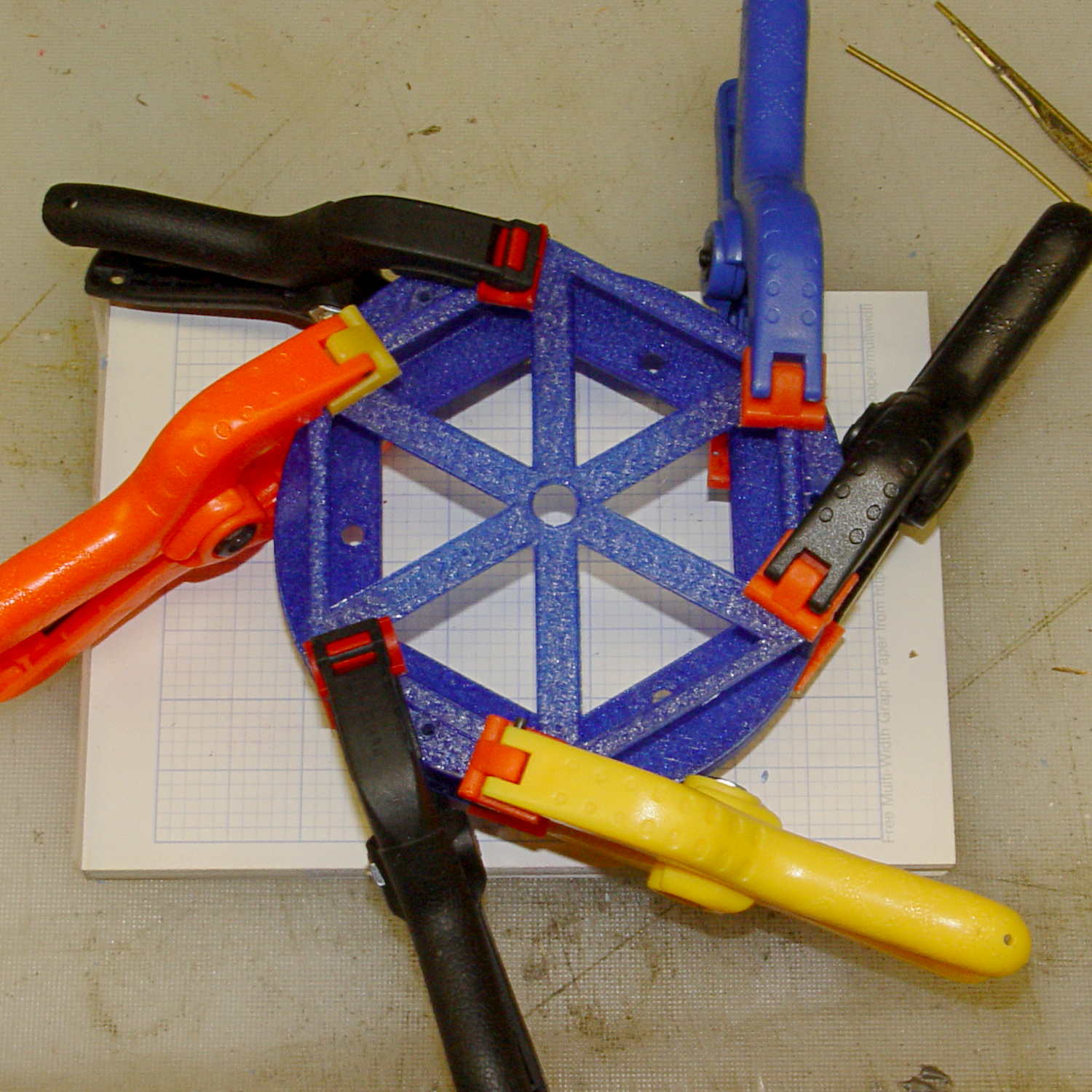
    Which glued together perfectly, albeit with Too Many Clamps:

    Electrometer amp - chamber cap - gluing
    Electrometer amp – chamber cap – gluing

    The (minutely revised) OpenSCAD source code:

    // Victoreen 710-104 Ionization Chamber Fittings
    // Ed Nisley KE4ZNU August 2015
    
    Layout = "Show";
    					// Show - assembled parts
    					// Build - print can parts + shield
    					// BuildShield - print just the shield
    					// BuildHolder - print just the can cap & PCB base
    					// CanCap - PCB insulator for 6-32 mounting studs
    					// CanBase - surrounding foot for ionization chamber
    					// CanRim - generic surround for either end of chamber
    					// PCB - template for cutting PCB sheet
    					// PCBBase - holder for PCB atop CanCap
    					// Shield - electrostatic shield shell
    
    //- Extrusion parameters must match reality!
    //  Print with 2 shells and 3 solid layers
    
    ThreadThick = 0.25;
    ThreadWidth = 0.40;
    
    HoleWindage = 0.2;
    
    Protrusion = 0.1;			// make holes end cleanly
    
    AlignPinOD = 1.75;			// assembly alignment pins = filament dia
    
    inch = 25.4;
    
    function IntegerMultiple(Size,Unit) = Unit * ceil(Size / Unit);
    
    //- Screw sizes
    
    Tap4_40 = 0.089 * inch;
    Clear4_40 = 0.110 * inch;
    Head4_40 = 0.211 * inch;
    Head4_40Thick = 0.065 * inch;
    Nut4_40Dia = 0.228 * inch;
    Nut4_40Thick = 0.086 * inch;
    Washer4_40OD = 0.270 * inch;
    Washer4_40ID = 0.123 * inch;
    
    
    //----------------------
    // Dimensions
    
    OD = 0;											// name the subscripts
    LENGTH = 1;
    
    Chamber = [91.0,38];							// Victoreen ionization chamber dimensions
    
    Stud = [										// stud welded to ionization chamber lid
    	[6.5,IntegerMultiple(0.8,ThreadThick)],		// flat head -- generous clearance
    	[4.0,9.5],									// 6-32 screw -- ditto
    ];
    NumStuds = 3;									// this really isn't much of a variable...
    StudAngle = 360/NumStuds;
    StudSides = 6;									// for hole around stud
    
    BCD = 2.75 * inch;								// mounting stud bolt circle diameter
    
    PlateThick = 2.0;								// minimum layer atop and below chamber ends
    RimHeight = 4.0;								// extending along chamber perimeter
    WallHeight = RimHeight + PlateThick;
    WallThick = 3.0;								// thick enough to be sturdy & printable
    CapSides = 8*6;									// must be multiple of 4 & 3 to make symmetries work out right
    
    RimOD = Chamber[OD] + 2*WallThick;
    
    echo(str("Rim OD: ",RimOD));
    
    //PCBFlatsOD = 82.0;							// desired hex dia flat-to-flat
    PCBFlatsOD = floor(RimOD*cos(30)) - 2.0;		//  .. maximum possible
    //PCBFlatsOD = floor(Chamber[OD]*cos(30)) - 2.0;	//  .. chamber fitting
    PCBClearance = ThreadWidth;						// clearance beyond each flat for mounting
    
    PCBThick = 1.1;
    PCBActual = [PCBFlatsOD/cos(30),PCBThick];		// OD = tip-to-tip
    PCBCutter = [(PCBFlatsOD + 2*PCBClearance)/cos(30),PCBThick - ThreadThick];		// OD = tip-to-tip dia + clearance
    
    PCBSize = str(PCBFlatsOD, " mm");
    echo(str("Actual PCB across flats: ",PCBFlatsOD));
    echo(str(" ... tip-to-tip dia: ",PCBActual[OD]));
    echo(str(" ... thickness: ",PCBActual[LENGTH]));
    
    HolderHeight = 13.0 + PCBCutter[LENGTH];		// thick enough for PCB to clear studs + batteries
    HolderShelf = 2.0;								// shelf under PCB edge
    HolderTrim = 5.0;								// remove end of holder to clear PCB edge solder blobs
    echo(str("Holder trim distance: ",HolderTrim));
    HolderTrimAngle = StudAngle/2 - 2*atan(HolderTrim*cos(StudAngle/2)/(PCBActual[OD]/2));	// atan is close for small angles
    echo(str(" ... angle: ",HolderTrimAngle));
    
    PinAngle = 15;									// alignment pin angle on either side of holder screw
    
    echo(str("PCB holder across flats: ",PCBCutter[OD]*cos(30)));
    echo(str(" ... height: ",HolderHeight));
    
    ShieldInset = 0.5;								// shield inset from actual PCB flat
    ShieldWall = 2.0;								// wall thickness
    ShieldLid = 6*ThreadThick;						// top thickness (avoid one infill layer)
    Shield = [(PCBFlatsOD - 2*ShieldInset)/ cos(30),40.0];		// electrostatic shield shell dimensions
    
    TextSize = 4;
    TextCharSpace = 1.05;
    TextLineSpace = TextSize + 2;
    TextDepth = 1*ThreadThick;
    
    //----------------------
    // Useful routines
    
    module PolyCyl(Dia,Height,ForceSides=0) {			// based on nophead's polyholes
    
      Sides = (ForceSides != 0) ? ForceSides : (ceil(Dia) + 2);
    
      FixDia = Dia / cos(180/Sides);
    
      cylinder(r=(FixDia + HoleWindage)/2,
    			h=Height,
    		$fn=Sides);
    }
    
    //- Locating pin hole with glue recess
    //  Default length is two pin diameters on each side of the split
    
    module LocatingPin(Dia=AlignPinOD,Len=0.0) {
    	
    	PinLen = (Len != 0.0) ? Len : (4*Dia);
    	
    	translate([0,0,-ThreadThick])
    		PolyCyl((Dia + 2*ThreadWidth),2*ThreadThick,4);
    
    	translate([0,0,-2*ThreadThick])
    		PolyCyl((Dia + 1*ThreadWidth),4*ThreadThick,4);
    		
    	translate([0,0,-Len/2])
    		PolyCyl(Dia,Len,4);
    
    }
    
    module ShowPegGrid(Space = 10.0,Size = 1.0) {
    
      RangeX = floor(100 / Space);
      RangeY = floor(125 / Space);
      
    	for (x=[-RangeX:RangeX])
    		for (y=[-RangeY:RangeY])
    		translate([x*Space,y*Space,Size/2])
    			%cube(Size,center=true);
    }
    
    //-----
    
    module CanRim(BaseThick) {
    	
    	difference() {
    		cylinder(d=Chamber[OD] + 2*WallThick,h=(WallHeight + BaseThick),$fn=CapSides);
    		translate([0,0,BaseThick])
    			PolyCyl(Chamber[OD],Chamber[LENGTH],CapSides);
    	}
    	
    }
    
    module CanCap() {
    	
    	difference() {
    		CanRim(PlateThick + Stud[0][LENGTH]);
    		
    		translate([0,0,-Protrusion])											// central cutout
    			rotate(180/6)
    				cylinder(d=BCD,h=Chamber[LENGTH],$fn=6);						//  ... reasonable size
    			
    		for (i=[0:(NumStuds - 1)])												// stud clearance holes
    			rotate(i*StudAngle)
    				translate([BCD/2,0,0])
    					rotate(180/StudSides) {
    						translate([0,0,PlateThick])
    							PolyCyl(Stud[0][OD],Chamber[LENGTH],StudSides);
    						translate([0,0,-Protrusion])
    							PolyCyl(Stud[1][OD],Chamber[LENGTH],StudSides);
    					}
    					
    		for (i=[0:(NumStuds - 1)], j=[-1,1])									// PCB holder alignment pins
    			rotate(i*StudAngle + j*PinAngle + 60)
    				translate([Chamber[OD]/2,0,0])
    					rotate(180/4 - j*PinAngle)
    						LocatingPin(Len=2*(PlateThick + Stud[0][LENGTH]) - 4*ThreadThick);
    						
    		translate([-(BCD/2),0,-Protrusion])
    			rotate(90) mirror() 
    				linear_extrude(height=(ThreadThick + Protrusion))
    				text(PCBSize,size=6,font="Liberation Mono:style=bold",halign="center",valign="center");
    	}
    
    }
    
    module CanBase() {
    	
    	difference() {
    		CanRim(PlateThick);
    		translate([0,0,-Protrusion])
    			PolyCyl(Chamber[OD] - 2*RimHeight,Chamber[LENGTH],CapSides);
    	}
    }
    
    module PCBTemplate() {
    	
    	CutLen = 10*PCBActual[LENGTH];
    	
    	difference() {
    		cylinder(d=PCBActual[OD],h=PCBActual[LENGTH],$fn=6);		// actual PCB size
    		translate([0,0,-Protrusion])
    			cylinder(d=8,h=CutLen,$fn=12);
    		if (true)
    			for (i=[0:5])											// empirical cutouts
    				rotate(i*60 + 30)
    					translate([PCBFlatsOD/3,0,-Protrusion])
    						rotate(60)
    							cylinder(d=0.43*PCBActual[OD],h=CutLen,$fn=3);
    							
    		translate([PCBActual[OD]/4,0,(PCBActual[LENGTH] - ThreadThick)])
    			linear_extrude(height=(ThreadThick + Protrusion),convexity=1)
    			text(PCBSize,size=4,font="Liberation Mono:style=bold",halign="center",valign="center");
    							
    	}
    }
    
    module PCBBase() {
    
    	intersection() {
    		difference() {
    			cylinder(d=Chamber[OD] + 2*WallThick,h=HolderHeight,$fn=CapSides);		// outer rim
    			
    			rotate(30) {
    				translate([0,0,-Protrusion])										// central hex
    					cylinder(d=(PCBActual[OD] - HolderShelf/cos(30) - HolderShelf/cos(30)),h=2*HolderHeight,$fn=6);
    					
    				translate([0,0,HolderHeight - PCBCutter[LENGTH]])					// hex PCB recess
    					cylinder(d=PCBCutter[OD],h=HolderHeight,$fn=6);
    					
    				for (i=[0:NumStuds - 1])											// PCB retaining screws
    					rotate(i*StudAngle + 180/(2*NumStuds))
    						translate([(PCBCutter[OD]*cos(30)/2 + Clear4_40/2 + ThreadWidth),0,-Protrusion])
    							rotate(180/6)
    								PolyCyl(Tap4_40,2*HolderHeight,6);
    								
    				for (i=[0:(NumStuds - 1)], j=[-1,1])								// PCB holder alignment pins
    					rotate(i*StudAngle + j*PinAngle + 180/(2*NumStuds))
    						translate([Chamber[OD]/2,0,0])
    							rotate(180/4 - j*PinAngle)
    								LocatingPin(Len=2*(HolderHeight - 4*ThreadThick));
    			}
    			
    			if (false)
    			for (i=[0:NumStuds - 1])
    				rotate(i*StudAngle - StudAngle/2)							// segment isolation - hex sides
    					translate([0,0,-Protrusion]) {
    						linear_extrude(height=2*HolderHeight)
    							polygon([[0,0],[Chamber[OD],0],[Chamber[OD]*cos(180/NumStuds),Chamber[OD]*sin(180/NumStuds)]]);
    					}
    					
    			translate([-(PCBFlatsOD/2 + PCBClearance - HolderShelf),0,HolderHeight/2])
    				rotate([0,90,0]) rotate(90)
    					linear_extrude(height=(ThreadWidth + Protrusion))
    					text(PCBSize,size=6,font="Liberation Mono:style=bold",halign="center",valign="center");
    					
    		}
    		
    		for (i=[0:NumStuds - 1])
    			rotate(i*StudAngle + StudAngle/2 - HolderTrimAngle/2)								// trim holder ends
    				translate([0,0,-Protrusion]) {
    					linear_extrude(height=2*HolderHeight)
    						polygon([[0,0],[Chamber[OD],0],[Chamber[OD]*cos(HolderTrimAngle),Chamber[OD]*sin(HolderTrimAngle)]]);
    				}
    			
    	}
    }
    
    //-- Electrostatic shield
    //		the cutouts are completely ad-hoc
    
    module ShieldShell() {
    	
    CutHeight = 7.0;
    	
    	difference() {
    		cylinder(d=Shield[OD],h=Shield[LENGTH],$fn=6);							// exterior shape
    		
    		translate([0,0,-ShieldLid])												// interior
    			cylinder(d=(Shield[OD] - 2*ShieldWall/cos(30)),h=Shield[LENGTH],$fn=6);
    
    		translate([0,0,Shield[LENGTH] - TextDepth])
    		rotate(180) {
    			translate([0,0.3*Shield[OD] - 0*TextLineSpace,0])
    				linear_extrude(height=(TextDepth + Protrusion))
    					text("Gamma",size=TextSize,spacing=TextCharSpace,font="Liberation:style=bold",halign="center",valign="center");
    			translate([0,0.3*Shield[OD] - 1*TextLineSpace,0])
    				linear_extrude(height=(TextDepth + Protrusion))
    					text("Ionization",size=TextSize,spacing=TextCharSpace,font="Liberation:style=bold",halign="center",valign="center");
    			translate([0,0.3*Shield[OD] - 2*TextLineSpace,0])
    				linear_extrude(height=(TextDepth + Protrusion))
    					text("Amplifier",size=TextSize,spacing=TextCharSpace,font="Liberation:style=bold",halign="center",valign="center");
    			translate([0,-0.3*Shield[OD] + 1*TextLineSpace,0])
    				linear_extrude(height=(TextDepth + Protrusion))
    					text("KE4ZNU",size=TextSize,spacing=TextCharSpace,font="Liberation:style=bold",halign="center",valign="center");
    			translate([0,-0.3*Shield[OD] + 0*TextLineSpace,0])
    				linear_extrude(height=(TextDepth + Protrusion))
    					text("2015-08",size=TextSize,spacing=TextCharSpace,font="Liberation:style=bold",halign="center",valign="center");
    		}
    			
    		translate([Shield[OD]/4 - 20/2,Shield[OD]/2,(CutHeight - Protrusion)/2])	// switch
    			rotate(90)
    				cube([Shield[OD],20,CutHeight + Protrusion],center=true);
    
    		if (false)
    		translate([-Shield[OD]/4 + 5/2,Shield[OD]/2,(CutHeight - Protrusion)/2])	// front
    			rotate(90)
    				cube([Shield[OD],5,CutHeight + Protrusion],center=true);
    
    		translate([-Shield[OD]/2,0,(CutHeight - Protrusion)/2])						// right side
    				cube([Shield[OD],7,CutHeight + Protrusion],center=true);
    
    		translate([0,(Shield[OD]*cos(30)/2 - ThreadWidth),0.75*Shield[LENGTH]])
    			rotate([90,0,180]) rotate(00)
    				linear_extrude(height=(ThreadWidth + Protrusion))
    				text(PCBSize,size=5,font="Liberation Mono:style=bold",halign="center",valign="center");
    	}
    	
    }
    
    //----------------------
    // Build it
    
    ShowPegGrid();
    
    if (Layout == "CanRim") {
    	CanRim();
    }
    
    if (Layout == "CanCap") {
    	CanCap();
    }
    
    if (Layout == "CanBase") {
    	CanBase();
    }
    
    if (Layout == "PCBBase") {
    	PCBBase();
    }
    
    if (Layout == "PCB") {
    	PCBTemplate();
    }
    
    if (Layout == "Shield") {
    	ShieldShell();
    }
    
    if (Layout == "Show") {
    	CanBase();
    	color("Orange",0.5)
    		translate([0,0,PlateThick + Protrusion])
    			cylinder(d=Chamber[OD],h=Chamber[LENGTH],$fn=CapSides);
    	translate([0,0,(2*PlateThick + Chamber[LENGTH] + 2*Protrusion)])
    		rotate([180,0,0])
    			CanCap();
    	translate([0,0,(2*PlateThick + Chamber[LENGTH] + 5.0)])
    		PCBBase();
    	color("Green",0.5)
    		translate([0,0,(2*PlateThick + Chamber[LENGTH] + 7.0 + HolderHeight)])
    			rotate(30)
    				PCBTemplate();
    	translate([0,0,(2*PlateThick + Chamber[LENGTH] + 15.0 + HolderHeight)])
    		rotate(-30)
    			ShieldShell();}
    
    if (Layout == "Build") {
    	
    	translate([-0.50*Chamber[OD],-0.60*Chamber[OD],0])
    		CanCap();
    		
    	if (false)
    		translate([0.55*Chamber[OD],-0.60*Chamber[OD],0])
    			rotate(30)
    				translate([0,0,Shield[LENGTH]])
    					rotate([0,180,0])
    						ShieldShell();
    	if (true)
    		translate([0.55*Chamber[OD],-0.60*Chamber[OD],0])
    			rotate(30)
    				PCBTemplate();
    
    	if (true)
    		translate([-0.25*Chamber[OD],0.60*Chamber[OD],0])
    			CanBase();
    		translate([0.25*Chamber[OD],0.60*Chamber[OD],0])
    			PCBBase();
    }
    
    if (Layout == "BuildHolder") {
    	translate([-0.25*Chamber[OD],0,0])
    		CanCap();
    	translate([0.25*Chamber[OD],0,0])
    		PCBBase();
    }
    
    if (Layout == "BuildShield") {
    	
    	translate([0,0,Shield[LENGTH]])
    		rotate([0,180,0])
    				ShieldShell();
    		
    
    }
    

    Yeah, a Github repo would be nice, but the overhead for one-off models just isn’t worthwhile.

  • Makergear M2: Platform Stability

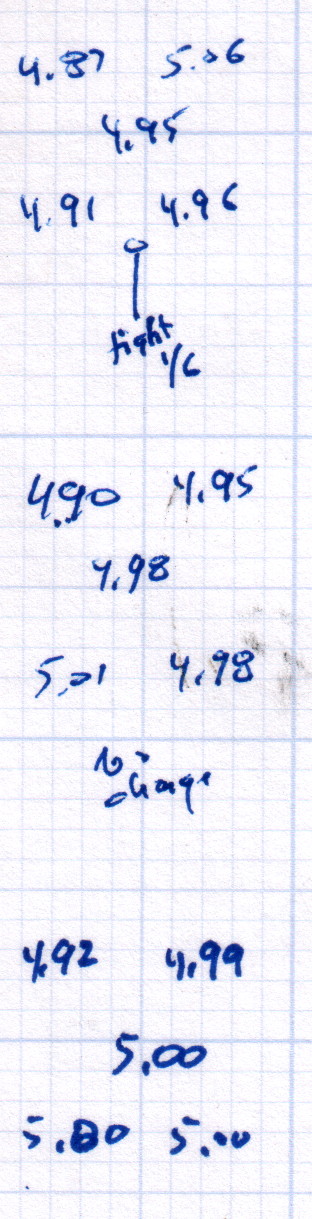
    After replacing that washer, the last step in the platform alignment required 1/6 turn on the front screw between the top two sets of measurements:

    M2 Alignment measurements - 2015-08-09 - 2
    M2 Alignment measurements – 2015-08-09 – 2

    The last two sets show the sample-to-sample variation with no adjustments, which didn’t amount to much.

    Without changing anything else, I then switched from magenta PETG filament to cyan and ran off two more sets of thinwall hollow boxes (in addition to other doodads) over the next two days:

    M2 Alignment measurements - 2015-08-10
    M2 Alignment measurements – 2015-08-10

    A bit less than a month later, after producing several iterations of unrelated doodads:

    M2 Alignment measurements - 2015-09-07
    M2 Alignment measurements – 2015-09-07

    The variation in the center box height from 4.94 mm to 5.00 mm shows that sensing the platform Z-axis position directly on the glass surface actually works the way it should: ±0.03 mm is as good as it gets. Given that my measurement error / eyeballometric averaging on any given box runs around ±0.02 mm, the far corners also seem rock-stable and certainly don’t justify automatic alignment probing and adjustment.

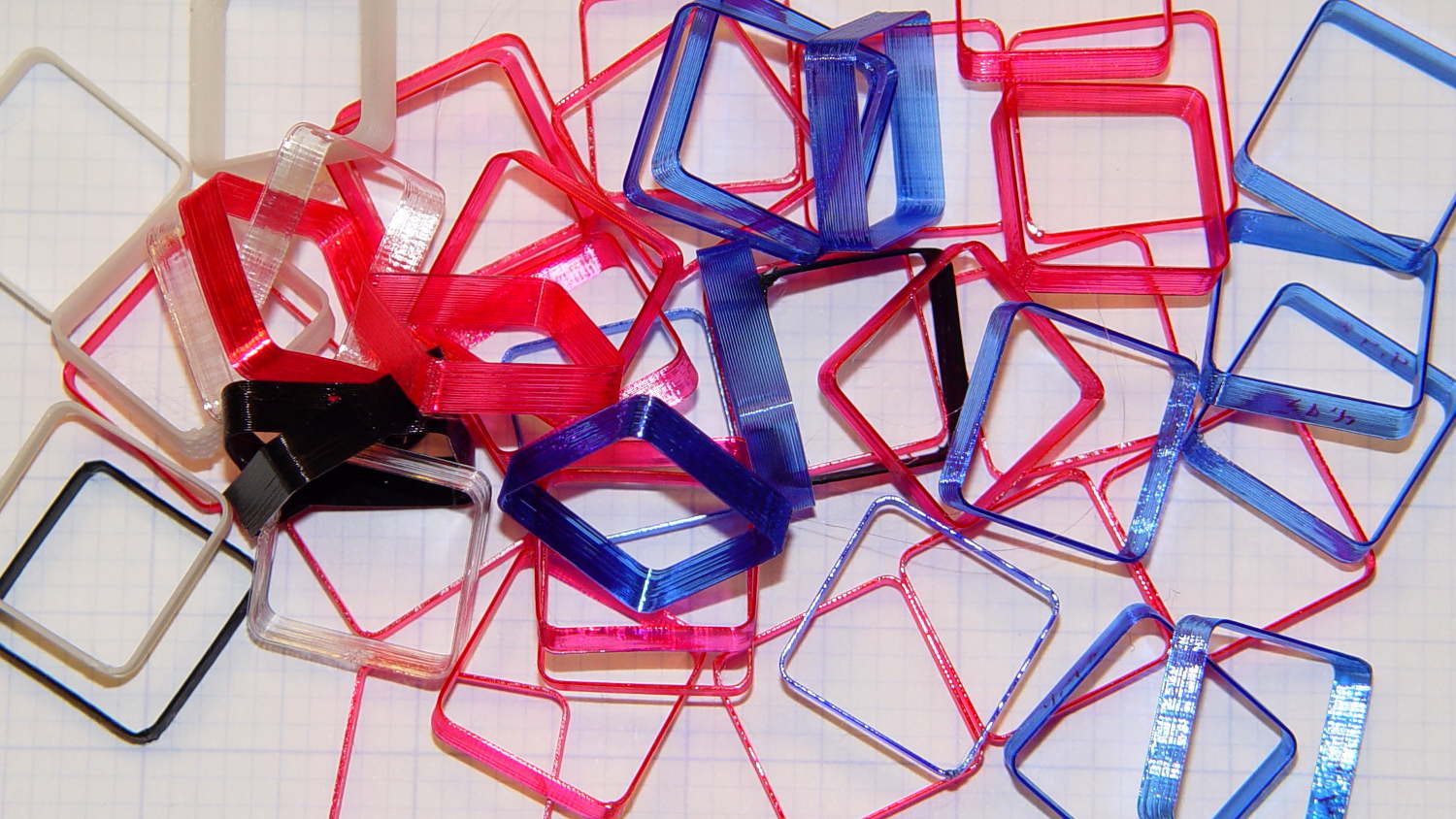
    Thinwall hollow boxes make good handouts at 3D printing presentations…
    Thinwall Hollow Box collection
    Thinwall Hollow Box collection