The Smell of Molten Projects in the Morning

Ed Nisley's Blog: Shop notes, electronics, firmware, machinery, 3D printing, laser cuttery, and curiosities. Contents: 100% human thinking, 0% AI slop.

Tag: M2

Using and tweaking a Makergear M2 3D printer

  • Vacuum Tube LEDs: Aligning the Plate Cap Leads

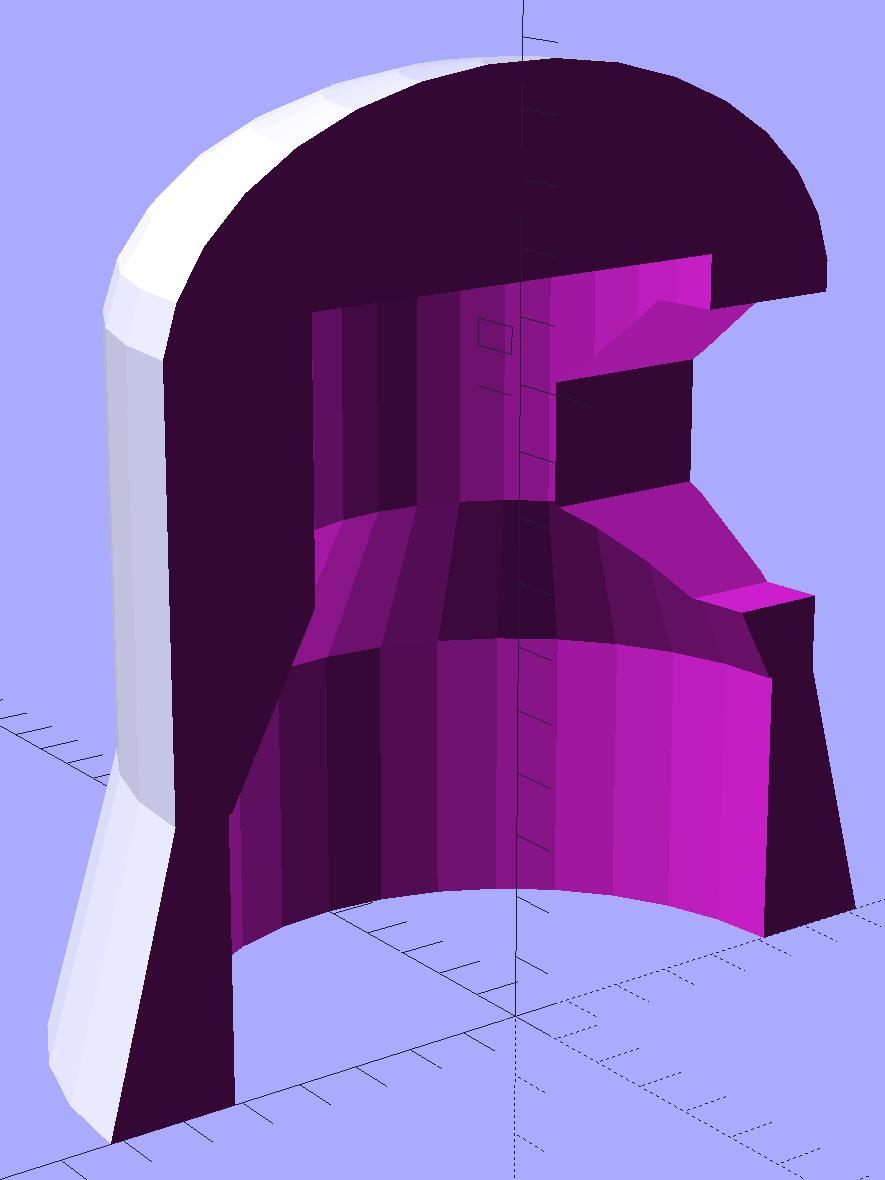
    The original plate cap, even without fins, seemed entirely too large for the 21HB5A tube.  There’s not much wasted space inside and, after trimming the outside a bit, this is about as small as seems possible:

    Vacuum Tube Lights - thin cap solid model - section
    Vacuum Tube Lights – thin cap solid model – section

    PETG doesn’t bridge well and, after cleaning out the wire hole, the remaining shell didn’t hold the brass tube very securely. Epoxying tubes into two caps at once, with a longer brass tube holding them in alignment, worked well:

    Black PETG Plate Caps - brass tube alignment
    Black PETG Plate Caps – brass tube alignment

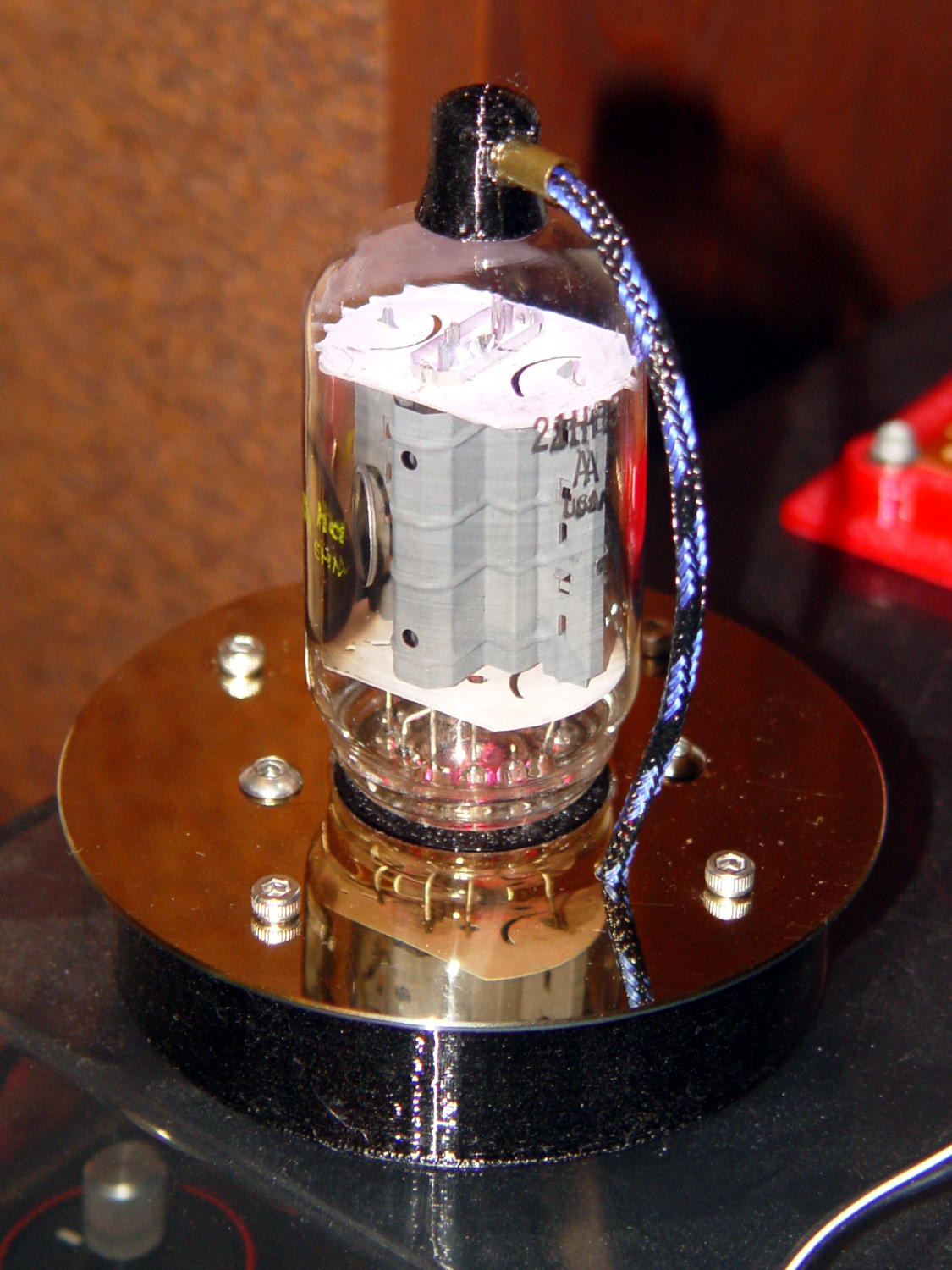
    The tube eliminates vertical tilt and you (well, I) can eyeballometrically align the caps and tubes in azimuth. The thin ring of JB Kwik epoxy around the brass tube isn’t visible, so it’s all good:

    21HB5A - Black PETG base - flash
    21HB5A – Black PETG base – flash

    This project may eventually force me to try epoxy coating, high-build primer, and good paint…

  • Hard Drive Platter Drilling Fixture

    After drilling the platter for a Noval tube, I finally made a fixture to hold the platters firmly, but gently, in the proper position for drilling:

    Hard drive platter - drilling fixture
    Hard drive platter – drilling fixture

    The platter sits more-or-less flush with the surface, where credit-card plastic pads work fine. Thinner platters may require compliant padding.

    The solid model has locating pips at ±50 mm from the center and airspace below the platter for the drill bit:

    Vacuum Tube Lights - hard drive fixture - solid model
    Vacuum Tube Lights – hard drive fixture – solid model

    The 1.16 inch hole spacing matches the Sherline’s tooling plate. The center hole seemed like a Good Idea, although it has no purpose right now.

    The OpenSCAD source code is the same as before; just set Layout = PlatterFixture; and it’ll produce the right thing.

  • Smithsonian’s Apollo 11 Command Module

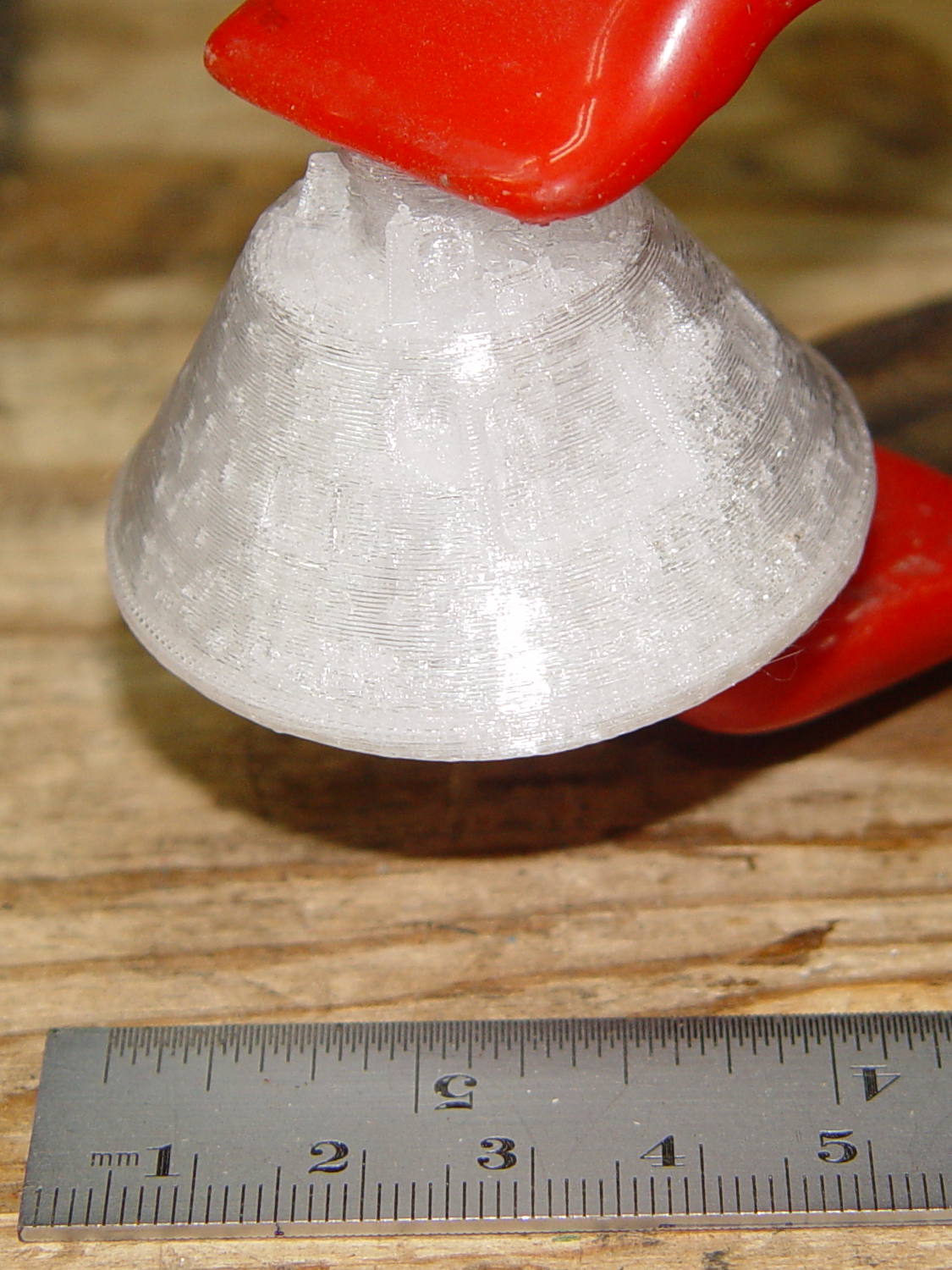
    An old friend asked for a copy of the Smithsonian’s Apollo 11 Command Module. I started with a tiny 1:80 version to check feasibility:

    Apollo 11 CM - 1-80 scale
    Apollo 11 CM – 1-80 scale

    It’s obviously not printable in one piece without a ton of support, so I chopped off the heatsink and printed the parts separately in the obvious orientation:

    Apollo 11 CM - 1-80 scale - split - Slic3r preview
    Apollo 11 CM – 1-80 scale – split – Slic3r preview

    And glued them back together:

    Apollo 11 CM - clamping
    Apollo 11 CM – clamping

    That worked well enough, even without locating pins, to give me confidence that it’d come out all right.

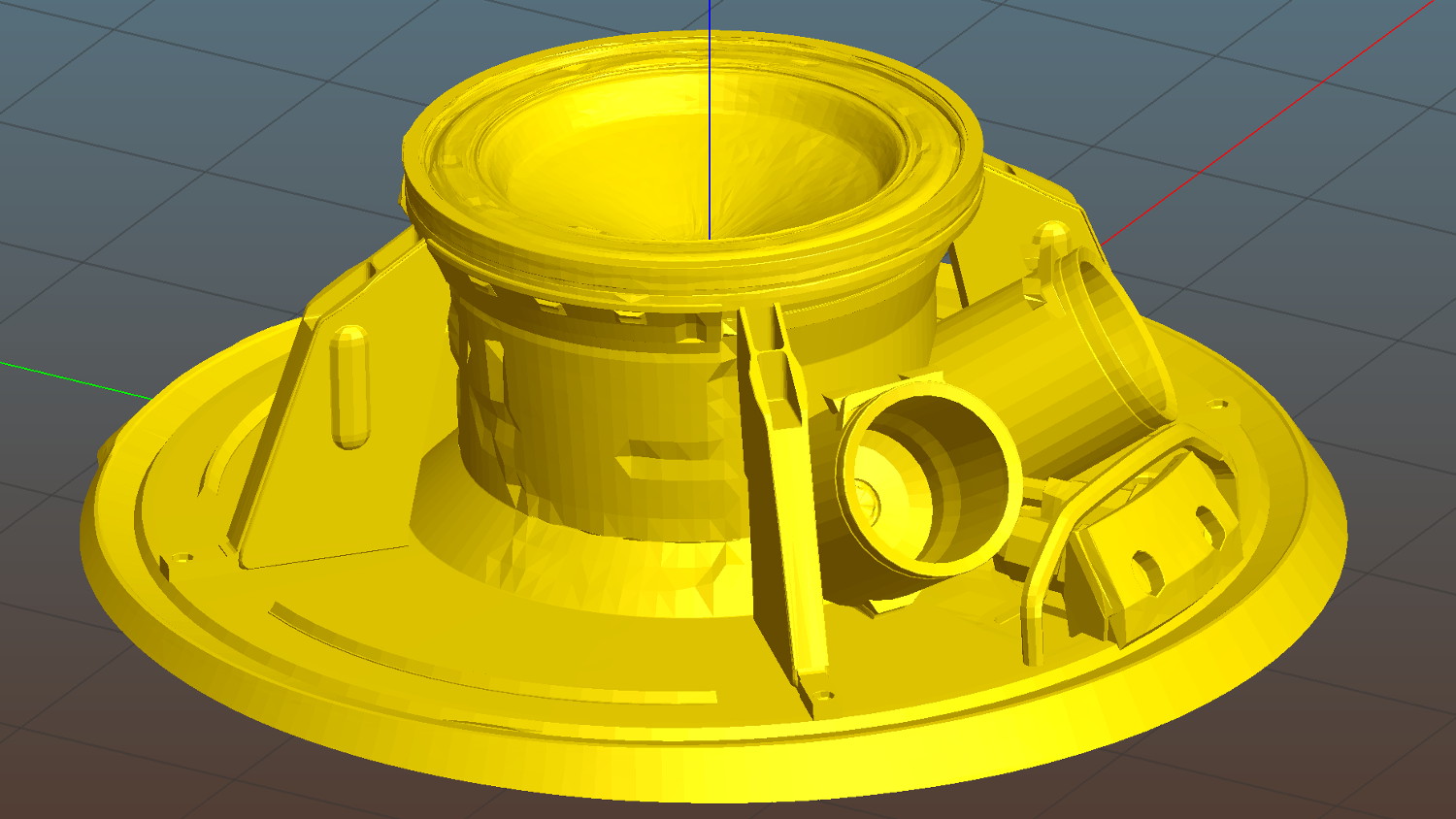
    There’s plenty of gimcrackery surrounding the upper airlock:

    Apollo 11 CM - 1-40 scale - top - Slic3r preview
    Apollo 11 CM – 1-40 scale – top – Slic3r preview

    Most of which simply vanished at 1:80 scale:

    Apollo 11 CM - 1-80 scale - top detail
    Apollo 11 CM – 1-80 scale – top detail

    I made another cut just below the top of the capsule and ran off a 1:40 scale version that came out somewhat better, but it was still ugly:

    Apollo 11 CM - 1-40 scale - mortar detail
    Apollo 11 CM – 1-40 scale – mortar detail

    Much to my astonishment, the grab rail over the side hatch, between the two parachute motars, came out well every time.

    The giant 1:20 scale version would require something over 24 hours of printing, so I went with 1:30 in three pieces:

    Apollo 11 CM - 1-30 scale - sections
    Apollo 11 CM – 1-30 scale – sections

    The top had pretty good detail:

    Apollo 11 CM - 1-30 scale - top section - 1
    Apollo 11 CM – 1-30 scale – top section – 1

    Another view:

    Apollo 11 CM - 1-30 scale - top section - 2
    Apollo 11 CM – 1-30 scale – top section – 2

    Gluing the parts together made it ready for cleanup / finishing / painting:

    Apollo 11 CM - 1-30 scale - assembled
    Apollo 11 CM – 1-30 scale – assembled

    Which he’s better at than I ever will be…

    Natural PETG probably isn’t the right plastic for that kind of model, but it’s what I had on hand.

    Enjoy!

  • Miniblind Cord Caps

    After smashing one of the cord pulls between the sash and the frame:

    Miniblind cord caps - installed
    Miniblind cord caps – installed

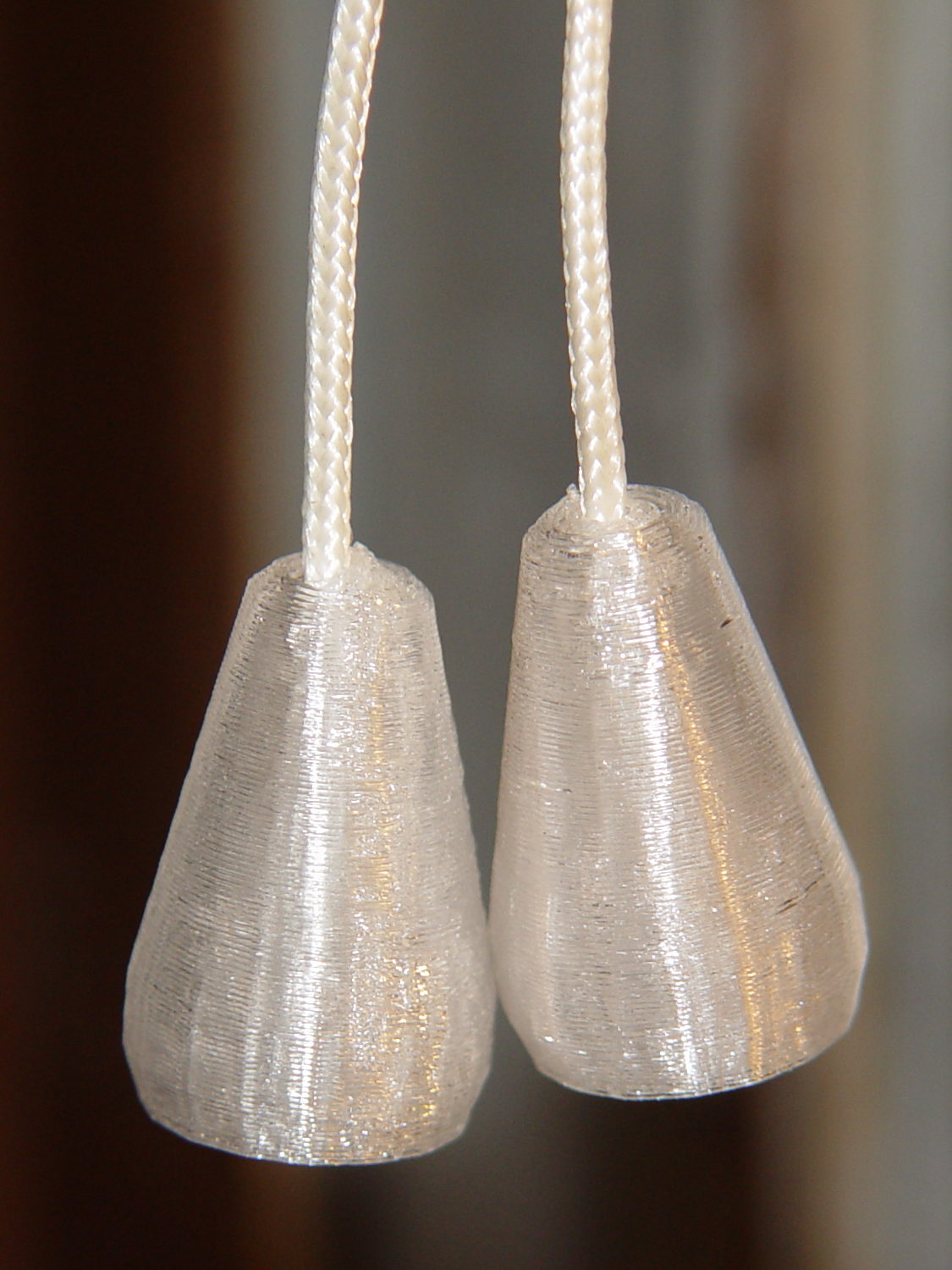
    The glittery PETG looks surprisingly good in the sunlight that will eventually change it into dullness. The black flecks come from optical effects in the plastic, not the usual burned PETG snot.

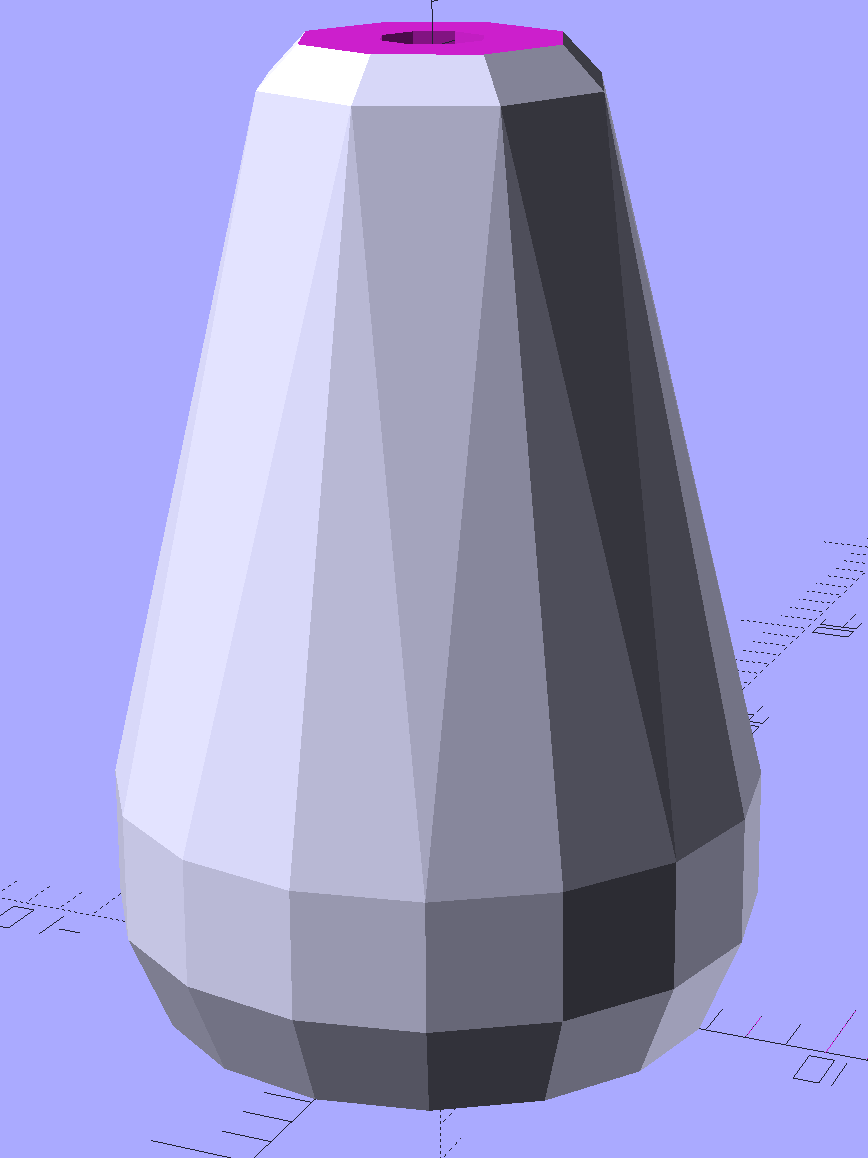
    The solid model is basically a hull around two “spheres”, truncated on top & bottom:

    Miniblind cord cap - solid model
    Miniblind cord cap – solid model

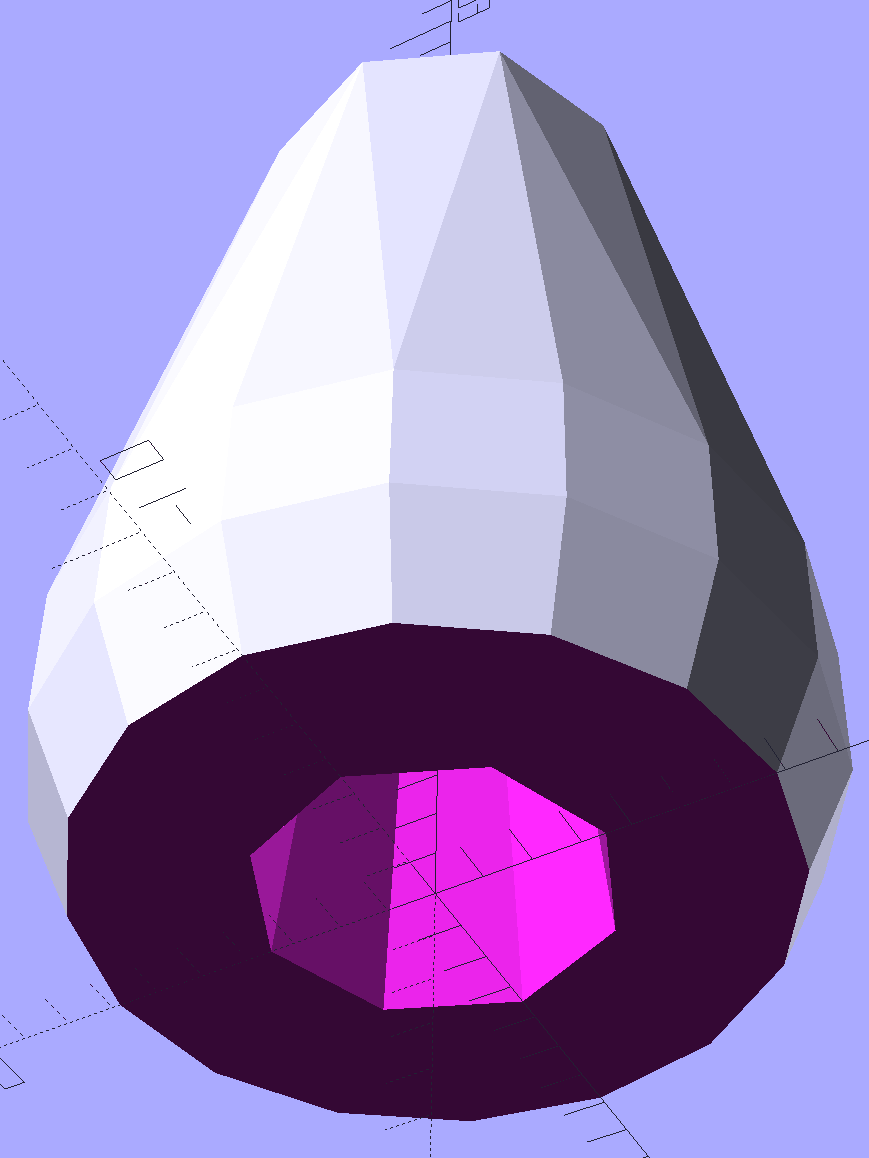
    The interior has a taper to accommodate the knot, but they’re chunky little gadgets:

    Miniblind cord cap - solid model - bottom
    Miniblind cord cap – solid model – bottom

    I thought the facets came out nicely, even if they’re mostly invisible in the picture.

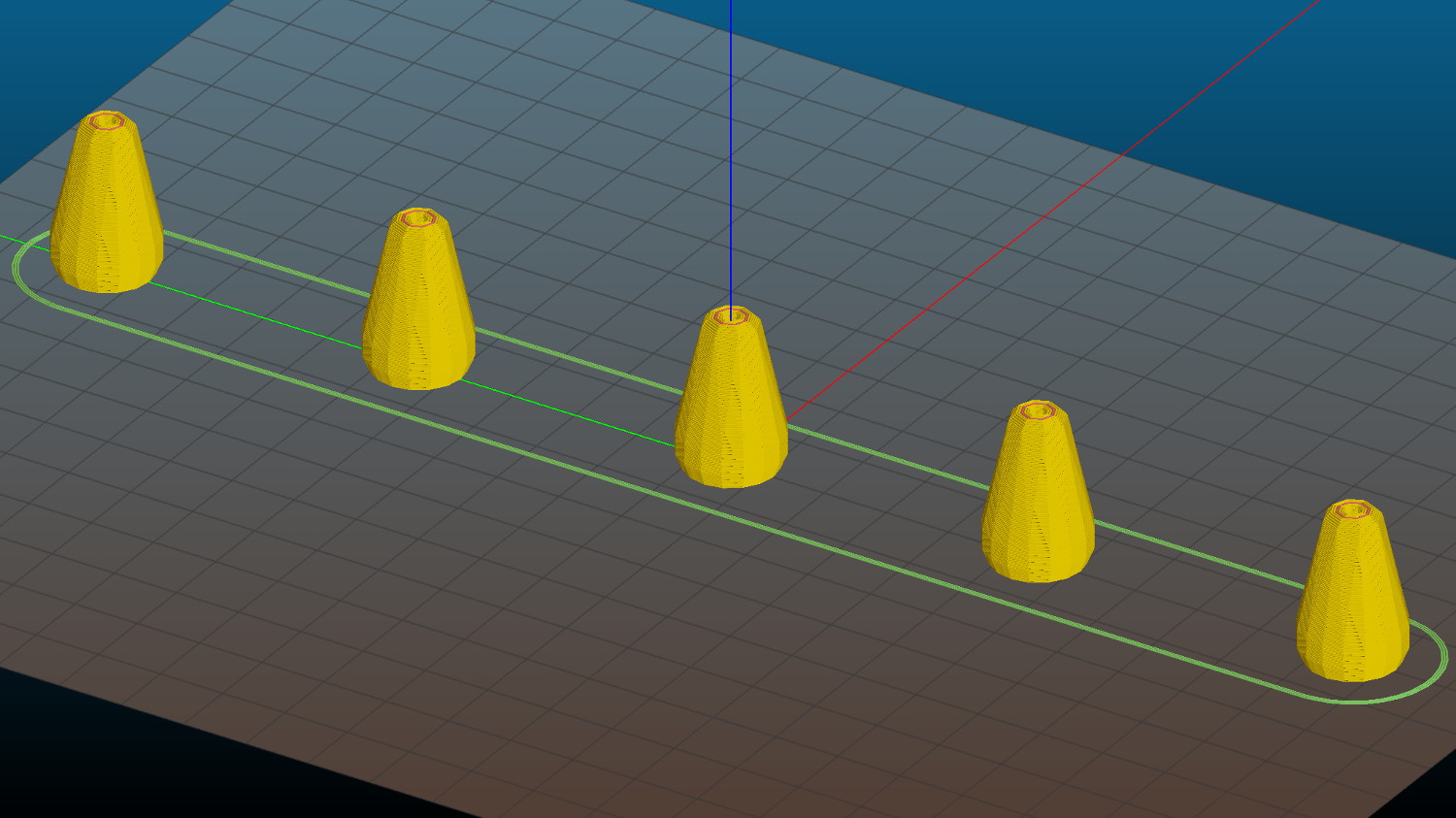
    Each pull should build separately to improve the surface finish, so I arranged five copies in sequence from front to back:

    Miniblind cord cap - 5 sequential - Slic3r preview
    Miniblind cord cap – 5 sequential – Slic3r preview

    If you’re using an M2, the fans hanging off the front of the filament drive housing might come a bit too close for comfort, so rotate ’em upward and out of the way.

    If you remove the interior features and flip ’em upside down, they’d work well in Spiral Vase mode. You’d have to manually drill the top hole, though, because a hole through the model produces two shells.

    The OpenSCAD source code as a GitHub Gist:

    // Cap for miniblind cord
    // Ed Nisley KE4ZNU – August 2016
    //- Extrusion parameters – must match reality!
    ThreadThick = 0.25;
    ThreadWidth = 0.40;
    Protrusion = 0.1;
    HoleWindage = 0.2;
    //——
    // Dimensions
    OD1 = 0;
    OD2 = 1;
    LENGTH = 2;
    Cap = [9.0,16.0,25.0];
    Cord = [2.5,7.0,Cap[LENGTH] – 5];
    NumSides = 8;
    //———————-
    //- Build it
    difference() {
    hull() { // overall shape
    translate([0,0,Cap[LENGTH] – Cap[OD1]/2])
    sphere(d=Cap[OD1],$fn=NumSides);
    translate([0,0,0.5*Cap[OD2]/2])
    sphere(d=Cap[OD2],$fn=2*NumSides); // round the bottom just a bit
    }
    translate([0,0,-Cap[LENGTH]/2]) // trim bottom
    cube([2*Cap[OD2],2*Cap[OD2],Cap[LENGTH]],center=true);
    translate([0,0,Cap[LENGTH] + 0.8*Cap[OD1]]) // trim top (arbitrarily)
    cube([2*Cap[OD1],2*Cap[OD1],2*Cap[OD1]],center=true);
    translate([0,0,-Protrusion])
    cylinder(d=Cord[OD1],h=(Cap[LENGTH] + 2*Protrusion),$fn=NumSides);
    translate([0,0,-Protrusion])
    cylinder(d1=Cord[OD2],d2=Cord[OD1],h=(Cord[LENGTH] + Protrusion),$fn=NumSides);
    }
  • Kenmore Progressive Vacuum Tool Adapters: First Failure

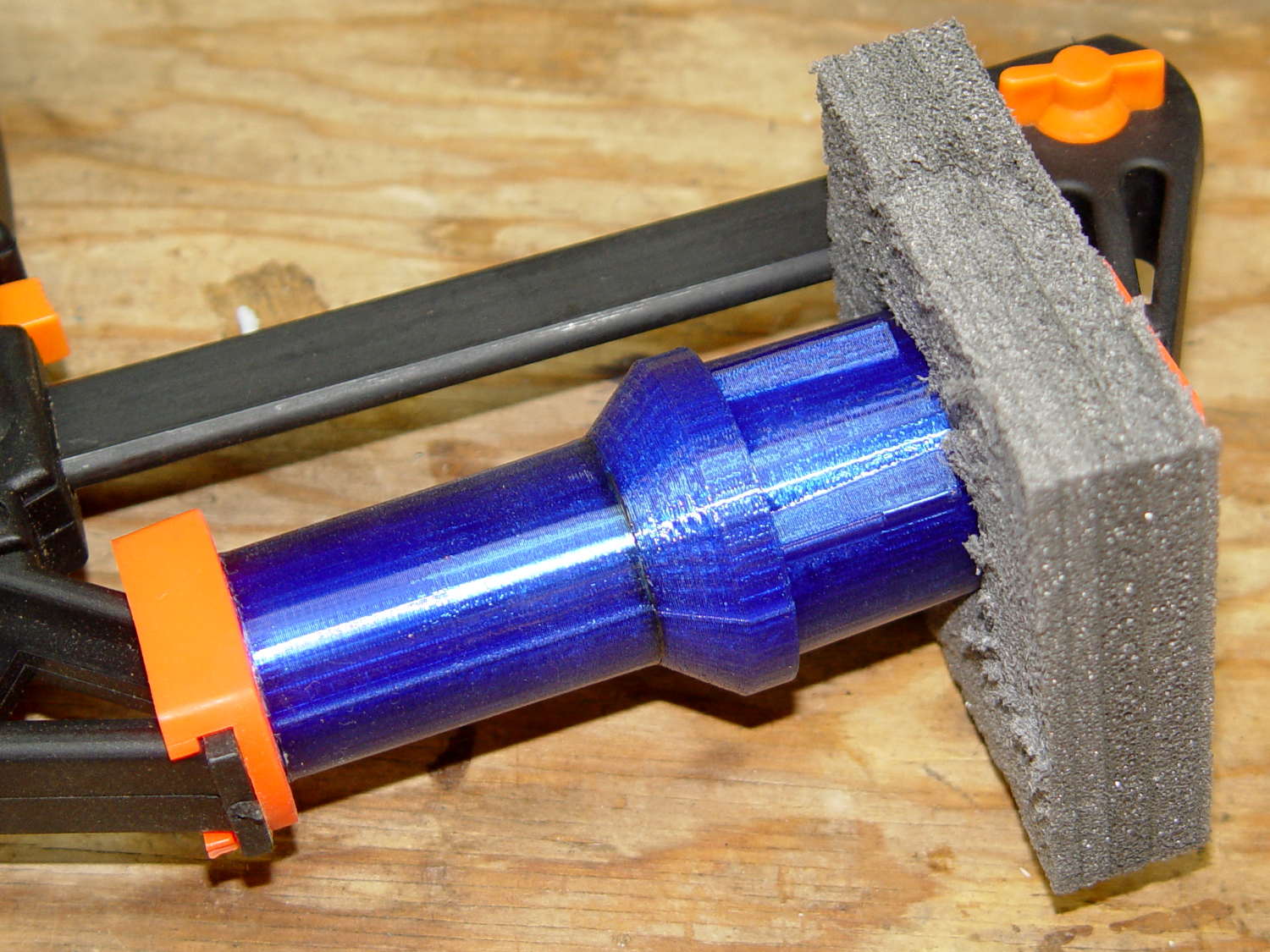
    I picked up a horsehair dust brush from eBay as a lightweight substitute for the Electrolux aluminum ball, discovered that an adapter I’d already made fit perfectly, did the happy dance, and printed one for the brush. That worked perfectly for half a year, whereupon:

    Dust Brush Adapter - broken parts
    Dust Brush Adapter – broken parts

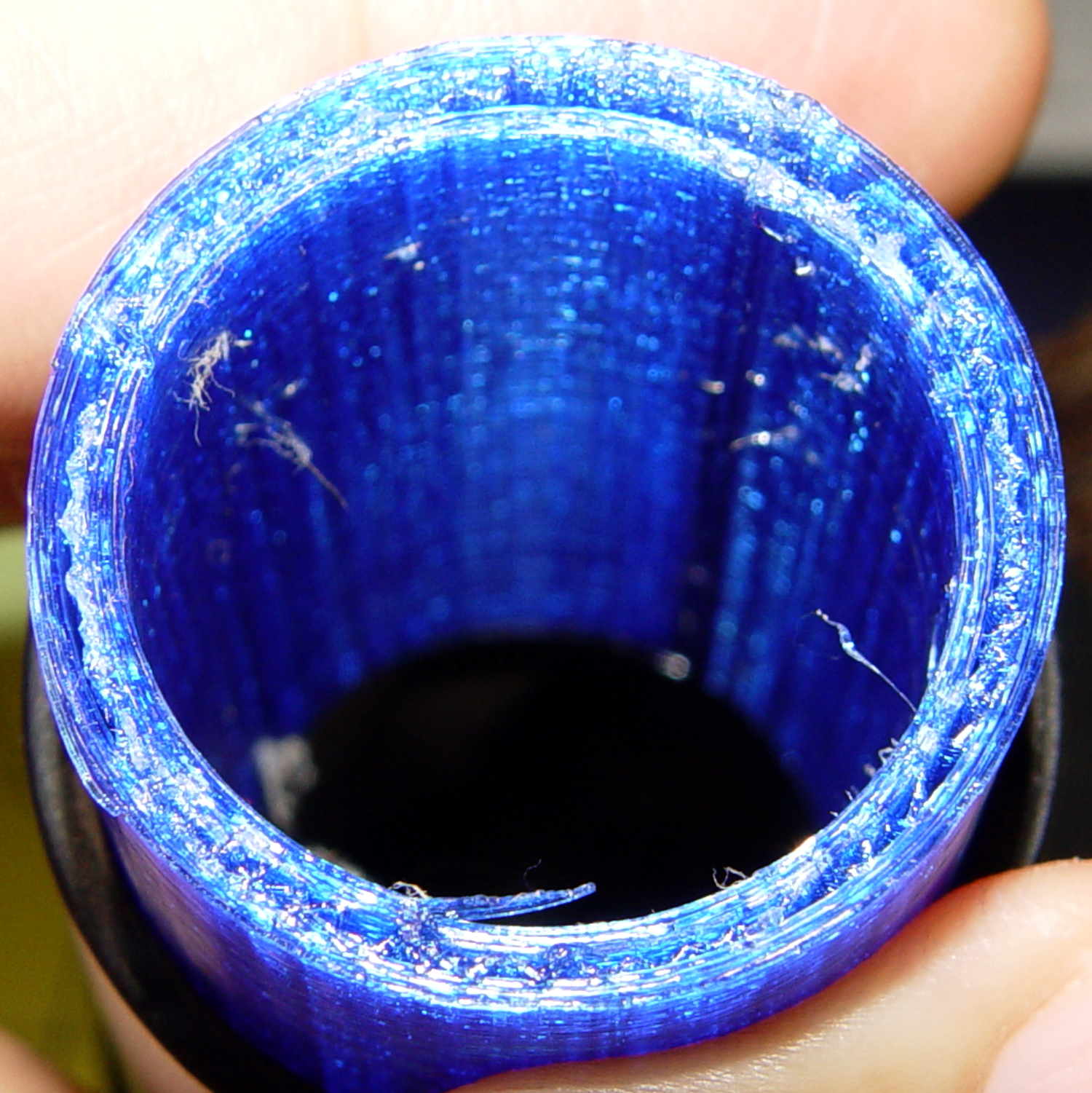
    It broke about where I expected, along the layer lines at the cross section where the snout joins the fitting. You can see the three perimeter shells I hoped would strengthen the part:

    Dust Brush Adapter - layer separation
    Dust Brush Adapter – layer separation

    That has the usual 15% 3D Honeycomb infill, although there’s not a lot area for infill.

    There’s obviously a stress concentration there and making the wall somewhat thicker (to get more plastic-to-plastic area) might suffice. I’m not convinced the layer bonding would be good enough, even with more wall area, to resist the stress; that’s pretty much a textbook example of how & where 3D printed parts fail.

    That cross section should look like this:

    Dust Brush Adapter - Snout infill - Slic3r preview
    Dust Brush Adapter – Snout infill – Slic3r preview

    Anyhow, I buttered the snout’s broken end with JB Kwik epoxy, aligned the parts, and clamped them overnight:

    Dust Brush Adapter - clamping
    Dust Brush Adapter – clamping

    The source code now has a separate solid model for the dust brush featuring a slightly shorter snout; if when the epoxy fails, we’ll see how that changes the results. I could add ribs and suchlike along the outside, none of which seem worth the effort right now. Fairing the joint between those two straight sections would achieve the same end, with even more effort, because OpenSCAD.

    The OpenSCAD source code as a GitHub Gist:

    // Kenmore vacuum cleaner nozzle adapters
    // Ed Nisley KE4ZNU August 2016
    // Layout options
    Layout = "DustBrush"; // MaleFitting CoilWand FloorBrush CreviceTool ScrubbyTool LuxBrush DustBrush
    //- Extrusion parameters must match reality!
    // Print with +1 shells and 3 solid layers
    ThreadThick = 0.25;
    ThreadWidth = 0.40;
    HoleWindage = 0.2;
    function IntegerMultiple(Size,Unit) = Unit * ceil(Size / Unit);
    Protrusion = 0.1; // make holes end cleanly
    //———————-
    // Dimensions
    ID1 = 0; // for tapered tubes
    ID2 = 1;
    OD1 = 2;
    OD2 = 3;
    LENGTH = 4;
    OEMTube = [35.0,35.0,41.7,40.5,30.0]; // main fitting tube
    EndStop = [OEMTube[ID1],OEMTube[ID2],47.5,47.5,6.5]; // flange at end of main tube
    FittingOAL = OEMTube[LENGTH] + EndStop[LENGTH];
    $fn = 12*4;
    //———————-
    // Useful routines
    module PolyCyl(Dia,Height,ForceSides=0) { // based on nophead's polyholes
    Sides = (ForceSides != 0) ? ForceSides : (ceil(Dia) + 2);
    FixDia = Dia / cos(180/Sides);
    cylinder(r=(FixDia + HoleWindage)/2,h=Height,$fn=Sides);
    }
    //——————-
    // Male fitting on end of Kenmore tools
    // This slides into the end of the handle or wand and latches firmly in place
    module MaleFitting() {
    Latch = [40,11.5,5.0]; // rectangle latch opening
    EntryAngle = 45; // latch entry ramp
    EntrySides = 16;
    EntryHeight = 15.0; // lower edge on *inside* of fitting
    KeyRadius = 1.0;
    translate([0,0,6.5])
    difference() {
    union() {
    cylinder(d1=OEMTube[OD1],d2=OEMTube[OD2],h=OEMTube[LENGTH]); // main tube
    hull() // insertion guide
    for (i=[-(6.0/2 – KeyRadius),(6.0/2 – KeyRadius)],
    j=[-(28.0/2 – KeyRadius),(28.0/2 – KeyRadius)],
    k=[-(26.0/2 – KeyRadius),(26.0/2 – KeyRadius)])
    translate([(i – (OEMTube[ID1]/2 + OEMTube[OD1]/2)/2 + 6.0/2),j,(k + 26.0/2 – 1.0)])
    sphere(r=KeyRadius,$fn=8);
    translate([0,0,-EndStop[LENGTH]]) // wand tube butts against this
    cylinder(d=EndStop[OD1],h=EndStop[LENGTH] + Protrusion);
    }
    translate([0,0,-OEMTube[LENGTH]]) // main bore
    cylinder(d=OEMTube[ID1],h=2*OEMTube[LENGTH] + 2*Protrusion);
    translate([0,-11.5/2,23.0 – 5.0]) // latch opening
    cube(Latch);
    translate([OEMTube[ID1]/2 + EntryHeight/tan(90-EntryAngle),0,0]) // latch ramp
    translate([(Latch[1]/cos(180/EntrySides))*cos(EntryAngle)/2,0,(Latch[1]/cos(180/EntrySides))*sin(EntryAngle)/2])
    rotate([0,-EntryAngle,0])
    intersection() {
    rotate(180/EntrySides)
    PolyCyl(Latch[1],Latch[0],EntrySides);
    translate([-(2*Latch[0])/2,0,-Protrusion])
    cube(2*Latch[0],center=true);
    }
    }
    }
    //——————-
    // Refrigerator evaporator coil wand
    module CoilWand() {
    union() {
    translate([0,0,50.0])
    rotate([180,0,0])
    difference() {
    cylinder(d1=EndStop[OD1],d2=42.0,h=50.0);
    translate([0,0,-Protrusion])
    cylinder(d1=35.0,d2=35.8,h=100);
    }
    translate([0,0,50.0 – Protrusion])
    MaleFitting();
    }
    }
    //——————-
    // Samsung floor brush
    module FloorBrush() {
    union() {
    translate([0,0,60.0])
    rotate([180,0,0])
    difference() {
    union() {
    cylinder(d1=EndStop[OD1],d2=32.4,h=10.0);
    translate([0,0,10.0 – Protrusion])
    cylinder(d1=32.4,d2=30.7,h=50.0 + Protrusion);
    }
    translate([0,0,-Protrusion])
    cylinder(d1=28.0,d2=24.0,h=100);
    }
    translate([0,0,60.0 – Protrusion])
    MaleFitting();
    }
    }
    //——————-
    // Crevice tool
    module CreviceTool() {
    union() {
    translate([0,0,60.0])
    rotate([180,0,0])
    difference() {
    union() {
    cylinder(d1=EndStop[OD1],d2=32.0,h=10.0);
    translate([0,0,10.0 – Protrusion])
    cylinder(d1=32.0,d2=30.4,h=50.0 + Protrusion);
    }
    translate([0,0,-Protrusion])
    cylinder(d1=28.0,d2=24.0,h=100);
    }
    translate([0,0,60.0 – Protrusion])
    MaleFitting();
    }
    }
    //——————-
    // Mystery brush
    module ScrubbyTool() {
    union() {
    translate([0,0,60.0])
    rotate([180,0,0])
    difference() {
    union() {
    cylinder(d1=EndStop[OD1],d2=31.8,h=10.0);
    translate([0,0,10.0 – Protrusion])
    cylinder(d1=31.8,d2=31.0,h=50.0 + Protrusion);
    }
    translate([0,0,-Protrusion])
    cylinder(d1=26.0,d2=24.0,h=100);
    }
    translate([0,0,60.0 – Protrusion])
    MaleFitting();
    }
    }
    //——————-
    // eBay horsehair dusting brush
    module DustBrush() {
    union() {
    translate([0,0,40.0])
    rotate([180,0,0])
    difference() {
    union() {
    cylinder(d1=EndStop[OD1],d2=31.8,h=10.0);
    translate([0,0,10.0 – Protrusion])
    cylinder(d1=31.6,d2=31.8,h=30.0 + Protrusion);
    }
    translate([0,0,-Protrusion])
    cylinder(d1=26.0,d2=24.0,h=100);
    }
    translate([0,0,40.0 – Protrusion])
    MaleFitting();
    }
    }
    //——————-
    // Electrolux brush ball
    module LuxBrush() {
    union() {
    translate([0,0,30.0])
    rotate([180,0,0])
    difference() {
    union() {
    cylinder(d1=EndStop[OD1],d2=30.8,h=10.0);
    translate([0,0,10.0 – Protrusion])
    cylinder(d1=30.8,d2=30.0,h=20.0 + Protrusion);
    }
    translate([0,0,-Protrusion])
    cylinder(d1=25.0,d2=23.0,h=30 + 2*Protrusion);
    }
    translate([0,0,30.0 – Protrusion])
    MaleFitting();
    }
    }
    //———————-
    // Build it!
    if (Layout == "MaleFitting")
    MaleFitting();
    if (Layout == "CoilWand")
    CoilWand();
    if (Layout == "FloorBrush")
    FloorBrush();
    if (Layout == "CreviceTool")
    CreviceTool();
    if (Layout == "DustBrush")
    DustBrush();
    if (Layout == "ScrubbyTool")
    ScrubbyTool();
    if (Layout == "LuxBrush")
    LuxBrush();


  • FG085 Function Generator

    The topic of function generators came up at Squidwrench a while ago (Sophi was tinkering with LCD shutters) and I finally picked up one of those JYE Tech FG085 DDS function generators to see how they work:

    FG085 Fn Gen - in case
    FG085 Fn Gen – in case

    Short answer: adequate, if you’re not too fussy.

    The board arrived with a bizarre solder defect. It seems a solder stalk yanked one terminal off a ceramic SMD caps:

    FG085 - Solder stalk - C26
    FG085 – Solder stalk – C26

    The schematic and adjacent parts suggested the victim was a 10 uF cap, so I replaced it with one from my stash that worked fine.

    However, after soldering enough of the switches to do something useful, the board wouldn’t power up. With a bit of poking around, I discovered the power jack had +15 V from the wall wart, but the center terminals on the DPDT power switch that should have been connected to the jack showed maybe 0.3 V. Jumpering around the failed via and a short trace on the bottom surface let the board power up correctly:

    FG085 - Jumpered power trace
    FG085 – Jumpered power trace

    If you’re building one of these, solder one pin of each switch, push all the switch caps in place, shove the faceplate over all of them, tape it to the PCB, make sure all the switches are push-able, then solder the remainder of the switch pins. If you do them one by one, you’re certain to end up with a few mis-aligned switches that will either prevent the faceplate from sliding over them or wedge firmly against the side of their assigned hole. Just sayin’.

    It lives in a case from Thingiverse:

    FG085enclosure - 1268379
    FG085enclosure – 1268379

    I tweaked the dimensions slightly to fit the (slightly larger, possibly new, maybe tolerance-eased) front panel, but the bottom mounting screw hole spacing depends on the front panel size, not a specific set of dimensions, leading me to relocate those holes by abrasive adjustment. I didn’t bother with the lid (which doesn’t clear the BNC jack anyway) or the printed plastic feet (having a supply of silicone rubber feet).

    The fancy vent gridwork along the sides printed surprisingly well, even in PETG. I’d have gone with larger slots, although I doubt the thing really needs vents in the first place.

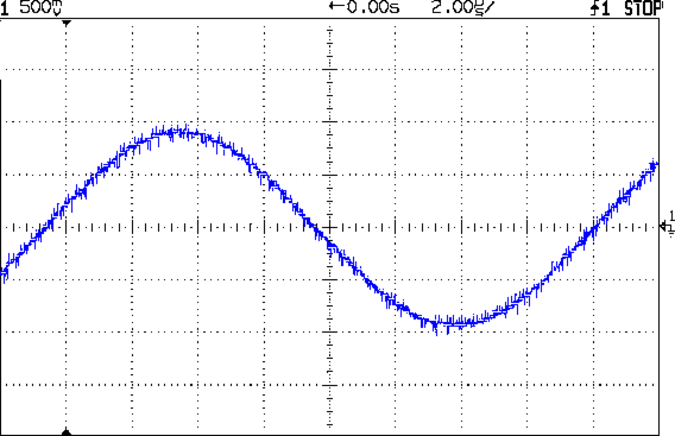
    The DDS sine wave output is rough, to say the least:

    FG085 Fn Gen - 60 kHz sine
    FG085 Fn Gen – 60 kHz sine

    The spectrum shows oodles of harmonic content:

    FG085 Fn Gen - 60 kHz sine - spectrum
    FG085 Fn Gen – 60 kHz sine – spectrum

    A closer look:

    FG085 Fn Gen - 60 kHz sine - spectrum - detail
    FG085 Fn Gen – 60 kHz sine – spectrum – detail

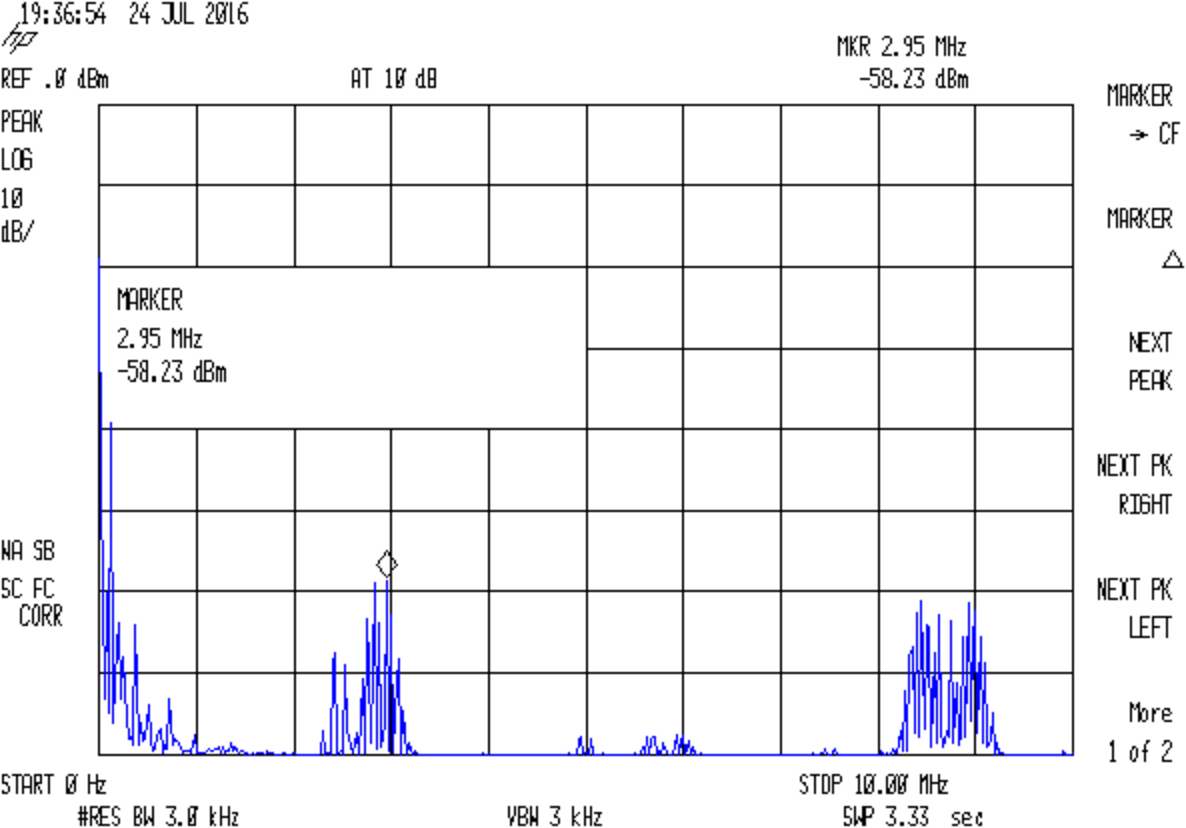
    Stepping back a bit shows harmonics of (and around) the 2.5 MHz DDS sampling frequency:

    FG085 Fn Gen - 60 kHz sine - spectrum - 10 MHz
    FG085 Fn Gen – 60 kHz sine – spectrum – 10 MHz

    For comparison, my old Fordham FG-801 analog function generator has nice smooth harmonics:

    FG-801 Fn Gen - 60 kHz sine - spectrum
    FG-801 Fn Gen – 60 kHz sine – spectrum

    Closer in:

    FG-801 Fn Gen - 60 kHz sine - spectrum - detail
    FG-801 Fn Gen – 60 kHz sine – spectrum – detail

    Of course, that crusty old analog dial doesn’t provide nearly the set-ability of a nice digital display.


  • BOB Yak Fender Fracture: Fixed

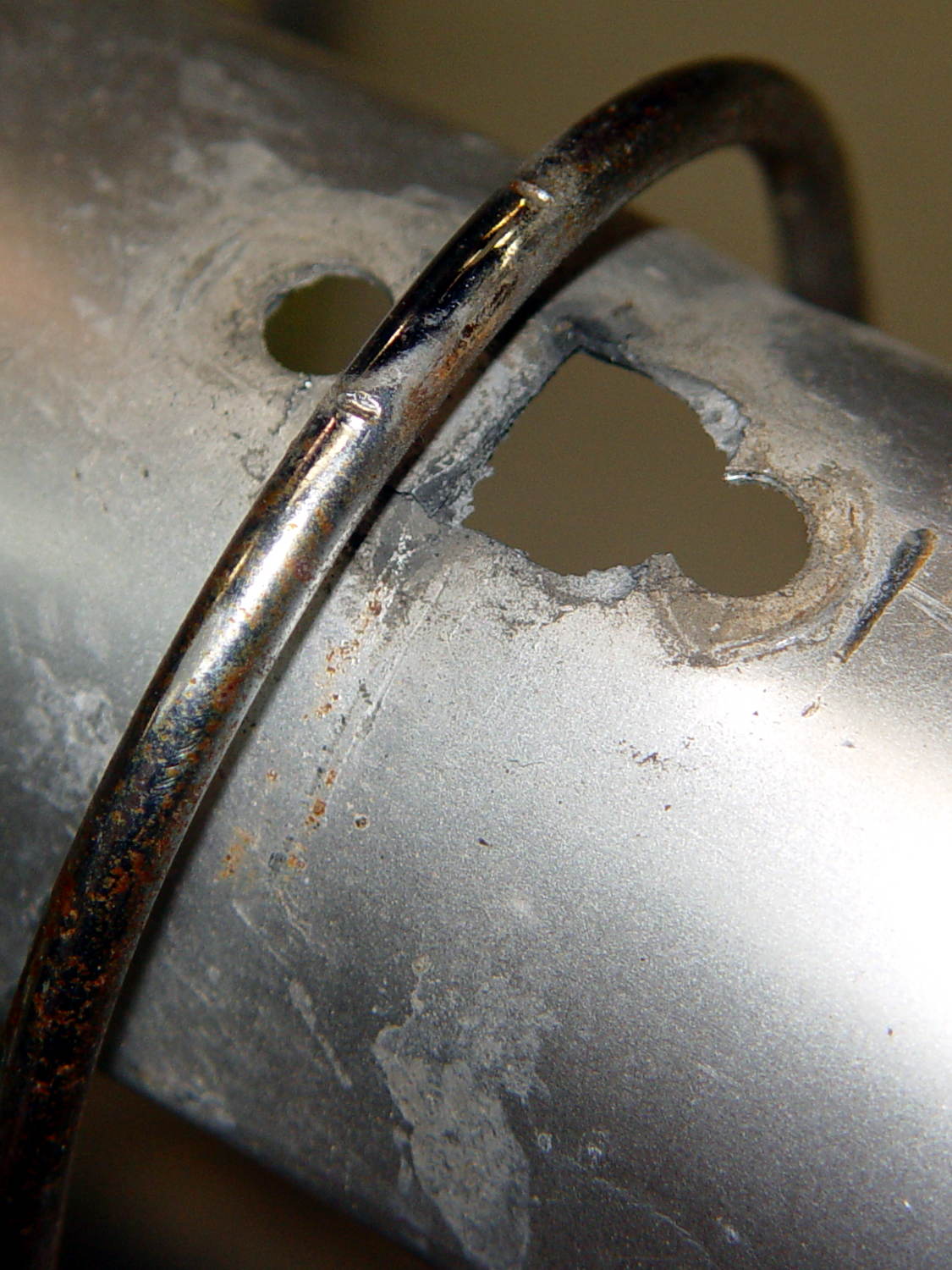
    We agreed that repairing the failed flag ferrule made the trailer much quieter, but it still seemed far more rattly than we remembered. It just had to be the fender, somehow, and eventually this appeared:

    BOB Yak Fender Mount - fractures
    BOB Yak Fender Mount – fractures

    The obviously missing piece of the fender fell out in my hand; the similar chunk just beyond the wire arch fell out after I took the pictures. Yes, the wire has indented the fender.

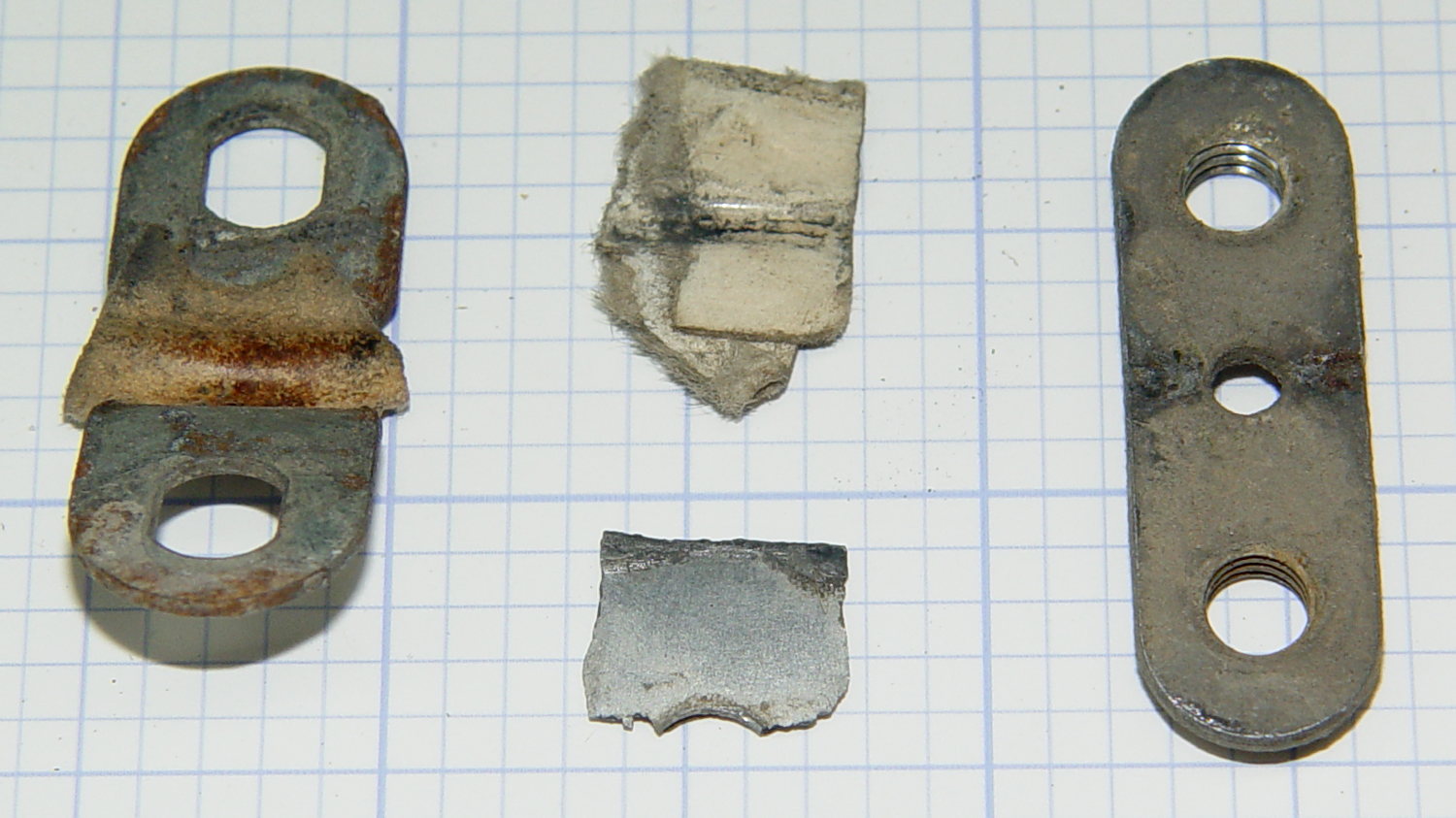
    The arch supports the aluminum fender, with a pair of (flat) steel plates clamping the wire to the fender:

    BOB Yak Fender Mount - screw plates and pads
    BOB Yak Fender Mount – screw plates and pads

    The cardboard scraps show I fixed a rattle in the distant past.

    Being aluminum, the fender can’t have a replacement piece brazed in place and, given the compound curves, I wasn’t up for the requisite fancy sheet metal work.

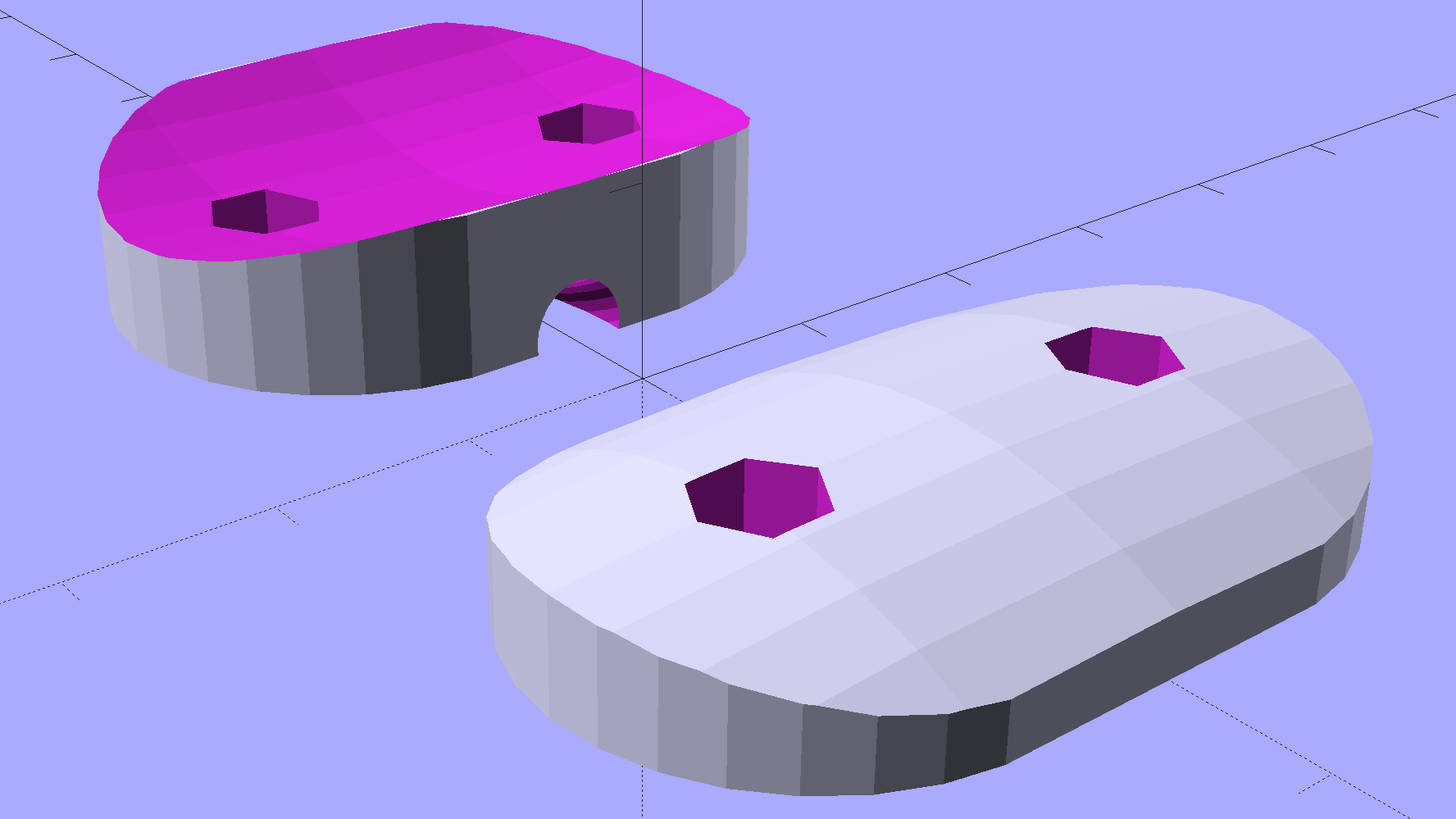
    Instead, a bit of math produces a pair of shapes:

    BOB Yak Fender Mount - solid model
    BOB Yak Fender Mount – solid model

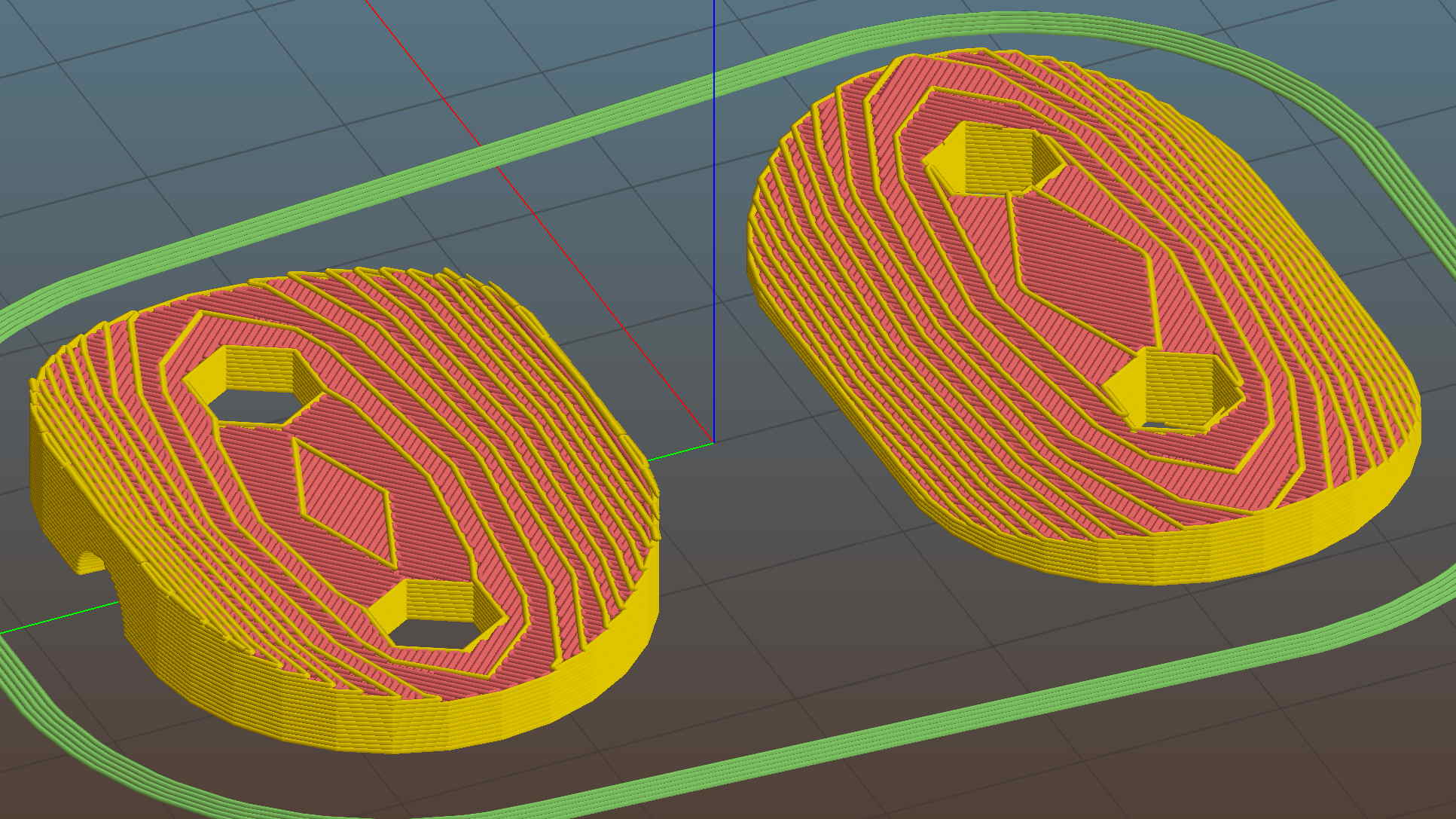
    In this case, we know the curve radii, so the chord equation gives the depth of the curve across the (known) width & length of the plates; the maximum of those values sets the additional thickness required for the plates. The curves turn out to be rather steep, given the usual layer thickness and plate sizes, which gives them a weird angular look that absolutely doesn’t matter when pressed firmly against the fender:

    BOB Yak Fender Mount - Slic3r preview
    BOB Yak Fender Mount – Slic3r preview

    The computations required to fit Hilbert Curve surface infill into those small exposed areas took basically forever; given that nobody will ever see them, I used the traditional linear infill pattern. A 15% 3D Honeycomb interior infill turned them into rigid parts.

    The notch in the outer plate (top left, seen notch-side-down) accommodates the support wire:

    BOB Yak Fender Mount - outer
    BOB Yak Fender Mount – outer

    The upper surface would look better with chamfered edges, but that’s in the nature of fine tuning. That part must print with its top surface downward: an unsupported (shallow) chamfer would produce horrible surface finish and life is too short for fussing with support. Given the surrounding rust & dings, worrying about aesthetics seems bootless.

    The original screws weren’t quite long enough to reach through the plastic plates, so I dipped into my shiny-new assortment of stainless steel socket head cap screws. Although the (uncut) M5x16 screws seem to protrude dangerously far from the inner plate, there’s another inch of air between those screws and the tire tread:

    BOB Yak Fender Mount - inner
    BOB Yak Fender Mount – inner

    Given the increase in bearing area, that part of the fender shouldn’t fracture for another decade or two.

    I loves me my M2 3D printer …

    The OpenSCAD source code as a GitHub Gist:

    // BOB Yak Fender Mounting Bracket
    // Ed Nisley – KE4ZNU – July 2016
    Layout = "Build"; // Build Fender Rod BlockInner BlockOuter
    //- Extrusion parameters must match reality!
    // Print with 1 shell and 3 solid layers
    ThreadThick = 0.25;
    ThreadWidth = 0.40;
    HoleWindage = 0.3;
    Protrusion = 0.1; // make holes end cleanly
    inch = 25.4;
    //———————-
    // Dimensions
    IR = 0; // radii seem easier to measure here
    OR = 1;
    LENGTH = 2;
    Fender = [25,220,1]; // minor major thickness
    FenderSides = 128;
    FenderRod = [5.0/2,(Fender[IR] + 10),5.0/2]; // support rod dia/2, arch radius, rod dia/2 again
    ChordMajor = Fender[OR] – sqrt(pow(Fender[OR],2) – pow(40,2)/4);
    ChordMinor = Fender[IR] – sqrt(pow(Fender[IR],2) – pow(25,2)/4);
    ChordFit = max(ChordMajor,ChordMinor);
    echo("Chords: ",ChordMajor,ChordMinor,ChordFit);
    BlockInnerOA = [40,25,1 + ChordFit];
    BlockOuterOA = [35,25,2 + ChordFit];
    echo(str("Inner Block: ",BlockInnerOA));
    echo(str("Outer Block: ",BlockOuterOA));
    ScrewOD = 5.0;
    ScrewOC = 20.0;
    NumSides = 6*4;
    //———————-
    // Useful routines
    module PolyCyl(Dia,Height,ForceSides=0) { // based on nophead's polyholes
    Sides = (ForceSides != 0) ? ForceSides : (ceil(Dia) + 2);
    FixDia = Dia / cos(180/Sides);
    cylinder(r=(FixDia + HoleWindage)/2,
    h=Height,
    $fn=Sides);
    }
    module FenderShape() {
    rotate([90,0*180/FenderSides,0])
    rotate_extrude(angle=180,$fn=FenderSides)
    translate([(Fender[OR] – Fender[IR]),0])
    circle(r=Fender[IR],$fn=2*NumSides);
    }
    module RodShape() {
    rotate([90,0*180/FenderSides,0])
    rotate_extrude(angle=180,convexity=2,$fn=FenderSides)
    translate([(FenderRod[OR] – FenderRod[IR]),0])
    circle(r=FenderRod[IR],$fn=NumSides);
    }
    module BlockInner() {
    intersection() {
    difference() {
    linear_extrude(height=BlockInnerOA[LENGTH],convexity=3)
    hull() {
    for (i=[-1,1])
    translate([i*(BlockInnerOA[0]/2 – BlockInnerOA[1]/2),0,0])
    circle(d=BlockInnerOA[1]);
    }
    for (i=[-1,1])
    translate([i*(ScrewOC/2),0,-Protrusion])
    PolyCyl(ScrewOD,2*BlockInnerOA[2],6);
    }
    translate([0,0,(BlockInnerOA[2] – Fender[OR])])
    FenderShape();
    }
    }
    module BlockOuter() {
    difference() {
    linear_extrude(height=BlockOuterOA[LENGTH],convexity=4)
    hull() {
    for (i=[-1,1])
    translate([i*(BlockOuterOA[0]/2 – BlockOuterOA[1]/2),0,0])
    circle(d=BlockOuterOA[1]);
    }
    for (i=[-1,1])
    translate([i*(ScrewOC/2),0,-Protrusion])
    PolyCyl(ScrewOD,2*BlockOuterOA[2],6);
    translate([0,0,(BlockOuterOA[2] – ChordFit + Fender[OR])])
    rotate([180,0,0])
    FenderShape();
    translate([0,0,(FenderRod[OR] – 2*FenderRod[IR])])
    rotate([180,0,90])
    RodShape();
    }
    }
    //- Build things
    if (Layout == "Fender")
    FenderShape();
    if (Layout == "Rod")
    RodShape();
    if (Layout == "BlockInner")
    BlockInner();
    if (Layout == "BlockOuter")
    BlockOuter();
    if (Layout == "Build") {
    translate([0,-BlockInnerOA[0]/2,0])
    BlockInner();
    translate([0,BlockOuterOA[0]/2,0])
    BlockOuter();
    }

    The original dimension measurement and design doodle:

    BOB Yak Fender Mount - doodles
    BOB Yak Fender Mount – doodles