The Smell of Molten Projects in the Morning

Ed Nisley's Blog: Shop notes, electronics, firmware, machinery, 3D printing, laser cuttery, and curiosities. Contents: 100% human thinking, 0% AI slop.

Tag: Laser Cutter

  • High Impact Art: Smashed Glass Coaster

    High Impact Art: Smashed Glass Coaster

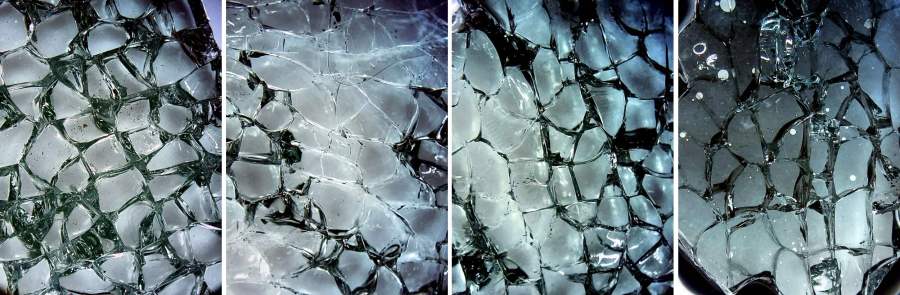
    Given a few pounds of smashed tempered glass:

    NHR Crash - tempered glass
    NHR Crash – tempered glass

    Lay some pieces atop an acetate sheet (to prevent scratching) on the scanner, grab the whole thing, then isolate an interesting chunk:

    Smashed Glass - dark - piece 1
    Smashed Glass – dark – piece 1

    Next time: flip the image left-to-right to match the glass piece as seen from the top, because the scanner was looking at the bottom.

    The weird purple background started as black, but blowing out the contrast while ignoring the color mis-correction makes the next step easier.

    Trace around the perimeter with Scissors Select, clean up the result in Quick Mask mode, expand the selection by a few pixels to improve clearance, then turn it into a two-color image mask:

    Smashed Glass - piece 1 - outline
    Smashed Glass – piece 1 – outline

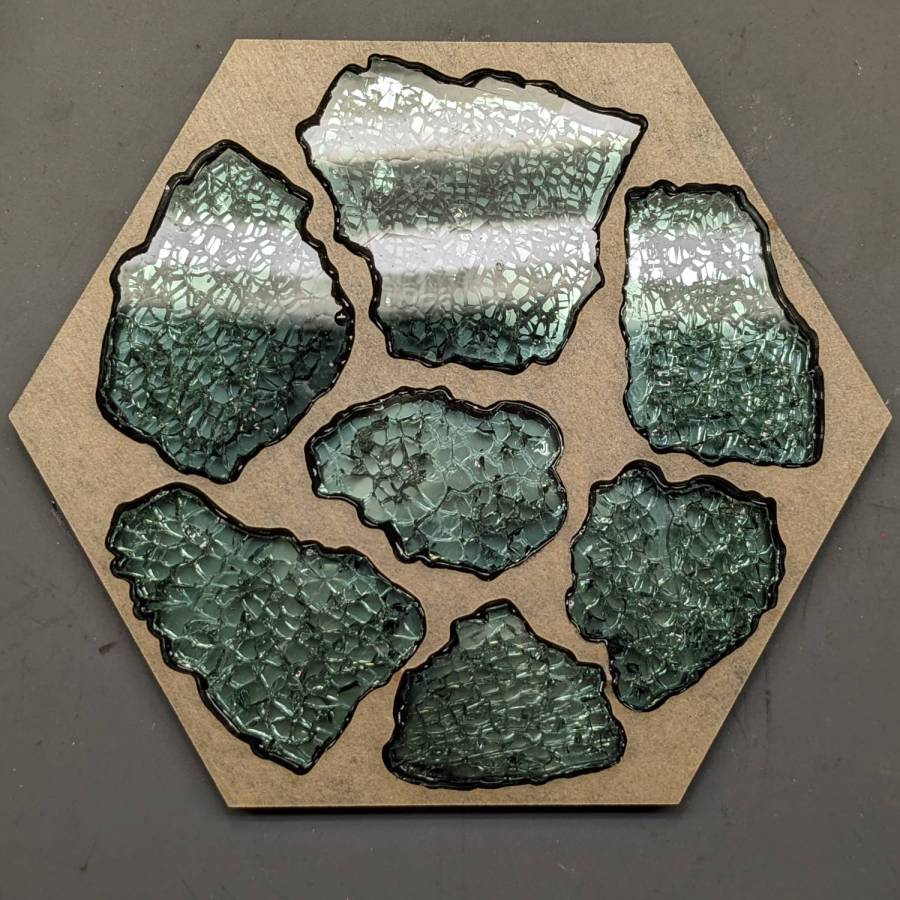
    Import the mask into Lightburn, trace it into vector paths (which is trivially easy and accurate given such a high-contrast image), then cut a chipboard prototype to make sure it fits:

    Smashed Glass - piece 1 - acrylic mount
    Smashed Glass – piece 1 – acrylic mount

    Clean up any misfits, test as needed, cut the inner shape and outer perimeter from 1.5 mm black acrylic, cut just the outer perimeter from 3 mm clear acrylic. Put the piece of black acrylic matching the glass shape into the scrap box.

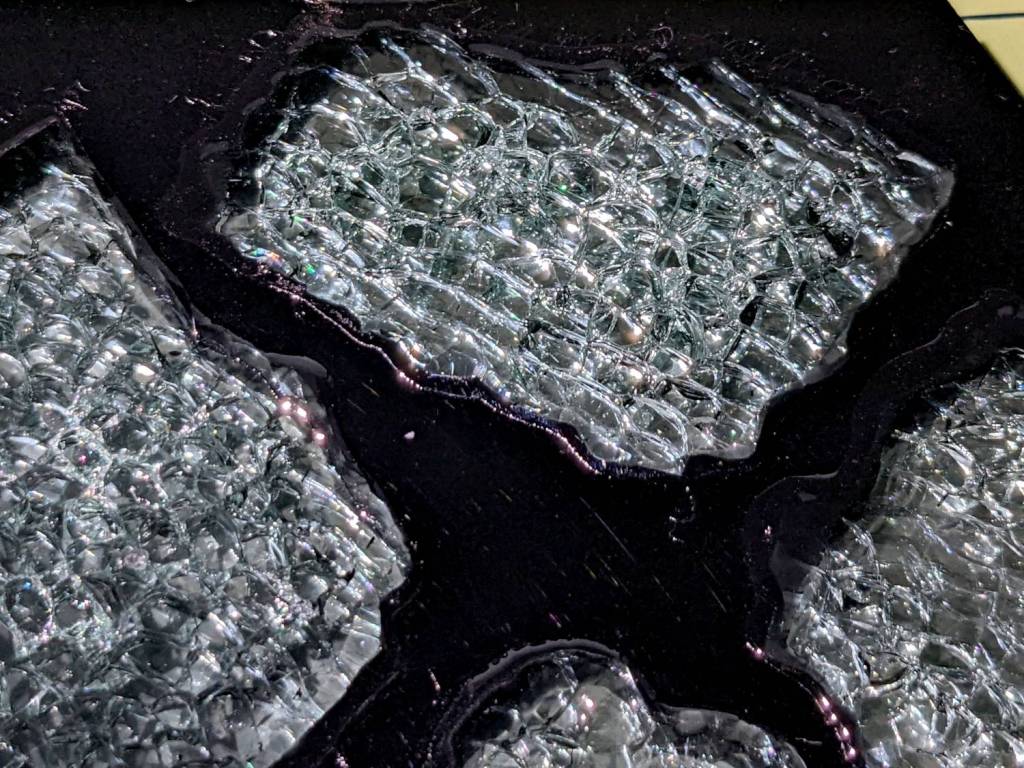
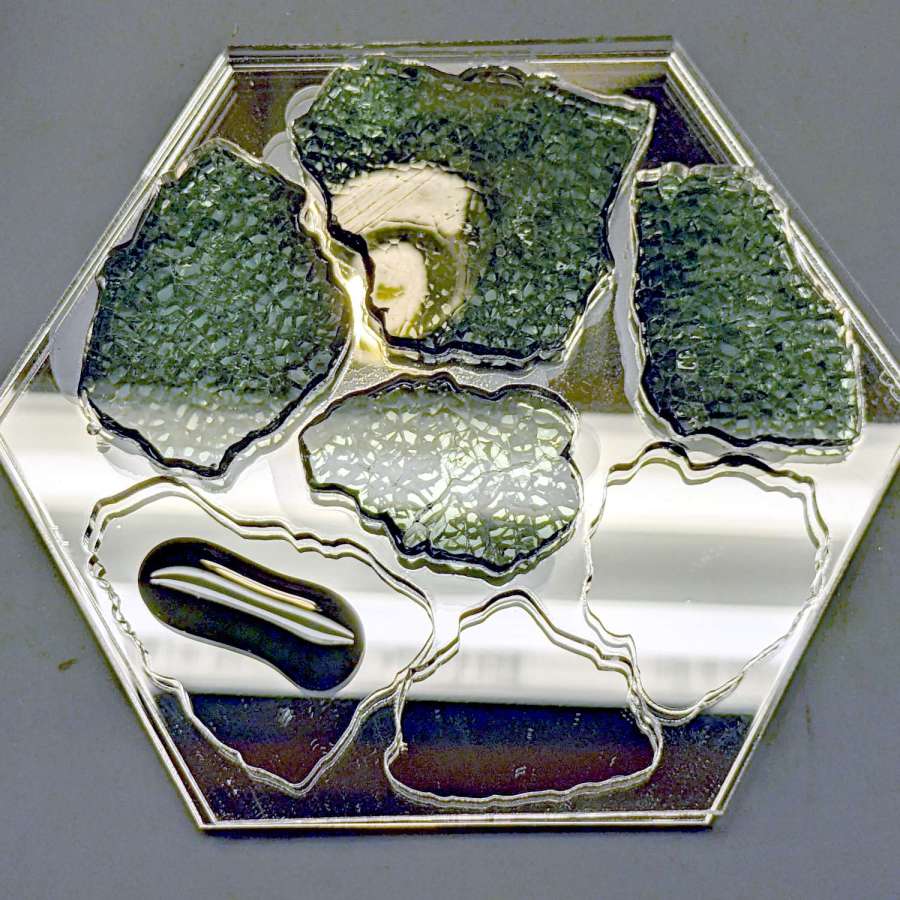
    Mix up a few milliliters of clear pourable epoxy, butter up the clear acrylic, lay the black acrylic on top, line up the edges, then gently place the shattered glass into the cutout:

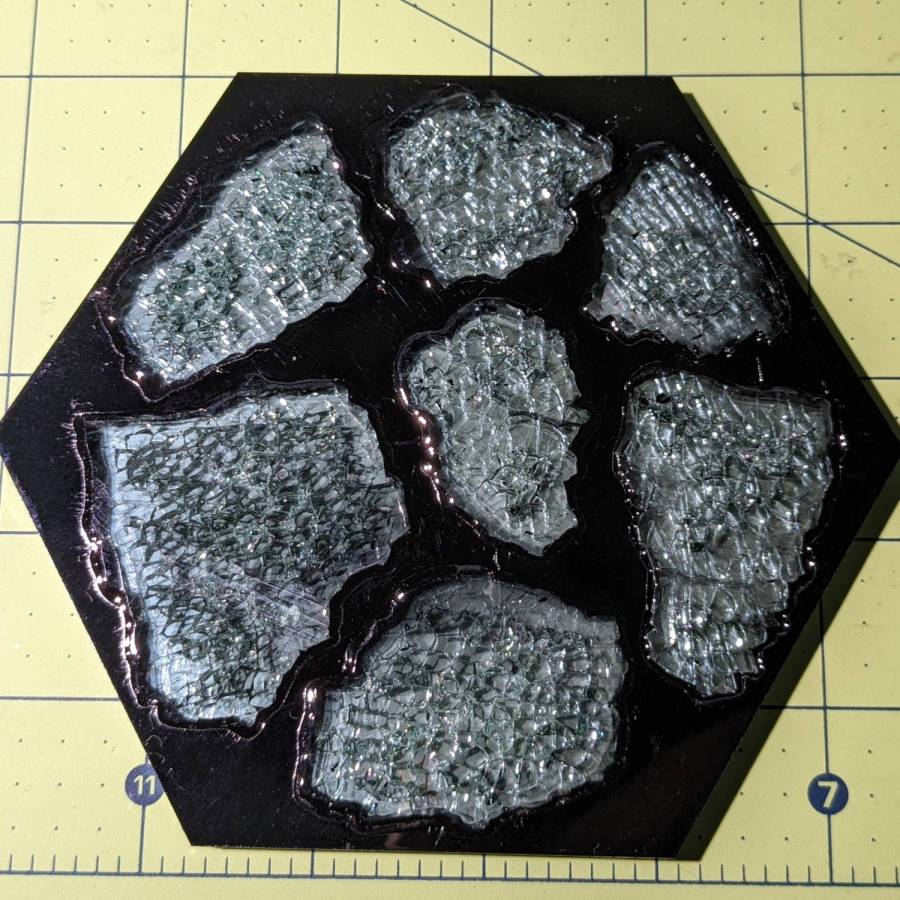
    Smashed Glass - piece 1 - acrylic top
    Smashed Glass – piece 1 – acrylic top

    Next time: apply gentle pressure, perhaps through a flexy sheet, to ensure the entire glass surface contacts the epoxy layer while squeezing out the bubbles. This will surely skate the glass across the acrylic, so don’t leave it unsupervised.

    The relatively clear areas show where epoxy eased its way into the cracks between the granules; there is no correlation between the air bubbles and unfilled cracks. The epoxy had the viscosity of warm honey and I didn’t expect it to flow so easily, but it doesn’t affect the outcome.

    Wait for a day, no matter how hard that may seem, for the epoxy to cure. Leave the small cup holding the remnants of the mixed epoxy nearby so you can test the cure without disturbing the Main Event.

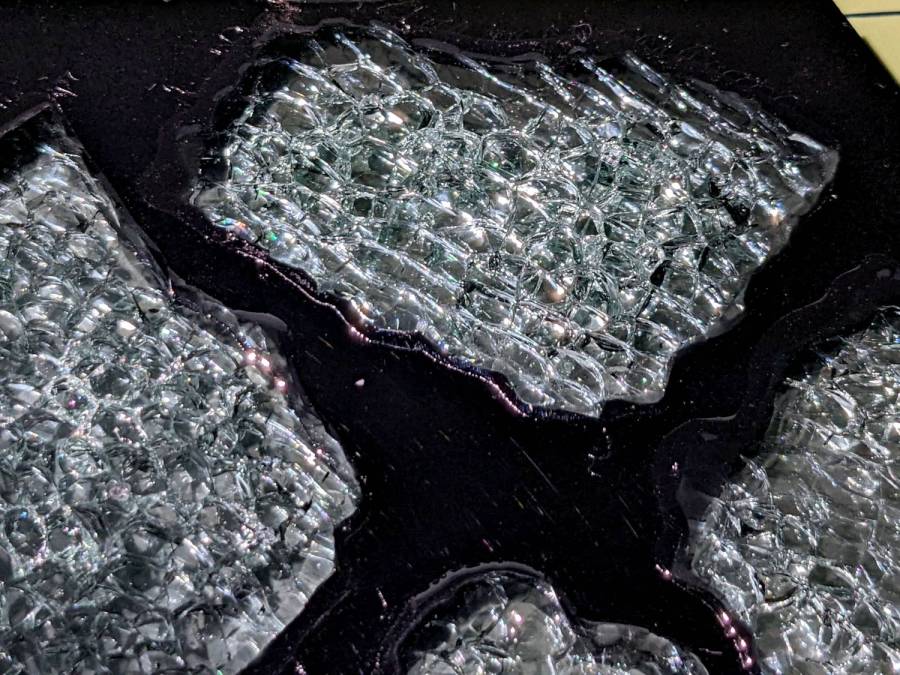
    The bottom looks pretty much like the top:

    Smashed Glass - piece 1 - acrylic bottom
    Smashed Glass – piece 1 – acrylic bottom

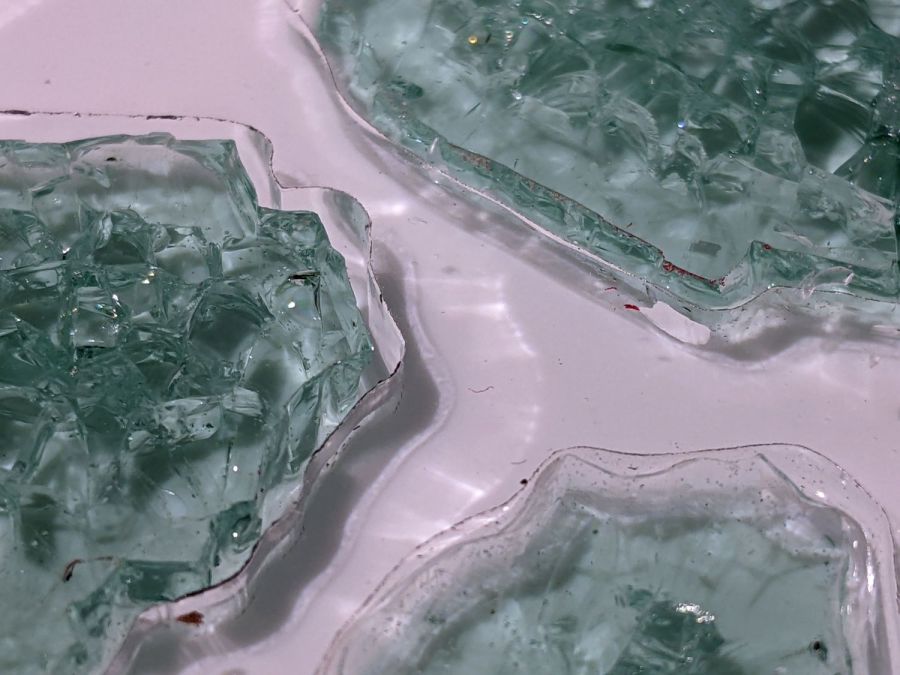
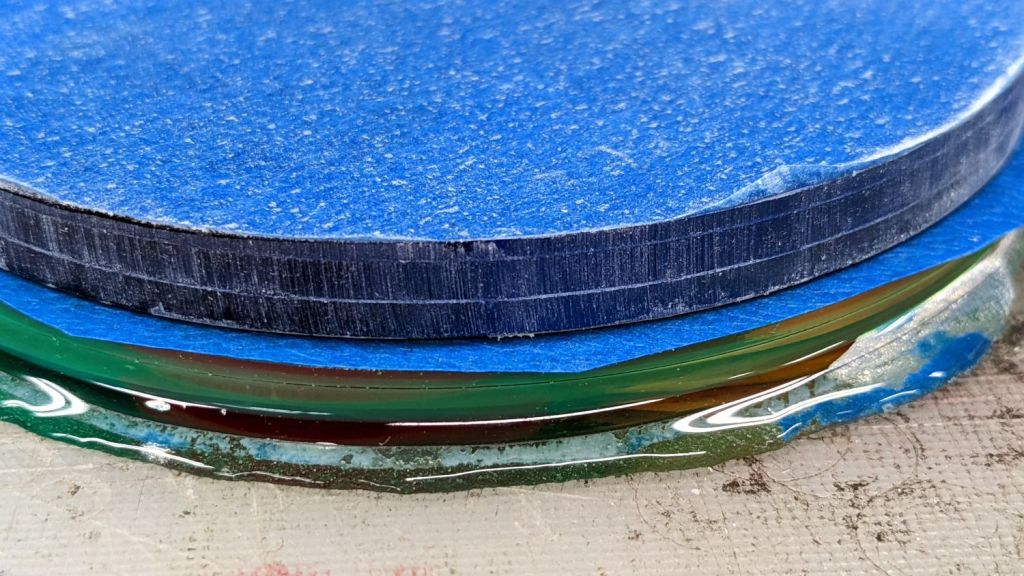
    The shattered edge reflects off the bottom of the clear acrylic, as seen through the side:

    Smashed Glass - piece 1 - acrylic side
    Smashed Glass – piece 1 – acrylic side

    Matching the perimeter to the fragment would be interesting, despite my low-vertex-polygon fixation.

    It could become a paperweight or a (shot glass) coaster.

  • Please Close The Gate Signage: Painted

    Please Close The Gate Signage: Painted

    It seems two months of sunlight will fade laser charred MDF down to its original state:

    Please Close The Gate - unpainted faded
    Please Close The Gate – unpainted faded

    That’s through a thick layer of indoor urethane sealant slathered over MDF without any surface prep. Obviously, not removing the char had no effect on the outcome. On the upside, the urethane did a great job of protecting the MDF from rainfall.

    So. Back to the shop.

    Lacking wider masking tape, two strips of tape laid along a cut-to-suit slab of fresh MDF will serve as a paint mask:

    Please Close The Gate - masked engraving
    Please Close The Gate – masked engraving

    Belatedly I Learned: cut the tape close to the edge, then fold it under so the autofocus pen can’t possibly snag it en passant.

    Shoot the entire surface with a couple of black enamel rattlecan coats:

    Please Close The Gate - masked paint
    Please Close The Gate – masked paint

    Yes, the engraved areas look reddish, most likely due to another complete lack of surface prep. Perhaps brushing / vacuuming / washing would remove some of the char, but let’s see how it behaves with no further attention.

    Peel the tape, weed the letters / antlers, slather on a coat of urethane, and it looks downright bold:

    Please Close The Gate - sealed
    Please Close The Gate – sealed

    Of course, if those two tape strips don’t exactly abut, the paint produces a nasty line:

    Please Close The Gate - mask gap
    Please Close The Gate – mask gap

    Should you overlap the strips a wee bit to ensure cleanliness, the engraved surface will then have a noticeable (in person, anyhow) discontinuity due to the laser losing energy in two tape layers, which wouldn’t matter in this application. We defined the few paint lines as Good Enough™ for the purpose; a strip of absurdly wide masking tape is now on hand in anticipation of future need.

    Burnishing the tape might have prevented paint bleed around the engraved areas:

    Please Close The Gate - paint creep
    Please Close The Gate – paint creep

    But, given that I was painting raw / unfinished MDF with an unsmooth surface, burnishing probably wouldn’t produce a significantly better outcome.

    By popular request, the new signs sit a few grids lower on the gates:

    Please Close The Gate - fresh painted
    Please Close The Gate – fresh painted

    Perhaps these will outlast the garden season …

  • OMTech 60 W Laser: Air Assist Pump Filter

    OMTech 60 W Laser: Air Assist Pump Filter

    The air assist pump sits in the right rear of the OMTech laser’s main compartment:

    OMTech 60W laser - Z motor - air pump
    OMTech 60W laser – Z motor – air pump

    Where it is, of course, exposed to all the usual dust / fragments / fumes / smoke generated by laser cutting & engraving, enhanced by my attention to getting good air flow over the platform. The picture shows the base plate in as-delivered condition, which it will never resemble ever again.

    The problem: any crud in the air can clog the pump or contaminate the laser focus lens.

    Four screws into threaded holes hold the pump to the base plate, secured with jam nuts on the outside.

    The air inlet is a round fitting centered on the bottom of the pump housing:

    OMTech 60 W Laser Air Assist - pump inlet
    OMTech 60 W Laser Air Assist – pump inlet

    You’ll note the out-of-focus crud scattered on the base plate.

    The general idea is to drill a hole through the base plate, put a snorkel on the inlet, and have it inhale fresh, relatively clean, basement air from outside the cabinet. The trick will be not touching the base plate with anything solid, because the pump vibrates like crazy; its four squishy standoffs do a great job of isolating the tremors from the base screwed to the laser cabinet.

    Having a few other things going on at the moment, I just laid two generous wads of cheesecloth where they can filter the bigger chunks out of the air stream:

    OMTech 60 W Laser Air Assist - cheesecloth filter installed
    OMTech 60 W Laser Air Assist – cheesecloth filter installed

    The air flow meter says the pump still delivers 12 l/m to the nozzle, so the cheesecloth has no effect compared to four or five feet of 4 mm ID tubing.

    A doodle summarizes the inlet fitting dimensions:

    OMTech 60 W Laser Air Assist - pump inlet fitting measurements
    OMTech 60 W Laser Air Assist – pump inlet fitting measurements

    That looks like a 3D printed disk with a snout for a short air hose should do the trick, with a thin gasket sealing the disk to the fitting.

    Now I can throw that piece of paper out …

  • Kenmore HE3 Washer Shock Absorber Shims

    Kenmore HE3 Washer Shock Absorber Shims

    As part of diagnosing a Terrible Sound inside our two decade old washer, I replaced the OEM shock absorber struts with cheap knockoffs. Although it didn’t solve the problem (spoiler: another tub spider bites the dust), the experience may come in handy elsewhere.

    The left rear (as seen from the front) shock stood in a pile of rust on the baseplate that came from a drip in the water feed nozzle to the detergent / bleach / whatever dispenser drawer. The affected parts are no longer available and I have never had any luck finding a replacement O-ring of the proper size, so I just pulled the nozzle out, ran a small bead of acrylic sealant around the O-ring, and squished it back in place:

    Kenmore washer - dispenser nozzle seal
    Kenmore washer – dispenser nozzle seal

    It’s the Y connection between the two black hoses, held in place on the dispenser by a relentless little clip. Release the two hose clamps, remove the hoses, pull it out, apply sealant, squish, reinstall in reverse order.

    As for the shocks, don a pair of work gloves and turn the upper mount (on the tub) counterclockwise as you look along the shock. The tub has molded-in latches that make turning it the wrong way difficult, but not impossible.

    With the shock loose, you can now try to turn the lower mounts counterclockwise as you look along the shock, but I had to deploy the BFW in very cramped quarters to get enough traction. This will likely wreck the little latches holding the mount in place, but you were going to replace it anyway.

    The new left-rear latch snapped firmly into place:

    Kenmore washer shock - left rear
    Kenmore washer shock – left rear

    Yes, that’s after I cleaned off as much of the rust as made sense.

    The remaining three latches did not snap firmly into place, so I made shims to soak up the slop:

    Kenmore washer shock - shim laser cut
    Kenmore washer shock – shim laser cut

    They slip around the central pillar with clearance for the latches, although the thicker shim didn’t leave much engagement:

    Kenmore washer shock - shim installed
    Kenmore washer shock – shim installed

    They ranged from 0.8 mm down to 0.2, based entirely on feel, and I used PETG, LDPE, and polypropylene clamshell of the right thickness.

    The left front got the thickest:

    Kenmore washer shock - left front
    Kenmore washer shock – left front

    Right front thinnest:

    Kenmore washer shock - right front
    Kenmore washer shock – right front

    And right rear in the middle:

    Kenmore washer shock - right rear
    Kenmore washer shock – right rear

    The shims aren’t precisely lined up with the feet, because I couldn’t make that work out, but they definitely prevented the mounts from shaking in their boots during the spin cycle.

    You will inevitably want to take the mounts off the shocks, which will prove surprisingly difficult. The two halves are identical, with triangular latches that snap together with no provision for release:

    Kenmore washer shock - foot internals
    Kenmore washer shock – foot internals

    Brute force applied with a small screwdriver may suffice, but don’t be surprised if strong words are required.

  • Homage Tektronix Circuit Computer: Laser-Engraved Painted Hairline

    Homage Tektronix Circuit Computer: Laser-Engraved Painted Hairline

    Having established that laser-engraving the hairline fuses the protective film to the PETG cursor, I wondered if the bond would allow filling the hairline by painting it with good old Testors enamel:

    Tek CC - Painted Hairline - finished
    Tek CC – Painted Hairline – finished

    Which is, straight up, the best hairline I’ve ever made!

    I use a fine-tipped paintbrush, but there’s no need for finesse:

    Tek CC - Painted Hairline - mask detail
    Tek CC – Painted Hairline – mask detail

    After the paint has cured a bit, peeling the film removes everything that isn’t inside the trench:

    Tek CC - Painted Hairline - mask removal
    Tek CC – Painted Hairline – mask removal

    The clouds on the clear side come from PETG vapor condensing on the transparent film protecting the bottom of the cursor.

    A closer look through the cursor shows bubbles in the bottom of the trench, presumably from boiling PETG:

    Tek CC - Painted Hairline - detail
    Tek CC – Painted Hairline – detail

    The hairline measures 0.3 mm across and, unlike previous attempts, is perfectly consistent from end to end.

    Now I can go into mass production:

    Tek CC - Painted Hairline - production
    Tek CC – Painted Hairline – production

    I love it when a plan comes together …

  • OMTech 60 W Laser: Axis Angle Check

    OMTech 60 W Laser: Axis Angle Check

    After tweaking the OMTech laser’s axis scale calibration, it seemed like a good idea to see whether the axes run perpendicular to each other:

    OMTech Axis Cal - framing square
    OMTech Axis Cal – framing square

    A carpenter’s framing square isn’t the most precise instrument, but the pair in my collection agree on their right-angularity to within my ability to measure the difference.

    Aligning the short arm with the Y axis showed the X axis was off by 1.2 mm in 21 inches = 530 mm, an angle of 0.13°, which is just about as good as it’s ever going to be.

    The honeycomb frame is definitely not a precisely aligned unit, but the front edge is parallel to the X axis within an astonishing 0.03°, measured along the rear edge of the long arm pushed against the front of the frame. The aluminum frame has a distinct outward bow in the middle averaged out by the long arm.

    Unfortunately, the honeycomb frame on the right side is nowhere near that nice. While I had the long scale aligned with the X axis travel, I sleazed a smaller square up against it:

    OMTech Axis Cal - honeycomb frame misalignment
    OMTech Axis Cal – honeycomb frame misalignment

    It’s as bad as it looks:

    OMTech Axis Cal - honeycomb frame vs axis travel - detail
    OMTech Axis Cal – honeycomb frame vs axis travel – detail

    The scale departs from the black square’s arm by 4 mm over 260 mm, for a 0.88° misalignment.

    I think the honeycomb frame is, at best, a parallelogram (and likely a trapezoid), and each side is also bowed by a few millimeters along its length, so any misalignment will depend on where you stand and which way you look.

    In all fairness, it was never intended as an alignment fixture and nobody really cares about angular misalignment as long as the puppy portrait comes out pretty much in the middle of the coaster.

    Angular Alignment meme
    Angular Alignment meme

    Yes, yes I am.

    It’s easy enough to make an alignment fixture:

    OMTech Axis Cal - honeycomb frame angle fixture
    OMTech Axis Cal – honeycomb frame angle fixture

    The cut along the left edge is, by definition, parallel to the Y axis, so the left edge of the larger slice serves to align flat things to be cut and hold them in place:

    Laser cutter deck fixture
    Laser cutter deck fixture

    The upper sheet (a simple chipboard rectangle) sits perpendicular (set with the short square) to the edge, held to the honeycomb with magnets, and kept in alignment with two adjustable stops snugged against it. A few smaller magnets can hold the sheet flat against the honeycomb as needed.

    The sliver cut off the MDF is 7.85 mm at the top and 9.70 mm at the bottom, for an angle of 0.53° over its 210 mm length, a bit less than the angle measured above. It now lives in the tooling pile against future need.

  • 70 inch OD Curved Quilting Layout Template

    70 inch OD Curved Quilting Layout Template

    Mary sketched a quilt layout on ordinary Letter-size paper using her quilting templates, but the final design will be a 30×30 inch layout requiring a suitably upscaled template. Running the numbers suggested a template with curved edges lying on a 70 inch diameter circle, which was easy enough:

    Quilting Template - 70 inch dia - short
    Quilting Template – 70 inch dia – short

    The normal-size acrylic template with a 20 inch diameter sits atop the upscaled cardboard version. We decided cardboard would work fine for a single-use tool; should she need one in the future, I have the technology.

    It turns out that the inner curve also has a 70 inch diameter: its center point is displaced 200 mm along the center radius from the outer curve. The straight sides are parallel, not radii of either circle.

    She decided a much longer template would simplify smooth edge-to-edge curves, so I laid out a skinnier version with a keyed joint in the middle:

    Quilting Template - 70 inch dia - long
    Quilting Template – 70 inch dia – long

    The grid represents the OMTech laser’s 700×500 mm platform, so I used LightBurn’s Cut Shapes function to chop the template into two overlapping parts:

    Quilting Template - 70 inch dia - split
    Quilting Template – 70 inch dia – split

    The cuts at the keyed ends extend slightly more than needed, but weren’t critical. Similarly, I didn’t worry about kerf compensation for two pieces of cardboard joined by packing tape.

    The template looks a lot like a scimitar:

    Quilting Template - 70 inch dia - long
    Quilting Template – 70 inch dia – long

    The shorter version had its corrugations running along the short dimension. I put the longer version’s corrugations along the longer dimension, thinking they would prevent bending. That was true, but they also interfered with the pencil tracing the curves. Next time, I’ll know better!