Ed Nisley's Blog: Shop notes, electronics, firmware, machinery, 3D printing, laser cuttery, and curiosities. Contents: 100% human thinking, 0% AI slop.
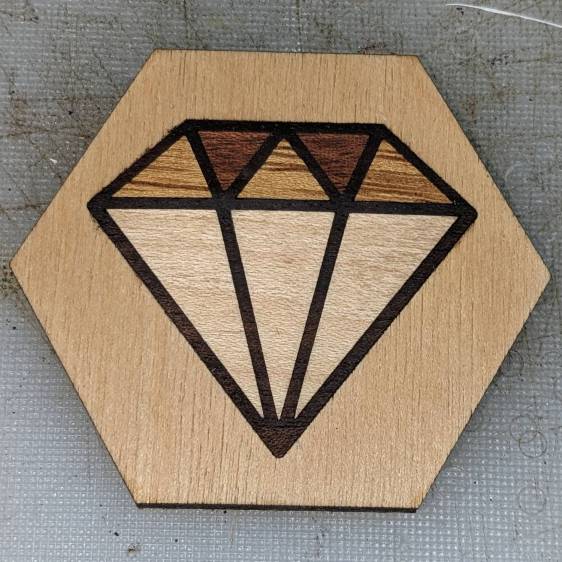
Straight up: this was mostly for fun, as can be determined by the hideous juxtaposition of the diamond amid a hexagon with the grain running the wrong way.
The diamond pattern was the least awful result of searching the Intertubes for diamond svg.
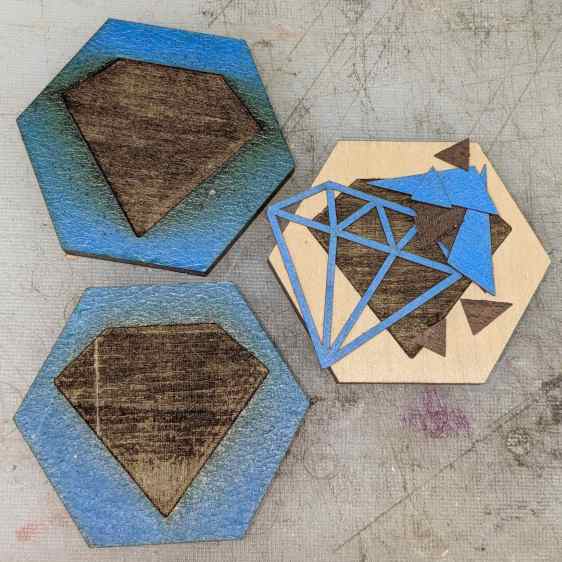
I didn’t expect it to work on the first try, but apart from having to calibrate the engraving depth in the scrap of plywood paneling, things went swimmingly:
Marquetry plywood engraving depth tests
I now have settings to excavate 0.2, 0.5, and 1.0 mm into that particular paneling. The veneer sheets were just over 0.5 mm thick and stuck out just enough to sand them flush.
The ideal kerf compensation turned out to be none at all, which I found after compensating the frame 0.1 mm outward on all sides, then having it not fit in the hole nor around the inner triangles.
A layer of yellow Elmer’s Wood Glue holds everything in place.
A few licks of 120 grit sandpaper, wipe it down with polyurethane finish, let it cure overnight, and it’s presentation-ready.
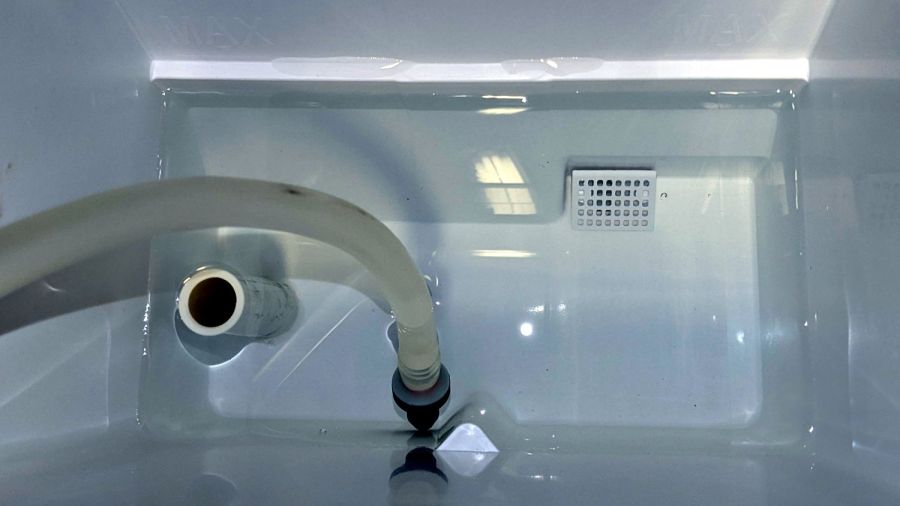
The bucket contained all the water to start with, so with the icemaker and laser tube empty, all the water is back in the bucket. Getting all the bubbles out of the laser tube takes a while after the pump starts running, so I stuck a check valve on the laser output tube in the icemaker’s reservoir:
Silonn icemaker – inlet check valve
Which, after a few days, developed a slow leak, once again emptying the reservoir.
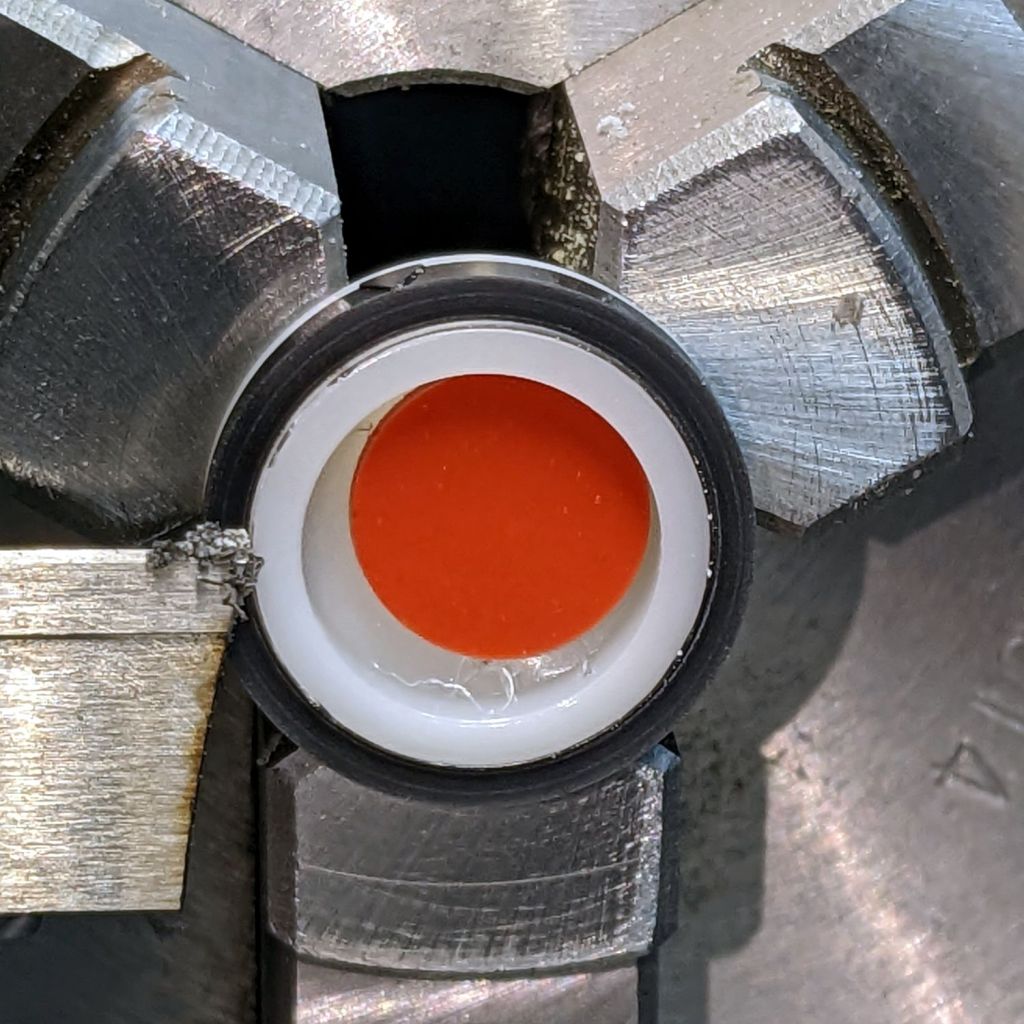
There being no way to dismantle the valve for analysis and cleaning, I just cut it apart:
Silonn icemaker – inlet check disassembly
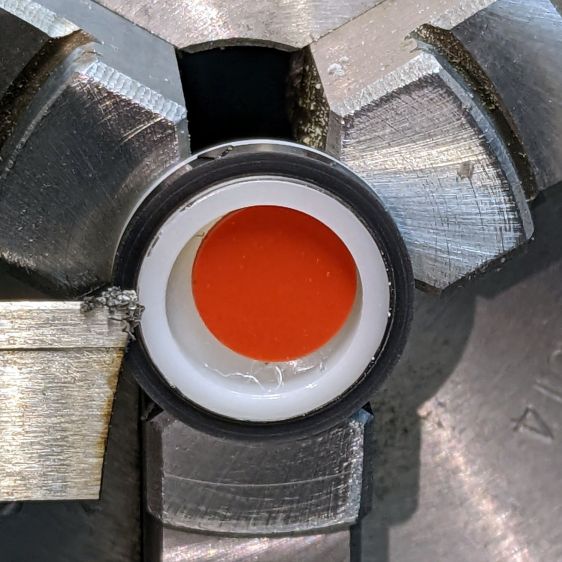
Lo and behold, a small tangle of thin fibers had found its way into the valve:
Silonn icemaker – check valve debris
Which held the silicone disk ajar and let the water slowly leak backwards through the valve.
I have no idea where it might have come from, but a simple filter seems like a good idea. Given that the pump produces pretty nearly zero pressure, anything fancier than a coffee filter in a funnel would present too much back pressure.
Or, with three more valves in the bag, I can wait to see how long it takes for another tangle to arrive …
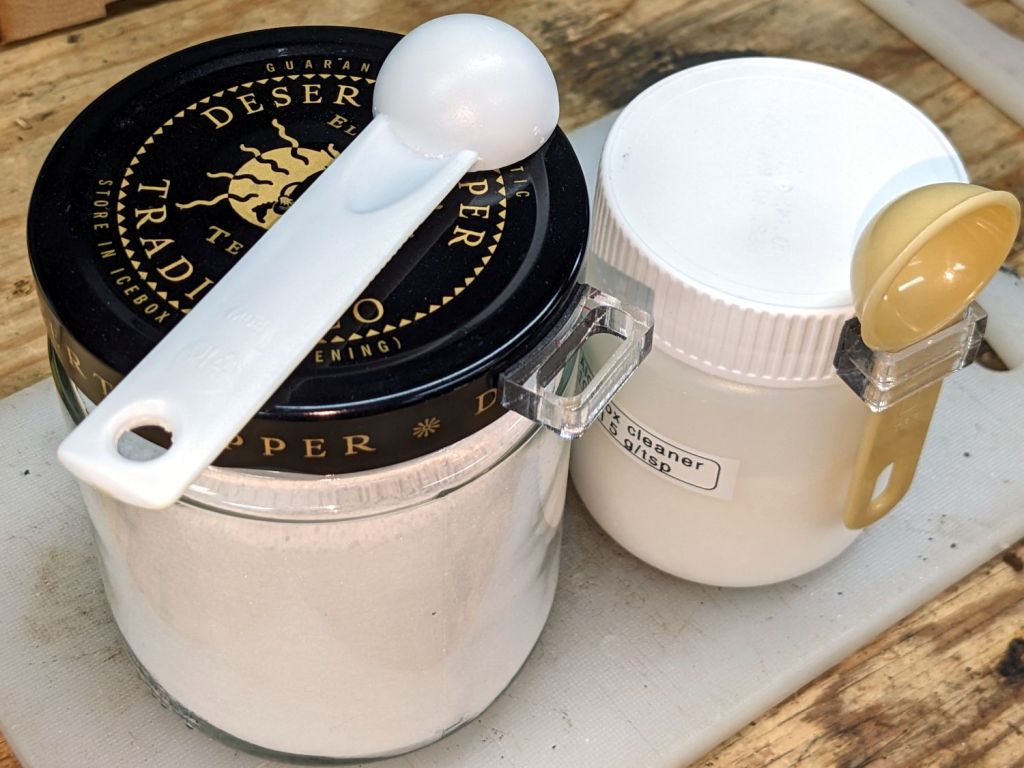
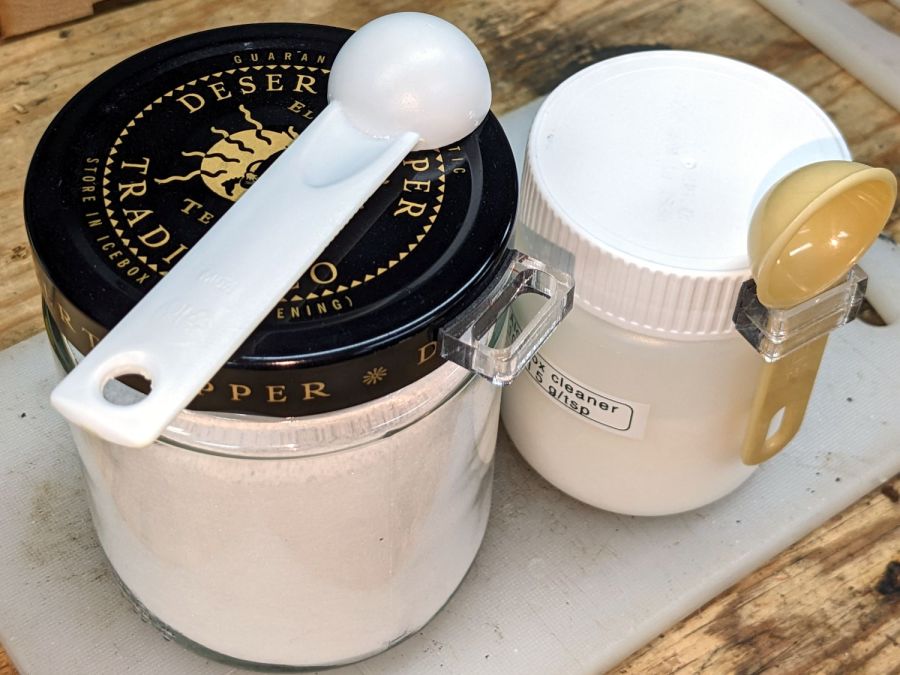
We have accumulated enough measuring spoons (typically from garage sales) to dedicate them for specific purposes, which means keeping them from wandering away:
Jar lid measuring spoon holders
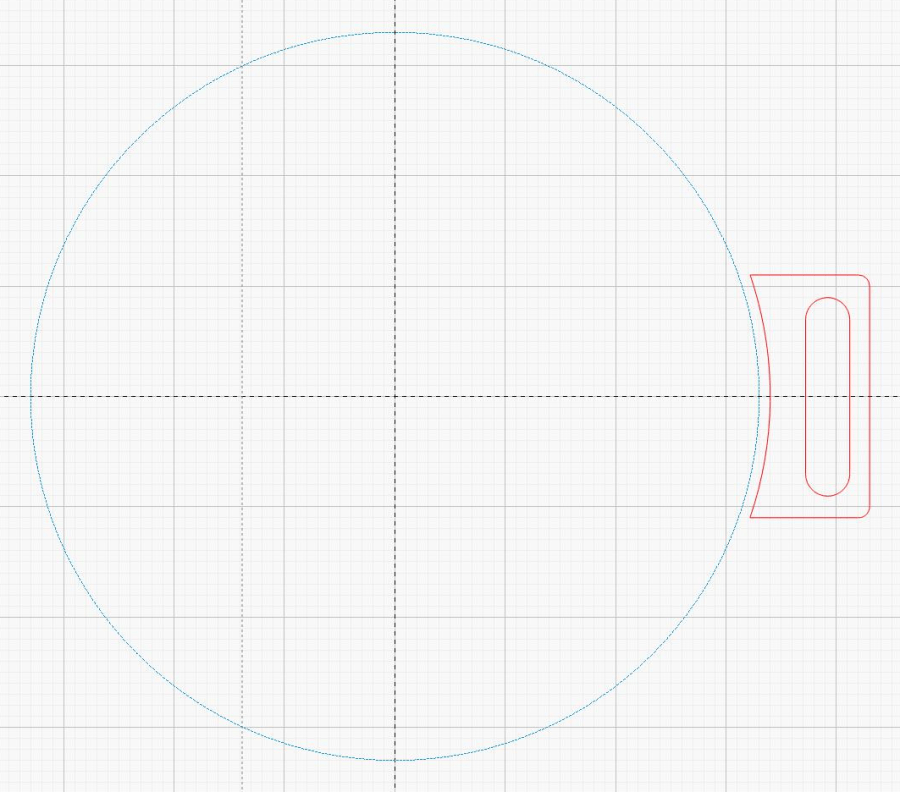
The design is simple enough:
Jar lid measuring spoon holder – LB layout
The slot is a rounded rectangle about 2 mm larger than the spoon handle in both directions, inside a rounded rectangle large enough to put the handle just clear of the jar. The curved side comes from outsetting the jar lid OD by a millimeter (for the double-sided foam tape), then subtracting that circle from the holder.
So, yeah, they’re custom-made for the spoon and jar in hand.
For reasons not relevant here, a hand shower will come in mmm handy for a while in a month or two. The threads on its plastic diverter valve pretty nearly match those on the 70 year old iron pipe in the front bathroom, although the original brass shower head may have been installed by John Henry the Steel-Drivin’ Man.
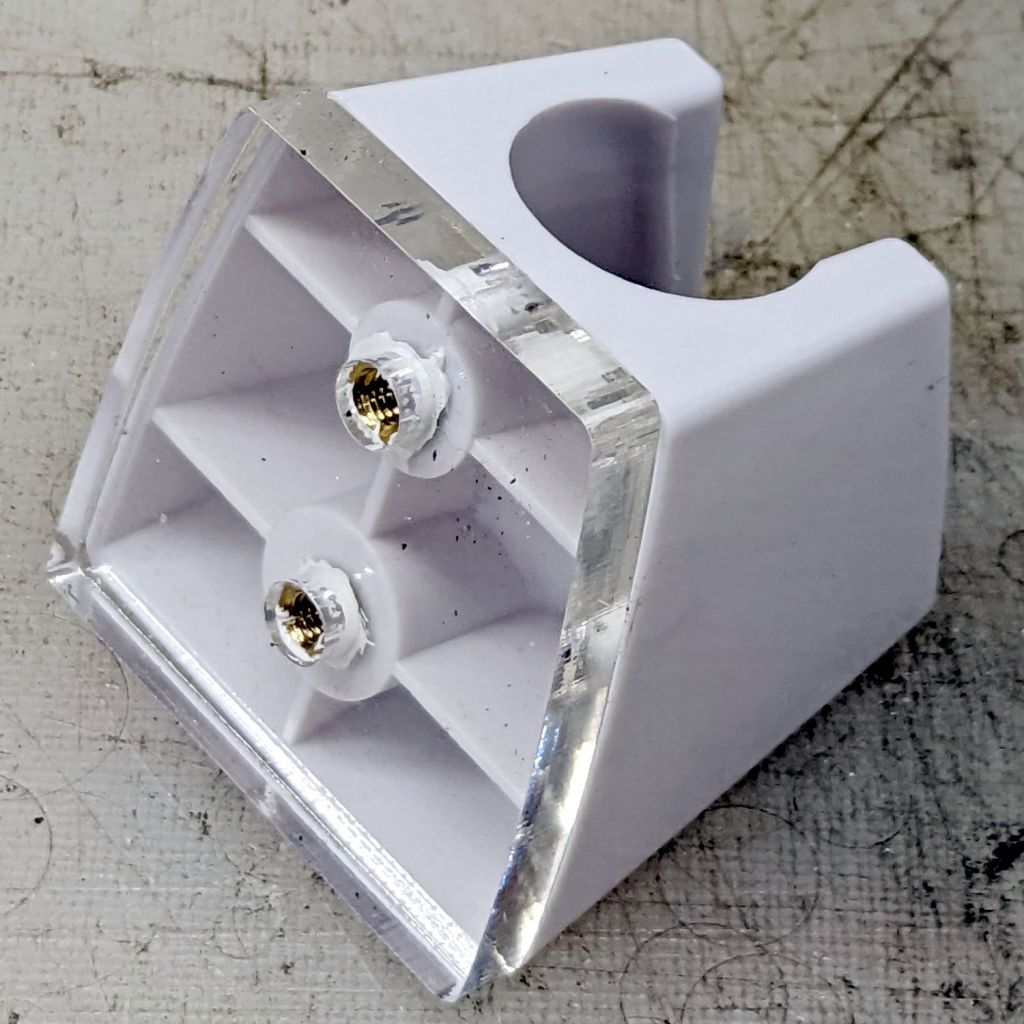
In any event, you’re supposed to drill two screw holes in the wall for the holder, which is just not happening. Instead, scan the bottom of the holder and blow out the contrast for the next step:
Hand Shower bracket – scan
Yes, those holes are off-center in their molded bosses. They’re centered in their front recesses and I cannot imagine how, in this day and age of CAD everything, a designer could misalign the front and the back, but there it is.
A little cleanup produces a reasonable mask:
Hand Shower bracket – mask
The holes are centered in the outline, as you’d expect.
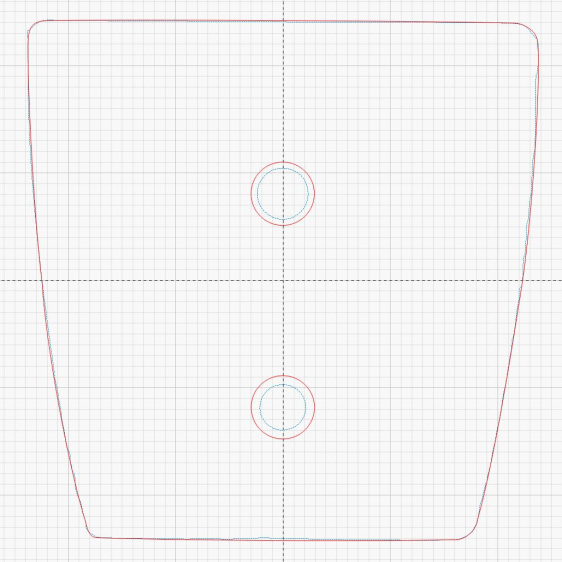
Import it into LightBurn, trace the perimeters, put those vectors on a tooling layer, and hand-draw a much simpler / smoother outline on the cutting layer. One of the vintage acrylic sheets is 1/4 inch thick, just enough for the shortest M4 brass inserts, so wrap the holes around the inserts:
Hand Shower bracket – LB layout
Some acrylic adhesive goops the inserts in place, although I’m not convinced it has enough pull strength in those slick holes:
Hand Shower bracket – mounting plate
When if it fails, I’ll rebuild the plate with an engraved ring around the back of each hole, along the lines of the earrings, and epoxy the inserts in place.
Double-sided foam tape will eventually stick the holder to the tile above the tub, but finding the proper location requires UX research.
Cut the painted sheets cut face-down atop magnetic spikes on the honeycomb platform, with tabs to keep the petals in place and 0.15 mm kerf compensation. A light touch with an Xacto knife severs the tabs, after which the petals press firmly into the frames. Spread yellow PVA wood glue across the bottom disk, align the perimeters and press together, lay parchment paper between the coasters, clamp the stack between plywood sheets, and they emerge perfectly flat the next day.
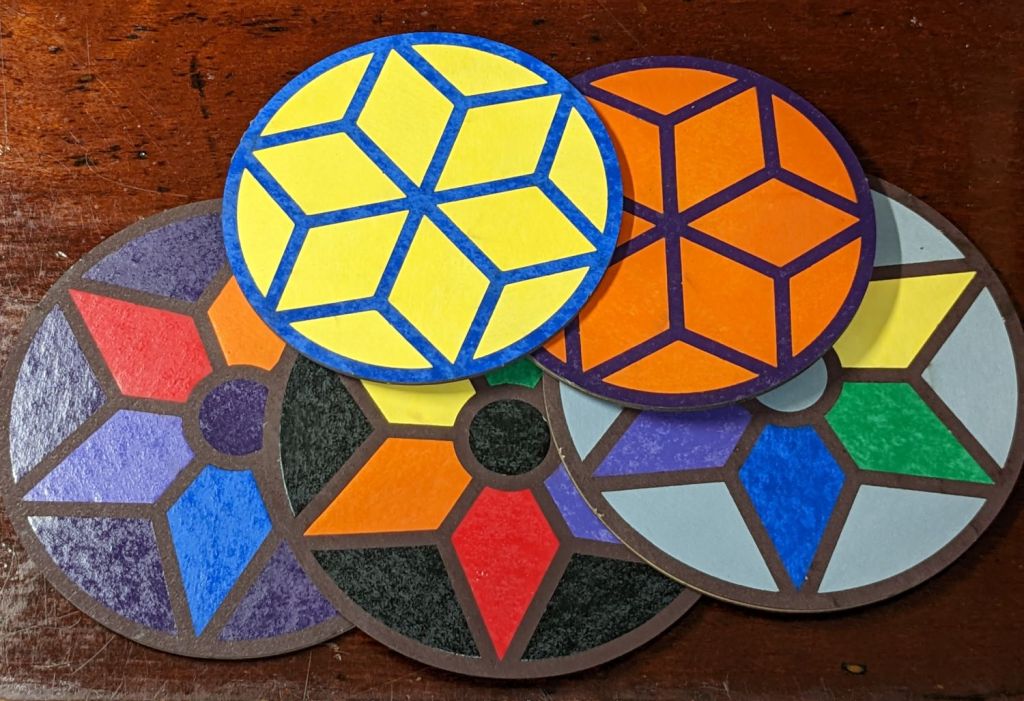
They’re too labor-intensive for any economic activity, but I like ’em:
Coaster assortment
The pale gray petals in a white frame looks remarkably like the washed-out color scheme on whatever device you’re reading this, doesn’t it?
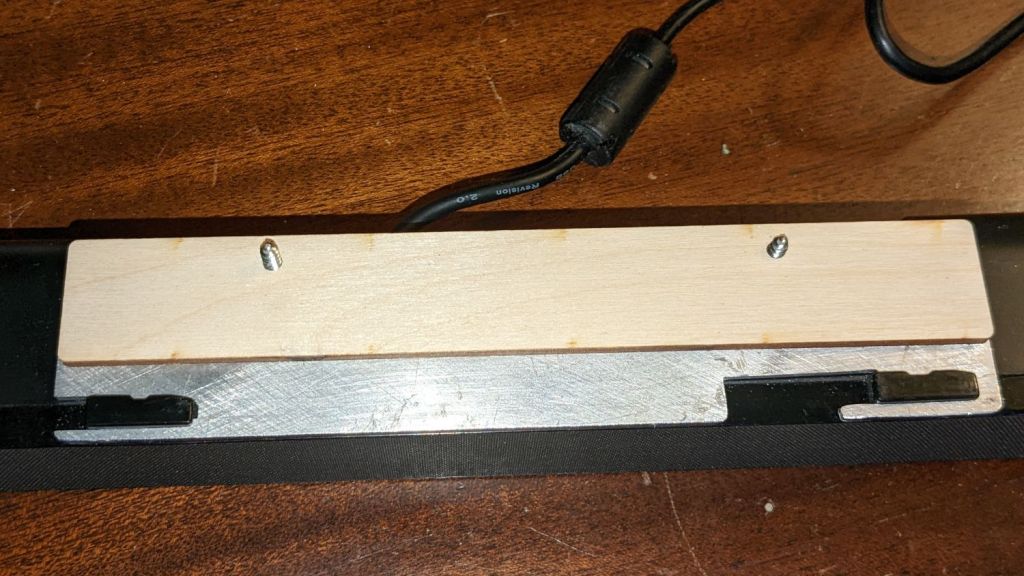
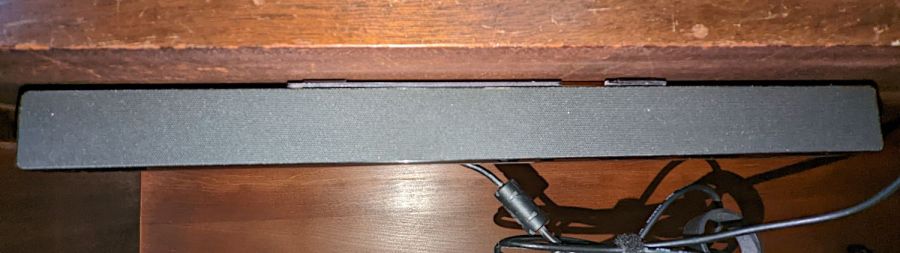
A bedroom rearrangement displaced the Dell Sound Bar attached to the streaming music player from its accustomed perch, so I conjured a mount from the parts bin to hang it from a shelf:
Dell sound bar mount – installed
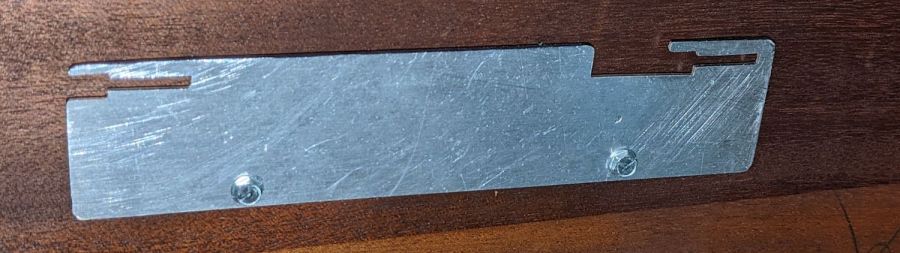
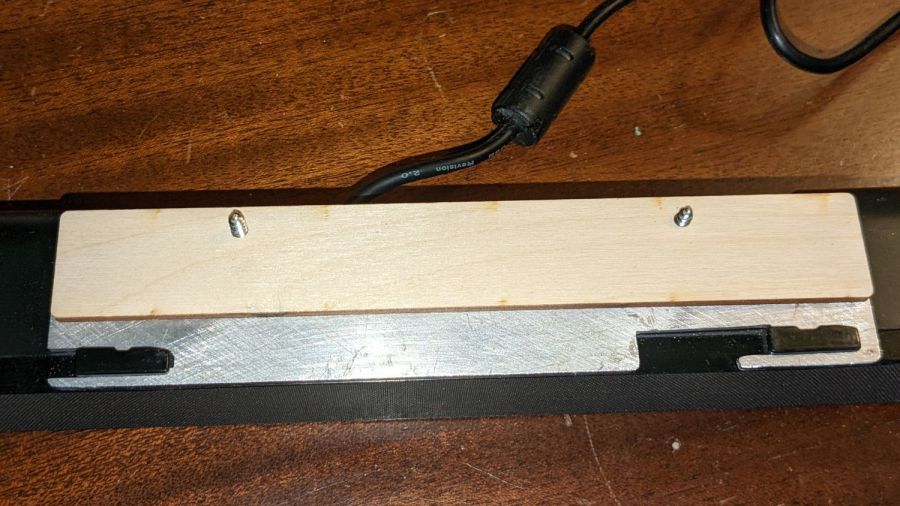
The sound bar originally fit below any Dell monitor with the appropriate lugs under the bezel, but a bit of bandsaw work and hand filing produced a reasonable facsimile from an aluminum sheet:
Dell sound bar mount – plate installed
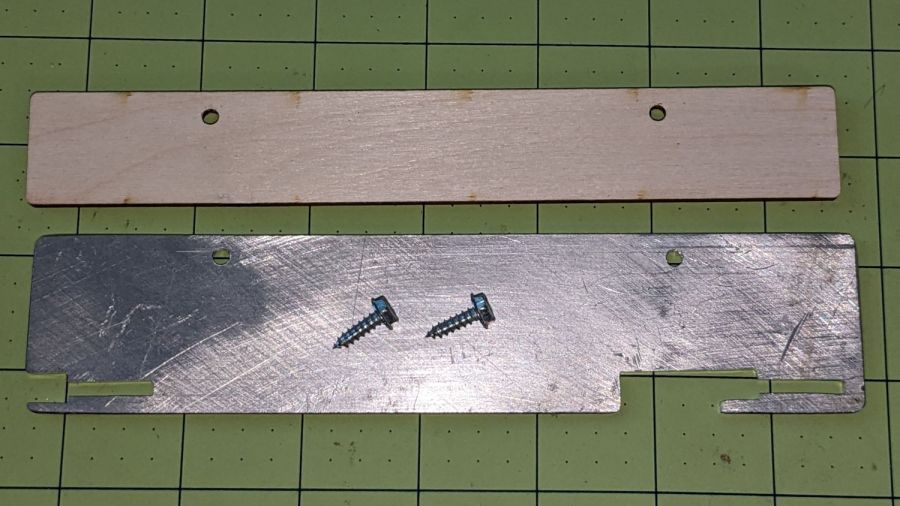
The bar’s plastic bits require a few millimeters of clearance above the sheet, now provided by a matching plywood shape:
Dell sound bar mount – parts
A trial fit showed all the parts would fly in formation:
Dell sound bar mount – trial fit
A laser-cut cardboard template maintained alignment and spacing while I stood on my head screwing the mount in place.
It has a drain hole in the bottom that made this whole thing practical, because a PVC pipe hot-melt-glued atop the drain maintains the water level in the reservoir without any further attention:
Silonn icemaker – drain pipe
The water line from the laser, formerly run directly into the bucket, now goes into the reservoir and through the drain into the bucket. The bucket holds about five gallons of water, with the pump submerged in the bottom.
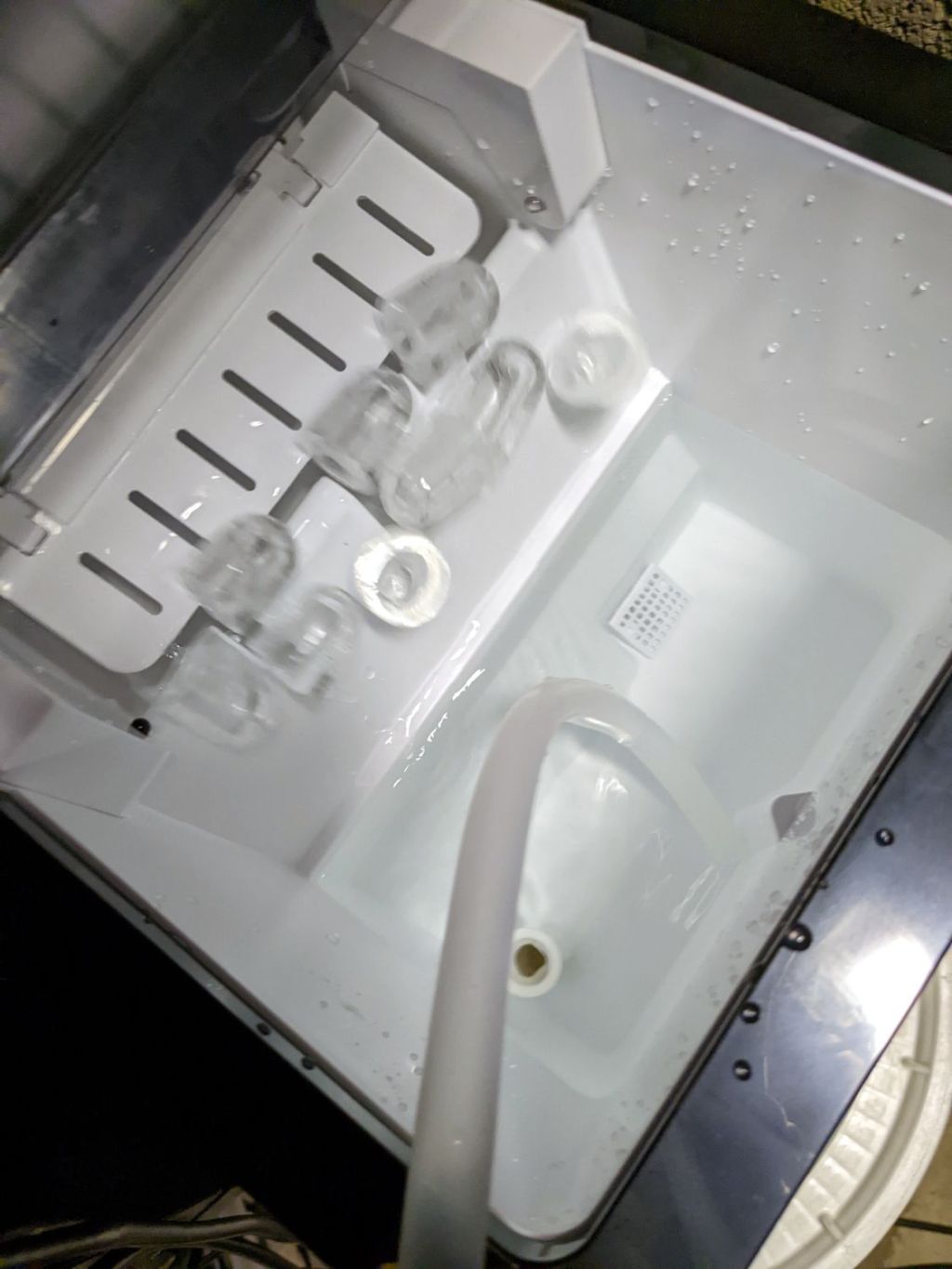
The icemaker pumps water from the reservoir into the little icemaker tray, freezes nine little ice bullets, and scrapes them into the reservoir:
Silonn icemaker – new ice dump
It does that about every eight minutes.
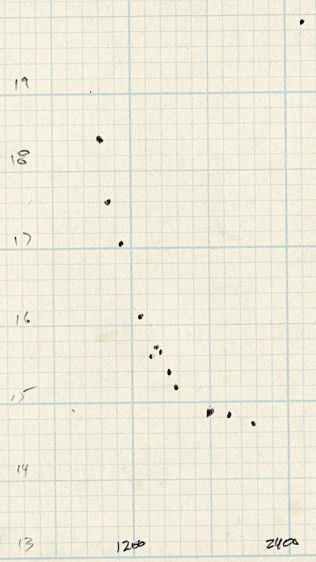
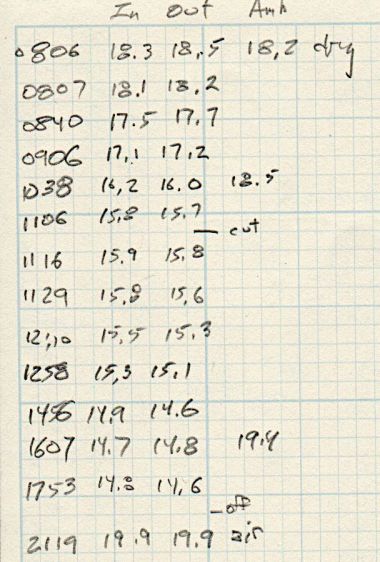
A plot of water temperature vs. time shows what happens:
Silonn icemaker – cooling water plot
It’s as exponential as you could want.
The ice bullets drop into the reservoir and melt there, the cooled water continuously flows into the bucket, and mixes with the rest of the water before being pumped back through the laser. As a result, there are no sudden water temperature changes and the laser remains perfectly happy.
Some numbers for an idea of the cooling capacity:
Freezing 28 pounds = 12.7 kg of ice a day (which, in normal use, would require me to babysit the thing overnight to empty the ice and refill the reservoir) works out to:
12.7 kg × 334 kJ/kg = 4.2 MJ
Spread across 24 hours, that’s 49 W of cooling power. There will be a bit more going into the chilled water surrounding the bullets, but most of the energy goes into the water-to-ice phase change.
Run another way, 5 gallons of water is 42 pounds. The initial cooling slope looks like 2 °C = 3.6 °F in 2 hr, which is 75 BTU/hr = 23 W. However, the water is cooling the laser (which was inert except for one brief cut) as well as the basement, plus (most importantly) there’s a water pump dissipating 20 W submerged in the bucket, so the icemaker is delivering at least 43 W, which is pretty much its rated performance.
It’s obviously incapable of keeping up with a laser doing full-time production work, but for my simple needs it seems better than dunking ice packs in the bucket.
More study (and maybe getting an air-cooled water pump) is in order …








 The Smell of Molten Projects in the Morning