Ed Nisley's Blog: Shop notes, electronics, firmware, machinery, 3D printing, laser cuttery, and curiosities. Contents: 100% human thinking, 0% AI slop.
Tag: Improvements
Making the world a better place, one piece at a time
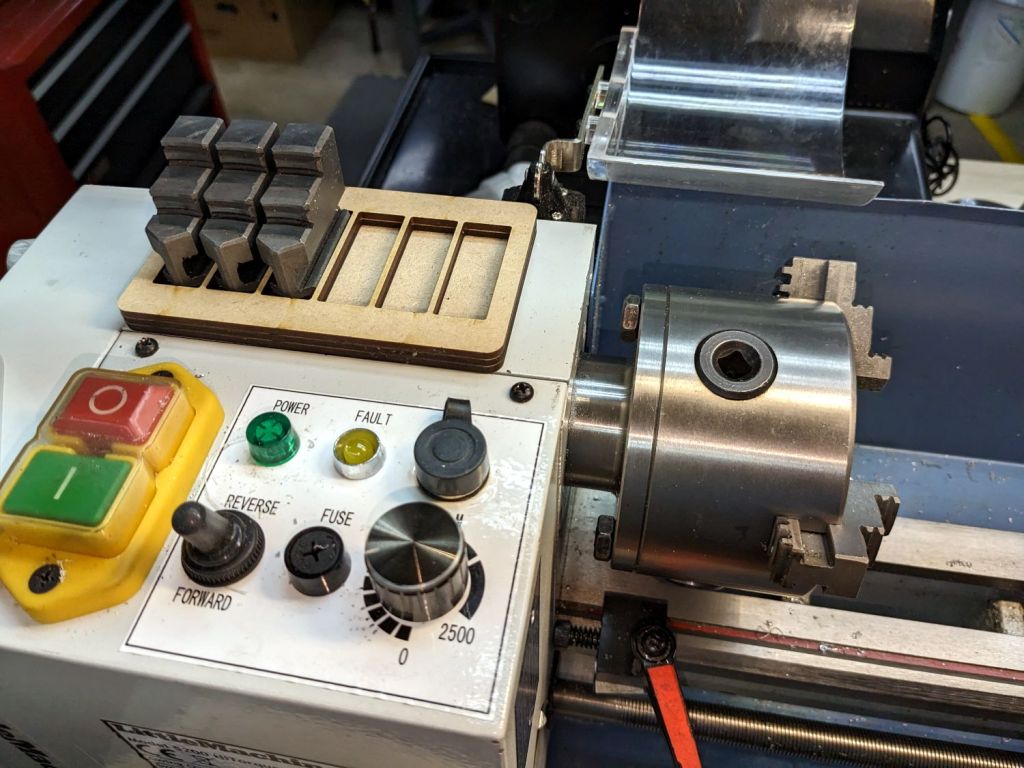
While swapping chuck jaws I realized I didn’t have to pile them on a shop rag atop the lathe headstock, no matter how neatly cut those rags might be:
Lathe chuck jaw holder – installed
It’s three layers of MDF cut to hold all six jaws from the 4 inch 3 jaw chuck, stuck together with wood glue.
You really need only four sockets: one empty for the jaw you just removed, then work your way around the chuck. But, hey, MDF is cheap and I usually remove all three at once anyway.
When it starts walking away, it’ll sprout silicone feet.
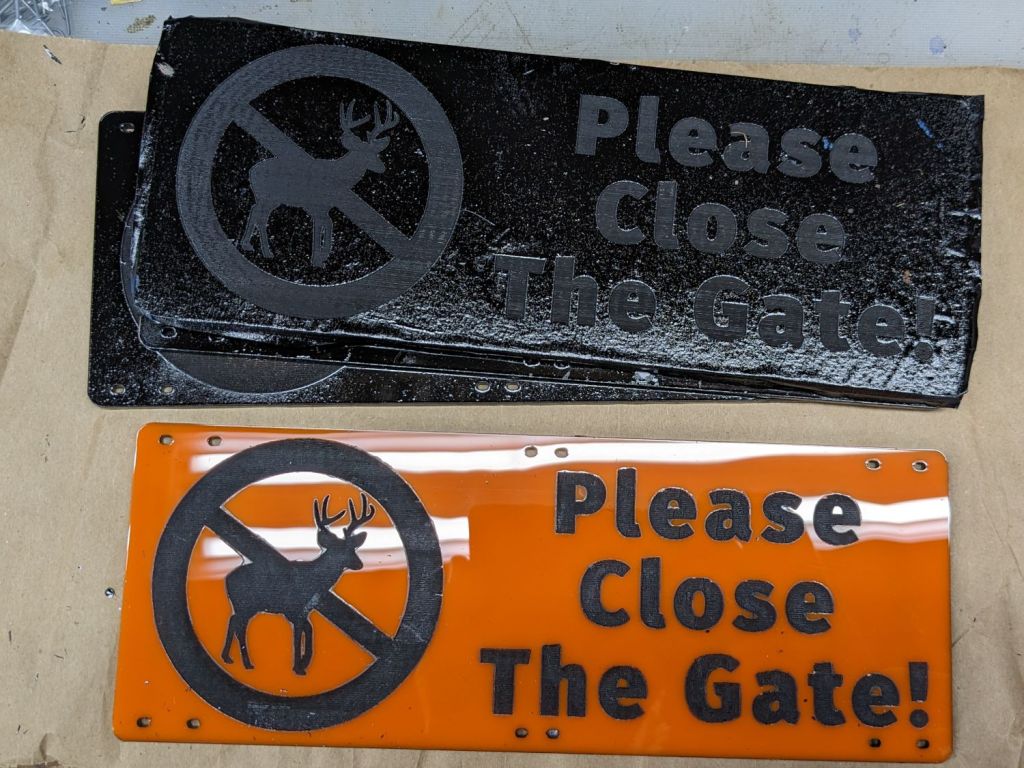
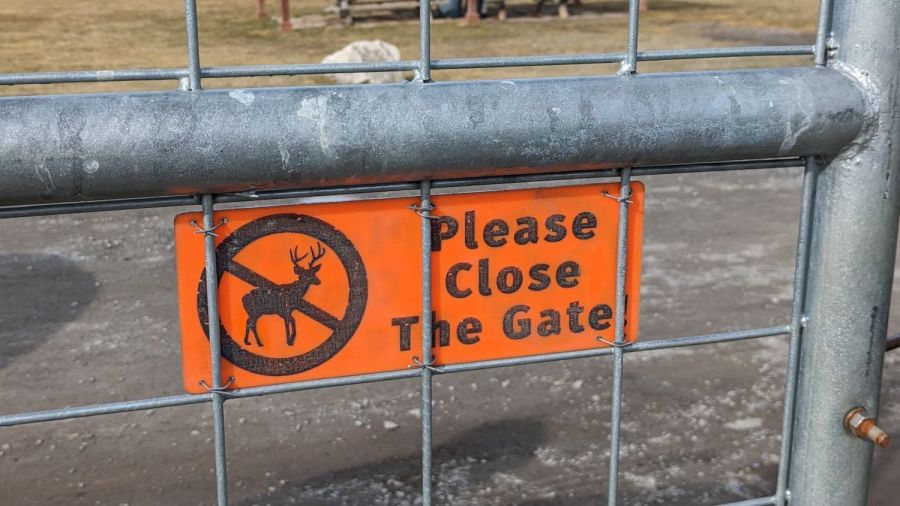
A warm day let me shoot the engraved signs for the Vassar Community Garden gates with rattlecan black:
Please Close The Gate – masking tape peeled
The full sheet of orange acrylic arrived with plastic protective film on both sides, which I planned to use for paint masking. Alas, one side also had a wrinkle running its length that ended up on two signs, so I replaced that film with blue masking tape.
As fate would have it, the first side of the first sign I peeled had masking tape and produced what you see above.
Things went bad in a hurry. The paint had no adhesion whatsoever to the plastic film and fell off in flakes as I peeled the film away:
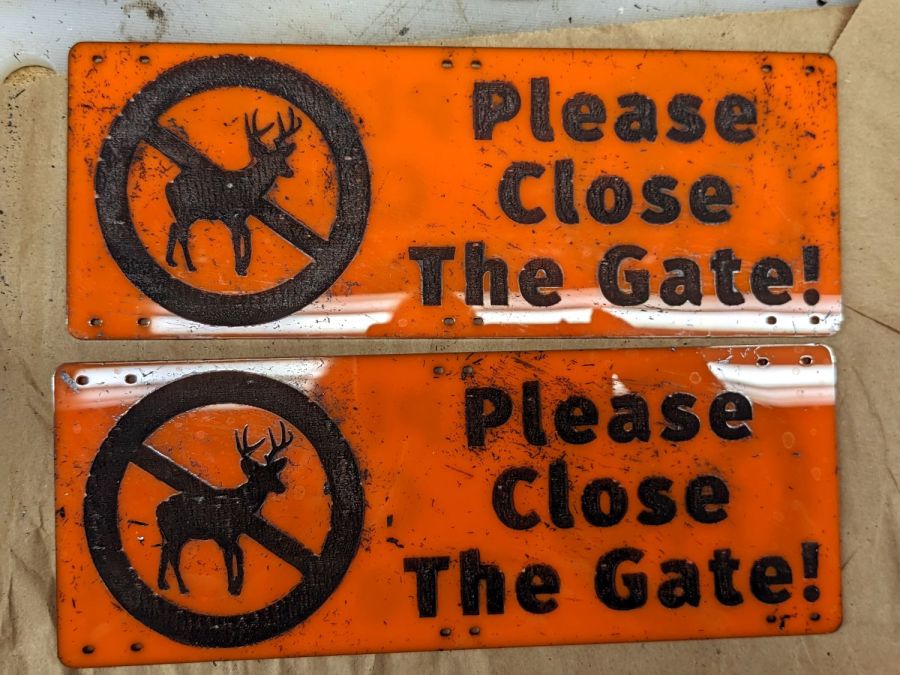
Please Close The Gate – plastic peeled
I assumed the flakes would just fall off the signs, perhaps with a little persuasion, so I peeled and weeded all the signs before cleaning them up.
Although the paint was fully dry, when the molecularly smooth surface of each paint flake touched the molecularly smooth surface of the newly exposed acrylic, the two instantly and permanently fused together.
There were a lot of flakes:
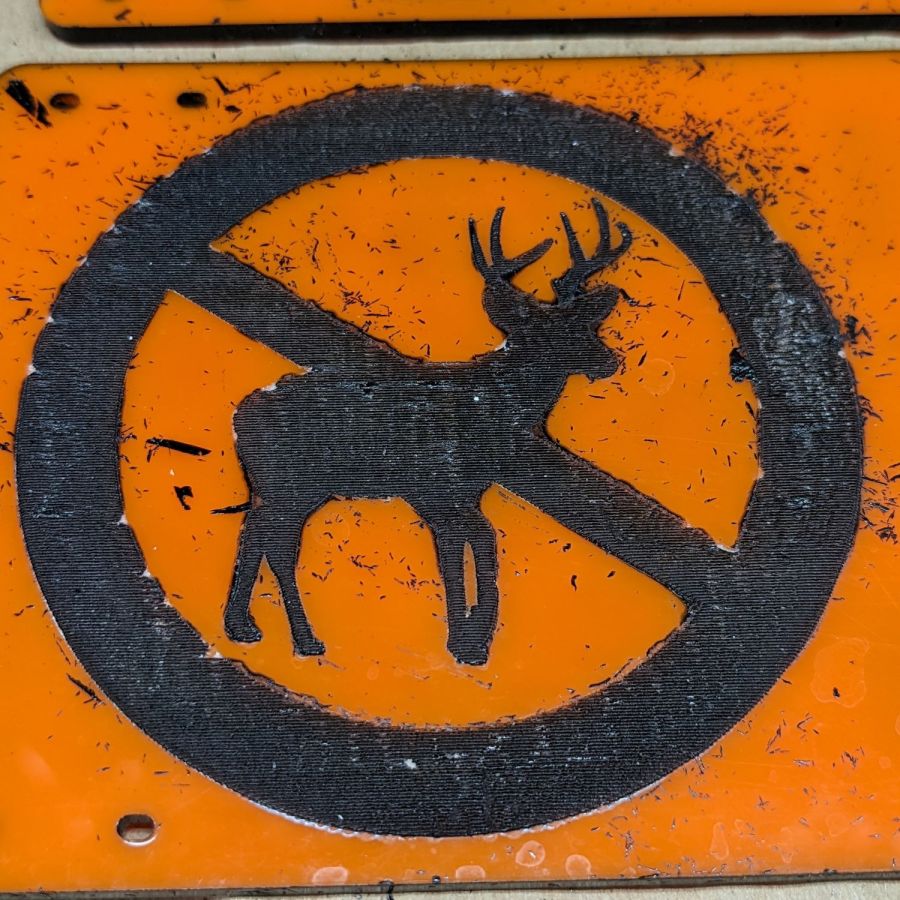
Please Close The Gate – plastic peeled – detail
Removal techniques that did not work:
Vacuuming with a brush
Gentle rubbing with a soft cloth
Firm rubbing after spraying with acrylic cleaner
Scraping with a plastic razor blade
So I deployed a P220 grit sanding block and wrecked the glossy surface of both sides of all six signs. I briefly considered trying to recover the finish by sanding them all up through about 2000 grit, then came to my senses: my sanding arm is weak.
Careful examination of the last picture shows several places around edges of the circle where the plastic film melted into a blob that blocked the paint, rather than vaporizing. I used enough power to engrave only about 0.3 mm deep (because they’re engraved on both sides), but the transition wasn’t fast enough for a clean edge.
They don’t look as nice as I’d like, but they’re good enough for the purpose:
Please Close The Gate – installed
The acrylic sheet is more see-through than I expected, at least when backlit by bright sunlight.
Please Close The Gate – seethrough
Next: we discover what happens to UV-stabilized orange acrylic and black outdoor paint over the course of a year in garden sunshine.
As practice in using the laser to engrave a figure to a known depth, this seemed appropriate:
Envelope Opener – original
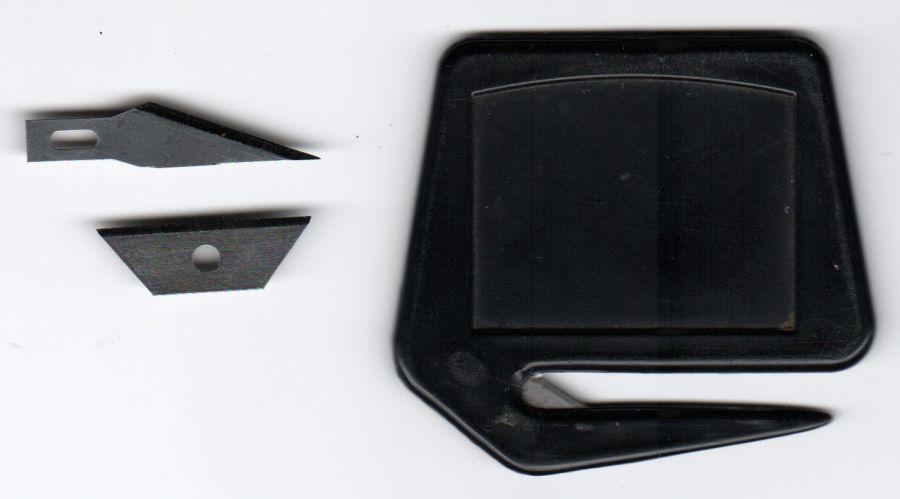
The black envelope opener on the right came in a long-ago surplus deal and worked really well, which I cannot say for the retail replacements I got a few years back.
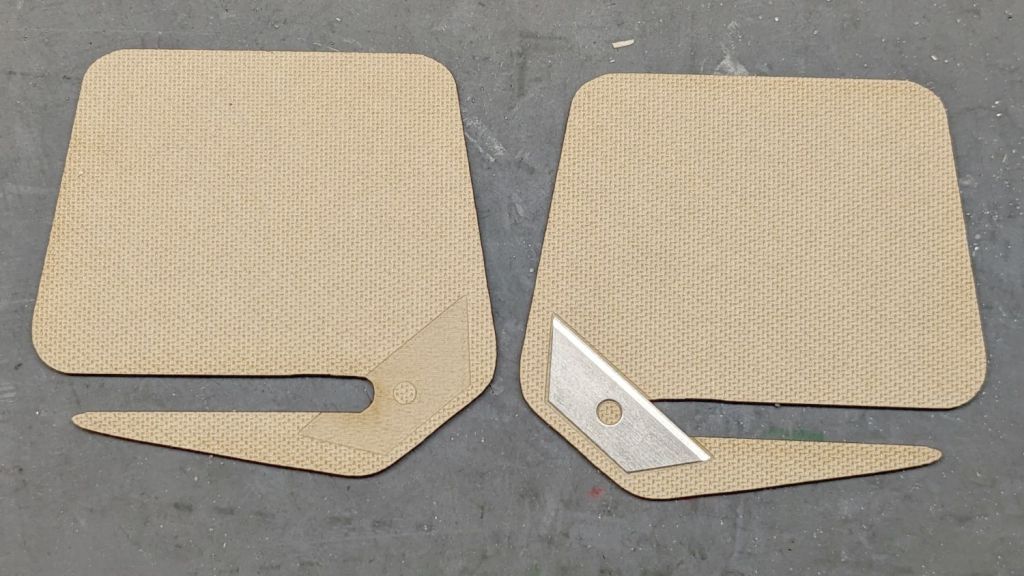
The tan envelope opener on the left is an obvious case of IP theft, copying the size and shape using a scanned image:
Classic opener – knife blades – scan
The two blades seemed like good candidates, with the lower one winning the contest:
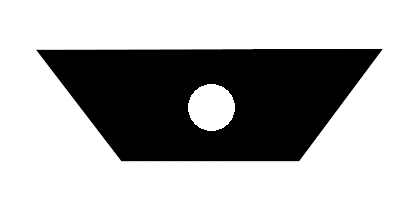
Kobalt 78010 Mini Utility Knife Blade mask
Although the pack of “mini utility knife blades” sports a Lowe’s Kobalt part number, they no longer carry that item. You can find plenty of identical blades elsewhere, so they’re not a rare collectible and I have plenty of backup.
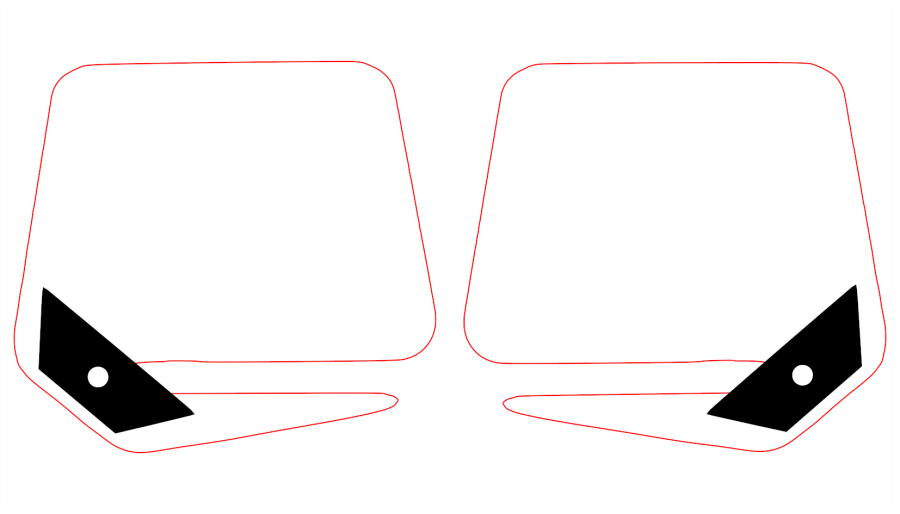
Put the outline of the opener on a cut layer, put the blade on an engraving layer, orient appropriately, and make a mirror-image duplicate:
Envelope Opener – LB Layout
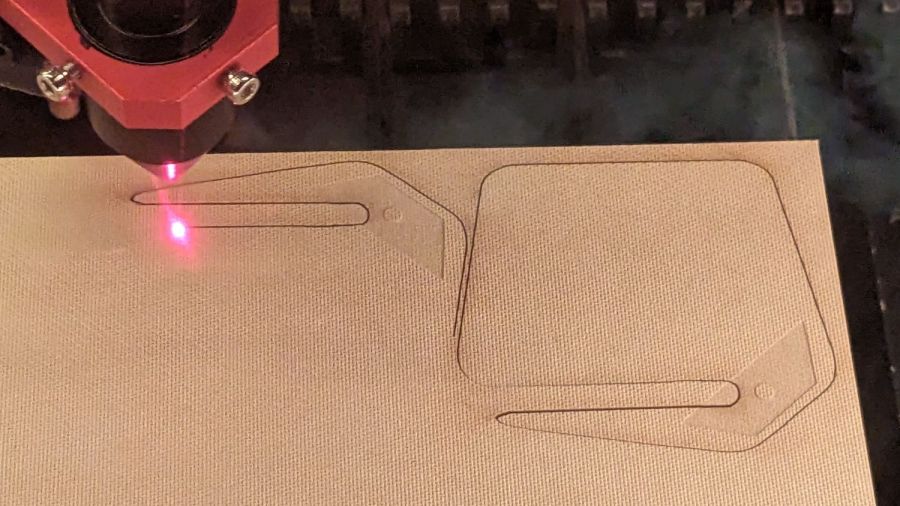
The original opener is a touch over 3 mm thick, so the settings engrave 0.25 mm into the surface to make a blade pocket, then cut the shapes from 1.5 mm TroCraft Eco:
Envelope Opener – cutting
After all the cutting was done, it looks about as you’d expect:
Envelope Opener – interior layout
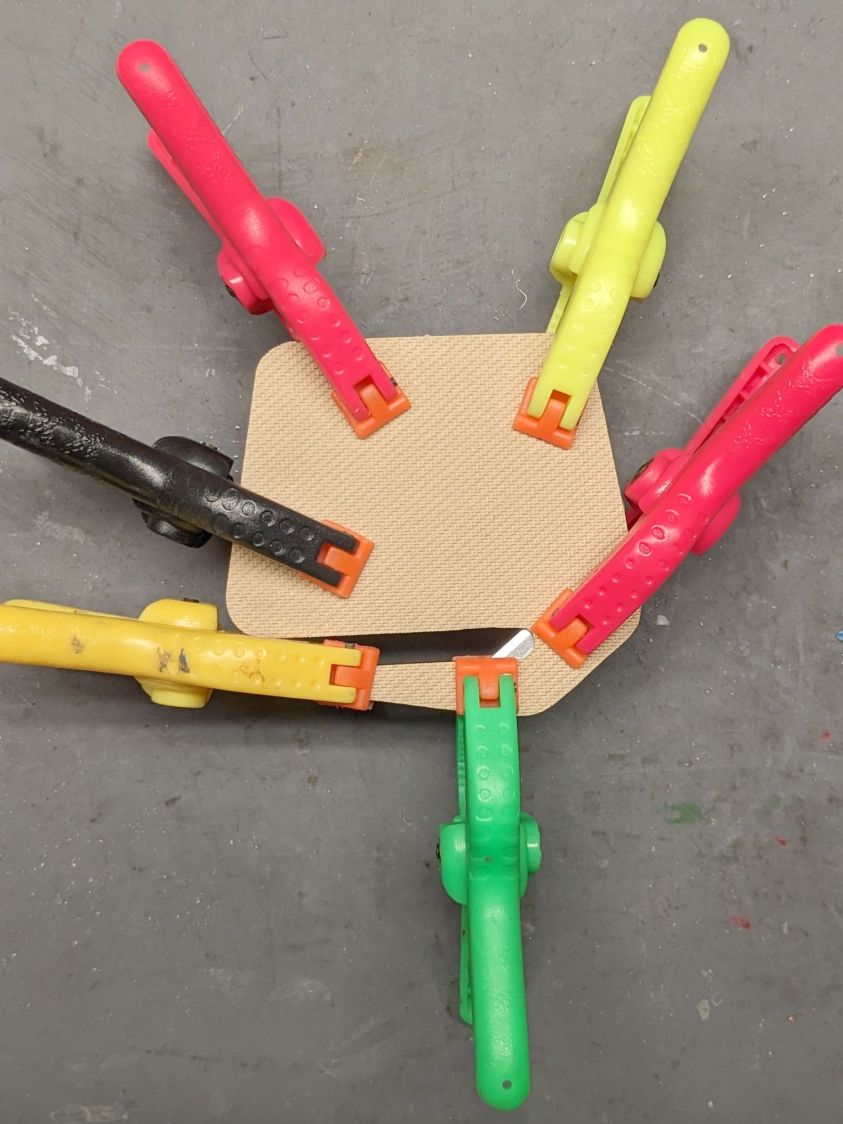
Slather with yellow PVA wood glue and apply too many clamps:
Envelope Opener – clamping
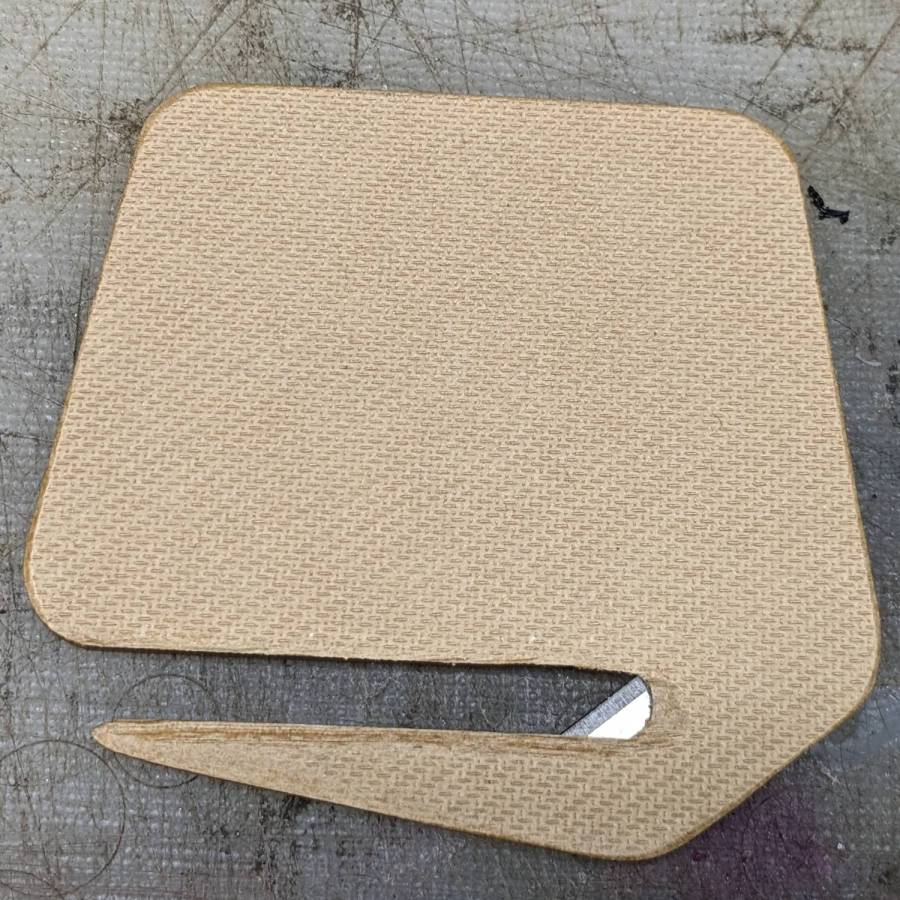
Next time around, I’ll round off the edges before assembly, but that’s in the nature of fine tuning:
Envelope Opener – detail
The TroCraft sheet engraves so cleanly that, were I to go into mass production, I’d set up a fixture for grayscale engraving shaping the perimeters.
Obviously, this makes no economic sense, but it does produce a considerable amount of satisfaction, which is pretty much all that matters for such things.
The fuzzy felt feet on the lift chairs raised them enough to slide both floor lamp bases underneath with the backs in the upright state, but reclining the chair with the light more than halfway back along the side of the chair crunched the lamp base.
Rather than print taller fuzzy feet, which takes a long time, I knocked out two quartets of laser-cut risers:
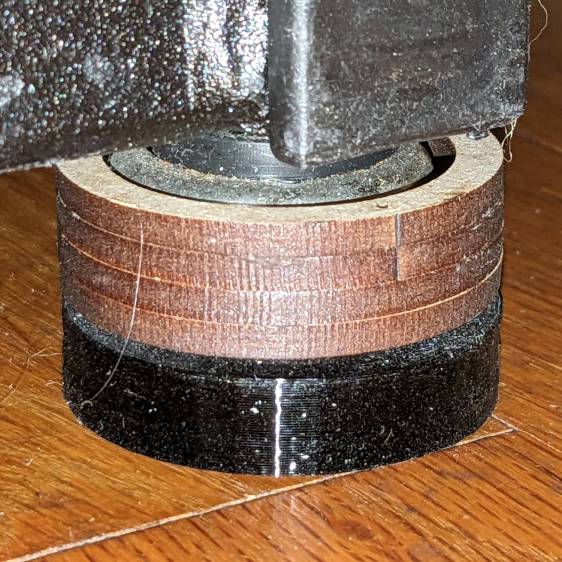
Lift Chair Foot Riser – installed
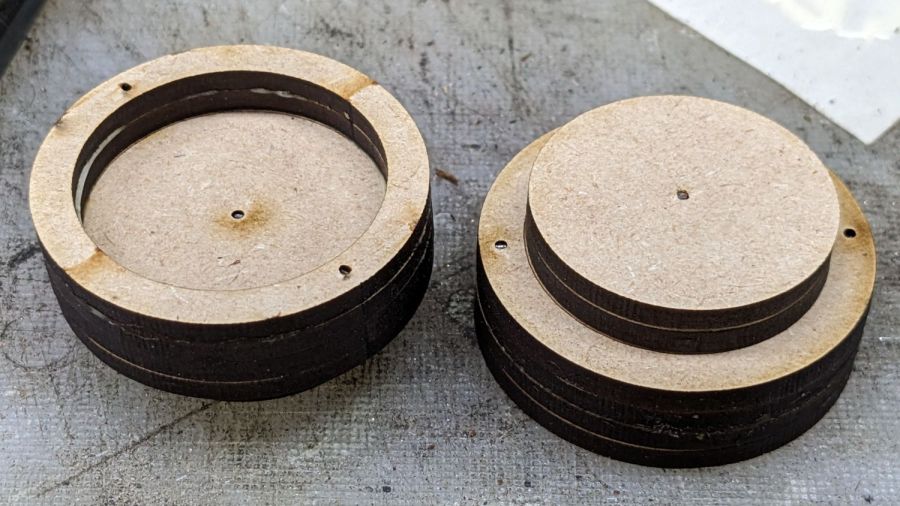
They’re six layers of 3 mm MDF or plywood:
Lift Chair Foot Riser – assembled
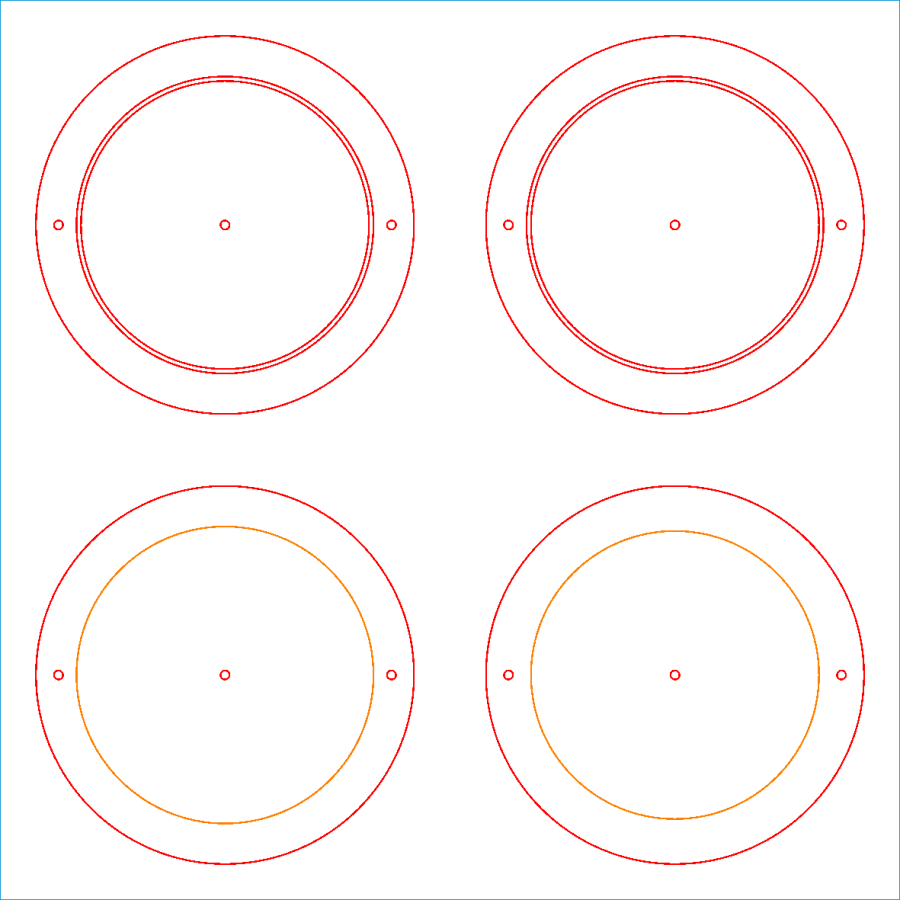
The LightBurn layout makes one riser:
Lift Chair Feet Extenders – LB layout
The upper two discs become two rings and two pads, with the lower two disks forming the middle layers. The ring ID clears the chair foot and the pad OD fits into the existing printed fuzzy felt foot. The two cuts making that happen leave the thinnest imaginable ring of MDF in place.
The tiny circles cut holes for 11 mm snippets of 1.1 mm hard steel wire aligning the layers:
Lift Chair Foot Riser – locating pins
Assembly sequence:
Tap two pins into a ring
Butter the ring with yellow wood glue
Slide the other ring over the pins
Butter
Slide a disk over the pins
Drive a pin into a pad
Butter
Slide the other pad over the pin
Butter
Slide a disk over the pin atop the pads
Butter one of the disks
Slide the disks together over all three pins
Tap all pins below their surface
Make two and clamp them together to ensure everything sticks firmly.
Repeat to make four risers
Install, recline, and enjoy not hearing a mysterious crunch from the lamp base.
The alert reader will note the 6 mm stack of two pads leaves a slight gap above the printed foot. Turns out the recess is 5 mm deep and I decided to just live with a 1 mm gap down there.
Mary’s PT requires a Shoulder Pulley, so I got one that seemed better constructed than the cheapest Amazon crap. In particular, this view suggested the pulley ran on a bearing:
Slim Panda Shoulder Pulley – detail view
Which turned out to be the case, but, also as expected, the whole thing required a bit of finishing before being put in service.
It’s intended to hang from a strap trapped between an interior door and its frame. The strap was intended to attach to the block (a.k.a. “Thickened base”) through a breathtakingly awkward pair of low-end carabiners:
Slim Panda Shoulder Pulley – carabiners
Which I immediately replaced with a simple, silent, sufficiently strong black nylon cable tie:
Shoulder PT Pulley – block hardware
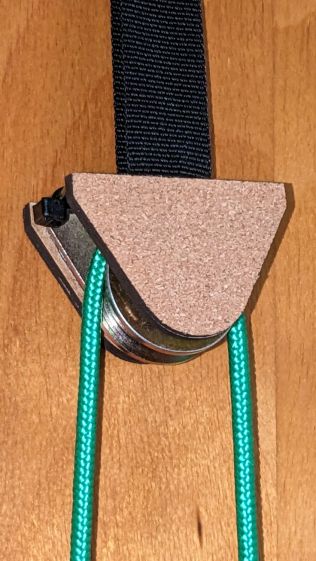
Rather than let the metal block clunk against the door, it now sports a pair of cork-surfaced bumper plates:
Shoulder PT Pulley – side plates installed
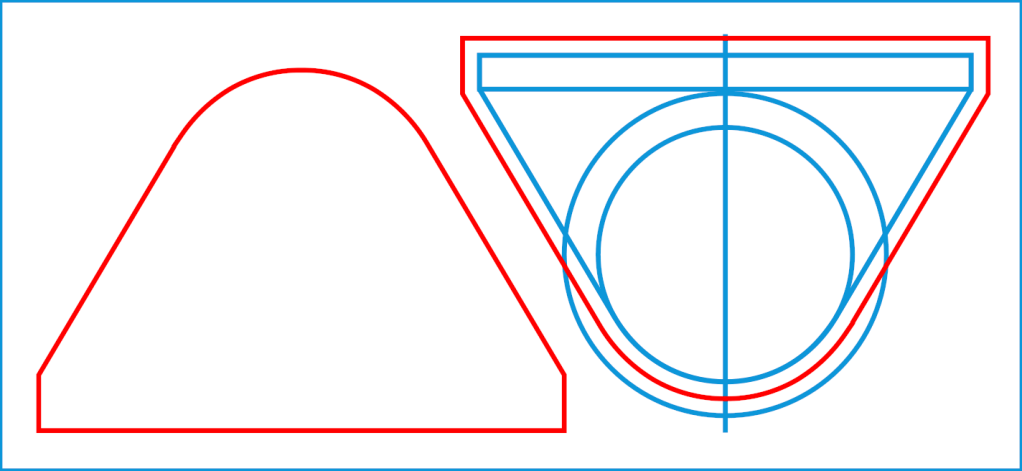
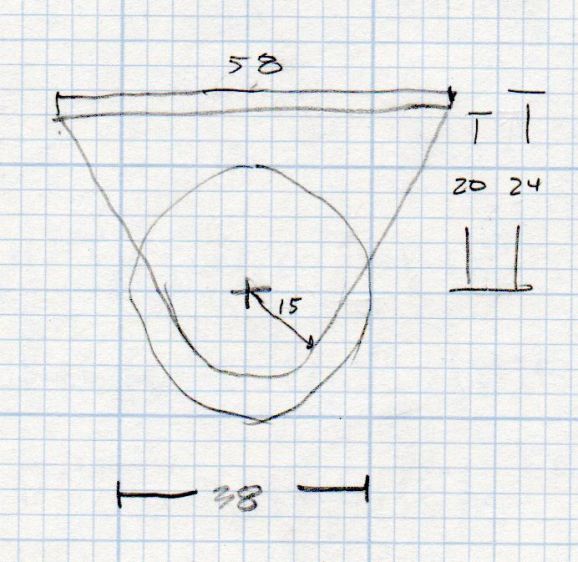
A doodle of the block dimensions:
Shoulder Pulley – dimension doodle
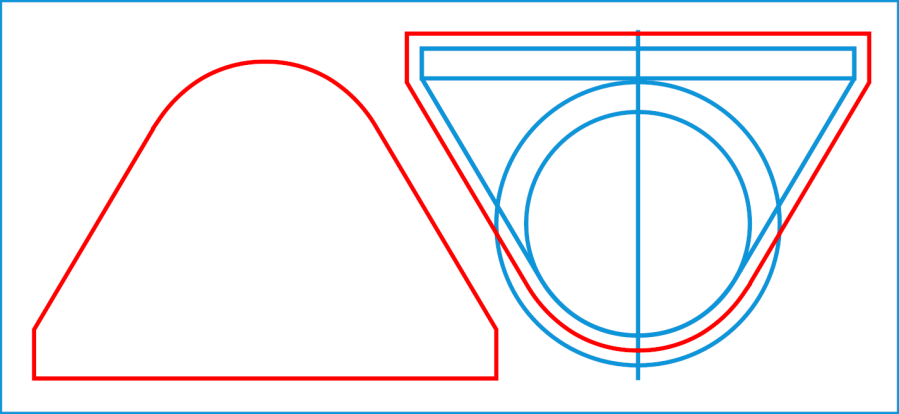
Which turned into a simple LightBurn layout:
Shoulder PT Pulley Side Plates – LB layout
The blue construction lines represent the actual block & pulley, with the red cut lines offset 2 mm to the outside to ensure the metal stays within the bumpers. It’s possible to pick the block up and whack the pulley against the door, so don’t do that.
Cut out two pieces of 3 mm MDF, two pieces from a cork coaster (covered with blue tape and cut with the paper backing up), peel-n-stick the cork to the MDF, put double-sided foam tape on the block, peel-n-stick the bumpers, then hang on the attic door.
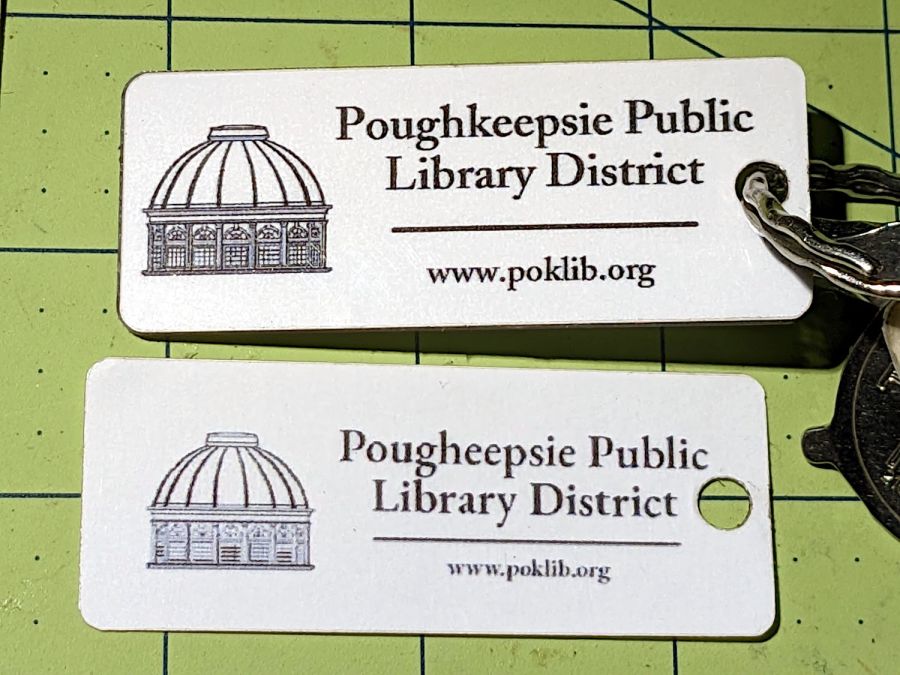
Sharpereyes than mine pointed out I misspelled Poughkeepsie, so I took advantage of the opportunity to make the whole thing look better:
Library card tag – revised front
It turns out the low-surface-energy tape stuck like glue to the acrylic tag (because that’s what it’s designed for) and peeled right off the laminating film on the printed paper. So I stuck some ordinary adhesive film to the back of the new paper label, left its protective paper on the other side, cold laminated the film+paper, laser-cut the outline, peeled off the back side of the laminating film with the protective paper, and stuck the new adhesive to the LSE tape still on the tag.
I have no idea how well this will work out in the long term, what with two adhesive layers bonded to each other, but this whole thing is in the nature of an experiment.
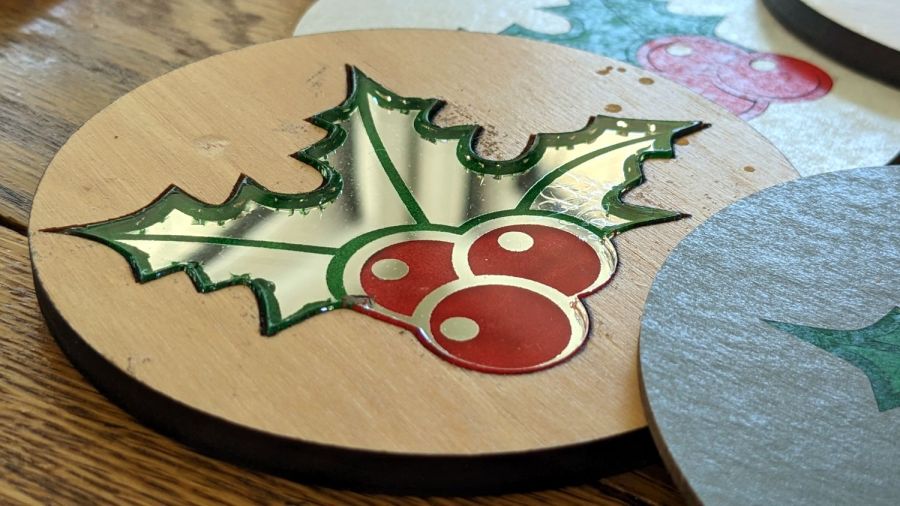
Other than demonstrating that it’s possible to laser-engrave a 3 mm deep pocket in a ¼ inch thick piece of scrap paneling, the process didn’t have much to recommend it:
Holly Coaster – mirror flaws
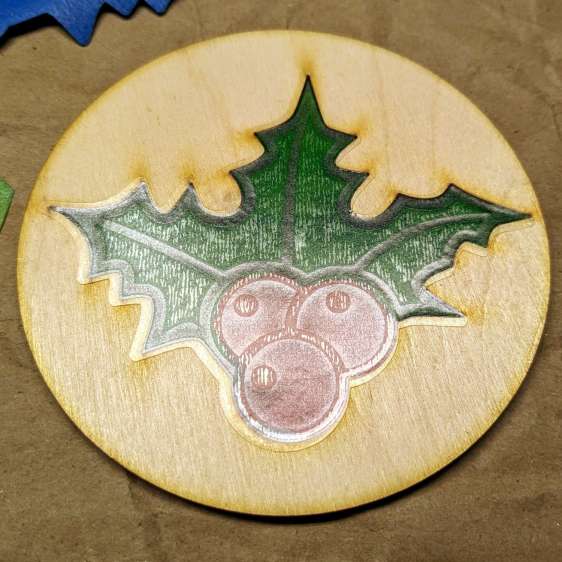
So I re-did the layout to put the 3 mm mirror in 3 mm thick plywood:
Holly Coaster – overview
The coaster has a self-adhesive cork pad on the bottom, which required an intermediate adhesive layer holding the aluminized Mylar reflector on the bottom of the mirror to brighten the colored areas.
The LightBurn layout shows all the pieces:
Holly Mirror Coaster – LB layout
The plywood cuts with the good side down, although “good” is certainly a judgement call with B/BB grade plywood. I cover the good side with blue painter’s tape to reduce scorch marks. In a real application, you’d do some sanding and finishing, probably before cutting; in this case, I want to see what happens to bare wood in coaster duty.
Engrave and cut the mirror with the backing upward:
I colored the engraved areas with fat-tip permanent markers, despite knowing the alcohol will crack the acrylic. In real life, you’d use spray paint, probably with laser-cut tape masks.
The adhesive layer extends 2 mm beyond the mirror perimeter to stick onto the bottom face of the plywood:
Holly Coaster – adhesive placement
Peeling off the paper reveals the adhesive tape stuck to the back side of the mirror:
Holly Coaster – adhesive exposed
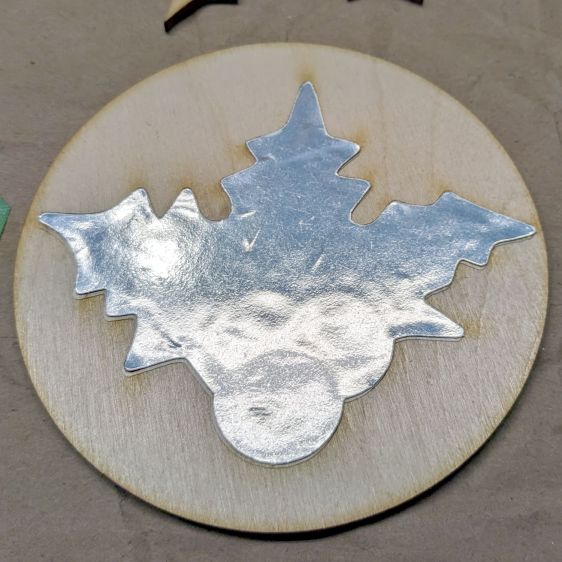
Apply the similarly embiggened aluminized Mylar to the adhesive:
Holly Coaster – mylar placed
Cutting the holly shape directly from the original foot-square adhesive sheet lets me tuck smaller shapes into the remaining uncut areas. In a production environment, however, joining the Mylar and adhesive (perhaps using pre-cut squares), then cutting them as one sheet would definitely simplify the process.
Then peel-n-stick a cork disk (thus explaining why the plywood is exactly 4 inch OD) on the bottom:
Holly Coaster – edge view
I’ve been aligning the cork by feel, which explains the half-millimeter overhang along the right side. Inexplicably, I have yet to justify an alignment fixture.