The Smell of Molten Projects in the Morning

Ed Nisley's Blog: Shop notes, electronics, firmware, machinery, 3D printing, laser cuttery, and curiosities. Contents: 100% human thinking, 0% AI slop.

Category: Software

General-purpose computers doing something specific

  • Wrapping GCMC Text Around Arcs

    GCMC includes a typeset function converting a more-or-less ASCII string into the coordinate points (a “vectorlist” containing a “path”) defining its character strokes and pen motions. The coordinates are relative to an origin at the lower-left corner of the line, with the font’s capital-X height set to 1.0, so you apply a scale function to make them whatever size you want and hand them to the engrave library routine, which squirts the corresponding G-Code into the output file.

    Such G-Code can annotate plots:

    Guilloche 213478839
    Guilloche 213478839

    Given that the plots appear on relentlessly circular CDs and hard drive platters, It Would Be Nice to wrap text around a circular arc, thusly:

    Diamond Scribe - LM3UU - arc text - first light
    Diamond Scribe – LM3UU – arc text – first light

    The scaled coordinates cover a distance L along a straight line, so putting them on an arc will cover the same distance. The arc is part of a circle with radius R and a circumference 2πR, so … polar coordinates to the rescue!

    The total text length L corresponds to the total angle A along the arc:

    A = 360° L / 2πR

    It’s entirely possible to have a text line longer than the entire circumference of the circle, whereupon the right end overlaps the left. Smaller characters fit better on smaller circles:

    Arc Lettering - Small radius test - NCViewer
    Arc Lettering – Small radius test – NCViewer

    The X coordinate of each point in the path (always positive from the X origin) in the path gives its angle (positive counterclockwise) from 0°:

    a = 360° x / 2πR (say "eks")

    You can add a constant angle of either sign to slew the whole text arc around the center point.

    The letter baseline Y=0 sits at radius R, so the Y coordinate of each point (positive above and negative below the Y=0 baseline) gives its radius r:

    r = R - y

    That puts the bottom of the text outward, so it reads properly when you’re facing the center point.

    Homework: Tweak the signs so it reads properly when you’re standing inside the circle reading outward.

    Converting from polar back to XY:

    x = r × cos(a) (say "times")
    y = r × sin(a)

    You can add an XY offset to the result, thereby plunking the point wherever you want.

    This obviously works best for small characters relative to the arc radius, as the lines connecting the points remain resolutely straight. That’s probably what you wanted anyway, but letters like, say, “m” definitely manspread.

    Overall, it looks pretty good:

    Arc Lettering - test plot overview - NCViewer
    Arc Lettering – test plot overview – NCViewer

    A doodle helped lay out the geometry:

    Arc Lettering - geometry doodles
    Arc Lettering – geometry doodles

    The GCMC source code as a GitHub Gist:

    // Map text to circular arcs
    // Ed Nisley KE4ZNU – 2019-06
    //—–
    // Command line parameters
    // -D OuterDia=number
    if (!isdefined("OuterDia")) {
    OuterDia = 120mm – 2mm; // CD = 120, 3.5 inch drive = 95
    }
    OuterRad = OuterDia / 2.0;
    comment("Outer Diameter: ",OuterDia);
    comment(" Radius: ",OuterRad);
    //—–
    // Library routines
    include("tracepath.inc.gcmc");
    include("engrave.inc.gcmc");
    //—–
    // Bend text around an arc
    function ArcText(TextPath,Center,Radius,BaseAngle,Align) {
    PathLength = TextPath[-1].x – TextPath[1].x;
    Circumf = 2*pi()*Radius;
    TextAngle = to_deg(360 * PathLength / Circumf);
    AlignAngle = BaseAngle + (Align == "Left" ? 0 :
    Align == "Center" ? -TextAngle / 2 :
    Align == "Right" ? -TextAngle :
    0);
    ArcPath = {};
    foreach(TextPath; pt) {
    if (!isundef(pt.x) && !isundef(pt.y) && isundef(pt.z)) { // XY motion, no Z
    r = Radius – pt.y;
    a = 360deg * (pt.x / Circumf) + AlignAngle;
    ArcPath += {[r*cos(a) + Center.x, r*sin(a) + Center.y,-]};
    }
    elif (isundef(pt.x) && isundef(pt.y) && !isundef(pt.z)) { // no XY, Z up/down
    ArcPath += {pt};
    }
    else {
    error("Point is not pure XY or pure Z: " + to_string(pt));
    }
    }
    return ArcPath;
    }
    //—–
    // Set up for drawing
    TravelZ = 1.0mm; // no clamps above workpiece!
    PlotZ = -1.0mm; // tune for best results
    TextSpeed = 100mm; // minimal shaking
    DrawSpeed = 500mm; // smooth curve drawing
    TextFont = FONT_HSANS_1_RS;
    TextSize = [2.0mm,2.0mm];
    TextLeading = 5.0mm; // line spacing
    DiskCenter = [0mm,0mm]; // middle of the platter
    if (1) {
    comment("Circles begin");
    TextRadius = OuterRad;
    for (r = OuterRad; r >= 25mm; r -= TextLeading) {
    feedrate(DrawSpeed);
    goto([-,-,TravelZ]);
    goto([r,0,-]);
    move([-,-,PlotZ]);
    circle_cw([0,0]);
    goto([-,-,TravelZ]);
    tp = scale(typeset("Radius: " + to_string(r),TextFont),TextSize);
    tpa = ArcText(tp,DiskCenter,r,115deg,"Left");
    feedrate(TextSpeed);
    engrave(tpa,TravelZ,PlotZ);
    }
    }
    if (1) {
    comment("Depth variations begin");
    TextRadius = OuterRad;
    feedrate(TextSpeed);
    for (pz = 0.0mm; pz >= -0.6mm; pz -= 0.10mm) {
    comment(" depth: " + to_string(pz));
    ts = "Depth: " + to_string(pz) + " at " + to_string(TextSpeed) + "/s";
    tp = scale(typeset(ts,TextFont),TextSize);
    tpa = ArcText(tp,DiskCenter,TextRadius,-5deg,"Right");
    engrave(tpa,TravelZ,pz);
    TextRadius -= TextLeading;
    }
    }
    if (1) {
    comment("Feedrate variations begin");
    TextRadius = OuterRad;
    for (ps = 50mm; ps <= 350mm; ps += 50mm) {
    feedrate(ps);
    comment(" speed: " + to_string(ps) + "/s");
    ts = "Speed: " + to_string(ps) + "/s at " + to_string(PlotZ);
    tp = scale(typeset(ts,TextFont),TextSize);
    tpa = ArcText(tp,DiskCenter,TextRadius,5deg,"Left");
    engrave(tpa,TravelZ,PlotZ);
    TextRadius -= TextLeading;
    }
    }
    if (1) {
    comment("Off-center text arcs begin");
    feedrate(TextSpeed);
    tc = [-40mm/sqrt(2),-40mm/sqrt(2)]; // center point
    r = 8mm;
    s = [1.5mm,1.5mm];
    ts = "Radius: " + to_string(r) + " Size: " + to_string(s);
    tp = scale(typeset(ts,TextFont),s);
    tpa = ArcText(tp,tc,r,0deg,"Center");
    engrave(tpa,TravelZ,PlotZ);
    r = 5mm;
    s = [1.0mm,1.0mm];
    ts = "Radius: " + to_string(r) + " Size: " + to_string(s);
    tp = scale(typeset(ts,TextFont),s);
    tpa = ArcText(tp,tc,r,0deg,"Center");
    engrave(tpa,TravelZ,PlotZ);
    r = 15mm;
    s = [3.0mm,3.0mm];
    ts = "Radius: " + to_string(r) + " Size: " + to_string(s);
    tp = scale(typeset(ts,TextFont),s);
    tpa = ArcText(tp,tc,r,0deg,"Center");
    engrave(tpa,TravelZ,PlotZ);
    }
    if (1) {
    comment("Attribution begins");
    tp = scale(typeset("Ed Nisley – KE4ZNU – softsolder.com",TextFont),TextSize);
    tpa = ArcText(tp,DiskCenter,15mm,0deg,"Center");
    feedrate(TextSpeed);
    engrave(tpa,TravelZ,PlotZ);
    }
    goto([-,-,10mm]);
    goto([0mm,0mm,-]);
    comment("Done!");
    view raw ArcLetter.gcmc hosted with ❤ by GitHub
    #!/bin/bash
    # Arc Lettering Generator
    # Ed Nisley KE4ZNU – 2019-06
    Diameter='OuterDia=116mm'
    Flags='-P 3 –pedantic'
    # Set these to match your file layout
    LibPath='/opt/gcmc/library'
    Prolog='/mnt/bulkdata/Project Files/Mostly Printed CNC/Firmware/gcmc/prolog.gcmc'
    Epilog='/mnt/bulkdata/Project Files/Mostly Printed CNC/Firmware/gcmc/epilog.gcmc'
    Script='/mnt/bulkdata/Project Files/Mostly Printed CNC/Patterns/Arc Lettering/ArcLetter.gcmc'
    ts=$(date +%Y%m%d-%H%M%S)
    fn='ArcLetter_'${ts}'.ngc'
    echo Output: $fn
    rm -f $fn
    echo "(File: "$fn")" > $fn
    gcmc -D $Diameter $Flags \
    –include "$LibPath" –prologue "$Prolog" –epilogue "$Epilog" \
    "$Script" >> $fn
    view raw ArcLetter.sh hosted with ❤ by GitHub

  • MPCNC Diamond Engraver: LM3UU Bearings, Second Pass

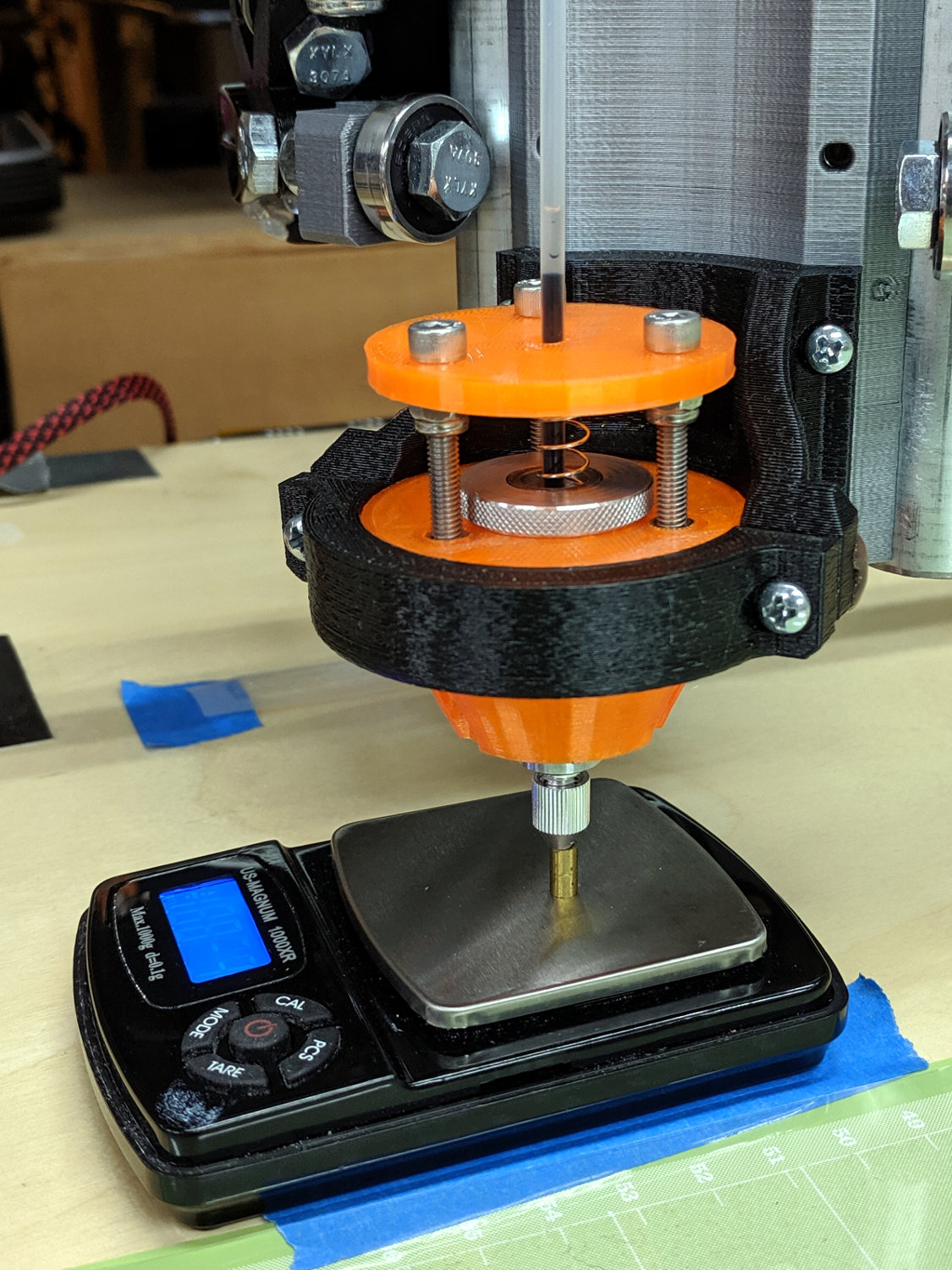
    Having a single spring and a fixed upper plate works much better than the first version:

    Diamond Scribe - LM3UU Rev 2 - overview
    Diamond Scribe – LM3UU Rev 2 – overview

    The (lubricated!) nyloc nuts under the plate provide a little friction and stabilize the whole affair.

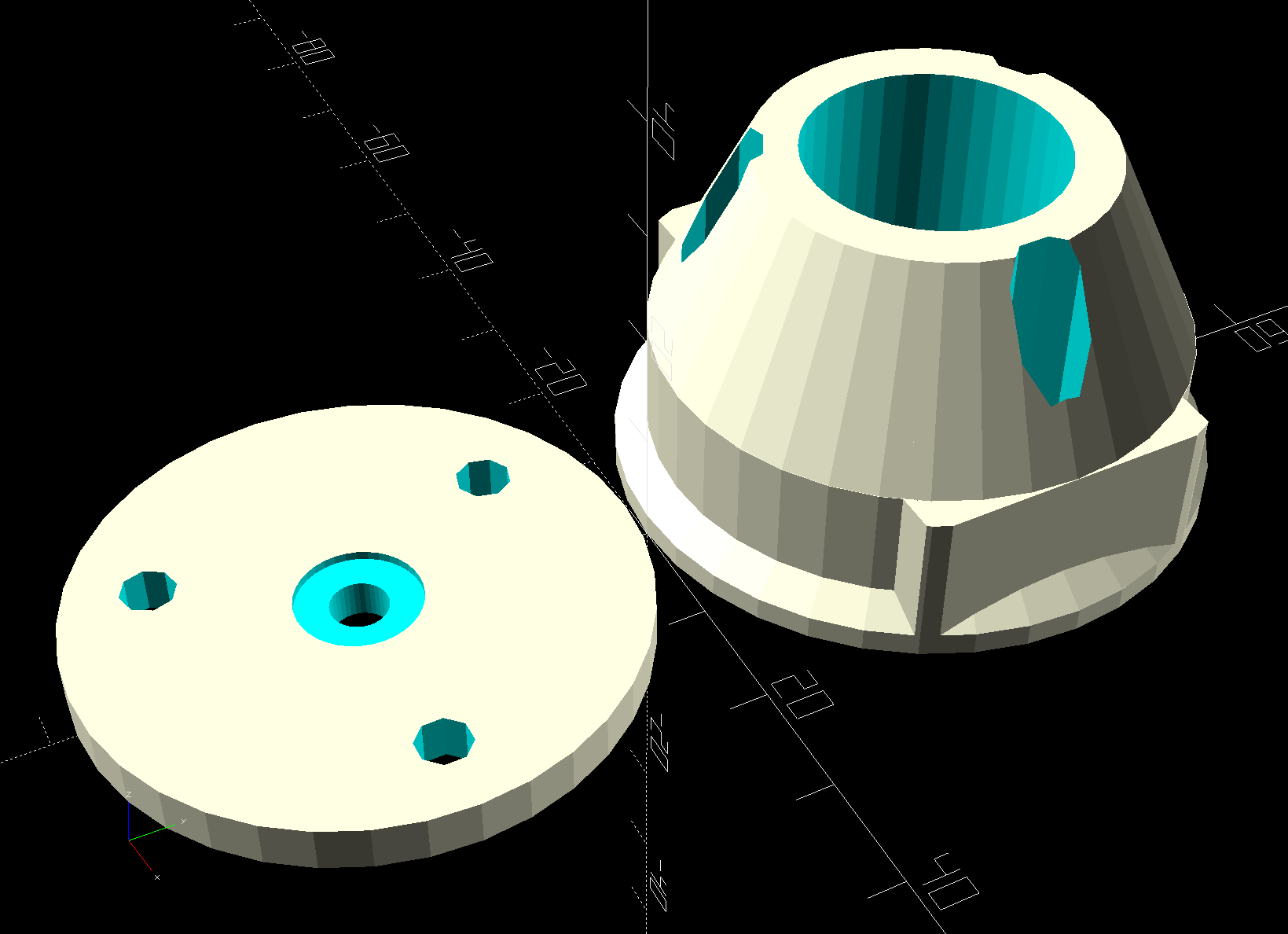
    The solid model has the same stylin’ tapered snout as the LM12UU drag knife mount:

    Diamond Scribe - LM3UU bearings
    Diamond Scribe – LM3UU bearings

    The spring seats in the plate recess, with the 3 mm shank passing through the hole as the tool holder presses the tip against the workpiece.

    I diamond-filed a broken carbide end mill to make a slotting tool:

    Diamond Scribe - LM3UU - Rev 2 - carbide notch tool
    Diamond Scribe – LM3UU – Rev 2 – carbide notch tool

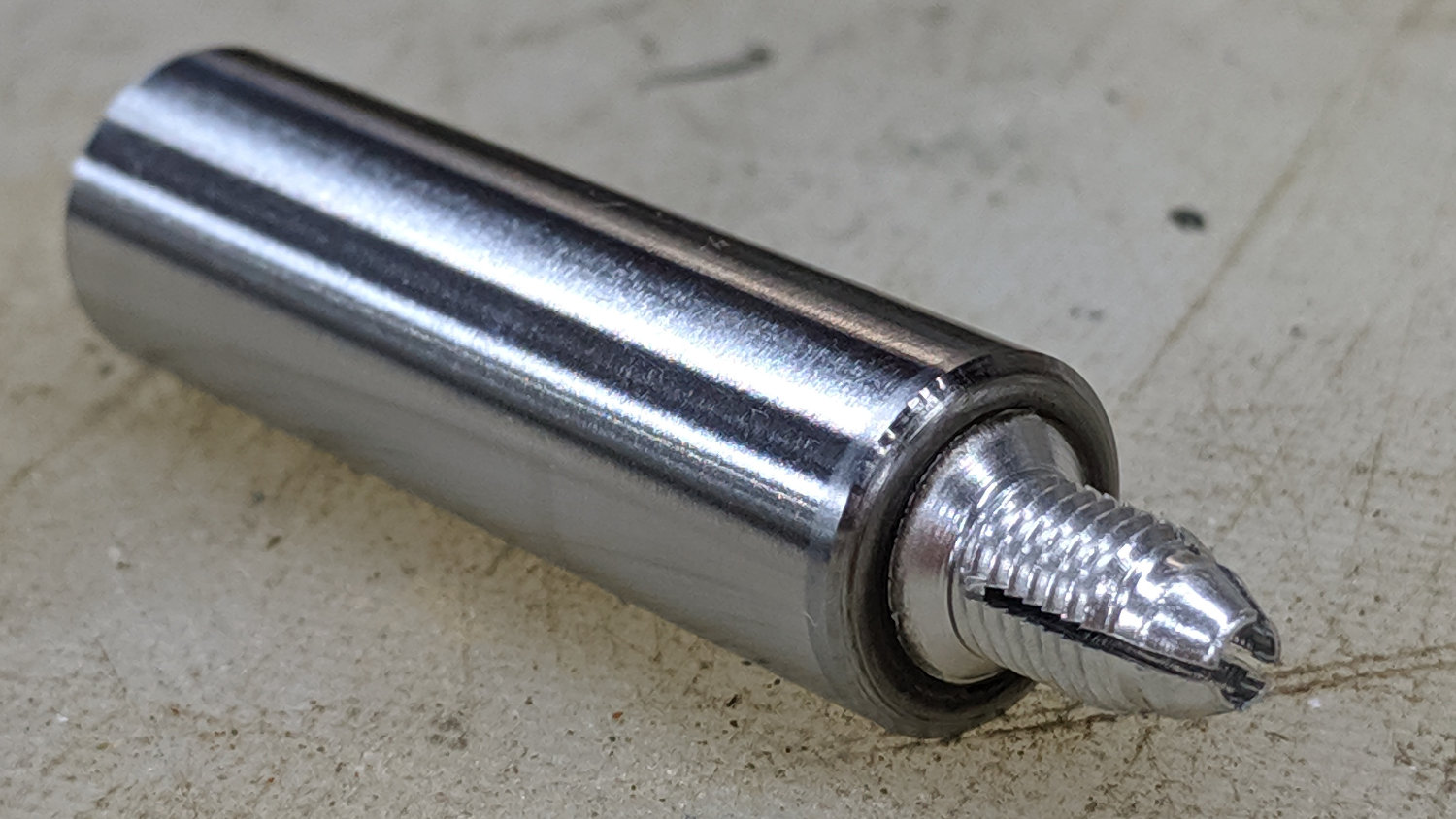
    Lacking any better method (“a tiny clip spreader tool”), I rammed the Jesus clip the length of the shank with a (loose-fitting) chuck in the tailstock:

    Diamond Scribe - LM3UU - Rev 2 - clip installation
    Diamond Scribe – LM3UU – Rev 2 – clip installation

    Even without nyloc nuts, the first test worked fine:

    Diamond Scribe - LM3UU - Rev 2 - first light
    Diamond Scribe – LM3UU – Rev 2 – first light

    The 53 g/mm spring rate may be too low for serious engraving, but it suffices for subtle Guilloché patterns on scrap platters.

    The OpenSCAD source code as a GitHub Gist:

    // Drag Knife Holder using LM12UU linear bearing
    // Ed Nisley KE4ZNU – 2019-04-26
    // 2019-05-09 LM3UU for diamond scribe
    // 2019-05-28 taper end, single spring around shaft
    Layout = "Build"; // [Build, Show, Puck, Mount, Plate]
    /* [Extrusion] */
    ThreadThick = 0.25; // [0.20, 0.25]
    ThreadWidth = 0.40; // [0.40, 0.40]
    /* [Hidden] */
    Protrusion = 0.1; // [0.01, 0.1]
    HoleWindage = 0.2;
    inch = 25.4;
    function IntegerMultiple(Size,Unit) = Unit * ceil(Size / Unit);
    ID = 0;
    OD = 1;
    LENGTH = 2;
    //- Adjust hole diameter to make the size come out right
    module PolyCyl(Dia,Height,ForceSides=0) { // based on nophead's polyholes
    Sides = (ForceSides != 0) ? ForceSides : (ceil(Dia) + 2);
    FixDia = Dia / cos(180/Sides);
    cylinder(r=(FixDia + HoleWindage)/2,h=Height,$fn=Sides);
    }
    //- Dimensions
    // Knife holder & suchlike
    KnifeBody = [3.0,9.0,2.0]; // washer epoxied to diamond shaft, with epoxy fillet
    Spring = [9.5,10.0,3*ThreadThick]; // compression spring around shaft, LENGTH = socket depth
    WallThick = 4.0; // minimum thickness / width
    Screw = [4.0,8.5,8.0]; // holding it all together, OD = washer
    Insert = [4.0,6.0,10.0]; // brass insert
    Bearing = [3.0,7.0,2*10.0 + WallThick]; // linear bearing body (pair + small gap)
    // Basic shape of DW660 snout fitting into the holder
    // Lip goes upward to lock into MPCNC mount
    Snout = [44.6,50.0,9.6]; // LENGTH = ID height
    Lip = 4.0; // height of lip at end of snout
    Plate = [KnifeBody[ID],Snout[OD] – WallThick,WallThick]; // spring reaction plate
    PuckOAL = max(Bearing[LENGTH],(Snout[LENGTH] + Lip)); // total height of DW660 fitting
    echo(str("PuckOAL: ",PuckOAL));
    Key = [Snout[ID],25.7,(Snout[LENGTH] + Lip)]; // rectangular key
    NumScrews = 3;
    ScrewBCD = 2.5*(Bearing[OD]/2 + Insert[OD]/2 + WallThick);
    NumSides = 9*4; // cylinder facets (multiple of 3 for lathe trimming)
    module DW660Puck() {
    translate([0,0,PuckOAL])
    rotate([180,0,0]) {
    cylinder(d=Snout[OD],h=Lip/2,$fn=NumSides);
    translate([0,0,Lip/2])
    cylinder(d1=Snout[OD],d2=Snout[ID],h=Lip/2,$fn=NumSides);
    cylinder(d=Snout[ID],h=(Snout[LENGTH] + Lip),$fn=NumSides);
    translate([0,0,(Snout[LENGTH] + Lip) – Protrusion])
    cylinder(d1=Snout[ID],d2=2*WallThick + Bearing[OD],h=PuckOAL – (Snout[LENGTH] + Lip),$fn=NumSides);
    intersection() {
    translate([0,0,0*Lip + Key.z/2])
    cube(Key,center=true);
    cylinder(d=Snout[OD],h=Lip + Key.z,$fn=NumSides);
    }
    }
    }
    module MountBase() {
    difference() {
    DW660Puck();
    translate([0,0,-Protrusion]) // bearing
    PolyCyl(Bearing[OD],2*PuckOAL,NumSides);
    for (i=[0:NumScrews – 1]) // clamp screws
    rotate(i*360/NumScrews)
    translate([ScrewBCD/2,0,-Protrusion])
    rotate(180/8)
    PolyCyl(Insert[OD],2*PuckOAL,8);
    }
    }
    module SpringPlate() {
    difference() {
    cylinder(d=Plate[OD],h=Plate[LENGTH],$fn=NumSides);
    translate([0,0,-Protrusion]) // ample shaft clearance
    PolyCyl(1.5*KnifeBody[ID],2*PuckOAL,NumSides);
    // translate([0,0,Plate[LENGTH] – KnifeBody[LENGTH]]) // flange, snug fit
    // PolyCyl(KnifeBody[OD],KnifeBody[LENGTH] + Protrusion,NumSides);
    translate([0,0,Plate[LENGTH] – Spring[LENGTH]]) // spring retainer
    PolyCyl(Spring[OD],Spring[LENGTH] + Protrusion,NumSides);
    for (i=[0:NumScrews – 1]) // clamp screws
    rotate(i*360/NumScrews)
    translate([ScrewBCD/2,0,-Protrusion])
    rotate(180/8)
    PolyCyl(Screw[ID],2*PuckOAL,8);
    }
    }
    //—–
    // Build it
    if (Layout == "Puck")
    DW660Puck();
    if (Layout == "Plate")
    SpringPlate();
    if (Layout == "Mount")
    MountBase();
    if (Layout == "Show") {
    MountBase();
    translate([0,0,1.5*PuckOAL])
    rotate([180,0,0])
    SpringPlate();
    }
    if (Layout == "Build") {
    translate([0,Snout[OD]/2,PuckOAL])
    rotate([180,0,0])
    MountBase();
    translate([0,-Snout[OD]/2,0])
    SpringPlate();
    }

  • Garden Soaker Hose Connector Repair

    Two of Mary’s garden soaker hoses failed their pre-installation checks with leaks from around their connectors. The problem seemed to be a break in the hose inside the connector, with water spewing out of the connector around the hose. Having previously fixed a gash in another hose, I figured I might have some success at fixing these leaks.

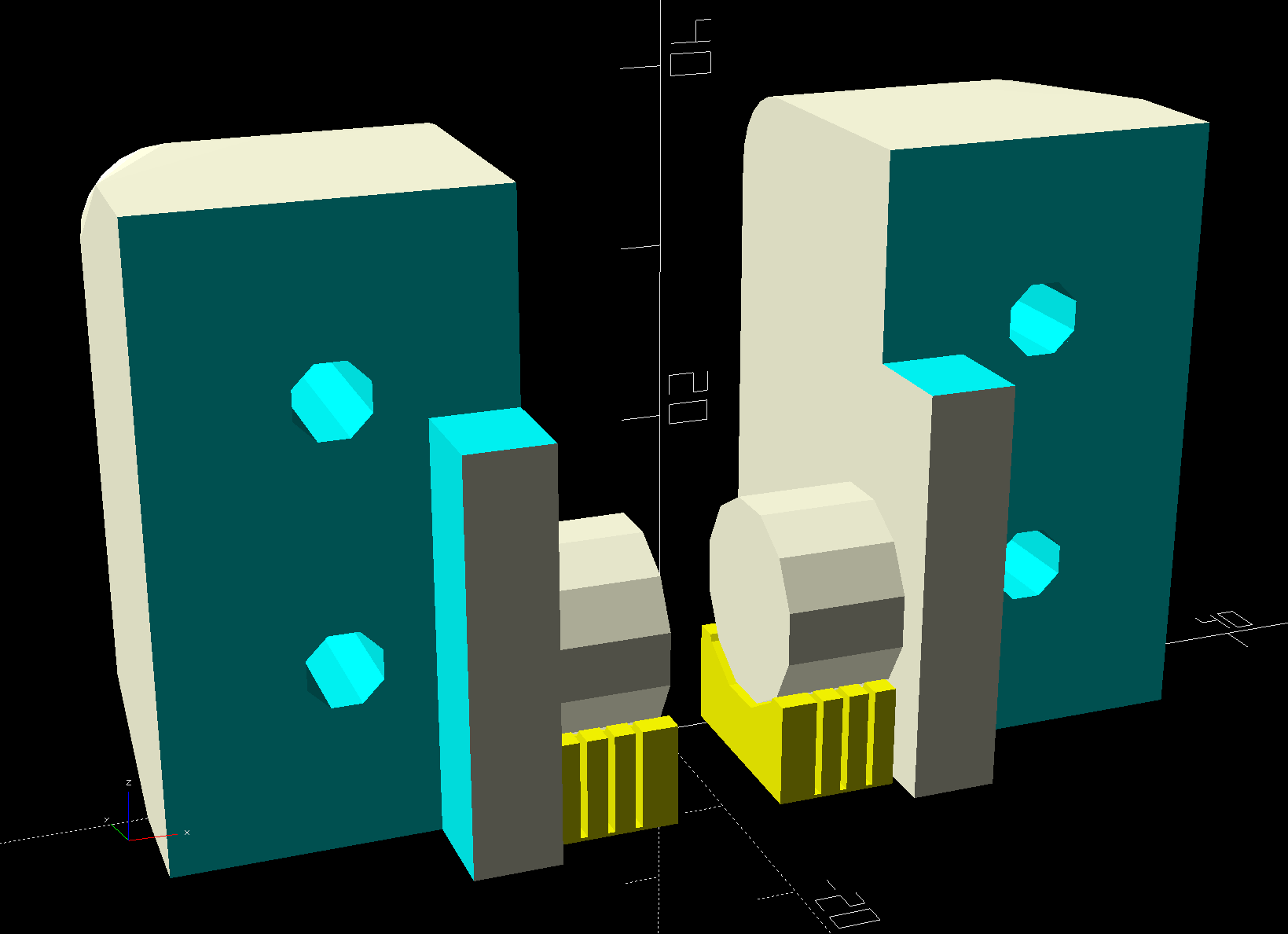
    The general idea is to squish enough silicone rubber inside the connector to seal around the hose, then clamp the hose and connector snugly enough to hold the rubber in place:

    Soaker Hose Connector Clamp - Show view
    Soaker Hose Connector Clamp – Show view

    The enlarged recess fits around the brass connector shell, which is squashed loosely around the hose and from which the leaking water emerges. Of course, because this is a different hose, the previous model didn’t quite fit and I had to doodle up new geometry:

    Soaker Hose Connector repair - Dimension doodle
    Soaker Hose Connector repair – Dimension doodle

    As before, I bandsawed aluminum backing plates to ensure the plastic didn’t get all bendy in the middle:

    Soaker hose connector leak clamps
    Soaker hose connector leak clamps

    The hose clamp (!) around the connector on the far right ensures a split in the brass shell doesn’t get any larger.

    They’ll spend the rest of their lives under the garden mulch, where nobody will ever see those bulky lumps. Life is good!

    The OpenSCAD source code as a GitHub Gist:

    // Rubber Soaker Hose End Connector Clamp
    // Helps hold silicone rubber in connector
    // Ed Nisley KE4ZNU June 2019
    Layout = "Build"; // [Hose,Connector,Block,Show,Build]
    //- Extrusion parameters must match reality!
    /* [Hidden] */
    ThreadThick = 0.25;
    ThreadWidth = 0.40;
    HoleWindage = 0.2;
    Protrusion = 0.1; // make holes end cleanly
    inch = 25.4;
    function IntegerMultiple(Size,Unit) = Unit * ceil(Size / Unit);
    //———-
    // Dimensions
    // Hose lies along X axis
    Hose = [200,26.5,11.6]; // X=very long, Y=width, Z=overall height
    RimThick = 10.3; // outer sections
    RimOD = RimThick;
    RimFlatRecess = 1.0; // recess to front flat surface
    OuterOC = Hose.y – RimOD; // outer tube centers
    RecessM = 0.8; // back recess chord
    RecessC = OuterOC;
    RecessR = (pow(RecessM,2) + pow(RecessC,2)/4) / (2*RecessM);
    RidgeM = 1.6; // front ridge chord
    RidgeC = 7.5;
    RidgeR = (pow(RidgeM,2) + pow(RidgeC,2)/4) / (2*RidgeM);
    HoseSides = 12*4;
    Connector = [5.0,33.0,13.0]; // oval brass: X=snout Y=width Z=dia
    Block = [20.0,50.0,4.0 + Hose.z]; // overall splice block size
    echo(str("Block: ",Block));
    Kerf = 0.5; // cut through middle to apply compression
    ID = 0;
    OD = 1;
    LENGTH = 2;
    // 8-32 stainless screws
    Screw = [4.1,8.0,3.0]; // OD = head LENGTH = head thickness
    Washer = [4.4,9.5,1.0];
    Nut = [4.1,9.7,6.0];
    CornerRadius = Washer[OD]/2;
    ScrewOC = Block.y – 2*CornerRadius;
    echo(str("Screw OC: x=",ScrewOC.x," y=",ScrewOC.y));
    //———————-
    // Useful routines
    module PolyCyl(Dia,Height,ForceSides=0) { // based on nophead's polyholes
    Sides = (ForceSides != 0) ? ForceSides : (ceil(Dia) + 2);
    FixDia = Dia / cos(180/Sides);
    cylinder(d=(FixDia + HoleWindage),h=Height,$fn=Sides);
    }
    // Hose shape
    // This includes magic numbers measured from reality
    module HoseProfile() {
    rotate([0,-90,0])
    translate([0,0,-Hose.x/2])
    linear_extrude(height=Hose.x,convexity=4)
    difference() {
    union() {
    for (j=[-1,1]) // outer channels
    translate([0,j*OuterOC/2])
    circle(d=RimOD,$fn=HoseSides);
    translate([-RimOD/4,0]) // rear flat fill
    square([RimOD/2,OuterOC],center=true);
    translate([(RimOD/4 – RimFlatRecess),0]) // front flat fill
    square([RimOD/2,OuterOC],center=true);
    intersection() {
    translate([Hose.z/2,0])
    square([Hose.z,OuterOC],center=true);
    translate([-RidgeR + RimOD/2 – RimFlatRecess + RidgeM,0])
    circle(r=RidgeR,$fn=HoseSides);
    }
    }
    translate([-(RecessR + RimOD/2 – RecessM),0])
    circle(r=RecessR,$fn=2*HoseSides);
    }
    }
    // Outside shape of splice Block
    // Z centered on hose rim circles, not overall thickness through center ridge
    module SpliceBlock() {
    difference() {
    hull()
    for (i=[-1,1], j=[-1,1]) // rounded block
    translate([i*(Block.x/2 – CornerRadius),j*(Block.y/2 – CornerRadius),-Block.z/2])
    cylinder(r=CornerRadius,h=Block.z,$fn=4*8);
    for (j=[-1,1]) // screw holes
    translate([0,
    j*ScrewOC/2,
    -(Block.z/2 + Protrusion)])
    PolyCyl(Screw[ID],Block.z + 2*Protrusion,6);
    cube([2*Block.x,2*Block.y,Kerf],center=true); // slice through center
    }
    }
    // Splice block less hose
    module ShapedBlock() {
    difference() {
    SpliceBlock();
    HoseProfile();
    Connector();
    }
    }
    // Brass connector end
    module Connector() {
    translate([-(Block.x/2 + Protrusion),0,0])
    rotate([0,90,0])
    linear_extrude(height=Connector.x + Protrusion)
    hull()
    for (i = [-1,1])
    translate([0,i*(Connector.y – Connector.z)/2])
    circle(d=Connector.z);
    }
    //———-
    // Build them
    if (Layout == "Hose")
    HoseProfile();
    if (Layout == "Block")
    SpliceBlock();
    if (Layout == "Connector")
    Connector();
    if (Layout == "Show") {
    ShapedBlock();
    color("Green",0.25)
    HoseProfile();
    }
    if (Layout == "Build") {
    SliceOffset = 0;
    intersection() {
    translate([SliceOffset,0,Block.z/4])
    cube([4*Block.x,4*Block.y,Block.z/2],center=true);
    union() {
    translate([0,0.6*Block.y,Block.z/2])
    ShapedBlock();
    translate([0,-0.6*Block.y,Block.z/2])
    rotate([0,180,0])
    ShapedBlock();
    }
    }
    }

  • Kitchen Blender Base Spacer

    We don’t use the blender much, so the most recent bearing replacement continues to work. I never got around to re-making the overly long shaft spacer from the first bearing replacement, which I compensated for with a spacer kludge cut from a random chunk of bendy plastic sheet.

    Which we put up with For. Eleven. Years.

    The blender recently emerged from hiding and, with my solid modeling-fu cranked up to a dangerous chattering whine, I conjured a real spacer:

    Blender base spacer - Slic3r preview
    Blender base spacer – Slic3r preview

    It pretty much disappears into the blender base, which is the whole point of the operation:

    Blender base spacer - installed
    Blender base spacer – installed

    When the bearings fail again, I promise to make a proper shaft spacer and toss this bodge.

    The OpenSCAD code as a GitHub Gist:

    // Kitchen blender base adapter
    // Ed Nisley KE4ZNU June 2019
    //- Extrusion parameters must match reality!
    /* [Hidden] */
    ThreadThick = 0.25;
    ThreadWidth = 0.40;
    HoleWindage = 0.2;
    Protrusion = 0.1; // make holes end cleanly
    inch = 25.4;
    function IntegerMultiple(Size,Unit) = Unit * ceil(Size / Unit);
    ID = 0;
    OD = 1;
    LENGTH = 2;
    //———-
    // Just build it
    Spacer = [48.0,66.0,1.8]; // LENGTH raises blade holder
    Aligner = [Spacer[ID],52.0,Spacer[LENGTH] + 3.0]; // LENGTH locks into base ring
    NumSides = 4*3*4;
    //———-
    // Just build it
    difference() {
    union() {
    cylinder(d=Spacer[OD],h=IntegerMultiple(Spacer[LENGTH],ThreadThick),$fn=NumSides);
    cylinder(d=Aligner[OD],h=Aligner[LENGTH],$fn=NumSides);
    }
    translate([0,0,-Protrusion])
    cylinder(d=Spacer[ID],h=10*Aligner[LENGTH],$fn=NumSides);
    }

    Not that it really deserves so much attention …

  • MPCNC Drag Knife: Ground Shaft in LM12UU Bearing

    The 12 mm drag knife holder on the left slides nicely in an LM12UU bearing:

    Drag Knife holders - detail
    Drag Knife holders – detail

    However, its aluminum body isn’t really intended as a bearing surface and it extends only halfway through the LM12UU, so I finally got around to modifying the 11.5 mm body on the right to fit into a section of 12 mm ground shaft:

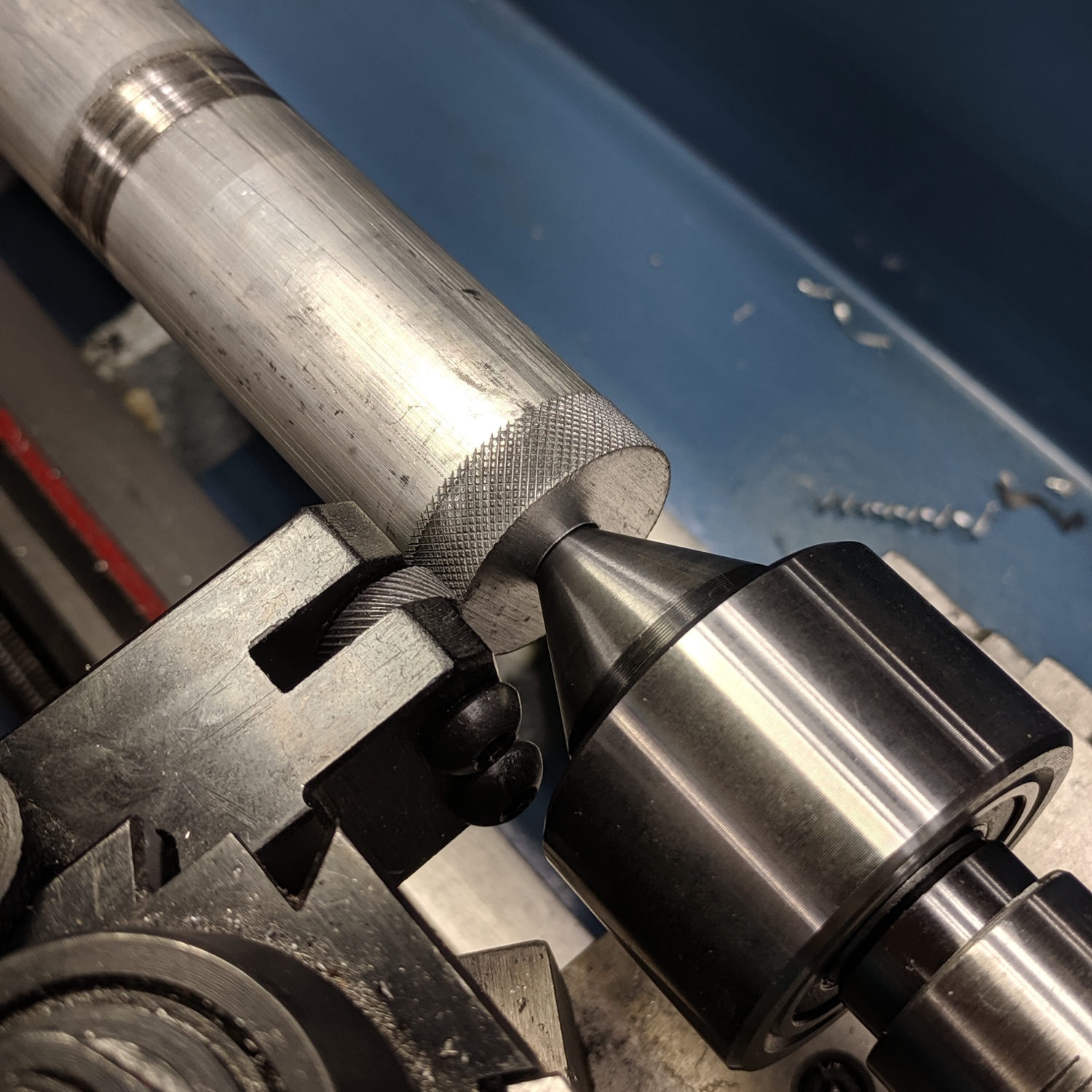
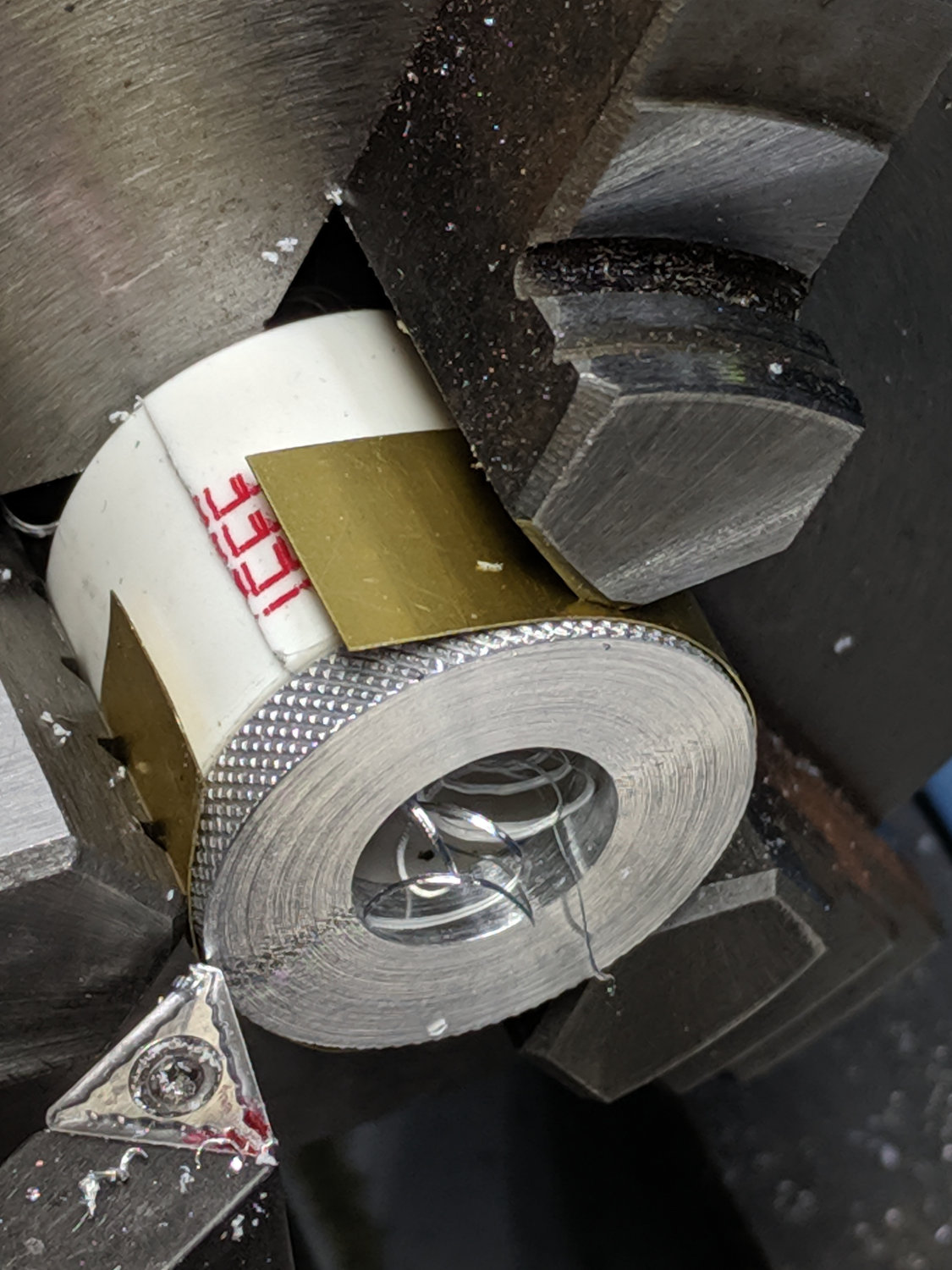
    Drag Knife - turning 11.5 mm body to 10 mm
    Drag Knife – turning 11.5 mm body to 10 mm

    The general idea is to turn the body down to 10 mm OD; the picture shows the first pass over the nose after turning the far end down and removing the flange in the process. Exact concentricity of both ends isn’t important (it gets epoxied into a 10 mm hole through the 12 mm ground shaft), but it came out rather pretty:

    Drag Knife - 11.5 mm body - turned to 10 mm
    Drag Knife – 11.5 mm body – turned to 10 mm

    The ground shaft started as a pen holder:

    DW660 Pen Holder - ground shaft
    DW660 Pen Holder – ground shaft

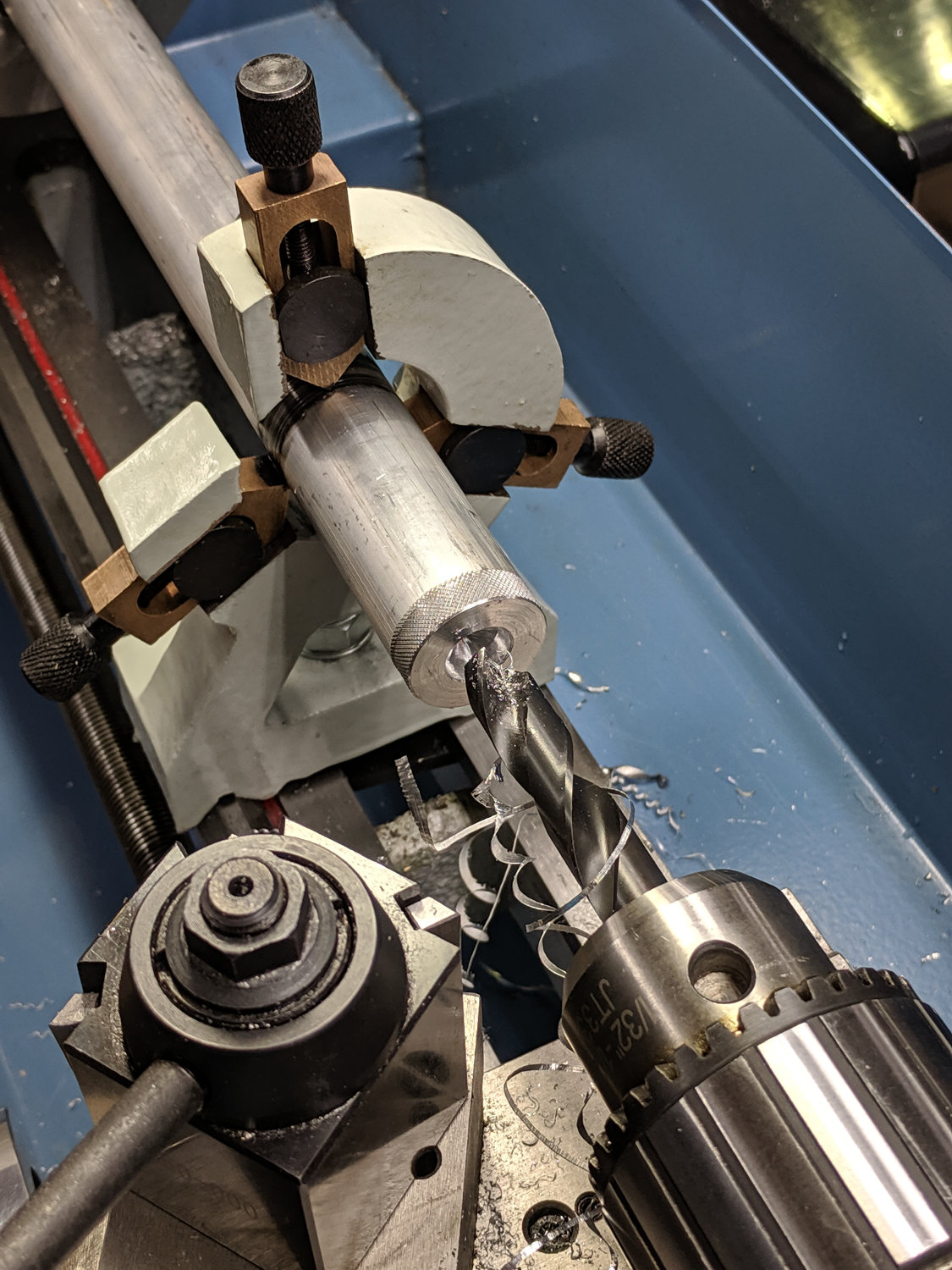
    I knocked off the ring and bored the interior to fit the 10 mm knife body. The large end of the existing bore came from a 25/64 inch = 9.92 mm drill, so it was just shy of 10.0 mm, and I drilled the small end upward from 0.33 inch = 8.4 mm.

    The smallest trio of a new set of cheap carbide boring bars allegedly went into a 5/16 inch = 7.9 mm bore, but I had to file the bar body down and diamond-file more end relief into the carbide for clearance inside the drilled hole:

    Modified boring bar vs original
    Modified boring bar vs original

    I blued the bit, kissed it against the drilled bore, filed off whatever wasn’t blued, and iterated until the carbide edge started cutting. Sissy cuts all the way, with no pix to show for all the flailing around.

    Epoxying the turned-down drag knife body into the shaft: anticlimactic.

    The solid model features a stylin’ tapered snout:

    Drag Knife LM12UU holder - tapered end
    Drag Knife LM12UU holder – tapered end

    Which gets an LM12UU bearing rammed into place:

    Drag Knife - LM12UU holder - inserting bearing
    Drag Knife – LM12UU holder – inserting bearing

    The steel block leaves the bearing flush with the plastic surface, rather than having it continue onward and indent itself into the wood; I can learn from my mistakes.

    The new idea: a single spring pressing the knife holder downward, reacting against a fixed plastic plate:

    Drag Knife - LM12UU ground shaft - assembled
    Drag Knife – LM12UU ground shaft – assembled

    Unlike the previous design, the upper plate doesn’t move, so there’s no problem caused by sliding along the screw threads. I should run nylock nuts up against the plate to keep it in place, stiffen the structure, and provide some friction to keep the screws from loosening.

    The top of the knife holder now has a boss anchoring the spring:

    Drag Knife - turning spring recess
    Drag Knife – turning spring recess

    As you’d expect, the ground shaft slides wonderfully in the bearing, because that’s what it’s designed to do, and the knife has essentially zero stiction and friction at any point along the bearing, which is exactly what I wanted.

    The spring, from the same assortment as all the others, has a 48 g/mm rate.

    The OpenSCAD source code as a GitHub Gist:

    // Drag Knife Holder using LM12UU linear bearing
    // Ed Nisley KE4ZNU – 2019-04-26
    // 2019-06-01 Taper the nose
    Layout = "Build"; // [Build, Show, Puck, Mount, Plate]
    /* [Extrusion] */
    ThreadThick = 0.25; // [0.20, 0.25]
    ThreadWidth = 0.40; // [0.40]
    /* [Hidden] */
    Protrusion = 0.1; // [0.01, 0.1]
    HoleWindage = 0.2;
    inch = 25.4;
    function IntegerMultiple(Size,Unit) = Unit * ceil(Size / Unit);
    ID = 0;
    OD = 1;
    LENGTH = 2;
    //- Adjust hole diameter to make the size come out right
    module PolyCyl(Dia,Height,ForceSides=0) { // based on nophead's polyholes
    Sides = (ForceSides != 0) ? ForceSides : (ceil(Dia) + 2);
    FixDia = Dia / cos(180/Sides);
    cylinder(r=(FixDia + HoleWindage)/2,h=Height,$fn=Sides);
    }
    //- Dimensions
    // Basic shape of DW660 snout fitting into the holder
    // Lip goes upward to lock into MPCNC mount
    Snout = [44.6,50.0,9.6]; // LENGTH = ID height
    Lip = 4.0; // height of lip at end of snout
    // Knife holder & suchlike
    KnifeBody = [12.0,18.0,2.0]; // body OD, flange OD, flange thickness
    Spring = [9.5,10.0,3*ThreadThick]; // compression spring loading knife blade
    PinAccess = 4.0; // hole to reach knife ejection pin
    WallThick = 4.0; // minimum thickness / width
    Screw = [4.0,8.5,25.0]; // thread ID, washer OD, length
    Insert = [4.0,6.0,10.0]; // brass insert
    Bearing = [12.0,21.0,30.0]; // linear bearing body
    Plate = [PinAccess,Snout[OD] – WallThick,WallThick]; // spring reaction plate
    echo(str("Plate: ",Plate));
    SpringSeat = [0.56,7.2,2*ThreadThick]; // wire = ID, coil = OD, seat depth = length
    PuckOAL = max(Bearing[LENGTH],(Snout[LENGTH] + Lip)); // total height of DW660 fitting
    echo(str("PuckOAL: ",PuckOAL));
    Key = [Snout[ID],25.7,(Snout[LENGTH] + Lip)]; // rectangular key
    NumScrews = 3;
    //ScrewBCD = 2.0*(Bearing[OD]/2 + Insert[OD]/2 + WallThick);
    ScrewBCD = (Snout[ID] + Bearing[OD])/2;
    NumSides = 9*4; // cylinder facets (multiple of 3 for lathe trimming)
    module DW660Puck() {
    translate([0,0,PuckOAL])
    rotate([180,0,0]) {
    cylinder(d=Snout[OD],h=Lip/2,$fn=NumSides);
    translate([0,0,Lip/2])
    cylinder(d1=Snout[OD],d2=Snout[ID],h=Lip/2,$fn=NumSides);
    cylinder(d=Snout[ID],h=(Snout[LENGTH] + Lip),$fn=NumSides);
    translate([0,0,(Snout[LENGTH] + Lip) – Protrusion])
    cylinder(d1=Snout[ID],d2=2*WallThick + Bearing[OD],h=PuckOAL – (Snout[LENGTH] + Lip),$fn=NumSides);
    intersection() {
    translate([0,0,0*Lip + Key.z/2])
    cube(Key,center=true);
    cylinder(d=Snout[OD],h=Lip + Key.z,$fn=NumSides);
    }
    }
    }
    module MountBase() {
    difference() {
    DW660Puck();
    translate([0,0,-Protrusion]) // bearing
    PolyCyl(Bearing[OD],2*PuckOAL,NumSides);
    for (i=[0:NumScrews – 1]) // clamp screws
    rotate(i*360/NumScrews)
    translate([ScrewBCD/2,0,-Protrusion])
    rotate(180/8)
    PolyCyl(Insert[OD],2*PuckOAL,8);
    }
    }
    module SpringPlate() {
    difference() {
    cylinder(d=Plate[OD],h=Plate[LENGTH],$fn=NumSides);
    translate([0,0,-Protrusion]) // ejection pin hole
    PolyCyl(PinAccess,2*Plate[LENGTH],NumSides);
    translate([0,0,Plate[LENGTH] – Spring[LENGTH]]) // spring retaining recess
    PolyCyl(Spring[OD],Spring[LENGTH] + Protrusion,NumSides);
    for (i=[0:NumScrews – 1]) // clamp screws
    rotate(i*360/NumScrews)
    translate([ScrewBCD/2,0,-Protrusion])
    rotate(180/8)
    PolyCyl(Screw[ID],2*PuckOAL,8);
    if (false)
    for (i=[0:NumScrews – 1]) // coil positioning recess
    rotate(i*360/NumScrews)
    translate([ScrewBCD/2,0,-Protrusion])
    rotate(180/8)
    PolyCyl(SpringSeat[OD],SpringSeat[LENGTH] + Protrusion,8);
    }
    }
    //—–
    // Build it
    if (Layout == "Puck")
    DW660Puck();
    if (Layout == "Plate")
    SpringPlate();
    if (Layout == "Mount")
    MountBase();
    if (Layout == "Show") {
    MountBase();
    translate([0,0,1.6*PuckOAL])
    rotate([180,0,0])
    SpringPlate();
    }
    if (Layout == "Build") {
    translate([0,Snout[OD]/2,PuckOAL])
    rotate([180,0,0])
    MountBase();
    translate([0,-Snout[OD]/2,0])
    SpringPlate();
    }

  • MPCNC Drag Knife: LM12UU Linear Bearing

    The anodized body of the drag knife on the left measures exactly 12.0 mm OD:

    Drag Knife holders - detail
    Drag Knife holders – detail

    Which happy fact suggested I might be able to use a standard LM12UU linear bearing, despite the obvious stupidity of running an aluminum “shaft” in a steel-ball bearing race:

    Drag Knife - LM12UU holder - solid model
    Drag Knife – LM12UU holder – solid model

    The 12 mm section extends about halfway through the bearing, with barely 3 mm extending out the far end:

    Drag Knife - LM12UU - knife blade detail
    Drag Knife – LM12UU – knife blade detail

    Because the knife body isn’t touching the bearing for the lower half of its length, it’ll probably deflect too much in the XY plane, but it’s simple enough to try out.

    As before, the knife body’s flange is a snug fit in the hole bored in the upper disk:

    Drag Knife - spring plate test fit
    Drag Knife – spring plate test fit

    This time, I tried faking stripper bolts by filling the threads of ordinary socket head cap screws with epoxy:

    Ersatz stripper bolts - epoxy fill
    Ersatz stripper bolts – epoxy fill

    Turning the filled section to match the thread OD showed this just wasn’t going to work at all, so I turned the gunked section of the threads down to about 3.5 mm and continued the mission:

    Drag Knife - LM12UU holder - assembled
    Drag Knife – LM12UU holder – assembled

    Next time, I’ll try mounting the disk on telescoping brass tubing nested around the screws. The motivation for the epoxy nonsense came from the discovery that real stainless steel stripper bolts run five bucks each, which means I’m just not stocking up on the things.

    It slide surprisingly well on the cut-down screws, though:

    Drag Knife - applique templates
    Drag Knife – applique templates

    Those appliqué templates came from patterns for a block in one of Mary’s current quilting projects, so perhaps I can be of some use whenever she next needs intricate cutouts.

    The OpenSCAD source code as a GitHub Gist:

    // Drag Knife Holder using LM12UU linear bearing
    // Ed Nisley KE4ZNU – 2019-04-26
    Layout = "Show"; // [Build, Show, Puck, Mount, Plate]
    /* [Extrusion] */
    ThreadThick = 0.25; // [0.20, 0.25]
    ThreadWidth = 0.40; // [0.40]
    /* [Hidden] */
    Protrusion = 0.1; // [0.01, 0.1]
    HoleWindage = 0.2;
    inch = 25.4;
    function IntegerMultiple(Size,Unit) = Unit * ceil(Size / Unit);
    ID = 0;
    OD = 1;
    LENGTH = 2;
    //- Adjust hole diameter to make the size come out right
    module PolyCyl(Dia,Height,ForceSides=0) { // based on nophead's polyholes
    Sides = (ForceSides != 0) ? ForceSides : (ceil(Dia) + 2);
    FixDia = Dia / cos(180/Sides);
    cylinder(r=(FixDia + HoleWindage)/2,h=Height,$fn=Sides);
    }
    //- Dimensions
    // Basic shape of DW660 snout fitting into the holder
    // Lip goes upward to lock into MPCNC mount
    Snout = [44.6,50.0,9.6]; // LENGTH = ID height
    Lip = 4.0; // height of lip at end of snout
    // Knife holder & suchlike
    KnifeBody = [12.0,15.9,2.0]; // flange epoxied to top of diamond shaft, with epoxy fillet
    WallThick = 4.0; // minimum thickness / width
    Screw = [4.0,8.5,8.0]; // holding it all together, OD = washer
    Insert = [4.0,6.0,10.0]; // brass insert
    Bearing = [12.0,21.0,30.0]; // linear bearing body
    Plate = [KnifeBody[ID],Snout[OD] – WallThick,KnifeBody[LENGTH] + WallThick]; // spring reaction plate
    PlateGuide = [4.0,4.8,Plate[LENGTH]]; // … guide tubes
    PuckOAL = max(Bearing[LENGTH],(Snout[LENGTH] + Lip)); // total height of DW660 fitting
    echo(str("PuckOAL: ",PuckOAL));
    Key = [Snout[ID],25.7,(Snout[LENGTH] + Lip)]; // rectangular key
    NumScrews = 3;
    ScrewBCD = 2.0*(Bearing[OD]/2 + Insert[OD]/2 + WallThick);
    NumSides = 9*4; // cylinder facets (multiple of 3 for lathe trimming)
    module DW660Puck() {
    translate([0,0,PuckOAL])
    rotate([180,0,0]) {
    cylinder(d=Snout[OD],h=Lip/2,$fn=NumSides);
    translate([0,0,Lip/2])
    cylinder(d1=Snout[OD],d2=Snout[ID],h=Lip/2,$fn=NumSides);
    cylinder(d=Snout[ID],h=PuckOAL,$fn=NumSides);
    intersection() {
    translate([0,0,0*Lip + Key.z/2])
    cube(Key,center=true);
    cylinder(d=Snout[OD],h=Lip + Key.z,$fn=NumSides);
    }
    }
    }
    module MountBase() {
    difference() {
    DW660Puck();
    translate([0,0,-Protrusion]) // bearing
    PolyCyl(Bearing[OD],2*PuckOAL,NumSides);
    for (i=[0:NumScrews – 1]) // clamp screws
    rotate(i*360/NumScrews)
    translate([ScrewBCD/2,0,-Protrusion])
    rotate(180/8)
    PolyCyl(Insert[OD],2*PuckOAL,8);
    }
    }
    module SpringPlate() {
    difference() {
    cylinder(d=Plate[OD],h=Plate[LENGTH],$fn=NumSides);
    translate([0,0,-Protrusion]) // knife holder body
    PolyCyl(KnifeBody[ID],2*PuckOAL,NumSides);
    translate([0,0,Plate[LENGTH] – KnifeBody[LENGTH]]) // flange, snug fit
    PolyCyl(KnifeBody[OD],KnifeBody[LENGTH] + Protrusion,NumSides);
    for (i=[0:NumScrews – 1]) // clamp screws
    rotate(i*360/NumScrews)
    translate([ScrewBCD/2,0,-Protrusion])
    rotate(180/8)
    PolyCyl(PlateGuide[OD],2*PuckOAL,8);
    }
    }
    //—–
    // Build it
    if (Layout == "Puck")
    DW660Puck();
    if (Layout == "Plate")
    SpringPlate();
    if (Layout == "Mount")
    MountBase();
    if (Layout == "Show") {
    MountBase();
    translate([0,0,1.6*PuckOAL])
    rotate([180,0,0])
    SpringPlate();
    }
    if (Layout == "Build") {
    translate([0,Snout[OD]/2,PuckOAL])
    rotate([180,0,0])
    MountBase();
    translate([0,-Snout[OD]/2,0])
    SpringPlate();
    }

  • Epson R380 Printer: Waste Ink Counter Reset

    Following the same drill as before, the Epson R380 printer once again thinks I’ve changed its diaper before resetting its waste ink counter. Instead, I’ve poured what would be a moderate fortune of waste ink down the drain from the external tank, had I not grafted a continuous flow ink supply onto the thing.

    To judge from how often I must reset the counters, I’m expected to buy a new printer every three years. For sure, it’s uneconomical to have anybody else (the nearest Epson Authorized Customer Care Centers is 68 miles away on Long Island) do the deed. As Epson delicately puts it “replacement of ink pads may not be a good investment for lower-cost printers”.

    Epson now provides a utility allowing you to reset the counters exactly one time. Having a scrap Windows PC ready to go, I didn’t bother capturing the partition before firing off the previous Sketchy Utility™, nor did I restore it, so the whole process took about half an hour.

    The hard drive platters will eventually become nightlights.