The Smell of Molten Projects in the Morning

Ed Nisley's Blog: Shop notes, electronics, firmware, machinery, 3D printing, laser cuttery, and curiosities. Contents: 100% human thinking, 0% AI slop.

Category: Science

If you measure something often enough, it becomes science

  • Monarch Butterfly Egg

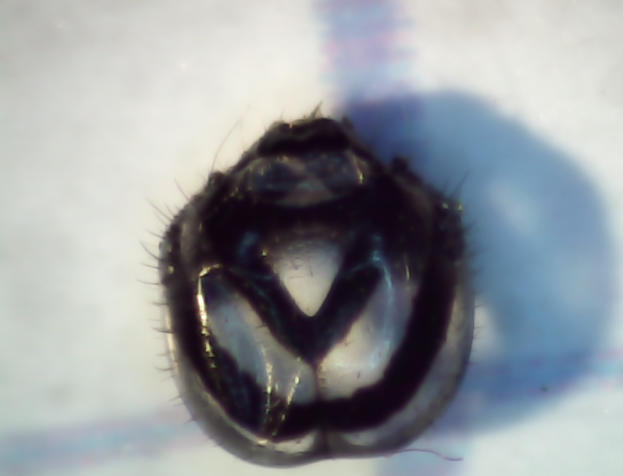
    We watched a female Monarch Butterfly lay eggs on the stand of milkweed behind the house. She also found a lone plant in the vegetable garden that’s now standing in a vase on the kitchen table where we can keep an eye on the proceedings.

    So far, so good:

    Monarch Butterfly Egg on Milkweed Leaf - 2017-07-29
    Monarch Butterfly Egg on Milkweed Leaf – 2017-07-29

    I never knew Monarch eggs were so elaborate!

    Captured with the VGA-resolution USB camera atop the zoom microscope, with VLC applying automagic gamma and level adjustment.

    Focus-stacking the three best images helps the ribs toward the leaf, but not by much:

    Monarch Egg - focus stacked
    Monarch Egg – focus stacked

    After picking out the images, all of which bear VLC’s auto-generated names like vlcsnap-2017-07-29-09h26m25s720.png, stack them thusly:

    align_image_stack -C -a milkweed *png
    enfuse -o Monarch.jpg milkweed000*
    

    Tinkering with the options might improve things, but … maybe next time.

  • Monthly Science: Final WS2812 Failures

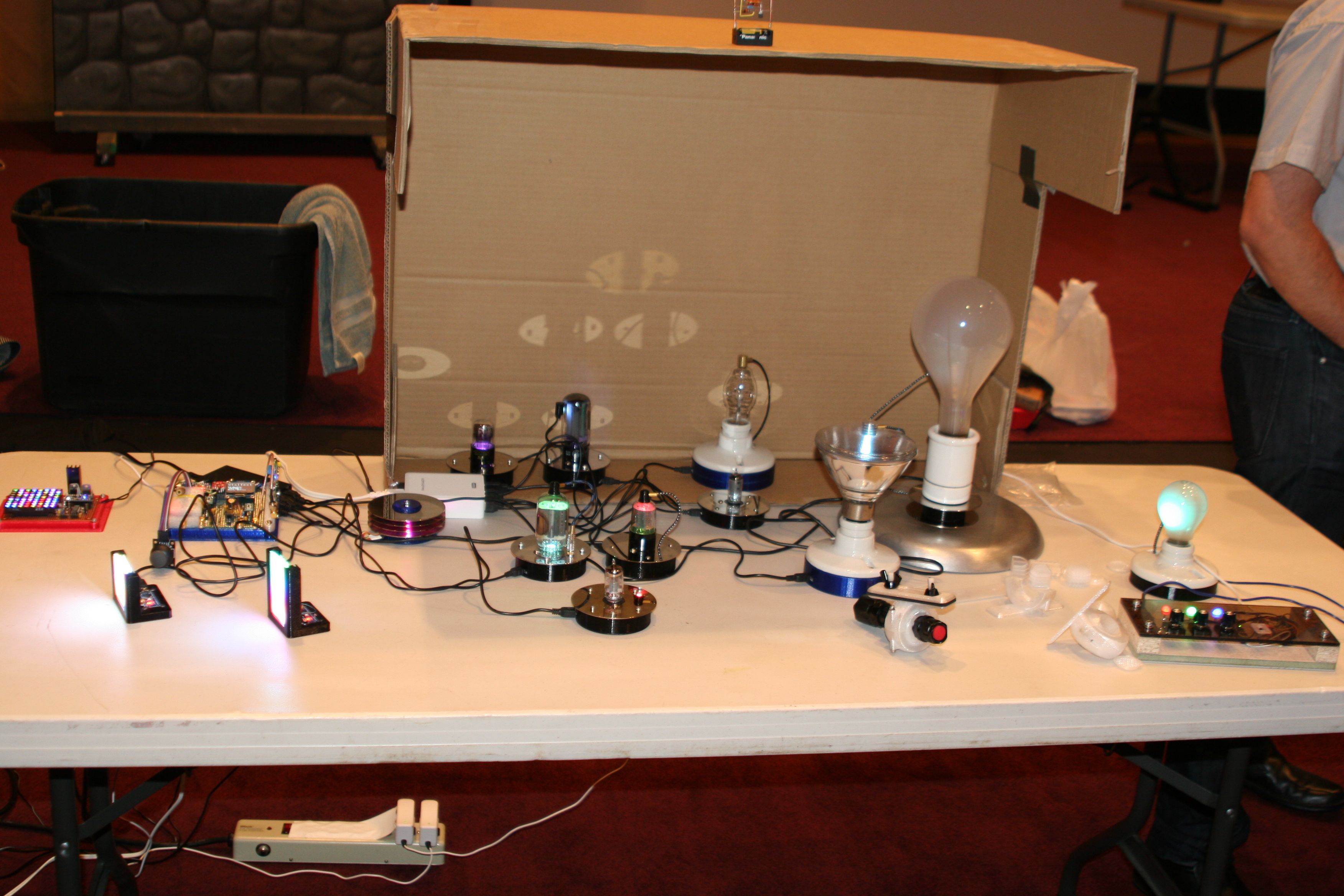
    My “exhibit” at the MHV LUG Mad Science Fair consisted of glowy and blinky LED goodness, with an array of vacuum tubes, bulbs, and the WS2812 and SK6812 test fixtures:

    MHVLUG Science Fair - Chastain - highres_463020980
    MHVLUG Science Fair – Chastain – highres_463020980

    They look much better without a flash, honest. The cut-up cardboard box threw much needed shade; the auditorium has big incandescent can lights directly overhead.

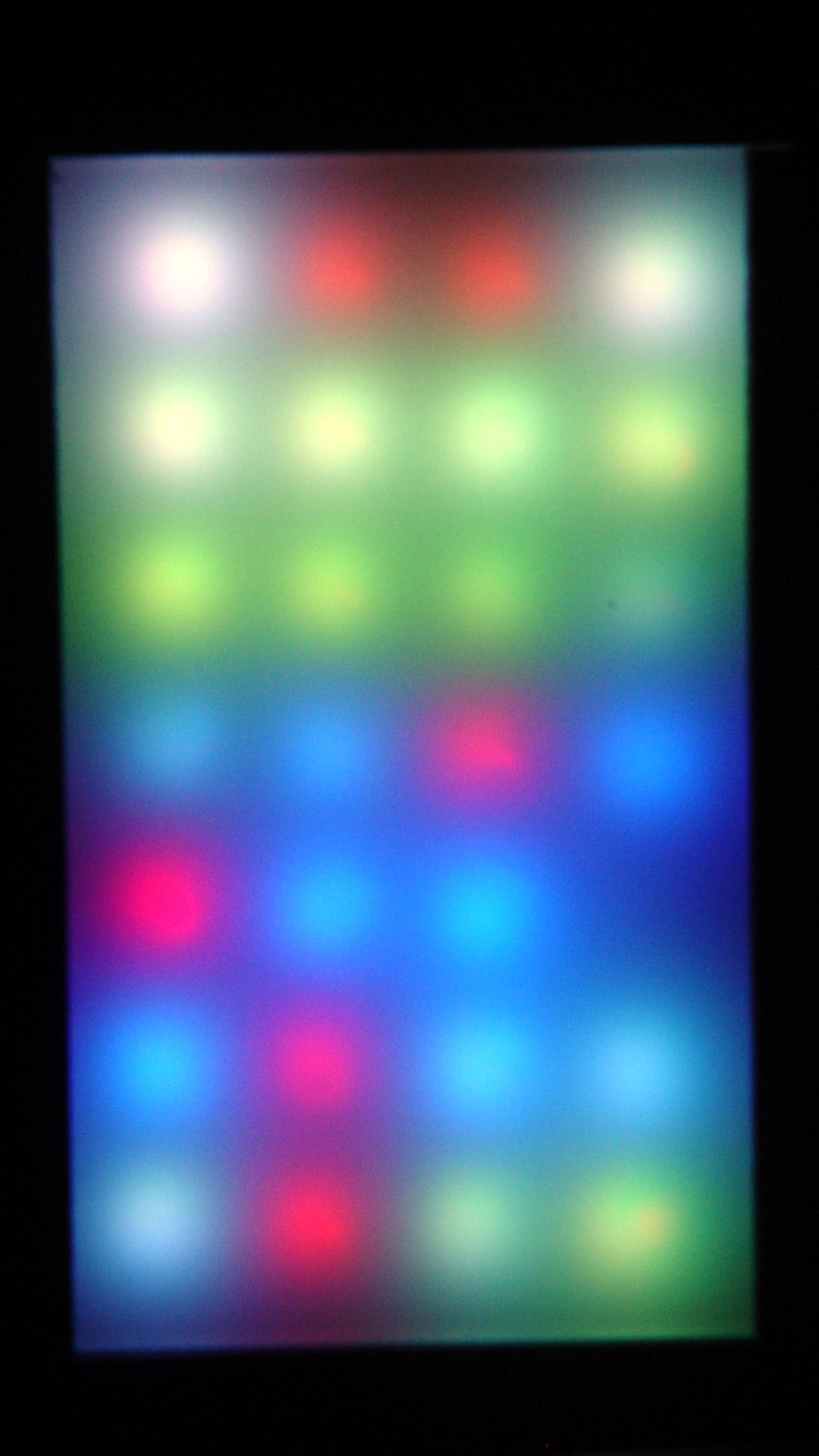
    Anyhow, what with one thing and another, the two LED test fixtures spent another few dark and cool days in the Basement Laboratory. When I finally plugged them in, the SK6812 RGBW LED array light up just fine, but three more WS2812 RGB LEDs went toes-up:

    WS2812 LED test fixture - more failures
    WS2812 LED test fixture – more failures

    That brought the total to about 8 (one looks like it’s working)  out of 28: call it a 28% failure rate. While WS2812 LEDs don’t offer much in the way of reliability, running them continuously seems to minimize the carnage.

    So I wired around the new deaders and took that picture.

    Flushed with success and anxious to get this over with, I sealed the tester in a plastic bag and tossed it in the freezer for a few hours …

    Which promptly killed most of the remaining WS2812 chips, to the extent even a protracted session on the Squidwrench Operating Table couldn’t fix it. When I though I had all the deaders bypassed, an LED early in the string would wig out and flip the panel back to pinball panic mode.

    It’s not a 100% failure rate, but close enough: they’re dead to me.

    As the remaining WS2812 LEDs on the various vacuum tubes and bulbs go bad, I’m replacing them with SK6812 RGBW LEDs.

    For whatever it’s worth, freezing the SK6812 tester had no effect: all 25 LEDs lit up perfectly and run fine. Maybe some of those chips will die in a few days, but, to date, they’ve been utterly reliable.

  • Monthly Image: Mystery Lizard

    We found this critter keeping a watchful eye on the construction at Adams Fairacre Farms during our most recent grocery trip:

    Mystery frilled lizard - detail
    Mystery frilled lizard – detail

    I think it’s an undocumented alien that entered the US stowed away in a tropical plant, because it was affixed to the array of ceramic pots outside their (open) greenhouse windows:

    Mystery frilled lizard
    Mystery frilled lizard

    To the best of my admittedly limited herpetological knowledge, none of our native lizards / geckos / whatever have such a distinctive dorsal frill / fin / ridge. I have no idea how to look the critter up, though.

    We left it to seek its own destiny. Unless it’s a mated female (hard to tell with lizards), it’ll have a lonely life.

    Perhaps it practices rishratha, which is entirely possible.

  • AD9850 Module: Oscillator Thermal Time Constant

    With an LM75 atop the 125 MHz oscillator and the whole thing wrapped in foam:

    LM75A Temperature Sensor - installed
    LM75A Temperature Sensor – installed

    Let it cool overnight in the Basement Laboratory, fire it up, record the temperature every 30 seconds, and get the slightly chunky blue curve:

    125 MHz Oscillator - Heating Time Constant
    125 MHz Oscillator – Heating Time Constant

    Because we know this is one of those exponential-approach problems, the equation looks like:

    Temp(t) = Tfinal + (Tinit - Tfinal) × e-t/τ

    We can find the time constant by either going through the hassle of an RMS curve fit or just winging it by assuming:

    • The initial temperature, which is 22.5 °C = close to 22.7 °C ambient
    • The final temperature (call it 42 °C)
    • Any good data point will suffice

    The point at 480 s is a nice, round 40 °C, so plug ’em in:

    40.0 = 42.0 + (22.7 - 42.0) × e-480/τ

    Turning the crank produces τ = 212 s, which looks about right.

    Trying it again with the 36.125 °C point at 240 s pops out 200.0 °C.

    Time for a third opinion!

    Because we live in the future, the ever-so-smooth red curve comes from unleashing LibreOffice Calc’s Goal Seek to find a time constant that minimizes the RMS Error. After a moment, it suggests 199.4 s, which I’ll accept as definitive.

    The spreadsheet looks like this:

    T_init 22.5
    T_final 42.0
    Tau 199.4
    Time s Temp °C Exp App Error²
    0 22.250 22.500 0.063
    30 25.500 25.224 0.076
    60 28.000 27.567 0.187
    90 30.125 29.583 0.294
    120 31.750 31.317 0.187
    150 33.250 32.810 0.194
    180 34.375 34.093 0.079
    210 35.375 35.198 0.031
    240 36.125 36.148 0.001
    270 36.813 36.965 0.023
    300 37.500 37.668 0.028
    330 38.125 38.273 0.022
    360 38.500 38.794 0.086
    390 39.000 39.242 0.058
    420 39.500 39.627 0.016
    450 39.750 39.959 0.043
    480 40.000 40.244 0.059
    510 40.250 40.489 0.057
    540 40.500 40.700 0.040
    570 40.750 40.882 0.017
    600 41.000 41.038 0.001
    RMS Error 0.273

    The Exp App column is the exponential equation, assuming the three variables at the top, the Error² column is the squared error between the measurement and the equation, and the RMS Error cell contains the square root of the average of those squared errors.

    The Goal Seeker couldn’t push RMS Error to zero and gave up with Tau = 199.4. That’s sensitive to the initial and final temperatures, but close enough to my back of the envelope to remind me not to screw around with extensive calculations when “two minutes” will suffice.

    Basically, after five time constants = 1000 s = 15 minutes, the oscillator is stable enough to not worry about.

  • AD9850 DDS Module: 125 MHz Oscillator vs. Temperature, Quadratic Edition

    I let the DDS cool down overnight, turned it on, and recorded the frequency offset as a function of temperature as it heated up again:

    125 MHz Osc Freq Offset vs Temp - Quadratic - 29 - 43 C
    125 MHz Osc Freq Offset vs Temp – Quadratic – 29 – 43 C

    The reduced spacing between the points as the temperature increases shows how fast the oscillator heats up. I zero-beat the 10 MHz output, scribbled the temperature, noted the offset, and iterated as fast as I could. The clump of data over on the right end comes from the previous session with essentially stable temperatures.

    I only had to throw out two data points to get such a beautiful fit; the gaps should be obvious.

    The fit seems fine from room (well, basement) ambient up to hotter than you’d really like to treat the DDS, so using the quadratic equation should allow on-the-fly temperature compensation. Assuming, of course, the equation matches some version of reality close to the one prevailing in the Basement Laboratory, which remains to be seen.

    In truth, it probably doesn’t, because the temperature was changing so rapidly the observations all run a bit behind reality. You’d want a temperature-controlled environment around the PCB to let the oscillator stabilize after each increment, then take the measurements. I am so not going to go there.

    The original data:

    125 MHz Osc Freq Offset vs Temp - 29 - 43 C - data
    125 MHz Osc Freq Offset vs Temp – 29 – 43 C – data
  • AD9850 DDS Module: 125 MHz Oscillator vs. Temperature, Linear Edition

    A day of jockeying the AD9850 DDS oscillator shows an interesting relation between the frequency offset and the oscillator temperature:

    DDS Oscillator Frequency Offset vs. Temperature - complete
    DDS Oscillator Frequency Offset vs. Temperature – complete

    Now, as it turns out, the one lonely little dot off the line happened just after I lit the board up after a tweak, so the oscillator temperature hadn’t stabilized. Tossing it out produces a much nicer fit:

    DDS Oscillator Frequency Offset vs. Temperature
    DDS Oscillator Frequency Offset vs. Temperature

    Looks like I made it up, doesn’t it?

    The first-order coefficient shows the frequency varies by -36 Hz/°C. The actual oscillator frequency decreases with increasing temperature, which means the compensating offset must become more negative to make the oscillator frequency variable match reality. In previous iterations, I’ve gotten this wrong.

    For example, at 42.5 °C the oscillator runs at:

    125.000000 MHz - 412 Hz = 124.999588 MHz

    Dividing that into 232 = 34.35985169 count/Hz, which is the coefficient converting a desired frequency into the DDS delta phase register value. Then, to get 10.000000 MHz at the DDS output, you multiply:
    10×106 × 34.35985169 = 343.598517×10⁶

    Stuff that into the DDS and away it goes.

    Warmed half a degree to 43.0 °C, the oscillator runs at:

    125.000000 MHz - 430 Hz = 124.999570 MHz

    That’s 18 Hz lower, so the coefficient becomes 34.35985667, and the corresponding delta phase for a 10 MHz output is 343.598567×10⁶.

    Obviously, you need Pretty Good Precision in your arithmetic to get those answers.

    After insulating the DDS module to reduce the effect of passing breezes, I thought the oscillator temperature would track the ambient temperature fairly closely, because of the more-or-less constant power dissipation inside the foam blanket. Which turned out to be the case:

    DDS Oscillator Temperature vs. Ambient
    DDS Oscillator Temperature vs. Ambient

    The little dingle-dangle shows startup conditions, where the oscillator warms up at a constant room temperature. The outlier dot sits 0.125 °C to the right of the lowest pair of points, being really conspicuous, which was another hint it didn’t belong with the rest of the contestants.

    So, given the ambient temperature, the oscillator temperature will stabilize at 0.97 × ambient + 20.24, which is close enough to a nice, even 20 °C hotter.

    The insulation blanket reduces short-term variations due to breezes, which, given the -36 Hz/°C = 0.29 ppm temperature coefficient, makes good sense; you can watch the DDS output frequency blow in the breeze. It does, however, increase the oscillator temperature enough to drop the frequency by 720 Hz, so you probably shouldn’t use the DDS oscillator without compensating for at least its zero-th order offset at whatever temperature you expect.

    Of course, that’s over a teeny-tiny temperature range, where nearly anything would be linear.

    The original data:

    DDS Oscillator offset vs temperature - 2017-06-24
    DDS Oscillator offset vs temperature – 2017-06-24
  • Monthly Science: Cheap WS2812 LED Failures

    The two knockoff Neopixel test fixtures went dark while their USB charger accompanied me on a trip, so they spent a few days at ambient basement conditions. When I plugged them back into the charger, pretty much the entire array lit up in pinball panic mode:

    WS2812 LED - test fixture multiple failures
    WS2812 LED – test fixture multiple failures

    Turns out three more WS2812 chips failed in quick succession. I’ve hotwired around the deaders (output disconnected, next chip input in parallel) and, as with the other zombies, they sometimes work and sometimes flicker. That’s five failures in 28 LEDs over four months, a bit under 3000 operating hours.

    For lack of a better explanation: the cool chips pulled relatively moist air through their failed silicone encapsulation, quietly rotted out in the dark, then failed when reheated. After they spend enough time flailing around, the more-or-less normal operating temperatures drives out the moisture and they (sometimes) resume working.

    Remember, all of them passed the Josh Sharpie Test, so you can’t identify weak ones ahead of time.