The Smell of Molten Projects in the Morning

Ed Nisley's Blog: Shop notes, electronics, firmware, machinery, 3D printing, laser cuttery, and curiosities. Contents: 100% human thinking, 0% AI slop.

Category: Photography & Images

Taking & making images.

  • Tek Circuit Computer: Styrene Engraving Test

    Tek Circuit Computer: Styrene Engraving Test

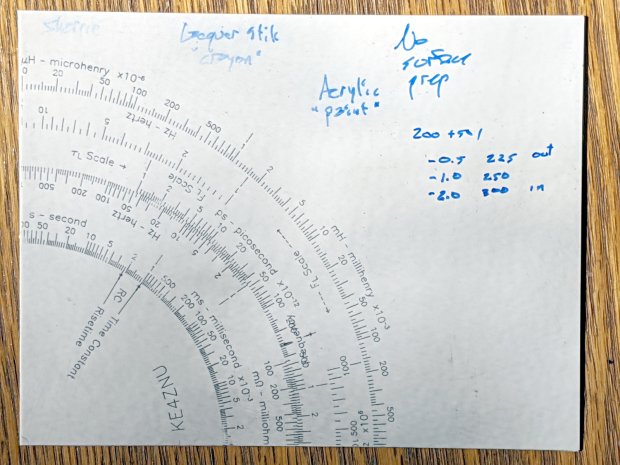
    Engraving all three Tek Circuit Computer decks on a single sheet of styrene plastic with the diamond drag tool:

    Diamond on styrene - engraving test - overview
    Diamond on styrene – engraving test – overview

    The three patterns overlap here & there, but the intent was to have plenty of engraved lines for further study:

    Diamond on styrene - engraving test - in action
    Diamond on styrene – engraving test – in action

    The vivid blue glare comes from a flashlight at grazing incidence off to the left, with brutal color correction back to something sensible.

    Engraving each deck at a different depth gave a range of downforce:

    EZ='EngraveZ=-0.5mm'
    Runit Bottom Engrave
    
    EZ='EngraveZ=-1.0mm'
    Runit Middle Engrave
    
    EZ='EngraveZ=-2.0mm'
    Runit Top Engrave
    

    I fed all three of those G-Code files into bCNC, applied them to the same sheet with the same origin touchoff, and it worked fine.

    The tool holder rate of 200 g + 50 g/mm produced downforces of 225, 250, and 300 g. In retrospect, the range wasn’t really broad enough, so Moah Force may be in order.

    The diamond produced plenty of swarf:

    Diamond on styrene - engraving test - swarf
    Diamond on styrene – engraving test – swarf

    Wiping the surface with a strip of masking tape clears away the loose rubble:

    Diamond on styrene - engraving test - cleaned
    Diamond on styrene – engraving test – cleaned

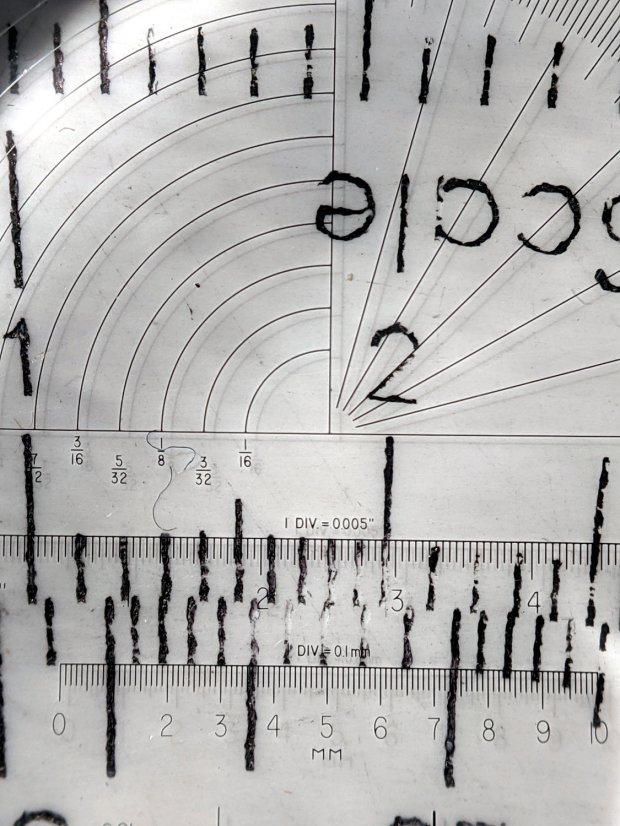
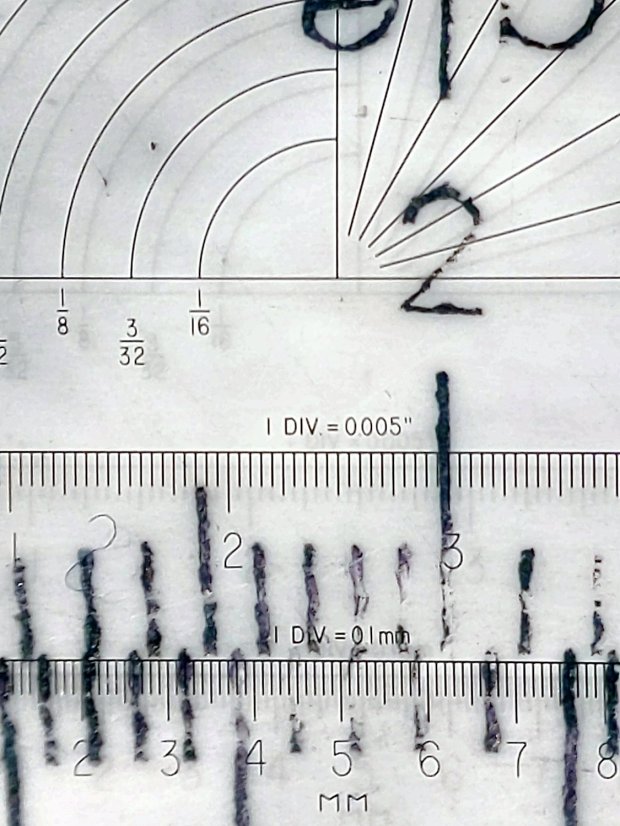
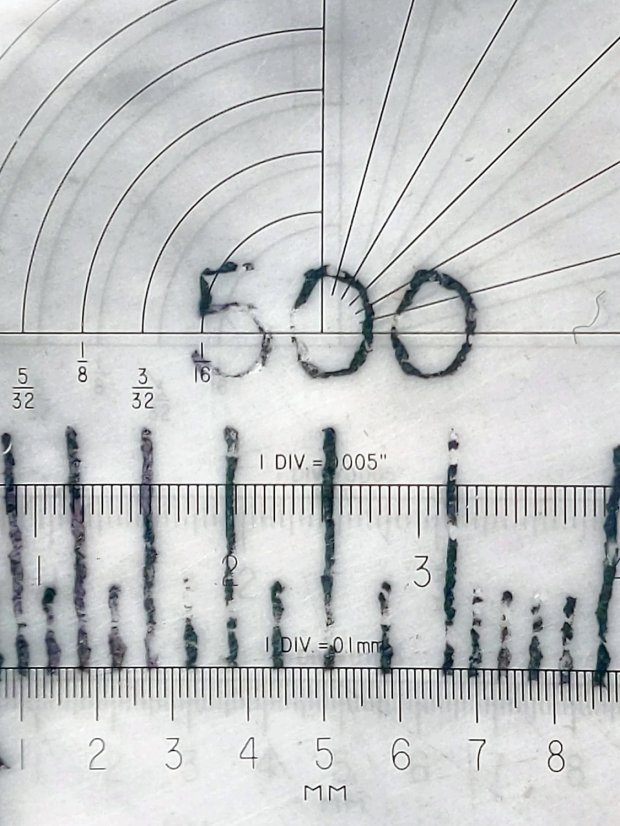
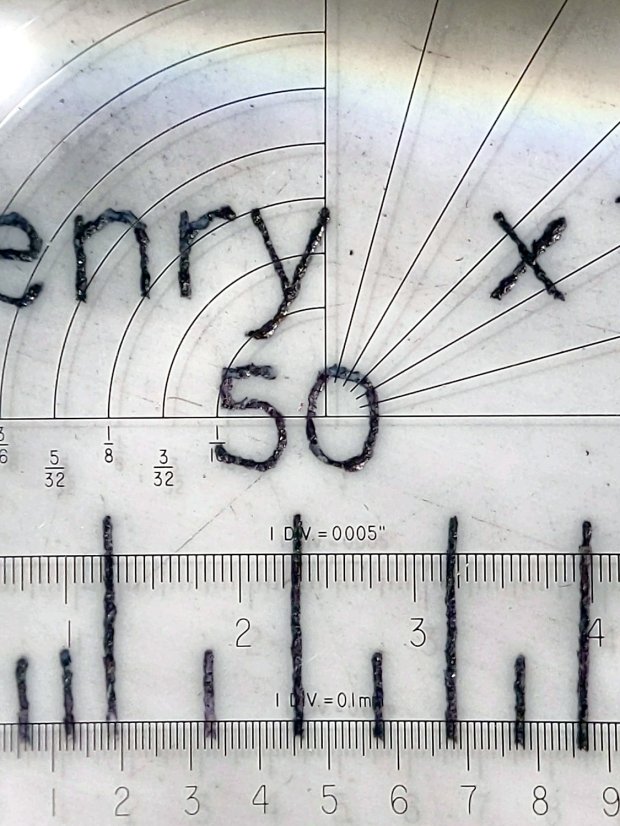
    The innermost scale comes from the top deck, engraved at 300 g. The long shadows from the plastic pushed up along the tick marks seem to indicate the deepest trenches, although I don’t have any way to measure their depth.

    I scribed and snapped the sheet into quarters so I can (mis)treat the engraved patterns in various ways:

    Diamond on styrene - engraving test - raw color fill
    Diamond on styrene – engraving test – raw color fill

    What a mess!

  • HON Lateral File Cabinet Shelf Bumper Replacement

    Somewhat to our surprise, our “new” HON Lateral File Cabinets include a pop-out shelf:

    HON Lateral File - shelf - closed
    HON Lateral File – shelf – closed

    The trick: push the bar inward against fairly stiff spring pressure, release it suddenly, watch it pop out maybe half an inch, get some fingers under the front edge, then pull it outward:

    HON Lateral File - shelf - extended
    HON Lateral File – shelf – extended

    Obviously, opening the drawer above the shelf will sweep whatever you put there onto the floor and opening the drawer below seems futile. I suppose it produced a bullet item on the features list.

    Note that the topmost “drawer” is also called a “shelf”, because the front cover slides up-and-inward to reveal the contents. Should you stand eight feet tall, you might be able to look down on that shelf, but we mere mortals barely see its contents at eye level.

    Dismantling the cabinets preparatory to deep cleaning revealed a pair of rubber bumpers along the rear edge of the shelf:

    HON Lateral File - shelf bumper - installed
    HON Lateral File – shelf bumper – installed

    The slightly angled front side of the bumper (on the right) collides with a crossbar below the drawer just above it, preventing you from pulling the shelf entirely out of the cabinet.

    Remove the bumper by pressing down and rearward (to the left), shoving the protruding lip into the slot with a thumb / screwdriver, then pull it upward through the slot:

    HON Lateral File - shelf bumper - removed
    HON Lateral File – shelf bumper – removed

    The second cabinet had only one bumper, so I traced it twice onto a rubber sheet half as thick as the OEM bumper, bandsawed the shapes, and introduced them to Mr Belt Sander for cleanup:

    HON Lateral File - replacement shelf bumper
    HON Lateral File – replacement shelf bumper

    Jammed side-by-side into the slot, they’ll serve the purpose:

    HON Lateral File - replacement shelf bumper - installed
    HON Lateral File – replacement shelf bumper – installed

    As with the replacement foot on the first cabinet, they’re not the prettiest things you’ve ever seen, but Mary doesn’t expect to use the shelf and they’ll never actually bump into anything.

    Even the Pixel phone’s HDR image processing has trouble dealing with dark gray objects on a black background in dim light …

  • Drag Knife Blade Wear

    Drag Knife Blade Wear

    Having used the same two drag knife blades intermittently over the last three-ish years, I wondered just how worn they’d gotten:

    Drag Knife Blades - sides
    Drag Knife Blades – sides

    For scale, the cylindrical part of the blade is 1.0 mm OD.

    The blade with the longer face (left above and bottom below) has seen the most use and is definitely rounded at the tip:

    Drag Knife Blades - tips
    Drag Knife Blades – tips

    Three unused blades have sharp tips:

    Drag Knife Blades - unused 60 45 30 degree
    Drag Knife Blades – unused 60 45 30 degree

    From the top, the (nominal) blade angles are 60°, 45°, and 30°, generally indicated by yellow, red, and blue plastic caps. However, various eBay sellers disagree on how to measure the angle (up from surface / outward from axis) and which cap colors correspond to which angles.

    The unused 45° blade bracketed by the two used blades:

    Drag Knife Blades - unused in center
    Drag Knife Blades – unused in center

    The two lower blades have angles somewhere between 30° and 45°, suggesting slack grinder and QC tolerances. If the actual angle matters to you, buy an assortment (from one seller!), measure what you get, and don’t be surprised when the results aren’t anything in particular.

    Perhaps, with careful attention to alignment in a non-pivoting / collet holder, one might scribe exceedingly narrow lines.

    The microphotographic setup:

    Drag Knife Blades - microscope stage setup
    Drag Knife Blades – microscope stage setup

    That’s the back of a sheet of carbon paper (remember carbon paper?), which is deep dark gray in normal light. It’s sitting on the sheet of 100 mil grid paper providing scale for small objects, atop the microscope stage positioner, with cold white illumination from an LED ring light.

    Protip: even worn blades remain lethally sharp …

  • MPCNC: bCNC Probe Camera Refresh

    For the usual inscrutable reasons, updating bCNC killed the USB camera on the MPCNC, although it still worked fine with VLC. Rather than argue with it, I popped a more recent camera from the heap and stuck it onto the MPCNC central assembly:

    bCNC - USB probe camera - attachment
    bCNC – USB probe camera – attachment

    This one has a nice rectangular case, although the surface might be horrible silicone that turns to snot after a few years. The fancy silver snout rotates to focus the lens from a few millimeters to infinity … and beyond!

    If you think it looks a bit off-kilter, you’re absolutely right:

    bCNC - USB probe camera - off-axis alignment
    bCNC – USB probe camera – off-axis alignment

    The lens image reflected in a mirror on the platform shows the optical axis has nothing whatsoever to do with the camera case or lens snout:

    bCNC - USB probe camera - off-axis reflection
    bCNC – USB probe camera – off-axis reflection

    Remember, the mirror reflects the lens image back to itself only when the optical axis is perpendicular to the mirror. With the mirror flat on the platform, the lens must be directly above it.

    Because the MPCNC camera rides at a constant height over the platform, the actual focus & scale depends on the material thickness, but this should be typical:

    bCNC - USB Probe Camera - scale - screenshot
    bCNC – USB Probe Camera – scale – screenshot

    It set up a Tek Circuit Computer test deck within 0.2 mm and the other two within 0.1 mm, so it’s close enough.

    The image looks a whole lot better: cheap USB cameras just keep improving …

  • Slide Rules: Real Engraving vs. Pilot V5RT Pens

    A 0.5 mm Pilot V5RT pen produces good-looking results on presentation-grade paper:

    Tek CC - V5RT black - glossy presentation paper
    Tek CC – V5RT black – glossy presentation paper

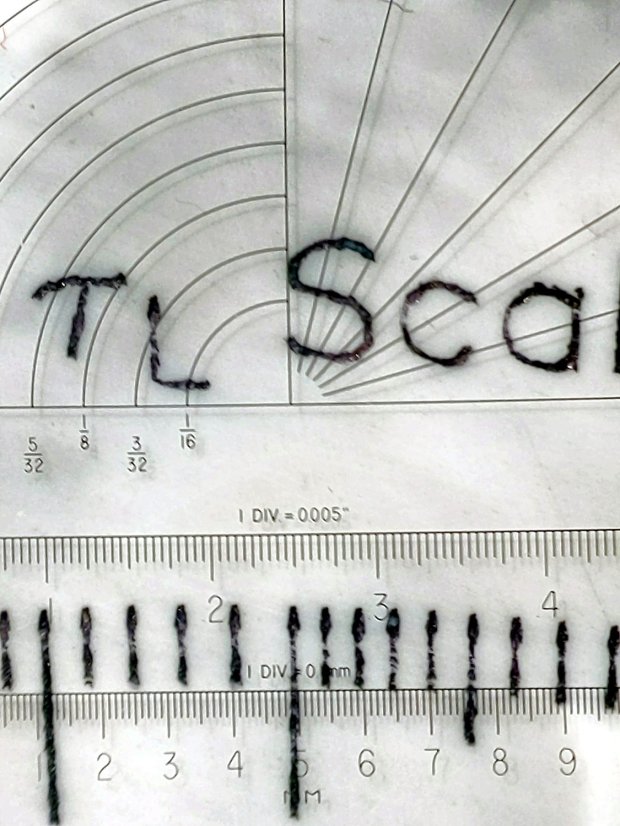
    Peering through a measuring magnifier shows a bit more tremble in the traces, but they’re still OK:

    Tek CC - V5RT pen width
    Tek CC – V5RT pen width

    The desk light off to the upper left casts shadows from the reticle on the three different sheets.

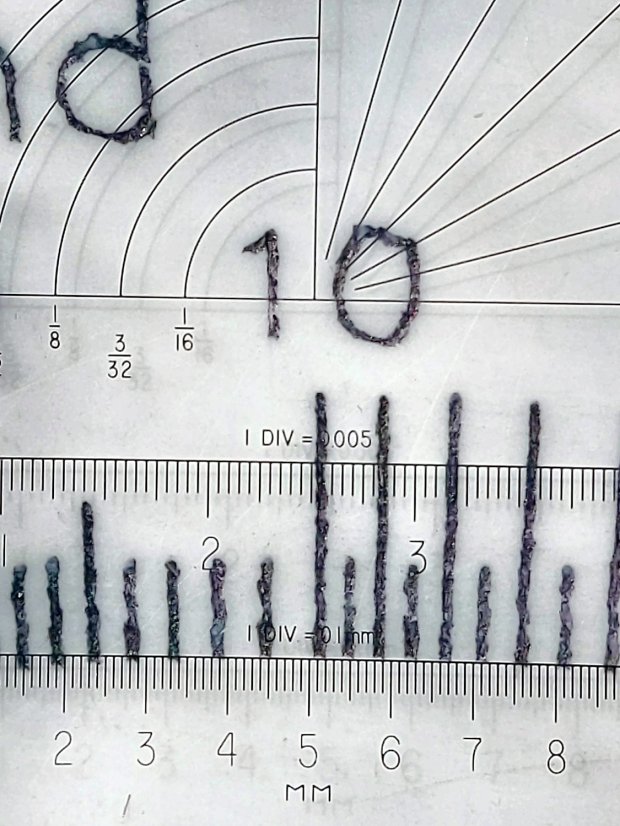
    A closer view of the linear scales:

    Tek CC - V5RT pen width - detail
    Tek CC – V5RT pen width – detail

    The pen lines seem to be 0.25 to 0.3 mm wide, with 0.4 mm dots at the end of each stroke.

    For comparison, the engraved lines on my trusty K&E Deci-Lon slide rule are under 0.1 mm:

    KE Deci-Lon Slide Rule - scale detail
    KE Deci-Lon Slide Rule – scale detail

    The digits look like they’re embossed into the surface with shaped punches, rather than engraved like the lines. Of course, I don’t know how K&E’s production machinery worked.

    A closer view:

    KE Deci-Lon Slide Rule - scale detail - digits
    KE Deci-Lon Slide Rule – scale detail – digits

    I think 0.1 mm is an aggressively narrow trace width, even for a laser engraver.

  • Video-rated MicroSD Card Status Report

    Having just returned from the fourth ride of the season, it’s worthwhile to note how the MicroSD cards in the cameras are doing.

    The Sony HDR-AS30V helmet camera has been running a 64 GB Sandisk high-endurance video-rated card since late August 2017:

    Sandisk - 64 GB MicroSDXC cards
    Sandisk – 64 GB MicroSDXC cards

    In those 29 calendar months (maybe 20 riding months) I’ve ridden 4500-ish miles at perhaps 12 mph, so call it 375 hr = 22.5 k min. The camera fills a 4 GB file every 22.75 min, so it’s recorded 1000 files = 4 TB, which is 62× its capacity. This is better than the defunct Sandisk Extreme Pro card (3 TB & 50×) and much much better than the Sony cards (1 TB & 15×), although I have caught the camera in RCVR mode maybe twice, which means the card or camera occasionally coughs and reformats itself.

    The Cycliq Fly6 rear camera uses a Sandisk 32 GB card that’s been running flawlessly since late 2017:

    MicroSD 32 GB - Samsung EVO and SanDisk High Endurance
    MicroSD 32 GB – Samsung EVO and SanDisk High Endurance

    The new 16850 lithium cell continues to work fine, too.

    The SJCam M20 rear camera also uses a Sandisk 32 GB high-endurance card and has worked fine since early 2018. An external battery eliminated all the hassle of its feeble internal batteries, although the one that’s been in there has faded to the point of just barely keeping the clock ticking over during winter weeks without rides:

    SJCAM M20 Mount - Tour Easy side view
    SJCAM M20 Mount – Tour Easy side view

    All in all, paying the premium for video-rated MicroSD cards has been worthwhile!

  • High-Impact Driving

    We spotted this near our usual parking spot during a recent grocery trip:

    Adams crash - stone wall
    Adams crash – stone wall

    The bush was pretty well uprooted, suggesting the vehicle stopped atop the bush after demolishing the wall.

    Wondering how it got there, I looked across the parking lot:

    Adams crash - reverse view
    Adams crash – reverse view

    Yes, that’s a dead lamp post. The impact dislodged its concrete base by about four inches:

    Adams crash - lamp pole detail
    Adams crash – lamp pole detail

    The greenery came from another eviscerated bush:

    Adams crash - bush debris
    Adams crash – bush debris

    I expected to see tire gouges in the grass, but … nope.

    The bush got a haircut, although the right half seems undamaged:

    Adams crash - bush detail
    Adams crash – bush detail

    The boulder won its disagreement with the vehicle, although there’s surprisingly little shattered plastic and other debris along the trail:

    Adams crash - boulder detail
    Adams crash – boulder detail

    The impact dislodged the boulder, which came to rest about four feet from its origin:

    Adams crash - overview
    Adams crash – overview

    The damage lies along a straight line from the middle of the Adams entrance intersection to the wall impact:

    Adams crash - trajectory
    Adams crash – trajectory

    There are no obvious skid marks, undercarriage scrapes, or gouges in the grass anywhere along the trajectory, suggesting the vehicle remained mostly airborne and ballistic during the whole event, and even the three (!) curbs involved have no marks.

    The nice lady at the Adams Customer Service counter didn’t know what happened and, as usual, the Poughkeepsie Journal (newspaper) has nothing to say.

    I did not check for a high-clearance pickup truck with tall tires and severe front-end damage in the body shop across the street, although one seems a likely suspect. Whatever the vehicle may have been, it was definitely traveling at the usual (tautological) “high rate of speed” …