Ed Nisley's Blog: Shop notes, electronics, firmware, machinery, 3D printing, laser cuttery, and curiosities. Contents: 100% human thinking, 0% AI slop.
A low-end audio power amp destined for a pair of ancient-yet-still-serviceable speakers arrived, but attempting to poke wires through the side holes of the banana jacks showed they were oriented in random directions. Back in the day, banana jacks had D-shaped shafts fitted into D-shaped panel holes, but those days are gone.
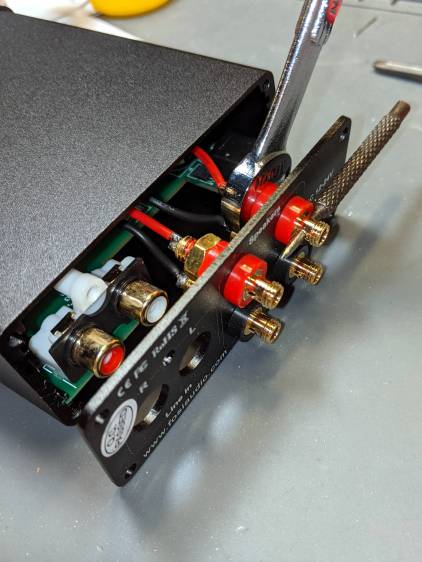
A few minutes with screwdriver, wrench, and (tiny) punch sufficed to line up the holes for E-Z poking:
Fosi audio amp – jack alignment
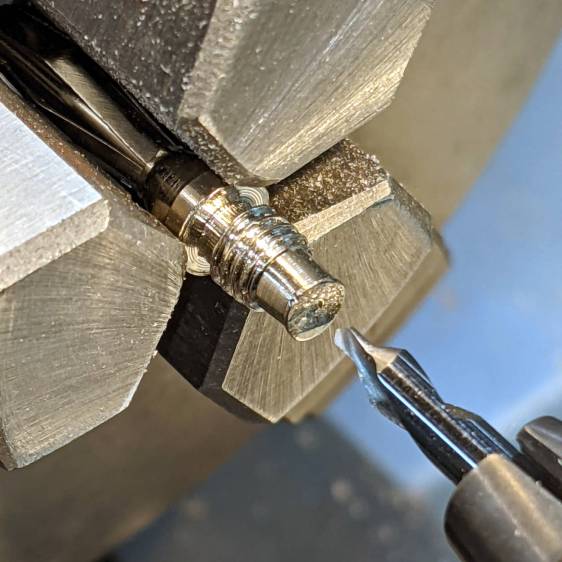
Despite the new convenience, I decided to solder banana plugs to the speaker wires, leading to the discovery my few remaining plugs came from the very bottom of the usability barrel:
Cheap banana plug – solder side
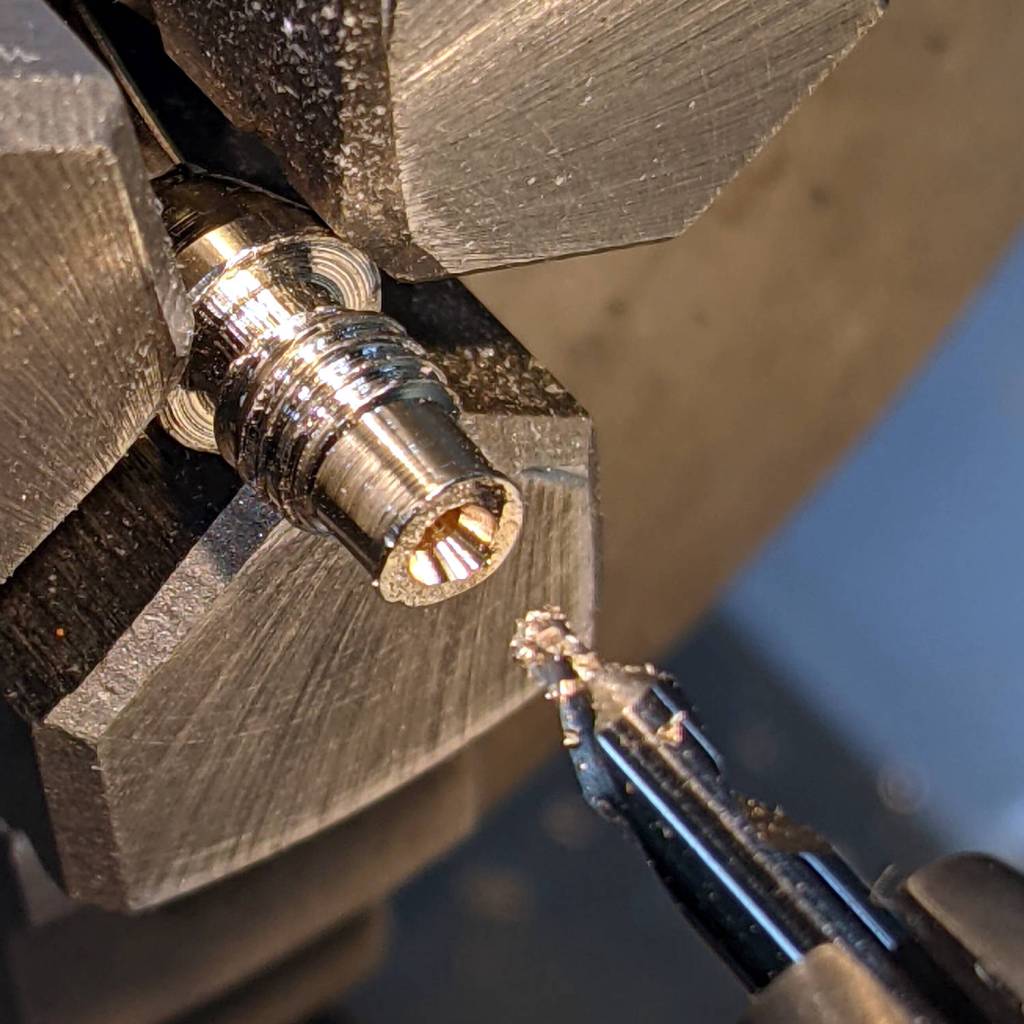
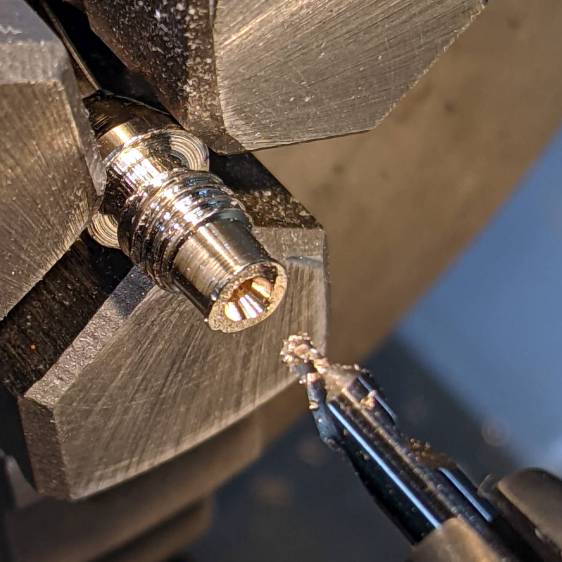
I have no idea how one might affix a wire to that blank stub, but poking a small center drill into the brass lump produces an easily solderable recess:
Cheap banana plug – center drilled
Dab with flux, tin, insert wire, add solder, repeat with all four plugs, and I’m set with a boomin’ system.
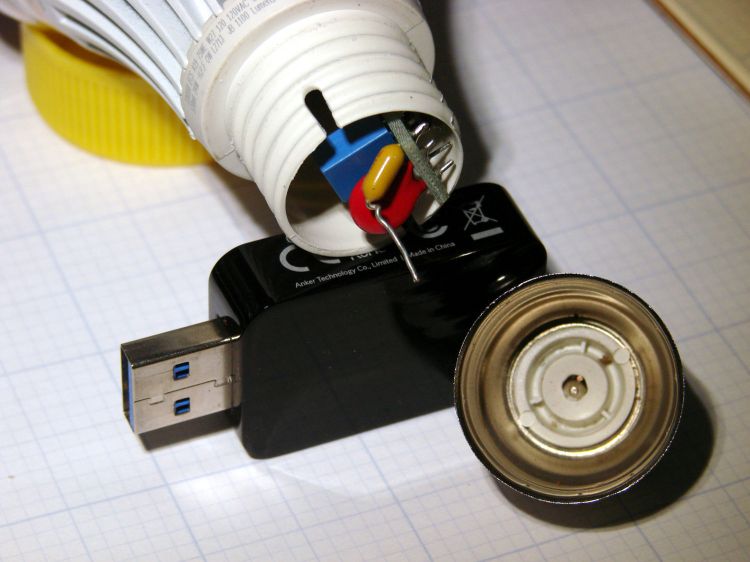
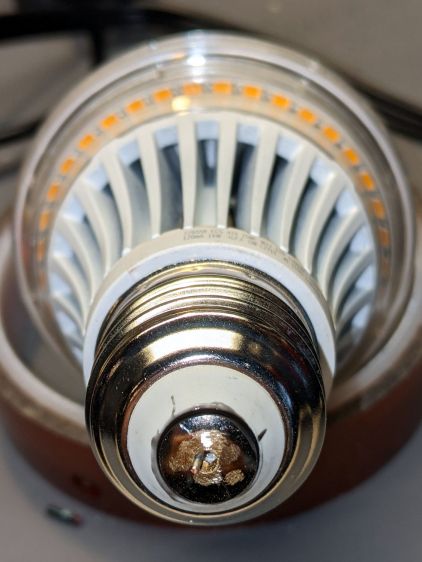
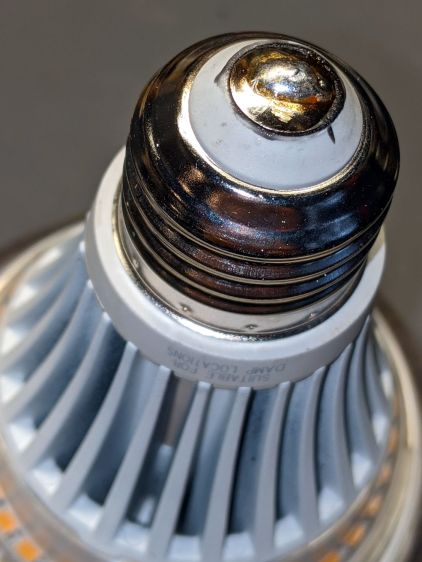
The entire metal base shell unscrewed from the plastic housing and twisted off the lead from what looks like a PTC fuse in series with the center contact; the cute little pigtail effect suggests I’ve wrecked the epoxy-to-wire seal.
It had a five year warranty which, alas, expired three years ago. This style of bulb has fallen out of favor, so I may as well get some Quality Shop Time out of it.
I don’t know how the factory machinery attached the lead to the contact button, but I’m going to go primal on it with some solder. The trick will be soldering it after assembly, so the first step is to drill through the middle of the button.
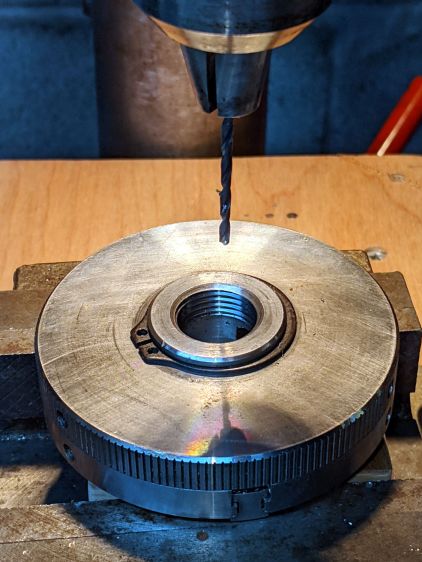
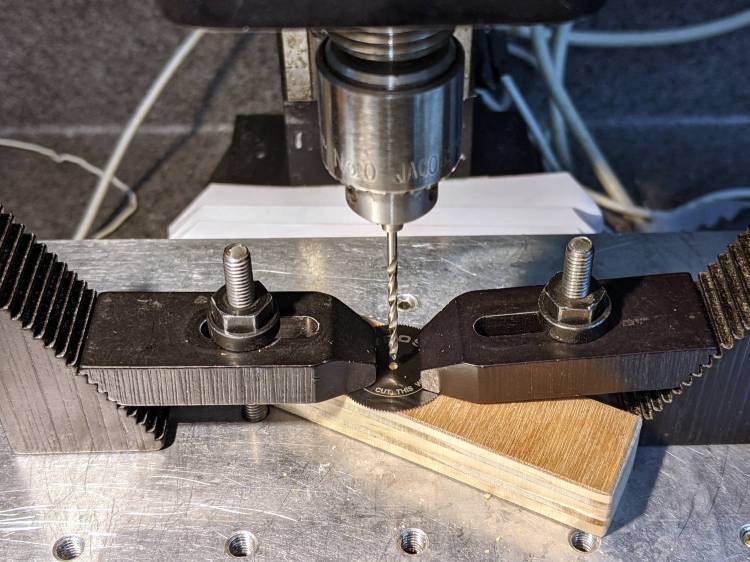
Grab it nose-down in the Sherline’s three-jaw chuck, flip it over, grab the chuck in the drill press vise, line it up, center-drill the button, then drill right through that sucker:
LED Bulb – base drilling setup
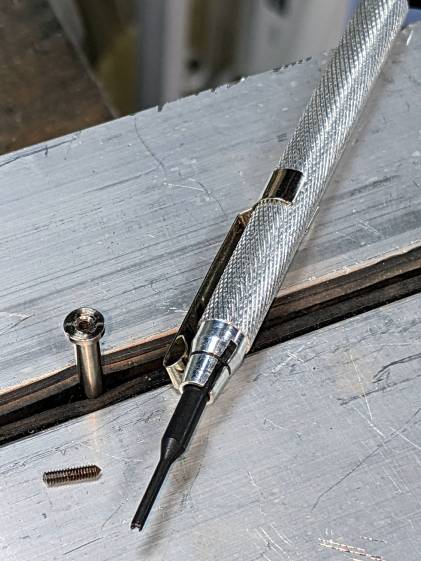
Of course, the contact came loose from the base, because I pretty much drilled right through the rivet flange holding it in place:
LED Bulb – removed center contact
Nothing a dab of epoxy can’t fix, though. I scuffed up the outside of the contact to remove the nickel (?) plating and expose the underlying brass to improve its solderability.
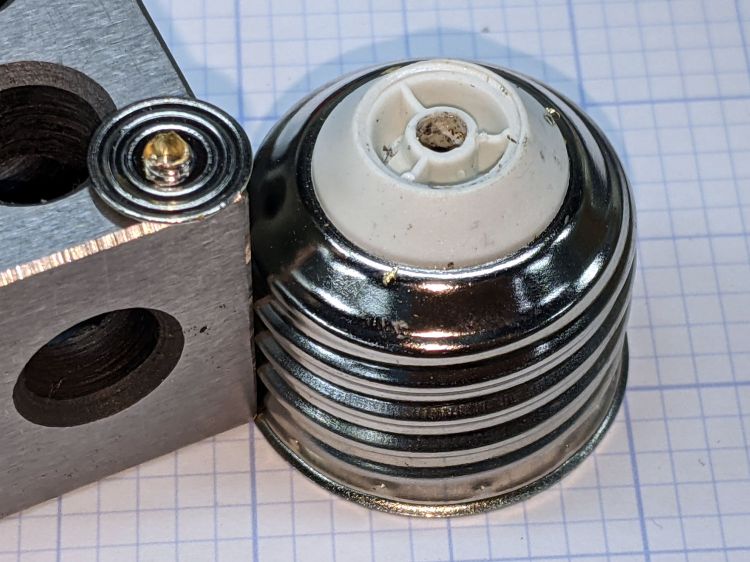
After the epoxy cured, align wire with hole, screw the base onto the lamp shell, and it’s ready for soldering:
LED Bulb – base ready for solder
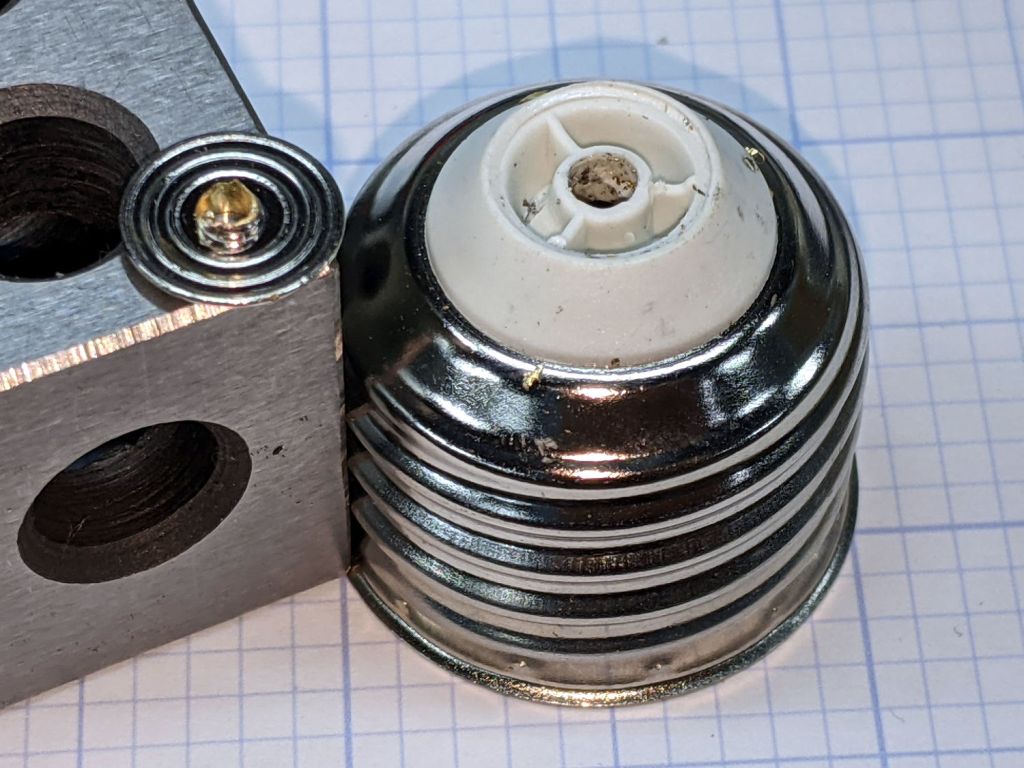
The hole is way too large for the wire, but I wasn’t about to wreck a tiny drill on what might have been a weld nugget. In any event, the bigger the blob, the better the job:
LED Bulb – soldered base
Just like light bulb bases used to look, back in the day.
With a bit of luck, it’ll sit in that socket for another seven years.
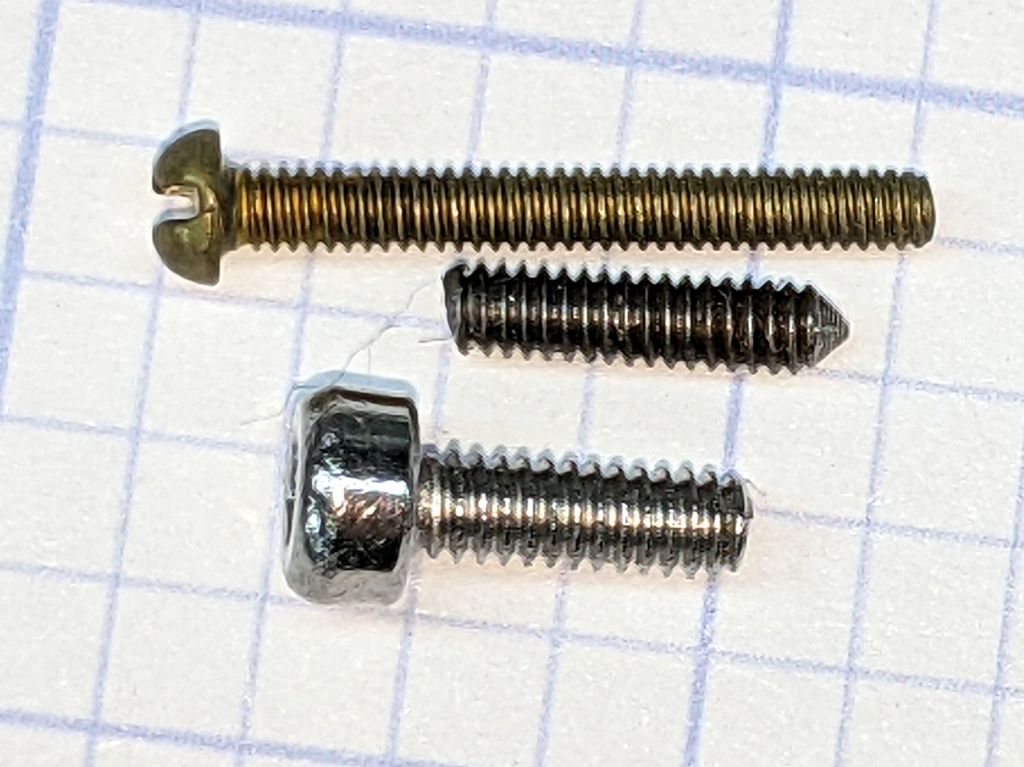
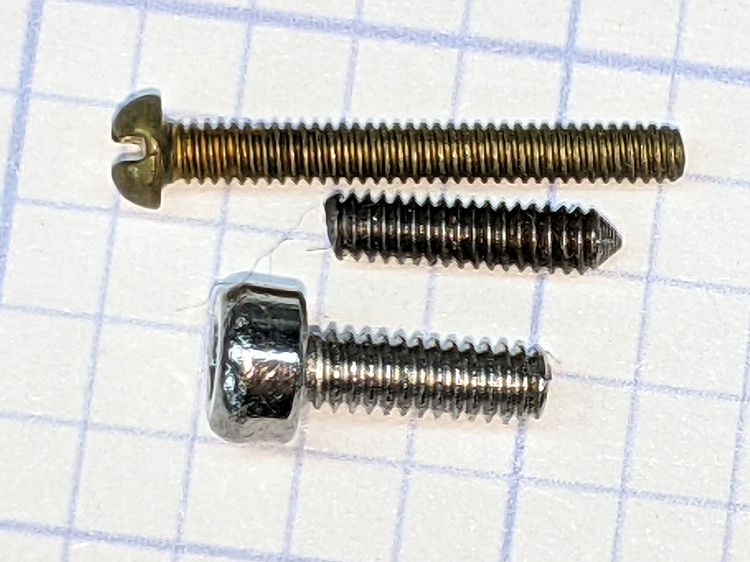
The 1-72 brass screw came heartbreakingly close to fitting and the M2 SHCS obviously won’t play. I can’t measure super-fine threads, but I can count: 16 threads on the stub occupy about the same distance as 18 threads on the 1-72 screw, so 72 × 8 / 9 = 64 tpi and it’s a 1-64 screw, not the far more standard 1-72.
The blade hole just barely fit a #51 = 67 mil drill and measuring my assortment of mandrels produced one with the only M1.8×0.35 (OD = 71 mil) screw I’ve ever seen, so I drilled the blade with a #50 = 70 mil drill:
Gyros miniature saw blade – hole enlarging
Should the oddball screw in that mandrel break, the next step will be a #48 = 76 mil drill to fit the blade around the M2×0.4 screw for cheap and readily available mandrels.
So, being left with a broken screw stub in the original Gyros mandrel, I soaked the scene in Kroil overnight, then applied a tiny screw extractor with amazingly good results:
Gyros mandrel – broken screw extraction
I did eventually find one 1-64 screw in the Big Box o’ Tiny Screws, although its infinitesimal head seems intended for gentler duty than clamping a saw blade to the end of a whirling shaft.
Hand-held Dremel mandrels have, as far as I can tell, no particular runout specs, so chucking them in a Sherline spindle collet pretty much guarantees only a few teeth on one side of the saw will do all the cutting. Which, I hope, will suffice for my simple needs.
The red LED is actually part of an RGB Piranha, just to see how it compares to an as-yet-unbuilt version with a single red LED in the same package.
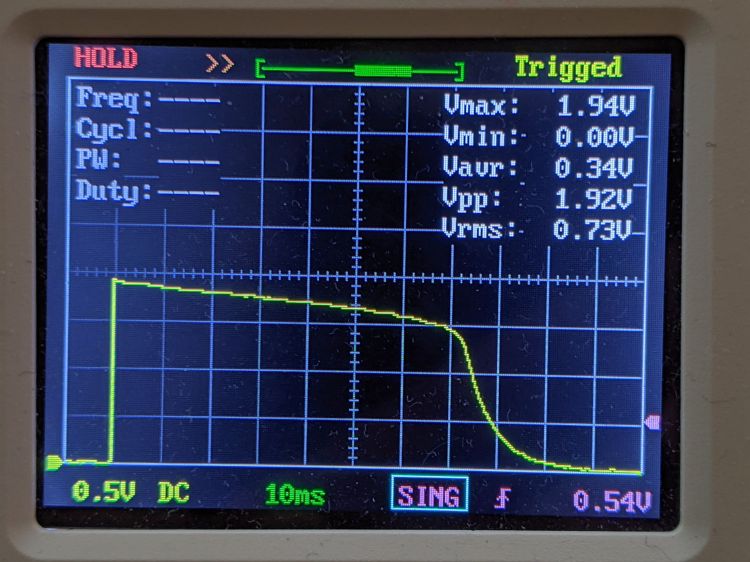
The LED drops 1.9 V of the 2.75 V from the mostly used-up AA cells:
Astable Piranha Red – 2.75 alkaline – V LED
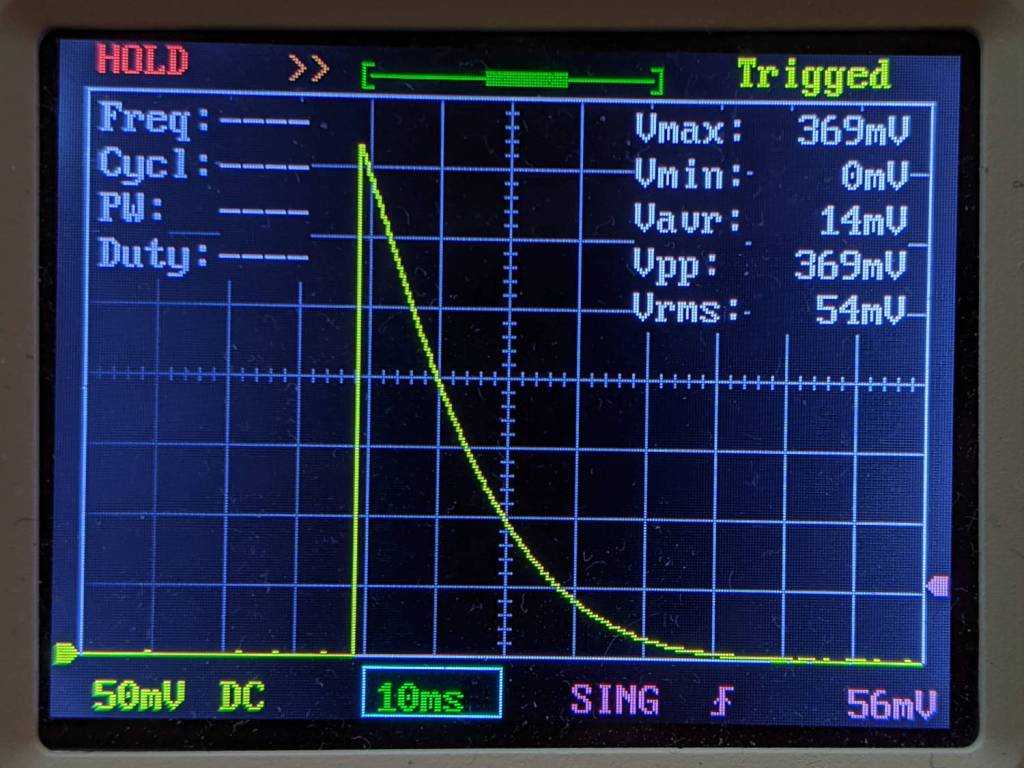
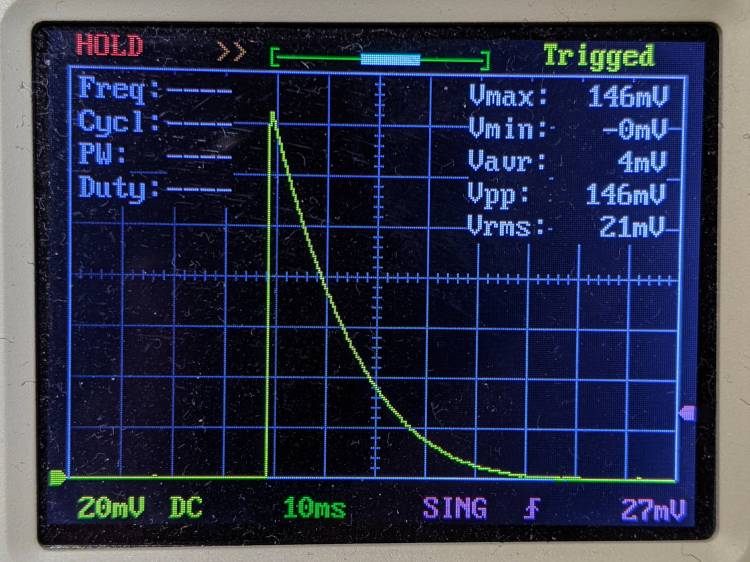
The original 33 Ω ballast resistor showed a peak current of 11 mA in a 30 ms pulse:
Astable Piranha Red – 2.75 alkaline – V 33 ohm
Replacing it with a 12 Ω resistor boosts the current all the way to 12 mA:
Astable Piranha Red – 2.75 alkaline – V 12 ohm
The 2N7000 gate sees a just bit more than 2 V, barely enough to get the poor thing conducting, which makes the ballast resistor mostly decorative. The MOSFET datasheet puts its 1 mA threshold somewhere between 0.8 and 3 V, so it could be worse.
Keep in mind the DSO150’s 1 MΩ input impedance sat in parallel with the 1 MΩ gate pulldown resistor forming the RC differentiator when I measured the gate voltage; I’ll leave the simulation as an exercise for the interested reader. The blinks were noticeably dimmer and perhaps a bit shorter, although eyeballometric calibration is notoriously hard.
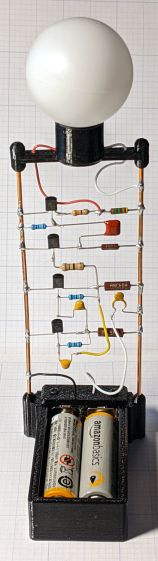
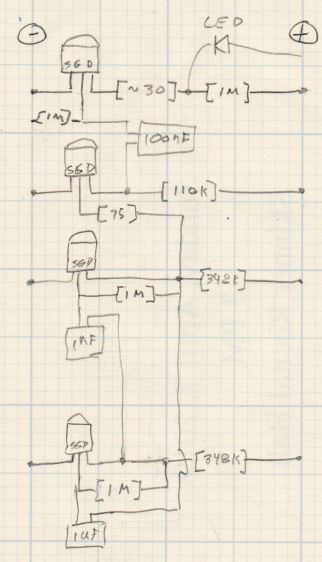
The slightly revised schematic-layout doodle stacks the transistors along the negative bus bar:
Astable wiring layout – stacked 2N7000
Flipping the bottom transistor over to snuggle the two timing caps next to each other would eliminate the long jumper wire and probably look better.
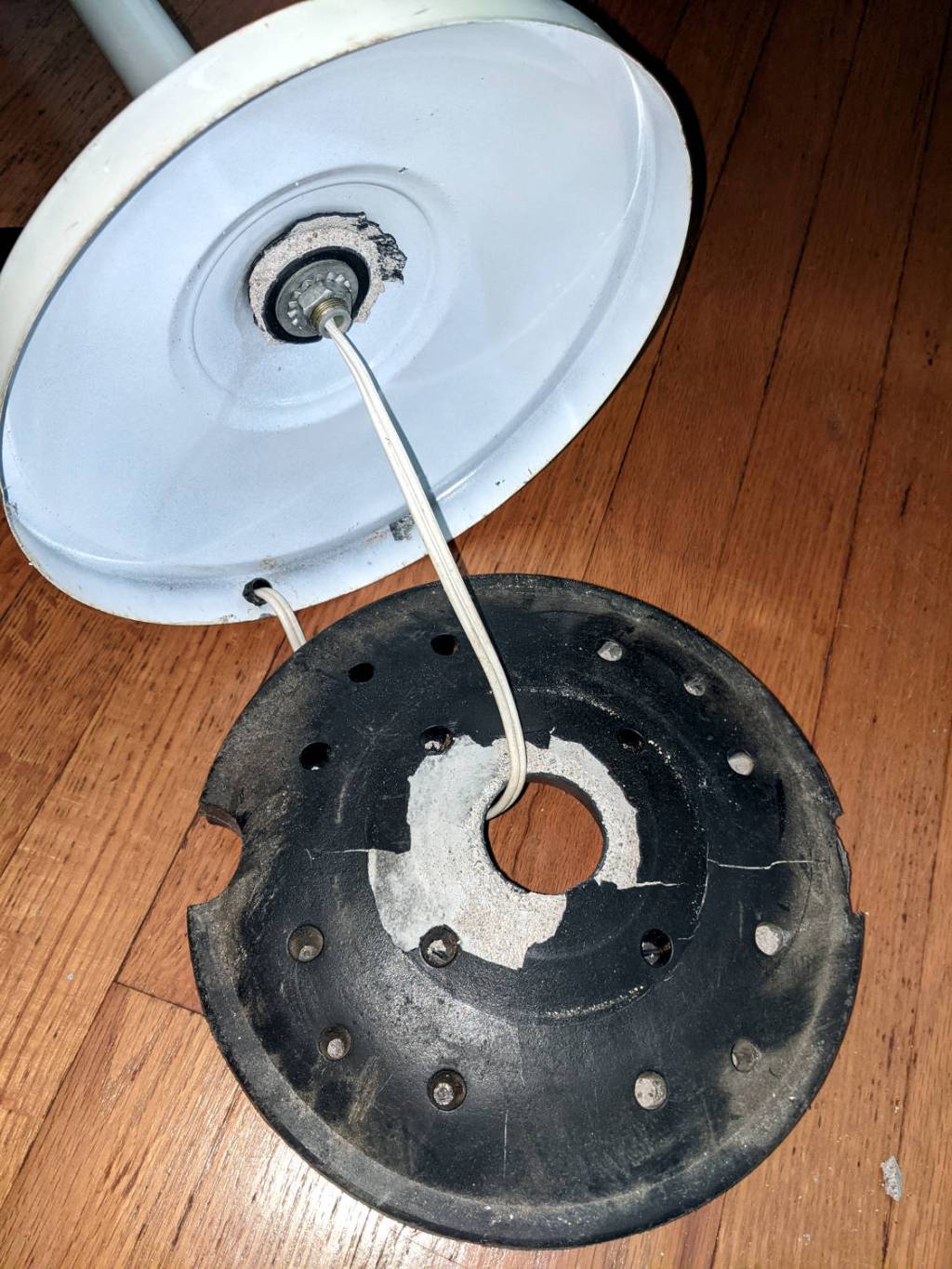
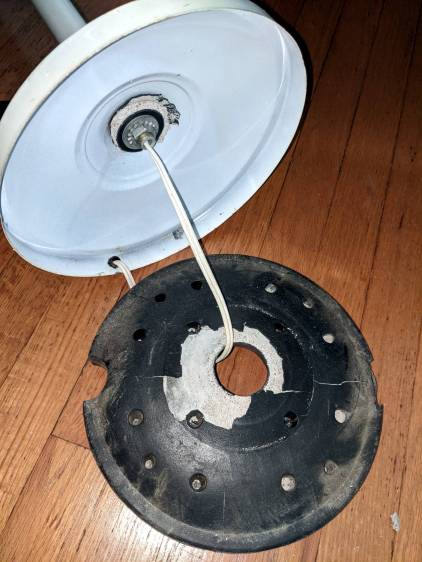
The torchiere floor lamp in the sewing room suffered a catastrophic failure:
Floor lamp – failed plastic base shell
Contrary to what you might think from seeing the shattered plastic base, we didn’t use the lamp as a club or battering ram. Apparently the designer expected the thin plastic surrounding the hole to withstand all the torque produced by the long pole against the cheap concrete / mortar / grout / whatever lump in the base. As we can recall, this lamp came to us from either a yard sale or a roadside debris harvest, so I suppose the hardware outlasted any reasonable expectation.
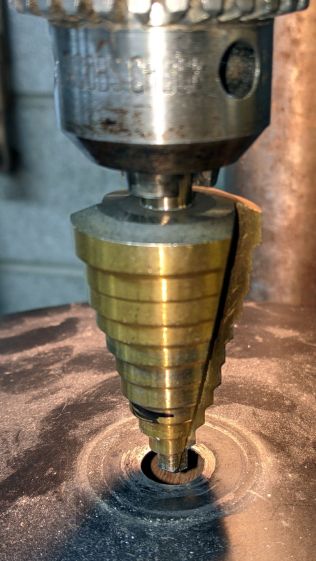
The Basement Laboratory Warehouse disgorged the pole and base from a similar lamp, albeit sporting black paint and a smaller rod connecting its pole to its somewhat larger weight. Not being too fussy about decor, I embiggened the hole in the black base to fit the white lamp’s threaded rod:
Floor lamp – enlarging replacement base
The dust on the base shows why you shouldn’t stand motionless in the Basement Laboratory for very long.
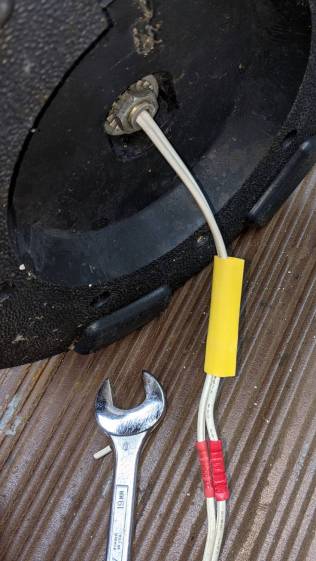
The alert reader will have noted the cord passing through a strain relief grommet in the white base. Rather than dismantle the entire lamp, I just cut the cord, ran it through the new base weight, reinstalled the washer + nut, then crimped on a pair of solderless connectors:
Floor lamp – cord splice
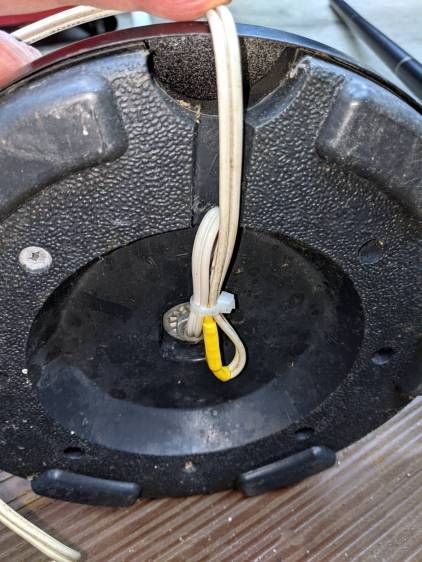
The new base doesn’t offer much in the way of attachment points, so I added a cable tie to keep the strain off the connectors:
Floor lamp – cord strain relief
A strip of genuine 3M duct tape with double-thick adhesive now traps the cord inside that small channel and, given that the lamps spends most of its time standing quietly in a corner, the cord should be fine for long enough.
Obviously, you’ll pick a different keymap name than I did. All the files mentioned below will reside in the new subdirectory, which starts out with only a keymap.c file copied from the default layout.
If you had different hardware, you could specify the driver with a WS2812_DRIVER option.
QMK can also control single-color LEDs with PWM (a.k.a. backlighting), and per-key RGB LEDs (a.k.a. RGB Matrix). These functions, their configuration / controls / data, and their documentation overlap and intermingle to the extent that I spent most of my time figuring out what not to include.
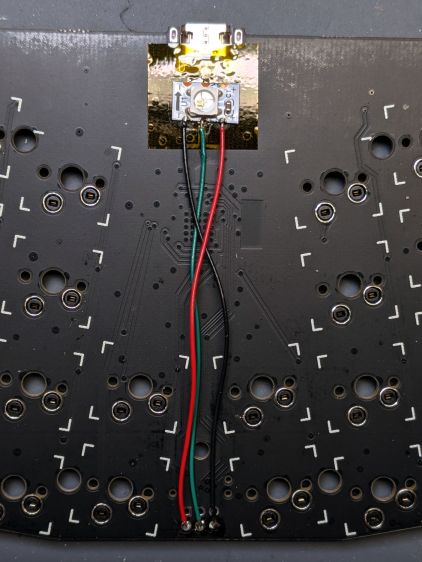
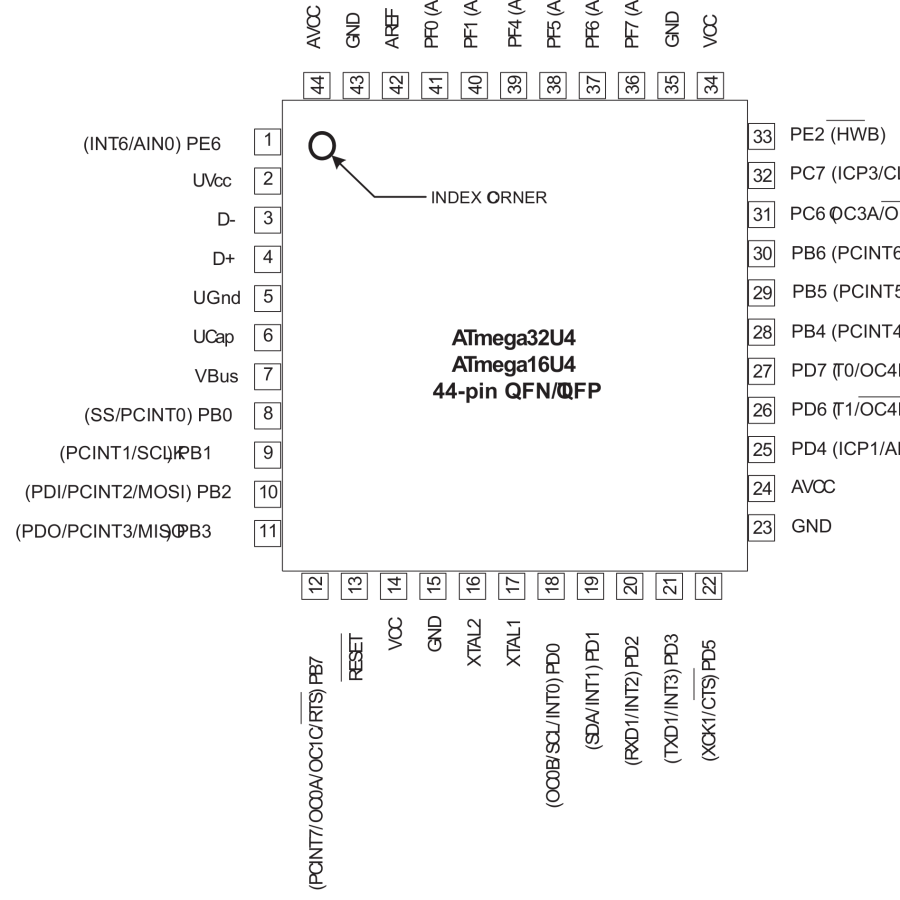
The first two lines describe a single WS2812 RGB LED wired to pin B2 (a.k.a. MOSI) of the Atmel 32U4 microcontroller. The default Reset duration and Byte Order values work for the LED I used
Protip: swapping the order from GRB to RGB is a quick way to discover if the firmware actually writes to the LED, even before you get anything else working: it’ll be red with the proper setting and green with the wrong one.
Dialing the maximum intensity down works well with a bright LED shining directly at your face from a foot away.
Turning on RGBLIGHT_LAYERS is what makes this whole thing happen. The RGBLIGHT_EFFECT_RGB_TEST option enables a simple test animation at the cost of a few hundred bytes of code space; remove that line after everything works.
The last two lines remove the debugging facilities; as always with microcontroller projects, there’s enough room for either your code or the debugger required to get it running, but not both.
With those files set up, the keymap.c file does the heavy lifting:
Undefine LED_LL to enable the test mode, compile, flash, and the LED should cycle red / green / blue forever; you also need the RGB_TEST option in the config.h file.
Define LED_LL and layer lighting should then Just Work™, with the LED glowing:
White for the basic layer with all the letters
Magenta with the Fun key pressed
Cyan with the Esc key pressed
The key map code defines colors for layers that don’t yet exist, but it should get you started.
For convenience, I wadded all three QMK files into a GitHub Gist.
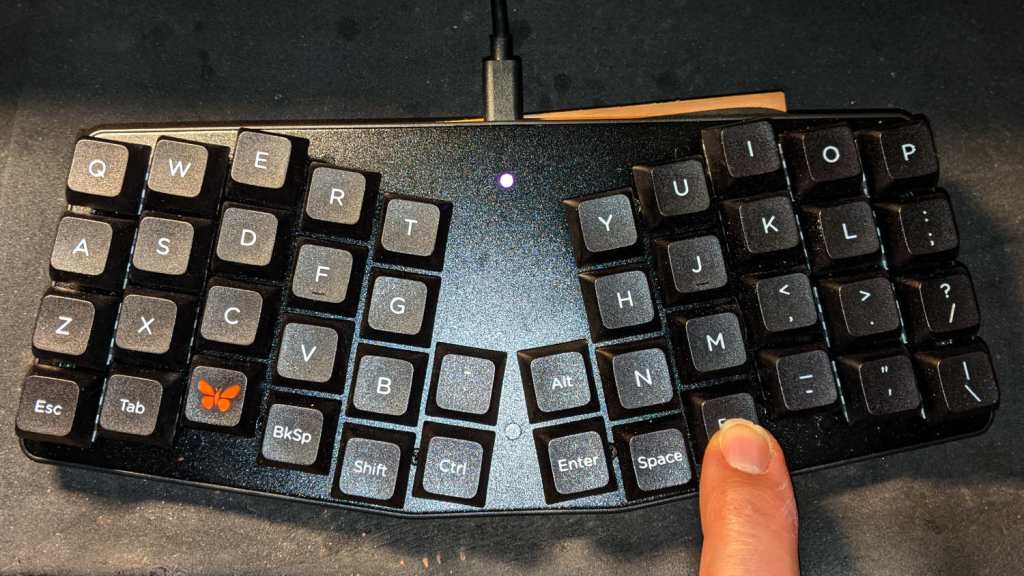
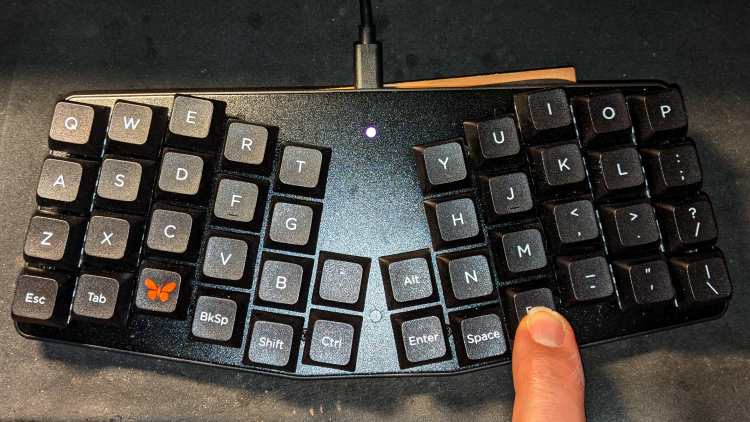
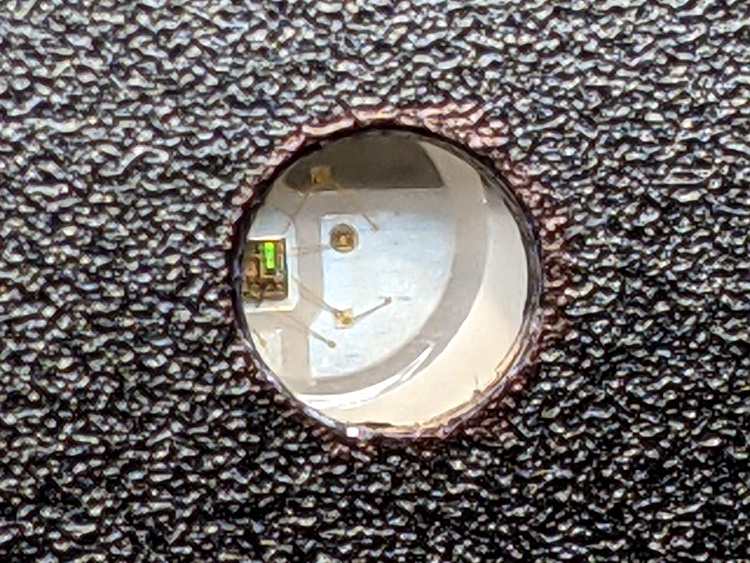
The LED is kinda subtle:
Atreus keyboard – LED installed
As you might expect, figuring all that out took much longer than for you to read about it, but now I have a chance of remembering what I did.
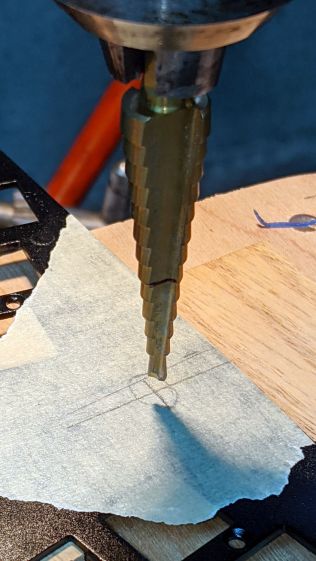
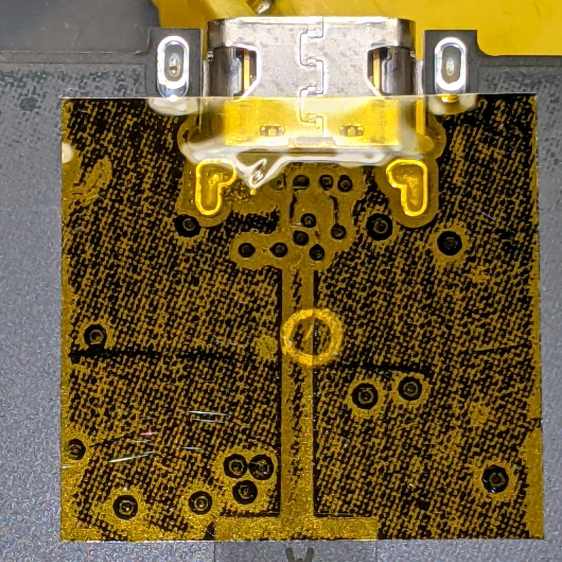
Reattaching the plate to the PCB with only three screws allows marking the hole position on the PCB, which is much easier than pretending to derive the position from first principles:
Atreus keyboard – LED marking
Despite appearances, I traced the hole with a mechanical pencil: black graphite turns shiny silvery gray against matte black soldermask. Also, the PCB trace is off-center, not the hole.
Overlay the neighborhood with Kapton tape to protect the PCB from what comes next:
Snip a WS2812 RGB LED from a strip, stick it in place with eyeballometric alignment over the target, and wire it up:



 The Smell of Molten Projects in the Morning