Ed Nisley's Blog: Shop notes, electronics, firmware, machinery, 3D printing, laser cuttery, and curiosities. Contents: 100% human thinking, 0% AI slop.
With the shaft position sensor mounted in this position:
Kenmore 158 Shaft position sensor – overview
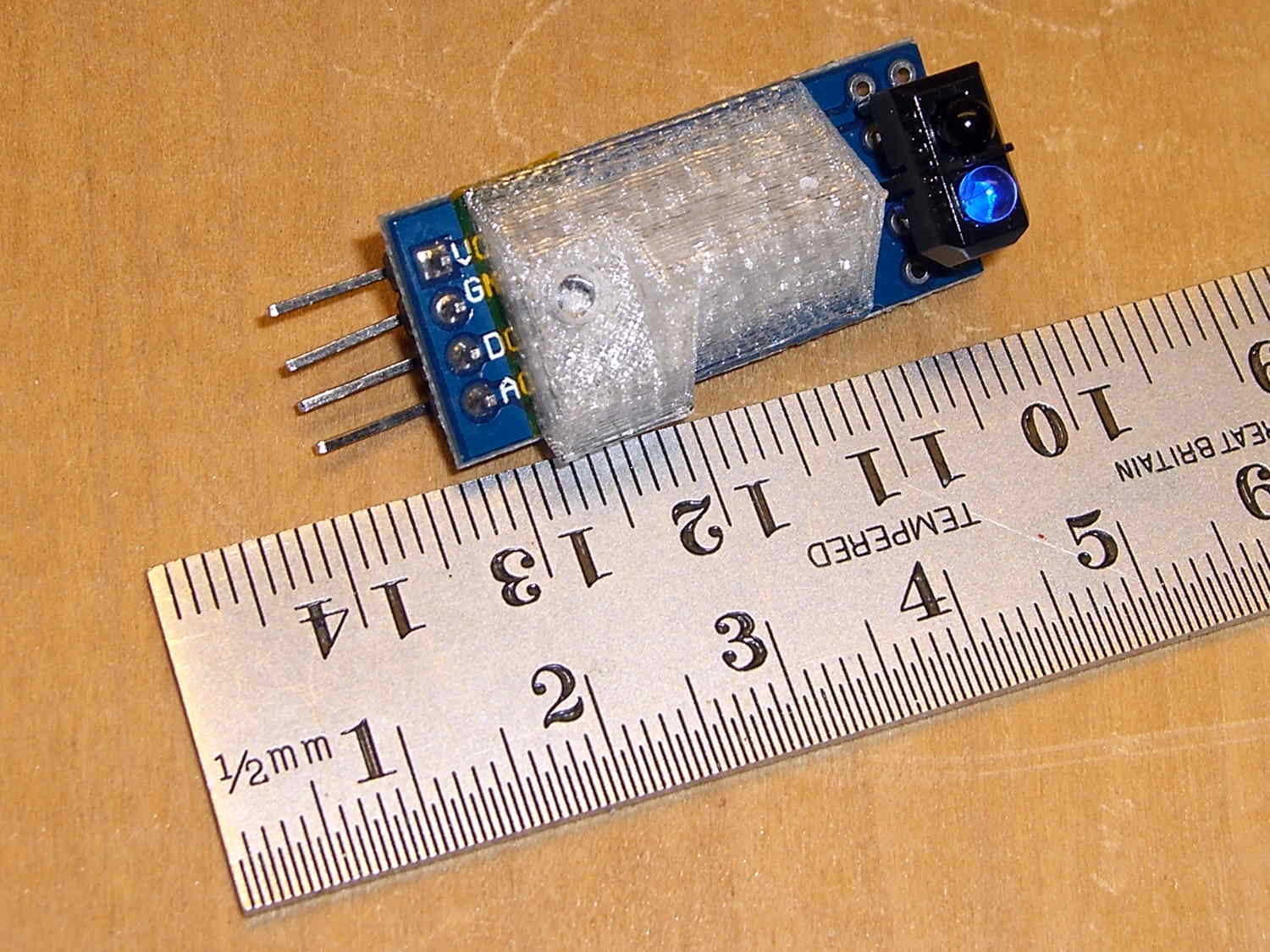
There’s no way to get a screwdriver into the trimpot that adjusts the sensor’s trip point.
A few minutes with tin snips, nibbling tool, and square file produced a small wrench:
Trimpot Wrench
One side of the wrench has a 45° bend that made tweaking the pot just slightly easier.
The proper trip point turned out to be about 90° away from where the trimpot started, with the level midway between the detection points for shiny metal tape and the cutout side of the counterweight.
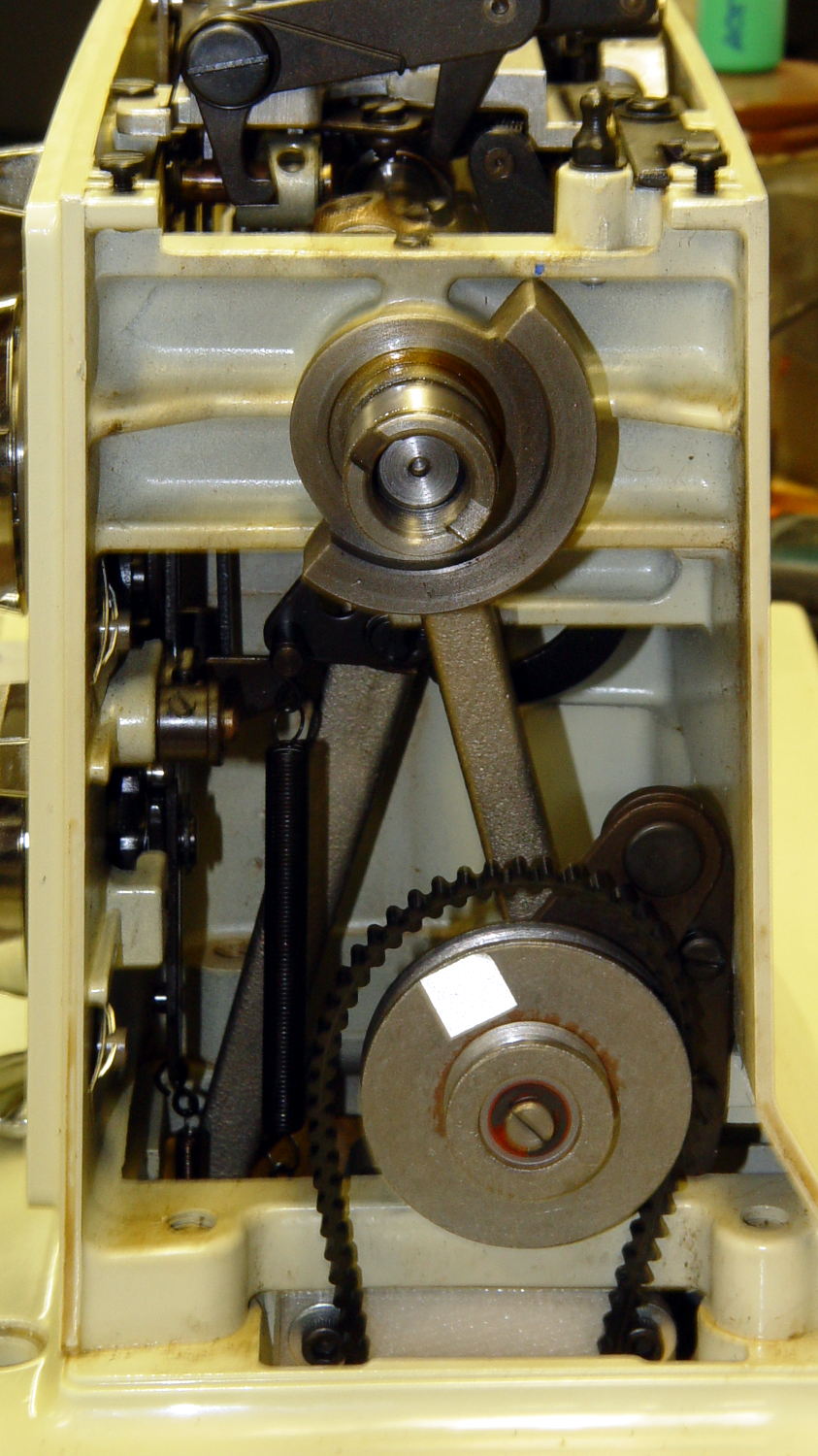
In order to stop the sewing machine with the needle either up or down, the controller must know the angular position of the main shaft. Fortunately, the shaft has a counterweight in a not-too-inconvenient location behind the handwheel:
Kenmore 158 – main shaft counterweight
The needle is fully down with the shaft in that position. I originally thought about putting a pair of sensors adjacent to the lower edge, but because the motor can rotate the shaft only counterclockwise (as seen from this end), watching a single sensor tells you everything you need to know:
Falling edge: needle at top
Rising edge: needle at bottom
N.B.: Although you can rotate the shaft backwards by hand, the controller needs to know the position only when stopping.
Some fiddling around showed that a TCRT5000 sensor board would fit neatly below the frame cross flange at exactly the right spot:
Shaft position sensor – in place
The counterweight now sports a strip of stainless steel tape (normally used on HVAC ductwork) burnished to a high shine:
The tape tucks around the counterweight to keep the wind out of its hair:
Kenmore 158 Shaft Counterweight – steel tape ends
The handwheel spins on that smooth ring near the end of the shaft and covers the outer half of the counterweight, so the tape brightens up the only part of the counterweight that the sensor can see.
The sensor mounts on a fiddly bit of plastic that’s ideally suited for 3D printing:
Shaft Position Sensor Mount – left
The rectangular recess fits around the protruding trimpot leads, a screw in the hole fastens the sensor, the flange on the top fits against the inside edge of the frame flange to position the sensor head axially along the shaft, and the cutout to the left rear clears the whirling crank bearing on the shaft.
It looked good on the bench:
Shaft sensor mount – trial fit
Rather than mess around with more connectors, I removed the pins and soldered a hank of CD-ROM audio cable (remember CD-ROMs?) directly into the top three holes.
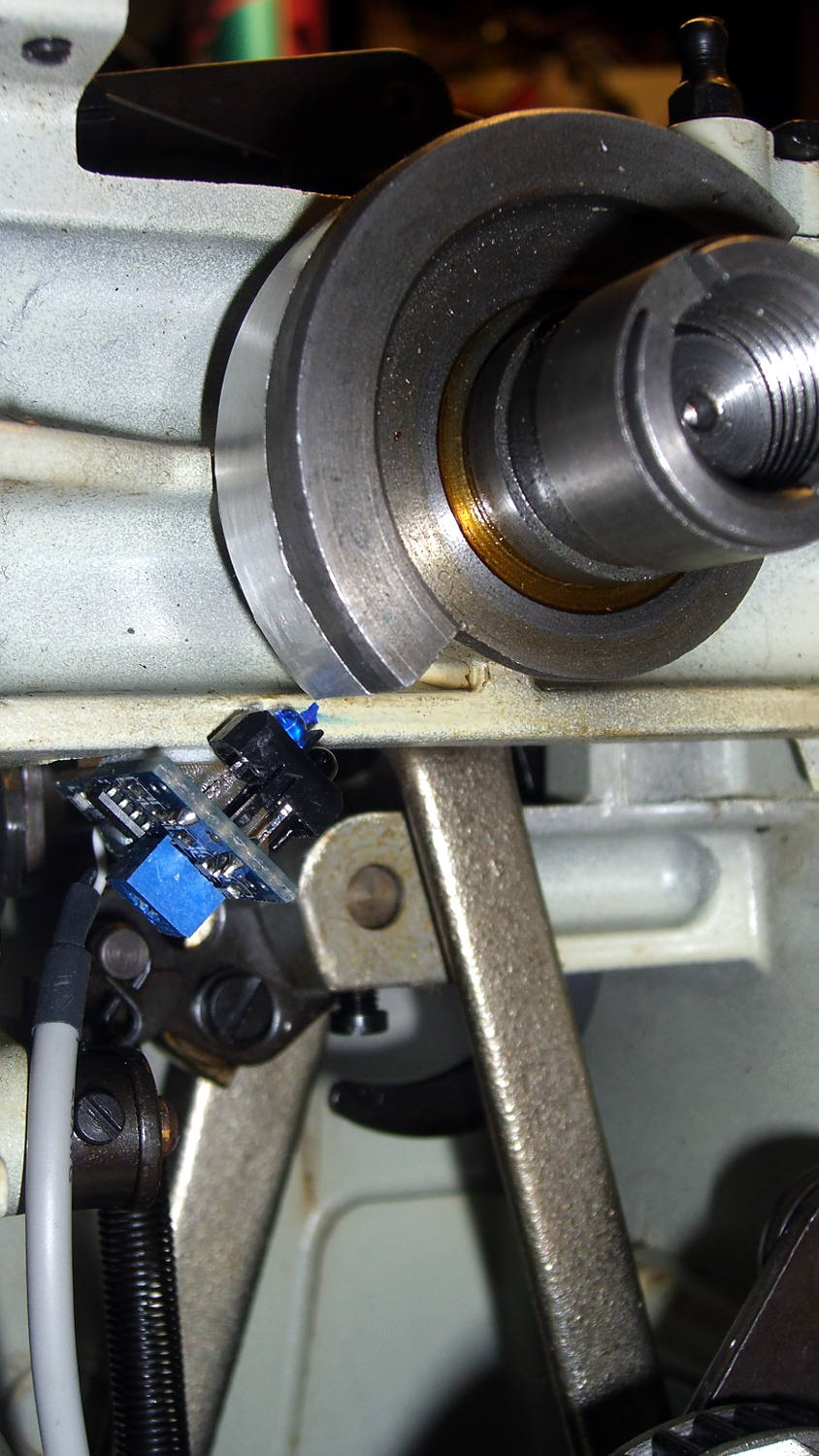
After scrubulating the bottom of the frame flange with denatured alcohol, a square of double-stick foam tape holds the mount to the frame, eyeballometrically aligned to the proper position:
Kenmore 158 Shaft position sensor – end view
That may be slightly too close to the counterweight, as the ideal distance is about 2 mm. The source code can add a shim that moves the mounting plane straight down, allowing the whole thing to move slightly to the left: increase the clearance while maintaining the same angular position. The next version will have a 1 mm BaseShim and we’ll see how that goes.
You could mirror the mount to put another sensor at the quadrature position on the right side of the counterweight.
It’s getting closer to becoming a simple matter of software…
The OpenSCAD source code:
// Shaft Position Sensor Mount
// Ed Nisley - KE4ZNU - October 2014

Layout = "Show";

//- Extrusion parameters must match reality!

ThreadThick = 0.20;
ThreadWidth = 0.40;

HoleWindage = 0.2;			// extra clearance

Protrusion = 0.1;			// make holes end cleanly

AlignPinOD = 1.70;			// assembly alignment pins: filament dia

function IntegerMultiple(Size,Unit) = Unit * ceil(Size / Unit);

//----------------------
// Dimensions

SensorWidth = 14.0;			// sensor PCB width
SensorLength = 21.0;		//  ... contact patch length
NumSensors = 1;

SensorScrewOffset = 5.0;	//  ... mounting hole to frame edge

PotLeads = [5.0,8.0,1.0];	// trimpot lead recess
PotOffset = [-1.5,8.5,0];

SensorScrewHeadOD = 6.0;	//  ... mounting screw head dia
SensorScrewTap = 2.25;		//  ... screw tap diameter
SensorScrewLength = 4.0;	//  ... screw length inside block

BaseShim = 1.0;				// additional height to align sensors
BaseAngle = 45;				// downward from horizontal

BaseSensors = NumSensors*SensorWidth;		// length along slanted top

BaseLength = BaseSensors*cos(BaseAngle);
BaseHeight = BaseSensors*sin(BaseAngle);

echo(str("Angle: ",BaseAngle," Height: ",BaseHeight," Length: ",BaseLength));

FrameWidth = 13.0;			// machine frame width

LipHeight = 3.0;			// locates part on frame to position sensors
LipWidth = IntegerMultiple(2.0,ThreadWidth);

Block = [BaseLength,
		 (FrameWidth + SensorScrewOffset + SensorScrewHeadOD/2),
		 (BaseHeight + BaseShim + LipHeight)];

echo(str("Block size: ",Block));

//----------------------
// Useful routines

module PolyCyl(Dia,Height,ForceSides=0) {			// based on nophead's polyholes

  Sides = (ForceSides != 0) ? ForceSides : (ceil(Dia) + 2);

  FixDia = Dia / cos(180/Sides);

  cylinder(r=(FixDia + HoleWindage)/2,
           h=Height,
           $fn=Sides);
}

module ShowPegGrid(Space = 10.0,Size = 1.0) {

  RangeX = floor(100 / Space);
  RangeY = floor(125 / Space);

	for (x=[-RangeX:RangeX])
	  for (y=[-RangeY:RangeY])
		translate([x*Space,y*Space,Size/2])
		  %cube(Size,center=true);

}

//-- Build the sensor mount

module SensorMount() {

	difference() {
		translate([0,(FrameWidth - Block[1]),0])
			cube(Block);

		translate([-Block[0],0,(Block[2] - LipHeight)])		// machine frame
			cube([3*Block[0],(FrameWidth + Protrusion),Block[2]]);

		translate([0,-Block[1]/2,0])						// sensor angle
			rotate([0,(90 - BaseAngle),0])
				cube(2*Block);

		translate([-SensorScrewLength/cos(90 - BaseAngle),-(2*Block[1] + LipWidth),0])
			rotate([0,-BaseAngle,0])						// remove all but lip on crank side
				cube(2*Block);

		for (i=[0:(NumSensors - 1)])						// screw hole
			rotate([0,(-BaseAngle),0])
				translate([(SensorWidth/2 + i*SensorWidth),-SensorScrewOffset,-Protrusion])
					PolyCyl(SensorScrewTap,(SensorScrewLength + 2*Protrusion),6);

		for (i=[0:(NumSensors - 1)])						// pot lead recess
			rotate([0,(-BaseAngle),0])
				translate(PotOffset + [i*SensorWidth + SensorWidth/2 - PotLeads[0]/2,
						-(SensorScrewOffset + PotLeads[1]/2),
						-Protrusion])
					cube(PotLeads + [0,0,Protrusion]);
	}
}

//----------------------
// Build it

ShowPegGrid();

if (Layout == "Show")
	SensorMount();

if (Layout == "Build")
	translate([-SensorWidth,0,0])
		rotate([0,(90 - BaseAngle),0])
			SensorMount();
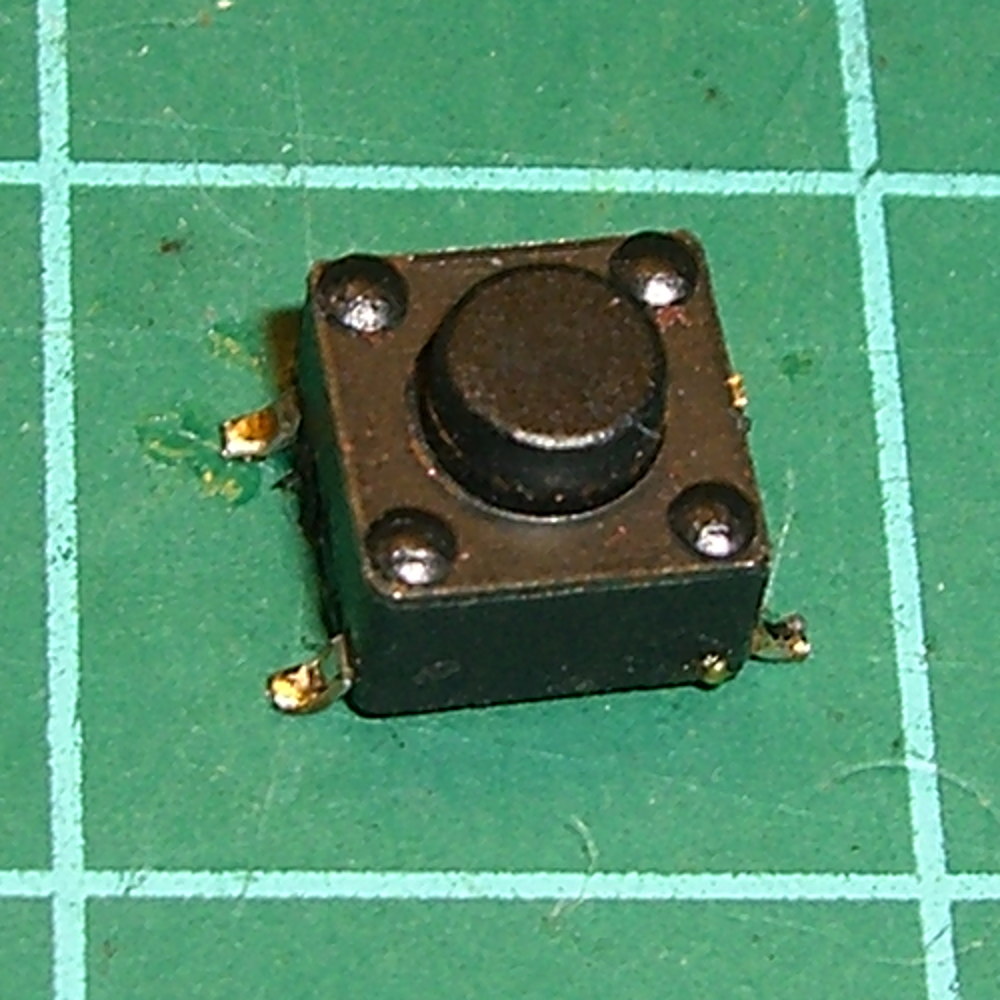
A friend, anticipating a stream of visitors for their freshly hatched baby, asked for help with a defunct remote doorbell. A bit of probing showed that shorting across the pushbutton switch contacts reliably triggered the bell, so I unsoldered it:
Doorbell switch – intact
A similar switch from the heap had a longer stem that was easy enough to shorten, so the repair didn’t take very long at all: ya gotta have stuff!
An autopsy reveals the expected contact corrosion:
Doorbell switch – parts
Underexposing the image by about two stops retained some texture on the contact dome.
The IC date codes suggest the box is over a decade old, which is as much life as one can expect from cheap consumer electronics, particularly with an unsealed switch placed outdoors.
I hauled the Kenmore 158 sewing machine and controller to a Squidwrench meeting for some current measurements (and, admittedly, showing it off) while schmoozing. After hauling it home and setting it up on my bench again, it didn’t work: the motor didn’t run at all.
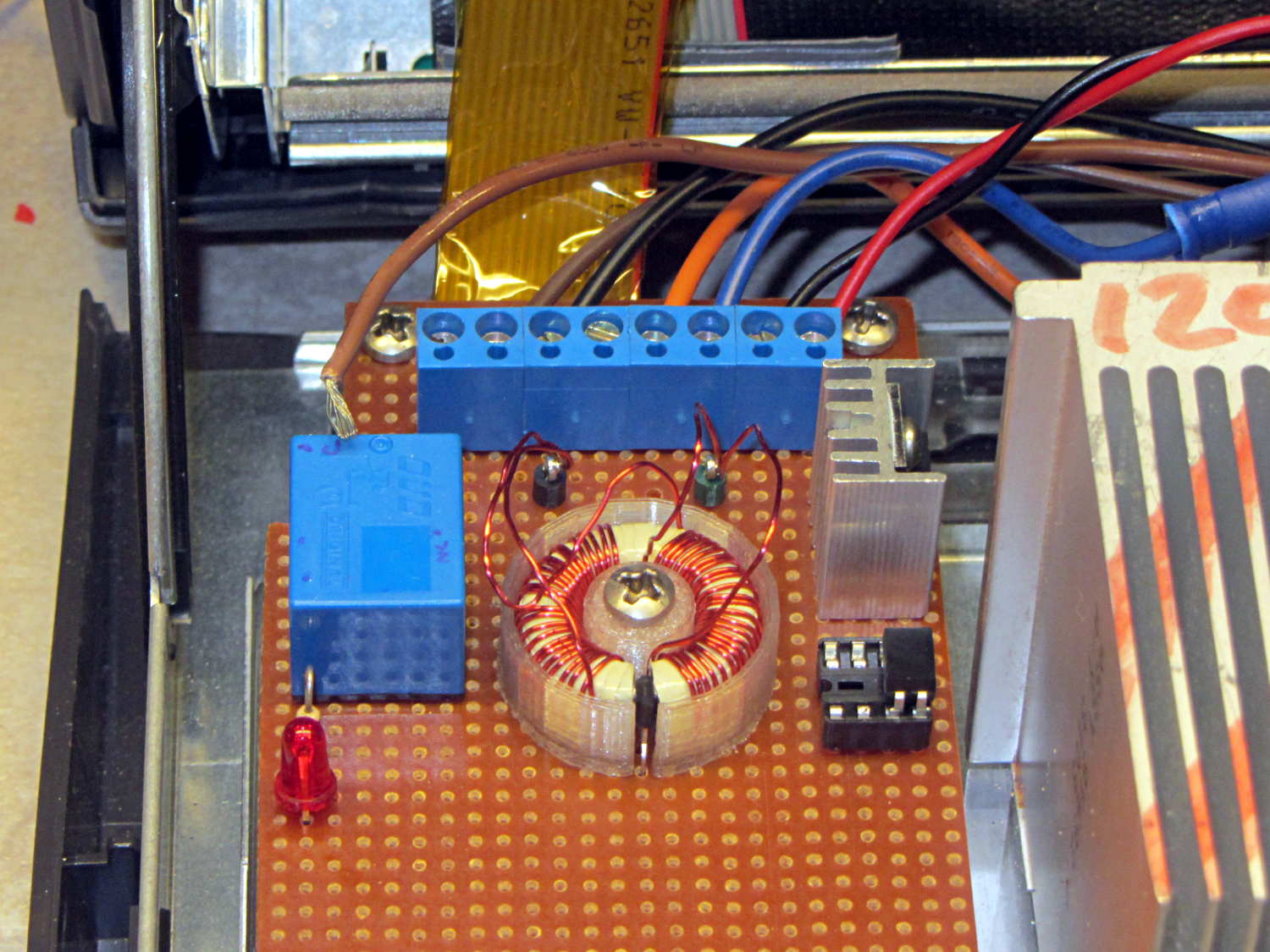
While doing the usual poking around under the cover, I spotted this horrifying sight:
Loose AC line hot wire
The brown insulation tells you that’s a hot wire from the AC line and, in fact, it’s coming directly from the line fuse; it’s live whenever the plug is in.
It’s a stranded wire to allow flexing without breaking, but that same flexibility allows it to squeeze its way out of a tightly fastened screw terminal. In principle, one should crimp a pin on the wire, but the only pins in my heap don’t quite fit along the screw terminal block.
This sort of thing is why I’m being rather relentless about building a grounded, steel-lined box with all the pieces firmly mounted on plastic sheets and all the loose ends tucked in. If that wire had gone much further to the side or top, it would have blown the fuse when it tapped the steel frame. The non-isolated components on that board are facing you, with those connections as far from the terminal block as they can be.
Engineers tend to be difficult to live with, because we have certain fixed ways of doing things that are not amenable to debate. There’s probably a genetic trait involved, but we also realize that being sloppy can kill you rather quickly; the universe is not all about pink unicorns and rainbows.
In fact, the universe wants you dead.
Now, go play with those goblins and zombies tonight…
Memo to Self: Tighten those terminals every now and again. A wire will come loose shortly after you forget to do that, of course.
Built back in 2004, the Dell GX270 PC had PS/2 keyboard and mouse ports on its back panel, so I put a PS/2 plug on the cable from the Hall effect sensor in the foot pedal. Although the original sockets mounted on a complex system board structure that I can’t repurpose, it’s easy enough to conjure up a mount for a single socket on the back panel:
PS2 Socket Mount
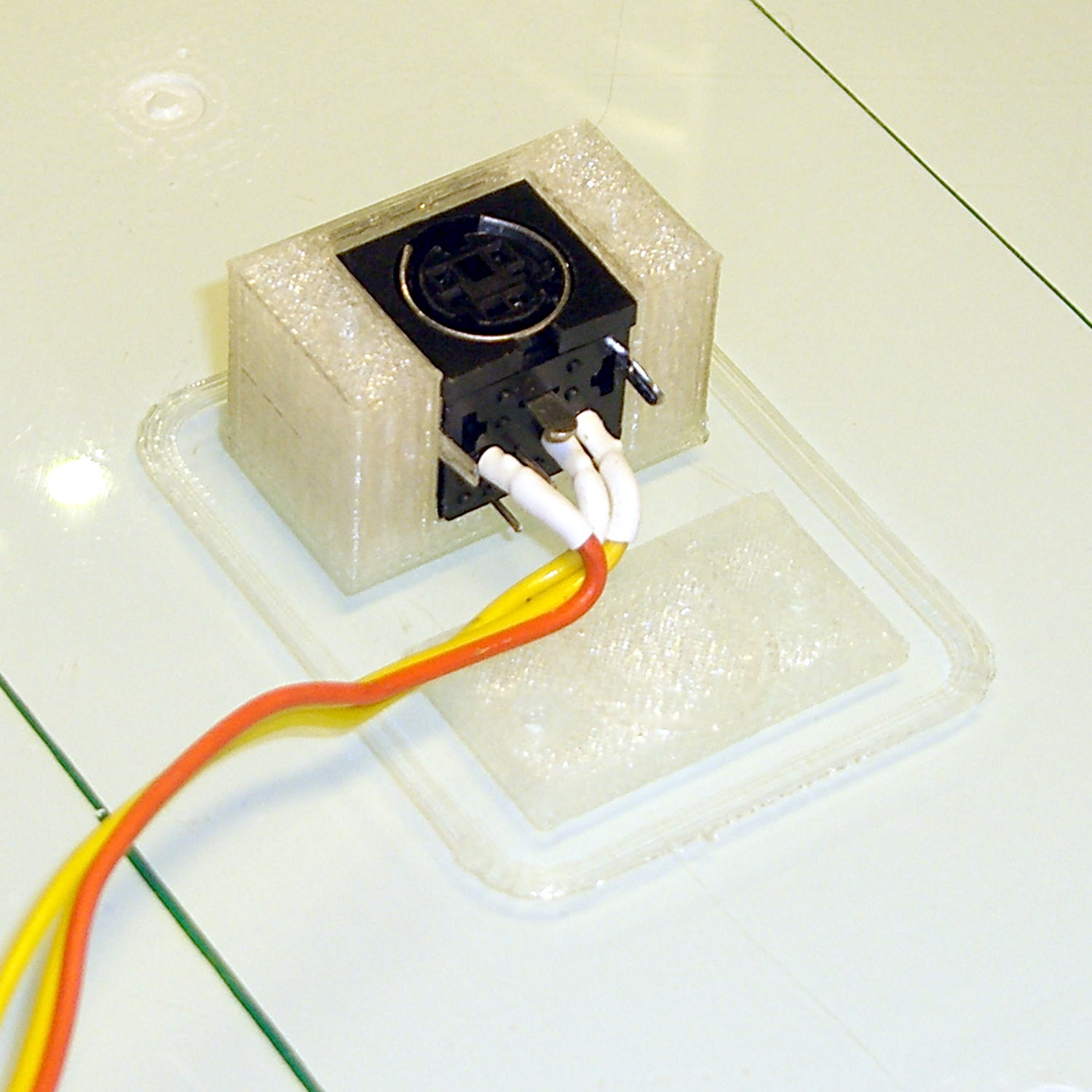
A quick fit check verified the dimensions:
PS2 Connector mount – trial fit on platform
Astonishingly, the socket slid firmly into its slot. I love it when that happens on the first try!
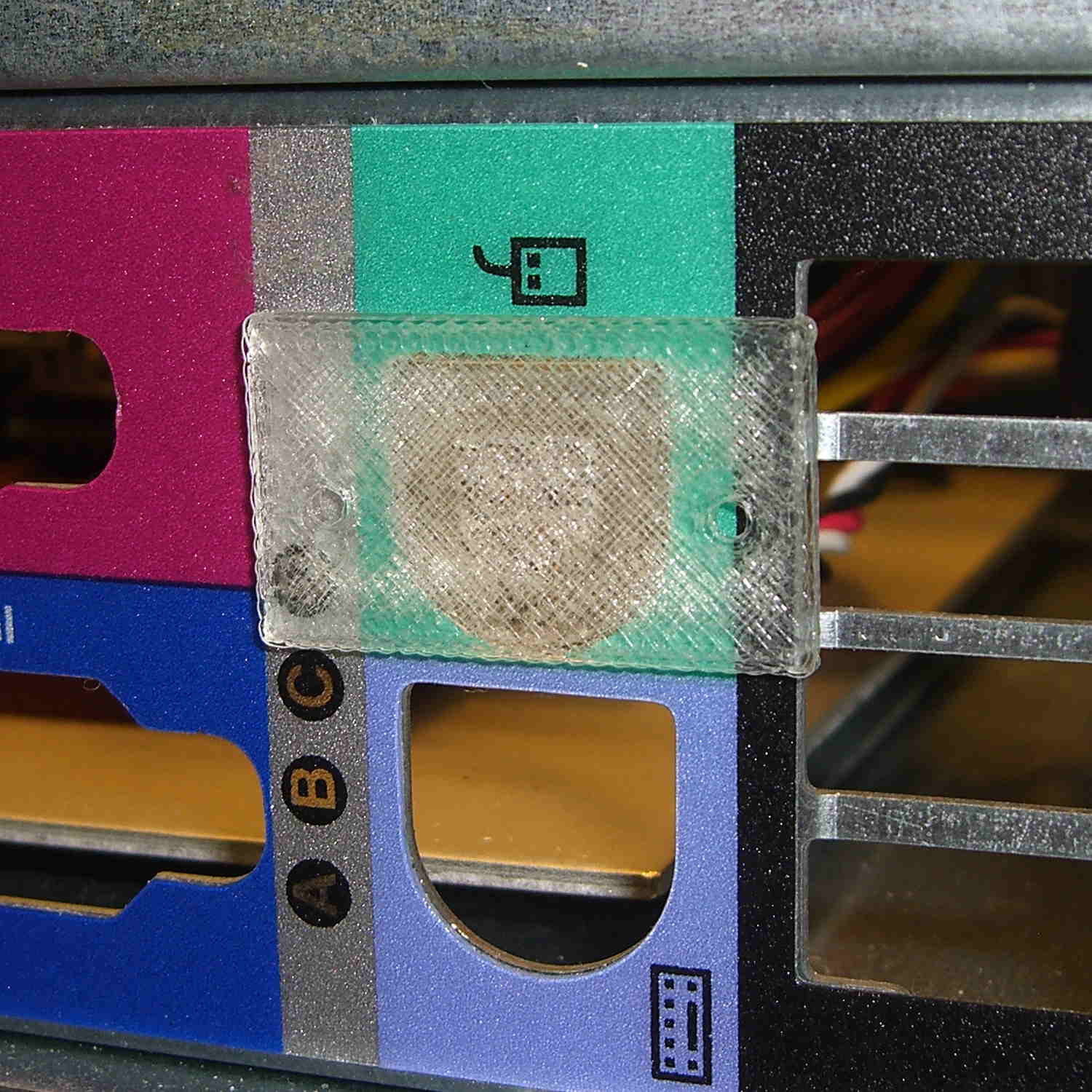
The flat plate in front of the mount snaps into the chassis cutout to locate the 2-56 screw hole positions:
PS2 Mount – drill guide
The screws thread directly into the mount, with the holes tapped for 2-56. PLA isn’t all that strong, but there’s enough meat to hold the mount firmly enough for my simple purposes.
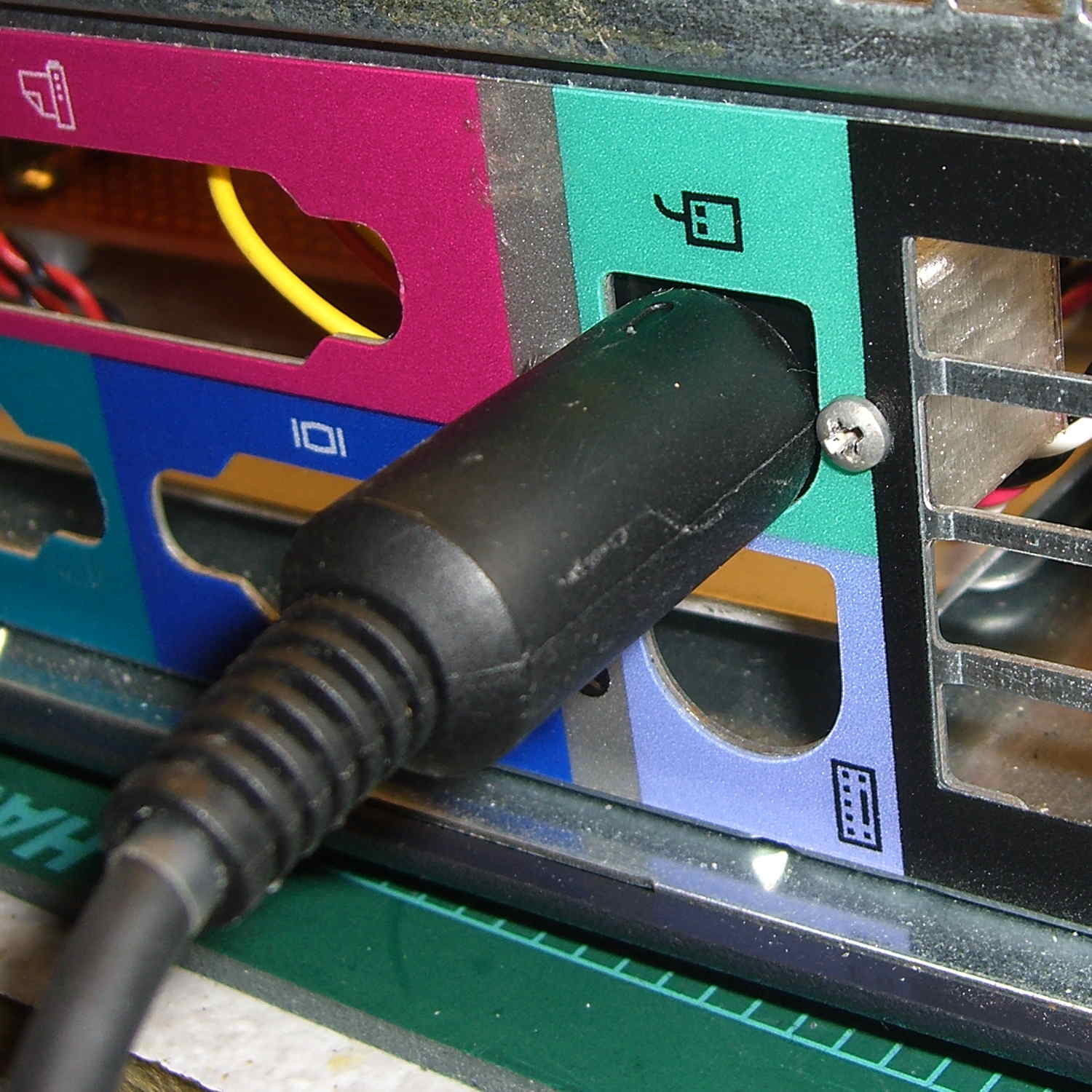
And it looks pretty good, in a post-apocalyptic missing-windows sort of way:
PS2 Connector mount – in place
That was easy…
The OpenSCAD source code:
// PS/2 Socket Mount
// Ed Nisley - KE4ZNU - October 2014

Layout = "Build";			// Build Socket Guide

//- Extrusion parameters must match reality!

ThreadThick = 0.20;
ThreadWidth = 0.40;

HoleWindage = 0.2;			// extra clearance

Protrusion = 0.1;			// make holes end cleanly

AlignPinOD = 1.70;			// assembly alignment pins: filament dia

function IntegerMultiple(Size,Unit) = Unit * ceil(Size / Unit);

//----------------------
// Dimensions

Socket = [14.1,13.3,13.0];	// PS/2 socket outline, minus tabs & wires on bottom

Flange = 6.0;

WallThick = IntegerMultiple(2.0,ThreadWidth);

Mount = Socket + [2*Flange,WallThick,WallThick];

ScrewTap = 1.90;			// 2-56 tap for machine screws

ScrewOC = 19.0;

echo(str("Screw OC: ",ScrewOC));

ChassisHole = [13.0,13.0,1.0];
GuideLayers = IntegerMultiple(0.5,ThreadThick);

//----------------------
// Useful routines

module PolyCyl(Dia,Height,ForceSides=0) {			// based on nophead's polyholes

  Sides = (ForceSides != 0) ? ForceSides : (ceil(Dia) + 2);

  FixDia = Dia / cos(180/Sides);

  cylinder(r=(FixDia + HoleWindage)/2,
           h=Height,
           $fn=Sides);
}

module ShowPegGrid(Space = 10.0,Size = 1.0) {

  RangeX = floor(100 / Space);
  RangeY = floor(125 / Space);

	for (x=[-RangeX:RangeX])
	  for (y=[-RangeY:RangeY])
		translate([x*Space,y*Space,Size/2])
		  %cube(Size,center=true);

}

//-- Build the mount

module SocketMount() {

	difference() {
		translate([0,Mount[1]/2,Mount[2]/2])
			cube(Mount,center=true);

		translate([0,Socket[1]/2,Socket[2]/2])
			cube(Socket + [0,Protrusion,Protrusion],center=true);

		for (i=[-1,1])							// holes centered on socket, not mount
			translate([i*ScrewOC/2,-Protrusion,Socket[2]/2])
				rotate([-90,0,0])
					rotate(180/6)
						PolyCyl(ScrewTap,Mount[1] + 2*Protrusion,6);
	}
}

//-- Totally ad-hoc drill guide to center holes on PS/2 cutout

module DrillGuide() {

	union() {
		intersection() {
			translate([0,0,GuideLayers])
				cube([2*Mount[0],2*Mount[1],2*GuideLayers],center=true);
			translate([0,-Socket[2]/2,Mount[1]])
				rotate([-90,0,0])
					SocketMount();
		}

		translate([0,0,Protrusion])
			linear_extrude(height=(3*GuideLayers - Protrusion)) {
				circle(d=ChassisHole[0],$fn=8*4);
				translate([-ChassisHole[0]/2,0])
					square([ChassisHole[0],(ChassisHole[1] - ChassisHole[0]/2)],center=false);
			}

	}
}


//----------------------
// Build it

ShowPegGrid();

if (Layout == "Socket")
	SocketMount();

if (Layout == "Guide")
	DrillGuide();

if (Layout == "Build") {
	translate([0,-Mount[2],0])
		DrillGuide();
	translate([0,0,Mount[1]])
		rotate([-90,0,0])
			SocketMount();
}
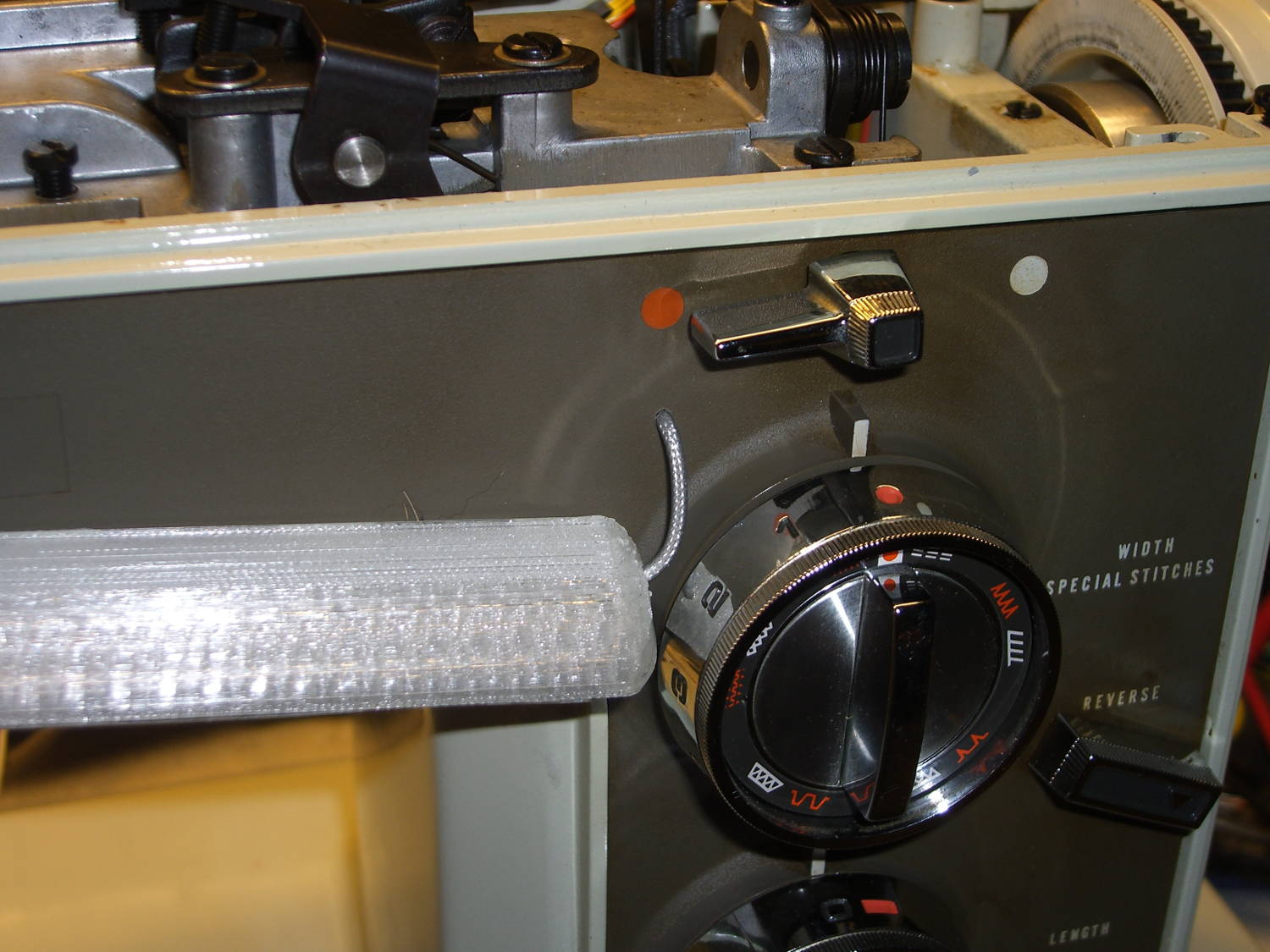
It Has Been Decided (in that place where what is decided must be) to allow a single hole in the sewing machine’s front panel:
Kenmore 158 – Front LED strip – wire routing
The hole barely passes the 2 mm coaxial cable I’m misusing for the LED strips and is located where it:
Clears the machine’s metal frame to the upper left
Isn’t blocked by the knob’s mounting bracket to the lower right
Doesn’t snag the knob’s cam followers all over the insides
Lines up directly below the orange dot for pretty
The first three of those happen behind the front panel, inside the frame, where you (well, I) can neither see nor measure the locations. I used a large outside caliper to get a feel for where the hole could possibly fit, then got it right on the first try!
On the rear panel, it turns out that the presser foot lever doesn’t quite touch the top of its slot in the frame, so the cable for those LED strips can sneak through:
Kenmore 158 – Rear LED strips – wire routing
Just inside that slot, the cable turns right, passes into the endcap, then goes upward to re-emerge at the top, inside the channel used for the old 120 VAC zip cord that powered the incandescent bulb in the endcap.
I had some square cable clips lying around, so I used them, but the (yet to be designed) round versions will look better.
The grody frame tells you this is the crash test dummy machine I’m using to verify things before installing them in Mary’s machine.
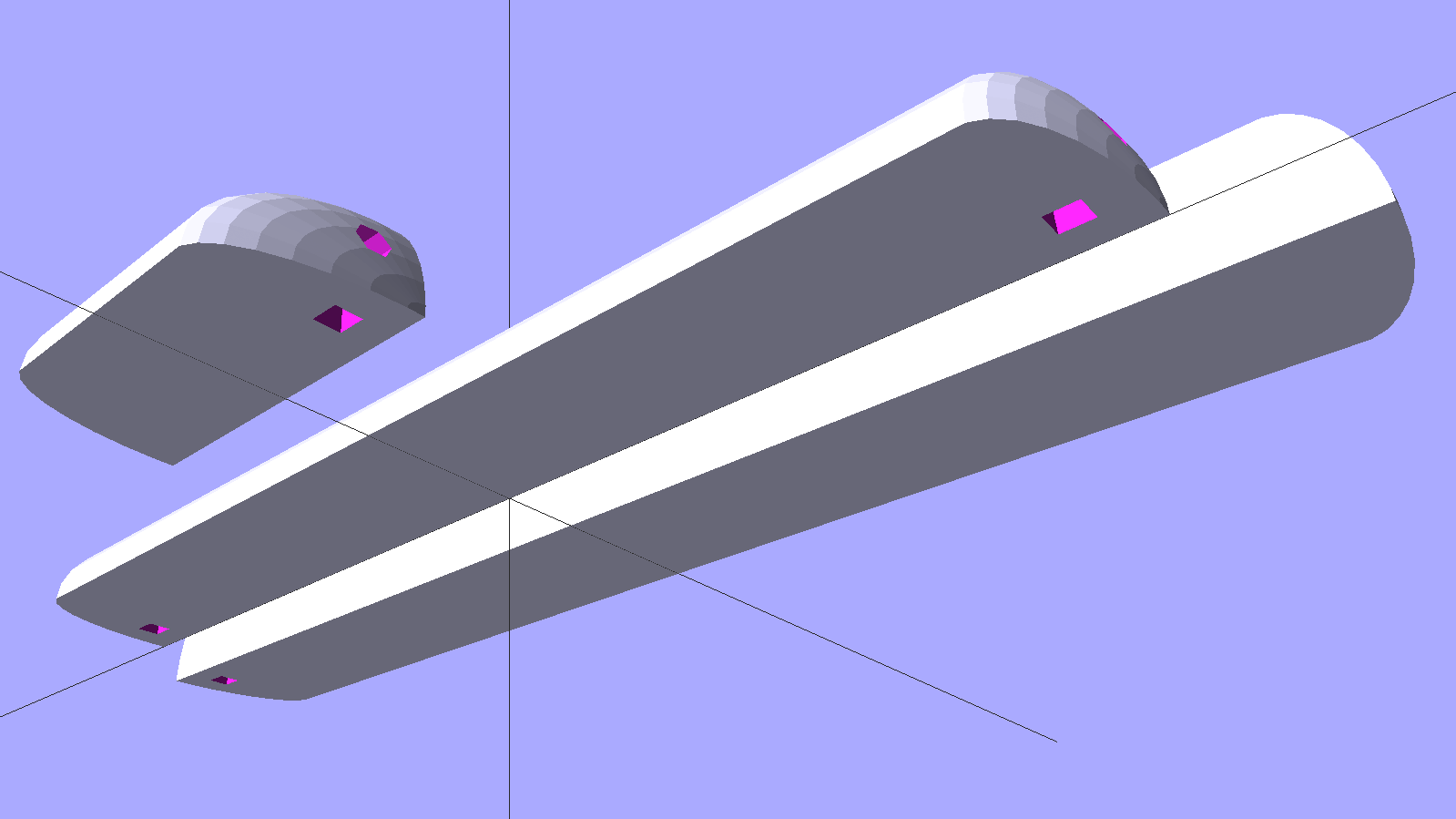
The improved cable routing required different hole positions in the LED strip mounts:
Strip Light Mount – Drilled cable routing
The internal wire route follows the original 120 VAC zip cord’s route from the bottom of the machine to the endcap (on the left), with the new branch for the front LEDs curving over the main shaft:
Kenmore 158 – LED strips – internal wire routing
The four-conductor ribbon cable also carries the supply voltage for the yet-to-be-built high intensity LED emitters in the end cap that will replace the 10 mm LEDs, with the ends terminated under the clamp in the middle. Those old steel wire clamps seem grossly oversized for the job, but that’s OK with me.
The ribbon cable eases past that whirling crank arm, then passes through the frame to the outside cover under the handwheel, where it just barely clears the drive belts. A few zip ties hold it out of the way.
The OpenSCAD source code offsets the wiring holes by 0.5 mm from the ends of the LED strips for easier wire bending, but is otherwise pretty much the same as before:
// LED Strip Lighting Brackets for Kenmore Model 158 Sewing Machine
// Ed Nisley - KE4ZNU - March 2014
//  October 2014 - tweak endcap length & channel position

Layout = "Build";			// Build Show Channels Strip

//- Extrusion parameters must match reality!
//  Print with 2 shells and 3 solid layers

ThreadThick = 0.20;
ThreadWidth = 0.40;

HoleWindage = 0.2;			// extra clearance

Protrusion = 0.1;			// make holes end cleanly

AlignPinOD = 1.70;			// assembly alignment pins: filament dia

inch = 25.4;

function IntegerMultiple(Size,Unit) = Unit * ceil(Size / Unit);

//----------------------
// Dimensions

LEDSegment = [25.0,10.0,3.0];		//  size of each LED segment
SEGLENGTH = 0;
SEGWIDTH = 1;
SEGHEIGHT = 2;

WireChannel = 3.0;				// wire routing channel diameter

StripHeight = 12.0;				// sticky tape width

DefaultLayout = [1,2,"Wire","NoWire"];
NUMSEGS = 0;
NUMSTRIPS = 1;
WIRELEFT = 2;
WIRERIGHT = 3;

EndCapSides = 8*4;				// endcap smoothness
EndCapShim = 0.5;				// additional space for easier wire bending

function EndCapSize(Layout) = [(2*WireChannel + EndCapShim),Layout[NUMSTRIPS]*LEDSegment[SEGWIDTH],StripHeight];

//----------------------
// Useful routines

module PolyCyl(Dia,Height,ForceSides=0) {			// based on nophead's polyholes

  Sides = (ForceSides != 0) ? ForceSides : (ceil(Dia) + 2);

  FixDia = Dia / cos(180/Sides);

  cylinder(r=(FixDia + HoleWindage)/2,
           h=Height,
           $fn=Sides);
}

module ShowPegGrid(Space = 10.0,Size = 1.0) {

  RangeX = floor(100 / Space);
  RangeY = floor(125 / Space);

	for (x=[-RangeX:RangeX])
	  for (y=[-RangeY:RangeY])
		translate([x*Space,y*Space,Size/2])
		  %cube(Size,center=true);

}

//-- The negative space used to thread wires into the endcap

module MakeWireChannel(Layout = DefaultLayout,Which = "Left") {

	EndCap = EndCapSize(Layout);	// radii of end cap spheroid

	HalfSpace = EndCap[0] * ((Which == "Left") ? 1 : -1);

	render(convexity=2)
	translate([0,LEDSegment[SEGWIDTH]/2,0])
		intersection() {
			union() {
				cube([2*WireChannel,WireChannel,EndCap[2]],center=true);
				translate([-2*EndCap[0],0,EndCap[2]/2])
					rotate([0,90,0]) rotate(180/6)
						PolyCyl(WireChannel,4*EndCap[0],6);
			}
			translate([HalfSpace,0,(EndCap[2] - Protrusion)]) {
				cube(2*EndCap,center=true);
			}
		}
}

//-- The whole strip, minus wiring channels

module MakeStrip(Layout = DefaultLayout) {

	EndCap = EndCapSize(Layout);	// radii of end cap spheroid

	BarLength = Layout[NUMSEGS] * LEDSegment[SEGLENGTH];				// central bar length

	echo(str("Strip OAL: ",BarLength + 2*EndCap[SEGLENGTH]));

	hull()
		difference() {
			for (x = [-1,1])						// endcaps as spheroids
				translate([x*BarLength/2,0,0])
					resize(2*EndCap) rotate([0,90,0]) sphere(1.0,$fn=EndCapSides);
			translate([0,0,-EndCap[2]])
				cube([2*BarLength,3*EndCap[1],2*EndCap[2]],center=true);
			translate([0,-EndCap[1],0])
				cube([2*BarLength,2*EndCap[1],3*EndCap[2]],center=true);
		}

}

//-- Cut wiring channels out of strip

module MakeMount(Layout = DefaultLayout) {

	BarLength = Layout[NUMSEGS] * LEDSegment[SEGLENGTH];

	difference() {
		MakeStrip(Layout);
		if (Layout[WIRELEFT] == "Wire")
			translate([(BarLength/2 + EndCapShim),0,0])
				MakeWireChannel(Layout,"Left");
		if (Layout[WIRERIGHT] == "Wire")
			translate([-(BarLength/2 + EndCapShim),0,0])
				MakeWireChannel(Layout,"Right");
	}
}

//- Build it

ShowPegGrid();

if (Layout == "Channels") {
	translate([ (2*WireChannel + 1.0),0,0]) MakeWireChannel(DefaultLayout,"Left");
	translate([-(2*WireChannel + 1.0),0,0]) MakeWireChannel(DefaultLayout,"Right");
}

if (Layout == "Strip") {
	MakeStrip(DefaultLayout);
}

if (Layout == "Show") {
	MakeMount(DefaultLayout);
}

if (Layout == "Build") {

	if (false) {					// original no-drill wiring
		translate([0,(3*LEDSegment[SEGWIDTH]),0]) MakeMount([1,2,"Wire","Wire"]);		// rear left side, vertical
		translate([0,0,0]) MakeMount([5,2,"Wire","NoWire"]);				// rear top, across arm
		translate([0,-(3*LEDSegment[SEGWIDTH]),0]) MakeMount([6,2,"NoWire","Wire"]);	// front top, across arm
	}

	if (true) {						// front: drill panel, rear: route through foot lift lever
		translate([0,(3*LEDSegment[SEGWIDTH]),0])
			MakeMount([1,2,"NoWire","Wire"]);				// rear left side, vertical
		translate([0,0,0])
			MakeMount([5,2,"Wire","Wire"]);					// rear top, across arm
		translate([0,-(1*LEDSegment[SEGWIDTH]),0])
			rotate(180)
			MakeMount([6,2,"NoWire","Wire"]);				// front top, across arm
	}
}









 The Smell of Molten Projects in the Morning