Ed Nisley's Blog: Shop notes, electronics, firmware, machinery, 3D printing, laser cuttery, and curiosities. Contents: 100% human thinking, 0% AI slop.
The object of the game: cut a slit into a ferrite toroid that will accommodate a Hall effect sensor. Those doodles showed that an FT50 (half-inch OD) toroid would be about right for the cheap AH49/EH49 Hall effect sensors on hand and those doodles shows that the permeability of the ferrite mix doesn’t make much difference. Not being quite sure how this would work out, I figured I’d start with the simplest possible setup and complexicate things until it worked…
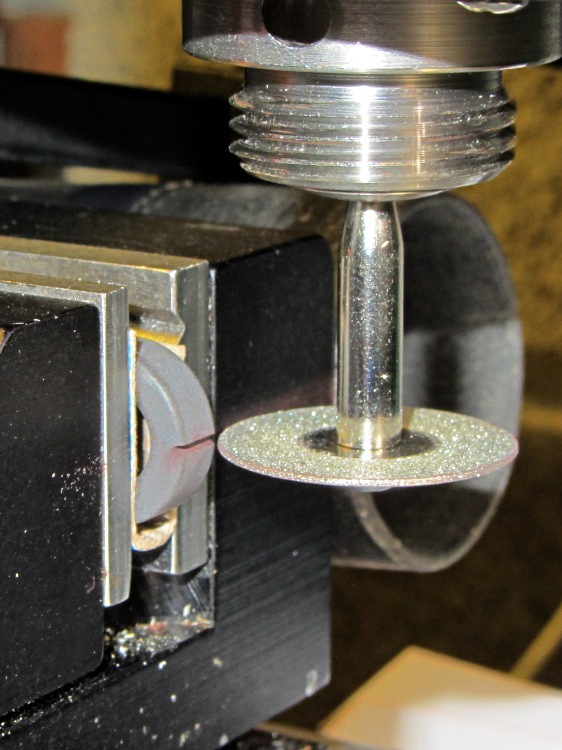
A fold of cereal box cardboard cushioned the brittle ferrite in the Sherline’s clamp and the vacuum hose in the background collects airborne grit. I touched off X=Y=Z=0 with the wheel at the center of the toroid’s equator:
Slitting ferrite toroid – first pass
The first pass went swimmingly, with the diamond wheel far more concentric than I expected, using manual jogging along a 0.5 mm deep cut. The wheel is slightly over 0.5 mm thick, measured on the grit, and showed no sign of strain on a 1 mm deep cut at 100 mm/min, so I used manual CNC to run the wheel back and forth along the cut.
After clearing the slot, I moved the wheel upward to + 0.5 mm, repeated the passes with a 1.5 mm depth of cut, then did the same at -0.5 mm. The end result was a nice slot with parallel sides:
Slitting ferrite toroid – complete
The actual gap measured 1.72 mm, not the 1.5 I wanted, which means the flux density will be lower than the previous calculations predict. Assuming the Z axis backlash compensation works as it should, then the kerf is 0.72 mm. Of course, that also assumes the arbor runs true and the wheel cuts symmetrically, neither of which I’d put (or, heck, have put) a lot of money behind. On the other paw, the sensors are 1.5 mm thick (just under the datasheet’s 1.6 mm spec), so +0.1 mm clearance on each side works a whole lot better for me than, say, -0.1 mm.
All in all, there was no excitement, no muss, no fuss, no chipping, no breakage:
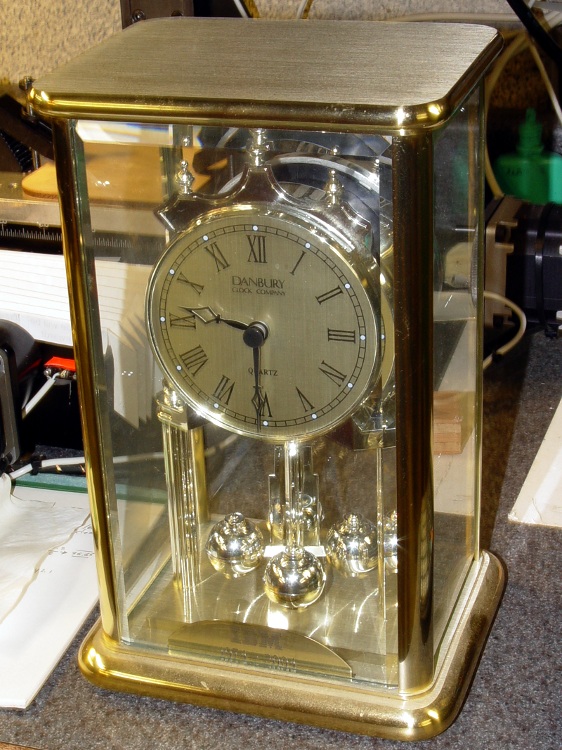
After 30 years, IBM gave Mary a commemorative clock, after which she promptly retired. Back in the day, they used to hand out Atmos clocks (admittedly, on more momentous occasions), but this isn’t one of those. In fact, although it appears to have a torsion pendulum, that’s a separate motor-driven foo-foo which we immediately turned off:
Janus Clock – front
It normally sits on the living room coffee table (which actually holds a myriad plants next to the front window) where, after we scrapped all the upholstered furniture, the two of us can’t both see the clock face from our chairs. Having a spare clock insert from that repair, we had the same bright idea at the same time: we need a clock with two faces! We came up with Janus independently…
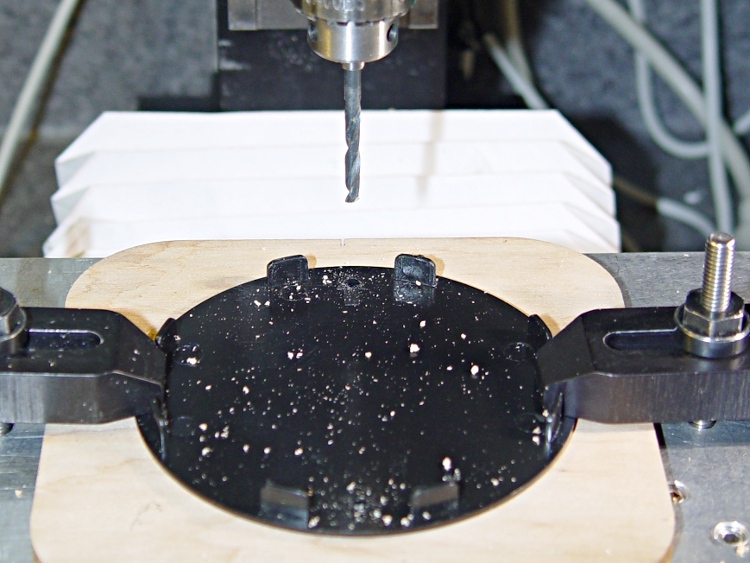
Despite its fancy appearance, the IBM clock consists mostly of brass and plastic, so I had no qualms about having my way with it in the shop. The new clock insert spanned the clock’s gilt plastic back cover, needing only a #1 drill hole for the adjustment stem, and exactly filled the available space between the back cover and the case. Both movements had enough interior clearance for 3-48 brass screw heads and nuts, so I eyeballed the right spots on the new cover, centered the Sherline spindle on the plate, and drilled two clearance holes 6 mm in from the edges on the vertical diameter:
Drilling clock insert cover
That put them 61.3 mm apart across the diameter, which would be awkward to duplicate by hand. Manual CNC makes it trivially easy to match-drill holes; I clamped down the gilt back cover from the IBM clock, aligned it to the table, located the center, and drilled two 3-48 clearance holes:
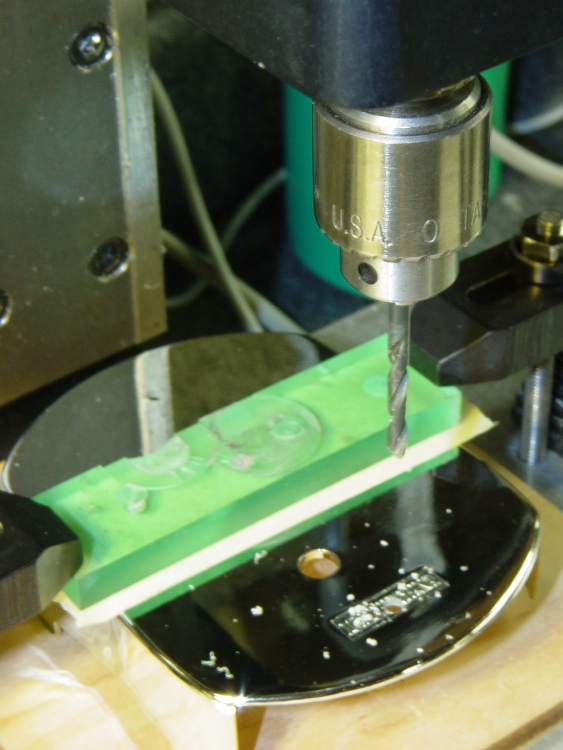
Drilling torsion clock cover
The glow from that polycarbonate packing block isn’t quite so nuclear in real life. The clamping force goes down the side panels of the cover, which had enough of a curve to be perfectly stable. Yes, I’m drilling into air, but came down real slow using the Joggy Thing and it was all good.
Assemble the two back covers (the holes matched perfectly), mark the adjustment stem hole, disassemble, hand-drill, reassemble, tighten nuts, and install:
Janus Clock – rear
It does look a bit lumpy from the side, but that’s just because I don’t have any gilding for the black tape wrap:
The plunger is basically a pin that eventually deforms the top of the switch membrane. Tee’s DSC-H1 had an exposed switch, although this picture shows that membrane was still in reasonably good condition:
Shutter Switch Closeup
My DSC-H5 has a thin black protective disk atop the switch, but the disk wasn’t particularly protective and developed a dimple that held the contacts closed even with the shutter button released (which is why I’m tearing the camera apart in the first place):
DSC-H5 Shutter Switch – dimpled protector
The C-clip around the plunger is now plastic, rather than metal, making it less likely to erode the thin plastic shaft. Pulling the clip off while holding the button down releases all the parts:
DSC-H5 Shutter Button – components
A few measurements from an intact shutter button, which may come in handy if you don’t have one:
DSC-H5 Shutter Button – plunger measurements
Mount three-jaw chuck on the Sherline table, laser-align chuck to spindle, grab shutter button by its shaft in a Jacobs chuck, grab shutter button in three-jaw chuck, release from Jacobs chuck:
DSC-H5 Shutter Button – in Sherline chuck
That’s not particularly precise, but it’s close enough for this purpose. I used manual jogging while testing the fit with a paper shim until all three jaws had the same clearance, then tightened the jaws.
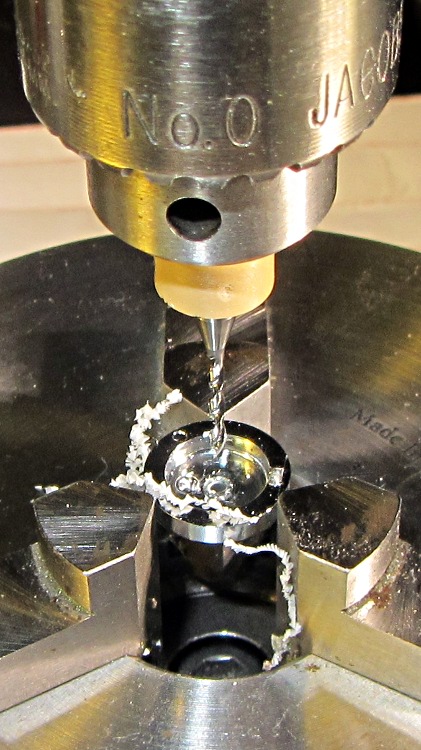
I nicked the plunger at its base with a flush-cutting diagonal cutter, snapped off the plunger, and drilled a #56 hole through the button:
DSC-H5 Shutter Button – cap drilling
For reasons that made sense at the time, I repaired Tee’s DSC-H1 with a 1-72 brass screw. This time, I used an 0-80 (which I learned as ought-eighty, if you’re wondering about the indefinite article) screw and nut, because the screw head fit neatly into the bezel recess and I had a better idea of how to smooth out the threads.
This being plastic, I used the chuck to hold the tap in the proper alignment, then turned the tap through by finger pressure. This trial fit showed it worked:
DSC-H5 Shutter Button – 0-80 screw
Milling the nut down to a 2.8 mm cylinder required the usual manual CNC, with repeated iterations of this chunk of code in the MDI panel:
The 2.8 in the first line is the current OD and the 3.11 is the measured diameter of the 1/8 inch end mill. I started from a 5.0 mm OD that just kissed the nut, then worked inward by 0.2 mm at a time for very shallow 0.1 mm cuts:
DSC-H5 Shutter Button – 0-80 nut milling
The alert reader will notice, as did I, that the head isn’t quite centered: the cut trimmed the left side and left the right untouched, with an offset far larger than the centering error. As nearly as I can tell, the heads of those screws aren’t exactly centered on their threaded shafts, but the final result fixed that… and the overall error is a few tenths of a millimeter = maybe 10 mils, tops, so it’s no big deal.
With all that in hand, I applied a very very thin layer of epoxy to fill the threads below the now-cylindrical nut and convert the screw into a rod:
DSC-H5 Shutter Button – 0-80 plunger
My original intent was to use the screw head as-is atop the PET shield (per those instructions) on the switch membrane, but after reassembling enough of the camera to try that out, it didn’t work correctly: the half-pressed switch didn’t activate reliably before the full-pressed switch tripped.
The PET shield I used came from the side of a 1 liter soda bottle and turned out to be 0.27 mm thick:
DSC-H5 Shutter Switch – cover removed
I think the PET shield would work with the original plunger shape concentrating the force in the middle of the shield, but the nice flat screw head spreads the force out over a wider area. As a result, the force required to close the half-pressed switch contacts was roughly the same as that required to close the full-pressed contacts; remember the nub on the bottom of the black plastic tray concentrates the force in the middle of the full-pressed switch membrane.
So I removed the PET shield, added a dot of epoxy to fill the screw slot and compensate for the missing shield thickness, then filed a flat to make a nice pad:
DSC-H5 Shutter Button – epoxy on plunger
Reassembling the camera once more showed it worked exactly the way it should. In fact, the button seems more stable than the OEM version, probably because the slightly enlarged plunger shaft fits better in the bezel. Too bad about those scuffs on that nice shiny button dome, though:
DSC-H5 – repaired shutter button
Tossing the leftover parts seems entirely appropriate…
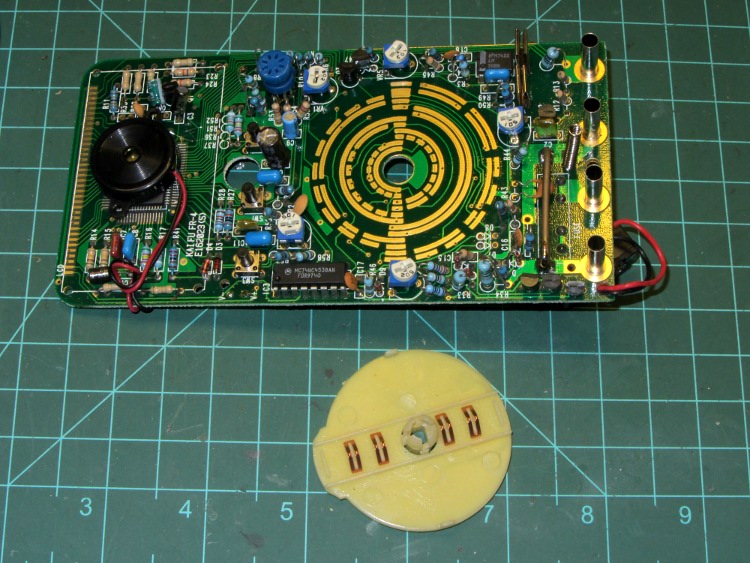
One of my multimeters began reporting bogus values that improved by working the range switch back-and-forth, which suggested the switch contacts need cleaning. Taking the meter apart was easy, right up to the point where I removed the range switch from the PCB by compressing the four locking tabs on the central shaft:
Multimeter range selector switch
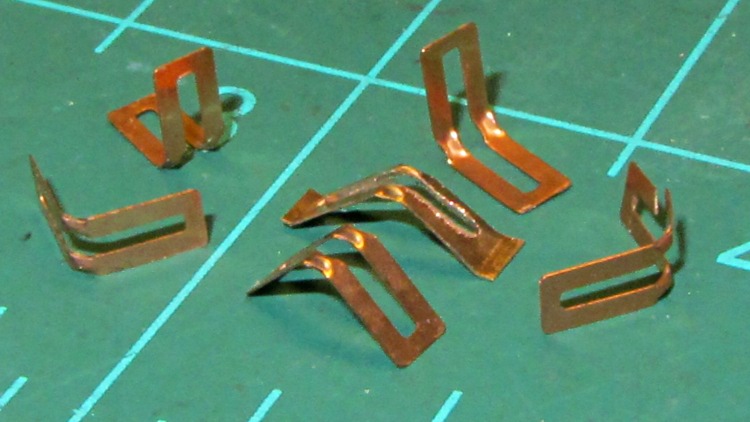
Just before taking that picture, the switch launched half a dozen spring contacts across the bench, my shirt, and the floor… I recovered four for the picture and later found a fifth smashed on the floor, but the last contact remains AWOL.
The contact in the middle, the oddly shaped one with small tabs on the ends, is a prototype replacement conjured from 6 mil phosphor bronze stock:
Multimeter range switch contacts
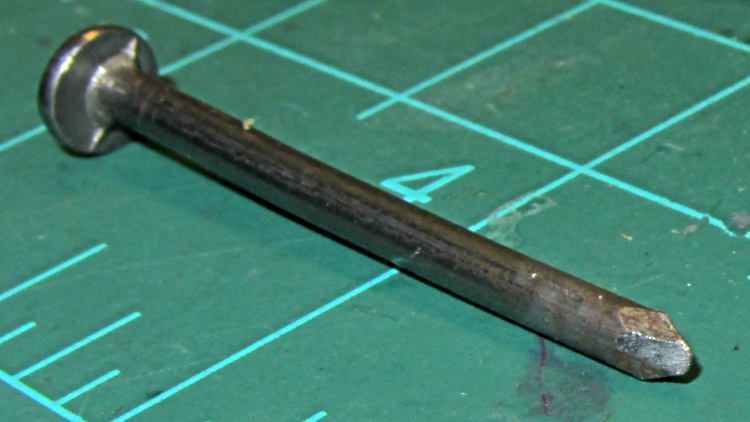
The little domes ensure a good sliding surface, but require two bends in the middle of the contact and some way to shape the metal into a dome. After a few experiments, I filed the end of a nail into a rounded chisel that worked pretty well:
DMM switch contact punch
The original contacts came from 3.5 mil stock and have considerably more flex; 6 mil stock is what I have.
I think I should make half a dozen contact springs to replace the entire set, a task requiring more time than I have right now. For the record, the overall process goes like this:
lay out overall shape, slightly longer than needed
cut center opening with abrasive wheel
cut out contact
punch contact domes (from back = dimples)
bend to shape
trim ends to length (not done in picture)
dress raw edges (not done in picture)
Given the number of parts and the fiddly accuracy required to make the slot, this might be a good job for the Sherline, although clamping each little proto-spring down while getting the abrasive wheel in there seems daunting.
Perhaps cutting the slots and punching the dimples would work better before cutting out the contacts, with a sheet clamped on four sides? The center will be floppy, what with all the slots, but grinding slots on the middle contacts first might be helpful. Would adhesive under the sheet to hold down the middle gunk up the abrasive wheel?
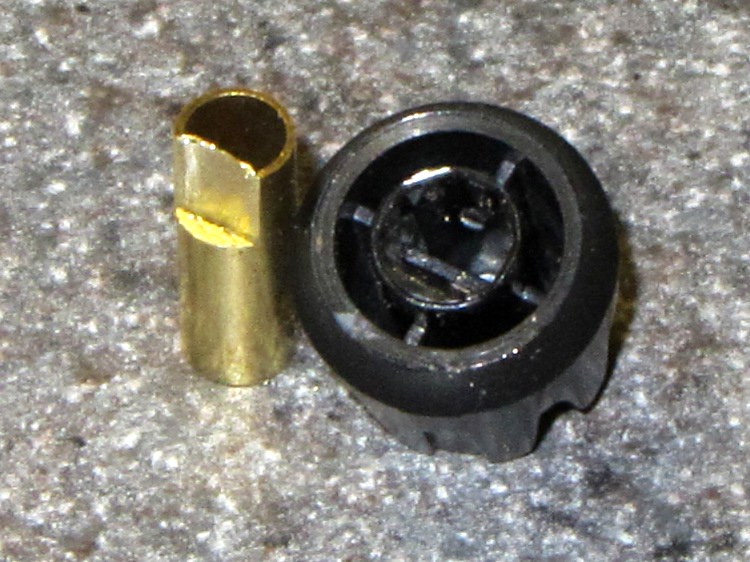
Clamp a cutoff chunk of 3/16 =0.1875 inch diameter brass tubing in the lathe and file down one side to put the flat 0.150 inch from the far side, so that the knob is a tight slip fit. If you happen to have some solid rod, that would work just as well. In this case, the file pushed the paper-thin brass remnant into the tubing and I didn’t bother to clean it out:
KG-UV3D knob with fixture
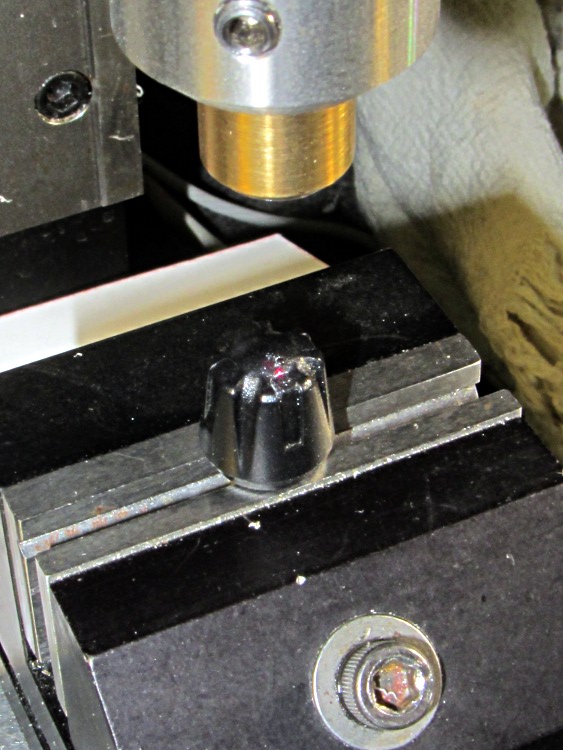
Clean the white glop off the knob, jam the knob on the fixture, clamp the fixture in the Sherline’s vise, use laser targeting to center the spindle on the notch adjacent to the minuscule pip on the knob:
Laser aligning to knob feature
Drill a 2 mm recess that en passant obliterates the pip:
Drilling index recess
Fill it with some light gray paint that just happens to be on the shelf:
Knob with filled index mark
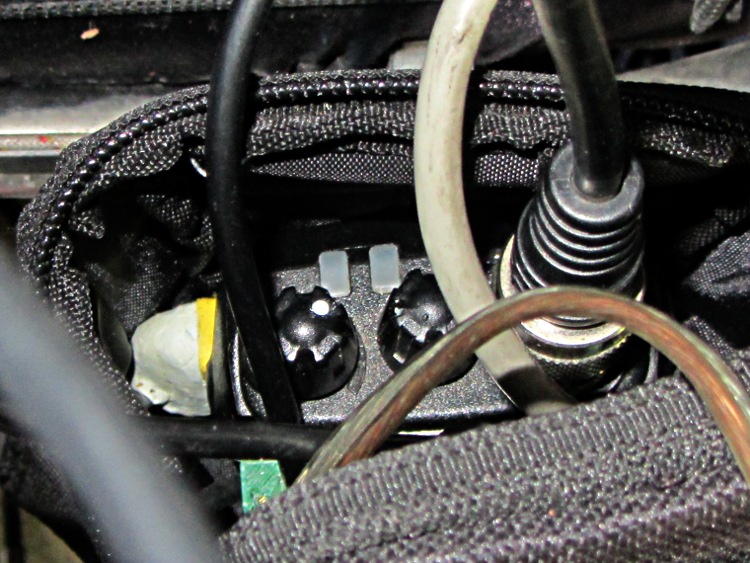
And, by gosh, it really does dress up the radio! [grin]
Wouxun KG-UV3D with improved knob
While I had the Sherline set up, I did the knob for the other radio, too.
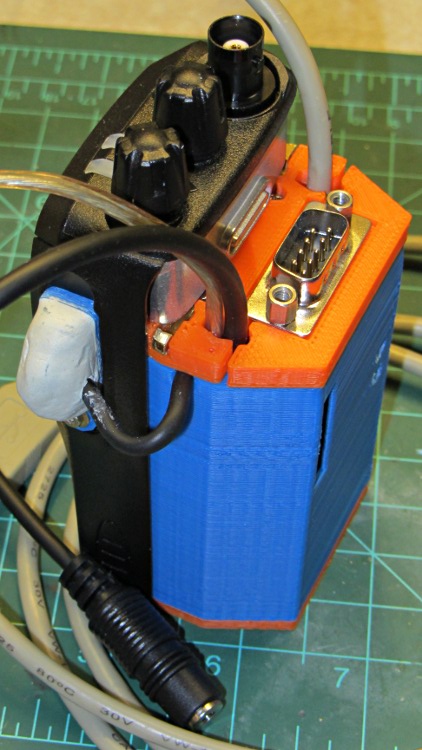
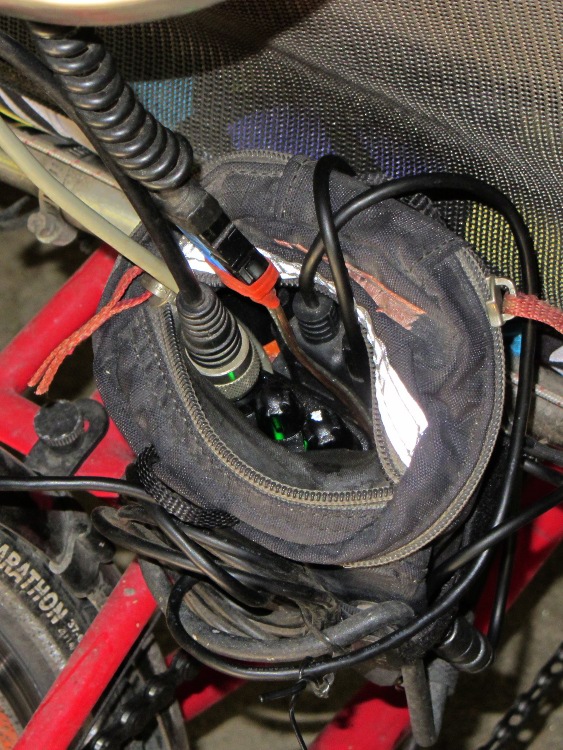
Both of the GPS+voice interfaces for the Wouxun KG-UV3D radios have been working fine for a while, so I should show the whole installation in all its gory detail.
If you haven’t been following the story, the Big Idea boils down to an amateur radio HT wearing a backpack that replaces its battery, combines the audio output of a Byonics TinyTrak3+ GPS encoder with our voice audio for transmission, and routes received audio to an earbud. Setting the radios to the APRS standard frequency (144.39 MHz) routes our GPS position points to the global packet databaseand, with 100 Hz tone squelch, we can use the radios as tactical intercoms without listening to all much of the data traffic.
The local APRS network wizards approved our use of voice on the data channel, seeing as how we’re transmitting brief voice messages using low power through bad antennas from generally terrible locations. This wouldn’t work well in a dense urban environment with more APRS traffic; you’d need one of the newfangled radios that can switch frequencies for packet and voice transmissions.
So, with that in mind, making it work required a lot of parts…
The flat 5 A·h Li-ion battery pack on the rack provides power for the radio; it’s intended for a DVD player and has a 9 V output that’s a trifle hot for the Wouxun radios. Some Genuine Velcro self-adhesive strips hold the packs to the racks and have survived surprisingly well.
Just out of the picture to the left of the battery pack sits a Byonics GPS2 receiver puck atop a fender washer glued to the rack, with a black serial cable passing across the rack and down to the radio bag.
A dual-band mobile antenna screws into the homebrew mount attached to the upper seat rail with another circumferential clamp. It’s on the left side of the rail, just barely out of the way of our helmets, and, yes, the radiating section of the antenna sits too close to our heads. The overly long coax cable has its excess coiled and strapped to the front of the rack; I pretend that’s an inductor to choke RF off the shield braid. The cable terminates in a PL-259 UHF plug, with an adapter to the radio’s reverse-polarity SMA socket.
The push-to-talk button on the left handgrip isn’t quite visible in the picture. That cable runs down the handlebar, along the upper frame tube, under the seat, and emerges just in front of the radio bag, where it terminates in a 3.5 mm audio plug.
The white USB cable from the helmet carries the boom mic and earbud audio over the top of the seat, knots around the top frame bar, and continues down to the radio. USB cables aren’t intended for this service and fail every few years, but they’re cheap and work well enough. The USB connector separates easily, which prevents us from being firmly secured to a dropped bike during a crash. I’d like much more supple cables, a trait that’s simply not in the USB cable repertoire. This is not a digital USB connection: I’m just using a cheap & readily available cable.
I long ago lost track of the number of Quality Shop Time hours devoted to all this, which may be the whole point…
In other news, the 3D-printed fairing mounts, blinky light mounts, and helmet mirror mounts continue to work fine; I’m absurdly proud of the mirrors. Mary likes her colorful homebrew seat cover that replaced a worn-out black OEM cover for a minute fraction of the price.
Based on those measurements that suggest spacing the plugs at 11.5 mm on center, I tweaked that parameter in the source code there and printed another one, just like the other one. Actually, I printed four of the fool things this time:
Wouxun plug plates – 11.5 mm fixture
With the plugs in the gluing fixture and the fixture in the vise, a ring of epoxy around the threaded sides holds them in place:
Wouxun plug plate – wired
A trial fit in the Wouxun KG-UV3D shows that the jacks prefer the 11.2 mm spacing I measured on the Wouxun headset, but they’ll accept plugs on 11.5 mm centers. I don’t know if that’s a real specification difference, a manufacturing tolerance, or what.
FWIW, I’ve been using snippets of that cable forever, because it’s perfect for this application: two unshielded conductors and three more inside a braid, supple as a snake. It’s surplus, of course, with a gorgeous push-lock plug (and the jack!) on one end that must have cost a fortune… and which I’ll never to use for anything. Got two of them, just in case.
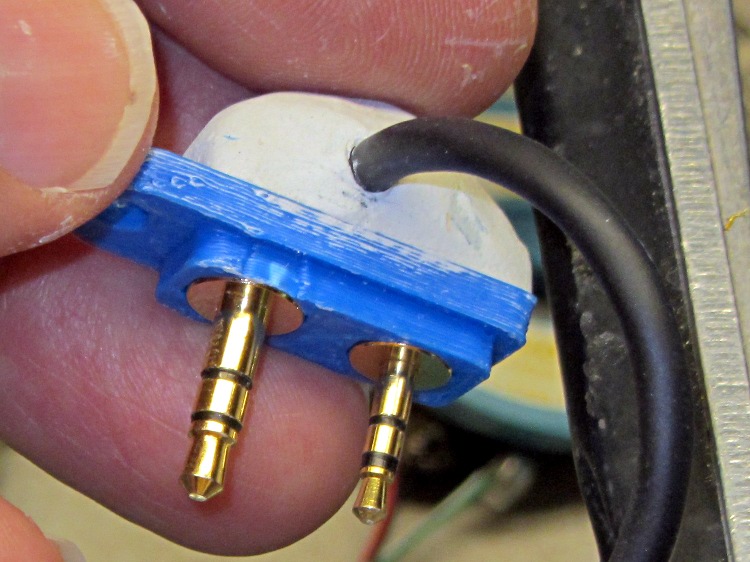
Mushing an epoxy putty turd on the top anchors everything in place and protects the wires:
Wouxun plug plate – epoxy cap
In point of fact, the cable insulation isn’t anchored inside the blob and a minor tug could pull it loose. There will be a bit of slack at the case to allow for unlatching it from the radio, but the lashup will spend its entire life inside a snug pouch, so it shouldn’t come to any harm. We shall see.











 The Smell of Molten Projects in the Morning