Ed Nisley's Blog: Shop notes, electronics, firmware, machinery, 3D printing, laser cuttery, and curiosities. Contents: 100% human thinking, 0% AI slop.
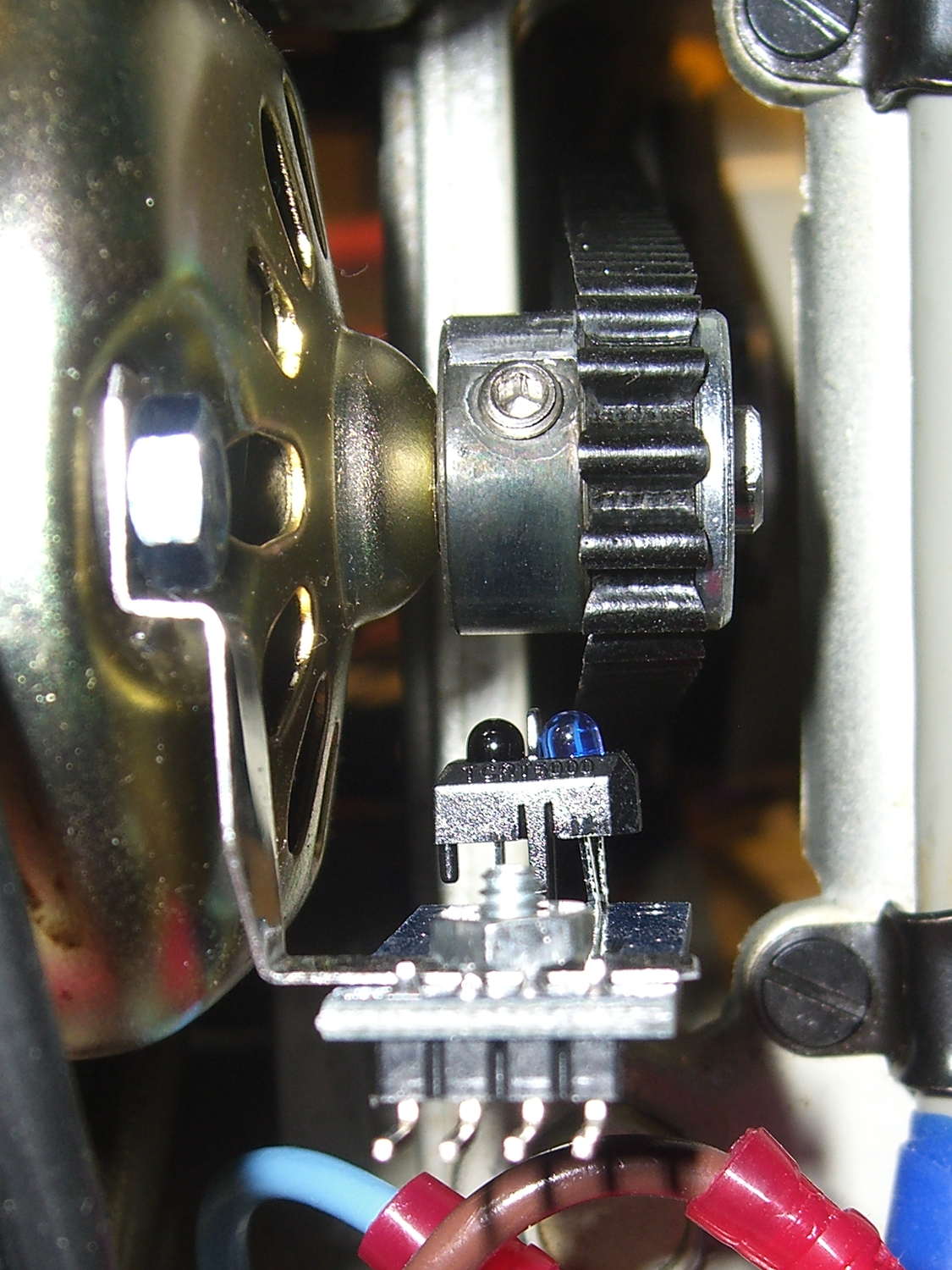
The setscrew in the motor pulley lies directly in the path of the photosensor:
TCTR5000 Motor RPM Sensor – side view
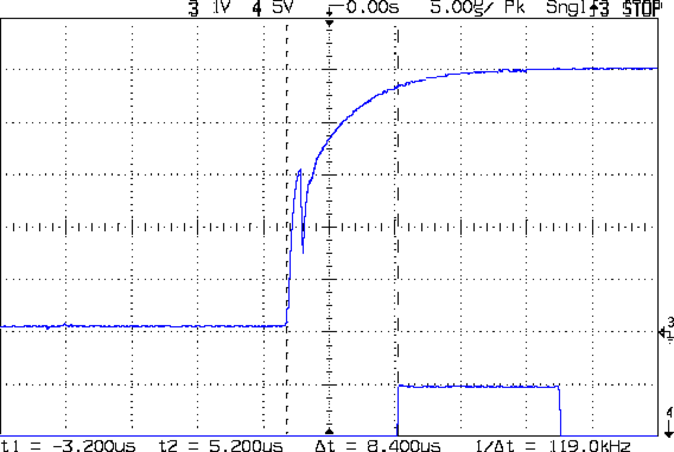
Which produces a glitch in the rising edge of the digital output as the pulley rotates from the dark to the light section:
Motor Sensor – Rising Edge Glitch
The RPM signal goes to Arduino pin D2, where each falling edge triggers an interrupt handler:
const byte PIN_MOTOR_REV = 2;		// DI - IRQ 0 (must be D2)

... snippage...

void setup() {
... snippage ...

    pinMode(PIN_MOTOR_REV,INPUT_PULLUP);
    attachInterrupt((PIN_MOTOR_REV - 2),ISR_Motor,FALLING);			// one IRQ / motor revolution

 ... snippage ...
}
The maximum motor speed is about 11 kRPM, so interrupts should be at least 5.5 ms apart and the digital input should be low. If that’s true, then the code updates a bunch of useful information:
struct pulse_t {
 byte Counter;
 unsigned long TimeThen;
 unsigned long Period;
 word RPM;
 byte State;
};

struct pulse_t Motor;

... snippage ...

//------------------
// ISR to sample motor RPM sensor timing

void ISR_Motor(void) {

static unsigned long Now;

	digitalWrite(PIN_SYNC,HIGH);

	Now = micros();

	if ((5000ul < (Now - Motor.TimeThen)) && !digitalRead(PIN_MOTOR_REV) ) {	// discard glitches
		Motor.Counter++;
		Motor.Period = Now - Motor.TimeThen;
		Motor.TimeThen = Now;
		Motor.State = digitalRead(PIN_MOTOR_REV);		// always zero in a Physics 1 world
	}

	digitalWrite(PIN_SYNC,LOW);
	return;
}
The scope trace shows that the handler takes about 7 µs to get control after the glitch (the left cursor should be on the falling edge, not the rising edge), so the input read occurs when the sensor output is over 4.5 V, causing the handler to discard this spurious interrupt.
Because Motor.Period is a four-byte unsigned long, the Arduino’s CPU must handle it in chunks. Rather than disable interrupts around each use, it’s better to read the value until two successive copies come back identical:
//------------------
// Return current microsecond period without blocking ISR

unsigned long ReadTime(struct pulse_t *pTime) {

unsigned long Sample;

	do {
		Sample = pTime->Period;				// get all four bytes
	} while (Sample != pTime->Period);		//  repeat until not changed by ISR while reading

	pTime->Counter = 0;						// this is a slight race condition

	return Sample;
}
Because the interrupts don’t happen that often, the loop almost always executes only one time. On rare occasions, it’ll go back for another two values.
Converting the pulley rotation period into revolutions per minute goes like this:
Motor.RPM = 60000000ul/ReadTime(&Motor); // one (deglitched) pulse / rev
That’s easier than hiding the setscrew and it also discards any other glitches that may creep into D2…
Using basically the same Arduino firmware as before, so the pedal scales the motor current without feedback:
Curr Sense RPM Spindle Pos
The top trace is the motor current, sampled through the ferrite toroid / Hall effect sensor / differential amp, at about 525 mA/V, so the current limit along those flat tops is 630 mA. There’s a small initial spike leading into each flat top, where (I think) the rapidly rising collector voltage rams enough current through the Miller capacitance into the base to briefly push the collector current upward.
The next trace is the motor RPM sensor, ticking along at 14 revolutions in 160 ms = 87.5 rev/s = 5250 RPM. The glitch toward the right side comes from me hitting the scope’s STOP button to freeze the display in mid-trace. There’s no trace of the setscrew glitch, although that may be due to the compressed scale rather than the absence of the glitch.
The bottom trace is the shaft position sensor, with 1 rev in 125 ms = 8 rev/s = 480 RPM. It’s nicely divided into equal halves, which is what you’d expect from looking at the counterweight.
Under these conditions the speed ratio works out to 10.93, a whopping 9% over my original guesstimate.
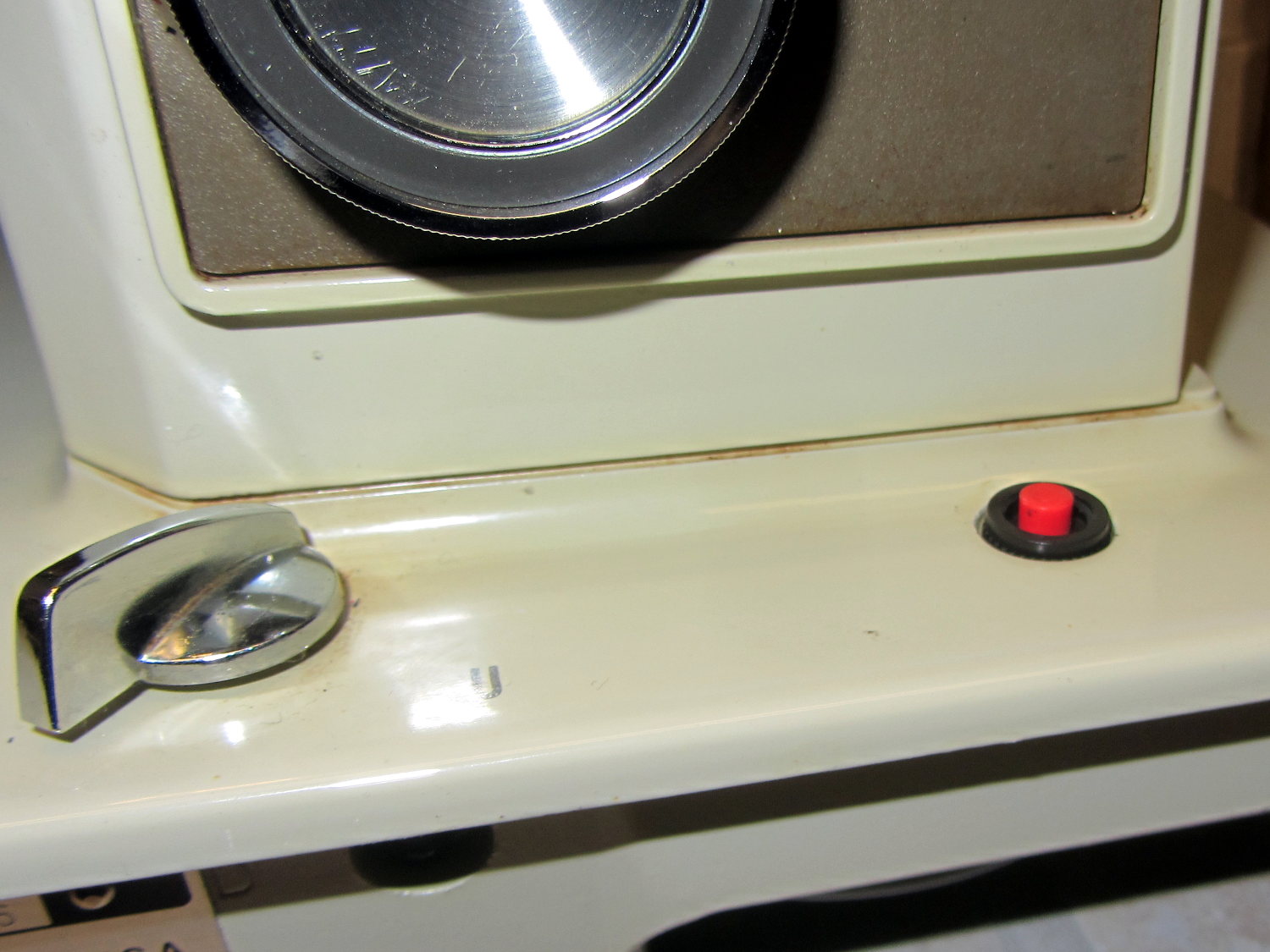
The crash test dummy sewing machine now has a cheerful red momentary pushbutton in the same spot the original machine sported a 120 VAC push-on/push-off power switch:
Kenmore 158 – Digital Power Switch
It’s held in place by a dab of epoxy on the bottom. The threads aren’t quite long enough to engage the ring, so another dab of epoxy holds that in place. In the unlikely event I must replace the button, I’ll deploy a punch and hammer it out from the top; the slick paint on the sides of the straight-sided hole doesn’t provide much griptivity.
The button connects in parallel with the GX270’s front-panel button and the one on the Low Voltage Interface Board, so it operates exactly the same way. My original code didn’t include a delay before turning the power off, which meant that brushing the switch while doing something else would kill the power.
This is not to be tolerated…
You (well, I) must now hold the button down for one second to turn the power off. Releasing it before the deadline has no effect, other than blinking the green power LED on the front panel a few times.
The routine maintains a timer that allows it to yield control to the mainline code, rather than depend on a blocking timer that would screw up anything else that’s in progress:
//------------------
// Handle shutdown timing when power button closes
// Called every time around the main loop

void TestShutdown(void) {

	if (LOW == digitalRead(PIN_BUTTON_SENSE)) {			// power button pressed?
		if (ShutdownPending) {
			if (1000ul < (millis() - ShutdownPending)) {
				printf("Power going off!\r\n");
				digitalWrite(PIN_ENABLE_AC,LOW);
				digitalWrite(PIN_ENABLE_ATX,LOW);
				while(true) {
					delay(20);
					TogglePin(PIN_PWR_G);				// show we have shut down
				}
			}
		}
		else {
			ShutdownPending = millis();					// record button press time
			printf("Shutdown pending...\r\n");
		}
	}
	else {
		if (ShutdownPending) {
			ShutdownPending = 0ul;						// glitch or button released
			printf("Shutdown cancelled\r\n");
		}
	}
}
The normal Arduino bootloader imposes a similar delay while turning the power on, which means that you can’t accidentally light the machine up by bumping the switch. All in all, it’s much more user-friendly this way.
The shaft position and motor RPM sensors require +5 VDC, the LED strip lights run on +12 VDC, and the yet-to-be-built needle lights in the endcap probably need an entirely different supply. After a bit of doodling, all that, plus a power button conductor, fits into nine conductors:
K – +5 VDC for sensors
Bn – common for sensors
R – RPM sensor output
O – Shaft position sensor output
Y – Power button
G – +12 VDC for LED strips
Bl – common for strips
V – + supply for needle lights
W – common for lights
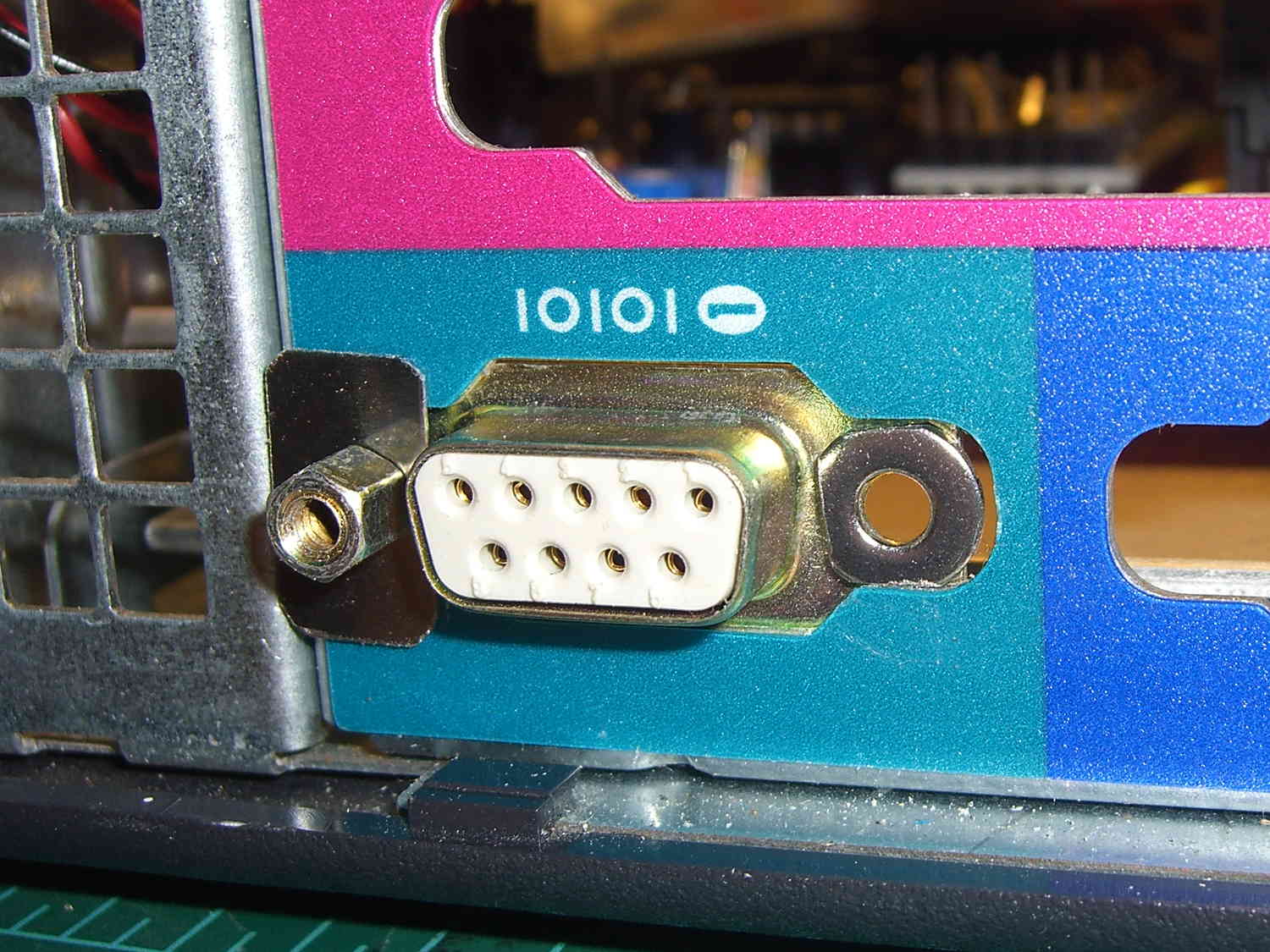
That’s fortunate, as I have a box of pre-built RS-232 cables. The nine color-coded 24 AWG (more or less) conductors seem a bit scanty for LED strip light currents, but they’ll suffice for now.
Everything terminates in a hideous shrub down by the motor pulley, with cable ties holding the wires away from the action:
A pair of 4-40 washers, filed to fit inside the chassis cutout and away from the shell, keep the connector from rotating / sliding; the dimensions aren’t conducive to a 3D printed widget. The flat metal strips hold the connector in place, with the mounting screws threaded into 4-40 nuts behind the connector.
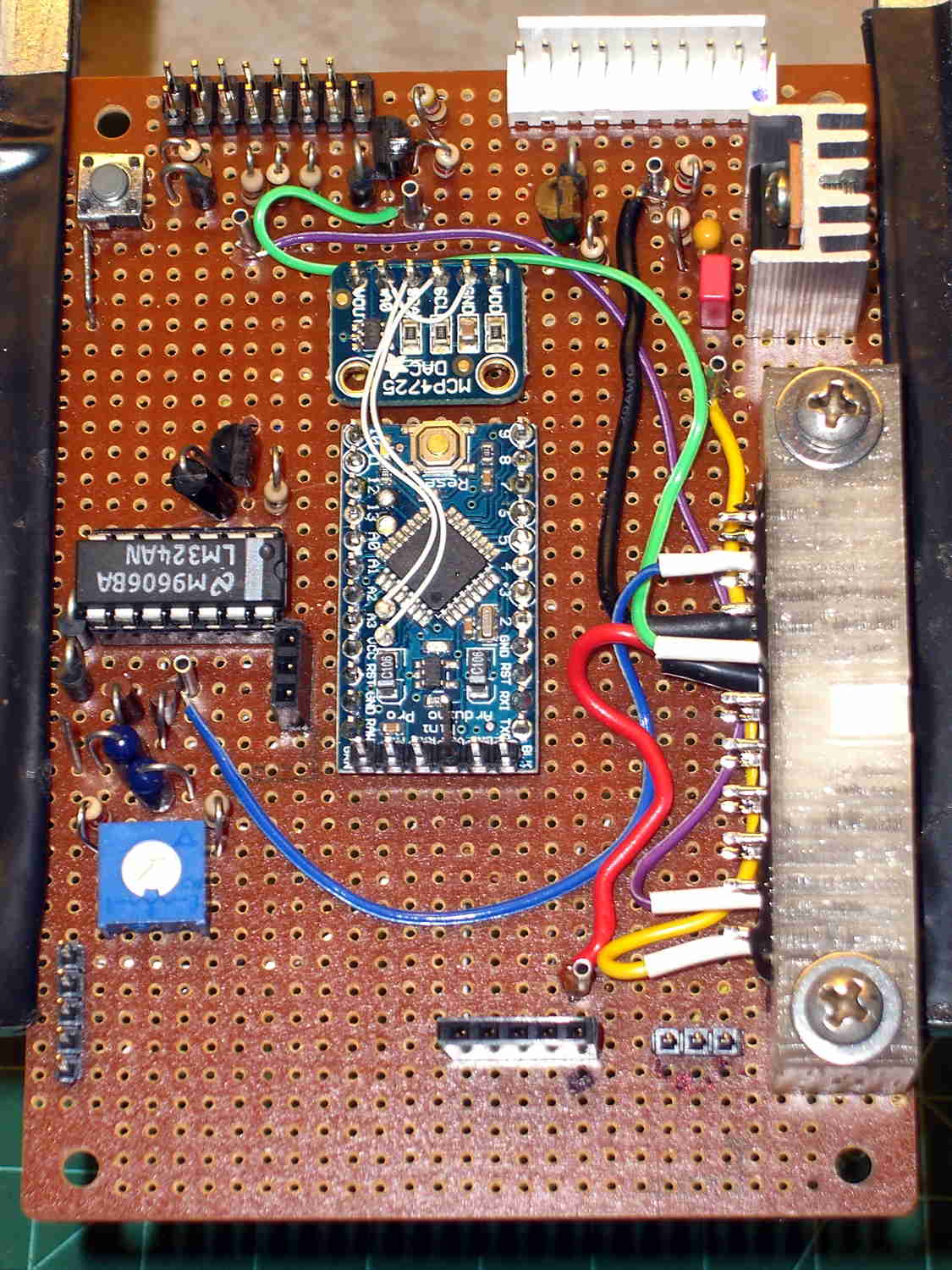
The top row of pins goes to a header (a bit fuzzy, near the bottom of the image) on the Low Voltage Interface board, where the sensor inputs go directly to the Arduino Pro Mini and the power connections to the ATX connector:
Low Voltage Interface Board – top view
The LED power connections on the bottom row go to pins on an ATX wiring harness that used to send juice to the various disk drives.
I’m not real happy with that lashup, but … more pondering is in order. I suspect I’ll need a few more conductors for other things on the sewing machine, so a larger cable may terminate at a DB25 connector in the cutout just above this one.
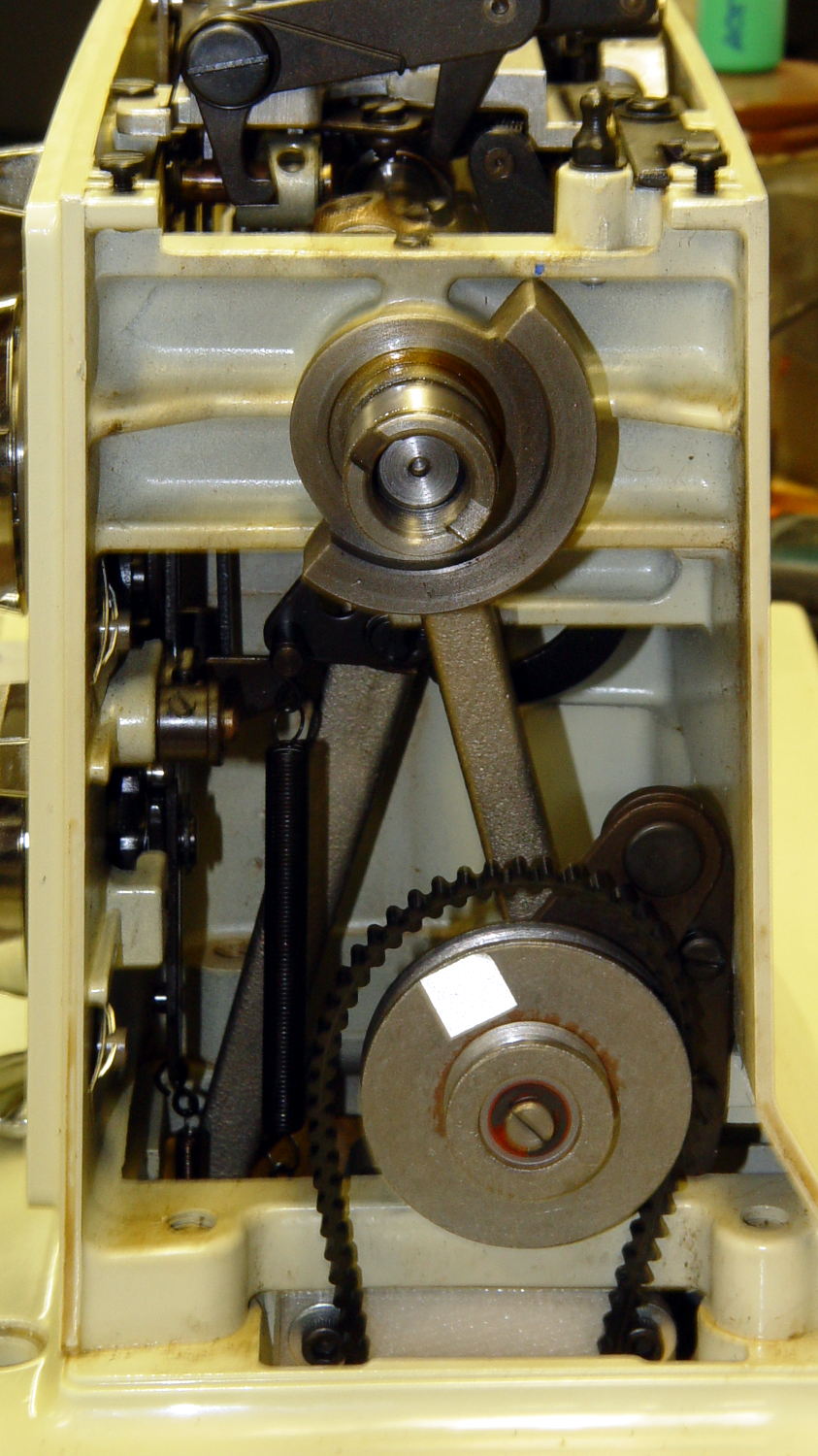
In order to stop the sewing machine with the needle either up or down, the controller must know the angular position of the main shaft. Fortunately, the shaft has a counterweight in a not-too-inconvenient location behind the handwheel:
Kenmore 158 – main shaft counterweight
The needle is fully down with the shaft in that position. I originally thought about putting a pair of sensors adjacent to the lower edge, but because the motor can rotate the shaft only counterclockwise (as seen from this end), watching a single sensor tells you everything you need to know:
Falling edge: needle at top
Rising edge: needle at bottom
N.B.: Although you can rotate the shaft backwards by hand, the controller needs to know the position only when stopping.
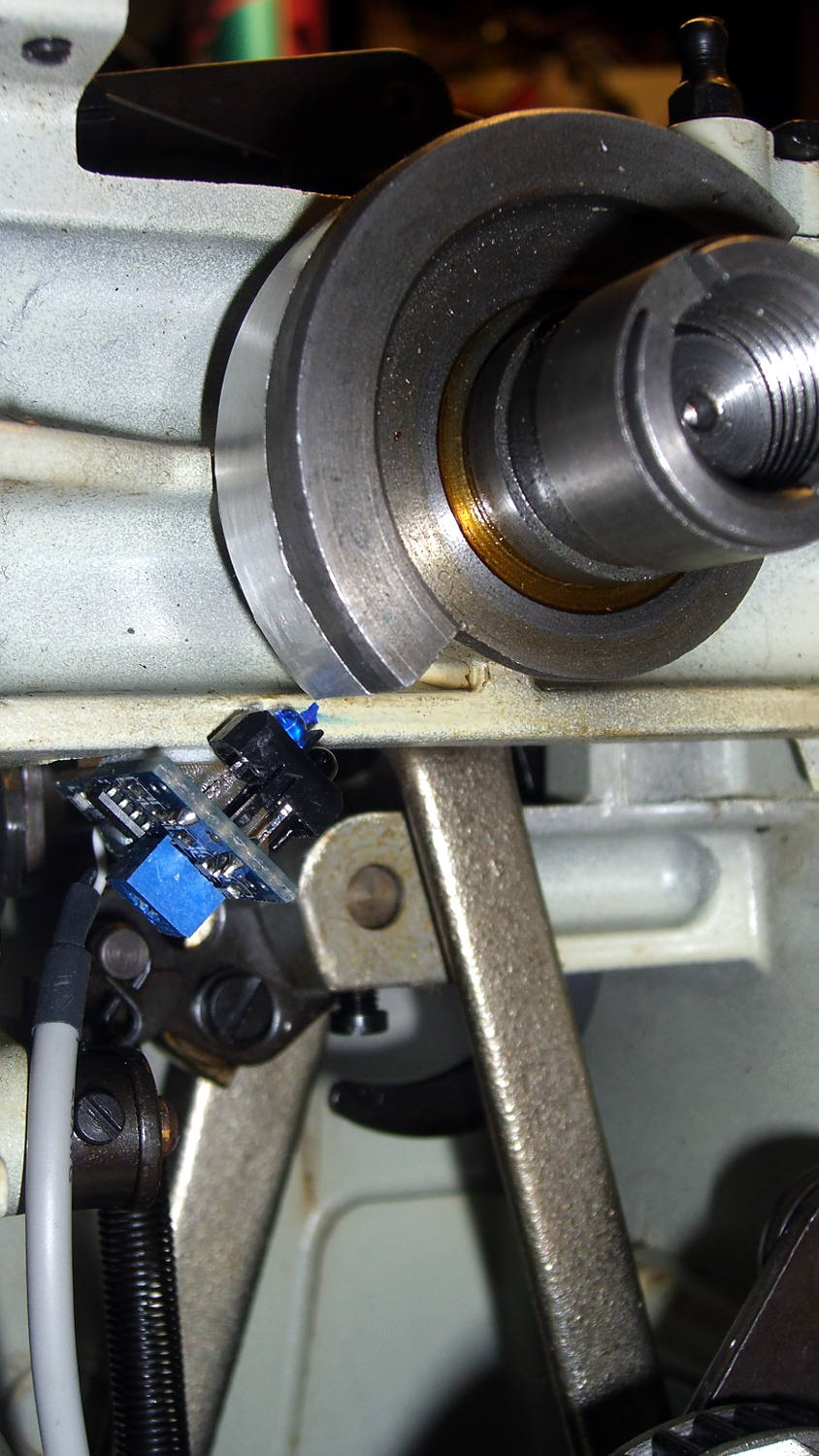
Some fiddling around showed that a TCRT5000 sensor board would fit neatly below the frame cross flange at exactly the right spot:
Shaft position sensor – in place
The counterweight now sports a strip of stainless steel tape (normally used on HVAC ductwork) burnished to a high shine:
The tape tucks around the counterweight to keep the wind out of its hair:
Kenmore 158 Shaft Counterweight – steel tape ends
The handwheel spins on that smooth ring near the end of the shaft and covers the outer half of the counterweight, so the tape brightens up the only part of the counterweight that the sensor can see.
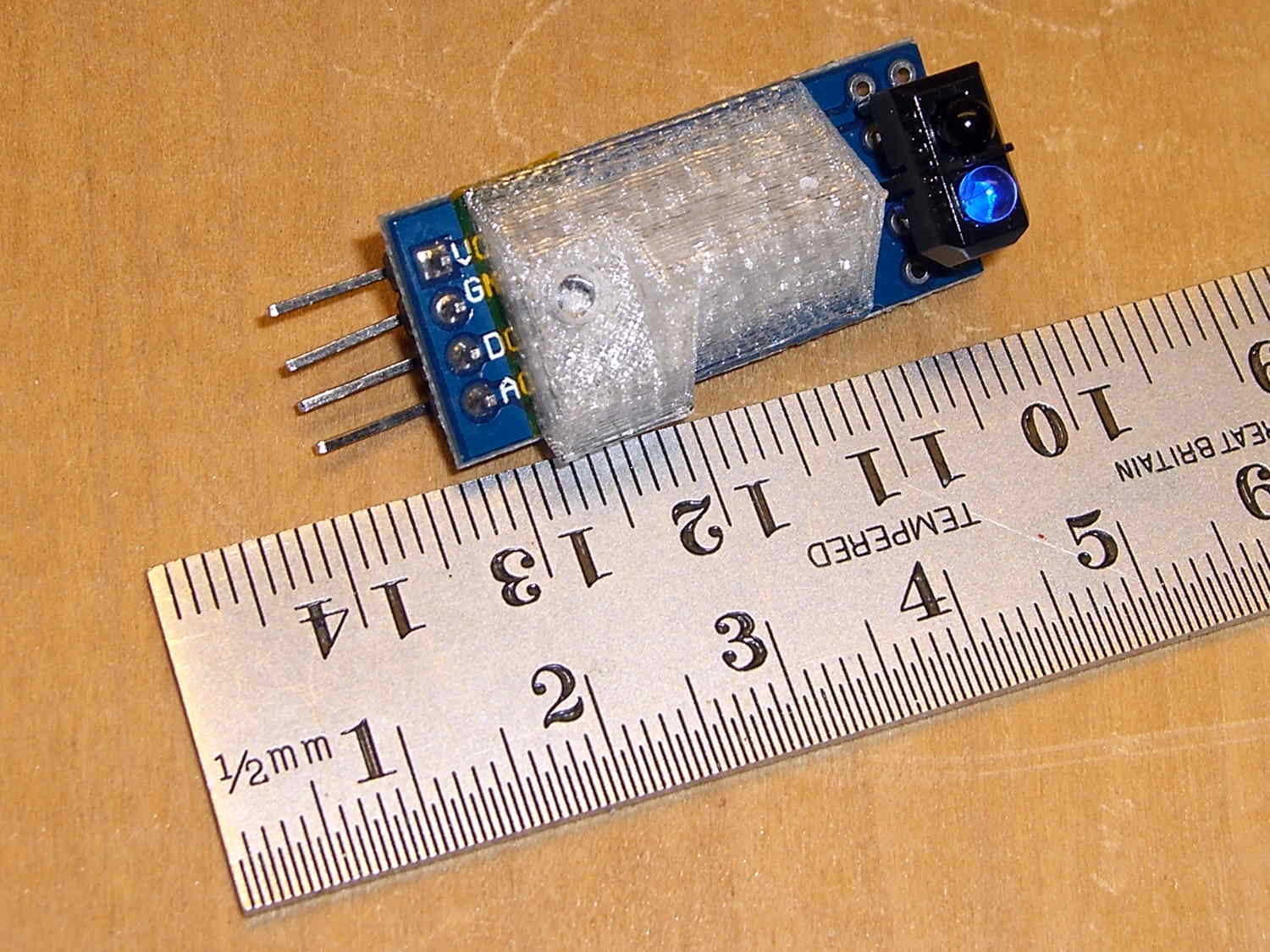
The sensor mounts on a fiddly bit of plastic that’s ideally suited for 3D printing:
Shaft Position Sensor Mount – left
The rectangular recess fits around the protruding trimpot leads, a screw in the hole fastens the sensor, the flange on the top fits against the inside edge of the frame flange to position the sensor head axially along the shaft, and the cutout to the left rear clears the whirling crank bearing on the shaft.
It looked good on the bench:
Shaft sensor mount – trial fit
Rather than mess around with more connectors, I removed the pins and soldered a hank of CD-ROM audio cable (remember CD-ROMs?) directly into the top three holes.
After scrubulating the bottom of the frame flange with denatured alcohol, a square of double-stick foam tape holds the mount to the frame, eyeballometrically aligned to the proper position:
Kenmore 158 Shaft position sensor – end view
That may be slightly too close to the counterweight, as the ideal distance is about 2 mm. The source code can add a shim that moves the mounting plane straight down, allowing the whole thing to move slightly to the left: increase the clearance while maintaining the same angular position. The next version will have a 1 mm BaseShim and we’ll see how that goes.
You could mirror the mount to put another sensor at the quadrature position on the right side of the counterweight.
It’s getting closer to becoming a simple matter of software…
The OpenSCAD source code:
// Shaft Position Sensor Mount
// Ed Nisley - KE4ZNU - October 2014

Layout = "Show";

//- Extrusion parameters must match reality!

ThreadThick = 0.20;
ThreadWidth = 0.40;

HoleWindage = 0.2;			// extra clearance

Protrusion = 0.1;			// make holes end cleanly

AlignPinOD = 1.70;			// assembly alignment pins: filament dia

function IntegerMultiple(Size,Unit) = Unit * ceil(Size / Unit);

//----------------------
// Dimensions

SensorWidth = 14.0;			// sensor PCB width
SensorLength = 21.0;		//  ... contact patch length
NumSensors = 1;

SensorScrewOffset = 5.0;	//  ... mounting hole to frame edge

PotLeads = [5.0,8.0,1.0];	// trimpot lead recess
PotOffset = [-1.5,8.5,0];

SensorScrewHeadOD = 6.0;	//  ... mounting screw head dia
SensorScrewTap = 2.25;		//  ... screw tap diameter
SensorScrewLength = 4.0;	//  ... screw length inside block

BaseShim = 1.0;				// additional height to align sensors
BaseAngle = 45;				// downward from horizontal

BaseSensors = NumSensors*SensorWidth;		// length along slanted top

BaseLength = BaseSensors*cos(BaseAngle);
BaseHeight = BaseSensors*sin(BaseAngle);

echo(str("Angle: ",BaseAngle," Height: ",BaseHeight," Length: ",BaseLength));

FrameWidth = 13.0;			// machine frame width

LipHeight = 3.0;			// locates part on frame to position sensors
LipWidth = IntegerMultiple(2.0,ThreadWidth);

Block = [BaseLength,
		 (FrameWidth + SensorScrewOffset + SensorScrewHeadOD/2),
		 (BaseHeight + BaseShim + LipHeight)];

echo(str("Block size: ",Block));

//----------------------
// Useful routines

module PolyCyl(Dia,Height,ForceSides=0) {			// based on nophead's polyholes

  Sides = (ForceSides != 0) ? ForceSides : (ceil(Dia) + 2);

  FixDia = Dia / cos(180/Sides);

  cylinder(r=(FixDia + HoleWindage)/2,
           h=Height,
           $fn=Sides);
}

module ShowPegGrid(Space = 10.0,Size = 1.0) {

  RangeX = floor(100 / Space);
  RangeY = floor(125 / Space);

	for (x=[-RangeX:RangeX])
	  for (y=[-RangeY:RangeY])
		translate([x*Space,y*Space,Size/2])
		  %cube(Size,center=true);

}

//-- Build the sensor mount

module SensorMount() {

	difference() {
		translate([0,(FrameWidth - Block[1]),0])
			cube(Block);

		translate([-Block[0],0,(Block[2] - LipHeight)])		// machine frame
			cube([3*Block[0],(FrameWidth + Protrusion),Block[2]]);

		translate([0,-Block[1]/2,0])						// sensor angle
			rotate([0,(90 - BaseAngle),0])
				cube(2*Block);

		translate([-SensorScrewLength/cos(90 - BaseAngle),-(2*Block[1] + LipWidth),0])
			rotate([0,-BaseAngle,0])						// remove all but lip on crank side
				cube(2*Block);

		for (i=[0:(NumSensors - 1)])						// screw hole
			rotate([0,(-BaseAngle),0])
				translate([(SensorWidth/2 + i*SensorWidth),-SensorScrewOffset,-Protrusion])
					PolyCyl(SensorScrewTap,(SensorScrewLength + 2*Protrusion),6);

		for (i=[0:(NumSensors - 1)])						// pot lead recess
			rotate([0,(-BaseAngle),0])
				translate(PotOffset + [i*SensorWidth + SensorWidth/2 - PotLeads[0]/2,
						-(SensorScrewOffset + PotLeads[1]/2),
						-Protrusion])
					cube(PotLeads + [0,0,Protrusion]);
	}
}

//----------------------
// Build it

ShowPegGrid();

if (Layout == "Show")
	SensorMount();

if (Layout == "Build")
	translate([-SensorWidth,0,0])
		rotate([0,(90 - BaseAngle),0])
			SensorMount();
I hauled the Kenmore 158 sewing machine and controller to a Squidwrench meeting for some current measurements (and, admittedly, showing it off) while schmoozing. After hauling it home and setting it up on my bench again, it didn’t work: the motor didn’t run at all.
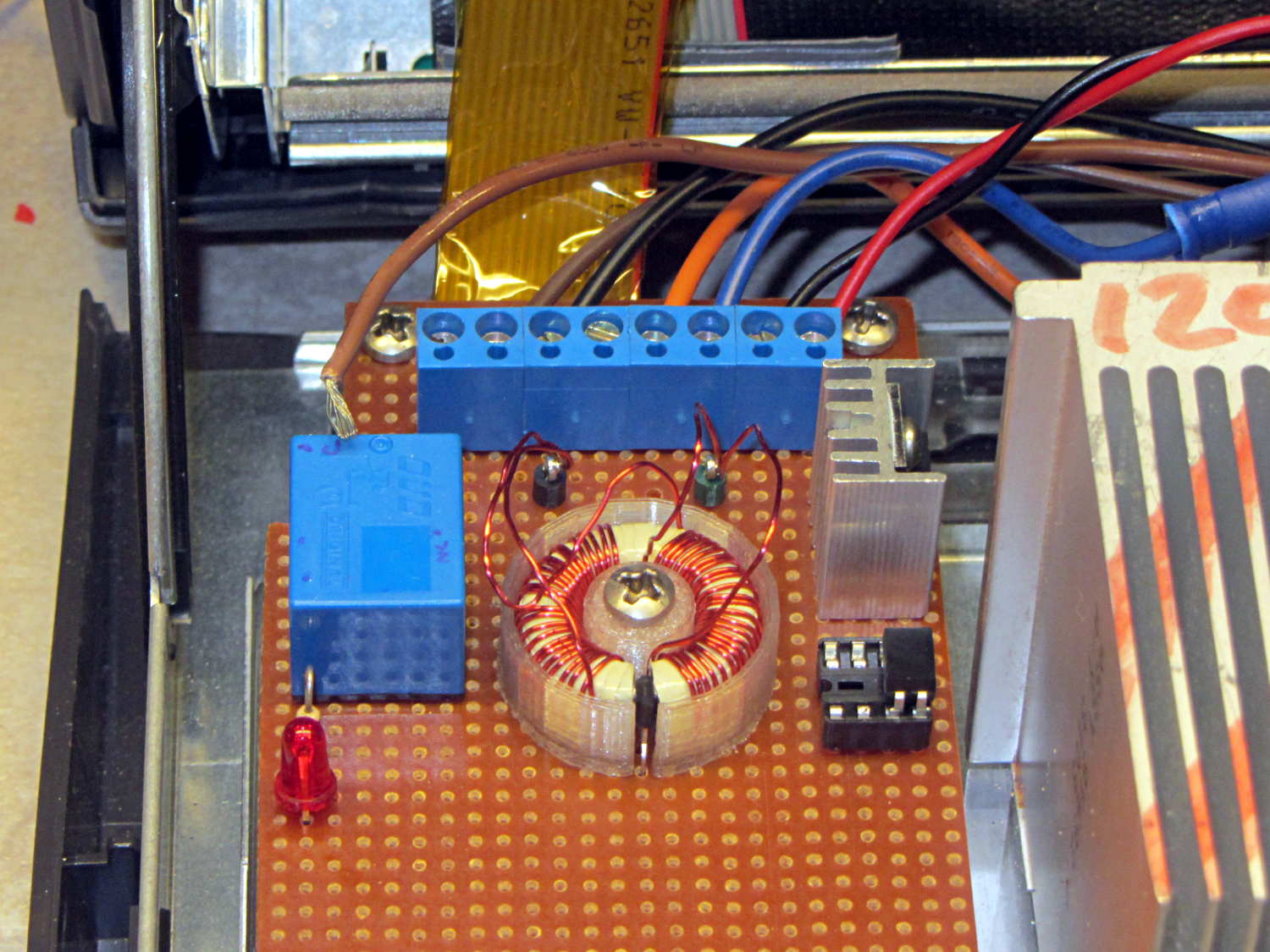
While doing the usual poking around under the cover, I spotted this horrifying sight:
Loose AC line hot wire
The brown insulation tells you that’s a hot wire from the AC line and, in fact, it’s coming directly from the line fuse; it’s live whenever the plug is in.
It’s a stranded wire to allow flexing without breaking, but that same flexibility allows it to squeeze its way out of a tightly fastened screw terminal. In principle, one should crimp a pin on the wire, but the only pins in my heap don’t quite fit along the screw terminal block.
This sort of thing is why I’m being rather relentless about building a grounded, steel-lined box with all the pieces firmly mounted on plastic sheets and all the loose ends tucked in. If that wire had gone much further to the side or top, it would have blown the fuse when it tapped the steel frame. The non-isolated components on that board are facing you, with those connections as far from the terminal block as they can be.
Engineers tend to be difficult to live with, because we have certain fixed ways of doing things that are not amenable to debate. There’s probably a genetic trait involved, but we also realize that being sloppy can kill you rather quickly; the universe is not all about pink unicorns and rainbows.
In fact, the universe wants you dead.
Now, go play with those goblins and zombies tonight…
Memo to Self: Tighten those terminals every now and again. A wire will come loose shortly after you forget to do that, of course.
Built back in 2004, the Dell GX270 PC had PS/2 keyboard and mouse ports on its back panel, so I put a PS/2 plug on the cable from the Hall effect sensor in the foot pedal. Although the original sockets mounted on a complex system board structure that I can’t repurpose, it’s easy enough to conjure up a mount for a single socket on the back panel:
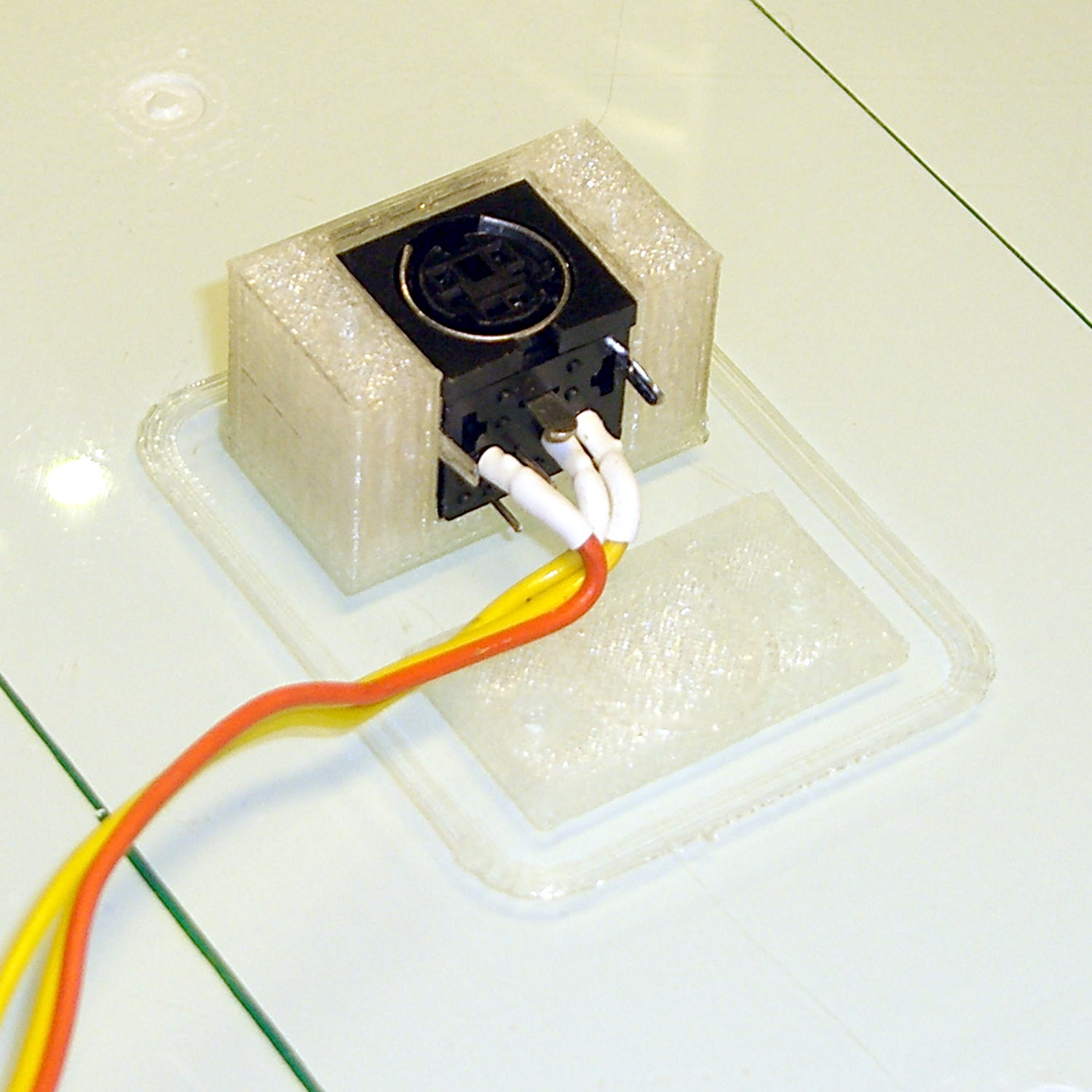
PS2 Socket Mount
A quick fit check verified the dimensions:
PS2 Connector mount – trial fit on platform
Astonishingly, the socket slid firmly into its slot. I love it when that happens on the first try!
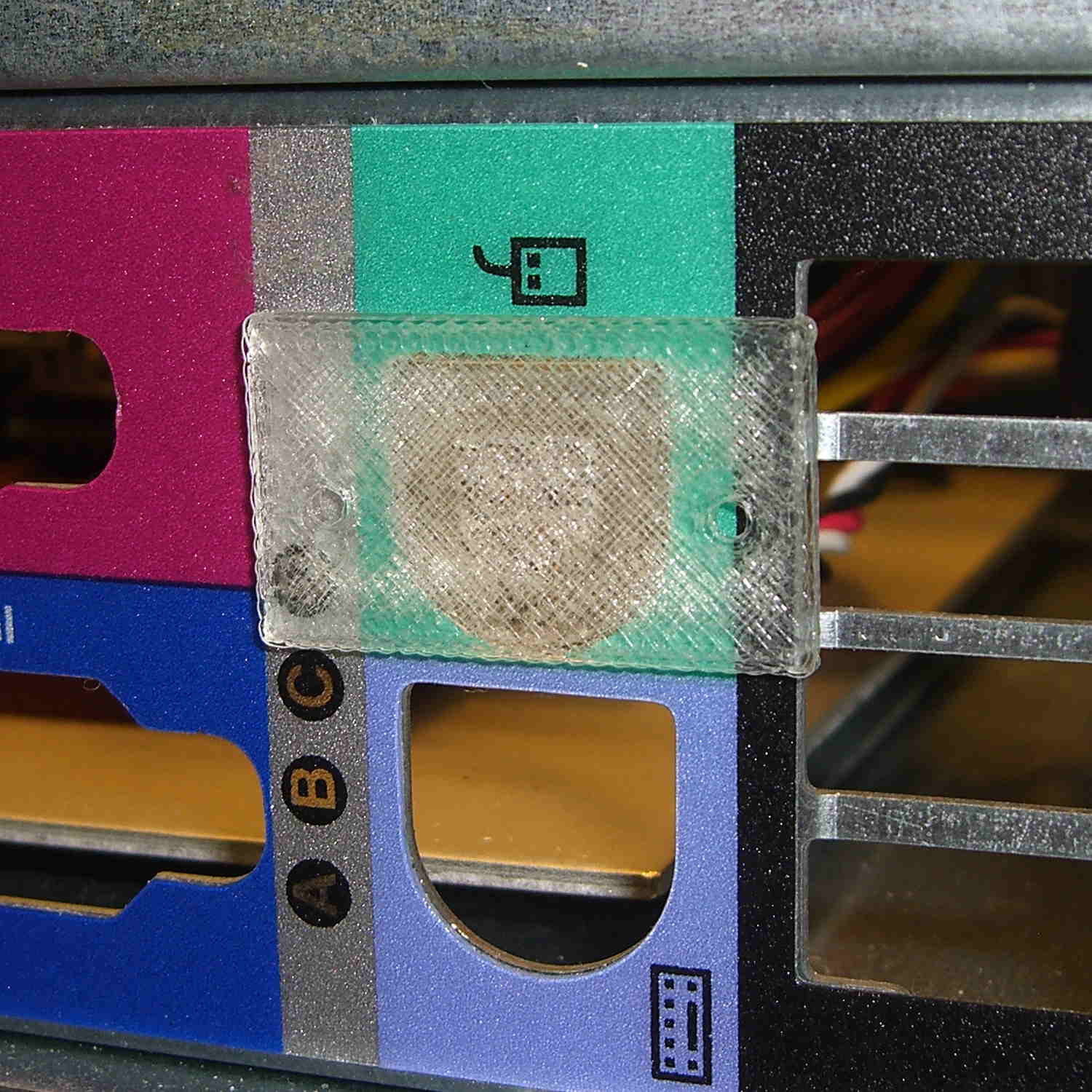
The flat plate in front of the mount snaps into the chassis cutout to locate the 2-56 screw hole positions:
PS2 Mount – drill guide
The screws thread directly into the mount, with the holes tapped for 2-56. PLA isn’t all that strong, but there’s enough meat to hold the mount firmly enough for my simple purposes.
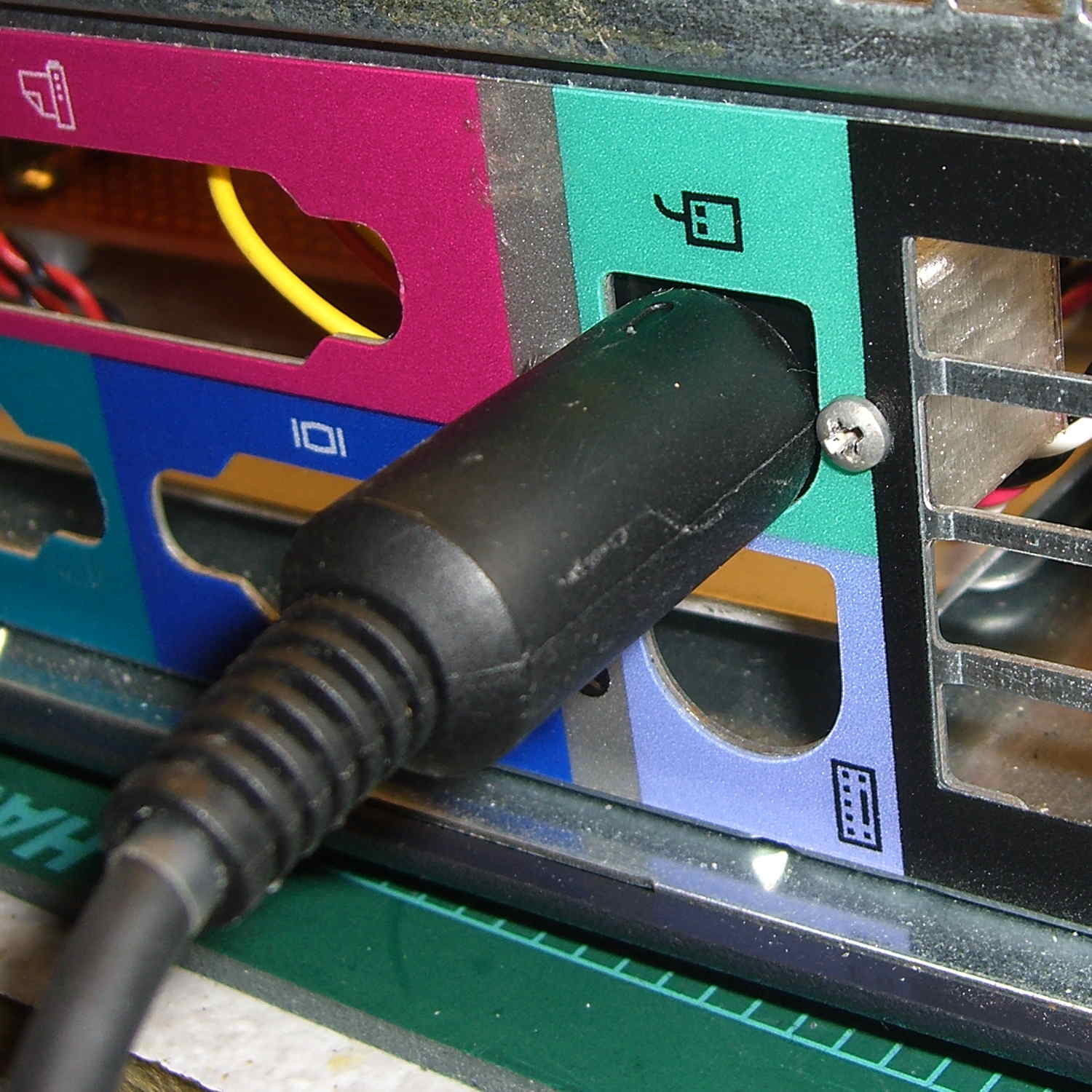
And it looks pretty good, in a post-apocalyptic missing-windows sort of way:
PS2 Connector mount – in place
That was easy…
The OpenSCAD source code:
// PS/2 Socket Mount
// Ed Nisley - KE4ZNU - October 2014

Layout = "Build";			// Build Socket Guide

//- Extrusion parameters must match reality!

ThreadThick = 0.20;
ThreadWidth = 0.40;

HoleWindage = 0.2;			// extra clearance

Protrusion = 0.1;			// make holes end cleanly

AlignPinOD = 1.70;			// assembly alignment pins: filament dia

function IntegerMultiple(Size,Unit) = Unit * ceil(Size / Unit);

//----------------------
// Dimensions

Socket = [14.1,13.3,13.0];	// PS/2 socket outline, minus tabs & wires on bottom

Flange = 6.0;

WallThick = IntegerMultiple(2.0,ThreadWidth);

Mount = Socket + [2*Flange,WallThick,WallThick];

ScrewTap = 1.90;			// 2-56 tap for machine screws

ScrewOC = 19.0;

echo(str("Screw OC: ",ScrewOC));

ChassisHole = [13.0,13.0,1.0];
GuideLayers = IntegerMultiple(0.5,ThreadThick);

//----------------------
// Useful routines

module PolyCyl(Dia,Height,ForceSides=0) {			// based on nophead's polyholes

  Sides = (ForceSides != 0) ? ForceSides : (ceil(Dia) + 2);

  FixDia = Dia / cos(180/Sides);

  cylinder(r=(FixDia + HoleWindage)/2,
           h=Height,
           $fn=Sides);
}

module ShowPegGrid(Space = 10.0,Size = 1.0) {

  RangeX = floor(100 / Space);
  RangeY = floor(125 / Space);

	for (x=[-RangeX:RangeX])
	  for (y=[-RangeY:RangeY])
		translate([x*Space,y*Space,Size/2])
		  %cube(Size,center=true);

}

//-- Build the mount

module SocketMount() {

	difference() {
		translate([0,Mount[1]/2,Mount[2]/2])
			cube(Mount,center=true);

		translate([0,Socket[1]/2,Socket[2]/2])
			cube(Socket + [0,Protrusion,Protrusion],center=true);

		for (i=[-1,1])							// holes centered on socket, not mount
			translate([i*ScrewOC/2,-Protrusion,Socket[2]/2])
				rotate([-90,0,0])
					rotate(180/6)
						PolyCyl(ScrewTap,Mount[1] + 2*Protrusion,6);
	}
}

//-- Totally ad-hoc drill guide to center holes on PS/2 cutout

module DrillGuide() {

	union() {
		intersection() {
			translate([0,0,GuideLayers])
				cube([2*Mount[0],2*Mount[1],2*GuideLayers],center=true);
			translate([0,-Socket[2]/2,Mount[1]])
				rotate([-90,0,0])
					SocketMount();
		}

		translate([0,0,Protrusion])
			linear_extrude(height=(3*GuideLayers - Protrusion)) {
				circle(d=ChassisHole[0],$fn=8*4);
				translate([-ChassisHole[0]/2,0])
					square([ChassisHole[0],(ChassisHole[1] - ChassisHole[0]/2)],center=false);
			}

	}
}


//----------------------
// Build it

ShowPegGrid();

if (Layout == "Socket")
	SocketMount();

if (Layout == "Guide")
	DrillGuide();

if (Layout == "Build") {
	translate([0,-Mount[2],0])
		DrillGuide();
	translate([0,0,Mount[1]])
		rotate([-90,0,0])
			SocketMount();
}






 The Smell of Molten Projects in the Morning