The Smell of Molten Projects in the Morning

Ed Nisley's Blog: Shop notes, electronics, firmware, machinery, 3D printing, laser cuttery, and curiosities. Contents: 100% human thinking, 0% AI slop.

Tag: Sewing

Fabric arts and machines

  • 3D Printed Chain Mail Armor: Joined Sheets = Fabric!

    Another nine hours of printing produced a second 9×13 link chain mail armor sheet that simply begged to be joined with the first. Snipping a connecting link on one sheet and attempting to thread it through the armor button on the other didn’t work nearly as well as I expected, because the pillars on the open links don’t quite pass through the slot in the side of the armor button links:

    Chain Mail Armor - 4 sided
    Chain Mail Armor – 4 sided

    So I summoned joiner links from the digital deep:

    Chain Mail Armor - Sheet Joiners
    Chain Mail Armor – Sheet Joiners

    Those are standard armor button links, split at the cross bar level, then laid out along the Y axis. The cap bridges across the link just as it does on the chain mail sheets, so, when they’re glued back together, the result should be exactly like a solid link. There’s no room for alignment pins and, frankly, I wouldn’t fiddle with two dozen filament snippets anyway.

    The OpenSCAD code below produces joiners that work for the square arrangement, not the diamond, but that’s in the nature of fine tuning.

    When I saw them pasted to the platform, just like the model:

    Chain Mail Armor - joiners on platform
    Chain Mail Armor – joiners on platform

    It occurred to me that I could pop the caps off, then lay the sheets in position, aligned on the underlying joiner half-links. Here’s the first sheet over the left set of bars:

    Chain Mail Armor - sheet and joiners on platform
    Chain Mail Armor – sheet and joiners on platform

    Then glue the armor caps in place:

    Chain Mail Armor - joiner with solvent glue
    Chain Mail Armor – joiner with solvent glue

    Four dots of IPS #4 solvent glue, dispensed from a fine copper tube serving as a pipette, wet the four pillars of the joiner’s two bottom bars. I dotted each pillar to begin softening the PLA, paused for a breath, wet them again to leave enough solvent to bite into the bottom of the armor cap, pressed the cap in place, tweaked the alignment with tweezers, then pressed downward for maybe five seconds. Although the joiner link has no inherent alignment features, there’s also not much room to slide around and it worked surprisingly well.

    Repeat that trick dozen times and you’re done. The aggravation scales as the square root of the overall sheet size, so it’s not as awful as assembling every single link, but it’s definitely a task for the low-caffeine part of the day.

    One bottom bar came loose when I showed the result at the MHVLUG meeting, but the bar reappeared and I glued it again easily enough. I’ve now printed several spare joiners, Just In Case.

    The bottom bars aren’t firmly affixed to the platform after it cools and they dislodge fairly easily: that’s how I get larger models off: let everything cool, then simply lift the plastic off. If I were joining sheets on a regular basis, I’d conjure a fixture to hold the sheets and joiner caps in position, probably with the sheets upside down, then glue the bars atop the inverted caps. That could get messy.

    Perhaps a special holder to capture the bars in the proper alignment, maybe with pins matching the square openings at the corners, would help?

    This is a trial fit before gluing that’s visually indistinguishable from the final product:

    Chain Mail Armor - joined sheets on platform
    Chain Mail Armor – joined sheets on platform

    It’s not actually fabric, but it’s sufficiently bendy to cover a hand:

    Chain Mail Armor - joined sheet draped on hand
    Chain Mail Armor – joined sheet draped on hand

    The thing just cries out to be fondled…

    There’s a quarter kilogram of plastic in that 8×12 inch = 200×310 mm sheet that almost used up the last of the black PLA spool.

    Remember: you must tweak the OpenSCAD code to match your extruder settings, export a suitable STL file, get really compulsive about platform alignment, use hairspray / glue stick to boost platform adhesion, and have no qualms about an all-day print run. You can’t just slice a random STL file produced for a different printer, because the link dimensions come directly from the printer’s capabilities: one size does not fit all.

    The OpenSCAD source code [Update: This is the refactored version.]:

    // Chain Mail Armor Buttons
    // Ed Nisley KE4ZNU - December 2014
    
    Layout = "Build";			// Link Button LB Joiner Joiners Build
    
    //-------
    //- Extrusion parameters must match reality!
    //  Print with 1 shell and 2+2 solid layers
    
    ThreadThick = 0.20;
    ThreadWidth = 0.40;
    
    HoleWindage = 0.2;
    
    Protrusion = 0.1*ThreadThick;			// make holes end cleanly
    
    function IntegerMultiple(Size,Unit) = Unit * ceil(Size / Unit);
    
    //-------
    // Dimensions
    
    //- Set maximum sheet size
    
    SheetSizeX = 50;	// 170 for full sheet on M2
    SheetSizeY = 60;	// 230
    
    //- Diamond or rectangular sheet?
    
    Diamond = false;					// true = rotate 45 degrees, false = 0 degrees for square
    
    BendAround = "X";					// X or Y = maximum flexibility *around* designated axis
    
    Cap = true;										// true = build bridge layers over links
    
    Armor = true && Cap;							// true = build armor button atop (required) cap
    ArmorThick = IntegerMultiple(6,ThreadThick);	// height above cap surface
    
    // Link bar sizes
    
    BarWidth = 6 * ThreadWidth;
    BarThick = 4 * ThreadThick;
    
    BarClearance = 5*ThreadThick;		// vertical clearance above & below bars
    
    //-- Compute link sizes from those values
    
    // Absolute minimum base link: bar width + corner angle + build clearance around bars
    //  rounded up to multiple of thread width to ensure clean filling
    BaseSide = IntegerMultiple((4*BarWidth + 2*BarWidth/sqrt(2) + 3*(2*ThreadWidth)),ThreadWidth);
    
    BaseHeight = 2*BarThick + BarClearance;           // both bars + clearance
    
    echo(str("BaseSide: ",BaseSide," BaseHeight: ",BaseHeight));
    echo(str(" Base elements: ",4*BarWidth,", ",2*BarWidth/sqrt(2),", ",3*(2*ThreadWidth)));
    echo(str(" total: ",(4*BarWidth + 2*BarWidth/sqrt(2) + 3*(2*ThreadWidth))));
    
    BaseOutDiagonal = BaseSide*sqrt(2) - BarWidth;
    BaseInDiagonal = BaseSide*sqrt(2) - 2*(BarWidth/2 + BarWidth*sqrt(2));
    
    echo(str("Outside diagonal: ",BaseOutDiagonal));
    
    //- On-center distance measured along coordinate axis
    //   the links are interlaced, so this is half of what you think it should be...
    
    LinkOC = BaseSide/2 + ThreadWidth;
    
    LinkSpacing = Diamond ? (sqrt(2)*LinkOC) : LinkOC;
    echo(str("Base spacing: ",LinkSpacing));
    
    //- Compute how many links fit in sheet
    
    MinLinksX = ceil((SheetSizeX - (Diamond ? BaseOutDiagonal : BaseSide)) / LinkSpacing);
    MinLinksY = ceil((SheetSizeY - (Diamond ? BaseOutDiagonal : BaseSide)) / LinkSpacing);
    echo(str("MinLinks X: ",MinLinksX," Y: ",MinLinksY));
    
    NumLinksX = ((0 == (MinLinksX % 2)) && !Diamond) ? MinLinksX + 1 : MinLinksX;
    NumLinksY = ((0 == (MinLinksY % 2) && !Diamond)) ? MinLinksY + 1 : MinLinksY;
    echo(str("Links X: ",NumLinksX," Y: ",NumLinksY));
    
    //- Armor button base
    
    CapThick = 4 * ThreadThick;						// at least 3 layers for solid bridging
    
    ButtonHeight = BaseHeight + BarClearance + CapThick;
    echo(str("ButtonHeight: ",ButtonHeight));
    
    //- Armor ornament size & shape
    //		Fine-tune OD & ID to suit the number of sides...
    
    ArmorSides = 4;
    ArmorAngle = true ? 180/ArmorSides : 0;			// true -> rotate half a side for best alignment
    
    TotalHeight = ButtonHeight + ArmorThick;
    echo(str("Overall Armor Height: ",TotalHeight));
    
    ArmorOD = 1.1 * BaseSide;						// tune for best base fit
    ArmorID = 10 * ThreadWidth;						// make the tip blunt & strong
    
    //-------
    
    module ShowPegGrid(Space = 10.0,Size = 1.0) {
    
      RangeX = floor(95 / Space);
      RangeY = floor(125 / Space);
    
    	for (x=[-RangeX:RangeX])
    	  for (y=[-RangeY:RangeY])
    		translate([x*Space,y*Space,Size/2])
    		  %cube(Size,center=true);
    
    }
    
    //-------
    // Create link with armor button as needed
    
    module Link(Topping = false) {
    
    LinkHeight = (Topping && Cap) ? ButtonHeight : BaseHeight;
    
    render(convexity=3)
    	rotate((BendAround == "X") ? 90 : 0)
    	rotate(Diamond ? 45 : 0)
    		union() {
    			difference() {
    				translate([0,0,LinkHeight/2])	// outside shape
    					intersection() {
    						cube([BaseSide,BaseSide,LinkHeight],center=true);
    						rotate(45)
    							cube([BaseOutDiagonal,BaseOutDiagonal,LinkHeight],center=true);
    					}
    				translate([0,0,(BaseHeight + BarClearance - Protrusion)/2])
    					intersection() {		// inside shape
    						cube([(BaseSide - 2*BarWidth),
    								(BaseSide - 2*BarWidth),
    								(BaseHeight + BarClearance + Protrusion)],
    								center=true);
    						rotate(45)
    							cube([BaseInDiagonal,
    									BaseInDiagonal,
    									(BaseHeight + BarClearance + Protrusion)],
    									center=true);
    				}
    
    				translate([0,0,((BarThick + 2*BarClearance)/2 + BarThick)])		// openings for bars
    					cube([(BaseSide - 2*BarWidth - 2*BarWidth/sqrt(2)),
    						(2*BaseSide),
    						BarThick + 2*BarClearance],
    						center=true);
    
    				translate([0,0,(BaseHeight/2 - BarThick)])
    					cube([(2*BaseSide),
    						(BaseSide - 2*BarWidth - 2*BarWidth/sqrt(2)),
    						BaseHeight],
    						center=true);
    
    			}
    
    			if (Topping && Armor)
    				translate([0,0,(ButtonHeight - Protrusion)])		// sink slightly into the cap
    					rotate(ArmorAngle)
    					cylinder(d1=ArmorOD,
    							 d2=ArmorID,
    							 h=(ArmorThick + Protrusion),
    							 $fn=ArmorSides);
    		}
    }
    
    //-------
    // Create split buttons to join sheets
    
    module Joiner() {
    
    	translate([-LinkSpacing,0,0])
    		difference() {
    			Link(false);
    			translate([0,0,BarThick + BarClearance + TotalHeight/2 - Protrusion])
    				cube([2*LinkSpacing,2*LinkSpacing,TotalHeight],center=true);
    		}
    
    	translate([LinkSpacing,0,0])
    		intersection() {
    			translate([0,0,-(BarThick + BarClearance)])
    				Link(true);
    			translate([0,0,TotalHeight/2])
    				cube([2*LinkSpacing,2*LinkSpacing,TotalHeight],center=true);
    		}
    
    }
    
    //-------
    // Build it!
    
    ShowPegGrid();
    
    if (Layout == "Link") {
    	Link(false);
    }
    
    if (Layout == "Button") {
    	Link(true);
    }
    
    if (Layout == "LB") {
    	Link(true);
    	translate([LinkSpacing,LinkSpacing,0])
    		Link(false);
    }
    
    if (Layout == "Build")
    	for (ix = [0:(NumLinksX - 1)],
    		 iy = [0:(NumLinksY - 1)]) {
    			x = (ix - (NumLinksX - 1)/2)*LinkSpacing;
    			y = (iy - (NumLinksY - 1)/2)*LinkSpacing;
    			translate([x,y,0])
    			color([(ix/(NumLinksX - 1)),(iy/(NumLinksY - 1)),1.0])
    				if (Diamond)
    					Link((ix + iy) % 2);					// armor at odd,odd & even,even points
    				else
    					if ((iy % 2) && (ix % 2))				// armor at odd,odd points
                            Link(true);
    					else if (!(iy % 2) && !(ix % 2))		// connectors at even,even points
    						Link(false);
    	}
    
    if (Layout == "Joiner")
    	Joiner();
    
    if (Layout == "Joiners") {
    	NumJoiners = max(MinLinksX,MinLinksY)/2;
    	for (iy = [0:(NumJoiners - 1)]) {
    		y = (iy - (NumJoiners - 1)/2)*2*LinkSpacing + LinkSpacing/2;
    		translate([0,y,0])
    			color([0.5,(iy/(NumJoiners - 1)),1.0])
    				Joiner();
    	}
    }
    

    As a reward for reading all the way to the bottom, some further thoughts:

    A mask array could control what type of link goes where, which cap style goes on each armor button, and whether to print the link at all. That way, you could produce customized armor buttons in non-rectangular (albeit coarsely pixelized) fabric sheets.

    You could produce an armor sheet sporting cubic caps, then intersect the whole sheet with a model built from a height-map image to spread a picture across the sheet. The complexity of that model would probably tie OpenSCAD in knots, but perhaps an external program could intersect two properly aligned STL / AMF files.

    The bars could be a thread or two thinner, shaving a few millimeters off the basic link. The printer’s ability to bridge the link to form the flying bars and cap limits making the links much larger.

    Armored Chain Mail now replaces the Knurled Planetary Gear Bearing as my favorite fondletoy…

    I wrote up a summary of the whole project on the MakerGear forum’s Printed Object Showcase.

  • NTC 2.5 Power Thermistor Characteristics

    From a surplus batch, with no provenance, measuring the resistance with current increasing (upper = squares) and then decreasing (lower = diamonds):

    NTC 2.5 Resistance vs Current
    NTC 2.5 Resistance vs Current

    The resistance at a given current need not lie between those bounds, because it depends strongly on the thermistor’s temperature (duh), which depends on heat loss to the surroundings.

    With that in mind, 1 or 2 Ω looks like the right ballpark for these gadgets. Figure around half a watt each at 600 mA; string three in series to get 9 Ω during a cold start and 3 Ω for warm starts. It’s not clear that would solve the transistor killing spike, but it’s a thought.

    Compared to the SCK055 NTC thermistor, they have about the same resistance at the same current, despite starting at half the initial cold resistance. I think that’s because they’re somewhat larger and thus run cooler at a given current.

    The original data and a portrait of the thermistor:

    NTC 2.5 Power Thermistor - measurements
    NTC 2.5 Power Thermistor – measurements

    Anybody recognize the logo? The symbol in the striped triangle is S+M, if that helps.

    It’s from TDK/EPCOS: datasheets.

  • SCK055 NTC Power Thermistor Characteristics

    While pondering the dead ET227 transistors, I dug an inrush current limiter (a.k.a. NTC power thermistor) out of the heap and made some measurements:

    SCK055 NTC Power Thermistor - measurements
    SCK055 NTC Power Thermistor – measurements

    That’s from a bench power supply attached to a meter and the limiter with clip leads, which was entirely too messy for a picture.

    Turning those numbers into a spreadsheet to calculate the resistances:

    SCK 055 NTC Power Thermistor
    5 Ω @ 25 °C
    Imax = 5 A
    Time constant on the order of 90 seconds
    Current mA Initial mV Final mV Initial Ω Final Ω
    36 190 5.3
    65 350 5.4
    95 500 5.3
    124 638 5.1
    153 770 5.0
    180 880 790 4.9 4.4
    210 910 870 4.3 4.1
    242 980 4.0
    260 1025 944 3.9 3.6
    520 1500 1090 2.9 2.1
    710 1430 1066 2.0 1.5
    1010 1320 1050 1.3 1.0
    910 1020 1.1
    709 920 1030 1.3 1.5
    1010 1480 1040 1.5 1.0
    30 52 110 1.7 3.7

    The data sheet recommends a minimum current above 30% of the maximum, which would be 1.5 A. That’s above the motor’s 1 A operating current, let alone the low-speed current limited conditions, but in this situation that just means the resistance will remain around 1 to 2 Ω with the motor chugging along.

    If I had more of ’em, I could put them in series to build up the resistance, but it’s not clear why that would be better than, say, a 6 Ω aluminum-heatsink resistor dissipating a few watts.

  • ET227 Transistor: SOA Violation

    The ET227 transistor (labeled A from the DC gain tests) I’d been using, ever since the very beginning, failed with a collector-to-emitter short when I started it for a data taking run. In most circuits, that would be a catastrophic failure accompanied by arcs & sparks, but the Kenmore 158 simply started running at full speed and ignored my increasingly desperate attempts to regain control.

    OK, those transistors date back to the 1980s (or maybe even earlier), so maybe It Was Time.

    I swapped in ET227-B, buttoned everything up, and continued taking data.

    Two days later, ET227-B failed with a collector-to-emitter short when it turned on.

    Once is happenstance. Twice is coincidence. A third time means I missed the cluetrain.

    Although the ET227 can switch 1 kV and 100 A, the Safe Operating Area plot shows that the DC limit passes through 1 A at 200 V:

    ET227 - Safe Operating Area
    ET227 – Safe Operating Area

    Bearing in mind that peak line voltage hits 170 – 180 V, 200 V looks like a convenient upper limit. Also, those limits apply at 25 °C case temperature and drop as the junctions warm up, although the datasheet remains mute as to the difference.

    The circuit puts the following elements in series across the AC line:

    • 5 A fast-blow fuse
    • Normally open relay
    • Full-wave rectifier block
    • 120 VAC / 100 W universal motor
    • ET227 NPN transistor
    • 25 T x 2 parallel 24 AWG winding

    After screwing around with Spice for a while, I can’t convince myself that the simulation means anything, but the general idea is that closing the relay at maximum line voltage (about 180 V) produces a staggeringly high current pulse through the series capacitances. A small amount of stray capacitance across the motor passes line voltage to the collector, the collector-base capacitance feeds it to the base, the transistor’s gain slams essentially unlimited current against line voltage, and the operating point squirts through the top of the SOA graph.

    I made up a snubber from a 220 nF X capacitor and a 5.6 Ω resistor. That won’t have any effect on the spike, because the various stray / parasitic capacitors remain directly in series across the line, so the snubber looks like an open circuit. The snubber does damp the ringing after the spike vanishes, but that’s not the problem.

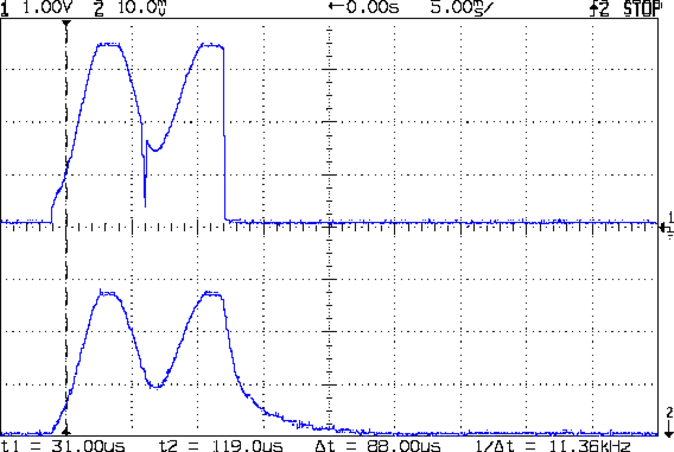
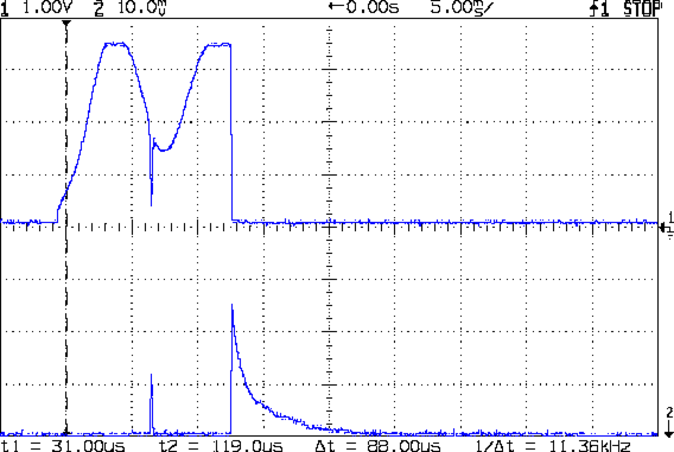
    Some scope shots from ET227-C show the magnitude of the problem; it hasn’t blown yet, but obviously this can’t go on. Note the varying horizontal time scales and vertical current scales (all are at 10 mV/div, with the Tek probe providing the scaling).

    At 50 mA/div, the two humps come from the (damped) ringing. This one doesn’t have much of a spike:

    Snubbed power on transient - ET227C 50 mA-div
    Snubbed power on transient – ET227C 50 mA-div

    At 100 mA/div, I must have caught it at a higher point in the voltage waveform:

    Snubber 5.6 ohm  220 nF - 650 mA spike - 100 mA-div
    Snubber 5.6 ohm 220 nF – 650 mA spike – 100 mA-div

    At 200 mA/div, this one looks seriously worse:

    Snubber 5.6 ohm  220 nF - 1600 mA spike - 200 mA-div
    Snubber 5.6 ohm 220 nF – 1600 mA spike – 200 mA-div

    Now, agreed, a 1.6 A spike in a transistor rated for 200 A pulses doesn’t sound like much, but catching the spikes depends on random chance. If the collector voltage starts at 100 V, then that spike comes pretty close to the DC SOA limit; that’s not enough to kill the transistor, but it’s certainly suggestive.

    Putting an NTC power thermistor in series would add some resistance to the circuit and reduce the magnitude of the spike, but they’re really intended for power supplies that draw a constant load, not a sewing machine that starts and stops all the time. If the motor runs for a while, then the thermistor will be hot for the next startup and the relay will close with relatively little resistance in the circuit.

    More doodling seems in order.


  • Kenmore 158: Acceleration and Deceleration

    Plotting the motor RPM every 500 ms while increasing the nominal current by 50 mA per step from 550 mA:

    Motor RPM vs Current Steps - Accelerating
    Motor RPM vs Current Steps – Accelerating

    And then downward from 950 mA:

    Motor RPM vs Current Steps - Decelerating
    Motor RPM vs Current Steps – Decelerating

    No, the steps aren’t the same size going down as they are going up. The nominal current setting is open-loop = constant DAC values: the actual current for a given DAC value varies as the transistors heat up.

    The motor starts running at 3700 RPM with 550 mA and stops well under 1000 RPM with 400 mA. Obviously, starting slowly and smoothly will require finesse: a swift kick of maybe 600 mA to get it turning, then immediately drop to 400-ish mA for slow stitching. Those currents must be the actual motor current, not the nominal DAC values, so the motor sees the proper current regardless of the transistor temperature.

    The sewing machine requires four samples = two seconds to stabilize at each new speed on the way up, so the mechanical time constant is 2/3 second. Trying to stabilize the speed with a loop running much faster than that will certainly cause oscillation.

    There is absolutely no deceleration control authority: reducing the current allows freewheeling as the machinery slows down to match the current. The undershoot after each step on the way down lasts 2.5 s, then there’s a persistent oscillation with a period of 3 s.

    Forcing the firmware to run slowly enough to match the hardware should pose an interesting challenge… you don’t want to lock up the UI while the motor stabilizes!

  • Kenmore 158: Current Sensor Calibration

    The first task: produce an equation that converts raw ADC values into actual motor current. This is not quite the same as the DC calibration, because the motor current is neither clean nor stable.

    Step the output current setpoint in 50 mA increments from 450 mA to 1100 mA and remain at each setpoint for 10 seconds while dumping measurements every 500 ms. The ADC count comes from the sampling / sorting / selection process that attempts to pick out either the not really flat top of the current-limited waveform or the peak of the non-limited sine wave.

    Convert the raw data dump into a spreadsheet to get a block like this for each current setpoint:

    Motor RPM Shaft RPM Setpoint mA DAC count ADC count Noisy mA Comp mA
    Setpoint: 600 DACvalue: 2372
    3797 334 600 2372 266 724 540
    4465 399 600 2372 263 715 532
    4734 416 600 2372 265 721 538
    4834 438 600 2372 263 715 532
    4829 433 600 2372 264 718 535
    4857 438 600 2372 264 718 535
    4900 438 600 2372 265 721 538
    4859 436 600 2372 266 724 540
    4887 445 600 2372 265 721 538
    4926 446 600 2372 263 715 532
    4884 438 600 2372 265 721 538
    4890 442 600 2372 264 718 535
    4913 440 600 2372 264 718 535
    4866 436 600 2372 263 715 532
    4895 434 600 2372 264 718 535
    4890 442 600 2372 266 724 540
    4884 438 600 2372 266 724 540
    4913 442 600 2372 265 721 538
    4913 441 600 2372 266 724 540
    4878 436 600 2372 264 718 535
    265

    The lone number on the bottom row is the computed average of the ADC counts for the block, which I did in the spreadsheet rather than in the firmware.

    During each ten second interval, set the scope voltage cursor to the eyeballed “correct” value of the motor current waveform, as measured on the Tek current probe. There’s no way to automate this, because only the human eyeball can pick out the, ah, true current measurement amid all the clutter:

    Calibrate - Hall amp - Tek 200 mA-div
    Calibrate – Hall amp – Tek 200 mA-div

    For each current setpoint value, create a line with the manually measured true voltage from the scope trace, the calculated true current (using the Tek probe’s front panel scale), along with the DAC setpoint and the average ADC values extracted from each block of that giant data dump:

    Setpoint mA Scope mV Actual mA DAC count ADC count
    450 21.80 436 2205 197
    500 25.94 519 2261 225
    550 29.06 581 2316 245
    600 31.56 631 2372 265
    650 34.38 688 2427 285
    700 36.88 738 2483 304
    750 39.69 794 2538 324
    800 42.19 844 2594 340
    850 45.00 900 2649 350
    900 47.50 950 2705 361
    850 46.86 937 2649 356
    800 43.75 875 2594 348
    750 41.25 825 2538 335
    700 39.06 781 2483 318
    650 36.56 731 2427 302
    600 34.38 688 2372 285
    550 32.50 650 2316 270
    500 30.31 606 2261 253
    450 27.81 556 2205 237
    400 25.63 513 2150 220

    Plot each actual motor current against the corresponding average ADC value:

    ADC Calibration Curve
    ADC Calibration Curve

    The linear fit breaks down toward 1 A, because measuring the actual peak of a noisy sine wave doesn’t work well, but the values aren’t all that far off.

    Given an ADC value, that equation converts it directly into the actual motor current as estimated by the human eyeball, taking into account all the measurement weirdness. The Hall sensor produces a voltage that’s linearly related to the current, so the reasonable linearity of the data says that the sampling / sorting / selection process actually produces pretty nearly the correct result across the entire operating current range.

    Note that the equation doesn’t depend on the DAC output calibration; the ADC and Tek probe simply measure whatever current happens to pass through the motor for that DAC value. The current through the ET227 transistor doesn’t seem to change over the ten seconds required to take the manual measurement, so it’s all good.

  • Kenmore 158: Current & Shaft Speeds vs. Motor RPM

    Now that the Arduino can set the current limiter, then measure the motor RPM, shaft RPM, and actual motor current, I can make plots like this:

    Shaft speed and motor current vs RPM
    Shaft speed and motor current vs RPM

    The data comes from a routine that increments the setpoint current by 50 mA every five seconds, bouncing off 250 mA on the low end and 1 A on the high end, and writes the values to the serial port every half second. The actual current need not match the setpoint current, because it’s running open loop, and I haven’t done much in the way of calibration, so these represent interesting trends rather than dependable data points.

    The eyeballometric slope down the middle of that blue smear comes out spot on 0.90, making the belt reduction 11.1 in good agreement with the results of those pulses.

    The motor starts turning at 650 mA and will continue running down to maybe 500 mA, but with essentially zero low-end torque.

    The horizontal range of green dots at each current setting shows that, as expected, the setpoint current has only a vague relation to the resulting motor speed: setting 800 mA will produce a speed between 5500 RPM and 9000 RPM, for sure. The actual motor current resulting from a given DAC output depends on the various transistor gains, all of which depend on temperature, which depends on how long the firmware has been running the motor at which speeds. Plenty of variation to go around.

    The red points show that the actual motor current, as measured by the Hall effect sensor, generally lies below the green setpoint values, so better calibration is in order. Temperature effects turn accurate open-loop calibration into a fool’s errand, but we can do better than what you see there.

    However, those red points do cluster much better, particularly between 6000 and 9000 RPM. You still can’t depend on the correlation, though, because the motor runs with a constant load here. In real life, the load will vary and so will the current required to maintain a given speed.

    The green setpoints diverge from the red measurements at the high end, because the current limiter stops having much of an effect when the motor runs flat-out and sets its own current. After all, the original carbon-disk rheostat connected the line voltage directly across the motor, at which point the motor’s 100 W rating comes into play and limits the current to a nice sine wave with 1 A peaks.

    All in all, it looks pretty good…