Ed Nisley's Blog: Shop notes, electronics, firmware, machinery, 3D printing, laser cuttery, and curiosities. Contents: 100% human thinking, 0% AI slop.
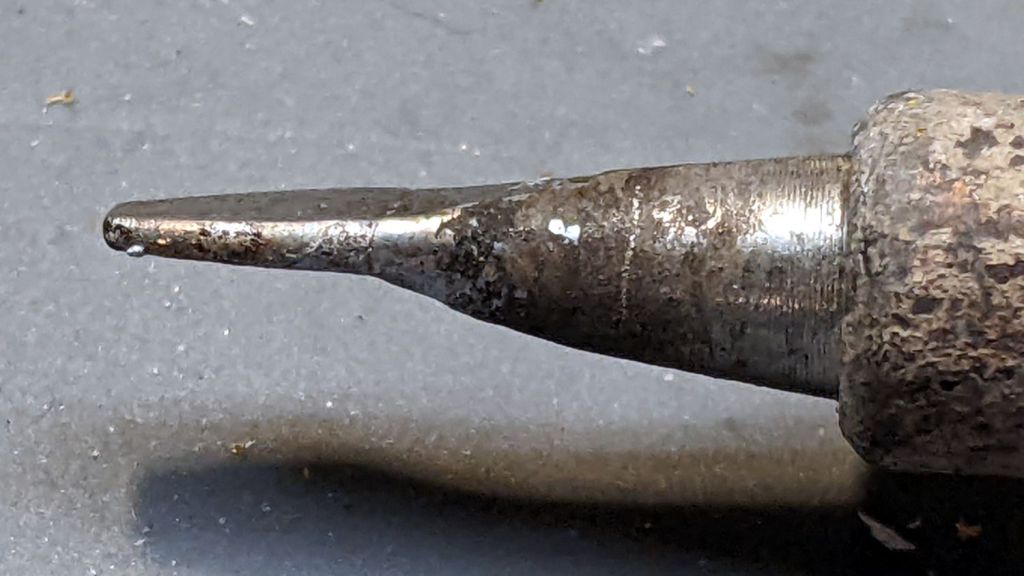
An upcoming project calls for cutting dozens of lengths from a spool of 550 (pound tensile strength) all-nylon paracord, which means I must also heat-seal the ends. Cold-cutting paracord always produces wildly fraying ends, so I got primal on an old soldering iron tip:
Paracord cutting – flattened soldering iron tip
Bashed into a flattish blade, it does a Good Enough job of hot-cutting paracord and sealing the end in one operation:
Paracord cutting – results
Setting the iron to 425 °C = 800 °F quickly produces reasonably clean and thoroughly sealed cut ends.
Obviously, I need more practice.
Yes, I tried laser cutting the paracord. Yes, it works great, makes a perfectly flat cut, and heat-seals both ends, but it also makes no sense whatsoever without a fixture holding a dozen or so premeasured lengths in a straight line. No, I’m not doing that.
What used to be a “light box” had become a “light pad” powered through a USB Micro-B connector on the side. Unfortunately, the pad’s 5 mm thickness allows for very little mechanical reinforcement around the USB jack, while providing infinite opportunity to apply bending force. Over the course of the last half-dozen years (during which the price has dropped dramatically, despite recent events), the slightest motion flickered the LEDs.
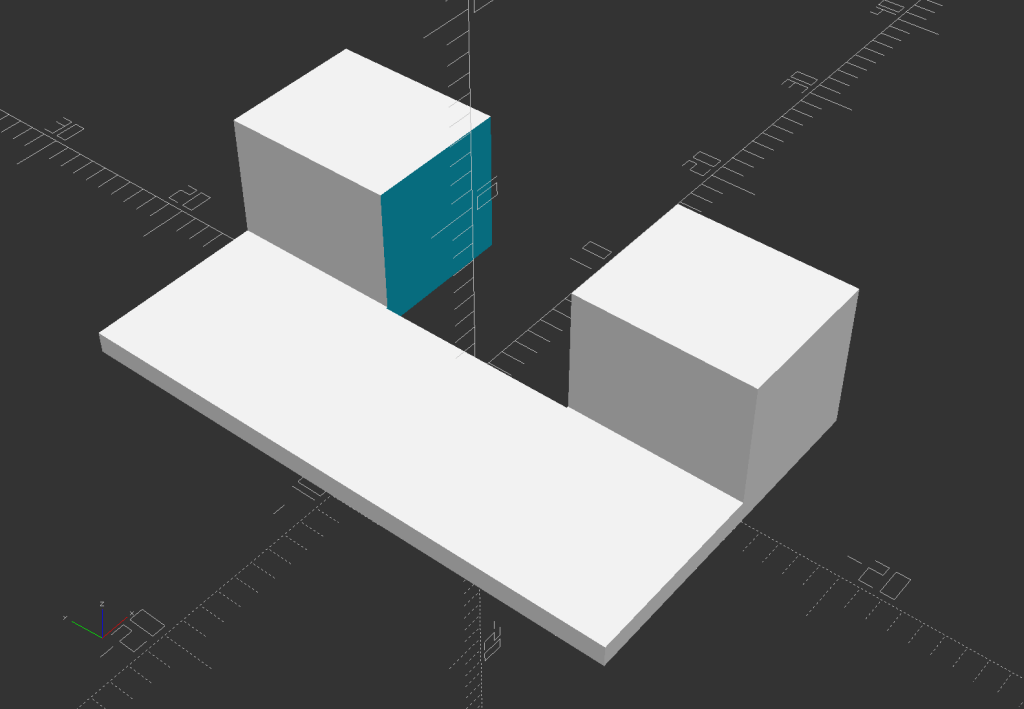
So I squished the jack’s metal shell back into shape, found a short right-angle USB cable, and conjured a reinforcing fixture from the vasty digital deep:
LitUp LED Light Pad
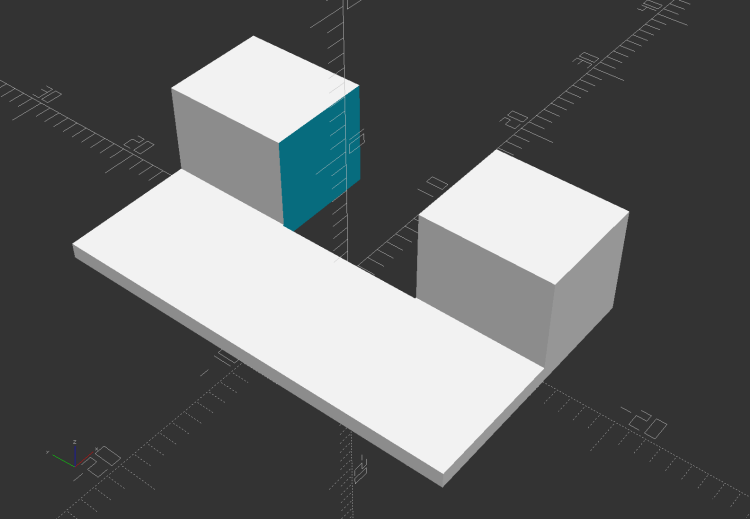
The plate fits under the light pad, where a strip of super-sticky duct tape holds it in place:
LitUp Light Pad USB jack reinforcement – bottom
The USB plug fits between the two blocks with hot-melt glue holding it in place and filling the gap between the plug and the pad.
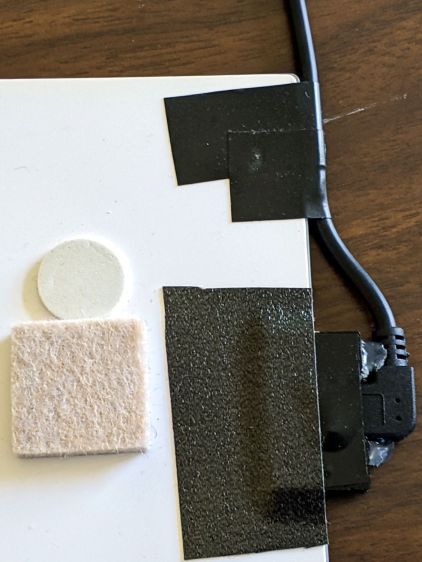
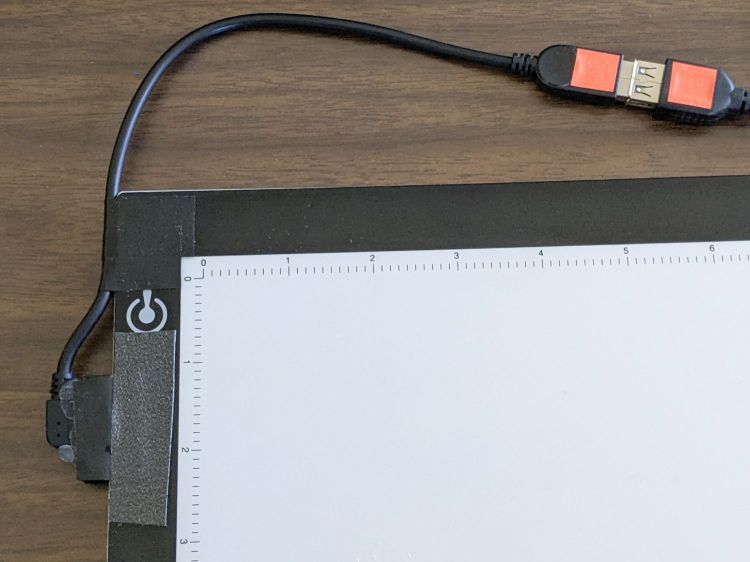
I’d like to say it’s more elegant than the cable redirection for my tablet, but anything involving black electrical tape and hot-melt glue just isn’t in the running for elegant:
LitUp Light Pad USB jack reinforcement – top
On the other paw, that socket ought to last pretty nearly forever, which counts for a whole lot more around here.
The retina-burn orange tape patches on the connector eliminate all the fumbling inherent to an asymmetric connector with invisible surface features. The USB wall wart on the other end of the cable sports similar markings.
This file contains hidden or bidirectional Unicode text that may be interpreted or compiled differently than what appears below. To review, open the file in an editor that reveals hidden Unicode characters.
Learn more about bidirectional Unicode characters
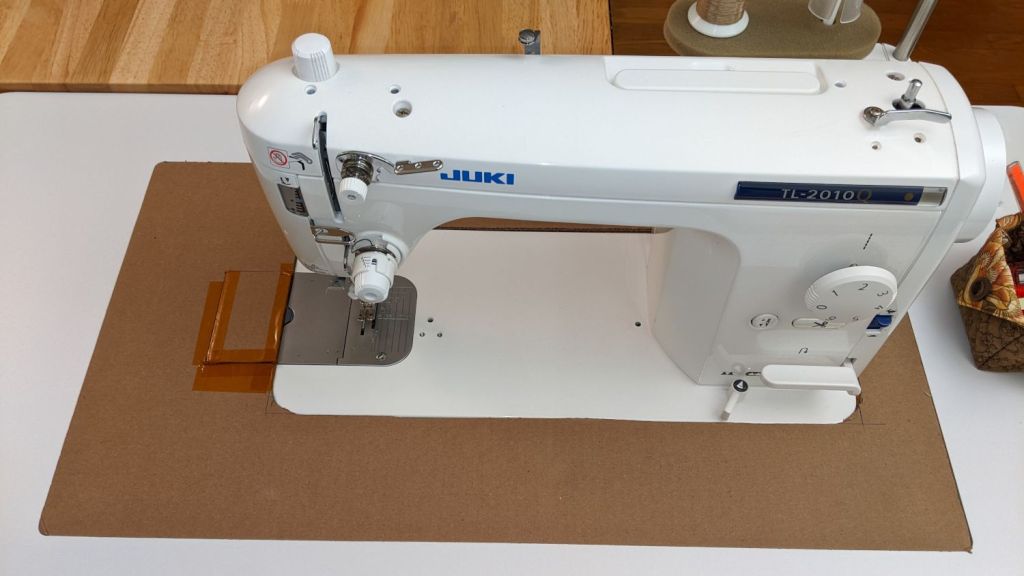
Mary’s new sewing table just arrived, but the laser-cut acrylic insert fitting around her Juki sewing machine is still a month or two away. Until then, a simple cardboard replacement must suffice to fill the gap:
Juki temporary table insert
The rectangle just to the left of the needle is a hatch for bobbin changes. Sheer faith and an interference fit between layers of Kapton tape holds it in place with surprising force.
I wanted to tape the cardboard edges to the machine and the table to smooth out the transitions, but her Supreme Slider slippery sheet may solve the problem without adhesives:
Juki temporary table insert – Super Slider
The “insert” is a 1/4 inch thick double-layer corrugated cardboard sheet, utility-knifed from a huge box. She layers cardboard under the wood chips in her Vassar Farms garden paths to discourage the weeds; this seemed like a perfectly reasonable diversion.
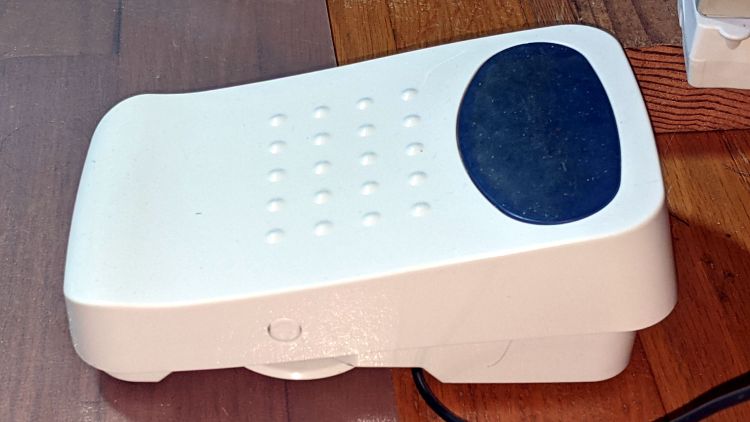
Her Juki TL-2010Q sewing machine has a built-in thread cutter activated by pressing down on the heel end (to the left) of the foot control:
Juki JC-001 Foot Control – overview
The machine had previously performed “uncommanded” thread cuts on other projects, but the many short segments in this pattern triggered far too many cuts. I aimed a camera at her foot on the pedal and she was definitely not pressing down with her heel when the cutter fired.
In point of fact, the thread cutter fired when she was just starting a new segment, where she was gently pressing down on the toe end (to the right) of the pedal to start at the slowest possible speed.
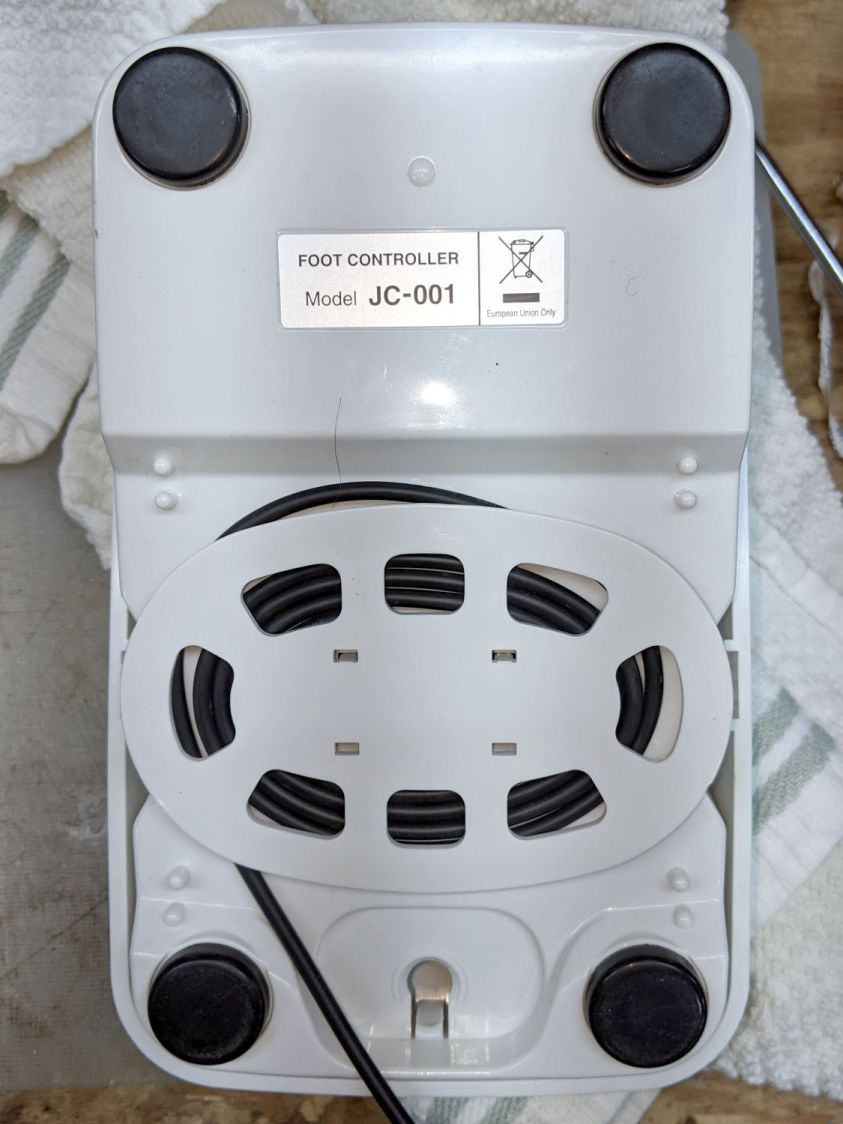
For completeness, the underside of the pedal:
Juki JC-001 Foot Control – bottom
There are no screws holding it together. The top cover pivots on a pair of plastic pegs sticking out from the base near the middle of the cable spool. Disassembly requires jamming a pair of husky Prydrivers in there and applying enough brute force to pry both sides outward farther than you (well, I) think they should bend. This will scar the bottom of the case, but nobody will ever notice.
The foot control cable plugs into the machine through what looks like an ordinary two-conductor coax plug, just like the ones on wall warts delivering power to gadgets around the house. In this day and age, the communications protocol could be anything from a simple resistor to a full-frontal 1-Wire encrypted data exchange.
Based on the old Kenmore foot pedals, I expected a resistive control and, indeed, a simple test gave these results:
Idle = 140 kΩ
Heel pressed (cut) = 46 kΩ
Toe slight press (slow running) = 20 kΩ
Toe full press (fast running) = 0.2 kΩ
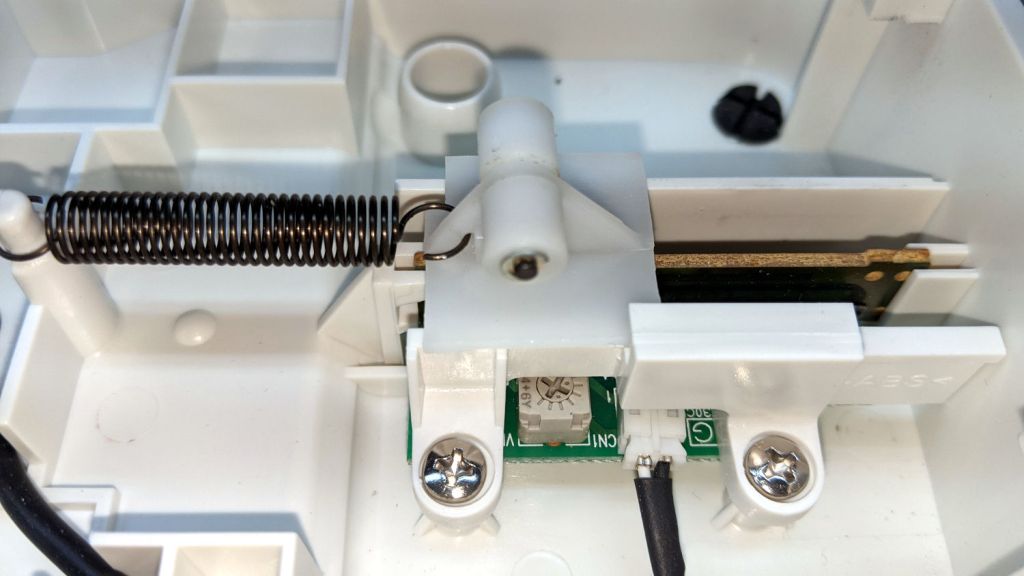
We can all see where this is going, but just to be sure I pried the top off the control to reveal the insides:
Juki JJC-001 Foot Control – interior
The two cylindrical features capture the ends of a pair of stiff compression springs pressing the top of the pedal upward.
The small, slightly stretched, extension spring in the middle pulls the slider to the left (heelward), with a ramp in the top cover forcing it to the right (toeward) as the speed increases.
The top cover includes a surprisingly large hunk of metal which may provide enough mass to make the pedal feel good:
Juki JC-001 Foot Control – top underside
The ramp is plastic and the slider has a pair of nylon (-ish) rollers, so there’s not much friction involved in the speed control part of motion. Yes, this is oriented the other way, with the heel end over on the right.
The metal insert pivots in the serrated plastic section near the middle, with the two husky extension springs visible on the left holding it against the plastic cover. The two rectangular features on the left rest under the plastic flanges on the right of the base to prevent the metal insert from moving upward, so pressing the heel end down pulls the cover away from the insert to let the slider rollers move toward the right end of the ramp, into roughly the position shown in the interior view.
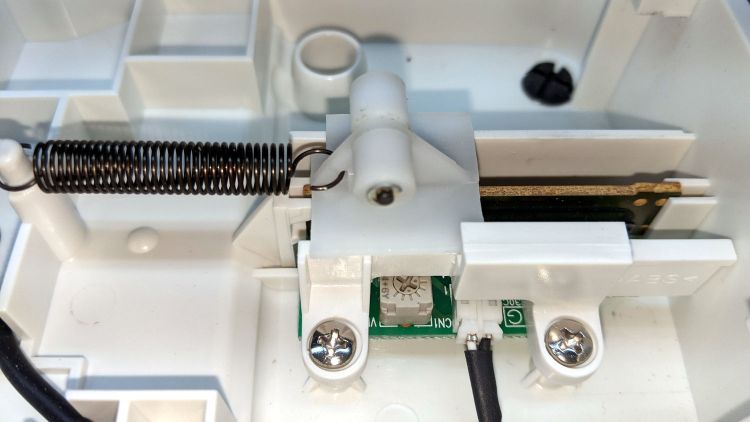
A closeup look at the slider shows the rollers and the PCB holding all of the active ingredients:
Juki JC-001 Foot Control – Resistor Slider
I think the trimpot adjusts the starting resistance for the slider’s speed control travel. It is, comfortingly, roughly in the middle of its range.
A top view shows the fixed 140 kΩ resistor (brown yellow black orange, reading from the right) setting the idle resistance:
Juki JC-001 Foot Control – PCB top view
Measuring the resistance while gently teasing the slider showed that it’s possible to produce a resistance higher than 20 kΩ and lower than 140 kΩ, although it requires an exceedingly finicky touch and is completely unstable.
Before looking inside the pedal, we thought the cutter was triggered by an actual switch closure with the heel end most of the way downward against those stiff springs, which meant the failure came from a switch glitch. Now, we think the earlier and infrequent uncommanded thread cuts trained Mary to start very carefully to be very sure she wasn’t glitching the cutter’s hypothetical switch. Of course, her gradually increasing toe pressure moved the slider veryslowly through its idle-to-running transition: she was optimizing her behavior to produce exactly the resistance required to trigger the cutter.
She now sets the machine’s speed control midway between Turtle and Hare to limit its top speed, presses the pedal with more confidence to minimize the time spent passing through the danger zone, and has had far few uncommanded thread cuts. We think it’s now a matter of retraining her foot to stomp with conviction; there’s no hardware or software fix.
I’m sure Juki had a good reason to select the resistances they did, but I would have gone for a non-zero minimum resistance at the fast end of travel and a zero-resistance switch to trigger the cutter.
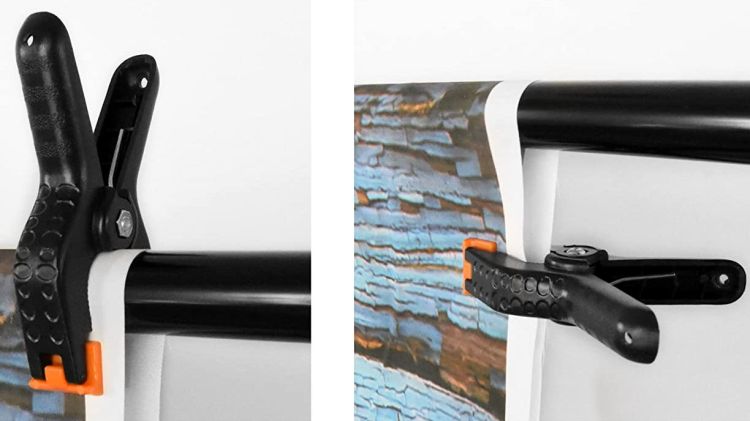
We got a photo backdrop stand to hold Mary’s show-n-tell quilts during her quilting club meetings, but the clamps intended to hold the backdrop from the top bar don’t work quite the way one might expect. These photos snagged from the listing shows their intended use:
Emart Photo Backdrop – clamp examples
The clamp closes on the top bar with the jaws about 15 mm apart, so you must wrap the backdrop around the bar, thereby concealing the top few inches of whatever you intended to show. This doesn’t matter for a preprinted generic backdrop or a green screen, but quilt borders have interesting detail.
The clamps need thicker jaws, which I promptly conjured from the vasty digital deep:
Spring Clamp Pads – PS preview
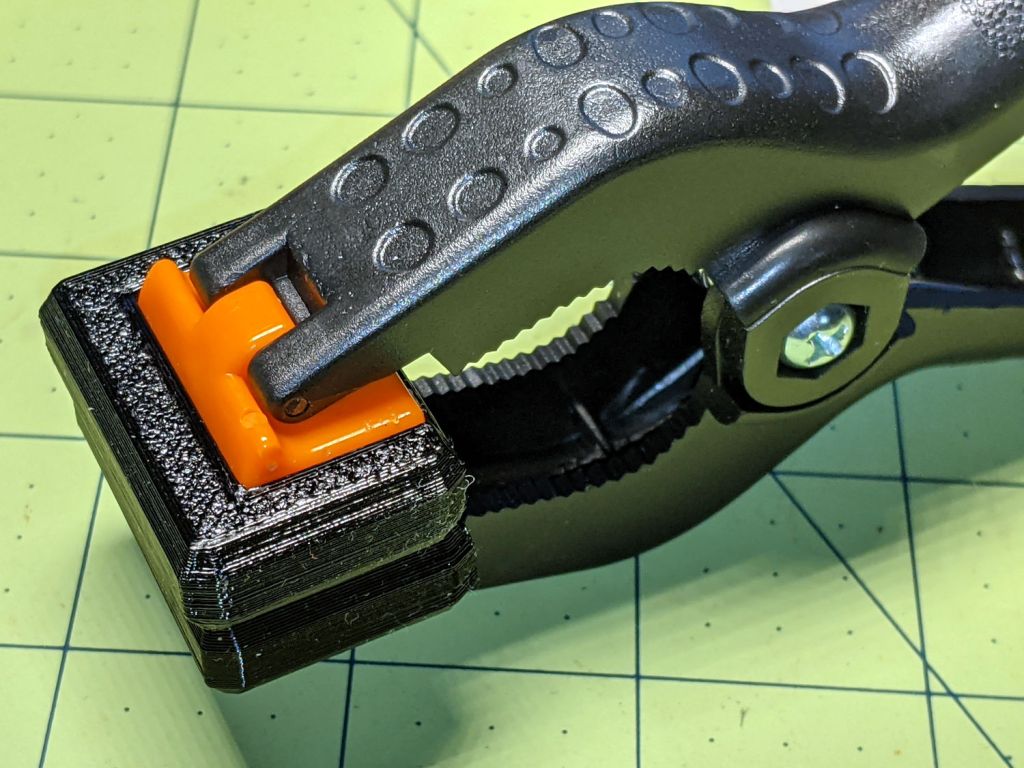
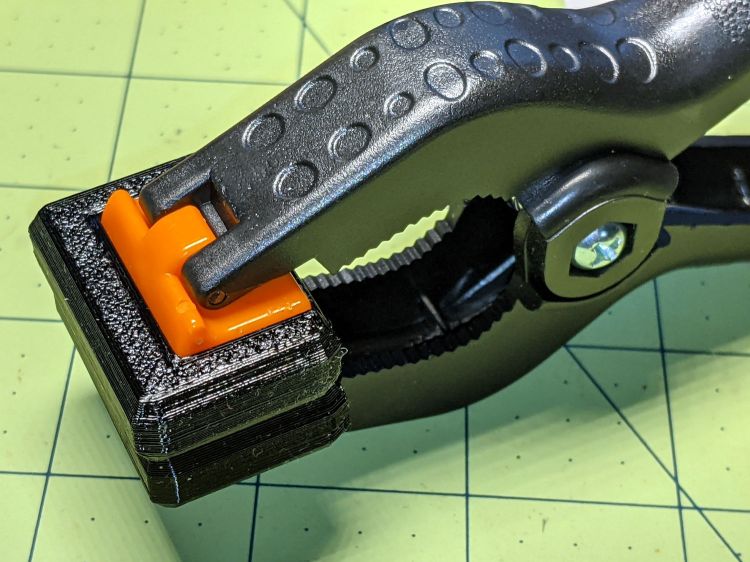
The original jaws fit neatly into those recesses, atop a snippet of carpet tape to prevent them from wandering off:
Spring Clamp pads – detail
They’re thick enough to meet in the middle and make the clamp’s serrated round-ish opening fit around the bar:
Spring Clamp pads – compared
With a quilt in place, the clamps slide freely along the bar:
Spring Clamp pads – fit test
That’s a recreation based on actual events, mostly because erecting the stand wasn’t going to happen for one photo.
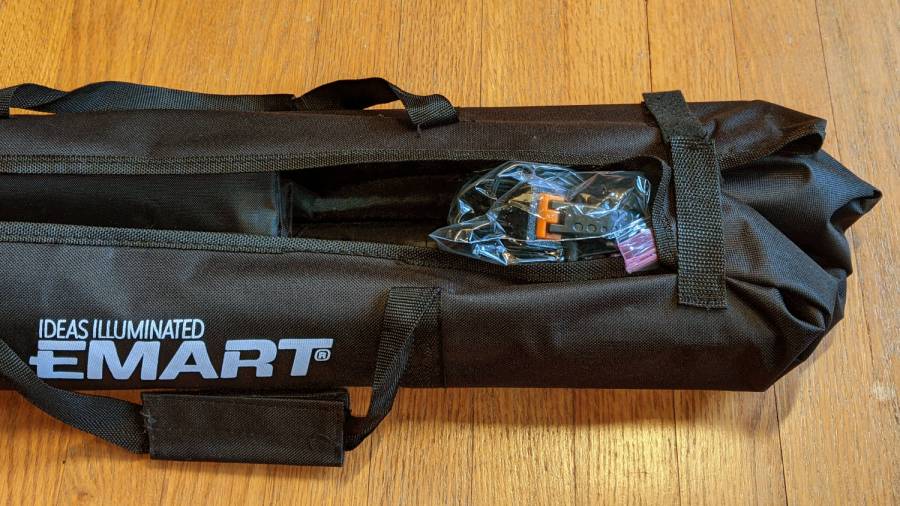
To level set your expectations, the “Convenient Carry Bag” is more of a wrap than a bag, without enough fabric to completely surround its contents:
Emart photo backdrop bag
I put all the clamps / hooks / doodads in a quart Ziploc baggie, which seemed like a better idea than letting them rattle around loose inside the wrap. The flimsy pair (!) of hook-n-loop straps don’t reach across the gap and, even extended with a few inches of double-sided Velcro, lack enough mojo to hold it closed against all the contents.
This file contains hidden or bidirectional Unicode text that may be interpreted or compiled differently than what appears below. To review, open the file in an editor that reveals hidden Unicode characters.
Learn more about bidirectional Unicode characters
The wire comes off the roll in dead-soft condition, so I can straighten (and slightly harden) it by simply rolling each wire with eight fingertips across the battered cutting board. The slightly wavy wire shows its as-cut condition and the three straight ones are ready for their masks.
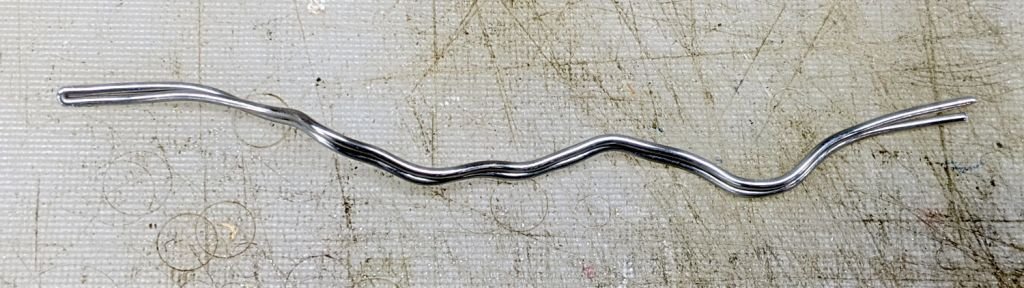
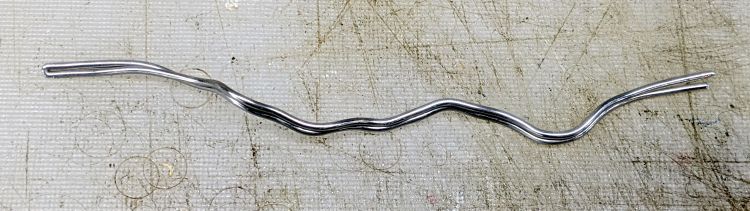
Although nearly pure aluminum wire doesn’t work-harden quickly, half a year of mask duty definitely takes its toll. This sample came from my biking mask after the edges wore out:
Armature wire – work-hardened
We initially thought using two wires would provide a better fit, but more metal just made adjusting the nose seal more difficult after each washing. The wire has work-hardened enough to make the sharper bends pretty much permanent; they can be further bent, but no longer roll out under finger pressure.
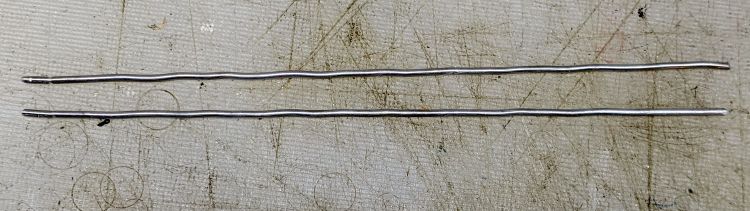
Although we’re not yet at the point where we must reuse wires, I took this as an opportunity to improve my annealing hand: heat the wire almost to its melting point, hold it there for a few seconds, then let it cool slowly. The usual technique involves covering the aluminum with something like hand soap or permanent marker ink, heat until the soap / marker burns away, then let it air-cool. Unlike steel, there’s no need for quenching or tempering.
Blue Sharpie worked surprisingly well with a propane torch:
Armature wire – annealed straightened
As far as I can tell after a few attempts, the pigment vanishes just below the annealing temperature and requires another pass to reach the right temperature. Sweep the flame steadily, don’t pause, and don’t hold the wire over anything melt-able.
Those wires (I cut the doubled wire apart) aren’t quite as soft as the original stock, but they rolled straight and are certainly good enough for our simple needs; they’re back in the Basement Laboratory Warehouse for future (re)use.














 The Smell of Molten Projects in the Morning