The Smell of Molten Projects in the Morning

Ed Nisley's Blog: Shop notes, electronics, firmware, machinery, 3D printing, laser cuttery, and curiosities. Contents: 100% human thinking, 0% AI slop.

Tag: Repairs

If it used to work, it can work again

  • Windows-free BIOS Update

    A new-to-me Dell Optiplex 9020 needed a BIOS update, which, as always, arrives in a Windows / DOS EXE file. Because I’d already swapped in an SSD and installed Manjaro, I had to (re-)discover how to put the EXE file on a bootable DOS USB stick.

    The least horrible way seemed to be perverting a known-good FreeDOS installation image:

    sha256sum FD12FULL.zip 
    fd353f20f509722e8b73686918995db2cd03637fa68c32e30caaca70ff94c6d2  FD12FULL.zip

    Unzip it to get the USB image file, then find the partition offset:

    fdisk -l FD12FULL.img
    Disk FD12FULL.img: 512 MiB, 536870912 bytes, 1048576 sectors
    Units: sectors of 1 * 512 = 512 bytes
    Sector size (logical/physical): 512 bytes / 512 bytes
    I/O size (minimum/optimal): 512 bytes / 512 bytes
    Disklabel type: dos
    Disk identifier: 0x00000000
    
    Device        Boot Start     End Sectors   Size Id Type
    FD12FULL.img1 *       63 1048319 1048257 511.9M  6 FAT16

    Mount the partition as a loop device:

    sudo mount -o loop,offset=$((63*512)),uid=ed FD12FULL.img /mnt/loop

    See how much space is left:

    df -h /mnt/loop
    Filesystem      Size  Used Avail Use% Mounted on
    /dev/loop0      512M  425M   87M  84% /mnt/loop

    The image file is 512 MB and has 87 MB available. The BIOS file is 9.5 MB, so copy the file to the “drive”:

    cp O9020A25.exe /mnt/loop

    Which knocks the available space down by about what you’d expect:

    df -h /mnt/loop
    Filesystem      Size  Used Avail Use% Mounted on
    /dev/loop0      512M  435M   78M  85% /mnt/loop

    Unmount the image “drive”:

    sudo umount /mnt/loop

    Copy the image file to a USB stick:

    sudo dcfldd status=progress bs=1M if=FD12FULL.img of=/dev/sdg
    512 blocks (512Mb) written.
    512+0 records in
    512+0 records out

    Pop the USB stick in the Optiplex, set the BIOS to boot from “Legacy” ROMs, whack F12 during the reboot, pick the USB stick from the list, and It Just Works™:

    BIOS Update screen
    BIOS Update screen

    We have a couple of other 9020s around that need the same treatment, so the effort won’t go to waste.

  • Wood Board Cheese Slicer Rebolting

    Long ago, a wood-base countertop cheese slicer arrived with a tenuous connection between its screw-on knob / handle and the bolt securing the cutting wire. The problem seemed to be boogered bolt threads:

    Cheese slicer - original bolt
    Cheese slicer – original bolt

    The knob screwed firmly onto a known-good 10-24 screw, not the M5 bolt I expected, so the slicer may be old enough to be Made In America. Ya never know around here.

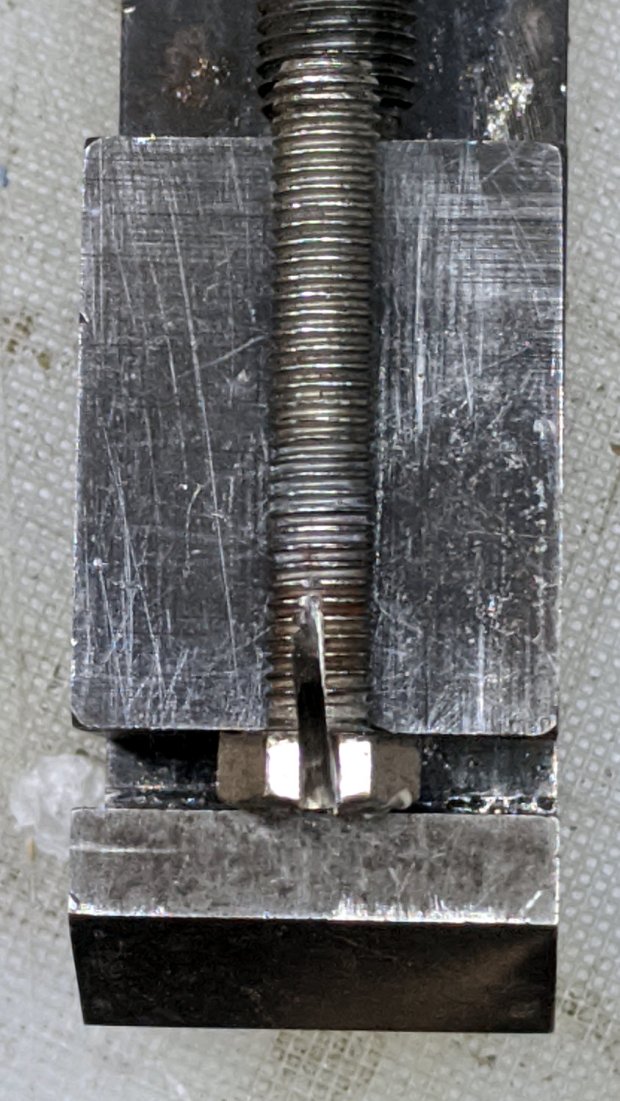
    However, the hex head is essential, because you must hold it while tightening the nut capturing the slicing wire. Not having a 10-24 or even 10-32 bolt in hand, I went full-frontal metric with an M5 bolt.

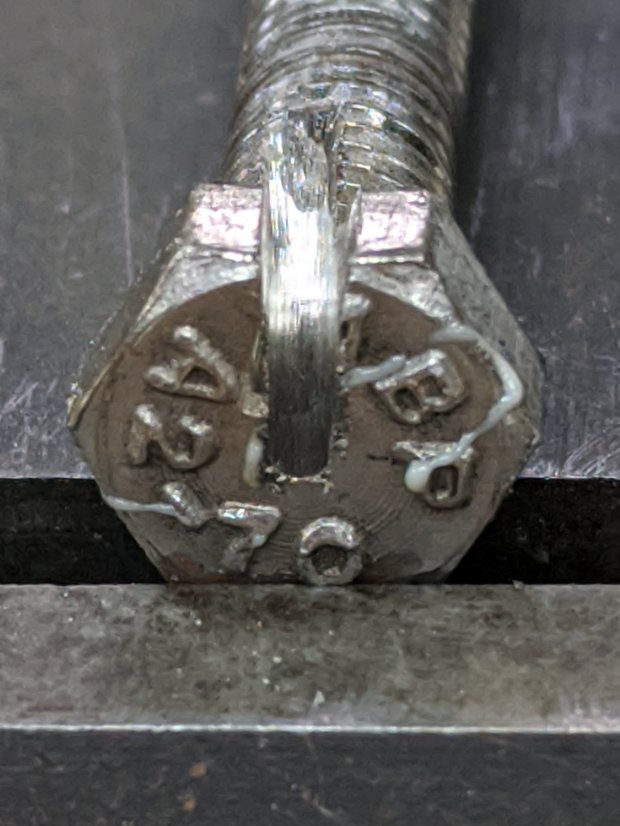
    Even with a full face shield, I don’t like standing in the plane of an abrasive cutting tool, even a piddly Dremel disk, so the slot through the head isn’t the best work I’ve ever presented:

    Cheese slicer - slotted bolt head
    Cheese slicer – slotted bolt head

    Indeed:

    Cheese slicer - skewed slot
    Cheese slicer – skewed slot

    But it’s hereby defined to be Good Enough™ for the purpose.

    As you might expect, I ran an M5×0.8 tap into the existing 10-24 knob thread, hand-turning the lathe chuck and lining up the tap wrench with the tailstock.

    Drill out the slicer’s frame hole to clear the bolt, re-string wire through slot, tighten jam nut, add a locking nut on the other side, screw on the knob, and it’s All Good:

    Cheese slicer - repaired
    Cheese slicer – repaired

    Ugly, but good.

    I expect the re-wrapped wire will break in short order, because you just can’t re-bend steel wire with impunity. So far, so good.

  • Always Bring Duct Tape

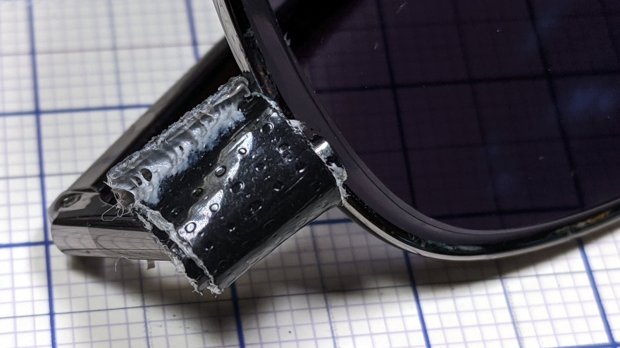
    My pre-trip checklist now includes “Duct Tape”, so, when the tiny screw holding my sunglasses together went spung and dropped the lens on the parking lot gravel, I was prepared:

    Sunglasses - duct tape FTW
    Sunglasses – duct tape FTW

    I continued the mission in full-frontal Harry Potter mode.

    Fortunately, it’s a captive screw and returned home with us. Back in the Basement Laboratory, with a Philips 00 screwdriver and threadlocker at hand, the repair was no big deal:

    Sunglasses - loose lens screw
    Sunglasses – loose lens screw

    You’re looking at the screw head, believe it or not.

    And, no, I’m not packing a Philips 00 screwdriver on our next trip.

  • Wasabi NP-BX1: End-of-Life

    As a followup to the DOT-01 battery status, I found the last of the Wasabi NP-BX1 batteries in a drawer where they’d sat unused for eight months.

    Recharge and test to get the blue lines, with the red lines from the DOT-01 batteries:

    Wasabi DOT-01 NP-BX1 - 2019-11
    Wasabi DOT-01 NP-BX1 – 2019-11

    The double blue line came from a second recharge of that battery, just to see if more electrons would help. Nope, it’s still dead.

    The Wasabi battery with the highest capacity also has the weirdly rippled voltage trace and, when I extracted it from the test holder, came out disturbingly warm and all swoll up. This is A Bad Sign™, so it spent the next few hours chillin’ on the patio and now resides in the recycle box.

  • Wireless Keypad Cap Swap

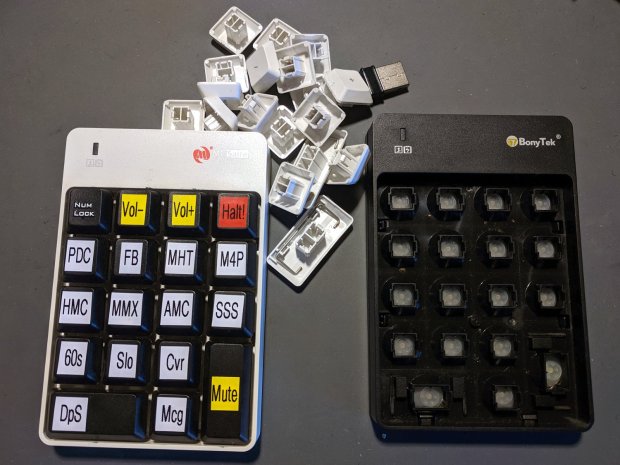
    One of the wireless numeric keypads I’ve been using with the streaming radio players developed some intermittent key switch failures resisting all the usual blandishments. Eventually it hard-failed, but I was unwilling to scrap the tediously printed keycap labels:

    Wireless keypads - swapped caps
    Wireless keypads – swapped caps

    Hard to believe, but I’ve been using the white keypad for plain old numeric entry with the keypad-less Kinesis Freestyle 2 keyboard.

    I swapped the Frankenpad + receiver to the least-conspicuous streamer and, someday, I’ll update all the labels on all the keypads to match the current streams. Until then, the white keycaps shall remain in the same bag as the defunct black keypad, tucked into the Big Box o’ USB mice & suchlike.

  • Crock Pot Base Screw

    While washing our ancient electric crock pot (“slow cooker”), I wondered how corroded the inside of the steel shell had become. A simple nut secured the base plate and unscrewed easily enough, whereupon what I thought was a stud vanished inside the shell.

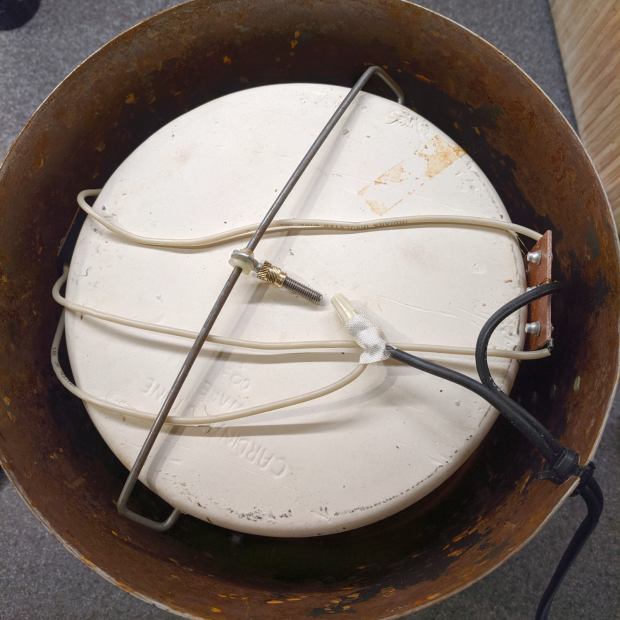
    The shell wasn’t rusty enough to worry about, but the stud turned out to be a crudely chopped-off thumbscrew on a springy rod pulling the base toward the ceramic pot:

    Crock Pot Base - OEM thumbscrew
    Crock Pot Base – OEM thumbscrew

    Evidently, they pulled the thumbscrew through the base, tightened the nut, then cut off the thumbscrew flush with the nut.

    I desperately wanted to drill a hole in a new thumbscrew and repeat the process, but I no longer have a small drawer full of assorted thumbscrews. So I must either lengthen the existing thread just enough to complete the mission or build a screw from scratch.

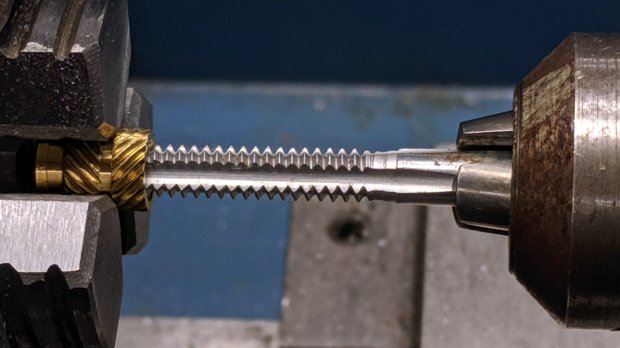
    The thumbscrew is threaded 10-24, I have a bunch of 10-32 threaded inserts, so pretend they have the same thread diameter and tap one end to 10-24:

    Crock Pot Base - tapping insert
    Crock Pot Base – tapping insert

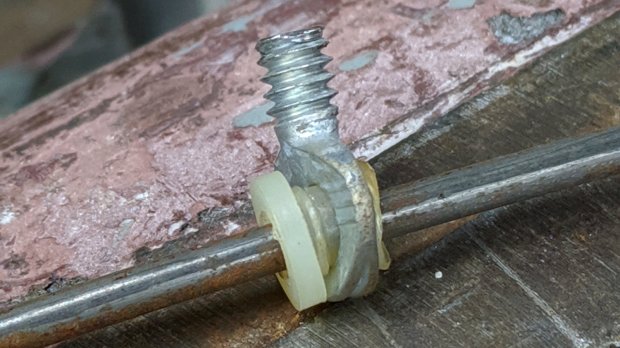
    Jam the new threads on the thumbscrew and jam a 10-32 setscrew into the un-wrecked end:

    Crock Pot Base - thumbscrew extender
    Crock Pot Base – thumbscrew extender

    You can see the surface rust in there, right?

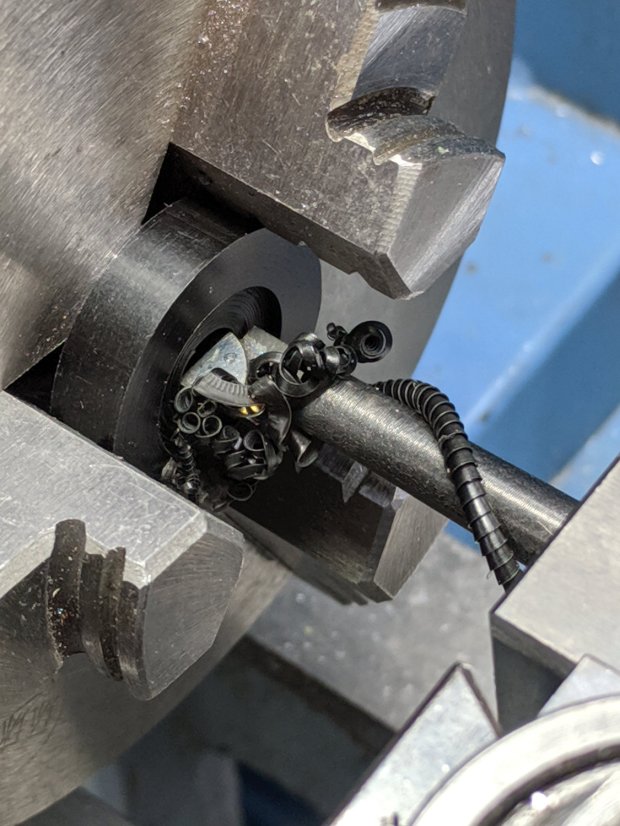
    Make a Delrin bushing to fit around the insert poking through the base:

    Crock Pot Base - drilling Delrin button
    Crock Pot Base – drilling Delrin button

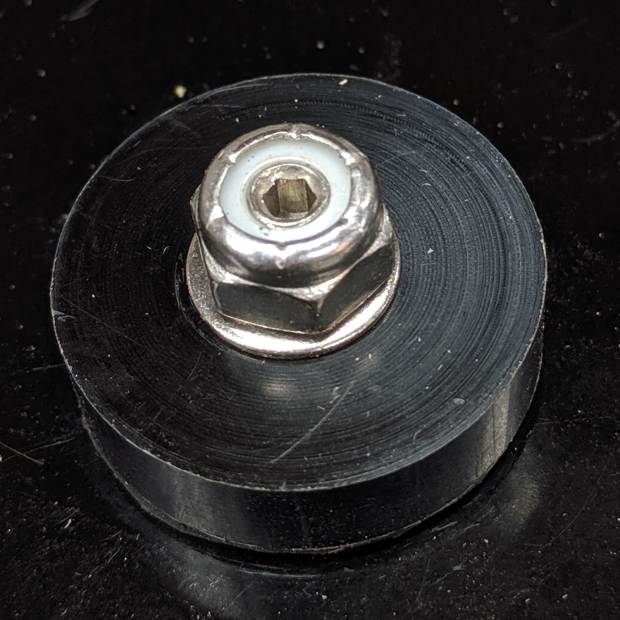
    Reassemble the internal bits with permanent Loctite, top with a nyloc nut, and it’s only a little taller than the original nut:

    Crock Pot Base - assembled
    Crock Pot Base – assembled

    The setscrew let me hold the new “stud” in place while torquing the nut, plus it looks spiffy.

    Memo to Self: If it ain’t broke, don’t look inside. Hah!

    Surprisingly, both Amazon and eBay lack useful thumbscrew assortments …

  • Kenmore Gas Stove Oven Temperature Control Encoder

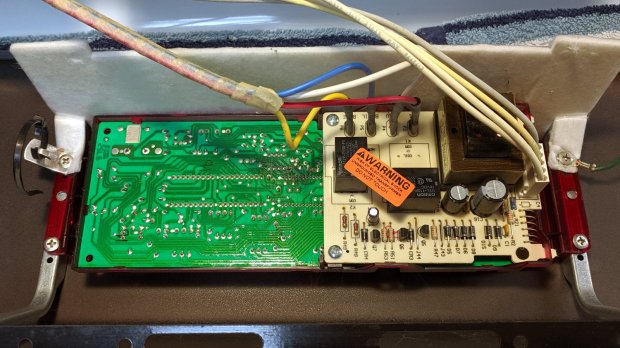
    For the last year or so, the oven temperature control on our Kenmore gas stove has been decreasingly stable, sometimes varying by 100 °F from the setpoint before settling down somewhere close to what it should be. Spotting a replacement control board for a bit over $100, I decided the board used an absolute rotary encoder of the open-frame variety, so I took the thing apart:

    Kenmore oven control - PCB overview
    Kenmore oven control – PCB overview

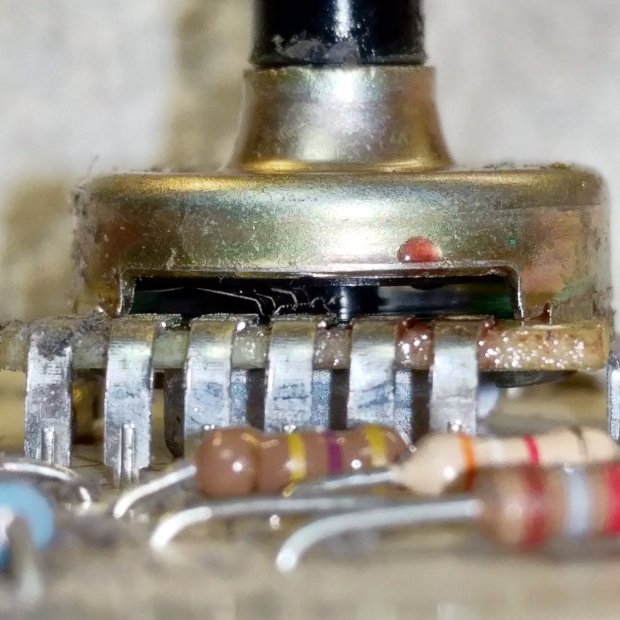
    The encoder was, indeed, an open frame:

    Kenmore oven control - rotary encoder
    Kenmore oven control – rotary encoder

    The red droplet is DeoxIT, the rest of which went inside, just ahead of the contact fingers, and got vigorously massaged across the switch contacts on the wafer by spinning the shaft.

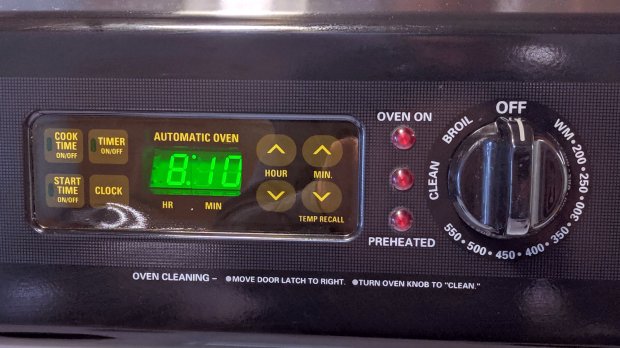
    Some time ago, the membrane over the TIMER ON/OFF switch cracked and I applied a small square of Kapton tape. Having the entire controller in hand, I replaced the square with a strip of 2 inch Kapton, carefully aligned with the bezel marks embossed on the membrane, and now it’s smooth all over:

    Kenmore oven control - Kapton tape cover
    Kenmore oven control – Kapton tape cover

    The MIN(ute) ^ switch required a much firmer than usual push, so I tucked a shim cut from a polypropylene clamshell between the membrane and the pin actuating the switch.

    Reassembled, it works perfectly once more.

    Gotta love a zero-dollar appliance repair!