Ed Nisley's Blog: Shop notes, electronics, firmware, machinery, 3D printing, laser cuttery, and curiosities. Contents: 100% human thinking, 0% AI slop.
A clicking sound from the rear of the bike suggested something was amiss as I rolled up the driveway after a recent ride. Spinning the rear tire produced this alarming sight:
I cleaned the wound, filled it with silicone rubber, topped it with some duct tape, and it’s still holding air after a 13 mile ride. I think the gash cut through the rubber tread and SmartGuard layer, but didn’t affect the cords in the tire carcass, so keeping further road debris out of the gash should let the tire wear out more-or-less normally.
Putting duct tape on the tread will certainly help …
Five years later, the digits I painted with Rust-Oleum Rusty Metal Primer have weathered pretty well, while the original ink has fallen off the retroreflective sticker:
Mailbox numbers – original vs primer
As before, I wiped off the crud with denatured alcohol and painted neatly inside the lines. The other digits on both sides still look as good as the day I painted them, with only a few bubbles and nicks.
Memo to self: Next time, buy a big sheet of 3M retroreflective film, make a stencil by vinyl cutting, paint the entire number in one shot, and be done with it.
I built a small plywood work table for the drill press:
Drill press – scarred vise table
Obviously, that was a long time ago. It’s a plywood scrap with a small cleat screwed to its bottom, upon which one can position / clamp / hold / finagle smallish workpieces without worrying about drilling into the surface.
The mill vise under the plywood grips the cleat and the whole affair rides on a Sears “Drill Press Milling Attachment Stock No 27585” which is basically a simple XY table with hand dials. It’s not rigid enough for actual milling (which you should never do on a drill press, anyway, because the end mill will pull itself out of the Jacobs chuck), but it’s good for tweaking the position before you drill something.
One should never hand-hold workpieces while drilling.
Actually, those are the remainder of two production runs devoted to reducing the amount of water sprinkling the garden paths. A 50 foot hose runs along both sides of one 14 foot bed, crosses the path, then continues along the adjacent bed. The hoses have (deliberate!) sprinkler holes along their porous rubber body and sometimes the layout puts a hole where it waters the path.
The blue silicone rubber strips provide a bit of sealing to prevent the absurdly high pressure water from streaming through the orange PETG clamps. It’s OK if the clamp leaks, but less flow is better!
I’m getting really good at making those aluminum backing plates and, in fact, I think it’s faster to run the blanks past the disk sander, then drill the holes, than to CNC-machine them. Could be wrong, but Quality Shop Time is not to be sniffed at.
A bit of continuity testing shows the green and white data wires are also reversed, so whoever assembled the cable simply soldered the proper wire color sequence backwards onto both connectors. As long as you don’t cut the cable to reuse the connectors, it’s all good.
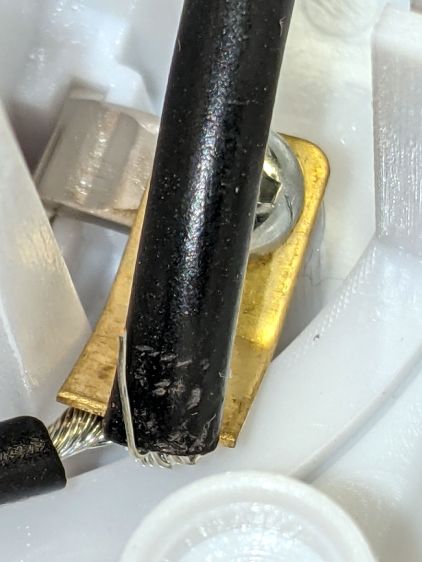
After building the third Glass Tile unit, one of the LEDs didn’t light up due to an easily diagnosed problem:
Glass Tile – WS2812 failure – PCB cold solder – as found
A closer look:
Glass Tile – WS2812 failure – PCB cold solder
Shortly thereafter, the Nissan Fog Lamp developed an obvious beam problem:
Nissan Fog Lamp – failed WS2812 effect
The WS2812 had the proper voltages / signals at all its pins and was still firmly stuck to the central “heatsink”:
Nissan Fog Lamp – failed WS2812 detail
It also passed the Josh Sharpie Test:
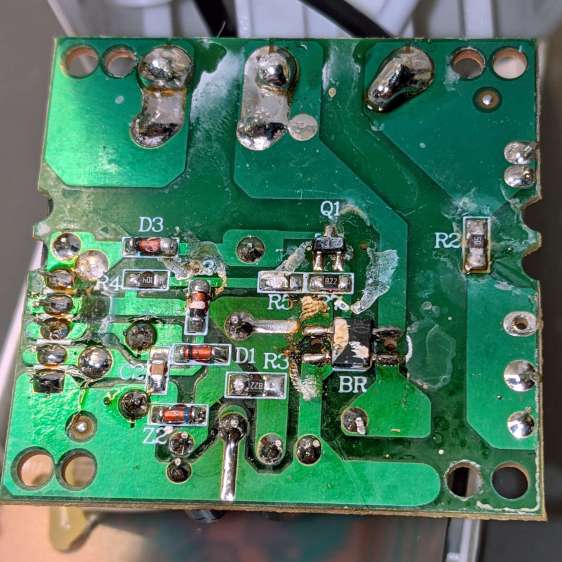
Glass Tile – WS2812 failure – tape – unknown
I’m particularly surprised by this one, because eleven of the twelve flex-PCB WS2812s in the Hard Drive Platter light have been running continuously for years with no additional failures.
The alert reader will note the common factor: no matter what substrate the LED is (supposed to be) soldered to, no matter when I bought it, no matter what it’s wired into, a WS2812 will fail.
They’re all back in operation:
Glowing Algorithmic Art
Although nobody knows for how long …
Obviously, it’s time to refresh my programmable RGB LED stockpile!
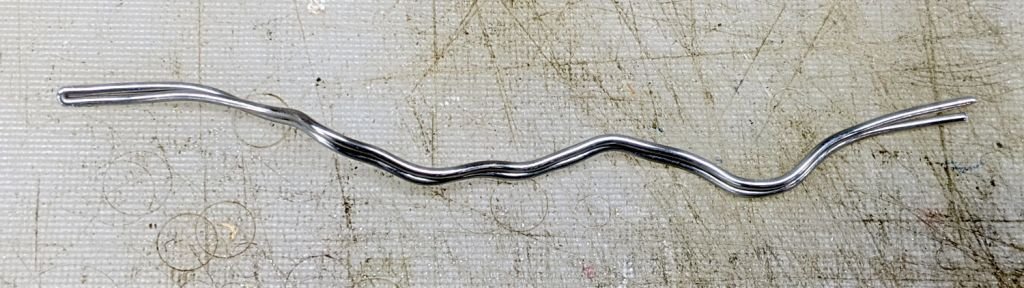
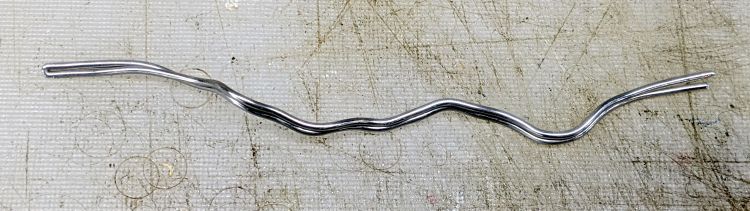
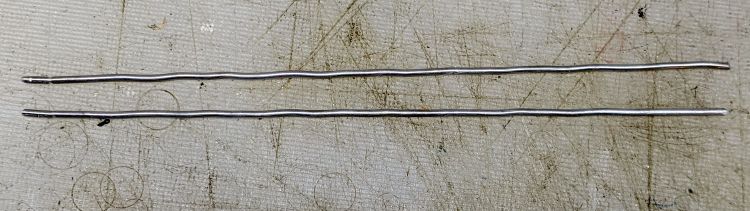
Although Jason’s comment suggesting carbon-fiber reinforcing rods didn’t prompt me to lay in a stock, ordinary music wire should serve the same purpose:
Hose Valve Knob – cut pins
The pins are 1.6 mm diameter and 20 mm long, chopped off with hardened diagonal cutters. Next time, I must (remember to) grind the ends flat.
The solid model needs holes in appropriate spots:
Hose Valve Knob – Reinforced – Slic3r
Yes, I’m going to put round pins in square holes, without drilling the holes to the proper diameter: no epoxy, no adhesive, just 20 mm of pure friction.
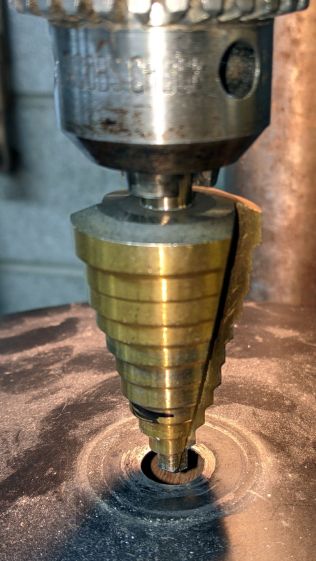
The drill press aligns the pins:
Hose Valve Knob – pin ready
And rams them about halfway down:
Hose Valve Knob – pin midway
Close the chuck jaws and shove them flush with the surface:
Hose Valve Knob – pins installed
You can see the pins and their solid plastic shells through the wrench stem:
Hose Valve Knob – assembled
Early testing shows the reinforced wrench works just as well as the previous version, even on some new valves sporting different handles, with an equally sloppy fit for all. No surprise: I just poked holes in the existing model and left all the other dimensions alone.
This file contains hidden or bidirectional Unicode text that may be interpreted or compiled differently than what appears below. To review, open the file in an editor that reveals hidden Unicode characters.
Learn more about bidirectional Unicode characters