The Smell of Molten Projects in the Morning

Ed Nisley's Blog: Shop notes, electronics, firmware, machinery, 3D printing, laser cuttery, and curiosities. Contents: 100% human thinking, 0% AI slop.

Tag: Repairs

If it used to work, it can work again

  • Sherline Tooling Plate Re-Alignment

    Sherline Tooling Plate Re-Alignment

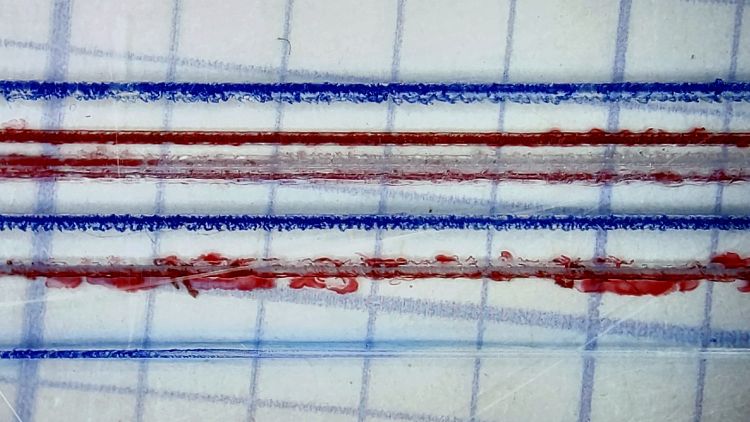
    Engraving a 0.2 mm deep hairline in a Tek Circuit Computer cursor showed the fixture had a bit of a tilt:

    Hairline V tool - 0.2 0.3 0.4 DOC 10K RPM - water cool mid
    Hairline V tool – 0.2 0.3 0.4 DOC 10K RPM – water cool mid

    The bottom blue hairline started with a good cut and ended with the V tool skating along the surface without cutting. The raggedy red one just above it is what happens when you (well, I) try engraving a hairline through Kapton tape without coolant; just don’t do that thing.

    The 3D printed fixture holding the cursor came from a neurotically aligned Makergear M2 and the tooling plate has never had much attention to its alignment, so I figured the tilt probably came from crud between the tooling plate and the Sherline’s X axis table, with the printed fixture contributing zilch to the problem.

    Which turned out to be the case. Scraping a few flakes from the bottom of the plate and top of the table, dissolving old crud with water + alcohol, and passing a file over both surfaces definitely made a difference. I converted a sheet of 0.1 mm laminating plastic film into a pad by punching holes for the T-nuts:

    Sherline tooling plate pad
    Sherline tooling plate pad

    Snugging the tooling plate down produced perfect alignment along the length of three 0.3 mm deep hairlines:

    Hairline V tool tests - 0.3 mm 10 kRPM 24 ipm
    Hairline V tool tests – 0.3 mm 10 kRPM 24 ipm

    That was surprisingly easy …

  • Kenmore Dryer Temperature Selector Puzzle

    Kenmore Dryer Temperature Selector Puzzle

    On rare occasions, our longsuffering and much-repaired Kenmore clothes dryer will sometimes not fully dry a load, as if the heater didn’t turn on. Setting the temperature selector to High:

    Kenmore dryer temperature selector - front panel
    Kenmore dryer temperature selector – front panel

    Then resetting the cycle timer to the spot marked with the otherwise unlabeled asterisk to activate the humidity sensor gets the job done:

    Kenmore dryer cycle select dial
    Kenmore dryer cycle select dial

    We normally crank the knob to the asterisk, leave the temperature set to Normal, and mostly it works.

    After perusing the wiring diagram:

    Kenmore clothes dryer 110.96282100 - wiring diagram
    Kenmore clothes dryer 110.96282100 – wiring diagram

    I thought perhaps the temperature selector had become intermittent, along the lines of the temperature control knob on the oven, so I turned off the breaker, verified the dryer was disconnected, and popped the top:

    Kenmore dryer temperature selector - part detail
    Kenmore dryer temperature selector – part detail

    It turns out that part is no longer available from any of the usual sources; one describes their inventory as both “used” and “out of stock”; if it’s dead, a resurrection will be in order.

    The selector knob has three positions:

    • Low = 0 Ω, as in a closed switch
    • Medium = 5.8 kΩ, most likely a fixed resistor
    • High = open circuit, as in an open switch

    The Low and High positions meet the limits shown in the diagram and Medium falls in between, so it seems to be working as designed. If it intermittently fails as a short, then the clothes would get Low heat and (I think) would emerge somewhat more dry than we notice.

    I put it all back together, but we won’t know for a while if my laying-on-of-hands non-repair had any effect.

    One terrifying possibility, which we reject out of hand, is that we occasionally forget to crank the cycle knob around to the asterisk before punching the Start button. That would explain all the observed facts and contradict none, but is inconceivable.

  • Bypass Lopper Bumper

    Bypass Lopper Bumper

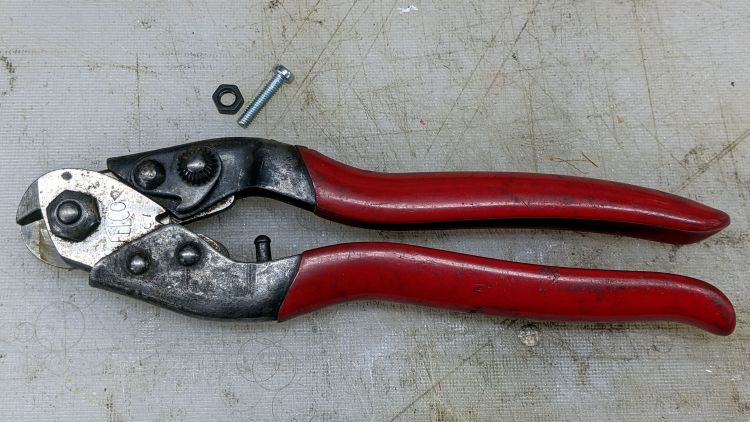
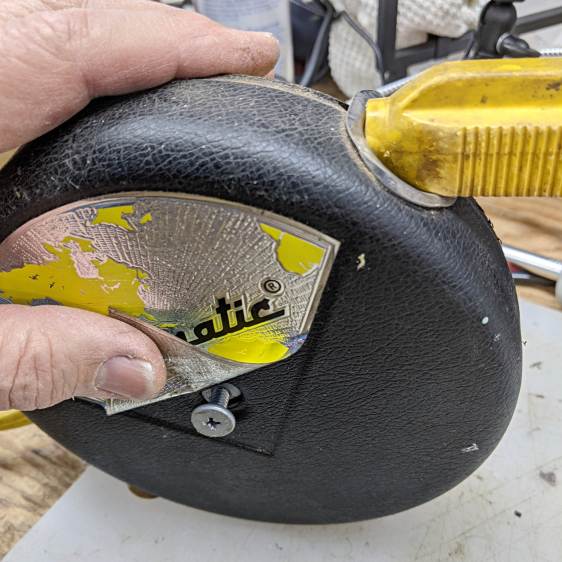
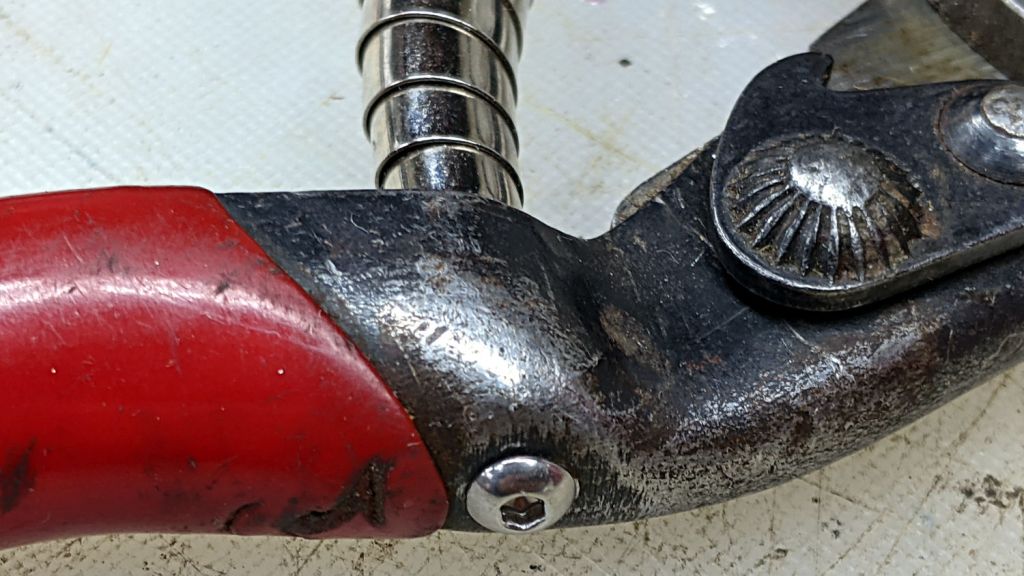
    I used the long-handled bypass lopper to harvest the 3D printed soaker hose splices and clamps, which made the sad state of the lopper’s bumper painfully obvious:

    Bypass Lopper - OEM bumper
    Bypass Lopper – OEM bumper

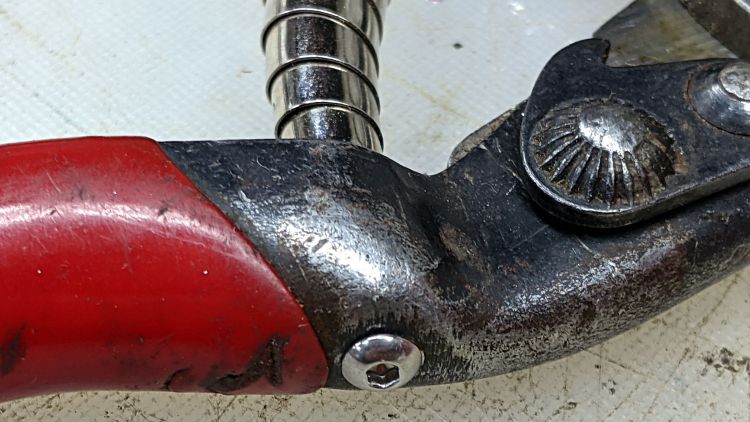
    Contrary to what you might think, those rivets never had a head on this side and the bumper seems to be held in place by an interference fit with the plastic handle cover.

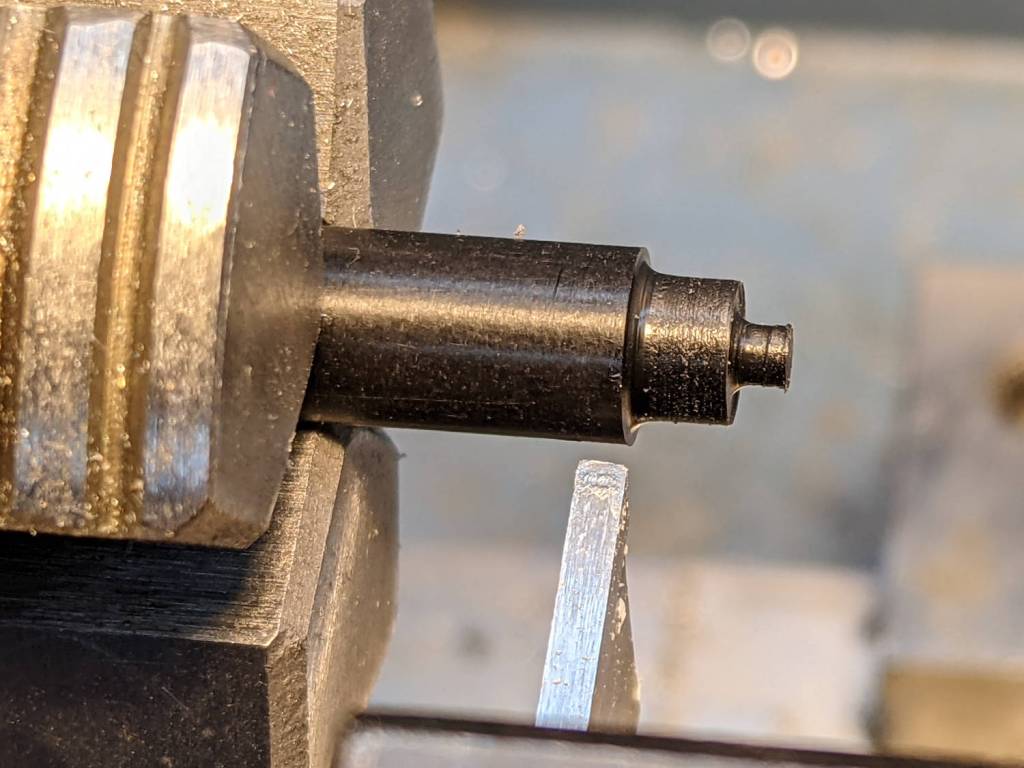
    A bit of cutoff wheel work removed the crimped end on the 5 mm stud holding the bumper to the pot-metal dingus:

    Bypass Lopper - shaft cut
    Bypass Lopper – shaft cut

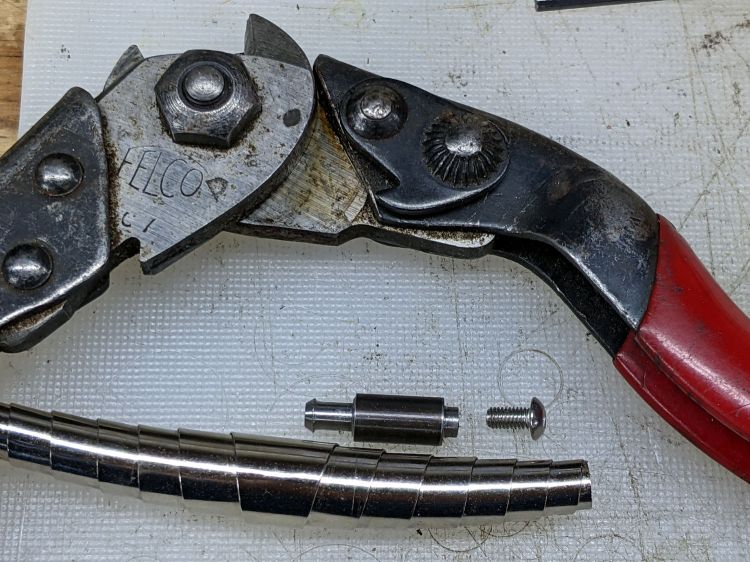
    Whacking it with a punch separated all the parts:

    Bypass Lopper - bumper parts
    Bypass Lopper – bumper parts

    The gray thing is a silicone rubber vibration isolator that’s a bit too large in all dimensions, but surely Close Enough™ for present purposes.

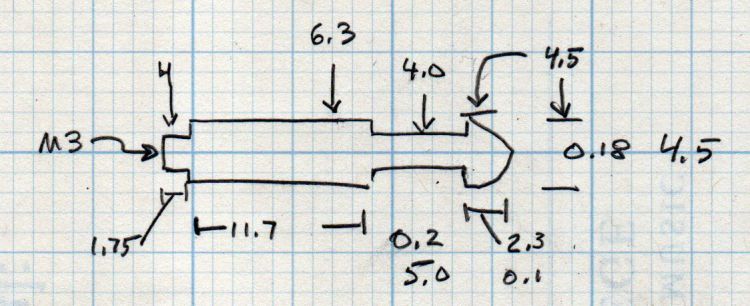
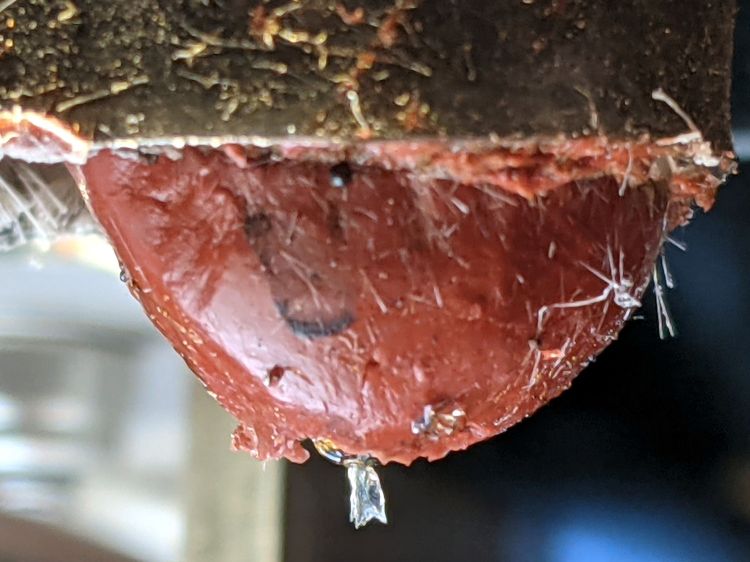
    A length of 5 mm shaft became the new stud, with M3×0.5 threads tapped into both ends and a pair of random screws held in place with red Loctite:

    Bypass Lopper - epoxy curing
    Bypass Lopper – epoxy curing

    There are no pix of the drilling and threading, as it was accomplished after a shiny-new 2.7 mm “titanium” metric drill from a not-dirt-cheap set shattered in the shaft:

    Shattered metric drill
    Shattered metric drill

    The blue color on the flutes is Sharpie to remind me it’s defunct. I completed the mission using a #36 drill with no further excitement.

    The dingus is now held to the lopper with JB Weld and, should that fail, I’ll drill-n-tap the rivets and be done with it.

  • Thermal Laminator Un-jamming

    Thermal Laminator Un-jamming

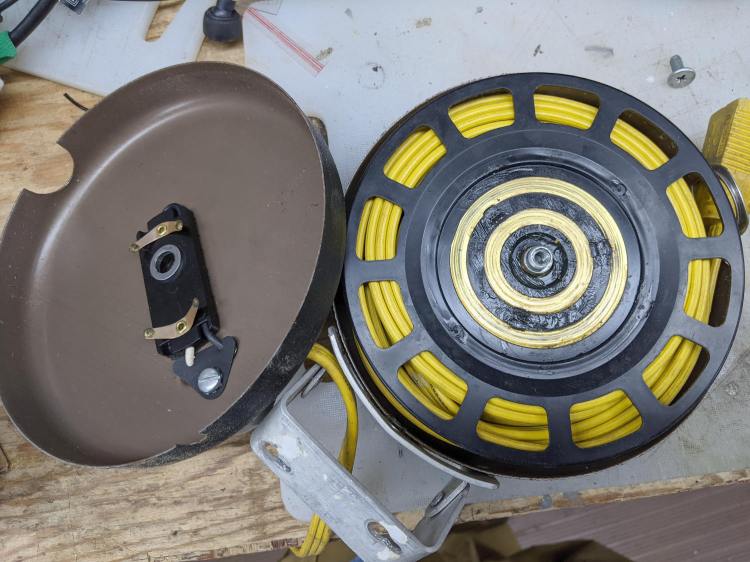
    My AmazonBasics laminator wrapped a small card around one of its rollers and jammed solid:

    AmazonBasics laminator - interior bottom
    AmazonBasics laminator – interior bottom

    The lever sticking out on the lower right (above) drives the rollers in reverse by moving the motor from one gear to the other:

    AmazonBasics laminator - roller gears
    AmazonBasics laminator – roller gears

    Obviously, reverse gear wouldn’t get me anywhere, but dismantling the rollers required cutting the junction between the heating elements running through the aluminum extrusions:

    AmazonBasics laminator - heater junction
    AmazonBasics laminator – heater junction

    I spliced a few inches of wire onto those leads. If there’s a next time, I can cut the splice in the middle and use a wire nut.

    The white plastic curl in the lower right showed they ran a deburring tool around the exit slot and called it Good Enough™.

    The gears slide off the roller shafts and the rollers out of the extrusions, after which removing the tightly wrapped and completely useless card posed no problem.

    One lone, short, and eagerly self-tapping screw holds each plastic end plate to the extrusion, so be careful about cross-threading.

    All in all, this was easy enough, although I’m sure I was supposed to just throw the laminator away and buy a new one.

    Update: If you dislodged some of the wires, a few more pix of the interior may come in handy.

  • Tour Easy Rear Fender Bracket: More Cable Clearance

    Tour Easy Rear Fender Bracket: More Cable Clearance

    Most likely due to the fiddling around the larger rear brake noodle, the 3D printed bracket holding the fender to the frame failed:

    Tour Easy Rear Fender Bracket - failed joint
    Tour Easy Rear Fender Bracket – failed joint

    Hey, it lasted for six years.

    Making another one just like the other one, but with a little more clearance for the brake cable fittings, required a few tweaks to the solid model:

    Rear Fender Bracket - more clearance
    Rear Fender Bracket – more clearance

    It’s slightly less chunky and holds the fender a bit closer to the tire:

    Tour Easy Rear Fender Bracket - new vs old clearance
    Tour Easy Rear Fender Bracket – new vs old clearance

    The piece over on the left cupping the fender wasn’t broken, so I scuffed up the mating surfaces, applied a layer of JB Plastic Bonder (my new go-to adhesive for printed stuff), clamped it overnight, and it looked OK.

    While that was curing, I shortened the screw holding the clamp to the bike frame:

    Tour Easy Rear Fender Bracket - cutoff wheel dust collection
    Tour Easy Rear Fender Bracket – cutoff wheel dust collection

    The shop vac nozzle does a great job of collecting all the abrasive dust; highly recommended.

    Because I had a dollop of adhesive left over, I applied a 1.8 mm drill (from a set of metric bits I’d been meaning to buy for far too long) to the screw:

    Tour Easy Rear Fender Bracket - screw drilling
    Tour Easy Rear Fender Bracket – screw drilling

    And glued a snippet of pretty blue PETG filament in the hole:

    Tour Easy Rear Fender Bracket - frame screw PETG insert
    Tour Easy Rear Fender Bracket – frame screw PETG insert

    As far as I can tell, this will have no effect on the screw’s goodness, but it makes me feel better about crunching it onto the frame.

    Installation goes like you’d expect and there’s now enough clearance to keep the brake hardware off the bracket:

    Tour Easy Rear Fender Bracket - installed
    Tour Easy Rear Fender Bracket – installed

    I replaced the boot while installing the larger noodle; perhaps I should have trimmed most of it away.

    The riding season is upon us!

  • The Joggy Thing vs. LinuxCNC 2.8

    The Joggy Thing vs. LinuxCNC 2.8

    After getting the Sherline mostly working with LinuxCNC 2.8 and the Mesa 5I25 FPGA card, I updated the HAL code turning the Logitech gamepad into The Joggy Thing:

    Sherline Mill - Logitech Gamepad Joggy Thing
    Sherline Mill – Logitech Gamepad Joggy Thing

    This required significantly more effort than I expected, mainly because I can no longer edit the Eagle schematics defining the HAL file. In the intervening years, Autodesk bought the Eagle EE CAD program, converted it into a subscription service, sutured it onto their Fusion 360 package, and priced the result far beyond my toy budget. While they do offer a free tier limited to “individuals for personal, non-commercial use”, schematics with only two sheets pretty much wipes out its value.

    Because the EESchema part of Kicad can export its netlists as XML files, someone experienced in wrangling XSLT, perhaps using Python + lxml, could recreate the function of the Eagle ULP with Kicad schematics / netlists. I am not, however, that person, although it would certainly be a Learning Experience™ of the first water.

    So I updated the automatically generated HAL file on hard mode with a text editor, which, given HAL’s limited debugging support, somewhat resembles juggling a greasy bowling ball, a full-throttle chainsaw, and a squalling baby in a poopy diaper.

    The major conceptual problem was LinuxCNC’s recent separation of “axes” from “joints”, with resulting changes in both nomenclature and control. Eventually, I found some key hints in a very recent update to a LinuxCNC wiki entry describing a similar Logitech gamepad interface.

    The basic Joggy Thing logic remains the same, with “analog” values from the joysticks now presented to both the halui.axis and halui.joint controls. The new trick of holding the pre-startup values (presumably zeros) with feedback around a multiplexer qualifies as a Moby Hack preventing a startup glitch from triggering an error having something to do with an E-stop.

    The machine still runs away on X and Z at full throttle instantly after tapping the Machine-On button for the first time in the morning. Come to find out the gamepad starts up with all four joysticks jammed at -1 until the first activation of any axis or button, which I’m sure it always did, but something in HAL’s bowels now responds differently. More work will be required, although I think the simplest solution will involve holding everything inert until the logic sees a specific gamepad button.

    The LinuxCNC HAL code as a GitHub Gist:

    # HAL for Logitech Joggy Thing
    ####################################################
    # Load realtime and userspace modules
    loadusr -W hal_input -KA Dual
    #loadrt logic count=1 personality=0x104
    loadrt constant count=13
    loadrt and2 count=17
    loadrt conv_float_s32 count=1
    loadrt flipflop count=4
    loadrt mux2 count=1
    loadrt mux4 count=5
    loadrt not count=8
    loadrt or2 count=13
    loadrt scale count=7
    loadrt timedelay count=1
    loadrt toggle count=1
    ####################################################
    # Hook functions into threads
    #addf logic.0 servo-thread
    addf constant.0 servo-thread
    addf constant.1 servo-thread
    addf constant.2 servo-thread
    addf constant.3 servo-thread
    addf constant.4 servo-thread
    addf constant.5 servo-thread
    addf constant.6 servo-thread
    addf constant.7 servo-thread
    addf constant.8 servo-thread
    addf constant.9 servo-thread
    addf constant.10 servo-thread
    addf constant.11 servo-thread
    addf constant.12 servo-thread
    addf and2.0 servo-thread
    addf and2.1 servo-thread
    addf and2.2 servo-thread
    addf and2.3 servo-thread
    addf and2.4 servo-thread
    addf and2.5 servo-thread
    addf and2.6 servo-thread
    addf and2.7 servo-thread
    addf and2.8 servo-thread
    addf and2.9 servo-thread
    addf and2.10 servo-thread
    addf and2.11 servo-thread
    addf and2.12 servo-thread
    addf and2.13 servo-thread
    addf and2.14 servo-thread
    addf and2.15 servo-thread
    addf and2.16 servo-thread
    addf conv-float-s32.0 servo-thread
    addf toggle.0 servo-thread
    addf flipflop.0 servo-thread
    addf flipflop.1 servo-thread
    addf flipflop.2 servo-thread
    addf flipflop.3 servo-thread
    addf timedelay.0 servo-thread
    addf or2.0 servo-thread
    addf or2.1 servo-thread
    addf or2.2 servo-thread
    addf or2.3 servo-thread
    addf or2.4 servo-thread
    addf or2.5 servo-thread
    addf or2.6 servo-thread
    addf or2.7 servo-thread
    addf or2.8 servo-thread
    addf or2.9 servo-thread
    addf or2.10 servo-thread
    addf or2.11 servo-thread
    addf or2.12 servo-thread
    addf not.0 servo-thread
    addf not.1 servo-thread
    addf not.2 servo-thread
    addf not.3 servo-thread
    addf not.4 servo-thread
    addf not.5 servo-thread
    addf not.6 servo-thread
    addf not.7 servo-thread
    addf scale.0 servo-thread
    addf scale.1 servo-thread
    addf scale.2 servo-thread
    addf scale.3 servo-thread
    addf scale.4 servo-thread
    addf scale.5 servo-thread
    addf scale.6 servo-thread
    addf mux2.0 servo-thread
    addf mux4.0 servo-thread
    addf mux4.1 servo-thread
    addf mux4.2 servo-thread
    addf mux4.3 servo-thread
    addf mux4.4 servo-thread
    ####################################################
    # Set constants
    setp constant.0.value 0.1
    setp constant.1.value 20
    setp constant.2.value [TRAJ]MAX_LINEAR_VELOCITY
    setp constant.3.value [TRAJ]MAX_ANGULAR_VELOCITY
    setp constant.4.value 60
    setp constant.5.value 0.50
    setp constant.6.value 1.00
    setp constant.7.value 0.10
    setp constant.8.value 0.10
    setp constant.9.value 0.0
    setp constant.10.value -1.0
    setp constant.11.value 0.020
    setp constant.12.value 0.000
    ####################################################
    # Connect Modules with nets
    # both rear top buttons for e-stop, bottom right to reset
    net estop-a input.0.btn-top2 and2.0.in0
    net estop-b input.0.btn-base and2.0.in1
    net n_13 and2.0.out halui.estop.activate
    net reset-estop input.0.btn-base2 halui.estop.reset
    # button to start manual mode (probably not needed with 2.8)
    net manual-mode halui.mode.manual input.0.btn-base3
    net program-resume halui.program.resume input.0.btn-base4
    net n_14 or2.3.in0 input.0.btn-base5
    net n_15 or2.3.in1 input.0.btn-base6
    net n_16 toggle.0.in or2.3.out
    net n_17 conv-float-s32.0.out input.0.abs-x-flat input.0.abs-y-flat input.0.abs-z-flat input.0.abs-rz-flat
    net n_18 constant.1.out conv-float-s32.0.in
    net n_19 constant.4.out scale.0.gain
    net n_20 constant.5.out scale.1.gain
    net n_21 constant.6.out scale.2.gain
    net n_22 constant.7.out scale.3.gain
    net n_23 scale.4.gain constant.8.out
    net n_24 constant.0.out halui.axis.jog-deadband
    net n_42 or2.7.in0 input.0.abs-x-is-pos
    net n_43 or2.7.in1 input.0.abs-x-is-neg
    net n_44 or2.8.in0 input.0.abs-y-is-pos
    net n_45 or2.8.in1 input.0.abs-y-is-neg
    net n_46 or2.9.in0 input.0.abs-z-is-pos
    net n_47 or2.9.in1 input.0.abs-z-is-neg
    net n_48 or2.10.in0 input.0.abs-rz-is-pos
    net n_49 or2.10.in1 input.0.abs-rz-is-neg
    net n_51 constant.10.out scale.5.gain scale.6.gain
    net n_57 and2.1.out halui.axis.x.minus halui.joint.0.minus
    net n_58 and2.2.out halui.axis.x.plus halui.joint.0.plus
    net n_59 and2.3.out halui.axis.y.minus halui.joint.1.minus
    net n_60 and2.4.out halui.axis.y.plus halui.joint.1.plus
    net n_61 and2.5.out halui.axis.z.minus halui.joint.2.minus
    net n_62 and2.6.out halui.axis.z.plus halui.joint.2.plus
    net n_63 and2.7.out halui.axis.a.minus halui.joint.3.minus
    net n_64 and2.8.out halui.axis.a.plus halui.joint.3.plus
    # sort out jog speeds
    net az-buttons-active or2.1.out or2.12.in1
    net xy-buttons-active or2.5.out or2.12.in0
    net any-buttons-active or2.12.out mux4.0.sel0 timedelay.0.in
    net n_54 constant.11.out timedelay.0.on-delay
    net n_55 constant.12.out timedelay.0.off-delay
    net n_56 timedelay.0.out and2.1.in1 and2.2.in1 and2.3.in1 and2.4.in1 and2.5.in1 and2.6.in1 and2.7.in1 and2.8.in1
    net jog-crawl toggle.0.out mux4.0.sel1
    net knob-fast scale.1.out mux4.0.in0 scale.3.in
    net button-fast scale.2.out mux4.0.in1 scale.4.in
    net knob-crawl scale.3.out mux4.0.in2
    net button-crawl scale.4.out mux4.0.in3
    net jog-speed mux4.0.out halui.axis.jog-speed halui.joint.jog-speed
    net angular_motion or2.11.out mux2.0.sel
    net n_25 constant.2.out mux2.0.in0
    net n_26 constant.3.out mux2.0.in1
    net vel-per-second mux2.0.out scale.0.in
    net vel-per-minute scale.0.out scale.1.in scale.2.in
    net az-reset and2.14.out flipflop.2.reset flipflop.3.reset
    net xy-reset and2.10.out flipflop.0.reset flipflop.1.reset
    # hold jog speed unchanged until machine turns on
    # mux S&H from https://wiki.linuxcnc.org/cgi-bin/wiki.pl?Simple_Remote_Pendant
    net jog-mux-enable halui.machine.is-on mux4.1.sel1 mux4.2.sel1 mux4.3.sel1 mux4.4.sel1
    net axis-disabled-value constant.9.out mux4.1.in2 mux4.2.in2 mux4.3.in2 mux4.4.in2
    net x-analog mux4.1.out mux4.1.in0 mux4.1.in1 halui.axis.x.analog halui.joint.0.analog
    net y-analog mux4.2.out mux4.2.in0 mux4.2.in1 halui.axis.y.analog halui.joint.1.analog
    net z-analog mux4.3.out mux4.3.in0 mux4.3.in1 halui.axis.z.analog halui.joint.2.analog
    net a-analog mux4.4.out mux4.4.in0 mux4.4.in1 halui.axis.a.analog halui.joint.3.analog
    #net x-amp-enable logic.0.in-00
    #net y-amp-enable logic.0.in-01
    #net z-amp-enable logic.0.in-02
    #net a-amp-enable logic.0.in-03
    net x-buttons-active or2.4.out or2.5.in0
    net x-disable not.4.out and2.12.in1
    net x-enable flipflop.0.out not.4.in mux4.1.sel0
    net x-hat-minus or2.4.in1 input.0.abs-hat0x-is-neg and2.1.in0
    net x-hat-plus or2.4.in0 input.0.abs-hat0x-is-pos and2.2.in0
    net x-jog input.0.abs-x-position mux4.1.in3
    net x-knob-active or2.7.out not.0.in and2.9.in0
    net x-knob-inactive not.0.out and2.10.in0 and2.11.in0
    net x-set and2.9.out flipflop.0.set
    net y-buttons-active or2.6.out or2.5.in1
    net y-disable not.5.out and2.9.in1
    net y-enable flipflop.1.out not.5.in mux4.2.sel0
    net y-hat-minus or2.6.in1 input.0.abs-hat0y-is-neg and2.4.in0
    net y-hat-plus or2.6.in0 input.0.abs-hat0y-is-pos and2.3.in0
    net y-jog input.0.abs-y-position scale.5.in
    net y-jog-reversed scale.5.out mux4.2.in3
    net y-knob-active not.1.in or2.8.out and2.11.in1
    net y-knob-inactive not.1.out and2.10.in1
    net y-select and2.12.in0 and2.11.out
    net y-set flipflop.1.set and2.12.out
    net z-button-minus or2.2.in0 input.0.btn-thumb and2.5.in0
    net z-button-plus or2.2.in1 input.0.btn-top and2.6.in0
    net z-buttons-active or2.2.out or2.1.in1
    net z-disable not.6.out and2.16.in1
    net z-enable not.6.in flipflop.2.out mux4.3.sel0
    net z-jog input.0.abs-rz-position scale.6.in
    net z-jog-reversed scale.6.out mux4.3.in3
    net z-knob-active not.3.in or2.10.out and2.13.in0
    net z-knob-inactive not.3.out and2.15.in0 and2.14.in0
    net z-set and2.13.out flipflop.2.set
    net a-button-minus or2.0.in0 input.0.btn-joystick and2.7.in0
    net a-button-plus or2.0.in1 input.0.btn-thumb2 and2.8.in0
    net a-buttons-active or2.0.out or2.1.in0 or2.11.in1
    net a-disable not.7.out and2.13.in1
    net a-enable or2.11.in0 flipflop.3.out not.7.in mux4.4.sel0
    net a-jog input.0.abs-z-position mux4.4.in3
    net a-knob-active or2.9.out not.2.in and2.15.in1
    net a-knob-inactive not.2.out and2.14.in1
    net a-select and2.16.in0 and2.15.out
    net a-set flipflop.3.set and2.16.out
    view raw joggy.hal hosted with ❤ by GitHub

  • X10 RR501 Transceiver: Heat Death

    X10 RR501 Transceiver: Heat Death

    Must be something in the air:

    X10 RR501 Transceiver - overheated Zener
    X10 RR501 Transceiver – overheated Zener

    Another overheated Zener in another shunt power supply!

    This BZY97C is still a diode, although I didn’t test its 68 V breakdown spec. I have no idea what they’re doing with that much juice inside an X10 RF box and have nowhere near enough interest to find out.

    It still doesn’t work after a Laying On of Hands: out it goes.