The Smell of Molten Projects in the Morning

Ed Nisley's Blog: Shop notes, electronics, firmware, machinery, 3D printing, laser cuttery, and curiosities. Contents: 100% human thinking, 0% AI slop.

Tag: Mini-lathe

Tweaking an LMS 5200 Mini-Lathe

  • Bafang Battery Charge Port: Battery Reset Tool

    Bafang Battery Charge Port: Battery Reset Tool

    A lithium battery management system can (and should!) disable the battery output to prevent damage from overcurrent or undervoltage, after which it must be reset. The inadvertent charge port short may have damaged the BMS PCB, but did not shut down the battery’s motor output, which means the BMS will not should not require resetting. However, because all this will happen remotely, it pays to be prepared.

    A description of how to reset the BMS in a similar battery involves poking bare hot wires into the battery terminals, which IMO is akin to Tickling The Dragon’s Tail. The alert reader will note that the “Shark” battery shown on that page has its terminal polarity exactly opposite of the “Ultra Slim Shark” battery on our bikes. Given the energies involved, eliminating any possible errors makes plenty of sense.

    The battery connector looks like this:

    Bafang battery - Ultra-Slim Shark connector
    Bafang battery – Ultra-Slim Shark connector

    For this battery, the positive terminal is on the right, as shown by the molded legend and verified by measurement.

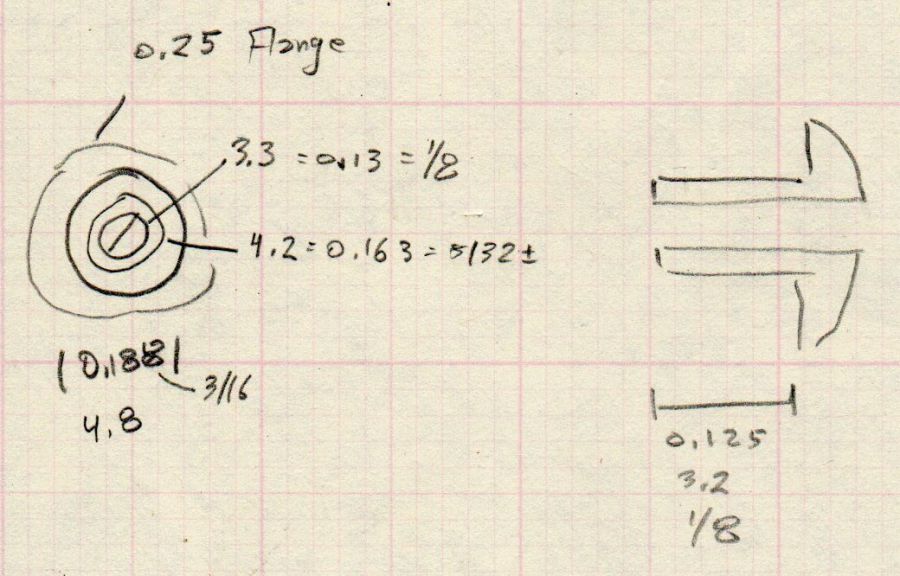
    A doodle with various dimensions, most of which are pretty close:

    Bafang battery - connector dimension doodle
    Bafang battery – connector dimension doodle

    Further doodling produced a BMS reset adapter keyed to fit the battery connector in only one way:

    Bafang battery - adapter doodle
    Bafang battery – adapter doodle

    Which turned into the rectangular lump at the top of the tool kit, along with the various shell drills and suchlike discussed earlier:

    Bafang battery tools
    Bafang battery tools

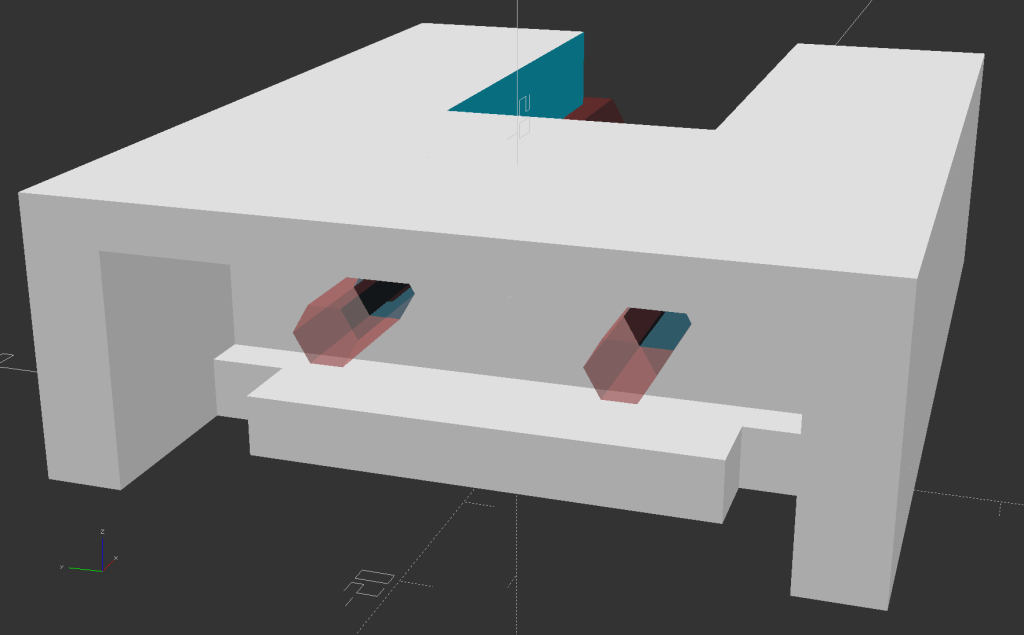
    Looking into the solid model from the battery connector shows the notches and projections that prevent it from making incorrect contact:

    Battery Reset Adapter - show front
    Battery Reset Adapter – show front

    The pin dimensions on the right, along with a mysterious doodle that must have meant something at the time :

    Bafang battery - adapter pin doodle
    Bafang battery – adapter pin doodle

    The pins emerged from 3/16 inch brass rod, with pockets for the soldered wires:

    Bafang battery - reset tool - pins
    Bafang battery – reset tool – pins

    The wires go into a coaxial breakout connector that’s hot-melt glued into the recess. The coaxial connectors are rated for 12 V and intended for CCTV cameras, LED strings, and suchlike, but I think they’re good for momentary use at 48 V with minimal current.

    I printed the block with the battery connector end on top for the best dimensional accuracy and the other end of the pin holes held in place by a single layer of filament bridging the rectangular opening:

    Bafang battery - reset tool - hole support layer
    Bafang battery – reset tool – hole support layer

    I made a hollow punch to cut the bridge filaments:

    Bafang battery - reset tool - pin hole punch
    Bafang battery – reset tool – pin hole punch

    The holes extend along the rectangular cutout for the coaxial connector, so pressing the punch against the notch lines it up neatly with the hole:

    Bafang battery - reset tool - hole punching
    Bafang battery – reset tool – hole punching

    Whereupon a sharp rap with a hammer clears the hole:

    Bafang battery - reset tool - hole cleared
    Bafang battery – reset tool – hole cleared

    A dollop of urethane adhesive followed the pins into their holes to lock them in place. I plugged the block and pins into the battery to align the pins as the adhesive cured, with the wire ends carefully taped apart.

    After curing: unplug the adapter, screw wires into coaxial connector, slobber hot melt glue into the recess, squish into place, align, dribble more glue into all the gaps and over the screw terminals, then declare victory.

    It may never be needed, but that’s fine with me.

    [Update: A few more doodles with better dimensions and fewer malfeatures appeared from the back of the bench.]

    Bafang battery - adapter better doodle
    Bafang battery – adapter better doodle
    Bafang battery - adapter dimension doodle
    Bafang battery – adapter dimension doodle
    Bafang battery - connector key doodle
    Bafang battery – connector key doodle

    The OpenSCAD source code as a GitHub Gist:

    // Adapter to reset Bafang battery management system
    // Ed Nisley KE4ZNU Dec 2021
    Layout = "Block"; // [Show, Build, Pins, Block, CoaxAdapter, Key]
    Gap = 4.0;
    /* [Hidden] */
    ThreadThick = 0.25;
    ThreadWidth = 0.40;
    HoleWindage = 0.2;
    Protrusion = 0.1; // make holes end cleanly
    inch = 25.4;
    function IntegerMultiple(Size,Unit) = Unit * ceil(Size / Unit);
    module PolyCyl(Dia,Height,ForceSides=0) { // based on nophead's polyholes
    Sides = (ForceSides != 0) ? ForceSides : (ceil(Dia) + 2);
    FixDia = Dia / cos(180/Sides);
    cylinder(d=(FixDia + HoleWindage),h=Height,$fn=Sides);
    }
    ID = 0;
    OD = 1;
    LENGTH = 2;
    //———————-
    // Dimensions
    WallThick = 3.0;
    PinSize = [3.5,4.75,9.0 + WallThick]; // LENGTH = exposed + wall
    PinFerrule = [3.5,4.75,10.0]; // larger section for soldering
    PinOC = 18.0;
    PinOffset = [-9.0,0,9.0];
    Keybase = 4.0; // key bottom plate thickness
    KeyBlockSize = [15.0,50.0,15.0];
    CoaxSize = [35.0,15.0,11.0];
    CoaxGlue = [0,2*2,1];
    // without key X section
    BlockSize = [CoaxSize.x + WallThick + PinFerrule[LENGTH],KeyBlockSize.y,KeyBlockSize.z + WallThick];
    echo(BlockSize=BlockSize);
    //———————-
    // Battery connection pin
    // Used to carve out space for real brass pin
    // Long enough to slide ferrule through block
    module Pins() {
    for (j=[-1,1])
    translate(PinOffset + [0,j*PinOC/2,0])
    rotate([0,90,0])
    rotate(180/6) {
    PolyCyl(PinSize[ID],BlockSize.x,6);
    translate([0,0,PinSize[LENGTH]])
    PolyCyl(PinSize[OD],BlockSize.x,6);
    }
    }
    //———————-
    // Coaxial socket adapter nest
    // X=0 at left end of block, Z=0 at bottom
    // includes glue, extends rightward to ensure clearance
    module CoaxAdapter() {
    translate([0,0,CoaxSize.z])
    cube(CoaxSize + CoaxGlue + [CoaxSize.x,0,CoaxSize.z],center=true);
    }
    //———————-
    // Block without key
    // X=0 at connector face, Z=0 at bottom of block
    module BareBlock() {
    difference() {
    translate([BlockSize.x/2,0,BlockSize.z/2])
    cube(BlockSize,center=true);
    Pins();
    translate([BlockSize.x,0,Keybase])
    CoaxAdapter();
    }
    translate([BlockSize.x – CoaxSize.x,0,BlockSize.z/2]) // bridging layer
    cube([ThreadThick,BlockSize.y,BlockSize.z],center=true);
    }
    //———————-
    // Complete block
    module Block() {
    BareBlock();
    BatteryKey();
    }
    //———————-
    // Battery connector key shape
    // Chock full of magic sizes
    // Polygons start at upper left corner
    module BatteryKey() {
    // base outline
    kb = [[-15,KeyBlockSize.y/2],[0,KeyBlockSize.y/2],[0,-KeyBlockSize.y/2],[-15,-KeyBlockSize.y/2]];
    // flange cutout
    kf = [[kb[0].x,20],[-3,20],[-3,15],[-8,15],[-8,-15],[-3,-15],[-3,-20],[kb[0].x,-20]];
    // sidewalls
    kw = [[-15,KeyBlockSize.y/2],[0,KeyBlockSize.y/2],[0,20],kf[0]];
    linear_extrude(height=Keybase)
    difference() {
    polygon(kb);
    polygon(kf);
    }
    linear_extrude(height=KeyBlockSize.z)
    polygon(kw);
    mirror([0,1,0])
    linear_extrude(height=KeyBlockSize.z)
    polygon(kw);
    translate([0,0,KeyBlockSize.z])
    linear_extrude(height=BlockSize.z – KeyBlockSize.z)
    polygon(kb);
    }
    //———————-
    // Build it
    if (Layout == "Block") {
    BareBlock();
    }
    if (Layout == "Pins") {
    Pins();
    }
    if (Layout == "Key") {
    BatteryKey();
    }
    if (Layout == "CoaxAdapter") {
    CoaxAdapter();
    }
    if (Layout == "Show") {
    Block();
    color("Brown",0.3)
    Pins();
    }
    if (Layout == "Build") {
    rotate([0,90,0])
    translate([-BlockSize.x,0,0])
    Block();
    }

  • Bafang Battery Charge Port: Mechanical Simulator

    Bafang Battery Charge Port: Mechanical Simulator

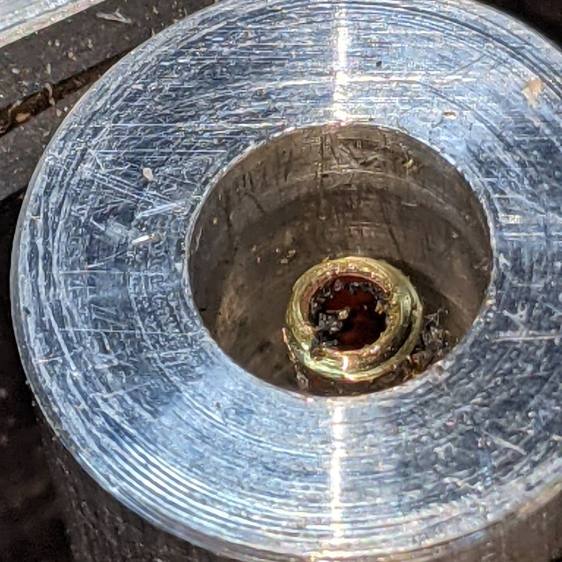
    Rather than poke things into the undamaged charge port of our battery, I built a quick-and-dirty mechanical duplicate:

    Bafang battery - charge port simulator
    Bafang battery – charge port simulator

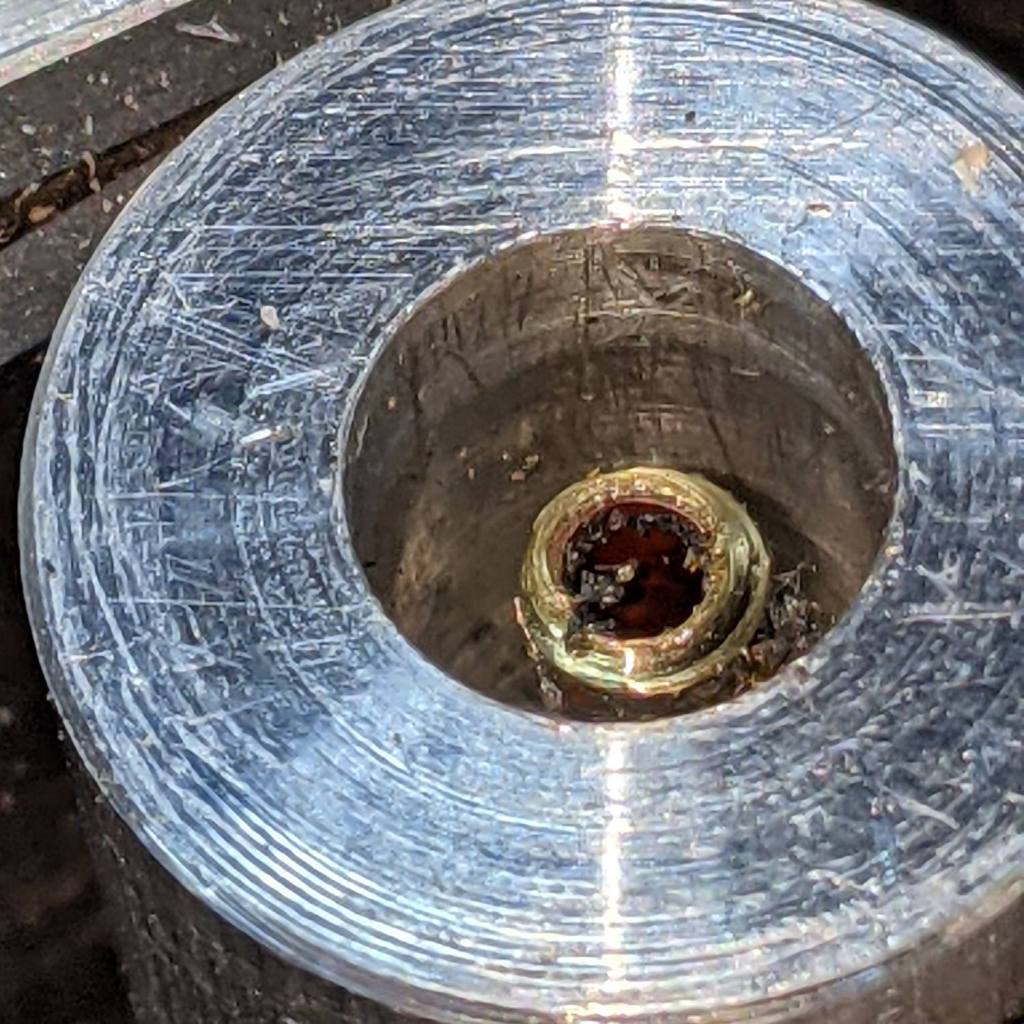
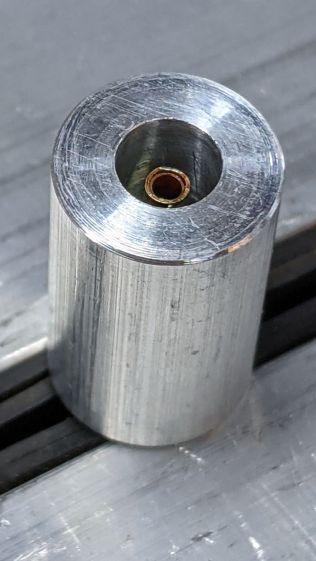
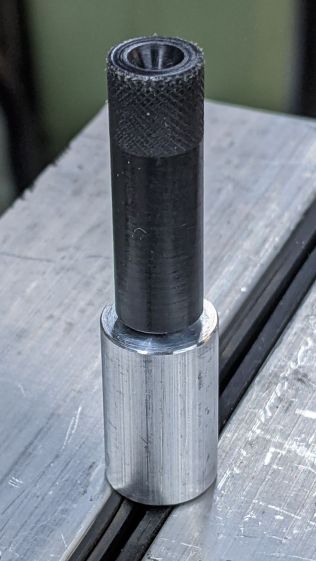
    The “center pin” is a snippet of what’s almost certainly 5/64 inch brass tube measuring Close Enough™ to 2.1 mm, with a few millimeters of 3/32 inch tube soldered on the end to simulate the nugget.

    The aluminum rod has a 5.5 mm hole matching the coaxial jack’s diameter and depth, with a smaller through hole for the “pin” and a dab of Loctite bushing adhesive.

    Then I turned the end of a 3/8 inch acetal rod down to a 5.5 mm bushing that completely fills the jack:

    Bafang battery - guide bushing - dummy jack
    Bafang battery – guide bushing – dummy jack

    It has a 3 mm hole down the middle to aim homebrew shell drills directly at the pin, while preventing a short to the side contact.

    The first test looked encouraging:

    Bafang battery - shell drill - test results
    Bafang battery – shell drill – test results

    The nugget in the damaged jack is definitely larger than my soldered brass tube, but this was in the nature of exploratory tinkering while mulling the problem.

  • Improved Mini-lathe Disk Turning Fixture

    Improved Mini-lathe Disk Turning Fixture

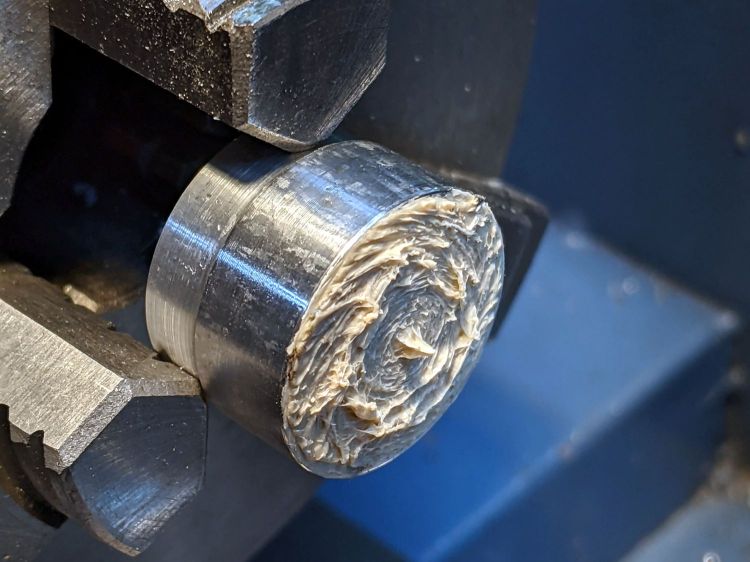
    Unsurprisingly, the mini-lathe lacks enough stiffness to apply enough force to hold a disk in place while turning its rim:

    Tour Easy Rear Running Light - end cap fixture - swirled adhesive
    Tour Easy Rear Running Light – end cap fixture – swirled adhesive

    The old South Bend lathe had mojo, but those days are gone.

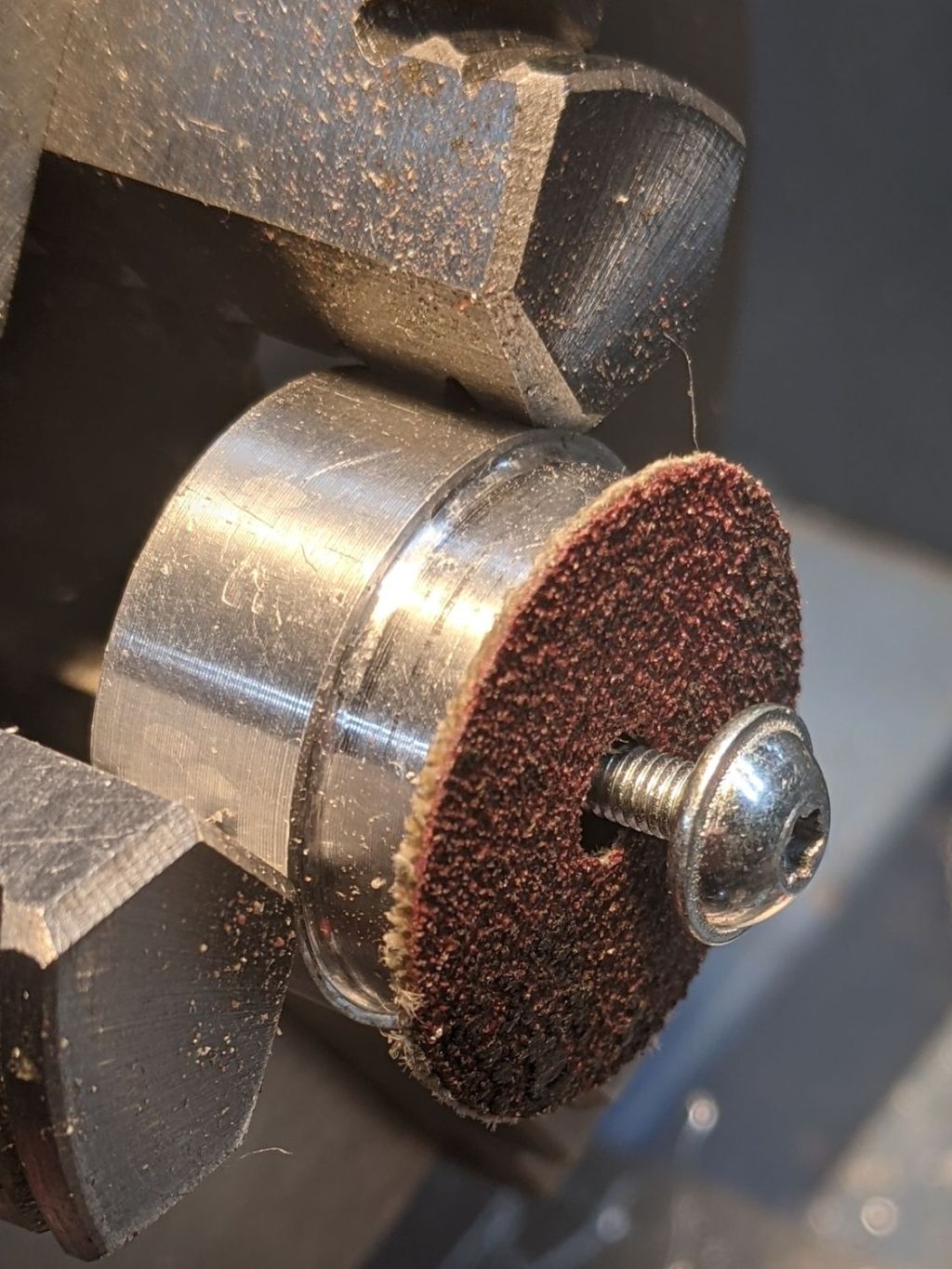
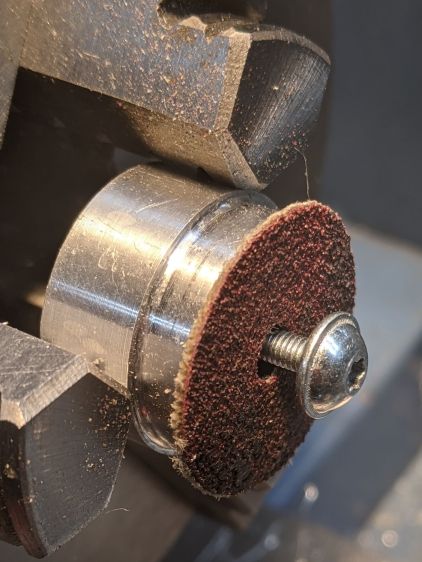
    So drill and tap that fixture for an M3 screw, then stick some coarse sandpaper to it:

    Improved disk turning tool
    Improved disk turning tool

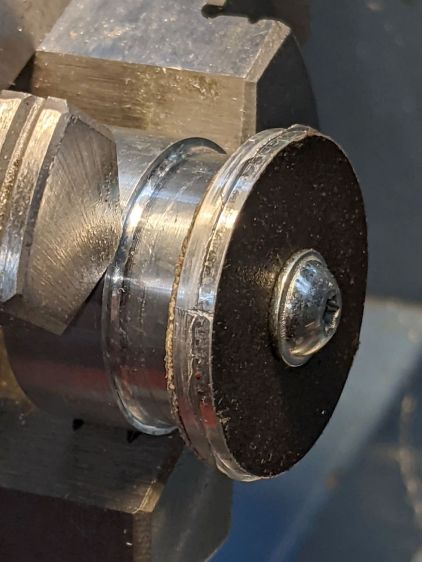
    Snug the screw (a Torx T9 from the Small Drawer o’ Random M3 Screws) down on a rough-cut disk:

    Improved disk turning tool - in use
    Improved disk turning tool – in use

    Sissy cuts remain the order of the day, but the screw applies plenty of clamping force and doesn’t require the hulking live center.

  • Tube Turning Adapters

    Tube Turning Adapters

    Finishing the PVC tubes reinforcing the vacuum cleaner adapters required fixtures on each end:

    Dirt Devil adapter - pipe turning
    Dirt Devil adapter – pipe turning

    Because the tubes get epoxied into the adapters, there’s no particular need for a smooth surface finish and, in fact, some surface roughness makes for a good epoxy bond. The interior of a 3D printed adapter is nothing if not rough; the epoxy in between will be perfectly happy.

    Turning the tubes started by just grabbing the conduit in the chuck and peeling the end that stuck out down to the finished diameter, because the conduit was thick-walled enough to let that work.

    The remaining wall was so thin that the chuck would crunch it into a three-lobed shape, so the white ring in the chuck is a scrap of PVC pipe turned to fit the tube ID and provide enough reinforcement to keep the tube round.

    The conduit ID isn’t a controlled dimension and was, in point of fact, not particularly round. It was, however, smooth, which counts for more than anything inside a tube carrying airborne fuzzy debris; polishing the interior of a lathe-bored pipe simply wasn’t going to happen.

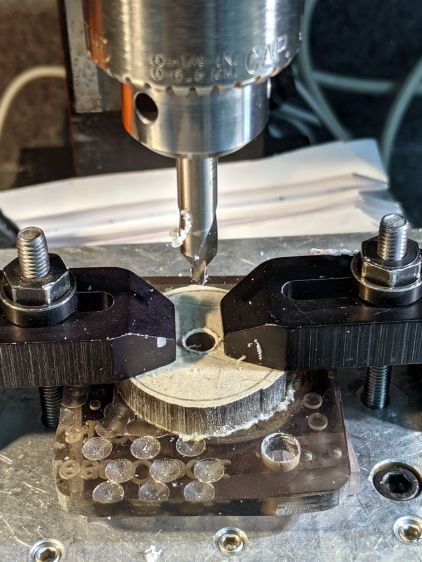
    The fixture on the other end started as a scrap of polycarbonate bandsawed into a disk with a hole center-drilled in the middle:

    Pipe end lathe fixture - center drilling
    Pipe end lathe fixture – center drilling

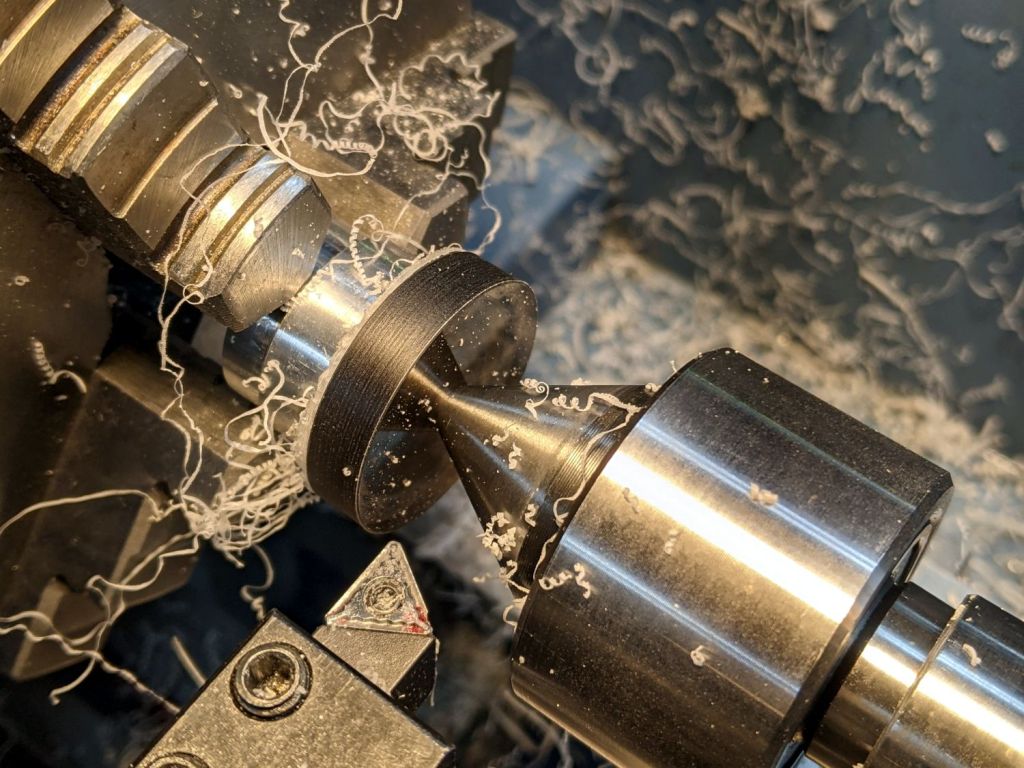
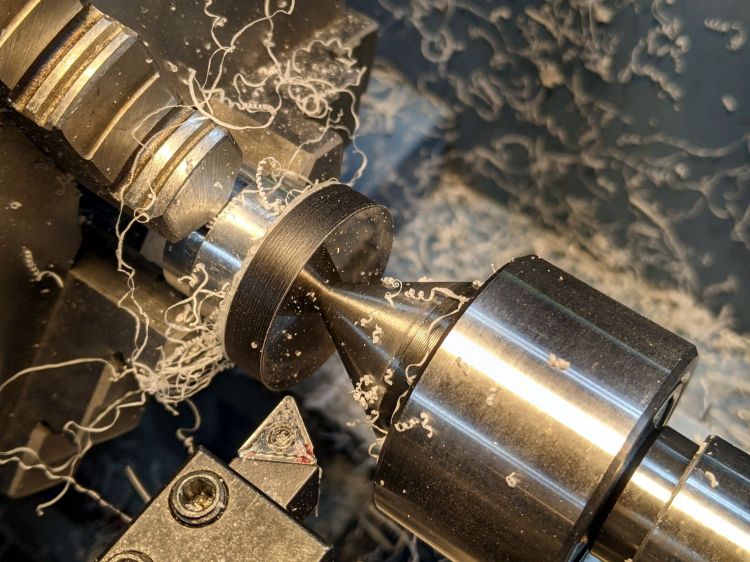
    Stick it onto a disk turning fixture and sissy-cut the OD down a little smaller than the eventual tube OD:

    Pipe end lathe fixture - turning OD
    Pipe end lathe fixture – turning OD

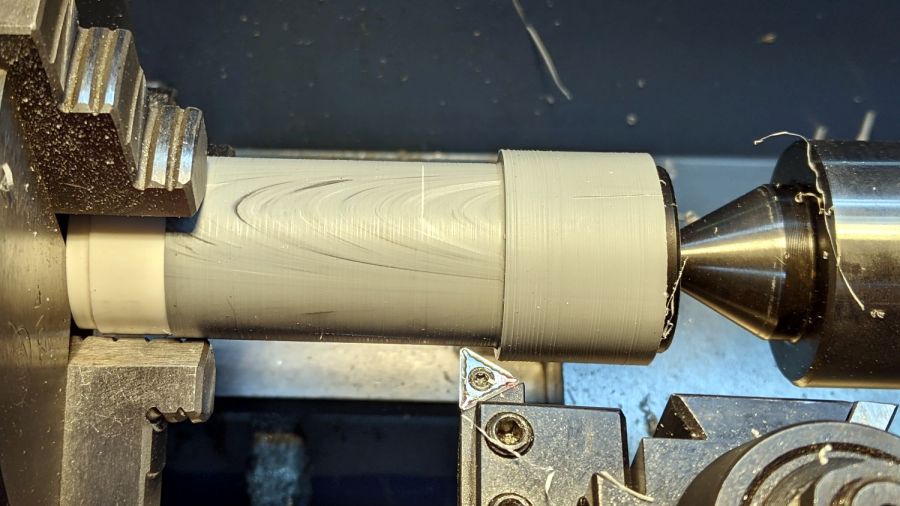
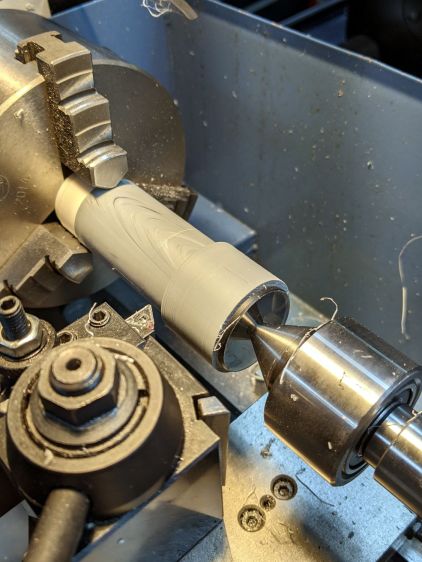
    Turn the end down to fit the tube ID, flip it around to center-drill the other side, stick it into the tube, and finally finish the job:

    Dirt Devil adapter - pipe fixture
    Dirt Devil adapter – pipe fixture

    The nice layering effect along the tube probably comes from molding the conduit from recycled PVC with no particular concern for color matching.

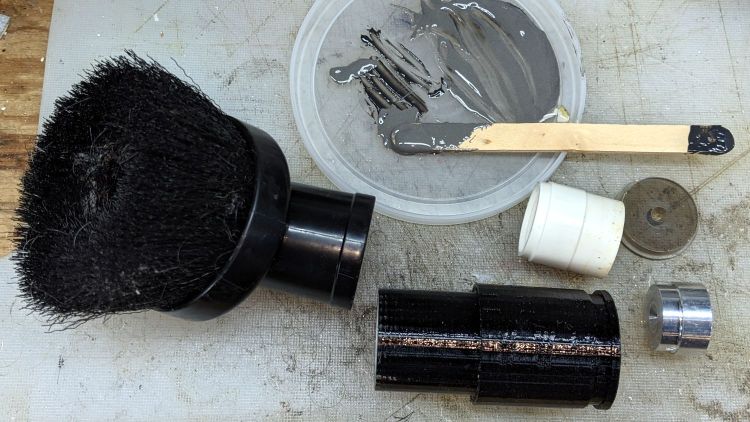
    A family portrait of the fixtures with a finished adapter:

    Dirt Devil adapter - fixtures
    Dirt Devil adapter – fixtures

    A fine chunk of Quality Shop Time: solid modeling, 3D printing, mini-lathe turning, and even some coordinate drilling on the Sherline.

  • Dirt Devil Vacuum Tool Adapters

    Dirt Devil Vacuum Tool Adapters

    Being the domain expert for adapters between a new vacuum cleaner and old tools, this made sense (even though it’s not our vacuum):

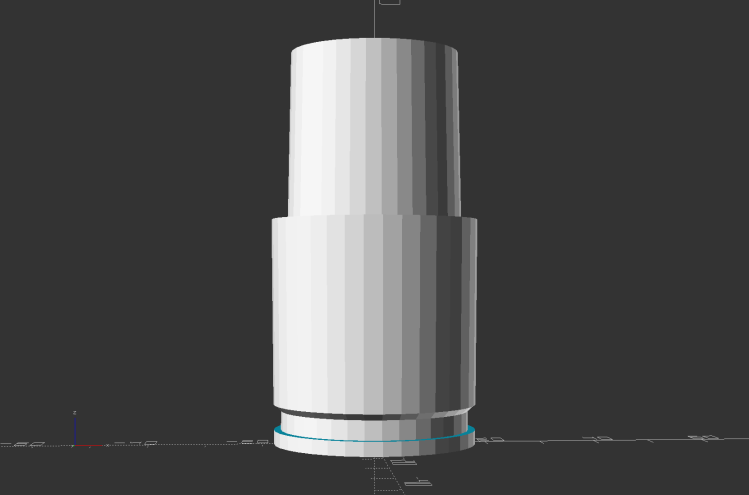
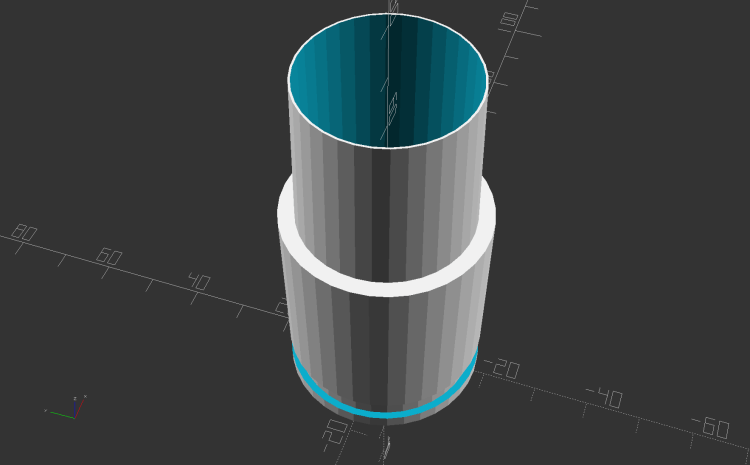
    Dirt Devil Nozzle Bushing - solid model
    Dirt Devil Nozzle Bushing – solid model

    The notch snaps into a Dirt Devil Power Stick vacuum cleaner and the tapered end fits a variety of old tools for other vacuum cleaners:

    Dirt Devil Nozzle Bushing top view - solid model
    Dirt Devil Nozzle Bushing top view – solid model

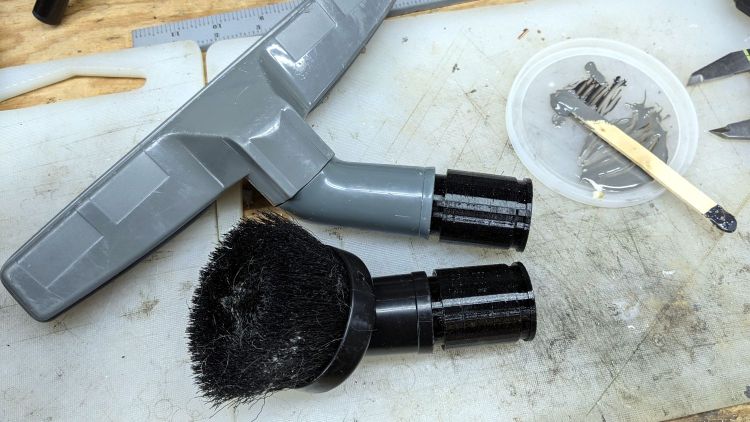
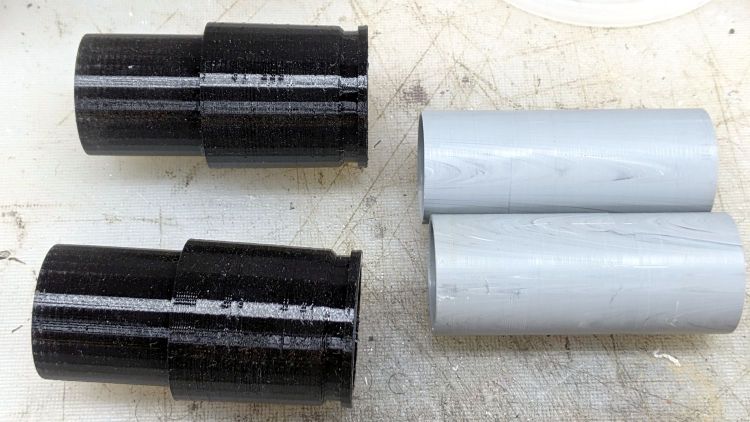
    Having some experience breaking thin-walled adapters, these have reinforcement from a PVC tube:

    Dirt Devil adapter - parts
    Dirt Devil adapter – parts

    A smear of epoxy around the interior holds the tube in place:

    Dirt Devil adapters - assembled
    Dirt Devil adapters – assembled

    Building the critical dimensions with a 3D printed part simplified the project, because I could (and did!) tweak the OpenSCAD code to match the tapers to the tools. Turning four of those tubes from a chunk of PVC conduit, however, makes a story for another day.

    The OpenSCAD source code as a GitHub Gist:

    // Dirt Devil nozzle adapter
    // Ed Nisley KE4ZNU 2021-10
    // Tool taper shift
    Finesse = -0.1; // [-0.5:0.1:0.5]
    // PVC pipe liner
    PipeOD = 28.5;
    /* [Hidden] */
    //- Extrusion parameters
    ThreadThick = 0.25;
    ThreadWidth = 0.40;
    HoleWindage = 0.2;
    function IntegerMultiple(Size,Unit) = Unit * ceil(Size / Unit);
    Protrusion = 0.1; // make holes end cleanly
    //———————-
    // Dimensions
    TAPER_MIN = 0;
    TAPER_MAX = 1;
    TAPER_LENGTH = 2;
    Socket = [36.0,37.0,40.0];
    LockringDia = 33.5;
    LockringWidth = 4.5;
    LockringOffset = 2.5;
    Tool = [Finesse,Finesse,0] + [30.0,31.1,30.0];
    AdapterOAL = Socket[TAPER_LENGTH] + Tool[TAPER_LENGTH];
    NumSides = 36;
    $fn = NumSides;
    //———————-
    // Useful routines
    module PolyCyl(Dia,Height,ForceSides=0) { // based on nophead's polyholes
    Sides = (ForceSides != 0) ? ForceSides : (ceil(Dia) + 2);
    FixDia = Dia / cos(180/Sides);
    cylinder(r=(FixDia + HoleWindage)/2,h=Height,$fn=Sides);
    }
    //——————-
    // Define it!
    module Adapter() {
    difference() {
    union() {
    difference() {
    cylinder(d1=Socket[TAPER_MIN],d2=Socket[TAPER_MAX],h=Socket[TAPER_LENGTH]);
    translate([0,0,LockringOffset])
    cylinder(d=2*Socket[TAPER_MAX],h=LockringWidth);
    }
    cylinder(d=LockringDia,h=Socket[TAPER_LENGTH]);
    translate([0,0,LockringOffset + 0.75*LockringWidth])
    cylinder(d1=LockringDia,d2=Socket[TAPER_MIN],h=0.25*LockringWidth);
    translate([0,0,Socket[TAPER_LENGTH]])
    cylinder(d1=Tool[TAPER_MAX],d2=Tool[TAPER_MIN],h=Tool[TAPER_LENGTH]);
    }
    translate([0,0,-Protrusion])
    PolyCyl(PipeOD,AdapterOAL + 2*Protrusion,NumSides);
    }
    }
    //———————-
    // Build it!
    Adapter();

    The taper in the code almost certainly won’t fit whatever tool you have: measure thrice, print twice, and maybe fit once …

  • Micro-Mark Bandsaw: Acetal Upper Blade Guide

    Micro-Mark Bandsaw: Acetal Upper Blade Guide

    There being nothing like a good new problem to take one’s mind off all one’s old problems:

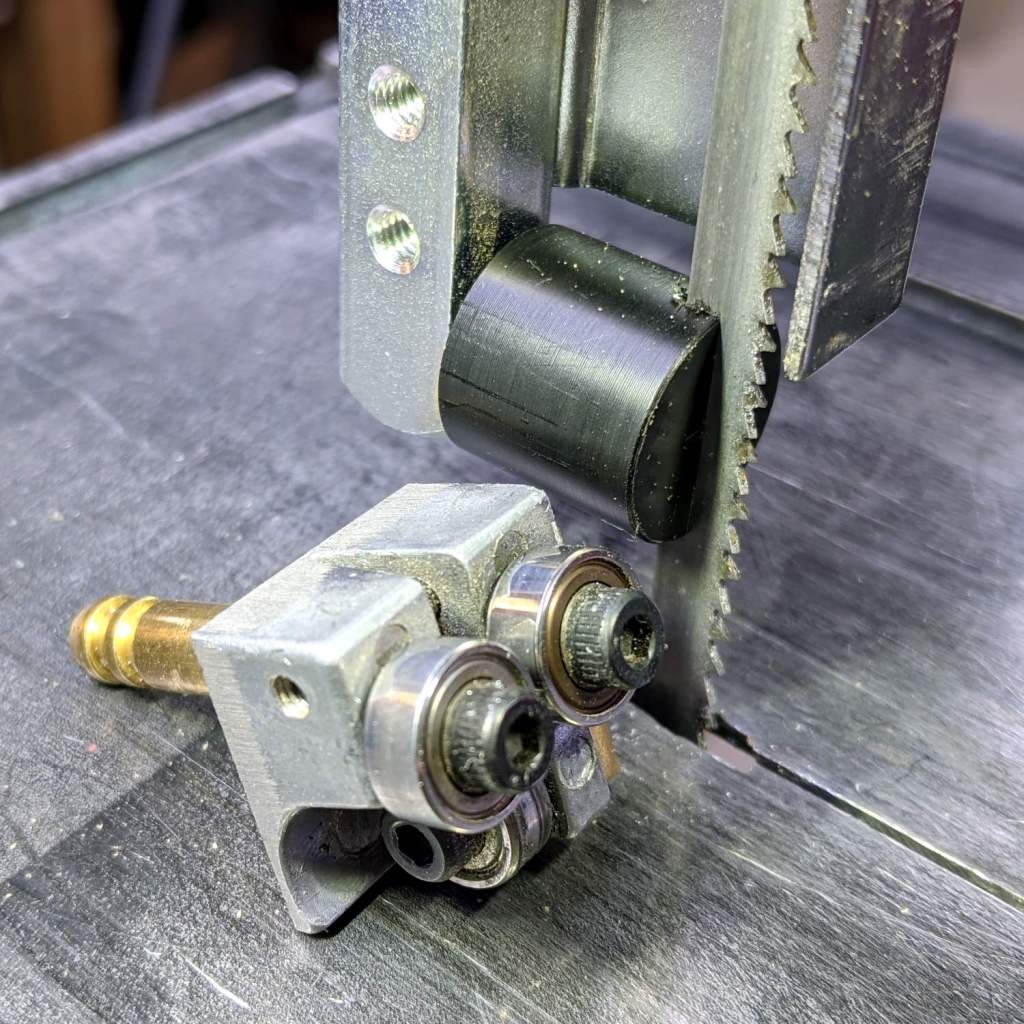
    Micro-Mark Bandsaw - acetal upper blade guide installed
    Micro-Mark Bandsaw – acetal upper blade guide installed

    It’s basically the same as the lower blade guide, except coming from a stick of 5/8 inch acetal. A scant 6 mm stem goes into the vertical square rod, with a flat matching the setscrew coming up from the bottom to hold it in proper alignment.

    I came within a heartbeat of cutting the slot parallel to the flat.

    It worked OK while cutting a chunk of stout aluminum tube: so far, so good!

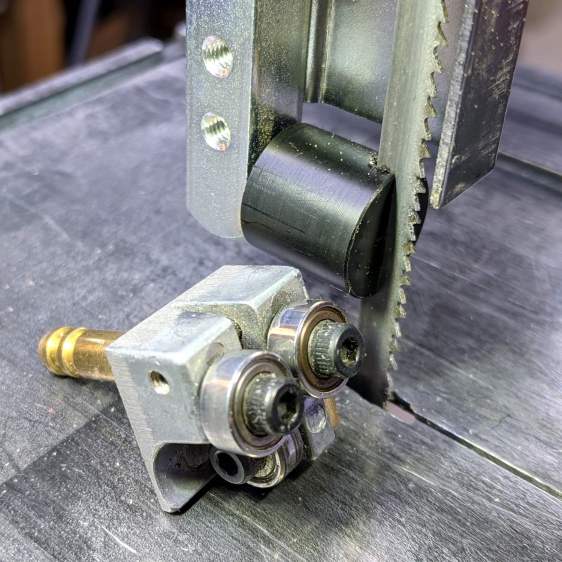
    The impressive chunk of hardware is the OEM blade guide, with the brass tube for coolant flow all over the bearings. It’s mostly intended for use with the diamond blade, so I’ll swap it back in when I finally get around to cutting some slate for base plates.


  • Tour Easy Rear Running Light: LED Heatsink

    Tour Easy Rear Running Light: LED Heatsink

    Because the rear running light will have a higher duty cycle than the front light, I made the (admittedly too small) heatsink slightly longer, with a deeper recess to protect the lens from cargo on the rear rack:

    Tour Easy Rear Running Light - boring LED recess
    Tour Easy Rear Running Light – boring LED recess

    Boring that nice flat bottom is tedious; I must lay in a stock of aluminum tubing to simplify the process.
    Drilling the holes went smoothly:

    Tour Easy Rear Running Light - drilling LED heatsink
    Tour Easy Rear Running Light – drilling LED heatsink

    Those two holes fit a pair of pins aligning the circuit plate, with a screw and brass insert holding it to the heatsink. Scuffing a strip across the aluminum might give the urethane adhesive (you can see uncured globs on the pins) a better grip:
    Tour Easy Rear Running Light - circuit plate attachment
    Tour Easy Rear Running Light – circuit plate attachment

    The screw / insert /pins are glued into the plate to permanently bond it to the heatsink. The screw occupies only half of the insert, with the longer screw from the end cap pulling the whole affair together.

    The two holes on the left pass both LED leads to one side of the circuit plate, where they connect to the current regulator and its sense resistor.