The Smell of Molten Projects in the Morning

Ed Nisley's Blog: Shop notes, electronics, firmware, machinery, 3D printing, laser cuttery, and curiosities. Contents: 100% human thinking, 0% AI slop.

Tag: M2

Using and tweaking a Makergear M2 3D printer

  • 3D Printer Design Conversation: Part 2

    Wherein I continue dumping my responses to a large-format 3D printer project …

    (Continued from yesterday)

    What do you mean by 12 hour mean time to failure

    In round numbers, the cries of anguish on the M2 forum seem to increase as parts require more than a dozen hours from start to finish; while you can print things that require 48 hours, that’s not the way to bet. There are more ways for things to go wrong than for them to go right, given the rather rickety collection of software & firmware making everything happen, plus the gummy nature of squeezing hot plastic into precise heaps.

    Most of the time, it works fine.

    much cheaper hardened polished rod system that the taz 6 uses?

    Unless they’re doing something non-obvious to make a kinematic assembly, two rods on four hard mounts with four one-degree-of-freedom slides will be severely overconstrained and, I expect, a continuing hunk o’ trouble:

    https://softsolder.com/2011/02/04/thing-o-matic-x-and-z-axis-rod-alignment/

    FWIW, linear slides don’t eliminate the need for a rigid and well-aligned frame. Even the slab atop an M2 can deform by more than 0.1 mm under belt tension, which is enough to wreck the nozzle-to-platform alignment across the length of the X axis.

    “Arduino-class firmware (Marlin, et. al.) is a dead end” Why is that?

    Marlin is a dead end: they’re trying to jam hard real time motor control, soft real time command parsing, and non real time UI control into an 8 bit microcontroller teleported from the mid 90s. AVR microncontrollers worked really well up through the Cupcake and have held back printer design & performance ever since.

    Which inexpensive all in one board would you go with

    Machinekit on a Beaglebone seems to be the least awful of the current alternatives, but I haven’t examined the field recently enough to have a valid opinion. You’ll find plenty of proprietary “solutions” out there, none of which I’d be interested in.

    Am I wrong?

    I think so, but, then, I may be wrong, too. [grin]

    It’s incredibly easy to slap together a bunch of parts that look like they should become a 3D printer. It’s remarkably difficult to engineer a reliable, stable, accurate device that actually produces dependable results.

    Mooching design cues and parts from here & there doesn’t get you to the goal; if it did, Kickstarter wouldn’t be a graveyard of cheap 3D printer projects.

    design a very rigid system for cheap

    If it’s for your personal satisfaction, have at it, but a one-off large-format printer won’t be any cheaper than, say, a Taz 6. Some diligent searching will uncover any number of homebrew printer projects along the lines of what you’re considering; learning from their mistakes will certainly be edifying.

    Anything is possible, but if you want to end up with a state of the art machine, you must begin with numbers showing how & why it actually meets the requirements. 3D printing now operates at accuracies, speeds, and controls comparable to CNC machines, with corresponding structural demands. There’s a reason high-end CNC machines aren’t made of sheet metal and don’t use 8 bit microcontrollers.

    You might want to start at the beginning of my blog and read through my adventures with the Thing-O-Matic, which will explain why I’m such a curmudgeon …

    (Continues tomorrow)
  • 3D Printer Design Conversation: Part 1

    I recently engaged in a wide-ranging email exchange with a guy planning to scratch-build a large-format 3D printer. He figured it would be a straightforward exercise and asked for some advice; I may be more cynical that he expected.

    Over the next few days, I’ll dump my side of the conversation so I can refer to it in other contexts. I’ve left his side of the conversation as the short quotes that prompted my replies, but you can probably infer what he was thinking.

    He’s well-acquainted with CNC machining and recently added a Makergear M2 to his collection …

    I’m hooked.

    All of sudden, you realize what you’ve been missing!

    In round numbers, I’ve been designing & printing one “thing” every week for the last five years. Granted, my “things” look a lot like brackets, because they go into other shop projects, but 3D printing is how I make nearly all the shapes I formerly bashed from metal.

    I loves me my 3D printer!

    an open source design with AFFORDABLE, EASILY ACCESSIBLE parts with a build platform of at least 150% X/Y volume of the MakerGear

    Some years ago, I had the same general idea. Then I bought an M2 (replacing my Thing-O-Matic), considered LinuxCNC / Machinekit for motion control, and realized there wasn’t much point; I didn’t want to devote far too much time & effort to solving an already solved problem.

    A larger build volume doesn’t buy you as much as you think, while imposing far too many hard constraints. Basically, good-resolution extruders run at 2 to 10 mm³/s, so large objects require print times beyond the 12-hour MTTF of the “printing system”: something will go wrong often enough to drive you mad.

    Bonus: plastic’s thermal coefficient guarantees bed adhesion problems. Using high-traction materials (PEI / hairspray / whatever) introduces problems in the other direction. There’s a limit to how big you can make things before they either don’t stick or stick too hard.

    Some the fundamental design problems that nobody recognizes until far too late in their design:

    • nozzle-to-platform accuracy < ±0.05 mm
    • XY axis speeds 30 mm/s to 500 mm/s
    • Z axis stiction & backlash < 0.1 mm
    • filament drive with excellent retraction control / speed
    • bed adhesion vs. part removal vs. Z accuracy
    • Arduino-class firmware (Marlin, et. al.) is a dead end
    • Windows is crap in any part of a machine-control problem

    Those are hard requirements. At a minimum, your design must satisfy all of them: miss any one and you’re not in the game. It’s easy to build a cheap and crappy fused-filament 3D printer (see Kickstarter), but exceedingly difficult to build one at the state of the art (see patent litigation).

    The M2 descends from the original RepRap design, with the Y axis slinging far too much mass back & forth. That kills nozzle-to-platform accuracy, introduces temperature instability, and soaks up bench space. On the other paw, look at the problems Makerbot (not Makergear) had with their direct-drive extruder on an XY platform; getting that right requires nontrivial engineering

    Bowden filament drives have improved, but really can’t provide enough retraction control / speed. Delta printers always use Bowden drives, because they can’t sling a direct-drive extruder with enough XYZ speed & accuracy. Bowden on an XY platform has the worst of both worlds: bad retraction and difficult mechanical design.

    I think the M2 occupies a sweet spot in 3D printer design: excellent results without excessive complexity or expense. It’s not perfect, but good enough.

    But, then, I’m a known curmudgeon …

    (Continues tomorrow)
  • Vacuum Tube Lights: Duodecar Rebuild

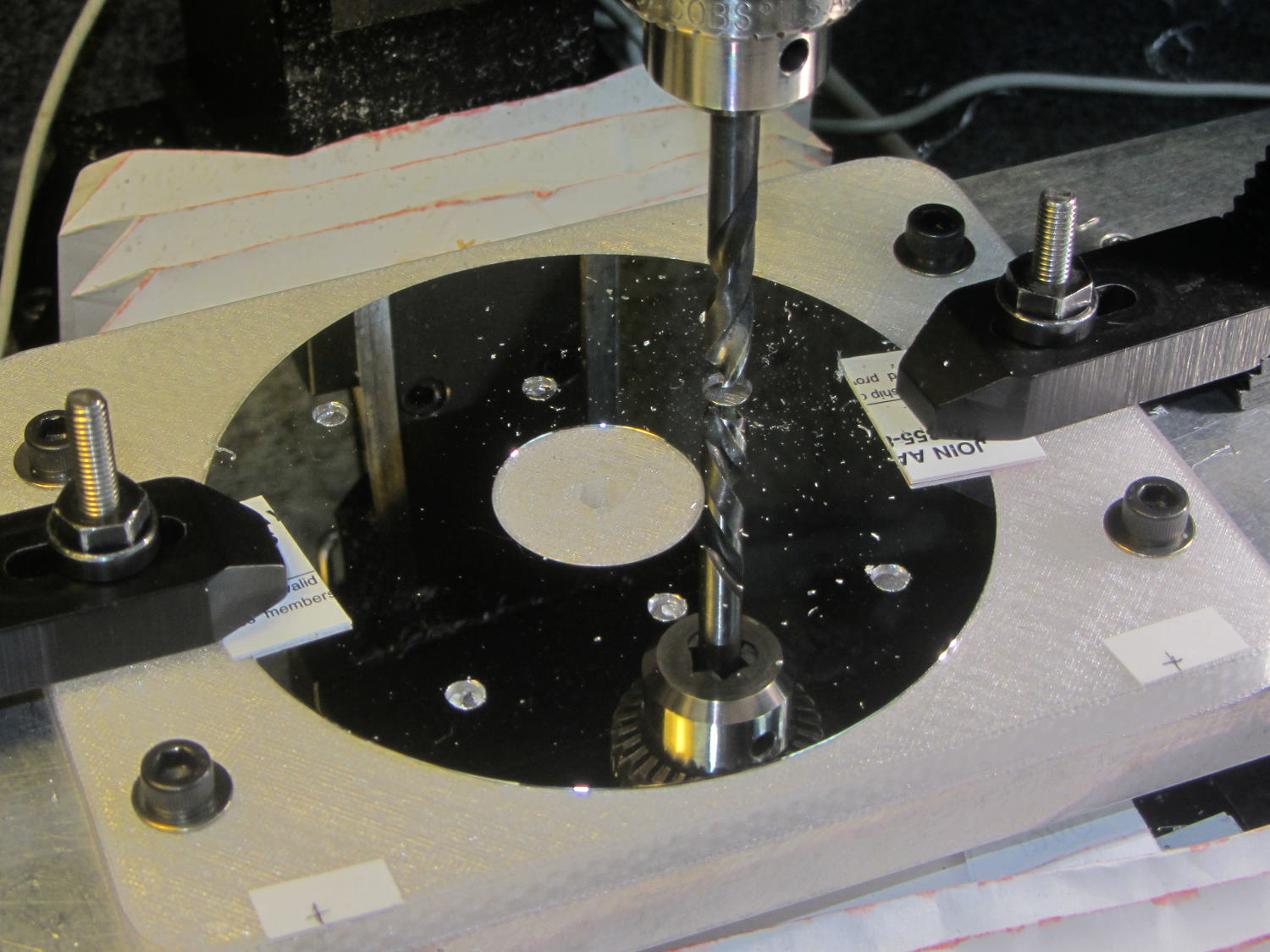
    You’ll recall the LED atop the 21HB5A tube failed, shortly after replacing the bottom LED and rewiring the ersatz plate lead, which led me to rebuild the whole thing with SK6812 RGBW LEDs. So I printed all the plastic parts again, because the duodecar tube socket’s pin circle can fit into a hard drive platter’s unmodified 25 mm hole, then drilled another platter to suit:

    Duodecar disk drilling
    Duodecar disk drilling

    The hole under the drill fits the 3.5 mm stereo socket for the ersatz plate lead, so it’s bigger than before.

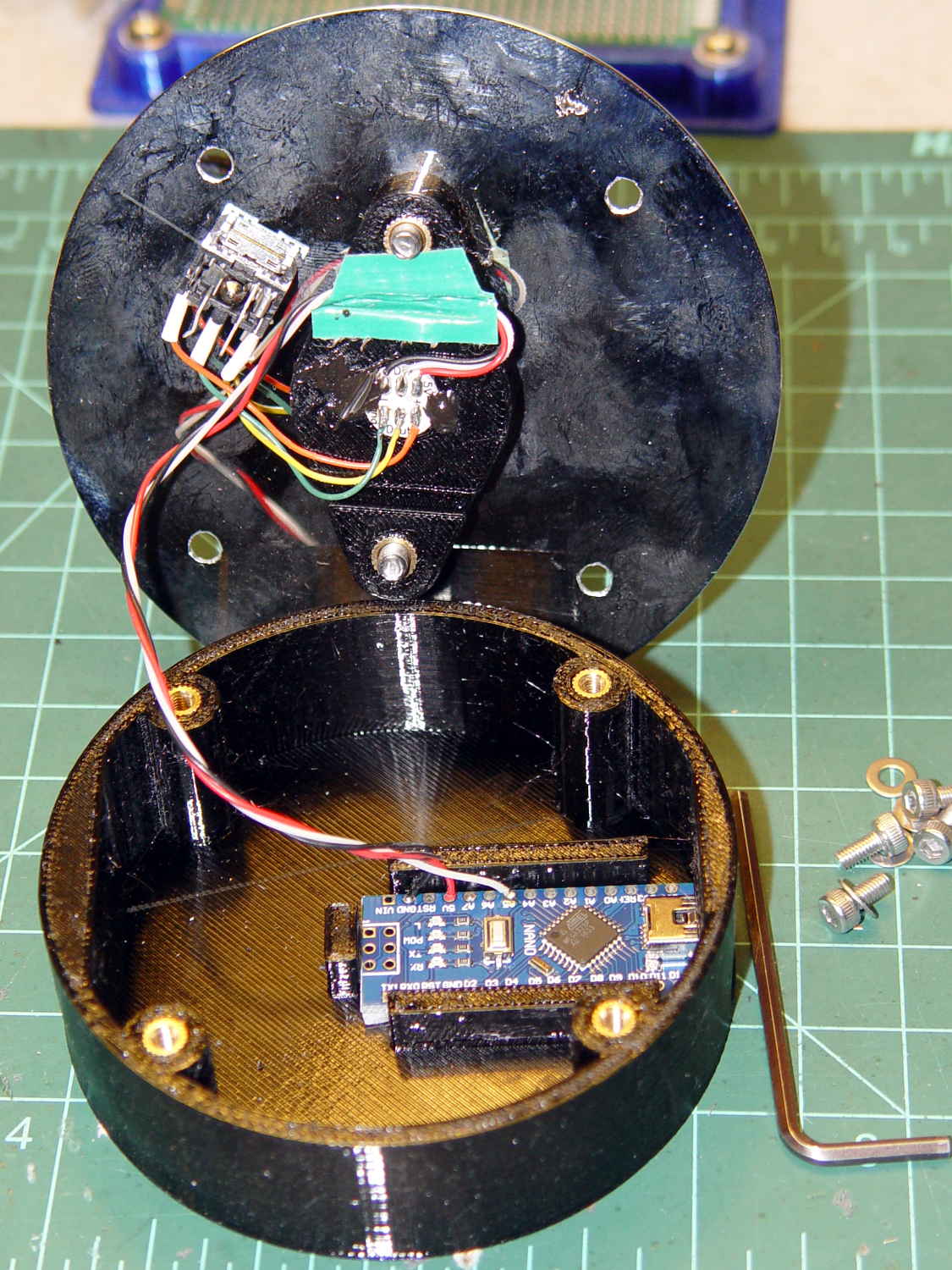
    I’ve switched from Arduino Pro Minis with a separate USB converter to Arduino Nanos with an on-board CH340 USB chip, because the fake FTDI chips on the converters are a continuing aggravation:

    21HB5A base - interior
    21HB5A base – interior

    Adding those wire slots to the sockets definitely helps tidy things up; the wires no longer need a crude cable tie anchoring them to the socket mounting screws.

    I wanted to drive the LEDs from the A7 pin, rather than the A3 pin I’d been using on the Pro Minis, to keep the wires closer together, but it turns out that A6 and A7 can’t become digital output pins. So I used A5, although I may come to regret the backward incompatibility.

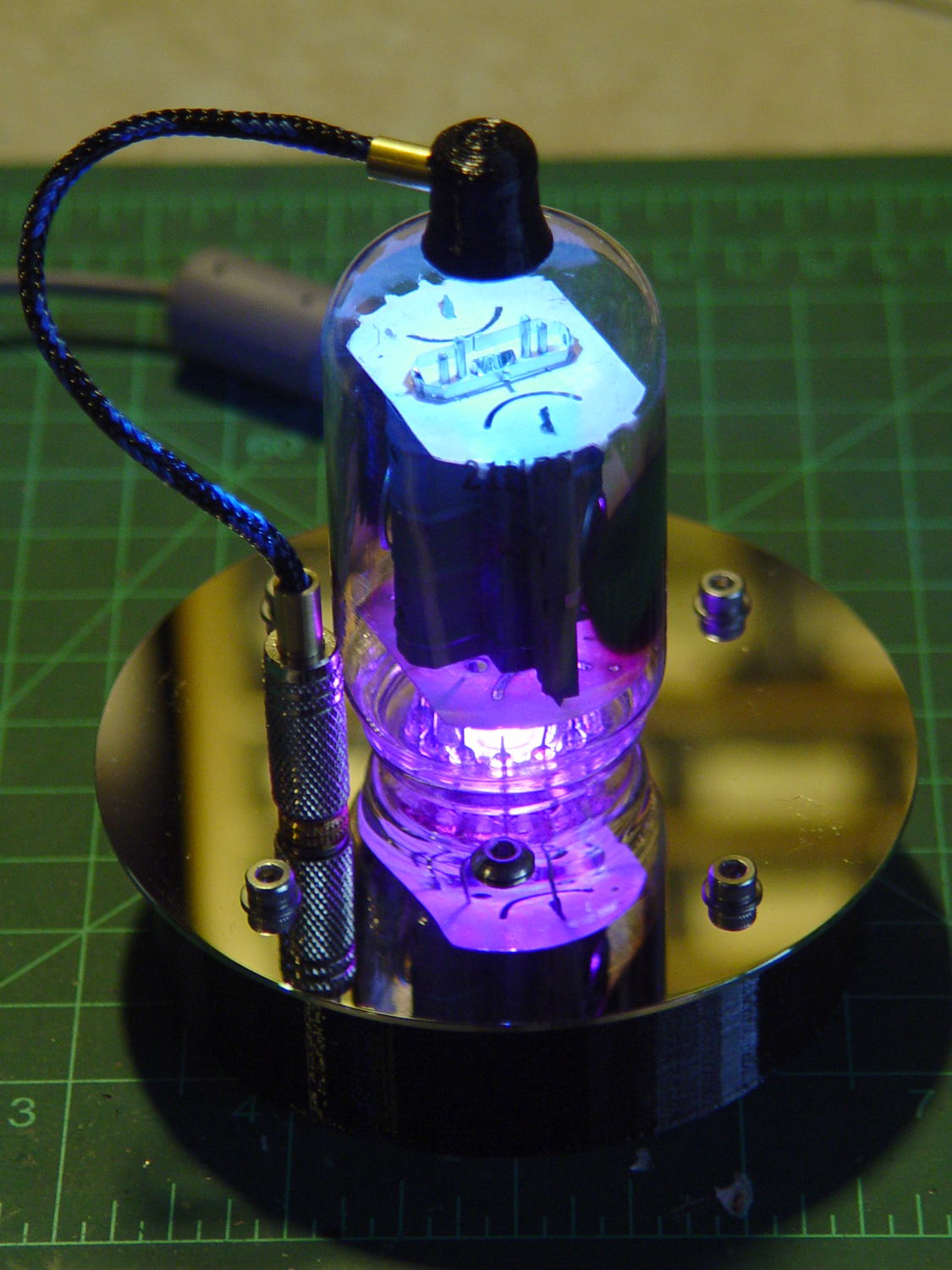
    In any event, the 21HB5A tube looks spiffy with its new LEDs in full effect:

    21HB5A with RBGBW LEDs - cyan violet phase
    21HB5A with RBGBW LEDs – cyan violet phase

    I dialed the white LED PWM down to 32, making the colors somewhat pastel, rather than washed-out.

    The Arduino source code as a GitHub Gist:

    // Neopixel mood lighting for vacuum tubes
    // Ed Nisley – KE4ANU – June 2016
    // September 2016 – Add Morse library and blinkiness
    // October 2016 – Set random colors at cycle end
    // March 2017 – RGBW SK6812 LEDs
    #include <Adafruit_NeoPixel.h>
    #include <morse.h>
    #include <Entropy.h>
    //———-
    // Pin assignments
    const byte PIN_NEO = A5; // DO – data out to first Neopixel
    const byte PIN_HEARTBEAT = 13; // DO – Arduino LED
    #define PIN_MORSE 12
    //———-
    // Constants
    // number of pixels
    #define PIXELS 2
    // index of the Morse output pixel and how fast it sends
    boolean Send_Morse = false;
    #define PIXEL_MORSE (PIXELS – 1)
    #define MORSE_WPM 10
    // lag between adjacent pixel, degrees of slowest period
    #define PIXELPHASE 45
    // update LEDs only this many ms apart (minus loop() overhead)
    #define UPDATEINTERVAL 50ul
    #define UPDATEMS (UPDATEINTERVAL – 1ul)
    // number of steps per cycle, before applying prime factors
    #define RESOLUTION 500
    //———-
    // Globals
    // instantiate the Neopixel buffer array
    Adafruit_NeoPixel strip = Adafruit_NeoPixel(PIXELS, PIN_NEO, NEO_GRBW + NEO_KHZ800);
    uint32_t FullWhite = strip.Color(255,255,255,255);
    uint32_t FullOff = strip.Color(0,0,0,0);
    uint32_t MorseColor;
    struct pixcolor_t {
    unsigned int Prime;
    unsigned int NumSteps;
    unsigned int Step;
    float StepSize;
    float Phase;
    byte MaxPWM;
    };
    unsigned int PlatterSteps;
    byte PrimeList[] = {3,5,7,13,19,29};
    // colors in each LED
    enum pixcolors {RED, GREEN, BLUE, WHITE, PIXELSIZE};
    struct pixcolor_t Pixels[PIXELSIZE]; // all the data for each pixel color intensity
    uint32_t UniColor;
    unsigned long MillisNow;
    unsigned long MillisThen;
    // Morse code
    char * MorseText = " cq cq cq de ke4znu";
    LEDMorseSender Morse(PIN_MORSE, (float)MORSE_WPM);
    uint8_t PrevMorse, ThisMorse;
    //– Figure PWM based on current state
    byte StepColor(byte Color, float Phi) {
    byte Value;
    Value = (Pixels[Color].MaxPWM / 2.0) * (1.0 + sin(Pixels[Color].Step * Pixels[Color].StepSize + Phi));
    // Value = (Value) ? Value : Pixels[Color].MaxPWM; // flash at dimmest points for debug
    return Value;
    }
    //– Select three unique primes for the color generator function
    // Then compute all the step parameters based on those values
    void SetColorGenerators(void) {
    Pixels[RED].Prime = PrimeList[random(sizeof(PrimeList))];
    do {
    Pixels[GREEN].Prime = PrimeList[random(sizeof(PrimeList))];
    } while (Pixels[RED].Prime == Pixels[GREEN].Prime);
    do {
    Pixels[BLUE].Prime = PrimeList[random(sizeof(PrimeList))];
    } while (Pixels[BLUE].Prime == Pixels[RED].Prime ||
    Pixels[BLUE].Prime == Pixels[GREEN].Prime);
    do {
    Pixels[WHITE].Prime = PrimeList[random(sizeof(PrimeList))];
    } while (Pixels[WHITE].Prime == Pixels[RED].Prime ||
    Pixels[WHITE].Prime == Pixels[GREEN].Prime ||
    Pixels[WHITE].Prime == Pixels[BLUE].Prime);
    printf("Primes: %d %d %d %d\r\n",Pixels[RED].Prime,Pixels[GREEN].Prime,Pixels[BLUE].Prime,Pixels[WHITE].Prime);
    Pixels[RED].MaxPWM = 255;
    Pixels[GREEN].MaxPWM = 255;
    Pixels[BLUE].MaxPWM = 255;
    Pixels[WHITE].MaxPWM = 32;
    unsigned int PhaseSteps = (unsigned int) ((PIXELPHASE / 360.0) *
    RESOLUTION * (unsigned int) max(max(max(Pixels[RED].Prime,Pixels[GREEN].Prime),Pixels[BLUE].Prime),Pixels[WHITE].Prime));
    printf("Pixel phase offset: %d deg = %d steps\r\n",(int)PIXELPHASE,PhaseSteps);
    for (byte c=0; c < PIXELSIZE; c++) {
    Pixels[c].NumSteps = RESOLUTION * Pixels[c].Prime; // steps per cycle
    Pixels[c].StepSize = TWO_PI / Pixels[c].NumSteps; // radians per step
    Pixels[c].Step = random(Pixels[c].NumSteps); // current step
    Pixels[c].Phase = PhaseSteps * Pixels[c].StepSize;; // phase in radians for this color
    printf(" c: %d Steps: %d Init: %d Phase: %d deg",c,Pixels[c].NumSteps,Pixels[c].Step,(int)(Pixels[c].Phase * 360.0 / TWO_PI));
    printf(" PWM: %d\r\n",Pixels[c].MaxPWM);
    }
    }
    //– Helper routine for printf()
    int s_putc(char c, FILE *t) {
    Serial.write(c);
    }
    //——————
    // Set the mood
    void setup() {
    pinMode(PIN_HEARTBEAT,OUTPUT);
    digitalWrite(PIN_HEARTBEAT,LOW); // show we arrived
    Serial.begin(57600);
    fdevopen(&s_putc,0); // set up serial output for printf()
    printf("Vacuum Tube Mood Light – RGBW\r\nEd Nisley – KE4ZNU – March 2017\r\n");
    Entropy.initialize(); // start up entropy collector
    // set up pixels
    strip.begin();
    strip.show();
    // lamp test: a brilliant white flash
    printf("Lamp test: flash white\r\n");
    for (byte i=0; i<5 ; i++) {
    for (int j=0; j < strip.numPixels(); j++) { // fill LEDs with white
    strip.setPixelColor(j,FullWhite);
    }
    strip.show();
    delay(500);
    for (int j=0; j < strip.numPixels(); j++) { // fill LEDs with black
    strip.setPixelColor(j,FullOff);
    }
    strip.show();
    delay(500);
    }
    // get an actual random number
    uint32_t rn = Entropy.random();
    printf("Random seed: %08lx\r\n",rn);
    randomSeed(rn);
    // set up the color generators
    SetColorGenerators();
    // set up Morse generator
    Morse.setup();
    Morse.setMessage(String(MorseText));
    MorseColor = strip.Color(255,random(32,64),random(16),0);
    PrevMorse = ThisMorse = digitalRead(PIN_MORSE);
    printf("Morse enabled: %d at %d wpm color: %08lx\n [%s]\r\n",Send_Morse,MORSE_WPM,MorseColor,MorseText);
    MillisNow = MillisThen = millis();
    }
    //——————
    // Run the mood
    void loop() {
    if (!Morse.continueSending()) {
    printf("Restarting Morse message\r\n");
    Morse.startSending();
    }
    ThisMorse = digitalRead(PIN_MORSE);
    MillisNow = millis();
    if (((MillisNow – MillisThen) >= UPDATEMS) || // time for color change?
    (PrevMorse != ThisMorse)) { // Morse output bit changed?
    digitalWrite(PIN_HEARTBEAT,HIGH);
    if (Send_Morse && ThisMorse) { // if Morse output high, overlay flash
    strip.setPixelColor(PIXEL_MORSE,MorseColor);
    }
    PrevMorse = ThisMorse;
    strip.show(); // send out precomputed colors
    boolean CycleRun = false; // check to see if all cycles have ended
    for (byte c=0; c < PIXELSIZE; c++) { // compute next increment for each color
    if (++Pixels[c].Step >= Pixels[c].NumSteps) {
    Pixels[c].Step = 0;
    printf("Cycle %d steps %d at %8ld delta %ld ms\r\n",c,Pixels[c].NumSteps,MillisNow,(MillisNow – MillisThen));
    }
    else {
    CycleRun = true; // this color is still cycling
    }
    }
    // If all cycles have completed, reset the color generators
    if (!CycleRun) {
    printf("All cycles ended: setting new color generator values\r\n");
    SetColorGenerators();
    }
    for (int i=0; i < strip.numPixels(); i++) { // for each pixel
    byte Value[PIXELSIZE];
    for (byte c=0; c < PIXELSIZE; c++) { // … for each color
    Value[c] = (Pixels[c].MaxPWM / 2.0) * (1.0 + sin(Pixels[c].Step * Pixels[c].StepSize – i*Pixels[c].Phase));
    }
    UniColor = strip.Color(Value[RED],Value[GREEN],Value[BLUE],Value[WHITE]);
    strip.setPixelColor(i,UniColor);
    }
    MillisThen = MillisNow;
    digitalWrite(PIN_HEARTBEAT,LOW);
    }
    }
    view raw TubeMorse.ino hosted with ❤ by GitHub
  • Check Your Zero

    A recent OpenSCAD mailing list discussion started with an observation that the dimensions of printed parts were wildly different from the numeric values used in the OpenSCAD program that created the STL. Various folks suggested possible errors, examined the source and STL files to no avail, and were generally baffled.

    Finally, a photo conclusively demonstrating the problem arrived:

    Caliper - digital vs. analog scale
    Caliper – digital vs. analog scale

    Note the difference between the digital readout and the analog scale printed on the body.

    Turns out it’s his first digital caliper: he simply didn’t realize you must close the jaws and press the ZERO button before making any measurements.

    We’ve all been that guy. Right?

    FWIW, our Larval Engineer can probably still hear me intoning “Check your zero” every time she picks up a caliper or turns on a multimeter. Perhaps she’ll think fondly of me, some day. [grin]

  • SK2812 RGBW LED: Test Fixture

    [Edit: The SK2812 in the title and elsewhere should be SK6812. If I change the title, then all the other links break. So it goes.]

    An envelope of RGBW LEDs, allegedly with SK6812 controllers, arrived from halfway around the planet:

    SK2812RGBW LEDs - as received
    SK2812RGBW LEDs – as received

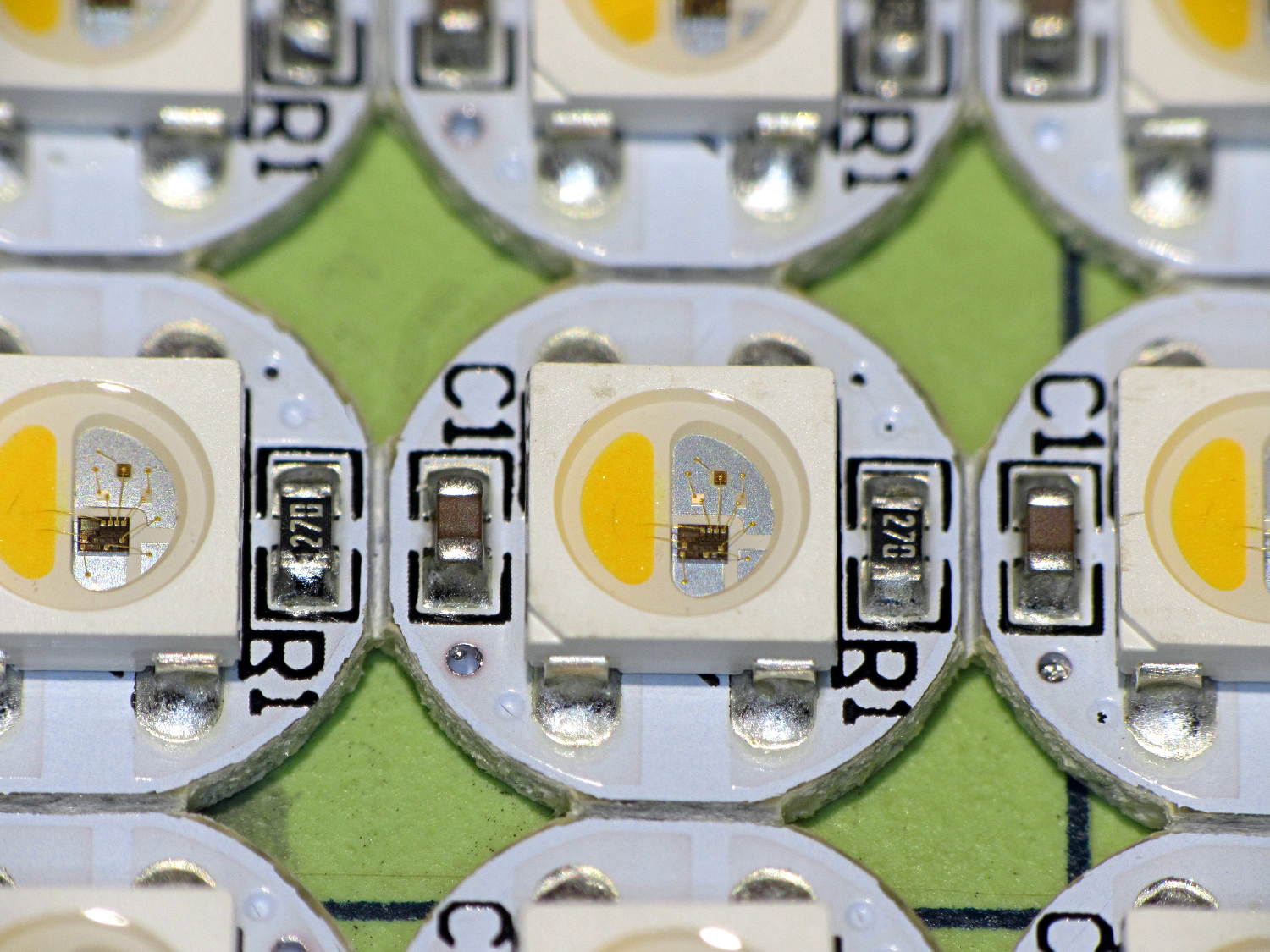
    The yellow phosphor sauce poured atop the blue LED on the left that makes it glow white leaves the upper loop of two wire bonds sticking out, but I can’t fault ’em for that. The overall build quality looks better than the ill-fated WS2812 LEDs, although it’s hard to tell by looking.

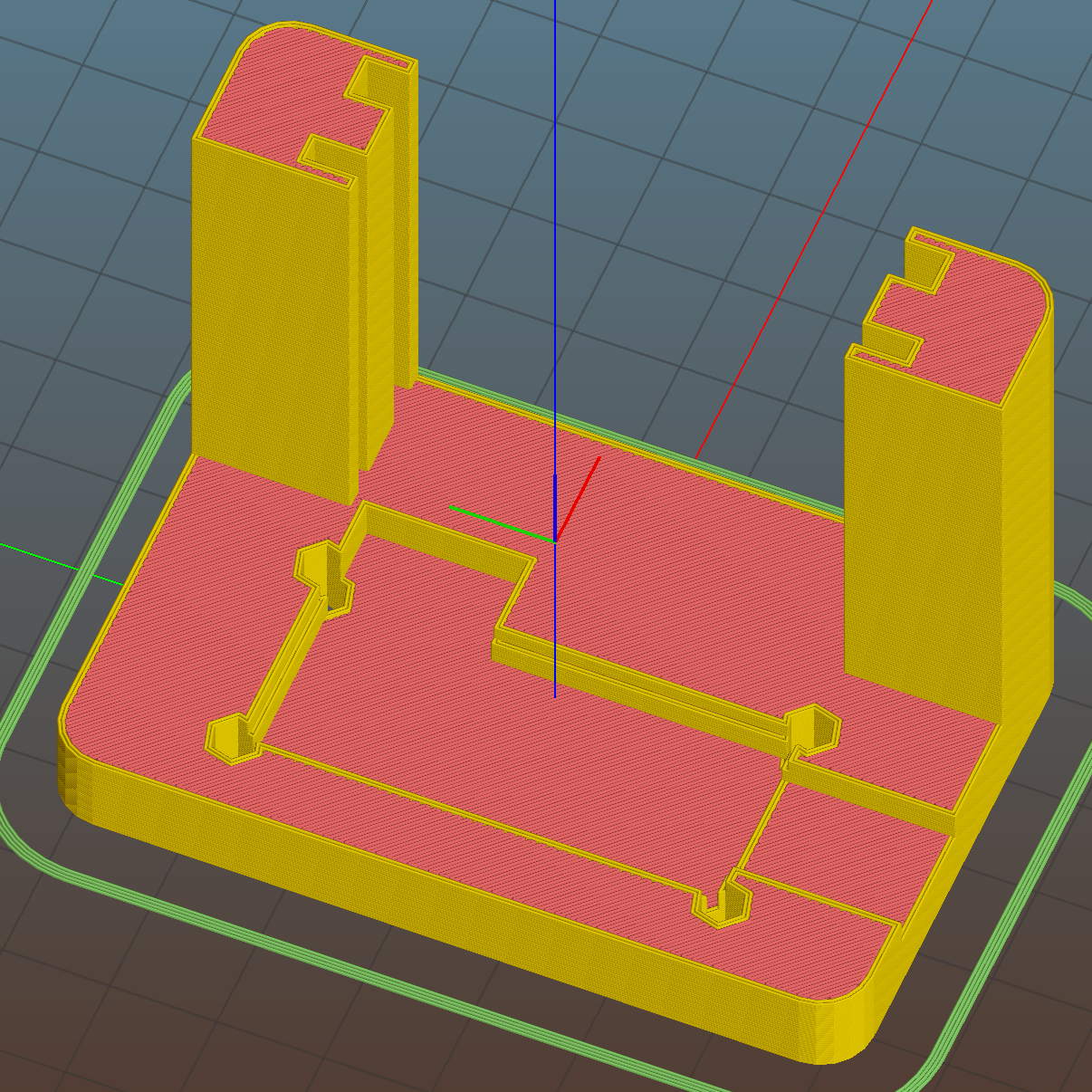
    I conjured a test stand from the vasty digital deep by tweaking the WS2812 mount:

    SK6812 LED Array Test Fixture - Slic3r preview
    SK6812 LED Array Test Fixture – Slic3r preview

    Wiring up a 5×5 panel went as before:

    SK2812RGBW test fixture - rear
    SK2812RGBW test fixture – rear

    The array test code adds another pixel channel and runs another raised sine wave with another random period, accomplished without much hackage.

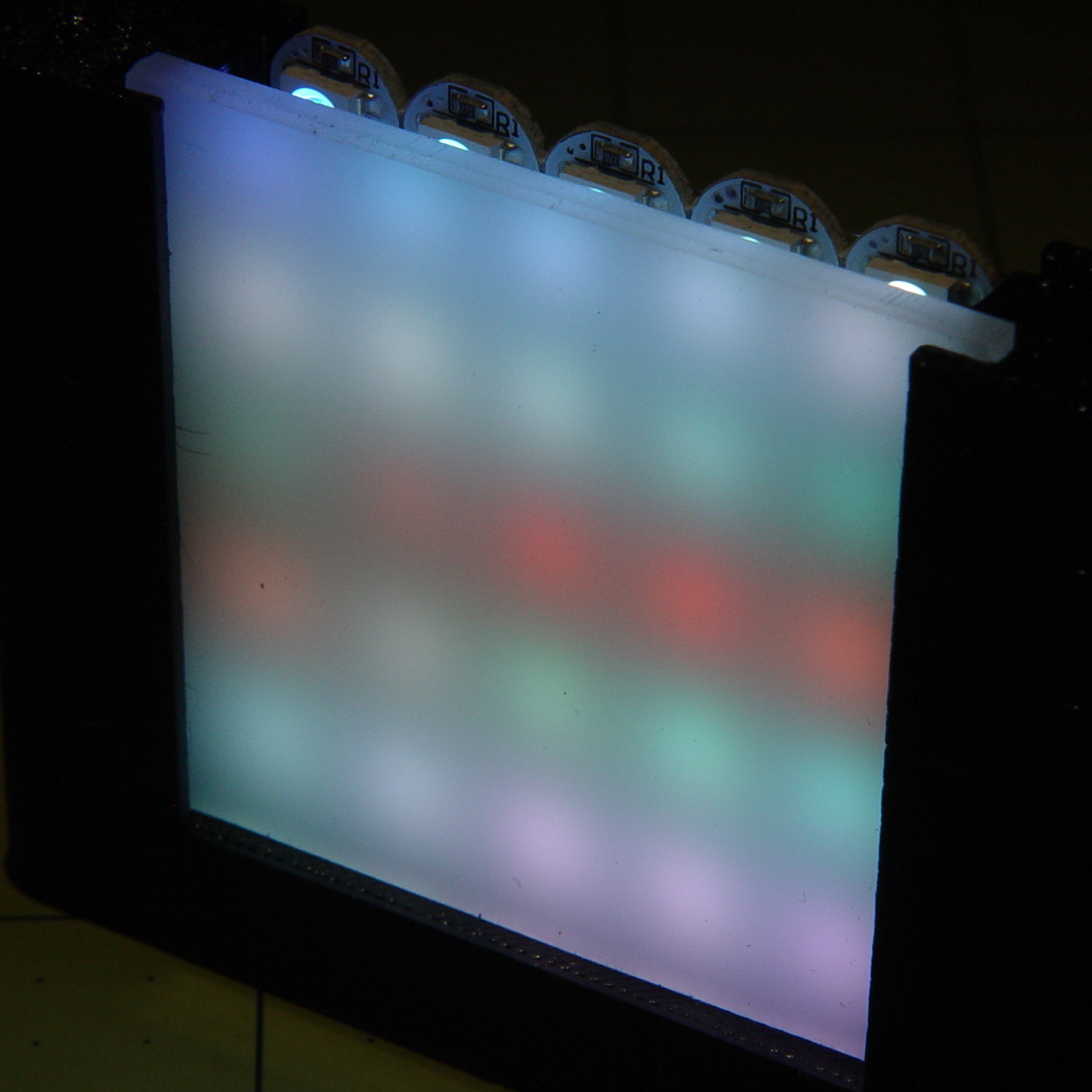
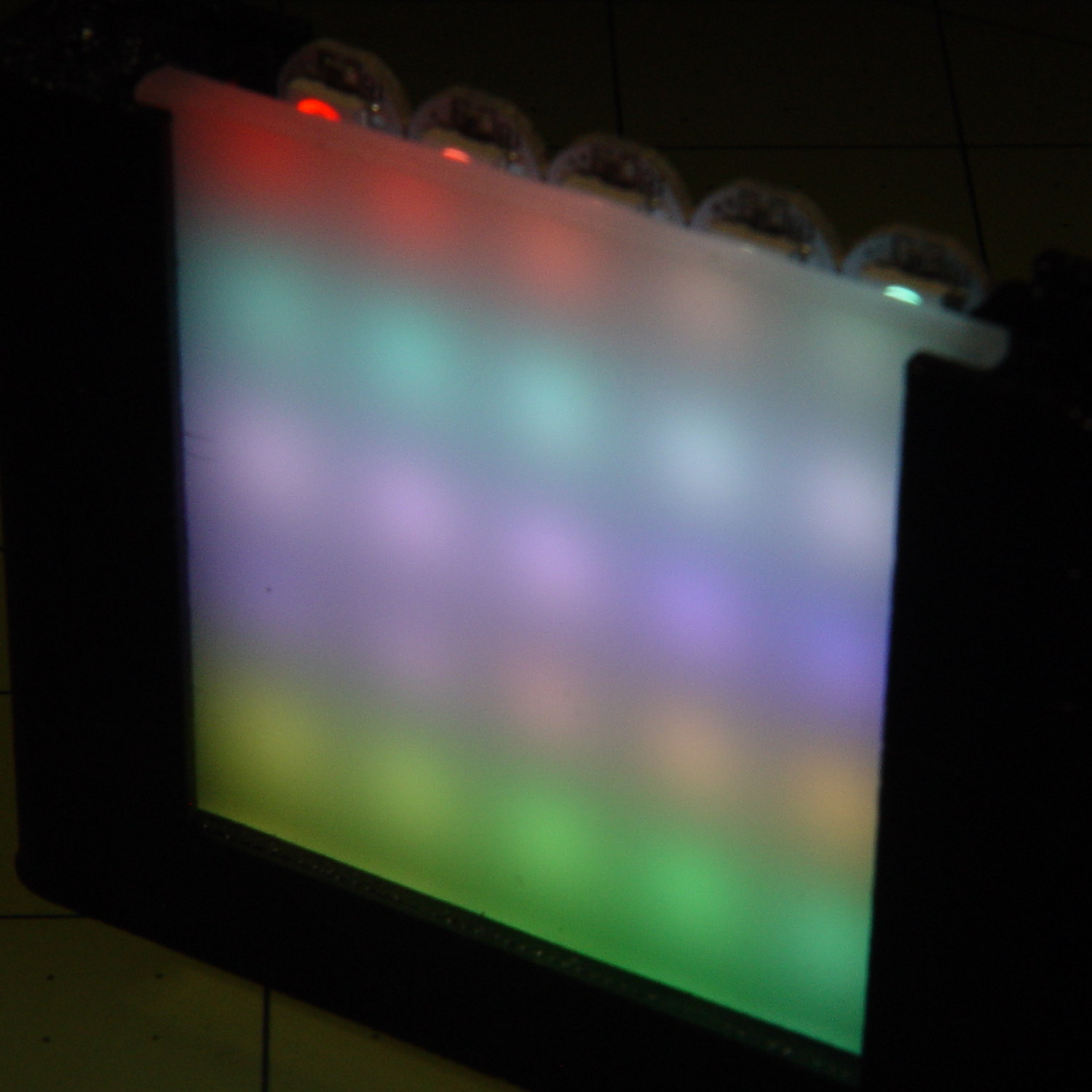
    With the warm-white LED at full throttle (MaxPWM = 255), the panel tends toward the pallid end of HSV space:

    SK2812RGBW test fixture - front - W PWM255
    SK2812RGBW test fixture – front – W PWM255

    Dialing the white MaxPWM back to 32 crisps things a bit:

    SK2812RGBW test fixture - front - W PWM32
    SK2812RGBW test fixture – front – W PWM32

    Of course, the RGBW data stream isn’t compatible with the RGB data stream, so vacuum tubes with SK6812 chips require a slightly different driver and I can’t mix the two chips on a single tube.

    The Arduino source code as a GitHub Gist:

    // SK6812 RGBW LED array exerciser
    // Ed Nisley – KE4ANU – February 2017
    #include <Adafruit_NeoPixel.h>
    //———-
    // Pin assignments
    const byte PIN_NEO = A3; // DO – data out to first Neopixel
    const byte PIN_HEARTBEAT = 13; // DO – Arduino LED
    //———-
    // Constants
    #define UPDATEINTERVAL 20ul
    const unsigned long UpdateMS = UPDATEINTERVAL – 1ul; // update LEDs only this many ms apart minus loop() overhead
    // number of steps per cycle, before applying prime factors
    #define RESOLUTION 100
    // phase difference between LEDs for slowest color
    #define BASEPHASE (PI/16.0)
    // LEDs in each row
    #define NUMCOLS 5
    // number of rows
    #define NUMROWS 5
    #define NUMPIXELS (NUMCOLS * NUMROWS)
    #define PINDEX(row,col) (row*NUMCOLS + col)
    //———-
    // Globals
    // instantiate the Neopixel buffer array
    Adafruit_NeoPixel strip = Adafruit_NeoPixel(NUMPIXELS, PIN_NEO, NEO_GRBW + NEO_KHZ800);
    uint32_t FullWhite = strip.Color(255,255,255,255);
    uint32_t FullOff = strip.Color(0,0,0,0);
    struct pixcolor_t {
    byte Prime;
    unsigned int NumSteps;
    unsigned int Step;
    float StepSize;
    float TubePhase;
    byte MaxPWM;
    };
    // colors in each LED
    enum pixcolors {RED, GREEN, BLUE, WHITE, PIXELSIZE};
    struct pixcolor_t Pixels[PIXELSIZE]; // all the data for each pixel color intensity
    unsigned long MillisNow;
    unsigned long MillisThen;
    //– Figure PWM based on current state
    byte StepColor(byte Color, float Phi) {
    byte Value;
    Value = (Pixels[Color].MaxPWM / 2.0) * (1.0 + sin(Pixels[Color].Step * Pixels[Color].StepSize + Phi));
    // Value = (Value) ? Value : Pixels[Color].MaxPWM; // flash at dimmest points
    // printf("C: %d Phi: %d Value: %d\r\n",Color,(int)(Phi*180.0/PI),Value);
    return Value;
    }
    //– Helper routine for printf()
    int s_putc(char c, FILE *t) {
    Serial.write(c);
    }
    //——————
    // Set the mood
    void setup() {
    pinMode(PIN_HEARTBEAT,OUTPUT);
    digitalWrite(PIN_HEARTBEAT,LOW); // show we arrived
    Serial.begin(57600);
    fdevopen(&s_putc,0); // set up serial output for printf()
    printf("WS2812 / SK6812 array exerciser\r\nEd Nisley – KE4ZNU – February 2017\r\n");
    /// set up Neopixels
    strip.begin();
    strip.show();
    // lamp test: run a brilliant white dot along the length of the strip
    printf("Lamp test: walking white\r\n");
    strip.setPixelColor(0,FullWhite);
    strip.show();
    delay(250);
    for (int i=1; i<NUMPIXELS; i++) {
    digitalWrite(PIN_HEARTBEAT,HIGH);
    strip.setPixelColor(i-1,FullOff);
    strip.setPixelColor(i,FullWhite);
    strip.show();
    digitalWrite(PIN_HEARTBEAT,LOW);
    delay(250);
    }
    strip.setPixelColor(NUMPIXELS – 1,FullOff);
    strip.show();
    delay(250);
    // fill the array, row by row
    printf(" … fill\r\n");
    for (int i=NUMROWS-1; i>=0; i–) { // for each row
    digitalWrite(PIN_HEARTBEAT,HIGH);
    for (int j=NUMCOLS-1; j>=0 ; j–) {
    strip.setPixelColor(PINDEX(i,j),FullWhite);
    strip.show();
    delay(100);
    }
    digitalWrite(PIN_HEARTBEAT,LOW);
    }
    // clear to black, column by column
    printf(" … clear\r\n");
    for (int j=NUMCOLS-1; j>=0; j–) { // for each column
    digitalWrite(PIN_HEARTBEAT,HIGH);
    for (int i=NUMROWS-1; i>=0; i–) {
    strip.setPixelColor(PINDEX(i,j),FullOff);
    strip.show();
    delay(100);
    }
    digitalWrite(PIN_HEARTBEAT,LOW);
    }
    delay(1000);
    // set up the color generators
    MillisNow = MillisThen = millis();
    printf("First random number: %ld\r\n",random(10));
    Pixels[RED].Prime = 3;
    Pixels[GREEN].Prime = 5;
    Pixels[BLUE].Prime = 7;
    Pixels[WHITE].Prime = 11;
    printf("Primes: (%d,%d,%d,%d)\r\n",
    Pixels[RED].Prime,Pixels[GREEN].Prime,Pixels[BLUE].Prime,Pixels[WHITE].Prime);
    unsigned int PixelSteps = (unsigned int) ((BASEPHASE / TWO_PI) *
    RESOLUTION * (unsigned int) max(max(max(Pixels[RED].Prime,Pixels[GREEN].Prime),Pixels[BLUE].Prime),Pixels[WHITE].Prime));
    printf("Pixel phase offset: %d deg = %d steps\r\n",(int)(BASEPHASE*(360.0/TWO_PI)),PixelSteps);
    Pixels[RED].MaxPWM = 255;
    Pixels[GREEN].MaxPWM = 255;
    Pixels[BLUE].MaxPWM = 255;
    Pixels[WHITE].MaxPWM = 32;
    for (byte c=0; c < PIXELSIZE; c++) {
    Pixels[c].NumSteps = RESOLUTION * (unsigned int) Pixels[c].Prime;
    Pixels[c].Step = (3*Pixels[c].NumSteps)/4;
    Pixels[c].StepSize = TWO_PI / Pixels[c].NumSteps; // in radians per step
    Pixels[c].TubePhase = PixelSteps * Pixels[c].StepSize; // radians per tube
    printf("c: %d Steps: %5d Init: %5d",c,Pixels[c].NumSteps,Pixels[c].Step);
    printf(" PWM: %3d Phi %3d deg\r\n",Pixels[c].MaxPWM,(int)(Pixels[c].TubePhase*(360.0/TWO_PI)));
    }
    }
    //——————
    // Run the mood
    void loop() {
    MillisNow = millis();
    if ((MillisNow – MillisThen) > UpdateMS) {
    digitalWrite(PIN_HEARTBEAT,HIGH);
    unsigned int AllSteps = 0;
    for (byte c=0; c < PIXELSIZE; c++) { // step to next increment in each color
    if (++Pixels[c].Step >= Pixels[c].NumSteps) {
    Pixels[c].Step = 0;
    printf("Color %d steps %5d at %8ld delta %ld ms\r\n",c,Pixels[c].NumSteps,MillisNow,(MillisNow – MillisThen));
    }
    AllSteps += Pixels[c].Step; // will be zero only when all wrap at once
    }
    if (0 == AllSteps) {
    printf("Grand cycle at: %ld\r\n",MillisNow);
    }
    for (int k=0; k < NUMPIXELS; k++) { // for each pixel
    byte Value[PIXELSIZE];
    for (byte c=0; c < PIXELSIZE; c++) { // … for each color
    Value[c] = StepColor(c,-k*Pixels[c].TubePhase); // figure new PWM value
    // Value[c] = (c == RED && Value[c] == 0) ? Pixels[c].MaxPWM : Value[c]; // flash highlight for tracking
    }
    uint32_t UniColor = strip.Color(Value[RED],Value[GREEN],Value[BLUE],Value[WHITE]);
    strip.setPixelColor(k,UniColor);
    }
    strip.show();
    MillisThen = MillisNow;
    digitalWrite(PIN_HEARTBEAT,LOW);
    }
    }

  • ShopVac Hose Barb Adapter

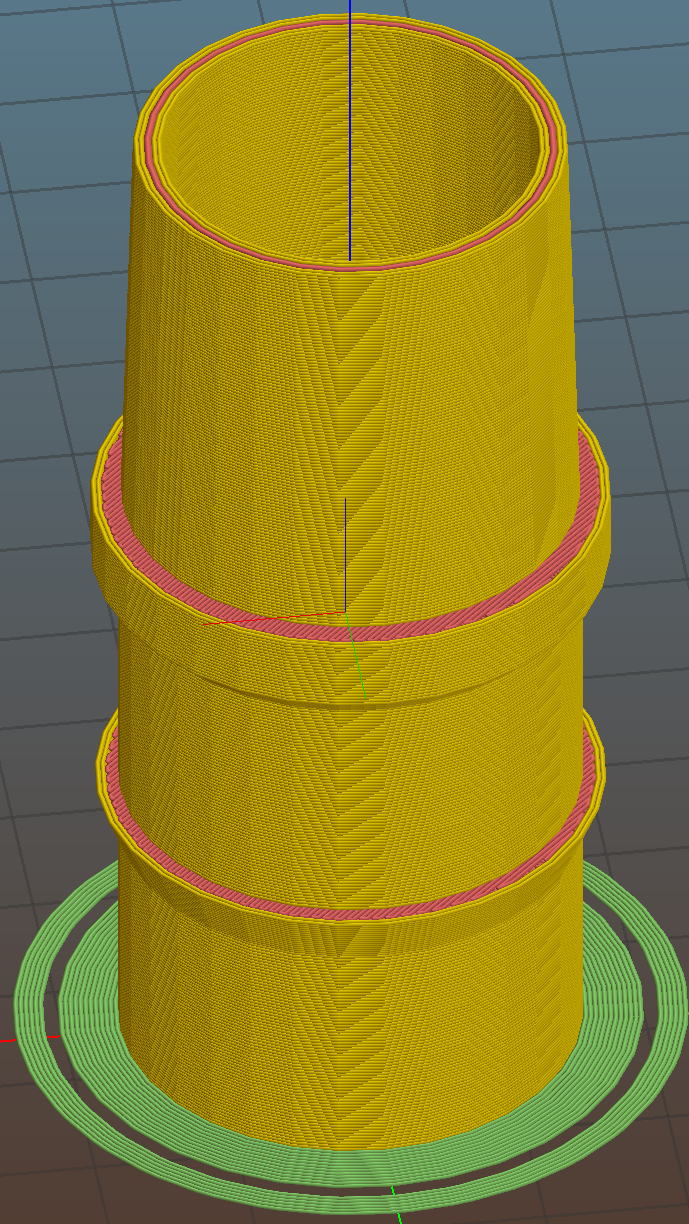
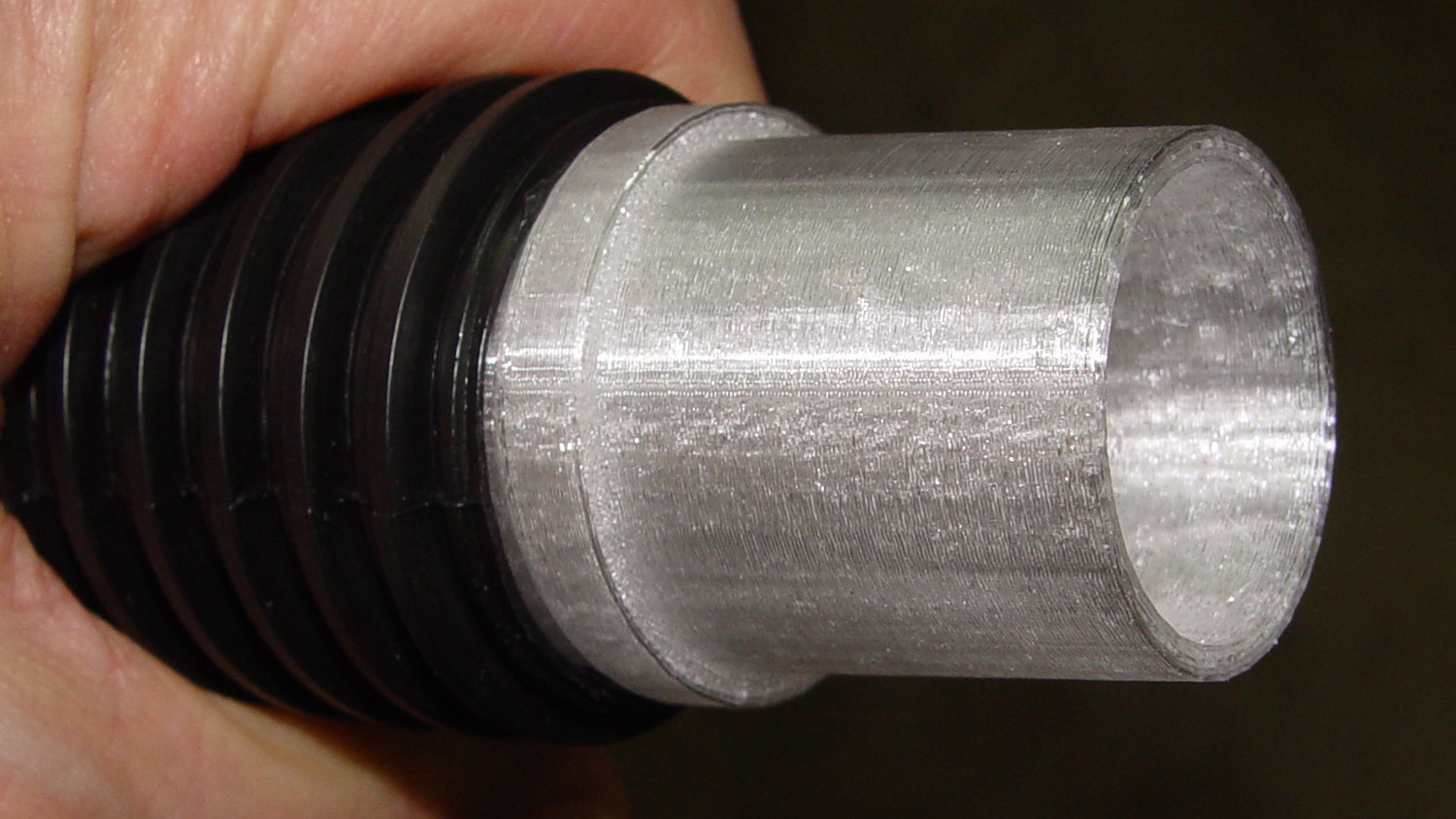
    A small ShopVac arrived with a ribbed hose carrying an absurdly long wand, so I conjured a barbed adapter with a much shorter tapered snout for the machine tools:

    Vacuum hose fittings - hose barb to nozzle
    Vacuum hose fittings – hose barb to nozzle

    Trimming the hose end at one of the ribs makes a tidy fit:

    Vacuum hose fittings - ribbed hose barb
    Vacuum hose fittings – ribbed hose barb

    Now I need not trip over the vacuum hose between the bandsaw bench and the sander bench…

    The OpenSCAD code as a GitHub Gist:

    // Vacuum Hose Fittings
    // Ed Nisley KE4ZNU July 2016
    // March 2017
    Layout = "HoseBarb"; // PVCtoHose ExpandRing PipeToPort FVacPipe FVacFitting HoseBarb
    //- Extrusion parameters must match reality!
    // Print with 2 shells and 3 solid layers
    ThreadThick = 0.25;
    ThreadWidth = 0.40;
    HoleWindage = 0.2;
    Protrusion = 0.1; // make holes end cleanly
    //———————-
    // Dimensions
    ID = 0;
    OD = 1;
    LENGTH = 2;
    VacNozzle = [30.1,31.8,30.0]; // nozzle on vacuum hose (taper ID to OD over length)
    MINOR = 0;
    MAJOR = 1;
    PITCH = 2;
    FORM_OD = 3;
    HoseThread = [32.0,(37.0 + HoleWindage),4.25,(1.8 + 0.20)]; // vacuum hose thread
    NumSegments = 64; // .. number of cylinder approximations per turn
    $fn = NumSegments;
    ThreadLength = 4 * HoseThread[PITCH];
    ScrewOAL = ThreadLength + HoseThread[PITCH];
    WallThick = 2.5;
    echo(str("Pitch dia: ",HoseThread[MAJOR]));
    echo(str("Root dia: ",HoseThread[MAJOR] – HoseThread[FORM_OD]));
    echo(str("Crest dia: ",HoseThread[MAJOR] + HoseThread[FORM_OD]));
    //———————-
    // Wrap cylindrical thread segments around larger plug cylinder
    module CylinderThread(Pitch,Length,PitchDia,ThreadOD,PerTurn,Chirality = "Left") {
    CylFudge = 1.02; // force overlap
    ThreadSides = 6;
    RotIncr = 1/PerTurn;
    PitchRad = PitchDia/2;
    Turns = Length/Pitch;
    NumCyls = Turns*PerTurn;
    ZStep = Pitch / PerTurn;
    HelixAngle = ((Chirality == "Left") ? -1 : 1) * atan(Pitch/(PI*PitchDia));
    CylLength = CylFudge * (PI*(PitchDia + ThreadOD) / PerTurn) / cos(HelixAngle);
    for (i = [0:NumCyls-1]) {
    Angle = ((Chirality == "Left") ? -1 : 1) * 360*i/PerTurn;
    translate([PitchRad*cos(Angle),PitchRad*sin(Angle),i*ZStep])
    rotate([90+HelixAngle,0,Angle]) rotate(180/ThreadSides)
    cylinder(r1=ThreadOD/2,
    r2=ThreadOD/(2*CylFudge),
    h=CylLength,
    center=true,$fn=ThreadSides);
    }
    }
    //– PVC fitting to vacuum hose
    module PVCtoHose() {
    Fitting = [34.0,41.0,16.0]; // 1 inch PVC elbow
    Adapter = [HoseThread[MAJOR],(Fitting[OD] + 2*WallThick + HoleWindage),(ScrewOAL + Fitting[LENGTH])]; // dimensions for entire fitting
    union() {
    difference() {
    cylinder(d=Adapter[OD],h=Adapter[LENGTH]); // overall fitting
    translate([0,0,-Protrusion]) // remove thread pitch dia
    cylinder(d=HoseThread[MAJOR],h=(ScrewOAL + 2*Protrusion));
    translate([0,0,(ScrewOAL – Protrusion)]) // remove PVC fitting dia
    cylinder(d=(Fitting[OD] + HoleWindage),h=(Fitting[LENGTH] + 2*Protrusion));
    }
    translate([0,0,HoseThread[PITCH]/2]) // add the thread form
    CylinderThread(HoseThread[PITCH],ThreadLength,HoseThread[MAJOR],HoseThread[FORM_OD],NumSegments,"Left");
    }
    }
    //– Expander ring from small OD to large ID PVC fittings
    // So a small elbow on the bandsaw fits into the hose adapter, which may not be long-term useful
    module ExpandRing() {
    Fitting_L = [34.0,41.0,16.0]; // 1 inch PVC pipe elbow
    Fitting_S = [26.8,32.8,17]; // 3/4 inch PVC elbow
    difference() {
    cylinder(d1=Fitting_L[OD],d2=(Fitting_L[OD] – HoleWindage),h=Fitting_L[LENGTH]); // overall fitting
    translate([0,0,-Protrusion])
    cylinder(d=(Fitting_S[OD] + HoleWindage),h=(Fitting_L[LENGTH] + 2*Protrusion));
    }
    }
    //– 1 inch PVC pipe into vacuum port
    // Stick this in the port, then plug a fitting onto the pipe section
    module PipeToPort() {
    Pipe = [26.5,33.5,20.0]; // 1 inch Schedule 40 PVC pipe
    difference() {
    union() {
    cylinder(d=Pipe[OD],h=(Pipe[LENGTH] + Protrusion));
    translate([0,0,(Pipe[LENGTH] – Protrusion)])
    cylinder(d1=VacNozzle[OD],d2=VacNozzle[ID],h=VacNozzle[LENGTH]);
    }
    translate([0,0,-Protrusion])
    cylinder(d=Pipe[ID],h=(Pipe[LENGTH] + VacNozzle[LENGTH] + 2*Protrusion));
    }
    }
    //– Female Vac outlet inside PVC pipe
    // Plug this into PVC fitting, then plug hose + nozzle into outlet
    module FVacPipe() {
    VacPort = [30.0,31.3,25]; // vacuum port on belt sander (taper ID to OD over length)
    Pipe = [26.5,33.5,20.0]; // 1 inch Schedule 40 PVC pipe
    difference() {
    cylinder(d=Pipe[OD],h=VacPort[LENGTH]);
    translate([0,0,-Protrusion])
    cylinder(d1=VacPort[ID],d2=VacPort[OD],h=(VacPort[LENGTH] + 2*Protrusion));
    }
    }
    //– Female Vac outlet on 3/4 inch fitting OD
    // Jam this onto OD of fitting, plug hose + nozzle into outlet
    module FVacFitting() {
    Adapter = [26.5,(33.5 + 2*WallThick),17.0]; // overall adapter
    //VacPort = [30.0,31.3,25]; // vacuum port on belt sander (taper ID to OD over length)
    VacPort = [30.1,31.8,30.0]; // vacuum port for bandsaw = inverse of hose nozzle
    Fitting = [26.8,32.8,17]; // 3/4 inch PVC elbow
    TaperLength = 5.0; // inner taper to avoid overhang
    difference() {
    cylinder(d=Adapter[OD],h=Adapter[LENGTH]); // overall fitting
    translate([0,0,-Protrusion])
    cylinder(d=(Fitting[OD] + HoleWindage),h=(Adapter[LENGTH] + 2*Protrusion));
    }
    translate([0,0,Adapter[LENGTH]])
    difference() {
    cylinder(d=Adapter[OD],h=TaperLength);
    translate([0,0,-Protrusion])
    cylinder(d1=(Fitting[OD] + HoleWindage),d2=VacPort[ID],h=(TaperLength + 2*Protrusion));
    }
    translate([0,0,(TaperLength + Adapter[LENGTH])]) // vac fitting
    difference() {
    cylinder(d=Adapter[OD],h=VacPort[LENGTH]);
    translate([0,0,-Protrusion])
    cylinder(d1=VacPort[ID],d2=VacPort[OD],h=(VacPort[LENGTH] + 2*Protrusion));
    }
    }
    //– Hose barb to male vacuum taper
    module HoseBarb() {
    HoseFitting = [29.0,32.2,38.5];
    Barb = [HoseFitting[OD],35.5,4.0];
    BarbOffset = 17.0;
    Seat = [HoseFitting[OD],36.0,5.0];
    SeatSupport = [HoseFitting[OD],Seat[OD],(Seat[OD] – HoseFitting[OD])/2];
    OAL = HoseFitting[LENGTH] + SeatSupport[LENGTH] + Seat[LENGTH] + VacNozzle[LENGTH];
    NumSides = 4*8;
    difference() {
    union() {
    cylinder(d=HoseFitting[OD],h=HoseFitting[LENGTH],$fn=NumSides);
    translate([0,0,BarbOffset])
    cylinder(d1=Barb[ID],d2=Barb[OD],h=Barb[LENGTH],$fn=NumSides);
    translate([0,0,HoseFitting[LENGTH]])
    cylinder(d1=SeatSupport[ID],d2=SeatSupport[OD],h=SeatSupport[LENGTH],$fn=NumSides);
    translate([0,0,HoseFitting[LENGTH] + SeatSupport[LENGTH]])
    cylinder(d=Seat[OD],h=Seat[LENGTH],$fn=NumSides);
    translate([0,0,HoseFitting[LENGTH] + SeatSupport[LENGTH] + Seat[LENGTH]])
    cylinder(d1=VacNozzle[OD],d2=VacNozzle[ID],h=VacNozzle[LENGTH],$fn=NumSides);
    }
    translate([0,0,-Protrusion])
    cylinder(d1=HoseFitting[ID],d2=(VacNozzle[ID] – 10*ThreadWidth),h=OAL + 2*Protrusion,$fn=NumSides);
    }
    }
    //———-
    // Build things
    if (Layout == "PVCtoHose")
    PVCtoHose();
    if (Layout == "ExpandRing") {
    ExpandRing();
    }
    if (Layout == "PipeToPort") {
    PipeToPort();
    }
    if (Layout == "FVacPipe") {
    FVacPipe();
    }
    if (Layout == "FVacFitting") {
    FVacFitting();
    }
    if (Layout == "HoseBarb") {
    HoseBarb();
    }
  • Tour Easy Rear Fender Clip

    One of the clips holding the rear fender on my Tour Easy broke:

    Rear fender clip - broken
    Rear fender clip – broken

    Well, if the truth be told, the fender jammed against the tire when I jackknifed the trailer while backing into a parking spot, dragged counterclockwise with the tire, and wiped that little tab right off the block. After 16 years of service, it doesn’t owe me a thing.

    Although the clip around the fender sits a bit lower than it used to (actually, the entire fender sits a bit lower than it should be), you can see the tab had a distinct bend at the edge of the aluminum block supporting the underseat bag frame: the block isn’t perpendicular to the tire / fender at that point.

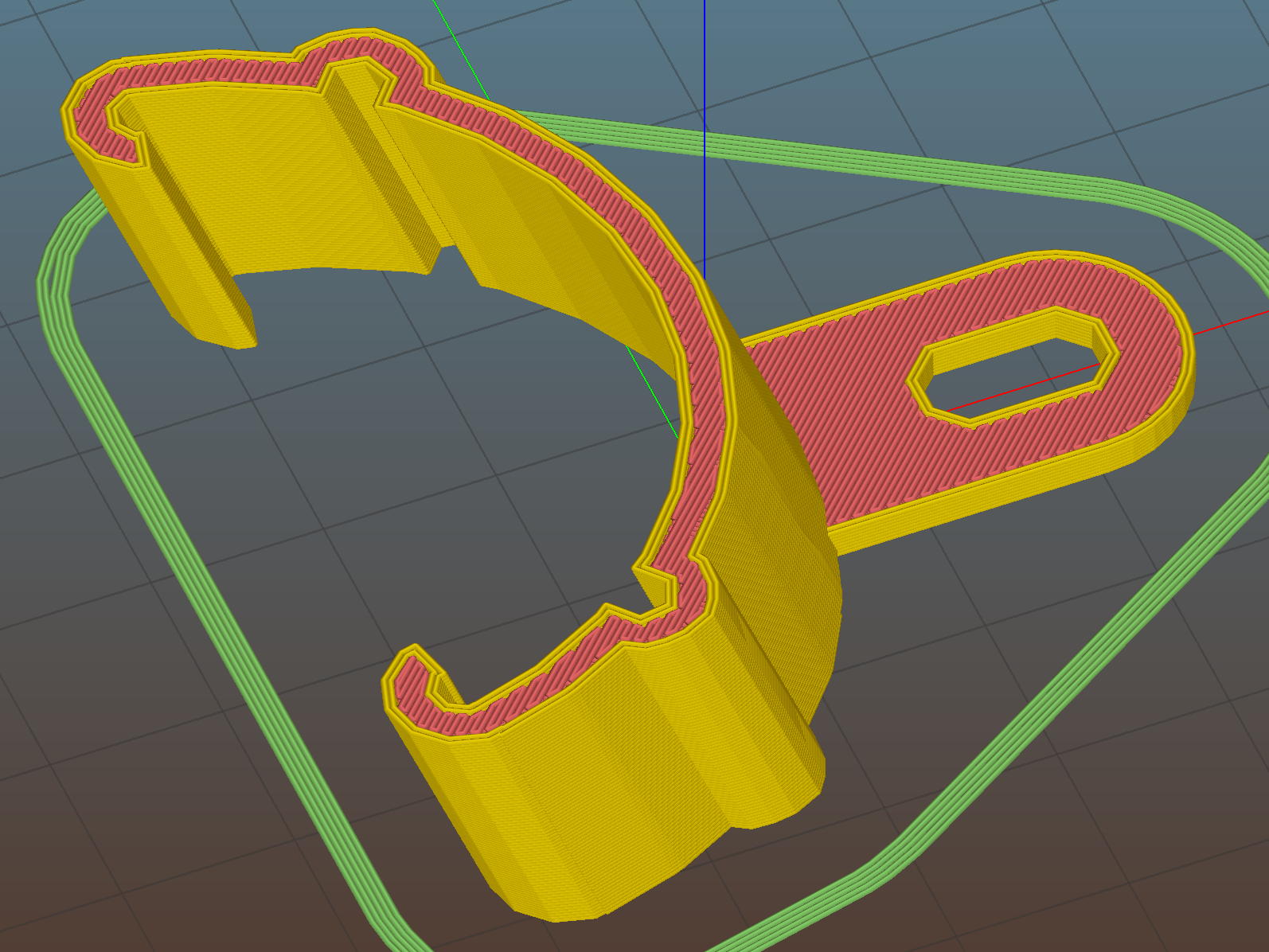
    After devoting far too long to thinking about how to angle the tab relative to the clip, I realized that I live in the future and can just angle the clip relative to the tab. Soooo, the solid model has a rakish tilt:

    Fender Clip - Slic3r preview
    Fender Clip – Slic3r preview

    The original design had a pair of strain relief struts where the tab meets the clip, but I figured I’ll add those after the PETG fractures.

    I mooched the small bumpouts along the arc from the original design; they provide a bit of stretch & bend so to ease the hooks around the fender.

    The hooks meet the clip with very slight discontinuities that, I think, come from slight differences between the 2D offset() operation and the circle() diameter; the usual 1/cos(180/numsides) trick was unavailing, so I tinkered until the answer came out right.

    Despite those stretchy bumps, it took three iterations, varying the chord height by about 1.5 mm, to securely snap those hooks onto the fender:

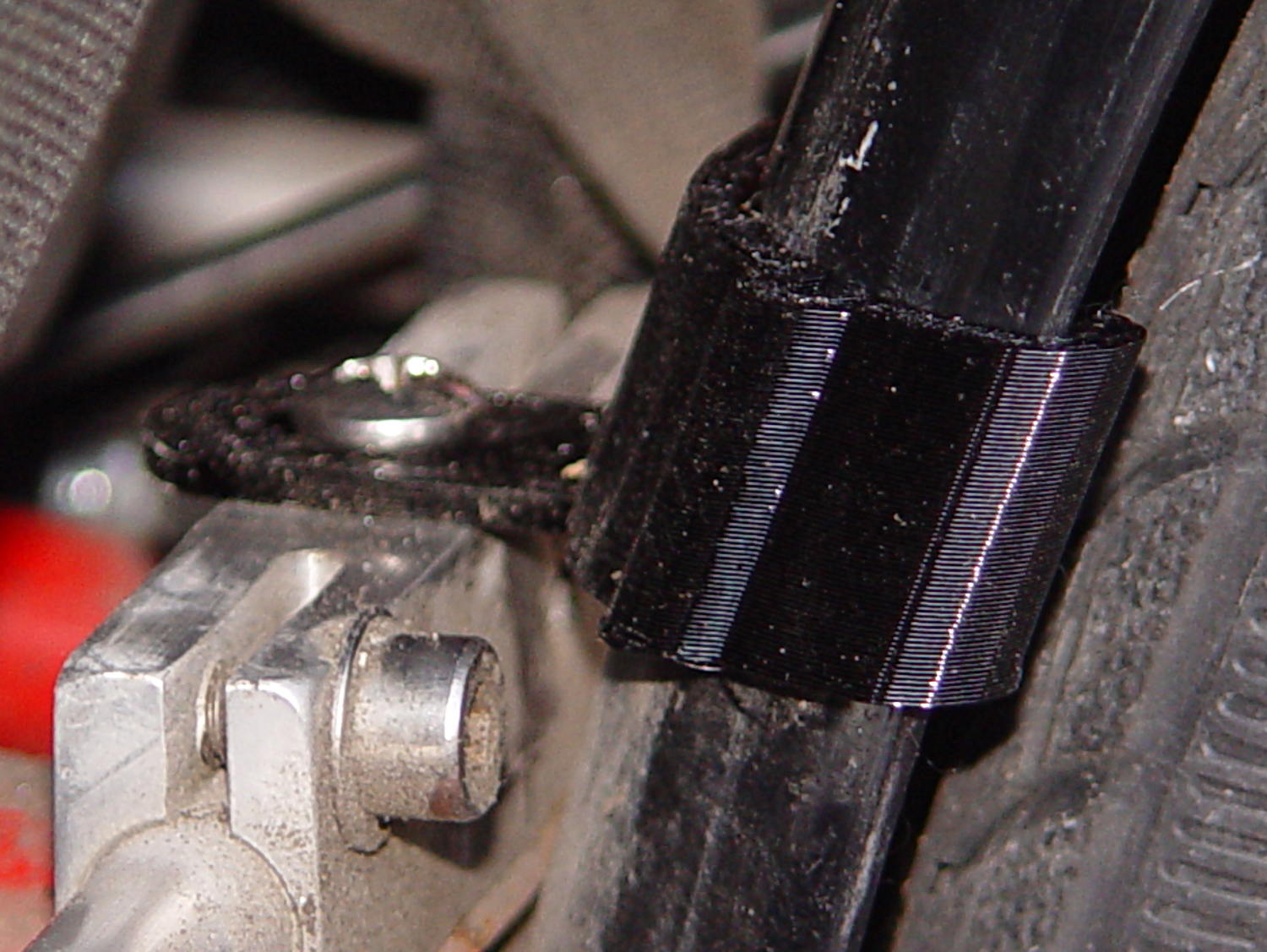
    Rear fender clip - 3D printed improvement
    Rear fender clip – 3D printed improvement

    Yeah, sorry ’bout the fuzzy focus on the screw head.

    It’s impossible to measure the chord height accurately enough in that position and I was not going to dismount the rear tire just to get a better measurement.

    You can see how the clip’s rakish tilt matches the fender’s slope, so the tab isn’t bent at all. It’ll probably break at the block the next time I jackknife the trailer, of course.

    I heroically resisted the urge to run off a lower fender mount.

    The OpenSCAD source code as a GitHub Gist:

    // Tour Easy rear fender clip
    // Ed Nisley KE4ZNU February 2017
    Layout = "Build"; // Build Profile Tab Clip
    //- Extrusion parameters must match reality!
    ThreadThick = 0.25;
    ThreadWidth = 0.40;
    HoleWindage = 0.2;
    Protrusion = 0.1; // make holes end cleanly
    inch = 25.4;
    function IntegerMultiple(Size,Unit) = Unit * ceil(Size / Unit);
    //———————-
    // Dimensions
    // special case: fender is exactly half a circle!
    FenderC = 47.0; // fender outside width = chord
    FenderM = 18.5; // height of chord
    FenderR = (pow(FenderM,2) + pow(FenderC,2)/4) / (2 * FenderM); // radius
    echo(str("Fender radius: ", FenderR));
    FenderD = 2*FenderR;
    FenderA = 2 * asin(FenderC / (2*FenderR));
    echo(str(" … arc: ",FenderA," deg"));
    FenderThick = 2.5; // fender thickness, assume dia of edge
    ClipHeight = 18.0; // top to bottom, ignoring rakish tilt
    ClipThick = 3.0; // thickness of clip around fender
    ClipD = FenderD; // ID of clip against
    ClipSides = 4 * 8; // polygon sides around clip circle
    BendReliefD = 2.5; // bend arch diameter
    BendReliefA = 2/3 * FenderA/2; // … angle from dead ahead
    BendReliefCut = 1.0; // factor to thin outside of bend
    TabAngle = -20; // angle from perpendicular to fender
    TabThick = 2.0;
    TabWidth = 15.0;
    ScrewOffset = 15.0; // screw center to fender along perpendicular
    ScrewD = 5.0;
    ScrewSlotLength = 2*ScrewD;
    //———————-
    // Useful routines
    module PolyCyl(Dia,Height,ForceSides=0) { // based on nophead's polyholes
    Sides = (ForceSides != 0) ? ForceSides : (ceil(Dia) + 2);
    FixDia = Dia / cos(180/Sides);
    cylinder(r=(FixDia + HoleWindage)/2,
    h=Height,
    $fn=Sides);
    }
    //———————-
    // Clip profile around fender
    // Centered on fender arc
    module Profile(HeightScale = 1) {
    linear_extrude(height=HeightScale*ClipHeight,convexity=5) {
    difference() {
    offset(r=ClipThick) // outside of clip
    union() {
    circle(d=ClipD,$fn=ClipSides);
    for (i=[-1,1])
    rotate(i*BendReliefA) {
    translate([ClipD/2 + BendReliefD/2,0,0])
    circle(d=BendReliefD,$fn=6);
    }
    }
    union() { // inside of clip
    circle(d=ClipD,$fn=ClipSides);
    for (i=[-1,1])
    rotate(i*BendReliefA) {
    translate([ClipD/2 + BendReliefCut*BendReliefD/2,0,0])
    circle(d=BendReliefD/cos(180/6),$fn=6);
    translate([ClipD/2,0,0])
    square([BendReliefCut*BendReliefD,BendReliefD],center=true);
    }
    }
    translate([(FenderR – FenderM – FenderD/2),0]) // trim ends
    square([FenderD,2*FenderD],center=true);
    }
    for (a=[-1,1]) // hooks around fender
    rotate(a*(FenderA/2))
    translate([FenderR – FenderThick/2,0]) {
    difference() {
    rotate(1*180/12)
    circle(d=FenderThick + 2*ClipThick,$fn=12);
    rotate(1*180/8)
    circle(d=FenderThick,$fn=8);
    rotate(a * -90)
    translate([0,-2*FenderThick,0])
    square(4*FenderThick,center=false);
    }
    }
    }
    }
    //———————-
    // Mounting tab
    module Tab() {
    linear_extrude(height=TabThick,convexity=3)
    difference() {
    hull() {
    circle(d=TabWidth,$fn=ClipSides);
    translate([(ScrewSlotLength – ScrewD)/2 + (FenderR + ScrewOffset),0,0])
    circle(d=TabWidth,$fn=ClipSides);
    }
    circle(d=ClipD,$fn=ClipSides); // remove fender arc
    hull() // screw slot
    for (i=[-1,1])
    translate([i*(ScrewSlotLength – ScrewD)/2 + (FenderR + ScrewOffset),0,0])
    rotate(180/8)
    circle(d=ScrewD/cos(180/8),$fn=8);
    }
    }
    //———————-
    // Combine at mounting angle
    module Clip() {
    difference() {
    union() {
    translate([-FenderR,0,0])
    Tab();
    rotate([0,TabAngle,0])
    translate([-FenderR,0,0])
    Profile(2); // scale upward for trimming
    }
    translate([0,0,-ClipHeight]) // trim bottom
    cube(2*[FenderD,FenderD,ClipHeight],center=true);
    translate([0,0,ClipHeight*cos(TabAngle)+ClipHeight]) // trim top
    cube(2*[FenderD,FenderD,ClipHeight],center=true);
    }
    }
    //———————-
    // Build it
    if (Layout == "Profile") {
    Profile();
    }
    if (Layout == "Tab") {
    Tab();
    }
    if (Layout == "Clip") {
    Clip();
    }
    if (Layout == "Build") {
    Clip();
    }

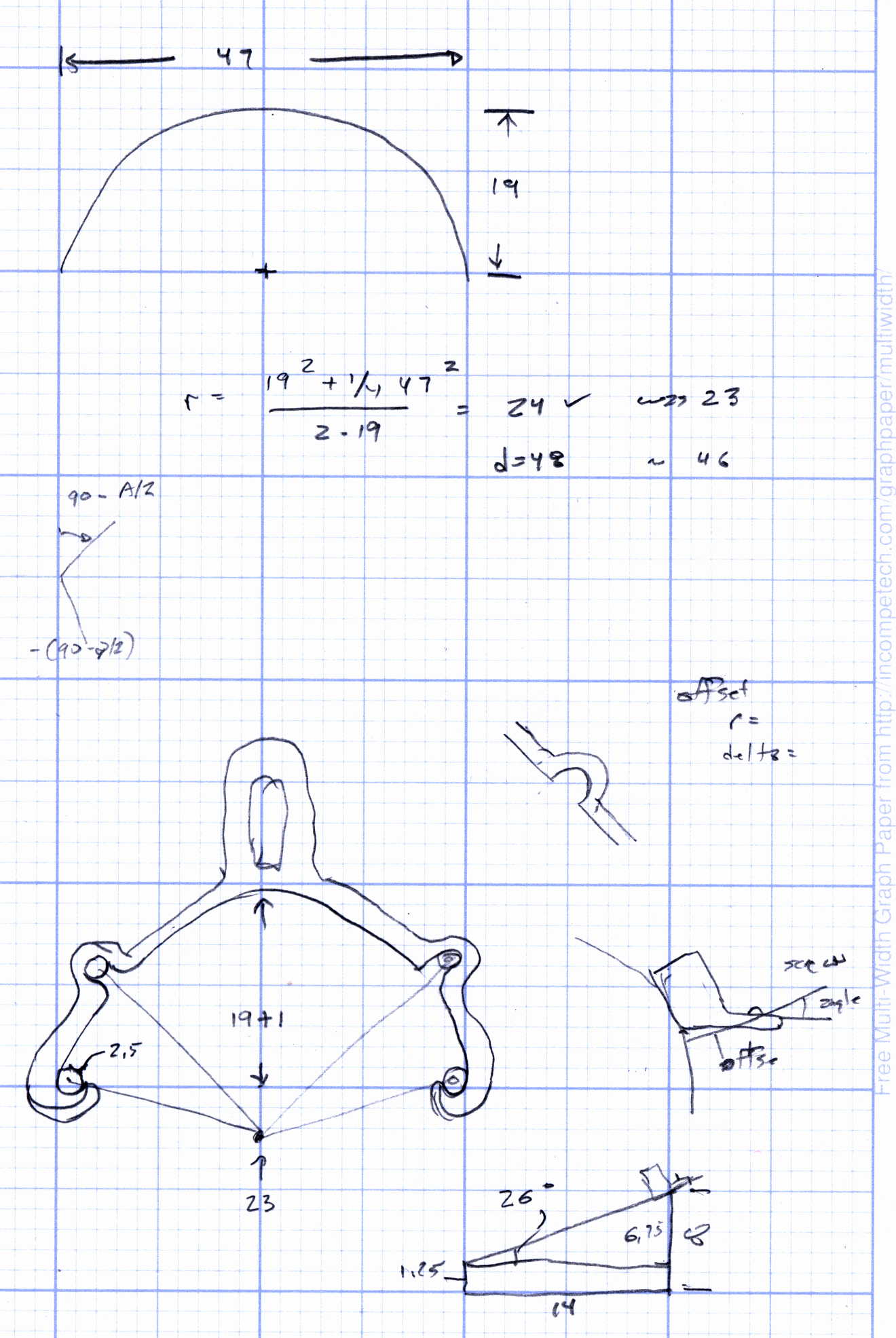
    The original doodle, with some measurements unable to withstand the test of time:

    Rear Fender Clip - measurement doodles
    Rear Fender Clip – measurement doodles