The Smell of Molten Projects in the Morning

Ed Nisley's Blog: Shop notes, electronics, firmware, machinery, 3D printing, laser cuttery, and curiosities. Contents: 100% human thinking, 0% AI slop.

Tag: M2

Using and tweaking a Makergear M2 3D printer

  • MPCNC Drag Knife: LM12UU Linear Bearing

    The anodized body of the drag knife on the left measures exactly 12.0 mm OD:
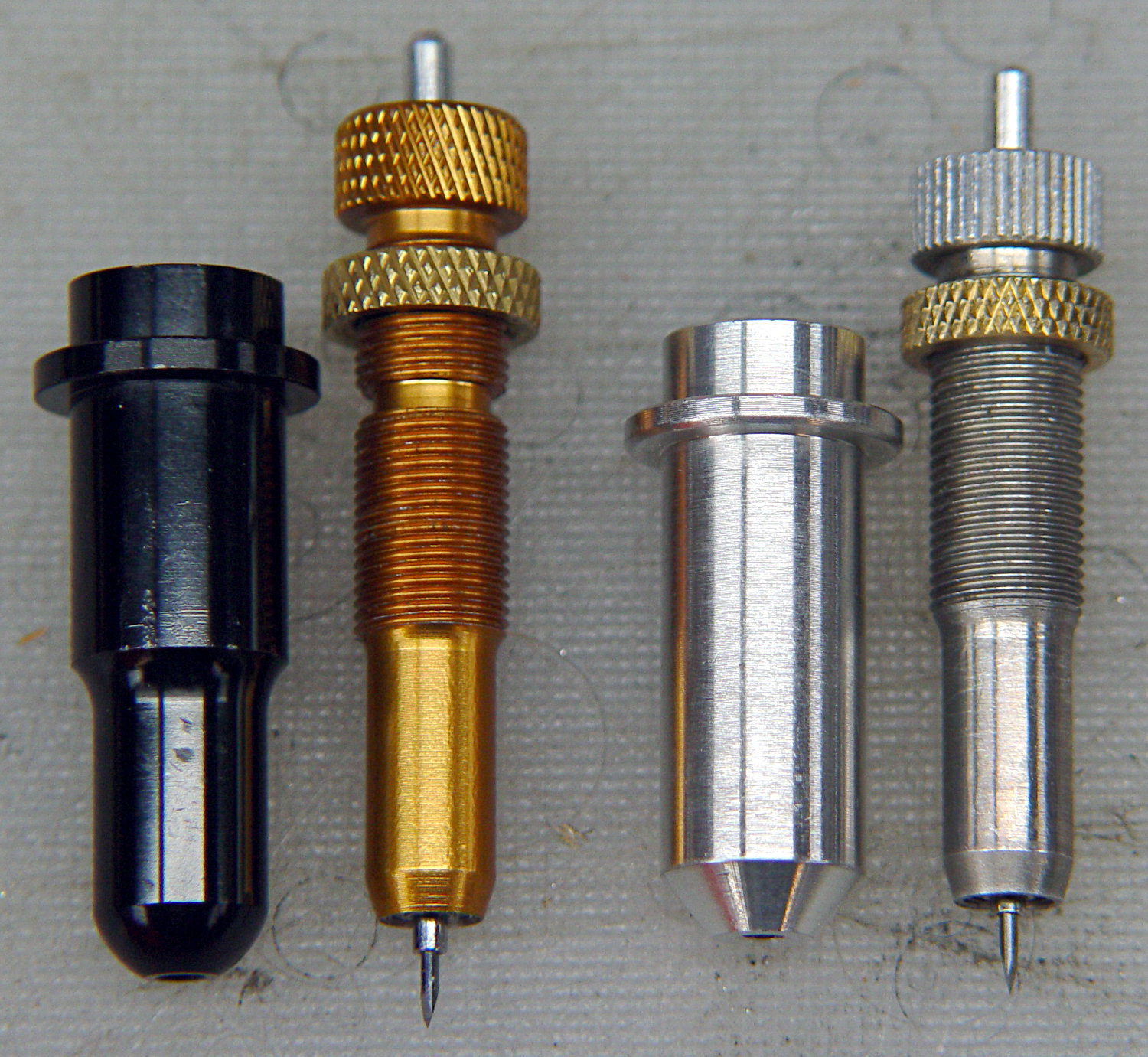
    Drag Knife holders - detail
    Drag Knife holders – detail

    Which happy fact suggested I might be able to use a standard LM12UU linear bearing, despite the obvious stupidity of running an aluminum “shaft” in a steel-ball bearing race:

    Drag Knife - LM12UU holder - solid model
    Drag Knife – LM12UU holder – solid model

    The 12 mm section extends about halfway through the bearing, with barely 3 mm extending out the far end:
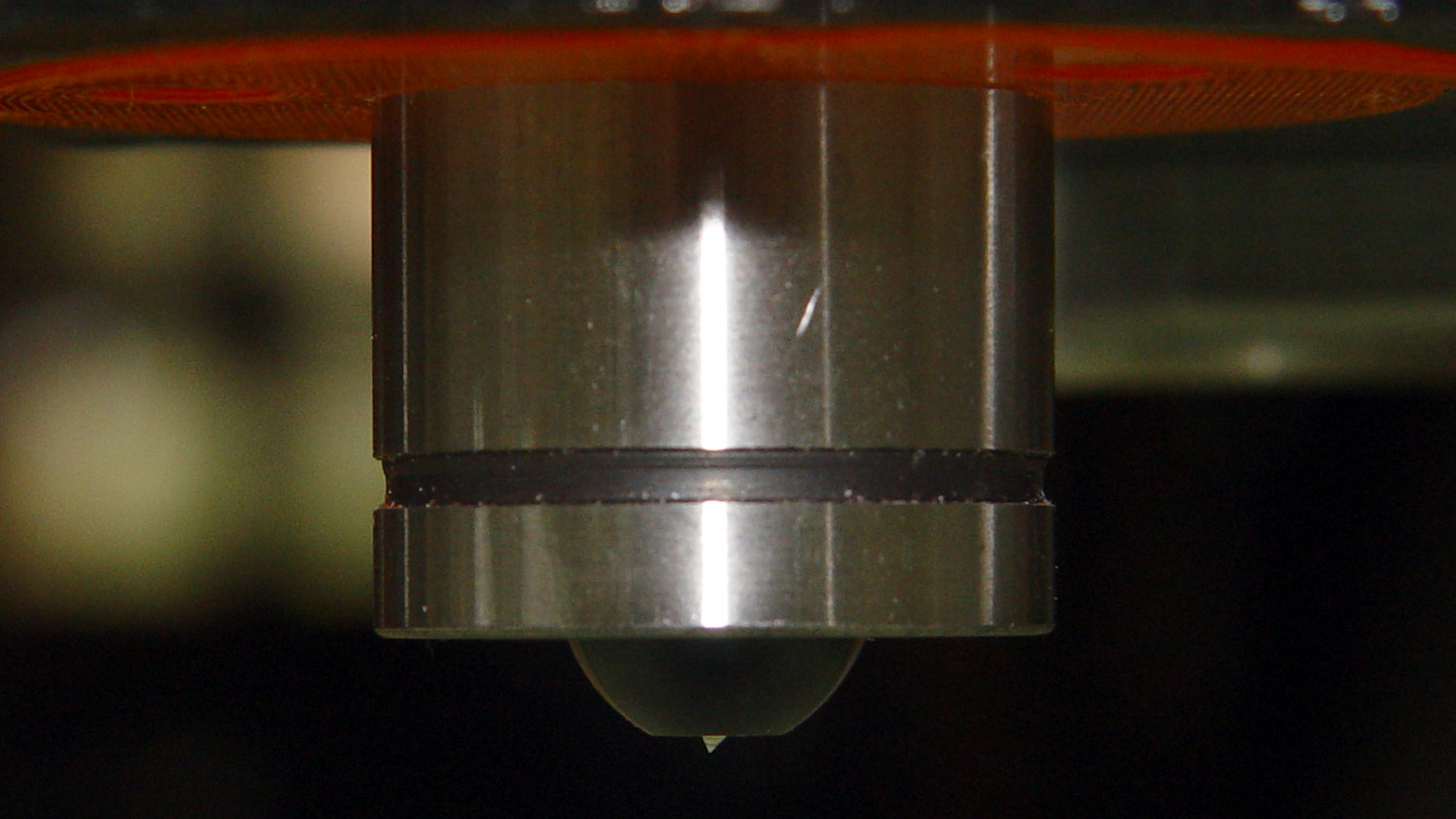
    Drag Knife - LM12UU - knife blade detail
    Drag Knife – LM12UU – knife blade detail

    Because the knife body isn’t touching the bearing for the lower half of its length, it’ll probably deflect too much in the XY plane, but it’s simple enough to try out.

    As before, the knife body’s flange is a snug fit in the hole bored in the upper disk:

    Drag Knife - spring plate test fit
    Drag Knife – spring plate test fit

    This time, I tried faking stripper bolts by filling the threads of ordinary socket head cap screws with epoxy:
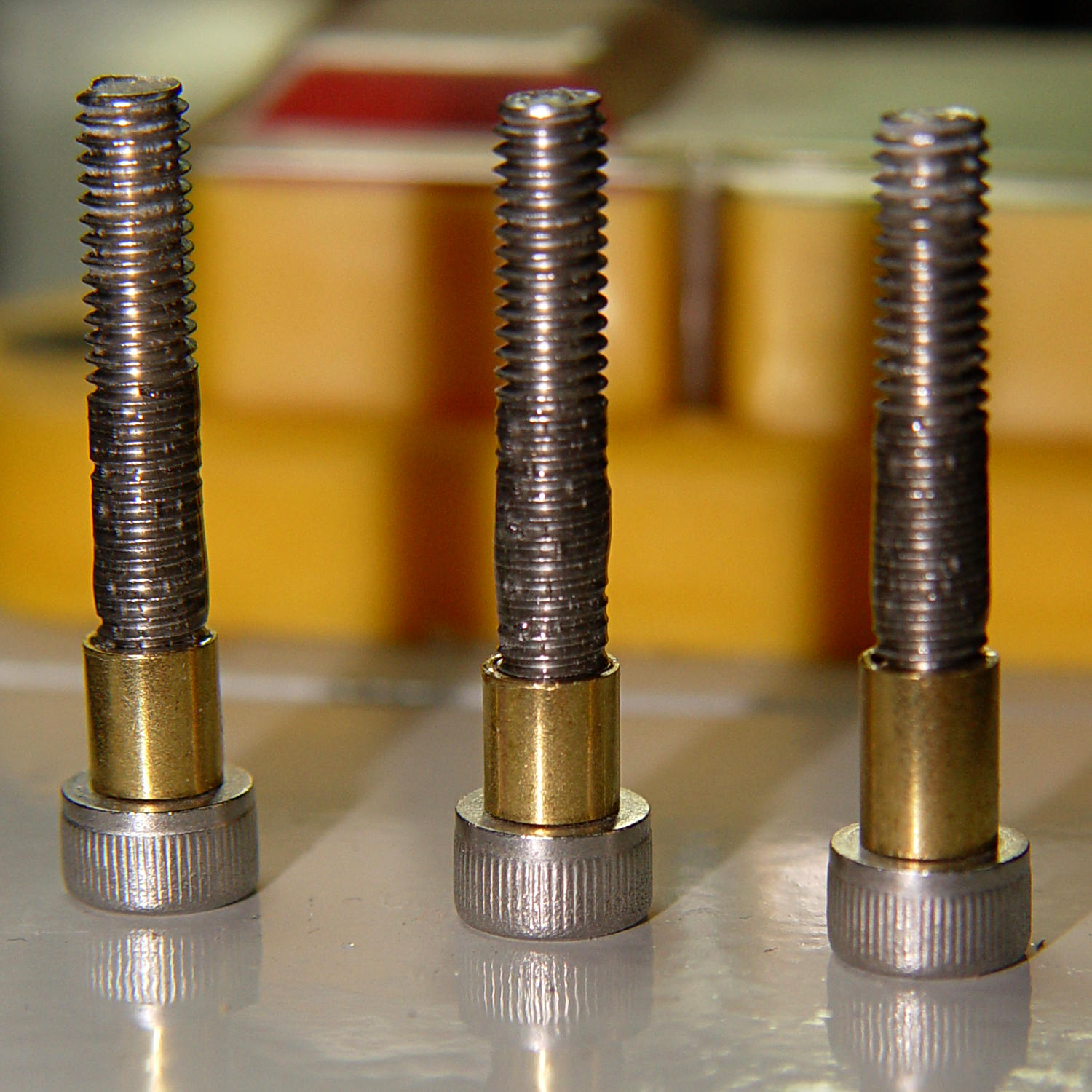
    Ersatz stripper bolts - epoxy fill
    Ersatz stripper bolts – epoxy fill

    Turning the filled section to match the thread OD showed this just wasn’t going to work at all, so I turned the gunked section of the threads down to about 3.5 mm and continued the mission:

    Drag Knife - LM12UU holder - assembled
    Drag Knife – LM12UU holder – assembled

    Next time, I’ll try mounting the disk on telescoping brass tubing nested around the screws. The motivation for the epoxy nonsense came from the discovery that real stainless steel stripper bolts run five bucks each, which means I’m just not stocking up on the things.

    It slide surprisingly well on the cut-down screws, though:

    Drag Knife - applique templates
    Drag Knife – applique templates

    Those appliqué templates came from patterns for a block in one of Mary’s current quilting projects, so perhaps I can be of some use whenever she next needs intricate cutouts.

    The OpenSCAD source code as a GitHub Gist:

    // Drag Knife Holder using LM12UU linear bearing
    // Ed Nisley KE4ZNU – 2019-04-26
    Layout = "Show"; // [Build, Show, Puck, Mount, Plate]
    /* [Extrusion] */
    ThreadThick = 0.25; // [0.20, 0.25]
    ThreadWidth = 0.40; // [0.40]
    /* [Hidden] */
    Protrusion = 0.1; // [0.01, 0.1]
    HoleWindage = 0.2;
    inch = 25.4;
    function IntegerMultiple(Size,Unit) = Unit * ceil(Size / Unit);
    ID = 0;
    OD = 1;
    LENGTH = 2;
    //- Adjust hole diameter to make the size come out right
    module PolyCyl(Dia,Height,ForceSides=0) { // based on nophead's polyholes
    Sides = (ForceSides != 0) ? ForceSides : (ceil(Dia) + 2);
    FixDia = Dia / cos(180/Sides);
    cylinder(r=(FixDia + HoleWindage)/2,h=Height,$fn=Sides);
    }
    //- Dimensions
    // Basic shape of DW660 snout fitting into the holder
    // Lip goes upward to lock into MPCNC mount
    Snout = [44.6,50.0,9.6]; // LENGTH = ID height
    Lip = 4.0; // height of lip at end of snout
    // Knife holder & suchlike
    KnifeBody = [12.0,15.9,2.0]; // flange epoxied to top of diamond shaft, with epoxy fillet
    WallThick = 4.0; // minimum thickness / width
    Screw = [4.0,8.5,8.0]; // holding it all together, OD = washer
    Insert = [4.0,6.0,10.0]; // brass insert
    Bearing = [12.0,21.0,30.0]; // linear bearing body
    Plate = [KnifeBody[ID],Snout[OD] – WallThick,KnifeBody[LENGTH] + WallThick]; // spring reaction plate
    PlateGuide = [4.0,4.8,Plate[LENGTH]]; // … guide tubes
    PuckOAL = max(Bearing[LENGTH],(Snout[LENGTH] + Lip)); // total height of DW660 fitting
    echo(str("PuckOAL: ",PuckOAL));
    Key = [Snout[ID],25.7,(Snout[LENGTH] + Lip)]; // rectangular key
    NumScrews = 3;
    ScrewBCD = 2.0*(Bearing[OD]/2 + Insert[OD]/2 + WallThick);
    NumSides = 9*4; // cylinder facets (multiple of 3 for lathe trimming)
    module DW660Puck() {
    translate([0,0,PuckOAL])
    rotate([180,0,0]) {
    cylinder(d=Snout[OD],h=Lip/2,$fn=NumSides);
    translate([0,0,Lip/2])
    cylinder(d1=Snout[OD],d2=Snout[ID],h=Lip/2,$fn=NumSides);
    cylinder(d=Snout[ID],h=PuckOAL,$fn=NumSides);
    intersection() {
    translate([0,0,0*Lip + Key.z/2])
    cube(Key,center=true);
    cylinder(d=Snout[OD],h=Lip + Key.z,$fn=NumSides);
    }
    }
    }
    module MountBase() {
    difference() {
    DW660Puck();
    translate([0,0,-Protrusion]) // bearing
    PolyCyl(Bearing[OD],2*PuckOAL,NumSides);
    for (i=[0:NumScrews – 1]) // clamp screws
    rotate(i*360/NumScrews)
    translate([ScrewBCD/2,0,-Protrusion])
    rotate(180/8)
    PolyCyl(Insert[OD],2*PuckOAL,8);
    }
    }
    module SpringPlate() {
    difference() {
    cylinder(d=Plate[OD],h=Plate[LENGTH],$fn=NumSides);
    translate([0,0,-Protrusion]) // knife holder body
    PolyCyl(KnifeBody[ID],2*PuckOAL,NumSides);
    translate([0,0,Plate[LENGTH] – KnifeBody[LENGTH]]) // flange, snug fit
    PolyCyl(KnifeBody[OD],KnifeBody[LENGTH] + Protrusion,NumSides);
    for (i=[0:NumScrews – 1]) // clamp screws
    rotate(i*360/NumScrews)
    translate([ScrewBCD/2,0,-Protrusion])
    rotate(180/8)
    PolyCyl(PlateGuide[OD],2*PuckOAL,8);
    }
    }
    //—–
    // Build it
    if (Layout == "Puck")
    DW660Puck();
    if (Layout == "Plate")
    SpringPlate();
    if (Layout == "Mount")
    MountBase();
    if (Layout == "Show") {
    MountBase();
    translate([0,0,1.6*PuckOAL])
    rotate([180,0,0])
    SpringPlate();
    }
    if (Layout == "Build") {
    translate([0,Snout[OD]/2,PuckOAL])
    rotate([180,0,0])
    MountBase();
    translate([0,-Snout[OD]/2,0])
    SpringPlate();
    }

  • MPCNC Drag Knife: PETG Linear Bearing

    Having reasonable success using a 12 mm hole bored in a 3D printed mount for the nice drag knife holder on the left, I thought I’d try the same trick for the raw aluminum holder on the right side:

    Drag Knife holders - detail
    Drag Knife holders – detail

    The 11.5 mm body is long enough to justify making a longer holder with more bearing surface:

    Drag Knife Holder - 11.5 mm body - Slic3r preview
    Drag Knife Holder – 11.5 mm body – Slic3r preview

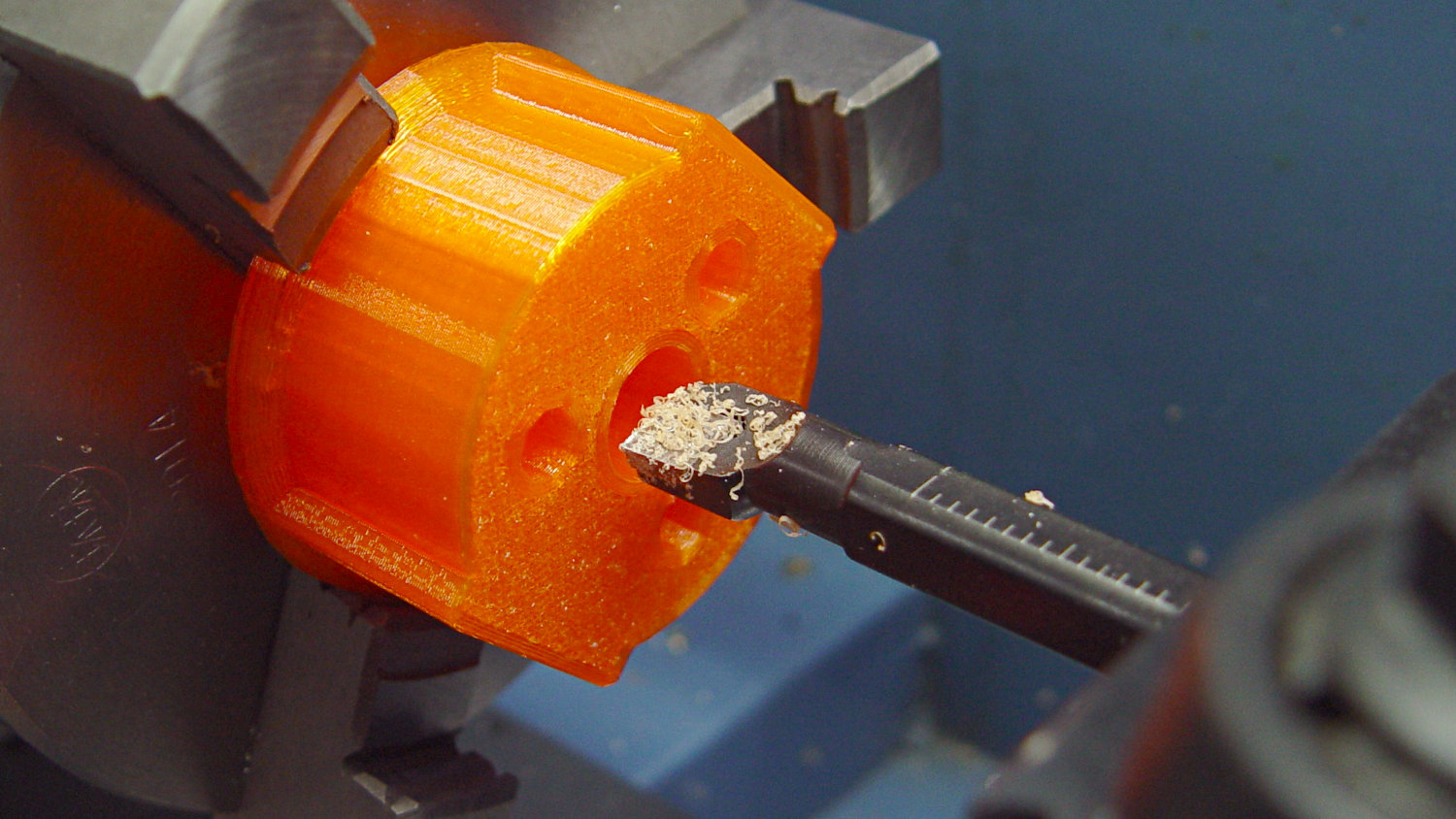
    Slicing with four perimeter threads lays down enough reasonably solid plastic to bore the central hole to a nice sliding fit:

    Drag Knife - 11.5 mm body - boring
    Drag Knife – 11.5 mm body – boring

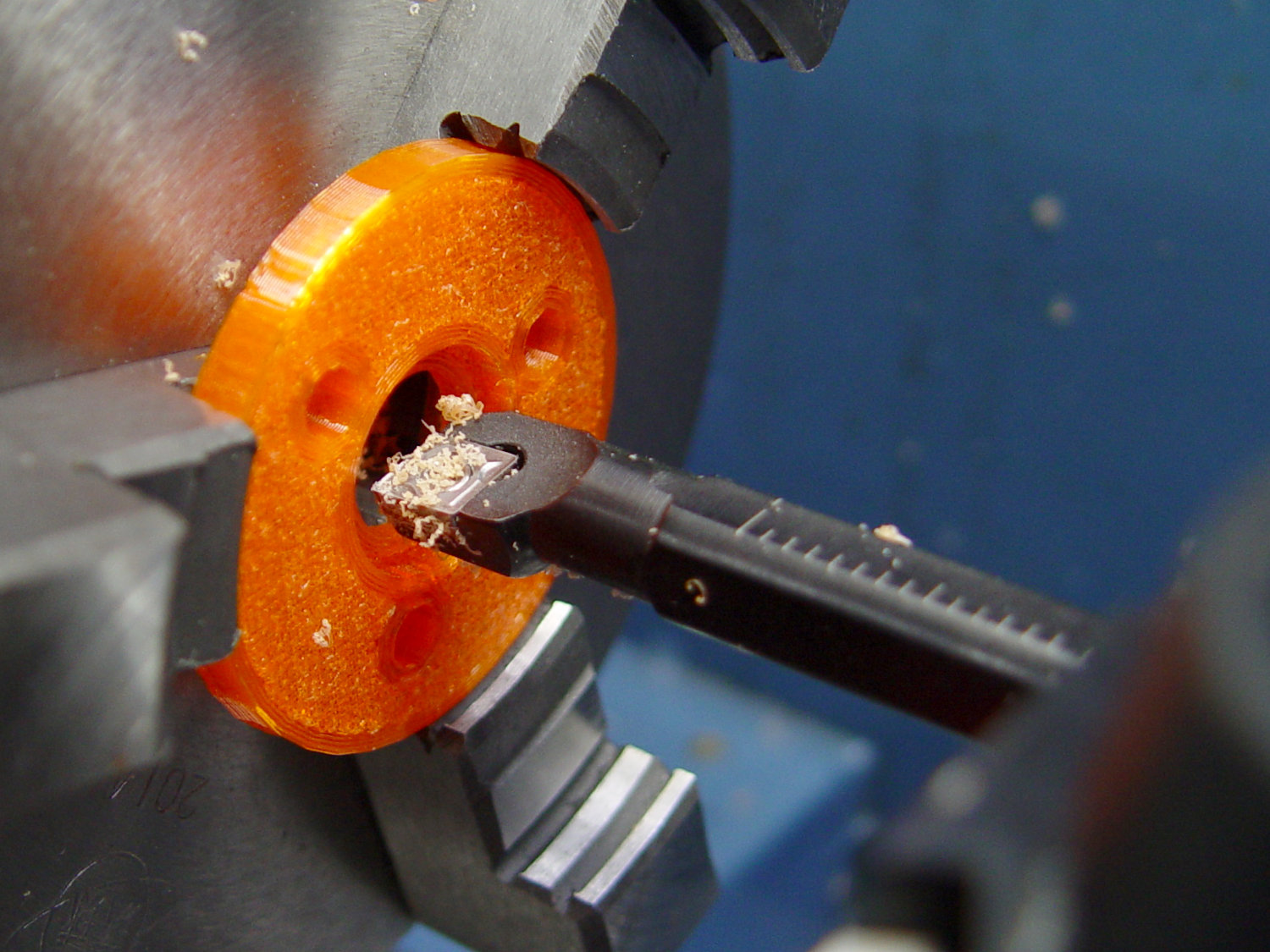
    The top disk gets bored to a snug press fit around the flange and upper body:

    Drag Knife - 11.5 mm body - flange boring
    Drag Knife – 11.5 mm body – flange boring

    Assemble with springs and it pretty much works:

    Drag Knife - hexagon depth setting
    Drag Knife – hexagon depth setting

    Unfortunately, it doesn’t work particularly well, because the two screws tightening the MPCNC’s DW660 tool holder (the black band) can apply enough force to deform the PETG mount and lock the drag knife body in the bore, while not being quite tight enough to prevent the mount from moving.

    I think the holder for the black knife (on the left) worked better, because:

    • The anodized surface is much smoother & slipperier
    • The body is shorter, so less friction

    In any event, I reached a sufficiently happy compromise for some heavy paper / light cardboard test shapes, but a PETG bearing won’t suffice for dependable drag knife cuttery.

    Back to the laboratory …

  • Desk Lamp Conversion: Round 2

    A bit of rummaging produced a desk lamp arm, minus whatever lamp it originally held, ready to hold the second photo lamp, after a bit of epoxy on one locking knob:

    Lamp arm clamp screw rework
    Lamp arm clamp screw rework

    The flanged nut will seat on the wrecked part of the knob, with the epoxy holding it in place and somewhat reinforcing the perimeter. I’m not sure this will last forever, but it’ll be a start.

    Printing a second cold shoe, though, worked perfectly, and everything fit:

    Photo Lamp - right arm installed
    Photo Lamp – right arm installed

    I love it when a plan comes together!

  • Seam Ripper Cover

    The cover for Mary’s favorite seam ripper cracked long ago, has been repaired several times, and now needs a replacement:

    Seam Ripper cover - overview
    Seam Ripper cover – overview

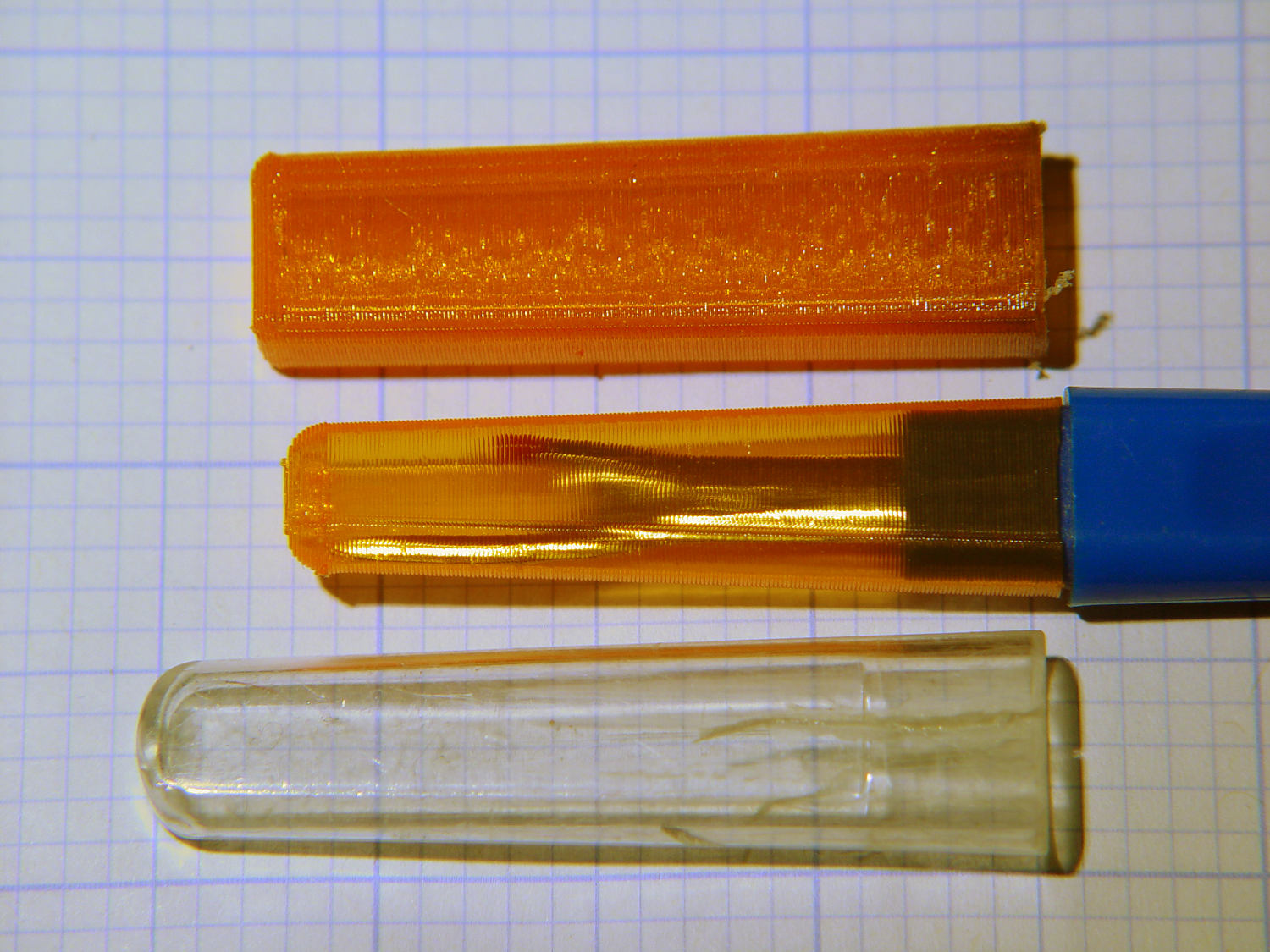
    The first pass (at the top) matched the interior and exterior shapes, but was entirely too rigid. Unlike the Clover seam ripper, the handle has too much taper for a thick-walled piece of plastic.

    The flexy thinwall cover on the ripper comes from a model of the interior shape:

    Seam Ripper Cover - handle model
    Seam Ripper Cover – handle model

    It’s not conspicuously tapered, but OpenSCAD’s perspective view makes the taper hard to see. The wedge on top helps the slicer bridge the opening; it’s not perfect, just close enough to work.

    A similar model of the outer surface is one thread width wider on all sides, so subtracting the handle model from the interior produces a single-thread shell with a wedge-shaped interior invisible in this Slic3r preview:

    Seam Ripper Cover - exterior - Slic3r preview
    Seam Ripper Cover – exterior – Slic3r preview

    The brim around the bottom improves platform griptivity. The rounded top (because pretty) precludes building it upside-down, but if you could tolerate a square-ish top, that’s the way to go.

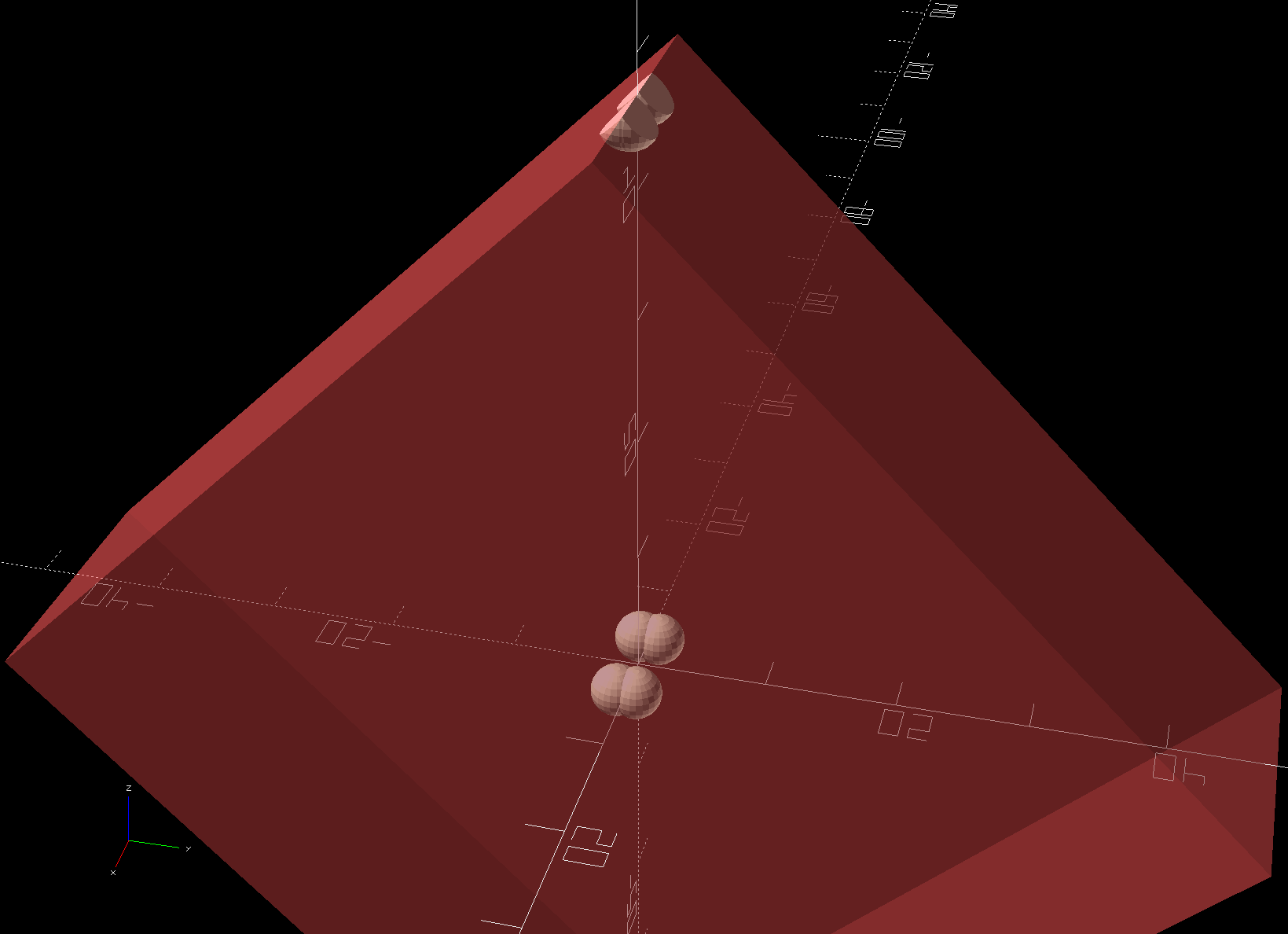
    Both models consist of hulls around eight strategically placed spheres, with the wedge on the top of the handle due to the intersection of the hull and a suitable cube. This view shows the situation without the hull:

    Seam Ripper Cover - handle model - cube intersection
    Seam Ripper Cover – handle model – cube intersection

    The spheres overlap, with the top set barely distinguishable, to produce the proper taper. I measured the handle and cover’s wall thicknesses, then guesstimated the cover’s interior dimensions from its outer size.

    The handle’s spheres have a radius matching its curvature. The cover’s spheres have a radius exactly one thread width larger, so the difference produces the one-thread-wide shell.

    Came out pretty nicely, if I do say so myself: the cover seats fully with an easy push-on fit and stays firmly in place. Best of all, should it get lost (despite the retina-burn orange PETG plastic), I can make another with nearly zero effort.

    The Basement Laboratory remains winter-cool, so I taped a paper shield over the platform as insulation from the fan cooling the PETG:

    Seam Ripper Cover - platform insulation
    Seam Ripper Cover – platform insulation

    The shield goes on after the nozzle finishes the first layer. The masking tape adhesive turned into loathesome goo and required acetone to get it off the platform; fortunately, the borosilicate glass didn’t mind.

    The OpenSCAD source code as a GitHub Gist:

    // Cover for old seam ripper
    // Ed Nisley – KE4ZNU
    // 2019-03
    /* [Layout Options] */
    Layout = "Build"; // [Show,Build]
    Part = "Handle"; // [Handle,CoverSolid,Cover]
    /* [Extrusion Parameters] */
    ThreadWidth = 0.40;
    ThreadThick = 0.25;
    HoleWindage = 0.2;
    Protrusion = 0.1;
    //—–
    // Dimensions
    /* [Dimensions] */
    WallThick = 1*ThreadWidth;
    CapInsideLength = 48.0;
    CornerRadius = 2.0; // handle at base
    Base = [11.0,5.5,0.0]; // handle at base
    Tip = [8.2,3.7,CapInsideLength]; // inferred at tip
    HandleOC = [Base – 2*[CornerRadius,CornerRadius,0.0],
    Tip – 2*[CornerRadius,CornerRadius,CornerRadius/2]
    ];
    NumSides = 2*3*4;
    //—–
    // Useful pieces
    // Handle is basically the interior of the cover
    module Handle() {
    intersection() {
    hull()
    for (i=[-1,1], j=[-1,1], k=[0,1])
    translate([i*HandleOC[k].x/2,j*HandleOC[k].y/2,k*HandleOC[k].z])
    sphere(r=CornerRadius,$fn=NumSides);
    translate([0,0,-CornerRadius/2]) // chop tip for better bridging
    rotate([45,0,0])
    cube([2*Base.x,CapInsideLength*sqrt(2),CapInsideLength*sqrt(2)],center=true);
    }
    }
    module CoverSolid() {
    hull()
    for (i=[-1,1], j=[-1,1], k=[0,1])
    translate([i*HandleOC[k].x/2,j*HandleOC[k].y/2,k*HandleOC[k].z])
    sphere(r=CornerRadius + WallThick,$fn=NumSides);
    }
    module Cover() {
    difference() {
    CoverSolid();
    Handle();
    translate([0,0,-CornerRadius])
    cube(2*Base + [0,0,2*CornerRadius],center=true);
    }
    }
    //—–
    // Build things
    if (Layout == "Build") {
    Cover();
    }
    if (Layout == "Show")
    if (Part == "Handle")
    Handle();
    else if (Part == "CoverSolid")
    CoverSolid();
    else if (Part == "Cover")
    Cover();

  • Desk Lamp Conversion: Photo Light Cold Shoe

    Having recently acquired a pair of photo lights and desirous of eliminating some desktop clutter, I decided this ancient incandescent (!) magnifying desk lamp had outlived its usefulness:

    Desk Lamp - original magnifiying head
    Desk Lamp – original magnifiying head

    The styrene plastic shell isn’t quite so yellowed in real life, but it’s close.

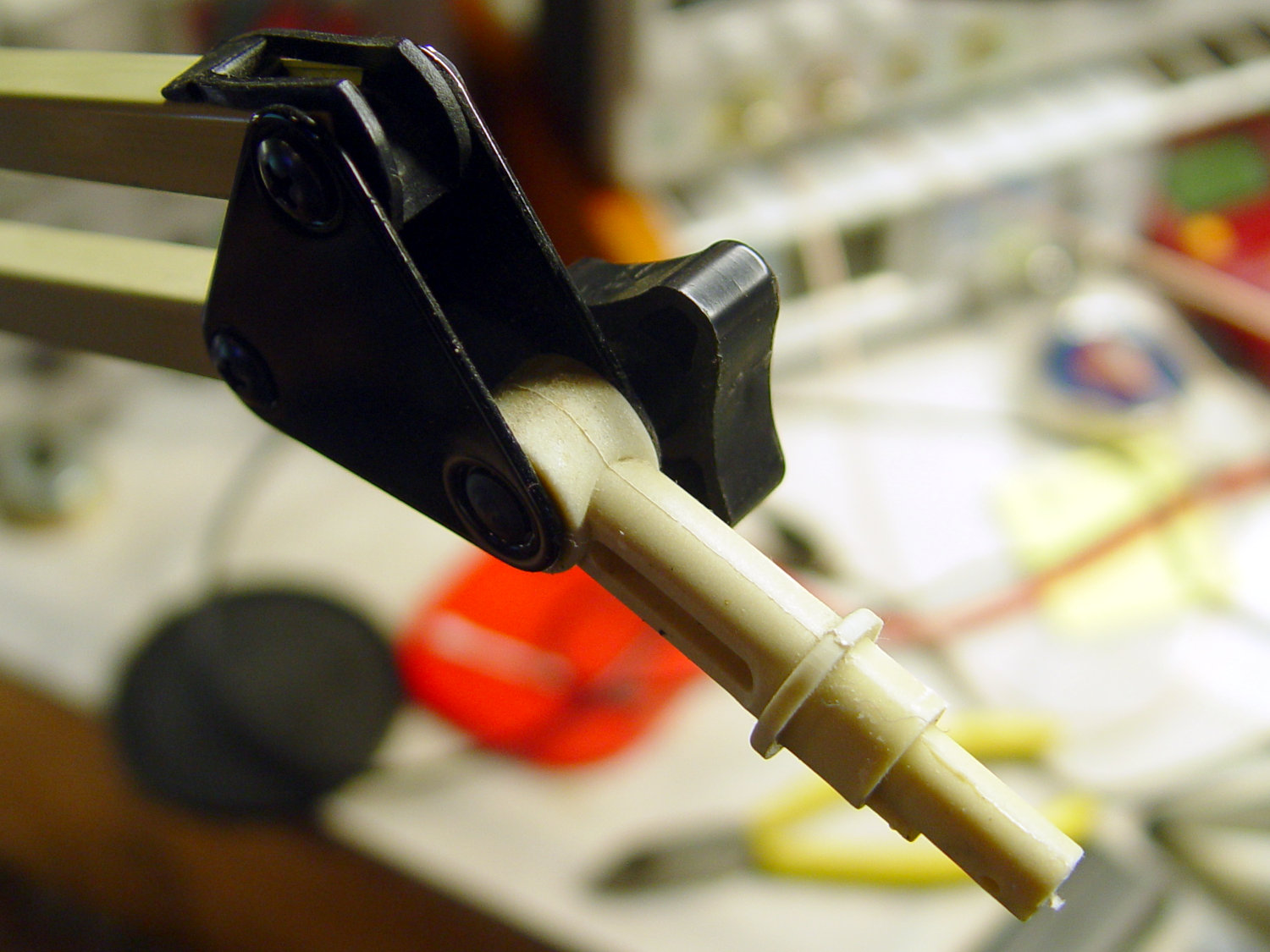
    Stripping off the frippery reveals the tilt stem on the arm:

    Desk Lamp - OEM mount arm
    Desk Lamp – OEM mount arm

    The photo lights have a tilt-pan mount intended for a camera’s cold (or hot) shoe, so I conjured an adapter from the vasty digital deep:

    Photo Light Bracket for Desk Lamp Arm - solid model
    Photo Light Bracket for Desk Lamp Arm – solid model

    Printing with a brim improved platform griptivity:

    Photo Light Bracket for Desk Lamp Arm - Slic3r preview
    Photo Light Bracket for Desk Lamp Arm – Slic3r preview

    Fortunately, the photo lights aren’t very heavy and shouldn’t apply too much stress to the layers across the joint between the stem and the cold shoe. Enlarging the stem perpendicular to the shoe probably didn’t make much difference, but it was easy enough.

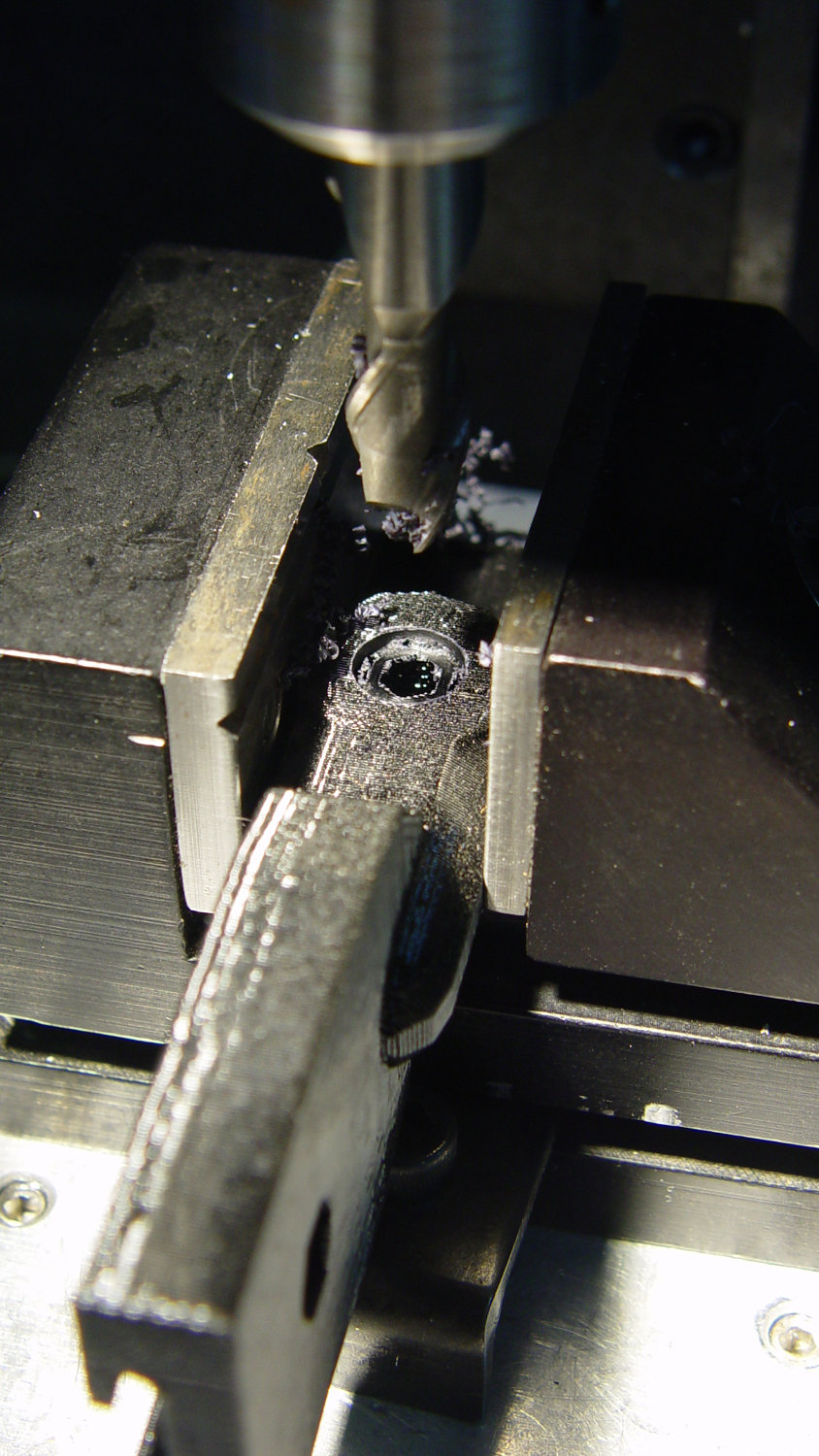
    Of course, you (well, I) always forget a detail in the first solid model, so I had to mill recesses around the screw hole to clear the centering bosses in the metal arm plates:

    Photo Lamp - bracket recess milling
    Photo Lamp – bracket recess milling

    Which let it fit perfectly into the arm:

    Desk Lamp - photo lamp mount installed
    Desk Lamp – photo lamp mount installed

    The grody threads on the upper surface around the end of the slot came from poor bridging across a hexagon, so the new version has a simple and tity flat end. The slot is mostly invisible with the tilt-pan adapter in place, anyway.

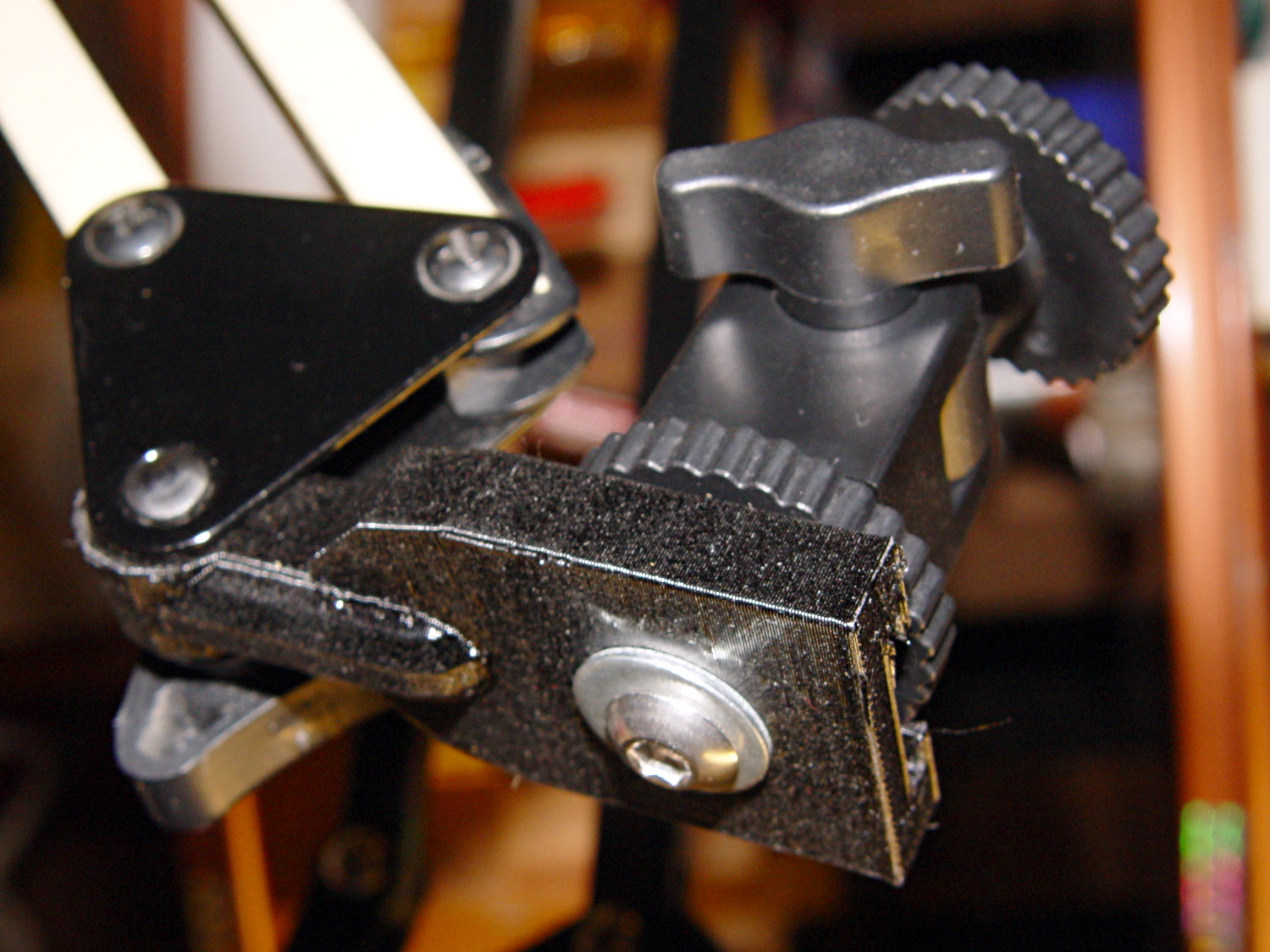
    There being no need for a quick-disconnect fitting, a 1/4-20 button head screw locks the adapter in place:

    Photo Lamp - screw detail
    Photo Lamp – screw detail

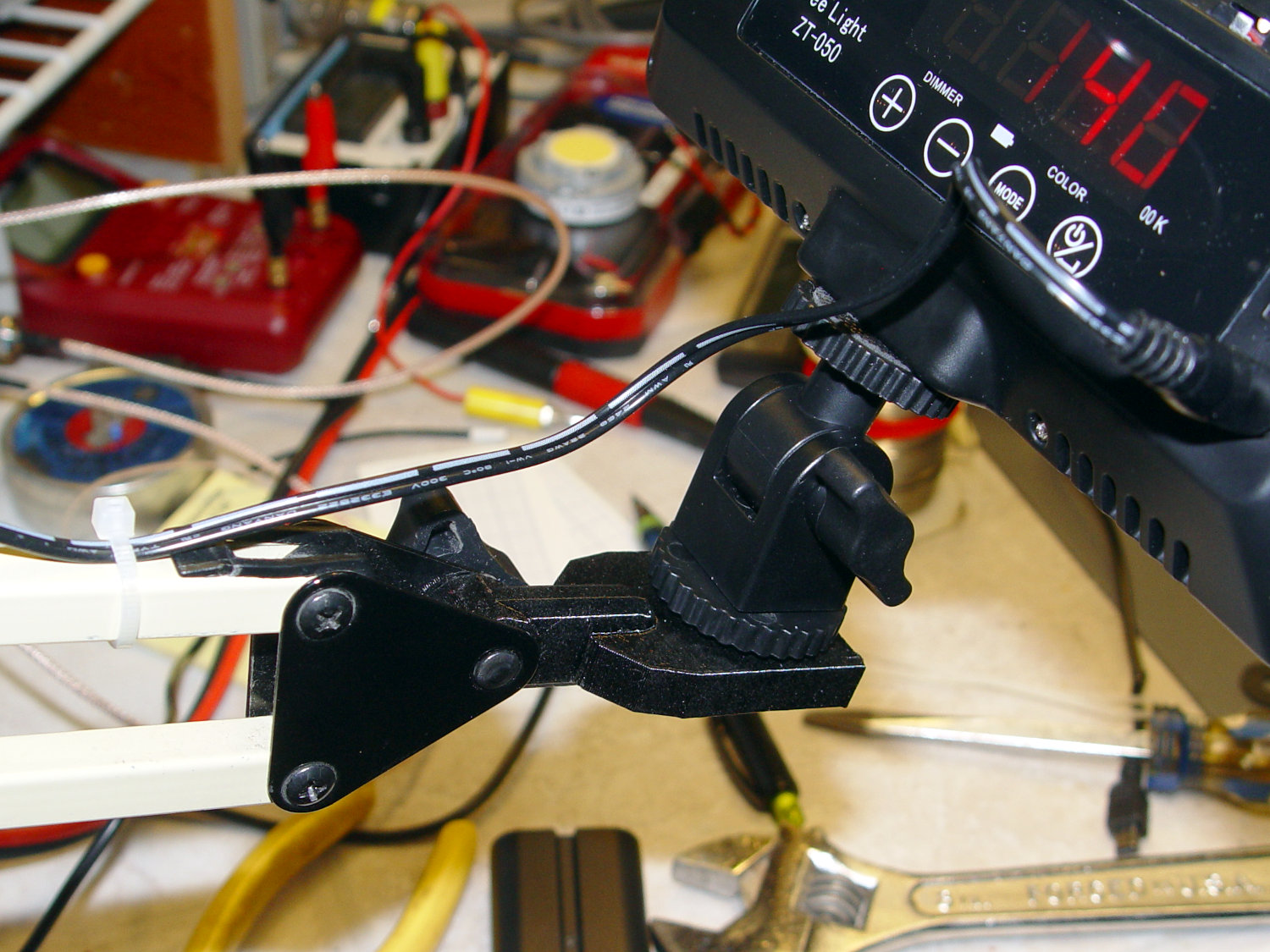
    I stripped the line cord from inside the arm struts and zip-tied the photo lamp’s wall wart cable to the outside:

    Photo Lamp - installed
    Photo Lamp – installed

    And then It Just Works™:

    Photo Lamp - test image
    Photo Lamp – test image

    The lens and its retaining clips now live in the Big Box o’ Optical parts, where it may come in handy some day.

    The OpenSCAD source code as a GitHub Gist:

    // Photo light mount for desk lamp arm
    // Ed Nisley – KE4ZNU
    // 2019-03
    /* [Layout Options] */
    Layout = "Build"; // [Show,Build]
    Part = "Mount"; // [LampArm,ShoeSocket,Mount]
    /* [Extrusion Parameters] */
    ThreadWidth = 0.40;
    ThreadThick = 0.25;
    HoleWindage = 0.2;
    Protrusion = 0.1;
    //—–
    // Dimensions
    /* [Hidden] */
    ID = 0;
    OD = 1;
    LENGTH = 2;
    /* [Dimensions] */
    FrictionDisk = [4.0,16.5,11.0]; // squashed inside desk lamp arm frame
    Divots = [4.0,9.5,0.75]; // recesses for frame alignment bumps
    ArmLength = 30.0; // attached to disk
    ShoeWheelOD = 32.0; // lock wheel on photo lamp
    ShoeBase = [18.5,18.5,2.0] + [HoleWindage,HoleWindage,2*ThreadWidth]; // square base on photo lamp gimbal
    ShoeStem = [6.3,12.0,1.5]; // top slide clearance, ID = 1/4 inch screw
    ShoeBlock = [ShoeWheelOD,ShoeWheelOD,2*(ShoeBase.z + ShoeStem.z)]; // overall shoe block
    NumSides = 3*4;
    //—–
    // Useful routines
    function IntegerMultiple(Size,Unit) = Unit * ceil(Size / Unit);
    module PolyCyl(Dia,Height,ForceSides=0,Center=false) { // based on nophead's polyholes
    Sides = (ForceSides != 0) ? ForceSides : (ceil(Dia) + 2);
    FixDia = Dia / cos(180/Sides);
    cylinder(r=(FixDia + HoleWindage)/2,h=Height,$fn=Sides,center=Center);
    }
    //—–
    // Various Parts
    // Arm captured in disk lamp
    module LampArm() {
    difference() {
    union() {
    cylinder(d=FrictionDisk[OD],h=FrictionDisk[LENGTH],$fn=NumSides,center=true);
    hull()
    for (j=[-1,1])
    translate([0,j*(FrictionDisk[OD]/2 – FrictionDisk[LENGTH]/2),0]) {
    rotate([0,90,0]) rotate(180/NumSides)
    cylinder(d=FrictionDisk[LENGTH]/cos(180/NumSides),h=ArmLength/2,$fn=NumSides);
    translate([ArmLength – FrictionDisk[LENGTH]/2,0,0])
    sphere(d=FrictionDisk[LENGTH],$fn=NumSides);
    }
    }
    rotate(180/6) {
    PolyCyl(FrictionDisk[ID],FrictionDisk[LENGTH] + 2*Protrusion,6,Center=true);
    for (k=[-1,1])
    translate([0,0,k*(FrictionDisk[LENGTH]/2 – Divots[LENGTH]/2)])
    PolyCyl(Divots[OD],Divots[LENGTH] + Protrusion,6,Center=true);
    }
    }
    }
    // Basic hot shoe socket
    module ShoeSocket() {
    difference() {
    union() {
    cube(ShoeBlock,center=true); // overall blocky retainer
    translate([-ShoeBlock.x/2,0,0])
    cylinder(d=ShoeBlock.x,h=ShoeBlock.z,$fn=NumSides,center=true);
    }
    translate([0,0,-2*ShoeBlock.z]) // screw hole throughout
    rotate(180/6)
    PolyCyl(ShoeStem[ID],4*ShoeBlock.z,6);
    translate([0,0,ShoeBase.z/2]) // base slot under pillar
    cube([ShoeBase.x,ShoeBase.y,ShoeBase.z],center=true);
    translate([ShoeBase.x/2,0,ShoeBase.z/2]) // base slot opening
    cube([ShoeBase.x,ShoeBase.y,ShoeBase.z],center=true);
    translate([ShoeStem[OD]/2,0,ShoeBase.z/2 + ShoeStem[LENGTH]]) // stem slot
    cube([2*ShoeStem[OD],ShoeStem[OD],2*ShoeStem[LENGTH]],center=true);
    }
    }
    // Stick parts together
    module Mount() {
    rotate([90,0,0])
    LampArm();
    translate([ArmLength + ShoeBlock.x/2 – Protrusion,0,0])
    ShoeSocket();
    }
    //—–
    // Build things
    if (Layout == "Build") {
    rotate([0,90,0])
    translate([-(ArmLength + ShoeBlock.x),0,0])
    Mount();
    }
    if (Layout == "Show")
    if (Part == "LampArm")
    LampArm();
    else if (Part == "ShoeSocket")
    ShoeSocket();
    else if (Part == "Mount")
    Mount();

    The original dimension doodles, made before I removed the stem and discovered the recesses around the screw hole:

    Photo Light - Desk Lamp Arm Dimensions
    Photo Light – Desk Lamp Arm Dimensions
  • 3D Printed Chain Mail Armor: Failure Analysis

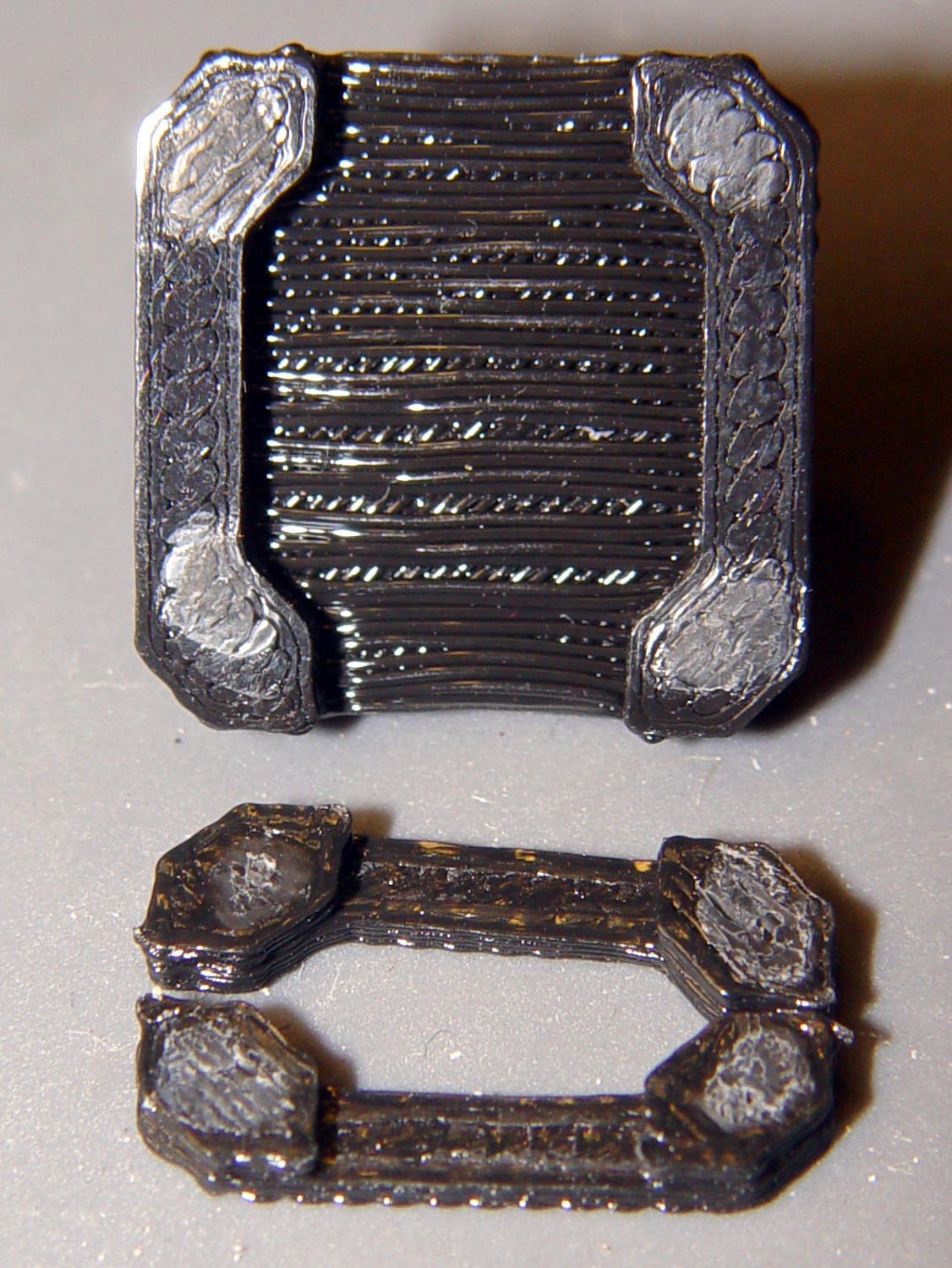
    While dropping some recent 3D printed odds-n-ends into the show-n-tell box, I discovered the large sheet of square chain mail armor had a missing link:

    Chain Mail Armor - the missing link
    Chain Mail Armor – the missing link

    Fortunately, the link fell off in the box and I recovered all the pieces for a failure analysis:

    Chain Mail Armor - failed link - glue spots
    Chain Mail Armor – failed link – glue spots

    I’d glued the PLA together with IPS #4, a hellish mixture of plastic solvents including methylene chloride, one of the few chemicals able to chew into PLA, but there’s not much penetration or bonding going on.

    Let’s try that again with a bit more solvent.

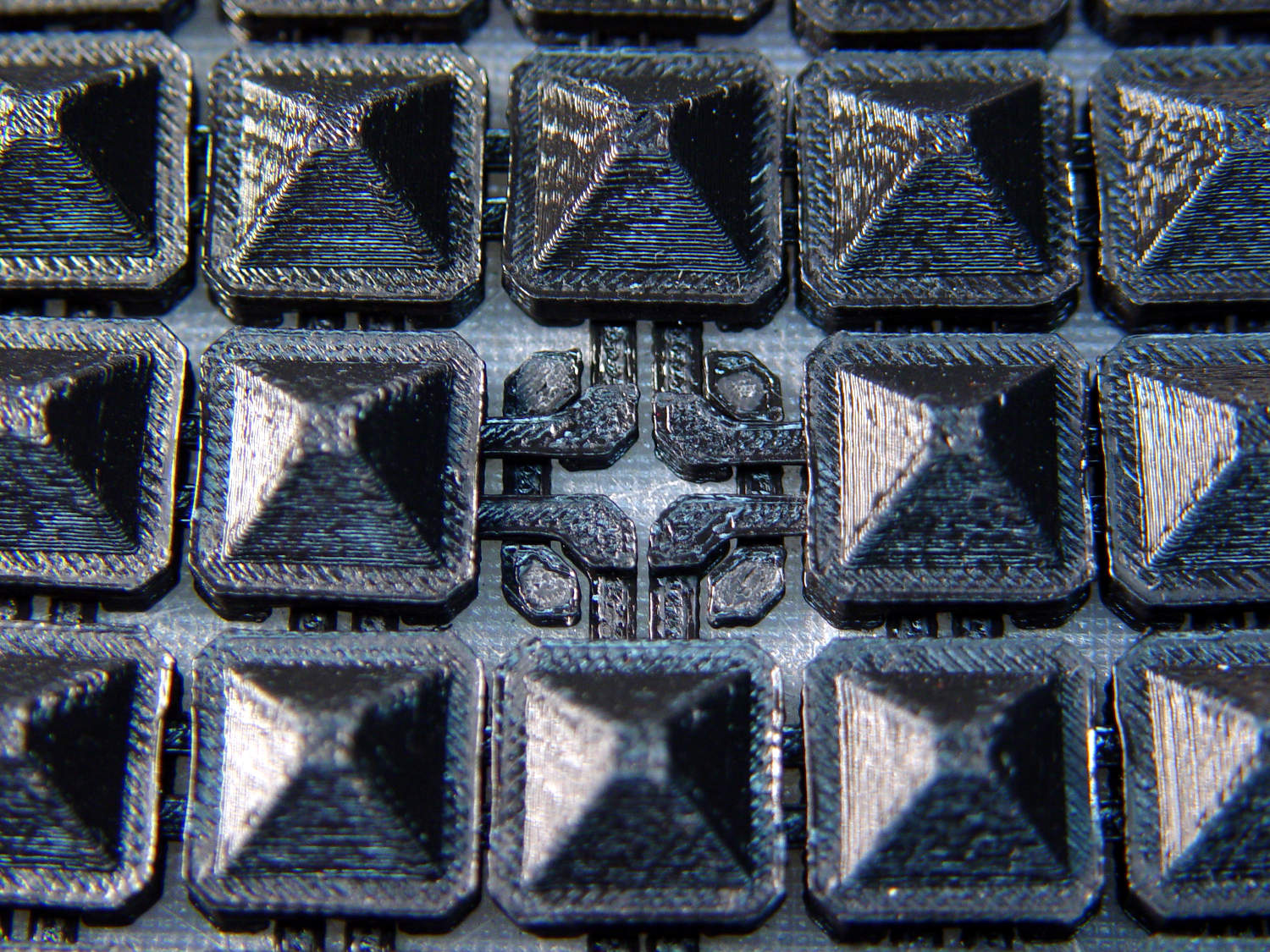
    First, slide the bars into place:

    Chain Mail Armor - failed link - bars in place
    Chain Mail Armor – failed link – bars in place

    I applied four solvent drops in two passes to give it time to work its way in, put four matching drops on the armor cap, squished the cap in place, tweaked the bar alignment, then applied pressure while contemplating the whichness of the why for half a minute while the solvent worked its magic.

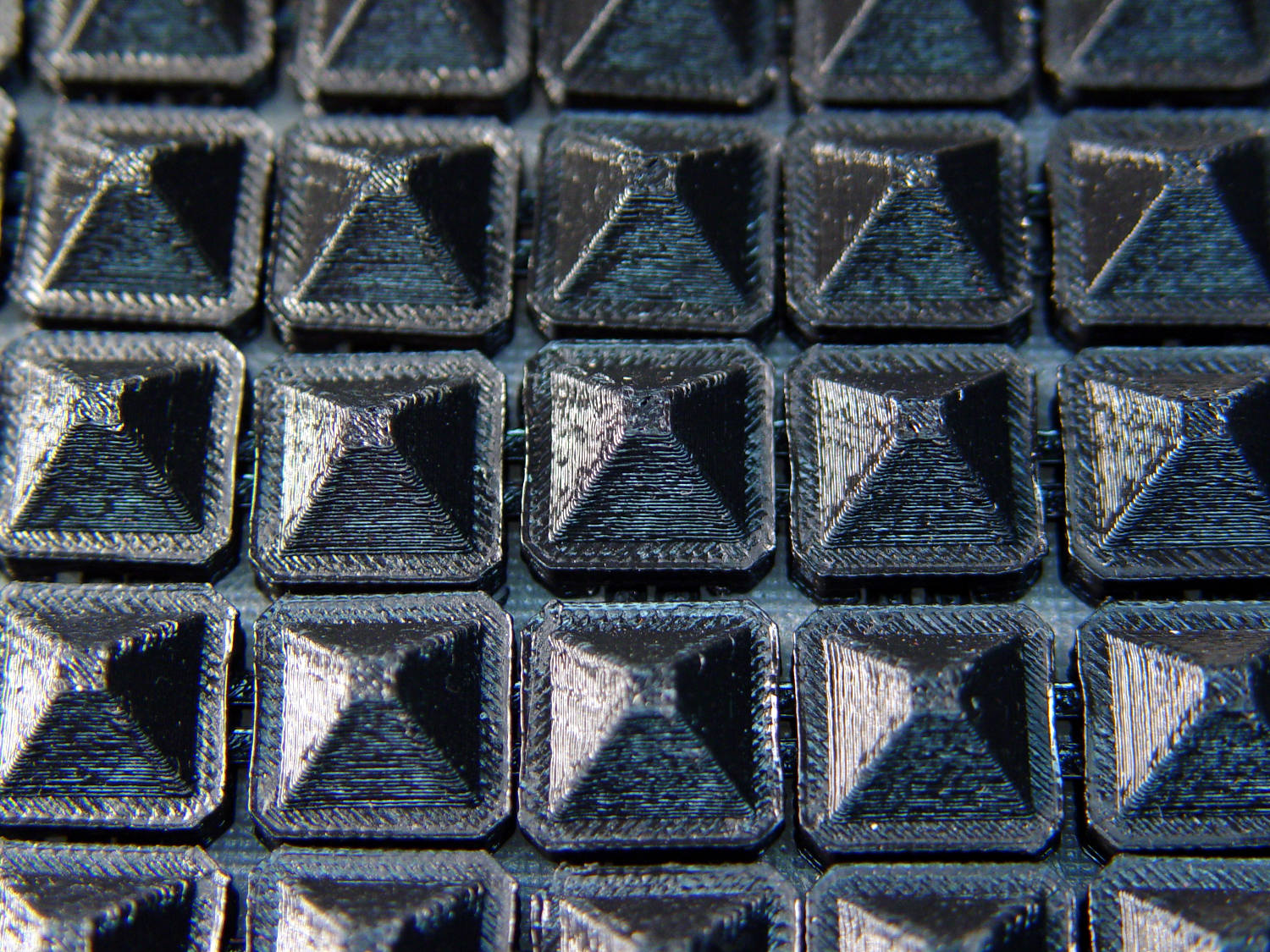
    Things look pretty good once more:

    Chain Mail Armor - missing link - repaired
    Chain Mail Armor – missing link – repaired

    There’s no way to determine the repair’s goodness, other than by deliberately trying to snap off a bar, so I’ll just put it back in the box and hope for the best.

  • Injured Arm Support Table: Wide Version

    This table must sit across the threshold of a walk-in / sit-down shower, with the shower curtain draped across the table to keep the water inside.

    Starting with another patio side table, as before, I installed a quartet of 5 mm stainless screws to lock the top panels in place and convert the table into a rigid assembly:

    Arm Supports - wide table - overview
    Arm Supports – wide table – overview

    Because the shower floor is slightly higher than the bathroom floor, I conjured a set of foot pads to raise the outside legs:

    Patio Side Table Feet - OpenSCAD model
    Patio Side Table Feet – OpenSCAD model

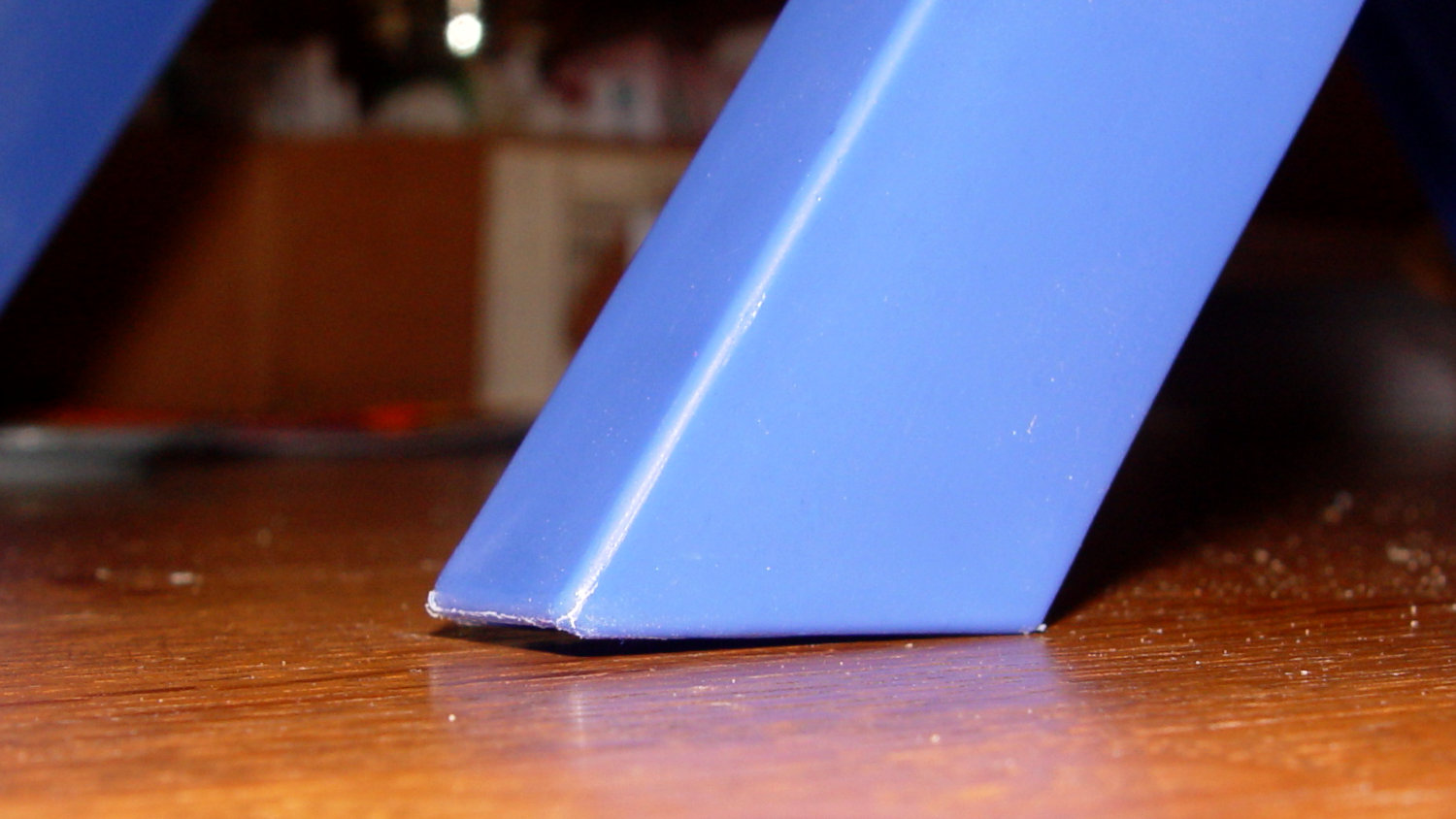
    The sloping top surface on the pads compensates for the angle on the end of the table legs:

    Arm Supports - leg end angle
    Arm Supports – leg end angle

    I think the leg mold produces legs for several different tables, with the end angle being Close Enough™ for most purposes. Most likely, it’d wear flat in a matter of days on an actual patio.

    Using good 3M outdoor-rated foam tape should eliminate the need for fiddly screw holes and more hardware:

    Arm Supports - leg pads
    Arm Supports – leg pads

    The feet fit reasonably well:

    Arm Supports - leg pad in place
    Arm Supports – leg pad in place

    They may need nonskid tape on those flat bottoms, but that’s in the nature of fine tuning.

    And, as with the narrow table, it may need foam blocks to raise the top surface to arm level. Perhaps a pair of Yoga Blocks will come in handy for large adjustments.

    The OpenSCAD source code as a GitHub Gist:

    // Patio Side Table Feet
    // Ed Nisley – KE4ZNU
    // 2019-03
    /* [Layout Options] */
    Layout = "Build"; // [Show,Build]
    /* [Extrusion Parameters] */
    ThreadWidth = 0.40;
    ThreadThick = 0.25;
    HoleWindage = 0.2;
    Protrusion = 0.1;
    //—–
    // Dimensions
    TapeThick = 1.0; // 3M double-stick outdoor tape
    LegWall = [2.5,3.5]; // leg walls are not the same in X and Y!
    LegBase = [36.0,19.0]; // flat on floor
    LegOuter = [31.0,19.0]; // perpendicular to leg axis
    LegInner = [28.5,11.5]; // … ditto
    LegAngle = 90 – 53; // vertical to leg
    LegRecess = [LegInner.x,LegInner.y,LegInner.x*tan(LegAngle)];
    PadWedge = 2; // to fit end of leg
    PadRadius = 4.0; // rounding radius for nice corners
    PadBase = [LegBase.x + 2*PadRadius,LegBase.y + 2*PadRadius,5.0];
    PadSides = 6*4;
    BathStep = 20; // offset between shower bottom and floor
    /* [Hidden] */
    EmbossDepth = 1*ThreadThick; // recess depth
    DebossHeight = 1*ThreadThick + Protrusion; // text height + Protrusion into part
    //—–
    // Useful routines
    function IntegerMultiple(Size,Unit) = Unit * ceil(Size / Unit);
    module PolyCyl(Dia,Height,ForceSides=0) { // based on nophead's polyholes
    Sides = (ForceSides != 0) ? ForceSides : (ceil(Dia) + 2);
    FixDia = Dia / cos(180/Sides);
    cylinder(r=(FixDia + HoleWindage)/2,
    h=Height,
    $fn=Sides);
    }
    //—–
    // Foot pad
    module FootPad(Riser = 0.0) {
    difference() {
    union() {
    hull()
    for (i=[-1,1], j=[-1,1]) {
    translate([i*(PadBase.x/2 – PadRadius),j*(PadBase.y/2 – PadRadius),0])
    cylinder(r=PadRadius,h=1,$fn=PadSides);
    translate([i*(PadBase.x/2 – PadRadius),
    j*(PadBase.y/2 – PadRadius),
    Riser + PadBase.z – PadRadius – (i-1)*PadWedge/2])
    sphere(r=PadRadius/cos(180/PadSides),$fn=PadSides);
    }
    translate([PadRadius – PadBase.x/2,0,Riser + PadBase.z])
    rotate([0,LegAngle,0])
    translate([LegRecess.x/2,0,(LegRecess.z – Protrusion)/2 ])
    cube(LegRecess – [2*TapeThick,0,2*TapeThick],center=true);
    }
    translate([0,0,-2*PadBase.z]) // remove anything under Z=0
    cube(4*PadBase,center=true);
    cube([17,12,2*DebossHeight],center=true);
    }
    mirror([1,0,0])
    linear_extrude(height=EmbossDepth)
    translate([0,0,0])
    text(text=str(Riser),size=10,spacing=1.05,
    font="Arial:style=Bold",
    valign="center",halign="center");
    }
    //—–
    // Build things
    if (Layout == "Build") {
    if (true) {
    translate([-0.7*PadBase.x,-0.7*PadBase.y,0])
    FootPad(0);
    translate([-0.7*PadBase.x,+0.7*PadBase.y,0])
    FootPad(0);
    }
    translate([+0.7*PadBase.x,-0.7*PadBase.y,0])
    FootPad(BathStep);
    translate([+0.7*PadBase.x,+0.7*PadBase.y,0])
    FootPad(BathStep);
    }
    if (Layout == "Show")
    FootPad();