Ed Nisley's Blog: Shop notes, electronics, firmware, machinery, 3D printing, laser cuttery, and curiosities. Contents: 100% human thinking, 0% AI slop.
Tag: Improvements
Making the world a better place, one piece at a time
This required her to take her left hand off the handlebar to fiddle with the assist level and, as it turned out, used her thumb in position causing some distress. Given that changing the assist level happens a lot as we ride, it was time for a change.
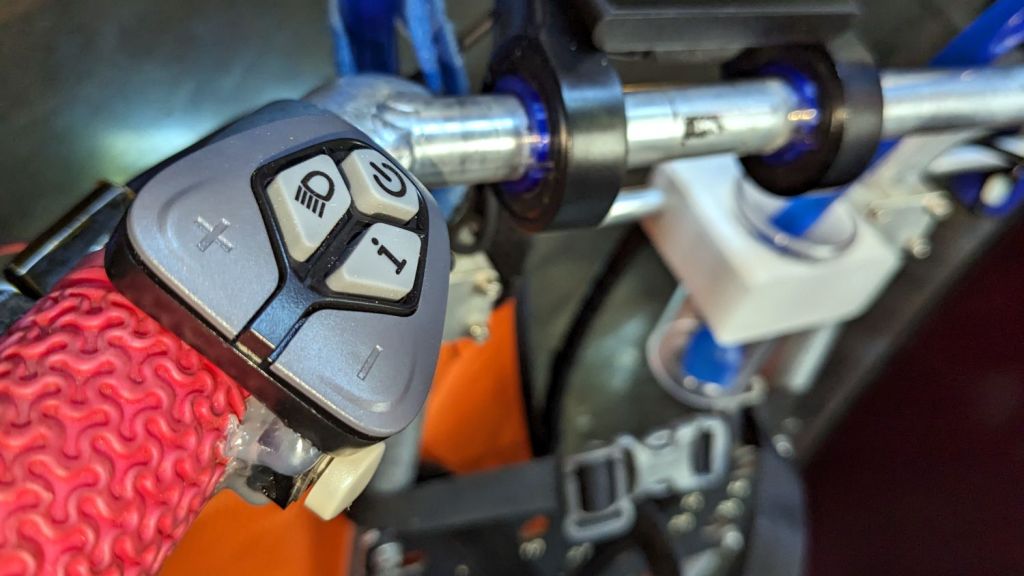
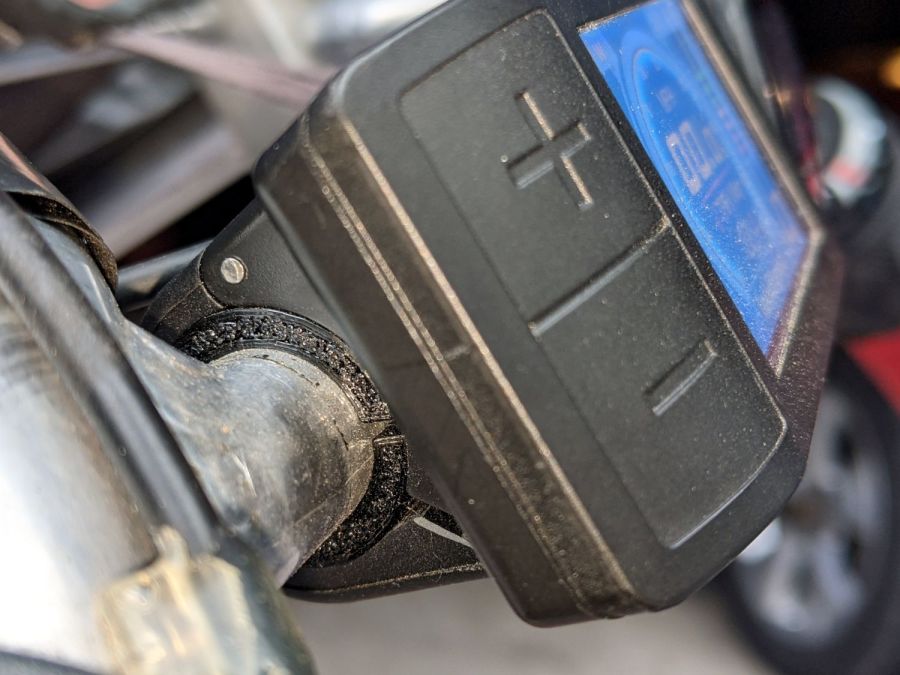
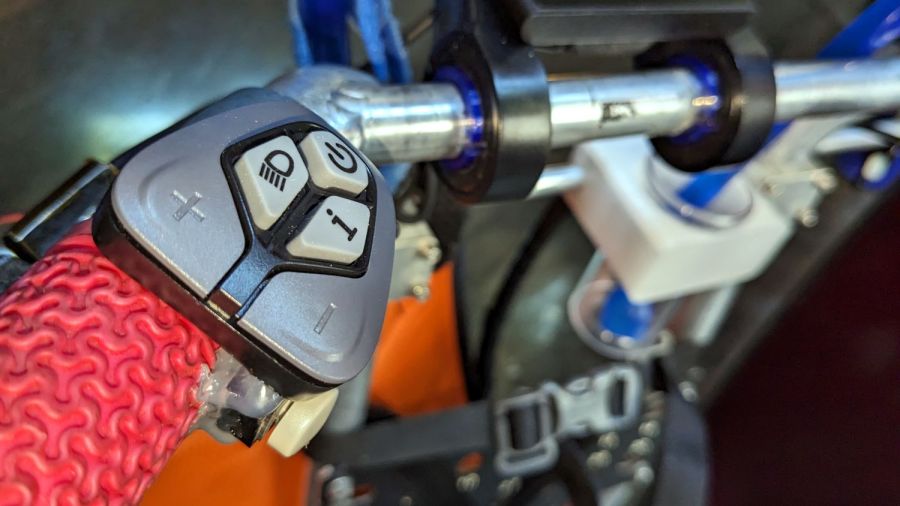
So I replaced the 500C with a DPC-18 display like the one on my bike, with the key advantage of putting the buttons on the handgrip:
Tour Easy Bafang Controls – DPC-18 buttons
She preferred a higher position for the buttons than I do, with the PTT button for the Baofeng amateur radio below the housing.
That location requires a bit of dexterity, but let us move the twist-grip shifter upward on the handgrip where it is more comfortable. She rarely uses the throttle, so we’ll try this for a while.
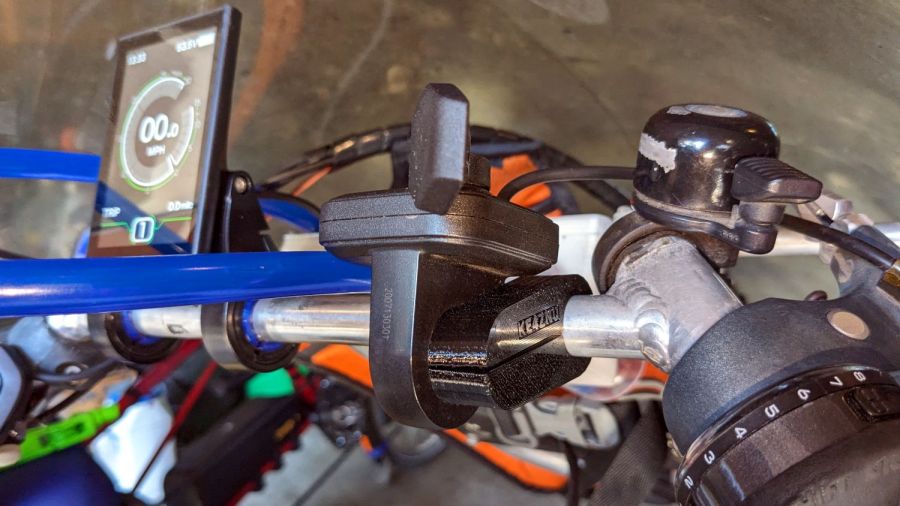
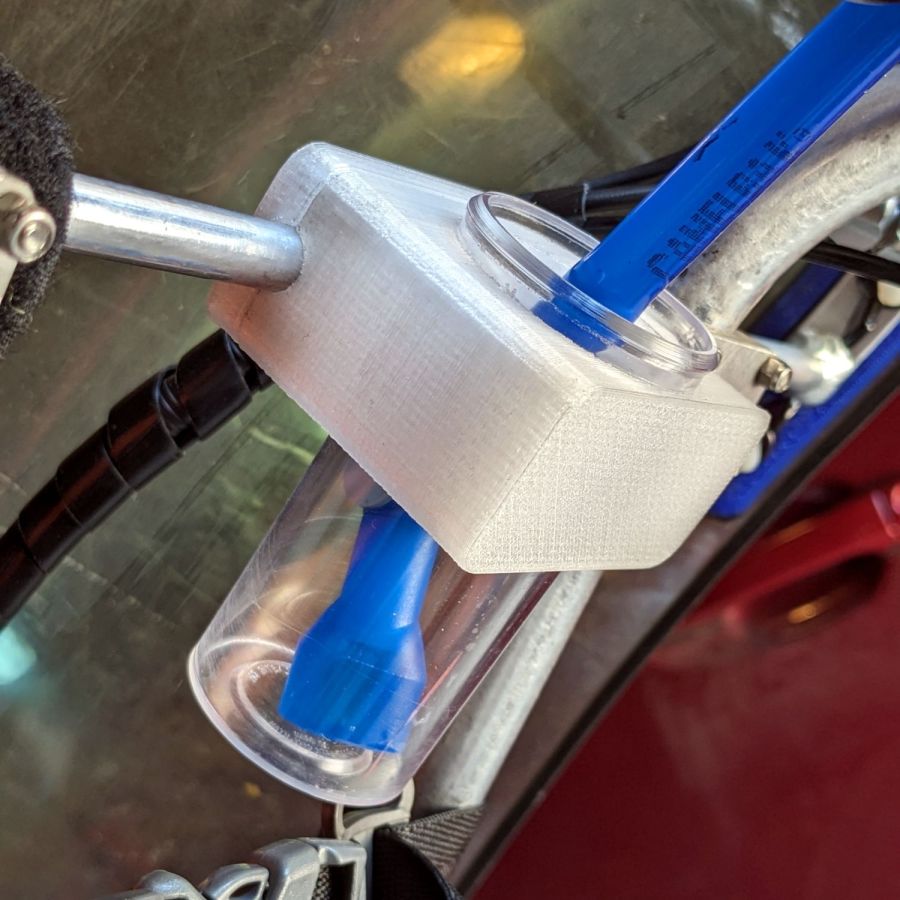
The DPC-18 has an awkward portrait-mode display with an incredible amount of wasted space, with the side detriment of displacing the blue Camelbak hose. After a few iterations, we settled on a receptacle to catch the mouthpiece without requiring any fancy snaps / clips / fasteners:
Tour Easy Bafang Controls – Camelbak nozzle catcher
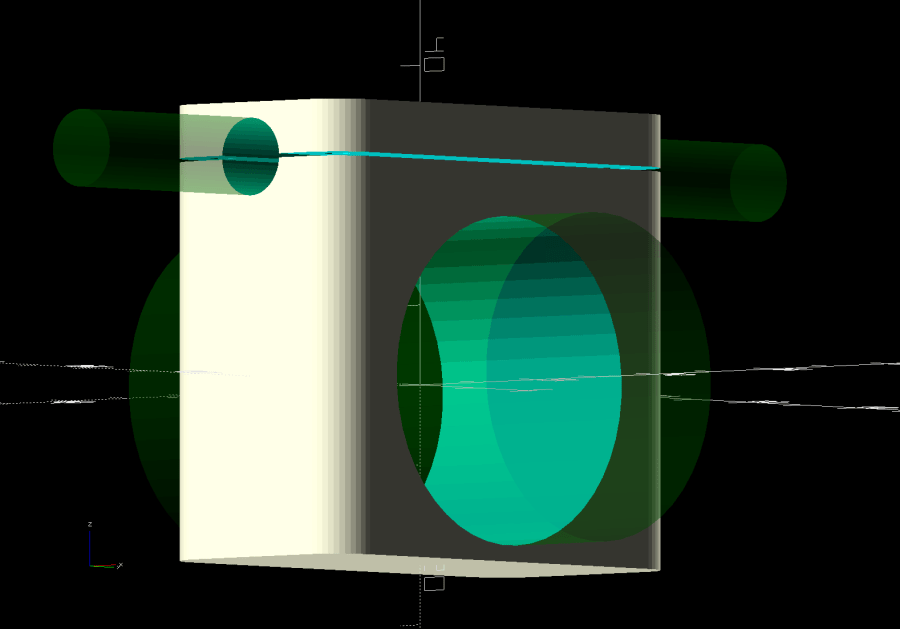
The solid model descends from the Zzipper fairing mounts on that same aluminum bar, with the bottle simply jammed into the big hole:
Zzipper Fairing – Camelbak nozzle catcher – show layout
There being no real forces on the holder, I omitted the aluminum load-spreading plate across the top and just epoxied four threaded brass inserts into the bottom part.
Early reports suggest a happier thumb and no problems stashing the hose, so it’s all good.
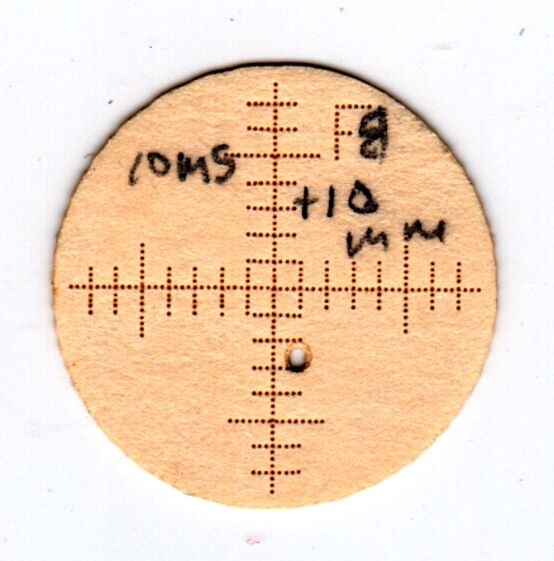
The smaller targets fit neatly into the hole perpendicular to the beam:
OMTech CO2 Mirror 2 mount – Y Z screws
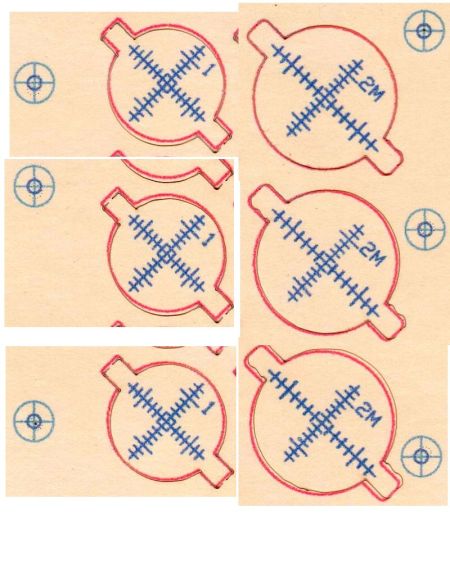
The larger ones sit flush on the mirrors at 45° to the beam, so stretching the horizontal scale by 1.414 = √2 makes each tick mark correspond to 1 mm of perpendicular beam offset.
All of which worked surprisingly well, with some caveats.
The first gotcha: ordinary consumer-grade inkjet printers do not have CNC accuracy. The corner targets are on 150 mm horizontal centers and 240 mm vertical centers in the LightBurn layout, but my Epson ET-3830 printer put them on 150×241.3 mm centers. This isn’t unexpected, particularly for laser printers, but it means you must use LightBurn’s scaled version of the P-n-Cut alignment.
I used the upper-right and lower-left targets for the P-n-Cut alignment step, confirming the positioning with a laser pulse putting a tiny hole in the paper:
Print-and-Cut – target accuracy
The lines are 0.5 mm wide and the inner circle is 2 mm in diameter, so my alignment at the upper right is as good as it’s gonna get and the lower left is off by maybe 0.3 mm. While it may be possible to be more accurate, I think half a millimeter is a reasonable error budget for targeting accuracy.
The laser-perforated circles should overlay the inner printed circles after LightBurn applies the P-n-C corrections. That they obviously do not indicates the effect of the small target errors. In any event, the maximum error seems to be 1 mm, which gives you an idea of just how precise P-n-C might be.
The perimeter laser cuts are off by about the same amount & direction as the dotted circle in the adjacent target:
Print-and-Cut – perimeter matching
Overall, errors around 1 mm seem possible with careful attention to detail, but expecting anything better than a few millimeters is probably unreasonable, particularly for layouts larger than a Letter size page.
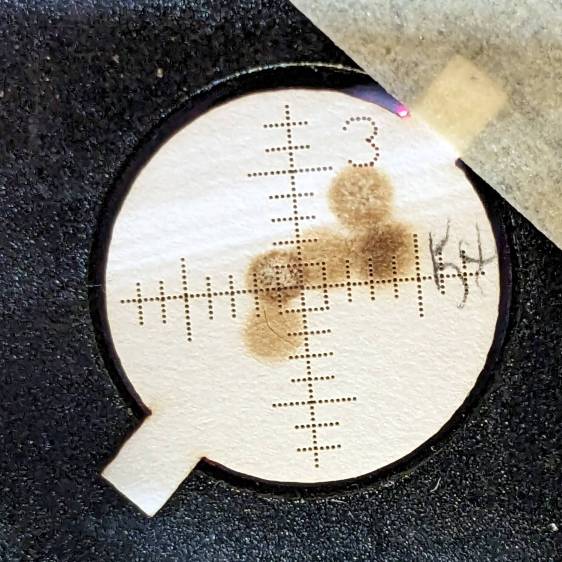
A recent mirror alignment check led to complete failure at the laser head aperture just upstream of Mirror 3:
Beam alignment – M3 fail
Those five spots come from the center of the platform and the four corners; they will overlay into a single spot in a properly aligned machine.
Pondering my options reminded me that I intended to build new laser tube support pads, because the ones shipped inside the machine seemed crudely made:
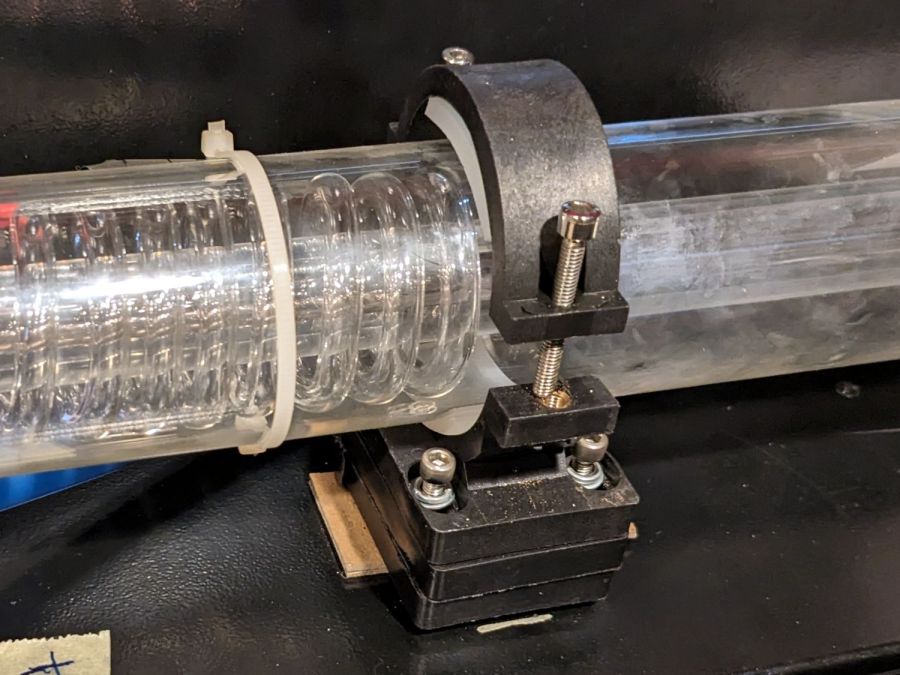
CO2 Laser supports – OEM hardware
It’s partly disassembled in preparation for the next step.
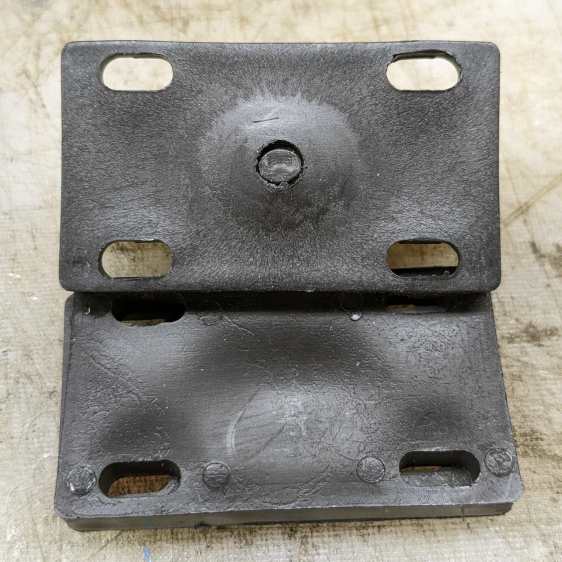
The chipboard shims underneath the stack are mine, but the OEM pile was unstable even with the screws tightened. The reason became obvious when I took the stack apart:
CO2 laser supports – OEM molded parts
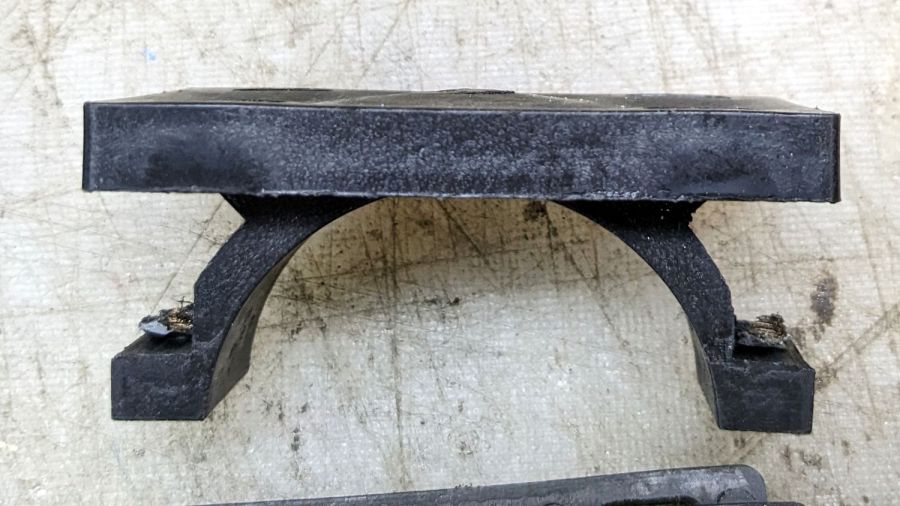
The bump in the middle of the upper block surrounds the post of the laser tube cradle. It looks like this from the side:
CO2 Laser supports – OEM tube cradle – side view
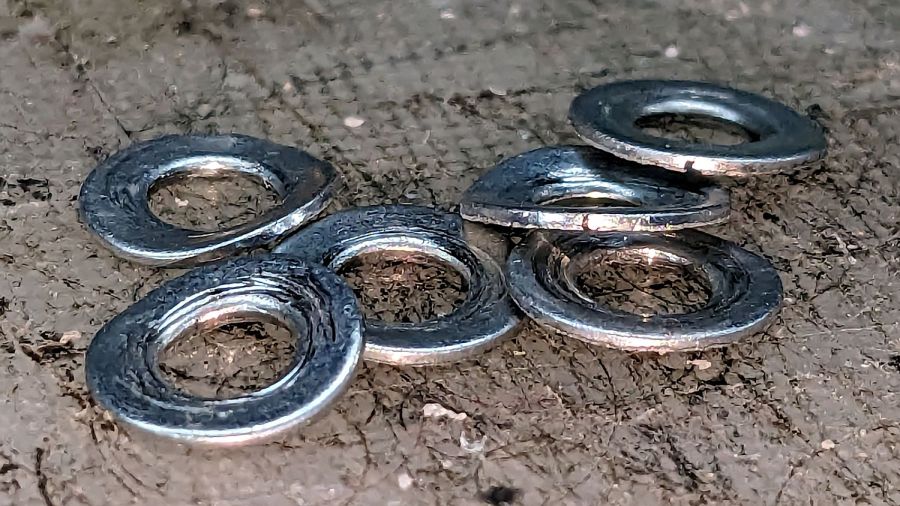
All of the blocks were crudely molded and could not be stacked into a stable pile. The tech who assembled and aligned the machine tightened the screws so firmly that the washers crushed into saddles:
CO2 Laser supports – OEM crushed washers
I can do better than that, if only because I’m not on the clock.
The tube support on the right end (toward the beam outlet) screwed into a nice set of threaded inserts brazed onto the floor of the laser compartment.
As far as I can tell, the laser cabinet was intended for a real 60 W tube measuring 1200 mm that would stick out into a box on the side of the cabinet, but would allow the left tube support base (shown above) to screw into a similar quartet of threaded inserts. Instead, it has an overdriven 50 W tube measuring 1050 mm with the left support screwed into four crudely hand-drilled and -tapped holes so far off the centerline as to jam the screws against the front end of their slots in order to get the tube barely into alignment, with the screws on the output side jammed against the rear end of their slots.
To answer a question you may have: the commercial tube supports one might buy from a reputable supplier (or, for that matter, Amazon) are either exactly as wide as the compartment (thus eliminating one degree of freedom) or obviously unsteady, and would surely require drilling more holes in awkward locations.
So, we begin.
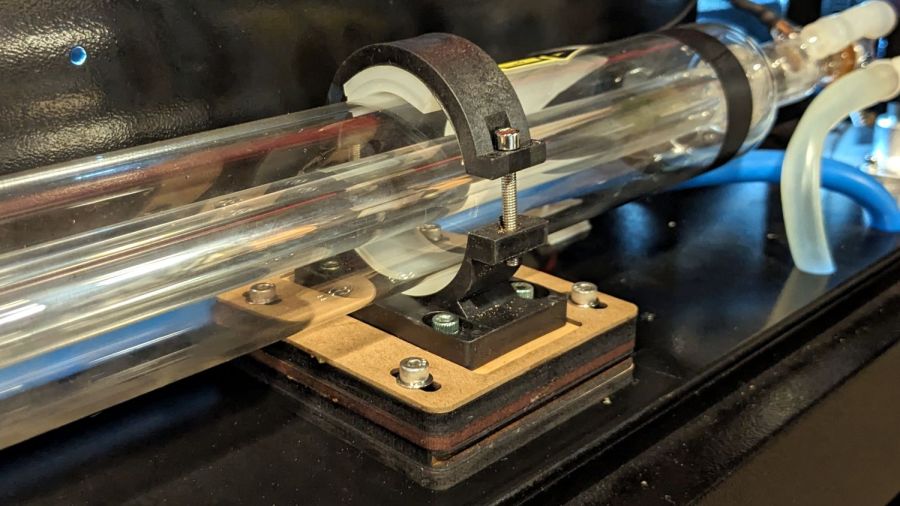
The general idea is to make a larger set of blocks fitting another quartet of holes with threaded inserts on the right side of the compartment floor:
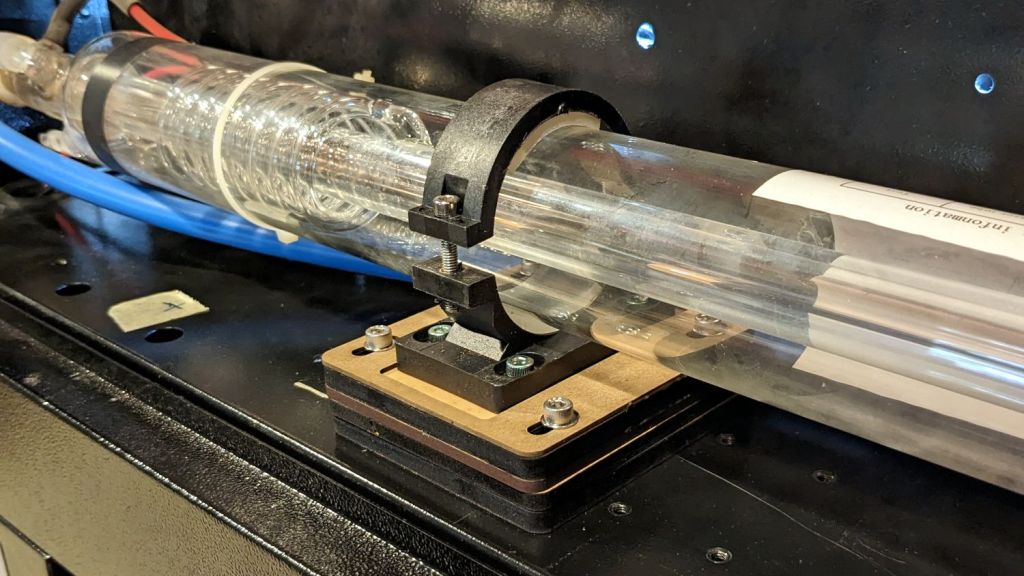
CO2 Laser supports – installed right
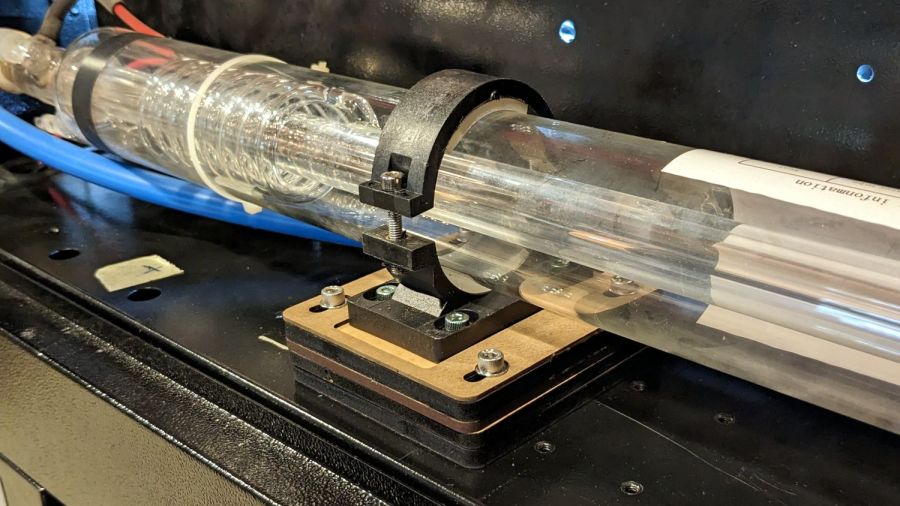
On the right, I stuck the bottom block to the shelf with double-sided tape:
CO2 Laser supports – installed left
Because I was unwilling to:
Drill and tap holes with the tube in place or
Remove the tube to get safer access
The alert reader will note the four tapped holes immediately to the right of the new blocks. Those were evidently intended for a center tube support for the longer tube, because the crudely hand-drilled holes hide just out of view to the left of the new blocks.
At the far left of that picture, beyond the two holes probably intended for coolant tubes, you can see one of the four holes with tapped inserts that would match longer tubes, where the 50 W tube has its anode and coolant connections.
The larger blocks I made have a hole accommodating the bulge in the tube cradle to let it slide back and forth as needed:
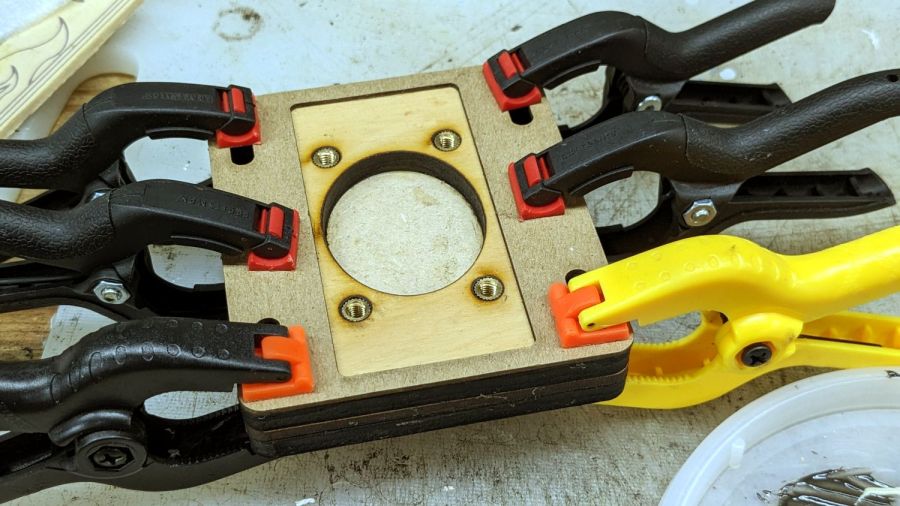
CO2 Laser supports – gluing top layers
That seemed easier and less exciting than attempting to flycut the bottom of the OEM plastic tube cradle.
The chipboard layer serves as a guide to keep the tube cradle lined up, with its now much shorter screws into the brass inserts epoxied into the plywood layer.
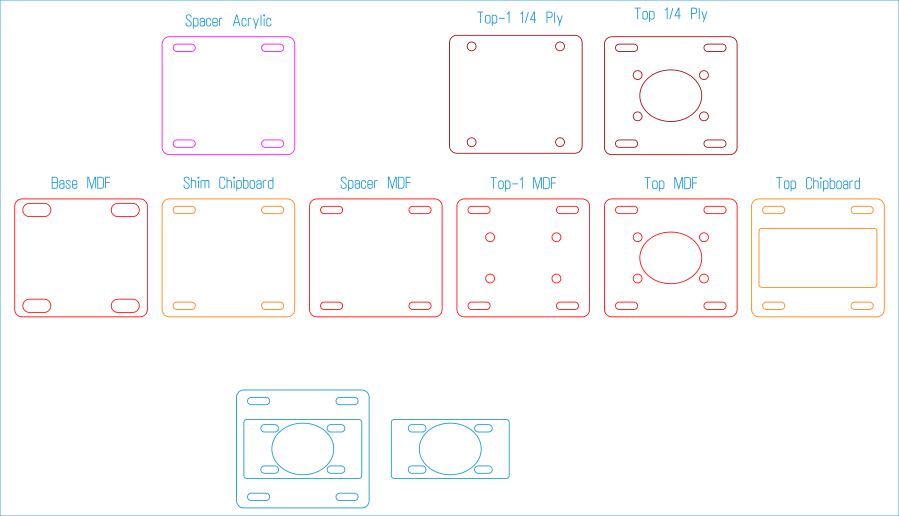
I glued the top layers together to get a rigid assembly, with the lower layers being replaceable shims adding up to the right height, whatever that might be. The LightBurn layout has an assortment of useful pieces, some of which I didn’t need:
Laser tube support blocks – LightBurn layout
If this were a greenfield project, the leftmost Base MDF pad would come in handy, as its slots are large enough to clear the flat side of the 4 mm rivnuts I’d install in the compartment floor.
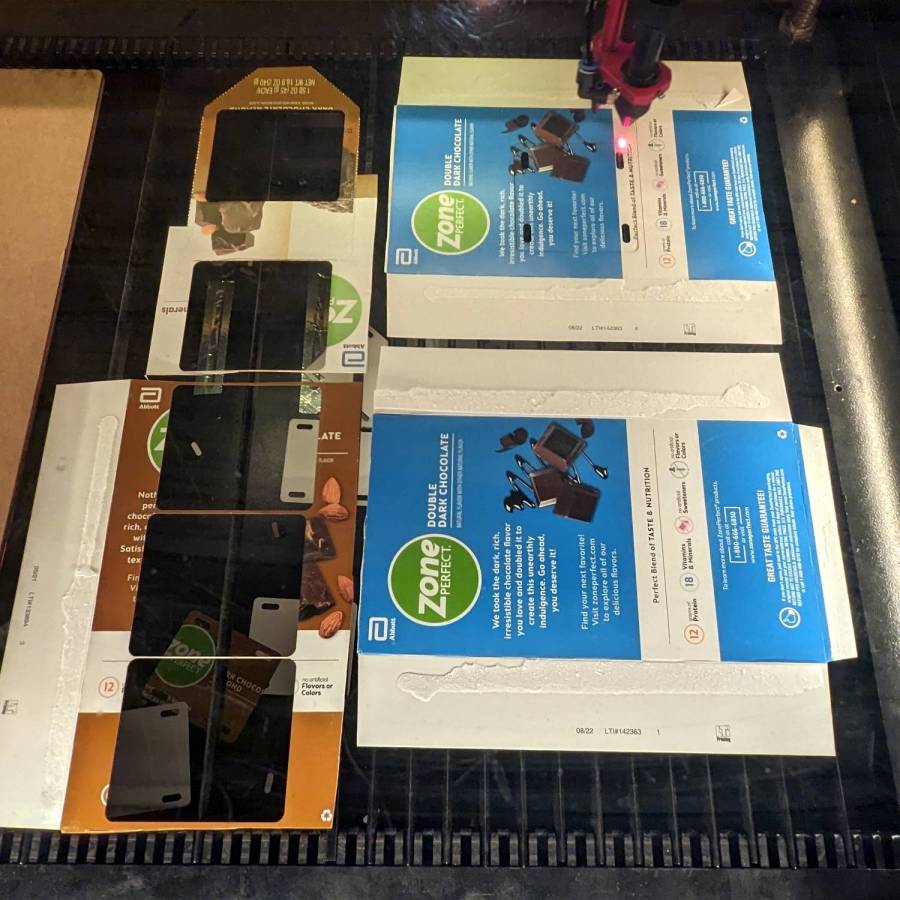
Thin shims come from paperboard boxes & chipboard:
CO2 Laser supports – thin shims
Thicker spacers come from (scrap) plywood and MDF:
CO2 Laser supports – thIck shims
Skipping ahead a few days, the tube & mirror realignment came out much better:
Alignment at Mirror 3 – four corners – 2023-09-02
That’s only the four corners of the platform, but it’s OK by me.
If you’re fussy, the scorches are all low by a bit under 2 mm. Fixing that requires raising the tube by 2 mm, which I can certainly do, but I’m going to let this whole affair mellow out for a while.
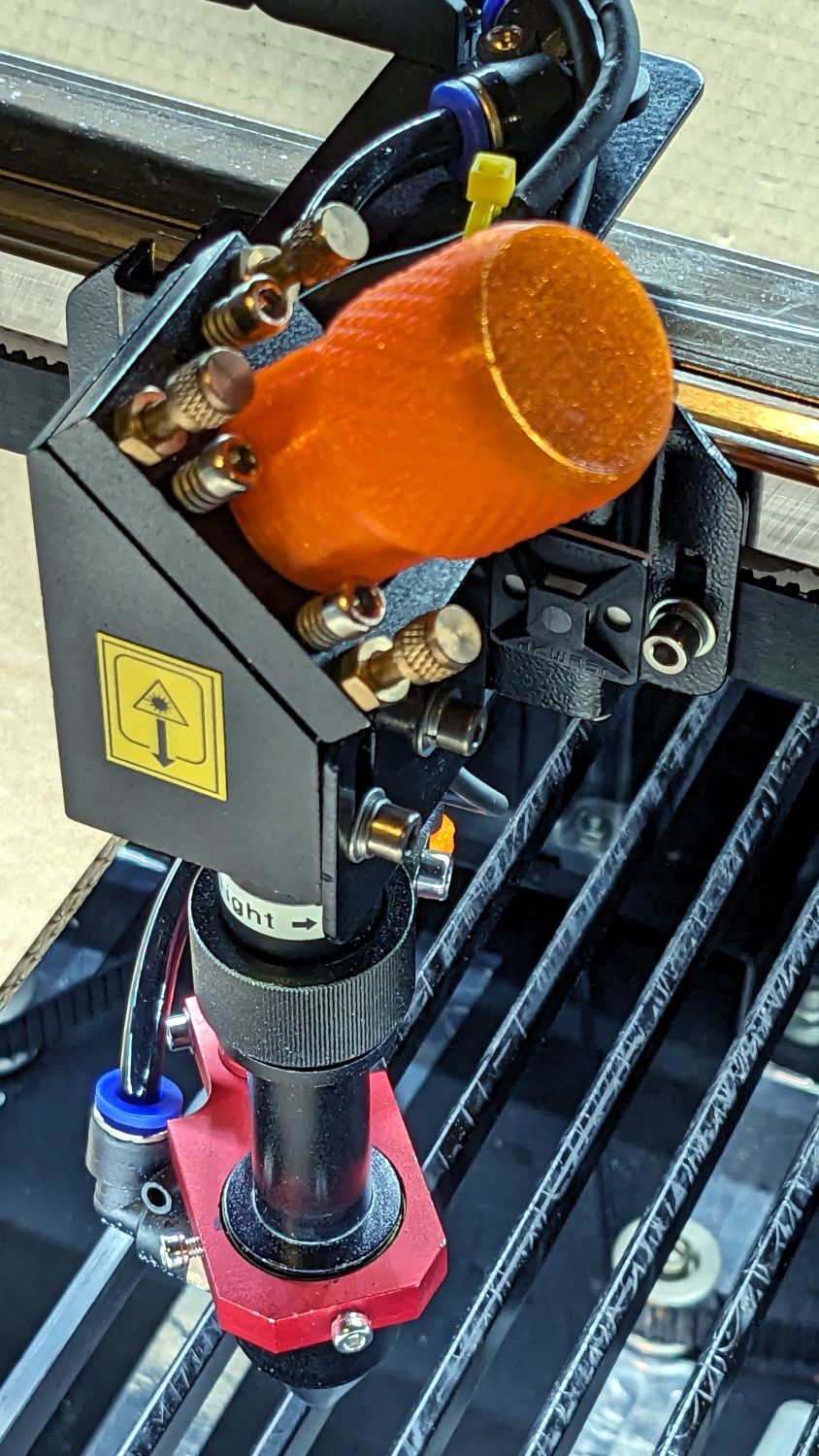
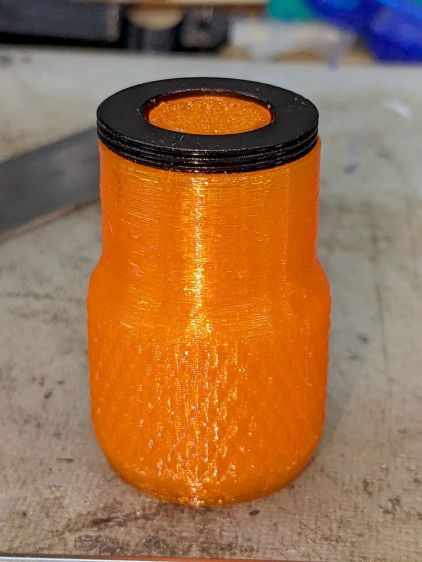
After struggling with pin pliers again, I finally made a pin wrench for the laser cutter’s mirror retaining rings:
Laser Mirror Pin Wrench – in use
The odd grayish tint toward the flat end of the knob comes from residual black filament in the hot end after switching to retina-burn orange PETG.
The solid model looks about like you’d expect:
Mirror Pin Wrench – Solid Model
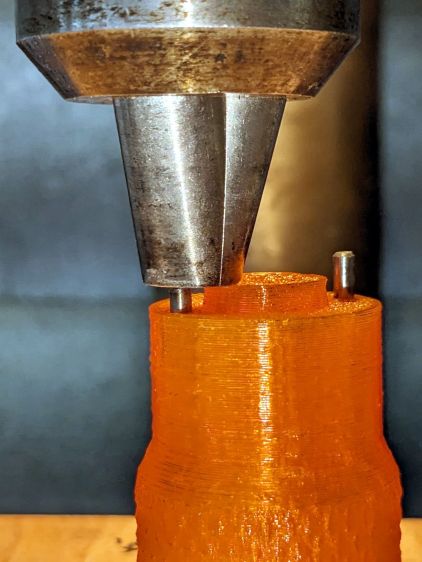
The pins are snippets of 3/32 inch = 2.4 mm steel rod with ground-round ends to fit the 2.5 mm pin sockets in the retaining ring.
They’re rammed into place with a drill press to keep them aligned with the holes:
Laser Mirror Pin Wrench – pin insertion
Pressed flush with the central boss that aligns the wrench with the ring:
Laser Mirror Pin Wrench – pin leveling
Then put the ring on the bench, set the wrench atop the ring with the pins in the sockets, and press firmly to seat the pins to the proper depth. The end results should look like this:
Laser Mirror Pin Wrench – mirror ring test
The next time I clean the mirrors, there will be less muttering.
This file contains hidden or bidirectional Unicode text that may be interpreted or compiled differently than what appears below. To review, open the file in an editor that reveals hidden Unicode characters.
Learn more about bidirectional Unicode characters
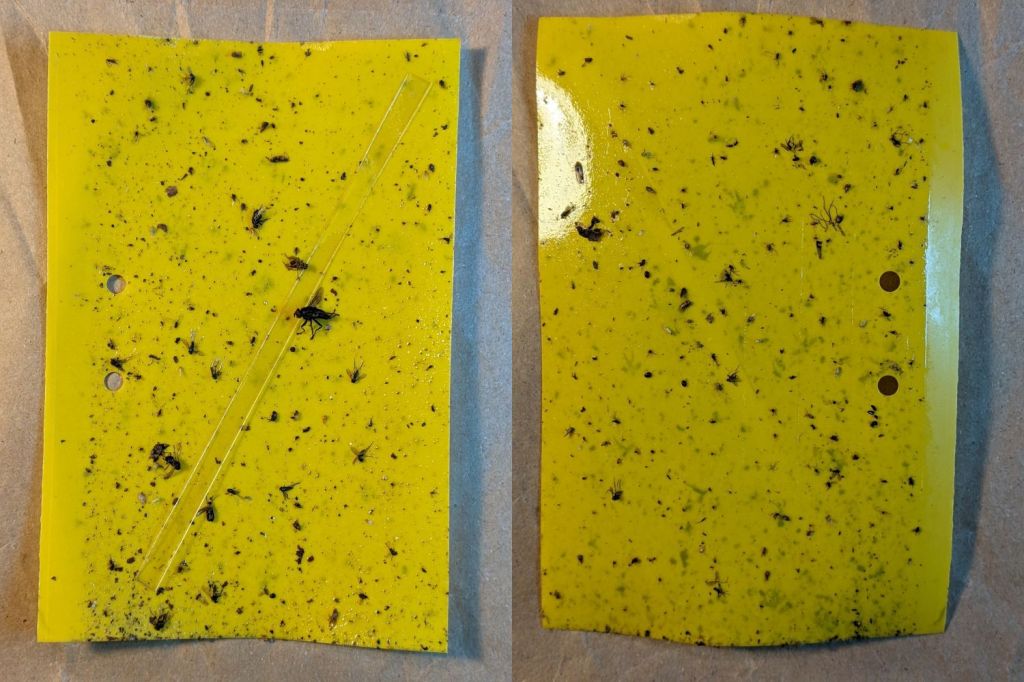
The six sticky traps guarding Mary’s onion beds in her Vassar Community Gardens plots collected this assortment of critter and mulch from mid-July through mid-August, when she harvested the last of the crop:
VCCG Onion Maggot Trap A
VCCG Onion Maggot Trap B
VCCG Onion Maggot Trap C
VCCG Onion Maggot Trap D
VCCG Onion Maggot Trap E
VCCG Onion Maggot Trap F
The labels do not match those on the first set through mid-July, because I don’t care quite enough to keep track of them.
The traps don’t collect many onion maggot flies, which suggests that a little control goes a long way. As far as she’s concerned, these traps work very well, because the crop has very little maggot damage.
Searching for onion sticky traps will produce the rest of the collection. Contact me for the full resolution images, should you need to ID all the critters.
I made a batch to see if they’d simplify mixing my usual tiny batches of epoxy … and they do! Now I need not worry about forgetting to wipe off the screwdriver or cross-contaminating the resin / hardener tubes.
Reshaping the tip so the laser beam enters at right angles to the stick produced a cleaner cut and a slightly narrower blade:
Popsicle stick mixer – cutting
The fixture and LightBurn template I made for the engraved markers came in handy. Aligning the template to the fixture proceeds as with the larger craft stick garden markers.
I don’t know how long the box originally holding 1000 sticks has been sitting on the shop shelf, but it’s at least half full despite my continuing efforts. Maybe I can get ahead on my holiday gift prep?
The LightBurn SVG template layout as a GitHub Gist:
After a year’s service in my Sony AS-30V helmet camera, the Newmowa NP-BX1 lithium cells perform pretty nearly as well as they started out:
NP-BX1 – Newmowa 2022 – 2023-08
Recharging the cells after that test averaged 907 mA·hr within 2%, so they’re still reasonably well grouped.
The camera burns 1.9 W, so the worst of the cells has a 100 minute runtime = 3.3 W·hr/1.9 W × 60 min/hr,.
Our usual weekday rides run a little over an hour and I change the batteries during our longer weekend rides, so they rarely see more than an hour’s use.
A recent 1-¼ hour = 75 minute ride soaked up 687 mA·hr, just about exactly 75% of 907 mA·hr. Gotta love it when the numbers work.
Surprisingly good performance, given the drama involved in finding those cells. I wonder if that will hold next year when I buy another set?









 The Smell of Molten Projects in the Morning


