The Smell of Molten Projects in the Morning

Ed Nisley's Blog: Shop notes, electronics, firmware, machinery, 3D printing, laser cuttery, and curiosities. Contents: 100% human thinking, 0% AI slop.

Tag: Improvements

Making the world a better place, one piece at a time

  • Double-faced DVD Coasters

    Double-faced DVD Coasters

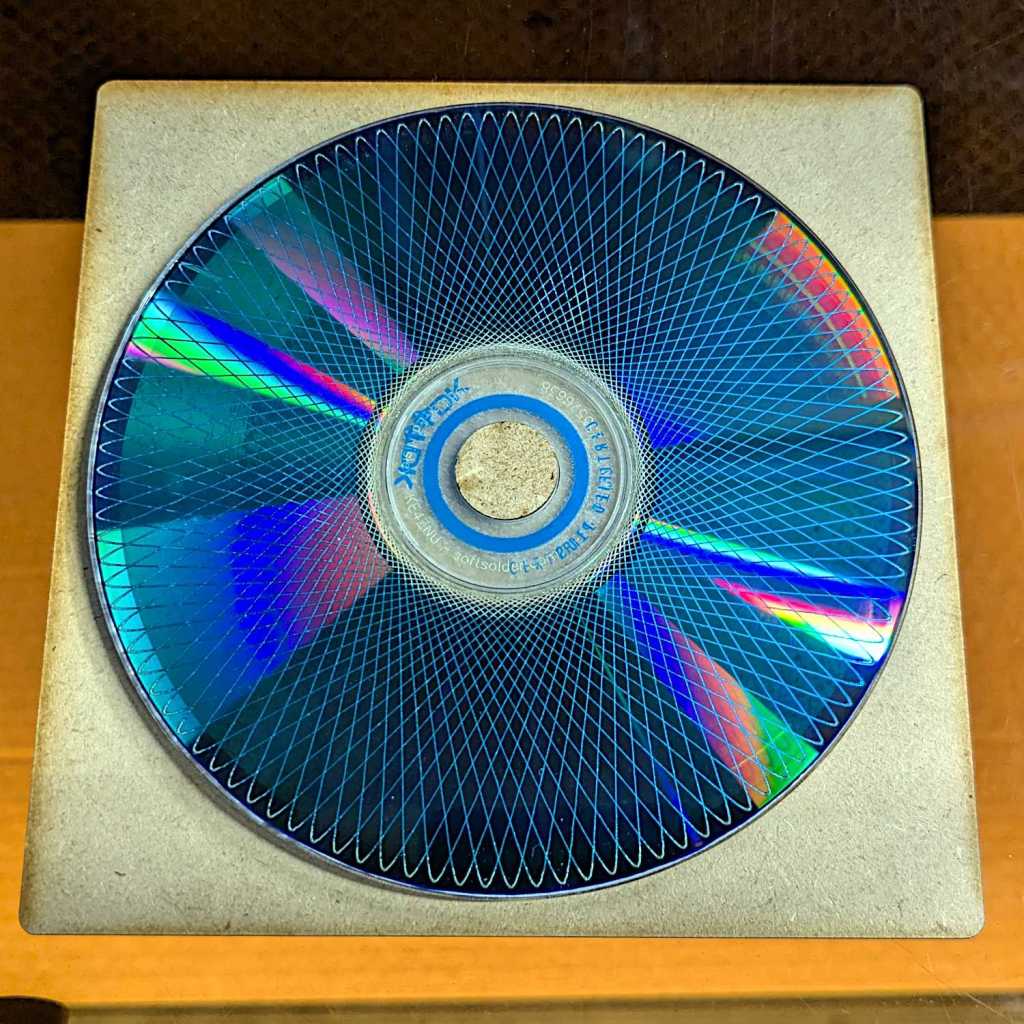
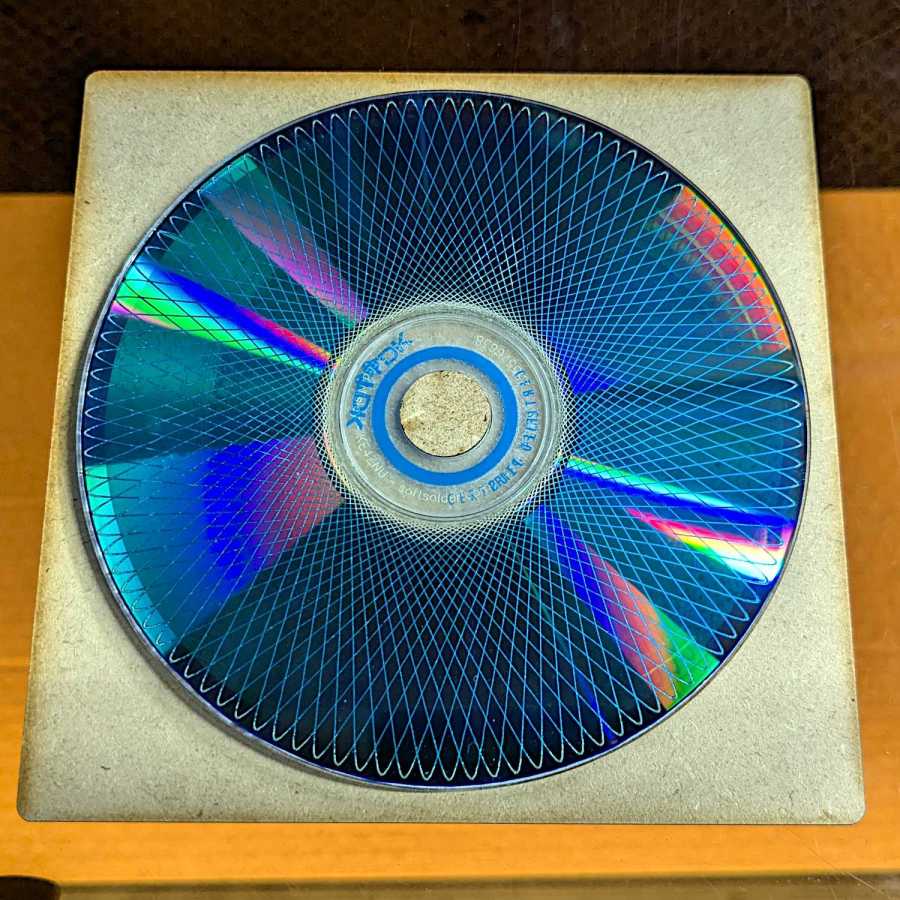
    Given an essentially unlimited supply of scrap CDs / DVDs (rendered unreadable by scarring the label side with a Guilloche pattern) and the failure of foam backing, it seemed reasonable to try sticking two of them together:

    Double-faced DVD coaster - components
    Double-faced DVD coaster – components

    The fixture in the lower left is just an MDF square with a 15 mm post of more MDF glued in the middle to align the pieces. The white disk is the adhesive sheet, cut to 119 mm OD to leave half a millimeter clear around the outer edge, thus avoiding embarrassing stickiness.

    Peel one side of the adhesive sheet and drop it over the post sticky side up:

    Double-faced DVD coaster - adhesive sheet ready
    Double-faced DVD coaster – adhesive sheet ready

    Drop one of the DVDs over it, label side down:

    Double-faced DVD coaster - first disc on adhesive
    Double-faced DVD coaster – first disc on adhesive

    Lift it off, peel the other side of the adhesive sheet, put it over the post sticky side up, and drop the other DVD on top:

    Double-faced DVD coaster - finished
    Double-faced DVD coaster – finished

    The data side of the discs has a 0.3 mm raised rim just inside the track zone, so they don’t sit exactly flat on the table and expect a slightly concave lower surface on the mug / glass / cup. Neither of those seem like dealbreakers thus far, although I’m sure somebody will object.

    A ring or two of general-purpose glue, along the lines of E6000 urethane, would be significantly less fussy than cutting adhesive sheets.

  • Prusa MK4 vs. PETG-CF

    Prusa MK4 vs. PETG-CF

    Flushed with success after building a Keychain Pill Tube with orange PETG, I tried dark gray carbon-fiber PETG with the same settings:

    Pill Tube - first PETG-CF
    Pill Tube – first PETG-CF

    In real life, it’s a much darker gray.

    It’s not only furry, it’s overstuffed: the threads didn’t engage at all.

    Running a few single-thread calibration squares suggested an Extrusion Multiplier around 0.6 would produce the proper thread width. Making it so and trying again worked perfectly:

    Pill tube - PETG-CF adjustments
    Pill tube – PETG-CF adjustments

    Not only did the cap screw on easily enough, the exterior finish improved and most of the stringing went away.

    However, the Mighty Dragorn of Kismet (who nerd-sniped me into getting the MK4 in the first place) observed that he’d been running PETG-CF with stock PETG settings and getting good dimensional results without further tuning.

    After a few more gyrations, I did what I should have done first:

    Eryone PETG-CF Temperature Tower
    Eryone PETG-CF Temperature Tower

    The label on the spool suggests a 230 °C to 250 °C extrusion temperature and 235 °C seems like the sweet spot between overly stringy and terrible bridging, although I’d never expect PETG to cross that kind of gap without some support. The 35° overhangs on the left look surprisingly good at any temperature.

    With that set up, running solid calibration squares showed Dragorn was right: 1.0 EM works the way you’d expect and 0.65 EM produces under-filled surfaces:

    MK4 Eryone PETG-CF 1.0 0.65 EM - top
    MK4 Eryone PETG-CF 1.0 0.65 EM – top

    The hand-knitted surface is more visible at a more oblique angle:

    MK4 Eryone PETG-CF 1.0 0.65 EM - edge
    MK4 Eryone PETG-CF 1.0 0.65 EM – edge

    The 0.2 mm layers look about the same on both squares.

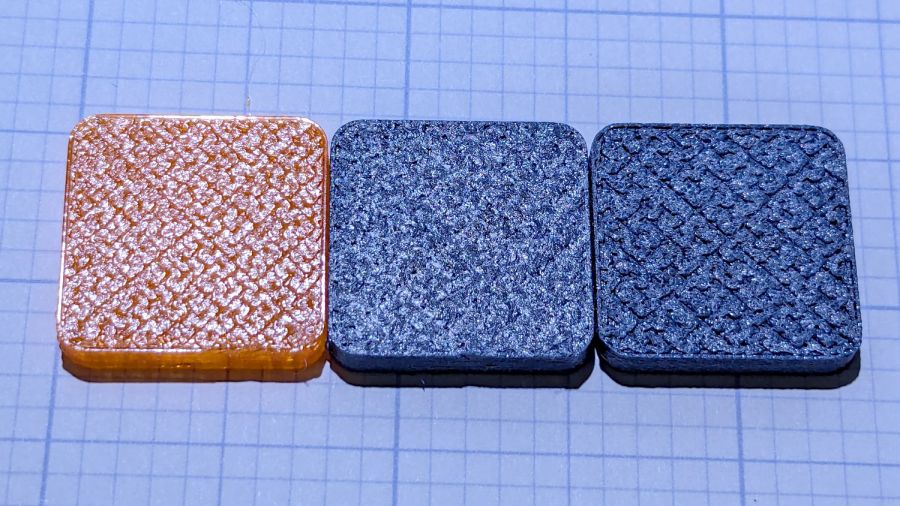
    Comparing plain PETG at 1.0 EM with those:

    MK4 eSun PETG 1.0 EM - Eryone PETG-CF 1.0 0.65 EM
    MK4 eSun PETG 1.0 EM – Eryone PETG-CF 1.0 0.65 EM

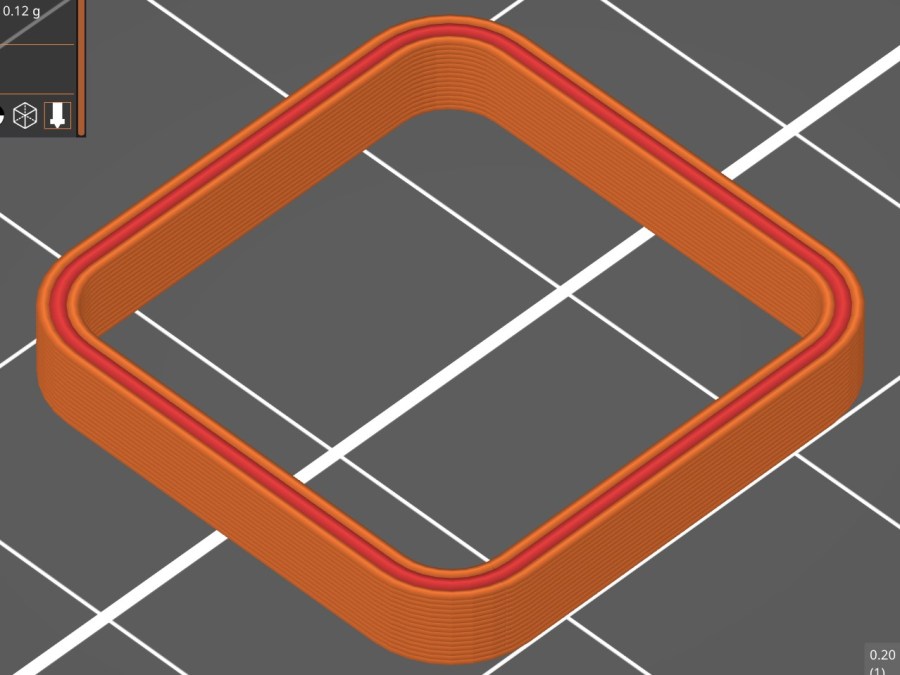
    Set up a square with walls three threads thick:

    Thinwall box - 3x 0.45 mm - slicer preview
    Thinwall box – 3x 0.45 mm – slicer preview

    With PrusaSlicer set to produce 0.45 mm thread widths, the walls should measure exactly 1.35 mm = 3×0.45 mm thick:

    • PETG = 1.30 mm (1.29 to 1.30)
    • PETG-CF = 1.40 mm (1.37 to 1.40)

    While I think you could tweak the EM for both materials, it’s unlikely to make any practical difference on typical objects.

    So it looks like a slightly lower temperature with 1.0 EM will produce good outside dimensions for the carbon fiber filaments, while models with precise thin sections will require careful tuning.

  • Hiatus

    Hiatus

    The process of transferring domain ownership from Network Solutions to WordPress may take five to seven days, for reasons I do not profess to understand, and may interrupt regular service.

    Until that settles out, here’s a cat picture to tide you over:

    Cat on patio
    Cat on patio

    I suppose if you can’t see the cat or read this post, things have really fallen off the rails.

    To give you an idea of why I’m doing this:

    Your request has been submitted. You will receive the authorization code in email within 3 days. If you have any questions, please chat with us

    Here we go …

  • Vole Traps: Rebaited

    Vole Traps: Rebaited

    Although the drilled sunflower seeds worked reasonably well, various critters gnawed through the threads and escaped unharmed with the seeds. We tried gluing seeds to the trigger with good old Elmer’s Non-Toxic School Glue, only to find garden ants absolutely love the stuff.

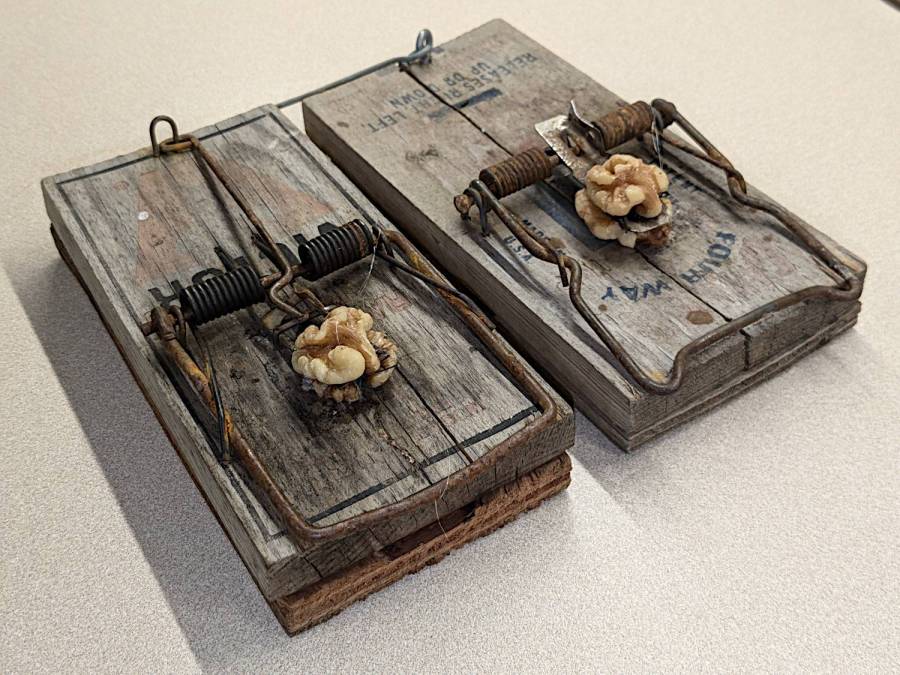
    Well, if voles like seeds, they’ll surely like nuts:

    Rat traps - walnut halves
    Rat traps – walnut halves

    Those are rat traps (much bigger than mouse traps) with walnut halves secured to the top and bottom of the trigger with hot melt glue.

    Yes, the plywood plates under the traps hold them together. There’s no reason to put fancy new traps outdoors where they succumb to weather in short order; these are veterans from previous episodes.

    Having taken out two voles with sunflower seeds over the course of a week, the walnuts accounted for two more voles in three days. Mary thinks a neighbor vole needs a day to notice its buddy has gone missing, so the average pace may be a vole every other day.

    Bonus: Gnawing on the nuts or trying to pull them away triggers the trap, so those walnuts are still out there.

    The community gardens have enough voles to attract Red Tailed Hawks, which have started perching on fence posts and stooping on voles foolish enough to run along the paths or into grassy areas. Some gardeners seem disconcerted by the presence of such large birds in close proximity, but Mary assures them they’re helpers.

  • Prusa MK4 Platform Protector

    Prusa MK4 Platform Protector

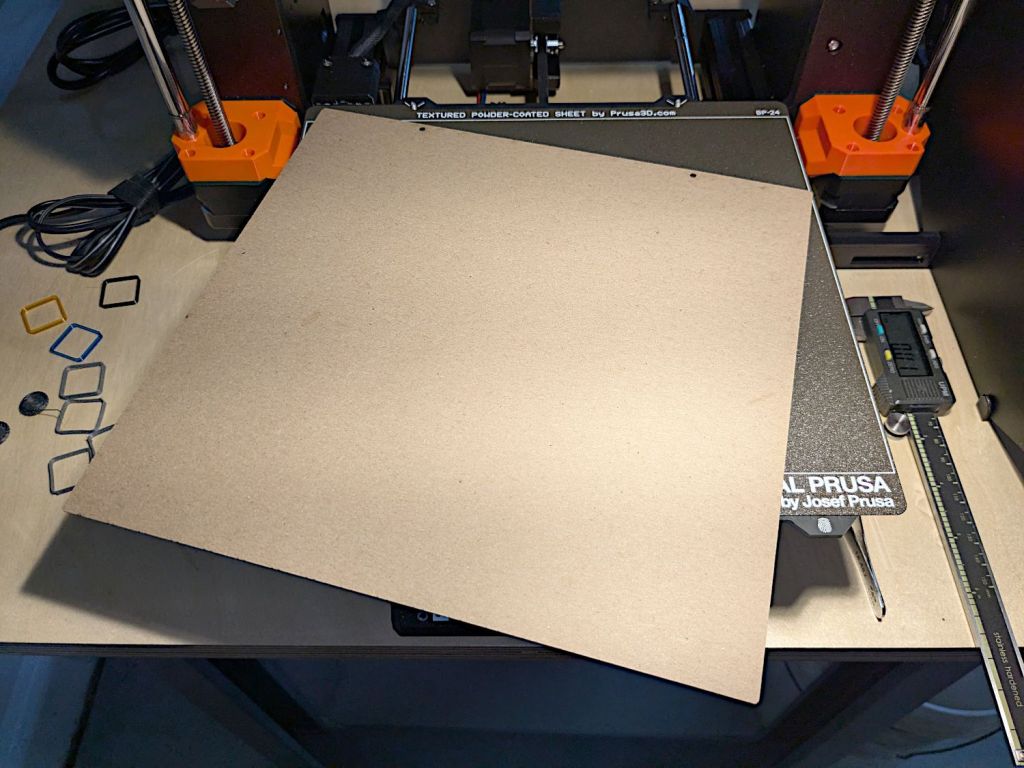
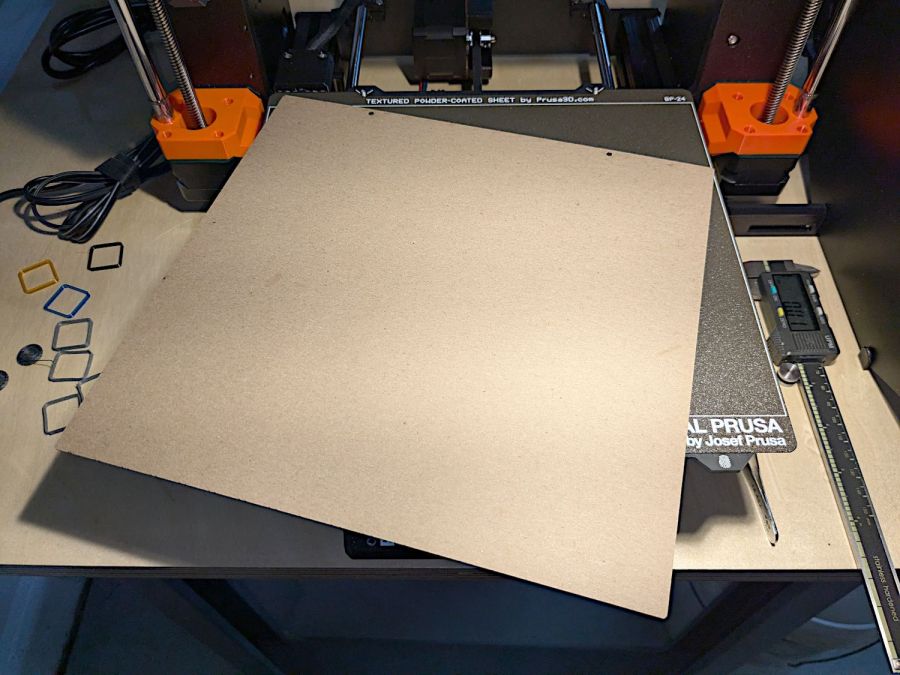
    While cleaning the bird’s nest off the extruder, the need for a protector over the steel build plate became obvious:

    Prusa MK4 - platform cover sheet
    Prusa MK4 – platform cover sheet

    Yes, it’s laser cut, which trivialized the two little holes for the locating screws in the back.

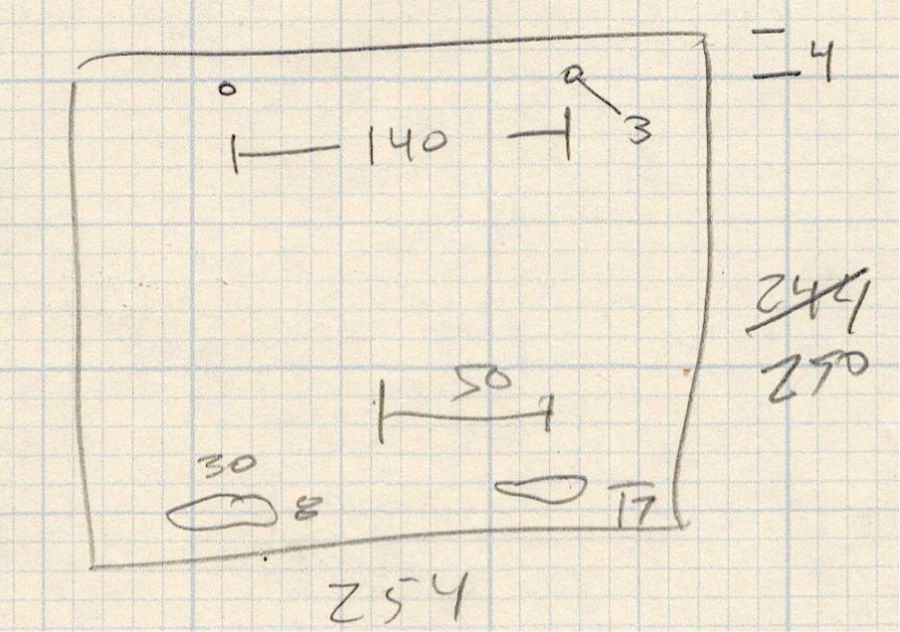
    Given the dimensions, it should take you five minutes, tops, to cut your own from some chipboard:

    Prusa MK4 Platform protector sheet doodles
    Prusa MK4 Platform protector sheet doodles

    The blobs along the front edge mark the magnets where you could add a bit of steel to snap the protector in place, if you’re inclined to remove the plate. I just let it sit there, which seems entirely sufficient.

    Long ago I made a similar corrugated cardboard sheet for the M2 that is still covering its glass platform today.

  • Cutting Board Shim

    Cutting Board Shim

    The kitchen counter has only two useful places for the cutting board and the spot Mary favors puts a distinct swale under one corner. A bit of measuring and solid modeling produced a simple shim to make the answer come out right:

    Cutting Board shim - solid model
    Cutting Board shim – solid model

    The basic shape is union() of a trio of hull() operations forming the three sides, with the text label as a separate object to verify I understood how to build a multi-material object.

    Export it as a 3mf file, open it in PrusaSlicer, slice, print:

    Cutting Board shim - label
    Cutting Board shim – label

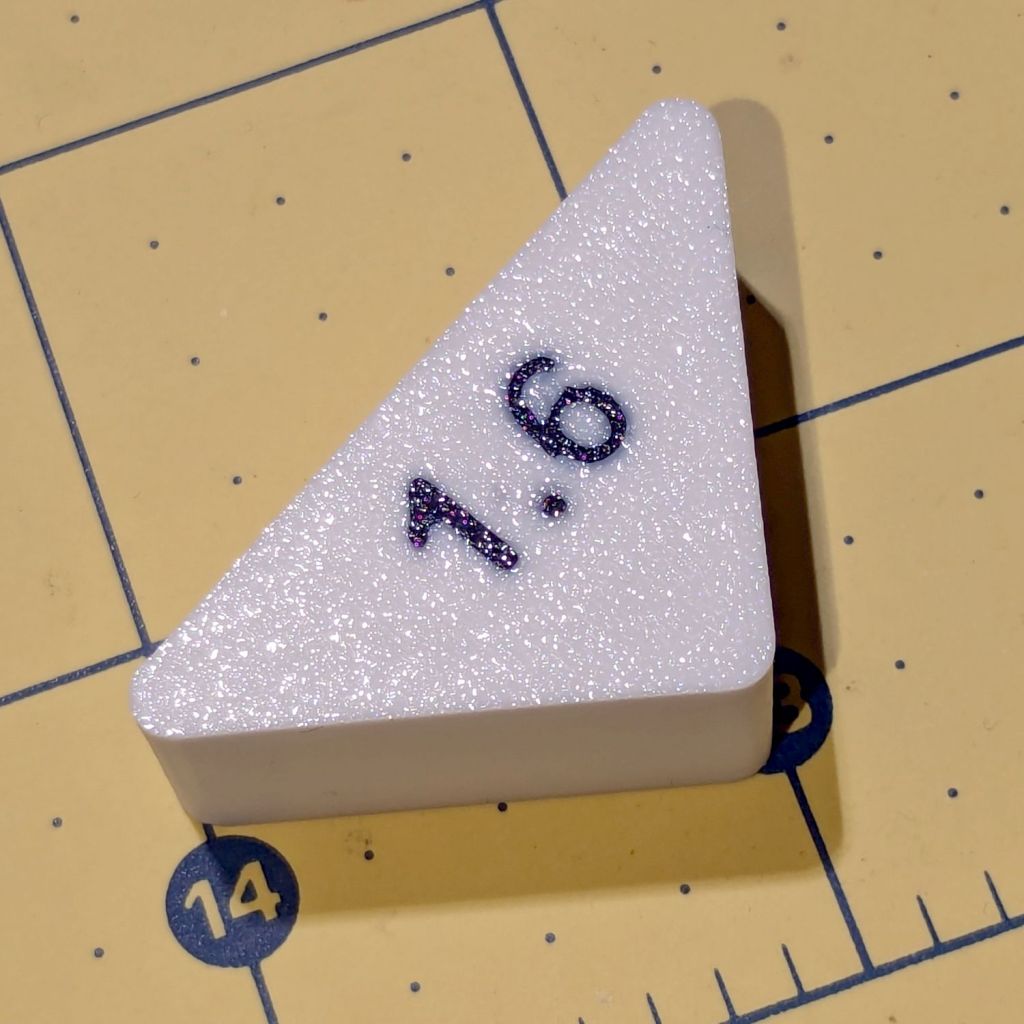
    Putting the label on the bottom surface takes advantage of the nubbly finish on the Textured Steel Sheet to make it look like it just grew in there.

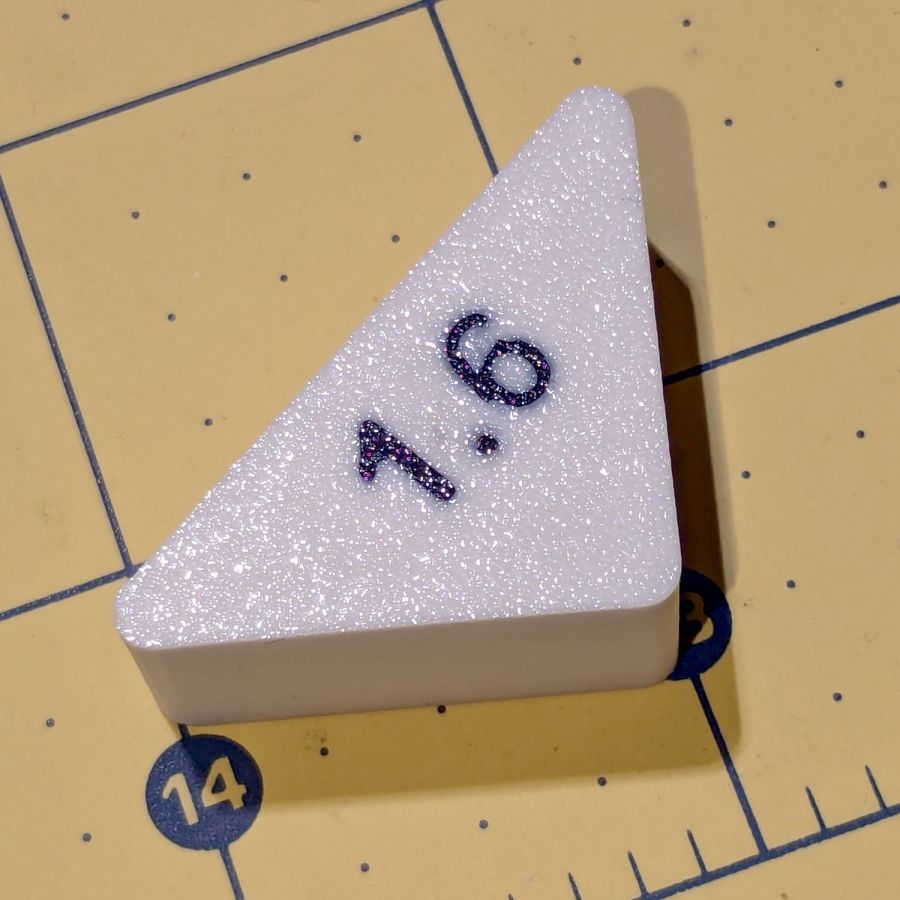
    The label is just barely visible from the top, despite extending only 1/4 of the way through the 1.6 mm bottom slab:

    Cutting Board shim - top
    Cutting Board shim – top

    So white PETG needs more than 1.2 mm of thickness to hid a black feature. Today I Learned, etc.

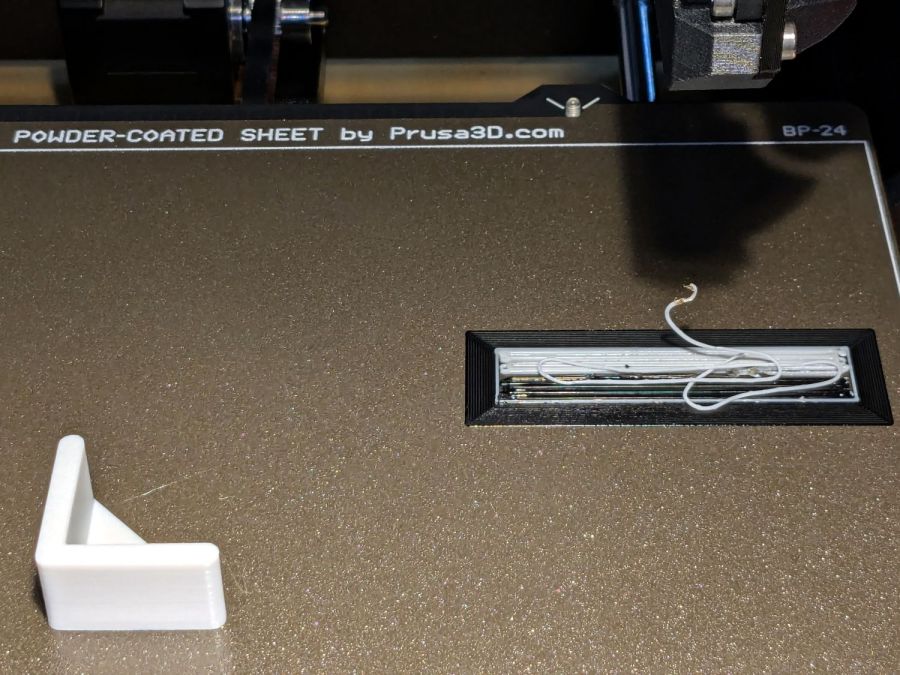
    Multi-material printing produces a Wipe Tower to hold all the extruded junk during color changes:

    Cutting Board shim - wipe tower
    Cutting Board shim – wipe tower

    The curl under the nozzle comes from the final ramming used to shape the end of the filament into a point for reliable material / color changing.

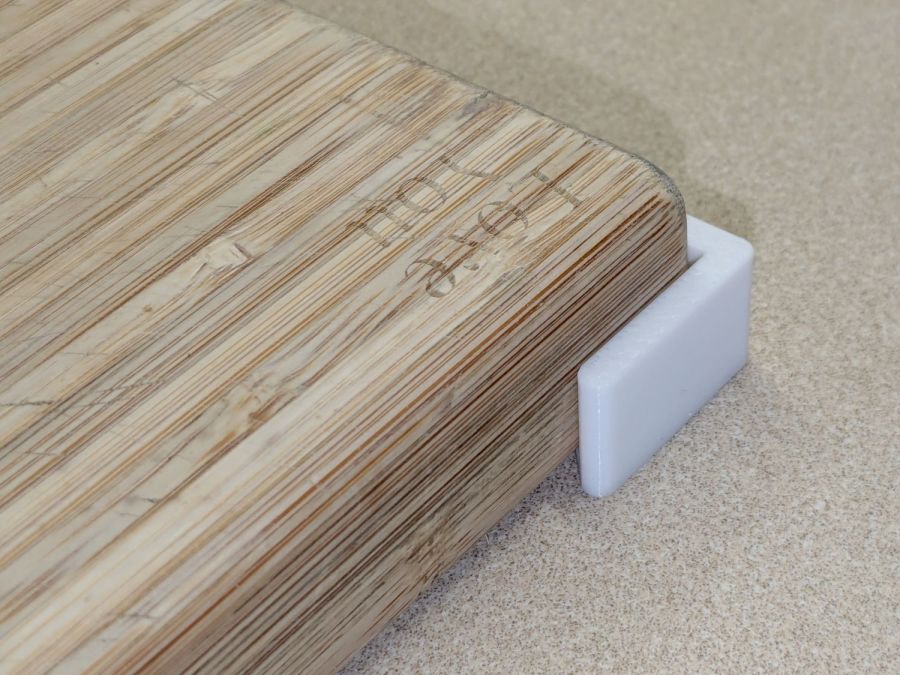
    Although a shim is something of a nuisance, it works perfectly:

    Cutting Board shim - in use
    Cutting Board shim – in use

    Much easier than installing an L-shaped Corian slab with a sink cutout!

    The faded engraving dates back to the early days of the laser …

    The OpenSCAD source code as a GitHub Gist:

    // Cutting Board alignment shim
    // Ed Nisley KE4ZNU – 2024-08-20
    //—–
    // Dimensions
    ShimThick = 1.6; // thickness of shim under board
    /* [Hidden] */
    ShimOA = [25.0,25.0,15.0]; // overall size of shim
    WallThick = 4.0;
    ShimRadius = WallThick/2;
    LabelThick = ShimThick/4;
    NumSides = 3*4;
    //—–
    // Build it
    union() {
    hull()
    for (i=[0,1])
    translate([i*(ShimOA.x – ShimRadius),0,0])
    cylinder(r=ShimRadius,h=ShimOA.z,$fn=NumSides);
    hull()
    for (j=[0,1])
    translate([0,j*(ShimOA.y – ShimRadius),0])
    cylinder(r=ShimRadius,h=ShimOA.z,$fn=NumSides);
    hull() {
    for (i=[0,1])
    translate([i*(ShimOA.x – ShimRadius),0,0])
    cylinder(r=ShimRadius,h=ShimThick,$fn=NumSides);
    translate([0,1*(ShimOA.y – ShimRadius),0])
    cylinder(r=ShimRadius,h=ShimThick,$fn=NumSides);
    }
    }
    color("Black")
    translate([ShimOA.x/3,ShimOA.y/3,LabelThick])
    rotate([180,0,90 + 45])
    linear_extrude(height=LabelThick,convexity=20)
    text(text=str(ShimThick),size=6,spacing=1.00,
    font="Arial:style:Bold",halign="center",valign="center");
  • Under-cabinet LED Light Brick Mounts

    Under-cabinet LED Light Brick Mounts

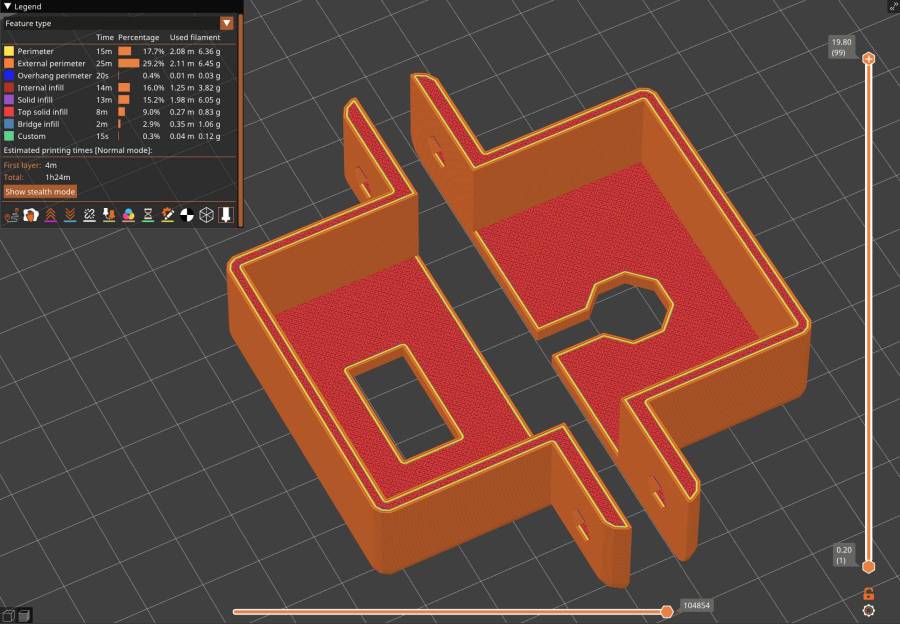
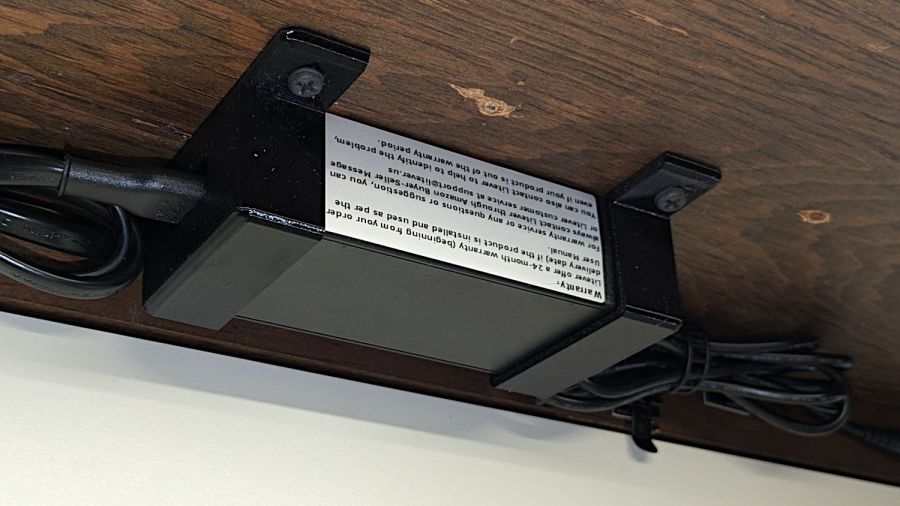
    Descending directly from the holders for the MPCNC power brick, slightly smaller brackets for the power bricks attached to the under-cabinet LED strip light in the kitchen:

    Kitchen Under-cabinet light power brick mounts - slicer view
    Kitchen Under-cabinet light power brick mounts – slicer view

    Made from black PETG (because they’re in the kitchen) they fit fine:

    Under-cabinet light - brick B
    Under-cabinet light – brick B

    Although the elegance depends on which way the brick points:

    Under-cabinet light - brick A
    Under-cabinet light – brick A

    They have the distinction of being the first “real” objects from the Prusa MK4. All my hard-won knowledge of forcing solid models into reality through a 3D printer is obsolete: the default slicer settings on a new printer work perfectly, with no fiddling required.

    The OpenSCAD source code as a GitHub Gist:

    // Power Supply Brick brackets
    // Ed Nisley KE4ZNU 2024-08-19
    Layout = "Show"; // [Show,Build]
    //– Extrusion parameters
    /* [Hidden] */
    ThreadThick = 0.20;
    ThreadWidth = 0.45;
    HoleWindage = 0.3; // enlarge hole dia by this amount
    function IntegerMultiple(Size,Unit) = Unit * ceil(Size / Unit);
    Protrusion = 0.1; // make holes look good and joints intersect properly
    //– Useful sizes
    ID = 0;
    OD = 1;
    LENGTH = 2;
    //– Bracket Dimensions
    Brick = [115.0,51.0,32.0]; // overall size, add details in module
    Socket = [20.0,10.0]; // binocular power socket
    Cable = [5.0,12.0]; // DC output cable ID=wire OD=strain relief
    //Socket = [30.0,24.0]; // IEC power socket
    //Cable = [6.0,15.0]; // DC output cable ID=wire OD=strain relief
    WallThick = 3.0; // default wall thickness
    BaseThick = 4.0;
    Screw = [5.1,10.0,3.0]; // screw size, more-or-less 10-32, OD & LENGTH for head
    NumSides = 3*4;
    //———————-
    // Useful routines
    module PolyCyl(Dia,Height,ForceSides=0) { // based on nophead's polyholes
    Sides = (ForceSides != 0) ? ForceSides : (ceil(Dia) + 2);
    FixDia = Dia / cos(180/Sides);
    cylinder(r=(FixDia + HoleWindage)/2,
    h=Height,
    $fn=Sides);
    }
    //———————-
    // Models
    module BrickMount(End="Both") {
    difference() {
    union() {
    hull() // main block
    for (i=[-1,1], j=[-1,1], k=[0,1])
    translate([i*(Brick.x/2 + WallThick – WallThick),
    j*(Brick.y/2 + WallThick – WallThick),
    k*(Brick.z + WallThick – WallThick)])
    sphere(r=WallThick,$fn=NumSides);
    hull() // screw flanges
    for (i=[-1,1], j=[-1,1])
    translate([i*(Brick.x/2 + WallThick – BaseThick),
    j*(Brick.y/2 + WallThick + 2*Screw[OD] – BaseThick),
    0])
    sphere(r=BaseThick,$fn=NumSides);
    }
    for (i=[-1,1], j=[-1,1]) // remove screw holes
    translate([i*(Brick.x/2 + WallThick – Screw[OD]),
    j*(Brick.y/2 + WallThick + Screw[OD]),
    -Protrusion])
    rotate(180/6)
    PolyCyl(Screw[ID],2*WallThick,6);
    translate([0,0,Brick.z/2]) // remove center part to leave ends
    cube([(Brick.x + 2*WallThick – 4*Screw[OD]),2*Brick.y,2*Brick.z],center=true);
    if (End == "Socket")
    translate([Brick.x/2,0,Brick.z/2]) // remove cable end to leave socket
    cube([(Brick.x + 2*WallThick – 4*Screw[OD]),2*Brick.y,2*Brick.z],center=true);
    if (End == "Cable")
    translate([-Brick.x/2,0,Brick.z/2]) // remove socket end to leave cable
    cube([(Brick.x + 2*WallThick – 4*Screw[OD]),2*Brick.y,2*Brick.z],center=true);
    translate([0,0,Brick.z/2 – Protrusion/2]) // remove power supply brick from interior
    cube(Brick + [0,0,Protrusion],center=true);
    translate([0,0,-Brick.z]) // remove below XY plane
    cube(2*Brick,center=true);
    translate([0,0,Brick.z/2]) // remove AC socket
    rotate([0,-90,0])
    rotate(90)
    linear_extrude(height=Brick.x,convexity=2)
    square(Socket,center=true);
    translate([0,0,Brick.z/2]) // remove DC cable
    rotate([0,90,0])
    rotate(180/8)
    PolyCyl(Cable[OD],Brick.x,8);
    translate([Brick.x/2,0,Brick.z/4 – Protrusion/2]) // … and wire slot
    cube([Brick.x,Cable[ID],Brick.z/2 + Protrusion],center=true);
    }
    }
    //———————-
    // Build it
    if (Layout == "Show")
    BrickMount("Both");
    if (Layout == "Build") {
    translate([5,0,Brick.x/2 + WallThick])
    rotate([0,90,0])
    BrickMount("Cable");
    translate([-5,0,Brick.x/2 + WallThick])
    rotate([0,-90,0])
    BrickMount("Socket");
    }