The Smell of Molten Projects in the Morning

Ed Nisley's Blog: Shop notes, electronics, firmware, machinery, 3D printing, laser cuttery, and curiosities. Contents: 100% human thinking, 0% AI slop.

Tag: Improvements

Making the world a better place, one piece at a time

  • Sandisk 64 GB High Endurance Video Monitoring Card: Verification

    The Sandisk Extreme Pro 64 GB MicroSDXC (whew) card in the Sony HDR-AS30V had been working fine, but recently the camera crashed in mid-ride after spitting out an unreadable video file. I reformatting the card, which seemed to restore its good humor, and preemptively dropped $36 on a fancy Sandisk High Endurance Video Monitoring Card from a Nominally Reputable Amazon seller:

    Sandisk - 64 GB MicroSDXC cards
    Sandisk – 64 GB MicroSDXC cards

    The package & card production values seem high enough to make me think it’s genuine, despite the white-label thing SanDisk has goin’ on; it matches their website pix closely enough.

    Popping it into a USB 3.0 adapter, plugging that into the new-to-me Dell Optiplex 9010’s front-panel USB 3.0 port, and unleashing f3probe produced encouraging results:

    sudo f3probe -t /dev/sde
    [sudo] password for ed: 
    F3 probe 6.0
    Copyright (C) 2010 Digirati Internet LTDA.
    This is free software; see the source for copying conditions.
    
    WARNING: Probing normally takes from a few seconds to 15 minutes, but
             it can take longer. Please be patient.
    
    Probe finished, recovering blocks... Done
    
    Good news: The device `/dev/sde' is the real thing
    
    Device geometry:
    	         *Usable* size: 59.48 GB (124735488 blocks)
    	        Announced size: 59.48 GB (124735488 blocks)
    	                Module: 64.00 GB (2^36 Bytes)
    	Approximate cache size: 0.00 Byte (0 blocks), need-reset=no
    	   Physical block size: 512.00 Byte (2^9 Bytes)
    
    Probe time: 4'26"
     Operation: total time / count = avg time
          Read: 2'42" / 4197135 = 38us
         Write: 1'41" / 4192321 = 24us
         Reset: 1.00s / 1 = 1.00s
    

    Just for completeness, I unleashed f3write to fill it with pseudorandom data:

    time f3write /mnt/part
    Free space: 59.46 GB
    Creating file 1.h2w ... OK!                          
    Creating file 2.h2w ... OK!                          
    … snippage …                      
    Creating file 59.h2w ... OK!                        
    Creating file 60.h2w ... 99.99% -- 5.40 MB/s -- 1sf3write: Write to file /mnt/part/60.h2w failed: Input/output error
    
    real	180m36.861s
    user	0m40.520s
    sys	6m44.024s
    

    Dividing 64 GB by 180 minutes says the write speed works out to 5.9 MB/s, about a third of the “up to 20 MB/s” in the card’s specs. Huh.

    Reading & comparing the data goes faster:

    time f3read /mnt/part
                      SECTORS      ok/corrupted/changed/overwritten
    Validating file 1.h2w ... 2097152/        0/      0/      0
    Validating file 2.h2w ... 2097152/        0/      0/      0
    … snippage …
    Validating file 59.h2w ... 2097152/        0/      0/      0
    Validating file 60.h2w ...  965376/        0/      0/      0
    
      Data OK: 59.46 GB (124697344 sectors)
    Data LOST: 0.00 Byte (0 sectors)
    	       Corrupted: 0.00 Byte (0 sectors)
    	Slightly changed: 0.00 Byte (0 sectors)
    	     Overwritten: 0.00 Byte (0 sectors)
    Average reading speed: 23.87 MB/s
    
    real	42m31.288s
    user	0m47.444s
    sys	0m30.232s
    

    So it reads lickety-split, but writes much more slowly. Fortunately, the HDR-AS30 camera pops out a 4 GB file every 22.75 minute = 2.9 MB/s, so the card has a smidge of headroom while writing.

    The specs claim “up to 10,000 hours” of Full HD recording. If so, I’m looking at a card good for “up to 40 years of riding at 1 hour/ride and 250 ride/year. For 36 bucks, how can ya go wrong?

    I’ll take it for a few rides to see what happens …

    The packaging includes a link to a Windows / Mac data recovery program, plus the serial number required to activate the download. I’ll continue to eke out a miserable existence with ordinary Linux disk / file maintenance tools, as I’m no longer enthused about “free” programs requiring secret handshakes for activation on a single computer with an OS I no longer use, particularly a program that auto-pumpkinates after a year:

    Please fill in the data accurately as this information will be needed to reactivate the software if you ever need to move the software to a different computer.

    Your expectations & preconceptions may vary.

  • Quartz Resonator Test Fixture: Cleanup

    Isolating the USB port from the laptop eliminated a nasty ground loop, turning off the OLED while making measurements stifled a huge noise source, and averaging a few ADC readings produced this pleasing plot:

    Resonator 0 Spectrum
    Resonator 0 Spectrum

    Those nice smooth curves suggest the tester isn’t just measuring random junk.

    The OLED summarizes the results after the test sequence:

    LF Crystal Tester - OLED test summary - Resonator 0
    LF Crystal Tester – OLED test summary – Resonator 0

    Collecting all the numbers for that resonator in one place:

    • C0 = 1.0 pF
    • Rm = 9.0 kΩ
    • fs = 59996.10 Hz
    • fc = 59997.79 Hz
    • fc – fs = 1.69 Hz
    • Cx = 24 pF

    Turning the crank:

    CC 2017-11 - Resonator 0 Calculations
    CC 2017-11 – Resonator 0 Calculations

    I ripped that nice layout directly from my November Circuit Cellar column, because I’m absolutely not even going to try to recreate those equations here.

    Another two dozen resonators to go …


  • Torchiere Lamp Shade

    Torchiere Lamp Shade

    A pair of torchiere lamps lit the living room for many, many years:

    Torchiere Lamp Shade - original
    Torchiere Lamp Shade – original

    During their tenure, they’ve gone from 100 W incandescent bulbs to “100 W equivalent” CFL curlicues to “100 W equivalent” warm-white LED bulbs. The LEDs aren’t up to the brightness of the original incandescents, but you can get used to anything if you do it long enough.

    After so many years, the plastic shades / diffusers became brittle:

    Torchiere Lamp Shade - original broken
    Torchiere Lamp Shade – original broken

    That’s after a bump, not a fall to the floor. So it goes.

    Some casual searching didn’t turn up any likely replacements. The shade measures 14 inch = 355 mm across the top, far too large for the M2’s platform, but maybe a smaller shade in natural PETG would work just as well.

    ACHTUNG! This is obviously inappropriate for the original incandescent bulbs and would be, IMO, marginal with CFL tubes. Works fine with LEDs. Your mileage may vary.

    OpenSCAD to the rescue:

    Torchiere Lamp Shade - section
    Torchiere Lamp Shade – section

    That’s a section down the middle. The top is 180 mm across, leaving 20 mm of general caution on the 200 mm width of the platform. The section above the sharply angled base is 90 mm tall to match the actual LED height, thereby putting them out of my line-of-sight even when standing across the room.

    I ran off a short version, corrected the angles and sizes for a better fit, tweaked the thickness to fuse three parallel threads into a semitransparent shell, and …

    Torchiere Lamp Shade - M2 platform
    Torchiere Lamp Shade – M2 platform

    Producing what looks like thin flowerpot required just shy of seven hours of print time, as it’s almost entirely perimeter, goin’ down slow for best appearance. The weird gold tone comes from the interaction of camera flash with warm-white CFL can lights over the desk.

    If you hadn’t met the original, you’d say the new shade grew there:

    Torchiere Lamp Shade - no epoxy
    Torchiere Lamp Shade – no epoxy

    It’s definitely a Brutalist design, not even attempting to hide its 3D printed origin and glorying in those simple geometric facets.

    Those three threads of natural PETG makes a reasonably transparent plate, clear enough that the bulb produced an eye-watering glare through the shade:

    Torchiere Lamp Shade - no epoxy - lit
    Torchiere Lamp Shade – no epoxy – lit

    So I returned it to the Basement Laboratory, chucked it up in the lathe (where it barely clears the bed), dialed the slowest spindle speed (150 rpm according to the laser tach, faster than I’d prefer), and slathered a thin layer of white-tinted XTC-3D around the inside:

    Torchiere Lamp Shade - lathe spinning
    Torchiere Lamp Shade – lathe spinning

    For lack of anything smarter, I mixed 2+ drops of Opaque White with 3.1 g of Part A (resin), added 1.3 g of Part B (Hardener), mixed vigorously, drooled the blob along the middle of the rotating shade, spread it across the width using the mixing stick, smoothed it into a thin layer with a scrap of waxed paper, and ignored it for a few hours.

    If the lathe perspective looks a bit weird, it’s perfectly natural: I raised the tailstock end enough to make the lower side of the shade just about horizontal. Given the gooey nature of XTC-3D, it wasn’t going anywhere, but I didn’t want a slingout across the lathe bed.

    The lit-up result isn’t photographically different from the previous picture, but in person the epoxy layer produces a much nicer diffused light and no glare.

    I might be forced to preemptively replace the other shade, just for symmetry, but we’ll let this one age for a while before jumping to conclusions.

    The OpenSCAD source code as a GitHub Gist:

    // Torchiere Lamp Shade
    // Ed Nisley KE4ZNU – July 2017
    /* [Build] */
    Section = false;
    Shorten = false;
    //- Extrusion parameters – must match reality!
    /* [Hidden] */
    ThreadThick = 0.25;
    ThreadWidth = 0.40;
    function IntegerMultiple(Size,Unit) = Unit * ceil(Size / Unit);
    Protrusion = 0.01;
    HoleWindage = 0.2;
    //- Dimensions
    ID = 0;
    OD = 1;
    LENGTH = 2;
    /* [Dimensions] */
    ShadeThick = 1.2; // perpendicular thickness
    BaseAngle = 42; // lamp base angle wrt vertical
    BaseTopDia = 131.0; // lamp ID at top
    ShadeBaseThick = 6*ThreadThick; // horizontal bottom thickness
    SeatDepth = 10.0 + ShadeBaseThick; // shade bottom to base top
    SeatDia = BaseTopDia – 2* SeatDepth / tan(BaseAngle); // lamp ID at seating depth
    ShadeTopDia = 180.0; // top OD, limited by printer platform width
    ShadeHeight = 90.0; // height above lamp base
    ShadeHoleDia = 36.0; // central hole dia
    ShadeAngle = atan(ShadeHeight / ((ShadeTopDia – BaseTopDia)/2));
    echo(str("Shade angle: ",ShadeAngle));
    ShadeHThick = ShadeThick / sin(ShadeAngle);
    echo(str(" horiz thickness:",ShadeHThick));
    NumSides = 6*4;
    $fn = NumSides;
    //- Build it
    render(convexity=2)
    difference() {
    union() {
    cylinder(d1=SeatDia,d2=BaseTopDia,h=SeatDepth); // section within lamp base
    translate([0,0,SeatDepth])
    cylinder(d1=BaseTopDia,d2=ShadeTopDia,h=ShadeHeight);
    }
    translate([0,0,SeatDepth]) // inside of upper shade
    cylinder(d1=BaseTopDia – 2*ShadeHThick,
    d2=ShadeTopDia – 2*ShadeHThick,
    h=ShadeHeight + Protrusion);
    translate([0,0,ShadeBaseThick]) // seating base
    cylinder(d1=SeatDia – 2*ShadeHThick,
    d2=BaseTopDia – 2*ShadeHThick,
    h=SeatDepth – ShadeBaseThick + Protrusion);
    translate([0,0,-Protrusion]) // socket clearance
    cylinder(d=ShadeHoleDia,h=2*ShadeHeight);
    if (Section)
    translate([0,-ShadeTopDia,0])
    cube(2*ShadeTopDia,center=true);
    if (Shorten > 0)
    translate([0,0,(ShadeTopDia + 2*SeatDepth)])
    cube(2*ShadeTopDia,center=true);
    }
  • Optiplex 9010: Xsetwacom vs. Dual Monitors

    Having replaced the Dell Optiplex 980 (running from an eBay NOS power supply) with an off-lease Optiplex 9010, I was mildly surprised to find two Displayport outputs from the built-in Intel graphics chipset. Not being a gamer, I don’t care much about graphic performance, but plugging two 2560×1440 monitors into the jacks and having them Just Work was delightful. Indeed, Dell even managed to fix work around the error in the U2711  firmware requiring me to power-cycle the damned thing before booting the PC; now I can just turn the PC on and It Just Works.

    Mysteriously, the incantation required to limit the Wacom tablet to the left-hand landscape monitor now uses DP1 instead of HEAD-0:

    xsetwacom --verbose set "Wacom Graphire3 6x8 stylus" MapToOutput "DP1"
    xsetwacom --verbose set "Wacom Graphire3 6x8 eraser" MapToOutput "DP1"
    #xsetwacom --verbose set "Wacom Graphire3 6x8 Pen stylus" MapToOutput "HEAD-0"
    #xsetwacom --verbose set "Wacom Graphire3 6x8 Pen eraser" MapToOutput "HEAD-0"
    

    I’ll leave the “HEAD-0 incantations as comments, so as to have a hint the next time …

  • Raspberry Pi vs. Music via NFS

    Every now & again, streaming music from distant servers fails, for no reason I can determine. In that situation, it would be nice to have a local source and, as mplayer works just fine when aimed at an MP3 file, I tried to set up a USB stick on the ASUS router.

    That requires getting their version of SAMBA working with the Raspbian Lite installed on the streaming players. After screwing around for far too long, I finally admitted defeat, popped the USB stick into the Raspberry Pi running the APRS iGate in the attic stairwell, and configured it as an NFS server.

    To slightly complicate the discussion, there’s also a file server in the basement which turns itself off after its nightly backup. The local music files must be available when it’s off, so the always-up iGate machine gets the job.

    On the NFS server:

    Install rpcbind and nfs-common, both of which should already be included in stock Raspbian Lite, and nfs-kernel-server, which isn’t. There were problems with earlier Raspbian versions involving the startup order which should be history by now; this post may remind me what’s needed in the event the iGate NFS server wakes up dead after the next power blink.

    Set up /etc/exports to share the mount point:

    /mnt/music	*(ro,async,insecure,no_subtree_check)
    # blank line so you can see the underscores in the previous one
    

    Plug in the USB stick, mount, copy various music directories from the file server’s pile o’ music to the stick’s root directory.

    Create a playlist from the directory entries and maybe edit it a bit:

    ls -1 /mnt/part/The_Music_Directory > playlist.tmp
    sed 's/this/that/' < playlist.tmp > playlist.txt
    rm playlist.tmp
    

    Tuck the playlist into the Playlists directory on the basement file server, from whence the streamer’s /etc/rc.local will copy the file to its local directory during the next boot.

    On every streamer, create the /mnt/music mountpoint and edit /etc/rc.local to mount the directory:

    nfs_music=192.168.1.110
    <<< snippage >>>
    mount -v -o ro $nfs_music:/mnt/music /mnt/music
    # blank line so you can see the underscores in the previous one 

    In the Python streaming program on the file server, associate the new “station” with a button:

             'KEY_KP8'   : ['Newname',False,['mplayer','-shuffle','-playlist','/home/pi/Playlists/playlist.txt']],
    

    The startup script also fetches the latest copy of the Python program whenever the file server is up, so the new version should Just Work.

    I set the numeric keypad button associated with that program as the fallback in case of stream failures, so when the Interwebs go down, we still have music. Life is good …

  • Vacuum Tube LEDs: Mogul Bulb Side Light

    The knockoff Neopixel on the 500 W mogul-base bulb failed in the usual way, so I rebuilt it with an SK6812 RGBW LED in a round cap:

    Mogul lamp socket - SK6812 LED side cap
    Mogul lamp socket – SK6812 LED side cap

    The nice 1-¼ inch stainless socket-head cap screws replace the 1 inch pan-head screws that engaged maybe one thread due to the additional spacer between the USB port and the upper hard drive platter I added for good looks.

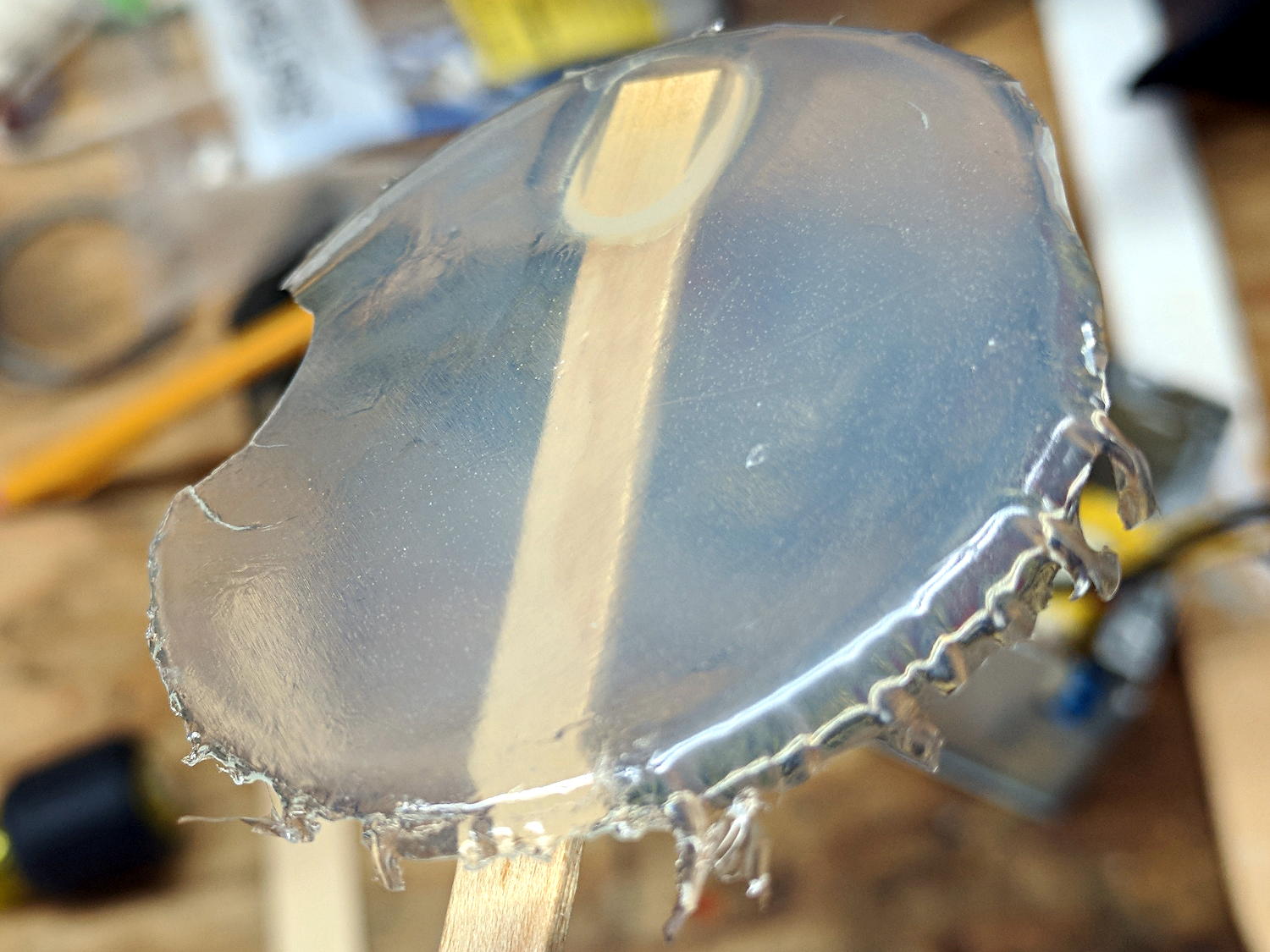
    I tried a few iterations of an aluminized Mylar (*) disk with various sized pinholes over the RGB trio to crisp up the filament shadow, because the SK6812 LED casts a more diffuse light than the W2812 LEDs:

    Aluminized Mylar pinholes for SK6812 RGBW LED
    Aluminized Mylar pinholes for SK6812 RGBW LED

    Even the ⅛ inch pinhole made the bulb too dim, so I settled for a fuzzy shadow:

    500 W Mogul bulb - SK6812 RGBW LED - no pinhole - green phase
    500 W Mogul bulb – SK6812 RGBW LED – no pinhole – green phase

    The firmware has a tweak forcing the white LED to PWM=0, because this bulb looks better in saturated colors.

    (*) Here on earth, aluminized Mylar is nonconductive.

  • Tour Easy Daytime Running Light

    Pending more test rides, the flashlight fairing mount works well:

    Tour Easy Fairing Flashlight Mount - front overview
    Tour Easy Fairing Flashlight Mount – front overview

    Despite all my fussing with three rotational angles, simply tilting the mount upward by 20° with respect to the fairing clamp aims the flashlight straight ahead, with the ball nearly centered in the clamp:

    Tour Easy Fairing Flashlight Mount - front detail
    Tour Easy Fairing Flashlight Mount – front detail

    That obviously depends on the handlebar angle and the fairing length (which affects the strut rotation), but it’s close enough to make me think a simpler mount will suffice: clamp the flashlight into a cylinder with a slight offset angle, maybe 2°, then mount the cylinder into a much thinner ring clamp at the 20° tilt. Rotating the cylinder would give you some aim-ability, minus the bulk of a ball mount.

    Or dispense with the separate cylinder, build the entire mount at the (now known) aim angle, clamp the flashlight directly into the mount, then affix mount to fairing strut. Rapid prototyping FTW!

    For now, it’s great riding weather …

    The OpenSCAD source code as a GitHub Gist:

    // Tour Easy Fairing Flashlight Mount
    // Ed Nisley KE4ZNU – July 2017
    /* [Build Options] */
    FlashName = "AnkerLC40"; // [AnkerLC40,AnkerLC90,J5TactV2,InnovaX5]
    Component = "Mount"; // [Ball, BallClamp, Mount, Plates, Bracket]
    Layout = "Show"; // [Build, Show]
    Support = false;
    MountSupport = true;
    /* [Extrusion] */
    ThreadThick = 0.25; // [0.20, 0.25]
    ThreadWidth = 0.40; // [0.40]
    function IntegerMultiple(Size,Unit) = Unit * ceil(Size / Unit);
    Protrusion = 0.01; // [0.01, 0.1]
    HoleWindage = 0.2;
    /* [Fairing Mount] */
    ToeIn = 0; // inward from ahead
    Tilt = 20; // upward from forward
    Roll = 0; // outward from top
    Shift = -5; // realign to plate center
    //- Screws *c
    /* [Hidden] */
    ID = 0;
    OD = 1;
    LENGTH = 2;
    /* [Screws and Inserts] */
    BallInsert = [2.0,3.5,4.0];
    BallScrew = [2.0,3.5,2.0];
    ClampInsert = [3.0,4.2,8.0];
    ClampScrew = [3.0,5.9,50.0]; // thread dia, head OD, screw length
    ClampScrewWasher = [3.0,6.75,0.5];
    ClampScrewNut = [3.0,6.1,4.0]; // nyloc nut
    /* [Hidden] */
    F_NAME = 0;
    F_GRIPOD = 1;
    F_GRIPLEN = 2;
    LightBodies = [
    ["AnkerLC90",26.6,48.0],
    ["AnkerLC40",26.6,55.0],
    ["J5TactV2",25.0,30.0],
    ["InnovaX5",22.0,55.0]
    ];
    NumSides = 8*4;
    echo(str("Flashlight: ",FlashName));
    FlashIndex = search([FlashName],LightBodies,1,0)[F_NAME];
    BallThick = IntegerMultiple(5.0,ThreadWidth); // thickness of ball wall
    echo(str("Ball wall: ",BallThick));
    BallOD = max(45,IntegerMultiple(LightBodies[FlashIndex][F_GRIPOD] + 2*(BallThick + BallInsert[OD]),2.0));
    echo(str(" OD: ",BallOD));
    BallScrewOC = BallOD – BallThick – BallInsert[OD]; // from OD to allow different body diameters
    echo(str(" screw OC: ",BallScrewOC));
    BallLength = min(sqrt(pow(BallOD,2) – pow(LightBodies[FlashIndex][F_GRIPOD],2)),
    LightBodies[FlashIndex][F_GRIPLEN]);
    echo(str(" hole len: ",BallLength));
    ClampThick = 2*ClampInsert[OD];
    echo(str("Clamp wall: ",ClampThick));
    ClampOD = BallOD + 2*ClampThick;
    echo(str(" OD: ",ClampOD));
    ClampScrewOC = BallOD + 2*ClampInsert[OD];
    echo(str(" screw OC: ",ClampScrewOC));
    ClampLength = 0.70 * BallLength;
    echo(str(" length: ",ClampLength));
    //- Adjust hole diameter to make the size come out right
    module PolyCyl(Dia,Height,ForceSides=0) { // based on nophead's polyholes
    Sides = (ForceSides != 0) ? ForceSides : (ceil(Dia) + 2);
    FixDia = Dia / cos(180/Sides);
    cylinder(r=(FixDia + HoleWindage)/2,h=Height,$fn=Sides);
    }
    //- Ball around flashlight
    // Must print two!
    module BodyBall() {
    difference() {
    intersection() {
    sphere(d=BallOD,$fn=2*NumSides); // basic ball
    cube([BallLength,2*BallOD,2*BallOD],center=true); // max of flashlight grip length
    }
    translate([-LightBodies[FlashIndex][F_GRIPOD],0,0])
    rotate([0,90,0]) rotate(180/NumSides)
    PolyCyl(LightBodies[FlashIndex][F_GRIPOD],2*BallOD,NumSides); // flashlight body
    for (j=[-1,1])
    translate([0,j*BallScrewOC/2,0]) // commmon screw offset
    translate([0,0,-BallOD])
    PolyCyl(BallInsert[ID],2*BallOD,6); // punch screw shaft through everything
    translate([0,BallScrewOC/2,-Protrusion])
    PolyCyl(BallInsert[OD],(BallInsert[LENGTH] + 3*ThreadThick + Protrusion),6); // threaded insert
    translate([0,-BallScrewOC/2,BallThick])
    PolyCyl(BallScrew[OD],BallOD,6); // screw head clearance
    translate([0,0,-BallOD/2]) // remove bottom half
    cube(BallOD,center=true);
    translate([0,0,BallOD – BallThick/2]) // slice off top = bottom for E-Z build
    cube(BallOD,center=true);
    }
    if (Support) {
    NumRibs = 24;
    RibHeight = (BallOD – LightBodies[FlashIndex][F_GRIPOD]/cos(180/NumSides) – BallThick) / 2;
    ChordC = 2*sqrt(BallThick*BallOD/2 – pow(BallThick/2,2));
    intersection() {
    cube([BallLength,2*BallOD,2*BallOD],center=true); // max of flashlight grip length
    translate([0,0,BallOD/2 – BallThick/2])
    for (i=[0:NumRibs – 1])
    rotate(i*360/NumRibs + 180/NumRibs) // avoid screw holes
    translate([ChordC/2 + BallOD/8,0,-RibHeight/2])
    cube([BallOD/4,2*ThreadWidth,RibHeight],center=true);
    }
    }
    }
    //- Fairing Bracket
    // Magic numbers taken from the actual fairing mount
    // Centered on screw hole
    /* [Hidden] */
    inch = 25.4;
    BracketHoleOD = 0.25 * inch; // 1/4-20 bolt holes
    BracketHoleOC = 1.0 * inch; // fairing hole spacing
    // usually 1 inch, but 15/16 on one fairing
    Bracket = [48.0,16.3,3.6 – 0.6]; // fairing bracket end plate overall size
    BracketHoleOffset = (3/8) * inch; // end to hole center
    BracketM = 3.0; // endcap arc height
    BracketR = (pow(BracketM,2) + pow(Bracket[1],2)/4) / (2*BracketM); // … radius
    module Bracket() {
    linear_extrude(height=Bracket[2],convexity=2)
    difference() {
    translate([(Bracket[0]/2 – BracketHoleOffset),0,0])
    offset(delta=ThreadWidth)
    intersection() {
    square([Bracket[0],Bracket[1]],center=true);
    union() {
    for (i=[-1,0,1]) // middle circle fills gap
    translate([i*(Bracket[0]/2 – BracketR),0])
    circle(r=BracketR);
    }
    }
    circle(d=BracketHoleOD/cos(180/8),$fn=8); // dead center at the origin
    }
    }
    //- General plate shape
    // Centered on the hole for the fairing bracket
    Plate = [100.0,30.0,6*ThreadThick + Bracket[2]];
    PlateRad = Plate[1]/4;
    echo(str("Base plate thick: ",Plate[2]));
    module PlateBlank() {
    difference() {
    translate([BracketHoleOC,0,0])
    intersection() {
    translate([0,0,Plate[2]/2]) // select upper half of spheres
    cube(Plate,center=true);
    hull()
    for (i=[-1,1], j=[-1,1])
    translate([i*(Plate[0]/2 – PlateRad),j*(Plate[1]/2 – PlateRad),0])
    resize([2*PlateRad,2*PlateRad,2*Plate[2]])
    sphere(r=PlateRad); // nice rounded corners!
    }
    translate([2*BracketHoleOC,0,-Protrusion]) // screw holes
    PolyCyl(BracketHoleOD,2*Plate[2],8);
    translate([0,0,-Protrusion])
    PolyCyl(BracketHoleOD,2*Plate[2],8);
    }
    }
    //- Inner plate
    module InnerPlate() {
    difference() {
    PlateBlank();
    translate([0,0,Plate[2] – Bracket[2] + Protrusion]) // punch out fairing bracket
    Bracket();
    }
    }
    //- Clamp around flashlight ball
    module BallClamp() {
    BossLength = ClampScrew[LENGTH] – ClampScrewNut[LENGTH] – 2*ClampScrewWasher[LENGTH] – 4*ThreadThick;
    difference() {
    union() {
    intersection() {
    sphere(d=ClampOD,$fn=NumSides); // exterior ball blamp
    cube([ClampLength,2*ClampOD,2*ClampOD],center=true); // aiming allowance
    }
    for (i=[0])
    hull() {
    for (j=[-1,1])
    translate([i*(ClampLength/2 – ClampScrew[OD]),j*ClampScrewOC/2,-BossLength/2])
    rotate(180/8)
    cylinder(d=(ClampScrewWasher[OD] + 2*ThreadWidth),h=BossLength,$fn=8);
    }
    }
    sphere(d=(BallOD + 1*ThreadThick),$fn=NumSides); // interior ball
    for (i=[0] , j=[-1,1]) {
    translate([i*(ClampLength/2 – ClampScrew[OD]),j*ClampScrewOC/2,-ClampOD]) // screw clearance
    rotate(180/8)
    PolyCyl(ClampScrew[ID],2*ClampOD,8);
    }
    }
    color("Yellow")
    if (Support) { // ad-hoc supports for top half
    NumRibs = 6;
    RibLength = 0.5 * BallOD;
    RibWidth = 1.9*ThreadWidth;
    SupportOC = ClampLength / NumRibs;
    cube([ClampLength,RibLength,4*ThreadThick],center=true); // base plate for adhesion
    intersection() {
    sphere(d=BallOD – 0*ThreadWidth); // cut at inner sphere OD
    cube([ClampLength + 2*ThreadWidth,RibLength,BallOD],center=true);
    union() { // ribs for E-Z build
    for (j=[-1,0,1])
    translate([0,j*SupportOC,0])
    cube([ClampLength,RibWidth,1.0*BallOD],center=true);
    for (i=[0:NumRibs]) // allow +1 to fill the far end
    translate([i*SupportOC – ClampLength/2,0,0])
    rotate([0,90,0])
    cylinder(d=BallOD – 2*ThreadThick,
    h=RibWidth,$fn=NumSides,center=true);
    }
    }
    }
    }
    //- Mount between fairing plate and flashlight ball
    module Mount() {
    translate([-BracketHoleOC,0,0])
    PlateBlank();
    translate([Shift,0,ClampOD/2])
    rotate([-Roll,ToeIn,Tilt])
    intersection() {
    translate([0,0,-ClampOD/2])
    cube([2*ClampOD,2*ClampOD,ClampOD],center=true);
    BallClamp();
    }
    if (MountSupport) { // anchor outer corners during worst overhang
    RibWidth = 1.9*ThreadWidth;
    SupportOC = 0.1 * ClampLength;
    difference() {
    rotate([0,0,Tilt])
    translate([Shift + 0.3,0,0])
    for (i=[-4.5,-2.5,0,2.0,4.5])
    translate([i*SupportOC – 0.0,0,(ClampThick + Plate[2])/2])
    cube([RibWidth,0.8*ClampOD,(ClampThick + Plate[2])],center=true);
    # translate([Shift,0,ClampOD/2])
    rotate([-Roll,ToeIn,Tilt])
    sphere(d=ClampOD – 2*ThreadWidth,$fn=NumSides);
    }
    }
    }
    //- Build things
    if (Component == "Ball")
    if (Layout == "Show")
    BodyBall();
    else if (Layout == "Build") {
    translate([0,+1*(BallOD/2 + BallThick/2),0])
    translate([0,0,BallOD/2 – BallThick/2])
    rotate([180,0,0])
    BodyBall();
    translate([0,-1*(BallOD/2 + BallThick/2),0])
    translate([0,0,BallOD/2 – BallThick/2])
    rotate([180,0,0])
    BodyBall();
    }
    if (Component == "BallClamp")
    if (Layout == "Show")
    BallClamp();
    else if (Layout == "Build") {
    Both = false;
    difference() {
    union() {
    translate([Both ? ClampLength : 0,0,0])
    BallClamp();
    if (Both)
    translate([-ClampLength,0,0])
    rotate([180,0,0])
    BallClamp();
    }
    translate([0,0,-ClampOD/2])
    cube([2*ClampOD,2*ClampOD,ClampOD],center=true);
    }
    }
    if (Component == "Mount")
    Mount();
    if (Component == "Plates") {
    translate([0,0.7*Plate[1],0])
    InnerPlate();
    translate([0,-0.7*Plate[1],0])
    PlateBlank();
    }
    if (Component == "Bracket")
    Bracket();