The Smell of Molten Projects in the Morning

Ed Nisley's Blog: Shop notes, electronics, firmware, machinery, 3D printing, laser cuttery, and curiosities. Contents: 100% human thinking, 0% AI slop.

Tag: Improvements

Making the world a better place, one piece at a time

  • MPCNC: Bar Clamp Mounts, Redux

    With the new thermistor installed and the nozzle at (pretty nearly) the right height, the final set of bar clamp mounts came out perfectly:

    MPCNC - reprinted bar clamp mounts
    MPCNC – reprinted bar clamp mounts

    They’re supporting the snippets produced by trimming the clamp extrusions to fit across the bench under the MPCNC; I figure they ought to come in handy for something.

    Both extrusions carry a warning sticker giving the bar’s serial number:

    Harbor Freight Bar Clamp Labels
    Harbor Freight Bar Clamp Labels

    Huh.

    I could be persuaded the number applies to a given production batch, although I’d be unsurprised to learn it’s a batch of labels, not clamps.

    They don’t look much different than the previous versions:

    MPCNC - bar clamp mount
    MPCNC – bar clamp mount

    The main change was to raise the bars by another 2 mm to give one of the clamp shoes more clearance. As you might expect, the top and bottom halves of the clamp castings aren’t quite symmetric.

    The plastic mounts come in mirror-image sets due to that off-center bolt hole.

    Yes, the threaded casting is slightly angled from the screw clamping force.

    All in all, the mounts look pretty good, in a bright-orange sort of way.

  • VFAT Time Zone Offset Correction

    An SJCAM M20 action camera includes the date and time in its file names, but the directory entries appear with the wrong timestamp:

    sudo mount -o uid=ed /dev/sdc1 /mnt/part
    ll -tr /mnt/part/DCIM/Photo/ | head
    total 4.8G
    drwxr-xr-x 4 ed root  16K Apr  8  2016 ../
    drwxr-xr-x 2 ed root 144K Jan 25 18:52 ./
    -rwxr-xr-x 1 ed root 3.8M Jan 26 05:08 2018_0126_100825_001.JPG*
    -rwxr-xr-x 1 ed root 3.8M Jan 26 05:08 2018_0126_100830_002.JPG*
    

    I’m in the Eastern US time zone, -5 hr from UTC.

    By definition, FAT directory entries contain the “local time” when the file was created / changed. Because it cannot know which “local time” applies, the Linux VFAT filesystem treats the timestamp as UTC and adjusts it by -5 hr.

    So the camera writes the directory timestamps properly. When mounted, Linux correctly (for a reasonable definition of correctly) regards them as UTC, knocks off five hours to match this time zone, and displays the result.

    Alas, disabling the VFAT timestamp conversion has no effect:

    sudo mount -o uid=ed,tz=UTC /dev/sdc1 /mnt/part
    ll -tr /mnt/part/DCIM/Photo/ | head
    total 4.8G
    drwxr-xr-x 4 ed root  16K Apr  8  2016 ../
    drwxr-xr-x 2 ed root 144K Jan 25 18:52 ./
    -rwxr-xr-x 1 ed root 3.8M Jan 26 05:08 2018_0126_100825_001.JPG*
    -rwxr-xr-x 1 ed root 3.8M Jan 26 05:08 2018_0126_100830_002.JPG*
    

    I’m not sure why that doesn’t do anything; it doesn’t generate any error messages.

    Although it seems like a reasonable thing, one cannot force a specific time zone with, say, tz=EST or tz=EDT or tz=UTC8 or whatever.

    You can specify an offset in minutes:

    sudo mount -o uid=ed,time_offset=$((-5*60)) /dev/sdc1 /mnt/part
    ll -tr /mnt/part/DCIM/Photo/ | head
    total 4.8G
    drwxr-xr-x 4 ed root  16K Apr  8  2016 ../
    drwxr-xr-x 2 ed root 144K Jan 25 23:52 ./
    -rwxr-xr-x 1 ed root 3.8M Jan 26 10:08 2018_0126_100825_001.JPG*
    -rwxr-xr-x 1 ed root 3.8M Jan 26 10:08 2018_0126_100830_002.JPG*
    

    The time_offset value is subtracted from the directory timestamp, which means you’re feeding in the actual time offset from UTC, including whatever Daylight Saving Time offset may be in order.

    So Linux takes the FAT timestamp, adds (subtracts a negative) 5 hr, and displays the result as my (now correct) local time.

    I suppose I could set the camera to UTC, but then the camera’s on-screen and in-video timestamps would be off by four or five hours, depending on the season. So it goes.

  • MPCNC: Reinforced Z-axis Motor Mount

    PLA isn’t particularly strong, especially in small sections under high stress:

    MPCNC - Cracked Z Motor Mount
    MPCNC – Cracked Z Motor Mount

    I tried solvent-bonding + clamping the break, didn’t expect much, and wasn’t disappointed.

    Stronger versions exist:

    Z Upper Motor Mount
    Z Upper Motor Mount

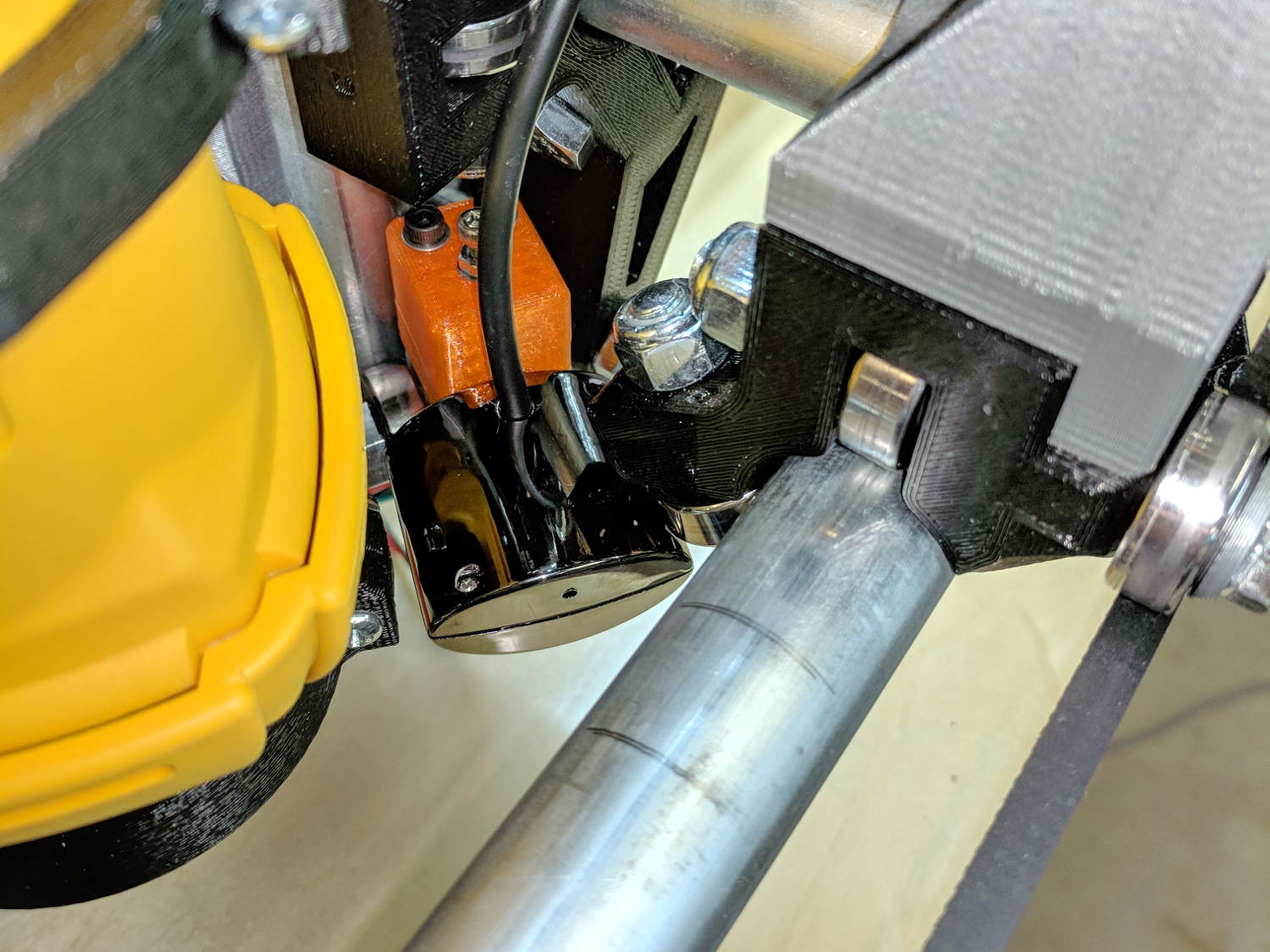
    It adds a festive touch when done up in orange PETG:

    MPCNC - Reinforced Z Motor Mount
    MPCNC – Reinforced Z Motor Mount

    The attentive reader will note the missing head of the screw anchoring the mount to the left Z rail. Apparently a #32 drill was a bit too small to let the randomly chosen self-tapping screws thread themselves into EMT; they probably anchored a PCB to the plastic case of a long-forgotten lump of consumer electronics.

    It should last long enough for something else to let go …

  • Umbrella Strut Splinting, Round Two

    Two more umbrella struts snapped and required the same repair, but, having drained all the suitable snippets from the Box o’ Brass Cutoffs, some lathe work was in order:

    Umbrella strut splint - cutting
    Umbrella strut splint – cutting

    I used the carbide insert in the mistaken belief it’d be less grabby, then applied the cutoff tool.

    Break the edges, slide splints over the ribs, slobber epoxy on the struts, slide splints into place, apply masking tape for a bit of compression & alignment, and let it cure:

    Umbrella strut splint - curing
    Umbrella strut splint – curing

    Three down, five to go …

  • Measuring Spoon Drainer

    We just scrapped out the old dish drainer, only to find the gadget bin on the new drainer let the measuring spoons fall over and lie along its bottom. After a week of fishing them out from under paring knives, cheese slicers, and suchlike, I gimmicked up a holder:

    Measuring Spoon Drainer - installed
    Measuring Spoon Drainer – installed

    One might suggest natural PETG, rather than orange, thereby displaying a shocking ignorance of the MVP concept. We’ll run with orange for the shakedown trials, then build-measure-learn, iterate, and, for all I know, we may even pivot.

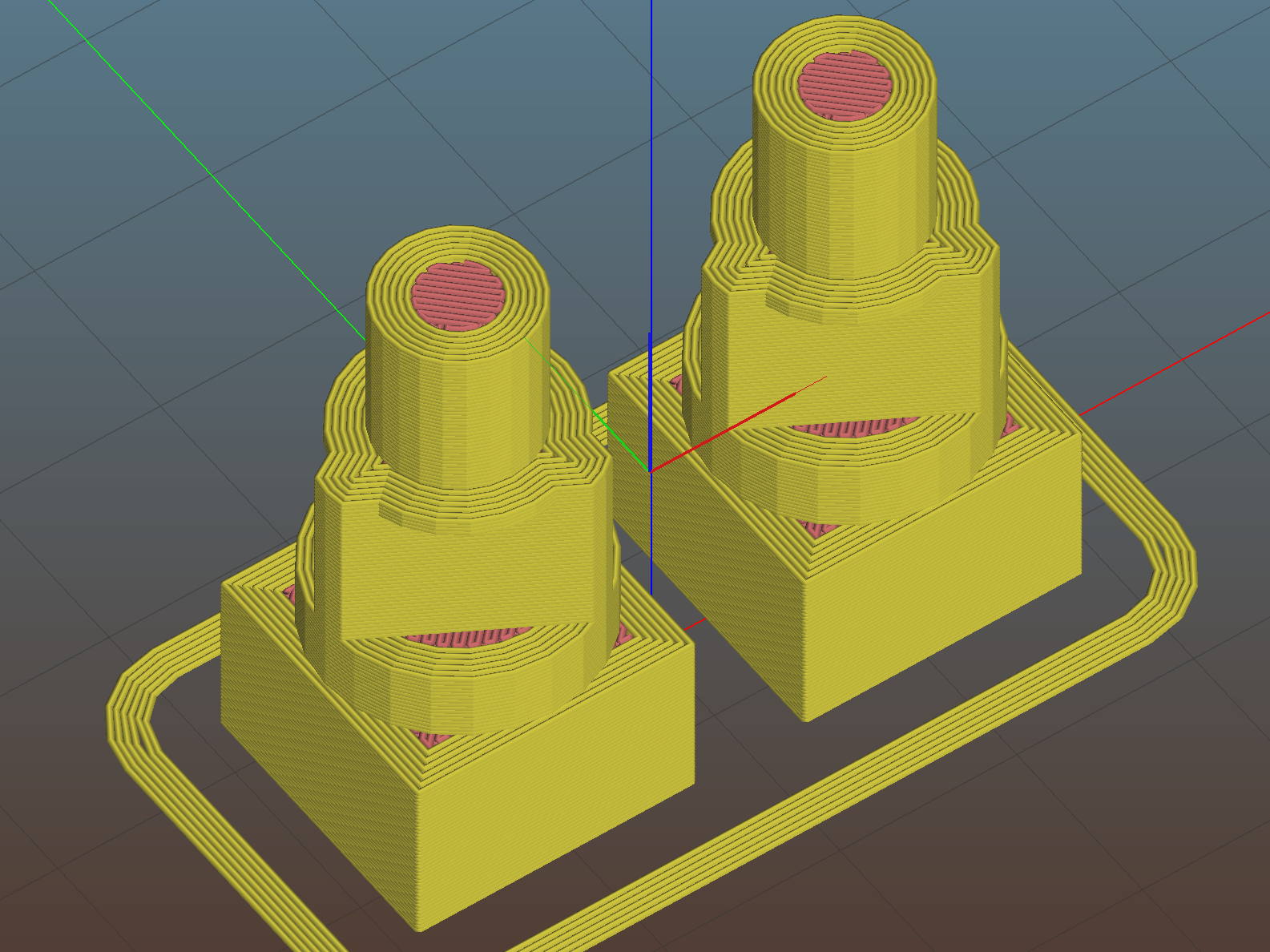
    A bottom-up view of the solid model shows the trench accommodating the bin lip:

    Measuring Spoon Drainer - Slic3r preview
    Measuring Spoon Drainer – Slic3r preview

    The OpenSCAD source code as a GitHub Gist:

    // Measuring spoon drainer
    // Ed Nisley KE4ZNU – 2018-01-13
    /* [Extrusion] */
    ThreadThick = 0.25; // [0.20, 0.25]
    ThreadWidth = 0.40; // [0.40]
    /* [Hidden] */
    Protrusion = 0.1; // [0.01, 0.1]
    HoleWindage = 0.2;
    function IntegerMultiple(Size,Unit) = Unit * ceil(Size / Unit);
    ID = 0;
    OD = 1;
    LENGTH = 2;
    //- Adjust hole diameter to make the size come out right
    module PolyCyl(Dia,Height,ForceSides=0) { // based on nophead's polyholes
    Sides = (ForceSides != 0) ? ForceSides : (ceil(Dia) + 2);
    FixDia = Dia / cos(180/Sides);
    cylinder(r=(FixDia + HoleWindage)/2,h=Height,$fn=Sides);
    }
    /* [Spoon] */
    SpoonOD = IntegerMultiple(3.3,2);
    SpoonWidth = IntegerMultiple(16.5,2.0);
    SpoonOC = 30.0;
    /* [Drainer] */
    Drainer = [52.0,59.5,100.0]; // overall drainer cup
    DrainerRimWidth = (Drainer[1] – Drainer[0])/2;
    DrainerRimHeight = 2.5;
    DrainerExtent = 15.0;
    /* [Hidden] */
    WallThick = 2.0; // basic wall & floor thickness
    PlateThick = WallThick + 2*DrainerRimHeight;
    NumSides = 8*4;
    //—–
    // Define shapes
    module CoverPlate() {
    OD = Drainer[OD] + 2*WallThick;
    difference() {
    cylinder(d=OD,h=PlateThick,$fn=NumSides);
    for (j=[-1,1])
    translate([-(OD/2 – Protrusion),j*(Drainer[ID]/2 + DrainerRimWidth/2),WallThick + DrainerRimHeight + Protrusion/2])
    cube([OD,DrainerRimWidth,2*DrainerRimHeight + Protrusion],center=true);
    translate([0,0,WallThick + PlateThick/2])
    rotate(-90)
    rotate_extrude(angle=180,$fn=NumSides)
    translate([Drainer[ID]/2 + DrainerRimWidth/2,0])
    square([DrainerRimWidth,PlateThick],center=true);
    translate([-(OD/2 + DrainerExtent),0,PlateThick/2])
    cube([OD,OD,PlateThick + 2*Protrusion],center=true);
    }
    }
    //—–
    // Build it
    difference() {
    CoverPlate();
    for (j=[-1,1])
    translate([0,j*(SpoonOC/2),-Protrusion])
    linear_extrude(height=PlateThick + 2*Protrusion)
    hull()
    for (i=[-1,1])
    translate([i*(SpoonWidth – SpoonOD)/2,0])
    circle(d=SpoonOD,$fn=8);
    }

    The original doodle has useful dimensions, along with the usual over-elaborate features sacrificed in order to get it made:

    Measuring spoon drainer - doodles
    Measuring spoon drainer – doodles
  • MPCNC: DeWalt DW660 Collet Grip Removal

    The MPCNC uses a DW660 Cutout tool as a low-cost spindle for tools with 1/8 and 1/4 inch shanks. It features a tool-free “collet grip” to twist the collet nut against the shaft lock, which is convenient for a hand tool and not so much for a CNC spindle: I find it difficult to get two hands into the MPCNC setup with the proper orientation to push-and-hold two locking buttons, while applying enough torque to twist the collet nut:

    DW660 - collet grip
    DW660 – collet grip

    Fortunately, it’s easy enough to remove the collet grip. Remove the collet nut, unscrew the four screws holding the yellow snout in place, then pull the snout straight off to reveal the spindle lock plate:

    DW660 - nose cap interior
    DW660 – nose cap interior

    Capture the spring, slide the spindle lock plate out to expose the snap ring (a.k.a. Jesus clip) holding the collet grip in place:

    DW660 - collet grip snap ring
    DW660 – collet grip snap ring

    Remove the snap ring, make the appropriate remark, pull the collet grip out of the snout, reassemble the snout in its One Correct Orientation, and you’re done:

    DW660 - collet grip removed
    DW660 – collet grip removed

    The retroreflective tape snippet let my laser tachometer report a top speed over 29 k rpm, pretty close to the advertised 30 k rpm.

    If one were fussy, one would 3D print a thing to cover the snout’s open end:

    DW660 - snout cover
    DW660 – snout cover

    The original snap ring holds it in place and the fancy pattern comes from octogram spiral infill on the bottom.

    The collet nut fits either a 5/8 inch or 16 mm wrench, both of which stick out to the side far enough for a convenient hold while pressing the shaft lock button.


  • Brita Smart Pitcher Timer Innards

    After far too many repairs, we bought a new Brita pitcher with slightly different, although apparently equally crappy, hinge pins, whereupon I bandsawed the long-failed “smart” filter timer out of the old pitcher’s lid:

    Brita pitcher timer - contents
    Brita pitcher timer – contents

    The gray rectangle is the LCD panel showing how long since you last replaced the filter. It died some years ago and, indeed, the CR1616 battery was down to 2.8 V.

    However, I think the real failure happened when the black square of conductive foam slipped off the switch contacts under the Reset pushbutton’s stud and went walkabout inside the timer:

    Brita pitcher timer - opened
    Brita pitcher timer – opened

    That’s where I found it after sawing the casing open. I think the adhesive side should be stuck to the stud, but we’ll never know.

    The new pitcher includes a different indicator with green LED status blinkies for “Standard” (40 gallon) and “Longlast” (120 gallon) filter cartridges and a red blinkie for “Expired”:

    Brita pitcher - Filter Life counter
    Brita pitcher – Filter Life counter

    Yeah, purple. For some unknown reason, it cost 10% less than the other colors and we’re not fussy.

    This one measures filter use by water volume, not elapsed time, counting the number of pitcher refills by noticing when you open the flip-top lid; the corresponding volume depends on your ability to see a nearly invisible line molded into the lid. Unsurprisingly, Longlast filters cost only slightly less than three times standard ones, so they’re not a compelling value proposition.