The Smell of Molten Projects in the Morning

Ed Nisley's Blog: Shop notes, electronics, firmware, machinery, 3D printing, laser cuttery, and curiosities. Contents: 100% human thinking, 0% AI slop.

Tag: Arduino

All things Arduino

  • CAMtool V3.3 vs. The Fat Fingers of Death

    As is my custom, the day before showtime I talked my way through a final full-up dress rehearsal, with the HP 7475A plotter and the CNC 3018XL running their demo plots. As if to justify my attention to detail, the 3018 refused to home, with its X axis motor grinding in a manner suggesting something had gone terribly wrong with its driver.

    OK, I can fix that™.

    Turn off the power, verify the leadscrew turns smoothly by hand, check all the connections & connectors, then pull the DRV8825 PCB to see if anything looks obviously wrong. It didn’t, so I carefully re-plugged the driver and moved the whole affair to the Electronics Workbench for further study.

    I turned on the scope and Tek current probes, then turned on the 3018 power supplies, whereupon a great cloud of Magic Smoke emerged from the CAMtool board and filled the Basement Laboratory with the acrid smell of Electrical Death.

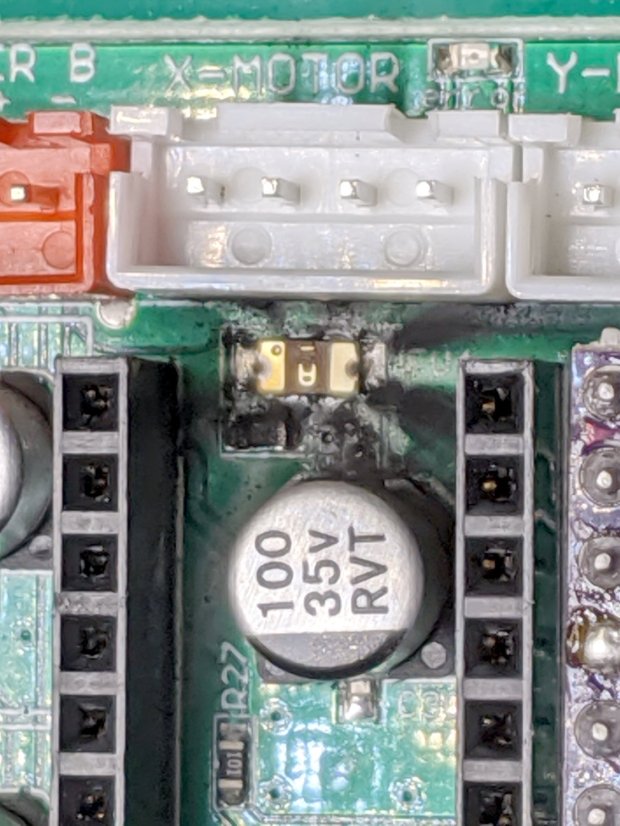
    It seems I carefully and meticulously re-plugged the DRV8825 PCB into its socket exactly one pin too high, which, among other Bad Things, connects the +24 V motor power supply to the driver GND pin.

    Obviously, this did not end well:

    CAMtool V3.3 - blown stepper fuse
    CAMtool V3.3 – blown stepper fuse

    The fuse, put under considerable stress, vented smoke & debris in all directions across the board; note the jets above the white motor connector. Surprisingly, the 1 kΩ resistor just below it is in fine shape, as is the rather blackened electrolytic cap.

    The fuse measures the same 150-ish mΩ as the fuses in the other two axes, but I doubt it’s actually a fuse any more.

    Astonishingly, the Arduino clone on the board worked fine, so I could extract the GRBL configuration.

    Memo to Self: Never plug things in with your head upside down!

  • SK6812 RGBW Test Fixture: Row-by-Row Color Mods

    The vacuum tube LED firmware subtracts the minimum value from the RGB channels of the SK6812 RGBW LEDs and displays it in the white channel, thereby reducing the PWM value of the RGB LEDs by their common “white” component. The main benefit is reducing the overall power by about two LEDs. More or less, kinda sorta.

    I tweaked the SK6812 test fixture firmware to show how several variations of the basic RGB colors appear:

          for (int col=0; col < NUMCOLS ; col++) {              // for each column
            byte Value[PIXELSIZE];                              // figure first row colors
            for (byte p=0; p < PIXELSIZE; p++) {                //  ... for each color in pixel
              Value[p] = StepColor(p,-col*Pixels[p].TubePhase);
            }
            // just RGB
            int row = 0;
            uint32_t UniColor = strip.Color(Value[RED],Value[GREEN],Value[BLUE],0);
            strip.setPixelColor(col + NUMCOLS*row++,UniColor);
    
            byte MinWhite = min(min(Value[RED],Value[GREEN]),Value[BLUE]);
    
            // only common white
            UniColor = strip.Color(0,0,0,MinWhite);
            strip.setPixelColor(col + NUMCOLS*row++,UniColor);
    
            // RGB minus common white + white
            UniColor = strip.Color(Value[RED]-MinWhite,Value[GREEN]-MinWhite,Value[BLUE]-MinWhite,MinWhite);
            strip.setPixelColor(col + NUMCOLS*row++,UniColor);
    
             // RGB minus common white
            UniColor = strip.Color(Value[RED]-MinWhite,Value[GREEN]-MinWhite,Value[BLUE]-MinWhite,0);
            strip.setPixelColor(col + NUMCOLS*row++,UniColor);
    
            // inverse RGB
            UniColor = strip.Color(255 - Value[RED],255 - Value[GREEN],255 - Value[BLUE],0);
            strip.setPixelColor(col + NUMCOLS*row++,UniColor);

    Which looks like this:

    SK6812 Test Fixture - RGBW color variations - diffuser
    SK6812 Test Fixture – RGBW color variations – diffuser

    The pure RGB colors appear along the bottom row, with the variations proceeding upward to the inverse RGB in the top row. The dust specks show it’s actually in focus.

    The color variations seem easier to see without the diffuser:

    SK6812 Test Fixture - RGBW color variations - bare LEDs
    SK6812 Test Fixture – RGBW color variations – bare LEDs

    The white LEDs are obviously “warm white”, which seems not to make much difference.

    Putting a jumper from D2 to the adjacent (on an Nano, anyway) ground pin selects the original pattern, removing the jumper displays the modified pattern:

    SK6812 test fixture - pattern jumper
    SK6812 test fixture – pattern jumper

    For whatever it’s worth, those LEDs have been running at full throttle for two years with zero failures!

    The Arduino source code as a GitHub Gist:

    // SK6812 RGBW LED array exerciser
    // Ed Nisley – KE4ANU – February 2017
    // 2020-01-25 add row-by-row color modifications
    #include <Adafruit_NeoPixel.h>
    //———-
    // Pin assignments
    const byte PIN_NEO = A3; // DO – data out to first Neopixel
    const byte PIN_HEARTBEAT = 13; // DO – Arduino LED
    const byte PIN_SELECT = 2; // DI – pattern select input
    //———-
    // Constants
    #define UPDATEINTERVAL 20ul
    const unsigned long UpdateMS = UPDATEINTERVAL – 1ul; // update LEDs only this many ms apart minus loop() overhead
    // number of steps per cycle, before applying prime factors
    #define RESOLUTION 100
    // phase difference between LEDs for slowest color
    #define BASEPHASE (PI/16.0)
    // LEDs in each row
    #define NUMCOLS 5
    // number of rows
    #define NUMROWS 5
    #define NUMPIXELS (NUMCOLS * NUMROWS)
    #define PINDEX(row,col) (row*NUMCOLS + col)
    //———-
    // Globals
    // instantiate the Neopixel buffer array
    Adafruit_NeoPixel strip = Adafruit_NeoPixel(NUMPIXELS, PIN_NEO, NEO_GRBW + NEO_KHZ800);
    uint32_t FullWhite = strip.Color(255,255,255,255);
    uint32_t FullOff = strip.Color(0,0,0,0);
    struct pixcolor_t {
    byte Prime;
    unsigned int NumSteps;
    unsigned int Step;
    float StepSize;
    float TubePhase;
    byte MaxPWM;
    };
    // colors in each LED
    enum pixcolors {RED, GREEN, BLUE, WHITE, PIXELSIZE};
    struct pixcolor_t Pixels[PIXELSIZE]; // all the data for each pixel color intensity
    unsigned long MillisNow;
    unsigned long MillisThen;
    //– Figure PWM based on current state
    byte StepColor(byte Color, float Phi) {
    byte Value;
    Value = (Pixels[Color].MaxPWM / 2.0) * (1.0 + sin(Pixels[Color].Step * Pixels[Color].StepSize + Phi));
    // Value = (Value) ? Value : Pixels[Color].MaxPWM; // flash at dimmest points
    // printf("C: %d Phi: %d Value: %d\r\n",Color,(int)(Phi*180.0/PI),Value);
    return Value;
    }
    //– Helper routine for printf()
    int s_putc(char c, FILE *t) {
    Serial.write(c);
    }
    //——————
    // Set the mood
    void setup() {
    pinMode(PIN_HEARTBEAT,OUTPUT);
    digitalWrite(PIN_HEARTBEAT,LOW); // show we arrived
    pinMode(PIN_SELECT,INPUT_PULLUP);
    Serial.begin(57600);
    fdevopen(&s_putc,0); // set up serial output for printf()
    printf("WS2812 / SK6812 array exerciser\r\nEd Nisley – KE4ZNU – February 2017\r\n");
    /// set up Neopixels
    strip.begin();
    strip.show();
    // lamp test: run a brilliant white dot along the length of the strip
    printf("Lamp test: walking white\r\n");
    strip.setPixelColor(0,FullWhite);
    strip.show();
    delay(250);
    for (int i=1; i<NUMPIXELS; i++) {
    digitalWrite(PIN_HEARTBEAT,HIGH);
    strip.setPixelColor(i-1,FullOff);
    strip.setPixelColor(i,FullWhite);
    strip.show();
    digitalWrite(PIN_HEARTBEAT,LOW);
    delay(250);
    }
    strip.setPixelColor(NUMPIXELS – 1,FullOff);
    strip.show();
    delay(250);
    // fill the array, row by row
    printf(" … fill\r\n");
    for (int i=NUMROWS-1; i>=0; i–) { // for each row
    digitalWrite(PIN_HEARTBEAT,HIGH);
    for (int j=NUMCOLS-1; j>=0 ; j–) {
    strip.setPixelColor(PINDEX(i,j),FullWhite);
    strip.show();
    delay(100);
    }
    digitalWrite(PIN_HEARTBEAT,LOW);
    }
    // clear to black, column by column
    printf(" … clear\r\n");
    for (int j=NUMCOLS-1; j>=0; j–) { // for each column
    digitalWrite(PIN_HEARTBEAT,HIGH);
    for (int i=NUMROWS-1; i>=0; i–) {
    strip.setPixelColor(PINDEX(i,j),FullOff);
    strip.show();
    delay(100);
    }
    digitalWrite(PIN_HEARTBEAT,LOW);
    }
    delay(1000);
    // set up the color generators
    MillisNow = MillisThen = millis();
    printf("First random number: %ld\r\n",random(10));
    Pixels[RED].Prime = 3;
    Pixels[GREEN].Prime = 5;
    Pixels[BLUE].Prime = 7;
    Pixels[WHITE].Prime = 11;
    printf("Primes: (%d,%d,%d,%d)\r\n",
    Pixels[RED].Prime,Pixels[GREEN].Prime,Pixels[BLUE].Prime,Pixels[WHITE].Prime);
    unsigned int PixelSteps = (unsigned int) ((BASEPHASE / TWO_PI) *
    RESOLUTION * (unsigned int) max(max(max(Pixels[RED].Prime,Pixels[GREEN].Prime),Pixels[BLUE].Prime),Pixels[WHITE].Prime));
    printf("Pixel phase offset: %d deg = %d steps\r\n",(int)(BASEPHASE*(360.0/TWO_PI)),PixelSteps);
    Pixels[RED].MaxPWM = 255;
    Pixels[GREEN].MaxPWM = 255;
    Pixels[BLUE].MaxPWM = 255;
    Pixels[WHITE].MaxPWM = 32;
    for (byte c=0; c < PIXELSIZE; c++) {
    Pixels[c].NumSteps = RESOLUTION * (unsigned int) Pixels[c].Prime;
    Pixels[c].Step = (3*Pixels[c].NumSteps)/4;
    Pixels[c].StepSize = TWO_PI / Pixels[c].NumSteps; // in radians per step
    Pixels[c].TubePhase = PixelSteps * Pixels[c].StepSize; // radians per tube
    printf("c: %d Steps: %5d Init: %5d",c,Pixels[c].NumSteps,Pixels[c].Step);
    printf(" PWM: %3d Phi %3d deg\r\n",Pixels[c].MaxPWM,(int)(Pixels[c].TubePhase*(360.0/TWO_PI)));
    }
    }
    //——————
    // Run the mood
    void loop() {
    MillisNow = millis();
    if ((MillisNow – MillisThen) > UpdateMS) {
    digitalWrite(PIN_HEARTBEAT,HIGH);
    unsigned int AllSteps = 0;
    for (byte c=0; c < PIXELSIZE; c++) { // step to next increment in each color
    if (++Pixels[c].Step >= Pixels[c].NumSteps) {
    Pixels[c].Step = 0;
    printf("Color %d steps %5d at %8ld delta %ld ms\r\n",c,Pixels[c].NumSteps,MillisNow,(MillisNow – MillisThen));
    }
    AllSteps += Pixels[c].Step; // will be zero only when all wrap at once
    }
    if (0 == AllSteps) {
    printf("Grand cycle at: %ld\r\n",MillisNow);
    }
    if (digitalRead(PIN_SELECT)) {
    for (int col=0; col < NUMCOLS ; col++) { // for each column
    byte Value[PIXELSIZE]; // figure first row colors
    for (byte p=0; p < PIXELSIZE; p++) { // … for each color in pixel
    Value[p] = StepColor(p,-col*Pixels[p].TubePhase);
    }
    // just RGB
    int row = 0;
    uint32_t UniColor = strip.Color(Value[RED],Value[GREEN],Value[BLUE],0);
    strip.setPixelColor(col + NUMCOLS*row++,UniColor);
    byte MinWhite = min(min(Value[RED],Value[GREEN]),Value[BLUE]);
    // only common white
    UniColor = strip.Color(0,0,0,MinWhite);
    strip.setPixelColor(col + NUMCOLS*row++,UniColor);
    // RGB minus common white + white
    UniColor = strip.Color(Value[RED]-MinWhite,Value[GREEN]-MinWhite,Value[BLUE]-MinWhite,MinWhite);
    strip.setPixelColor(col + NUMCOLS*row++,UniColor);
    // RGB minus common white
    UniColor = strip.Color(Value[RED]-MinWhite,Value[GREEN]-MinWhite,Value[BLUE]-MinWhite,0);
    strip.setPixelColor(col + NUMCOLS*row++,UniColor);
    // inverse RGB
    UniColor = strip.Color(255 – Value[RED],255 – Value[GREEN],255 – Value[BLUE],0);
    strip.setPixelColor(col + NUMCOLS*row++,UniColor);
    }
    }
    else {
    for (int k=0; k < NUMPIXELS; k++) { // for each pixel
    byte Value[PIXELSIZE];
    for (byte c=0; c < PIXELSIZE; c++) { // … for each color
    Value[c] = StepColor(c,-k*Pixels[c].TubePhase); // figure new PWM value
    // Value[c] = (c == RED && Value[c] == 0) ? Pixels[c].MaxPWM : Value[c]; // flash highlight for tracking
    }
    uint32_t UniColor = strip.Color(Value[RED],Value[GREEN],Value[BLUE],Value[WHITE]);
    strip.setPixelColor(k,UniColor);
    }
    }
    strip.show();
    MillisThen = MillisNow;
    digitalWrite(PIN_HEARTBEAT,LOW);
    }
    }
  • Algorithmic Art

    This evening I’ll be showing off my Algorithmic Art at the HV Open Mad Science Fair.

    There’ll be glowing glassware:

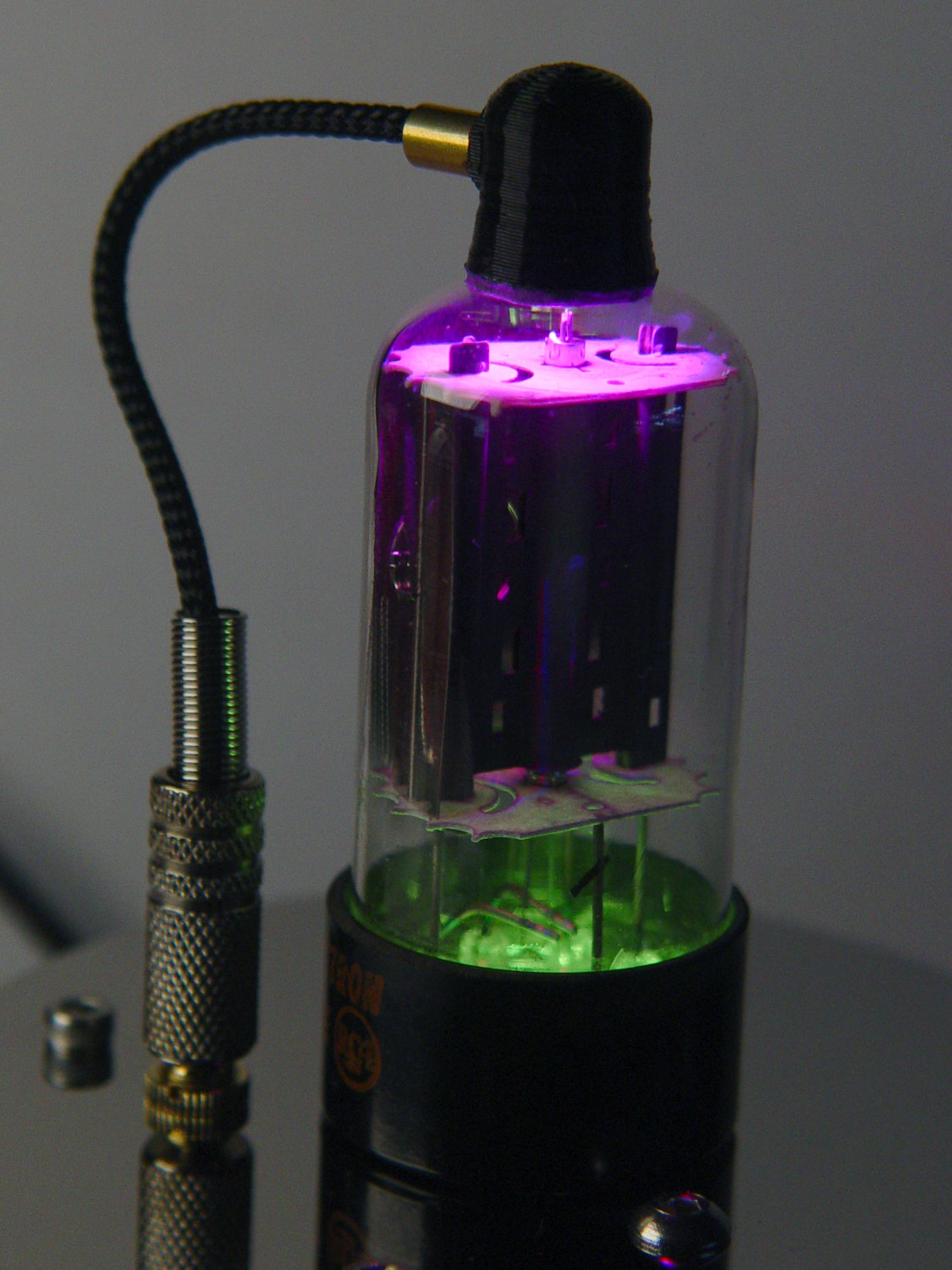
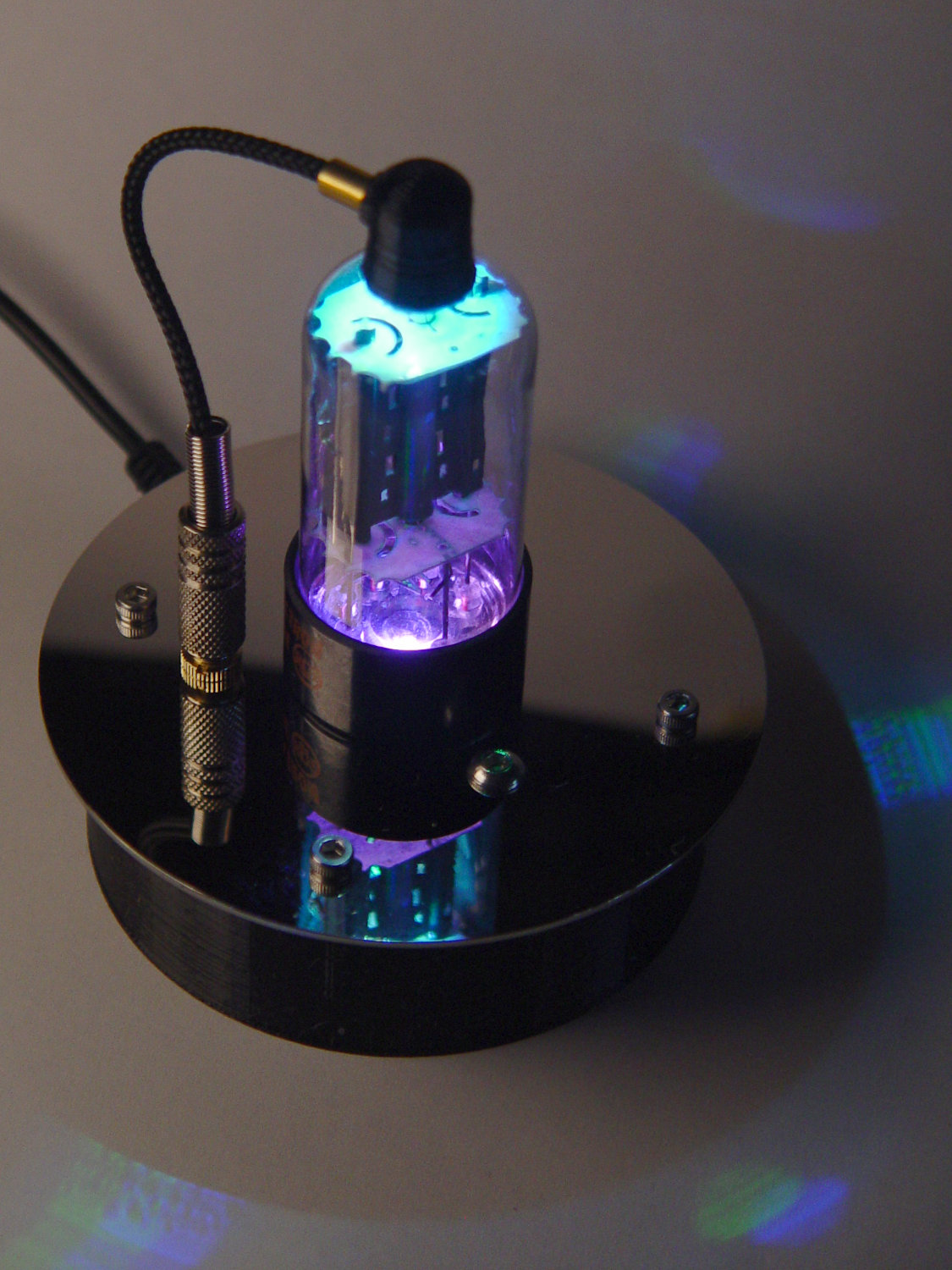
    Vacuum Tube LEDs - halogen lamp - purple phase
    Vacuum Tube LEDs – halogen lamp – purple phase

    Ancient electronics with modern hardware:

    21HB5A - Guilloche platter
    21HB5A – Guilloche platter

    Blinking LEDs atop Brutalist analog electronics:

    Astable RGB LED - green phase
    Astable RGB LED – green phase

    A classic HP 7475A plotter hammering math onto paper from a Raspberry Pi running Chiplotle:

    HP 7475A Plotter - LED paper illumination
    HP 7475A Plotter – LED paper illumination

    Some take-home art:

    Superformula Plots - A-size paper
    Superformula Plots – A-size paper

    And, as always, a good time will be had by all!

  • Vacuum Tube Lights: Triode

    With the wrecked 5U4GB safely in the trash, I popped a smaller, somewhat less stately triode from the Big Box o’ Hollow-State Electronics and wired it up with a pair of SK6812 RGBW LEDs:

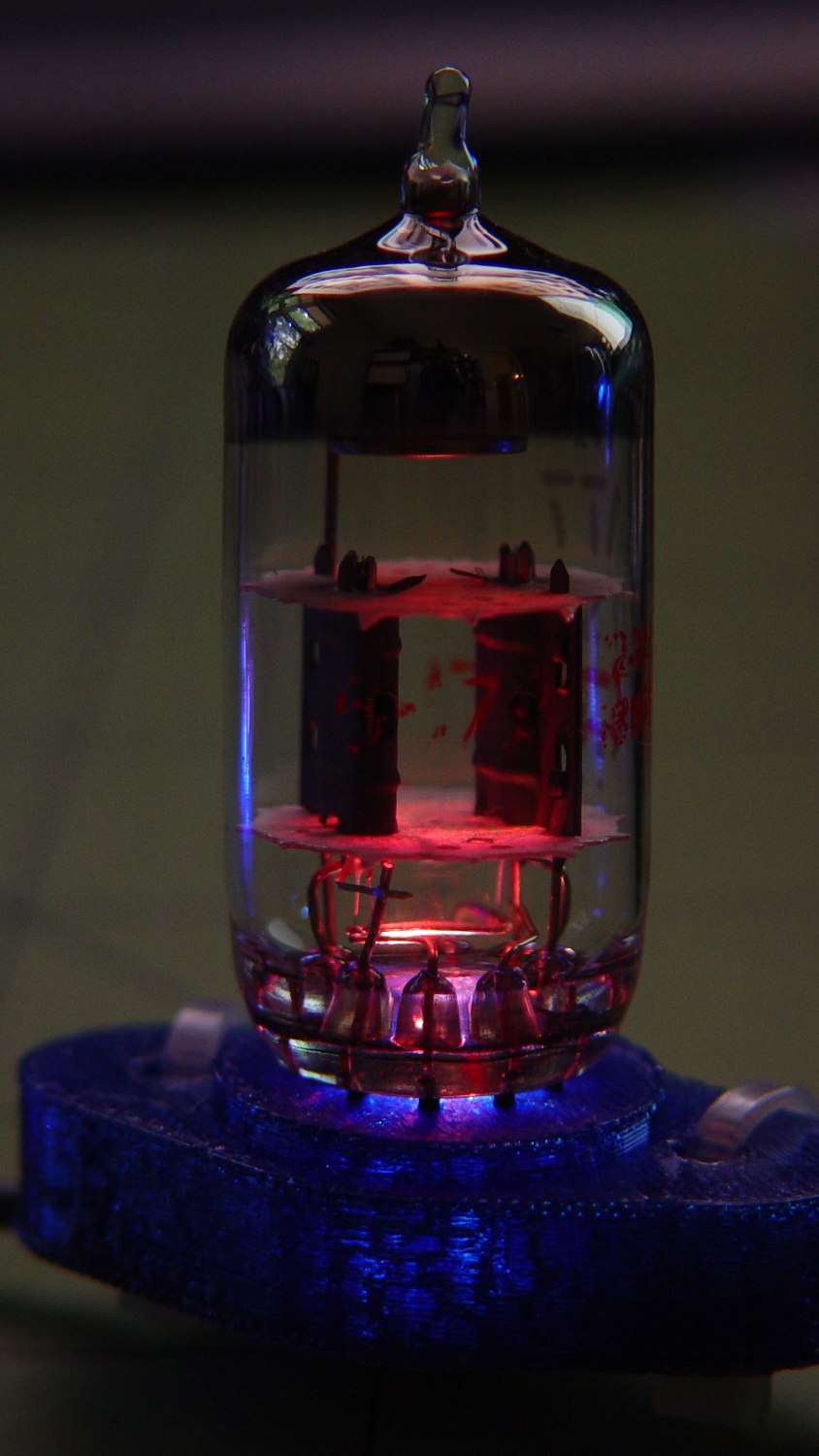
    Triode - Purple-green phase
    Triode – Purple-green phase

    The tube’s markings have long since vanished, but, at this late date, all that matters is an intact glass envelope!

    After two years, the ordinary white foam tape holding the knockoff Arduino Nano lost most of its sticktivity and easily popped off the 3D printed base:

    Triode - Nano PCB - white strips
    Triode – Nano PCB – white strips

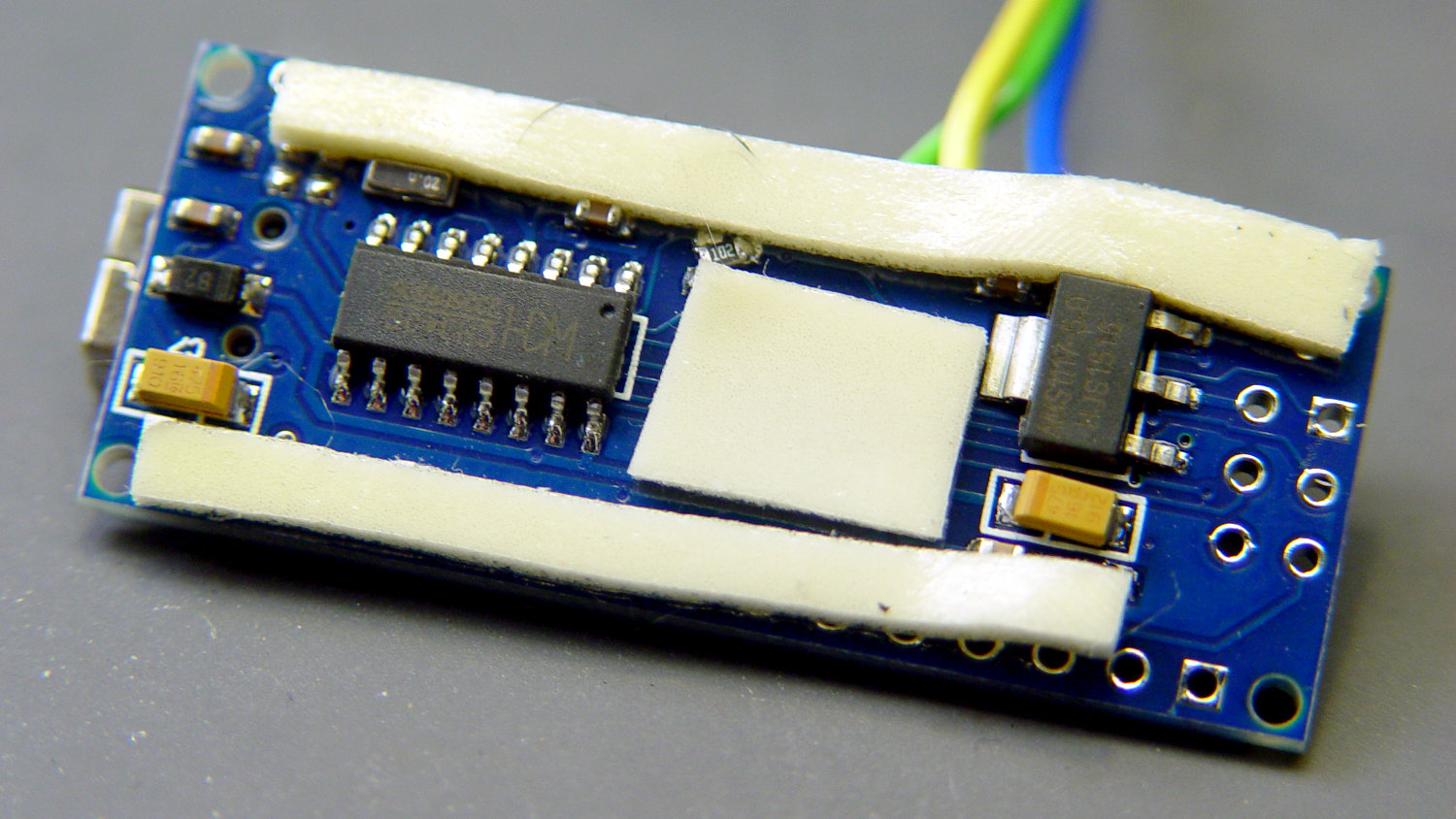
    Two layers of 3M outdoor-rated foam tape clear the bottom-side components and, based on current evidence, its stickiness should stick forever more:

    Triode - Nano PCB - 3M strips
    Triode – Nano PCB – 3M strips

    The alert reader will notice the mis-soldered 1 kΩ SMT resistor above-and-right of the CH340 USB interface chip. I think those two resistors are the isolators between the 328P microcontroller and the CH340, letting you use the TX and RX lines as ordinary I/O without killing either chip.

    Despite the mis-soldering, it evidently passed their QC and works fine. Seeing as how I didn’t notice it until just now, it’ll remain in place until I must open the lamp base for some other reason, which may never happen.

    The data output is now on pin A5, to match the rest of the glowing widgetry:

    Triode - Nano installed
    Triode – Nano installed

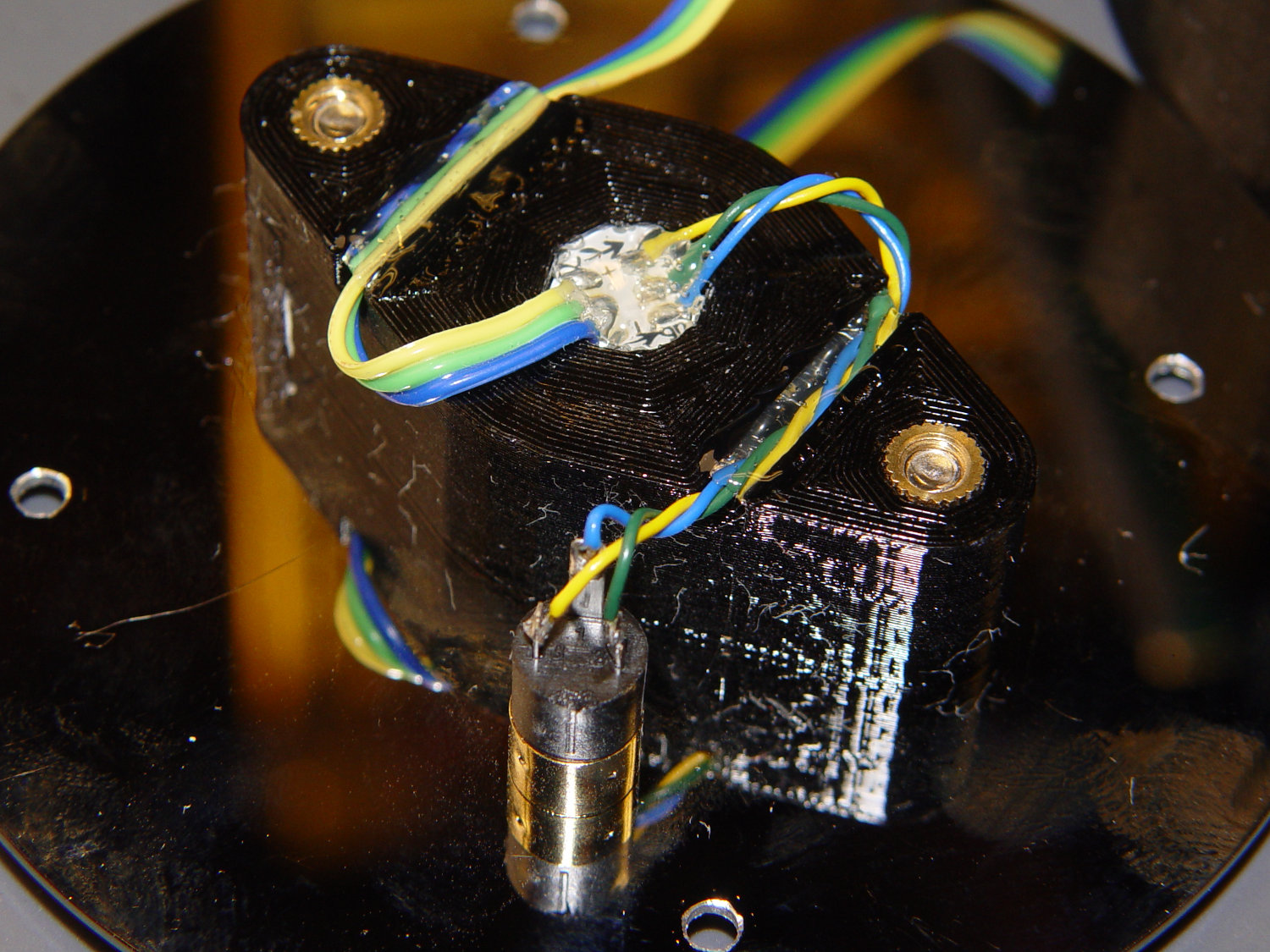
    Blobs of hot melt glue affix the SK6812 and wiring to the socket:

    Triode - socket wiring
    Triode – socket wiring

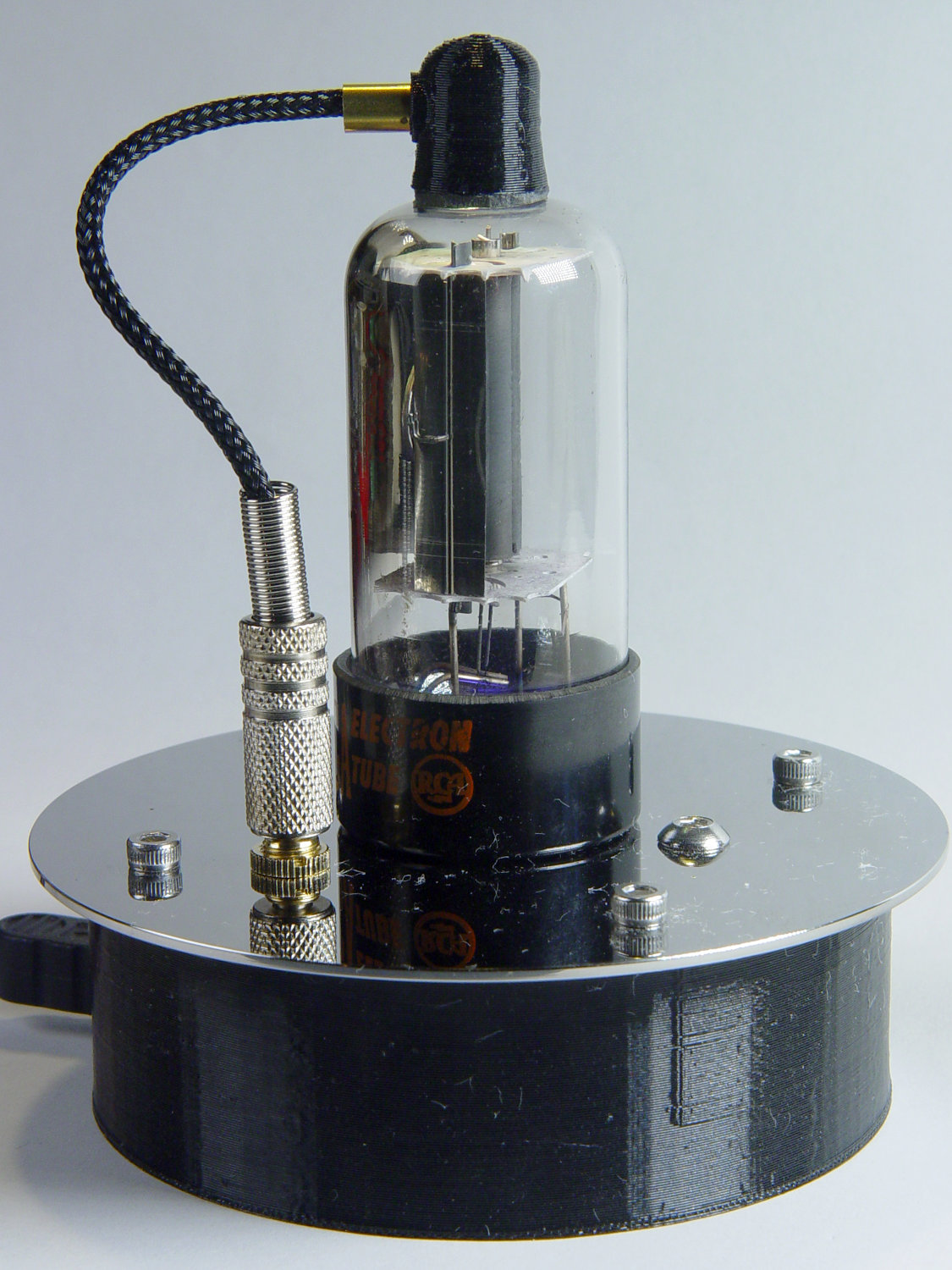
    The original “plate cap” wiring ran directly through a hole in the hard drive platter, which I embiggened for a 3.5 mm panel-mount headphone jack. The knurled metal plug looms next to this smaller tube, but it looks better (in a techie sense) than the raw hole:

    Triode - plate cap plug
    Triode – plate cap plug

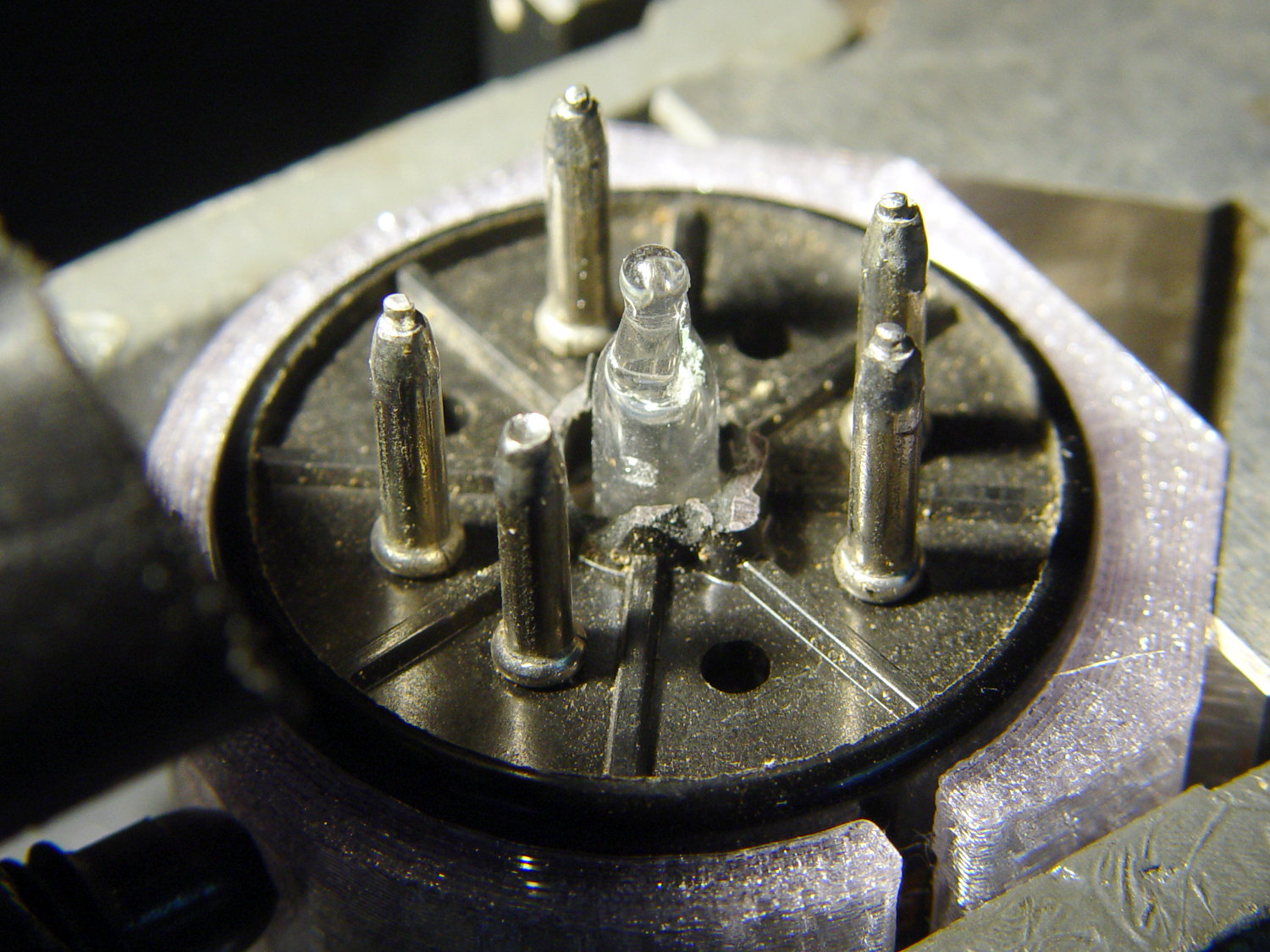
    Octal tubes have an opaque Bakelite base, so I devoted some Quality Shop Time™ to the post:

    Triode - base tip exposed
    Triode – base tip exposed

    Although I’d made a shell drill for 5U4’s base, this base was so crumbly I simply joysticked the spinning cutter around to knock off the rest of the post:

    Triode - finished base
    Triode – finished base

    The shell drill would open the bottom to admit a bit more light. I may do that to see if it makes any visible difference.

    I didn’t expect the serrations in the top mica plate to cast interesting patterns around the platter:

    Triode - cyan-purple phase
    Triode – cyan-purple phase

    Memo to Self: use the shell drill to avoid nicking the evacuation tip!

  • Another WS2812 Failure: Broken Glass

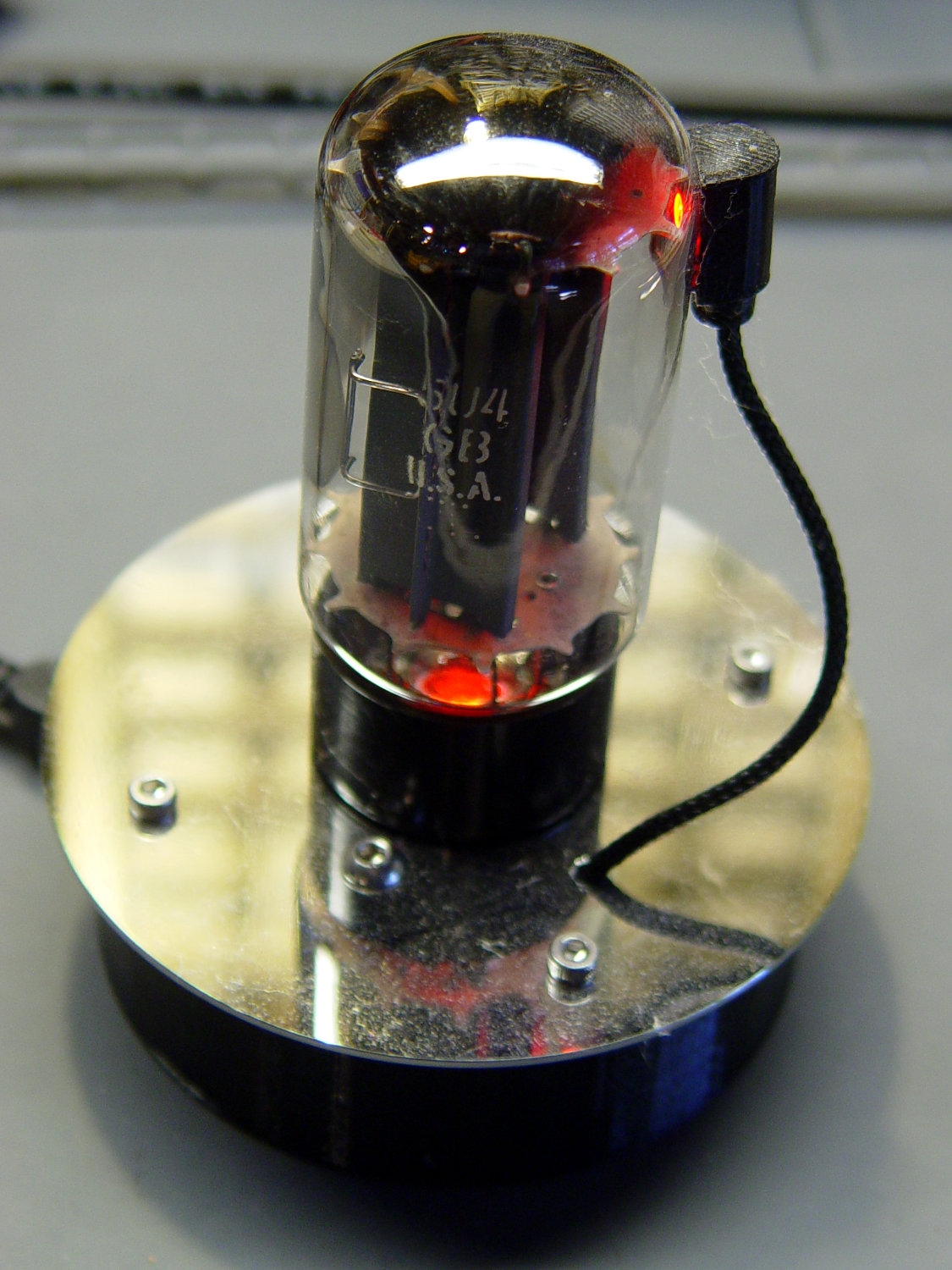
    The WS2812 under the 5U4GB full-wave rectifier tube went into pinball panic mode:

    Failed WS2812 - 5U4GB Rectifier
    Failed WS2812 – 5U4GB Rectifier

    It’s been running more-or-less continuously since late 2016, so call it

    Because I’d be crazy to replace it with another likely-to-fail WS2812, I had to remove both of them before installing SK6812 RGBW LEDs and updating the Arduino Nano.

    Unfortunately, I did a really good job of bonding the side light to the tube with epoxy:

    Failed WS2812 - 5U4GB broken glass
    Failed WS2812 – 5U4GB broken glass

    The last tube manufacturing step involved flashing the getter onto the tube envelope, so as to remove the last vestige of air. Admitting air oxidizes the getter:

    Failed WS2812 - 5U4GB getter oxidation
    Failed WS2812 – 5U4GB getter oxidation

    It was such a pretty tube, too …

    5U4GB Full-wave vacuum rectifier - cyan red phase
    5U4GB Full-wave vacuum rectifier – cyan red phase
  • Monthly Science: Lithium Cells vs. Low Discharge Current

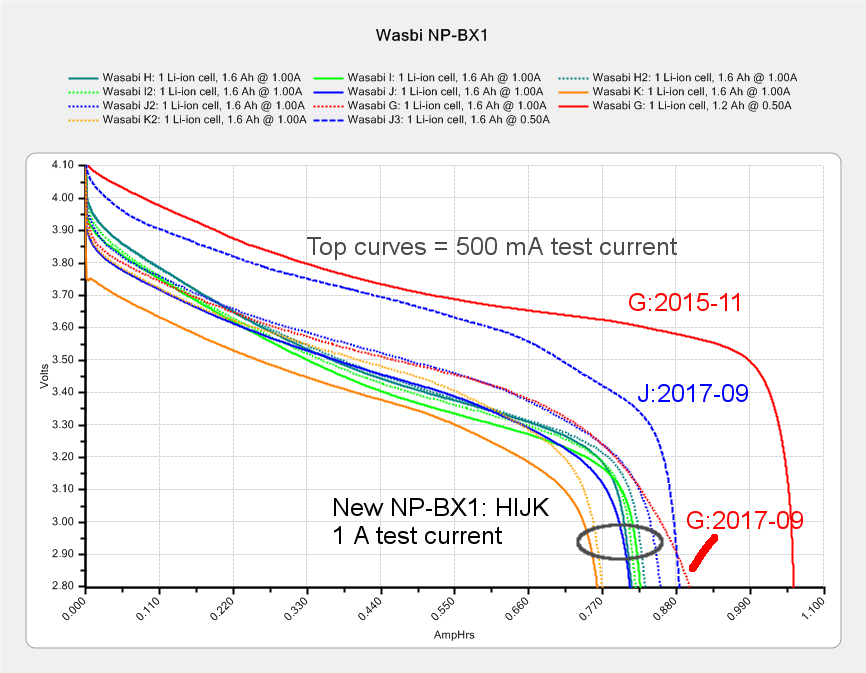
    The amount of energy you can extract from a battery depends strongly on the discharge current, which is why the advertised capacity always exceeds the real-world capacity. Testing the NP-BX1 batteries for my Sony HDR-AS30V at about an amp produces a reasonable estimate of their run time in the camera:

    Sony NP-BX1 - Wasabi GHIJK - 2017-09-01 - annotated
    Sony NP-BX1 – Wasabi GHIJK – 2017-09-01 – annotated

    Even though defunct cells lack enough capacity to keep the camera alive during a typical bike ride, they should power a microcontroller or astable multivibrator for quite a while.

    My CBA II has a 100 mA minimum test current, which is far higher than the 15-ish mA drawn by the Arduino Pro Mini / Nano and SK6812 LEDs in a vacuum tube light, so these tests should provide a lower bound on the expected run time:

    Defunct NP-BX1 for Blinkies and Glowies - AmpHr - 2019-01
    Defunct NP-BX1 for Blinkies and Glowies – AmpHr – 2019-01

    The two dotted lines show a “good” battery (Wasabi 2017 K) tested at 100 mA has a 1 A·h capacity similar to the “defunct” batteries. Testing at 1 A drops the capacity by a factor of two and eliminates the relatively constant voltage part of its discharge curve.

    Handwaving: a 15 mA load on a battery with 1 A·hr capacity should run for 66 hours, ignoring nuances like the Arduino’s minimum voltage requirement and LED minimum forward voltages.

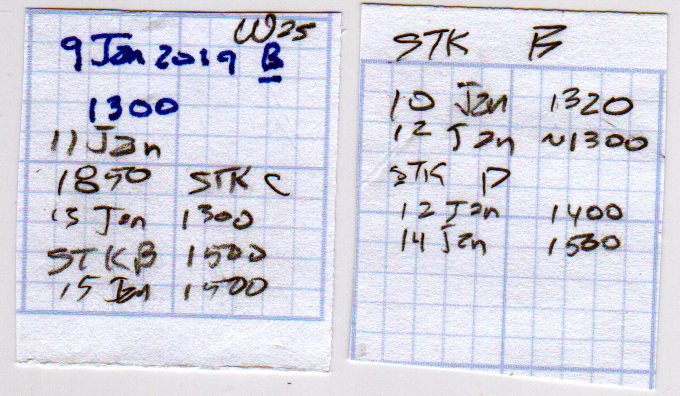
    A few days of informal (“Oh, it stopped a while ago”) testing showed 50 hour run times, with little difference in the results for batteries with 800 mA·h and 1300 mA·h capacity:

    Arduino Pro Mini - NP-BX1 cell - SK6812 - blue phase
    Arduino Pro Mini – NP-BX1 cell – SK6812 – blue phase

    The red power LED remains on long after the SK6812 LEDs dim out and the Arduino stops running. The blue and green LEDs fade before the red LED.

    The run time test data:

    Arduino Pro Mini - NP-BX1 run times - single SK6812 - 2019-01
    Arduino Pro Mini – NP-BX1 run times – single SK6812 – 2019-01

    The 100 mA graph plotted against watt·hours has a similar shape:

    Defunct NP-BX1 for Blinkies and Glowies - 2019-01
    Defunct NP-BX1 for Blinkies and Glowies – 2019-01

    You’d use those results for a constant power load similar to a camera or, basically, any electronics with a boost supply.

  • Vacuum Tube LEDs: Radome Prototype

    Definitely not a vacuum tube:

    Arduino Pro Mini - NP-BX1 cell - SK6812 - blue phase
    Arduino Pro Mini – NP-BX1 cell – SK6812 – blue phase

    It’s running the same firmware, though, with the Arduino Pro Mini and the LEDs drawing power from the (mostly) defunct lithium battery.

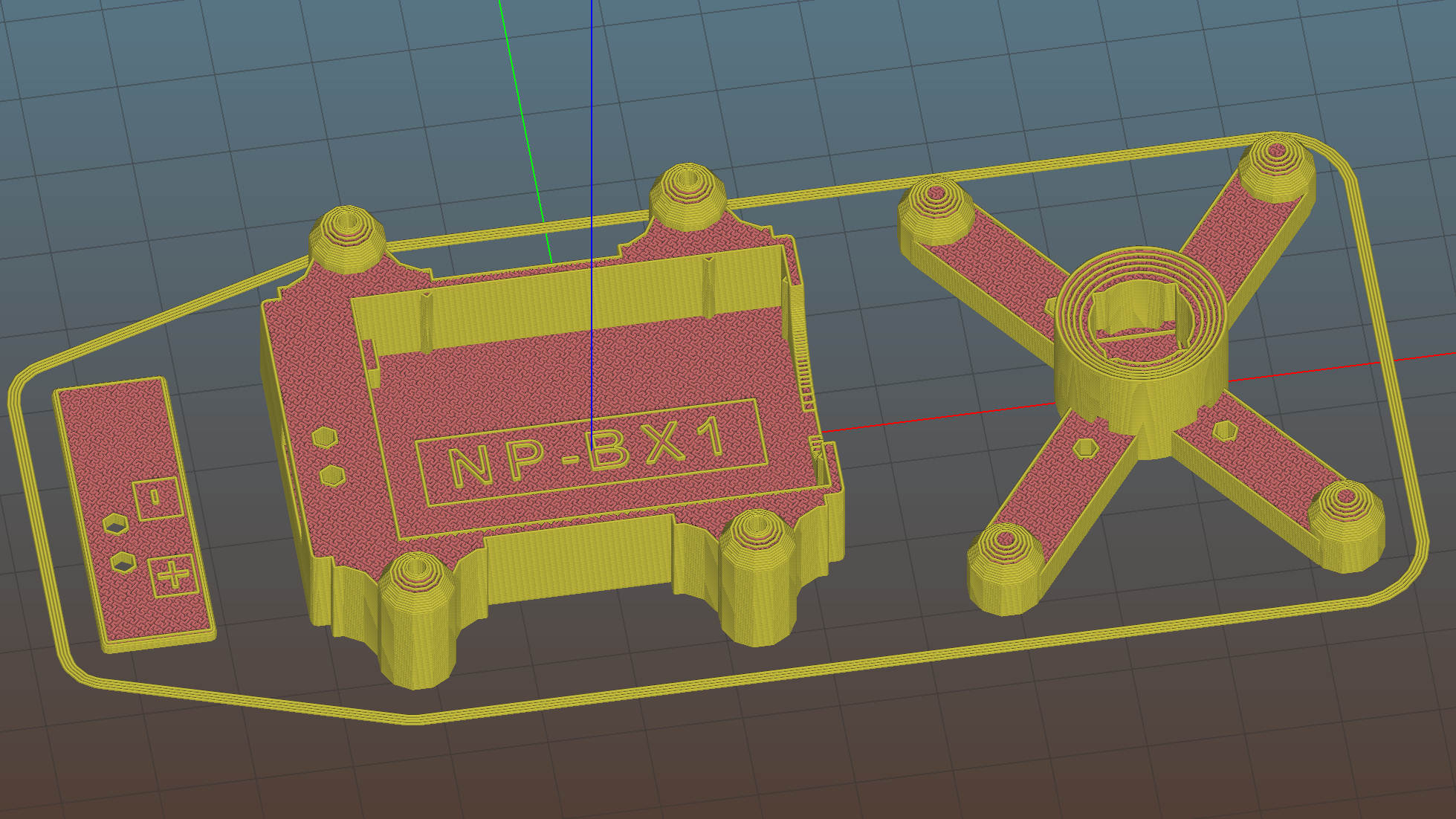
    The LED holder is identical to the Pirhana holder, with a 10 mm diameter recess punched into it for the SK6812 PCB:

    Astable Multivibrator Battery Holder - Neopixel PCB - Slic3r
    Astable Multivibrator Battery Holder – Neopixel PCB – Slic3r

    Those embossed legends sit in debossed rectangles for improved legibility. If I repeat it often enough, I’m sure I’ll remember which is which.

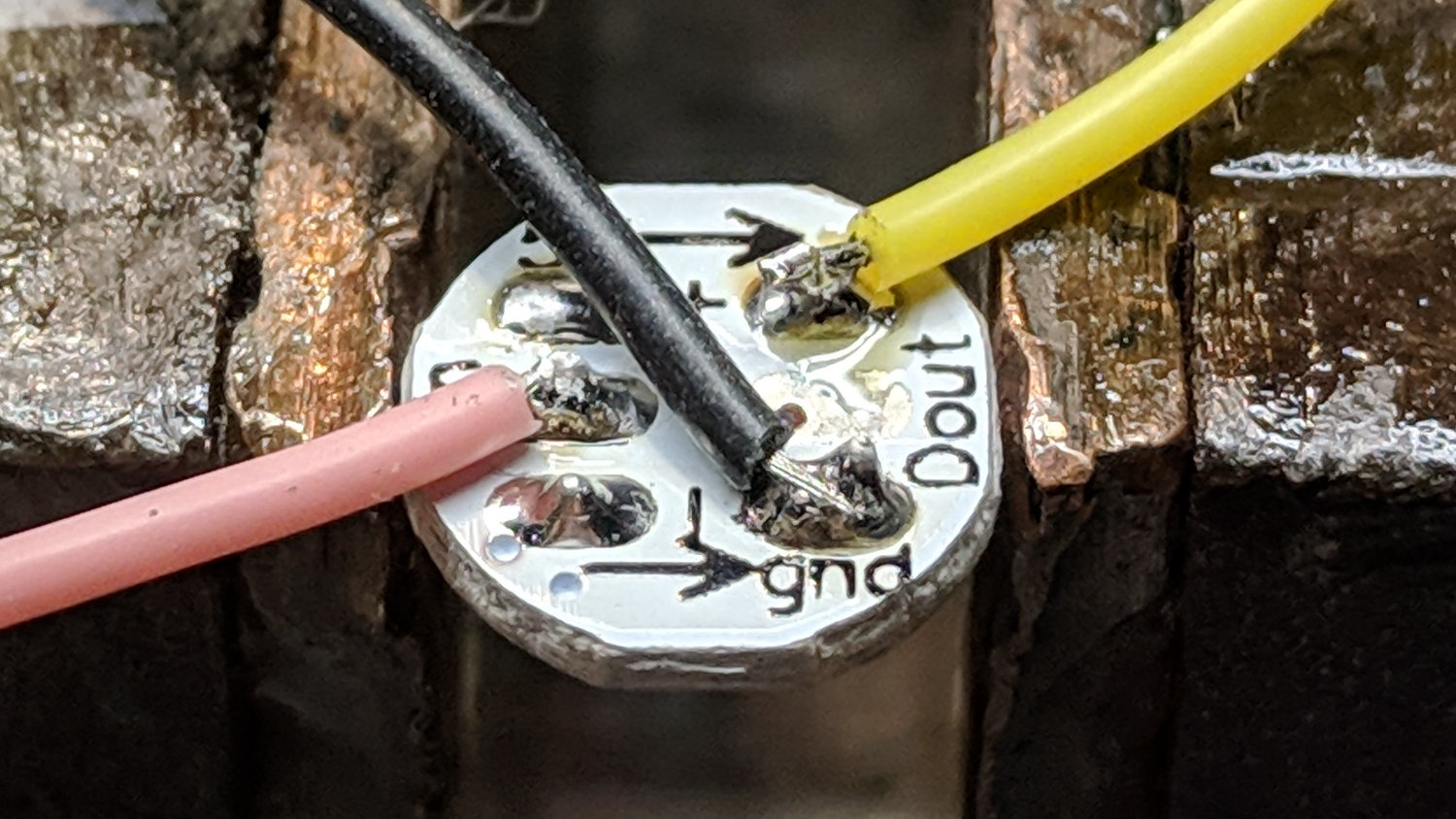
    The 3.6 V (and declining) power supply may not produce as much light from the SK6812 LEDs, but it’s entirely adequate for anything other than a well-lit room. The 28 AWG silicone wires require a bit of careful dressing to emerge from the holes in the radome holder:

    SK6812 LED PCB - Pirhana holder wiring
    SK6812 LED PCB – Pirhana holder wiring

    The firmware cycles through all the usual colors:

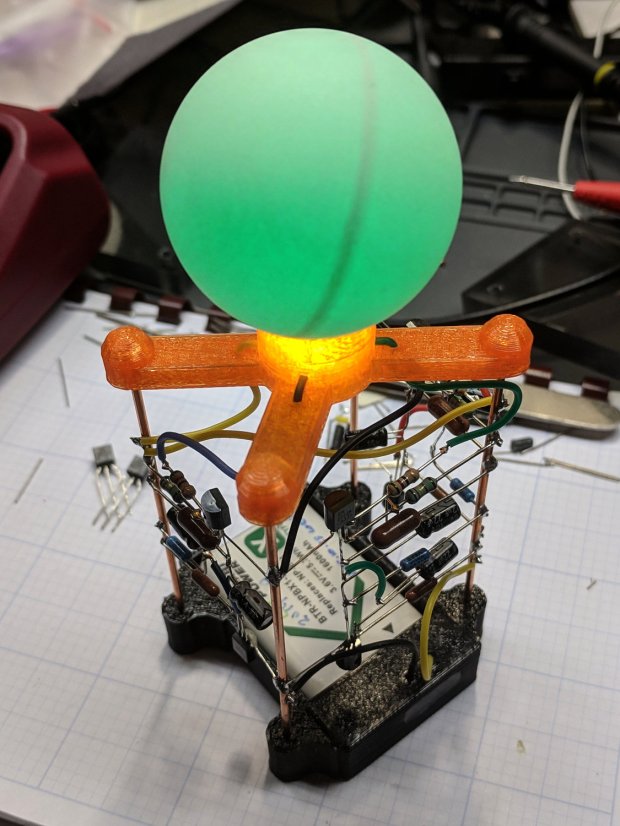
    Arduino Pro Mini - NP-BX1 cell - SK6812 - orange phase
    Arduino Pro Mini – NP-BX1 cell – SK6812 – orange phase

    A pair of tensilized 22 AWG copper wires support the Pro Mini between the rear struts. The whole affair looks a bit heavier than I expected, though, so I should reduce the spider to a single pair of legs with a third hole in the bottom of the LED recess for the data wire.

    The OpenSCAD source code needs some refactoring and tweaking, but the Pirhana LED solid model version of the battery holder should give you the general idea.